

Google Search Secrets
  Google Search Secrets - http://saurabhsays.com
Why view this Presentation?
• Searching on Google is not about typing some
  keywords and getting results. Google search is a
  powerful which can be used to much more than
  just search the web. You can use it to retrieve
  desired information, translate text, do math
  calculation or retrieve flight details. Read on for
  further details


                    Google Search Secrets - http://saurabhsays.com
Define
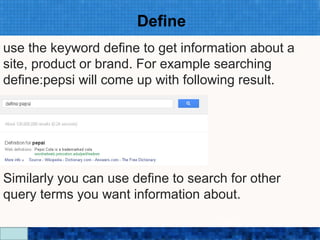
use the keyword define to get information about a
site, product or brand. For example searching
define:pepsi will come up with following result.


Similarly you can use define to search for other
query terms you want information about.
                     Google Search Secrets - http://saurabhsays.com
Info

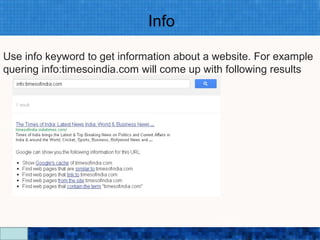
Use info keyword to get information about a website. For example
quering info:timesoindia.com will come up with following results


                          Google Search Secrets - http://saurabhsays.com
Exact Phrase
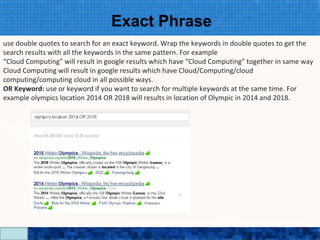
use double quotes to search for an exact keyword. Wrap the keywords in double quotes to get the
search results with all the keywords in the same pattern. For example
“Cloud Computing” will result in google results which have “Cloud Computing” together in same way
Cloud Computing will result in google results which have Cloud/Computing/cloud
computing/computing cloud in all possible ways.
OR Keyword: use or keyword if you want to search for multiple keywords at the same time. For
example olympics location 2014 OR 2018 will results in location of Olympic in 2014 and 2018.


                                       Google Search Secrets - http://saurabhsays.com
Search for Number range
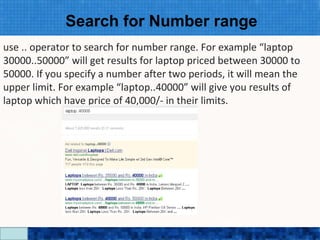
use .. operator to search for number range. For example “laptop
30000..50000” will get results for laptop priced between 30000 to
50000. If you specify a number after two periods, it will mean the
upper limit. For example “laptop..40000” will give you results of
laptop which have price of 40,000/- in their limits.


                            Google Search Secrets - http://saurabhsays.com
Asterisk
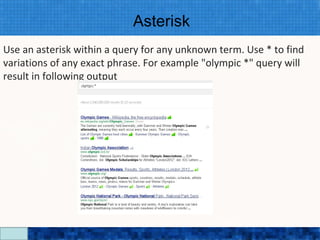
Use an asterisk within a query for any unknown term. Use * to find
variations of any exact phrase. For example "olympic *" query will
result in following output


                           Google Search Secrets - http://saurabhsays.com
Weather
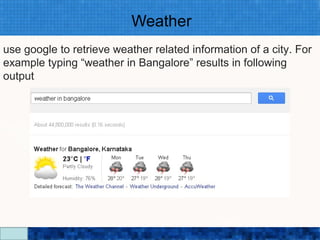
use google to retrieve weather related information of a city. For
example typing “weather in Bangalore” results in following
output


                          Google Search Secrets - http://saurabhsays.com
File Type
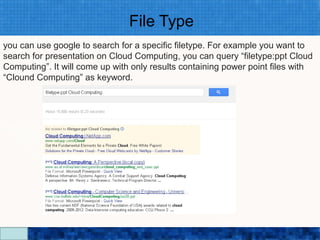
you can use google to search for a specific filetype. For example you want to
search for presentation on Cloud Computing, you can query “filetype:ppt Cloud
Computing”. It will come up with only results containing power point files with
“Clound Computing” as keyword.


                                Google Search Secrets - http://saurabhsays.com
Site Search
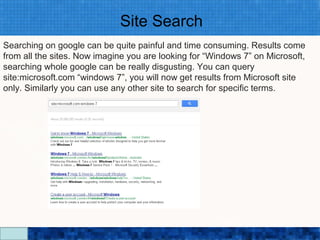
Searching on google can be quite painful and time consuming. Results come
from all the sites. Now imagine you are looking for “Windows 7” on Microsoft,
searching whole google can be really disgusting. You can query
site:microsoft.com “windows 7”, you will now get results from Microsoft site
only. Similarly you can use any other site to search for specific terms.


                                Google Search Secrets - http://saurabhsays.com
Ignoring Search Results
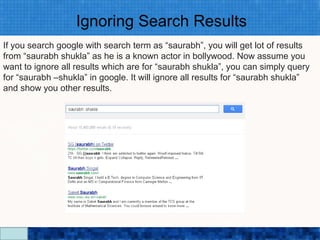
If you search google with search term as “saurabh”, you will get lot of results
from “saurabh shukla” as he is a known actor in bollywood. Now assume you
want to ignore all results which are for “saurabh shukla”, you can simply query
for “saurabh –shukla” in google. It will ignore all results for “saurabh shukla”
and show you other results.


                                 Google Search Secrets - http://saurabhsays.com
Related Keywords
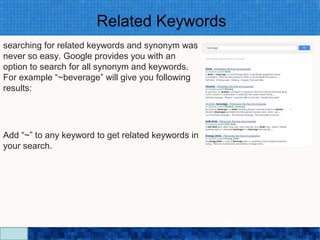
searching for related keywords and synonym was
never so easy. Google provides you with an
option to search for all synonym and keywords.
For example “~beverage” will give you following
results:


Add “~” to any keyword to get related keywords in
your search.


                               Google Search Secrets - http://saurabhsays.com
Translate
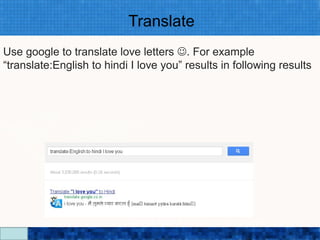
Use google to translate love letters . For example
“translate:English to hindi I love you” results in following results


                           Google Search Secrets - http://saurabhsays.com
Link
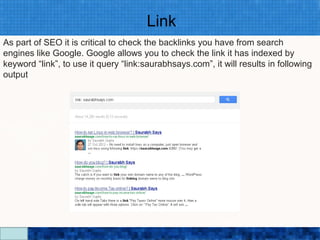
As part of SEO it is critical to check the backlinks you have from search
engines like Google. Google allows you to check the link it has indexed by
keyword “link”, to use it query “link:saurabhsays.com”, it will results in following
output


                                  Google Search Secrets - http://saurabhsays.com
Time
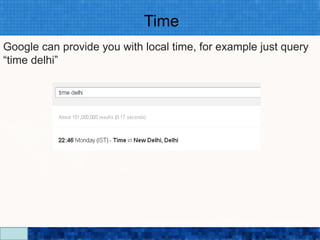
Google can provide you with local time, for example just query
“time delhi”


                         Google Search Secrets - http://saurabhsays.com
Conversion
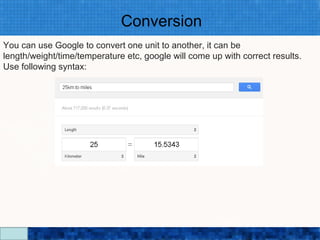
You can use Google to convert one unit to another, it can be
length/weight/time/temperature etc, google will come up with correct results.
Use following syntax:


                                Google Search Secrets - http://saurabhsays.com
Search Nearby Stuff
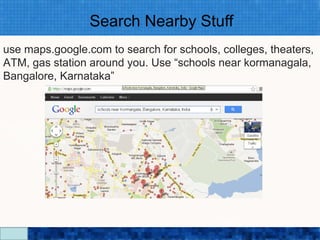
use maps.google.com to search for schools, colleges, theaters,
ATM, gas station around you. Use “schools near kormanagala,
Bangalore, Karnataka”


                         Google Search Secrets - http://saurabhsays.com
Flight Information
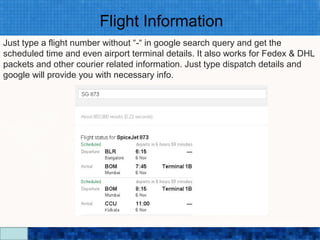
Just type a flight number without “-“ in google search query and get the
scheduled time and even airport terminal details. It also works for Fedex & DHL
packets and other courier related information. Just type dispatch details and
google will provide you with necessary info.


                                Google Search Secrets - http://saurabhsays.com
Cache
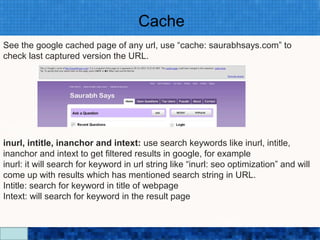
See the google cached page of any url, use “cache: saurabhsays.com” to
check last captured version the URL.


inurl, intitle, inanchor and intext: use search keywords like inurl, intitle,
inanchor and intext to get filtered results in google, for example
inurl: it will search for keyword in url string like “inurl: seo optimization” and will
come up with results which has mentioned search string in URL.
Intitle: search for keyword in title of webpage
Intext: will search for keyword in the result page

                                   Google Search Secrets - http://saurabhsays.com
Math Calculations
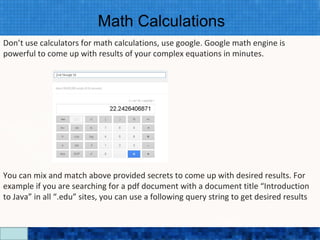
Don’t use calculators for math calculations, use google. Google math engine is
powerful to come up with results of your complex equations in minutes.


You can mix and match above provided secrets to come up with desired results. For
example if you are searching for a pdf document with a document title “Introduction
to Java” in all “.edu” sites, you can use a following query string to get desired results

                                    Google Search Secrets - http://saurabhsays.com

Google search secrets

  • 1.
    Google Search Secrets Google Search Secrets - http://saurabhsays.com
  • 2.
    Why view thisPresentation? • Searching on Google is not about typing some keywords and getting results. Google search is a powerful which can be used to much more than just search the web. You can use it to retrieve desired information, translate text, do math calculation or retrieve flight details. Read on for further details Google Search Secrets - http://saurabhsays.com
  • 3.
    Define use the keyworddefine to get information about a site, product or brand. For example searching define:pepsi will come up with following result. Similarly you can use define to search for other query terms you want information about. Google Search Secrets - http://saurabhsays.com
  • 4.
    Info Use info keywordto get information about a website. For example quering info:timesoindia.com will come up with following results Google Search Secrets - http://saurabhsays.com
  • 5.
    Exact Phrase use doublequotes to search for an exact keyword. Wrap the keywords in double quotes to get the search results with all the keywords in the same pattern. For example “Cloud Computing” will result in google results which have “Cloud Computing” together in same way Cloud Computing will result in google results which have Cloud/Computing/cloud computing/computing cloud in all possible ways. OR Keyword: use or keyword if you want to search for multiple keywords at the same time. For example olympics location 2014 OR 2018 will results in location of Olympic in 2014 and 2018. Google Search Secrets - http://saurabhsays.com
  • 6.
    Search for Numberrange use .. operator to search for number range. For example “laptop 30000..50000” will get results for laptop priced between 30000 to 50000. If you specify a number after two periods, it will mean the upper limit. For example “laptop..40000” will give you results of laptop which have price of 40,000/- in their limits. Google Search Secrets - http://saurabhsays.com
  • 7.
    Asterisk Use an asteriskwithin a query for any unknown term. Use * to find variations of any exact phrase. For example "olympic *" query will result in following output Google Search Secrets - http://saurabhsays.com
  • 8.
    Weather use google toretrieve weather related information of a city. For example typing “weather in Bangalore” results in following output Google Search Secrets - http://saurabhsays.com
  • 9.
    File Type you canuse google to search for a specific filetype. For example you want to search for presentation on Cloud Computing, you can query “filetype:ppt Cloud Computing”. It will come up with only results containing power point files with “Clound Computing” as keyword. Google Search Secrets - http://saurabhsays.com
  • 10.
    Site Search Searching ongoogle can be quite painful and time consuming. Results come from all the sites. Now imagine you are looking for “Windows 7” on Microsoft, searching whole google can be really disgusting. You can query site:microsoft.com “windows 7”, you will now get results from Microsoft site only. Similarly you can use any other site to search for specific terms. Google Search Secrets - http://saurabhsays.com
  • 11.
    Ignoring Search Results Ifyou search google with search term as “saurabh”, you will get lot of results from “saurabh shukla” as he is a known actor in bollywood. Now assume you want to ignore all results which are for “saurabh shukla”, you can simply query for “saurabh –shukla” in google. It will ignore all results for “saurabh shukla” and show you other results. Google Search Secrets - http://saurabhsays.com
  • 12.
    Related Keywords searching forrelated keywords and synonym was never so easy. Google provides you with an option to search for all synonym and keywords. For example “~beverage” will give you following results: Add “~” to any keyword to get related keywords in your search. Google Search Secrets - http://saurabhsays.com
  • 13.
    Translate Use google totranslate love letters . For example “translate:English to hindi I love you” results in following results Google Search Secrets - http://saurabhsays.com
  • 14.
    Link As part ofSEO it is critical to check the backlinks you have from search engines like Google. Google allows you to check the link it has indexed by keyword “link”, to use it query “link:saurabhsays.com”, it will results in following output Google Search Secrets - http://saurabhsays.com
  • 15.
    Time Google can provideyou with local time, for example just query “time delhi” Google Search Secrets - http://saurabhsays.com
  • 16.
    Conversion You can useGoogle to convert one unit to another, it can be length/weight/time/temperature etc, google will come up with correct results. Use following syntax: Google Search Secrets - http://saurabhsays.com
  • 17.
    Search Nearby Stuff usemaps.google.com to search for schools, colleges, theaters, ATM, gas station around you. Use “schools near kormanagala, Bangalore, Karnataka” Google Search Secrets - http://saurabhsays.com
  • 18.
    Flight Information Just typea flight number without “-“ in google search query and get the scheduled time and even airport terminal details. It also works for Fedex & DHL packets and other courier related information. Just type dispatch details and google will provide you with necessary info. Google Search Secrets - http://saurabhsays.com
  • 19.
    Cache See the googlecached page of any url, use “cache: saurabhsays.com” to check last captured version the URL. inurl, intitle, inanchor and intext: use search keywords like inurl, intitle, inanchor and intext to get filtered results in google, for example inurl: it will search for keyword in url string like “inurl: seo optimization” and will come up with results which has mentioned search string in URL. Intitle: search for keyword in title of webpage Intext: will search for keyword in the result page Google Search Secrets - http://saurabhsays.com
  • 20.
    Math Calculations Don’t usecalculators for math calculations, use google. Google math engine is powerful to come up with results of your complex equations in minutes. You can mix and match above provided secrets to come up with desired results. For example if you are searching for a pdf document with a document title “Introduction to Java” in all “.edu” sites, you can use a following query string to get desired results Google Search Secrets - http://saurabhsays.com