Using Google (and other tools) For Research & Reputation
The basic argument [of Web 2.0] is, if you think about it: it would be better for you to have all the data and all the applications that you use on a server somewhere, and then whatever computer or device you're near you would be able to use.  Eric Schmidt,  Chief Executive Office, Google
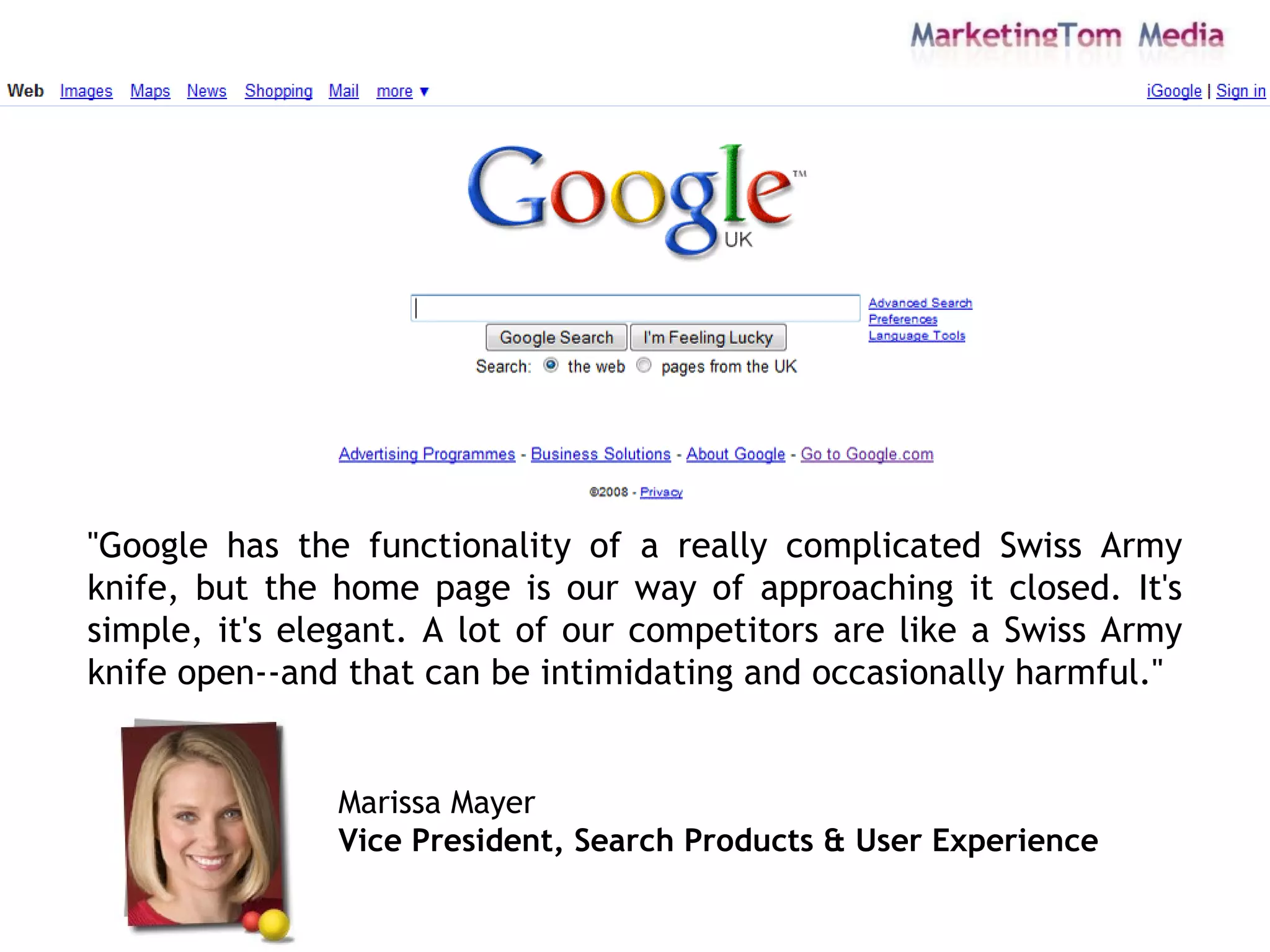
"Google has the functionality of a really complicated Swiss Army knife, but the home page is our way of approaching it closed. It's simple, it's elegant. A lot of our competitors are like a Swiss Army knife open--and that can be intimidating and occasionally harmful."  Marissa Mayer Vice President, Search Products & User Experience
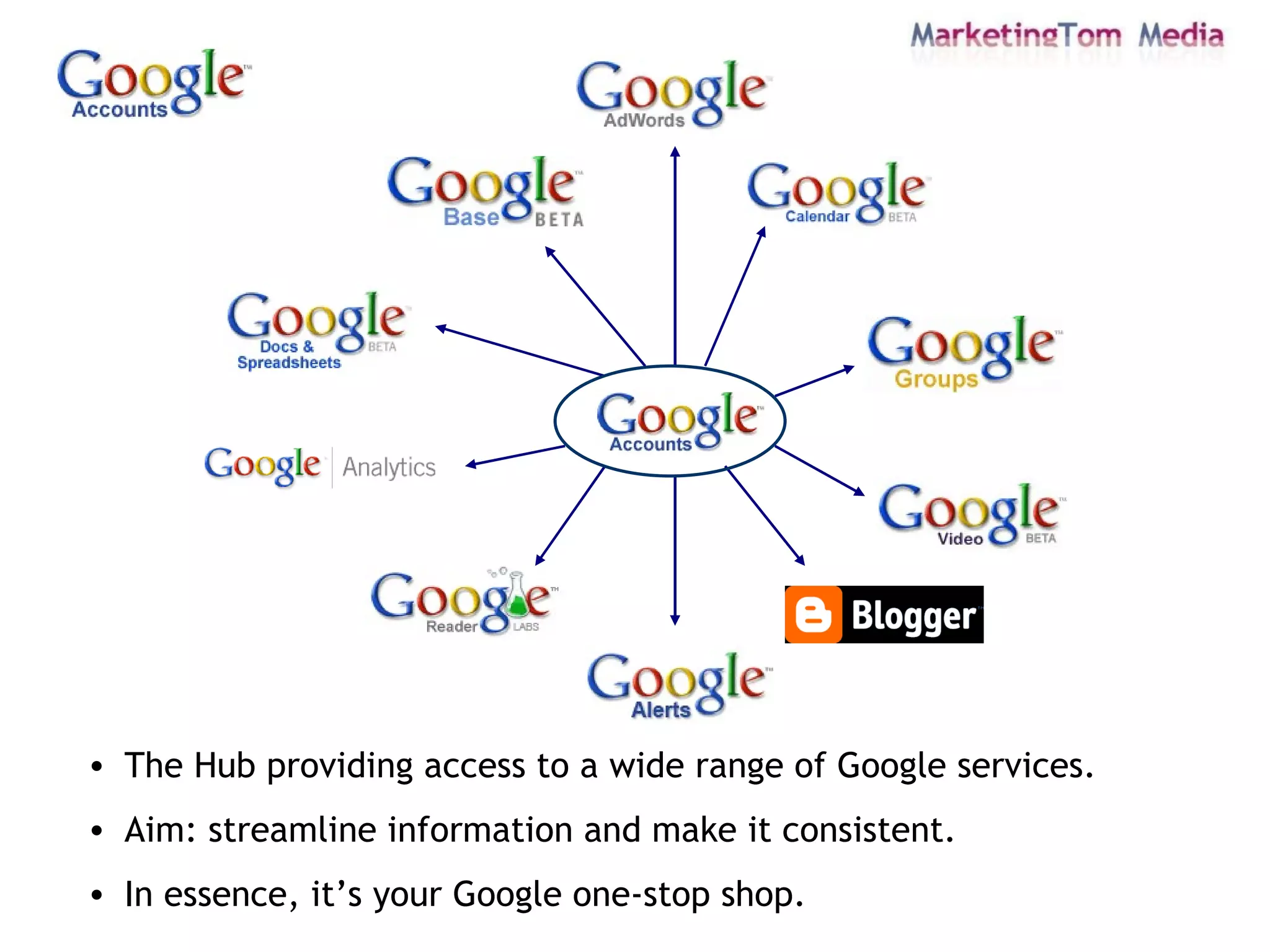
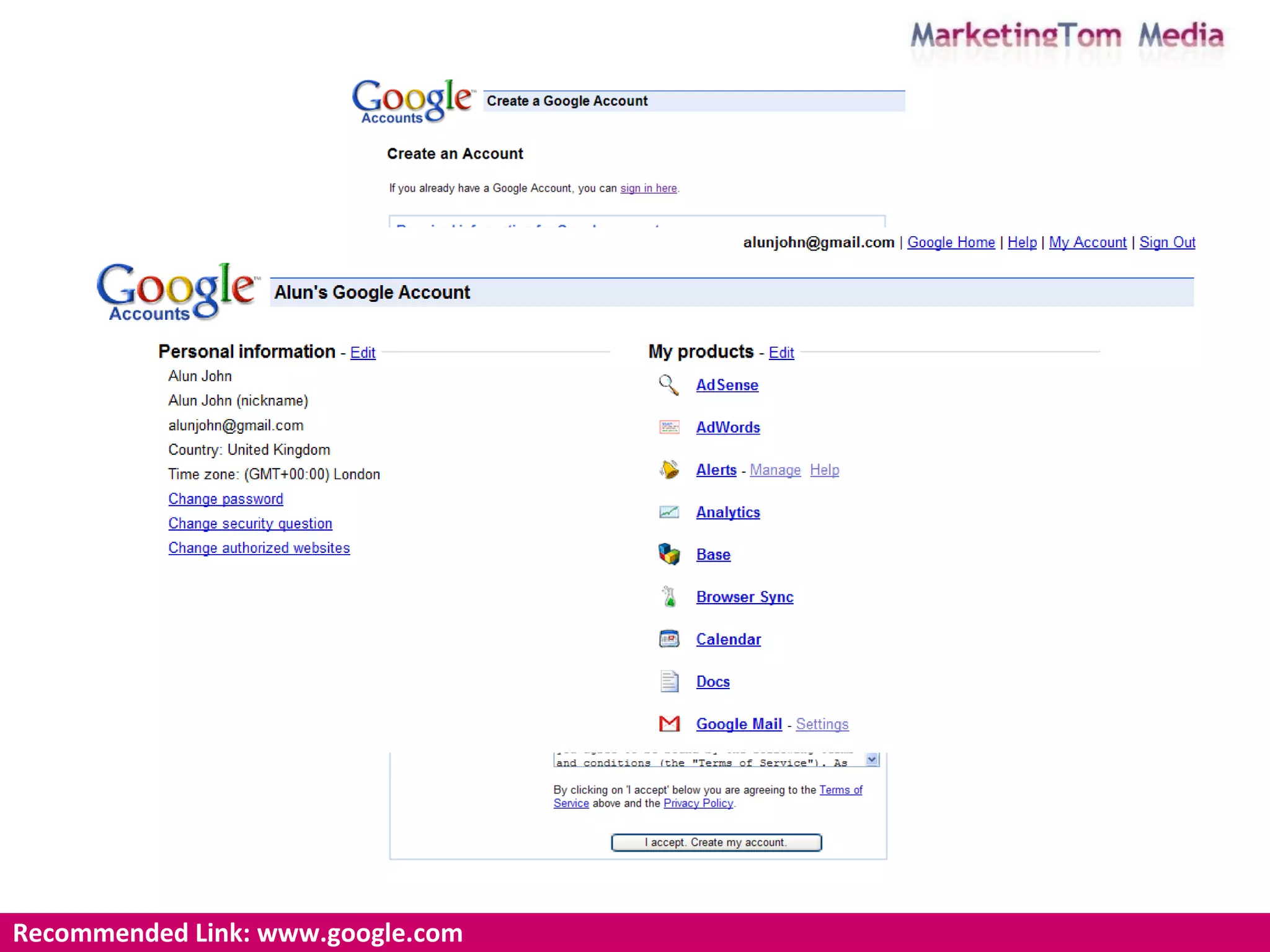
The Hub providing access to a wide range of Google services. Aim: streamline information and make it consistent.  In essence, it’s your Google one-stop shop.
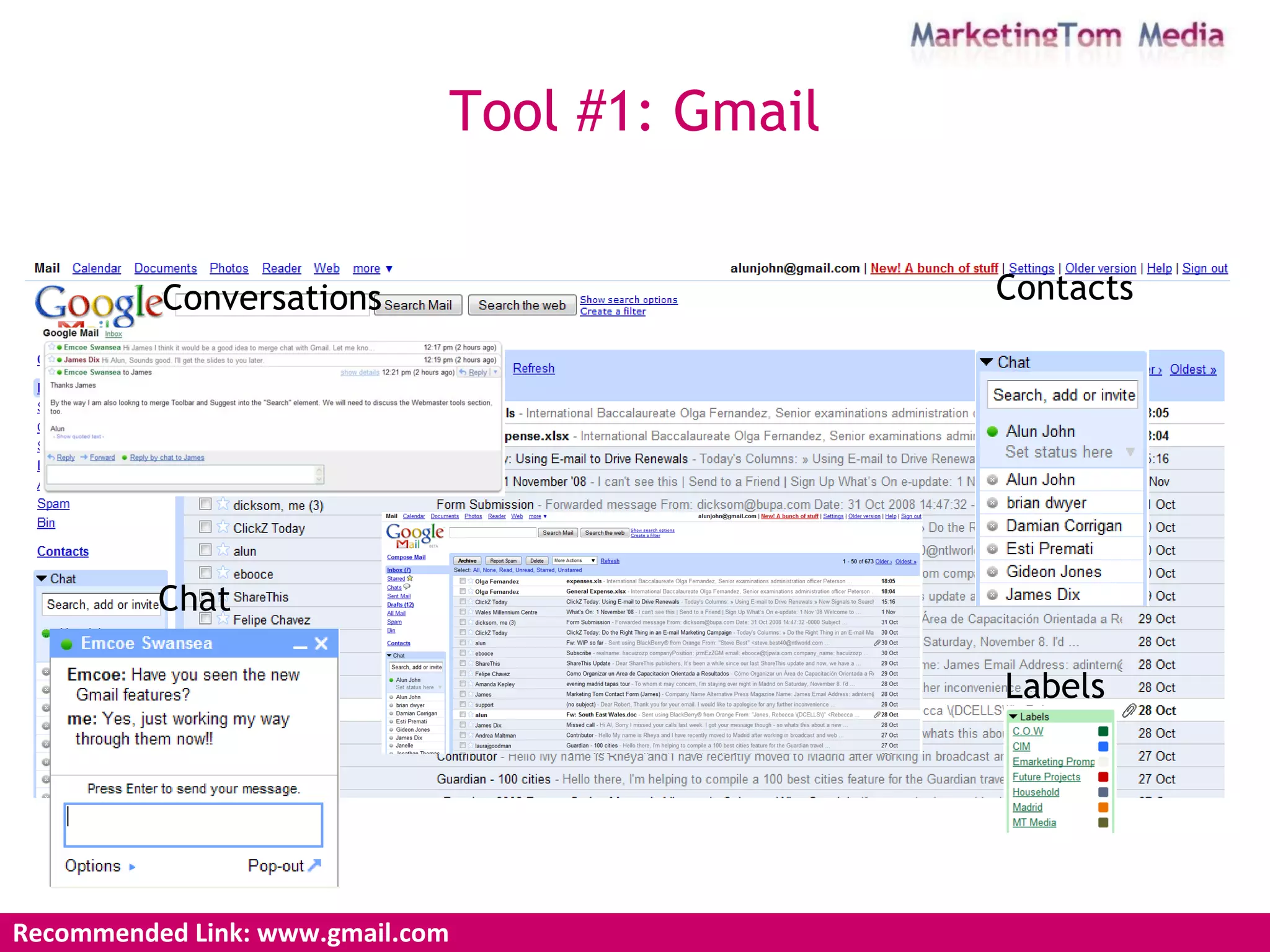
Tool #1: Gmail Recommended Link: www.gmail.com Conversations Chat Contacts Labels
Recommended Link: www.google.com https://www.google.com/accounts/Login
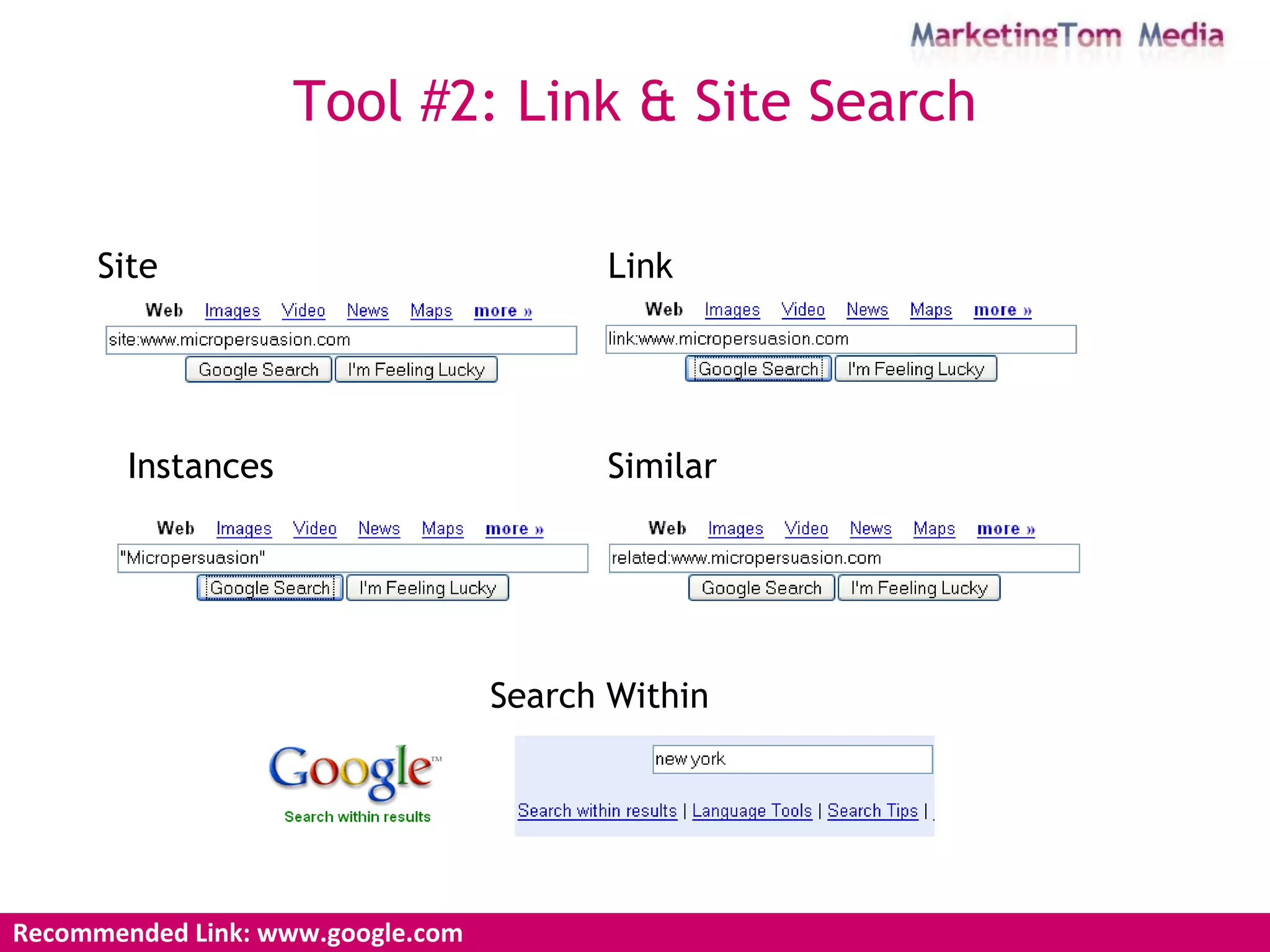
Recommended Link: www.google.com Tool #2: Link & Site Search Site Link Similar Instances Search Within
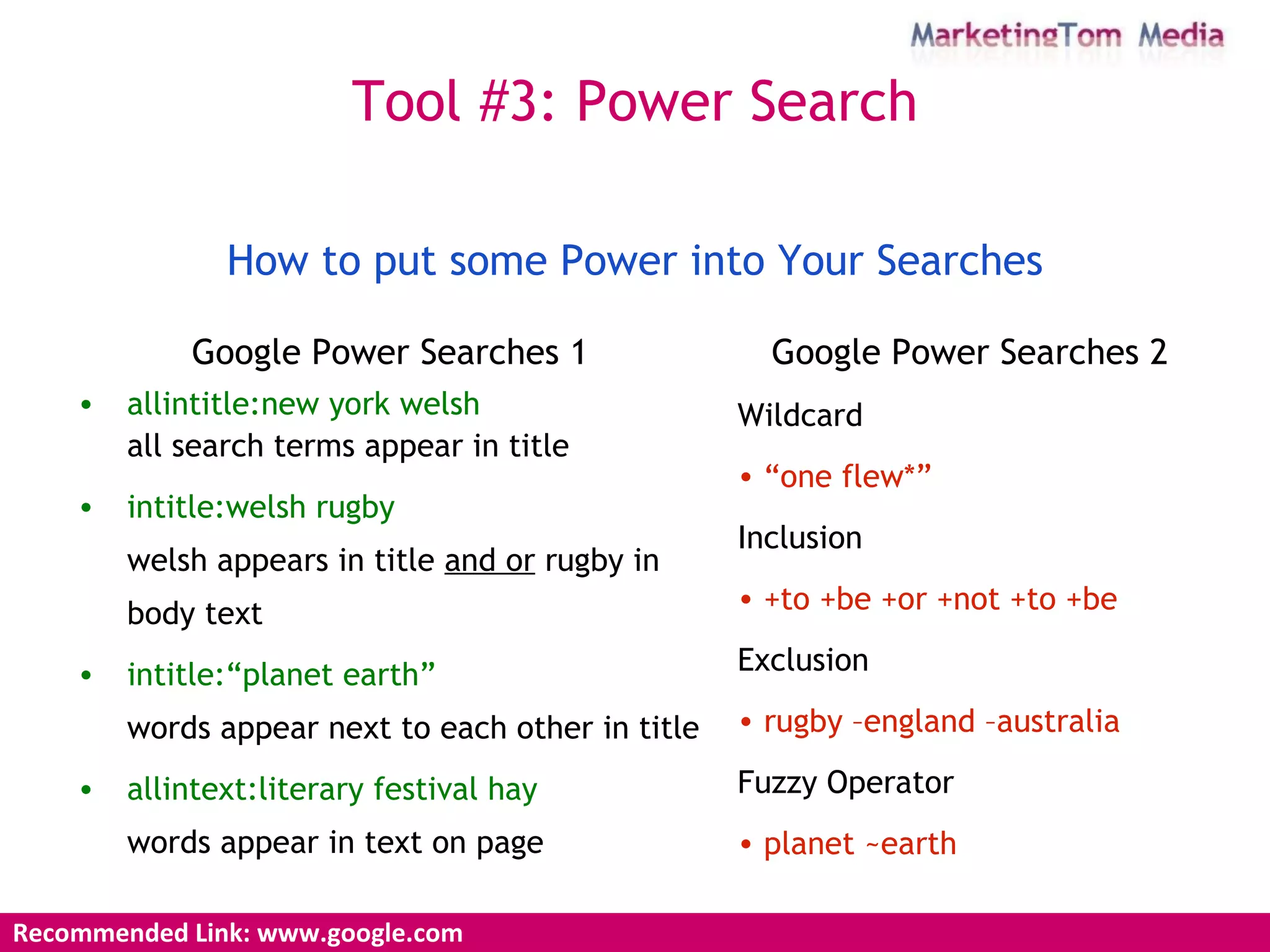
Google Power Searches 1 allintitle:new york welsh all  search terms appear in title intitle:welsh rugby welsh appears in title  and or  rugby in body text intitle:“planet earth” words appear next to each other in title allintext:literary festival hay words appear in text on page Google Power Searches 2 Wildcard “ one flew*” Inclusion +to +be +or +not +to +be   Exclusion rugby –england –australia Fuzzy Operator planet ~earth How to put some Power into Your Searches Recommended Link: www.google.com Tool #3: Power Search
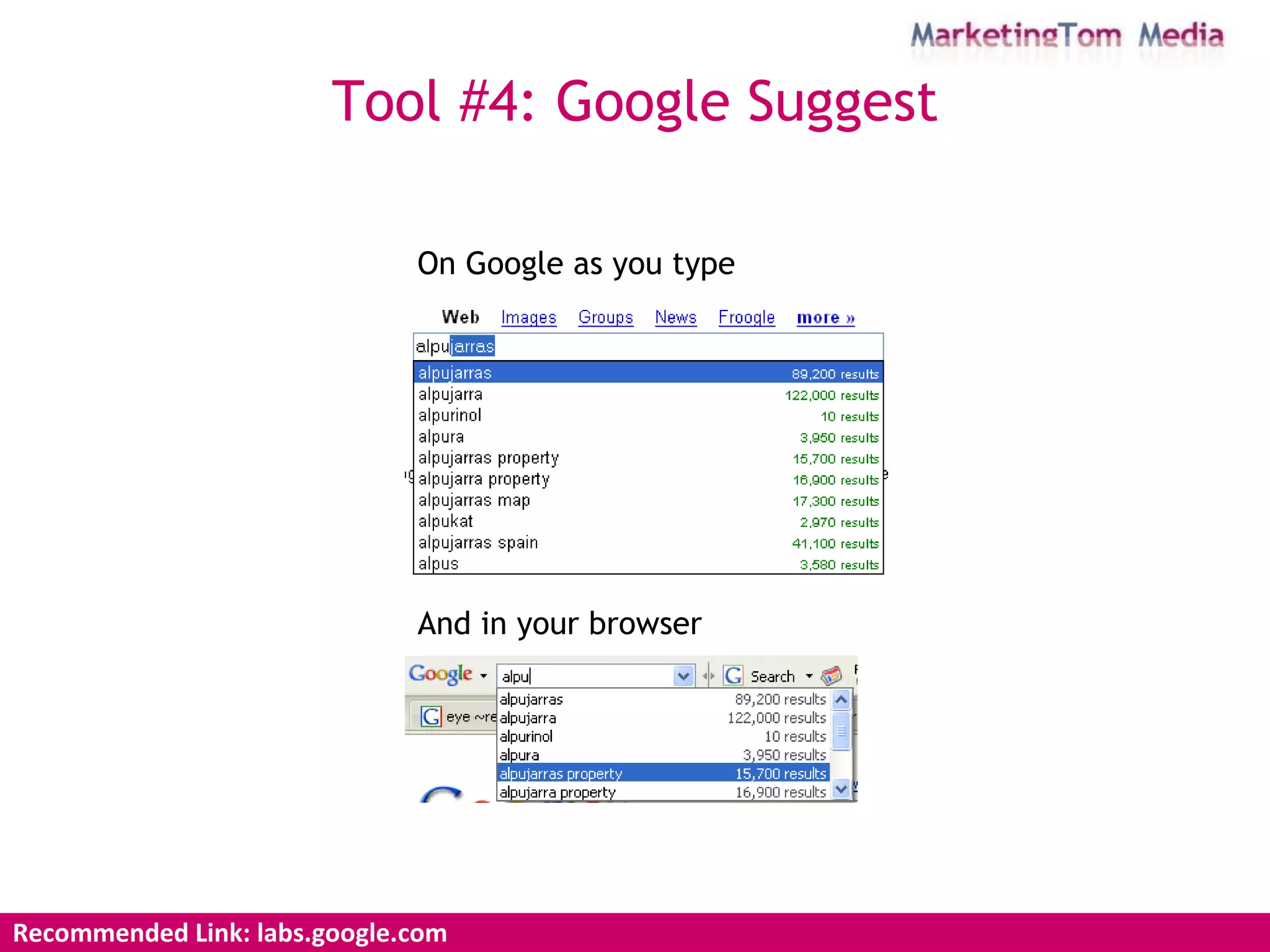
Recommended Link: labs.google.com Tool #4: Google Suggest On Google as you type And in your browser
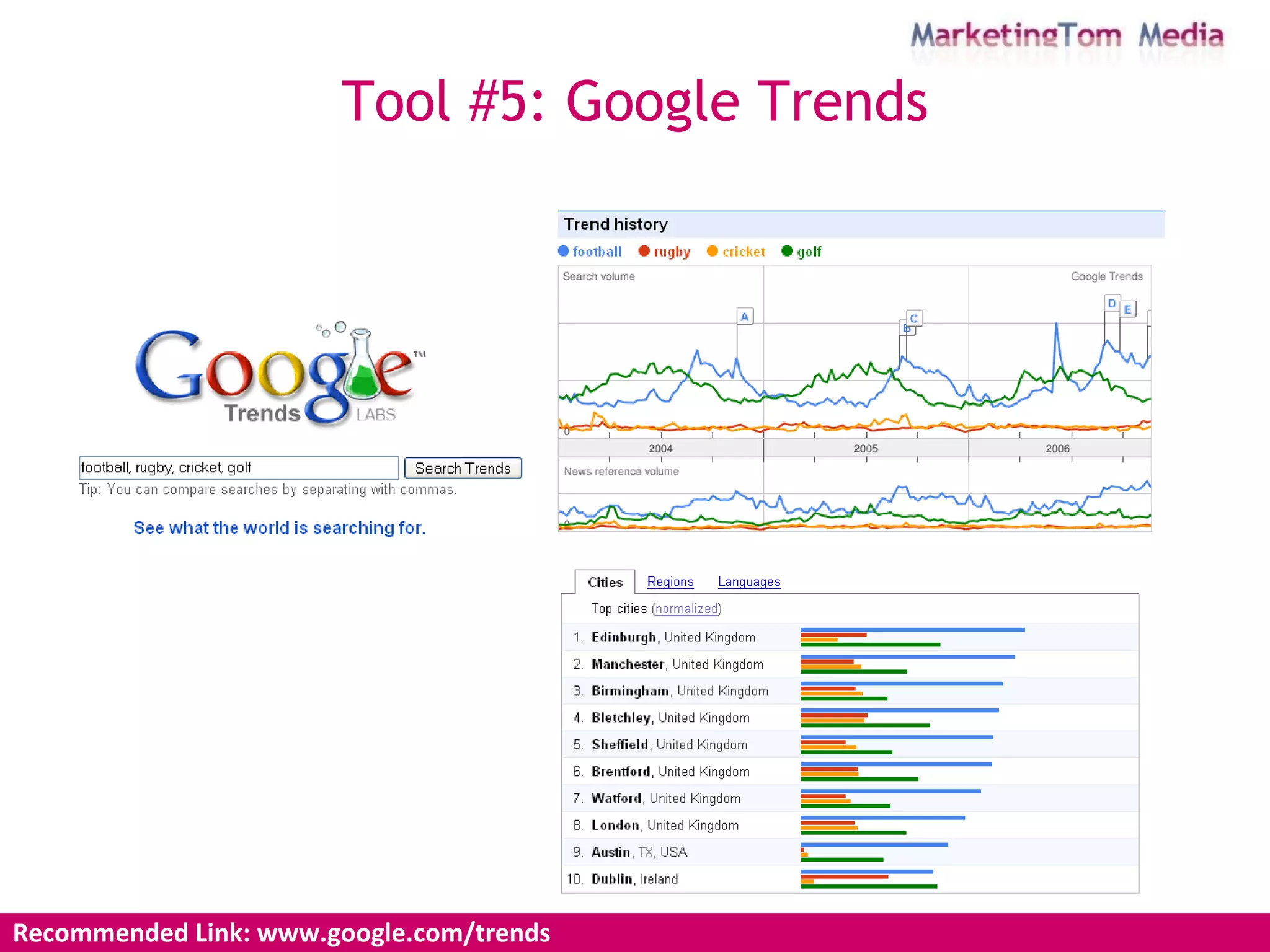
Recommended Link: www.google.com/trends Tool #5: Google Trends
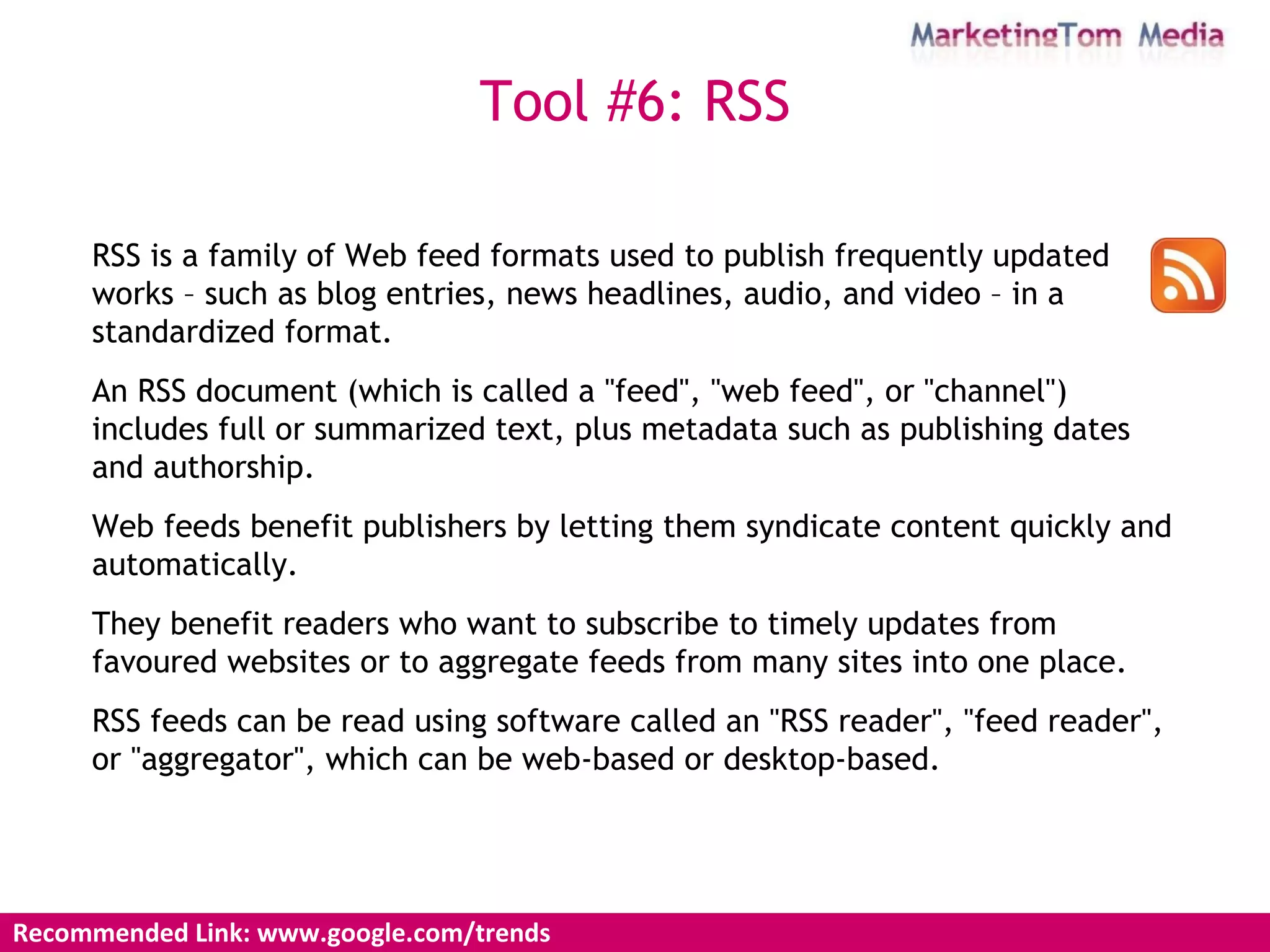
Recommended Link: www.google.com/trends Tool #6: RSS RSS is a family of Web feed formats used to publish frequently updated works – such as blog entries, news headlines, audio, and video – in a standardized format.  An RSS document (which is called a "feed", "web feed", or "channel") includes full or summarized text, plus metadata such as publishing dates and authorship.  Web feeds benefit publishers by letting them syndicate content quickly and automatically.  They benefit readers who want to subscribe to timely updates from favoured websites or to aggregate feeds from many sites into one place.  RSS feeds can be read using software called an "RSS reader", "feed reader", or "aggregator", which can be web-based or desktop-based.
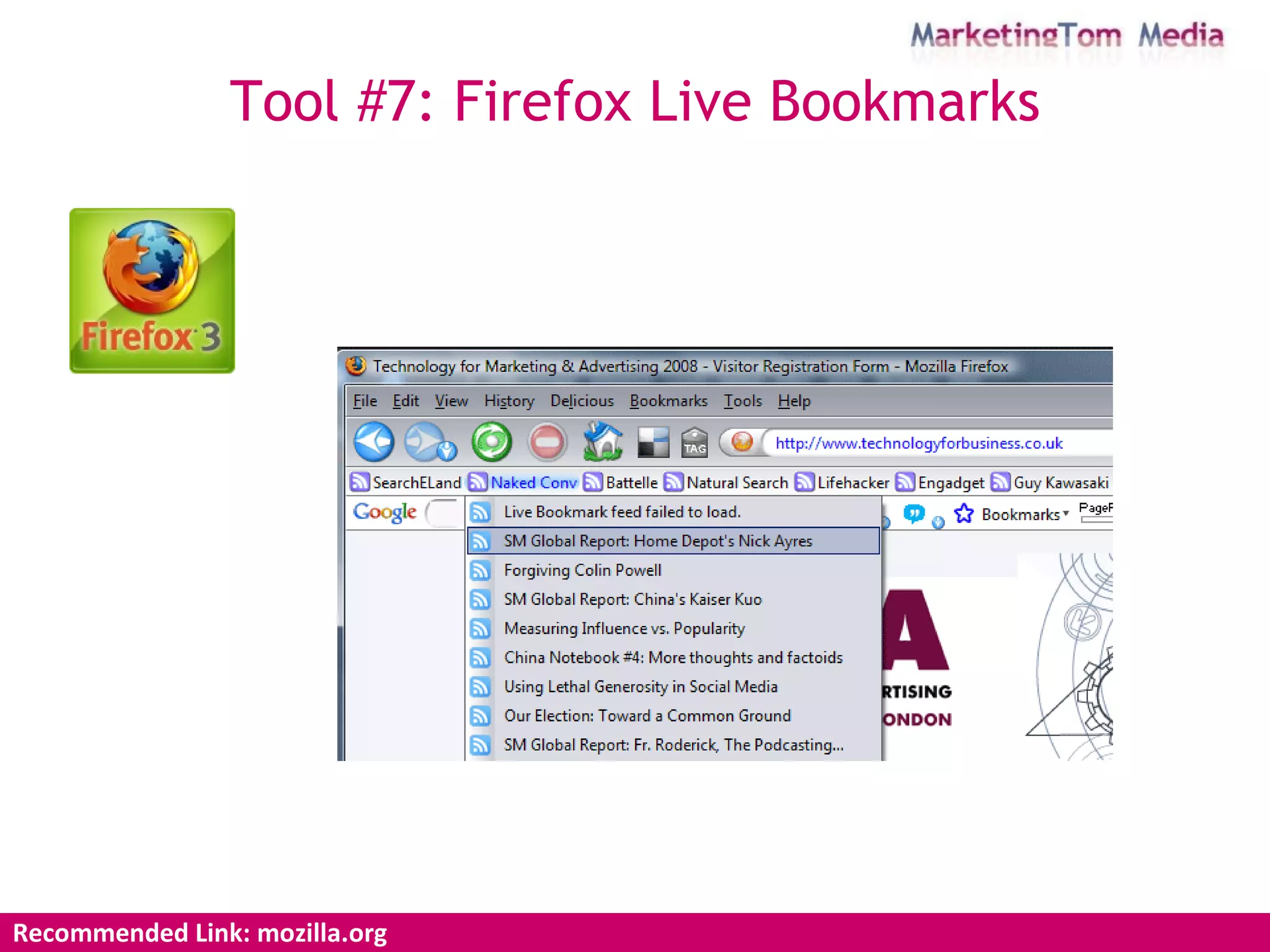
Recommended Link: mozilla.org Tool #7: Firefox Live Bookmarks
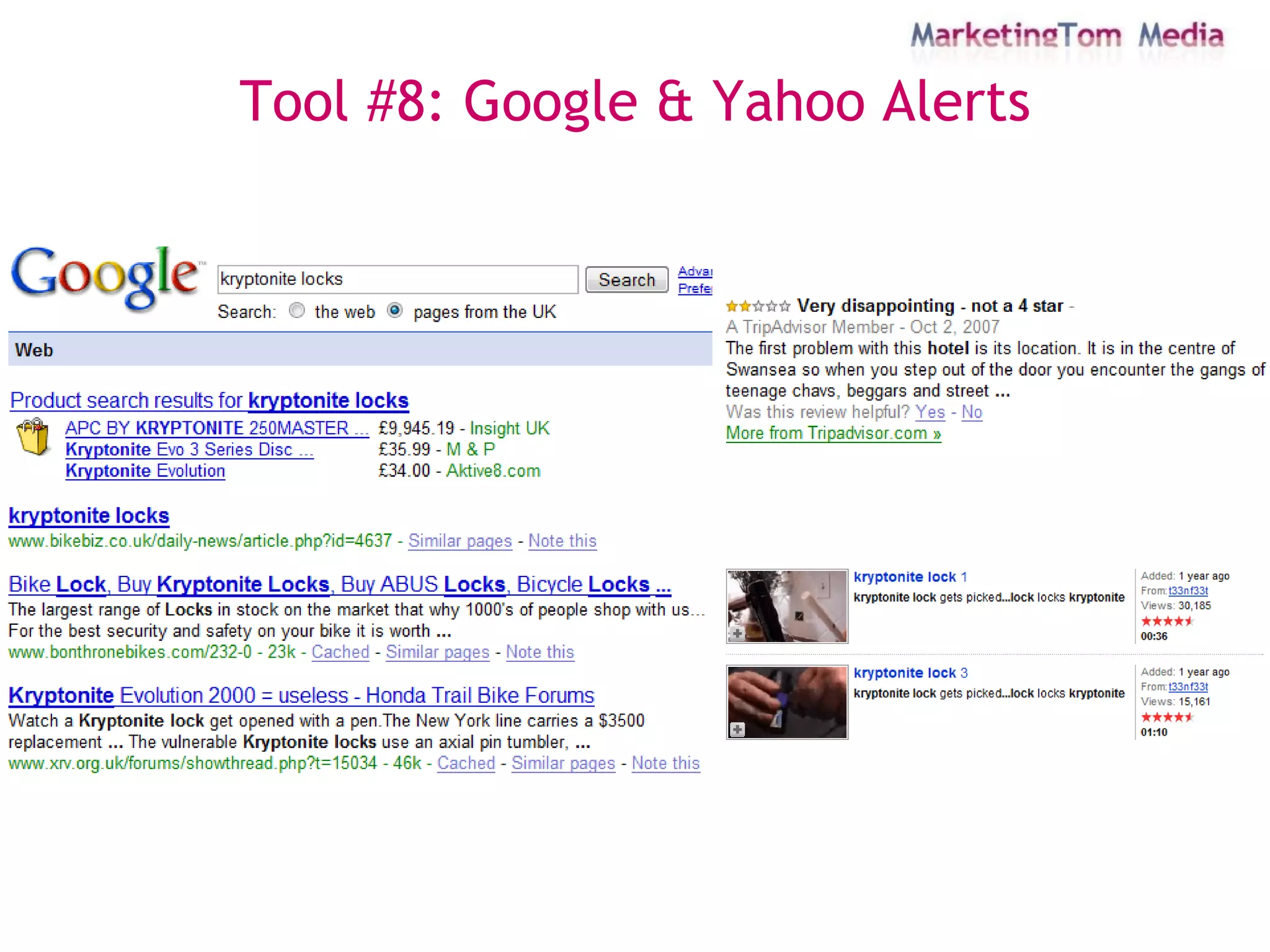
Tool #8: Google & Yahoo Alerts
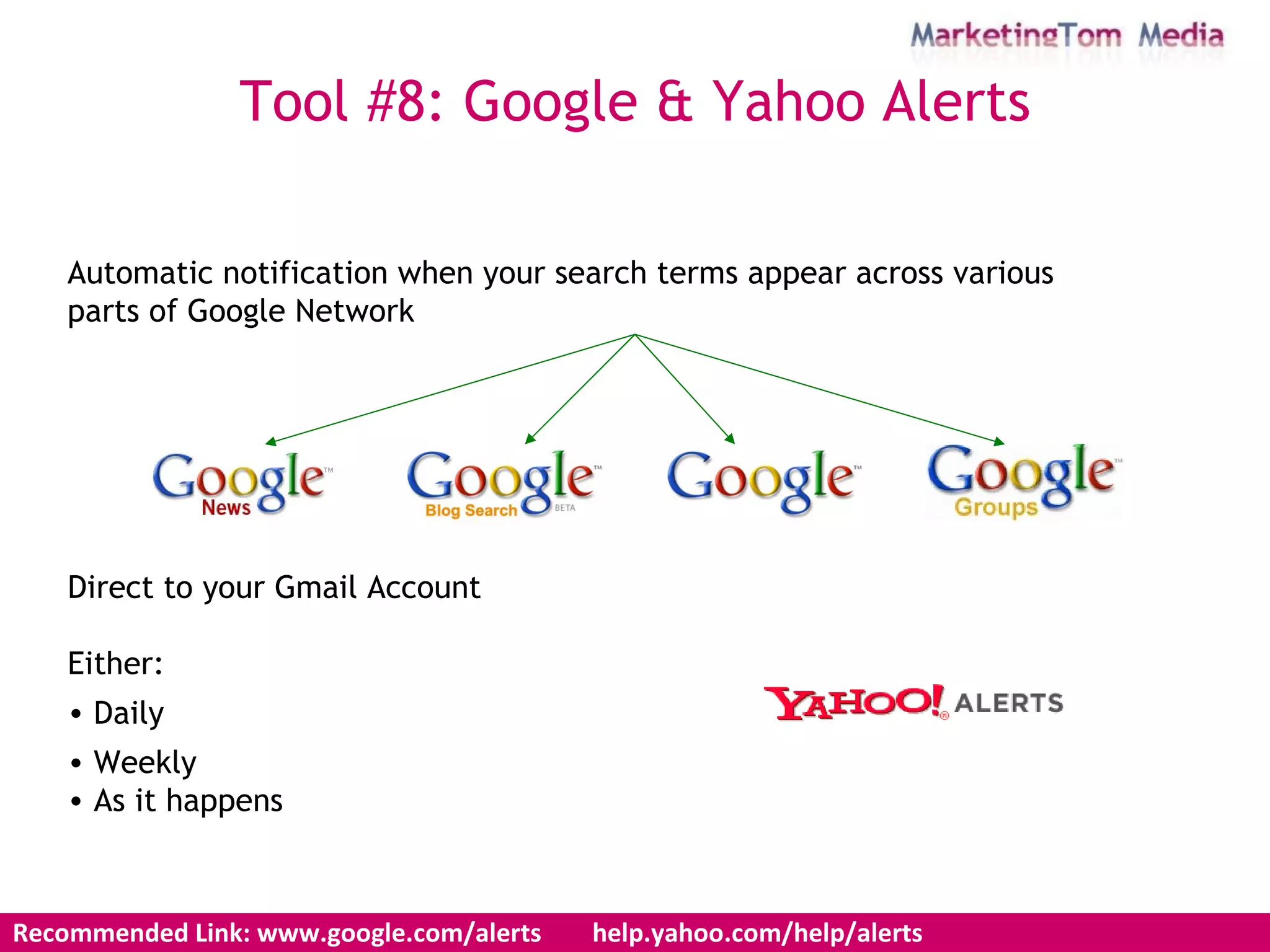
Automatic notification when your search terms appear across various  parts of Google Network Direct to your Gmail Account Either: Daily Weekly As it happens Tool #8: Google & Yahoo Alerts Recommended Link: www.google.com/alerts  help.yahoo.com/help/alerts
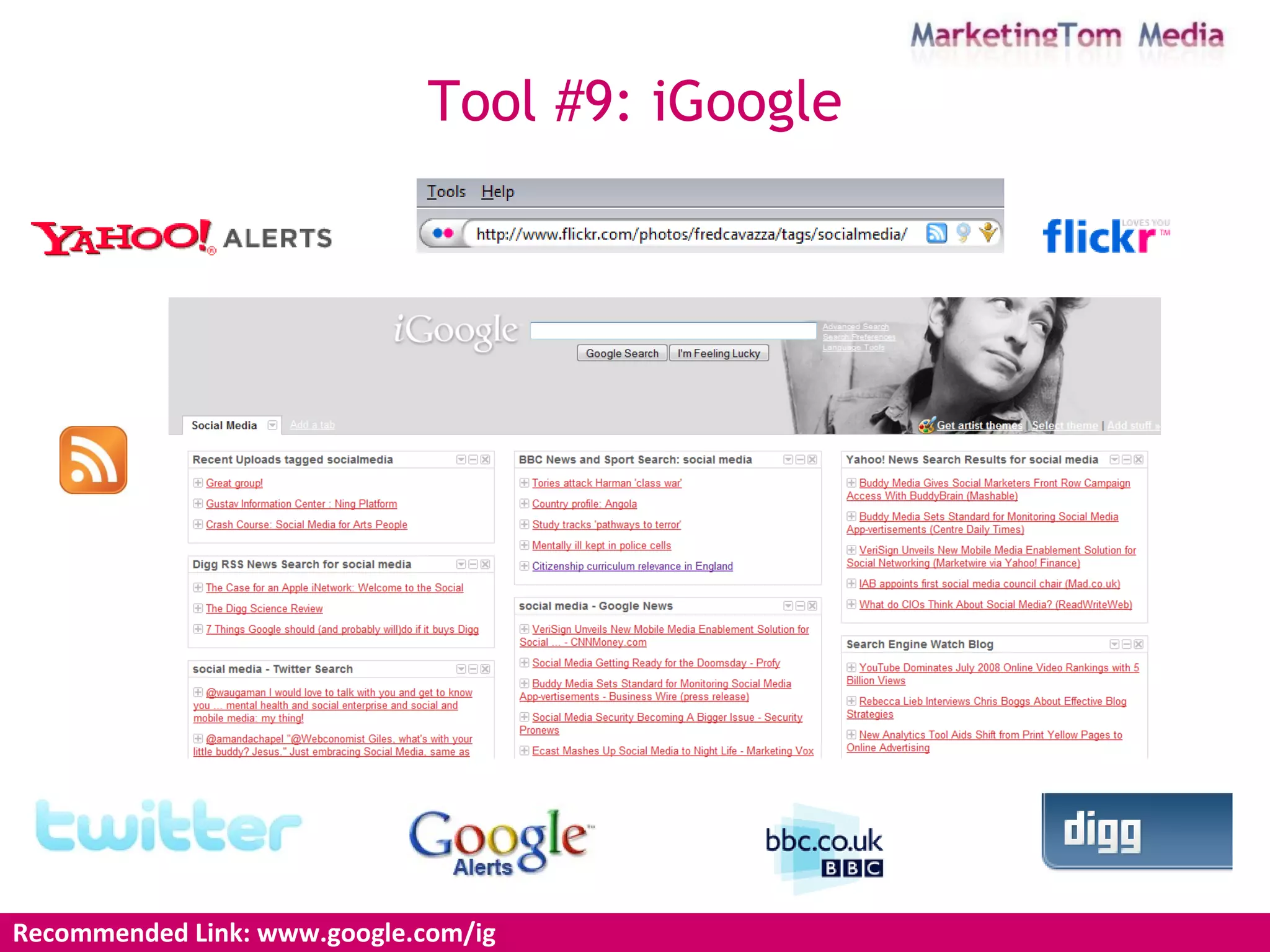
Recommended Link: www.google.com/ig  Tool #9: iGoogle
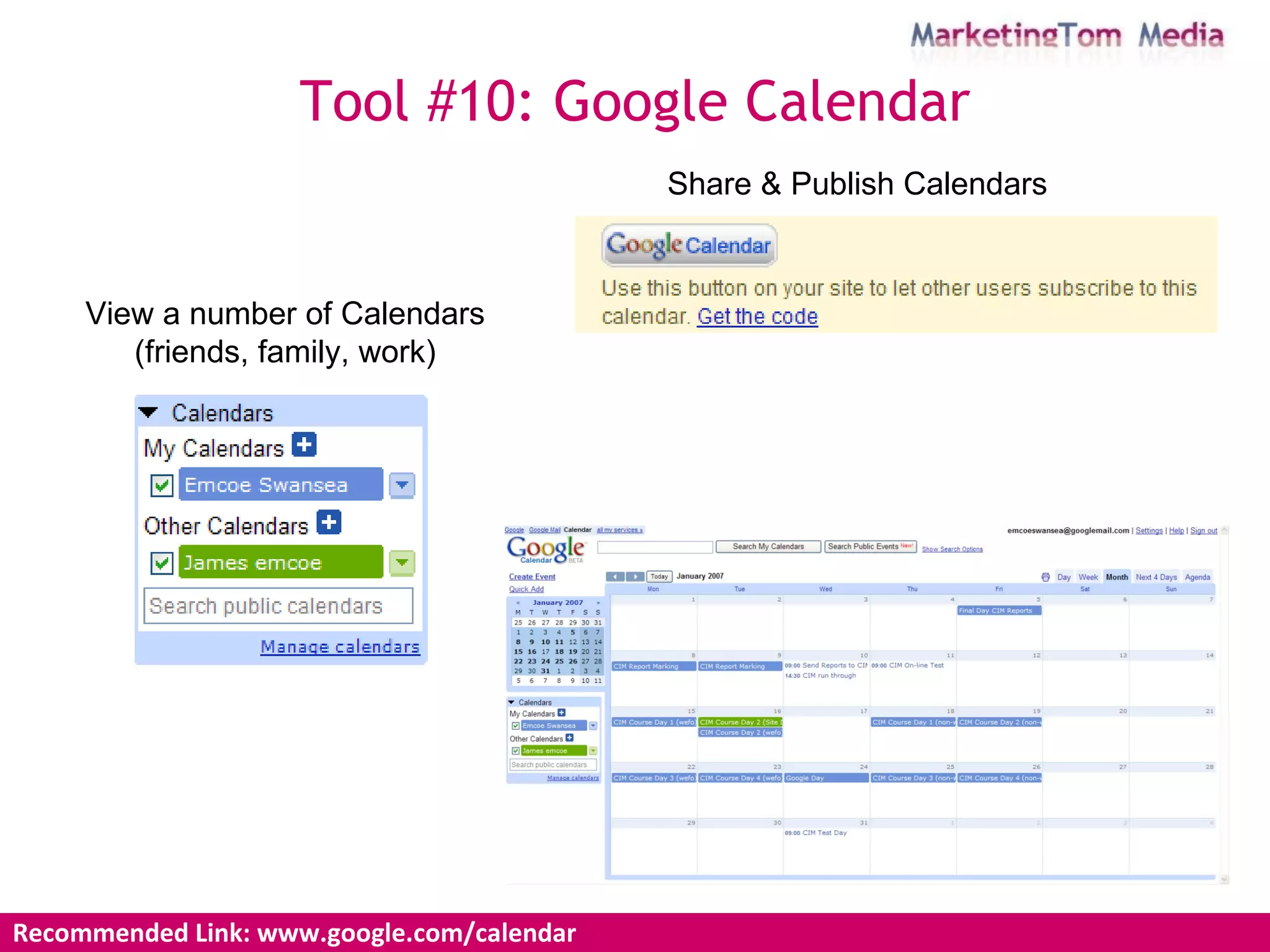
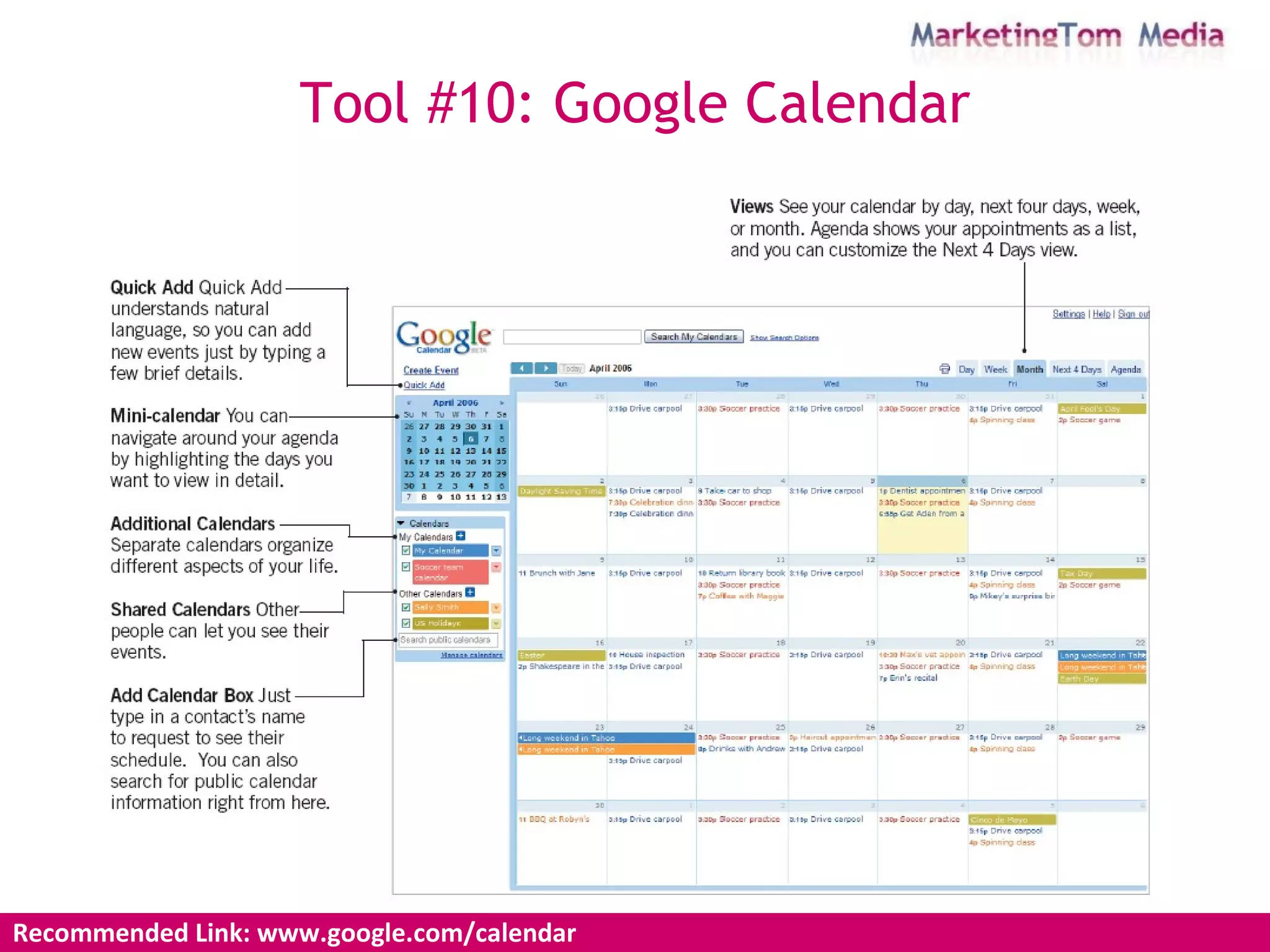
Recommended Link: www.google.com/calendar  Tool #10: Google Calendar View a number of Calendars (friends, family, work) Share & Publish Calendars
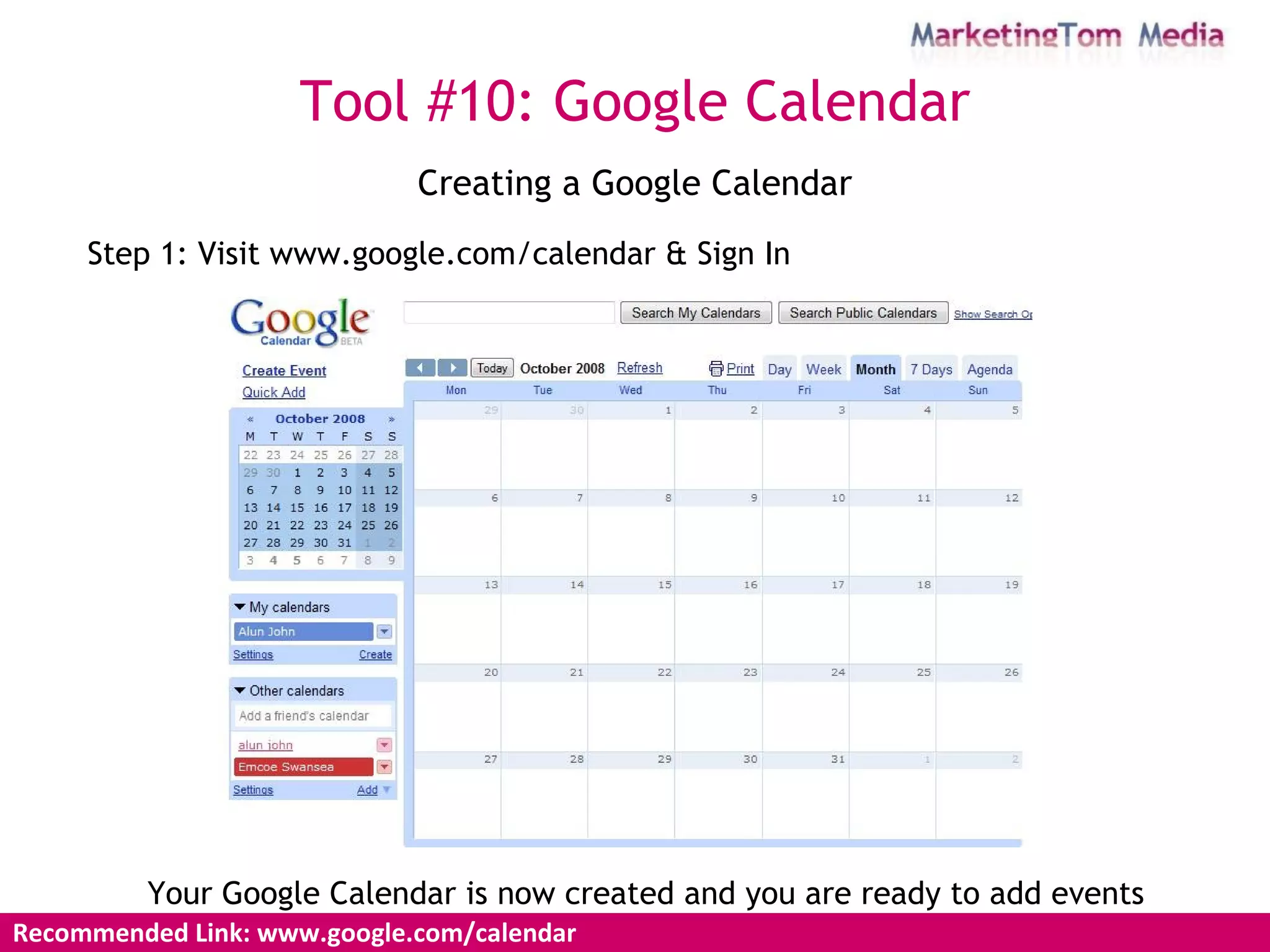
Creating a Google Calendar Step 1: Visit www.google.com/calendar & Sign In Your Google Calendar is now created and you are ready to add events Recommended Link: www.google.com/calendar  Tool #10: Google Calendar
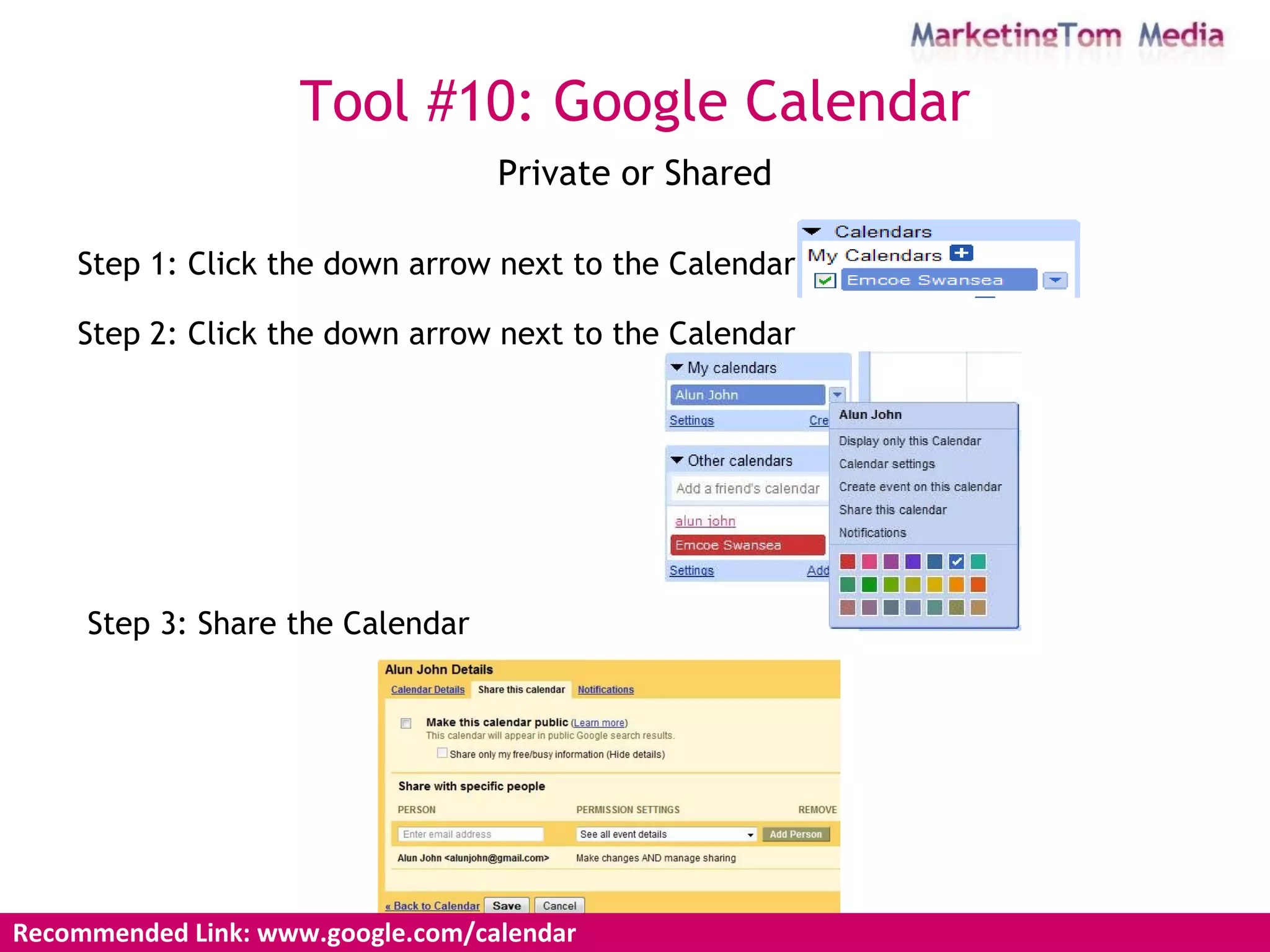
Private or Shared Recommended Link: www.google.com/calendar  Tool #10: Google Calendar Step 1: Click the down arrow next to the Calendar Step 2: Click the down arrow next to the Calendar Step 3: Share the Calendar
Recommended Link: www.google.com/calendar  Tool #10: Google Calendar
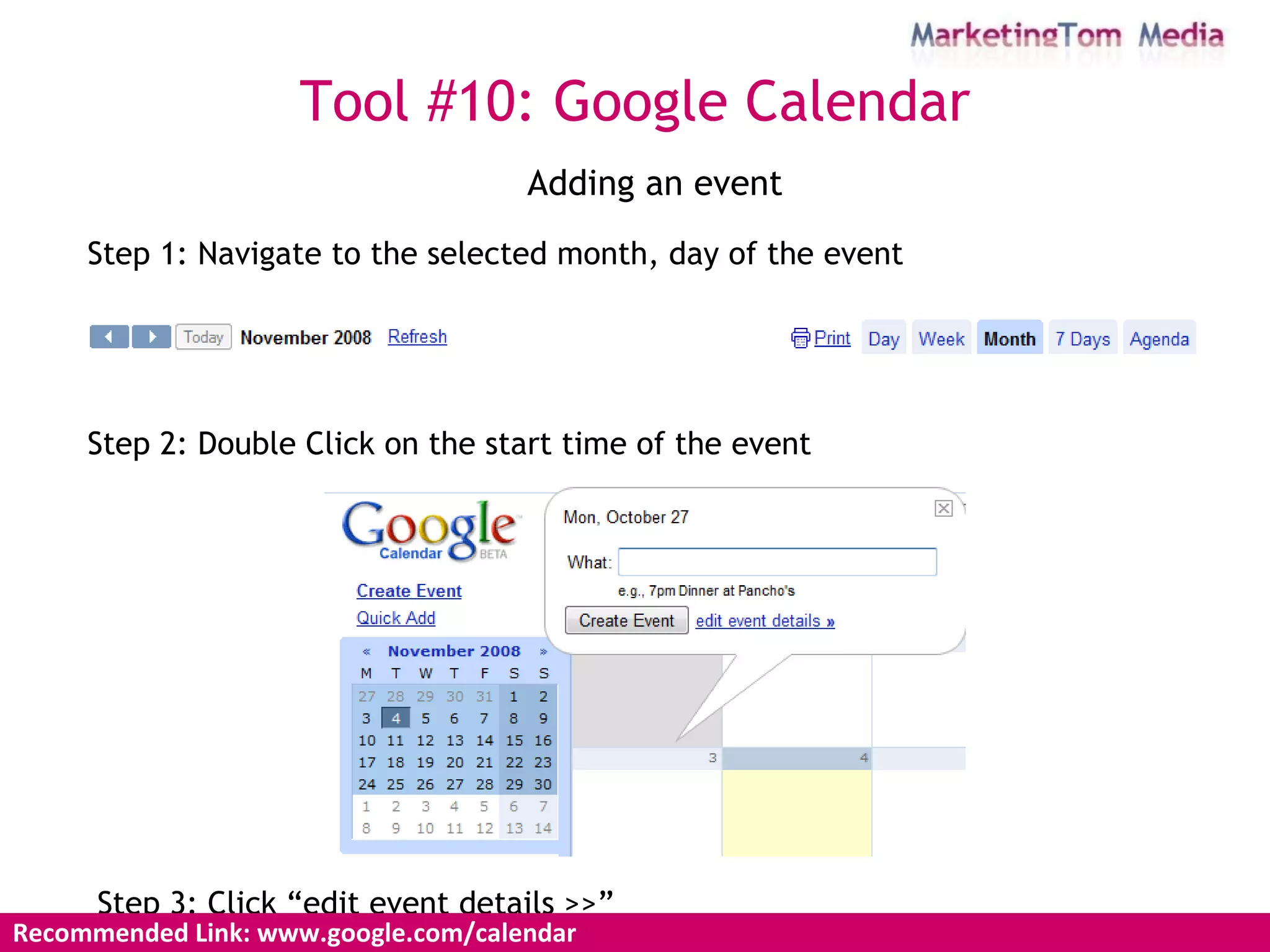
Adding an event Step 1: Navigate to the selected month, day of the event Step 2: Double Click on the start time of the event Step 3: Click “edit event details >>” Recommended Link: www.google.com/calendar  Tool #10: Google Calendar
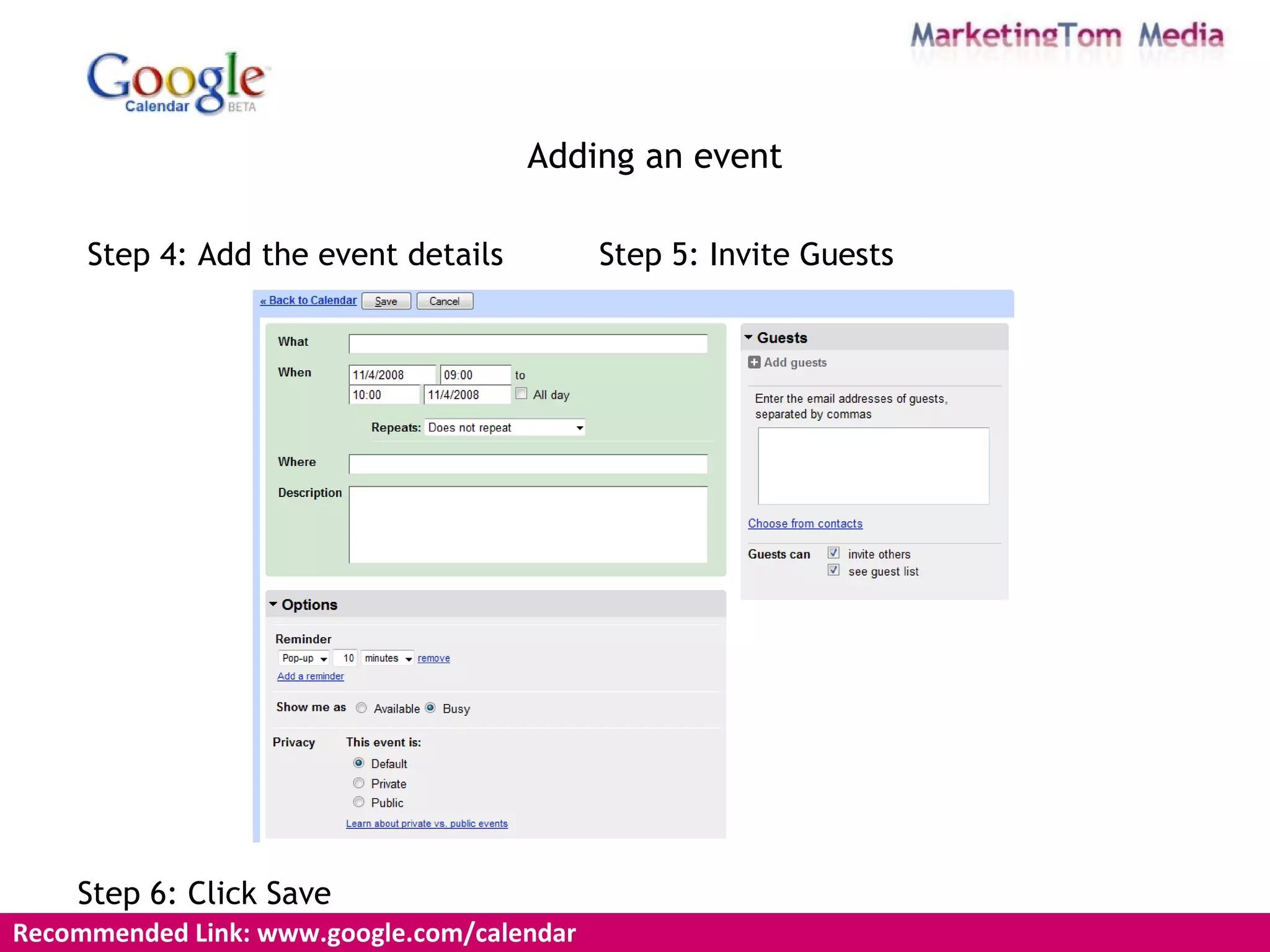
Adding an event Step 4: Add the event details Step 6: Click Save Recommended Link: www.google.com/calendar  Step 5: Invite Guests
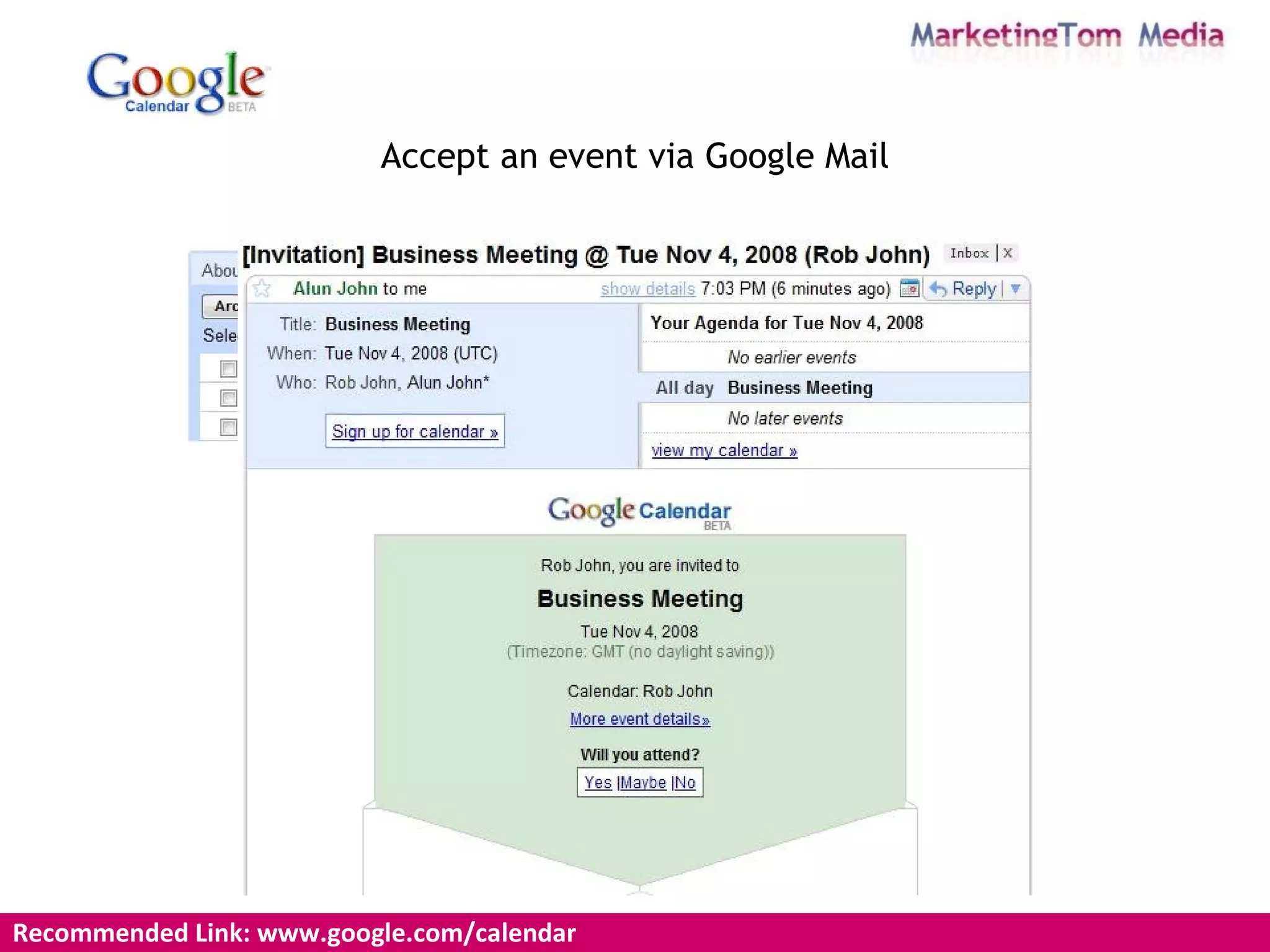
Accept an event via Google Mail Recommended Link: www.google.com/calendar
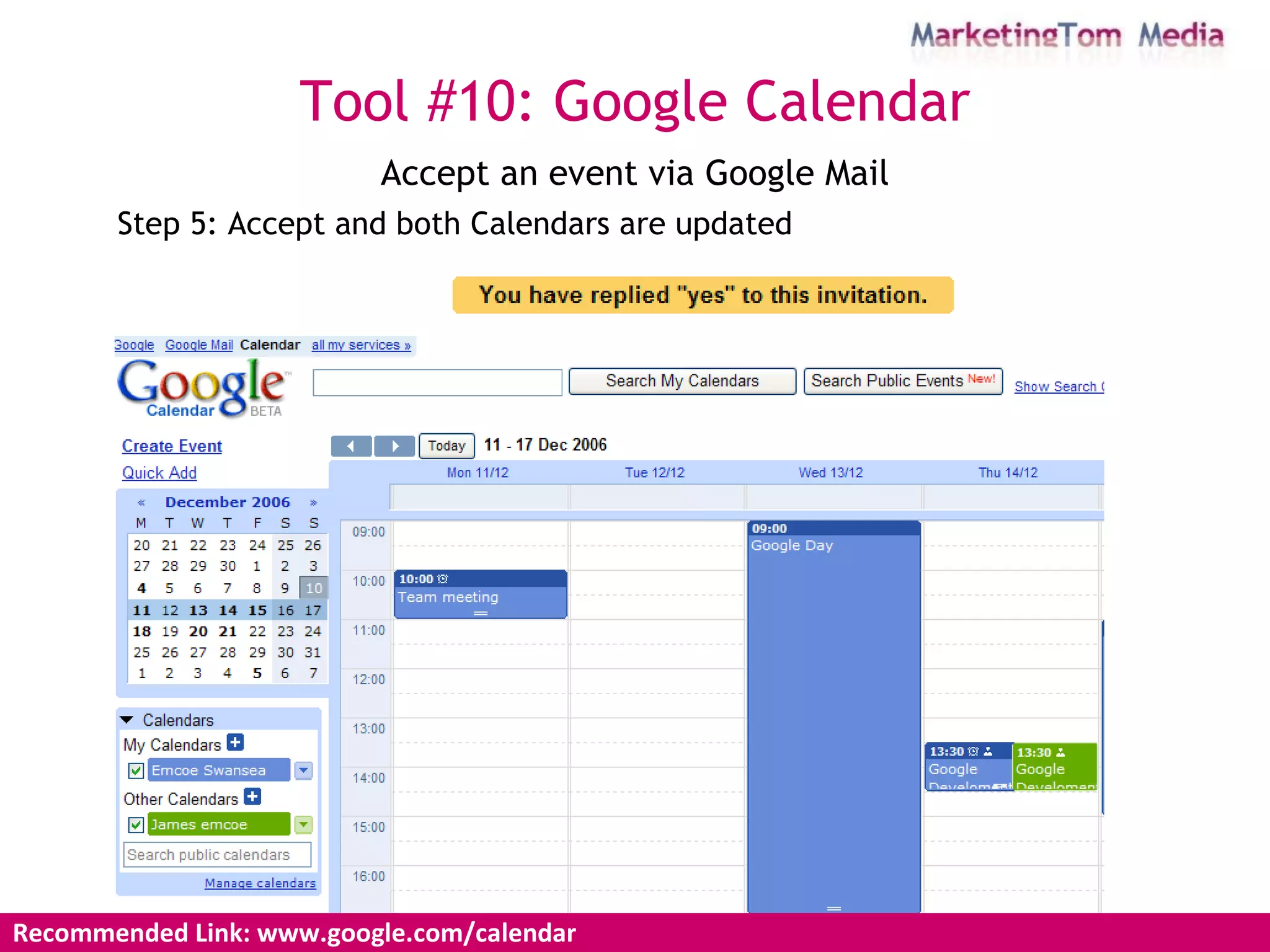
Accept an event via Google Mail Step 5: Accept and both Calendars are updated Tool #10: Google Calendar Recommended Link: www.google.com/calendar
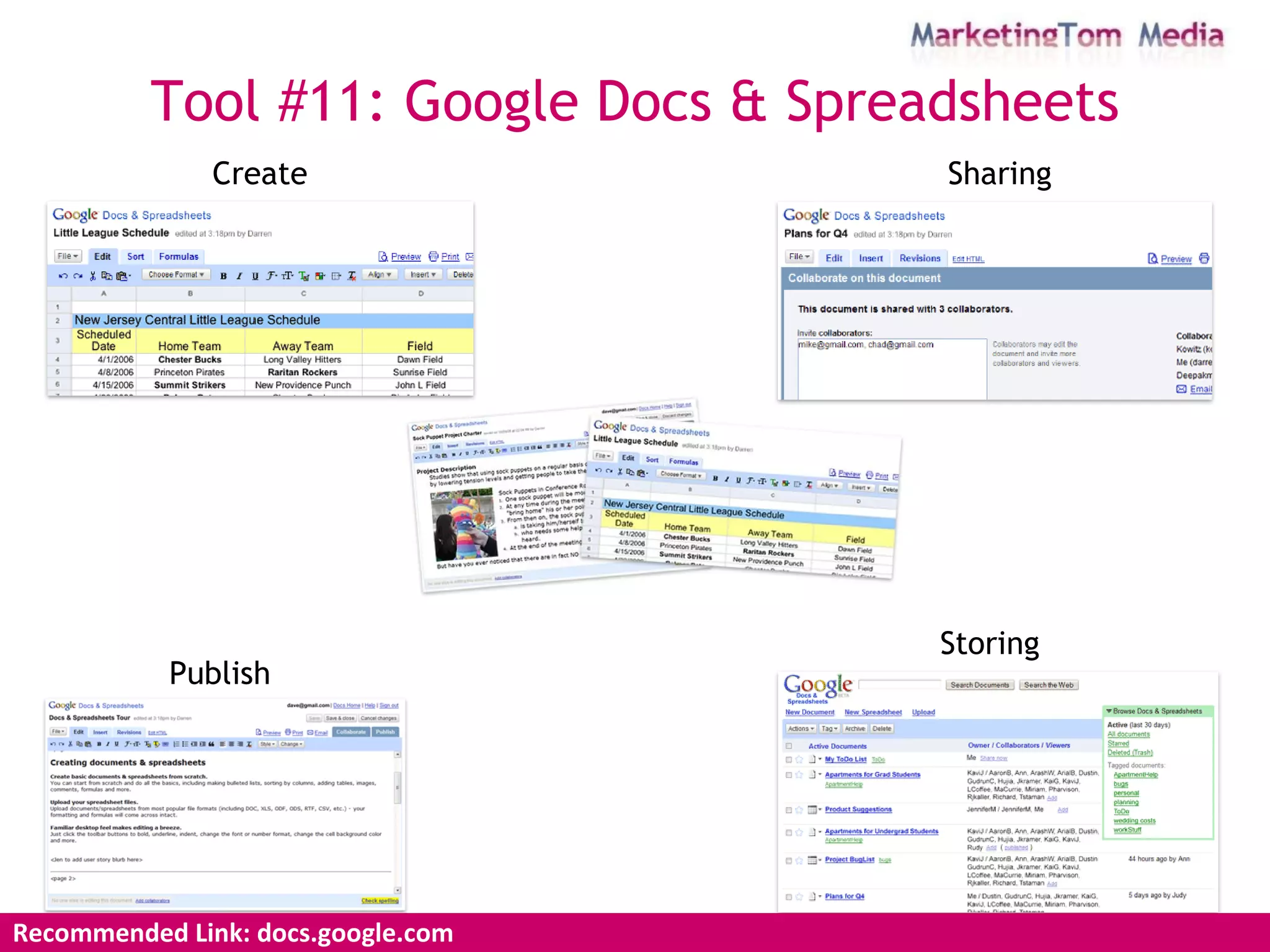
Tool #11: Google Docs & Spreadsheets Recommended Link: docs.google.com Create Sharing Storing Publish
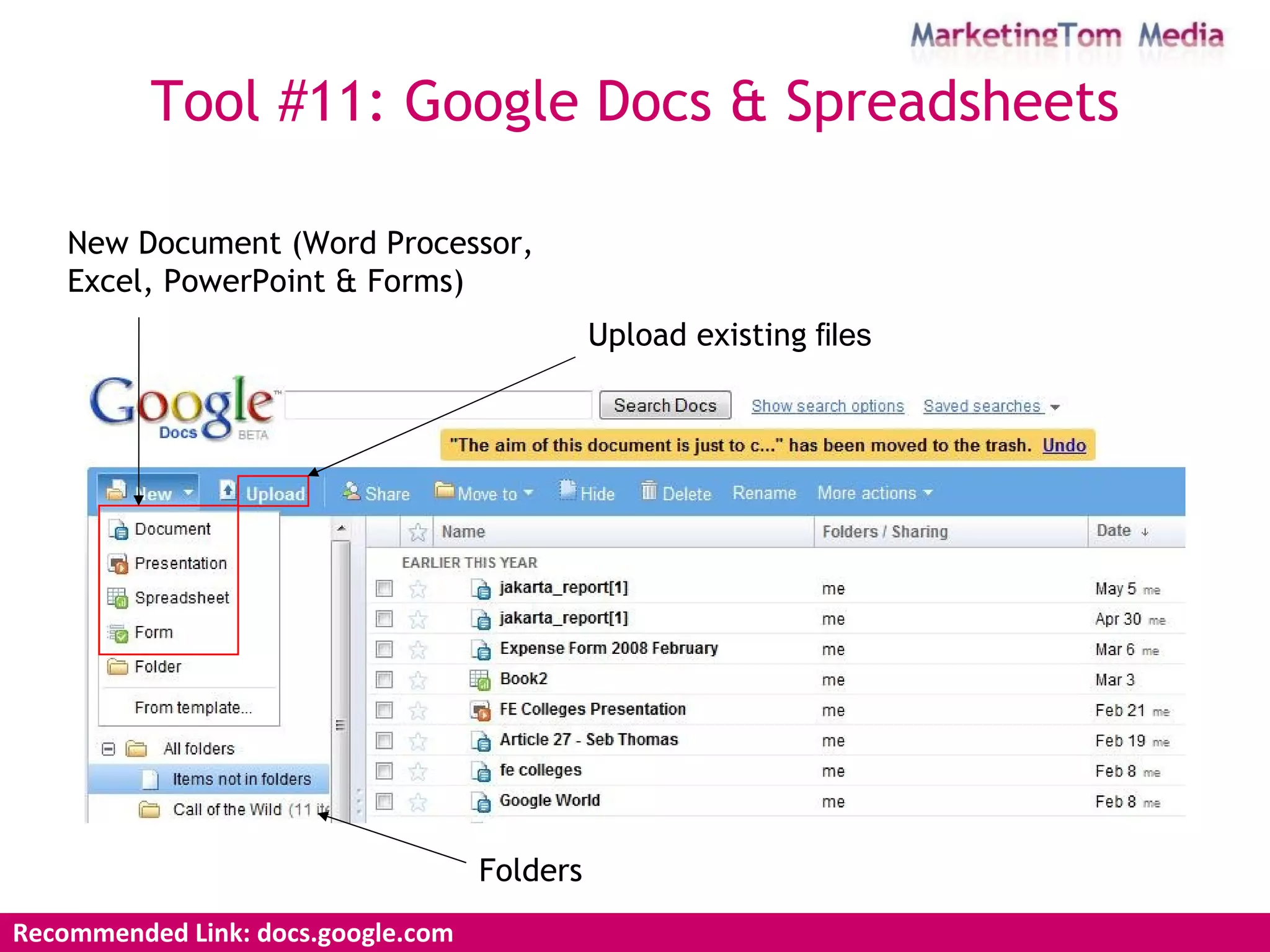
New Document (Word Processor, Excel, PowerPoint & Forms)   Upload existing  files Tool #11: Google Docs & Spreadsheets Recommended Link: docs.google.com  Folders
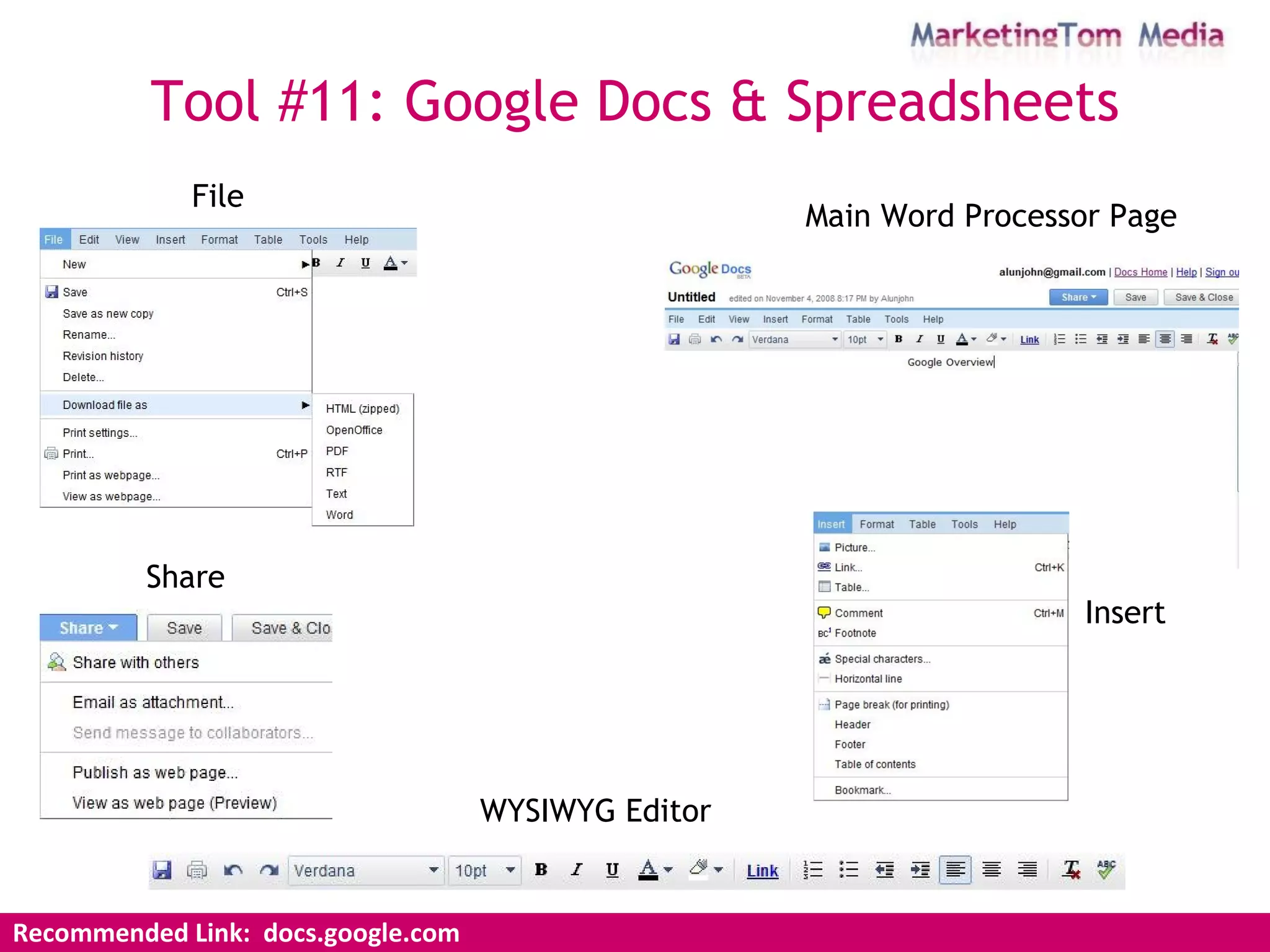
Tool #11: Google Docs & Spreadsheets Recommended Link:  docs.google.com Main Word Processor Page File Insert Share WYSIWYG Editor
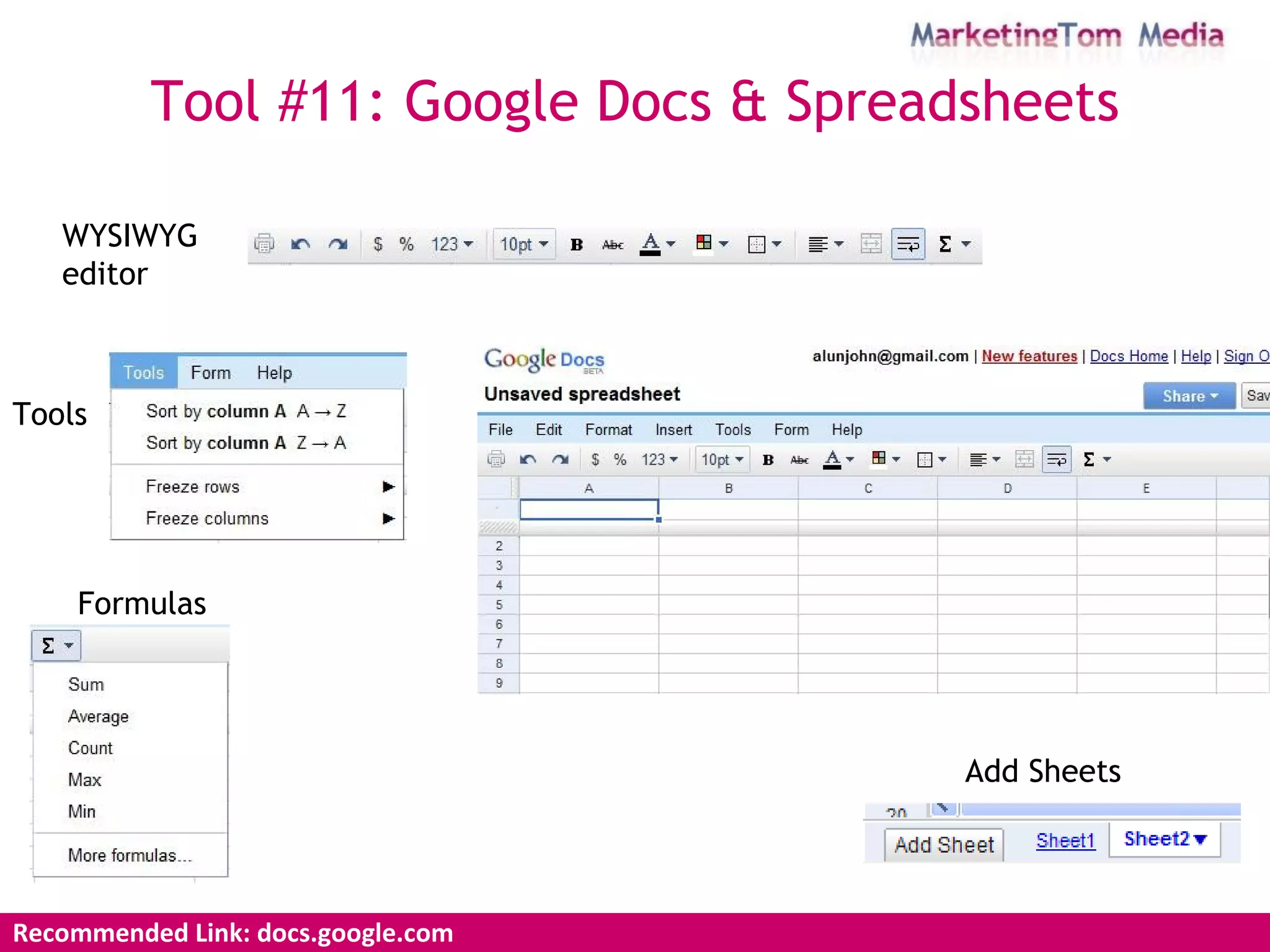
WYSIWYG editor   Tools Formulas   Add Sheets Tool #11: Google Docs & Spreadsheets Recommended Link: docs.google.com
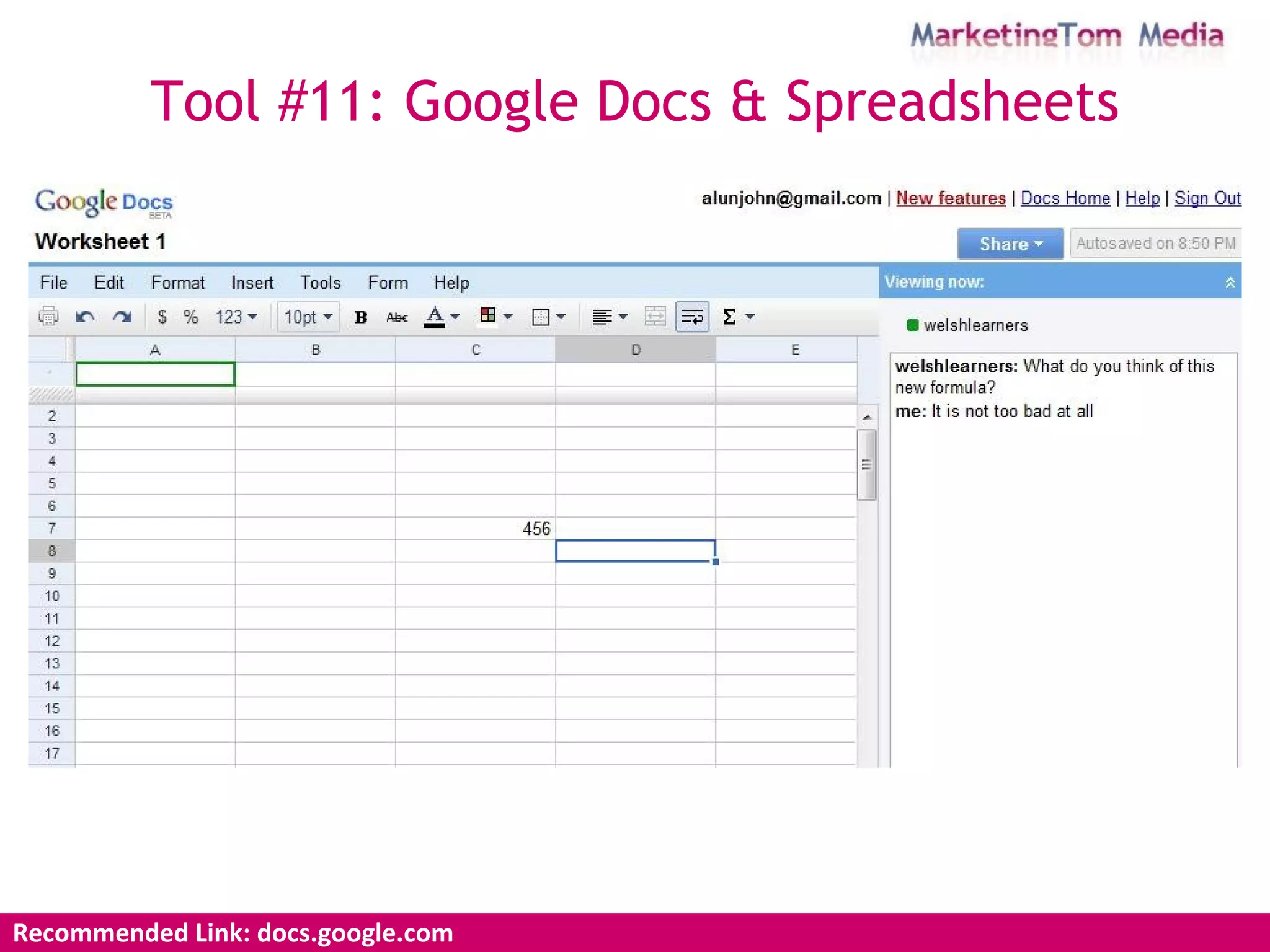
Tool #11: Google Docs & Spreadsheets Recommended Link: docs.google.com
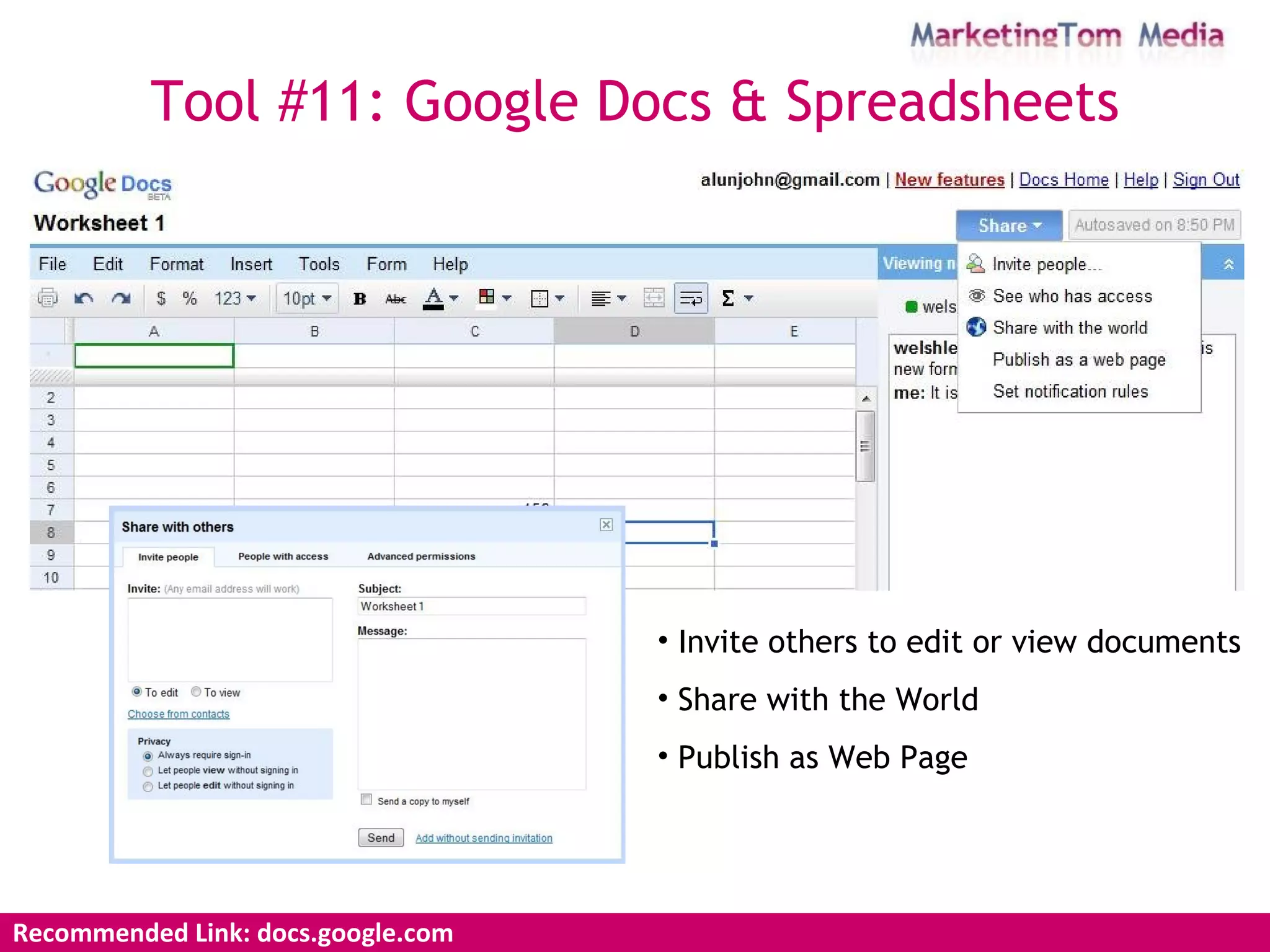
Tool #11: Google Docs & Spreadsheets Recommended Link: docs.google.com  Invite others to edit or view documents Share with the World Publish as Web Page
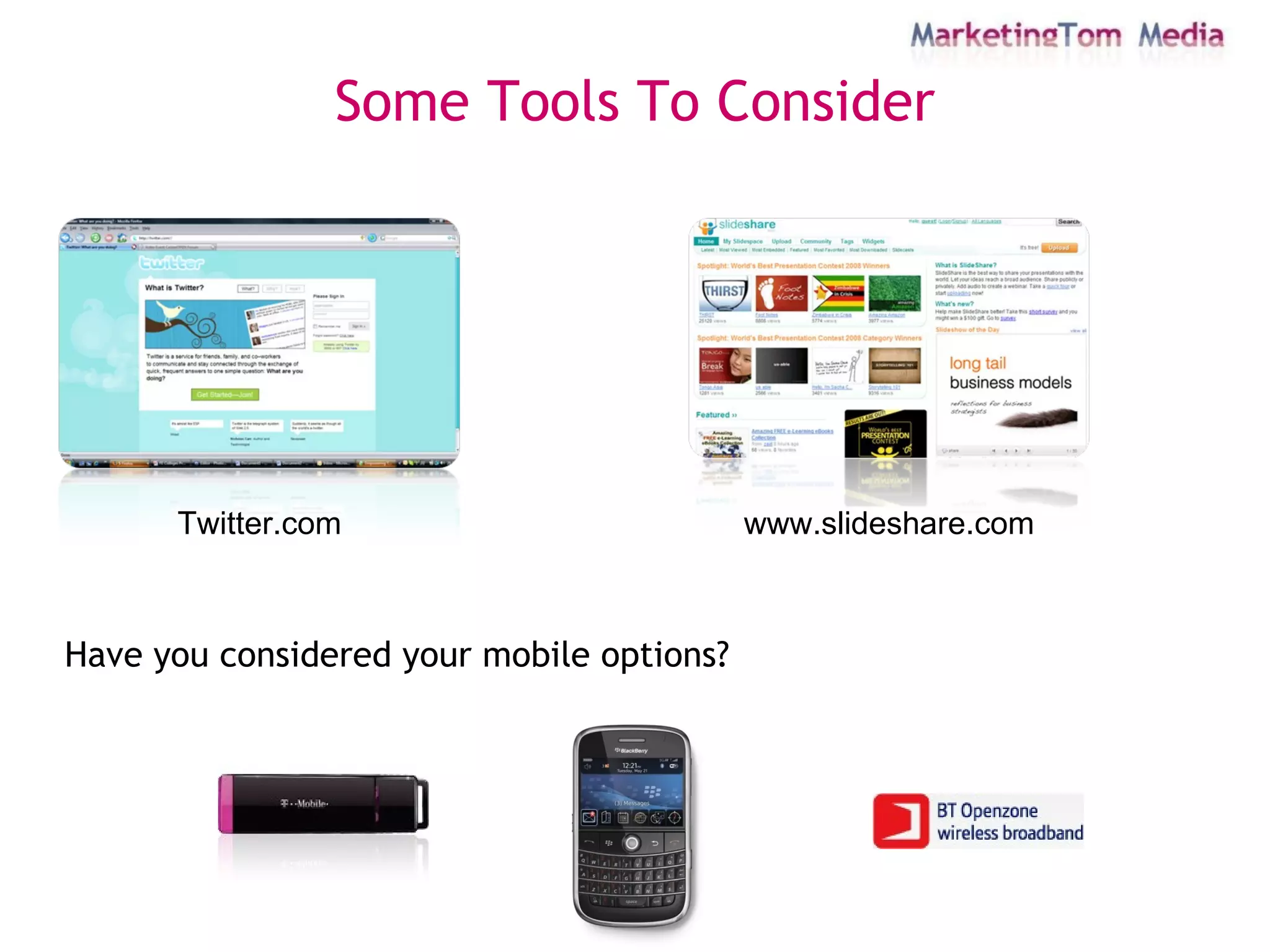
Some Tools To Consider Twitter.com www.slideshare.com Have you considered your mobile options?
Thanks! eMail: ajohn@marketingtom.com Web: www.marketingtom.com

Fe Colleges Conference

  • 1.
    Using Google (andother tools) For Research & Reputation
  • 2.
    The basic argument[of Web 2.0] is, if you think about it: it would be better for you to have all the data and all the applications that you use on a server somewhere, and then whatever computer or device you're near you would be able to use. Eric Schmidt, Chief Executive Office, Google
  • 3.
    "Google has thefunctionality of a really complicated Swiss Army knife, but the home page is our way of approaching it closed. It's simple, it's elegant. A lot of our competitors are like a Swiss Army knife open--and that can be intimidating and occasionally harmful." Marissa Mayer Vice President, Search Products & User Experience
  • 4.
    The Hub providingaccess to a wide range of Google services. Aim: streamline information and make it consistent. In essence, it’s your Google one-stop shop.
  • 5.
    Tool #1: GmailRecommended Link: www.gmail.com Conversations Chat Contacts Labels
  • 6.
    Recommended Link: www.google.comhttps://www.google.com/accounts/Login
  • 7.
    Recommended Link: www.google.comTool #2: Link & Site Search Site Link Similar Instances Search Within
  • 8.
    Google Power Searches1 allintitle:new york welsh all search terms appear in title intitle:welsh rugby welsh appears in title and or rugby in body text intitle:“planet earth” words appear next to each other in title allintext:literary festival hay words appear in text on page Google Power Searches 2 Wildcard “ one flew*” Inclusion +to +be +or +not +to +be Exclusion rugby –england –australia Fuzzy Operator planet ~earth How to put some Power into Your Searches Recommended Link: www.google.com Tool #3: Power Search
  • 9.
    Recommended Link: labs.google.comTool #4: Google Suggest On Google as you type And in your browser
  • 10.
  • 11.
    Recommended Link: www.google.com/trendsTool #6: RSS RSS is a family of Web feed formats used to publish frequently updated works – such as blog entries, news headlines, audio, and video – in a standardized format. An RSS document (which is called a "feed", "web feed", or "channel") includes full or summarized text, plus metadata such as publishing dates and authorship. Web feeds benefit publishers by letting them syndicate content quickly and automatically. They benefit readers who want to subscribe to timely updates from favoured websites or to aggregate feeds from many sites into one place. RSS feeds can be read using software called an "RSS reader", "feed reader", or "aggregator", which can be web-based or desktop-based.
  • 12.
    Recommended Link: mozilla.orgTool #7: Firefox Live Bookmarks
  • 13.
    Tool #8: Google& Yahoo Alerts
  • 14.
    Automatic notification whenyour search terms appear across various parts of Google Network Direct to your Gmail Account Either: Daily Weekly As it happens Tool #8: Google & Yahoo Alerts Recommended Link: www.google.com/alerts help.yahoo.com/help/alerts
  • 15.
  • 16.
    Recommended Link: www.google.com/calendar Tool #10: Google Calendar View a number of Calendars (friends, family, work) Share & Publish Calendars
  • 17.
    Creating a GoogleCalendar Step 1: Visit www.google.com/calendar & Sign In Your Google Calendar is now created and you are ready to add events Recommended Link: www.google.com/calendar Tool #10: Google Calendar
  • 18.
    Private or SharedRecommended Link: www.google.com/calendar Tool #10: Google Calendar Step 1: Click the down arrow next to the Calendar Step 2: Click the down arrow next to the Calendar Step 3: Share the Calendar
  • 19.
  • 20.
    Adding an eventStep 1: Navigate to the selected month, day of the event Step 2: Double Click on the start time of the event Step 3: Click “edit event details >>” Recommended Link: www.google.com/calendar Tool #10: Google Calendar
  • 21.
    Adding an eventStep 4: Add the event details Step 6: Click Save Recommended Link: www.google.com/calendar Step 5: Invite Guests
  • 22.
    Accept an eventvia Google Mail Recommended Link: www.google.com/calendar
  • 23.
    Accept an eventvia Google Mail Step 5: Accept and both Calendars are updated Tool #10: Google Calendar Recommended Link: www.google.com/calendar
  • 24.
    Tool #11: GoogleDocs & Spreadsheets Recommended Link: docs.google.com Create Sharing Storing Publish
  • 25.
    New Document (WordProcessor, Excel, PowerPoint & Forms) Upload existing files Tool #11: Google Docs & Spreadsheets Recommended Link: docs.google.com Folders
  • 26.
    Tool #11: GoogleDocs & Spreadsheets Recommended Link: docs.google.com Main Word Processor Page File Insert Share WYSIWYG Editor
  • 27.
    WYSIWYG editor Tools Formulas Add Sheets Tool #11: Google Docs & Spreadsheets Recommended Link: docs.google.com
  • 28.
    Tool #11: GoogleDocs & Spreadsheets Recommended Link: docs.google.com
  • 29.
    Tool #11: GoogleDocs & Spreadsheets Recommended Link: docs.google.com Invite others to edit or view documents Share with the World Publish as Web Page
  • 30.
    Some Tools ToConsider Twitter.com www.slideshare.com Have you considered your mobile options?
  • 31.
    Thanks! eMail: ajohn@marketingtom.comWeb: www.marketingtom.com