
Fastest Servlets in the West? 
By Daniel Mikusa & Stuart Williams 
© 2014 SpringOne 2GX. All rights reserved. Do not distribute without permission.
Daniel Mikusa 
users@tomcat.apache.org 
• Contributing Author on 
TomcatExpert.com 
• Senior Technical Support 
Engineer at Pivotal 
– Tomcat / tc Server 
– Spring Framework 
– CloudFoundry 
@dmikusa 
Stuart Williams 
users@tomcat.apache.org 
• A committer on open source 
projects at Apache, Eclipse and 
elsewhere 
• Software Engineer at Pivotal 
– RTI project lead 
@pidster 
Presenter Bios
Introduction 
• Not a talk about Tomcat being the fastest 
• IS a talk about how to make your Servlets & 
applications perform well under load 
• It’s easier than you may think
Apache Tomcat 
• History 
• Started at Sun as the RI for Servlet & JSP specs 
• Donated to the ASF in 1999, became top level project in 2005 
• First ASF release was 3.0, now up to 8.0 
• All versions implement Servlet & JSP specs. 
• EL was added with 6. 
• WebSockets in 7 & 8 
• Trend towards lightweight increasing adoption
We have some questions for you… 
• Who’s brought a Tomcat app to production? 
• Who maintains a production Tomcat today? 
• What is the average load? 
• Daily active users? 
• Daily active sessions? 
• Requests… 
o per day, per hour, per second*? 
* Prize for the provably largest!
Tomcat Internals
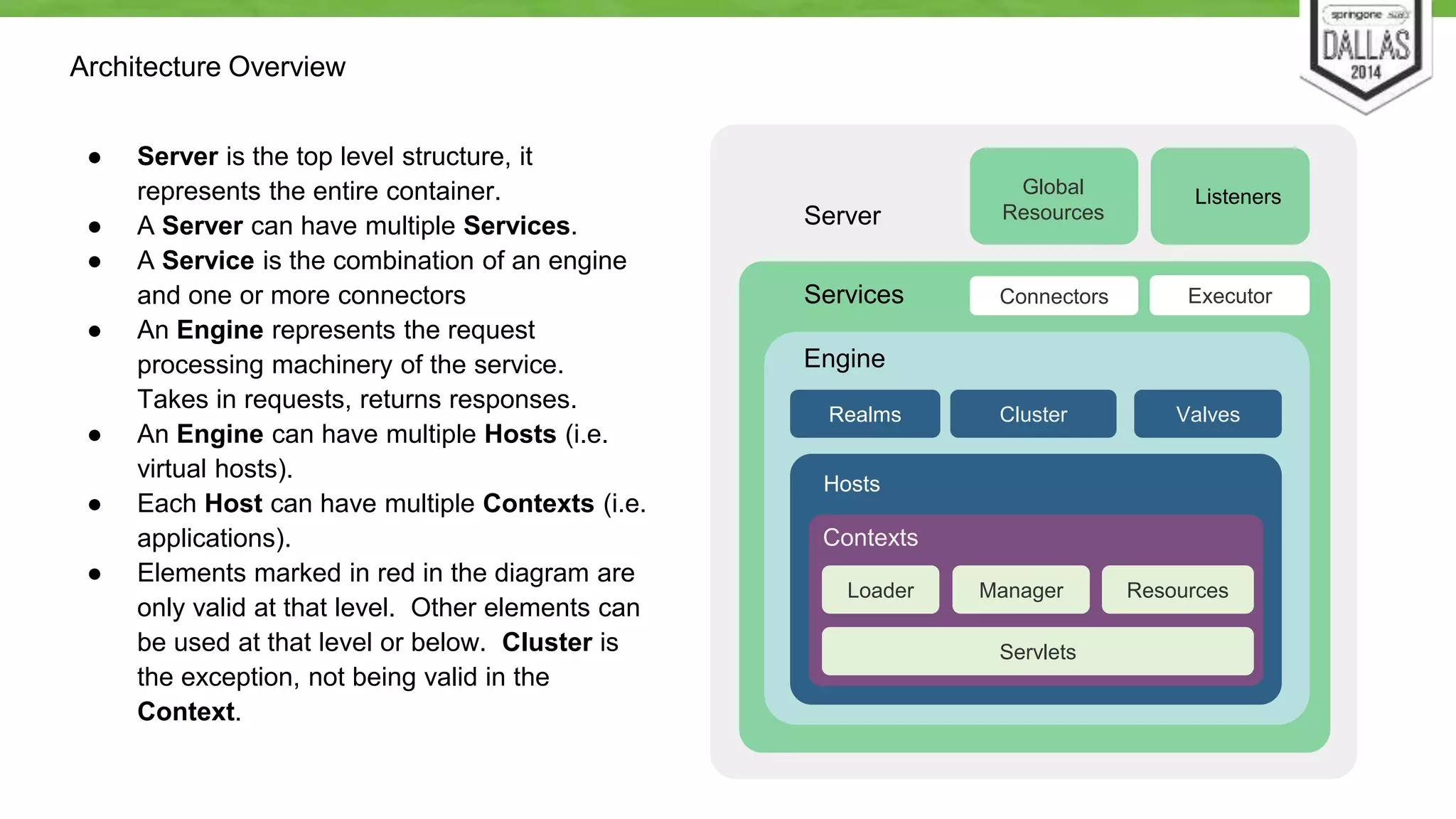
Architecture Overview 
● Server is the top level structure, it 
represents the entire container. 
● A Server can have multiple Services. 
● A Service is the combination of an engine 
and one or more connectors 
● An Engine represents the request 
processing machinery of the service. 
Takes in requests, returns responses. 
● An Engine can have multiple Hosts (i.e. 
virtual hosts). 
● Each Host can have multiple Contexts (i.e. 
applications). 
● Elements marked in red in the diagram are 
only valid at that level. Other elements can 
be used at that level or below. Cluster is 
the exception, not being valid in the 
Context. 
Server 
Global Listeners 
Resources 
Services Connectors 
Engine 
Realms Cluster 
Hosts 
Valves 
Contexts 
Executor 
Loader Manager Resources 
Servlets
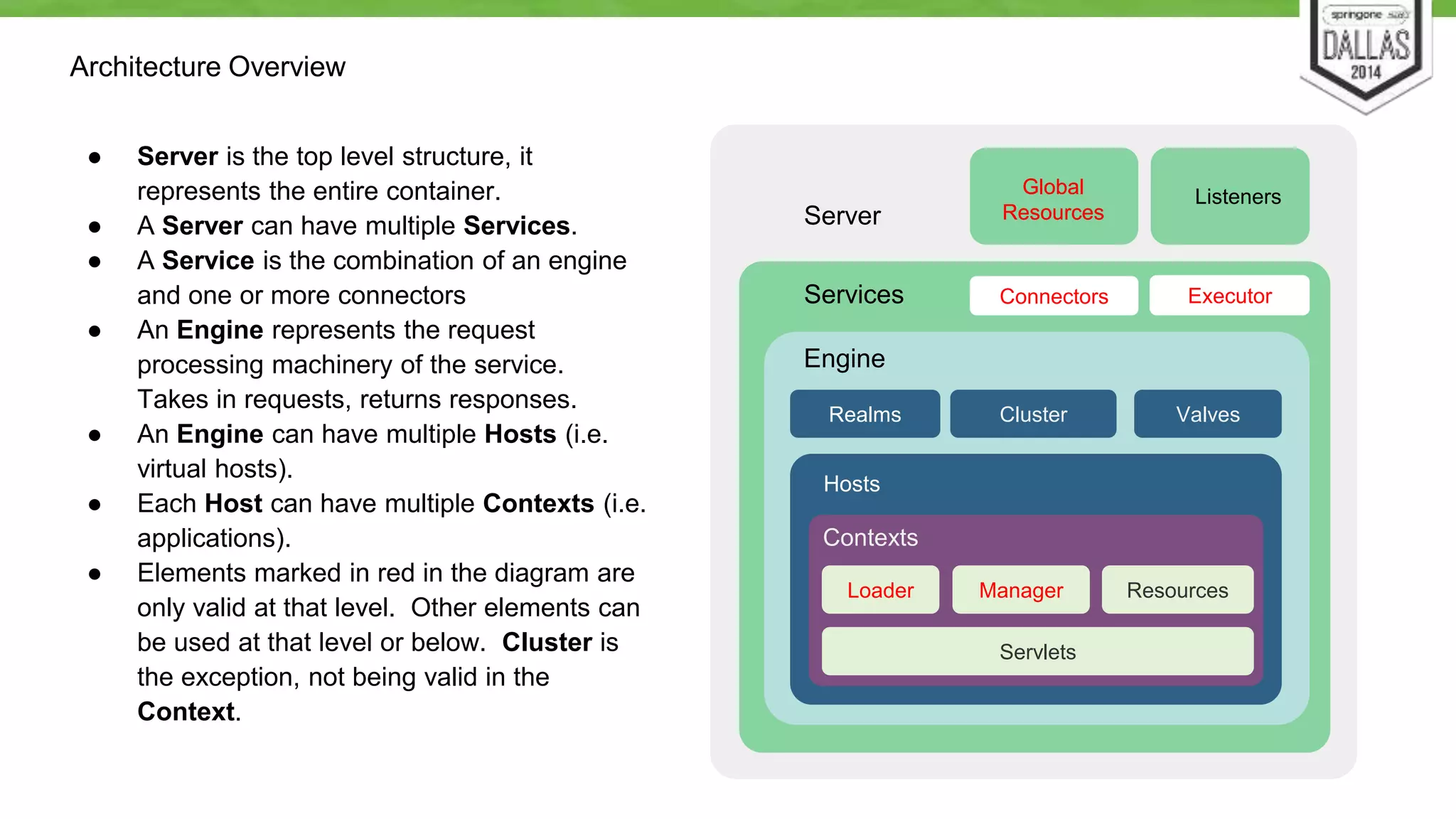
Architecture Overview 
● Server is the top level structure, it 
represents the entire container. 
● A Server can have multiple Services. 
● A Service is the combination of an engine 
and one or more connectors 
● An Engine represents the request 
processing machinery of the service. 
Takes in requests, returns responses. 
● An Engine can have multiple Hosts (i.e. 
virtual hosts). 
● Each Host can have multiple Contexts (i.e. 
applications). 
● Elements marked in red in the diagram are 
only valid at that level. Other elements can 
be used at that level or below. Cluster is 
the exception, not being valid in the 
Context. 
Server 
Global 
Listeners 
Resources 
Services Connectors 
Engine 
Realms Cluster 
Hosts 
Valves 
Contexts 
Executor 
Loader Manager 
Resources 
Servlets
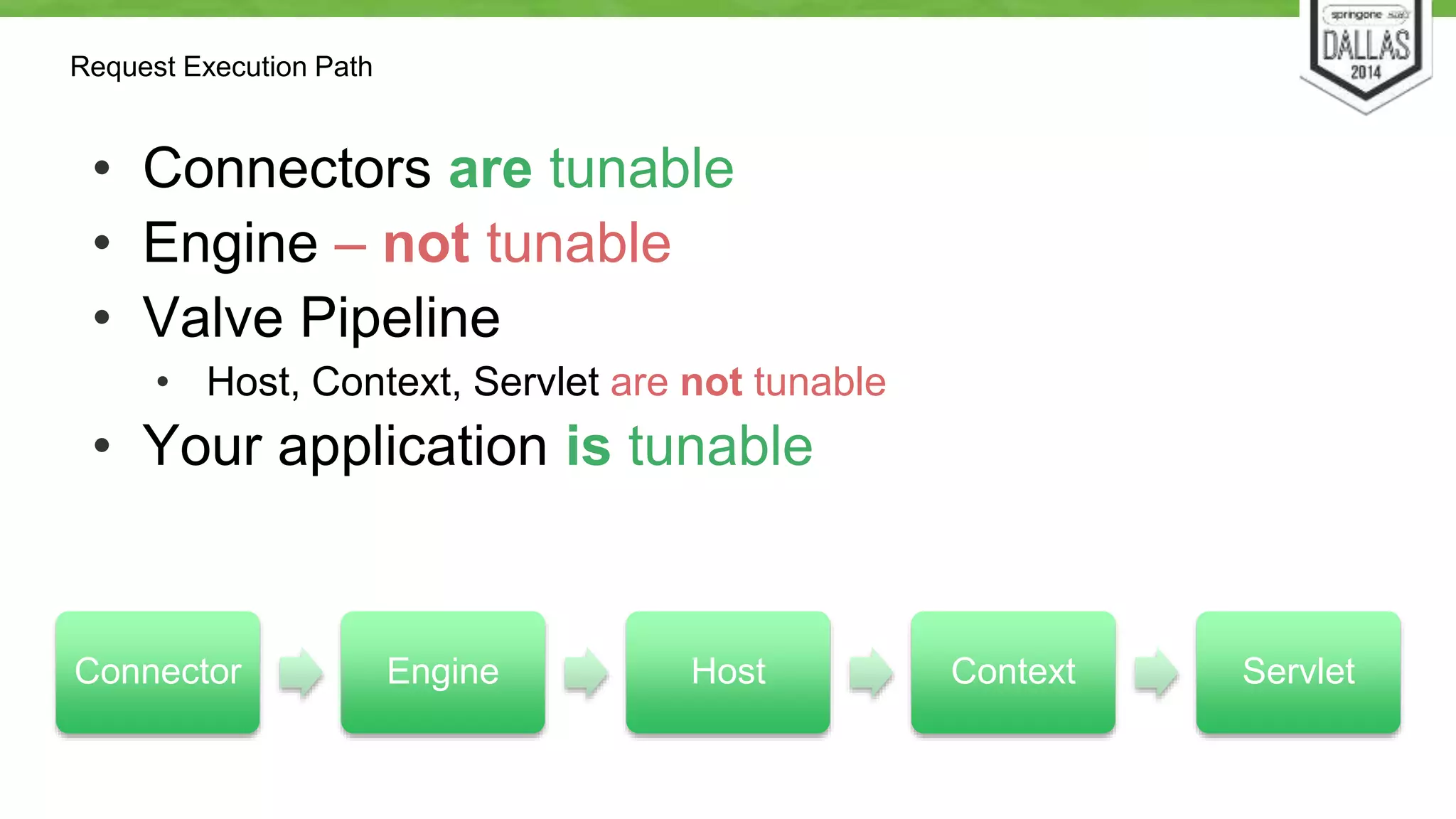
Request Execution Path 
• Connectors are tunable 
• Engine – not tunable 
• Valve Pipeline 
• Host, Context, Servlet are not tunable 
• Your application is tunable 
Connector Engine Host Context Servlet
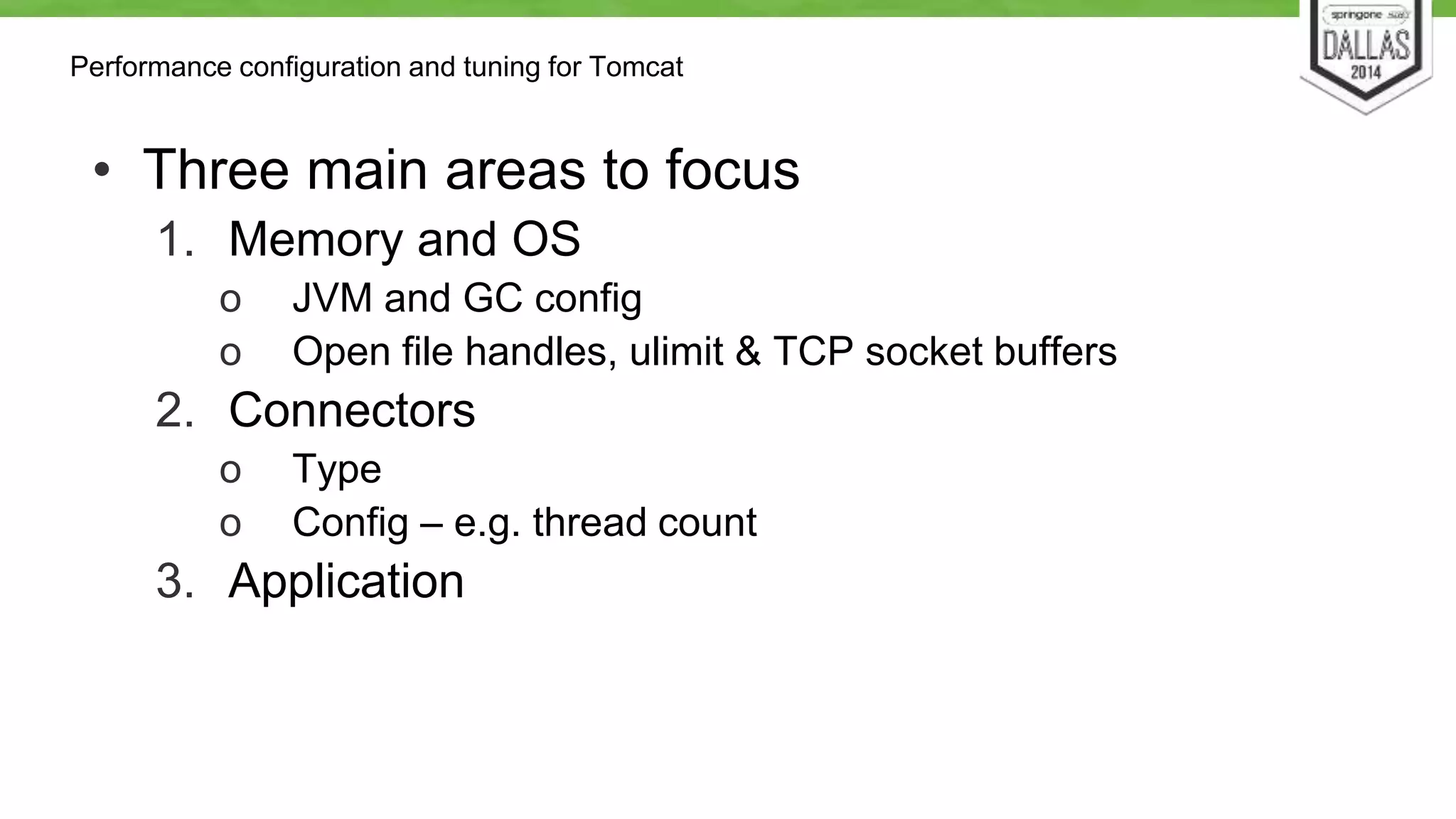
Performance configuration and tuning for Tomcat 
• Three main areas to focus 
1. Memory and OS 
o JVM and GC config 
o Open file handles, ulimit & TCP socket buffers 
2. Connectors 
o Type 
o Config – e.g. thread count 
3. Application
Memory & OS tuning 
This is not a JVM tuning talk, but …
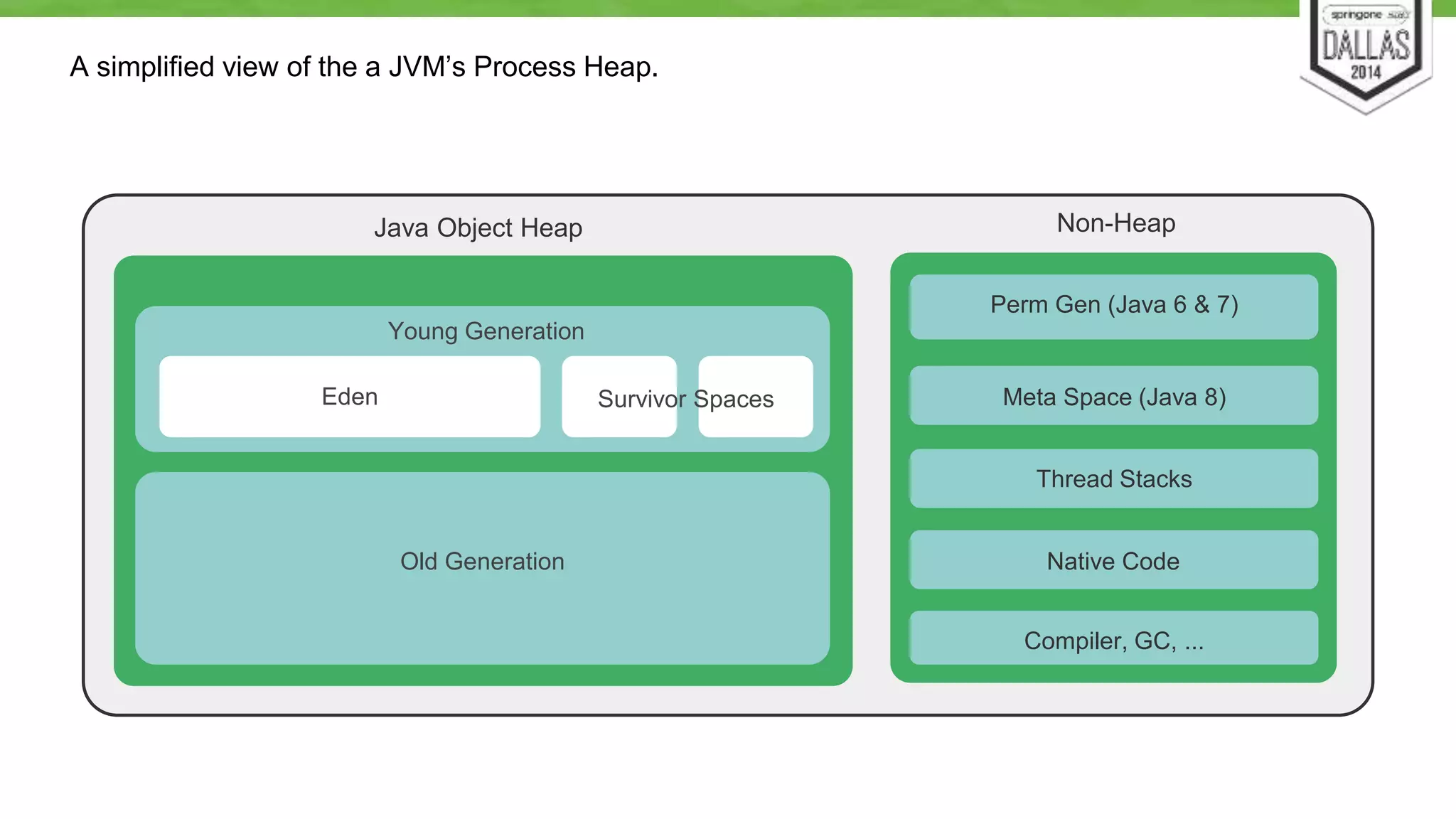
A simplified view of the a JVM’s Process Heap. 
Java Object Heap 
Young Generation 
Old Generation 
Perm Gen (Java 6 & 7) 
Meta Space (Java 8) 
Thread Stacks 
Native Code 
Compiler, GC, ... 
Eden Survivor Spaces 
Non-Heap
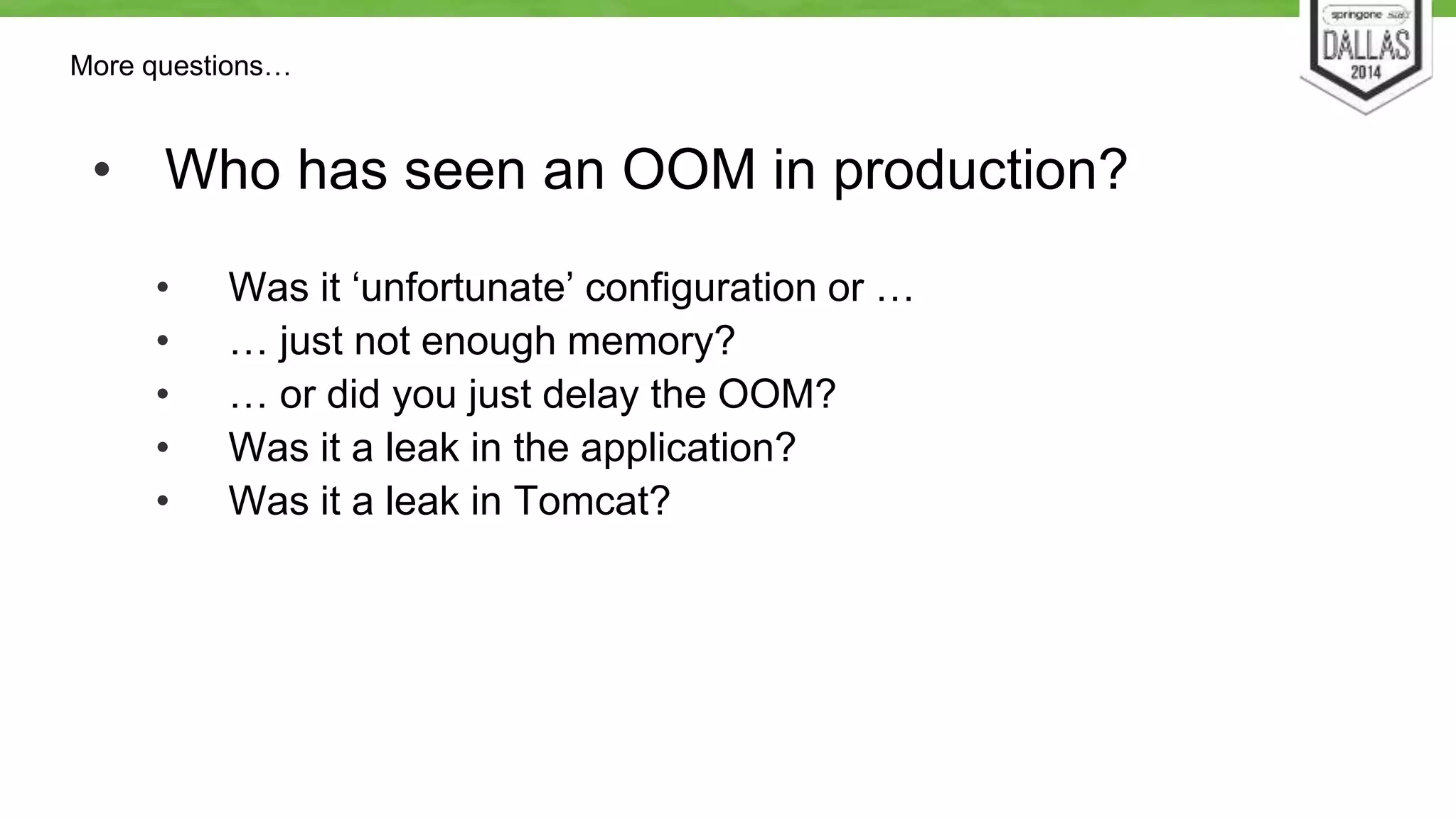
More questions… 
• Who has seen an OOM in production? 
• Was it ‘unfortunate’ configuration or … 
• … just not enough memory? 
• … or did you just delay the OOM? 
• Was it a leak in the application? 
• Was it a leak in Tomcat?
Basic rules for memory tuning: 
1. Start with the defaults, they will get you 
surprisingly far 
2. Don’t play the guessing game! 
Know what you’re changing and what you expect the change to do 
(i.e. RTFM) 
3. Change one setting at a time
Basic rules for memory tuning: 
4. Don’t change setting solely based on a 
someone’s StackOverflow, blog or forum post. 
What works for them might not work for you. Also see #2. 
5. Monitor your application’s memory usage either 
via JMX or via GC logs. 
6. Test your app, observe the results, adjust 
memory settings, repeat.
Memory & OS tuning considerations 
• Request handling objects are pooled & reused 
• Plain old Tomcat uses very little memory 
• Connection counts 
• Sockets use memory too 
• Incorrect socket buffer size can cause serious instability
The most common memory switches 
• -Xmx 
• Maximum object heap size 
• -Xms 
• Initial object heap size 
• -Xmn, -XX:NewSize & -XX:NewRatio 
• New or young generation sizes
The most common memory switches 
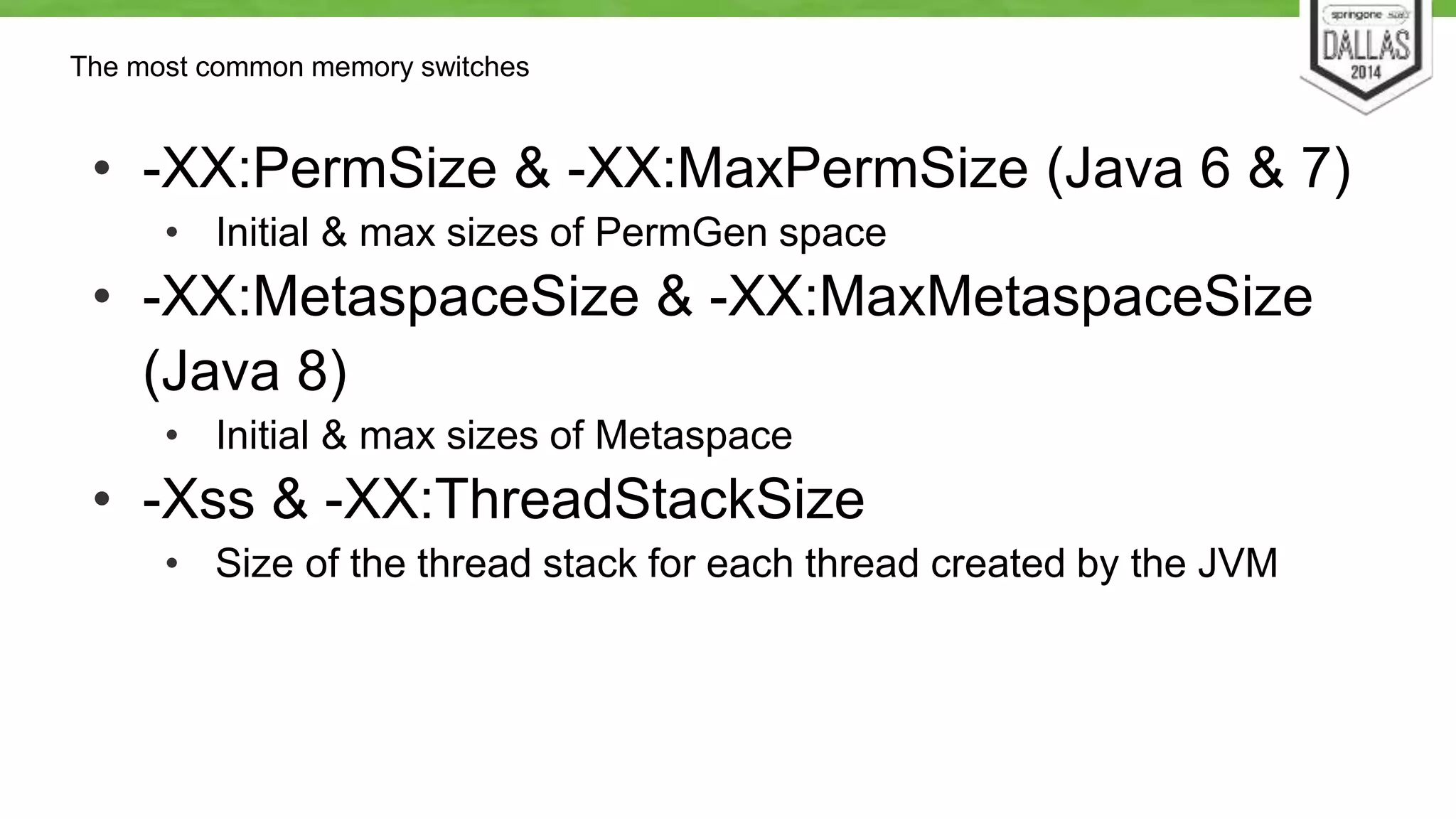
• -XX:PermSize & -XX:MaxPermSize (Java 6 & 7) 
• Initial & max sizes of PermGen space 
• -XX:MetaspaceSize & -XX:MaxMetaspaceSize 
(Java 8) 
• Initial & max sizes of Metaspace 
• -Xss & -XX:ThreadStackSize 
• Size of the thread stack for each thread created by the JVM
Tomcat Connectors
Connector Types 
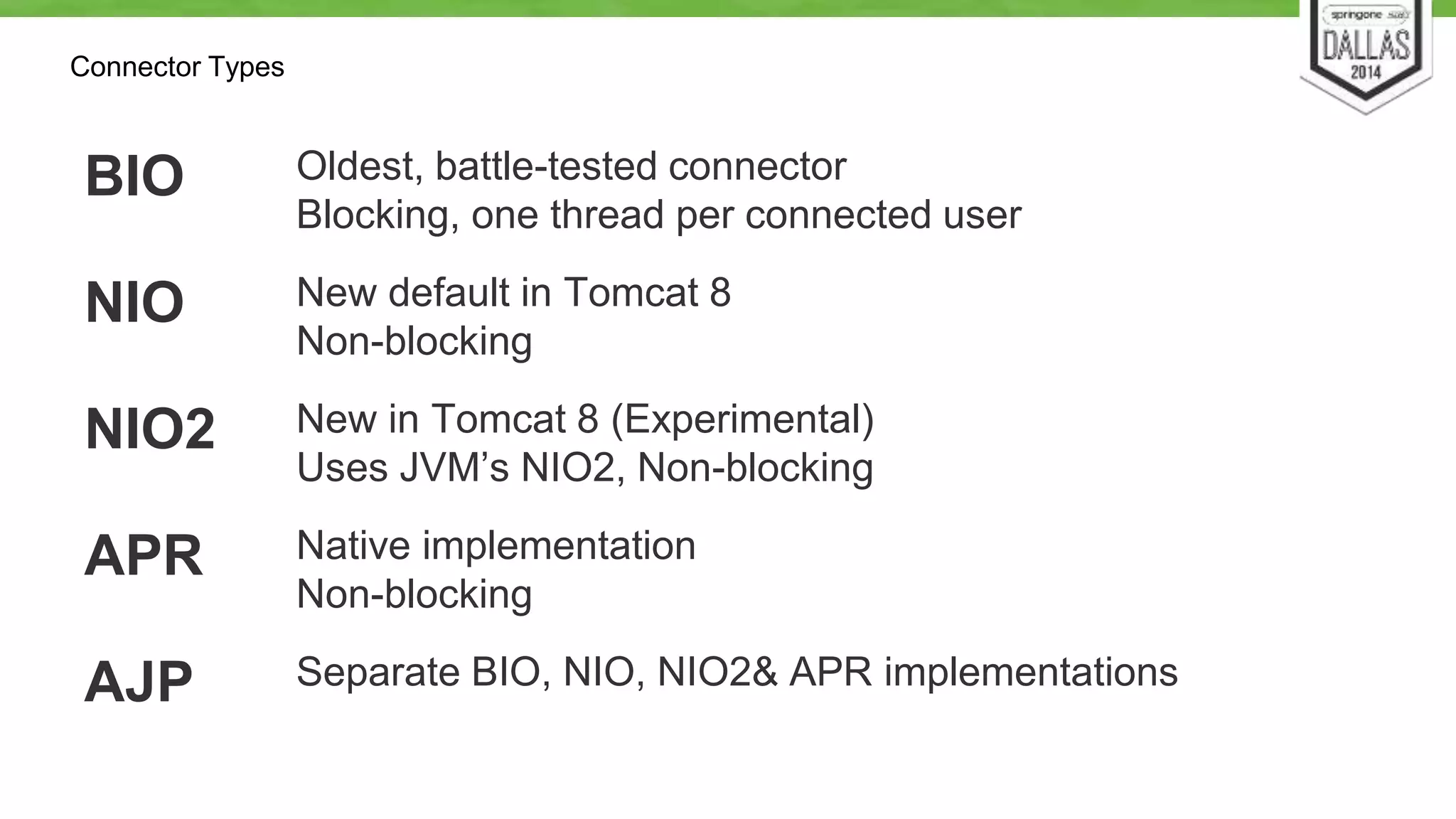
BIO Oldest, battle-tested connector 
Blocking, one thread per connected user 
NIO New default in Tomcat 8 
Non-blocking 
NIO2 New in Tomcat 8 (Experimental) 
Uses JVM’s NIO2, Non-blocking 
APR Native implementation 
Non-blocking 
AJP Separate BIO, NIO, NIO2& APR implementations
Connector Types 
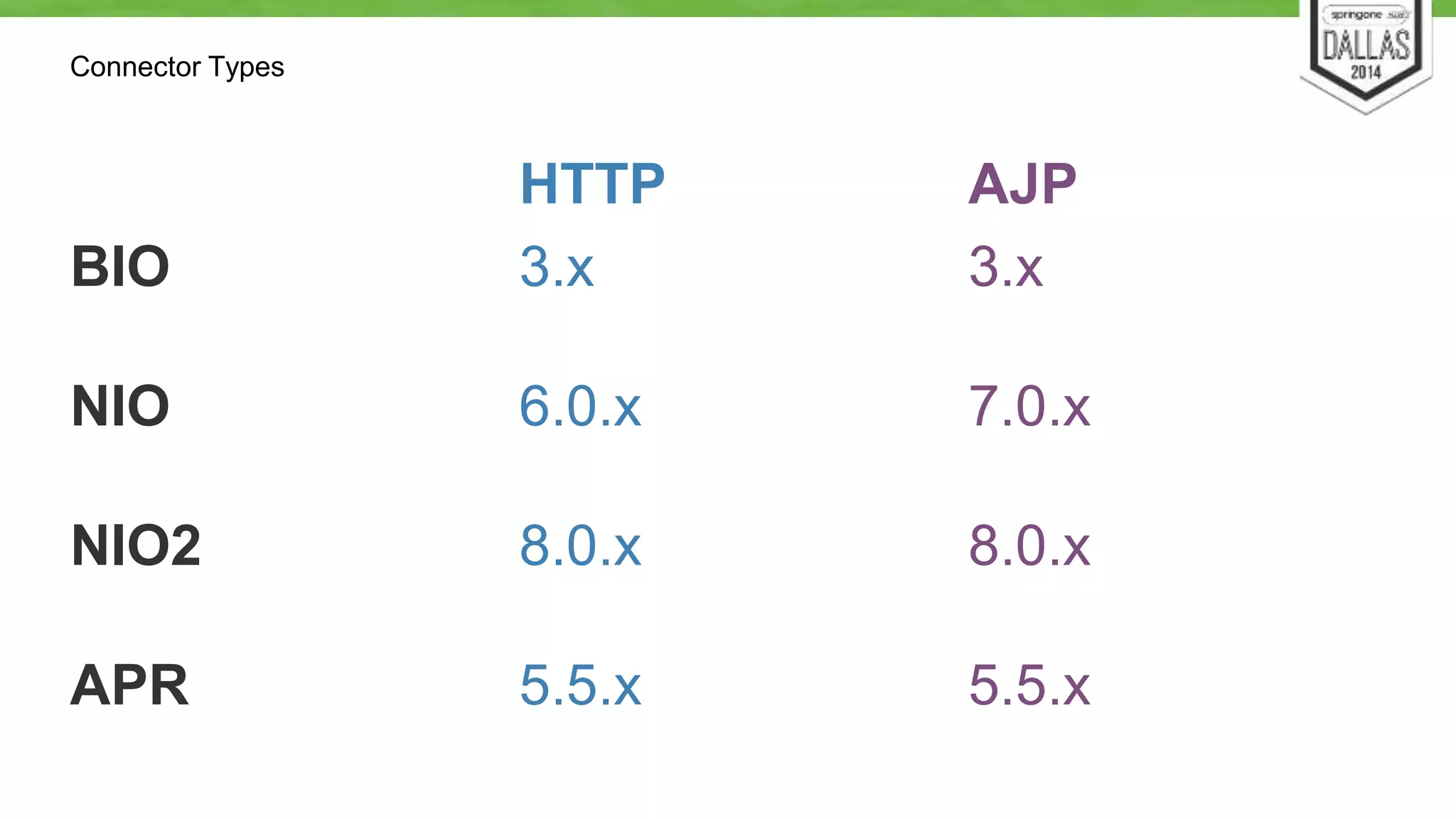
HTTP AJP 
BIO 3.x 3.x 
NIO 6.0.x 7.0.x 
NIO2 8.0.x 8.0.x 
APR 5.5.x 5.5.x
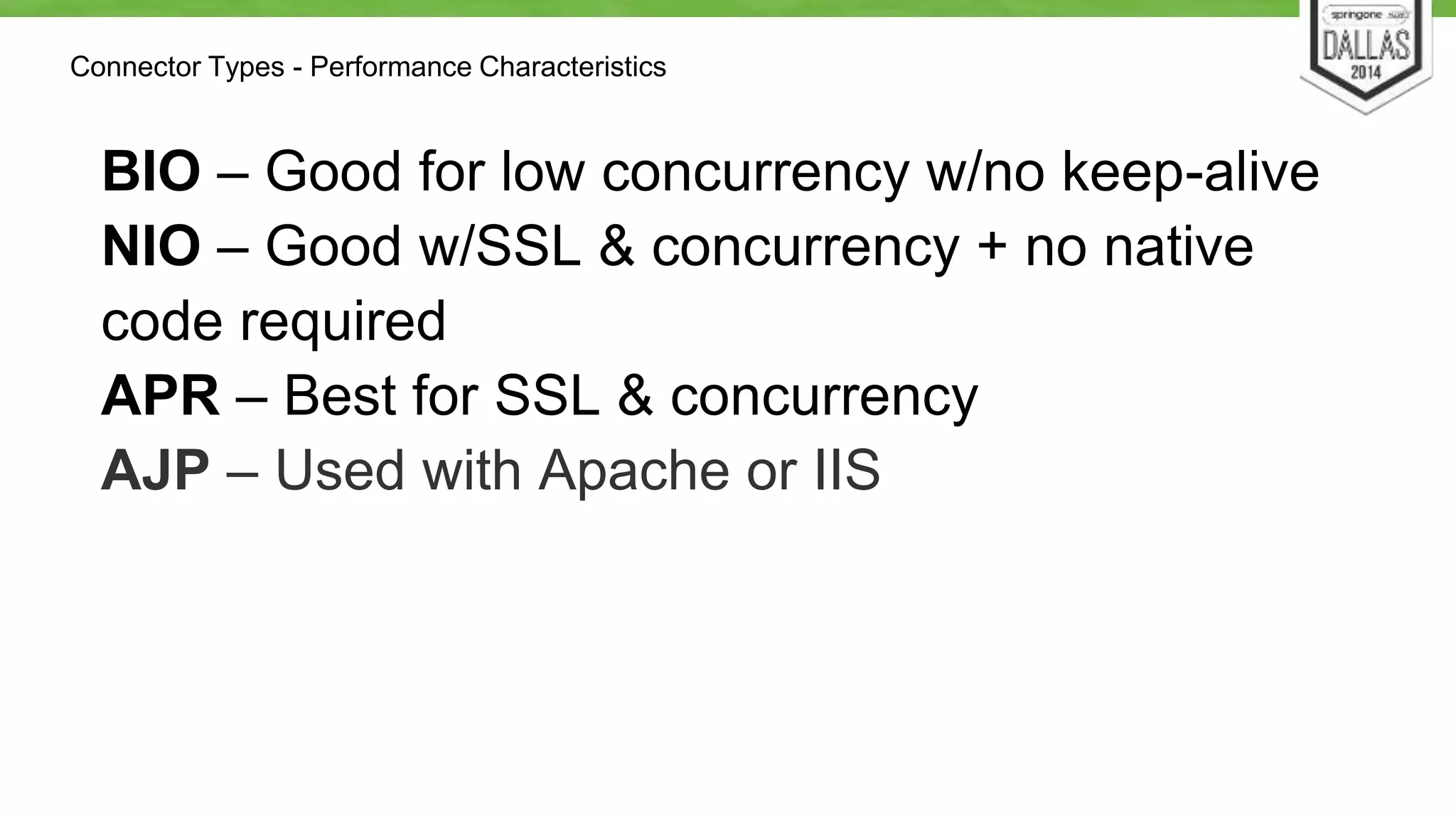
Connector Types - Performance Characteristics 
BIO – Good for low concurrency w/no keep-alive 
NIO – Good w/SSL & concurrency + no native 
code required 
APR – Best for SSL & concurrency 
AJP – Used with Apache or IIS
Application Testing
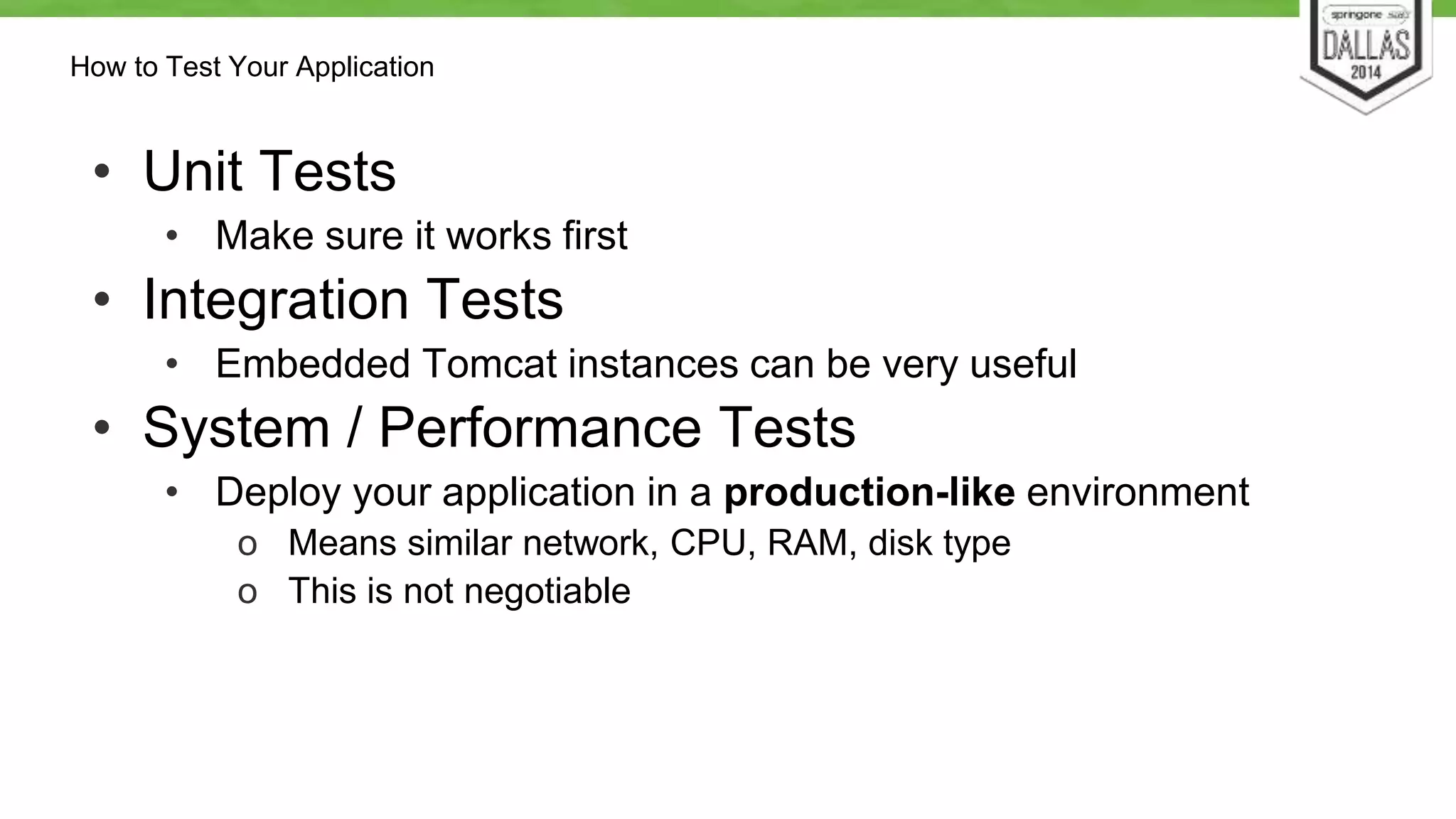
How to Test Your Application 
• Unit Tests 
• Make sure it works first 
• Integration Tests 
• Embedded Tomcat instances can be very useful 
• System / Performance Tests 
• Deploy your application in a production-like environment 
o Means similar network, CPU, RAM, disk type 
o This is not negotiable
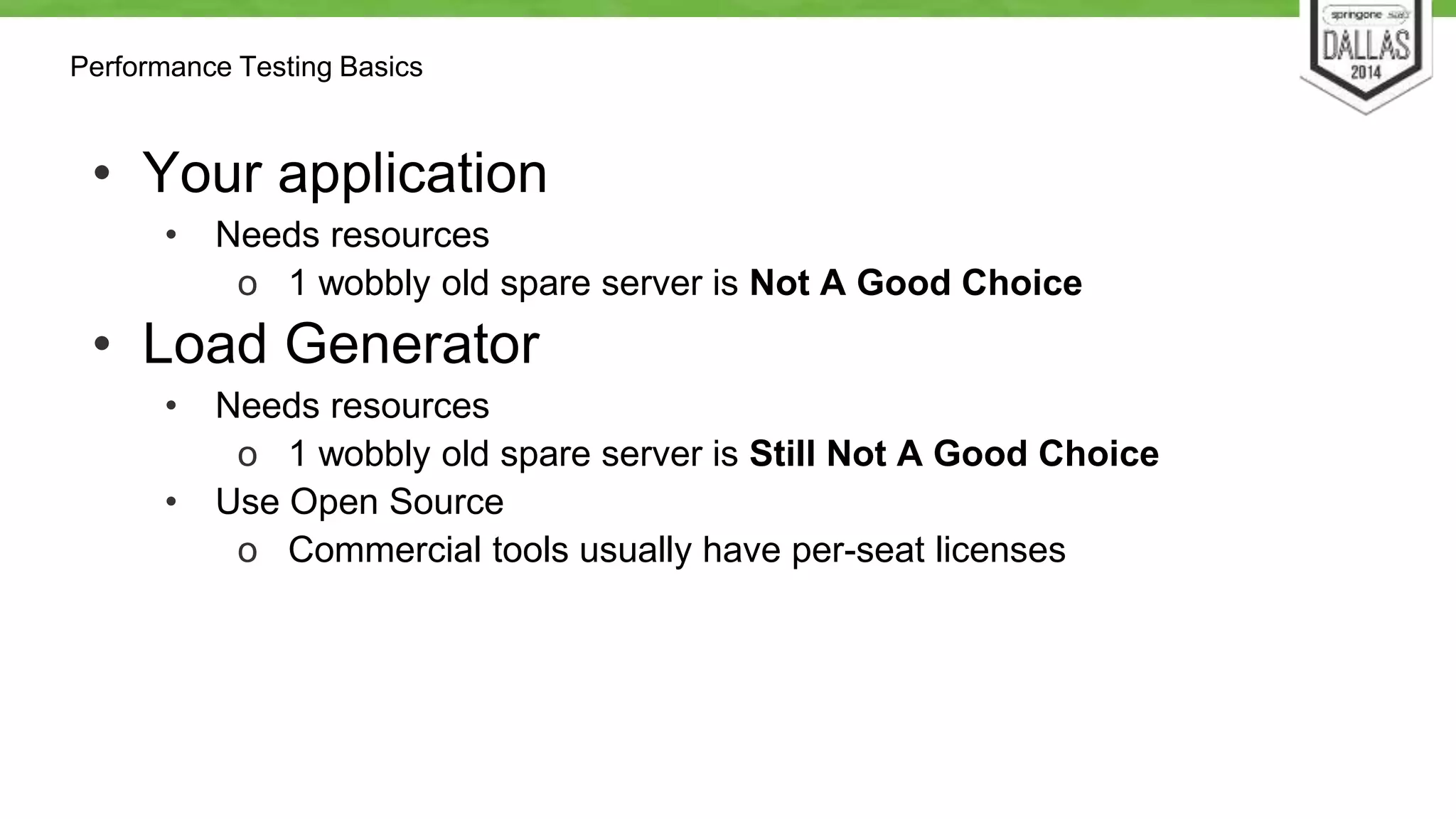
Performance Testing Basics 
• Your application 
• Needs resources 
o 1 wobbly old spare server is Not A Good Choice 
• Load Generator 
• Needs resources 
o 1 wobbly old spare server is Still Not A Good Choice 
• Use Open Source 
o Commercial tools usually have per-seat licenses
Performance Testing Process 
• Start with a working / properly configured system. 
• Determine your performance goals (i.e. how 
“fast”) 
• Measure the current performance 
• Examine metrics & data gathered to determine 
bottlenecks 
• Determine and implement a fix 
• Repeat until all performance goals are met
Goals of Performance Tuning 
• You are not Twitter or Facebook! (Probably) 
• Realistic Goals 
• Account for annual peaks 
• Account for failure 
• Resource utilization == Cost 
o Tuning lowers expenditures for Cloud applications
Test Goals 
• Test the performance of basic Tomcat features 
• Iterate with small changes to see how they 
impact performance 
• Throw a consistent amount of load at the server, 
monitor CPU usage
Some Test Results
The Setup 
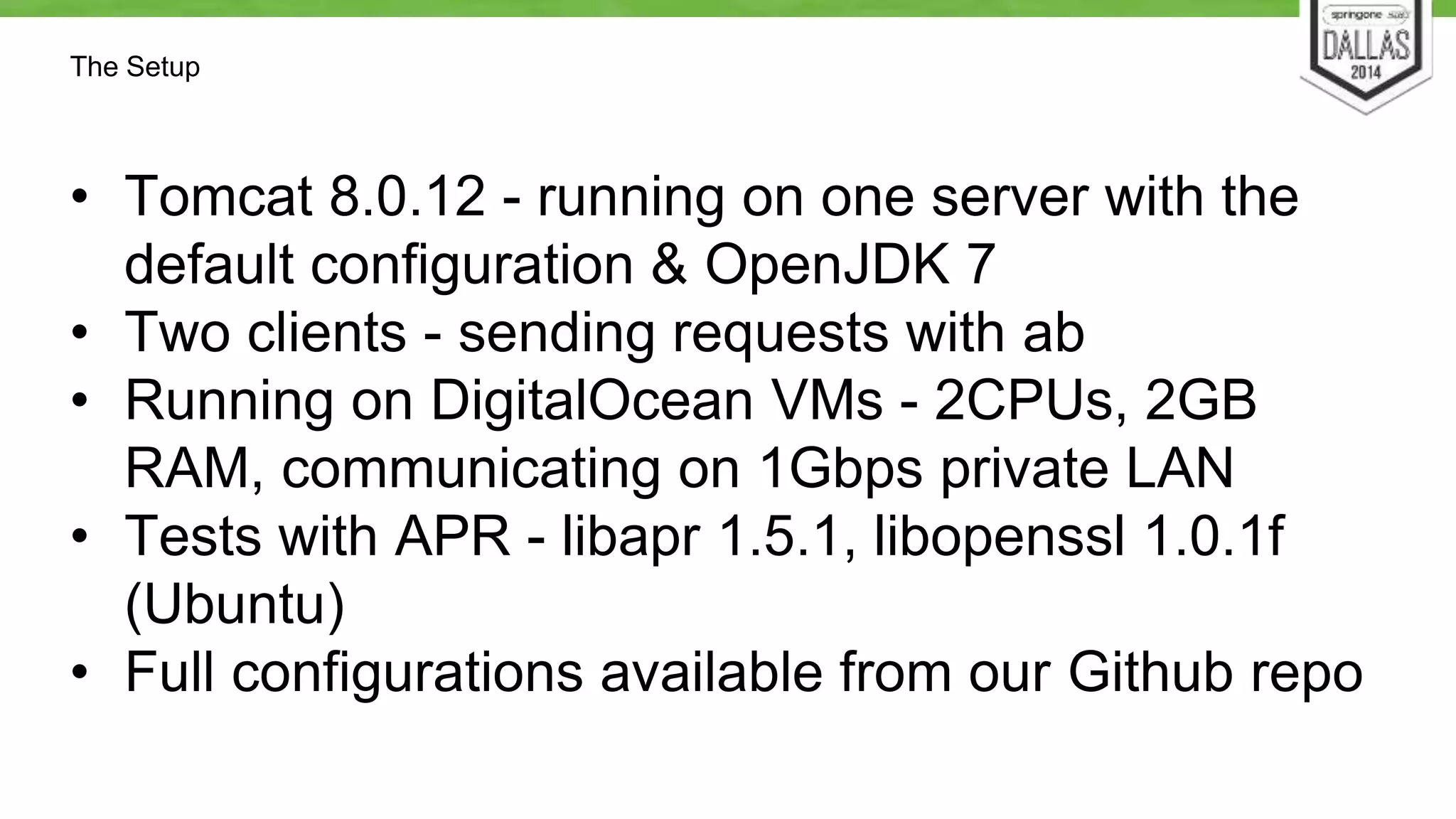
• Tomcat 8.0.12 - running on one server with the 
default configuration & OpenJDK 7 
• Two clients - sending requests with ab 
• Running on DigitalOcean VMs - 2CPUs, 2GB 
RAM, communicating on 1Gbps private LAN 
• Tests with APR - libapr 1.5.1, libopenssl 1.0.1f 
(Ubuntu) 
• Full configurations available from our Github repo
Some Load Tests 
• https://github.com/dmikusa-pivotal/ 
s12gx-2014-fastest-servlets/ 
tree/master/LoadTestResults
Tests 
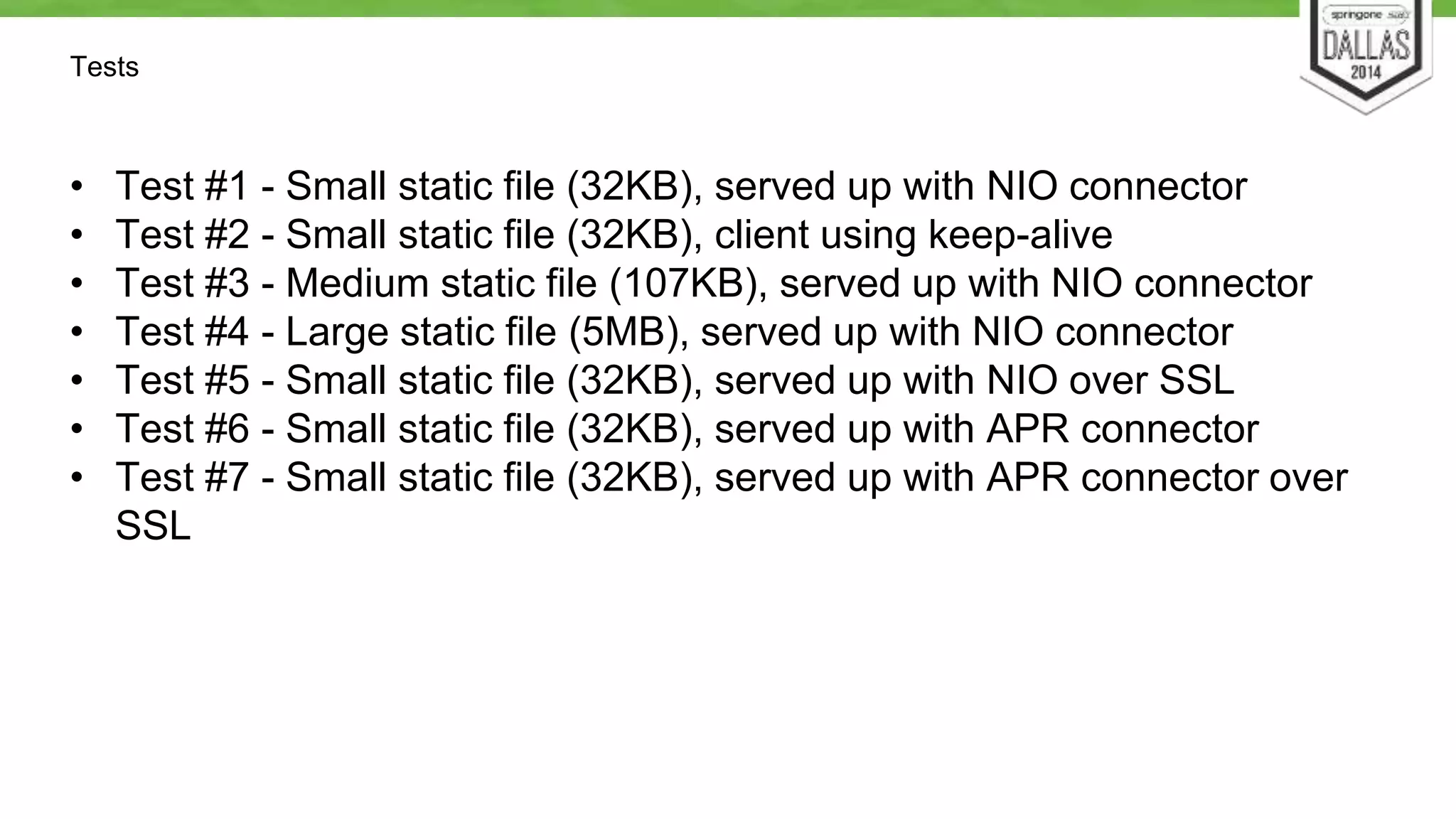
• Test #1 - Small static file (32KB), served up with NIO connector 
• Test #2 - Small static file (32KB), client using keep-alive 
• Test #3 - Medium static file (107KB), served up with NIO connector 
• Test #4 - Large static file (5MB), served up with NIO connector 
• Test #5 - Small static file (32KB), served up with NIO over SSL 
• Test #6 - Small static file (32KB), served up with APR connector 
• Test #7 - Small static file (32KB), served up with APR connector over 
SSL
Tests Interesting Comparisons… 
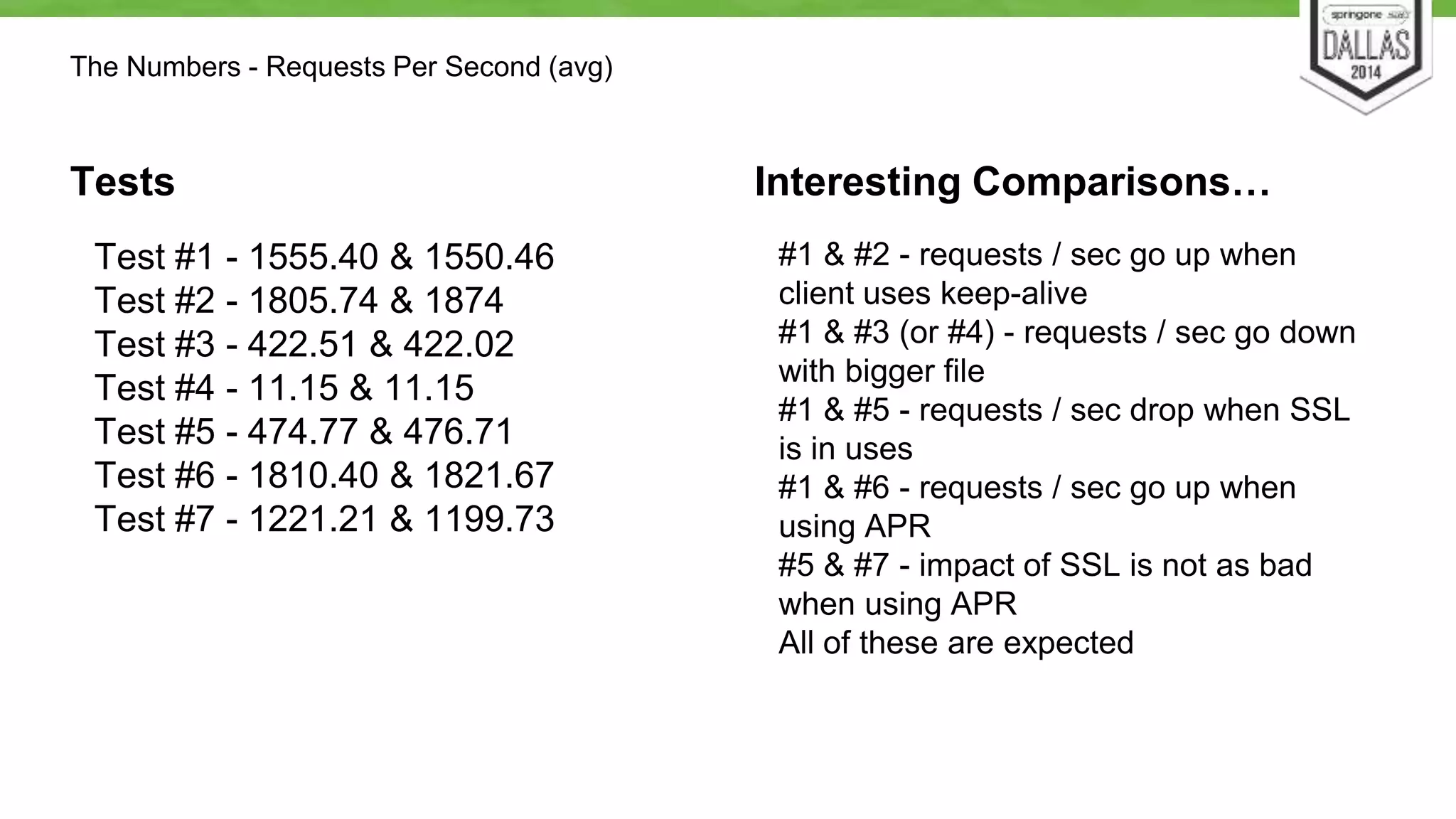
Test #1 - 1555.40 & 1550.46 
Test #2 - 1805.74 & 1874 
Test #3 - 422.51 & 422.02 
Test #4 - 11.15 & 11.15 
Test #5 - 474.77 & 476.71 
Test #6 - 1810.40 & 1821.67 
Test #7 - 1221.21 & 1199.73 
#1 & #2 - requests / sec go up when 
client uses keep-alive 
#1 & #3 (or #4) - requests / sec go down 
with bigger file 
#1 & #5 - requests / sec drop when SSL 
is in uses 
#1 & #6 - requests / sec go up when 
using APR 
#5 & #7 - impact of SSL is not as bad 
when using APR 
All of these are expected 
The Numbers - Requests Per Second (avg)
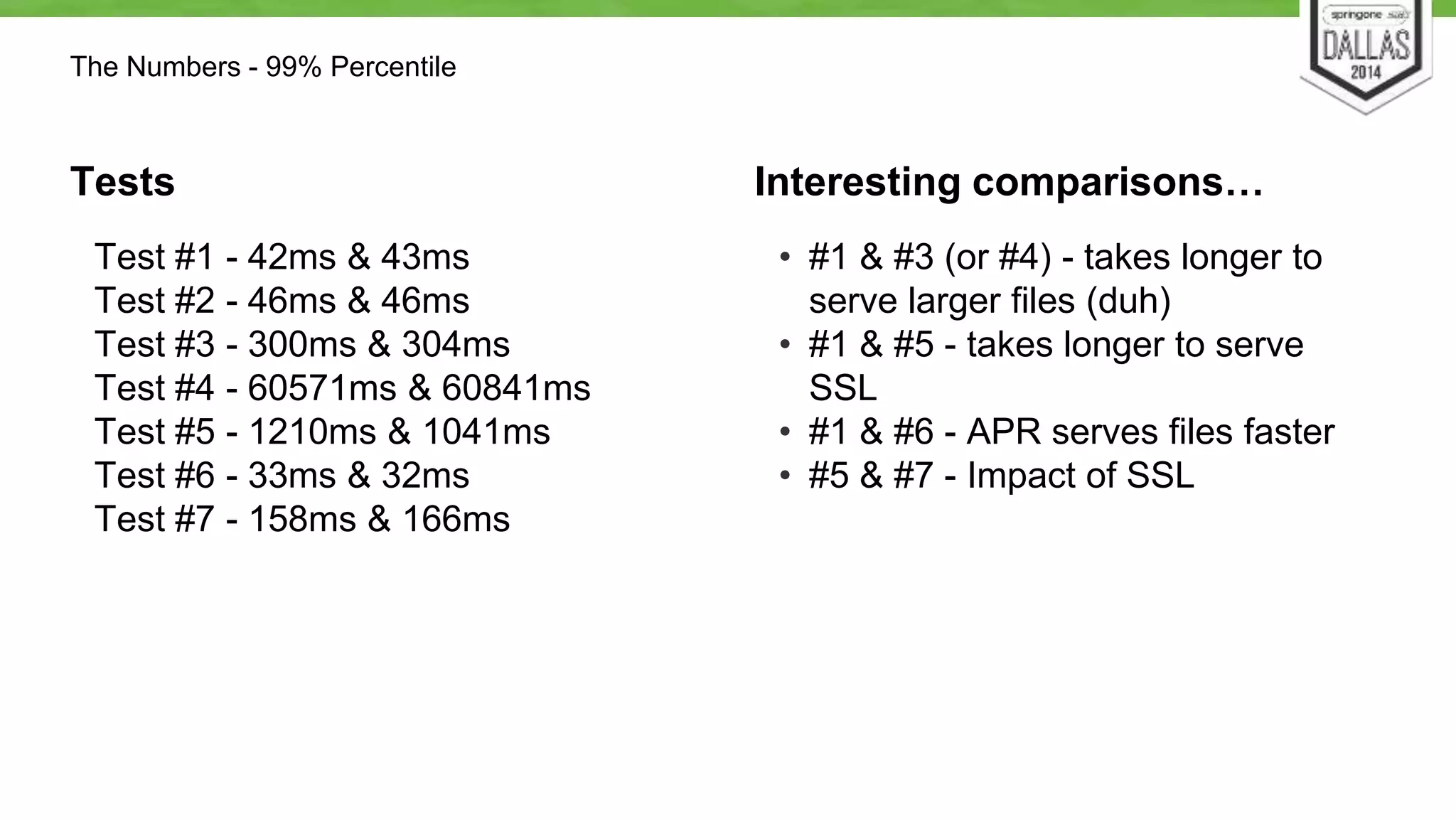
The Numbers - 99% Percentile 
Tests 
Test #1 - 42ms & 43ms 
Test #2 - 46ms & 46ms 
Test #3 - 300ms & 304ms 
Test #4 - 60571ms & 60841ms 
Test #5 - 1210ms & 1041ms 
Test #6 - 33ms & 32ms 
Test #7 - 158ms & 166ms 
Interesting comparisons… 
• #1 & #3 (or #4) - takes longer to 
serve larger files (duh) 
• #1 & #5 - takes longer to serve 
SSL 
• #1 & #6 - APR serves files faster 
• #5 & #7 - Impact of SSL
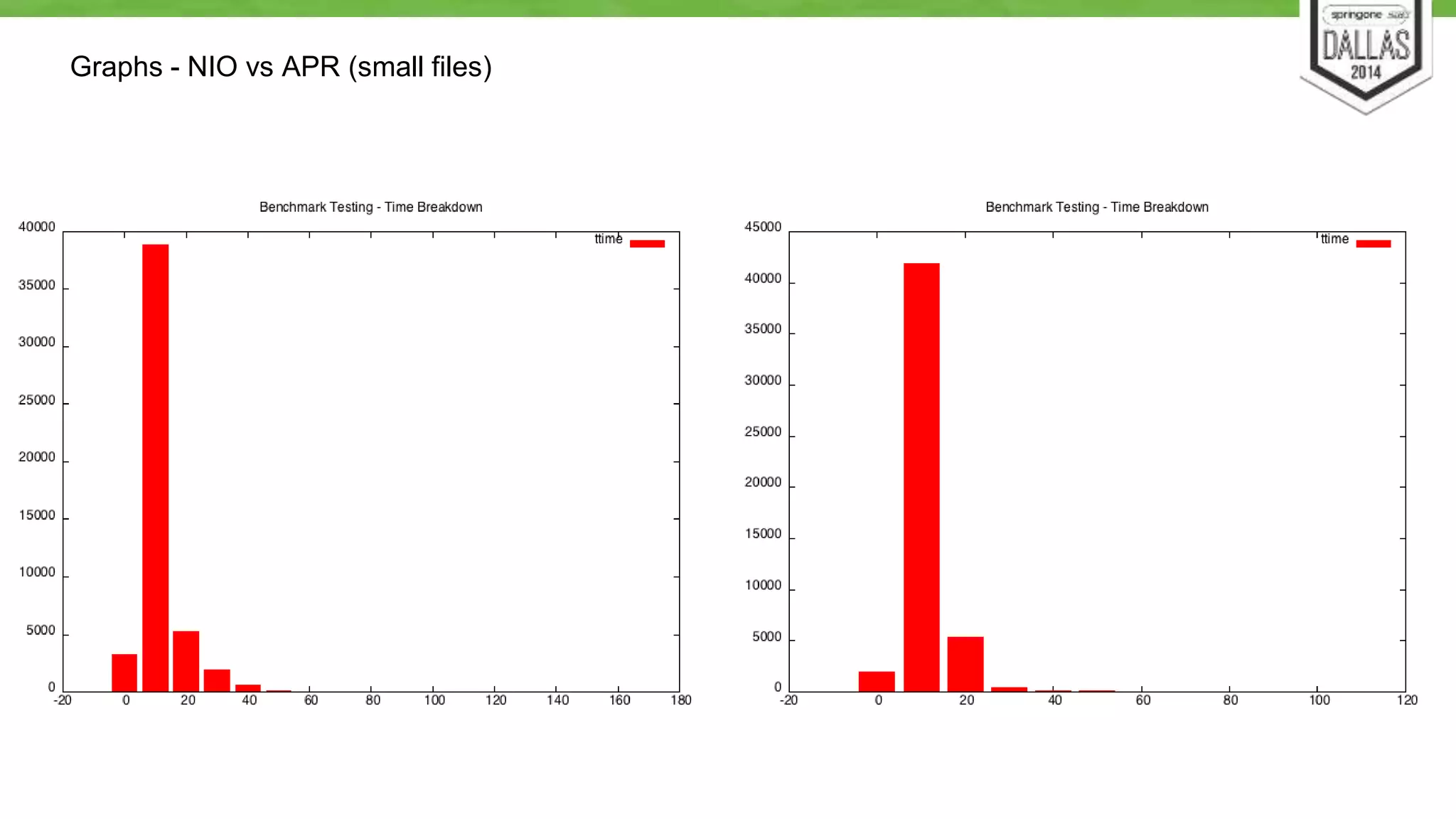
Graphs - NIO vs APR (small files)
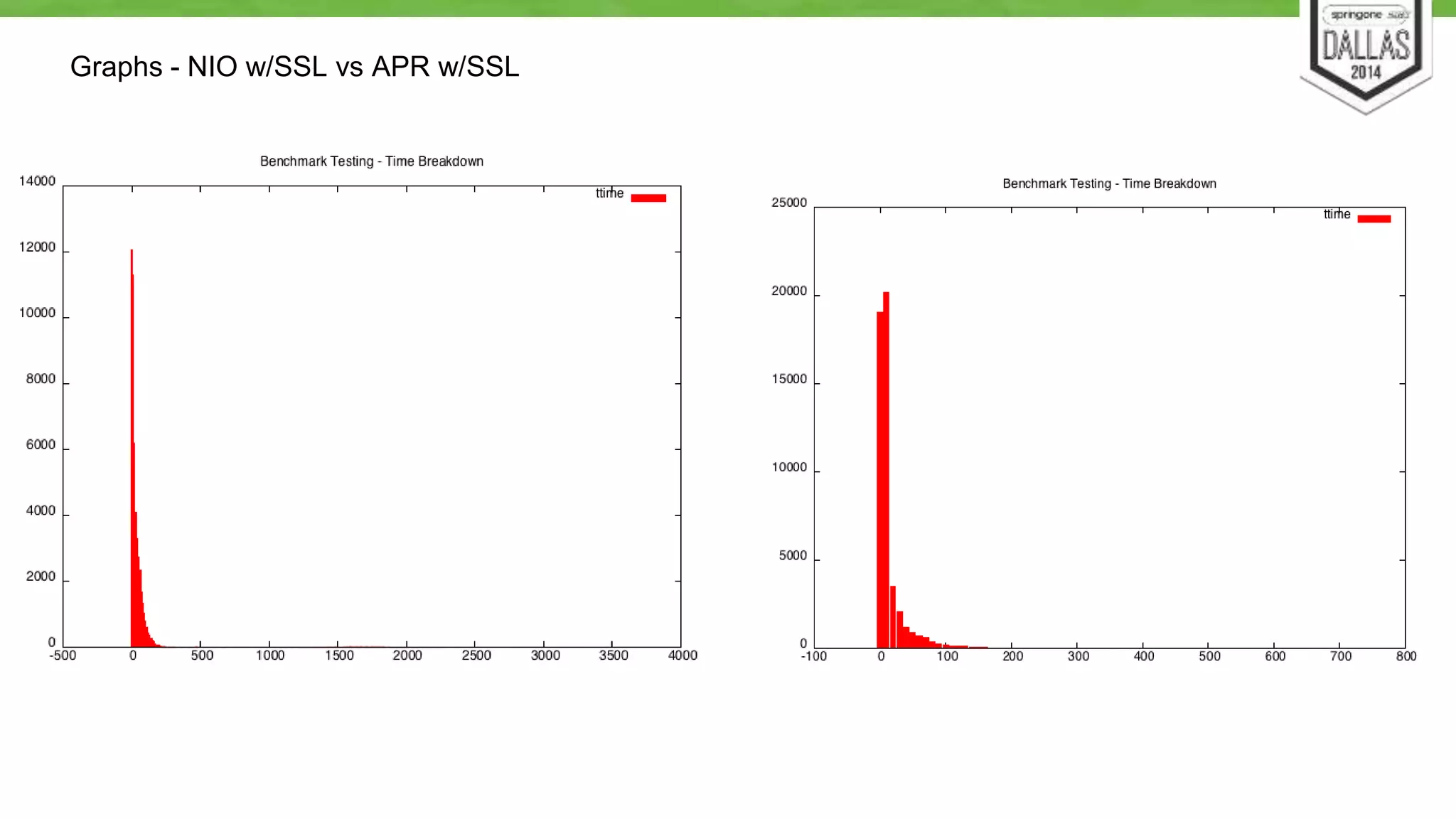
Graphs - NIO w/SSL vs APR w/SSL
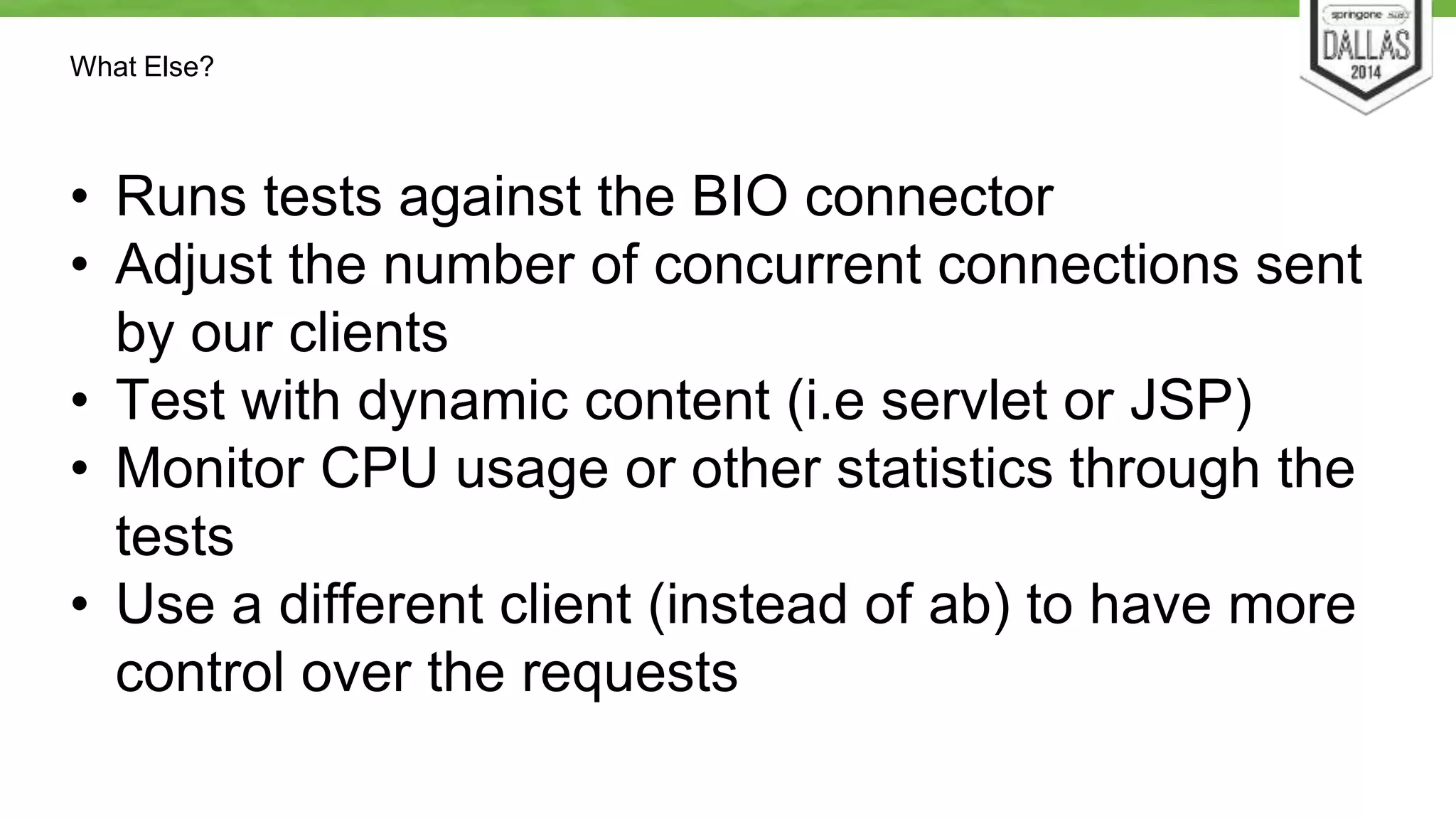
What Else? 
• Runs tests against the BIO connector 
• Adjust the number of concurrent connections sent 
by our clients 
• Test with dynamic content (i.e servlet or JSP) 
• Monitor CPU usage or other statistics through the 
tests 
• Use a different client (instead of ab) to have more 
control over the requests
Profilers
Use a Profiler 
• VisualVM 
• Load the plugins 
• MBean, Memory Pools, Buffer Pools, VisualGC 
• Java Mission Control 
• Since 7u40 
• YourKit 
• Other commercial products are available 
• JMH (for serious, lower level testing)
Profiler Demo
The Application
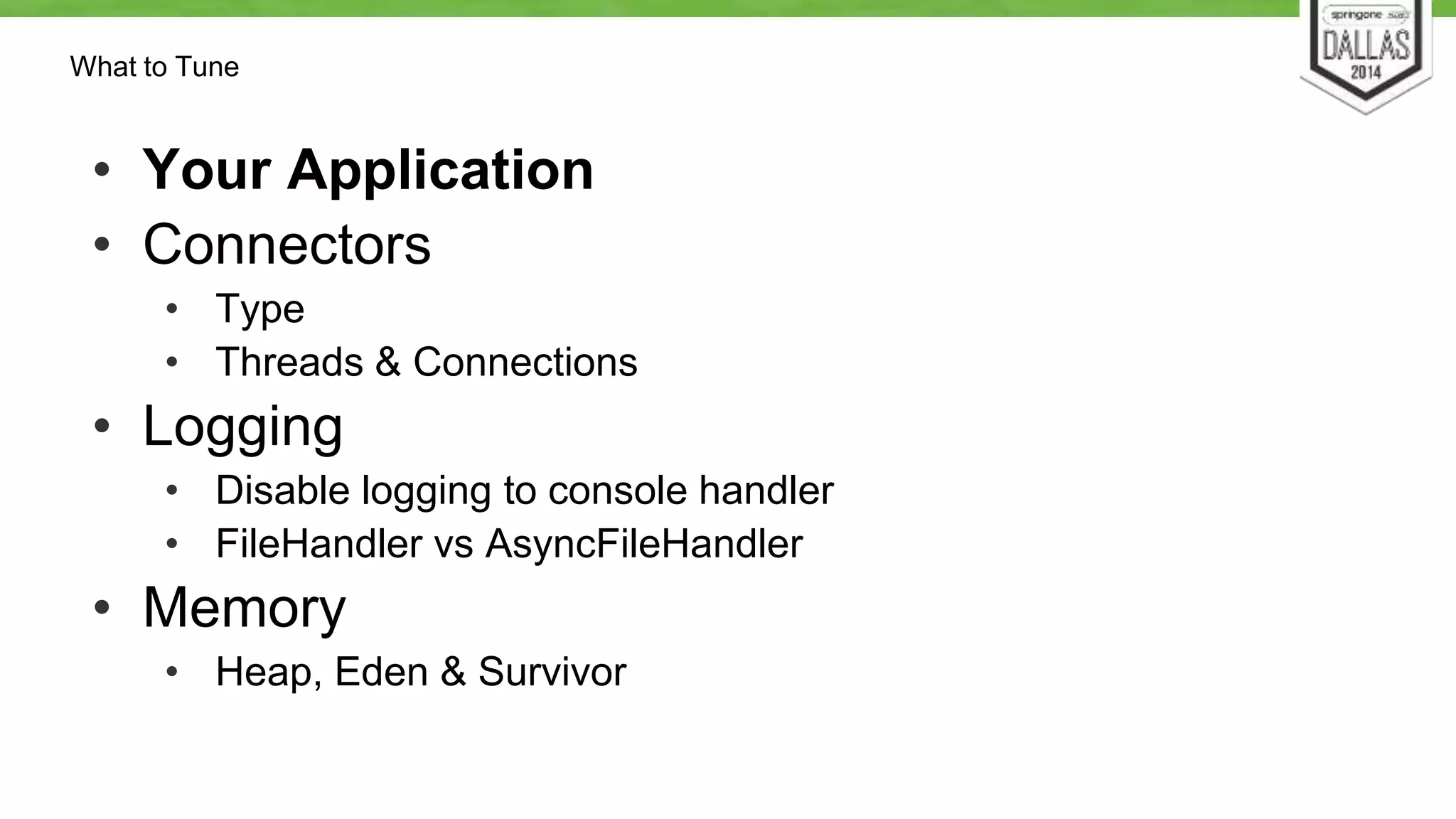
What to Tune 
• Your Application 
• Connectors 
• Type 
• Threads & Connections 
• Logging 
• Disable logging to console handler 
• FileHandler vs AsyncFileHandler 
• Memory 
• Heap, Eden & Survivor
What to Tune 
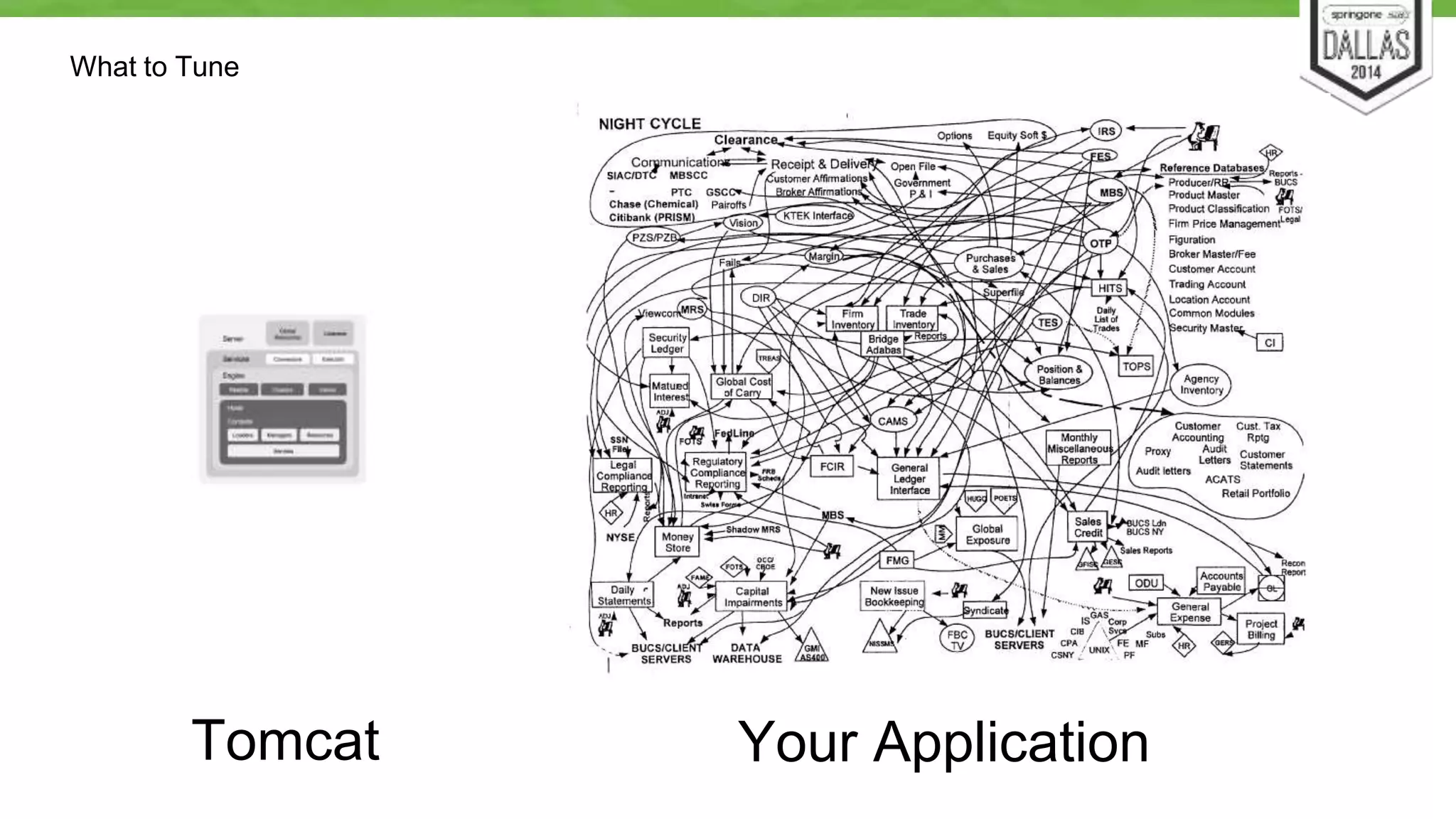
Tomcat Your Application
What to Tune 
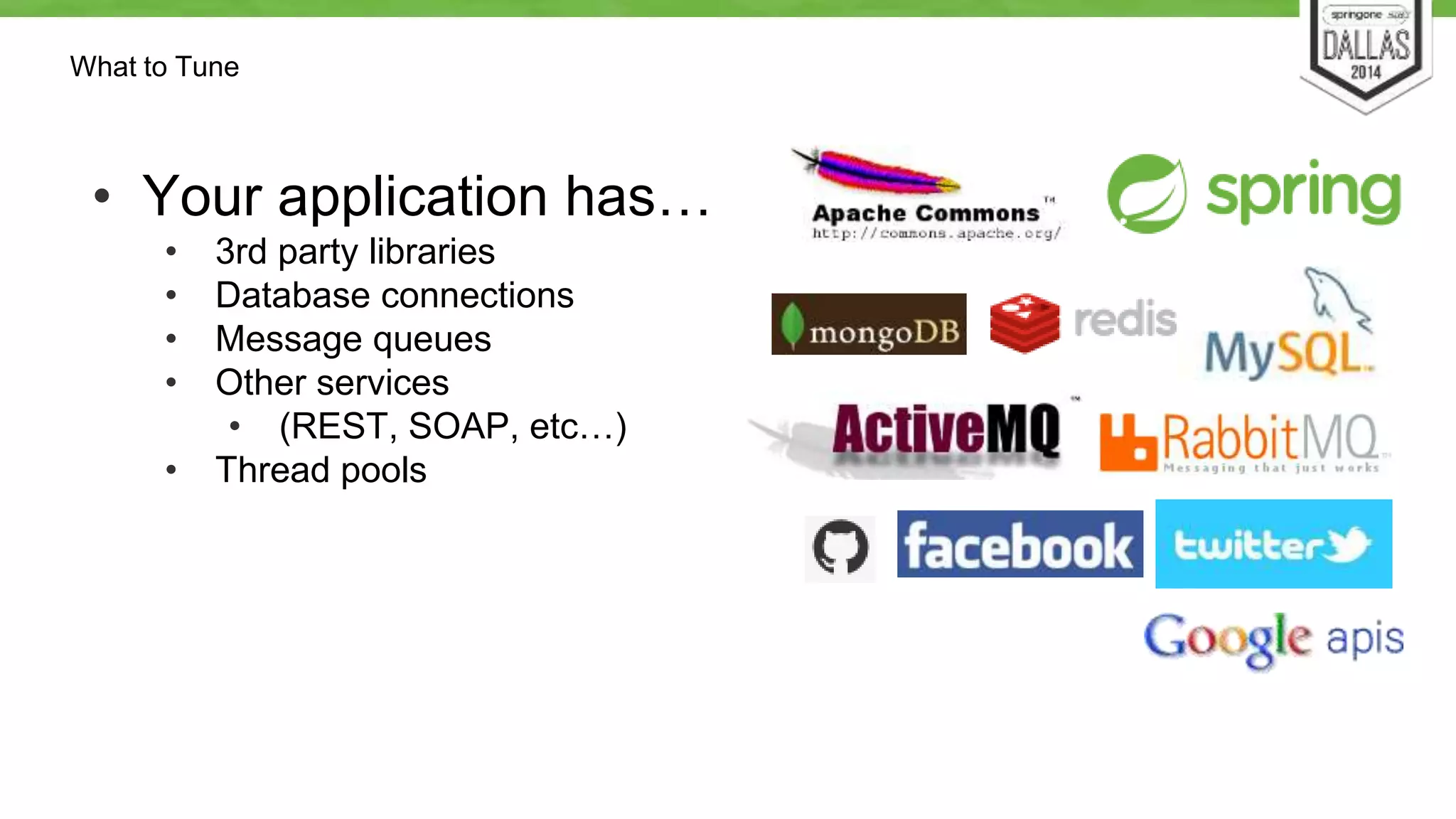
• Your application has… 
• 3rd party libraries 
• Database connections 
• Message queues 
• Other services 
• (REST, SOAP, etc…) 
• Thread pools
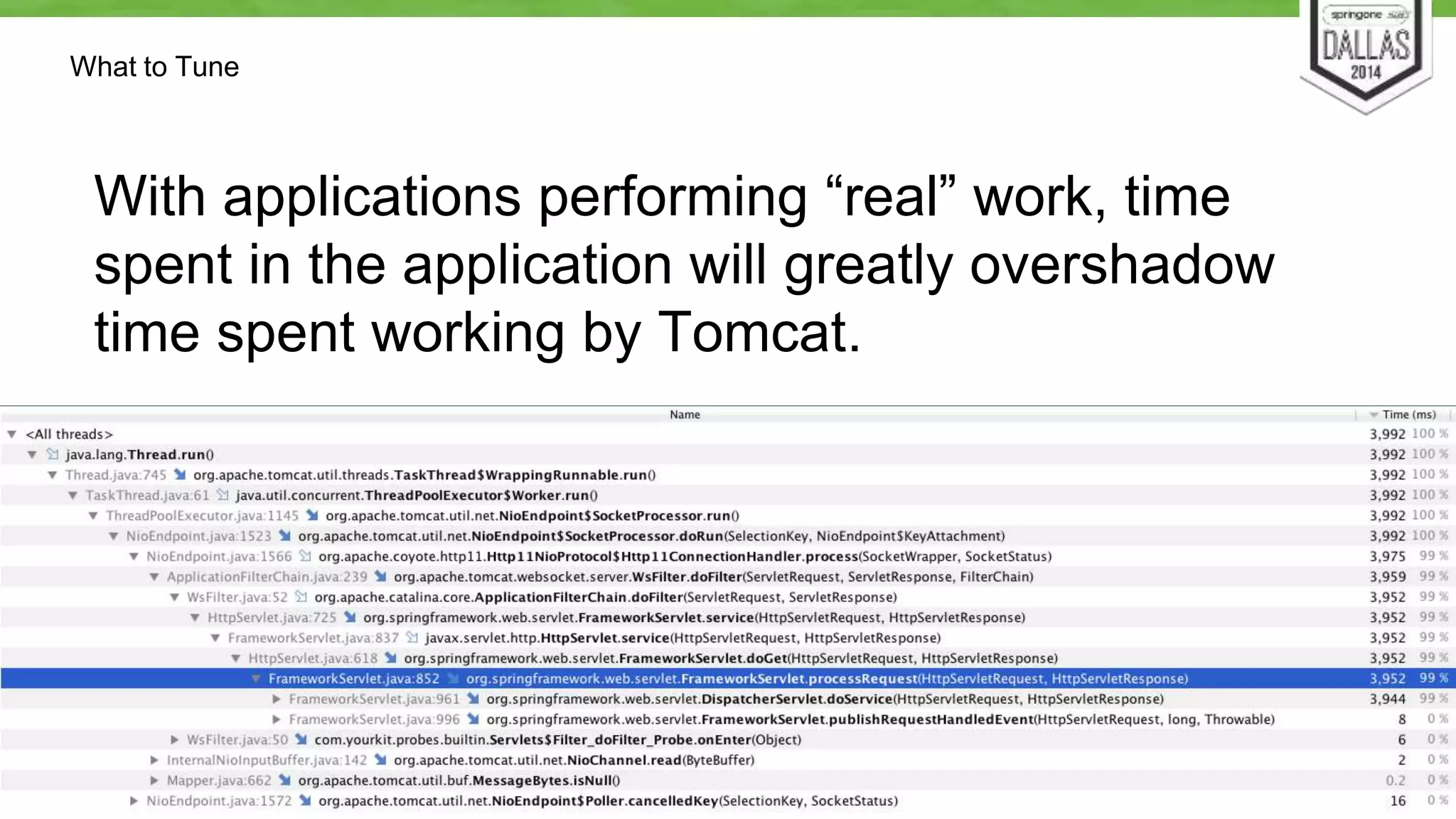
Profiler Time Spent
What to Tune 
With applications performing “real” work, time 
spent in the application will greatly overshadow 
time spent working by Tomcat.
Summary
Do’s 
• Set clear and realistic goals 
• Monitor Tomcat & the JVM 
• Profile your application 
• Use a load test tool to appropriately stress the system 
• Try to fix the cause of the bottleneck, not just address its 
symptoms 
• Stop when you’ve hit your goals
Dont’s 
• Begin optimizing before you have measured the 
performance of your system. 
• Expect a silver bullet (i.e. a JVM or Tomcat setting) to 
solve all of your performance problems. 
• Load test on your laptop 
• Use unrealistic data volumes or user loads. 
• Optimise code or configuration that doesn’t need it. 
• Try to work on multiple bottlenecks or problems at one 
time.
Questions
https://github.com/dmikusa-pivotal/ 
s12gx-2014-fastest-servlets/ 
tree/master/LoadTestResults 
@dmikusa 
@pidster

Fastest Servlets in the West

  • 1.
    Fastest Servlets inthe West? By Daniel Mikusa & Stuart Williams © 2014 SpringOne 2GX. All rights reserved. Do not distribute without permission.
  • 2.
    Daniel Mikusa users@tomcat.apache.org • Contributing Author on TomcatExpert.com • Senior Technical Support Engineer at Pivotal – Tomcat / tc Server – Spring Framework – CloudFoundry @dmikusa Stuart Williams users@tomcat.apache.org • A committer on open source projects at Apache, Eclipse and elsewhere • Software Engineer at Pivotal – RTI project lead @pidster Presenter Bios
  • 3.
    Introduction • Nota talk about Tomcat being the fastest • IS a talk about how to make your Servlets & applications perform well under load • It’s easier than you may think
  • 4.
    Apache Tomcat •History • Started at Sun as the RI for Servlet & JSP specs • Donated to the ASF in 1999, became top level project in 2005 • First ASF release was 3.0, now up to 8.0 • All versions implement Servlet & JSP specs. • EL was added with 6. • WebSockets in 7 & 8 • Trend towards lightweight increasing adoption
  • 5.
    We have somequestions for you… • Who’s brought a Tomcat app to production? • Who maintains a production Tomcat today? • What is the average load? • Daily active users? • Daily active sessions? • Requests… o per day, per hour, per second*? * Prize for the provably largest!
  • 6.
  • 7.
    Architecture Overview ●Server is the top level structure, it represents the entire container. ● A Server can have multiple Services. ● A Service is the combination of an engine and one or more connectors ● An Engine represents the request processing machinery of the service. Takes in requests, returns responses. ● An Engine can have multiple Hosts (i.e. virtual hosts). ● Each Host can have multiple Contexts (i.e. applications). ● Elements marked in red in the diagram are only valid at that level. Other elements can be used at that level or below. Cluster is the exception, not being valid in the Context. Server Global Listeners Resources Services Connectors Engine Realms Cluster Hosts Valves Contexts Executor Loader Manager Resources Servlets
  • 8.
    Architecture Overview ●Server is the top level structure, it represents the entire container. ● A Server can have multiple Services. ● A Service is the combination of an engine and one or more connectors ● An Engine represents the request processing machinery of the service. Takes in requests, returns responses. ● An Engine can have multiple Hosts (i.e. virtual hosts). ● Each Host can have multiple Contexts (i.e. applications). ● Elements marked in red in the diagram are only valid at that level. Other elements can be used at that level or below. Cluster is the exception, not being valid in the Context. Server Global Listeners Resources Services Connectors Engine Realms Cluster Hosts Valves Contexts Executor Loader Manager Resources Servlets
  • 9.
    Request Execution Path • Connectors are tunable • Engine – not tunable • Valve Pipeline • Host, Context, Servlet are not tunable • Your application is tunable Connector Engine Host Context Servlet
  • 10.
    Performance configuration andtuning for Tomcat • Three main areas to focus 1. Memory and OS o JVM and GC config o Open file handles, ulimit & TCP socket buffers 2. Connectors o Type o Config – e.g. thread count 3. Application
  • 11.
    Memory & OStuning This is not a JVM tuning talk, but …
  • 12.
    A simplified viewof the a JVM’s Process Heap. Java Object Heap Young Generation Old Generation Perm Gen (Java 6 & 7) Meta Space (Java 8) Thread Stacks Native Code Compiler, GC, ... Eden Survivor Spaces Non-Heap
  • 13.
    More questions… •Who has seen an OOM in production? • Was it ‘unfortunate’ configuration or … • … just not enough memory? • … or did you just delay the OOM? • Was it a leak in the application? • Was it a leak in Tomcat?
  • 14.
    Basic rules formemory tuning: 1. Start with the defaults, they will get you surprisingly far 2. Don’t play the guessing game! Know what you’re changing and what you expect the change to do (i.e. RTFM) 3. Change one setting at a time
  • 15.
    Basic rules formemory tuning: 4. Don’t change setting solely based on a someone’s StackOverflow, blog or forum post. What works for them might not work for you. Also see #2. 5. Monitor your application’s memory usage either via JMX or via GC logs. 6. Test your app, observe the results, adjust memory settings, repeat.
  • 16.
    Memory & OStuning considerations • Request handling objects are pooled & reused • Plain old Tomcat uses very little memory • Connection counts • Sockets use memory too • Incorrect socket buffer size can cause serious instability
  • 17.
    The most commonmemory switches • -Xmx • Maximum object heap size • -Xms • Initial object heap size • -Xmn, -XX:NewSize & -XX:NewRatio • New or young generation sizes
  • 18.
    The most commonmemory switches • -XX:PermSize & -XX:MaxPermSize (Java 6 & 7) • Initial & max sizes of PermGen space • -XX:MetaspaceSize & -XX:MaxMetaspaceSize (Java 8) • Initial & max sizes of Metaspace • -Xss & -XX:ThreadStackSize • Size of the thread stack for each thread created by the JVM
  • 19.
  • 20.
    Connector Types BIOOldest, battle-tested connector Blocking, one thread per connected user NIO New default in Tomcat 8 Non-blocking NIO2 New in Tomcat 8 (Experimental) Uses JVM’s NIO2, Non-blocking APR Native implementation Non-blocking AJP Separate BIO, NIO, NIO2& APR implementations
  • 21.
    Connector Types HTTPAJP BIO 3.x 3.x NIO 6.0.x 7.0.x NIO2 8.0.x 8.0.x APR 5.5.x 5.5.x
  • 22.
    Connector Types -Performance Characteristics BIO – Good for low concurrency w/no keep-alive NIO – Good w/SSL & concurrency + no native code required APR – Best for SSL & concurrency AJP – Used with Apache or IIS
  • 23.
  • 24.
    How to TestYour Application • Unit Tests • Make sure it works first • Integration Tests • Embedded Tomcat instances can be very useful • System / Performance Tests • Deploy your application in a production-like environment o Means similar network, CPU, RAM, disk type o This is not negotiable
  • 25.
    Performance Testing Basics • Your application • Needs resources o 1 wobbly old spare server is Not A Good Choice • Load Generator • Needs resources o 1 wobbly old spare server is Still Not A Good Choice • Use Open Source o Commercial tools usually have per-seat licenses
  • 26.
    Performance Testing Process • Start with a working / properly configured system. • Determine your performance goals (i.e. how “fast”) • Measure the current performance • Examine metrics & data gathered to determine bottlenecks • Determine and implement a fix • Repeat until all performance goals are met
  • 27.
    Goals of PerformanceTuning • You are not Twitter or Facebook! (Probably) • Realistic Goals • Account for annual peaks • Account for failure • Resource utilization == Cost o Tuning lowers expenditures for Cloud applications
  • 28.
    Test Goals •Test the performance of basic Tomcat features • Iterate with small changes to see how they impact performance • Throw a consistent amount of load at the server, monitor CPU usage
  • 29.
  • 30.
    The Setup •Tomcat 8.0.12 - running on one server with the default configuration & OpenJDK 7 • Two clients - sending requests with ab • Running on DigitalOcean VMs - 2CPUs, 2GB RAM, communicating on 1Gbps private LAN • Tests with APR - libapr 1.5.1, libopenssl 1.0.1f (Ubuntu) • Full configurations available from our Github repo
  • 31.
    Some Load Tests • https://github.com/dmikusa-pivotal/ s12gx-2014-fastest-servlets/ tree/master/LoadTestResults
  • 32.
    Tests • Test#1 - Small static file (32KB), served up with NIO connector • Test #2 - Small static file (32KB), client using keep-alive • Test #3 - Medium static file (107KB), served up with NIO connector • Test #4 - Large static file (5MB), served up with NIO connector • Test #5 - Small static file (32KB), served up with NIO over SSL • Test #6 - Small static file (32KB), served up with APR connector • Test #7 - Small static file (32KB), served up with APR connector over SSL
  • 33.
    Tests Interesting Comparisons… Test #1 - 1555.40 & 1550.46 Test #2 - 1805.74 & 1874 Test #3 - 422.51 & 422.02 Test #4 - 11.15 & 11.15 Test #5 - 474.77 & 476.71 Test #6 - 1810.40 & 1821.67 Test #7 - 1221.21 & 1199.73 #1 & #2 - requests / sec go up when client uses keep-alive #1 & #3 (or #4) - requests / sec go down with bigger file #1 & #5 - requests / sec drop when SSL is in uses #1 & #6 - requests / sec go up when using APR #5 & #7 - impact of SSL is not as bad when using APR All of these are expected The Numbers - Requests Per Second (avg)
  • 34.
    The Numbers -99% Percentile Tests Test #1 - 42ms & 43ms Test #2 - 46ms & 46ms Test #3 - 300ms & 304ms Test #4 - 60571ms & 60841ms Test #5 - 1210ms & 1041ms Test #6 - 33ms & 32ms Test #7 - 158ms & 166ms Interesting comparisons… • #1 & #3 (or #4) - takes longer to serve larger files (duh) • #1 & #5 - takes longer to serve SSL • #1 & #6 - APR serves files faster • #5 & #7 - Impact of SSL
  • 35.
    Graphs - NIOvs APR (small files)
  • 36.
    Graphs - NIOw/SSL vs APR w/SSL
  • 37.
    What Else? •Runs tests against the BIO connector • Adjust the number of concurrent connections sent by our clients • Test with dynamic content (i.e servlet or JSP) • Monitor CPU usage or other statistics through the tests • Use a different client (instead of ab) to have more control over the requests
  • 38.
  • 39.
    Use a Profiler • VisualVM • Load the plugins • MBean, Memory Pools, Buffer Pools, VisualGC • Java Mission Control • Since 7u40 • YourKit • Other commercial products are available • JMH (for serious, lower level testing)
  • 40.
  • 41.
  • 42.
    What to Tune • Your Application • Connectors • Type • Threads & Connections • Logging • Disable logging to console handler • FileHandler vs AsyncFileHandler • Memory • Heap, Eden & Survivor
  • 43.
    What to Tune Tomcat Your Application
  • 44.
    What to Tune • Your application has… • 3rd party libraries • Database connections • Message queues • Other services • (REST, SOAP, etc…) • Thread pools
  • 45.
  • 46.
    What to Tune With applications performing “real” work, time spent in the application will greatly overshadow time spent working by Tomcat.
  • 47.
  • 48.
    Do’s • Setclear and realistic goals • Monitor Tomcat & the JVM • Profile your application • Use a load test tool to appropriately stress the system • Try to fix the cause of the bottleneck, not just address its symptoms • Stop when you’ve hit your goals
  • 49.
    Dont’s • Beginoptimizing before you have measured the performance of your system. • Expect a silver bullet (i.e. a JVM or Tomcat setting) to solve all of your performance problems. • Load test on your laptop • Use unrealistic data volumes or user loads. • Optimise code or configuration that doesn’t need it. • Try to work on multiple bottlenecks or problems at one time.
  • 50.
  • 51.