Google AdWords Advanced Tactics


Slide  1
Agenda - Morning


 Introduction to online advertising &      Managing Your Account
  Google AdWords                            - Creating an account
   - Who are we all?                        - Creating a campaign, step-by-step
   - Types of online advertising            - Understanding campaign, ad group, and keyword
                                              statistics
   - Intro to PPC – AdWords, Bing, YSM
                                            - Editing Campaign Settings
   - AdWords vs FB vs Linked In, etc
                                            - Editing CPCs
   - Basics of pay-per-click advertising
   - Introduction to AdWords
                                            Developing Quality Keyword Lists
       - Features
                                            - How to Develop a List
       - Benefits
                                            - Using the Keyword Tool
       - Basic terminology
                                            - Creating Compelling Ad Text

 Creating Your AdWords Account             - Developing ad variations
                                            - Ad writing workshop
   - Starter vs. Standard edition
   - How to create an account
   - Proper account structure
   - Account organization options


Slide  2
Agenda - Afternoon


 Tracking ad performance                                   Beginning Optimization
   - Conversion Tracking                                    - Using the Report Center
   - Google Analytics                                       - Campaign Optimizer
                                                            - Location targeting
 Optimizing to:                                            - Demographic bidding
   - Increase conversions
   - Increase traffic                                       Best Practices
   - Increase Quality Score                                 - Organise by Theme/Product/Service
   - Improve landing page quality                           - Keywords Research
                                                            - Include Keywords in Advert
 Using the Google Network                                  - Use Correct Landing Pages
   - Ad types (Image Ads, Local Business Ads, Mobile Ad,    - Enable Tracking/Conversion
     Click-to-Play Video Ads)
   - Placement targeted campaigns                           Quality Score
   - CPM bidding
                                                            Billing & Reports
                                                            - Understanding Billing
                                                            - Billing Cycle

                                                            Open Q&A
Slide  3
Who am I
    Who are you?
Slide  4
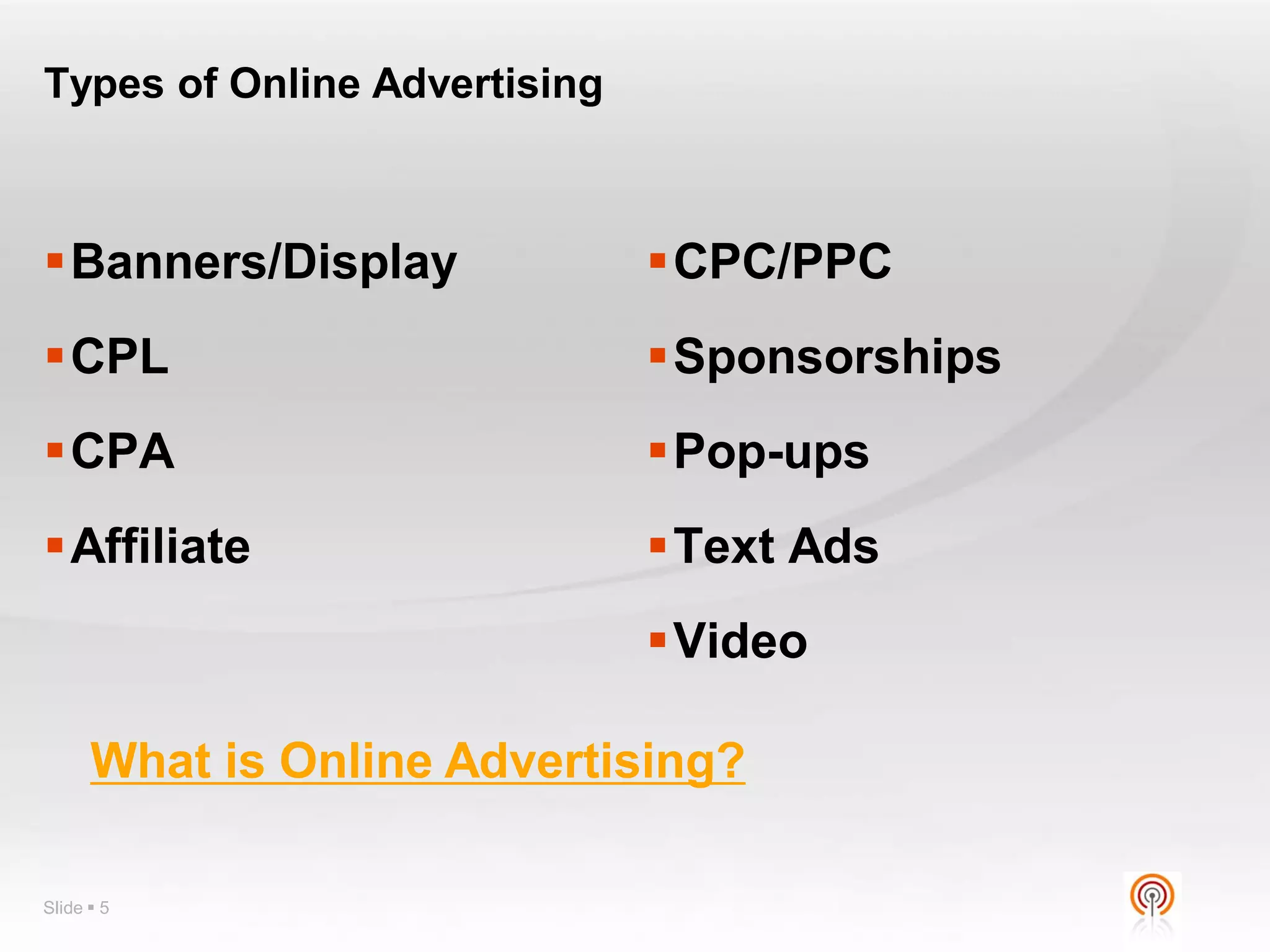
Types of Online Advertising


Banners/Display              CPC/PPC
CPL                          Sponsorships
CPA                          Pop-ups
Affiliate                    Text Ads
                              Video

      What is Online Advertising?

Slide  5
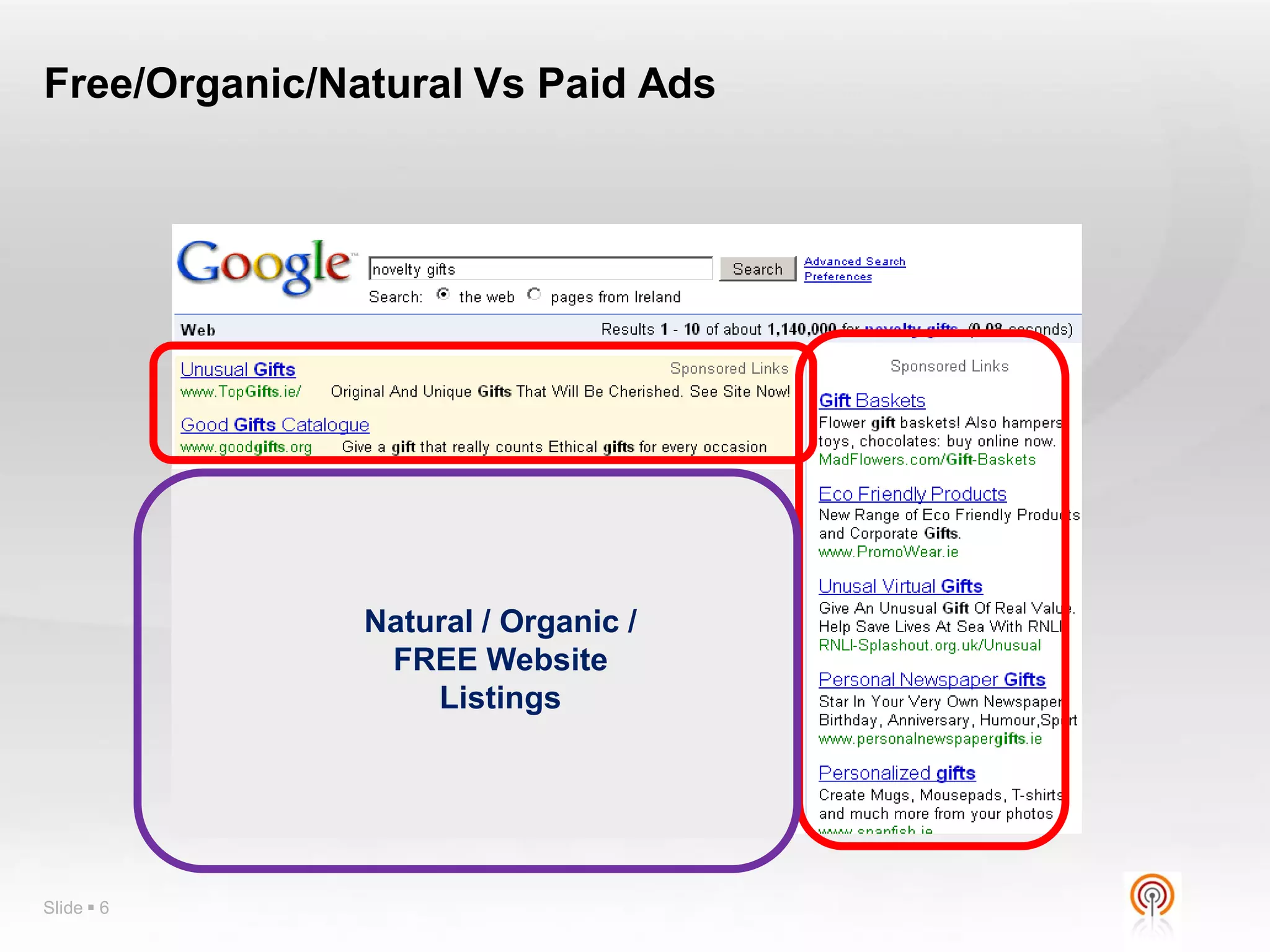
Free/Organic/Natural Vs Paid Ads


               Natural / Organic /
                FREE Website
                   Listings


Slide  6
What is PPC?


     Pay per click (PPC) is an Internet
        advertising model used on
     websites in which advertisers pay
     their host only when their advert
                 is clicked.


Slide  7
Setting PPC Objectives


     •      Critical to decide clear cut-off points before starting

     •      What is your objective in numbers?
     •      How much can you afford to pay for a sale / lead
     •      What’s your current conversion rate on enquiries?

     •      Are you willing to pay €10 for a lead? €50? €108?

     •      What countries are you geo-targeting?
     •      Eg - Can you handle Spanish-language enquiries?


Slide  8
PPC Overview
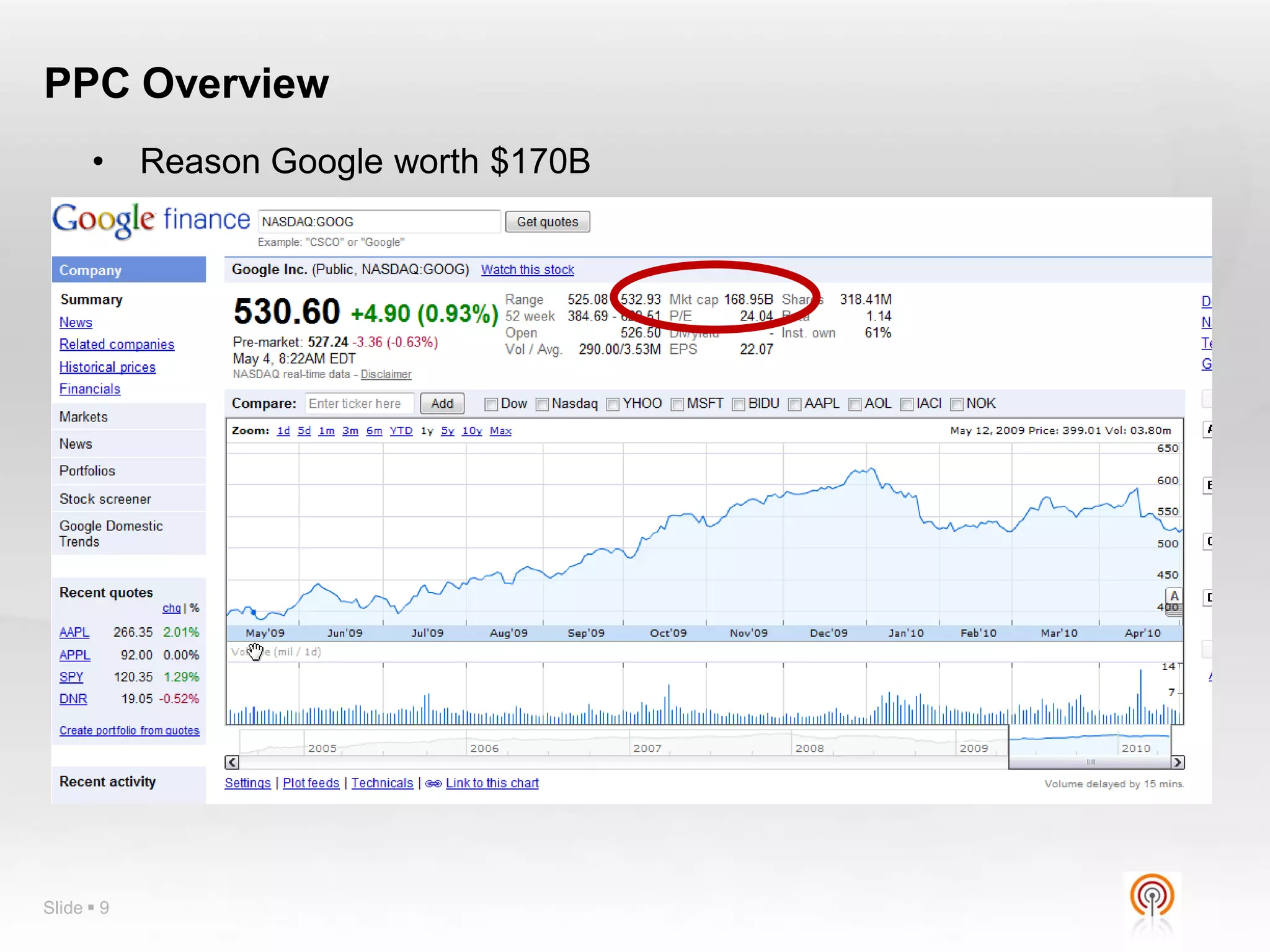
      •     Reason Google worth $170B


Slide  9
PPC Overview


      • Bid for your position against the competition
      • Higher your bid, higher your position. (1st not always
        best)
      • Greater competition = greater cost

      • No charge if user sees your ad
      • Only pay if user visits your website
      • Clicks charged direct to credit card

      • Simple way to test if your website can work for you
      • Requires lots of testing to maximise ROI


Slide  10
Main PPC Players


Slide  11
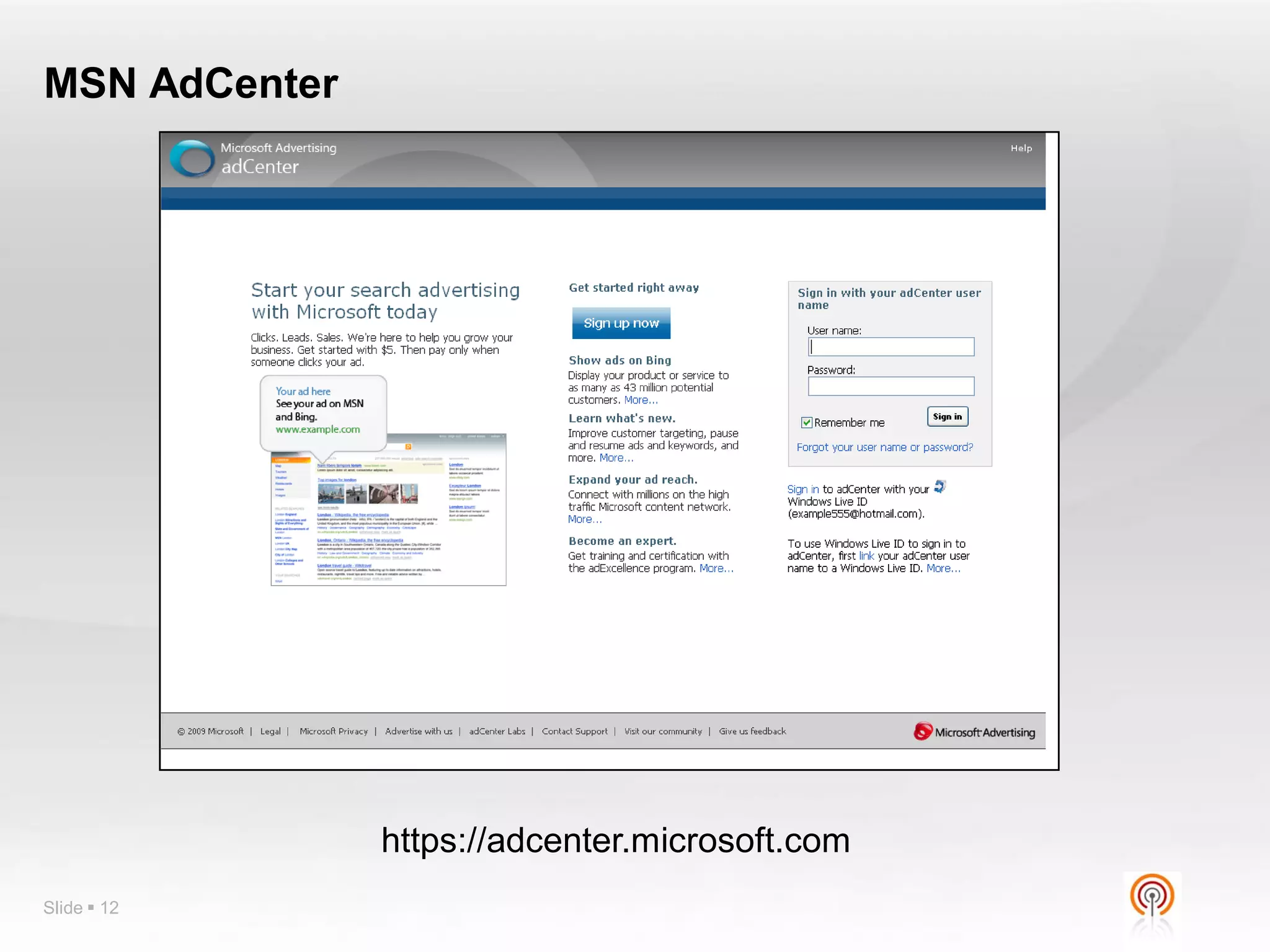
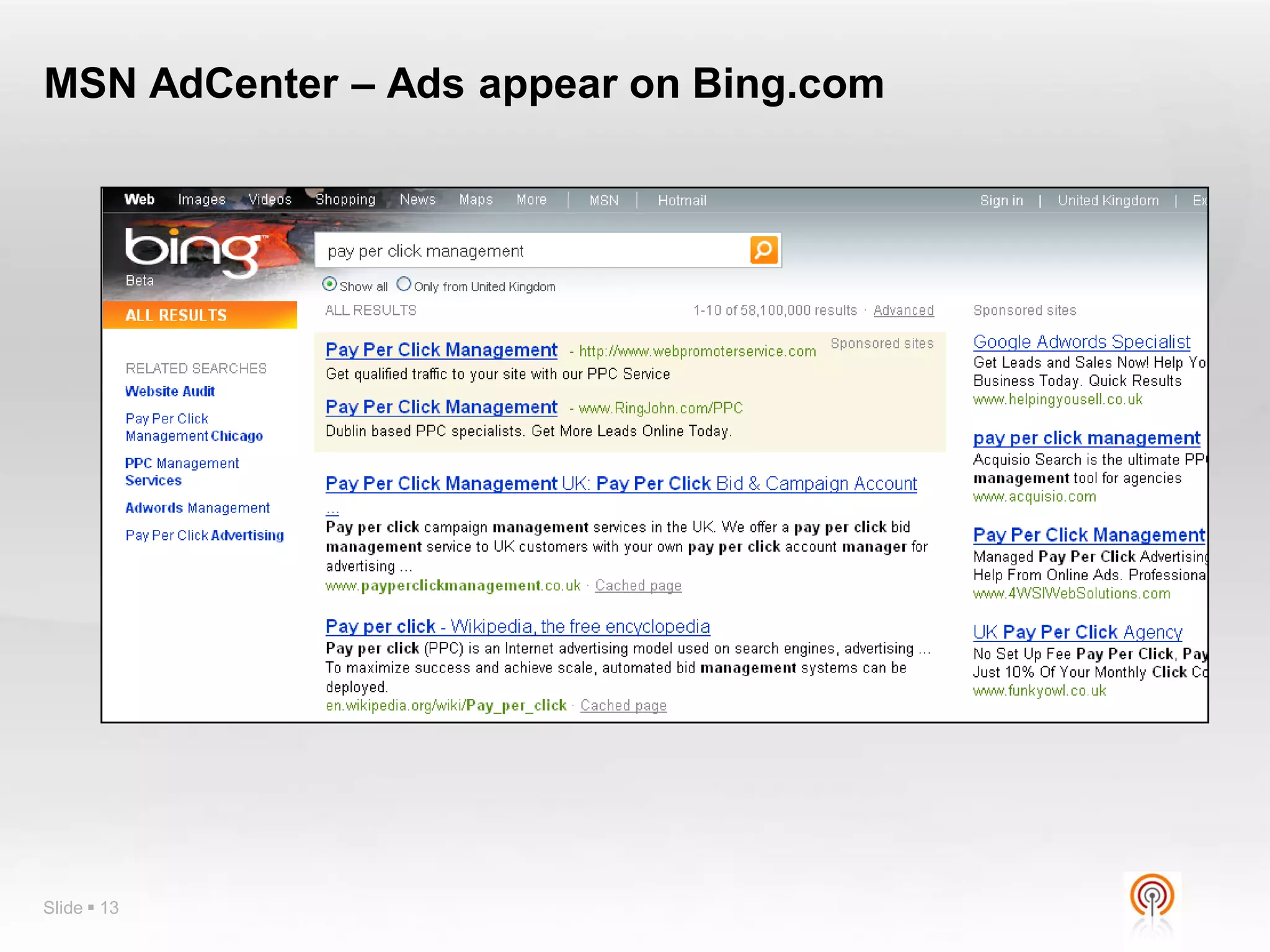
MSN AdCenter


               https://adcenter.microsoft.com
Slide  12
MSN AdCenter – Ads appear on Bing.com


Slide  13
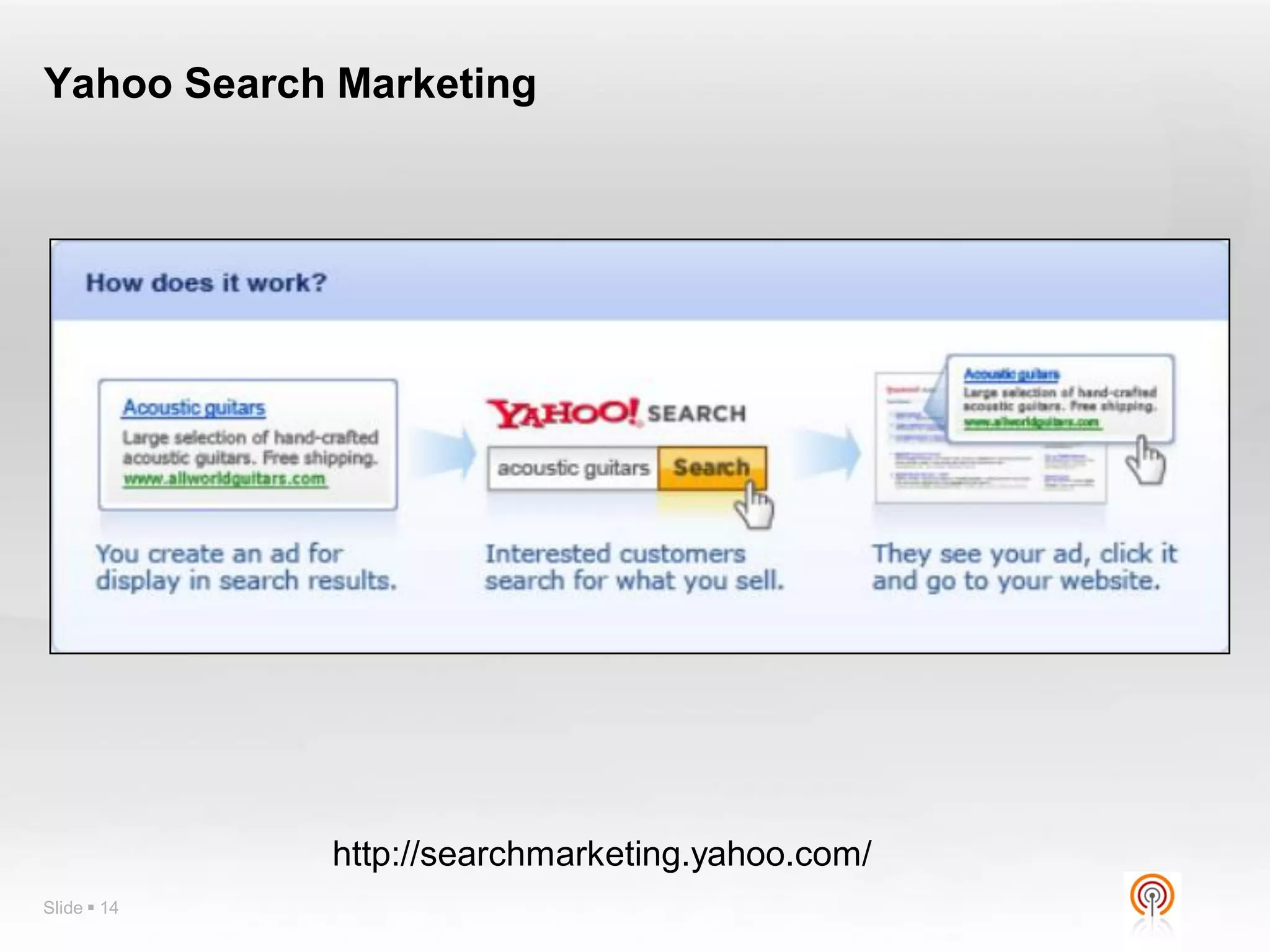
Yahoo Search Marketing


             http://searchmarketing.yahoo.com/
Slide  14
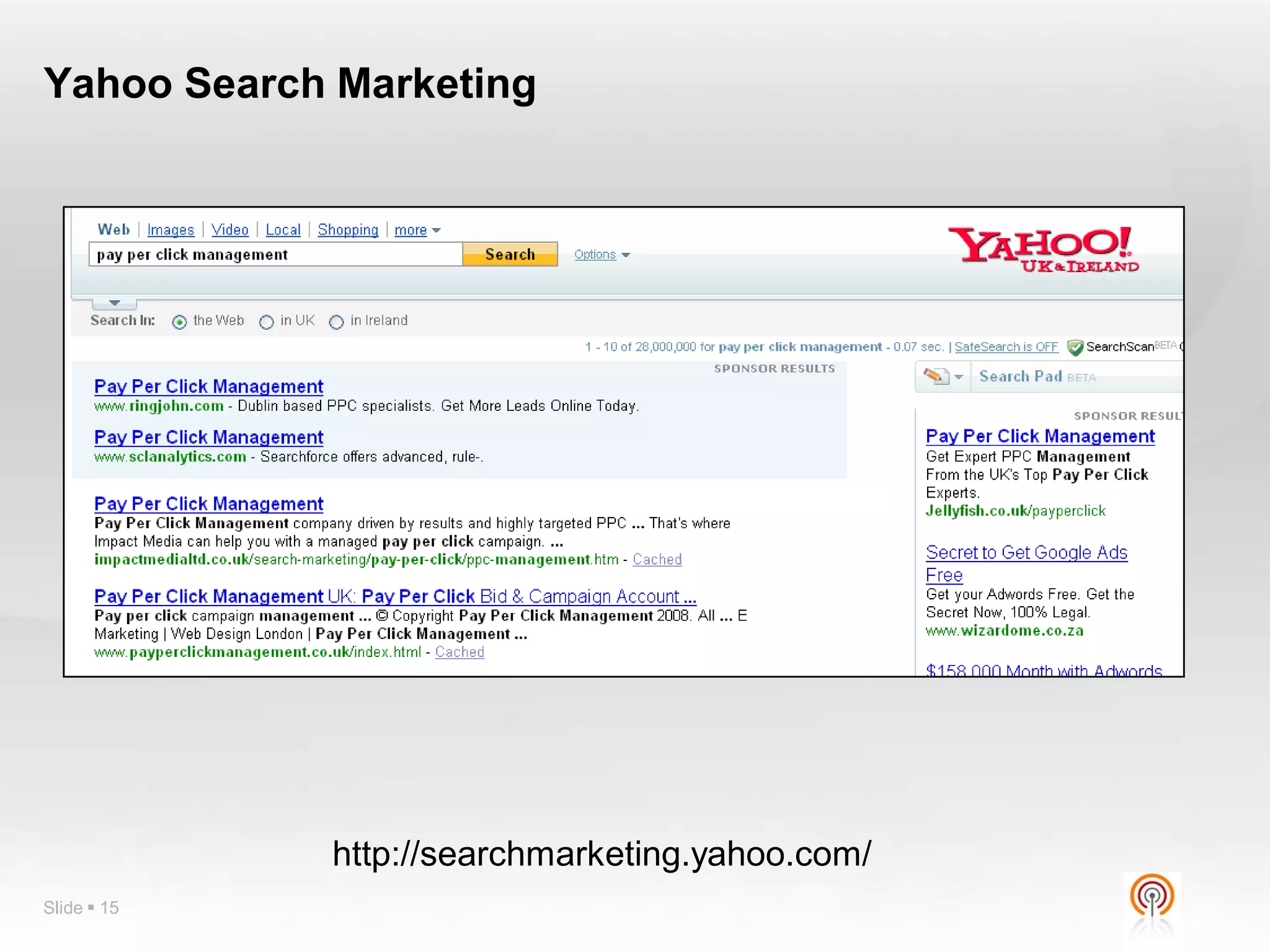
Yahoo Search Marketing


             http://searchmarketing.yahoo.com/
Slide  15
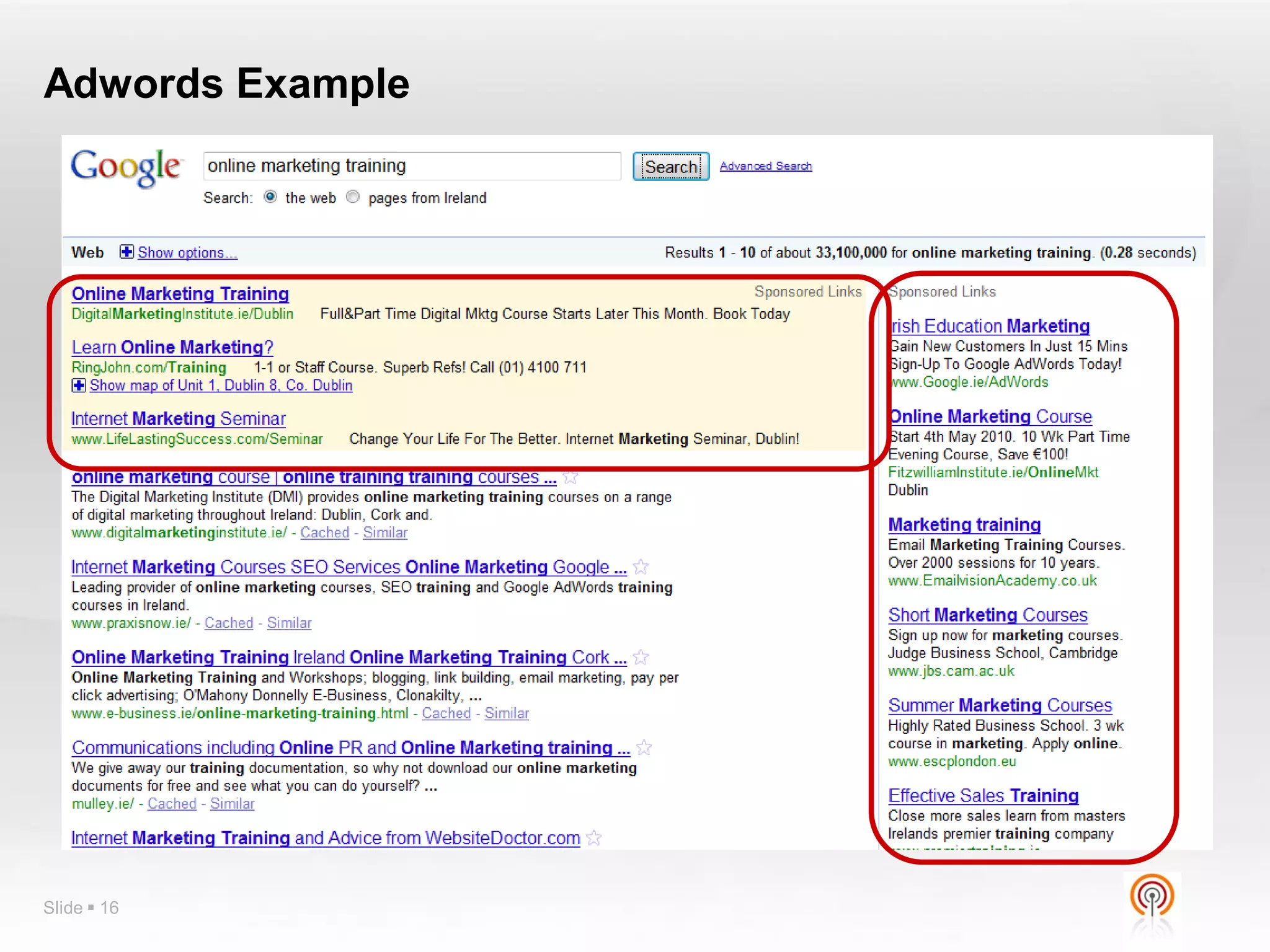
Adwords Example


Slide  16
Why AdWords?


Targeted Results
You have Total Control – You set the Budget
Campaigns are Measurable
Pay only for results (ie when your advert is
 clicked)
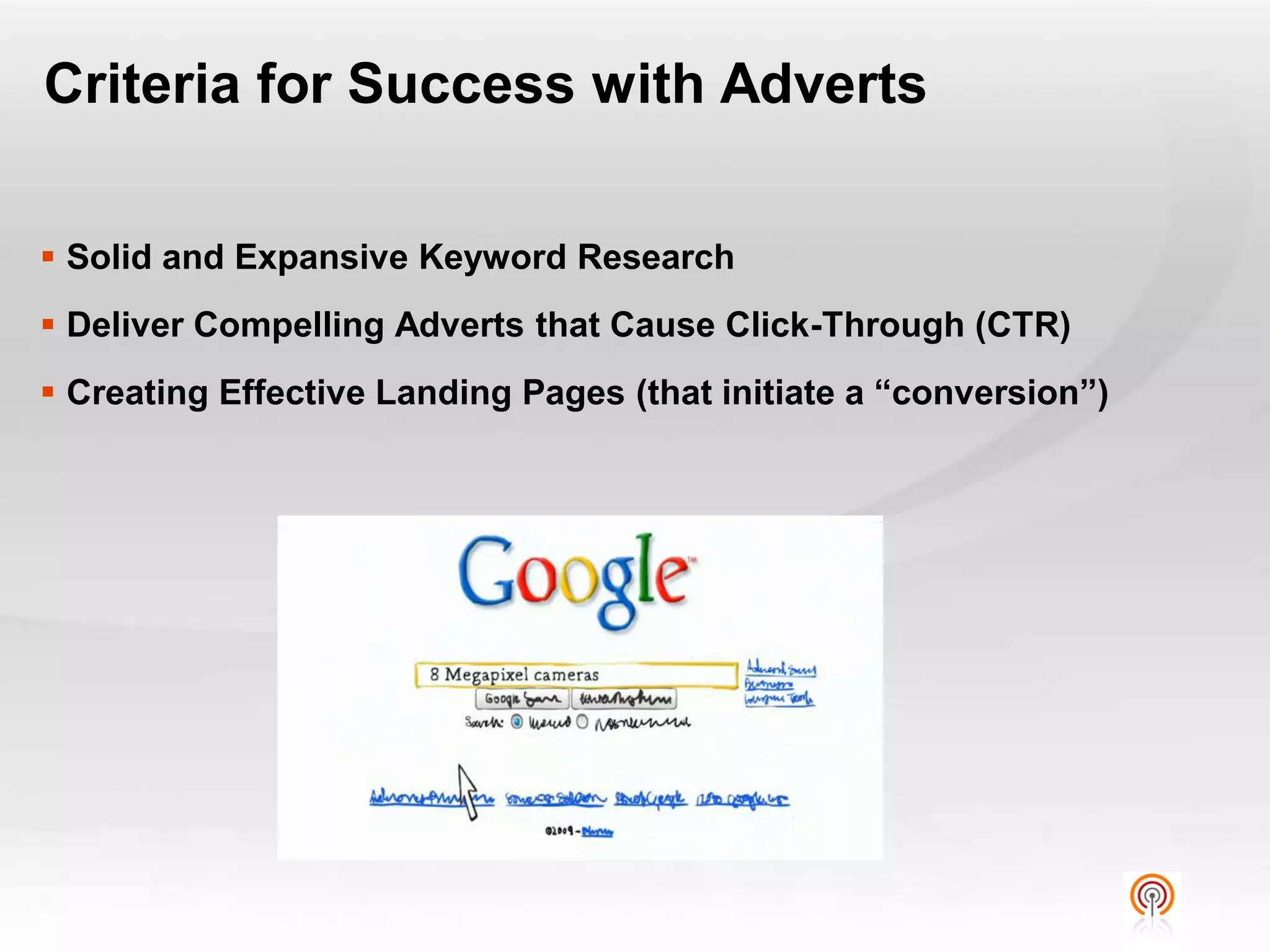
Criteria for Success with Adverts

 Solid and Expansive Keyword Research
 Deliver Compelling Adverts that Cause Click-Through (CTR)
 Creating Effective Landing Pages (that initiate a “conversion”)
Terminology


 PPC
 CPC
 CTR
 Impression
 Conversion
 Quality Score
 Adgroup
 http://adwords.google.com/support/aw/bin/topic.py?hl=en-
  uk&topic=15464


Slide  19
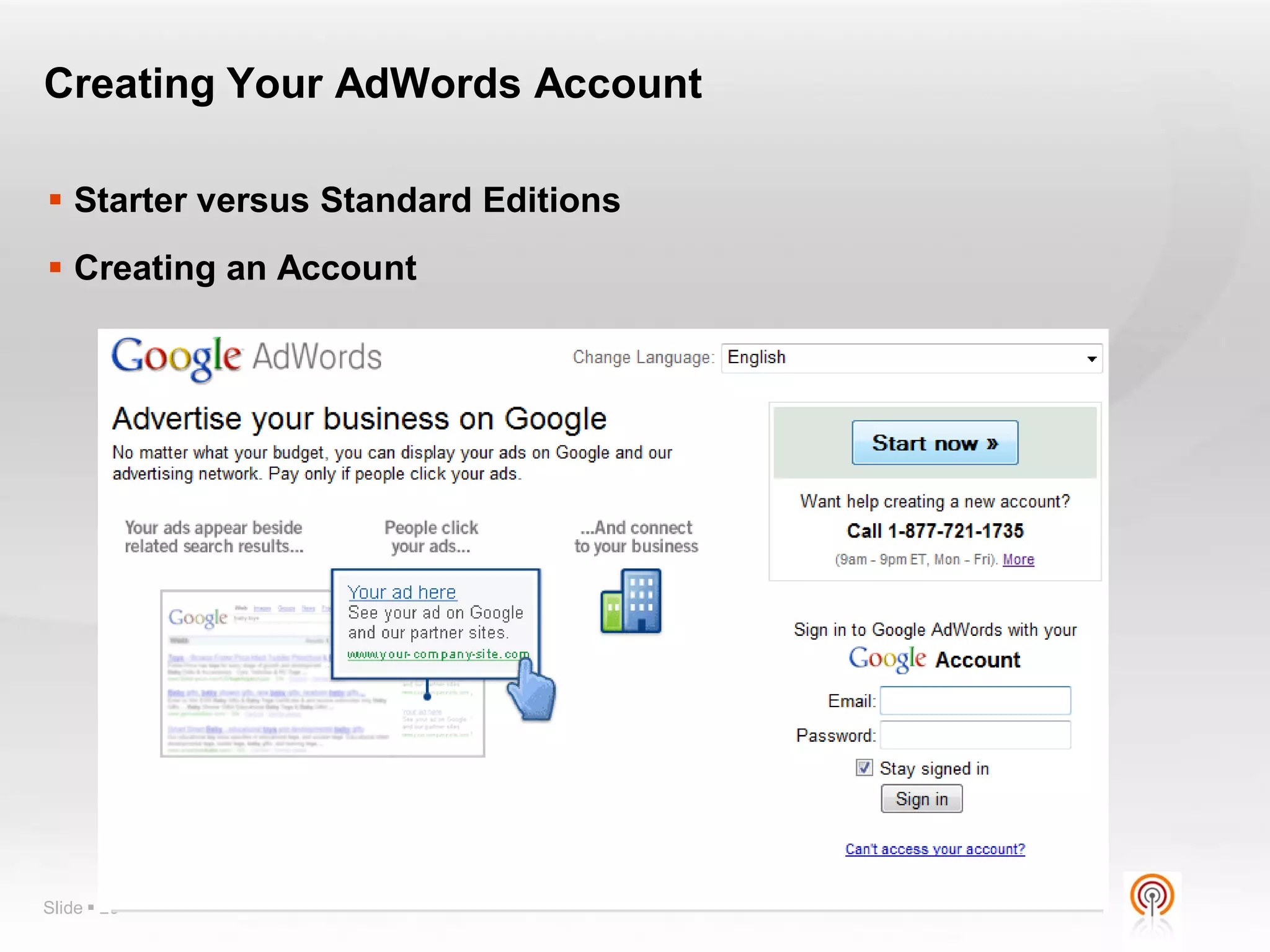
Creating Your AdWords Account

 Starter versus Standard Editions
 Creating an Account


Slide  20
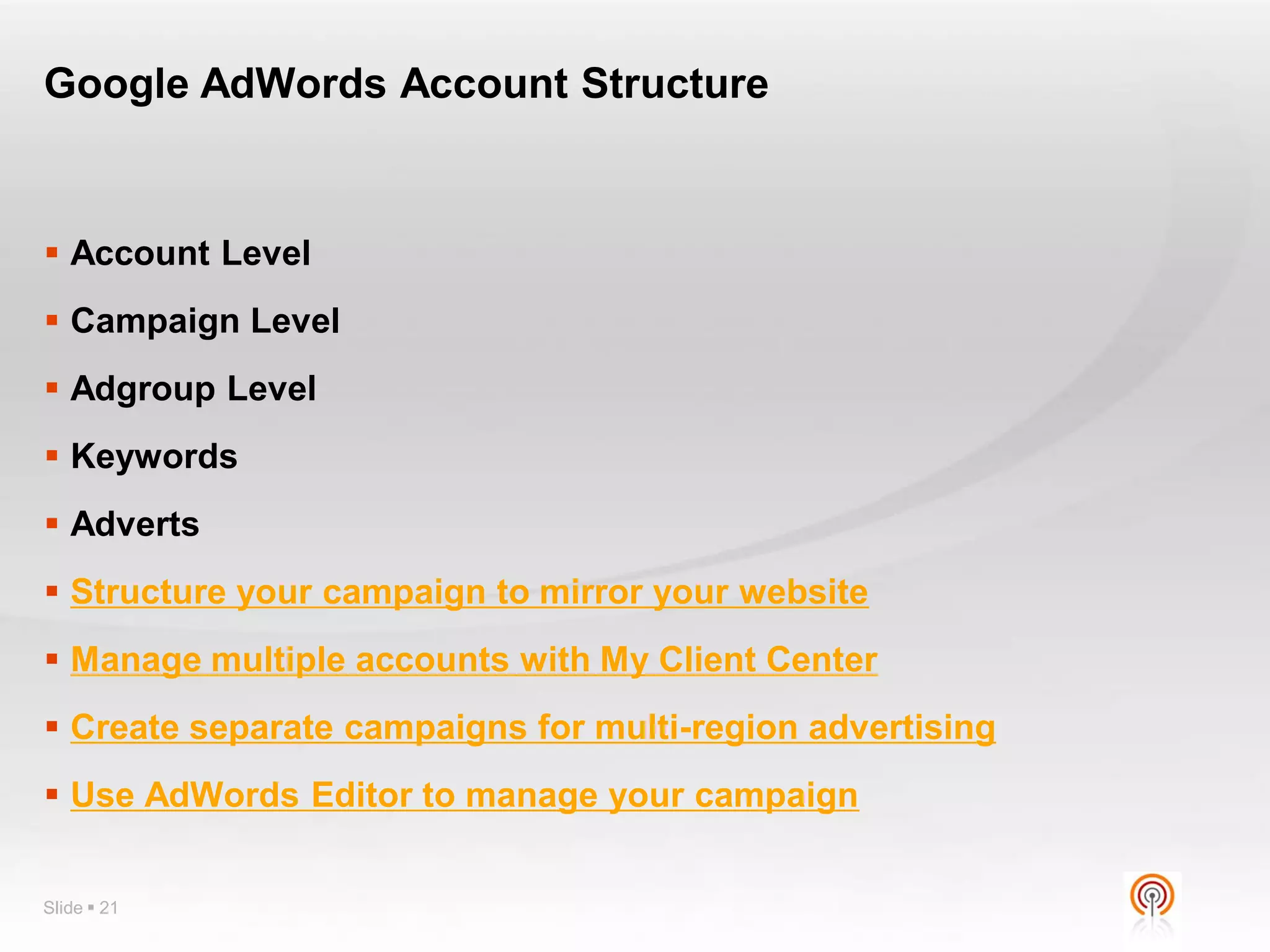
Google AdWords Account Structure


 Account Level
 Campaign Level
 Adgroup Level
 Keywords
 Adverts
 Structure your campaign to mirror your website
 Manage multiple accounts with My Client Center
 Create separate campaigns for multi-region advertising
 Use AdWords Editor to manage your campaign


Slide  21
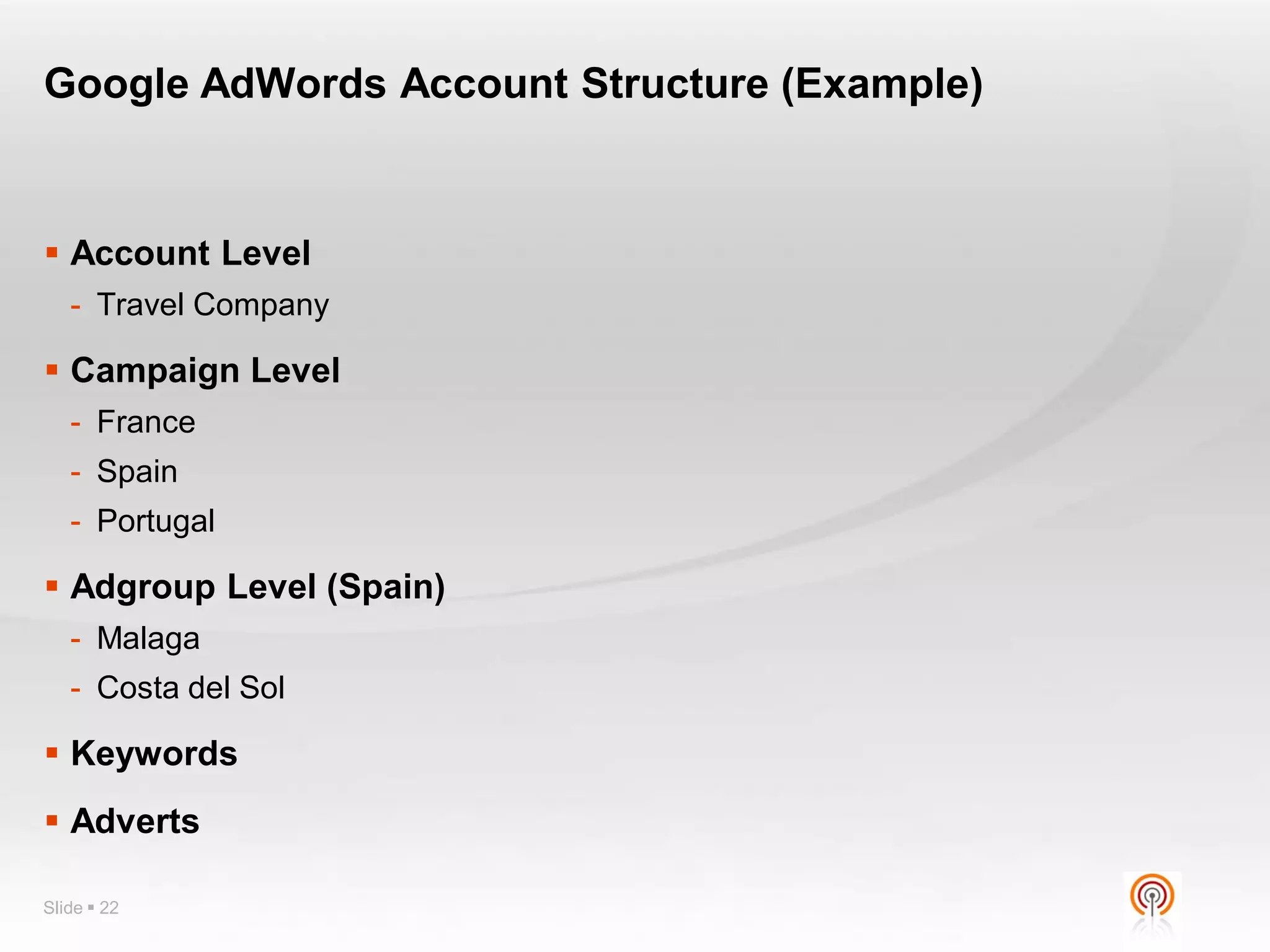
Google AdWords Account Structure (Example)


 Account Level
   - Travel Company

 Campaign Level
   - France
   - Spain
   - Portugal

 Adgroup Level (Spain)
   - Malaga
   - Costa del Sol

 Keywords
 Adverts

Slide  22
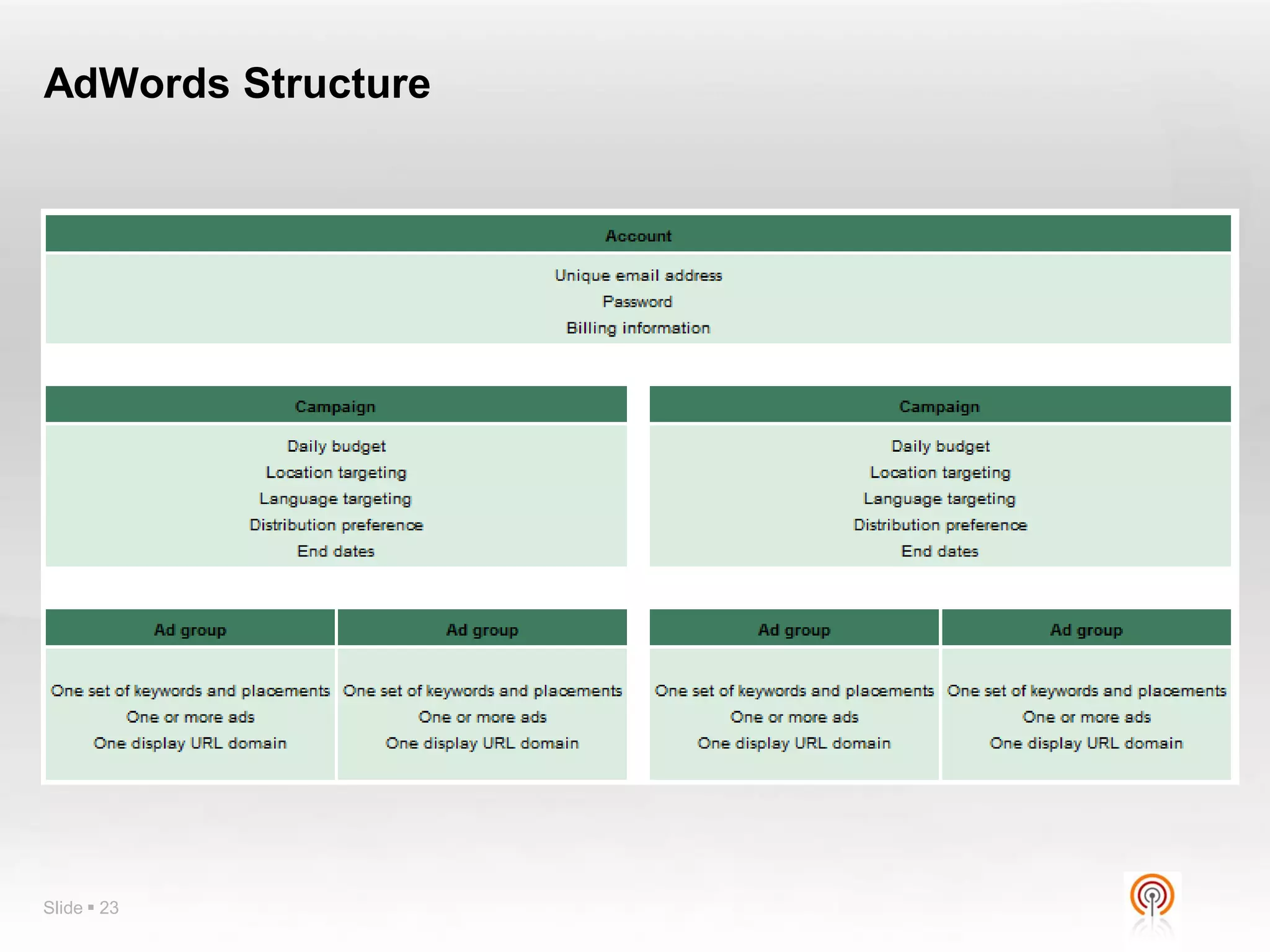
AdWords Structure


Slide  23
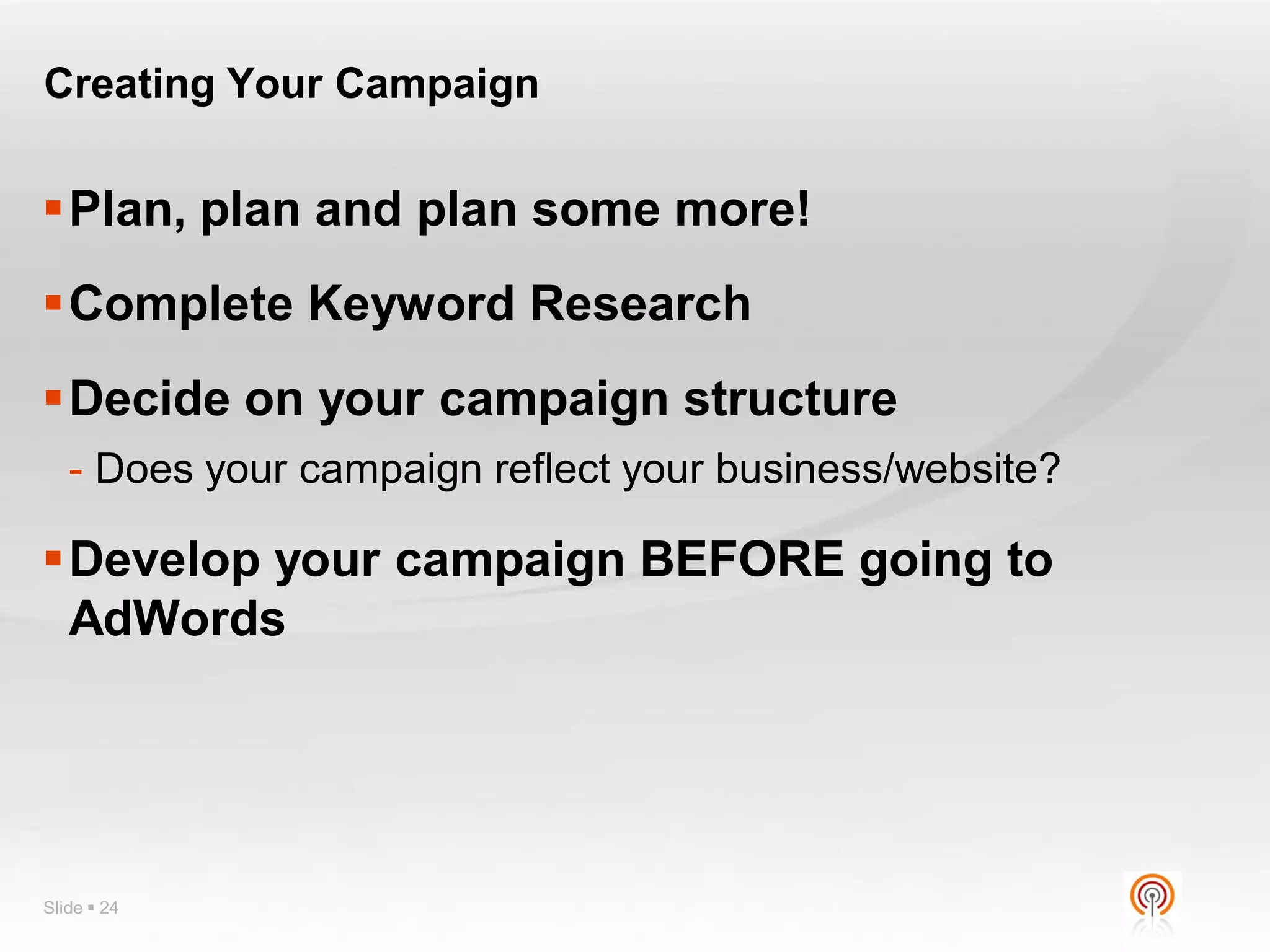
Creating Your Campaign


Plan, plan and plan some more!
Complete Keyword Research
Decide on your campaign structure
   - Does your campaign reflect your business/website?

Develop your campaign BEFORE going to
 AdWords


Slide  24
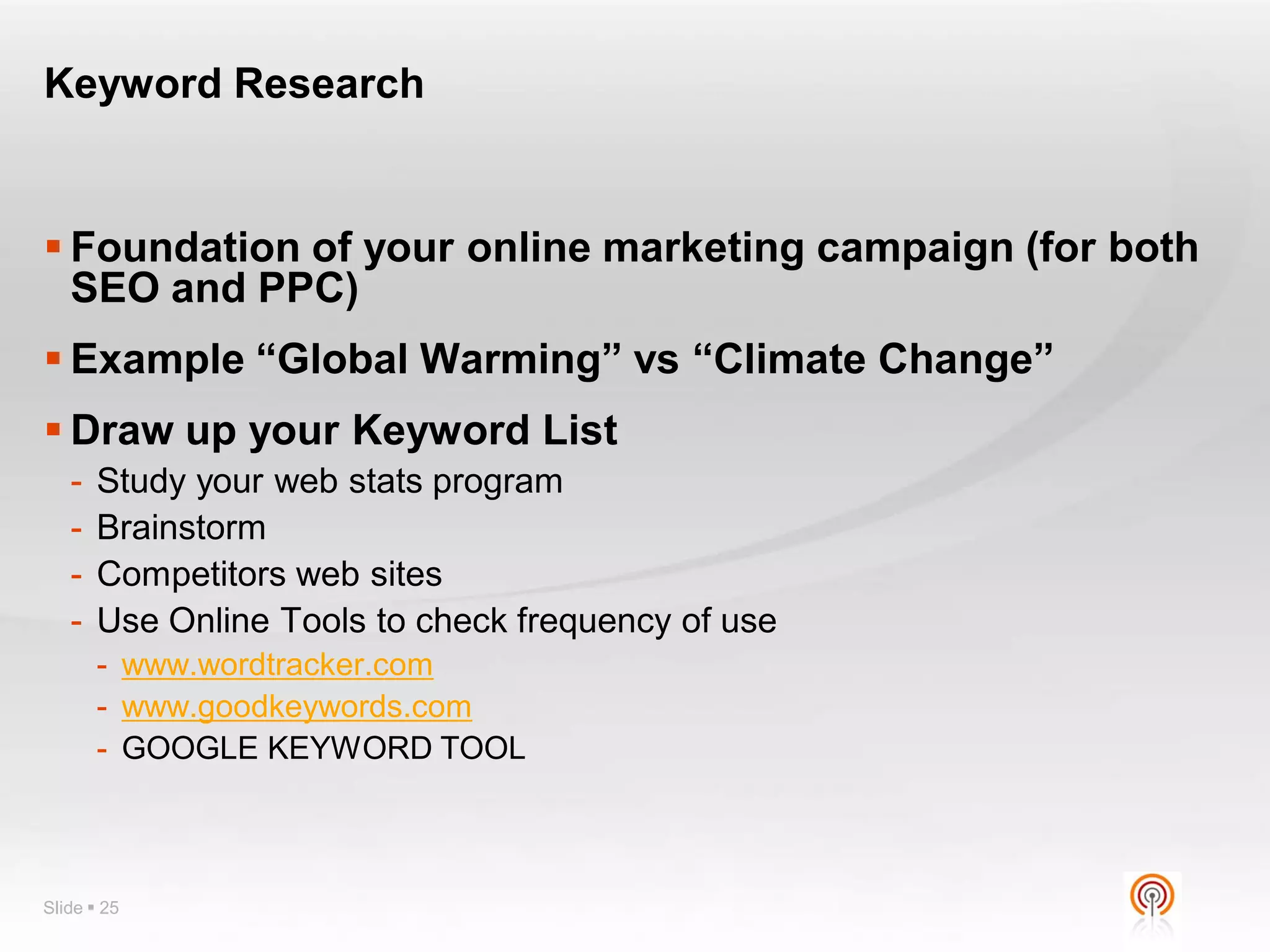
Keyword Research


 Foundation of your online marketing campaign (for both
  SEO and PPC)
 Example “Global Warming” vs “Climate Change”
 Draw up your Keyword List
   -   Study your web stats program
   -   Brainstorm
   -   Competitors web sites
   -   Use Online Tools to check frequency of use
       - www.wordtracker.com
       - www.goodkeywords.com
       - GOOGLE KEYWORD TOOL


Slide  25
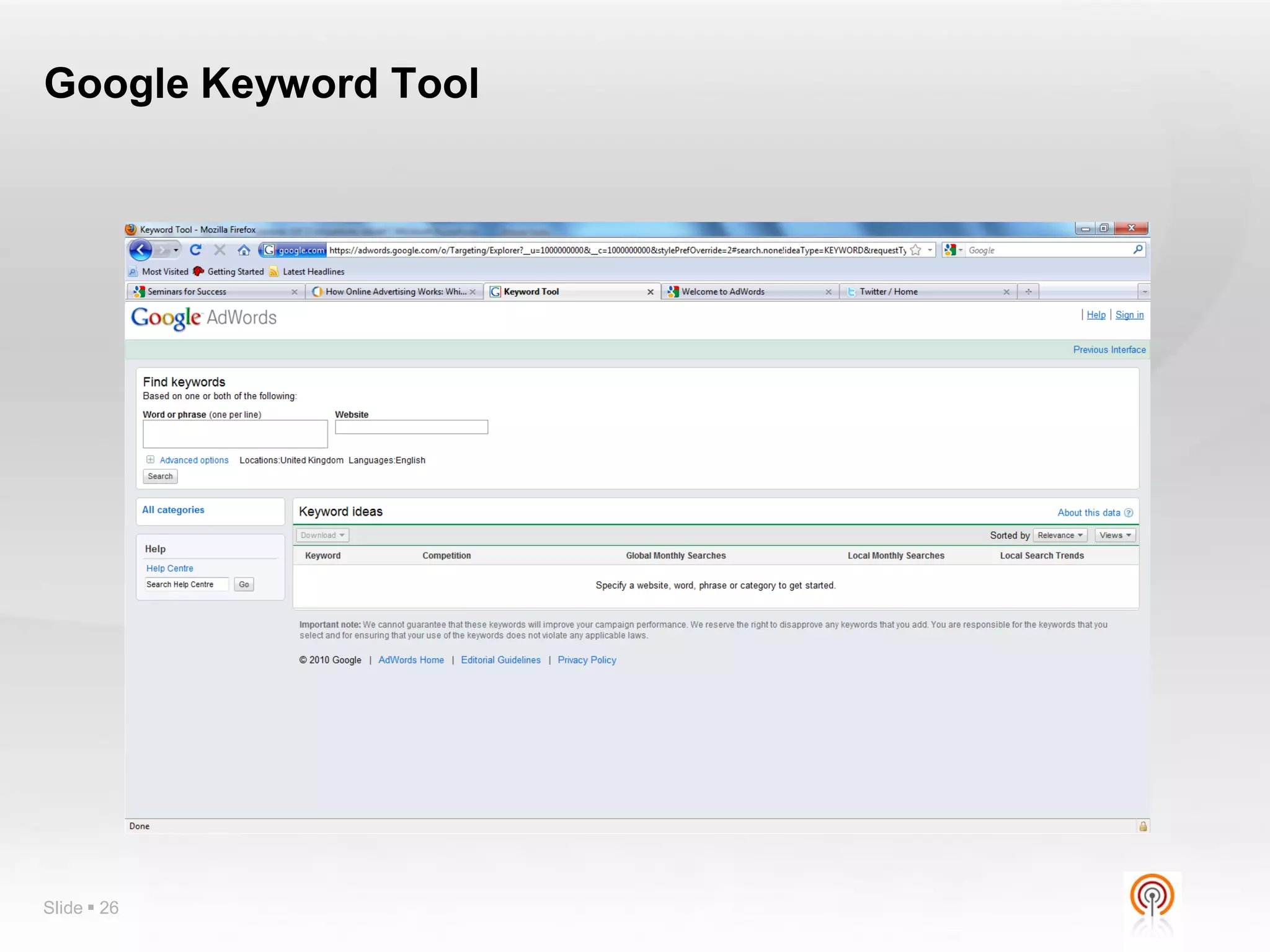
Google Keyword Tool


Slide  26
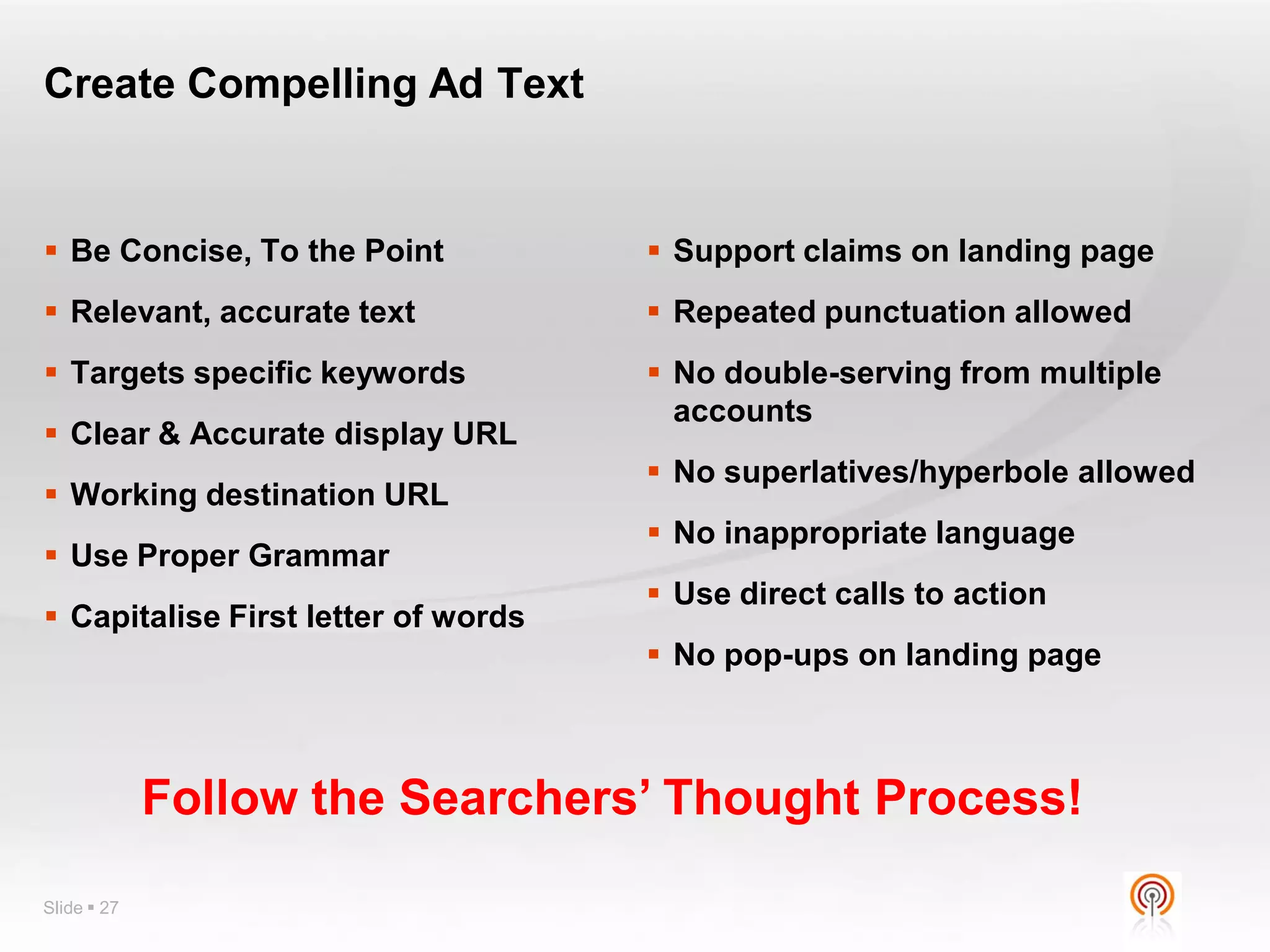
Create Compelling Ad Text


 Be Concise, To the Point            Support claims on landing page
 Relevant, accurate text             Repeated punctuation allowed
 Targets specific keywords           No double-serving from multiple
                                       accounts
 Clear & Accurate display URL
                                      No superlatives/hyperbole allowed
 Working destination URL
                                      No inappropriate language
 Use Proper Grammar
                                      Use direct calls to action
 Capitalise First letter of words
                                      No pop-ups on landing page


             Follow the Searchers’ Thought Process!

Slide  27
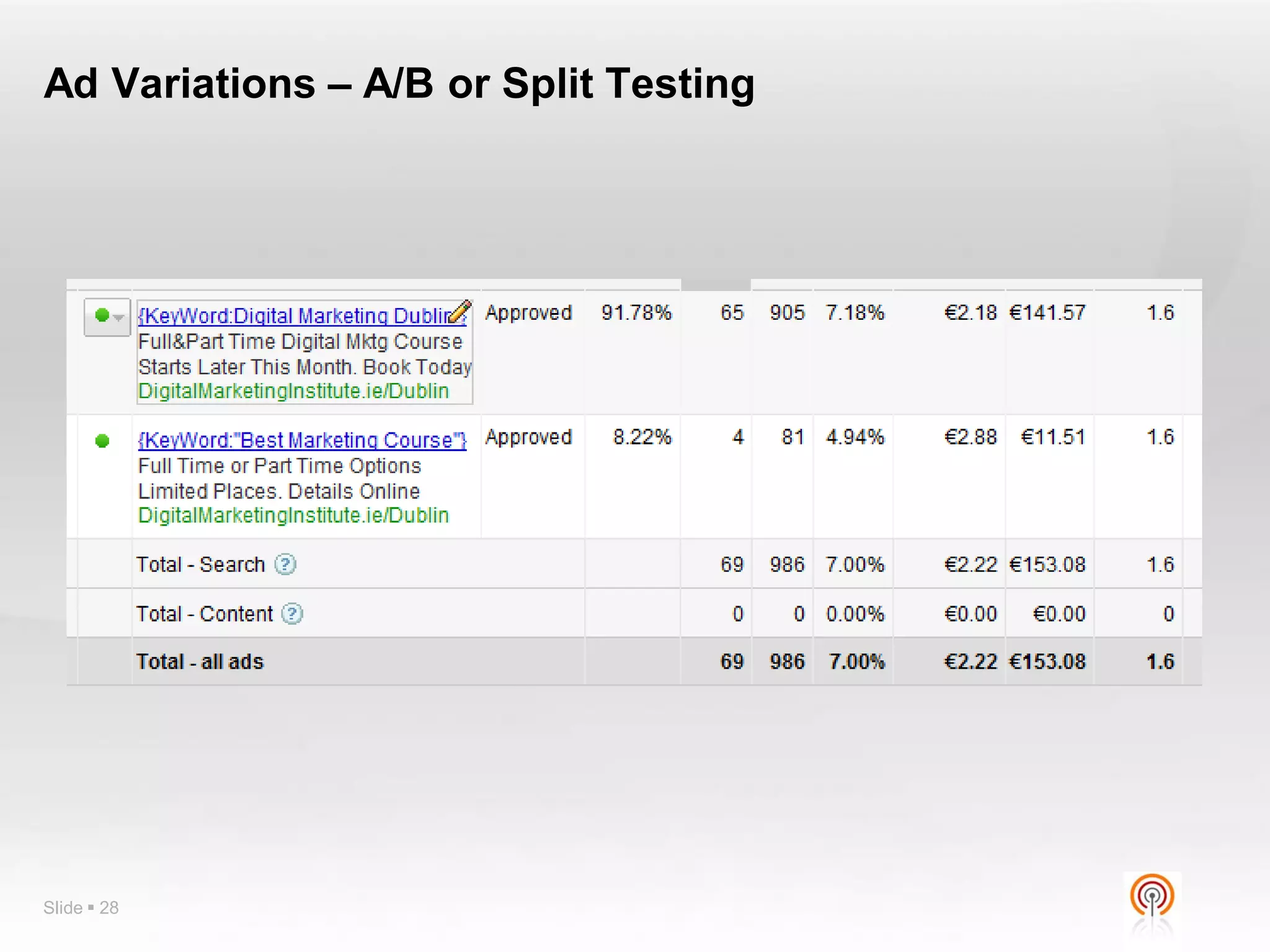
Ad Variations – A/B or Split Testing


Slide  28
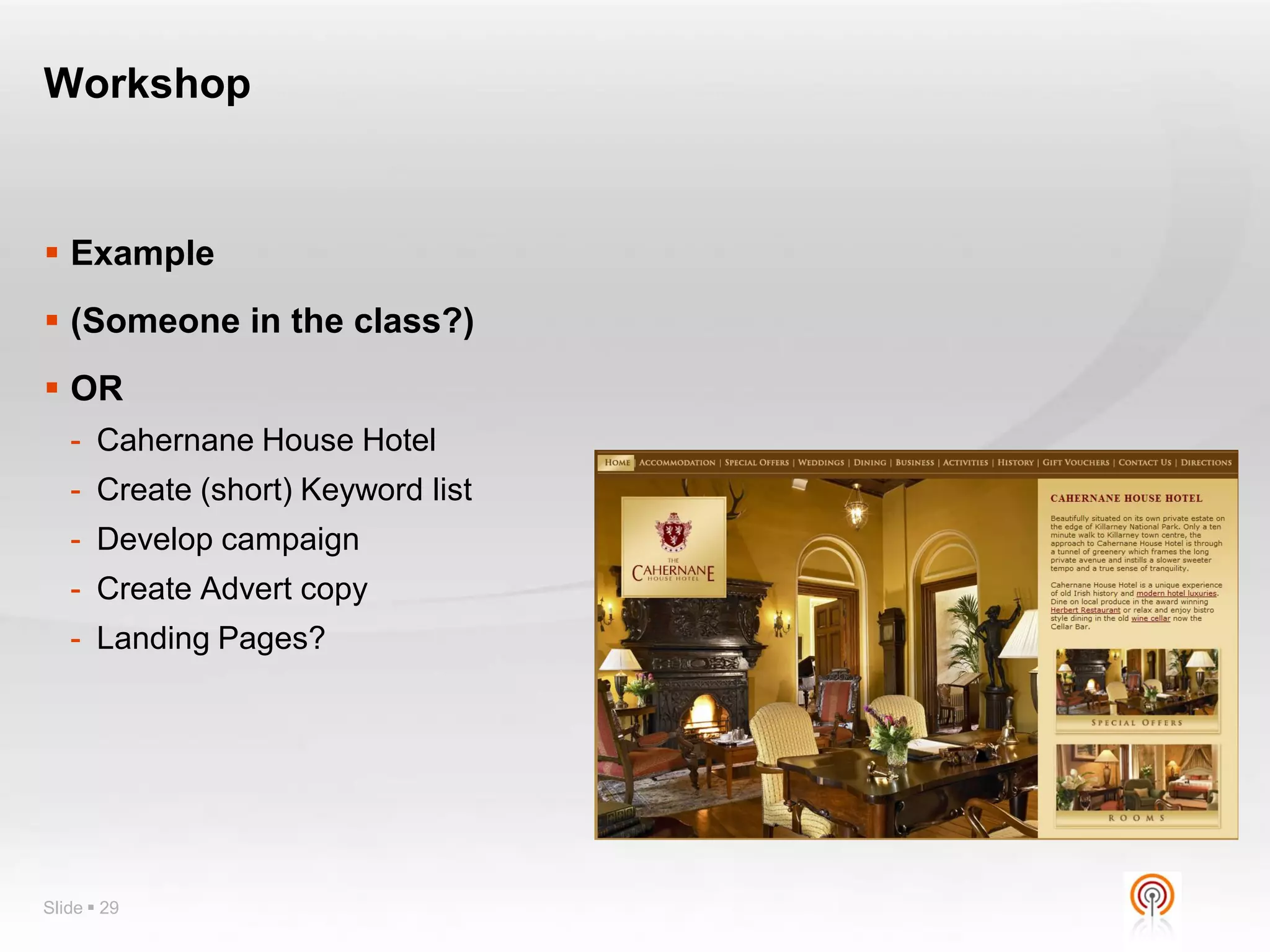
Workshop


 Example
 (Someone in the class?)
 OR
   - Cahernane House Hotel
   - Create (short) Keyword list
   - Develop campaign
   - Create Advert copy
   - Landing Pages?


Slide  29
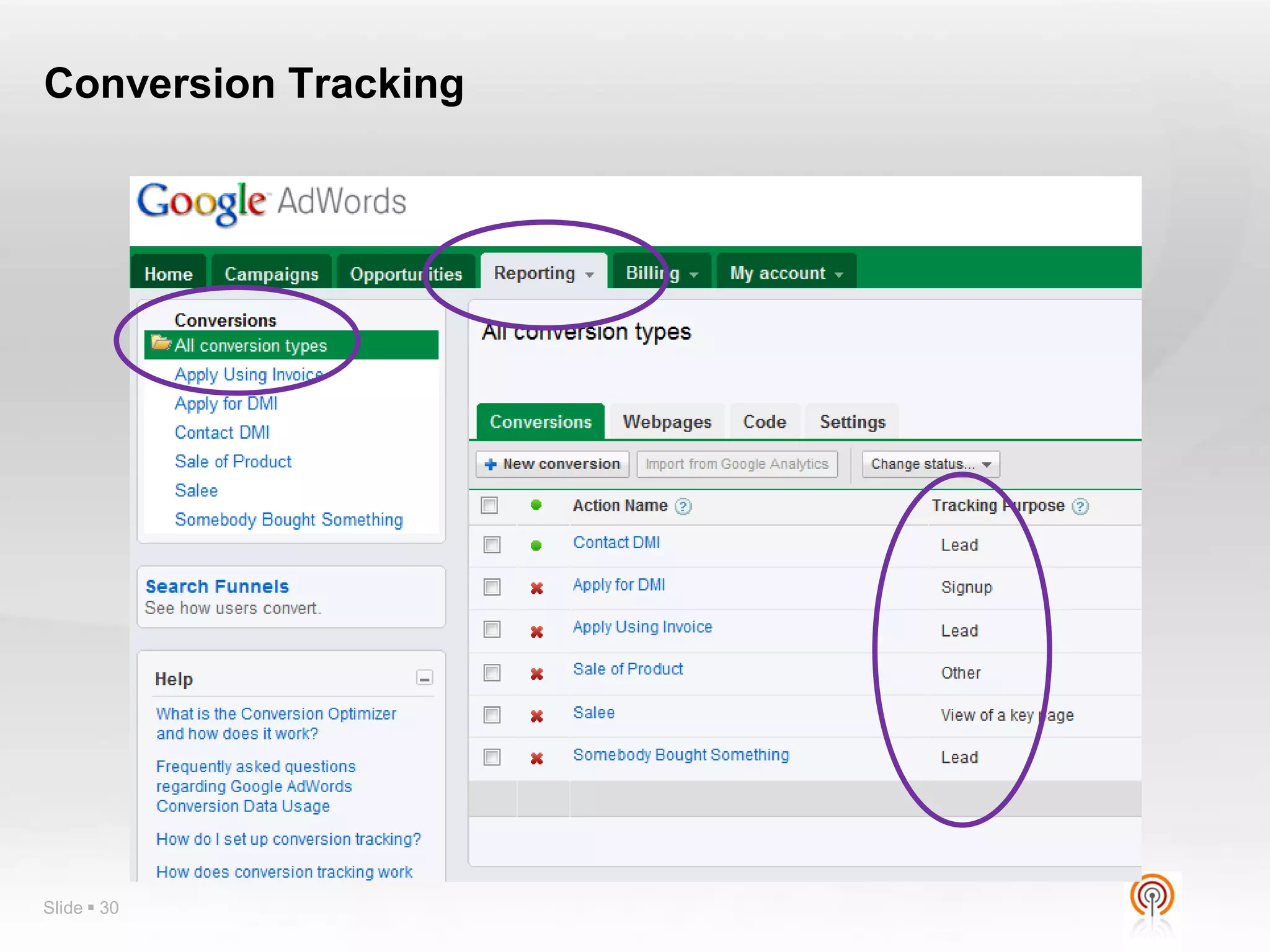
Conversion Tracking


Slide  30
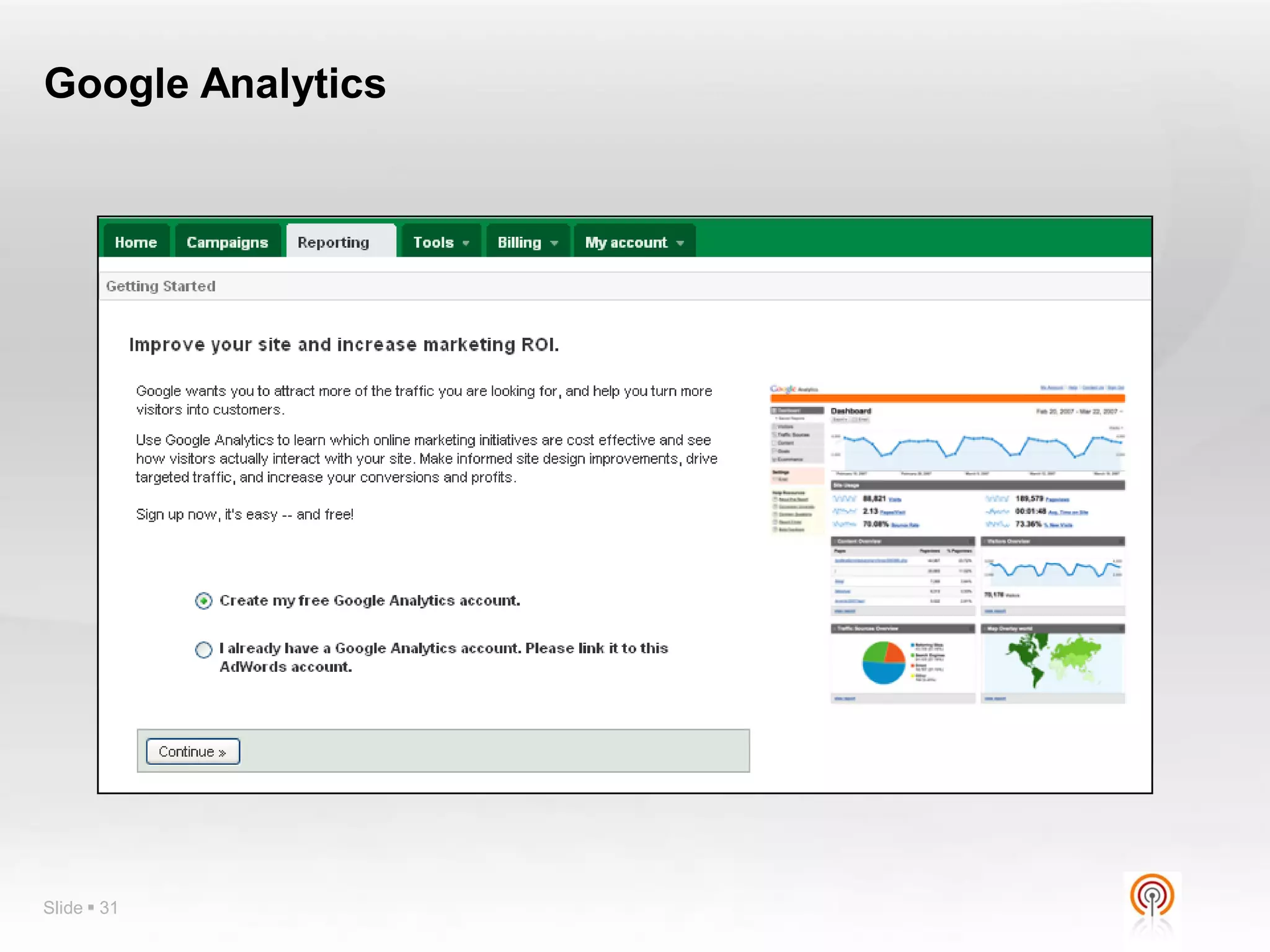
Google Analytics


Slide  31
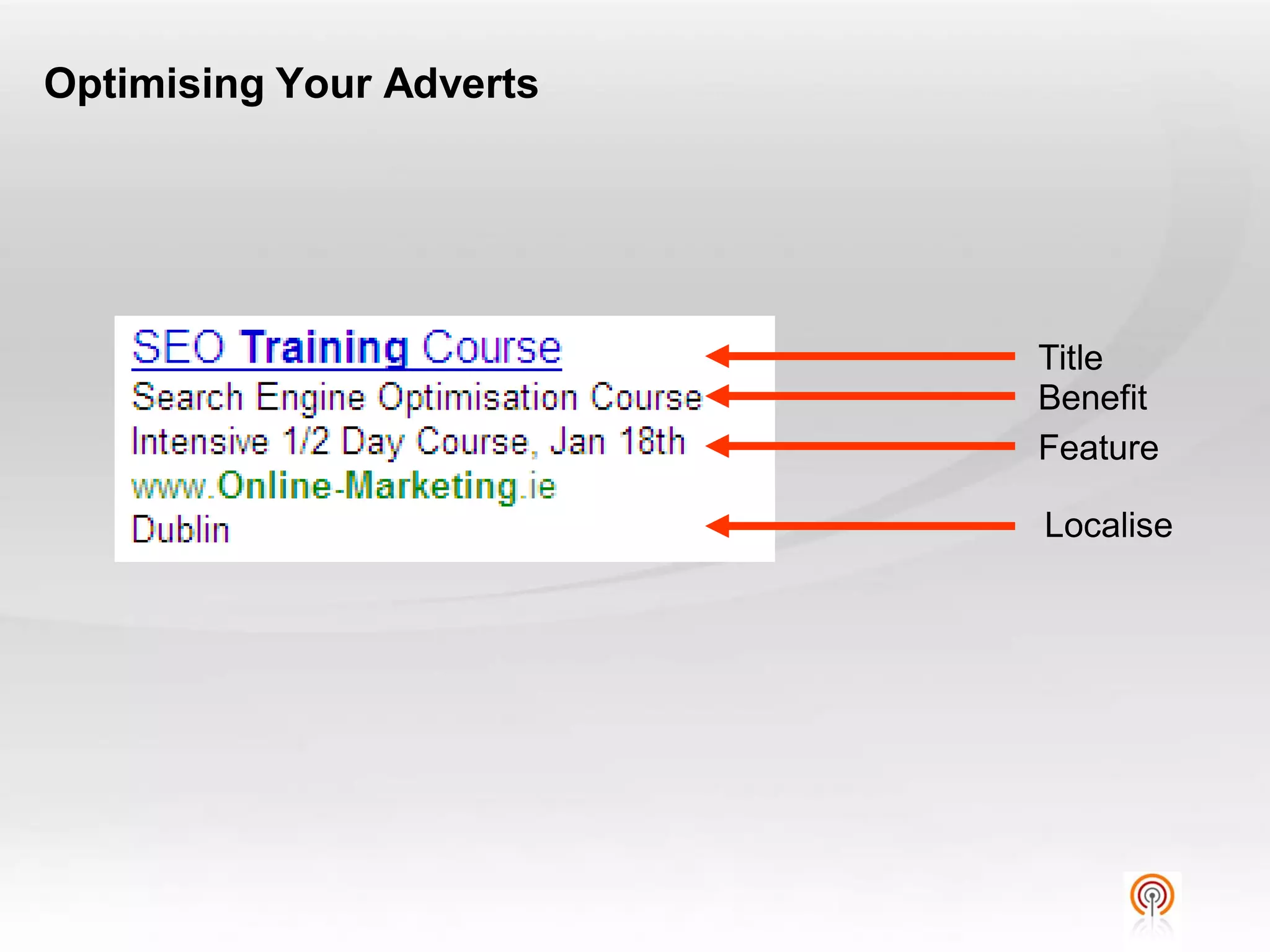
Optimising Your Adverts


                          Title
                          Benefit
                          Feature

                          Localise
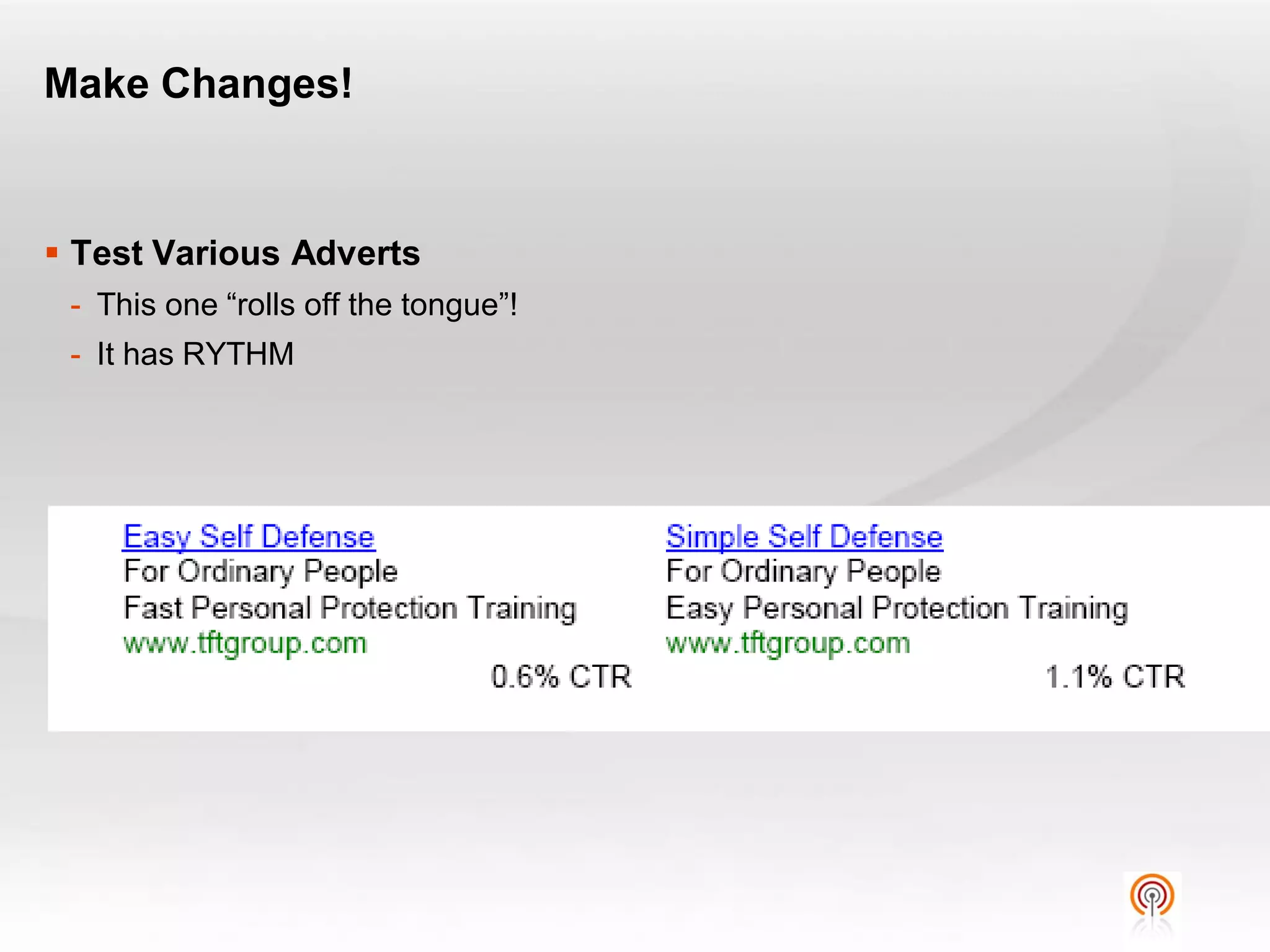
Make Changes!


 Test Various Adverts
 - This one “rolls off the tongue”!
 - It has RYTHM
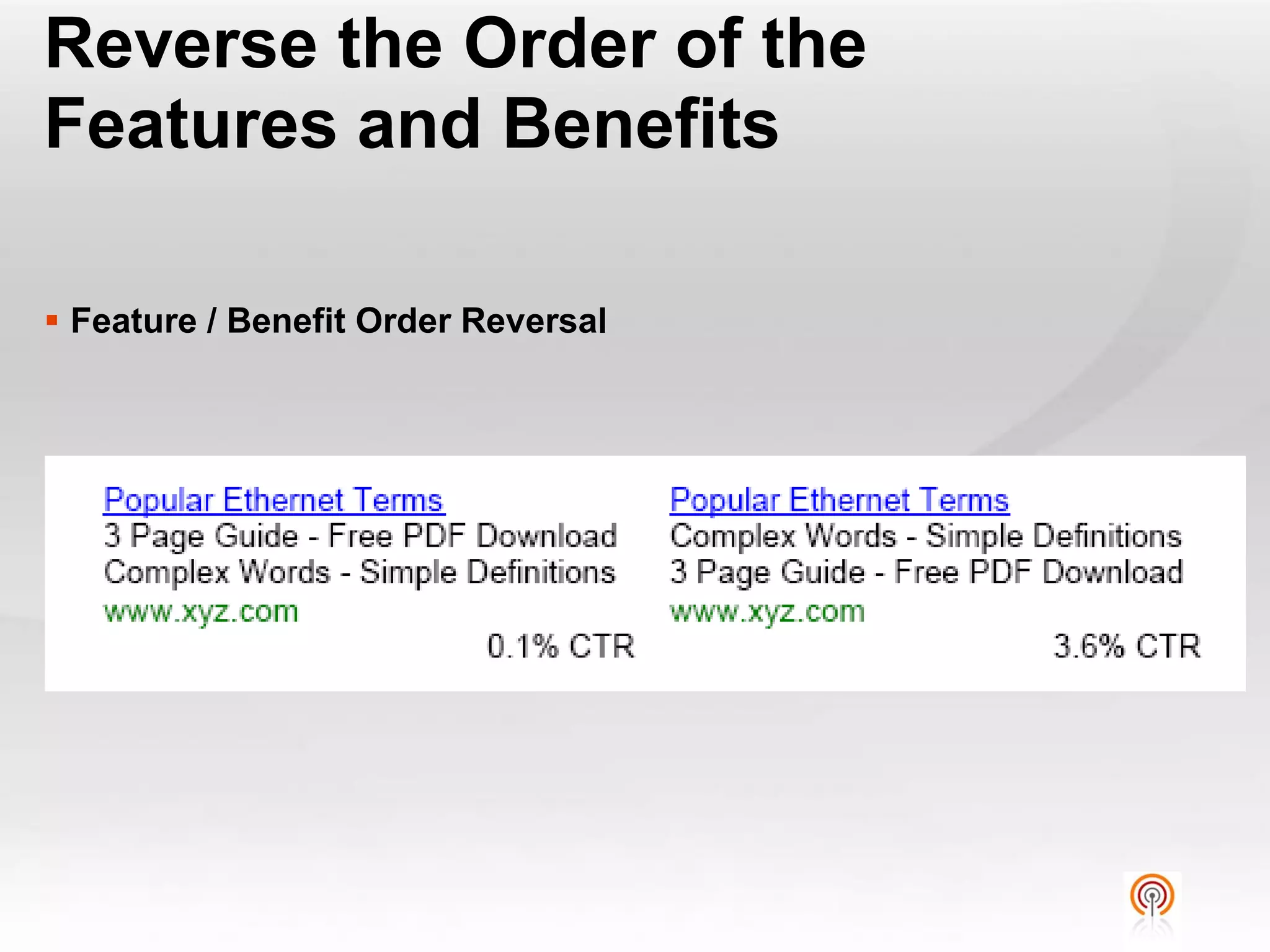
Reverse the Order of the
Features and Benefits

 Feature / Benefit Order Reversal
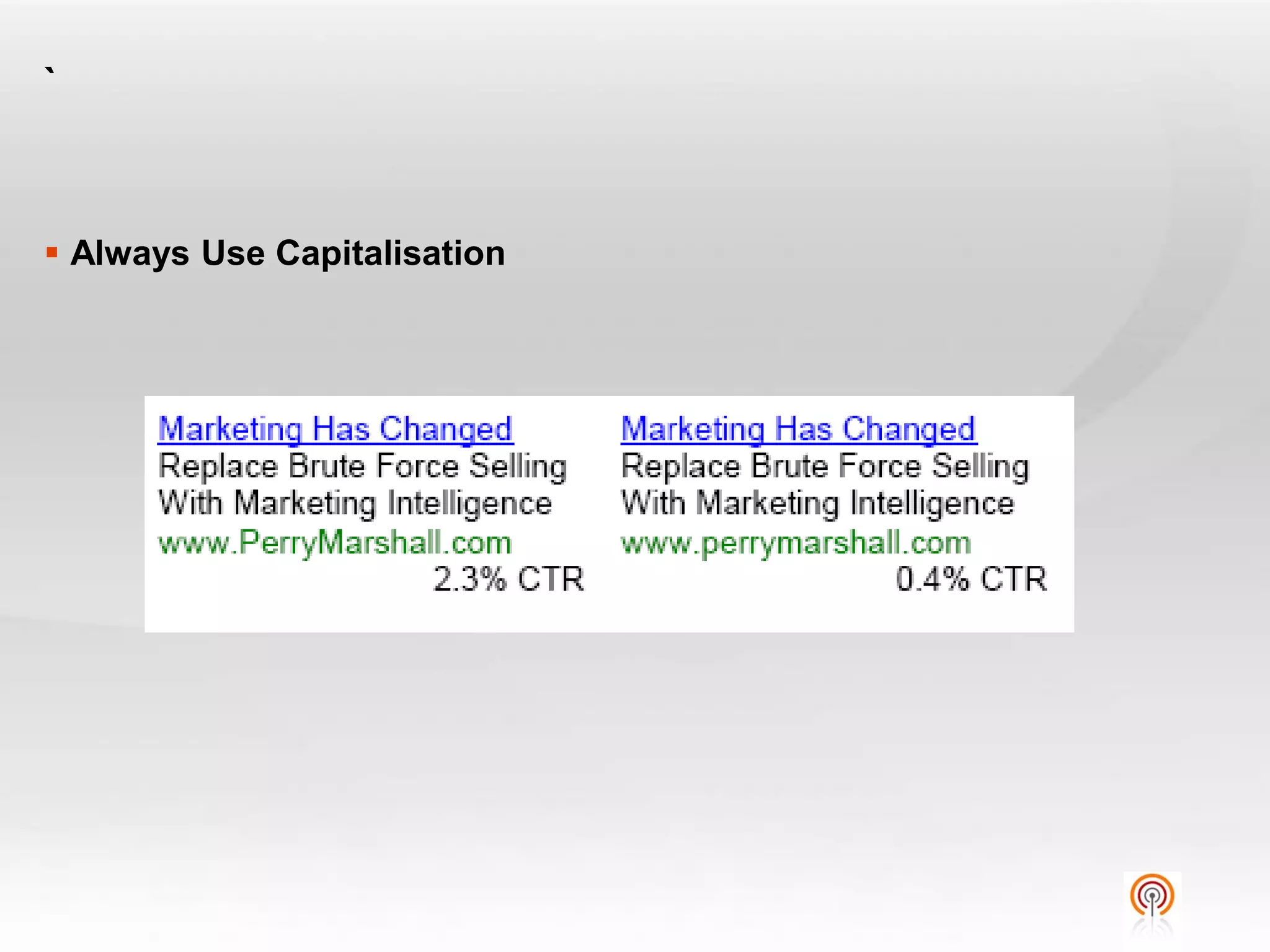
`


 Always Use Capitalisation
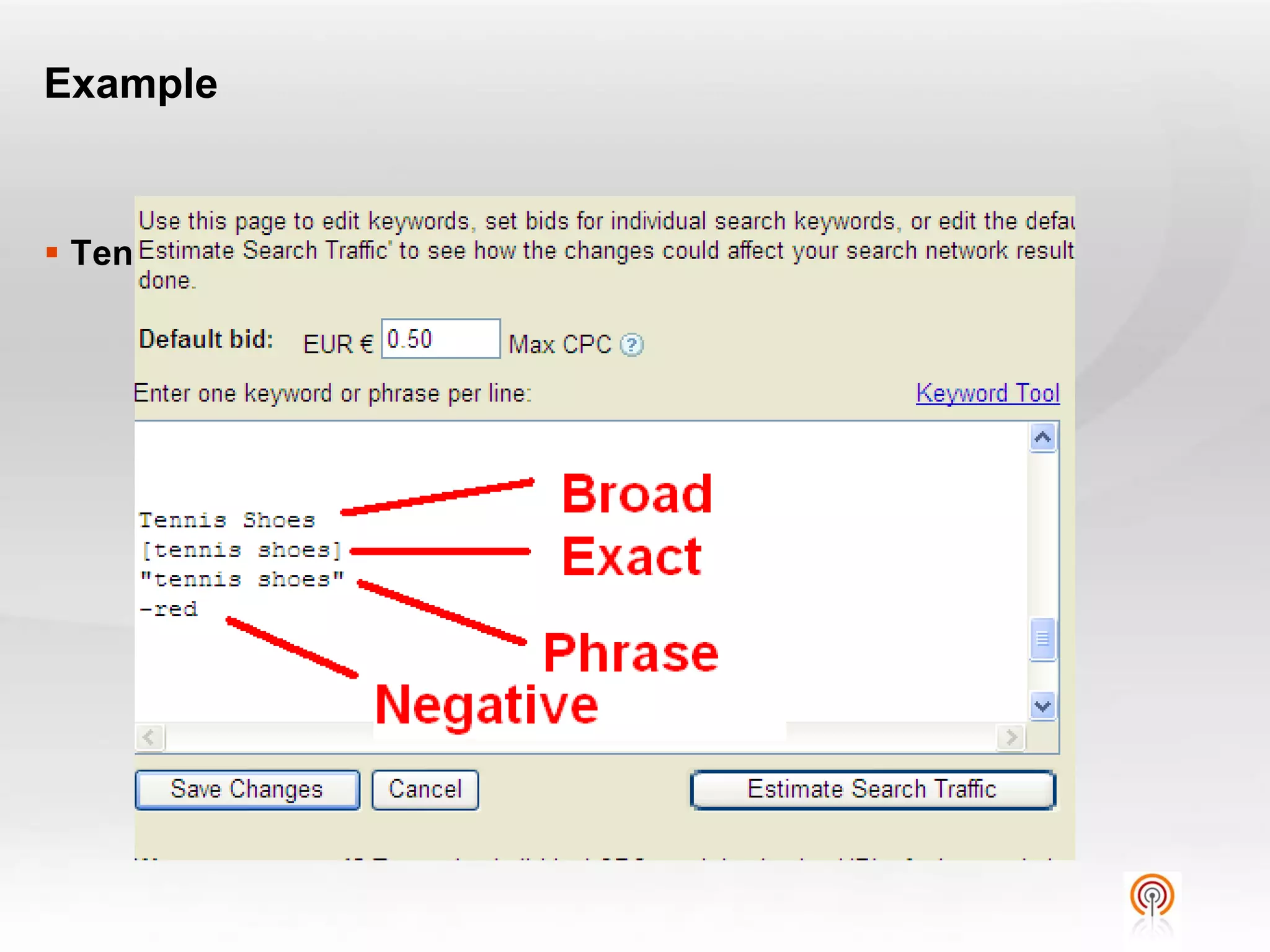
Example


 Tennis Shoes
Quality Score


Slide  37
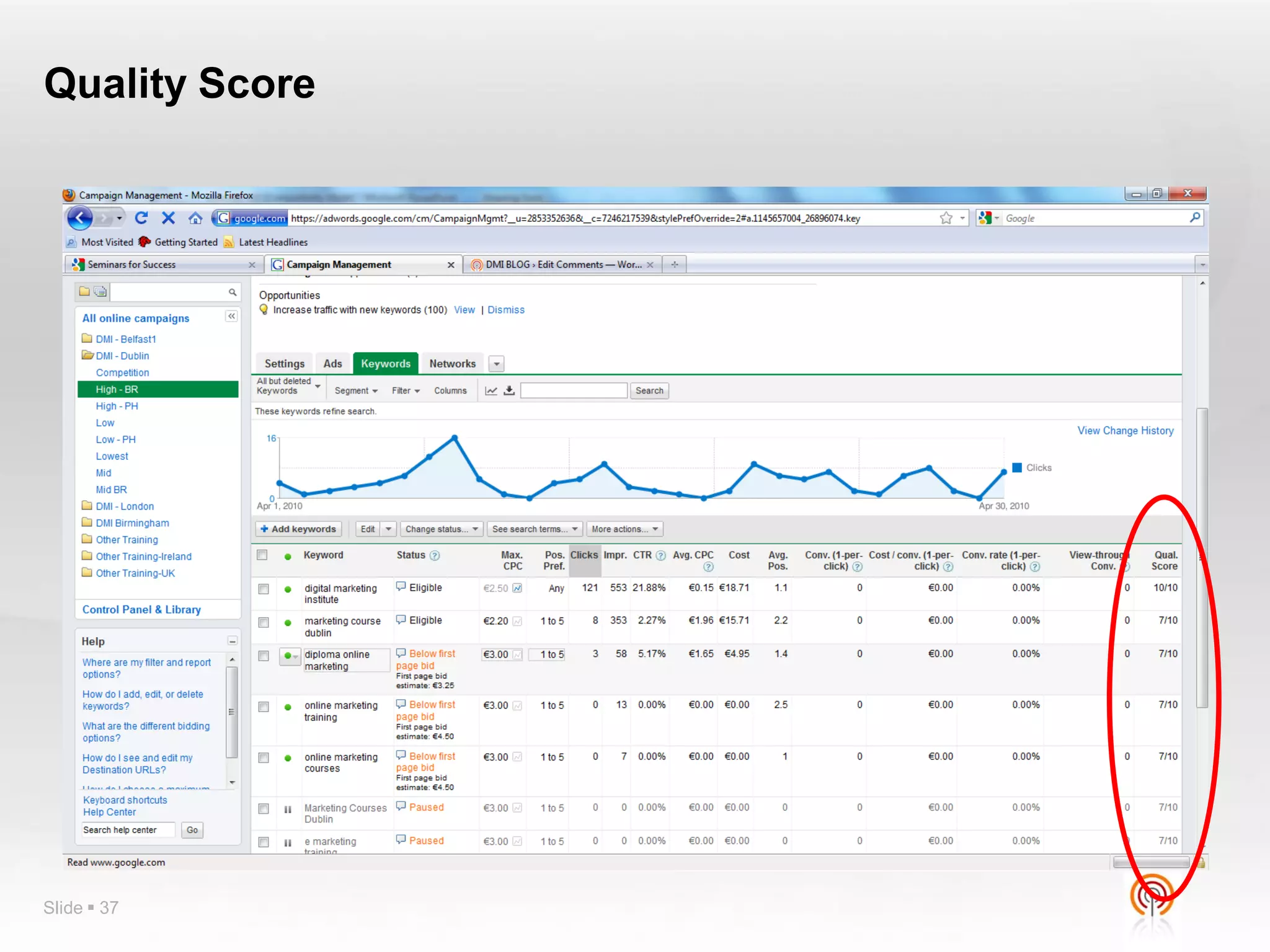
Quality Score


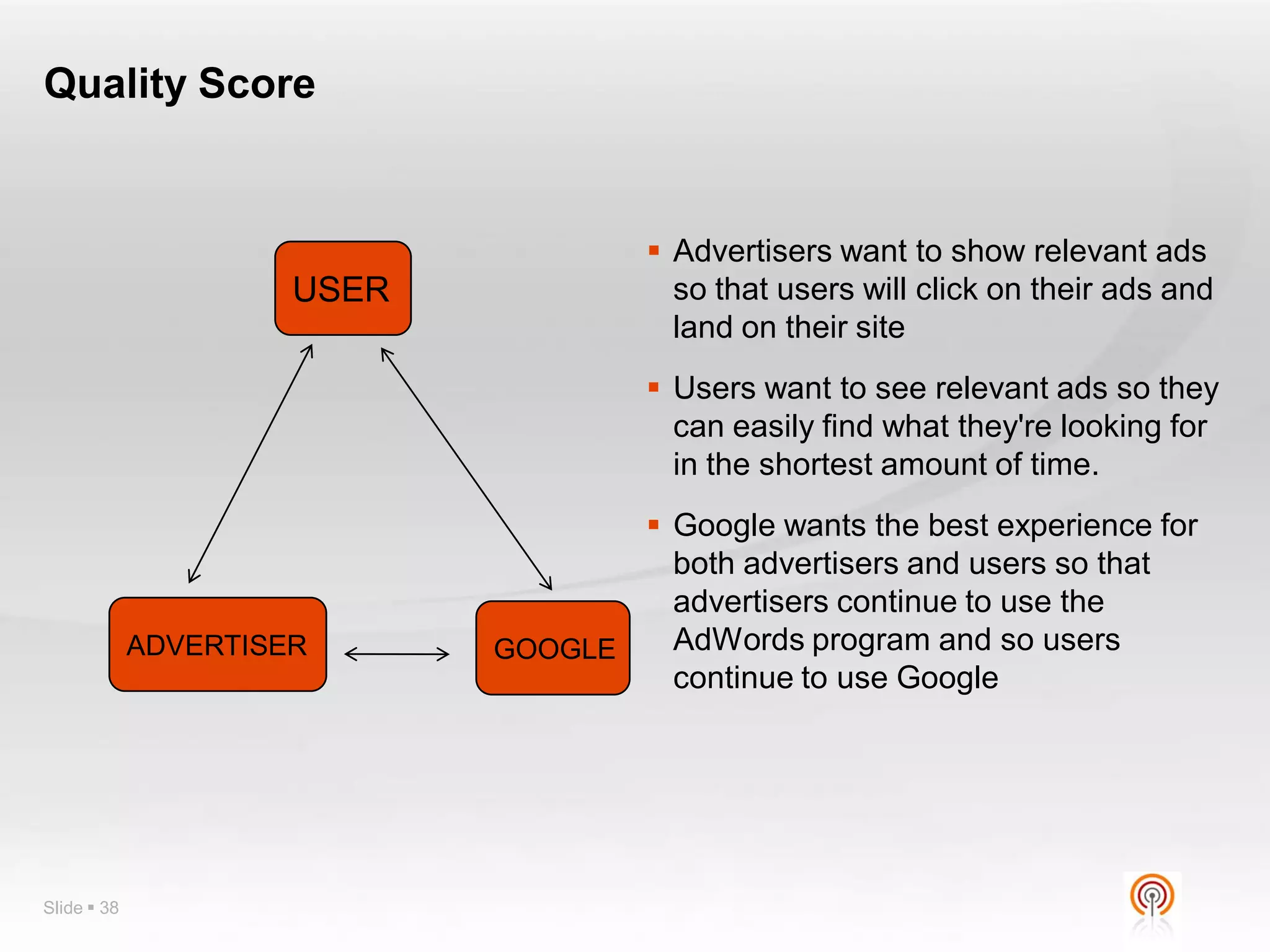
                                       Advertisers want to show relevant ads
                      USER              so that users will click on their ads and
                                        land on their site
                                       Users want to see relevant ads so they
                                        can easily find what they're looking for
                                        in the shortest amount of time.
                                     Google wants the best experience for
                                      both advertisers and users so that
                                      advertisers continue to use the
             ADVERTISER      GOOGLE   AdWords program and so users
                                      continue to use Google


Slide  38
Quality Score


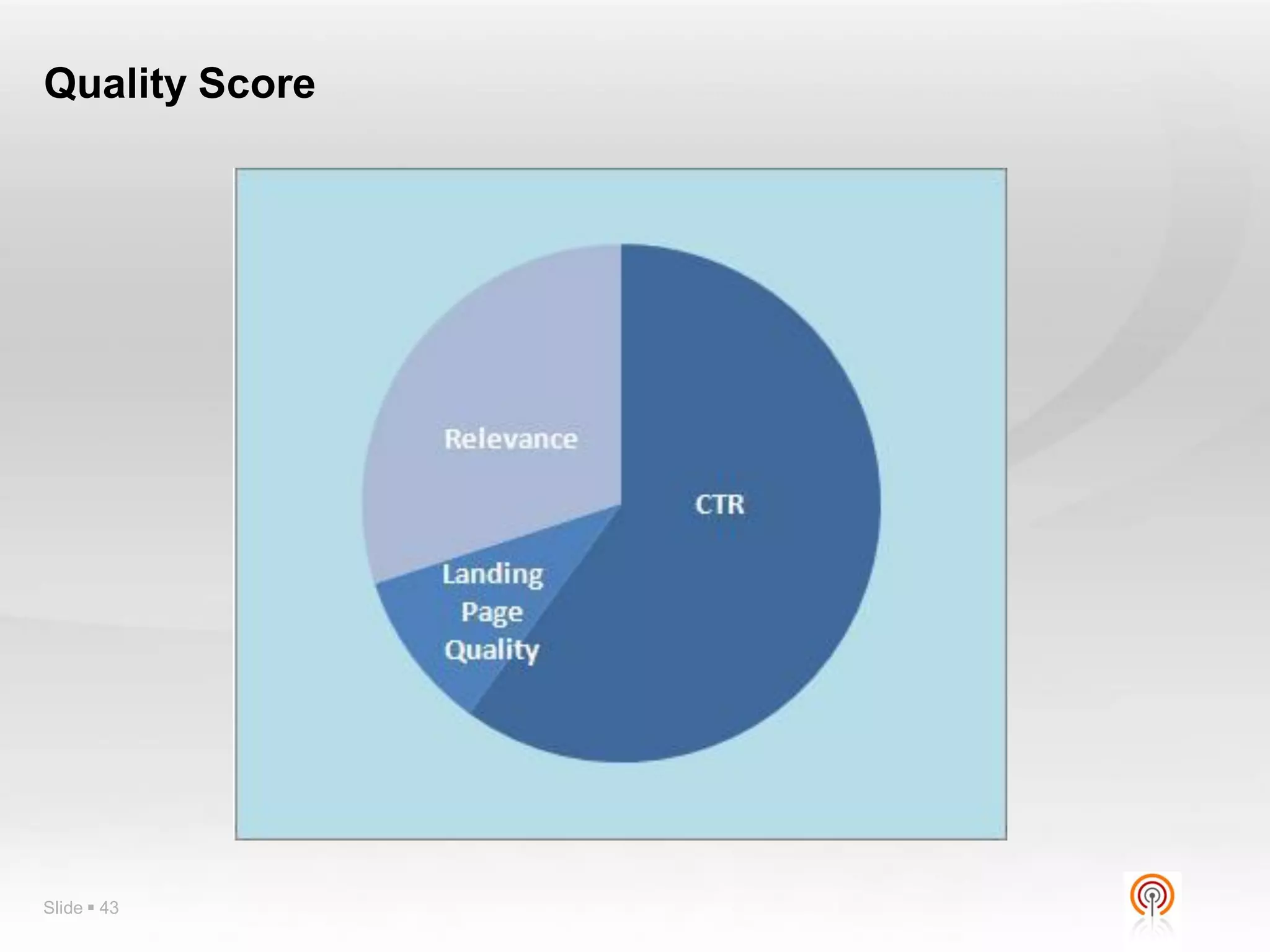
 CTR is the biggest component in Quality Score.
 According to Google “the biggest one by far is CTR”.
 By allowing searchers to vote with their clicks, Google gets help
  from millions of people in determining which ads are best for each
  search query
 Work to increase CTR
   - Diligently split test ad copy. Often the more profitable ad has a better CTR.
   - Theme out ad groups logically, and write ad copy relevant to the keywords bid
     on.
   - Choose keywords carefully. Often words that are only vaguely relevant work in
     content themes, but have poor search Quality Score because of low CTR


Slide  39
Quality Score


 Google’s business is built on relevancy, and that’s increasingly
  reflected in landing page Quality Score.
 Google rewards sites it considers relevant, honest, and authoritative
  – not just on the organic side, but with landing page Quality Score
 Landing Page quality is essentially pass/fail option.
 With a poor landing page quality score, keyword Quality Scores
  often stick in the 1 to 2 range and top out at about 4.


Slide  40
Quality Score


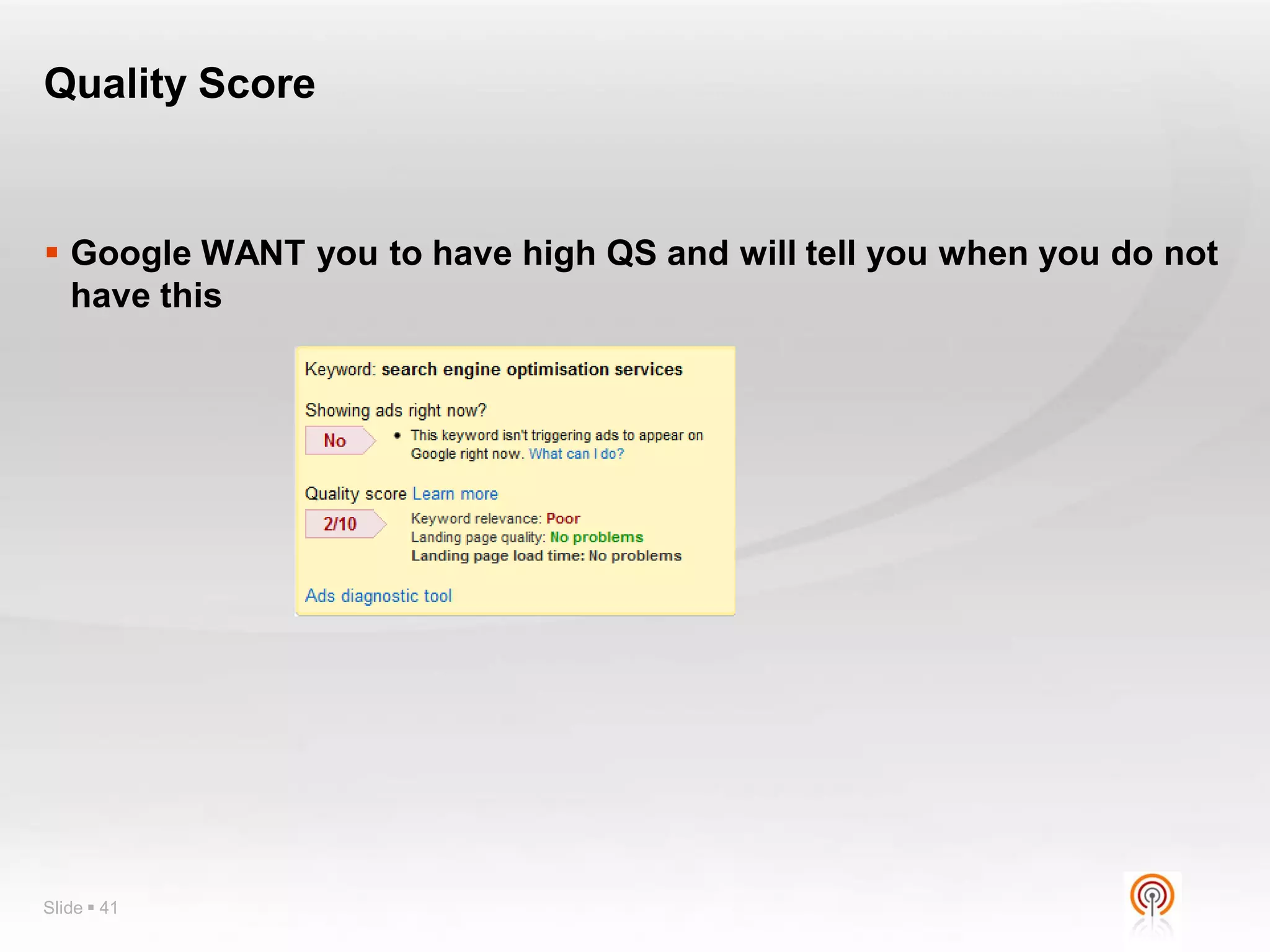
 Google WANT you to have high QS and will tell you when you do not
  have this


Slide  41
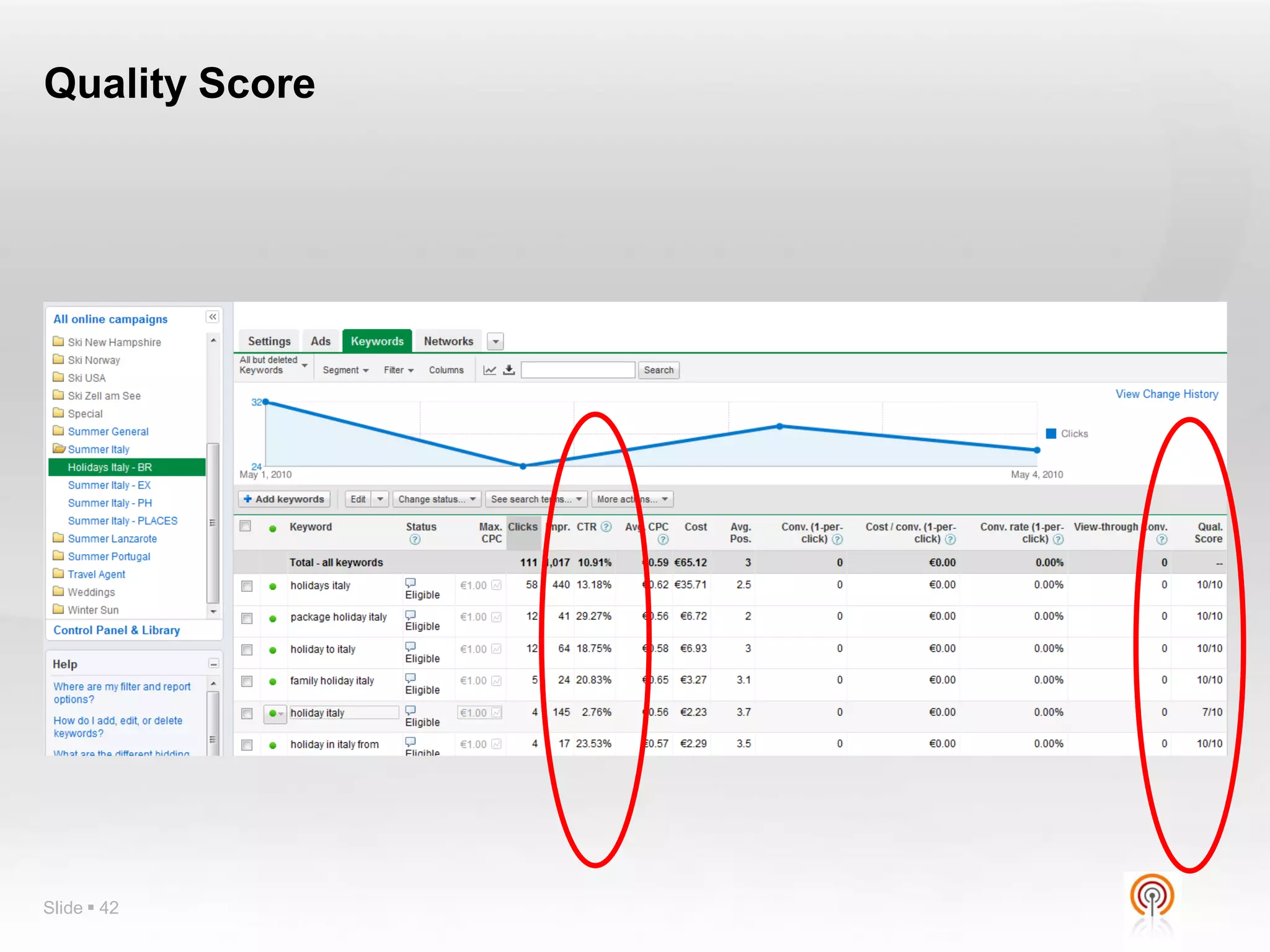
Quality Score


Slide  42
Quality Score


Slide  43
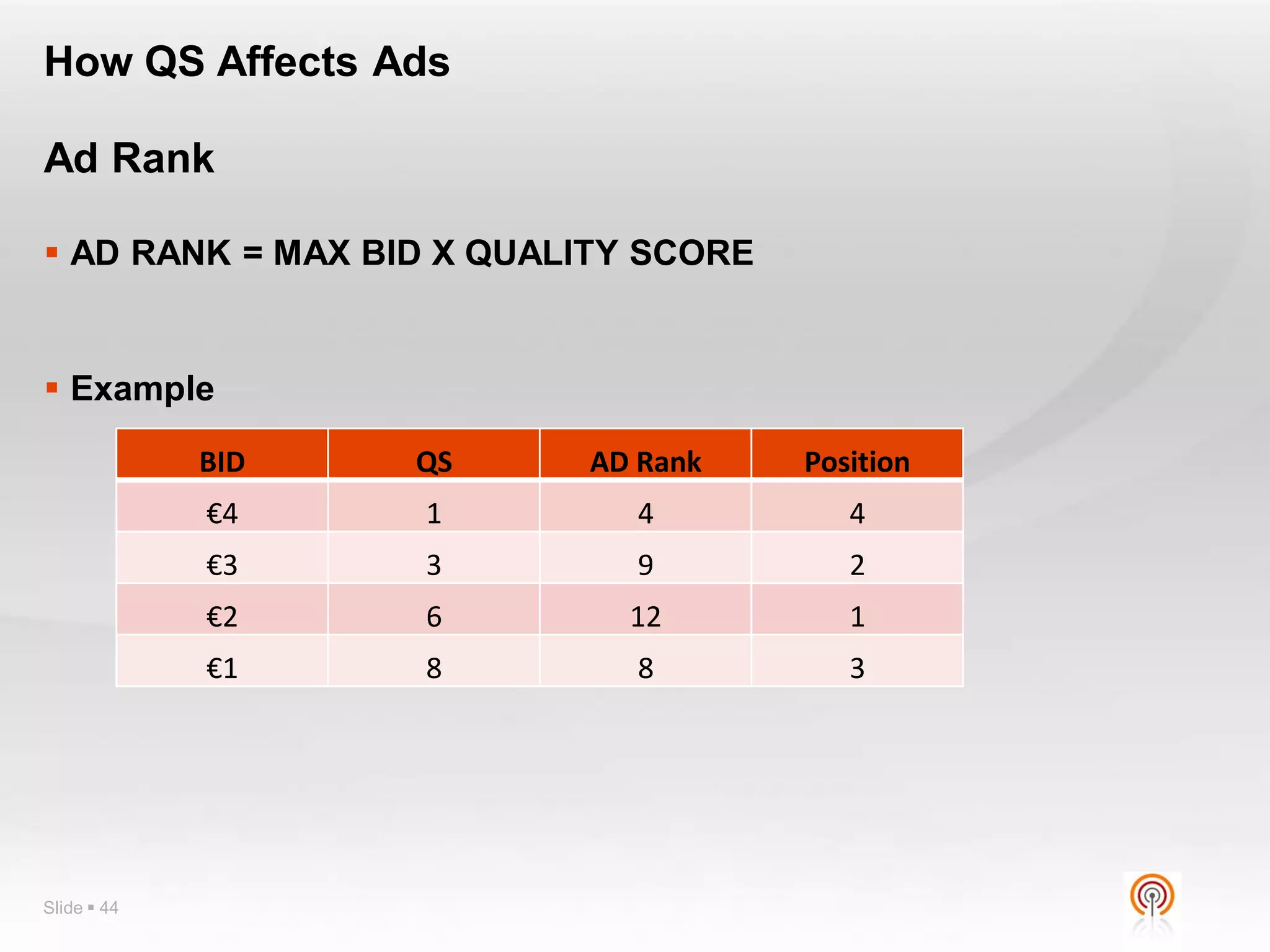
How QS Affects Ads

Ad Rank

 AD RANK = MAX BID X QUALITY SCORE


 Example

             BID   QS     AD Rank     Position
             €4    1         4           4
             €3    3         9           2
             €2    6        12           1
             €1    8         8           3


Slide  44
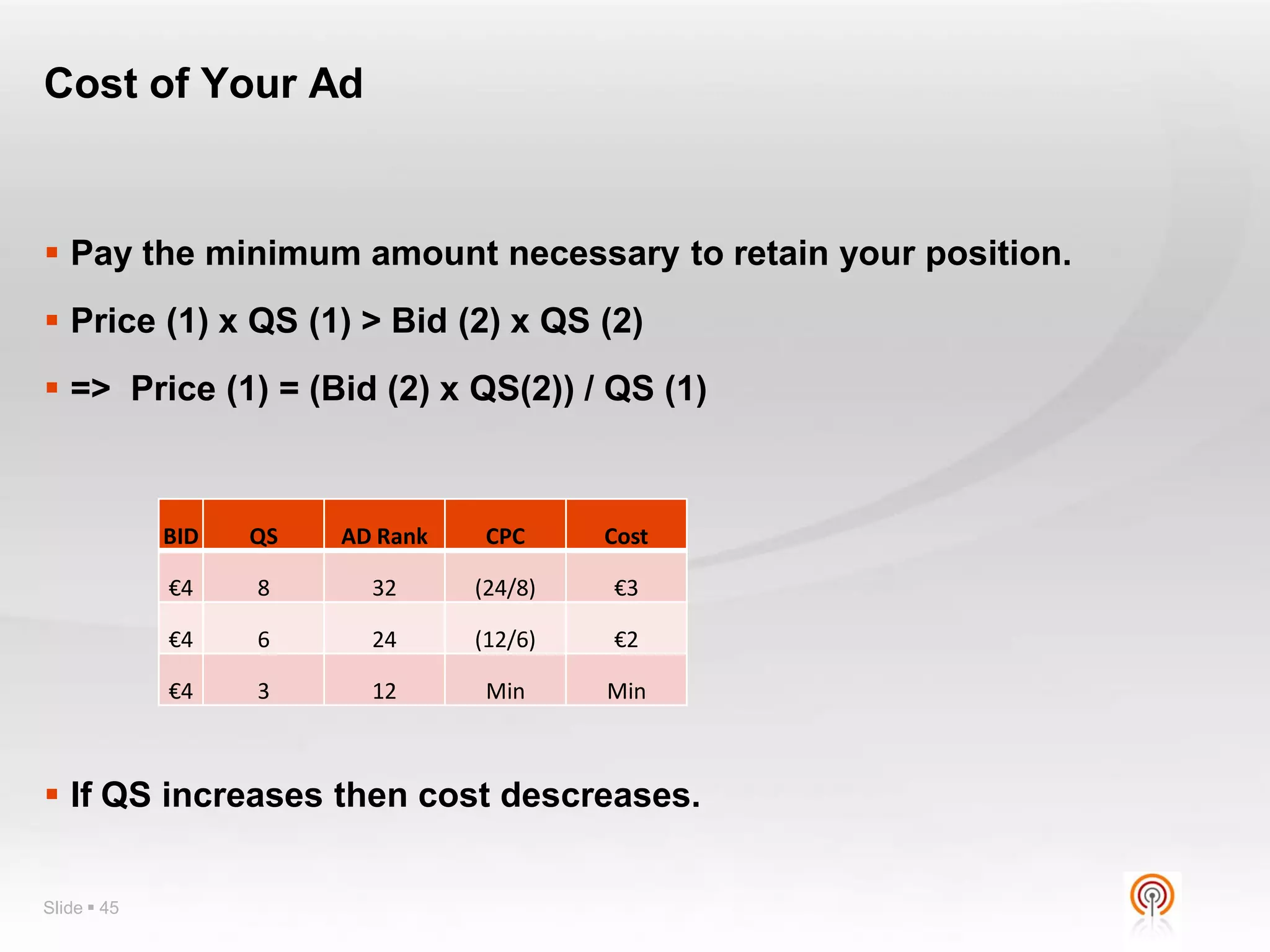
Cost of Your Ad


 Pay the minimum amount necessary to retain your position.
 Price (1) x QS (1) > Bid (2) x QS (2)
 => Price (1) = (Bid (2) x QS(2)) / QS (1)


             BID   QS   AD Rank    CPC     Cost

             €4    8      32      (24/8)   €3

             €4    6      24      (12/6)   €2

             €4    3      12       Min     Min


 If QS increases then cost descreases.

Slide  45
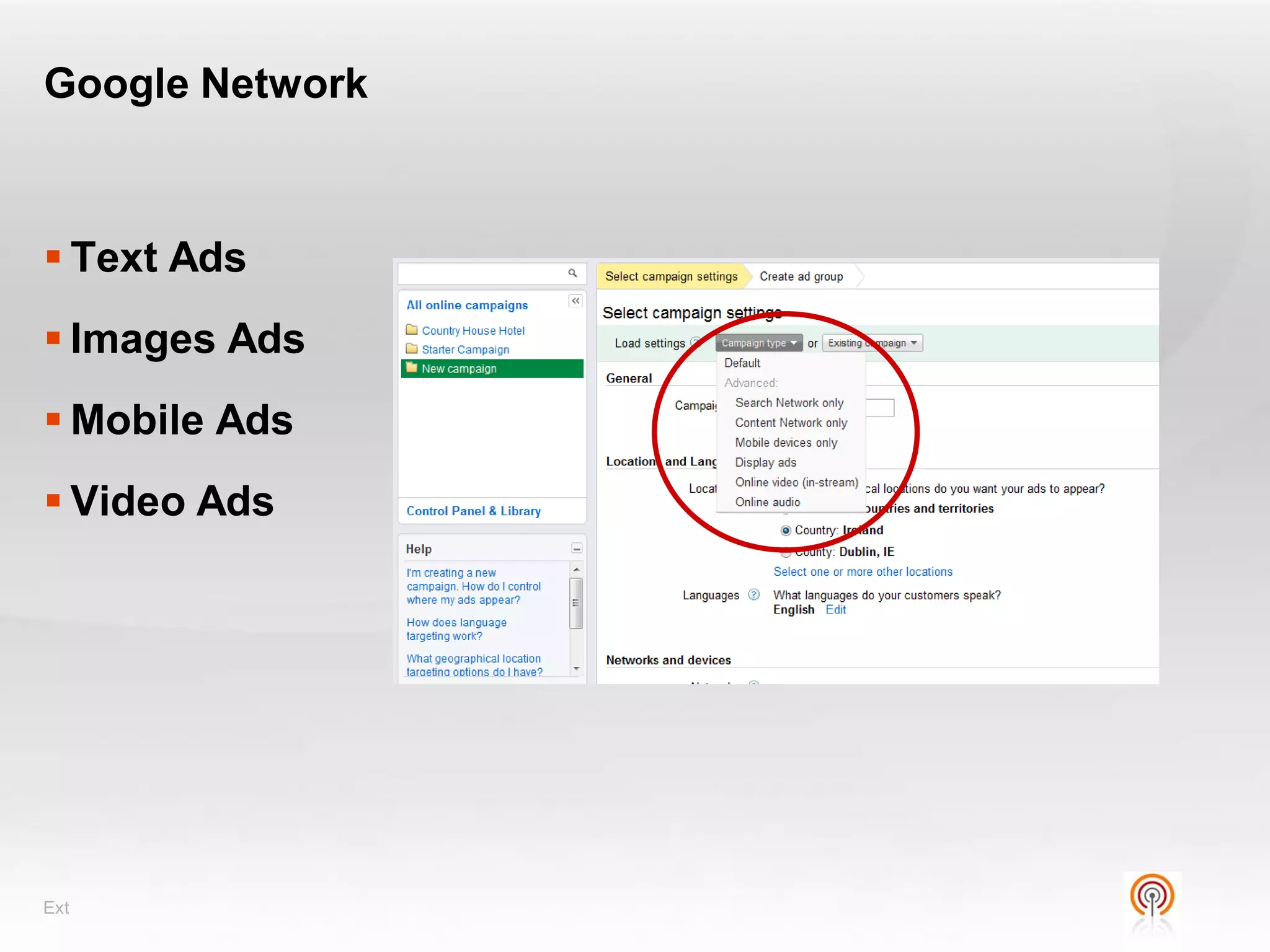
Google Network


 Text Ads
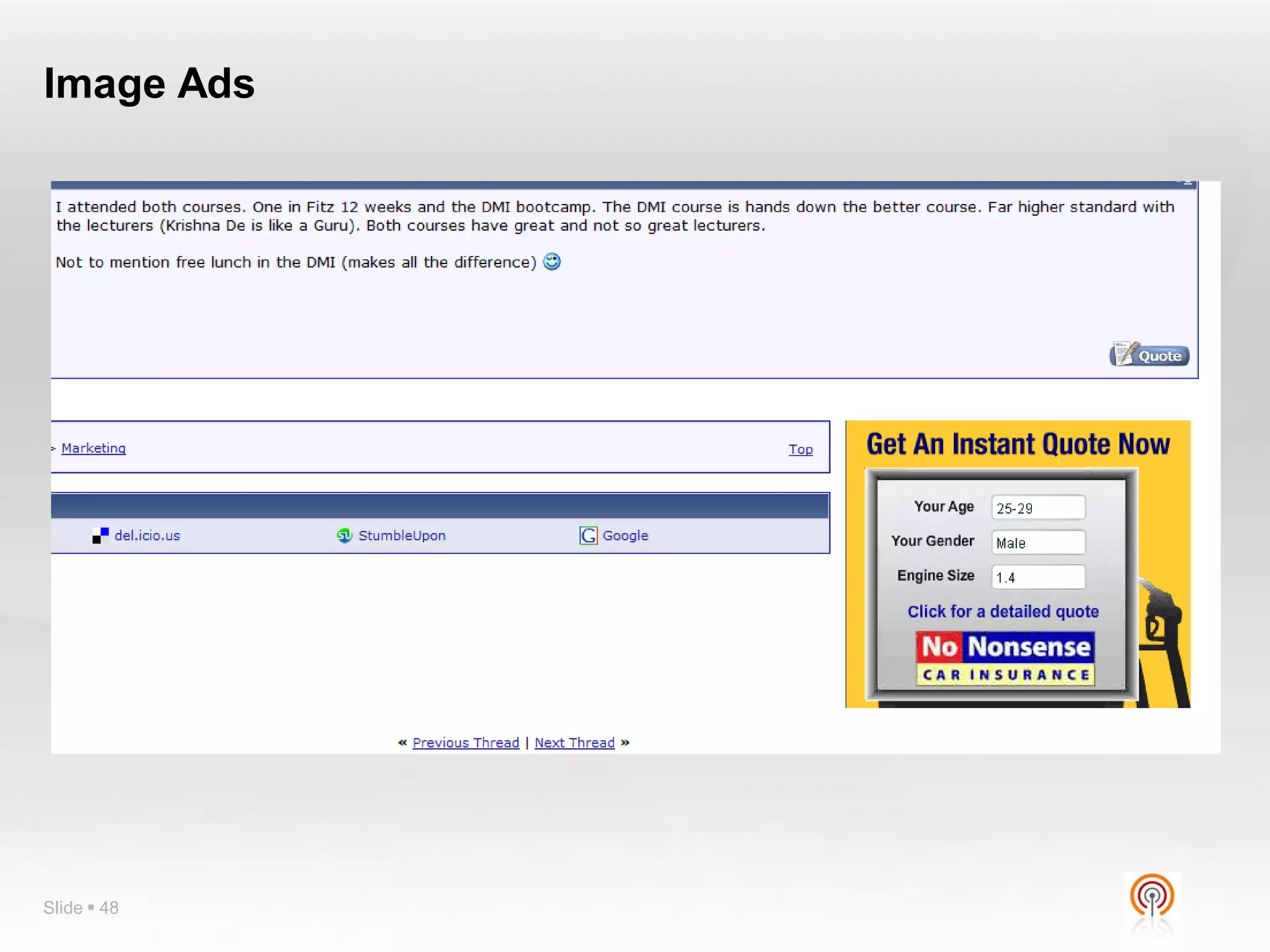
 Images Ads
 Mobile Ads
 Video Ads


Ext
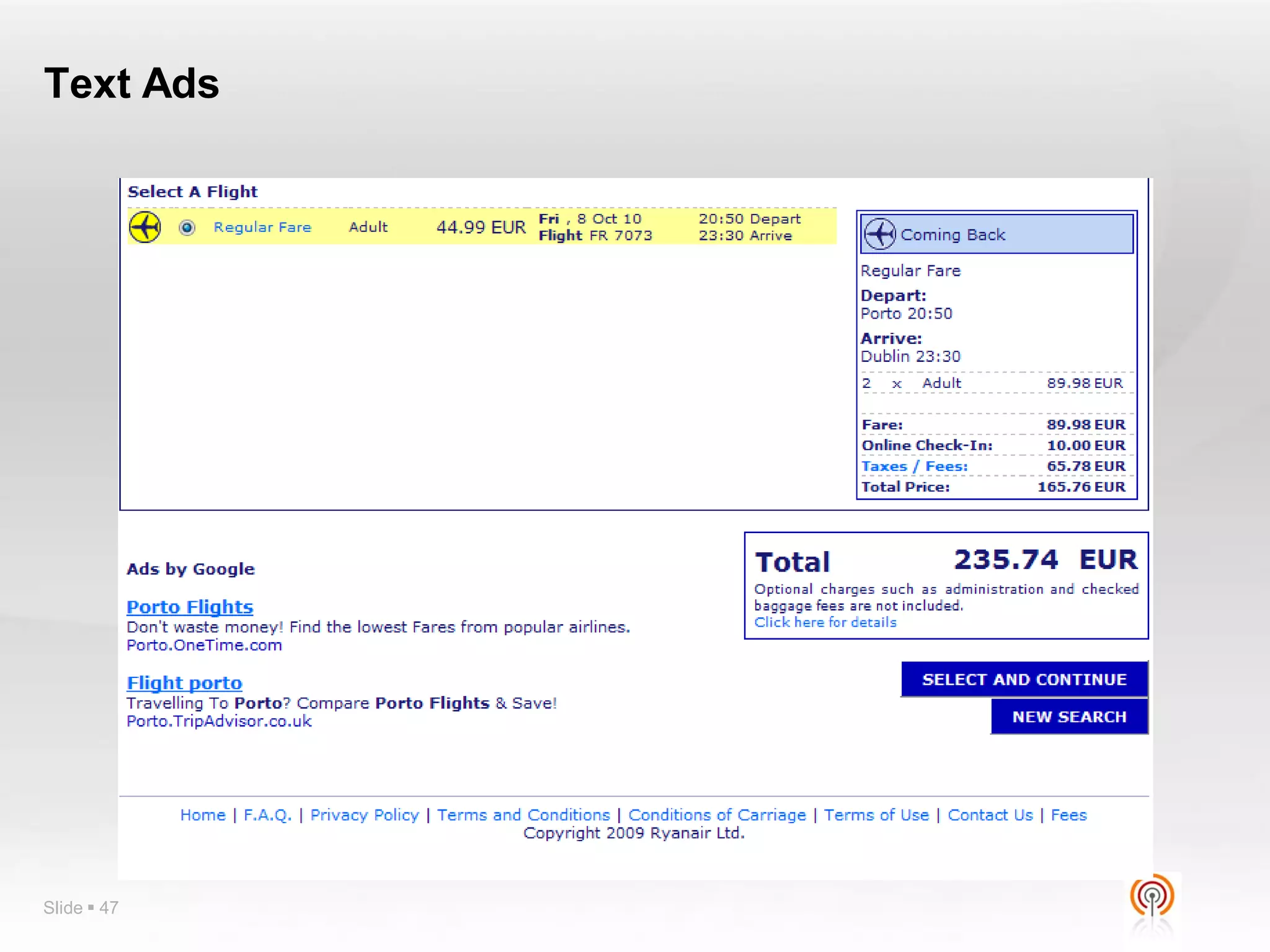
Text Ads


Slide  47
Image Ads


Slide  48
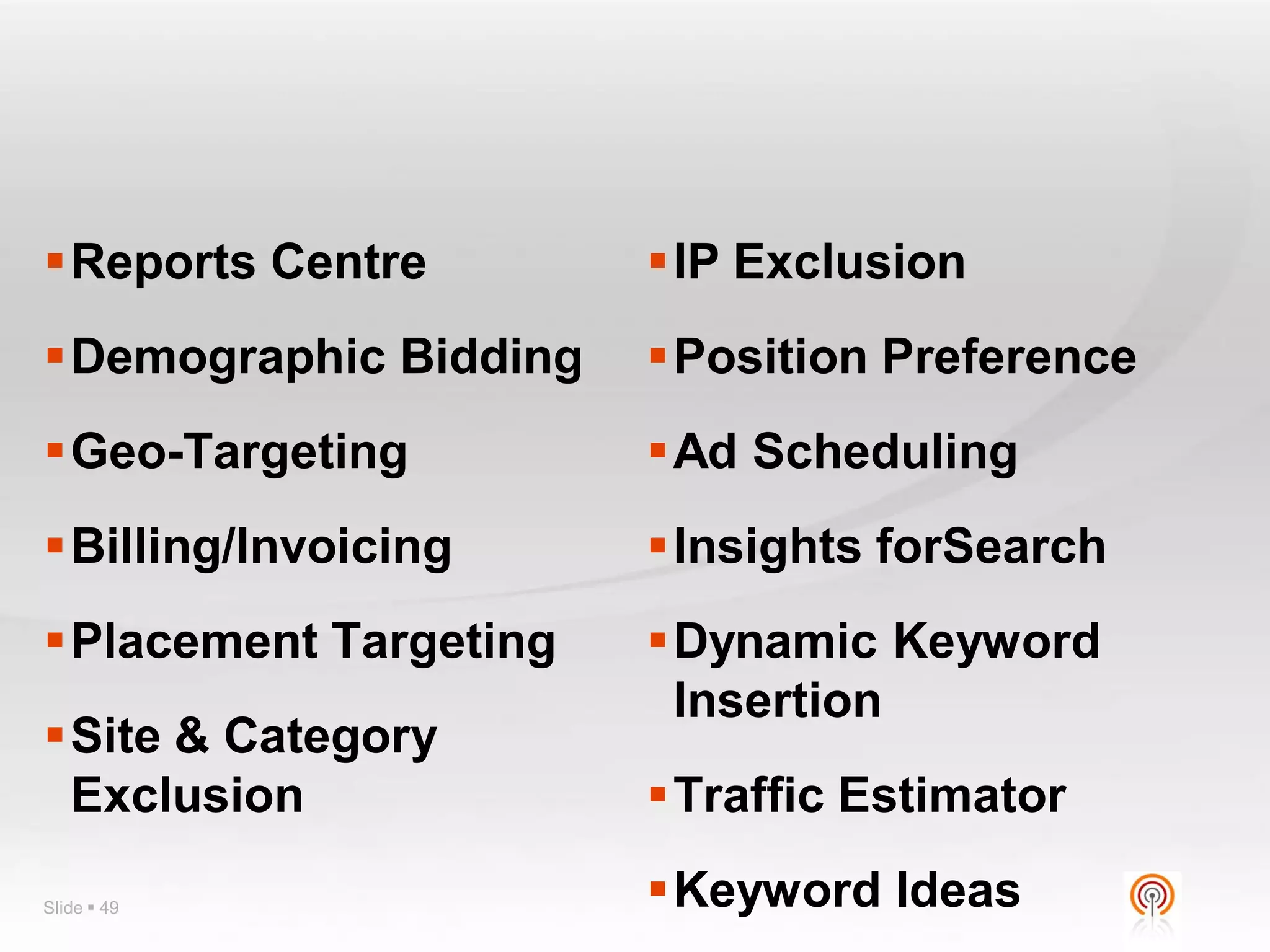
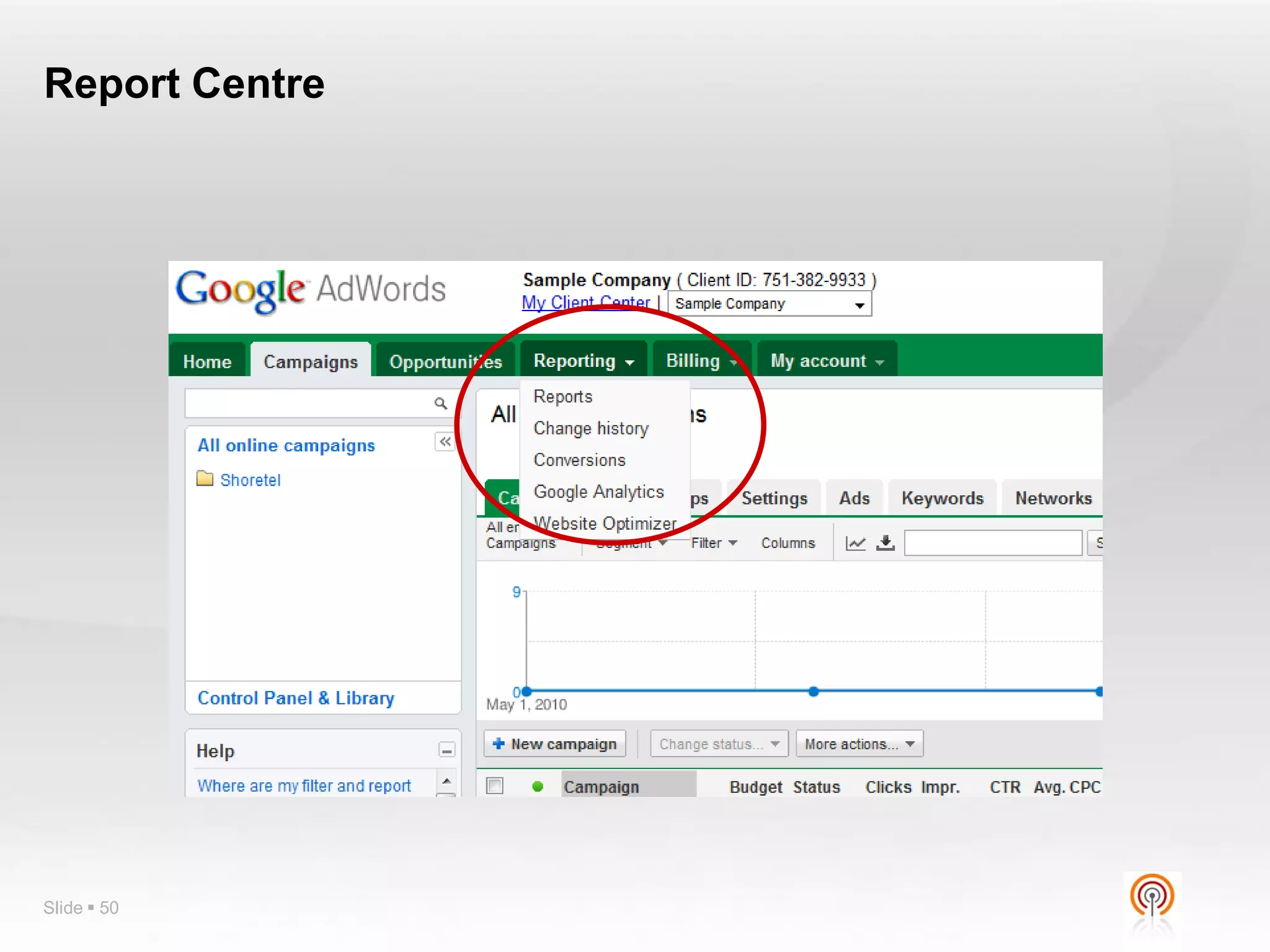
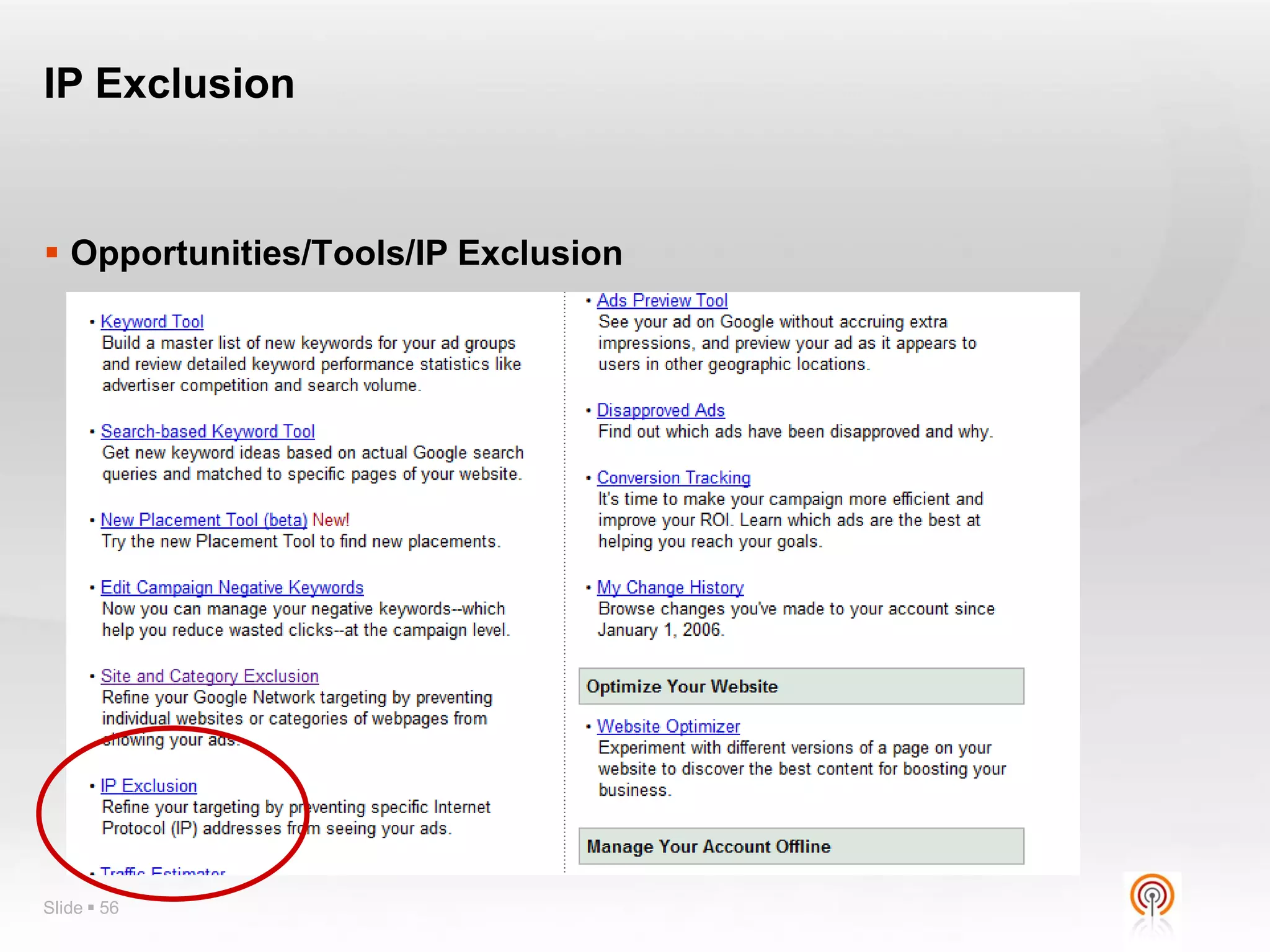
Reports Centre        IP Exclusion
Demographic Bidding   Position Preference
Geo-Targeting         Ad Scheduling
Billing/Invoicing     Insights forSearch
Placement Targeting   Dynamic Keyword
                        Insertion
Site & Category
 Exclusion             Traffic Estimator

Slide  49             Keyword Ideas
Report Centre


Slide  50
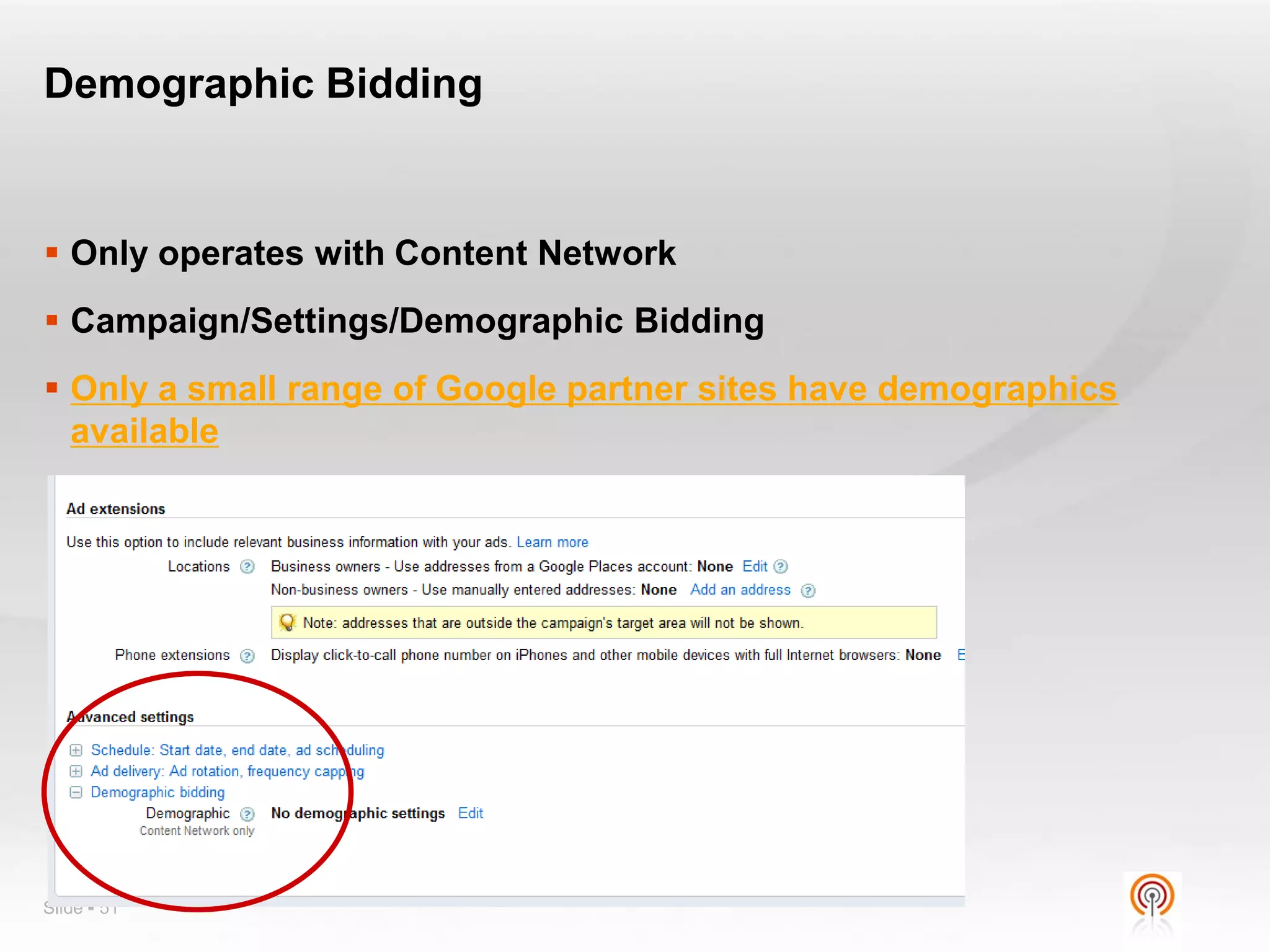
Demographic Bidding


 Only operates with Content Network
 Campaign/Settings/Demographic Bidding
 Only a small range of Google partner sites have demographics
  available


Slide  51
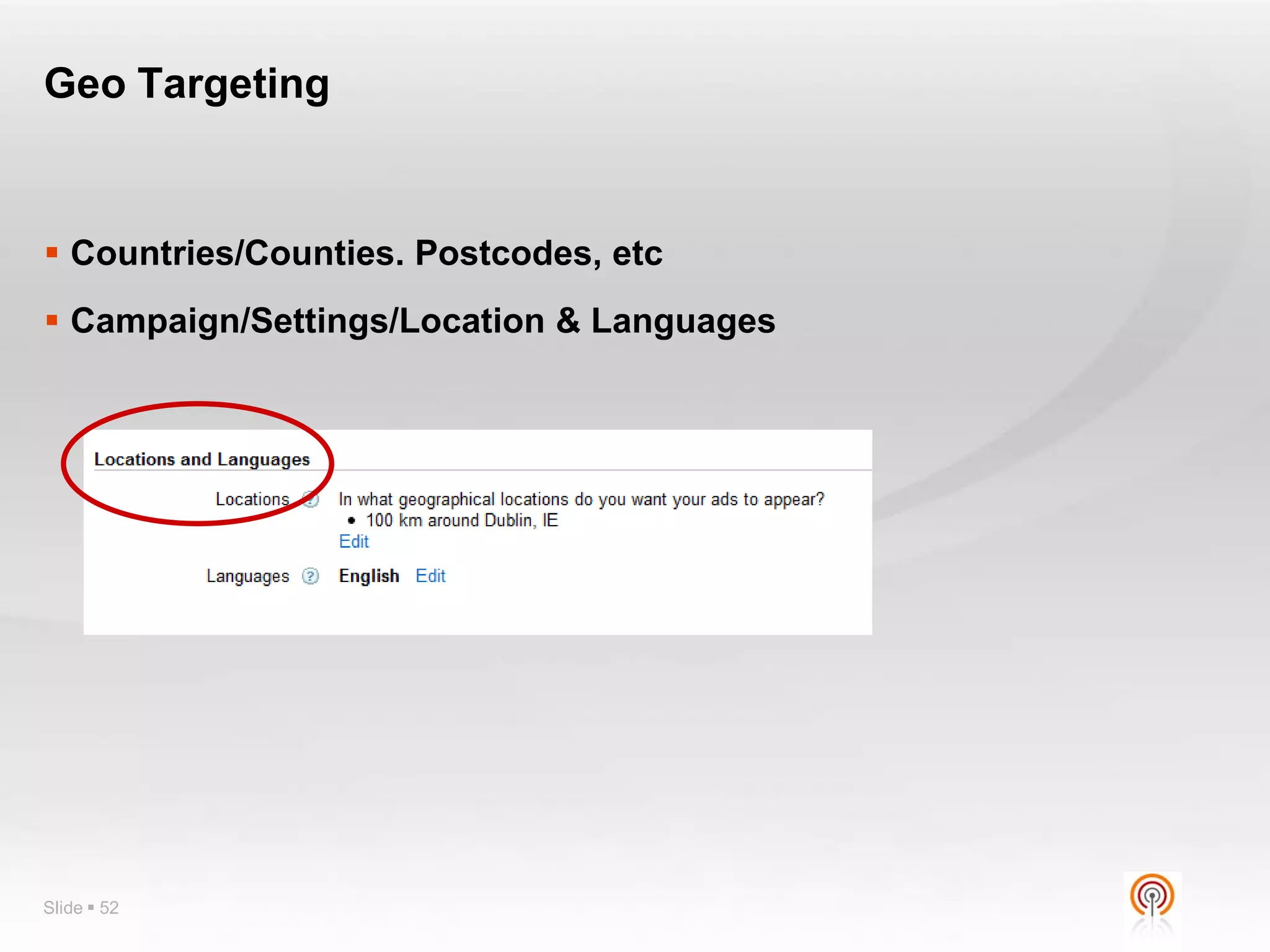
Geo Targeting


 Countries/Counties. Postcodes, etc
 Campaign/Settings/Location & Languages


Slide  52
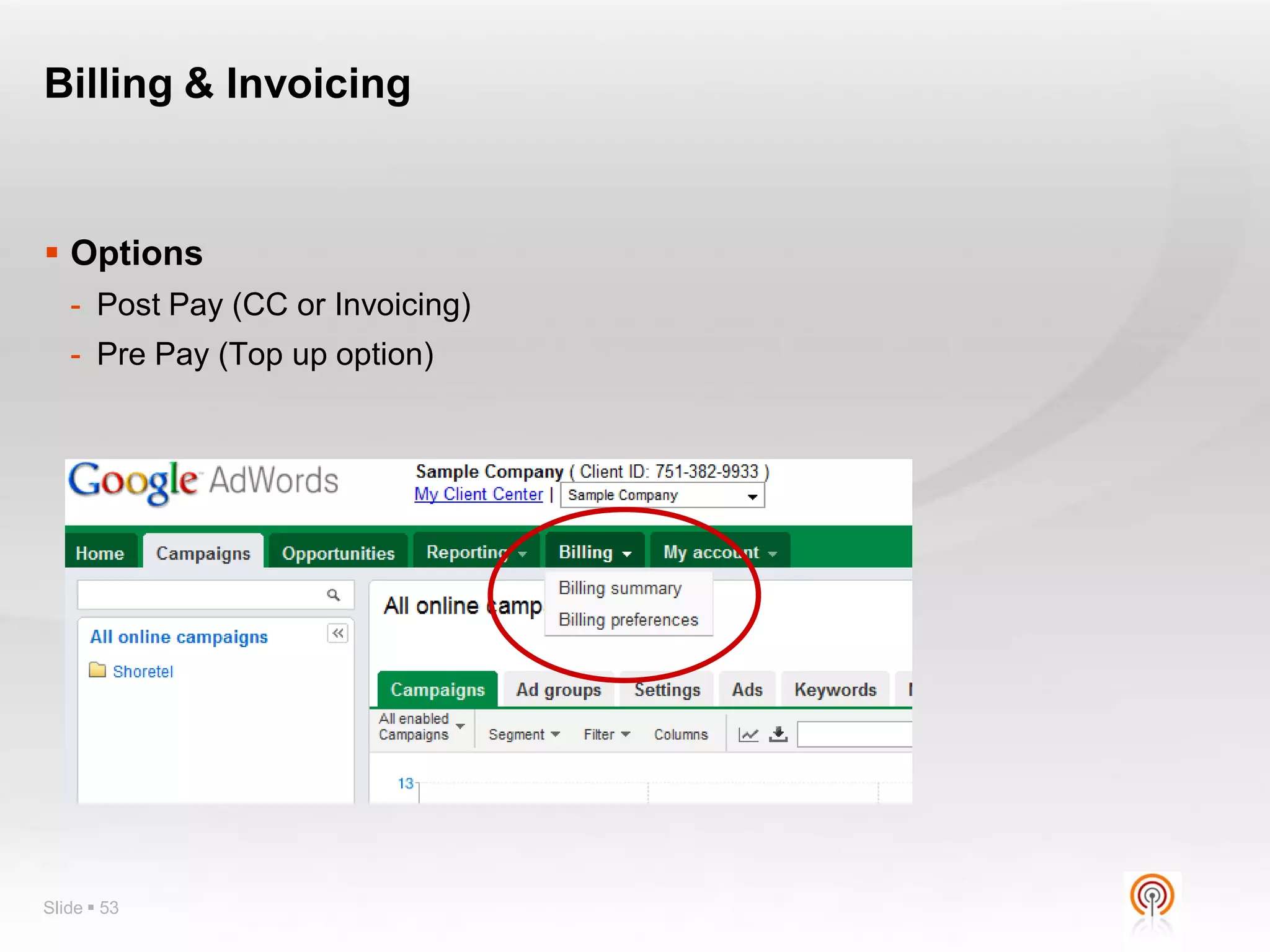
Billing & Invoicing


 Options
   - Post Pay (CC or Invoicing)
   - Pre Pay (Top up option)


Slide  53
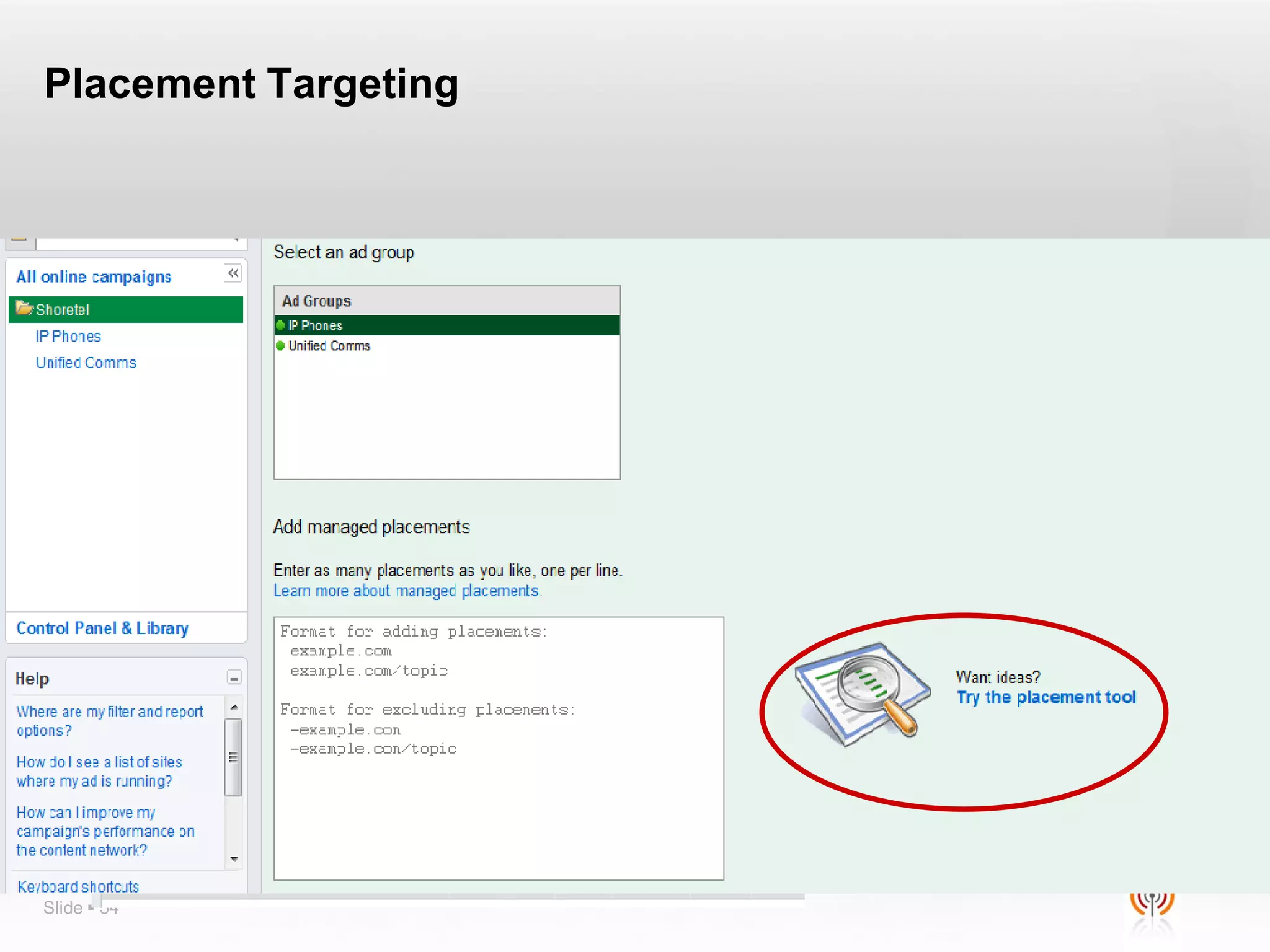
Placement Targeting


 Campaigns/Networks/Manage Placements
 Use the Placement Tool/Advanced Options


Slide  54
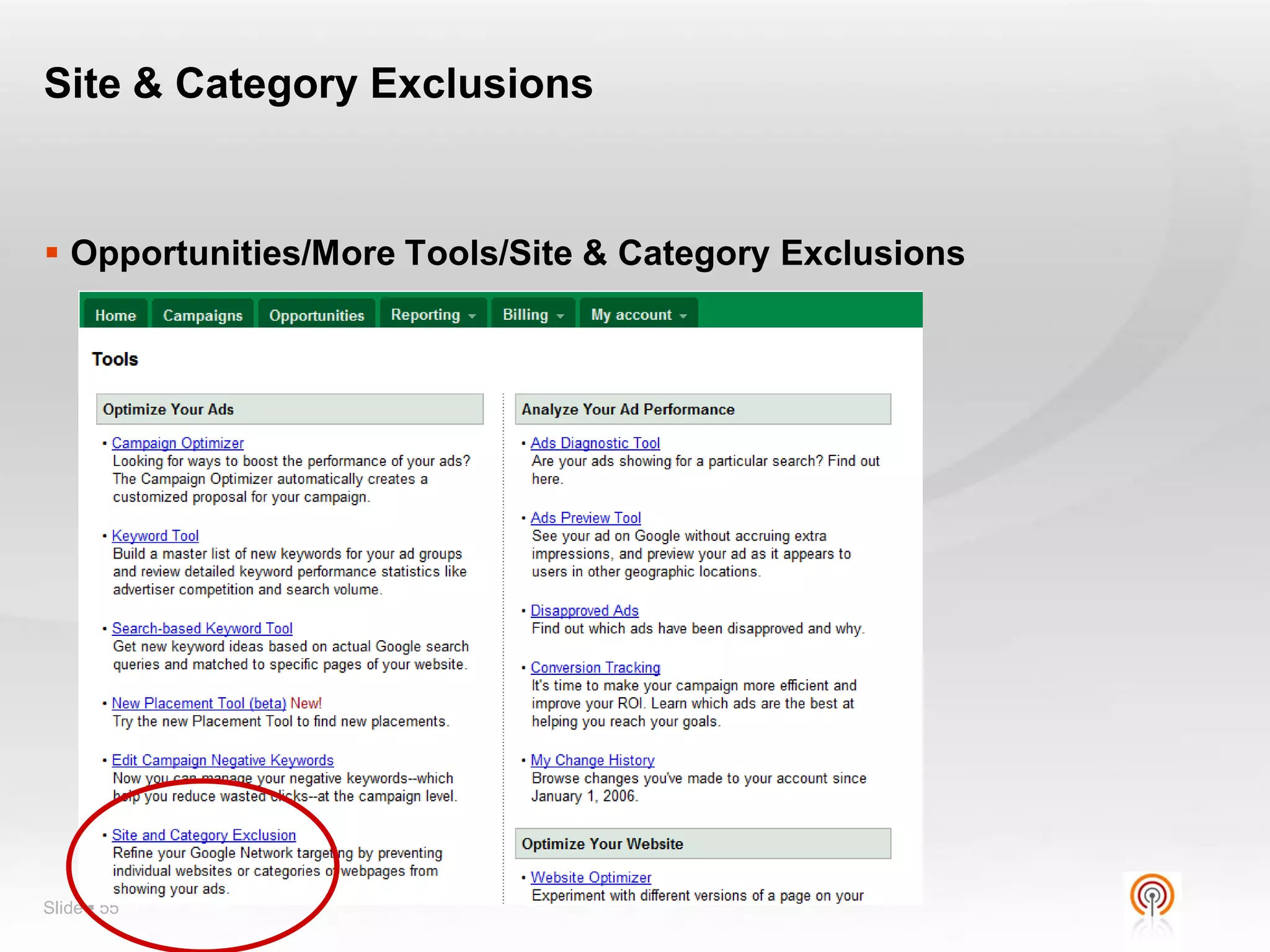
Site & Category Exclusions


 Opportunities/More Tools/Site & Category Exclusions


Slide  55
IP Exclusion


 Opportunities/Tools/IP Exclusion


Slide  56
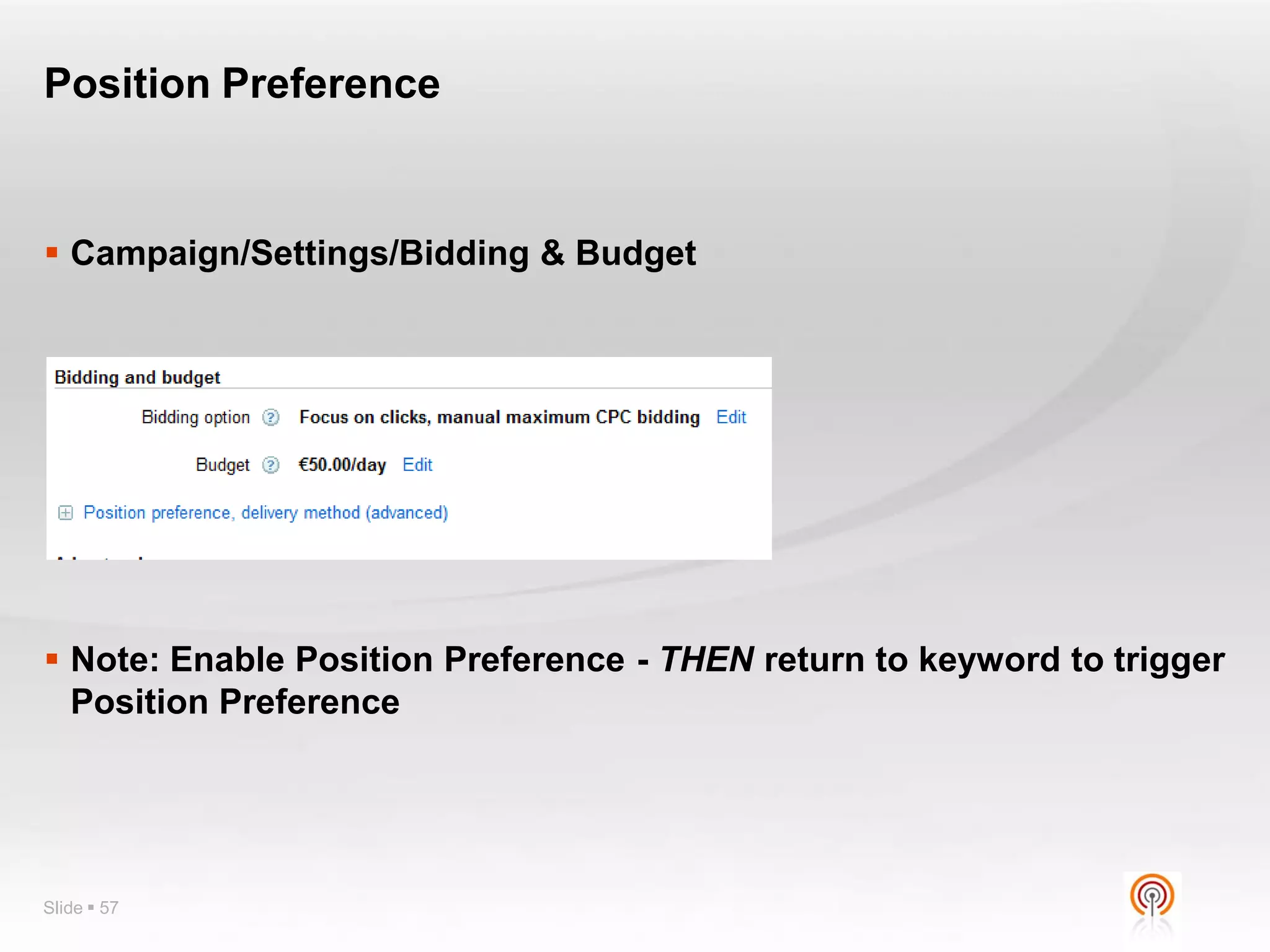
Position Preference


 Campaign/Settings/Bidding & Budget


 Note: Enable Position Preference - THEN return to keyword to trigger
  Position Preference


Slide  57
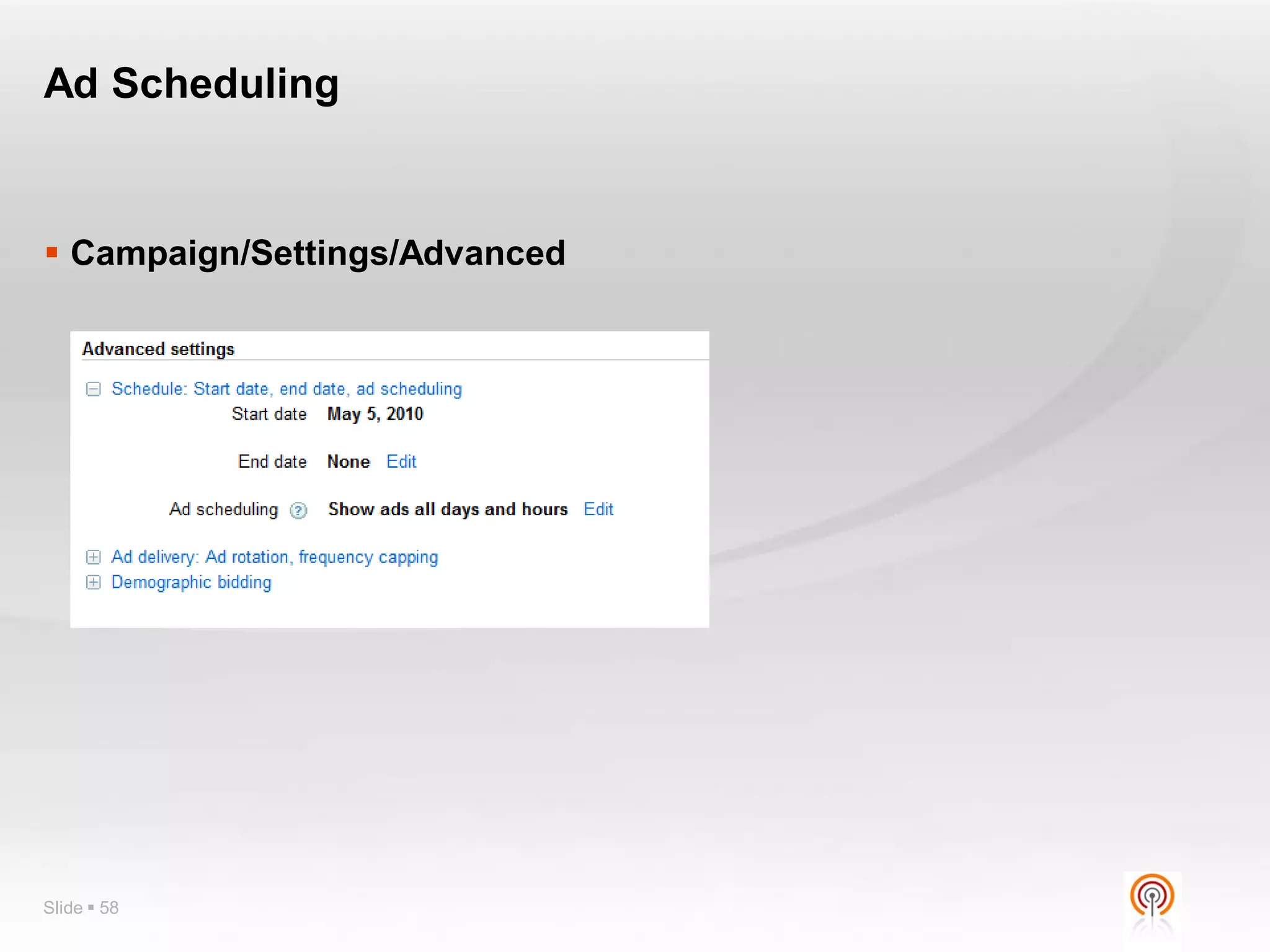
Ad Scheduling


 Campaign/Settings/Advanced


Slide  58
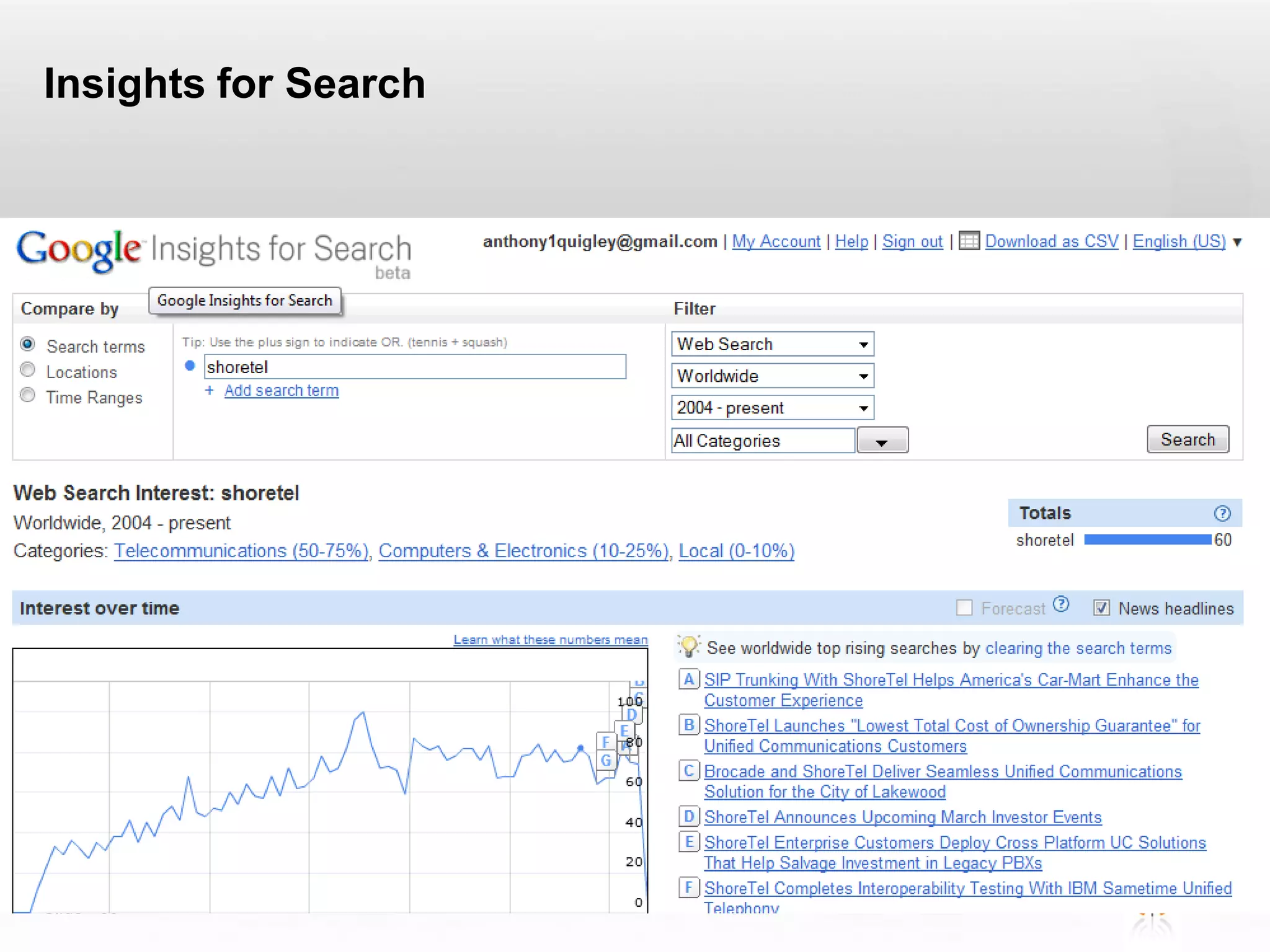
Insights for Search


 Google Insights for Search


Slide  59
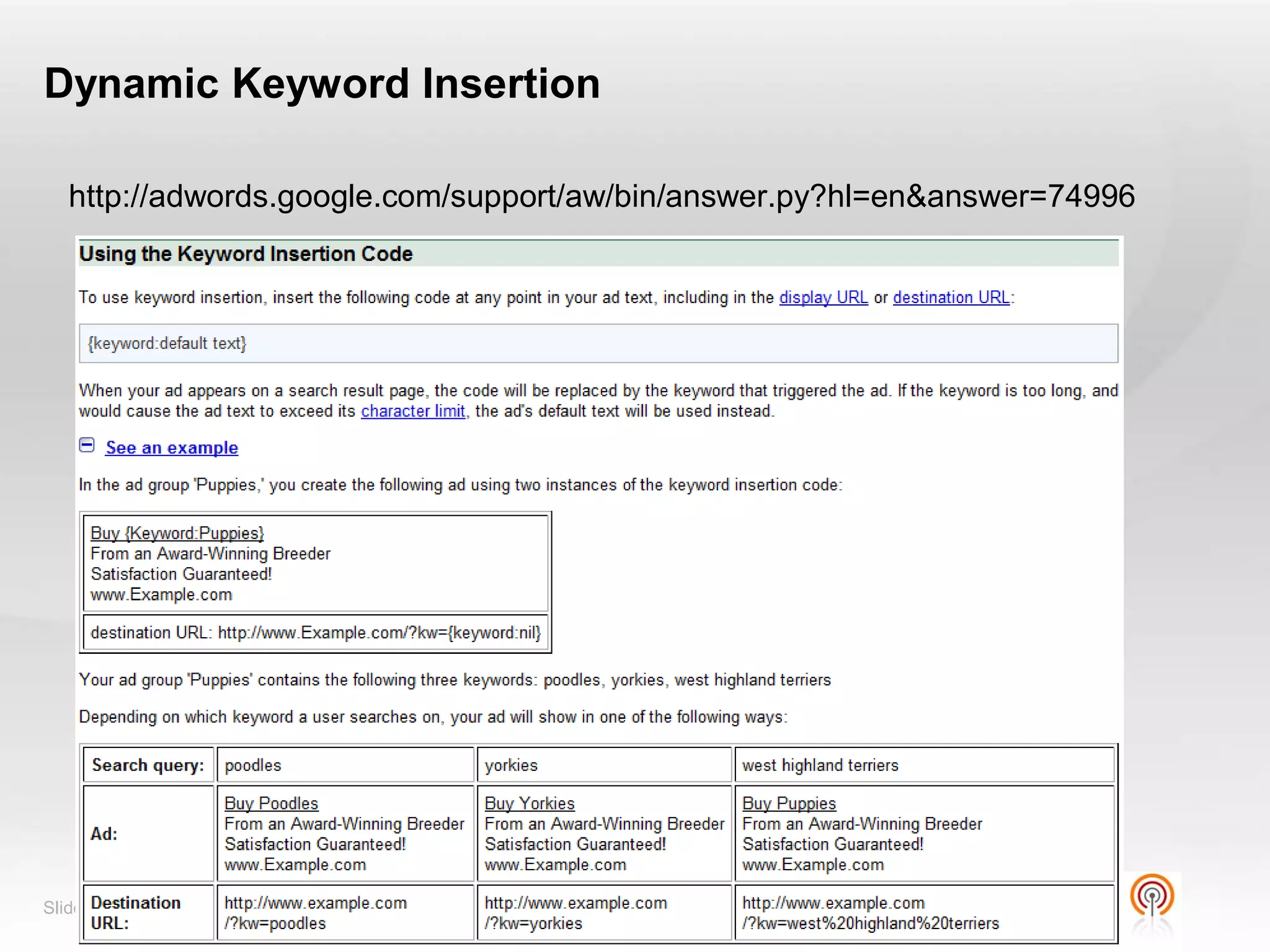
Dynamic Keyword Insertion

   http://adwords.google.com/support/aw/bin/answer.py?hl=en&answer=74996


Slide  60
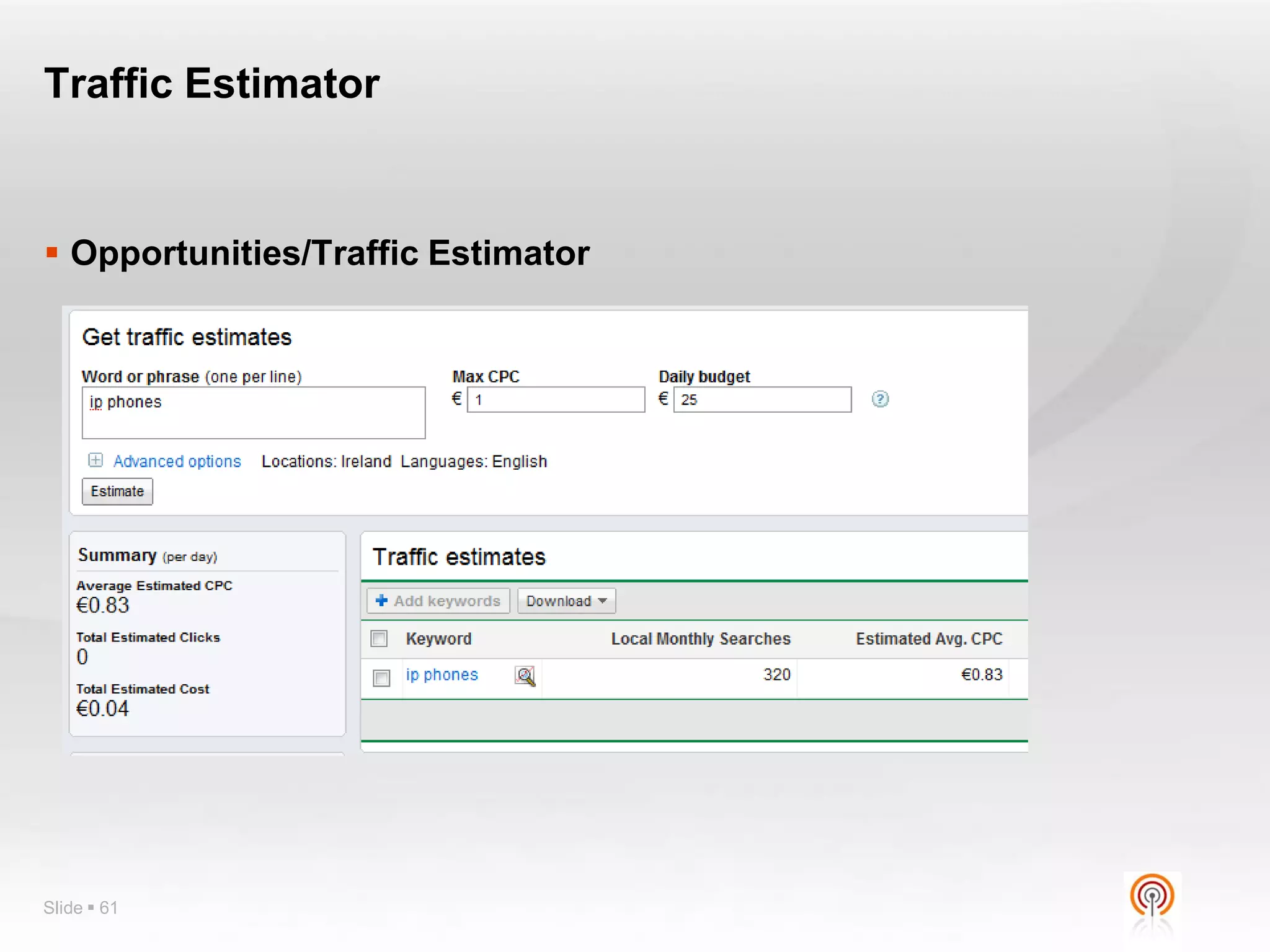
Traffic Estimator


 Opportunities/Traffic Estimator


Slide  61
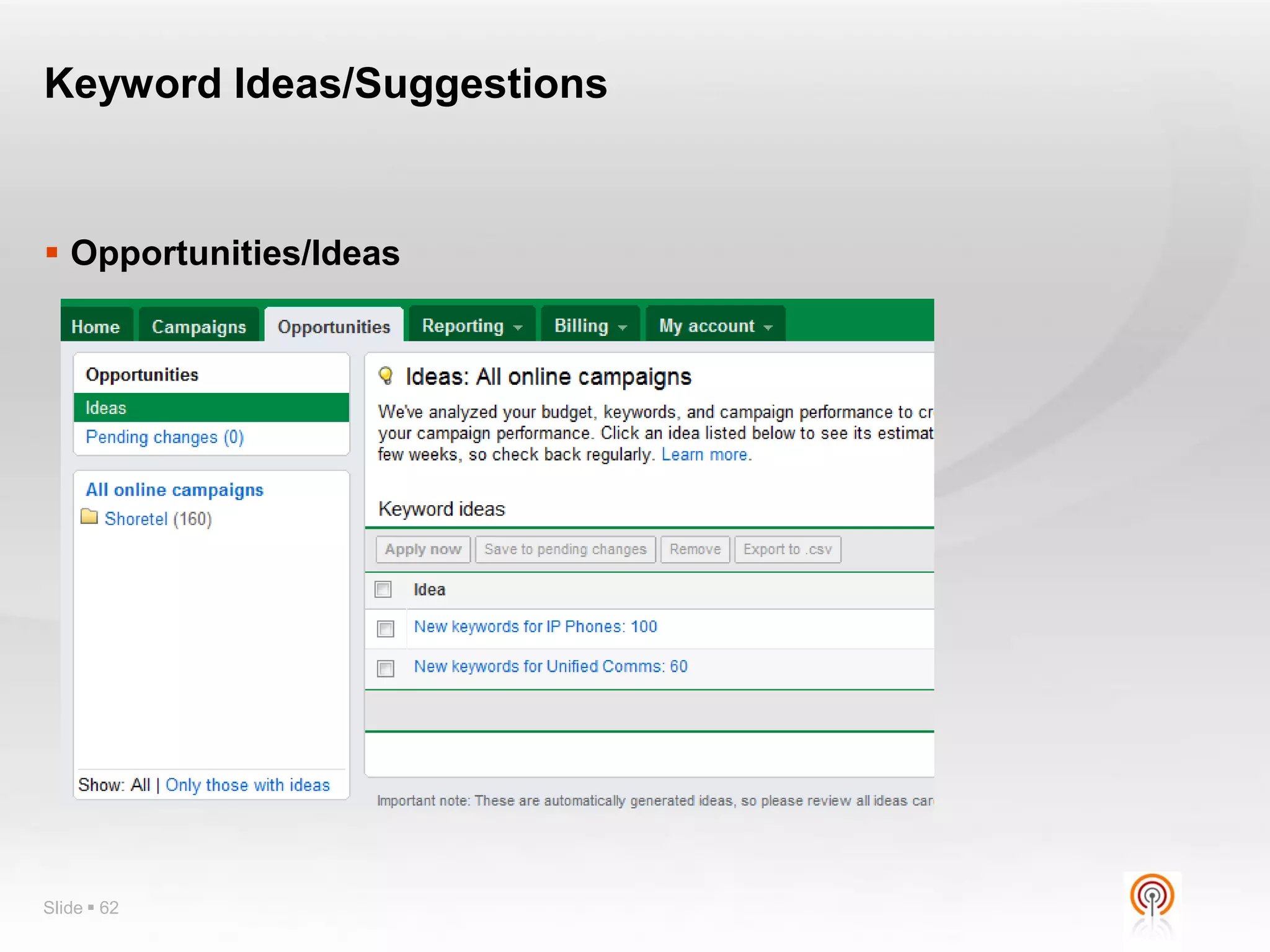
Keyword Ideas/Suggestions


 Opportunities/Ideas


Slide  62
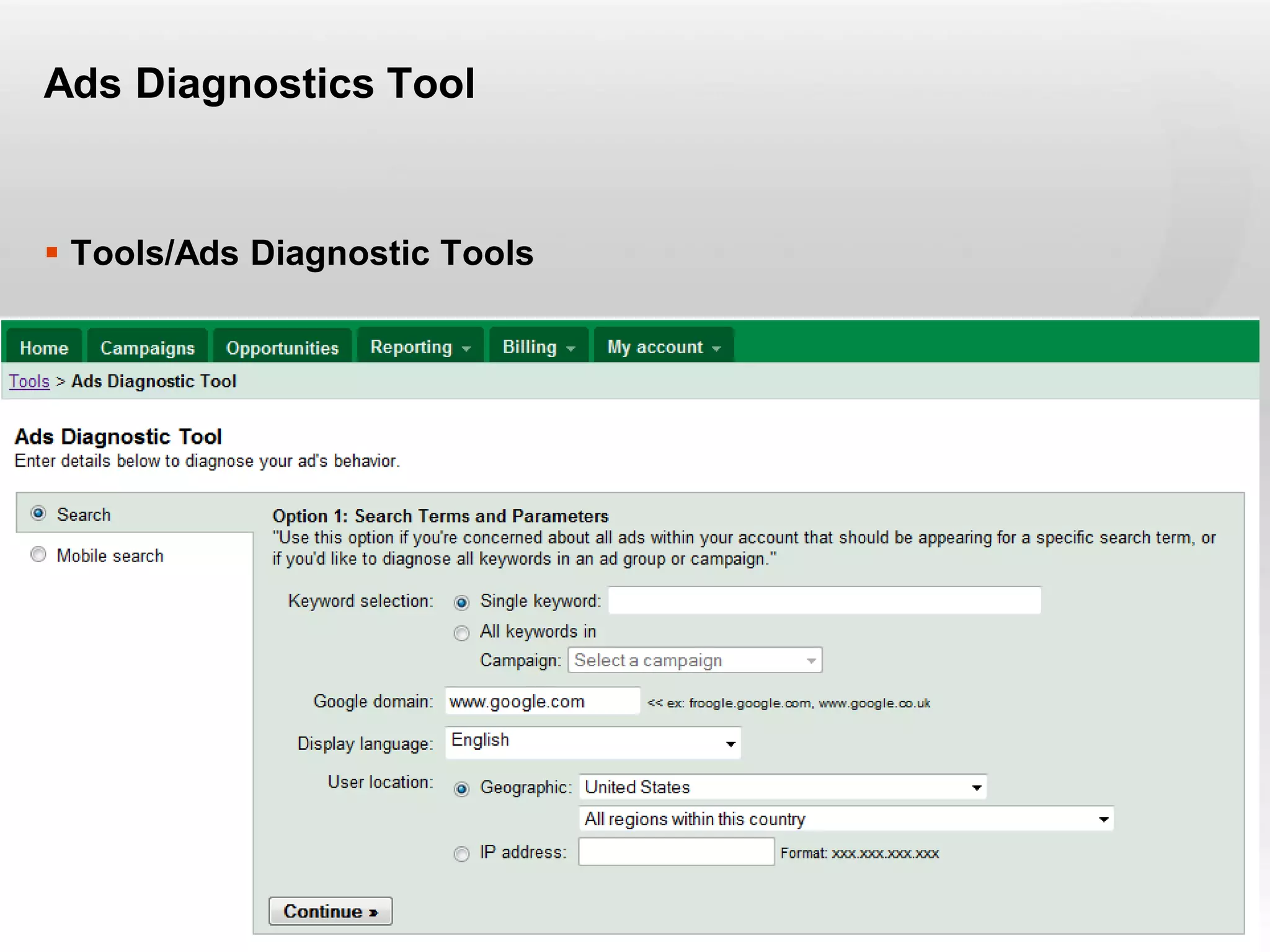
Diagnostics


 Ads Diagnostics Tool
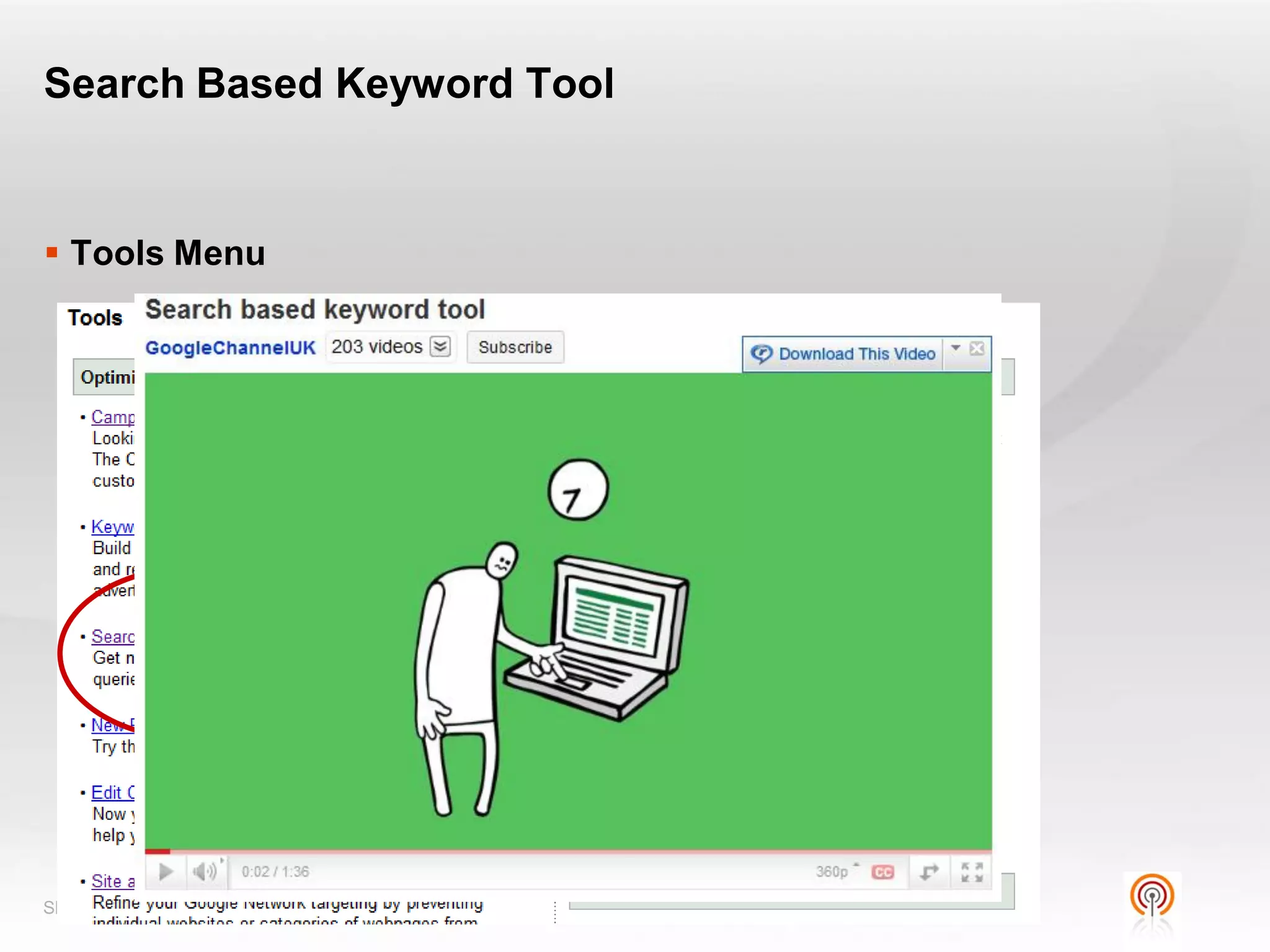
 Search Based Keyword Tool
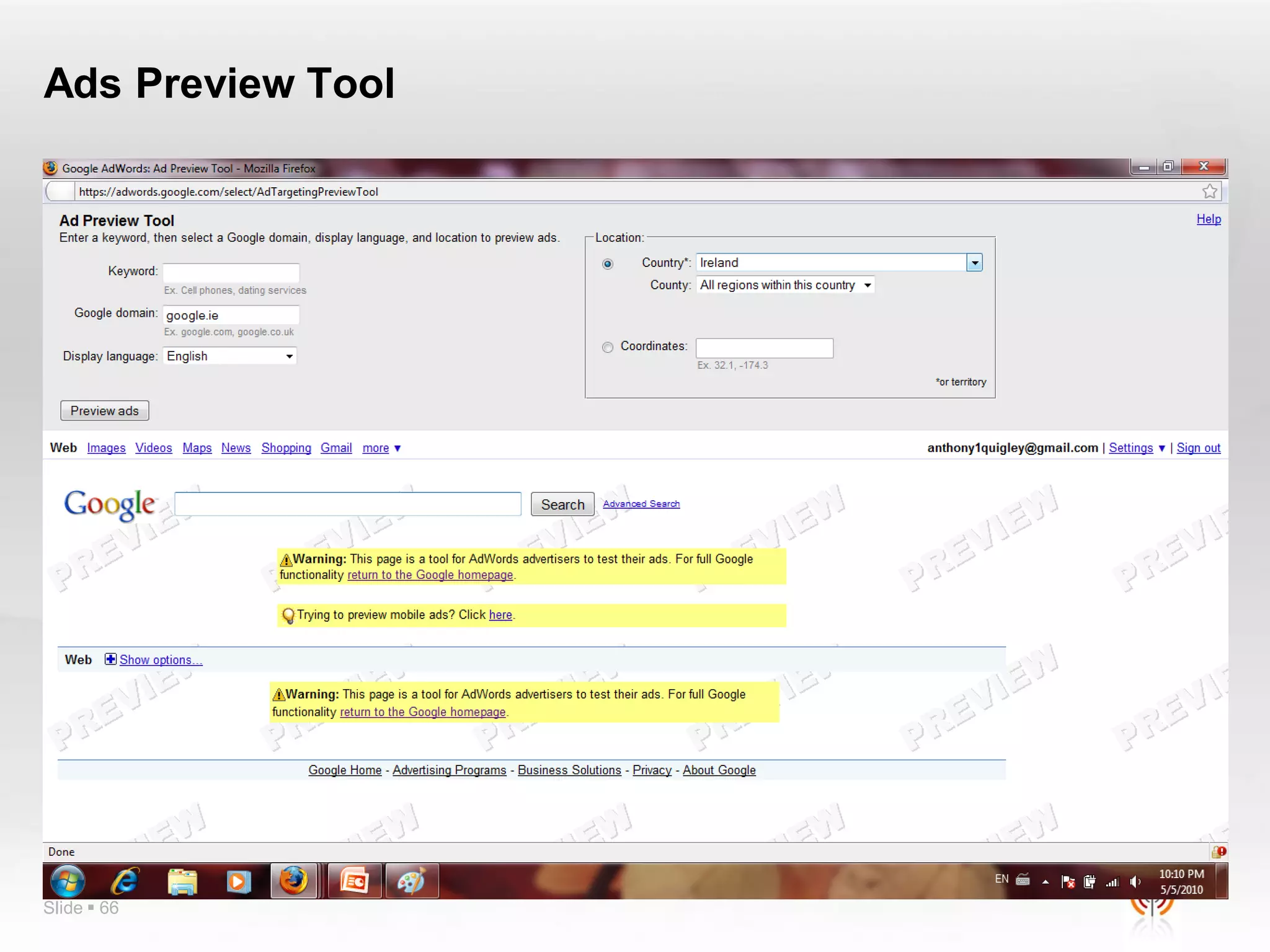
 Ads Preview Tool
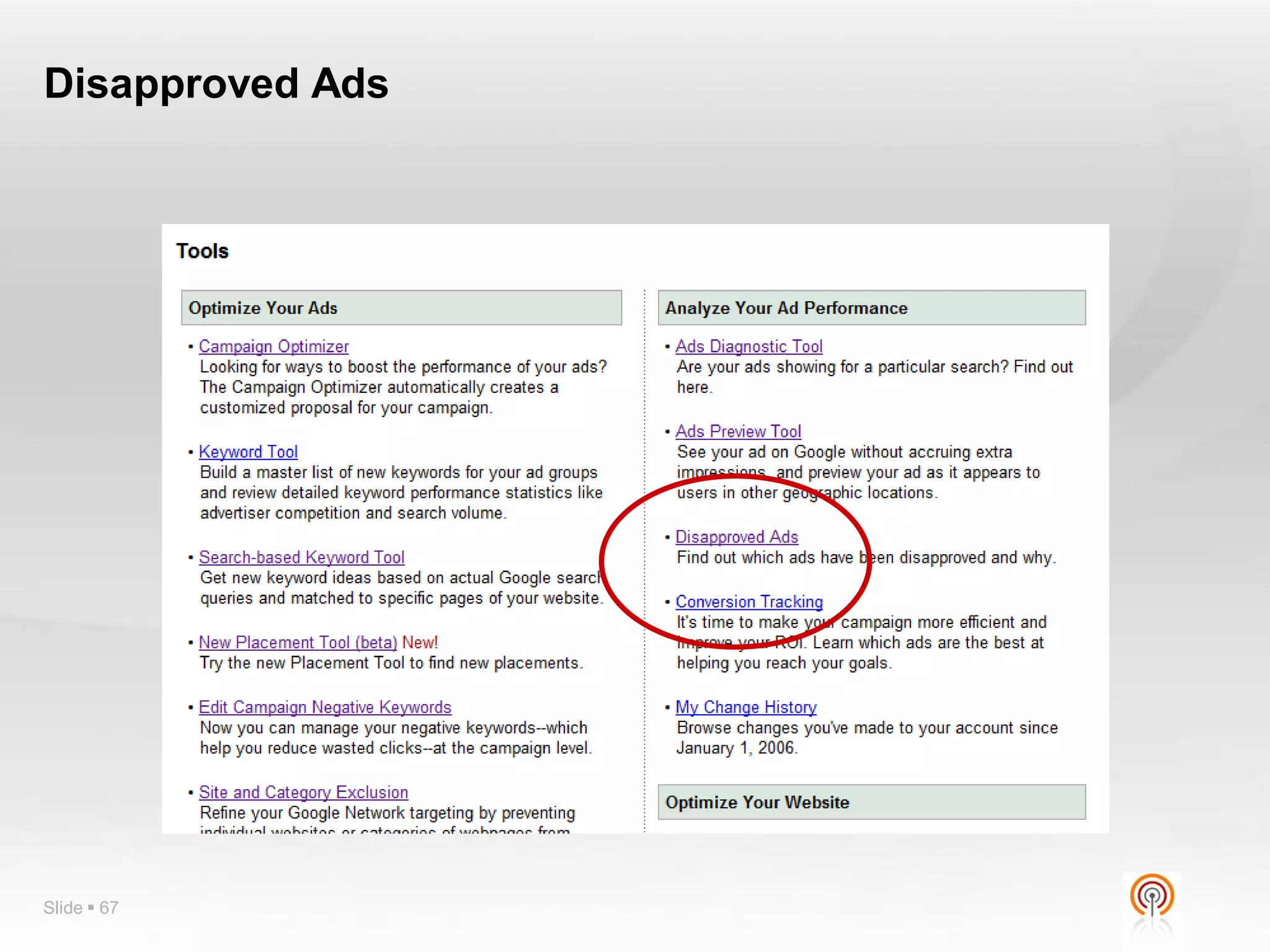
 Disapproved Ads


Slide  63
Ads Diagnostics Tool


 Tools/Ads Diagnostic Tools


Slide  64
Search Based Keyword Tool


 Tools Menu


Slide  65
Ads Preview Tool


Slide  66
Disapproved Ads


Slide  67
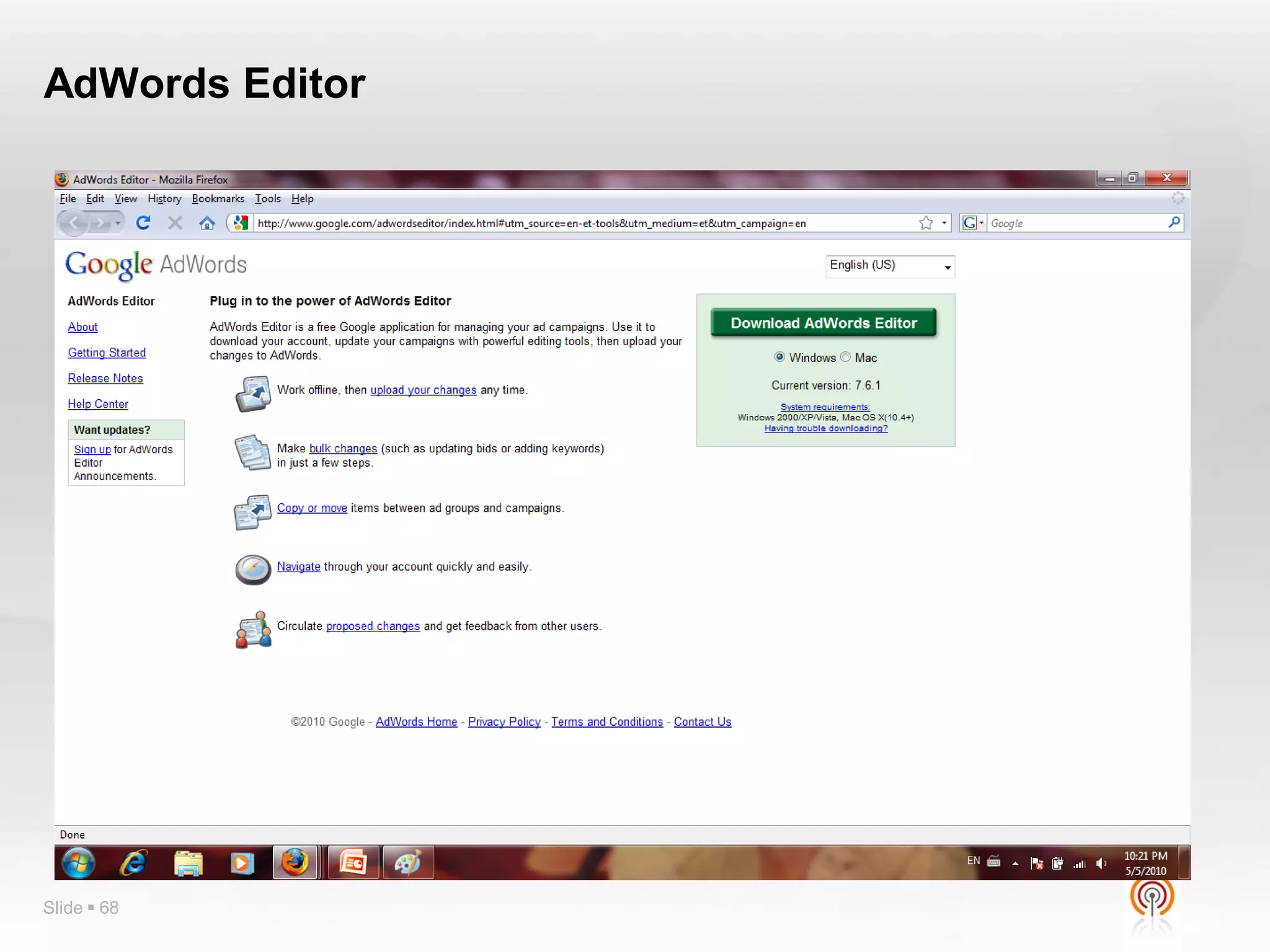
AdWords Editor


Slide  68
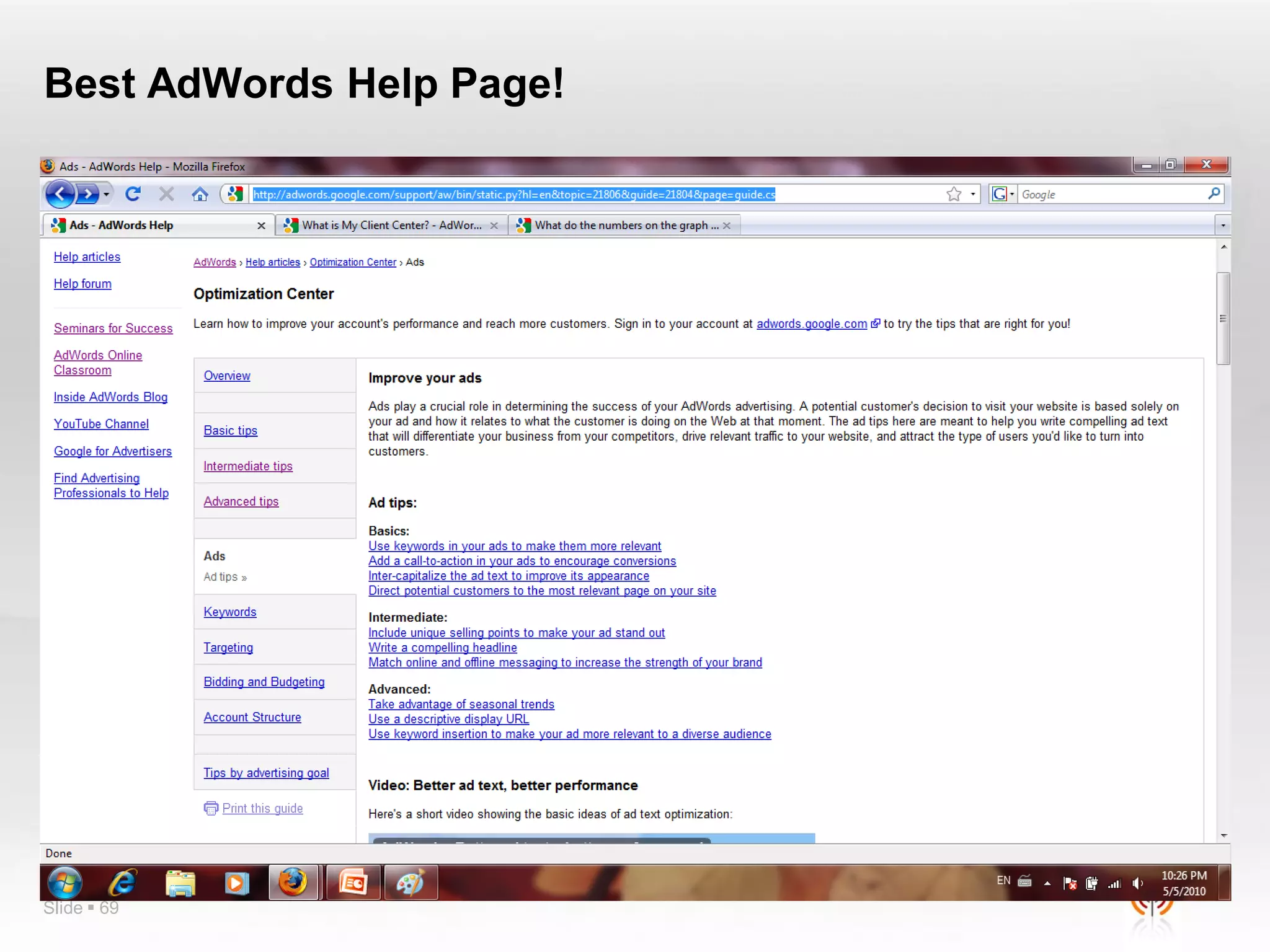
Best AdWords Help Page!


Slide  69
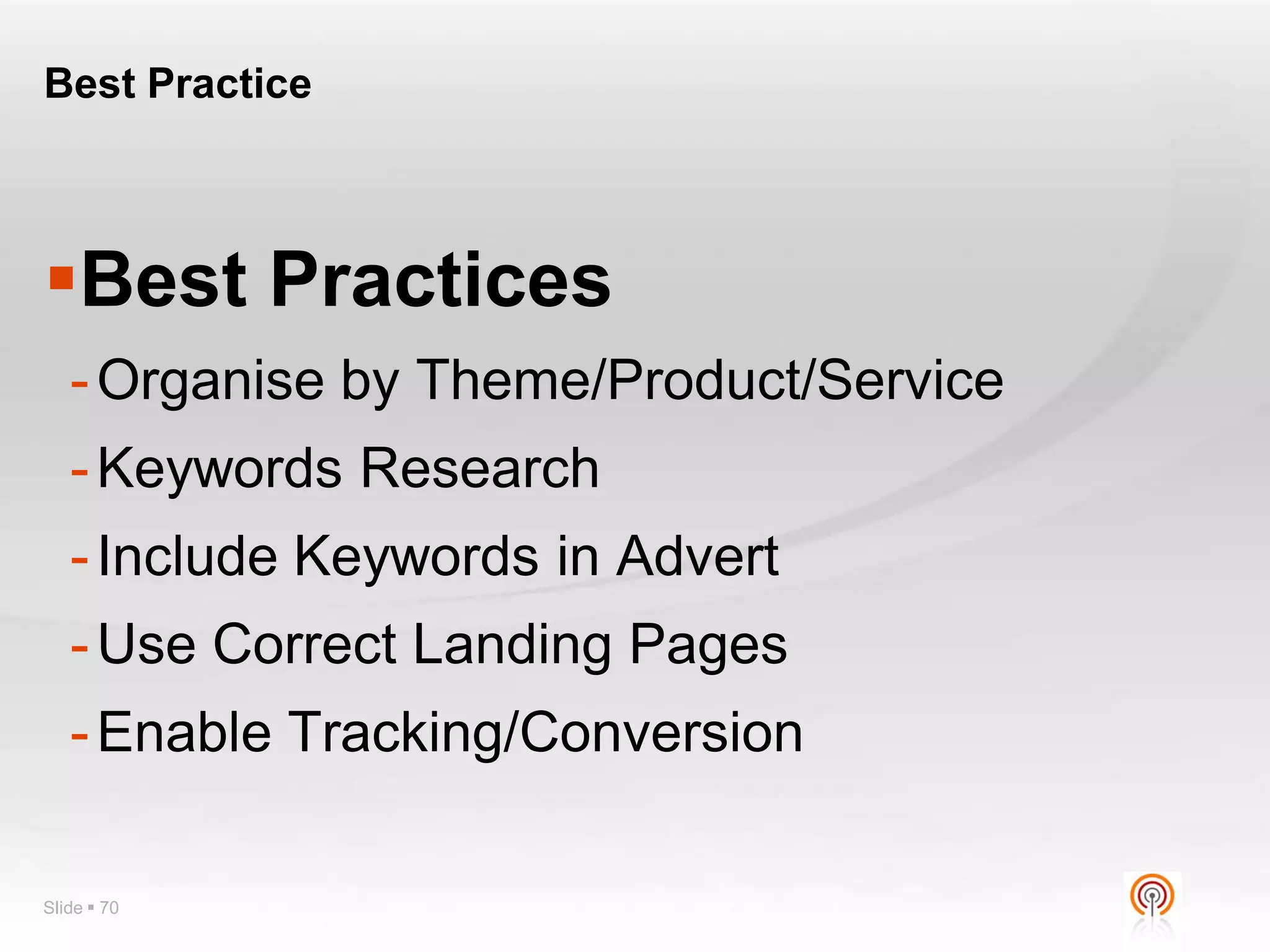
Best Practice


Best Practices
   - Organise by Theme/Product/Service
   - Keywords Research
   - Include Keywords in Advert
   - Use Correct Landing Pages
   - Enable Tracking/Conversion

Slide  70
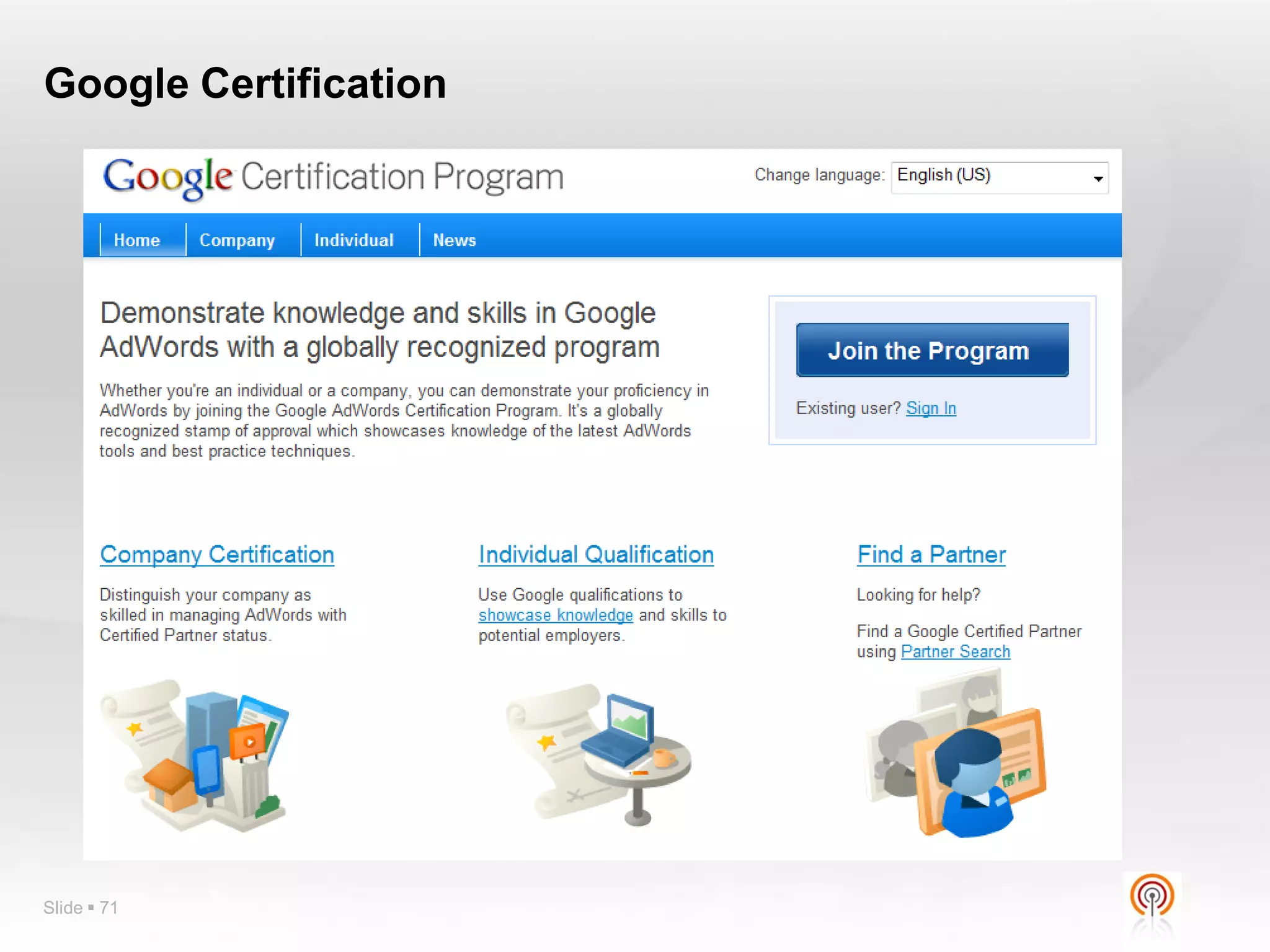
Google Certification


Slide  71
Q?


Slide  72

Google adwords advance program in details e briks infotech

  • 1.
    Google AdWords AdvancedTactics Slide  1
  • 2.
    Agenda - Morning Introduction to online advertising &  Managing Your Account Google AdWords - Creating an account - Who are we all? - Creating a campaign, step-by-step - Types of online advertising - Understanding campaign, ad group, and keyword statistics - Intro to PPC – AdWords, Bing, YSM - Editing Campaign Settings - AdWords vs FB vs Linked In, etc - Editing CPCs - Basics of pay-per-click advertising - Introduction to AdWords  Developing Quality Keyword Lists - Features - How to Develop a List - Benefits - Using the Keyword Tool - Basic terminology - Creating Compelling Ad Text  Creating Your AdWords Account - Developing ad variations - Ad writing workshop - Starter vs. Standard edition - How to create an account - Proper account structure - Account organization options Slide  2
  • 3.
    Agenda - Afternoon Tracking ad performance  Beginning Optimization - Conversion Tracking - Using the Report Center - Google Analytics - Campaign Optimizer - Location targeting  Optimizing to: - Demographic bidding - Increase conversions - Increase traffic  Best Practices - Increase Quality Score - Organise by Theme/Product/Service - Improve landing page quality - Keywords Research - Include Keywords in Advert  Using the Google Network - Use Correct Landing Pages - Ad types (Image Ads, Local Business Ads, Mobile Ad, - Enable Tracking/Conversion Click-to-Play Video Ads) - Placement targeted campaigns  Quality Score - CPM bidding  Billing & Reports - Understanding Billing - Billing Cycle  Open Q&A Slide  3
  • 4.
    Who am I Who are you? Slide  4
  • 5.
    Types of OnlineAdvertising Banners/Display CPC/PPC CPL Sponsorships CPA Pop-ups Affiliate Text Ads Video What is Online Advertising? Slide  5
  • 6.
    Free/Organic/Natural Vs PaidAds Natural / Organic / FREE Website Listings Slide  6
  • 7.
    What is PPC? Pay per click (PPC) is an Internet advertising model used on websites in which advertisers pay their host only when their advert is clicked. Slide  7
  • 8.
    Setting PPC Objectives • Critical to decide clear cut-off points before starting • What is your objective in numbers? • How much can you afford to pay for a sale / lead • What’s your current conversion rate on enquiries? • Are you willing to pay €10 for a lead? €50? €108? • What countries are you geo-targeting? • Eg - Can you handle Spanish-language enquiries? Slide  8
  • 9.
    PPC Overview • Reason Google worth $170B Slide  9
  • 10.
    PPC Overview • Bid for your position against the competition • Higher your bid, higher your position. (1st not always best) • Greater competition = greater cost • No charge if user sees your ad • Only pay if user visits your website • Clicks charged direct to credit card • Simple way to test if your website can work for you • Requires lots of testing to maximise ROI Slide  10
  • 11.
  • 12.
    MSN AdCenter https://adcenter.microsoft.com Slide  12
  • 13.
    MSN AdCenter –Ads appear on Bing.com Slide  13
  • 14.
    Yahoo Search Marketing http://searchmarketing.yahoo.com/ Slide  14
  • 15.
    Yahoo Search Marketing http://searchmarketing.yahoo.com/ Slide  15
  • 16.
  • 17.
    Why AdWords? Targeted Results Youhave Total Control – You set the Budget Campaigns are Measurable Pay only for results (ie when your advert is clicked)
  • 18.
    Criteria for Successwith Adverts  Solid and Expansive Keyword Research  Deliver Compelling Adverts that Cause Click-Through (CTR)  Creating Effective Landing Pages (that initiate a “conversion”)
  • 19.
    Terminology  PPC  CPC CTR  Impression  Conversion  Quality Score  Adgroup  http://adwords.google.com/support/aw/bin/topic.py?hl=en- uk&topic=15464 Slide  19
  • 20.
    Creating Your AdWordsAccount  Starter versus Standard Editions  Creating an Account Slide  20
  • 21.
    Google AdWords AccountStructure  Account Level  Campaign Level  Adgroup Level  Keywords  Adverts  Structure your campaign to mirror your website  Manage multiple accounts with My Client Center  Create separate campaigns for multi-region advertising  Use AdWords Editor to manage your campaign Slide  21
  • 22.
    Google AdWords AccountStructure (Example)  Account Level - Travel Company  Campaign Level - France - Spain - Portugal  Adgroup Level (Spain) - Malaga - Costa del Sol  Keywords  Adverts Slide  22
  • 23.
  • 24.
    Creating Your Campaign Plan,plan and plan some more! Complete Keyword Research Decide on your campaign structure - Does your campaign reflect your business/website? Develop your campaign BEFORE going to AdWords Slide  24
  • 25.
    Keyword Research  Foundationof your online marketing campaign (for both SEO and PPC)  Example “Global Warming” vs “Climate Change”  Draw up your Keyword List - Study your web stats program - Brainstorm - Competitors web sites - Use Online Tools to check frequency of use - www.wordtracker.com - www.goodkeywords.com - GOOGLE KEYWORD TOOL Slide  25
  • 26.
  • 27.
    Create Compelling AdText  Be Concise, To the Point  Support claims on landing page  Relevant, accurate text  Repeated punctuation allowed  Targets specific keywords  No double-serving from multiple accounts  Clear & Accurate display URL  No superlatives/hyperbole allowed  Working destination URL  No inappropriate language  Use Proper Grammar  Use direct calls to action  Capitalise First letter of words  No pop-ups on landing page Follow the Searchers’ Thought Process! Slide  27
  • 28.
    Ad Variations –A/B or Split Testing Slide  28
  • 29.
    Workshop  Example  (Someonein the class?)  OR - Cahernane House Hotel - Create (short) Keyword list - Develop campaign - Create Advert copy - Landing Pages? Slide  29
  • 30.
  • 31.
  • 32.
    Optimising Your Adverts Title Benefit Feature Localise
  • 33.
    Make Changes!  TestVarious Adverts - This one “rolls off the tongue”! - It has RYTHM
  • 34.
    Reverse the Orderof the Features and Benefits  Feature / Benefit Order Reversal
  • 35.
    `  Always UseCapitalisation
  • 36.
  • 37.
  • 38.
    Quality Score  Advertisers want to show relevant ads USER so that users will click on their ads and land on their site  Users want to see relevant ads so they can easily find what they're looking for in the shortest amount of time.  Google wants the best experience for both advertisers and users so that advertisers continue to use the ADVERTISER GOOGLE AdWords program and so users continue to use Google Slide  38
  • 39.
    Quality Score  CTRis the biggest component in Quality Score.  According to Google “the biggest one by far is CTR”.  By allowing searchers to vote with their clicks, Google gets help from millions of people in determining which ads are best for each search query  Work to increase CTR - Diligently split test ad copy. Often the more profitable ad has a better CTR. - Theme out ad groups logically, and write ad copy relevant to the keywords bid on. - Choose keywords carefully. Often words that are only vaguely relevant work in content themes, but have poor search Quality Score because of low CTR Slide  39
  • 40.
    Quality Score  Google’sbusiness is built on relevancy, and that’s increasingly reflected in landing page Quality Score.  Google rewards sites it considers relevant, honest, and authoritative – not just on the organic side, but with landing page Quality Score  Landing Page quality is essentially pass/fail option.  With a poor landing page quality score, keyword Quality Scores often stick in the 1 to 2 range and top out at about 4. Slide  40
  • 41.
    Quality Score  GoogleWANT you to have high QS and will tell you when you do not have this Slide  41
  • 42.
  • 43.
  • 44.
    How QS AffectsAds Ad Rank  AD RANK = MAX BID X QUALITY SCORE  Example BID QS AD Rank Position €4 1 4 4 €3 3 9 2 €2 6 12 1 €1 8 8 3 Slide  44
  • 45.
    Cost of YourAd  Pay the minimum amount necessary to retain your position.  Price (1) x QS (1) > Bid (2) x QS (2)  => Price (1) = (Bid (2) x QS(2)) / QS (1) BID QS AD Rank CPC Cost €4 8 32 (24/8) €3 €4 6 24 (12/6) €2 €4 3 12 Min Min  If QS increases then cost descreases. Slide  45
  • 46.
    Google Network  TextAds  Images Ads  Mobile Ads  Video Ads Ext
  • 47.
  • 48.
  • 49.
    Reports Centre IP Exclusion Demographic Bidding Position Preference Geo-Targeting Ad Scheduling Billing/Invoicing Insights forSearch Placement Targeting Dynamic Keyword Insertion Site & Category Exclusion Traffic Estimator Slide  49 Keyword Ideas
  • 50.
  • 51.
    Demographic Bidding  Onlyoperates with Content Network  Campaign/Settings/Demographic Bidding  Only a small range of Google partner sites have demographics available Slide  51
  • 52.
    Geo Targeting  Countries/Counties.Postcodes, etc  Campaign/Settings/Location & Languages Slide  52
  • 53.
    Billing & Invoicing Options - Post Pay (CC or Invoicing) - Pre Pay (Top up option) Slide  53
  • 54.
    Placement Targeting  Campaigns/Networks/ManagePlacements  Use the Placement Tool/Advanced Options Slide  54
  • 55.
    Site & CategoryExclusions  Opportunities/More Tools/Site & Category Exclusions Slide  55
  • 56.
  • 57.
    Position Preference  Campaign/Settings/Bidding& Budget  Note: Enable Position Preference - THEN return to keyword to trigger Position Preference Slide  57
  • 58.
  • 59.
    Insights for Search Google Insights for Search Slide  59
  • 60.
    Dynamic Keyword Insertion http://adwords.google.com/support/aw/bin/answer.py?hl=en&answer=74996 Slide  60
  • 61.
  • 62.
  • 63.
    Diagnostics  Ads DiagnosticsTool  Search Based Keyword Tool  Ads Preview Tool  Disapproved Ads Slide  63
  • 64.
    Ads Diagnostics Tool Tools/Ads Diagnostic Tools Slide  64
  • 65.
    Search Based KeywordTool  Tools Menu Slide  65
  • 66.
  • 67.
  • 68.
  • 69.
    Best AdWords HelpPage! Slide  69
  • 70.
    Best Practice Best Practices - Organise by Theme/Product/Service - Keywords Research - Include Keywords in Advert - Use Correct Landing Pages - Enable Tracking/Conversion Slide  70
  • 71.
  • 72.