Git Pro Tips
Rebase, squash, and fixup, for tomorrow we may merge
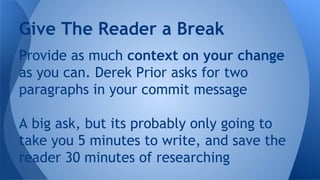
Provide as much context on your change
as you can. Derek Prior asks for two
paragraphs in your commit message
A big ask, but its probably only going to
take you 5 minutes to write, and save the
reader 30 minutes of researching
Give The Reader a Break
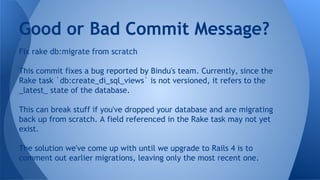
Good or Bad Commit Message?
Fix rake db:migrate from scratch
This commit fixes a bug reported by Bindu's team. Currently, since the
Rake task `db:create_di_sql_views` is not versioned, it refers to the
_latest_ state of the database.
This can break stuff if you've dropped your database and are migrating
back up from scratch. A field referenced in the Rake task may not yet
exist.
The solution we've come up with until we upgrade to Rails 4 is to
comment out earlier migrations, leaving only the most recent one.
“Cleaning”
Good or Bad Commit Message?
[#92611712] CP06 executed_at is now Time.zone.now
We had a purchase that initiated a few minutes before midnight, yet
settled after midnight on the following day. This resulted in a CP06
with a transaction value from the previous day (creation date) and was
omitted from the finance_r2 export for the following day range
When a purchase record settles, DiFinanceTransaction.
create_from_flubit_purchase
is called for the CP06 generation, effectively the settled at date.
The executed at time is only modified for CP06 purchases, and is not
used on SH01 records. For SH01, the dispatched date is used instead
Good or Bad Commit Message?
“Merge branch 'echo'”
Good or Bad Commit Message?
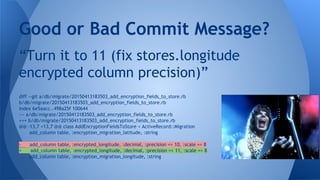
“Turn it to 11 (fix stores.longitude
encrypted column precision)”
Good or Bad Commit Message?
diff --git a/db/migrate/20150413183503_add_encryption_fields_to_store.rb
b/db/migrate/20150413183503_add_encryption_fields_to_store.rb
index 6e5aacc..498a25f 100644
--- a/db/migrate/20150413183503_add_encryption_fields_to_store.rb
+++ b/db/migrate/20150413183503_add_encryption_fields_to_store.rb
@@ -13,7 +13,7 @@ class AddEncryptionFieldsToStore < ActiveRecord::Migration
add_column table, :encryption_migration_latitude, :string
- add_column table, :encrypted_longitude, :decimal, :precision => 10, :scale => 8
+ add_column table, :encrypted_longitude, :decimal, :precision => 11, :scale => 8
add_column table, :encryption_migration_longitude, :string
Single Responsibility Principle (SRP)
Commits are free! Make lots of smaller
commits instead of one big ball of mud
Try to structure a commit around one
logical theme, e.g. new model, bug fix
What Makes a Good Commit?
Presentation is important. The way that
you categorize and present your changes is
as important as the changes themselves.
Would you rather have 10 smaller commits
under cognitive load, or one commit with
+312 -592 line changes?
Food For Thought
Problem: How many times have you made
edits to an email, term paper, long
message, or other before you sent it?
Did your recipient need to know about all
of your in between edits, or just the final
message?
Keeping A Clean History
Solution: Git allows you to change the past
(admit it - you’ve always wanted to have
this power)
Rebasing interactively allows you to
introduce in between commits, delete,
even combine/split separate commits
Git Rebase for a Clean History
git log -p
git add -p
git diff --staged
git commit --amend
git stash --save
Yeah yeah, I already know this...
Quick Review of the Basics
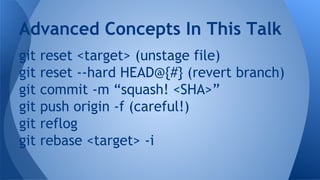
git reset <target> (unstage file)
git reset --hard HEAD@{#} (revert branch)
git commit -m “squash! <SHA>”
git push origin -f (careful!)
git reflog
git rebase <target> -i
Advanced Concepts In This Talk
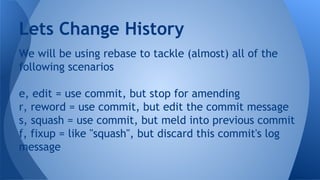
We will be using rebase to tackle (almost) all of the
following scenarios
e, edit = use commit, but stop for amending
r, reword = use commit, but edit the commit message
s, squash = use commit, but meld into previous commit
f, fixup = like "squash", but discard this commit's log
message
Lets Change History
Shameless Plug
I could demonstrate these scenarios
anywhere, but I’m going to plug a pet
project called Routastic.
http://routastic.herokuapp.com
Problem: The order of my commits should
be rearranged so they make more sense
Possible solution: git rebase, reorder
commits
Scenario #1 (Order)
Problem: Your commit message isn’t
descriptive enough and you want to
improve it
Possible Solution: git commit --amend
Possible Solution: git rebase, mark commit
as reword
Scenario #2 (Description)
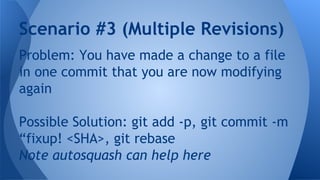
Problem: You have made a change to a file
in one commit that you are now modifying
again
Possible Solution: git add -p, git commit -m
“fixup! <SHA>, git rebase
Note autosquash can help here
Scenario #3 (Multiple Revisions)
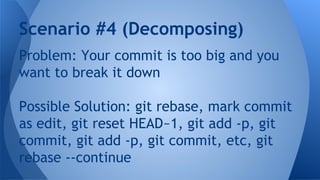
Problem: Your commit is too big and you
want to break it down
Possible Solution: git rebase, mark commit
as edit, git reset HEAD~1, git add -p, git
commit, git add -p, git commit, etc, git
rebase --continue
Scenario #4 (Decomposing)
To automagically position fixup, squash
messages, put this in your gitconfig
# ~/.gitconfig
[rebase]
autosquash = true
Git Autosquash
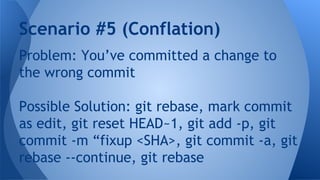
Problem: You’ve committed a change to
the wrong commit
Possible Solution: git rebase, mark commit
as edit, git reset HEAD~1, git add -p, git
commit -m “fixup <SHA>, git commit -a, git
rebase --continue, git rebase
Scenario #5 (Conflation)
Interactive rebase can be used in
conjunction with basic git commands to
completely alter the way your feature
branch looks
Use it with the objective of improving
comprehensibility for those after you
Reviewing What We’ve Learned
Don’t merge your commits like this guy
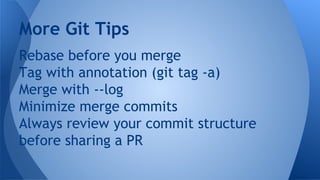
Rebase before you merge
Tag with annotation (git tag -a)
Merge with --log
Minimize merge commits
Always review your commit structure
before sharing a PR
More Git Tips
Ben Simpson
thehoagie@gmail.com
@mrfrosti
http://mrfrosti.com
Questions?

Git Pro Tips

  • 1.
    Git Pro Tips Rebase,squash, and fixup, for tomorrow we may merge
  • 2.
    Provide as muchcontext on your change as you can. Derek Prior asks for two paragraphs in your commit message A big ask, but its probably only going to take you 5 minutes to write, and save the reader 30 minutes of researching Give The Reader a Break
  • 3.
    Good or BadCommit Message? Fix rake db:migrate from scratch This commit fixes a bug reported by Bindu's team. Currently, since the Rake task `db:create_di_sql_views` is not versioned, it refers to the _latest_ state of the database. This can break stuff if you've dropped your database and are migrating back up from scratch. A field referenced in the Rake task may not yet exist. The solution we've come up with until we upgrade to Rails 4 is to comment out earlier migrations, leaving only the most recent one.
  • 4.
  • 5.
    [#92611712] CP06 executed_atis now Time.zone.now We had a purchase that initiated a few minutes before midnight, yet settled after midnight on the following day. This resulted in a CP06 with a transaction value from the previous day (creation date) and was omitted from the finance_r2 export for the following day range When a purchase record settles, DiFinanceTransaction. create_from_flubit_purchase is called for the CP06 generation, effectively the settled at date. The executed at time is only modified for CP06 purchases, and is not used on SH01 records. For SH01, the dispatched date is used instead Good or Bad Commit Message?
  • 6.
    “Merge branch 'echo'” Goodor Bad Commit Message?
  • 7.
    “Turn it to11 (fix stores.longitude encrypted column precision)” Good or Bad Commit Message? diff --git a/db/migrate/20150413183503_add_encryption_fields_to_store.rb b/db/migrate/20150413183503_add_encryption_fields_to_store.rb index 6e5aacc..498a25f 100644 --- a/db/migrate/20150413183503_add_encryption_fields_to_store.rb +++ b/db/migrate/20150413183503_add_encryption_fields_to_store.rb @@ -13,7 +13,7 @@ class AddEncryptionFieldsToStore < ActiveRecord::Migration add_column table, :encryption_migration_latitude, :string - add_column table, :encrypted_longitude, :decimal, :precision => 10, :scale => 8 + add_column table, :encrypted_longitude, :decimal, :precision => 11, :scale => 8 add_column table, :encryption_migration_longitude, :string
  • 8.
    Single Responsibility Principle(SRP) Commits are free! Make lots of smaller commits instead of one big ball of mud Try to structure a commit around one logical theme, e.g. new model, bug fix What Makes a Good Commit?
  • 9.
    Presentation is important.The way that you categorize and present your changes is as important as the changes themselves. Would you rather have 10 smaller commits under cognitive load, or one commit with +312 -592 line changes? Food For Thought
  • 10.
    Problem: How manytimes have you made edits to an email, term paper, long message, or other before you sent it? Did your recipient need to know about all of your in between edits, or just the final message? Keeping A Clean History
  • 11.
    Solution: Git allowsyou to change the past (admit it - you’ve always wanted to have this power) Rebasing interactively allows you to introduce in between commits, delete, even combine/split separate commits Git Rebase for a Clean History
  • 12.
    git log -p gitadd -p git diff --staged git commit --amend git stash --save Yeah yeah, I already know this... Quick Review of the Basics
  • 13.
    git reset <target>(unstage file) git reset --hard HEAD@{#} (revert branch) git commit -m “squash! <SHA>” git push origin -f (careful!) git reflog git rebase <target> -i Advanced Concepts In This Talk
  • 14.
    We will beusing rebase to tackle (almost) all of the following scenarios e, edit = use commit, but stop for amending r, reword = use commit, but edit the commit message s, squash = use commit, but meld into previous commit f, fixup = like "squash", but discard this commit's log message Lets Change History
  • 16.
    Shameless Plug I coulddemonstrate these scenarios anywhere, but I’m going to plug a pet project called Routastic. http://routastic.herokuapp.com
  • 17.
    Problem: The orderof my commits should be rearranged so they make more sense Possible solution: git rebase, reorder commits Scenario #1 (Order)
  • 18.
    Problem: Your commitmessage isn’t descriptive enough and you want to improve it Possible Solution: git commit --amend Possible Solution: git rebase, mark commit as reword Scenario #2 (Description)
  • 19.
    Problem: You havemade a change to a file in one commit that you are now modifying again Possible Solution: git add -p, git commit -m “fixup! <SHA>, git rebase Note autosquash can help here Scenario #3 (Multiple Revisions)
  • 20.
    Problem: Your commitis too big and you want to break it down Possible Solution: git rebase, mark commit as edit, git reset HEAD~1, git add -p, git commit, git add -p, git commit, etc, git rebase --continue Scenario #4 (Decomposing)
  • 21.
    To automagically positionfixup, squash messages, put this in your gitconfig # ~/.gitconfig [rebase] autosquash = true Git Autosquash
  • 22.
    Problem: You’ve committeda change to the wrong commit Possible Solution: git rebase, mark commit as edit, git reset HEAD~1, git add -p, git commit -m “fixup <SHA>, git commit -a, git rebase --continue, git rebase Scenario #5 (Conflation)
  • 23.
    Interactive rebase canbe used in conjunction with basic git commands to completely alter the way your feature branch looks Use it with the objective of improving comprehensibility for those after you Reviewing What We’ve Learned
  • 24.
    Don’t merge yourcommits like this guy
  • 25.
    Rebase before youmerge Tag with annotation (git tag -a) Merge with --log Minimize merge commits Always review your commit structure before sharing a PR More Git Tips
  • 26.