Getting Started
with Selenium
by Dave Haeffner, @TourDeDave
http://www.wpclipart.com/geography/features/chasm.png.html
http://en.wikipedia.org/wiki/Optimal_solutions_for_Rubik's_Cube
Write business valuable tests that are
reusable, maintainable and resilient
across all relevant browsers.
Then package and scale them for
you & your team.
Selenium Overview
• What it is — the Reader’s Digest version
• What it is and is not good at
• IDE vs. Local vs. Remote
• Slow, brittle, and hard to maintain?
Step 1
Define a Test Strategy
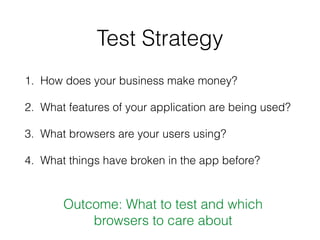
Test Strategy
1. How does your business make money?
2. What features of your application are being used?
3. What browsers are your users using?
4. What things have broken in the app before?
Outcome: What to test and which
browsers to care about
Step 2
Pick a Programming
Language
Programming Language
• Same language as the app?
• Who will own it?
• Build a framework or use an existing one?
• http://bit.ly/seleniumframeworks
2a
Java, a brief primer
Java Setup
• Everyone setup?
• Java Software Development Kit (SDK)
• Maven
• Initial test repo from http://bit.ly/se-java-init
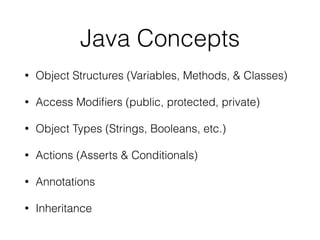
Java Concepts
• Object Structures (Variables, Methods, & Classes)
• Access Modifiers (public, protected, private)
• Object Types (Strings, Booleans, etc.)
• Actions (Asserts & Conditionals)
• Annotations
• Inheritance
Object Structures
• Variables
• Methods
• Classes
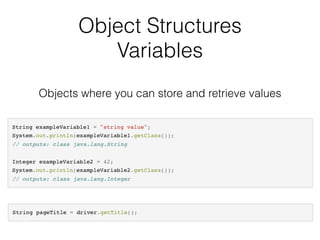
Object Structures
Variables
Objects where you can store and retrieve values
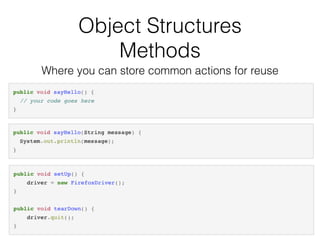
Object Structures
Methods
Where you can store common actions for reuse
Object Structures
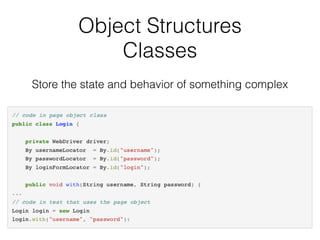
Classes
Store the state and behavior of something complex
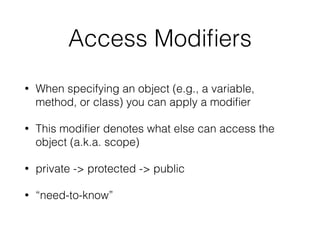
Access Modifiers
• When specifying an object (e.g., a variable,
method, or class) you can apply a modifier
• This modifier denotes what else can access the
object (a.k.a. scope)
• private -> protected -> public
• “need-to-know”
Object Types
• Strings ("")
• Booleans (true/false)
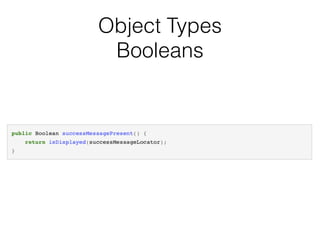
Object Types
Booleans
Actions
• Assertions
• Conditionals
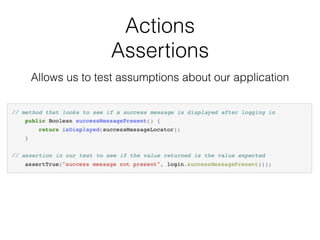
Actions
Assertions
Allows us to test assumptions about our application
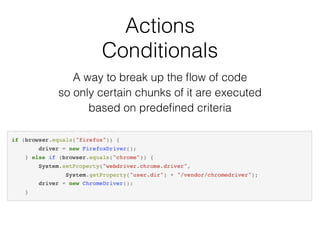
Actions
Conditionals
A way to break up the flow of code
so only certain chunks of it are executed
based on predefined criteria
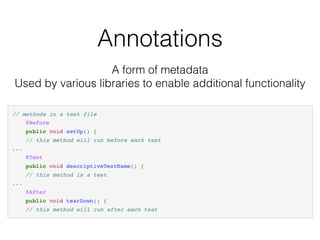
Annotations
A form of metadata
Used by various libraries to enable additional functionality
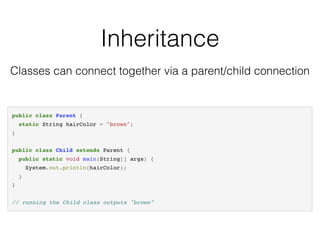
Inheritance
Classes can connect together via a parent/child connection
Additional Java Resources
• http://bit.ly/learn-java-1 (Learn Java Online)
• http://bit.ly/learn-java-2 (Oracle Tutorials)
• http://bit.ly/learn-java-3 (tutorialspoint)
• http://bit.ly/learn-java-4 (Free udemy course)
• http://bit.ly/learn-java-5 (Java in a Nutshell book)
• http://bit.ly/learn-java-6 (Java for Testers book)
Step 3
Use Selenium
fundamentals
Selenium Fundamentals
• Mimics human action
• Uses a few common actions
• Works with “locators”
Locators tell Selenium which HTML
element to interact with
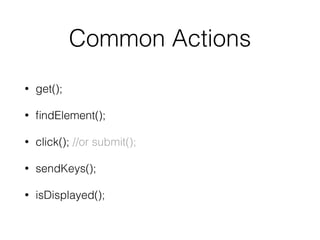
Common Actions
• get();
• findElement();
• click(); //or submit();
• sendKeys();
• isDisplayed();
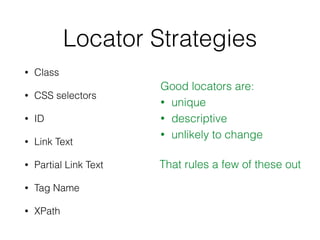
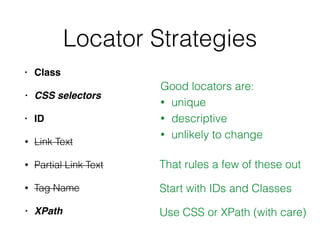
Locator Strategies
• Class
• CSS selectors
• ID
• Link Text
• Partial Link Text
• Tag Name
• XPath
Good locators are:
• unique
• descriptive
• unlikely to change
That rules a few of these out
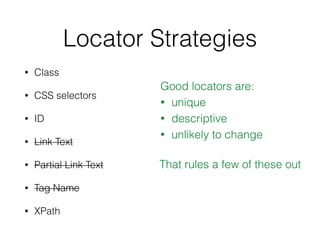
Locator Strategies
• Class
• CSS selectors
• ID
• Link Text
• Partial Link Text
• Tag Name
• XPath
Good locators are:
• unique
• descriptive
• unlikely to change
That rules a few of these out
Locator Strategies
• Class
• CSS selectors
• ID
• Link Text
• Partial Link Text
• Tag Name
• XPath
Good locators are:
• unique
• descriptive
• unlikely to change
That rules a few of these out
Start with IDs and Classes
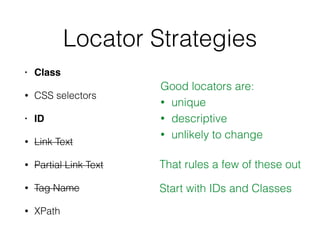
Locator Strategies
• Class
• CSS selectors
• ID
• Link Text
• Partial Link Text
• Tag Name
• XPath
Good locators are:
• unique
• descriptive
• unlikely to change
That rules a few of these out
Start with IDs and Classes
Use CSS or XPath (with care)
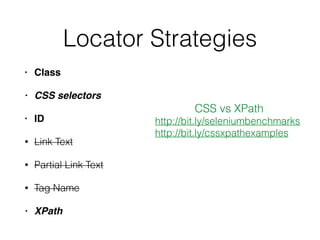
Locator Strategies
• Class
• CSS selectors
• ID
• Link Text
• Partial Link Text
• Tag Name
• XPath
CSS vs XPath
http://bit.ly/seleniumbenchmarks
http://bit.ly/cssxpathexamples
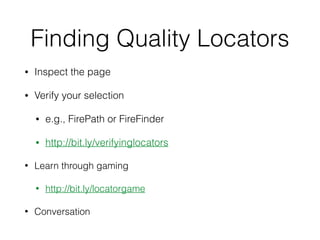
Finding Quality Locators
• Inspect the page
• Verify your selection
• e.g., FirePath or FireFinder
• http://bit.ly/verifyinglocators
• Learn through gaming
• http://bit.ly/locatorgame
• Conversation
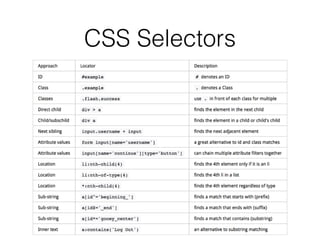
CSS Selectors
Step 4
Write your first test
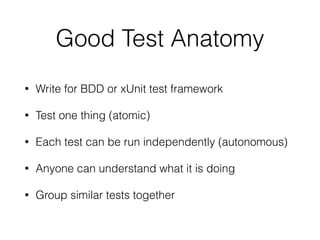
Good Test Anatomy
• Write for BDD or xUnit test framework
• Test one thing (atomic)
• Each test can be run independently (autonomous)
• Anyone can understand what it is doing
• Group similar tests together
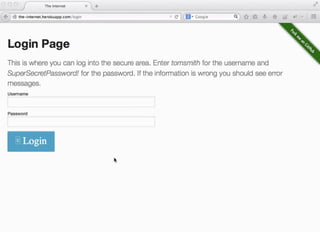
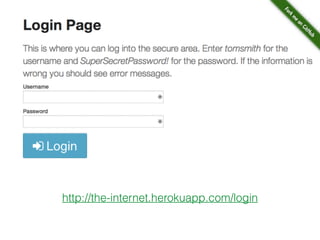
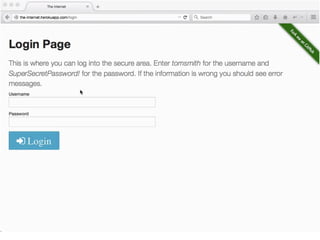
http://the-internet.herokuapp.com/login
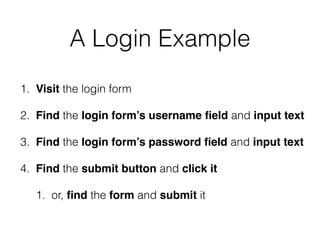
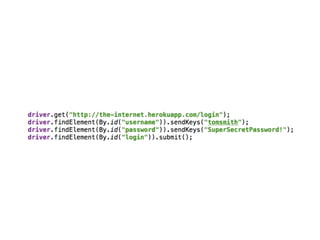
A Login Example
1. Visit the login form
2. Find the login form’s username field and input text
3. Find the login form’s password field and input text
4. Find the submit button and click it
1. or, find the form and submit it
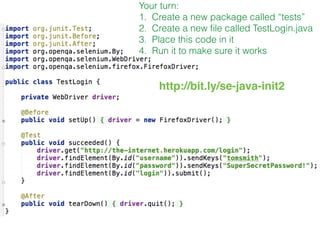
Your turn:
1. Create a new package called “tests”
2. Create a new file called TestLogin.java
3. Place this code in it
4. Run it to make sure it works
http://bit.ly/se-java-init2
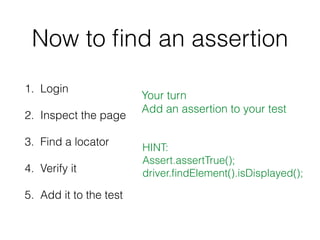
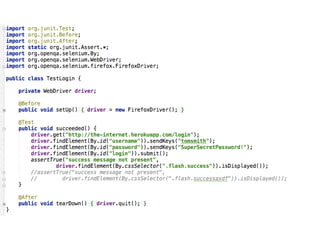
Now to find an assertion
1. Login
2. Inspect the page
3. Find a locator
4. Verify it
5. Add it to the test
HINT:
Assert.assertTrue();
driver.findElement().isDisplayed();
Your turn
Add an assertion to your test
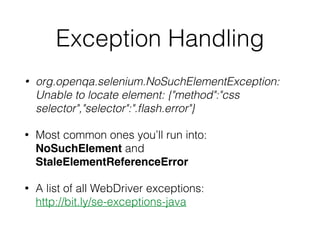
Exception Handling
• org.openqa.selenium.NoSuchElementException:
Unable to locate element: {"method":"css
selector","selector":".flash.error"}
• Most common ones you’ll run into: 

NoSuchElement and
StaleElementReferenceError
• A list of all WebDriver exceptions: 

http://bit.ly/se-exceptions-java
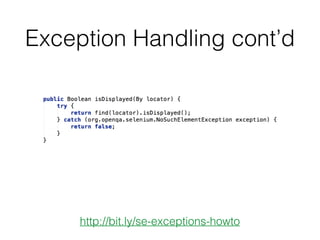
Exception Handling cont’d
http://bit.ly/se-exceptions-howto
Step 5
Write reusable and
maintainable test code
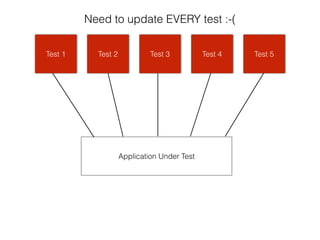
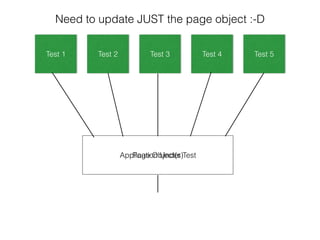
Page Objects
Application Under Test
Test 1 Test 2 Test 3 Test 4 Test 5Test 1 Test 2 Test 3 Test 4 Test 5
Need to update EVERY test :-(
Application Under TestPage Object(s)
Test 1 Test 2 Test 3 Test 4 Test 5
Need to update JUST the page object :-D
Let’s look at a page
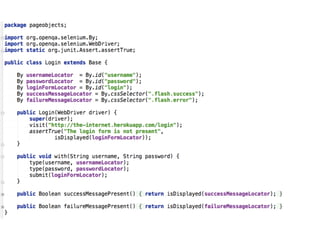
object for login
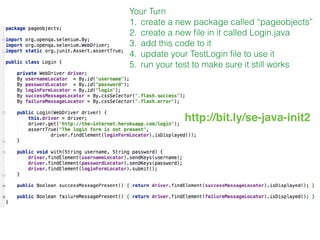
Your Turn
1. create a new package called “pageobjects”
2. create a new file in it called Login.java
3. add this code to it
4. update your TestLogin file to use it
5. run your test to make sure it still works
http://bit.ly/se-java-init2
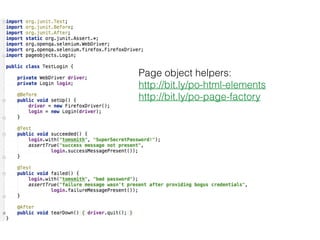
And here’s what the test
looks like when using it
Page object helpers:
http://bit.ly/po-html-elements
http://bit.ly/po-page-factory
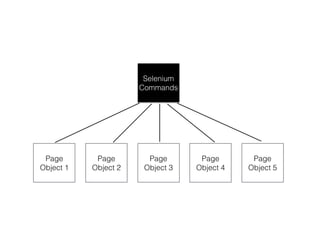
Base Page Object
a.k.a. Selenium Wrapper
or Base Utility Class
Selenium
Commands
Page
Object 1
Page
Object 2
Page
Object 3
Page
Object 4
Page
Object 5
Base Page
Object
Page
Object 1
Page
Object 2
Page
Object 3
Page
Object 4
Page
Object 5
Selenium
Commands
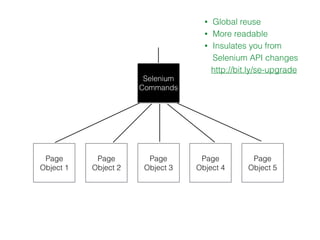
• Global reuse
• More readable
• Insulates you from
Selenium API changes
http://bit.ly/se-upgrade
Let’s take a look at a
Base Page Object
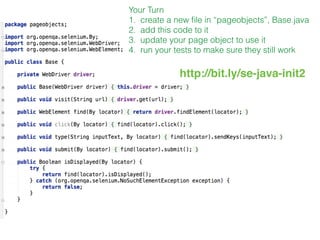
Your Turn
1. create a new file in “pageobjects”, Base.java
2. add this code to it
3. update your page object to use it
4. run your tests to make sure they still work
http://bit.ly/se-java-init2
And here it is
implemented
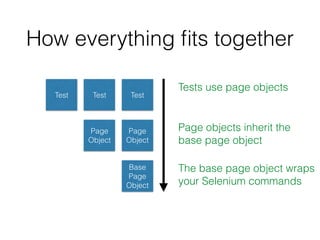
How everything fits together
Test TestTest
Page
Object
Page
Object
Base
Page
Object
Tests use page objects
Page objects inherit the
base page object
The base page object wraps
your Selenium commands
Step 6
Make your tests resilient
Waiting
Thread.sleep();
Implicit wait
Explicit waits
Thread.sleep();
Implicit wait
Explicit waits
Thread.sleep();
Implicit wait
Explicit waits
http://bit.ly/se-waiting
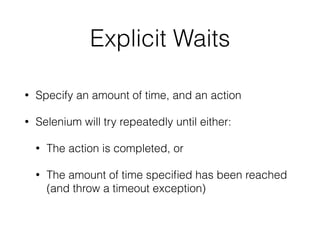
Explicit Waits
• Specify an amount of time, and an action
• Selenium will try repeatedly until either:
• The action is completed, or
• The amount of time specified has been reached
(and throw a timeout exception)
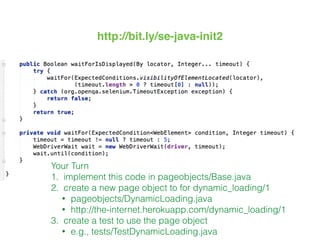
Your Turn
1. implement this code in pageobjects/Base.java
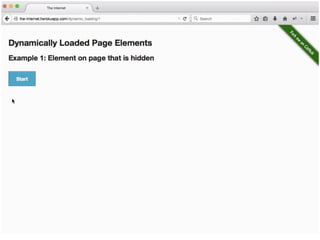
2. create a new page object to for dynamic_loading/1
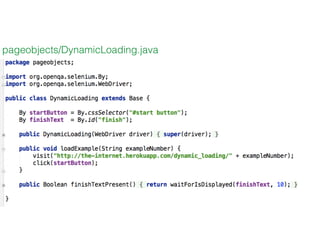
• pageobjects/DynamicLoading.java
• http://the-internet.herokuapp.com/dynamic_loading/1
3. create a test to use the page object
• e.g., tests/TestDynamicLoading.java
http://bit.ly/se-java-init2
pageobjects/DynamicLoading.java
Browser Timing
Considerations
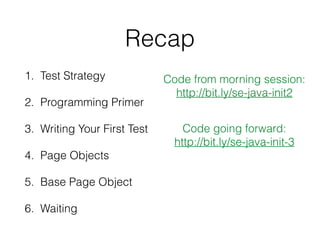
Recap
1. Test Strategy
2. Programming Primer
3. Writing Your First Test
4. Page Objects
5. Base Page Object
6. Waiting
Code from morning session:
http://bit.ly/se-java-init2
Code going forward:
http://bit.ly/se-java-init-3
Step 7
Prep for use
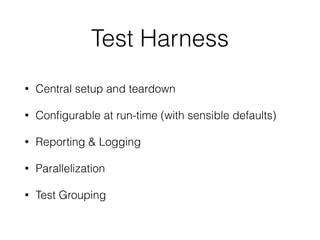
Test Harness
• Central setup and teardown
• Configurable at run-time (with sensible defaults)
• Reporting & Logging
• Parallelization
• Test Grouping
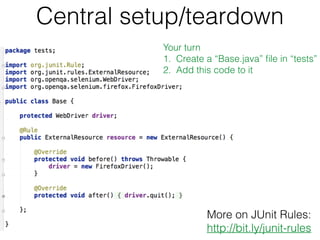
Central setup/teardown
More on JUnit Rules:
http://bit.ly/junit-rules
Your turn
1. Create a “Base.java” file in “tests”
2. Add this code to it
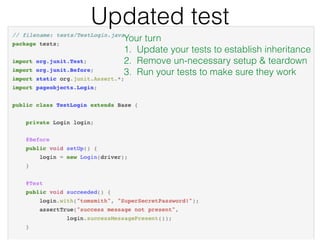
Updated test
Your turn
1. Update your tests to establish inheritance
2. Remove un-necessary setup & teardown
3. Run your tests to make sure they work
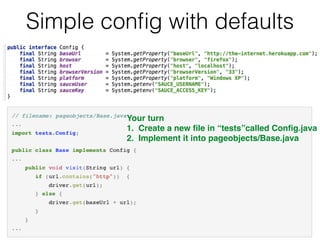
Simple config with defaults
Your turn
1. Create a new file in “tests”called Config.java
2. Implement it into pageobjects/Base.java
Reporting & Logging
• Machine readable

e.g., JUnit XML
• Human readable

e.g., screenshots, failure message, stack trace
Fantastic Test Report Tool
http://bit.ly/se-reporter (Allure Framework)
Parallelization
• In code
• Through your test runner
• Through your Continuous Integration (CI) server
#protip Enforce random order execution of tests
http://bit.ly/junit-random-order
Recommended approach:
http://bit.ly/mvn-surefire
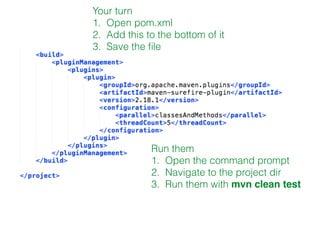
Your turn
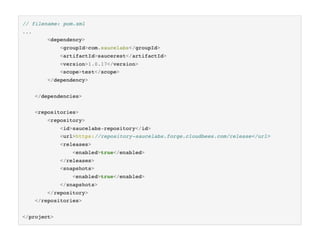
1. Open pom.xml
2. Add this to the bottom of it
3. Save the file
Run them
1. Open the command prompt
2. Navigate to the project dir
3. Run them with mvn clean test
Test Grouping
• Metadata (a.k.a. Categories)
• Enables “test packs”
• Some category ideas
• defect
• shallow & deep
• story number
More info:
bit.ly/junit-categories
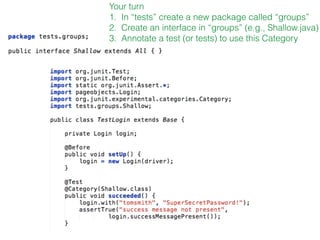
Your turn
1. In “tests” create a new package called “groups”
2. Create an interface in “groups” (e.g., Shallow.java)
3. Annotate a test (or tests) to use this Category
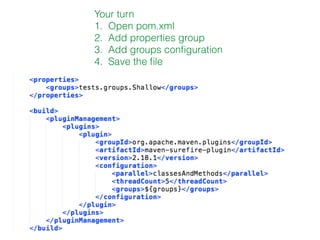
Your turn
1. Open pom.xml
2. Add properties group
3. Add groups configuration
4. Save the file
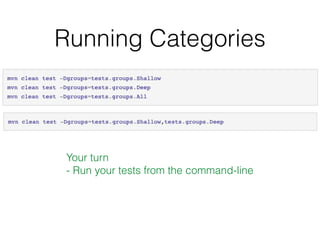
Running Categories
Your turn
- Run your tests from the command-line
Step 8
Add in cross-browser
execution
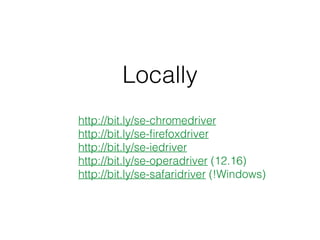
Locally
http://bit.ly/se-chromedriver
http://bit.ly/se-firefoxdriver
http://bit.ly/se-iedriver
http://bit.ly/se-operadriver (12.16)
http://bit.ly/se-safaridriver (!Windows)
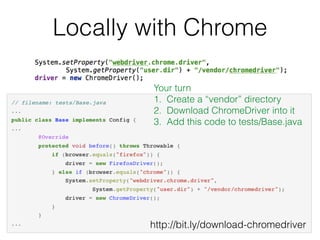
Locally with Chrome
Your turn
1. Create a “vendor” directory
2. Download ChromeDriver into it
3. Add this code to tests/Base.java
http://bit.ly/download-chromedriver
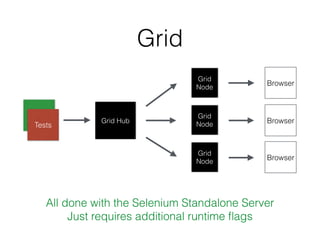
Grid
Grid Hub
Browser
Tests
All done with the Selenium Standalone Server
Just requires additional runtime flags
Grid
Node
Grid
Node
Grid
Node
Browser
Browser
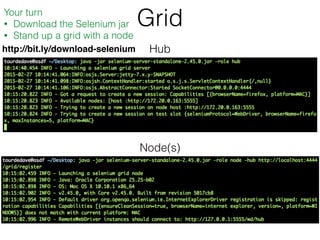
Grid
Hub
Node(s)
Your turn
• Download the Selenium jar
• Stand up a grid with a node
http://bit.ly/download-selenium
Grid
Your turn
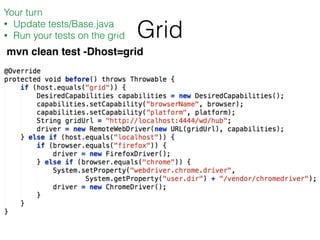
• Update tests/Base.java
• Run your tests on the grid
mvn clean test -Dhost=grid
More on Selenium Grid
• http://bit.ly/se-grid-docs
• http://bit.ly/se-grid-post
• http://bit.ly/se-grid-extras
• http://bit.ly/se-grid-scaler
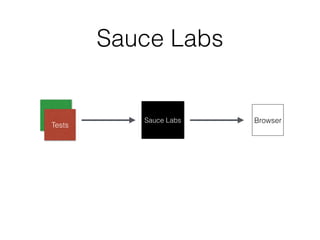
Sauce Labs
Sauce Labs Browser
Tests
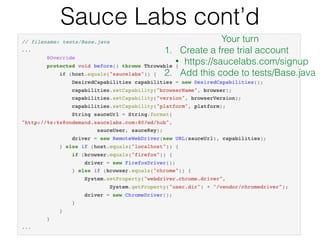
Sauce Labs cont’d
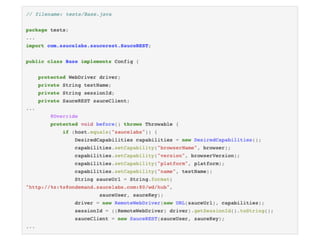
Your turn
1. Create a free trial account
• https://saucelabs.com/signup
2. Add this code to tests/Base.java
Sauce Labs
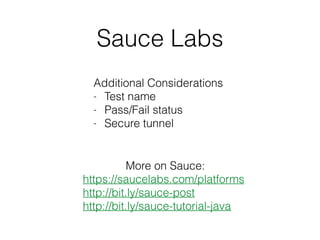
Additional Considerations
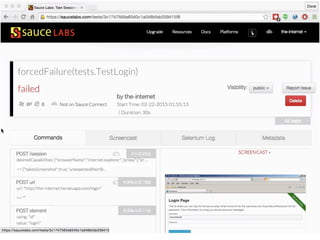
- Test name
- Pass/Fail status
- Secure tunnel
More on Sauce:
https://saucelabs.com/platforms
http://bit.ly/sauce-post
http://bit.ly/sauce-tutorial-java
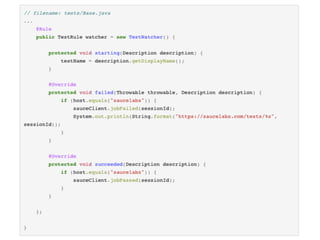
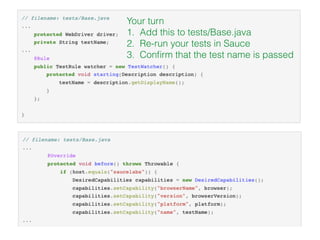
Your turn
1. Add this to tests/Base.java
2. Re-run your tests in Sauce
3. Confirm that the test name is passed
Step 9
Build an automated
feedback loop
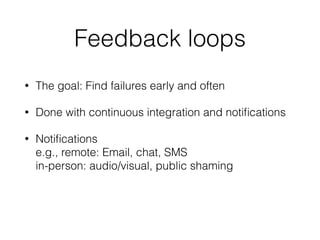
Feedback loops
• The goal: Find failures early and often
• Done with continuous integration and notifications
• Notifications

e.g., remote: Email, chat, SMS

in-person: audio/visual, public shaming
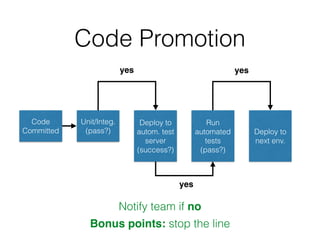
Code
Committed
Unit/Integ.
(pass?)
Deploy to
autom. test
server
(success?)
Run
automated
tests
(pass?)
Deploy to
next env.
yes
yes
yes
Notify team if no
Code Promotion
Bonus points: stop the line
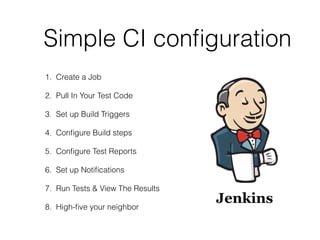
Simple CI configuration
1. Create a Job
2. Pull In Your Test Code
3. Set up Build Triggers
4. Configure Build steps
5. Configure Test Reports
6. Set up Notifications
7. Run Tests & View The Results
8. High-five your neighbor
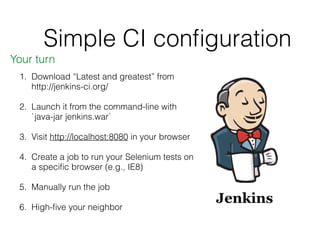
Simple CI configuration
1. Download “Latest and greatest” from
http://jenkins-ci.org/
2. Launch it from the command-line with
`java-jar jenkins.war`
3. Visit http://localhost:8080 in your browser
4. Create a job to run your Selenium tests on
a specific browser (e.g., IE8)
5. Manually run the job
6. High-five your neighbor
Your turn
Step 10
Find information on
your own
http://bit.ly/se-info-slides
http://bit.ly/se-info-video
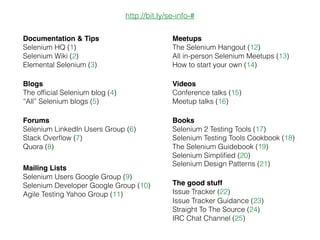
Elemental Selenium (3)
Selenium HQ (1)
Documentation & Tips
Issue Tracker Guidance (23)
Straight To The Source (24)
IRC Chat Channel (25)
Selenium Testing Tools Cookbook (18)
The Selenium Guidebook (19)
Selenium Design Patterns (21)
All in-person Selenium Meetups (13)
How to start your own (14)
Selenium Developer Google Group (10)
Agile Testing Yahoo Group (11)
Selenium Wiki (2)
Books
Meetups
Mailing Lists
Forums
The good stuff
http://bit.ly/se-info-#
Videos
Selenium LinkedIn Users Group (6)
Stack Overflow (7)
Quora (8)
Selenium Users Google Group (9)
The Selenium Hangout (12)
Conference talks (15)
Meetup talks (16)
Selenium 2 Testing Tools (17)
Selenium Simplified (20)
Issue Tracker (22)
Blogs
The official Selenium blog (4)
“All” Selenium blogs (5)
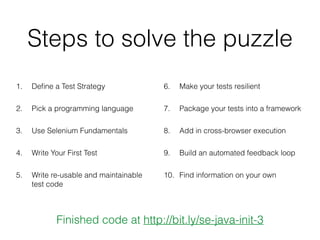
Steps to solve the puzzle
1. Define a Test Strategy
2. Pick a programming language
3. Use Selenium Fundamentals
4. Write Your First Test
5. Write re-usable and maintainable
test code
6. Make your tests resilient
7. Package your tests into a framework
8. Add in cross-browser execution
9. Build an automated feedback loop
10. Find information on your own
Finished code at http://bit.ly/se-java-init-3
Write business valuable tests that are
reusable, maintainable and resilient
across all relevant browsers.
Then package them and scale them
for you & your team.
–Dave Haeffner
“You may think your puzzle is unique. But really, everyone is
trying to solve the same puzzle. Yours is just configured
differently — and it’s solvable”
http://ElementalSelenium.com
Get in touch
@TourDeDave
dhaeffner@gmail.com
DaveHaeffner.com

Getting Started with Selenium