Getting started with
 Calc Manager for
Hyperion Financial
     Management
           Chris Barbieri
        Practice Director
      Edgewater Ranzal
   cbarbieri@ranzal.com
           Session 7610
Chris Barbieri
 Established HFM performance tuning
 techniques and statistics widely used today
 4+ years as Sr. Product Issues Manager at
 Hyperion
 HFM, Smart View, Shared Services, MDM
 Member of HFM launch team in 2001,
 certified in HFM and Enterprise
 MBA, Babson College
 B.S. Finance & Accounting, Boston College
 Co-founded the HFM Performance Tuning
 Lab at Ranzal with infrastructure expert
 Kurt Schletter
 Awarded Oracle ACE status
Calc Manager
 Intro: What, where, and why would I use
 it?
 Object hierarchies
 ◦ Variables
 ◦ Rule sets
 ◦ Objects
 Hung up on naming schemes
 Deploying, importing, exporting
 Troubleshooting
Why Use Calc Manager?
 Code and document better
 ◦ Flow metaphor better describes the decision
   process
 ◦ Enforces structured variables
 ◦ Easy re-use of objects
 New feature in 11.1.1.0: EPMA apps only
 11.1.1.3 added support for Classic apps
 Very useable
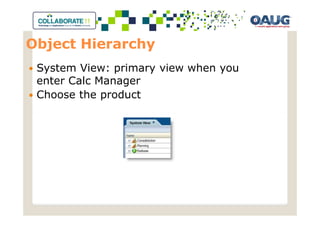
Object Hierarchy
 System View: primary view when you
 enter Calc Manager
 Choose the product
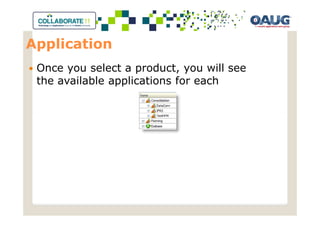
Application
 Once you select a product, you will see
 the available applications for each
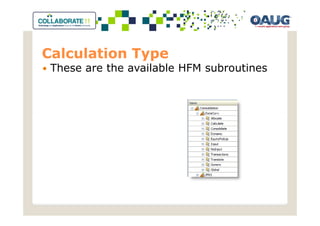
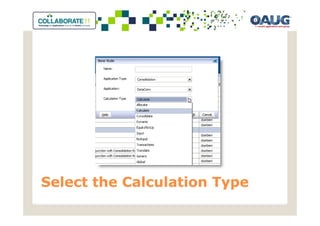
Calculation Type
 These are the available HFM subroutines
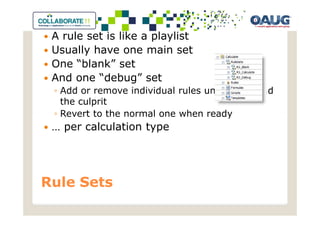
A rule set is like a playlist
 Usually have one main set
 One “blank” set
 And one “debug” set
 ◦ Add or remove individual rules until you found
   the culprit
 ◦ Revert to the normal one when ready
 … per calculation type


Rule Sets
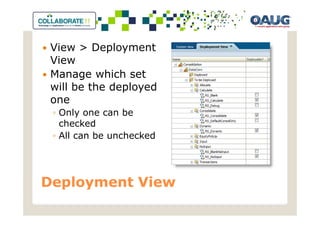
View > Deployment
 View
 Manage which set
 will be the deployed
 one
 ◦ Only one can be
   checked
 ◦ All can be unchecked


Deployment View
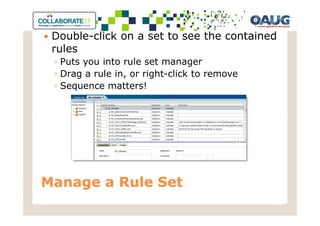
Double-click on a set to see the contained
 rules
 ◦ Puts you into rule set manager
 ◦ Drag a rule in, or right-click to remove
 ◦ Sequence matters!


Manage a Rule Set
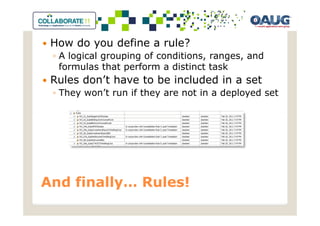
How do you define a rule?
 ◦ A logical grouping of conditions, ranges, and
   formulas that perform a distinct task
 Rules don’t have to be included in a set
 ◦ They won’t run if they are not in a deployed set


And finally… Rules!
Variables
 Tools > Variables
 Replacement
 Execution
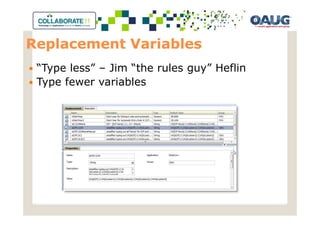
Replacement Variables
 “Type less” – Jim “the rules guy” Heflin
 Type fewer variables
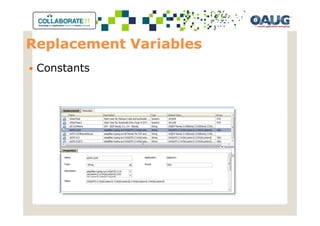
Replacement Variables
 Constants
Execution Variables
• Some are defined with the variable, so
  the same definition can be used by all
  rules.
• In most cases however, especially string
  and number variables, we defined them
  inside the rule itself. In these cases, the
  variable is part of a common formula,
  but the contents are rule specific.
• Boolean
• String
• Number
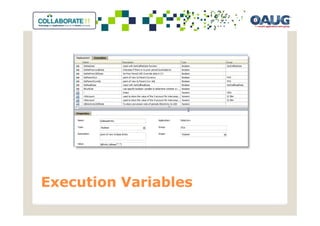
Execution Variables
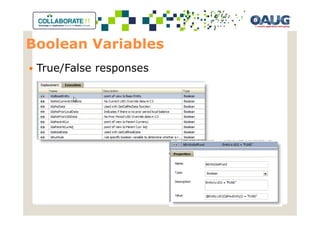
Boolean Variables
 True/False responses
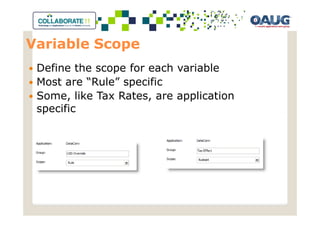
Variable Scope
 Define the scope for each variable
 Most are “Rule” specific
 Some, like Tax Rates, are application
 specific
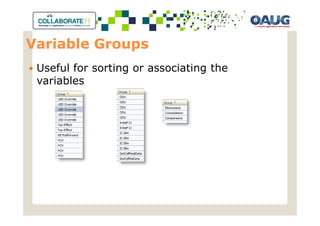
Variable Groups
 Useful for sorting or associating the
 variables
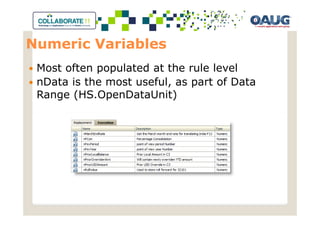
Numeric Variables
 Most often populated at the rule level
 nData is the most useful, as part of Data
 Range (HS.OpenDataUnit)
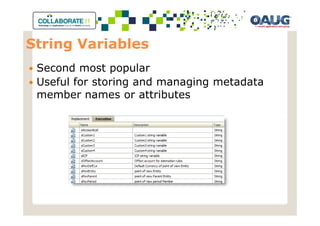
String Variables
 Second most popular
 Useful for storing and managing metadata
 member names or attributes
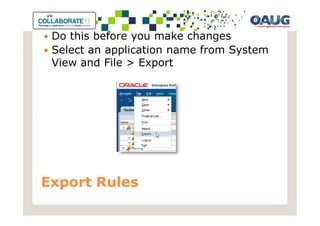
Do this before you make changes
 Select an application name from System
 View and File > Export


Export Rules
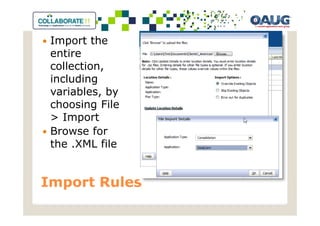
Import the
 entire
 collection,
 including
 variables, by
 choosing File
 > Import
 Browse for
 the .XML file


Import Rules
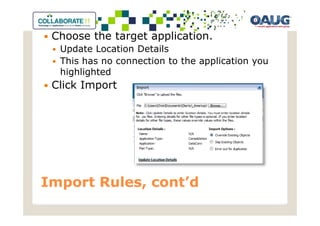
Choose the target application.
  Update Location Details
  This has no connection to the application you
  highlighted
 Click Import


Import Rules, cont’d
Helpful scheme while looking at various list
 views
 RS_ for “Rule Set”
 ◦ RS_Blank
 ◦ RS_Calculate
 ◦ RS_Debug
 RO_ for “Rule Object”
 ◦ RS_number if they are readily sequenced
 ◦ RS_ObviousPurposeInTitleCase
 Within a rule, provide intuitive Captions for
 each object


Object Naming
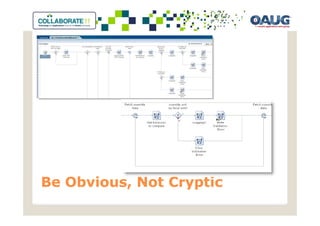
Be Obvious, Not Cryptic
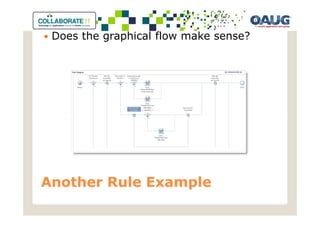
Does the graphical flow make sense?


Another Rule Example
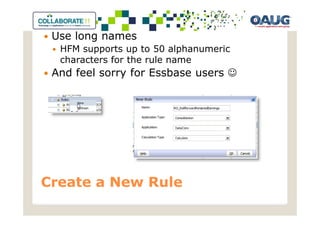
Use long names
  HFM supports up to 50 alphanumeric
  characters for the rule name
 And feel sorry for Essbase users ☺


Create a New Rule
Select the Calculation Type
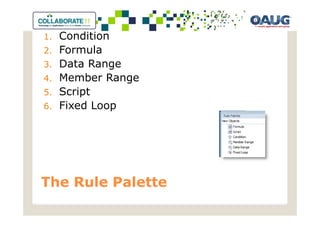
1.   Condition
2.   Formula
3.   Data Range
4.   Member Range
5.   Script
6.   Fixed Loop


The Rule Palette
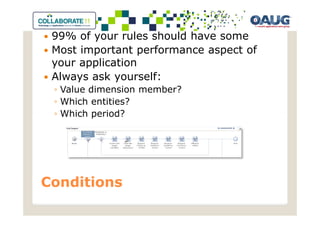
99% of your rules should have some
 Most important performance aspect of
 your application
 Always ask yourself:
 ◦ Value dimension member?
 ◦ Which entities?
 ◦ Which period?


Conditions
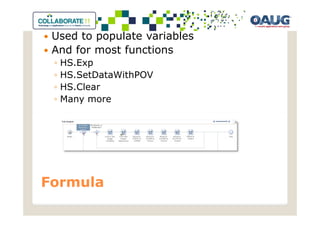
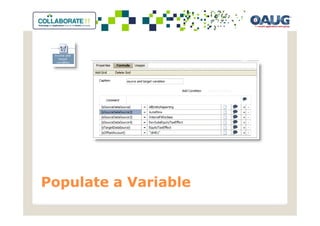
Used to populate variables
 And for most functions
 ◦   HS.Exp
 ◦   HS.SetDataWithPOV
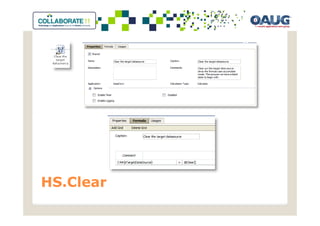
 ◦   HS.Clear
 ◦   Many more


Formula
Populate a Variable
HS.Clear
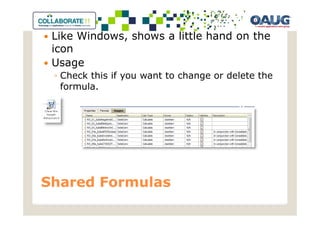
Like Windows, shows a little hand on the
 icon
 Usage
 ◦ Check this if you want to change or delete the
   formula.


Shared Formulas
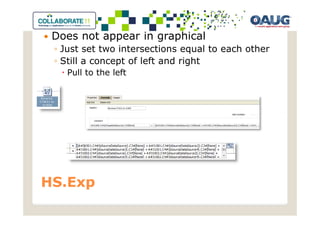
Does not appear in graphical
 ◦ Just set two intersections equal to each other
 ◦ Still a concept of left and right
   Pull to the left


HS.Exp
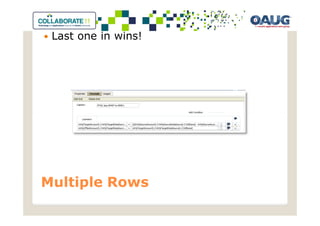
Last one in wins!


Multiple Rows
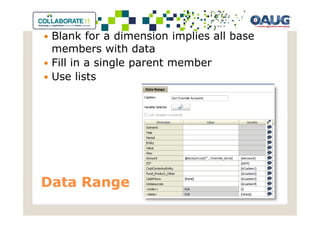
Blank for a dimension implies all base
 members with data
 Fill in a single parent member
 Use lists


Data Range
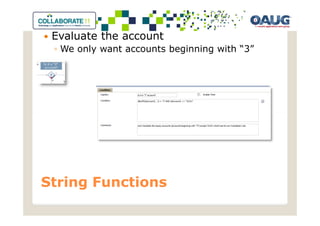
Evaluate the account
 ◦ We only want accounts beginning with “3”


String Functions
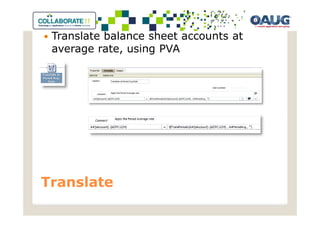
Translate balance sheet accounts at
 average rate, using PVA


Translate
Simple example
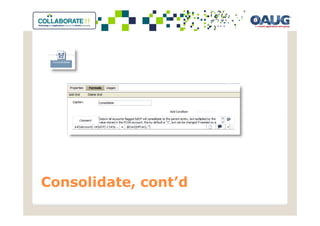
 The only time you can write to another
 entity
 ◦ A sibling
 ◦ [Proportion] or [Elimination] only
 ◦ Use a condition to avoid consolidating to a
   particular entity


Consolidate
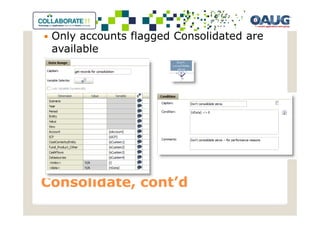
Only accounts flagged Consolidated are
 available


Consolidate, cont’d
Consolidate, cont’d
Cycle through a list of members within a
 given dimension
 Can be defined in the rules
 “Parent”,”[Base]”
 Or from custom member lists
 “OverrideAccounts”
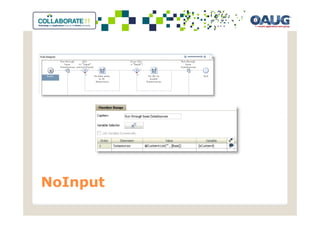
 Most common inNoInput rules


Member Range
NoInput
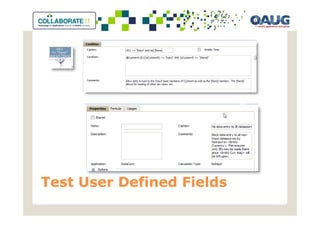
Test User Defined Fields
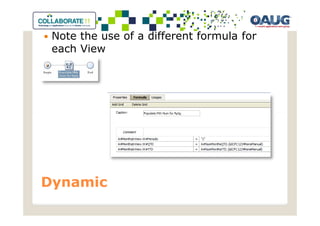
Note the use of a different formula for
 each View


Dynamic
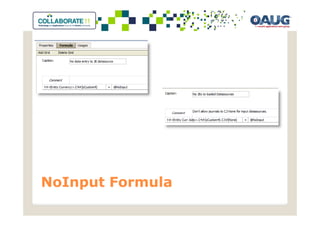
NoInput Formula
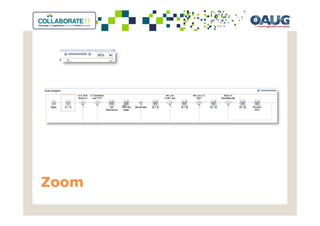
Zoom
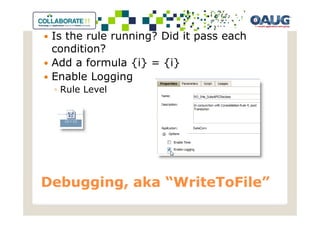
Is the rule running? Did it pass each
 condition?
 Add a formula {i} = {i}
 Enable Logging
 ◦ Rule Level


Debugging, aka “WriteToFile”
               “WriteToFile”
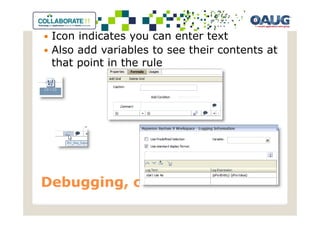
Icon indicates you can enter text
 Also add variables to see their contents at
 that point in the rule


Debugging, cont’d
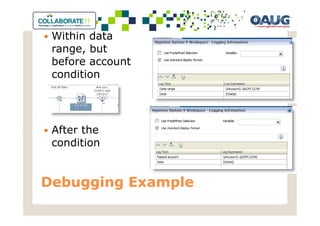
Within data
 range, but
 before account
 condition


 After the
 condition


Debugging Example
Output log sample
Possible, but…
 ◦ … chicken’s way out
 Take you just as long to write in script as
 it would to use graphical mode
 ◦ And it would still be better written


Script
No idea…


Fixed Loop

Getting Started with Calc Manager for Hyperion Financial Management

  • 1.
    Getting started with Calc Manager for Hyperion Financial Management Chris Barbieri Practice Director Edgewater Ranzal cbarbieri@ranzal.com Session 7610
  • 2.
    Chris Barbieri EstablishedHFM performance tuning techniques and statistics widely used today 4+ years as Sr. Product Issues Manager at Hyperion HFM, Smart View, Shared Services, MDM Member of HFM launch team in 2001, certified in HFM and Enterprise MBA, Babson College B.S. Finance & Accounting, Boston College Co-founded the HFM Performance Tuning Lab at Ranzal with infrastructure expert Kurt Schletter Awarded Oracle ACE status
  • 3.
    Calc Manager Intro:What, where, and why would I use it? Object hierarchies ◦ Variables ◦ Rule sets ◦ Objects Hung up on naming schemes Deploying, importing, exporting Troubleshooting
  • 4.
    Why Use CalcManager? Code and document better ◦ Flow metaphor better describes the decision process ◦ Enforces structured variables ◦ Easy re-use of objects New feature in 11.1.1.0: EPMA apps only 11.1.1.3 added support for Classic apps Very useable
  • 5.
    Object Hierarchy SystemView: primary view when you enter Calc Manager Choose the product
  • 6.
    Application Once youselect a product, you will see the available applications for each
  • 7.
    Calculation Type Theseare the available HFM subroutines
  • 8.
    A rule setis like a playlist Usually have one main set One “blank” set And one “debug” set ◦ Add or remove individual rules until you found the culprit ◦ Revert to the normal one when ready … per calculation type Rule Sets
  • 9.
    View > Deployment View Manage which set will be the deployed one ◦ Only one can be checked ◦ All can be unchecked Deployment View
  • 10.
    Double-click on aset to see the contained rules ◦ Puts you into rule set manager ◦ Drag a rule in, or right-click to remove ◦ Sequence matters! Manage a Rule Set
  • 11.
    How do youdefine a rule? ◦ A logical grouping of conditions, ranges, and formulas that perform a distinct task Rules don’t have to be included in a set ◦ They won’t run if they are not in a deployed set And finally… Rules!
  • 12.
    Variables Tools >Variables Replacement Execution
  • 13.
    Replacement Variables “Typeless” – Jim “the rules guy” Heflin Type fewer variables
  • 14.
  • 15.
    Execution Variables • Someare defined with the variable, so the same definition can be used by all rules. • In most cases however, especially string and number variables, we defined them inside the rule itself. In these cases, the variable is part of a common formula, but the contents are rule specific. • Boolean • String • Number
  • 16.
  • 17.
  • 18.
    Variable Scope Definethe scope for each variable Most are “Rule” specific Some, like Tax Rates, are application specific
  • 19.
    Variable Groups Usefulfor sorting or associating the variables
  • 20.
    Numeric Variables Mostoften populated at the rule level nData is the most useful, as part of Data Range (HS.OpenDataUnit)
  • 21.
    String Variables Secondmost popular Useful for storing and managing metadata member names or attributes
  • 22.
    Do this beforeyou make changes Select an application name from System View and File > Export Export Rules
  • 23.
    Import the entire collection, including variables, by choosing File > Import Browse for the .XML file Import Rules
  • 24.
    Choose the targetapplication. Update Location Details This has no connection to the application you highlighted Click Import Import Rules, cont’d
  • 25.
    Helpful scheme whilelooking at various list views RS_ for “Rule Set” ◦ RS_Blank ◦ RS_Calculate ◦ RS_Debug RO_ for “Rule Object” ◦ RS_number if they are readily sequenced ◦ RS_ObviousPurposeInTitleCase Within a rule, provide intuitive Captions for each object Object Naming
  • 26.
  • 27.
    Does the graphicalflow make sense? Another Rule Example
  • 28.
    Use long names HFM supports up to 50 alphanumeric characters for the rule name And feel sorry for Essbase users ☺ Create a New Rule
  • 29.
  • 30.
    1. Condition 2. Formula 3. Data Range 4. Member Range 5. Script 6. Fixed Loop The Rule Palette
  • 31.
    99% of yourrules should have some Most important performance aspect of your application Always ask yourself: ◦ Value dimension member? ◦ Which entities? ◦ Which period? Conditions
  • 32.
    Used to populatevariables And for most functions ◦ HS.Exp ◦ HS.SetDataWithPOV ◦ HS.Clear ◦ Many more Formula
  • 33.
  • 34.
  • 35.
    Like Windows, showsa little hand on the icon Usage ◦ Check this if you want to change or delete the formula. Shared Formulas
  • 36.
    Does not appearin graphical ◦ Just set two intersections equal to each other ◦ Still a concept of left and right Pull to the left HS.Exp
  • 37.
    Last one inwins! Multiple Rows
  • 38.
    Blank for adimension implies all base members with data Fill in a single parent member Use lists Data Range
  • 39.
    Evaluate the account ◦ We only want accounts beginning with “3” String Functions
  • 40.
    Translate balance sheetaccounts at average rate, using PVA Translate
  • 41.
    Simple example Theonly time you can write to another entity ◦ A sibling ◦ [Proportion] or [Elimination] only ◦ Use a condition to avoid consolidating to a particular entity Consolidate
  • 42.
    Only accounts flaggedConsolidated are available Consolidate, cont’d
  • 43.
  • 44.
    Cycle through alist of members within a given dimension Can be defined in the rules “Parent”,”[Base]” Or from custom member lists “OverrideAccounts” Most common inNoInput rules Member Range
  • 45.
  • 46.
  • 47.
    Note the useof a different formula for each View Dynamic
  • 48.
  • 49.
  • 50.
    Is the rulerunning? Did it pass each condition? Add a formula {i} = {i} Enable Logging ◦ Rule Level Debugging, aka “WriteToFile” “WriteToFile”
  • 51.
    Icon indicates youcan enter text Also add variables to see their contents at that point in the rule Debugging, cont’d
  • 52.
    Within data range,but before account condition After the condition Debugging Example
  • 53.
  • 54.
    Possible, but… ◦… chicken’s way out Take you just as long to write in script as it would to use graphical mode ◦ And it would still be better written Script
  • 55.