#Kscope
HFM vs. Essbase BSO
A Comparative Anatomy
Keith Berry
#Kscope
“Focused and Committed”
 Dallas-based Industry Leaders, Pioneers and Trustworthy for 13 years
 Focused on enterprise performance management applications
 Over 50 professionals dedicated to EPM and BI
 Oracle Platinum Partner and Oracle BI Pillar Partner
 Oracle’s highest level of partnership
 Advanced degrees and certifications (CPAs, CMAs, MBAs)
 Seasoned Infrastructure practice: 400+ installations/migrations
 Unique blend of deep technical expertise and business acumen with hundreds of
implementation cycles, driven towards a results-oriented, customer ROI
 Strong project leadership & proactive account management
 Corporate culture of integrity with 100% customer commitment
 Full Service Solution Provider
US-Analytics Overview
#Kscope
Performance Applications
 Design and development of EPM and BI solutions
Operational Infrastructure
 Infrastructure design and installation services
 Change management, disaster recovery, load balancing, fail-over
Continuity Services
 Specialized placement services
 Helpdesk/Hotline support
 Education/Mentoring/”Expert-on-site”
 Software re-sell
 Managed services
Leadership in Hyperion Community
 Founding sponsor of the Hyperion Women’s Forum
 Sponsor of Dallas Hyperion User Group (HUG)
US-Analytics Overview
#Kscope
Who am I?
● Consultant for US-Analytics in Dallas, TX
● Hyperion consultant since 2001
● Started in Essbase, then migrated to HFM
● Mostly HFM these days
● Certified HFM and Essbase 11
● First time at KScope
#Kscope
Before we get started
● HFM = HFM subcube engine (vs. application)
● Essbase = Essbase BSO
● HFM content not revised for changes in HFM 11.1.2.2
#Kscope
Processing
#Kscope
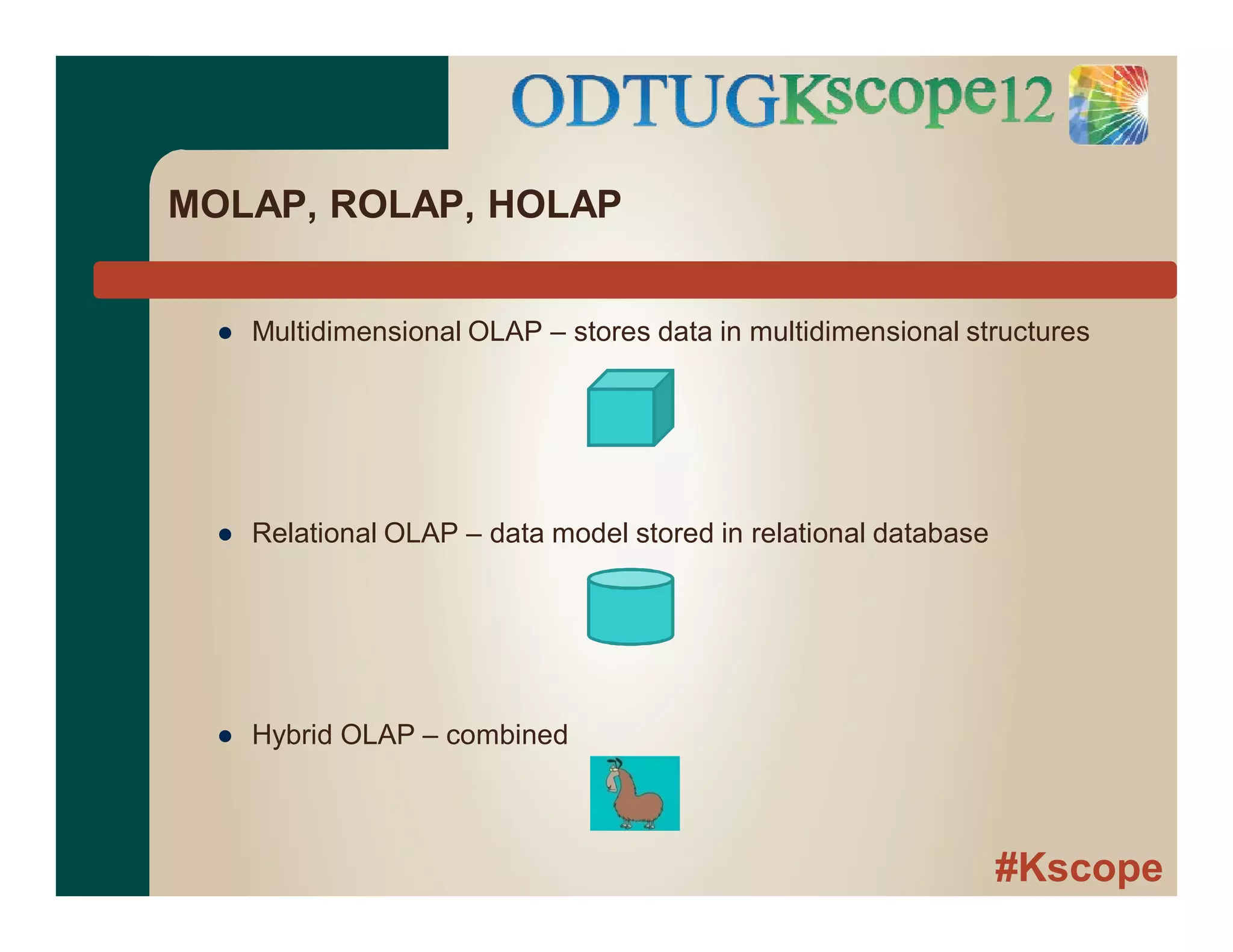
MOLAP, ROLAP, HOLAP
● Multidimensional OLAP – stores data in multidimensional structures
● Relational OLAP – data model stored in relational database
● Hybrid OLAP – combined
#Kscope
MOLAP
● Both MOLAP
● HFM ≠ Essbase
● HFM ≠ ROLAP
● Both use grouping approach to managing data
● Essbase = block
● HFM = subcube
● Generic = “cube”
#Kscope
Cubes – a quick review
● Dimensional data with many potential data points vs. actual
● Data unevenly distributed
● Grouping allows efficient processing of both types of data
● Sparse/dense concept
● To access one data point in cube, must pull entire cube
#Kscope
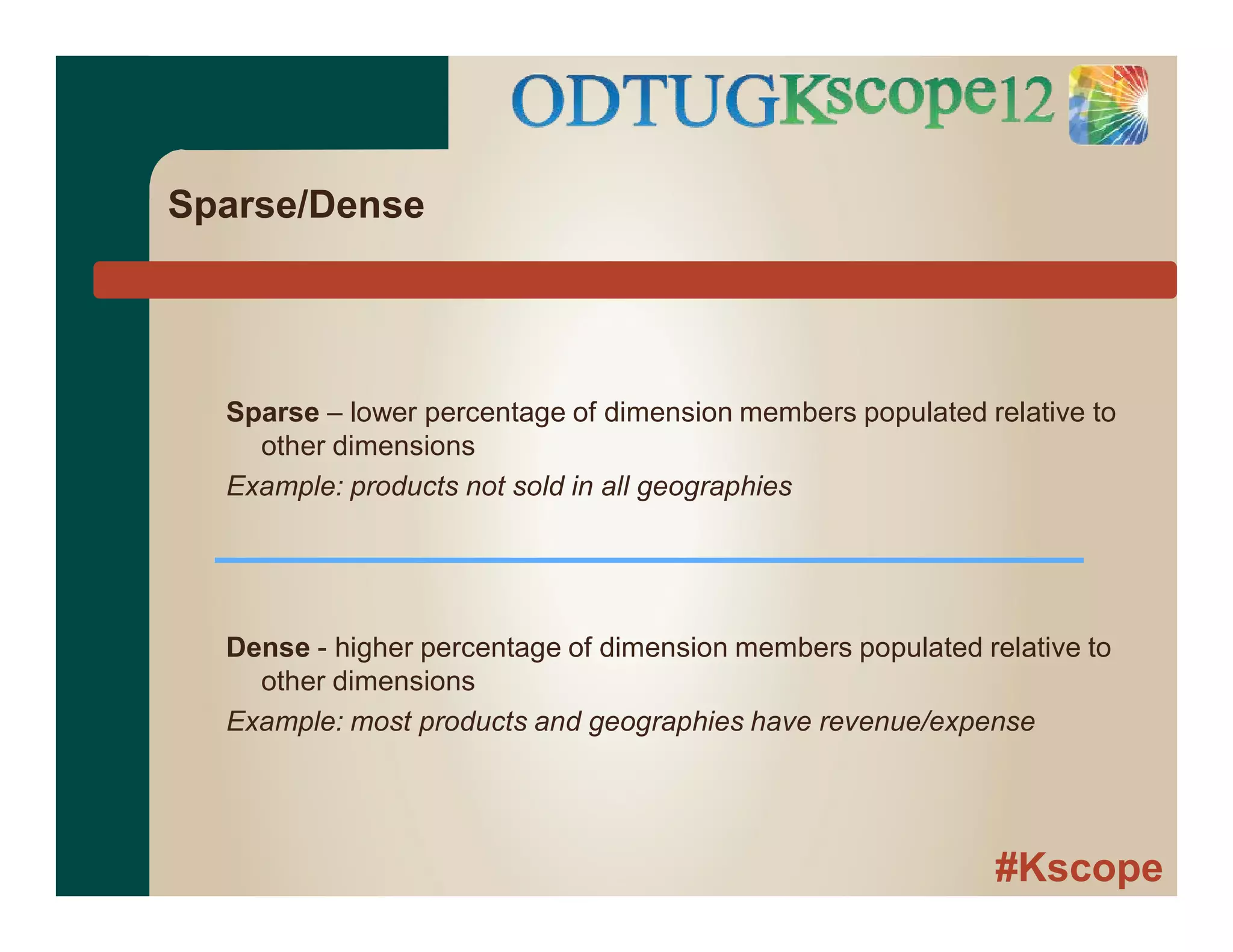
Sparse/Dense
Sparse – lower percentage of dimension members populated relative to
other dimensions
Example: products not sold in all geographies
Dense - higher percentage of dimension members populated relative to
other dimensions
Example: most products and geographies have revenue/expense
#Kscope
Sparse/Dense
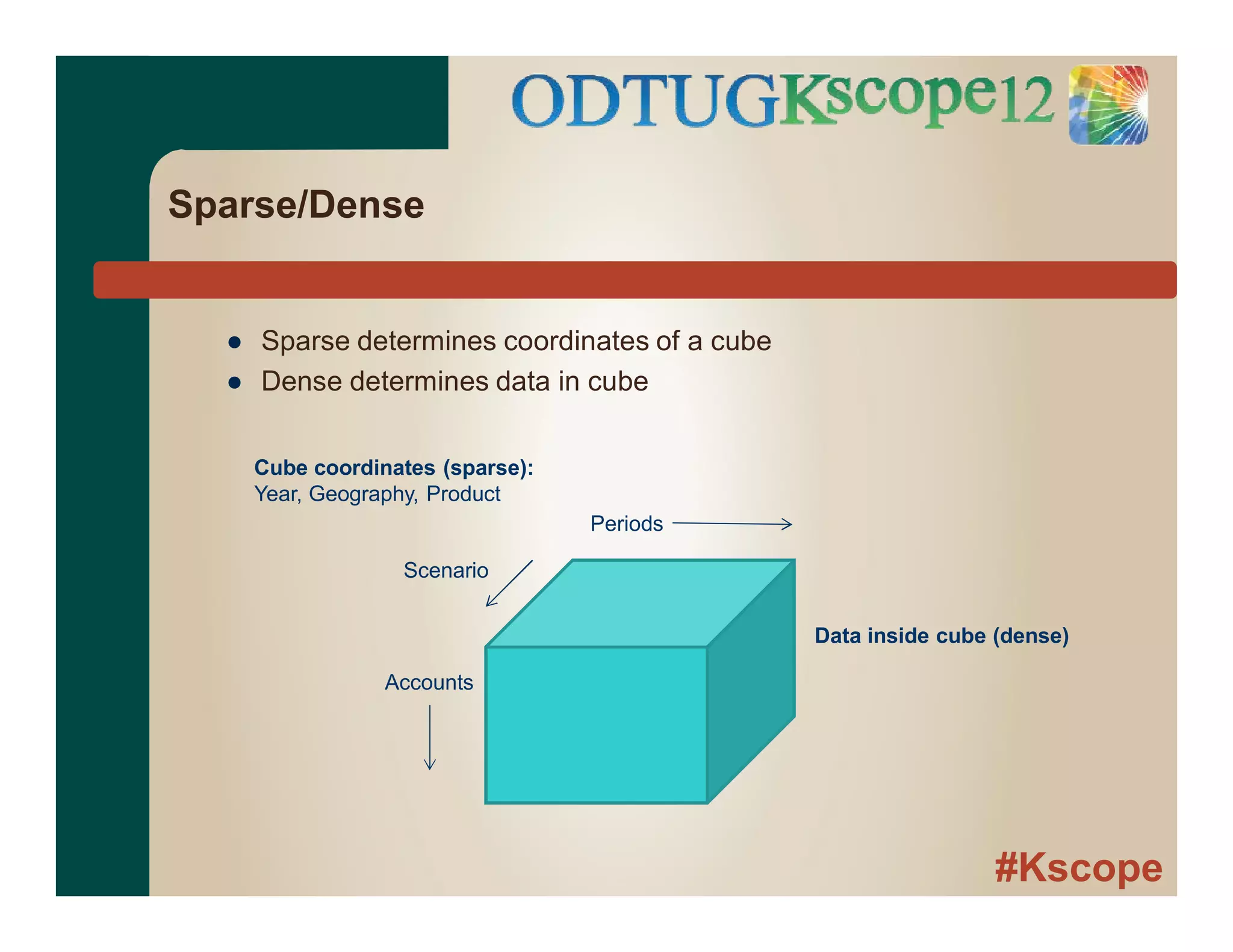
● Sparse determines coordinates of a cube
● Dense determines data in cube
Cube coordinates (sparse):
Year, Geography, Product
Accounts
Periods
Scenario
Data inside cube (dense)
#Kscope
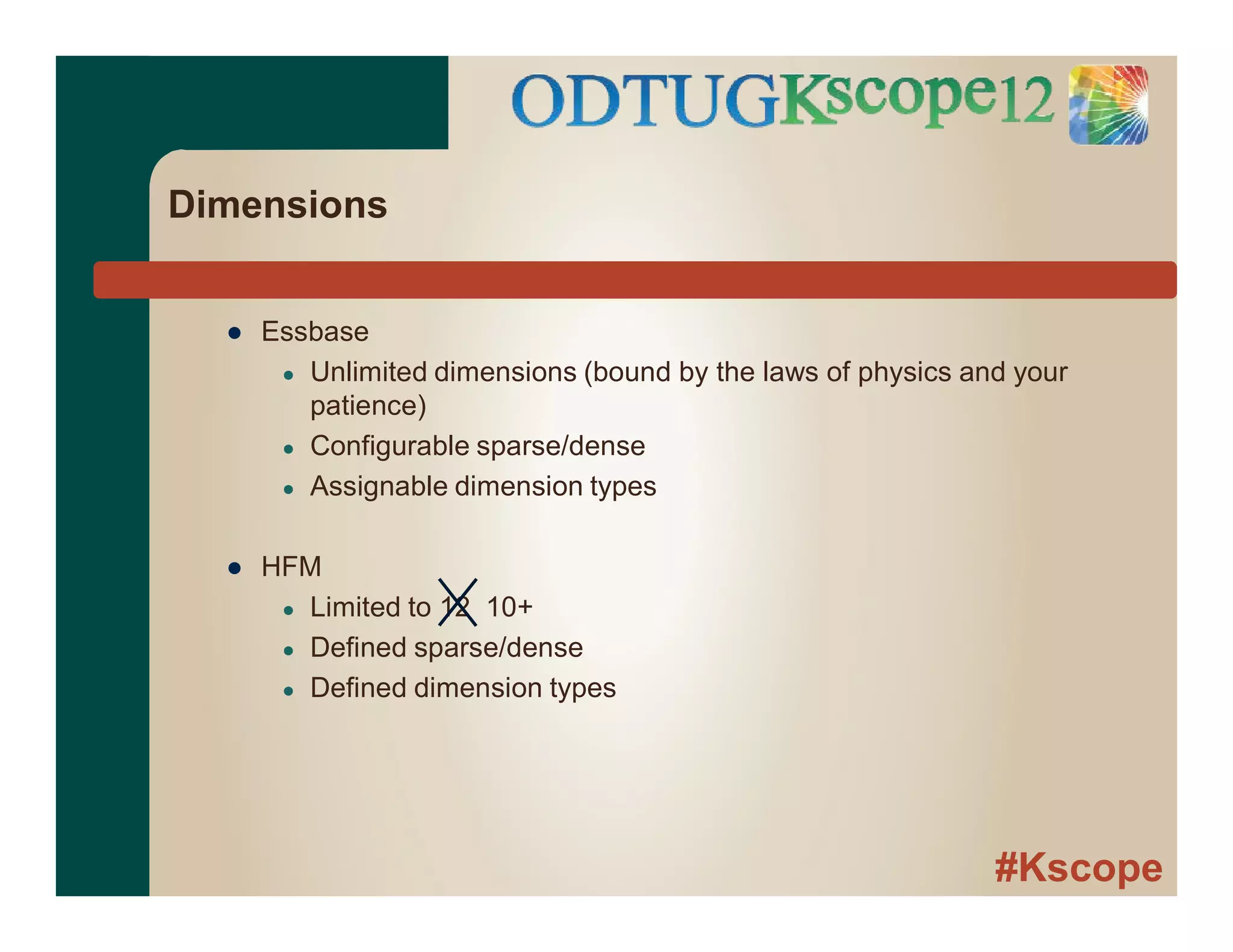
Dimensions
● Essbase
● Unlimited dimensions (bound by the laws of physics and your
patience)
● Configurable sparse/dense
● Assignable dimension types
● HFM
● Limited to 12 10+
● Defined sparse/dense
● Defined dimension types
#Kscope
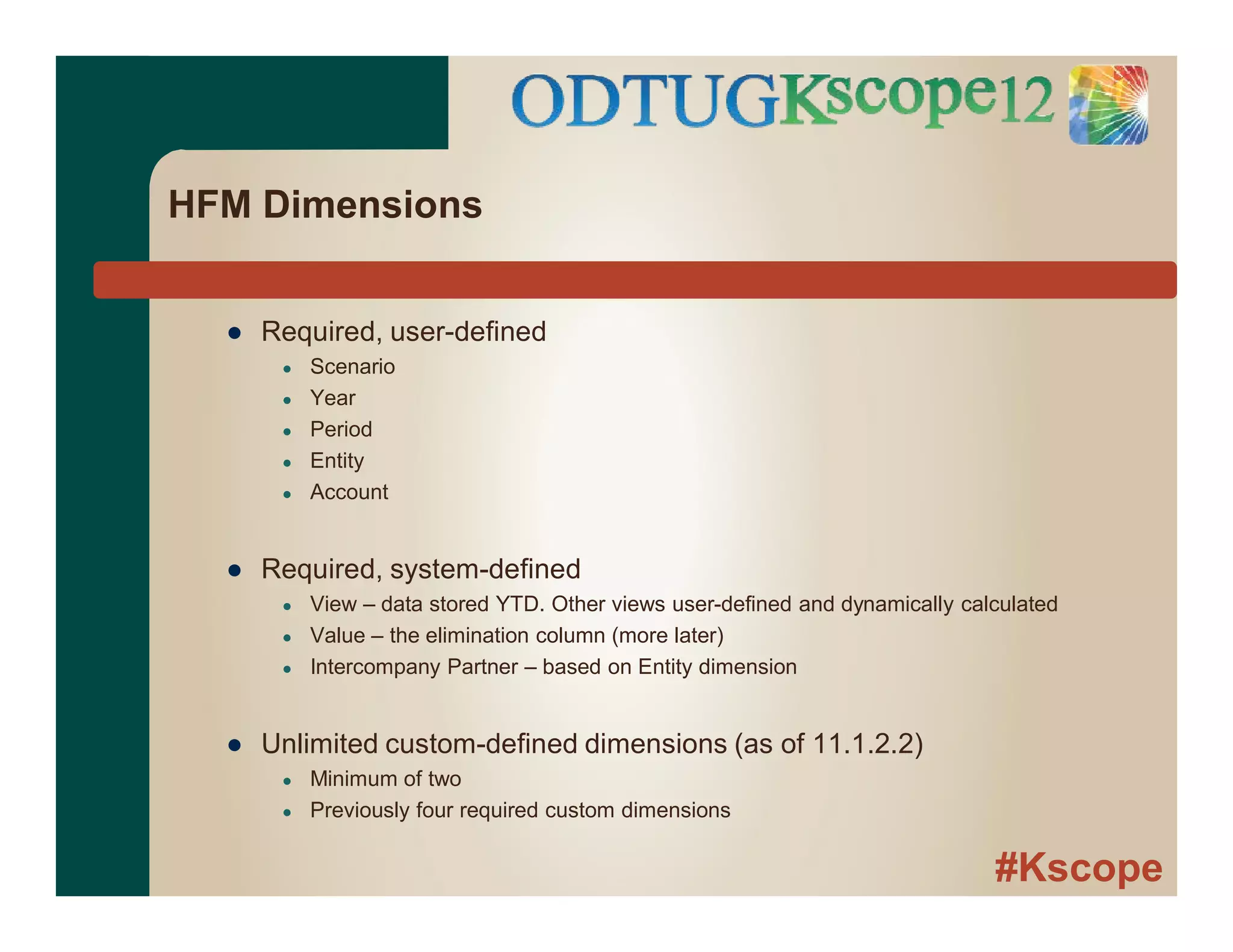
HFM Dimensions
● Required, user-defined
● Scenario
● Year
● Period
● Entity
● Account
● Required, system-defined
● View – data stored YTD. Other views user-defined and dynamically calculated
● Value – the elimination column (more later)
● Intercompany Partner – based on Entity dimension
● Unlimited custom-defined dimensions (as of 11.1.2.2)
● Minimum of two
● Previously four required custom dimensions
#Kscope
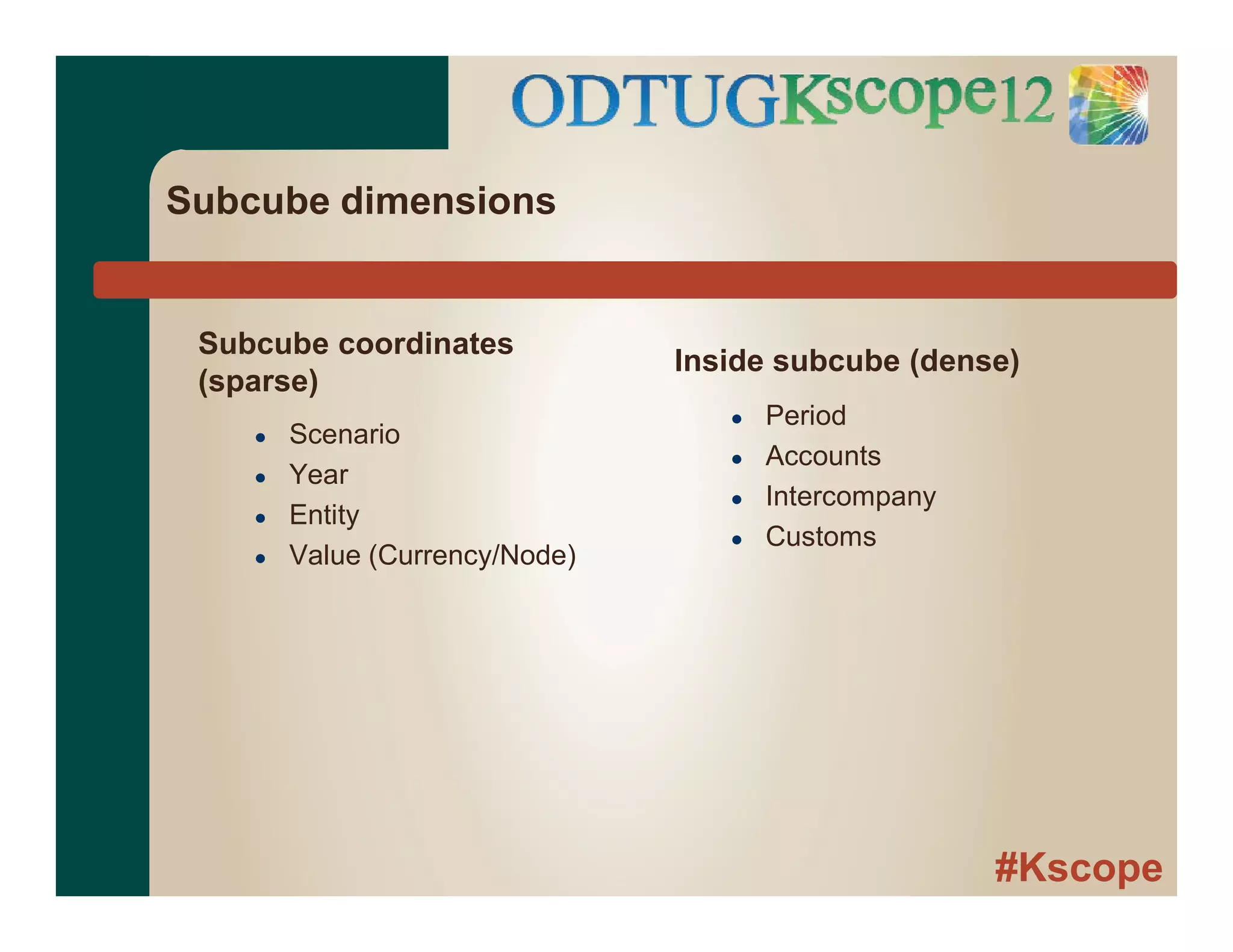
Subcube dimensions
Subcube coordinates
(sparse)
● Scenario
● Year
● Entity
● Value (Currency/Node)
Inside subcube (dense)
● Period
● Accounts
● Intercompany
● Customs
#Kscope
Same cube concept, but processing in RAM is
very different....
#Kscope
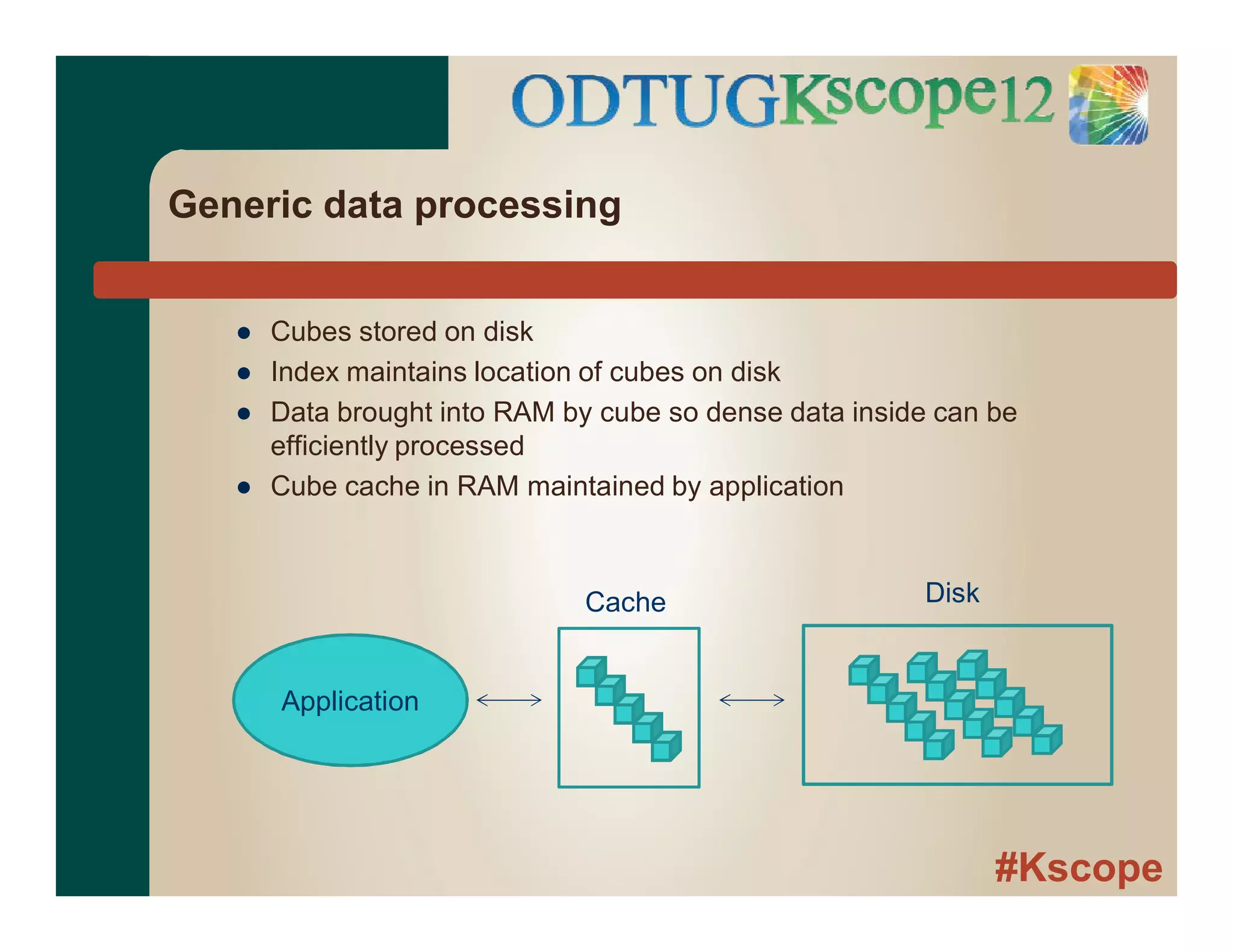
Generic data processing
● Cubes stored on disk
● Index maintains location of cubes on disk
● Data brought into RAM by cube so dense data inside can be
efficiently processed
● Cube cache in RAM maintained by application
Application
Cache Disk
#Kscope
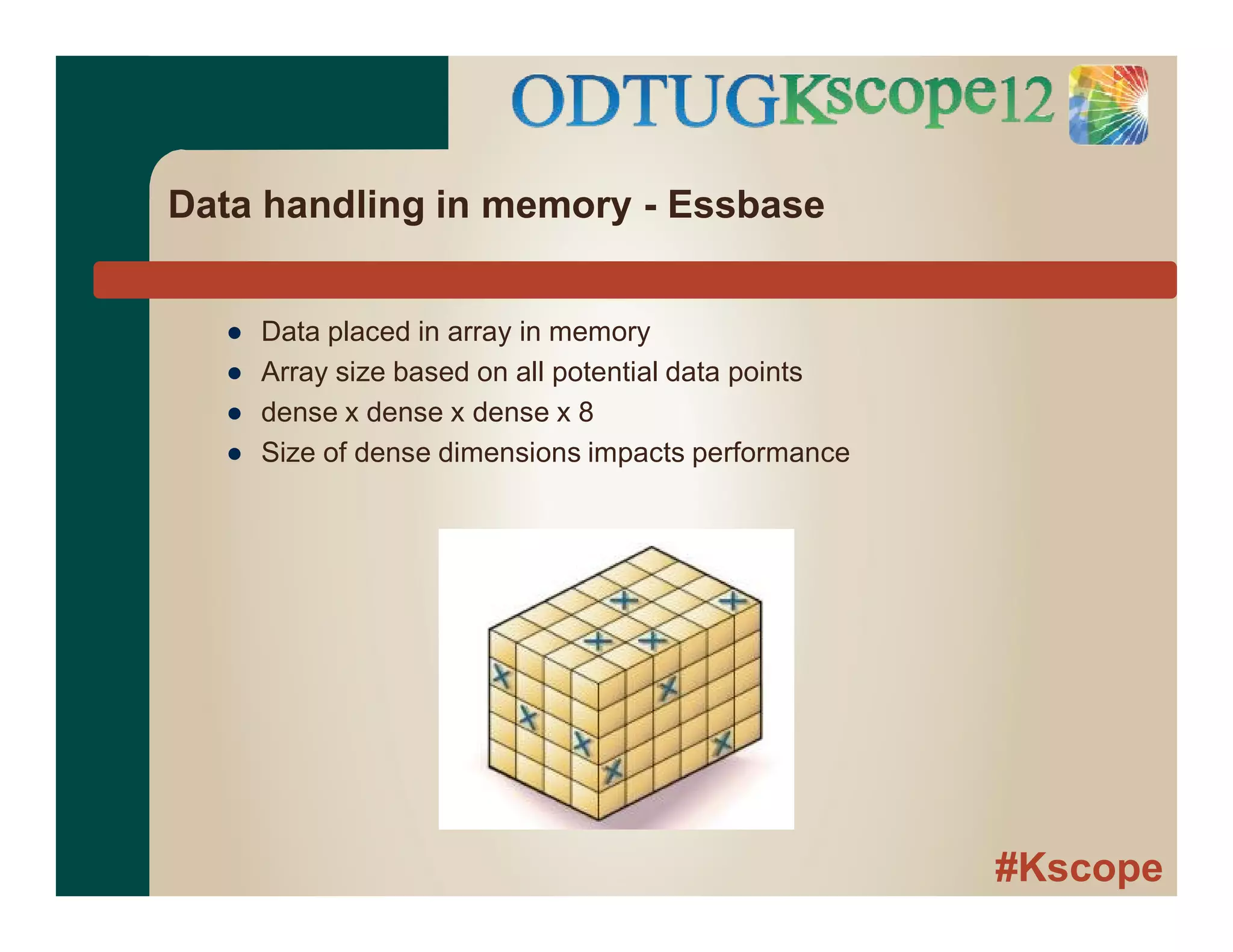
Data handling in memory - Essbase
● Data placed in array in memory
● Array size based on all potential data points
● dense x dense x dense x 8
● Size of dense dimensions impacts performance
#Kscope
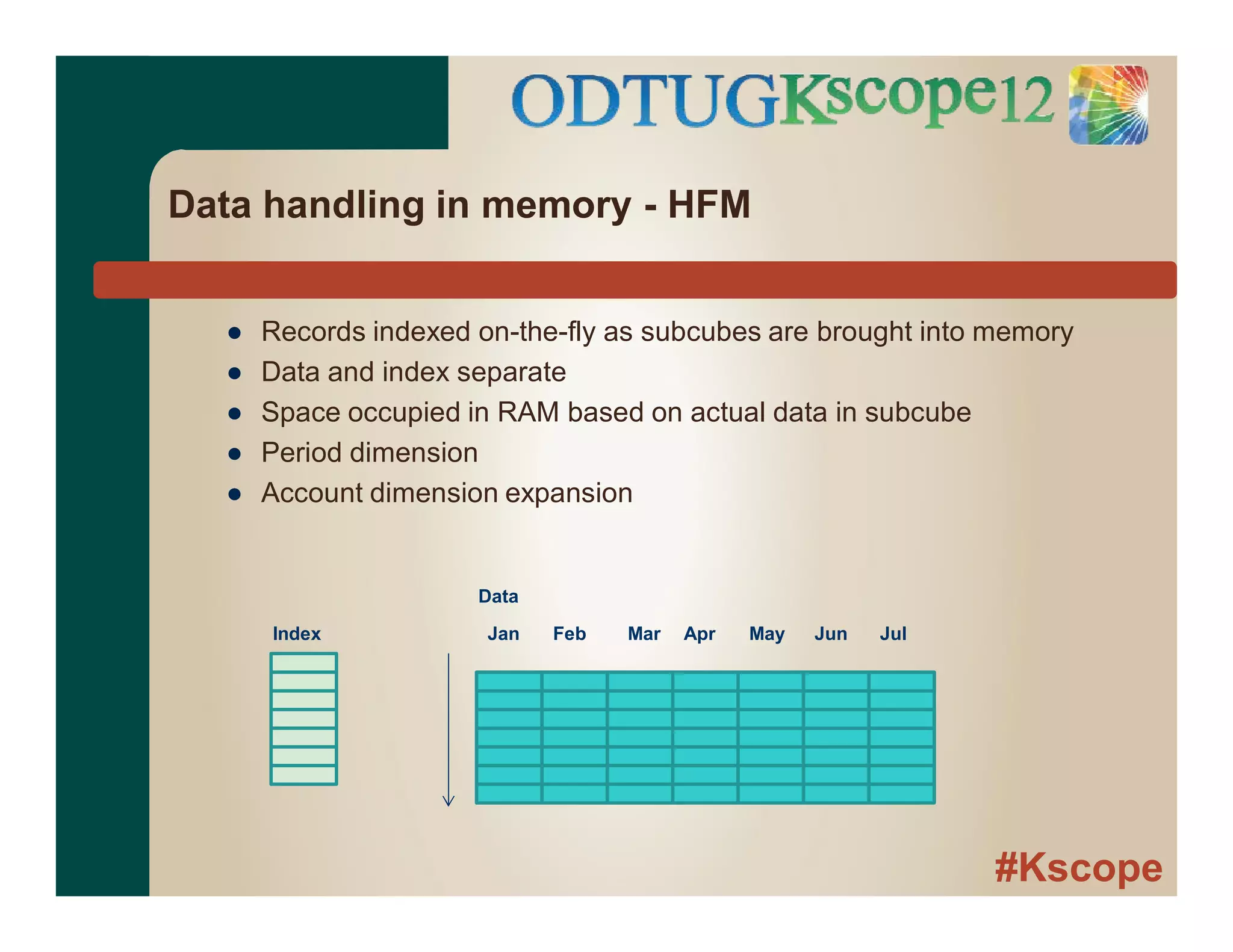
Data handling in memory - HFM
● Records indexed on-the-fly as subcubes are brought into memory
● Data and index separate
● Space occupied in RAM based on actual data in subcube
● Period dimension
● Account dimension expansion
Index
Data
Jan Feb Mar Apr May Jun Jul
#Kscope
Practical example
● Project dimension for construction client
● Average project length = 1 year
● New projects per year = 1,000
● Current size = 5,000 base members and growing....
● Essbase/Planning - Sparse
#Kscope
Practical example
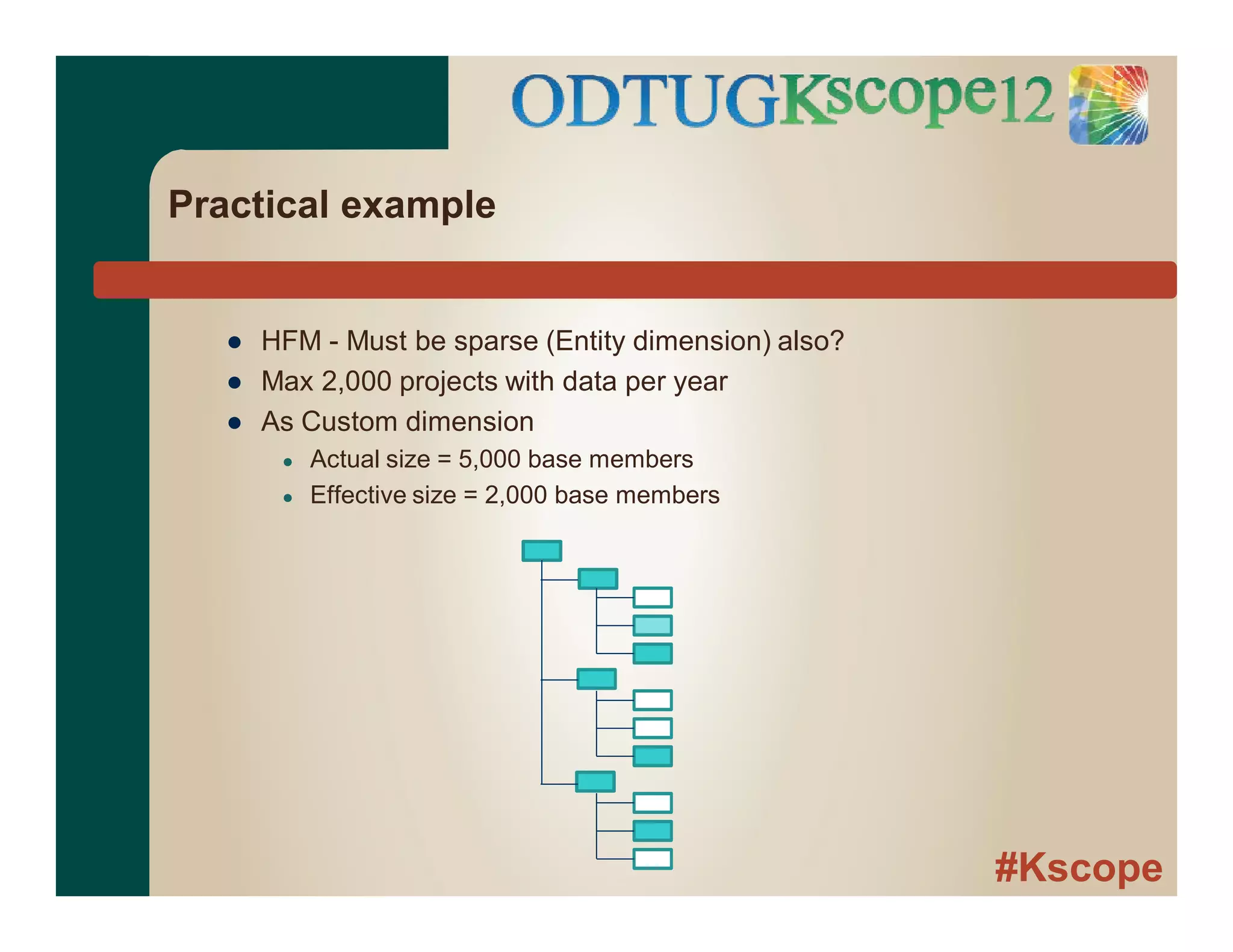
● HFM - Must be sparse (Entity dimension) also?
● Max 2,000 projects with data per year
● As Custom dimension
● Actual size = 5,000 base members
● Effective size = 2,000 base members
#Kscope
Inferences
● Essbase
● Array processing
● Relatively fixed overhead for loading block
● From data standpoint, care about
● Block density
● Block size
● HFM
● Record processing
● Processing overhead grows as number of records per subcube increases
● From data standpoint, care about
● Number of records per subcube
● Combination of data records into larger values during consolidation
#Kscope
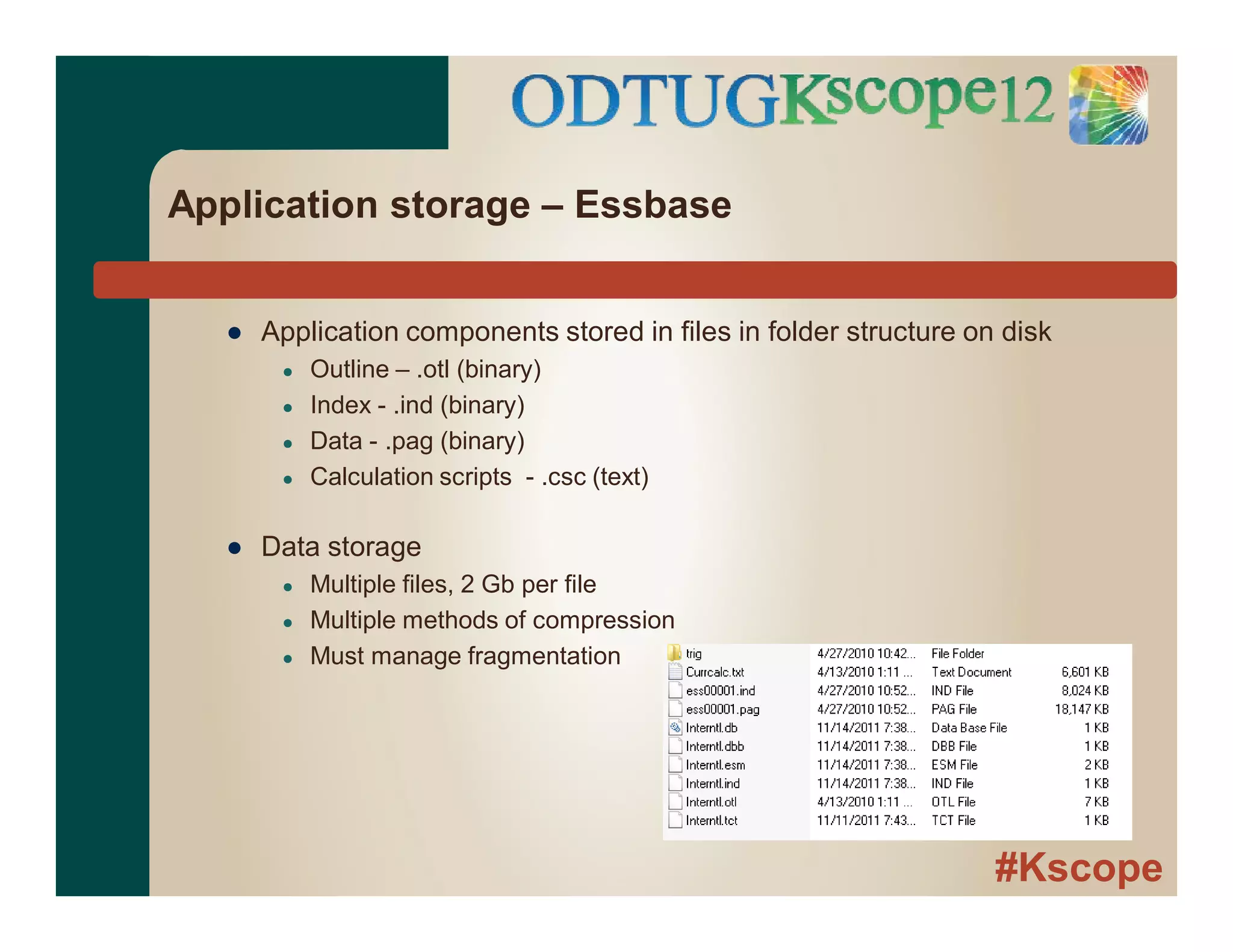
Application storage – Essbase
● Application components stored in files in folder structure on disk
● Outline – .otl (binary)
● Index - .ind (binary)
● Data - .pag (binary)
● Calculation scripts - .csc (text)
● Data storage
● Multiple files, 2 Gb per file
● Multiple methods of compression
● Must manage fragmentation
#Kscope
Application storage – HFM
● Relational Database
● All application components stored in database
● Data, hierarchies, forms, grids, etc.
● Hierarchies and data separate
● Linked via member IDs
● Separate table for each scenario, year with data –
● Mirrors subcube
● Only base data within subcube stored
#Kscope
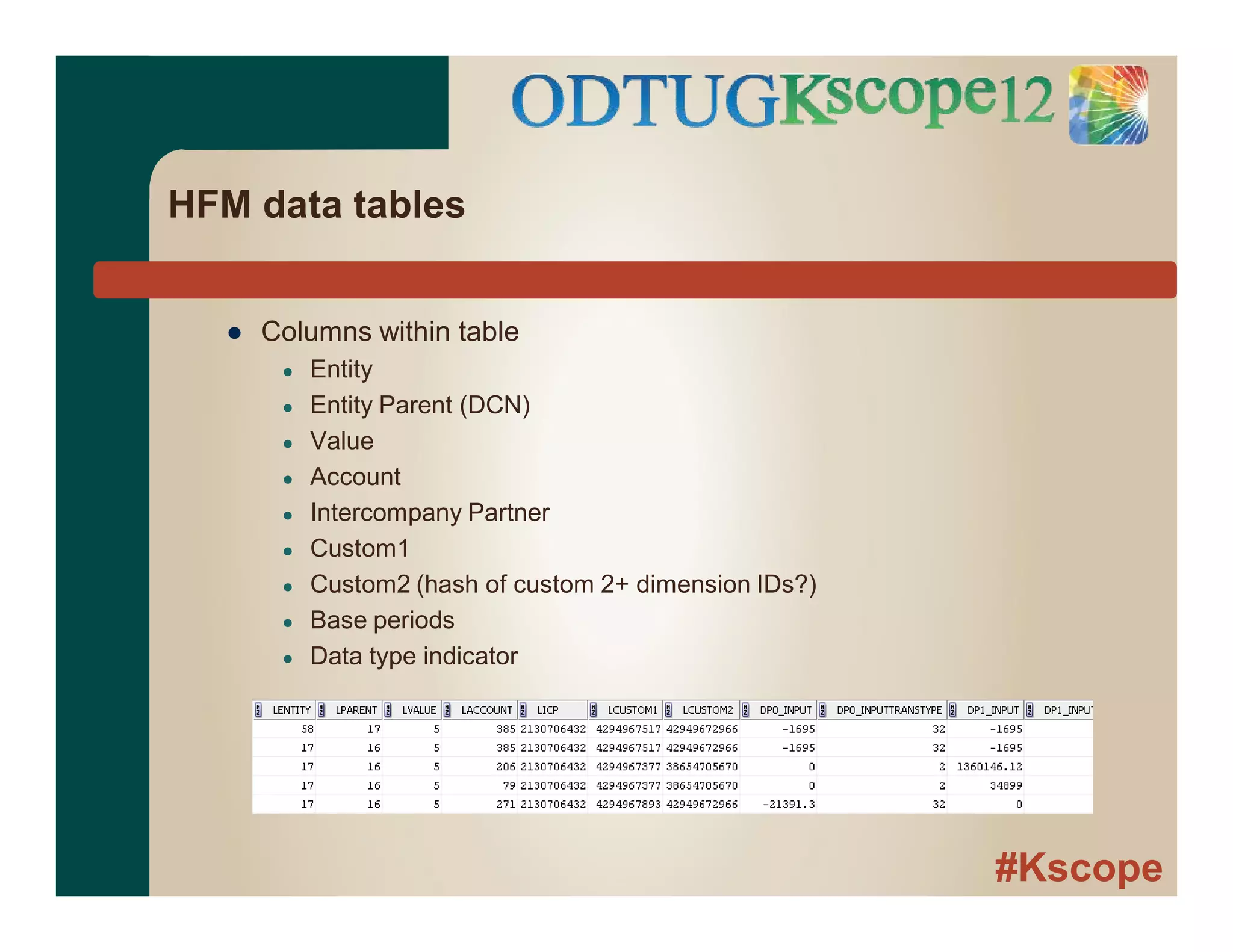
HFM data tables
● Columns within table
● Entity
● Entity Parent (DCN)
● Value
● Account
● Intercompany Partner
● Custom1
● Custom2 (hash of custom 2+ dimension IDs?)
● Base periods
● Data type indicator
#Kscope
Key caches - Essbase
● Index Cache
● Buffer for index of blocks on disk
● Max size managed by admin via interface or batch script
● Ideally, 100% of index in buffer
● Data Cache
● Buffer in memory for uncompressed blocks required by Essbase kernel during
processing
● Max size managed by admin via interface or batch script
● Setting loosely based on usage, available memory and application size
● Allocated in memory as blocks requested
● Specialized caches for supporting calculations
#Kscope
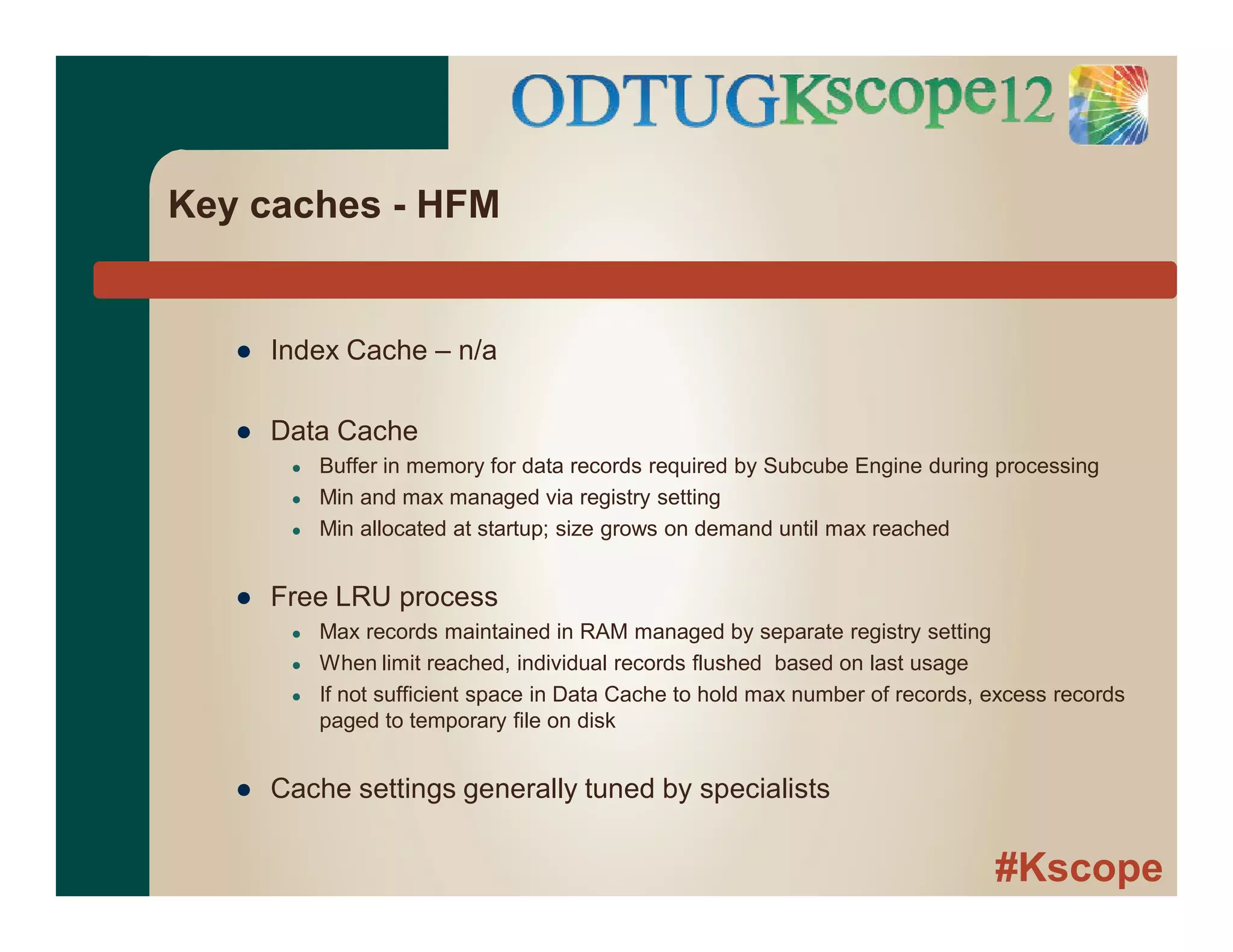
Key caches - HFM
● Index Cache – n/a
● Data Cache
● Buffer in memory for data records required by Subcube Engine during processing
● Min and max managed via registry setting
● Min allocated at startup; size grows on demand until max reached
● Free LRU process
● Max records maintained in RAM managed by separate registry setting
● When limit reached, individual records flushed based on last usage
● If not sufficient space in Data Cache to hold max number of records, excess records
paged to temporary file on disk
● Cache settings generally tuned by specialists
#Kscope
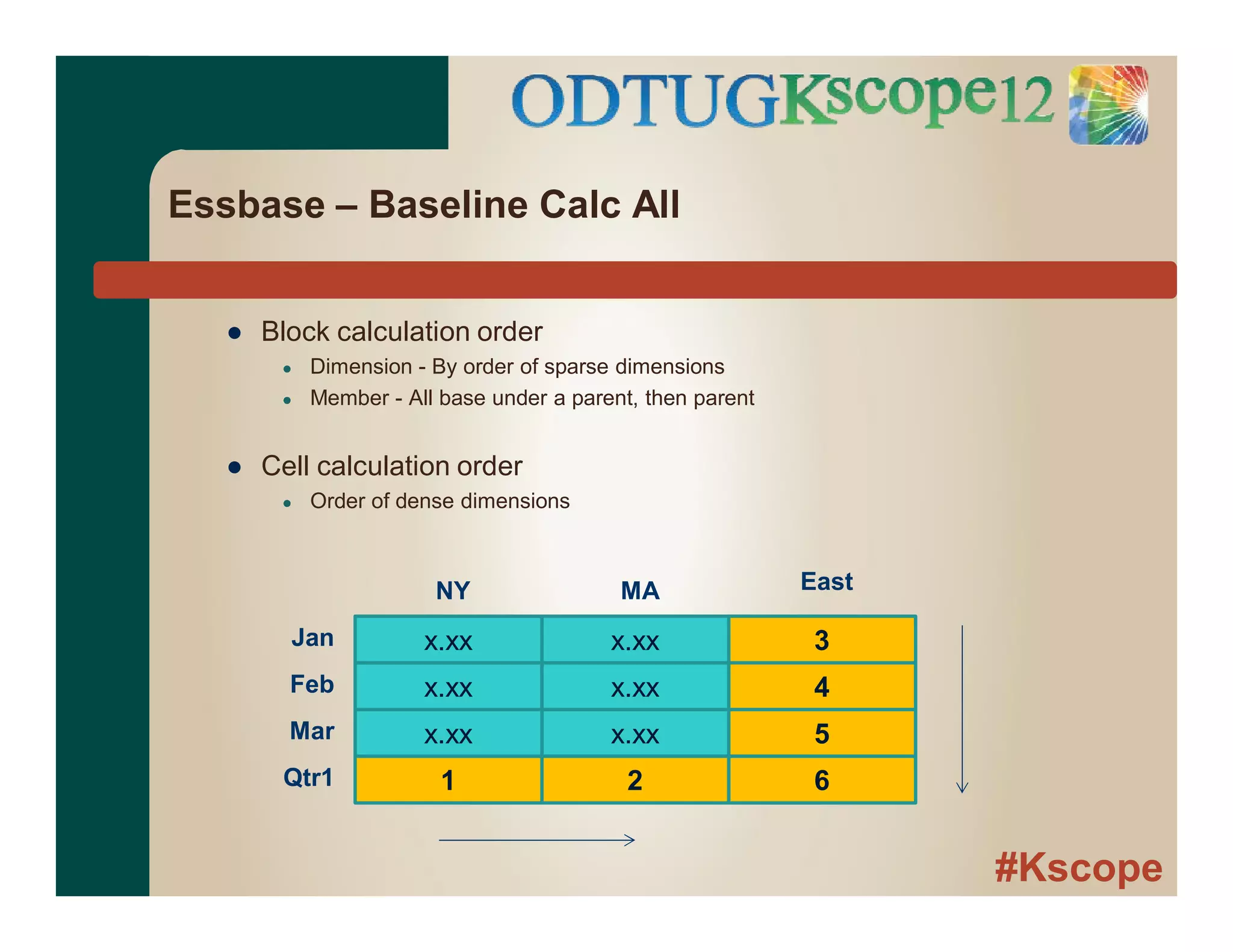
Essbase – Baseline Calc All
● Block calculation order
● Dimension - By order of sparse dimensions
● Member - All base under a parent, then parent
● Cell calculation order
● Order of dense dimensions
Jan x.xx x.xx 3
x.xx x.xx 4
x.xx x.xx 5
1 2 6
Feb
Mar
Qtr1
NY MA East
#Kscope
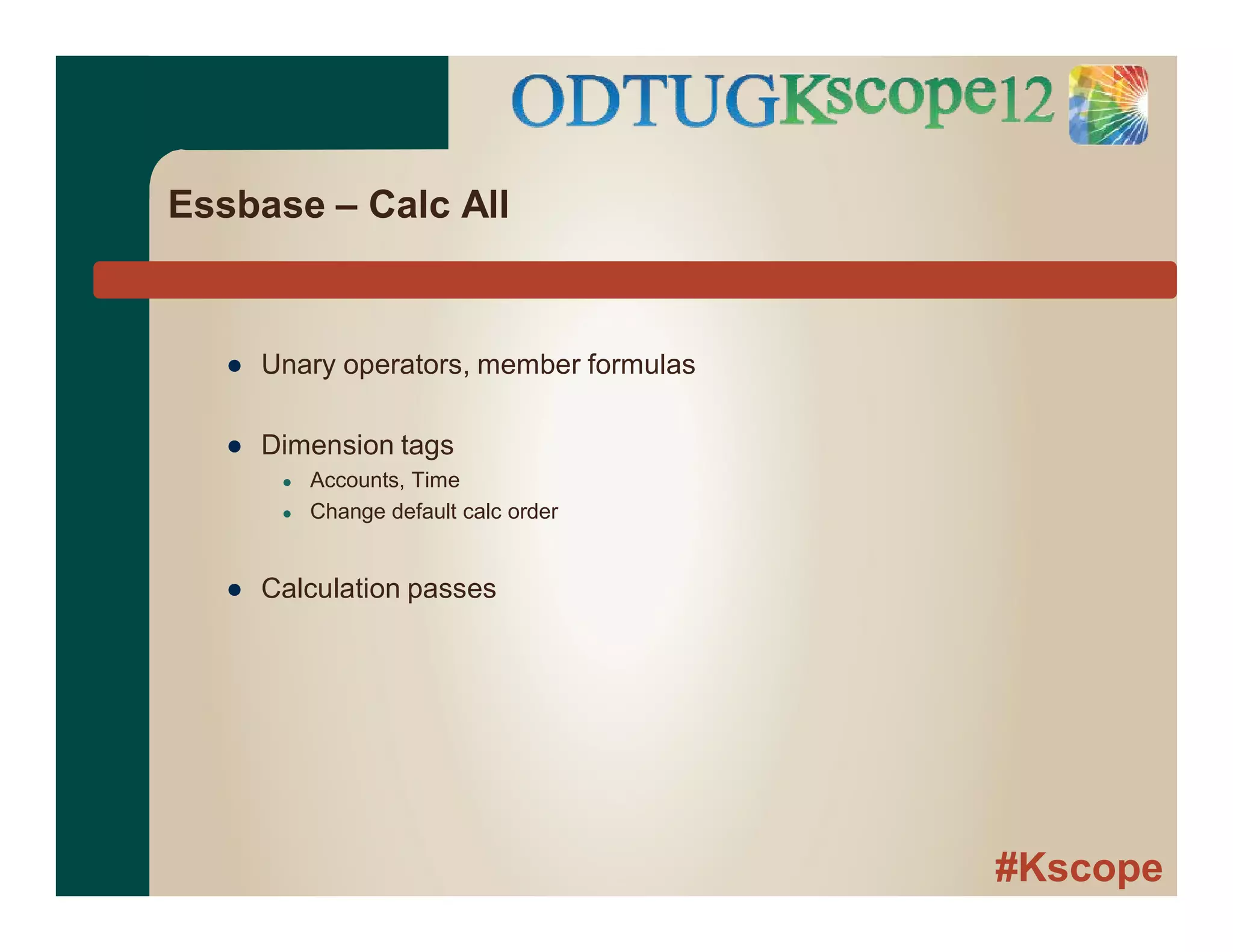
Essbase – Calc All
● Unary operators, member formulas
● Dimension tags
● Accounts, Time
● Change default calc order
● Calculation passes
#Kscope
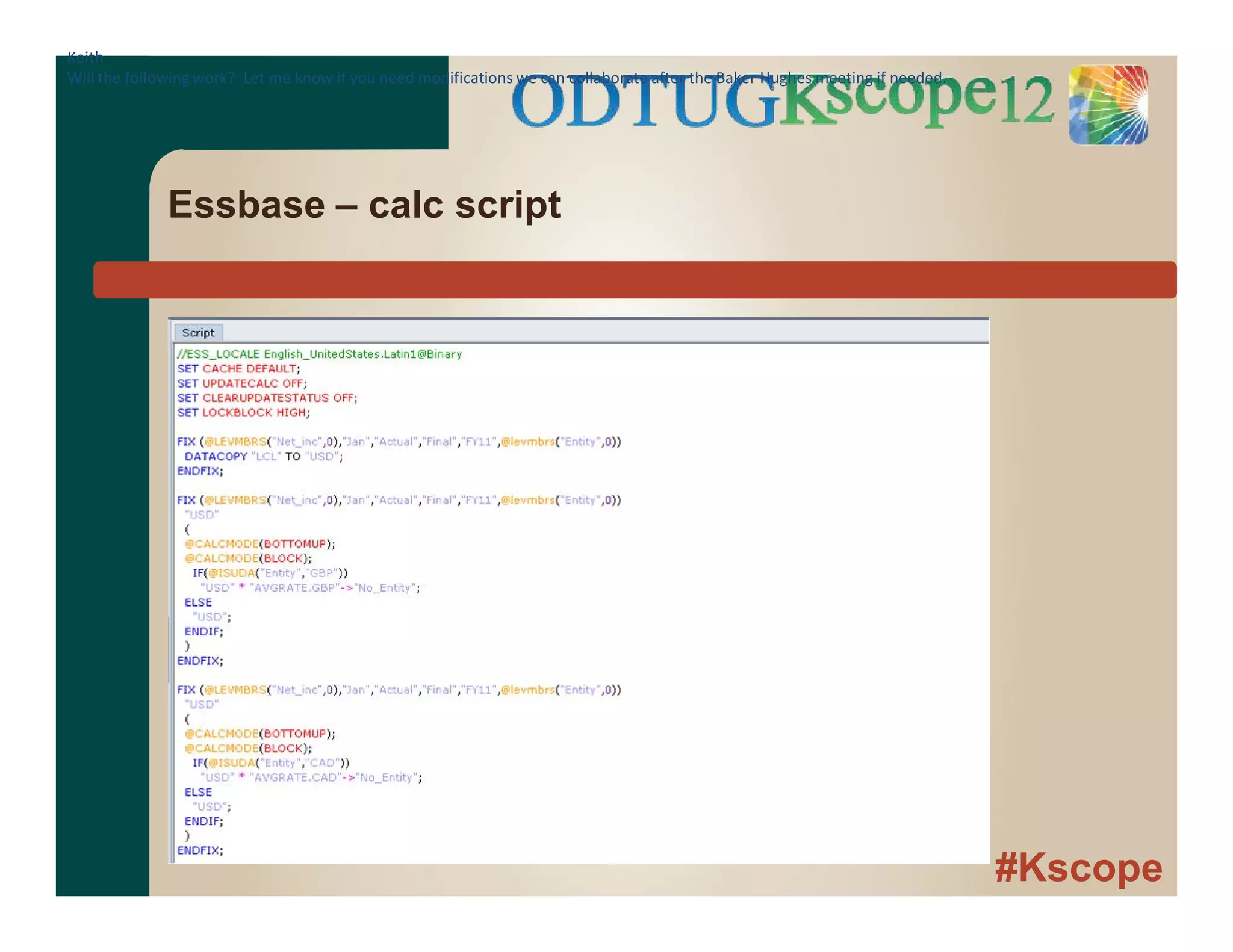
Essbase – calc scripts
● Functions
● Specify members. perform calculations, etc.
● @IDESC (East), @AVG(SKIPNONE, Jan:Dec), etc.
● Calculation commands
● Control flow and issue commands to database
● Fix, Calc All, ClearData, CopyData, etc.
#Kscope
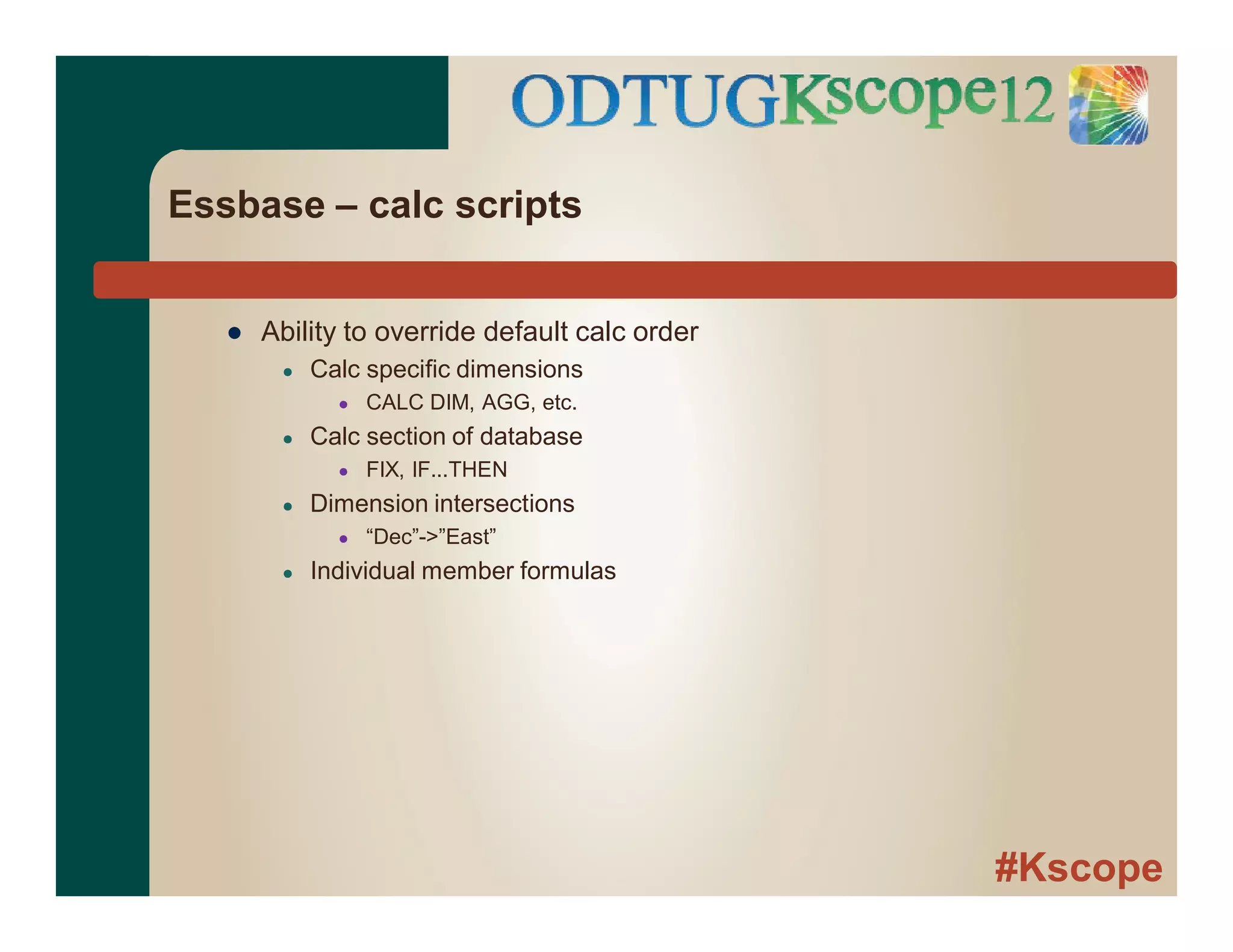
Essbase – calc scripts
● Ability to override default calc order
● Calc specific dimensions
● CALC DIM, AGG, etc.
● Calc section of database
● FIX, IF...THEN
● Dimension intersections
● “Dec”->”East”
● Individual member formulas
#Kscope
Essbase – calc script
Keith
Will the following work? Let me know if you need modifications we can collaborate after the Baker Hughes meeting if needed.
#Kscope
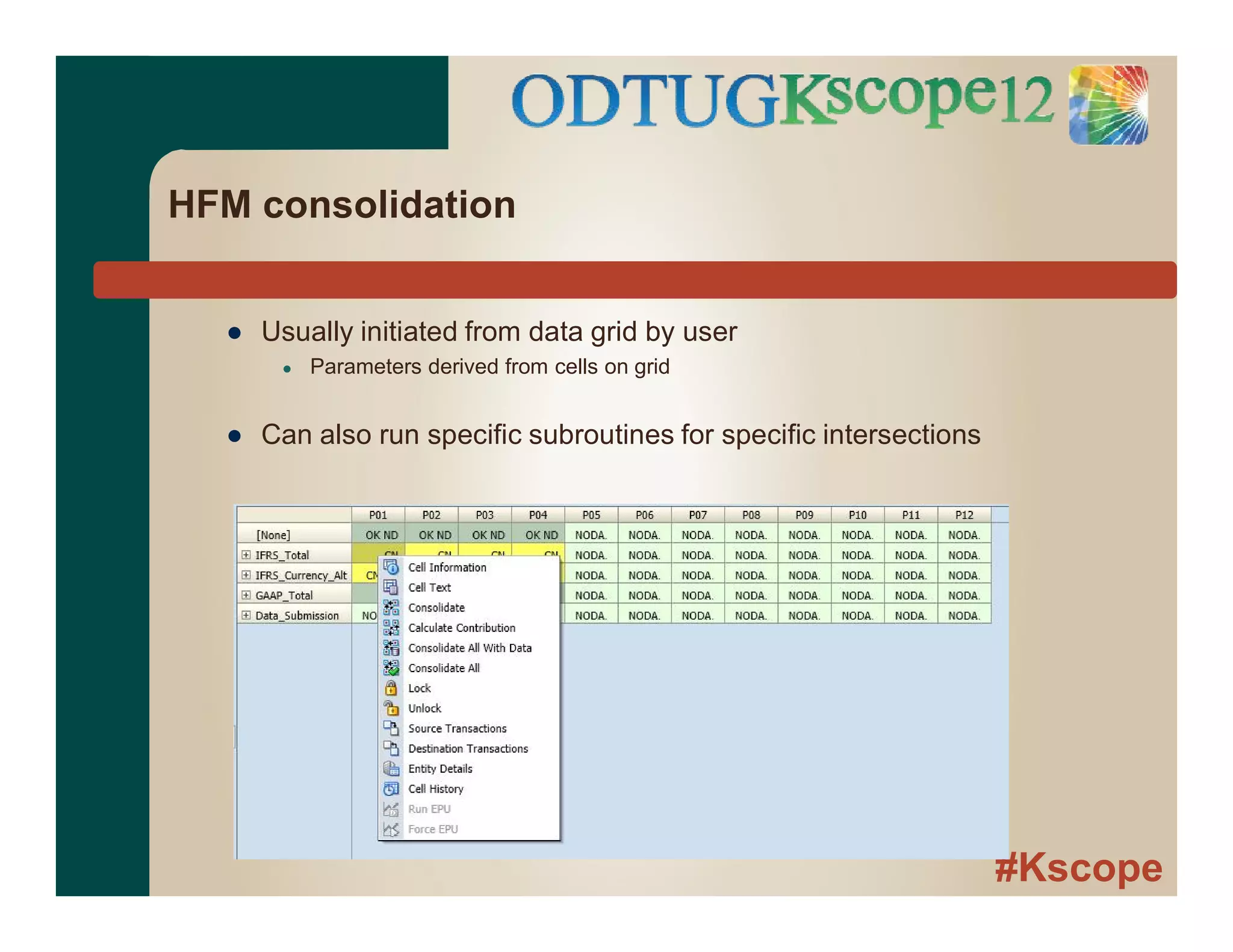
HFM consolidation
● Usually initiated from data grid by user
● Parameters derived from cells on grid
● Can also run specific subroutines for specific intersections
#Kscope
HFM Rules File
● Single rules file for application
● VBScript
● Interact with HFM via HFM objects
● Hs.Exp
● Hs.Member
● Etc.
● Multiple subroutines
● Sub Calculate
● Sub Translate
● Sub Consolidate
#Kscope
HFM Rules File
#Kscope
HFM Consolidation
● Financial Intelligence
● Assign types to accounts
● Asset, Liability, Expense, etc.
● Types determine addition/subtraction
● Not all dimensions created equal
● Scenario, Year dimension are flat
● Overhead for processing Entity dimension
● Parents in subcube dimensions
#Kscope
HFM consolidation
● HFM manages consolidation order
● Subroutines execute at specified points in consolidation
● Rules execute on data within subcube
● Write to base members of subcube
Sub Calculate ( )
Sub Calculate ()
Sub Translate ()
Sub Calculate ( )
Sub Calculate ()
#Kscope
Aggregation/Translation
#Kscope
Essbase
● Generally -
● Aggregation and Translation are separate processes
● Control of calculations within a block
● Parent blocks are usually sum of child blocks
● Currency Translation
● Calculation to a different dimension in same application
● Essbase-generated currency application
#Kscope
HFM Value Dimension
● Consolidation is combination of legal entities
● Combination requires
● Translation to a common currency
● Intercompany elimination
● Ownership elimination
#Kscope
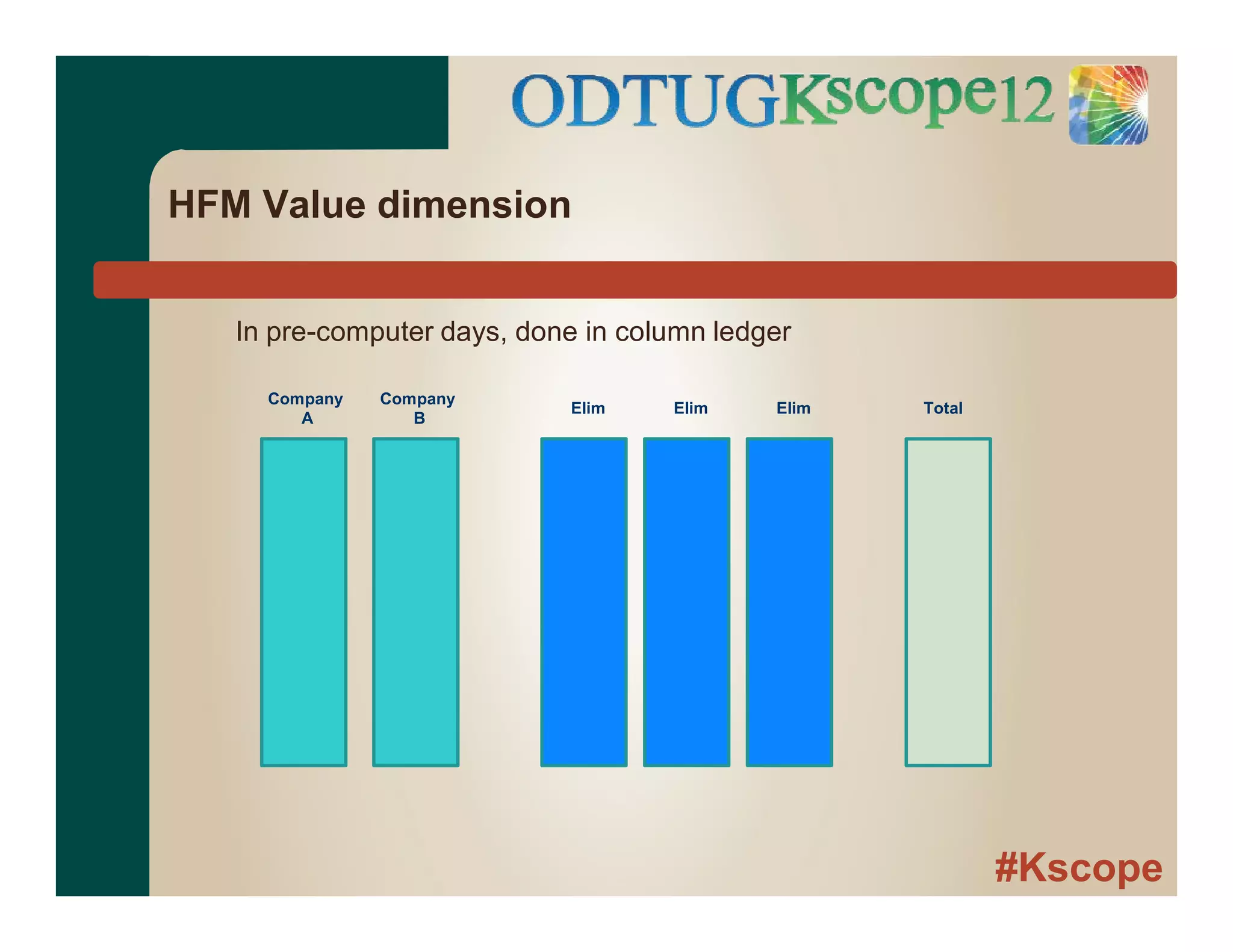
HFM Value dimension
In pre-computer days, done in column ledger
Company
A
Company
B
Elim Elim Elim Total
#Kscope
HFM Value Dimension
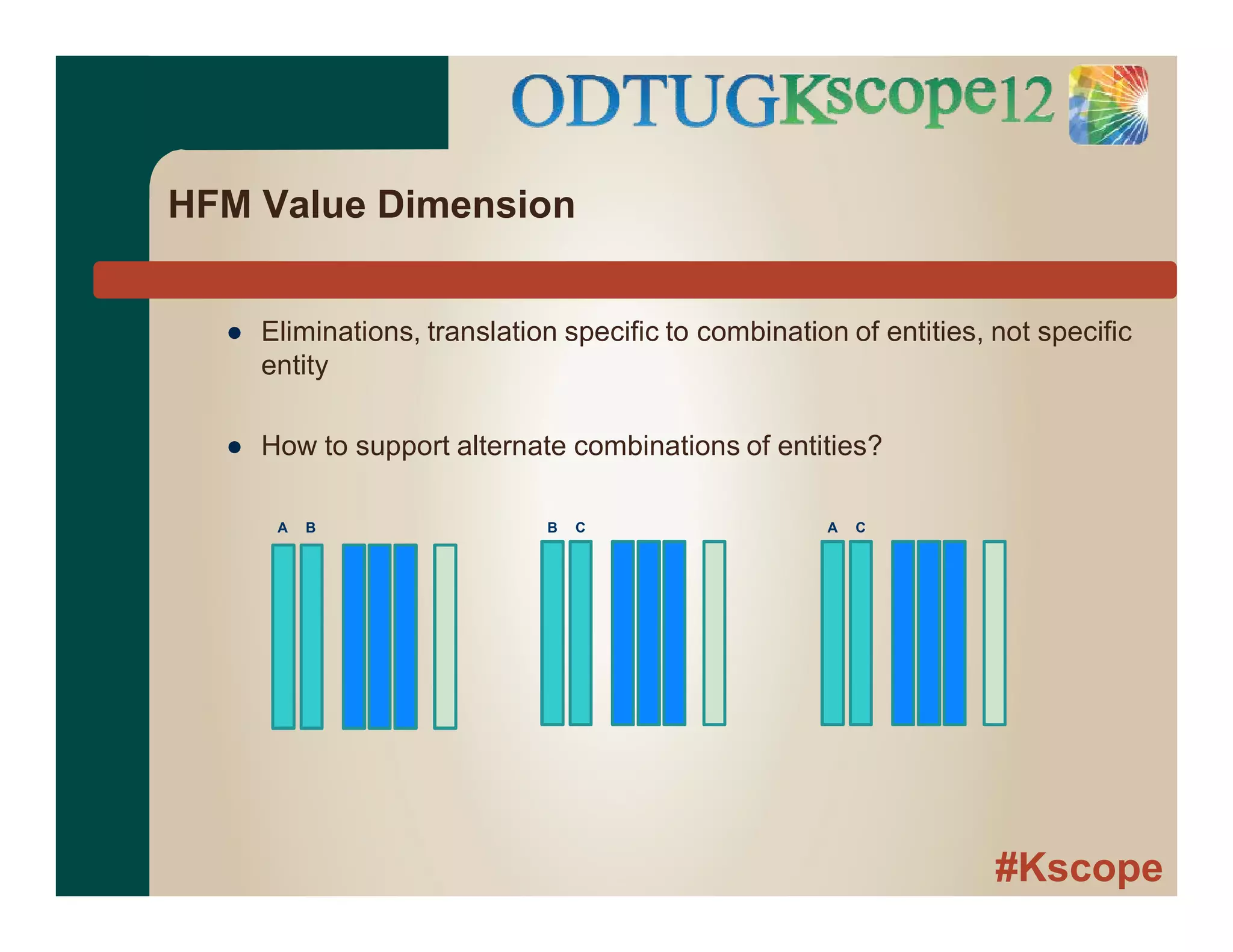
● Eliminations, translation specific to combination of entities, not specific
entity
● How to support alternate combinations of entities?
A B B C A C
#Kscope
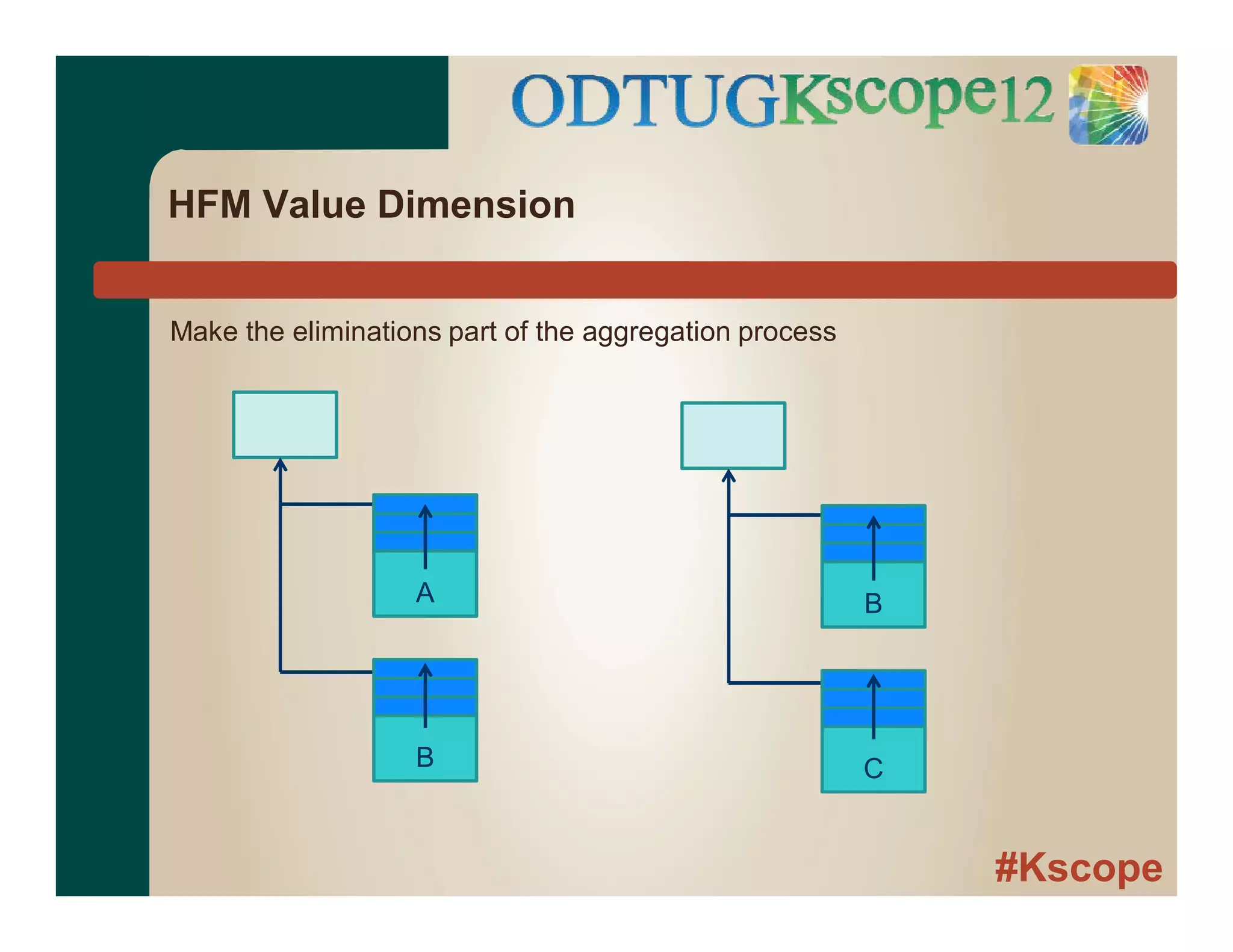
HFM Value Dimension
A
B
B
C
Make the eliminations part of the aggregation process
#Kscope
HFM Value Dimension
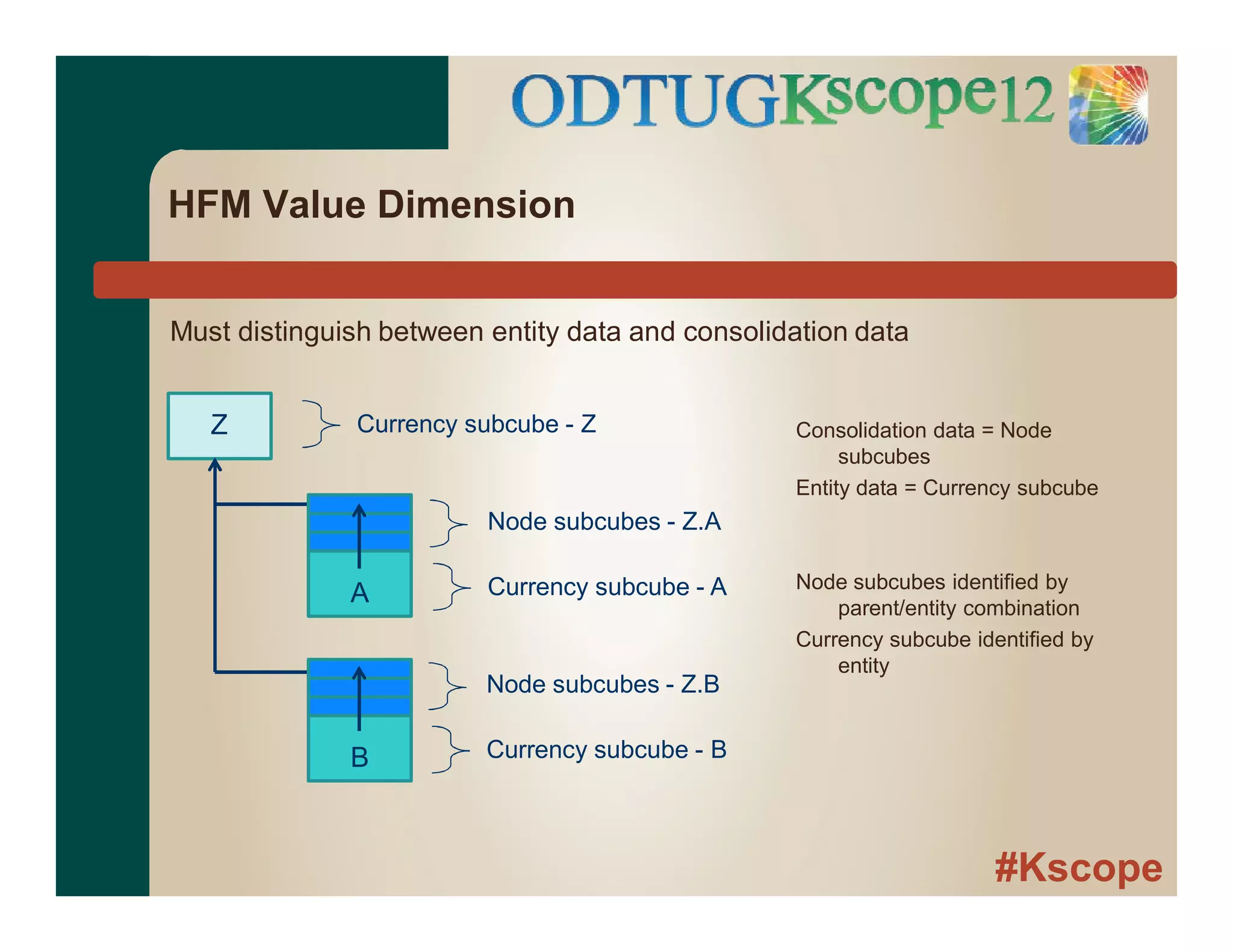
Must distinguish between entity data and consolidation data
A
B
Node subcubes - Z.B
Currency subcube - B
Z
Node subcubes - Z.A
Currency subcube - A
Currency subcube - Z Consolidation data = Node
subcubes
Entity data = Currency subcube
Node subcubes identified by
parent/entity combination
Currency subcube identified by
entity
#Kscope
HFM Value Dimension
Another view.... One entity is the source of two sets of eliminations
A
X Y
#Kscope
HFM Value Dimension
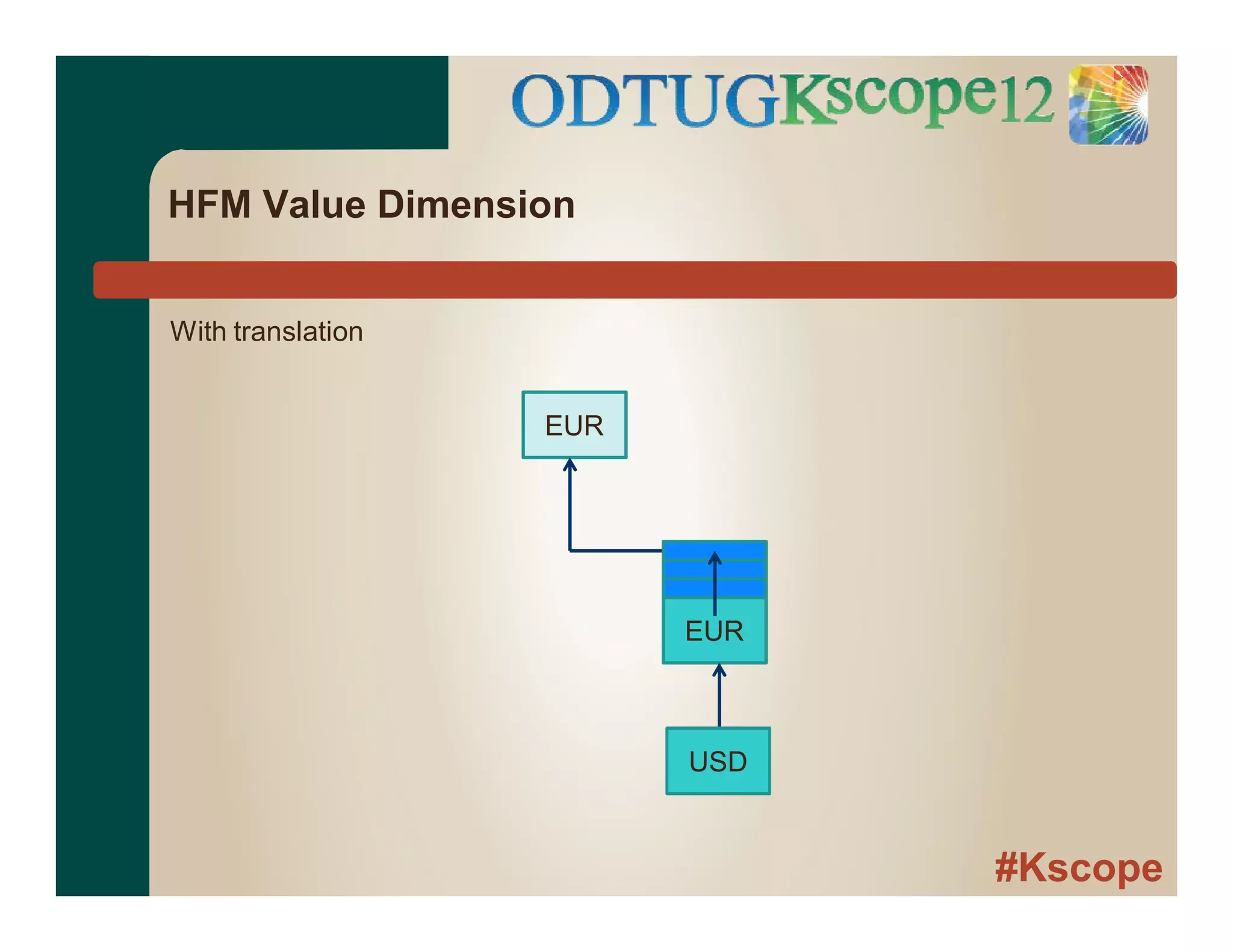
EUR
EUR
With translation
USD
#Kscope
HFM Value Dimension
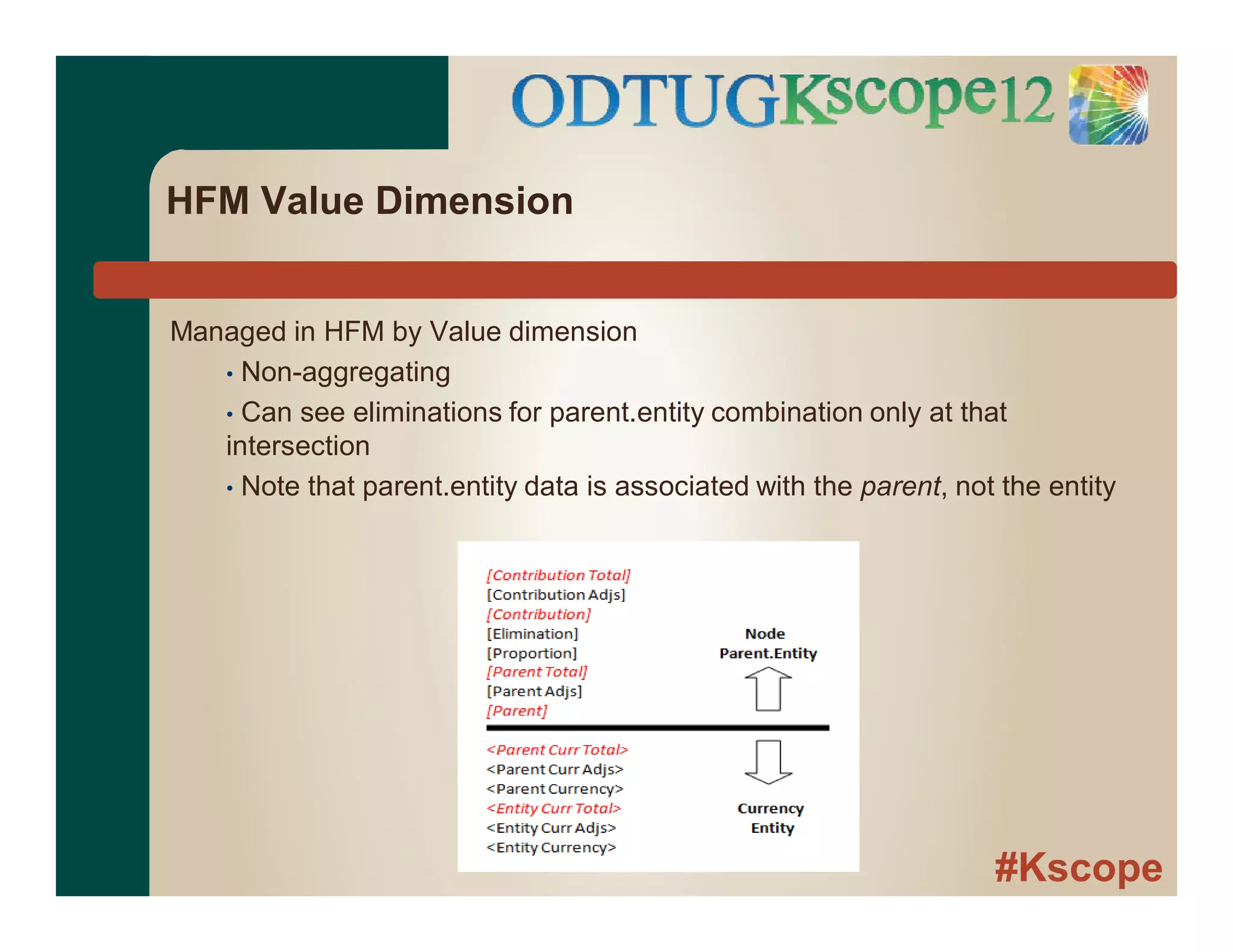
Managed in HFM by Value dimension
• Non-aggregating
• Can see eliminations for parent.entity combination only at that
intersection
• Note that parent.entity data is associated with the parent, not the entity
#Kscope
HFM Value Dimension
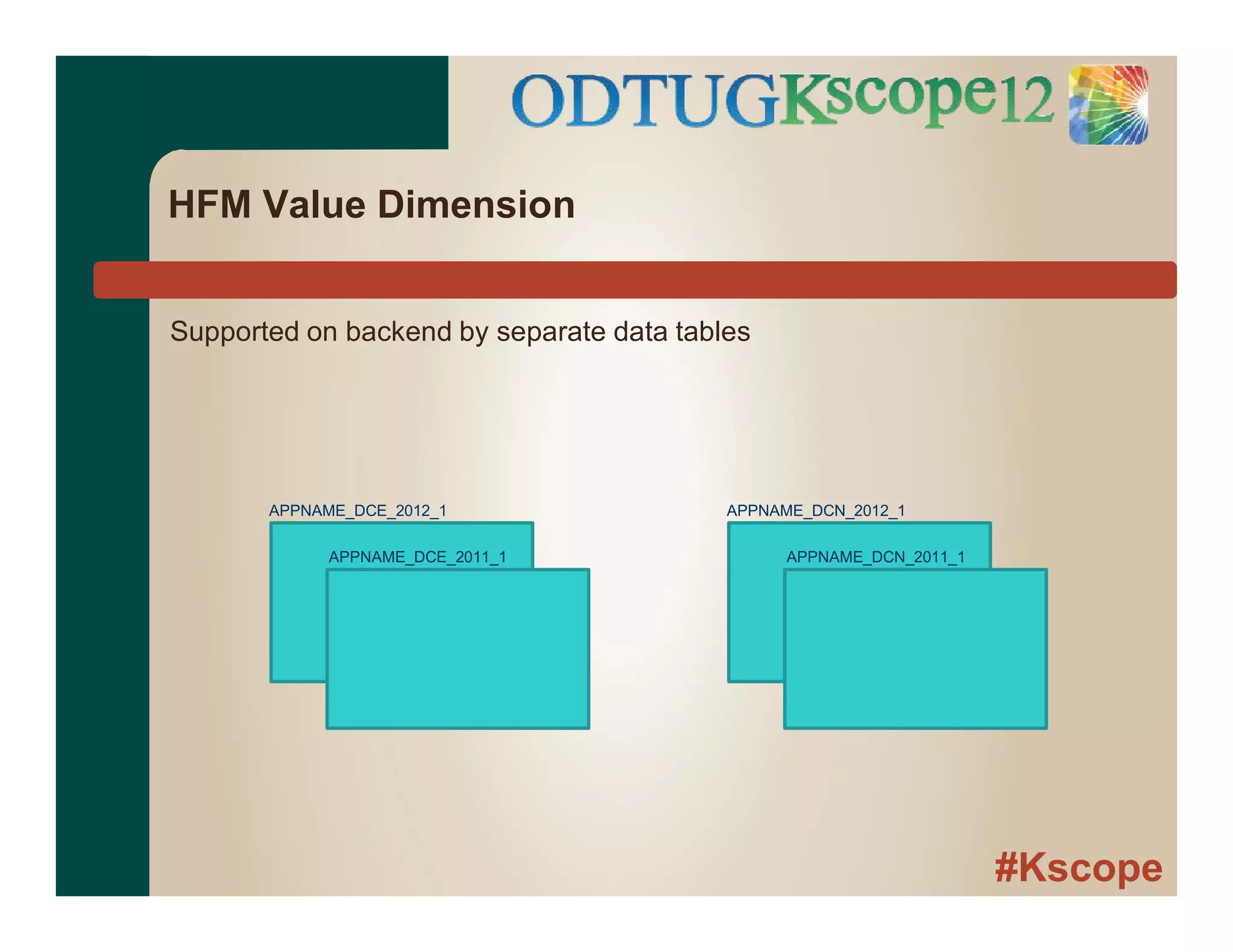
Supported on backend by separate data tables
APPNAME_DCE_2012_1
APPNAME_DCE_2011_1
APPNAME_DCN_2012_1
APPNAME_DCN_2011_1
#Kscope
HFM Value Dimension
● Additional characteristics
● Allows transactions at parent level
● Sum of children ≠ parent (from an Essbase standpoint)
● Creates hierarchy-specific data
Excellent for consolidation, but data not easily portable.
#Kscope
Questions?

HFM vs Essbase BSO: A Comparative Anatomy

  • 1.
    #Kscope HFM vs. EssbaseBSO A Comparative Anatomy Keith Berry
  • 2.
    #Kscope “Focused and Committed” Dallas-based Industry Leaders, Pioneers and Trustworthy for 13 years  Focused on enterprise performance management applications  Over 50 professionals dedicated to EPM and BI  Oracle Platinum Partner and Oracle BI Pillar Partner  Oracle’s highest level of partnership  Advanced degrees and certifications (CPAs, CMAs, MBAs)  Seasoned Infrastructure practice: 400+ installations/migrations  Unique blend of deep technical expertise and business acumen with hundreds of implementation cycles, driven towards a results-oriented, customer ROI  Strong project leadership & proactive account management  Corporate culture of integrity with 100% customer commitment  Full Service Solution Provider US-Analytics Overview
  • 3.
    #Kscope Performance Applications  Designand development of EPM and BI solutions Operational Infrastructure  Infrastructure design and installation services  Change management, disaster recovery, load balancing, fail-over Continuity Services  Specialized placement services  Helpdesk/Hotline support  Education/Mentoring/”Expert-on-site”  Software re-sell  Managed services Leadership in Hyperion Community  Founding sponsor of the Hyperion Women’s Forum  Sponsor of Dallas Hyperion User Group (HUG) US-Analytics Overview
  • 4.
    #Kscope Who am I? ●Consultant for US-Analytics in Dallas, TX ● Hyperion consultant since 2001 ● Started in Essbase, then migrated to HFM ● Mostly HFM these days ● Certified HFM and Essbase 11 ● First time at KScope
  • 5.
    #Kscope Before we getstarted ● HFM = HFM subcube engine (vs. application) ● Essbase = Essbase BSO ● HFM content not revised for changes in HFM 11.1.2.2
  • 6.
  • 7.
    #Kscope MOLAP, ROLAP, HOLAP ●Multidimensional OLAP – stores data in multidimensional structures ● Relational OLAP – data model stored in relational database ● Hybrid OLAP – combined
  • 8.
    #Kscope MOLAP ● Both MOLAP ●HFM ≠ Essbase ● HFM ≠ ROLAP ● Both use grouping approach to managing data ● Essbase = block ● HFM = subcube ● Generic = “cube”
  • 9.
    #Kscope Cubes – aquick review ● Dimensional data with many potential data points vs. actual ● Data unevenly distributed ● Grouping allows efficient processing of both types of data ● Sparse/dense concept ● To access one data point in cube, must pull entire cube
  • 10.
    #Kscope Sparse/Dense Sparse – lowerpercentage of dimension members populated relative to other dimensions Example: products not sold in all geographies Dense - higher percentage of dimension members populated relative to other dimensions Example: most products and geographies have revenue/expense
  • 11.
    #Kscope Sparse/Dense ● Sparse determinescoordinates of a cube ● Dense determines data in cube Cube coordinates (sparse): Year, Geography, Product Accounts Periods Scenario Data inside cube (dense)
  • 12.
    #Kscope Dimensions ● Essbase ● Unlimiteddimensions (bound by the laws of physics and your patience) ● Configurable sparse/dense ● Assignable dimension types ● HFM ● Limited to 12 10+ ● Defined sparse/dense ● Defined dimension types
  • 13.
    #Kscope HFM Dimensions ● Required,user-defined ● Scenario ● Year ● Period ● Entity ● Account ● Required, system-defined ● View – data stored YTD. Other views user-defined and dynamically calculated ● Value – the elimination column (more later) ● Intercompany Partner – based on Entity dimension ● Unlimited custom-defined dimensions (as of 11.1.2.2) ● Minimum of two ● Previously four required custom dimensions
  • 14.
    #Kscope Subcube dimensions Subcube coordinates (sparse) ●Scenario ● Year ● Entity ● Value (Currency/Node) Inside subcube (dense) ● Period ● Accounts ● Intercompany ● Customs
  • 15.
    #Kscope Same cube concept,but processing in RAM is very different....
  • 16.
    #Kscope Generic data processing ●Cubes stored on disk ● Index maintains location of cubes on disk ● Data brought into RAM by cube so dense data inside can be efficiently processed ● Cube cache in RAM maintained by application Application Cache Disk
  • 17.
    #Kscope Data handling inmemory - Essbase ● Data placed in array in memory ● Array size based on all potential data points ● dense x dense x dense x 8 ● Size of dense dimensions impacts performance
  • 18.
    #Kscope Data handling inmemory - HFM ● Records indexed on-the-fly as subcubes are brought into memory ● Data and index separate ● Space occupied in RAM based on actual data in subcube ● Period dimension ● Account dimension expansion Index Data Jan Feb Mar Apr May Jun Jul
  • 19.
    #Kscope Practical example ● Projectdimension for construction client ● Average project length = 1 year ● New projects per year = 1,000 ● Current size = 5,000 base members and growing.... ● Essbase/Planning - Sparse
  • 20.
    #Kscope Practical example ● HFM- Must be sparse (Entity dimension) also? ● Max 2,000 projects with data per year ● As Custom dimension ● Actual size = 5,000 base members ● Effective size = 2,000 base members
  • 21.
    #Kscope Inferences ● Essbase ● Arrayprocessing ● Relatively fixed overhead for loading block ● From data standpoint, care about ● Block density ● Block size ● HFM ● Record processing ● Processing overhead grows as number of records per subcube increases ● From data standpoint, care about ● Number of records per subcube ● Combination of data records into larger values during consolidation
  • 22.
    #Kscope Application storage –Essbase ● Application components stored in files in folder structure on disk ● Outline – .otl (binary) ● Index - .ind (binary) ● Data - .pag (binary) ● Calculation scripts - .csc (text) ● Data storage ● Multiple files, 2 Gb per file ● Multiple methods of compression ● Must manage fragmentation
  • 23.
    #Kscope Application storage –HFM ● Relational Database ● All application components stored in database ● Data, hierarchies, forms, grids, etc. ● Hierarchies and data separate ● Linked via member IDs ● Separate table for each scenario, year with data – ● Mirrors subcube ● Only base data within subcube stored
  • 24.
    #Kscope HFM data tables ●Columns within table ● Entity ● Entity Parent (DCN) ● Value ● Account ● Intercompany Partner ● Custom1 ● Custom2 (hash of custom 2+ dimension IDs?) ● Base periods ● Data type indicator
  • 25.
    #Kscope Key caches -Essbase ● Index Cache ● Buffer for index of blocks on disk ● Max size managed by admin via interface or batch script ● Ideally, 100% of index in buffer ● Data Cache ● Buffer in memory for uncompressed blocks required by Essbase kernel during processing ● Max size managed by admin via interface or batch script ● Setting loosely based on usage, available memory and application size ● Allocated in memory as blocks requested ● Specialized caches for supporting calculations
  • 26.
    #Kscope Key caches -HFM ● Index Cache – n/a ● Data Cache ● Buffer in memory for data records required by Subcube Engine during processing ● Min and max managed via registry setting ● Min allocated at startup; size grows on demand until max reached ● Free LRU process ● Max records maintained in RAM managed by separate registry setting ● When limit reached, individual records flushed based on last usage ● If not sufficient space in Data Cache to hold max number of records, excess records paged to temporary file on disk ● Cache settings generally tuned by specialists
  • 27.
    #Kscope Essbase – BaselineCalc All ● Block calculation order ● Dimension - By order of sparse dimensions ● Member - All base under a parent, then parent ● Cell calculation order ● Order of dense dimensions Jan x.xx x.xx 3 x.xx x.xx 4 x.xx x.xx 5 1 2 6 Feb Mar Qtr1 NY MA East
  • 28.
    #Kscope Essbase – CalcAll ● Unary operators, member formulas ● Dimension tags ● Accounts, Time ● Change default calc order ● Calculation passes
  • 29.
    #Kscope Essbase – calcscripts ● Functions ● Specify members. perform calculations, etc. ● @IDESC (East), @AVG(SKIPNONE, Jan:Dec), etc. ● Calculation commands ● Control flow and issue commands to database ● Fix, Calc All, ClearData, CopyData, etc.
  • 30.
    #Kscope Essbase – calcscripts ● Ability to override default calc order ● Calc specific dimensions ● CALC DIM, AGG, etc. ● Calc section of database ● FIX, IF...THEN ● Dimension intersections ● “Dec”->”East” ● Individual member formulas
  • 31.
    #Kscope Essbase – calcscript Keith Will the following work? Let me know if you need modifications we can collaborate after the Baker Hughes meeting if needed.
  • 32.
    #Kscope HFM consolidation ● Usuallyinitiated from data grid by user ● Parameters derived from cells on grid ● Can also run specific subroutines for specific intersections
  • 33.
    #Kscope HFM Rules File ●Single rules file for application ● VBScript ● Interact with HFM via HFM objects ● Hs.Exp ● Hs.Member ● Etc. ● Multiple subroutines ● Sub Calculate ● Sub Translate ● Sub Consolidate
  • 34.
  • 35.
    #Kscope HFM Consolidation ● FinancialIntelligence ● Assign types to accounts ● Asset, Liability, Expense, etc. ● Types determine addition/subtraction ● Not all dimensions created equal ● Scenario, Year dimension are flat ● Overhead for processing Entity dimension ● Parents in subcube dimensions
  • 36.
    #Kscope HFM consolidation ● HFMmanages consolidation order ● Subroutines execute at specified points in consolidation ● Rules execute on data within subcube ● Write to base members of subcube Sub Calculate ( ) Sub Calculate () Sub Translate () Sub Calculate ( ) Sub Calculate ()
  • 37.
  • 38.
    #Kscope Essbase ● Generally - ●Aggregation and Translation are separate processes ● Control of calculations within a block ● Parent blocks are usually sum of child blocks ● Currency Translation ● Calculation to a different dimension in same application ● Essbase-generated currency application
  • 39.
    #Kscope HFM Value Dimension ●Consolidation is combination of legal entities ● Combination requires ● Translation to a common currency ● Intercompany elimination ● Ownership elimination
  • 40.
    #Kscope HFM Value dimension Inpre-computer days, done in column ledger Company A Company B Elim Elim Elim Total
  • 41.
    #Kscope HFM Value Dimension ●Eliminations, translation specific to combination of entities, not specific entity ● How to support alternate combinations of entities? A B B C A C
  • 42.
    #Kscope HFM Value Dimension A B B C Makethe eliminations part of the aggregation process
  • 43.
    #Kscope HFM Value Dimension Mustdistinguish between entity data and consolidation data A B Node subcubes - Z.B Currency subcube - B Z Node subcubes - Z.A Currency subcube - A Currency subcube - Z Consolidation data = Node subcubes Entity data = Currency subcube Node subcubes identified by parent/entity combination Currency subcube identified by entity
  • 44.
    #Kscope HFM Value Dimension Anotherview.... One entity is the source of two sets of eliminations A X Y
  • 45.
  • 46.
    #Kscope HFM Value Dimension Managedin HFM by Value dimension • Non-aggregating • Can see eliminations for parent.entity combination only at that intersection • Note that parent.entity data is associated with the parent, not the entity
  • 47.
    #Kscope HFM Value Dimension Supportedon backend by separate data tables APPNAME_DCE_2012_1 APPNAME_DCE_2011_1 APPNAME_DCN_2012_1 APPNAME_DCN_2011_1
  • 48.
    #Kscope HFM Value Dimension ●Additional characteristics ● Allows transactions at parent level ● Sum of children ≠ parent (from an Essbase standpoint) ● Creates hierarchy-specific data Excellent for consolidation, but data not easily portable.
  • 49.