Welcome to the Monroe Chamber Web Smart Series Session: Social Media Overview
Introductions My Name is… Kelsi Guidry, founder of MyWants Inc. Please introduce yourself and the company you represent.
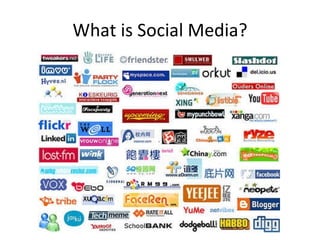
What is Social Media?
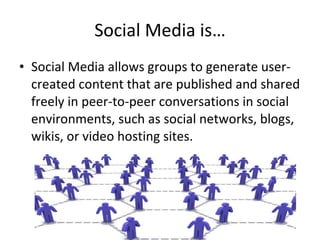
Social Media is… Social Media allows groups to generate user-created content that are published and shared freely in peer-to-peer conversations in social environments, such as social networks, blogs, wikis, or video hosting sites.
Social Media  in Plain English YouTube Video http://www.youtube.com/watch?v=MpIOClX1jPE
Social Media:  What’s in it for your company? 3 Major Focuses
Social Media:  What’s in it for your company? The production of  content  is essential to the life of your company 25% of search results for the World’s Top 20 largest brands are links to user-generated content 34% of bloggers post opinions about products & brands The #2 largest search engine in the world is YouTube
Social Media:  What’s in it for your company? Social Networking  is the fastest means of sharing The fastest growing segment on Facebook is 55-65 year-old females  More than 30 billion pieces of content (web links, news stories, blog posts, notes, photos, etc.) are shared on Facebook each month
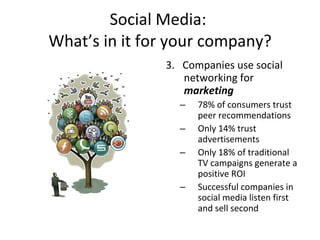
Social Media:  What’s in it for your company? 3.  Companies use social networking for  marketing 78% of consumers trust peer recommendations Only 14% trust advertisements Only 18% of traditional TV campaigns generate a positive ROI Successful companies in social media listen first and sell second
7 Steps To A Great  Social Media Strategy Passion and Goals Listening Producing Content Setup Outposts Distribution Social Networking Monitor and Measure
Passion  IS  The Foundation! Determine your passion What gets you excited to talk about? What are you good at? Passion determines your content
Social Media Goals Don’t work backwards Identify major goals How can you use social media to improve a specific function?
More Goals…. Increase customer base Generate Leads Drive Sales Build Awareness Make money from content Improve internal communication
Listening There ARE conversations going on about your brand OR at least your industry Which tools should I use? Addictomatic Facebook Search What am I listening for? 5-8 keywords
PRODUCE CONTENT! Content is King
Content is Key! Select and know your topics Main Topic Content Categories 50 Post Titles What medium will you use? Setup your website and/or blog
Setup a Blog Wordpress Blog Website/blog is your home online A blog acts as your tool to express your expertise and opinion. Blogs allow comments for direct feedback The more quality content you blog, the higher expert ranking you can achieve.
Develop Content Create Pillar Content How to Own Definitions Blueprints Lists Argument Resource report Controversial
Commenting Just about everything can be commented on.  Provides link back to your website Commenting is an extension of your content. It allows you to express your expertise for others to read
Media Publishing By adding pictures and videos you are adding content that many individuals have the potential of looking at.  Educational/Tutorial videos can act as resource someone will watch over and over Picture and Video tagging will create a viral effect.
Content Distribution Update status across multiple platforms Upload video to multiple video websites Article submission websites RSS and Email Subscriptions
“ Social Media Outposts” 2-3 Outposts Major Social Outposts Facebook  Fan Page for Business YouTube Twitter Other Outposts LinkedIn Flickr Forums Other Blogs
Really USE Social Networking Don’t Just Be On It, USE IT!
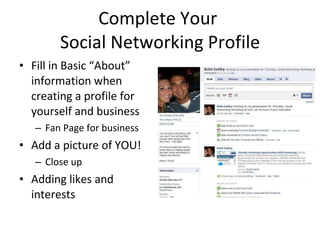
Complete Your  Social Networking Profile Fill in Basic “About” information when creating a profile for yourself and business Fan Page for business  Add a picture of YOU! Close up Adding likes and interests
Finding Potential Connection Search  Offline friends and family Organizations you are in Interesting topics to you Offline Promotion “ We’re On Facebook”  Business Cards Build Relationships
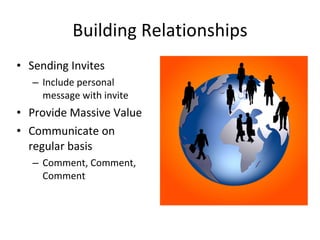
Building Relationships Sending Invites Include personal message with invite Provide Massive Value Communicate on regular basis Comment, Comment, Comment
Social Networking Conversations People typically post content to get feedback, give it! Ask questions Quotes and Jokes Content is Key!
Communicate in and outside work Quick questions and answers during work Groups for employees to receive group messaging. Creating Events
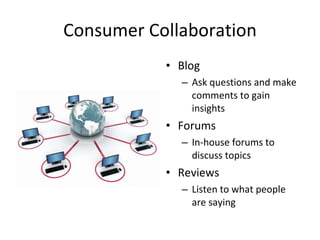
Consumer Collaboration Blog Ask questions and make comments to gain insights  Forums In-house forums to discuss topics Reviews Listen to what people are saying
Social Media Strategies Sample Strategies based on your companies goals
Social Media Strategy Content is King Share and point out resources. Yours and others Decide where Which Social Networks Which Blogs to follow Create strong profile Dedicate Support Dedicate contributors Create schedule
Social Media Strategy Do Not assume You don’t know what people want and need Let people find you Post and tag photos Network commenting Status updates Blogs Forms Tweet TO people
Social Network Marketing Direct Network Ads on Facebook Video Ads on YouTube Facebook and mobile applications Create and manage own forum Create and manage own social network
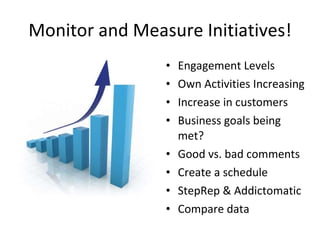
Monitor and Measure Initiatives! Engagement Levels Own Activities Increasing Increase in customers Business goals being met? Good vs. bad comments Create a schedule StepRep & Addictomatic Compare data
Use Monitored Data Connect with those who talk about you, good or bad Policy in place how to respond Share learning from results with team
Review and Revise Determine When and How Often to Review Review Social Media Goals and Strategies Make Changes As Needed!
The End! Use Social Media to your advantage Keep in Touch! Kelsi Guidry
Thanks For Attending The Monroe Chamber Web Smart Series Session: Social Media Overview What would you like to see taught next?

Get Web Smart: Social Media Overview

  • 1.
    Welcome to theMonroe Chamber Web Smart Series Session: Social Media Overview
  • 2.
    Introductions My Nameis… Kelsi Guidry, founder of MyWants Inc. Please introduce yourself and the company you represent.
  • 3.
  • 4.
    Social Media is…Social Media allows groups to generate user-created content that are published and shared freely in peer-to-peer conversations in social environments, such as social networks, blogs, wikis, or video hosting sites.
  • 5.
    Social Media in Plain English YouTube Video http://www.youtube.com/watch?v=MpIOClX1jPE
  • 6.
    Social Media: What’s in it for your company? 3 Major Focuses
  • 7.
    Social Media: What’s in it for your company? The production of content is essential to the life of your company 25% of search results for the World’s Top 20 largest brands are links to user-generated content 34% of bloggers post opinions about products & brands The #2 largest search engine in the world is YouTube
  • 8.
    Social Media: What’s in it for your company? Social Networking is the fastest means of sharing The fastest growing segment on Facebook is 55-65 year-old females More than 30 billion pieces of content (web links, news stories, blog posts, notes, photos, etc.) are shared on Facebook each month
  • 9.
    Social Media: What’s in it for your company? 3. Companies use social networking for marketing 78% of consumers trust peer recommendations Only 14% trust advertisements Only 18% of traditional TV campaigns generate a positive ROI Successful companies in social media listen first and sell second
  • 10.
    7 Steps ToA Great Social Media Strategy Passion and Goals Listening Producing Content Setup Outposts Distribution Social Networking Monitor and Measure
  • 11.
    Passion IS The Foundation! Determine your passion What gets you excited to talk about? What are you good at? Passion determines your content
  • 12.
    Social Media GoalsDon’t work backwards Identify major goals How can you use social media to improve a specific function?
  • 13.
    More Goals…. Increasecustomer base Generate Leads Drive Sales Build Awareness Make money from content Improve internal communication
  • 14.
    Listening There AREconversations going on about your brand OR at least your industry Which tools should I use? Addictomatic Facebook Search What am I listening for? 5-8 keywords
  • 15.
  • 16.
    Content is Key!Select and know your topics Main Topic Content Categories 50 Post Titles What medium will you use? Setup your website and/or blog
  • 17.
    Setup a BlogWordpress Blog Website/blog is your home online A blog acts as your tool to express your expertise and opinion. Blogs allow comments for direct feedback The more quality content you blog, the higher expert ranking you can achieve.
  • 18.
    Develop Content CreatePillar Content How to Own Definitions Blueprints Lists Argument Resource report Controversial
  • 19.
    Commenting Just abouteverything can be commented on. Provides link back to your website Commenting is an extension of your content. It allows you to express your expertise for others to read
  • 20.
    Media Publishing Byadding pictures and videos you are adding content that many individuals have the potential of looking at. Educational/Tutorial videos can act as resource someone will watch over and over Picture and Video tagging will create a viral effect.
  • 21.
    Content Distribution Updatestatus across multiple platforms Upload video to multiple video websites Article submission websites RSS and Email Subscriptions
  • 22.
    “ Social MediaOutposts” 2-3 Outposts Major Social Outposts Facebook Fan Page for Business YouTube Twitter Other Outposts LinkedIn Flickr Forums Other Blogs
  • 23.
    Really USE SocialNetworking Don’t Just Be On It, USE IT!
  • 24.
    Complete Your Social Networking Profile Fill in Basic “About” information when creating a profile for yourself and business Fan Page for business Add a picture of YOU! Close up Adding likes and interests
  • 25.
    Finding Potential ConnectionSearch Offline friends and family Organizations you are in Interesting topics to you Offline Promotion “ We’re On Facebook” Business Cards Build Relationships


  • 26.
    Building Relationships SendingInvites Include personal message with invite Provide Massive Value Communicate on regular basis Comment, Comment, Comment
  • 27.
    Social Networking ConversationsPeople typically post content to get feedback, give it! Ask questions Quotes and Jokes Content is Key!
  • 28.
    Communicate in andoutside work Quick questions and answers during work Groups for employees to receive group messaging. Creating Events
  • 29.
    Consumer Collaboration BlogAsk questions and make comments to gain insights Forums In-house forums to discuss topics Reviews Listen to what people are saying
  • 30.
    Social Media StrategiesSample Strategies based on your companies goals
  • 31.
    Social Media StrategyContent is King Share and point out resources. Yours and others Decide where Which Social Networks Which Blogs to follow Create strong profile Dedicate Support Dedicate contributors Create schedule
  • 32.
    Social Media StrategyDo Not assume You don’t know what people want and need Let people find you Post and tag photos Network commenting Status updates Blogs Forms Tweet TO people
  • 33.
    Social Network MarketingDirect Network Ads on Facebook Video Ads on YouTube Facebook and mobile applications Create and manage own forum Create and manage own social network
  • 34.
    Monitor and MeasureInitiatives! Engagement Levels Own Activities Increasing Increase in customers Business goals being met? Good vs. bad comments Create a schedule StepRep & Addictomatic Compare data
  • 35.
    Use Monitored DataConnect with those who talk about you, good or bad Policy in place how to respond Share learning from results with team
  • 36.
    Review and ReviseDetermine When and How Often to Review Review Social Media Goals and Strategies Make Changes As Needed!
  • 37.
    The End! UseSocial Media to your advantage Keep in Touch! Kelsi Guidry
  • 38.
    Thanks For AttendingThe Monroe Chamber Web Smart Series Session: Social Media Overview What would you like to see taught next?