Getting started 
with Listly (v3)
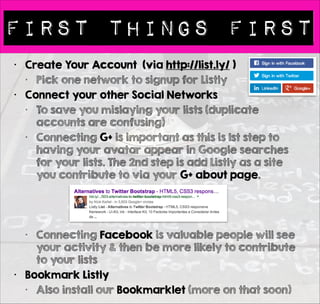
First things first 
• Create Your Account (via http://list.ly/ ) 
• Pick one network to signup for Listly 
• Connect your other Social Networks 
• To save you mislaying your lists (duplicate 
accounts are confusing) 
• Connecting all your networks also gives 
your account more social presence / 
social proof. 
• Connecting Facebook is valuable people 
will see your activity & then be more 
likely to contribute to your lists 
• Bookmark Listly 
• Also install our Bookmarklet (more on that 
soon) 
• Install the Chrome Extension
EXPLORE the culture 
• Lists are like Blogs. Listmakers are like Bloggers 
• The first thing you should do on Listly is observe 
other people’s content 
• See what lists people make 
• Follow other people & their lists 
• Vote on lists that are on topics you care about 
• Contribute & share other people’s lists 
• If blog, consider embedding other people’s lists on 
blog posts. Lists make great blog content 
• This is standard blogging / social networking advice 
• Listly is a social content network just like Slideshare / 
Youtube. Each platform has its own culture 
• Embrace & support the community in a way you’d 
like them to embrace you & your lists 
• There is no anonymity - all votes & contribution are 
traceable - this is not Reddit
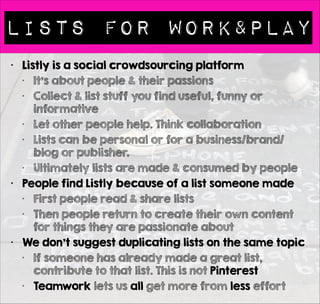
Lists for WORK&PLAY 
• Listly is a social crowdsourcing platform 
• It’s about people & their passions 
• Collect & list stuff you find useful, funny or 
informative 
• Let other people help. Think collaboration 
• Lists can be personal or for a business/brand/ 
blog or publisher. 
• Ultimately lists are made & consumed by people 
• People find Listly because of a list someone made 
• First people read & share lists 
• Then people return to create their own content 
for things they are passionate about 
• We don’t suggest duplicating lists on the same topic 
• If someone has already made a great list, 
contribute to that list. This is not Pinterest 
• Teamwork lets us all get more from less effort
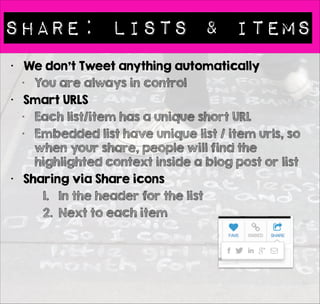
Share: Lists & Items 
• We don’t Tweet anything automatically 
• You are always in control 
• Smart URLS 
• Each list/item has a unique short URL 
• Embedded list have unique list / item urls, so 
when your share, people will find the 
highlighted context inside a blog post or list 
• Sharing via Share icons 
1. In the header for the list 
2. Next to each item
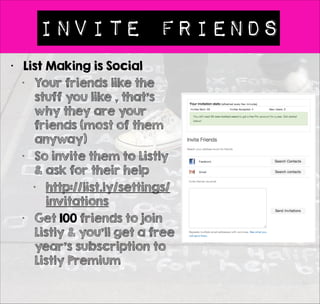
Invite Friends 
• List Making is Social 
• Your friends like the 
stuff you like , that’s 
why they are your 
friends (most of them 
anyway) 
• So invite them to Listly 
& ask for their help 
• http://list.ly/settings/ 
invitations 
• Get 100 friends to join 
Listly & you’ll get a free 
year’s subscription to 
Listly Premium
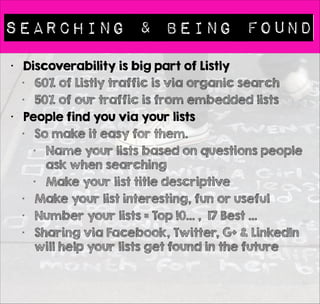
Searching & Being found 
• Discoverability is big part of Listly 
• 60% of Listly traffic is via organic search 
• 50% of our traffic is from embedded lists 
• People find you via your lists 
• So make it easy for them. 
• Name your lists based on questions people 
ask when searching 
• Make your list title descriptive 
• Make your list interesting, fun or useful 
• Number your lists = Top !0… , 17 Best … 
• Sharing via Facebook, Twitter, G+ & LinkedIn 
will help your lists get found in the future
Desktops,phones & Tablets 
• Responsive Design 
• Listly is built to offer what’s called 
“responsive design” 
• This means the content & layout adjust 
dynamically to works on 
• Desktops 
• Smartphones 
• Tablets 
! 
• Content does not determine layout 
• With Listly there are multiple possible layouts
Listy: Built to Embed 
• Listly was built to be embeddable 
• We make it easy both on Wordpress & blogs 
supporting Javascript (which is most) 
• If you get stuck search for help here 
• https://listly.tenderapp.com/kb 
• If you embed lists on a platform we haven’t 
documented we’d love to hear from you, so we can 
extend our documentation 
• Lists are Responsive 
• List layout / content adjust to available space, so you 
can easily embed a list on the sidebar or in a post 
• Pick a unique layout for each embedded a list 
• When the list changes, so does the embedded content 
• Your lists keep evolving over time, which makes them 
more valuable 
• Where to Grab the Embed Code 
• Every lists has an embed icon
ONe Lists - Many Layouts 
• Customize Your Embeds 
• It’s very simple to control how your lists looks
ONe Lists - Many Layouts 
• Just Grab Your Code 
• You can grab the short code if you have a 
self hosted Wordpress blog or Javascript if 
you have a different blogging platform
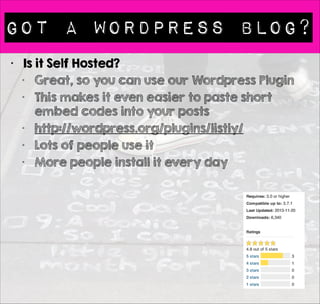
Got A WORDPRESS BLOG? 
• Is it Self Hosted? 
• Great, so you can use our Wordpress Plugin 
• This makes it even easier to paste short embed 
codes into your posts 
• http://wordpress.org/plugins/listly/ 
• Lots of people use it (11k downloads)
GETTING HELP FROM LISTLY 
• Our Help / Support Site 
• https://listly.tenderapp.com/kb 
• This is the best place to contact us as 
multiple people see & read emails sent to our 
support system 
• You can ping us on Twitter. That’s great. You 
may even find other Listly users jumping in to 
help 
• We love the social dialog 
• Do share your lists & your blog posts 
• Add the hashtag #listagrams if you’d like us 
to feature your list on our weekly Listagram
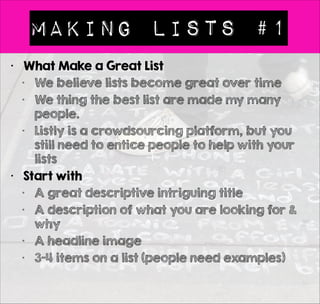
Making Lists #1 
• What Make a Great List 
• We believe lists become great over time 
• We thing the best list are made my many 
people. 
• Listly is a crowdsourcing platform, but you 
still need to entice people to help with your 
lists 
• Start with 
• A great descriptive intriguing title 
• A description of what you are looking for & 
why 
• A headline image 
• 3-4 items on a list (people need examples)
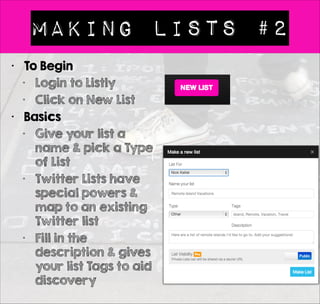
Making Lists #2 
• To Begin 
• Login to Listly 
• Click on New List 
• Basics 
• Give your list a 
name & pick a Type 
of List 
• Twitter Lists have 
special powers & 
map to an existing 
Twitter list 
• Fill in the 
description & gives 
your list Tags to aid 
discovery
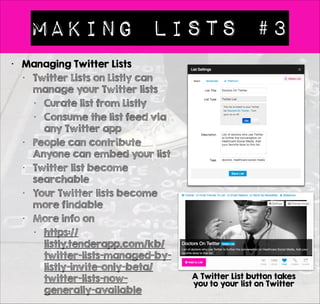
Making Lists #3 
• Managing Twitter Lists 
• Twitter Lists on Listly can 
manage your Twitter lists 
• Curate list from Listly 
• Consume the list feed via 
any Twitter app 
• People can contribute 
Anyone can embed your list 
• Twitter list become 
searchable 
• Your Twitter lists become 
more findable 
• More info on 
• https:// 
listly.tenderapp.com/kb/ 
twitter-lists-managed-by-listly- 
invite-only-beta/ 
twitter-lists-now-generally- 
available 
A Twitter List button takes 
you to your list on Twitter
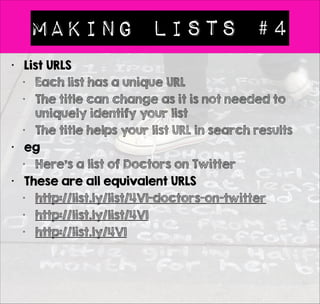
Making Lists #4 
• List URLS 
• Each list has a unique URL 
• The title can change as it is not needed to 
uniquely identify your list 
• The title helps your list URL in search results 
• eg 
• Here’s a list of Doctors on Twitter 
• These are all equivalent URLS 
• http://list.ly/list/4V1-doctors-on-twitter 
• http://list.ly/list/4V1 
• http://list.ly/4V1
Great titles matter 
• List Titles 
• See how other people write their blog post titles 
• See Jon Morrow > Headline Hacks 
• http://boostblogtraffic.com/headline-hacks/ 
• Watch Buzzfeed at work 
• Create compelling numbered list titles if you want 
people to find and contribute to your lists 
• Item Titles 
• Item titles matter too 
• They should contain key works, but also ask 
yourself - Would anyone share this 
• Write List and Item titles that are share worthy 
• You can change your title over time, so don’t be 
afraid to go back and improve the titles for your 
old lists 
• Titles can change even on embedded lists
Customizing your lists #1 
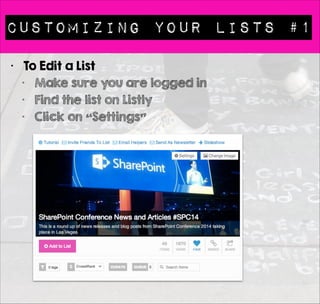
• To Edit a List 
• Make sure you are logged in 
• Find the list on Listly 
• Click on “Settings”
Customizing your lists #2 
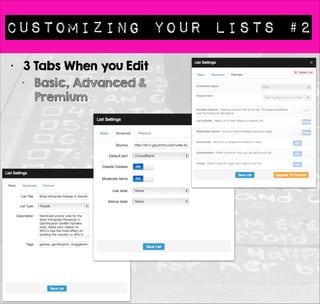
• 3 Tabs When you Edit 
• Basic, Advanced & 
Premium
headline images 
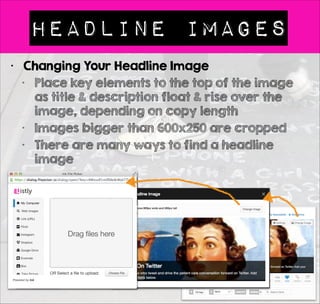
• Changing Your Headline Image 
• Place key elements to the top of the image 
as title & description float & rise over the 
image, depending on copy length 
• Images bigger than 600x250 are cropped 
• There are many ways to find a headline 
image
4 Ways to Add to Lists 
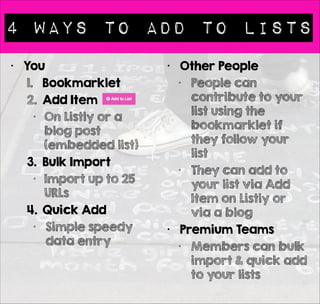
• You 
1. Bookmarklet 
2. Add Item 
• On Listly or a 
blog post 
(embedded list) 
3. Bulk Import 
• Import up to 25 
URLs 
4. Quick Add 
• Simple speedy 
data entry 
! 
! 
• Other People 
• People can 
contribute to your 
list using the 
bookmarklet if 
they follow your 
list 
• They can add to 
your list via Add 
Item on Listly or 
via a blog 
• Premium Teams 
• Members can bulk 
import & quick add 
to your lists
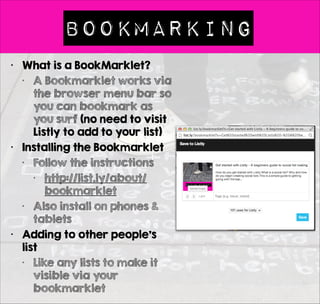
Bookmarking 
• What is a BookMarklet? 
• A Bookmarklet works via 
the browser menu bar so 
you can bookmark as 
you surf (no need to visit 
Listly to add to your list) 
• Installing the Bookmarklet 
• Follow the instructions 
• http://list.ly/about/ 
bookmarklet 
• Also install on phones & 
tablets 
• Adding to other people’s 
list 
• Like any lists to make it 
visible via your 
bookmarklet
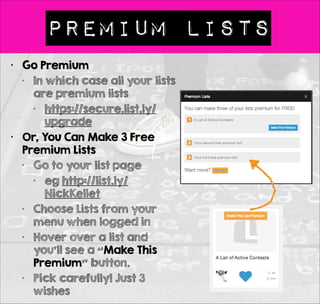
Premium Lists 
• Go Premium 
• In which case all your lists 
are premium lists 
• https://secure.list.ly/ 
upgrade 
• Or, You Can Make 3 Free 
Premium Lists 
• Go to your list page 
• eg http://list.ly/ 
NickKellet 
• Choose Lists from your 
menu when logged in 
• Hover over a list and 
you’ll see a “Make This 
Premium” button. 
• Pick carefully! Just 3 
wishes
asking for help 
• Asking for help is a big part of Listly culture 
• Ask early & often. Catch people when they have 
time to act 
• Don’t be afraid to ask again 
• Leave room for the first people to help. Leave 
obvious gaps in the list 
• Getting the first few people to help takes effort 
• Once people can see social contributions other 
people will be more willing to participate 
• Ask friend & request help via Twitter & other 
social networks - don’t forget to use hashtags & 
keywords so people will find your content 
• For people to contribute they need to care 
about the topic & your list content 
• Tell people why you need. Ask for one thing 
• Voting or Contributing
moderating your lists 
• By default all additions are visible on the list 
• You can turn on moderation in list settings in 
the advanced tab > Moderate Items 
• If you turn on Moderation you need to 
approve each item to your list. 
• Moderation 
• New items are sent to the list queue 
• If you want to hide the moderation queue 
you need to upgrade to premium Listly 
• Best Practice 
• Thank people who contribute to your lists
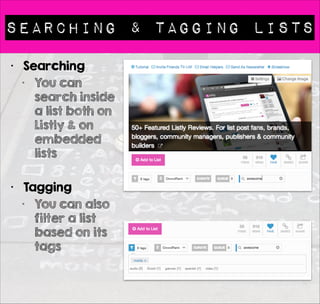
Searching & TAGGING LISTS 
• Searching 
• You can 
search inside 
a list both on 
Listly & on 
embedded 
lists 
! 
• Tagging 
• You can also 
filter a list 
based on its 
tags
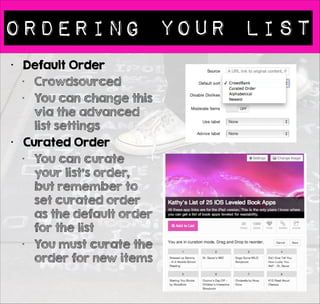
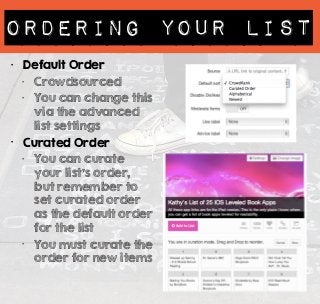
ORDERING YOUR LISt 
• Default Order 
• Crowdsourced 
• You can change this 
via the advanced 
list settings 
• Curated Order 
• You can curate 
your list’s order, 
but remember to 
set curated order 
as the default order 
for the list 
• You must curate the 
order for new items
More RESOURCES 
• Tips List 
• http://list.ly/list/Enp-listly-tips-and-tricks-list? 
feature=search 
• NewsLetters & Blog 
• Explore our newsletters & blog for the latest 
• http://blog.list.ly/newsletters/ 
• http://blog.list.ly/ 
• http://blog.list.ly/listly-slidedecks/
Final Thoughts 
• Any Questions 
• What’s missing from this getting started 
guide? 
• Leave comments & we’ll iterate 
• Image Credits 
• Hopscotch via Ian Muttoo 
• http://www.flickr.com/photos/imuttoo/ 
4504392318/sizes/l/

Get started with Listly - A beginners guide to social list making

  • 1.
  • 2.
    First things first • Create Your Account (via http://list.ly/ ) • Pick one network to signup for Listly • Connect your other Social Networks • To save you mislaying your lists (duplicate accounts are confusing) • Connecting all your networks also gives your account more social presence / social proof. • Connecting Facebook is valuable people will see your activity & then be more likely to contribute to your lists • Bookmark Listly • Also install our Bookmarklet (more on that soon) • Install the Chrome Extension
  • 3.
    EXPLORE the culture • Lists are like Blogs. Listmakers are like Bloggers • The first thing you should do on Listly is observe other people’s content • See what lists people make • Follow other people & their lists • Vote on lists that are on topics you care about • Contribute & share other people’s lists • If blog, consider embedding other people’s lists on blog posts. Lists make great blog content • This is standard blogging / social networking advice • Listly is a social content network just like Slideshare / Youtube. Each platform has its own culture • Embrace & support the community in a way you’d like them to embrace you & your lists • There is no anonymity - all votes & contribution are traceable - this is not Reddit
  • 4.
    Lists for WORK&PLAY • Listly is a social crowdsourcing platform • It’s about people & their passions • Collect & list stuff you find useful, funny or informative • Let other people help. Think collaboration • Lists can be personal or for a business/brand/ blog or publisher. • Ultimately lists are made & consumed by people • People find Listly because of a list someone made • First people read & share lists • Then people return to create their own content for things they are passionate about • We don’t suggest duplicating lists on the same topic • If someone has already made a great list, contribute to that list. This is not Pinterest • Teamwork lets us all get more from less effort
  • 5.
    Share: Lists &Items • We don’t Tweet anything automatically • You are always in control • Smart URLS • Each list/item has a unique short URL • Embedded list have unique list / item urls, so when your share, people will find the highlighted context inside a blog post or list • Sharing via Share icons 1. In the header for the list 2. Next to each item
  • 6.
    Invite Friends •List Making is Social • Your friends like the stuff you like , that’s why they are your friends (most of them anyway) • So invite them to Listly & ask for their help • http://list.ly/settings/ invitations • Get 100 friends to join Listly & you’ll get a free year’s subscription to Listly Premium
  • 7.
    Searching & Beingfound • Discoverability is big part of Listly • 60% of Listly traffic is via organic search • 50% of our traffic is from embedded lists • People find you via your lists • So make it easy for them. • Name your lists based on questions people ask when searching • Make your list title descriptive • Make your list interesting, fun or useful • Number your lists = Top !0… , 17 Best … • Sharing via Facebook, Twitter, G+ & LinkedIn will help your lists get found in the future
  • 8.
    Desktops,phones & Tablets • Responsive Design • Listly is built to offer what’s called “responsive design” • This means the content & layout adjust dynamically to works on • Desktops • Smartphones • Tablets ! • Content does not determine layout • With Listly there are multiple possible layouts
  • 9.
    Listy: Built toEmbed • Listly was built to be embeddable • We make it easy both on Wordpress & blogs supporting Javascript (which is most) • If you get stuck search for help here • https://listly.tenderapp.com/kb • If you embed lists on a platform we haven’t documented we’d love to hear from you, so we can extend our documentation • Lists are Responsive • List layout / content adjust to available space, so you can easily embed a list on the sidebar or in a post • Pick a unique layout for each embedded a list • When the list changes, so does the embedded content • Your lists keep evolving over time, which makes them more valuable • Where to Grab the Embed Code • Every lists has an embed icon
  • 10.
    ONe Lists -Many Layouts • Customize Your Embeds • It’s very simple to control how your lists looks
  • 11.
    ONe Lists -Many Layouts • Just Grab Your Code • You can grab the short code if you have a self hosted Wordpress blog or Javascript if you have a different blogging platform
  • 12.
    Got A WORDPRESSBLOG? • Is it Self Hosted? • Great, so you can use our Wordpress Plugin • This makes it even easier to paste short embed codes into your posts • http://wordpress.org/plugins/listly/ • Lots of people use it (11k downloads)
  • 13.
    GETTING HELP FROMLISTLY • Our Help / Support Site • https://listly.tenderapp.com/kb • This is the best place to contact us as multiple people see & read emails sent to our support system • You can ping us on Twitter. That’s great. You may even find other Listly users jumping in to help • We love the social dialog • Do share your lists & your blog posts • Add the hashtag #listagrams if you’d like us to feature your list on our weekly Listagram
  • 14.
    Making Lists #1 • What Make a Great List • We believe lists become great over time • We thing the best list are made my many people. • Listly is a crowdsourcing platform, but you still need to entice people to help with your lists • Start with • A great descriptive intriguing title • A description of what you are looking for & why • A headline image • 3-4 items on a list (people need examples)
  • 15.
    Making Lists #2 • To Begin • Login to Listly • Click on New List • Basics • Give your list a name & pick a Type of List • Twitter Lists have special powers & map to an existing Twitter list • Fill in the description & gives your list Tags to aid discovery
  • 16.
    Making Lists #3 • Managing Twitter Lists • Twitter Lists on Listly can manage your Twitter lists • Curate list from Listly • Consume the list feed via any Twitter app • People can contribute Anyone can embed your list • Twitter list become searchable • Your Twitter lists become more findable • More info on • https:// listly.tenderapp.com/kb/ twitter-lists-managed-by-listly- invite-only-beta/ twitter-lists-now-generally- available A Twitter List button takes you to your list on Twitter
  • 17.
    Making Lists #4 • List URLS • Each list has a unique URL • The title can change as it is not needed to uniquely identify your list • The title helps your list URL in search results • eg • Here’s a list of Doctors on Twitter • These are all equivalent URLS • http://list.ly/list/4V1-doctors-on-twitter • http://list.ly/list/4V1 • http://list.ly/4V1
  • 18.
    Great titles matter • List Titles • See how other people write their blog post titles • See Jon Morrow > Headline Hacks • http://boostblogtraffic.com/headline-hacks/ • Watch Buzzfeed at work • Create compelling numbered list titles if you want people to find and contribute to your lists • Item Titles • Item titles matter too • They should contain key works, but also ask yourself - Would anyone share this • Write List and Item titles that are share worthy • You can change your title over time, so don’t be afraid to go back and improve the titles for your old lists • Titles can change even on embedded lists
  • 19.
    Customizing your lists#1 • To Edit a List • Make sure you are logged in • Find the list on Listly • Click on “Settings”
  • 20.
    Customizing your lists#2 • 3 Tabs When you Edit • Basic, Advanced & Premium
  • 21.
    headline images •Changing Your Headline Image • Place key elements to the top of the image as title & description float & rise over the image, depending on copy length • Images bigger than 600x250 are cropped • There are many ways to find a headline image
  • 22.
    4 Ways toAdd to Lists • You 1. Bookmarklet 2. Add Item • On Listly or a blog post (embedded list) 3. Bulk Import • Import up to 25 URLs 4. Quick Add • Simple speedy data entry ! ! • Other People • People can contribute to your list using the bookmarklet if they follow your list • They can add to your list via Add Item on Listly or via a blog • Premium Teams • Members can bulk import & quick add to your lists
  • 23.
    Bookmarking • Whatis a BookMarklet? • A Bookmarklet works via the browser menu bar so you can bookmark as you surf (no need to visit Listly to add to your list) • Installing the Bookmarklet • Follow the instructions • http://list.ly/about/ bookmarklet • Also install on phones & tablets • Adding to other people’s list • Like any lists to make it visible via your bookmarklet
  • 24.
    Premium Lists •Go Premium • In which case all your lists are premium lists • https://secure.list.ly/ upgrade • Or, You Can Make 3 Free Premium Lists • Go to your list page • eg http://list.ly/ NickKellet • Choose Lists from your menu when logged in • Hover over a list and you’ll see a “Make This Premium” button. • Pick carefully! Just 3 wishes
  • 25.
    asking for help • Asking for help is a big part of Listly culture • Ask early & often. Catch people when they have time to act • Don’t be afraid to ask again • Leave room for the first people to help. Leave obvious gaps in the list • Getting the first few people to help takes effort • Once people can see social contributions other people will be more willing to participate • Ask friend & request help via Twitter & other social networks - don’t forget to use hashtags & keywords so people will find your content • For people to contribute they need to care about the topic & your list content • Tell people why you need. Ask for one thing • Voting or Contributing
  • 26.
    moderating your lists • By default all additions are visible on the list • You can turn on moderation in list settings in the advanced tab > Moderate Items • If you turn on Moderation you need to approve each item to your list. • Moderation • New items are sent to the list queue • If you want to hide the moderation queue you need to upgrade to premium Listly • Best Practice • Thank people who contribute to your lists
  • 27.
    Searching & TAGGINGLISTS • Searching • You can search inside a list both on Listly & on embedded lists ! • Tagging • You can also filter a list based on its tags
  • 28.
    ORDERING YOUR LISt • Default Order • Crowdsourced • You can change this via the advanced list settings • Curated Order • You can curate your list’s order, but remember to set curated order as the default order for the list • You must curate the order for new items
  • 29.
    More RESOURCES •Tips List • http://list.ly/list/Enp-listly-tips-and-tricks-list? feature=search • NewsLetters & Blog • Explore our newsletters & blog for the latest • http://blog.list.ly/newsletters/ • http://blog.list.ly/ • http://blog.list.ly/listly-slidedecks/
  • 30.
    Final Thoughts •Any Questions • What’s missing from this getting started guide? • Leave comments & we’ll iterate • Image Credits • Hopscotch via Ian Muttoo • http://www.flickr.com/photos/imuttoo/ 4504392318/sizes/l/