Nick Kellet March 29th 2022
Deckible Beta U2
Update No 2
Nick Kellet March 29th 2022
A quick recap of
why Deckible
exists
We exist to support the creative economy
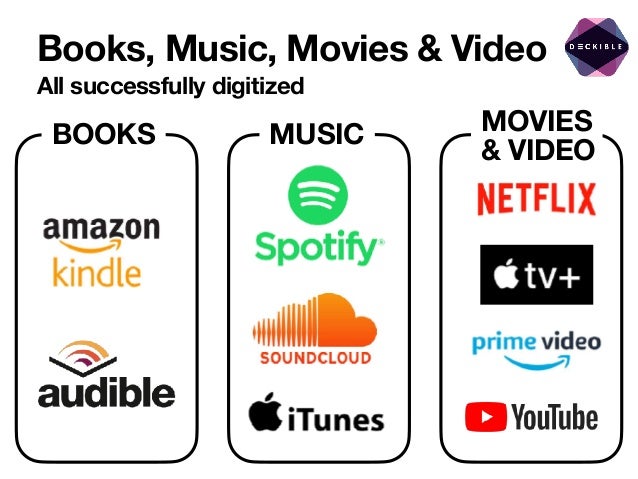
Books, Music, Movies & Video
All successfully digitized
BOOKS MOVIES
& VIDEO
MUSIC
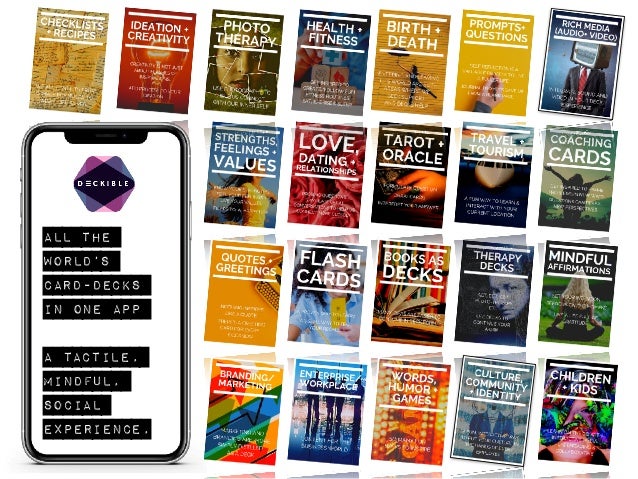
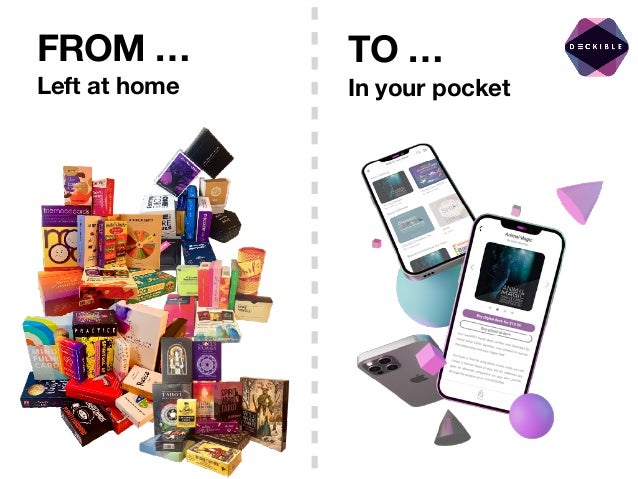
ALL THE
WORLD’S


CARD-DECKS
IN ONE APP


A TACTILE,
MINDFUL,
SOCIAL
EXPERIENCE,
FROM …
Left at home In your pocket
TO …
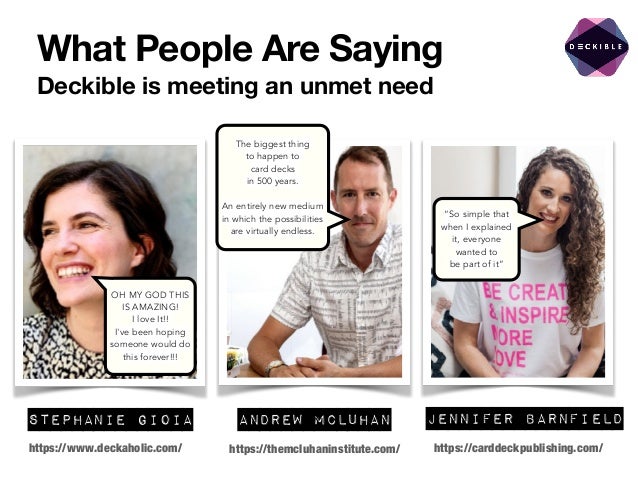
What People Are Saying
Deckible is meeting an unmet need
Jennifer Barnfield
Andrew McLuhan
Stephanie Gioia
https://themcluhaninstitute.com/
https://www.deckaholic.com/ https://carddeckpublishing.com/
OH MY GOD THIS
IS AMAZING!


I love It!!


I've been hoping
someone would do
this forever!!!
The biggest thing


to happen to


card decks


in 500 years.


An entirely new medium
in which the possibilities
are virtually endless.
“So simple that
when I explained
it, everyone
wanted to


be part of it”
Nick Kellet March 29th 2022
Deckible Beta U2
Update No 2
What’s New for U2
Here’s the highlights
[X] 100+ Creator with decks loaded

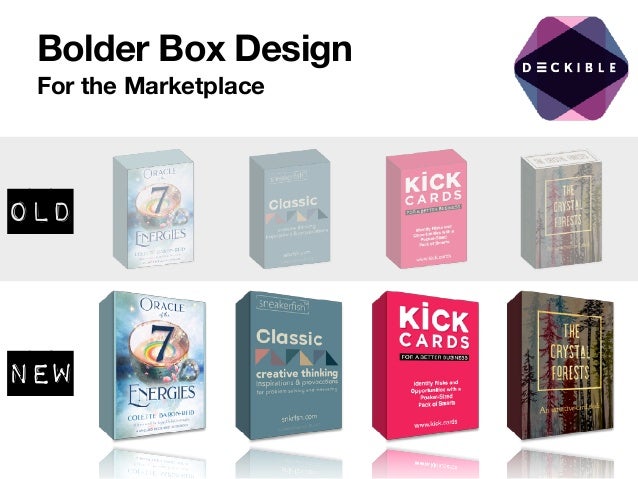
[X] New Box Art design/sizing ( also added back of box)

[X] Beta feedback has been transformative

[X] New home page. New Deck info page

[X] Embed your deck on any blog

[X] Feature your deck on Deckible About Page

[X] Hands on Deck

[X] 3 Webinars (Links)

[X] New Slide-deck (Links)

[X] Promotion Starts Now

[X] Pricing Your Deck

[X] Onboarding Content
If you are new the beta read on through to U1 (update 1)
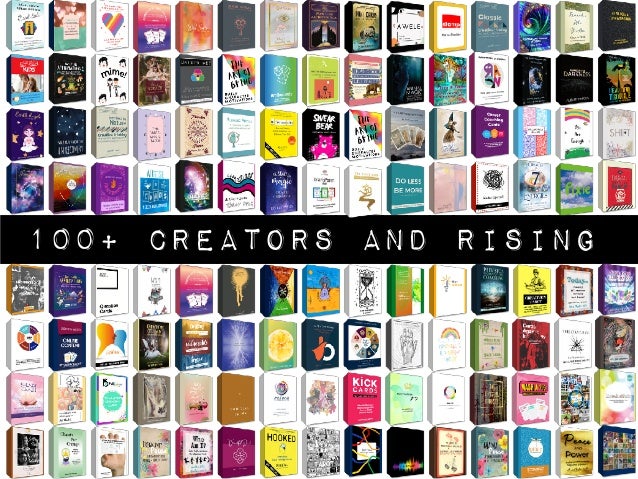
100+ Creators and rising
Bolder Box Design
For the Marketplace
Old
New
Front & Back
Also to feature on embed widget
FRONT
BACK
Beta Feedback
A focus on work
fl
ows
We got some great feedback

We’ve dropped some things -
like Fave and Hide

We’ve re-designed the home
page

We are focusing on user
journeys and on completing key
workflows ( Done button to
return to home page).

We are adding random card in 1
click - instant card fix.
User journeys
Personas/Problems
Home Page Redesign
Quick draw
• (1 to 3 cards from a random deck)

Pick a Deck
• Choose a deck ( scroll left and right
on your decks )

• Get a random deck

• Buy a new deck (filter by genre)

Recent Activity
• Explore all your prior card draws

Scrolling shrinks quick draw and pick a
deck slides away to let your explore your
timeline.
Key features
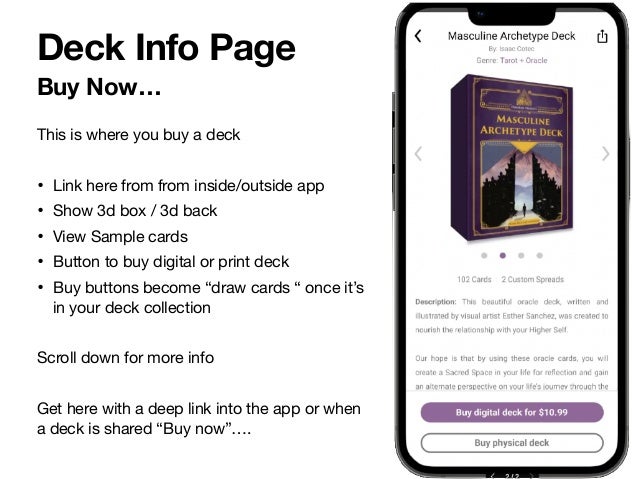
Buy Now…
Deck Info Page
This is where you buy a deck

• Link here from from inside/outside app 

• Show 3d box / 3d back

• View Sample cards

• Button to buy digital or print deck

• Buy buttons become “draw cards “ once it’s
in your deck collection

Scroll down for more info 

Get here with a deep link into the app or when
a deck is shared “Buy now”….
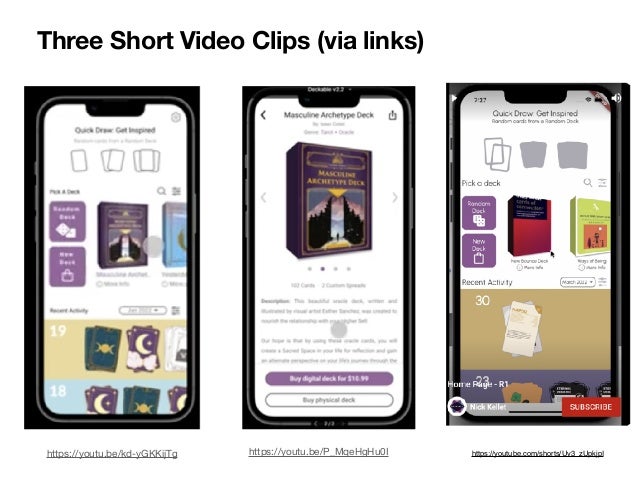
https://youtu.be/kd-yGKKijTg https://youtu.be/P_MqeHgHu0I https://youtube.com/shorts/Uv3_zUpkjpI
Three Short Video Clips (via links)
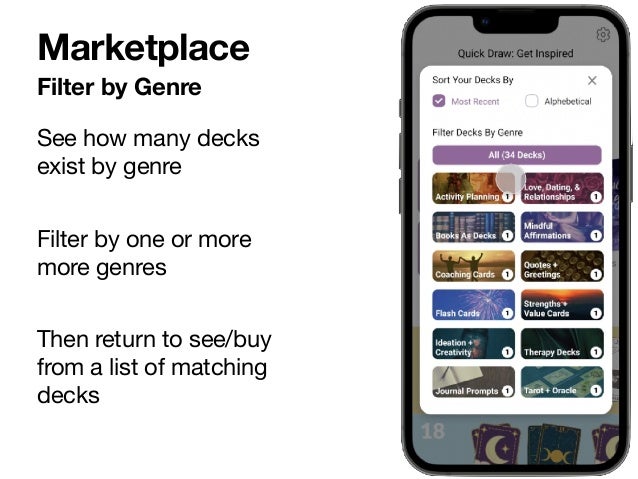
Filter by Genre
Marketplace
See how many decks
exist by genre

Filter by one or more
more genres

Then return to see/buy
from a list of matching
decks
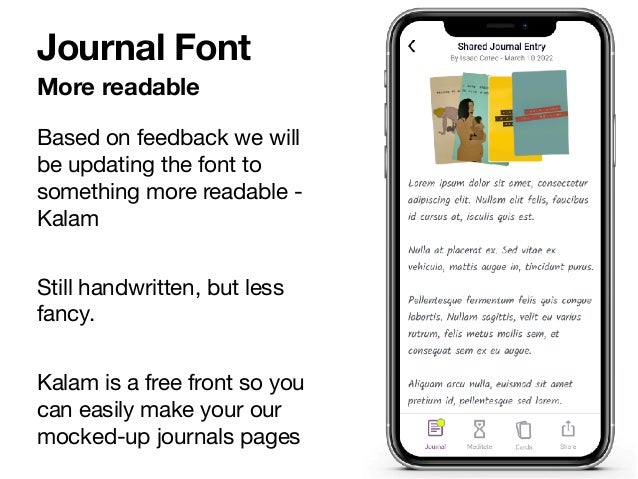
More readable
Journal Font
Based on feedback we will
be updating the font to
something more readable -
Kalam

Still handwritten, but less
fancy.

Kalam is a free front so you
can easily make your our
mocked-up journals pages
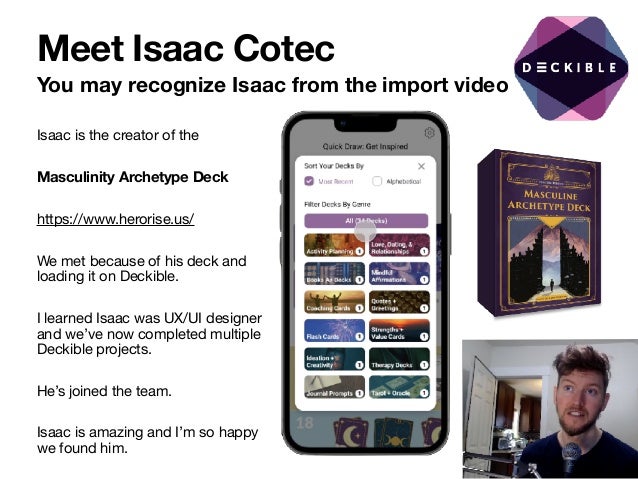
Meet Isaac Cotec
You may recognize Isaac from the import video
Isaac is the creator of the 

Masculinity Archetype Deck
https://www.herorise.us/

We met because of his deck and
loading it on Deckible. 

I learned Isaac was UX/UI designer
and we’ve now completed multiple
Deckible projects.

He’s joined the team.

Isaac is amazing and I’m so happy
we found him.
Embed Widget
For bloggers and review sites
Javascript embed widget

• Links to Deckible

• Links to Print Purchase 

• Work in progress
Feature Your Deck
On Deckible Home Page
We randomly feature many decks on Deckible.com's about page

• We never show more than one deck per author

• We never show more than one deck per genre

And if you send people to Deckible, it’s fun feature your deck(s)

Here’s how you can control the decks

Find your deck ID (each deck has a unique number). 

Then make a url like this. 

https://www.deckible.com/about?decks=[221]

If you have many decks you can include a comma separated list of
upto 4 id’s. It won’t show draft decks. 

https://www.deckible.com/about?decks=[221,233,140,38 ]

Any deck not specified will be random per above rules.

And you want repeat your deck you can

https://www.deckible.com/about?decks=[221,221,221,221]
Go to https://www.deckible.com/decks


Pick your deck and click “view deck”


The look at the last number in the URL


https://www.deckible.com/decks/deck/221


i.e. 221.
“Hands on Deck”
Bi-weekly drop-in sessions
If you’ve got a comment or a
question. 

Or you need help using the app
or importing your deck

Or you want to share or
connect with other Deckible
creators

Weds 8:00am 

Saturday 8:00am
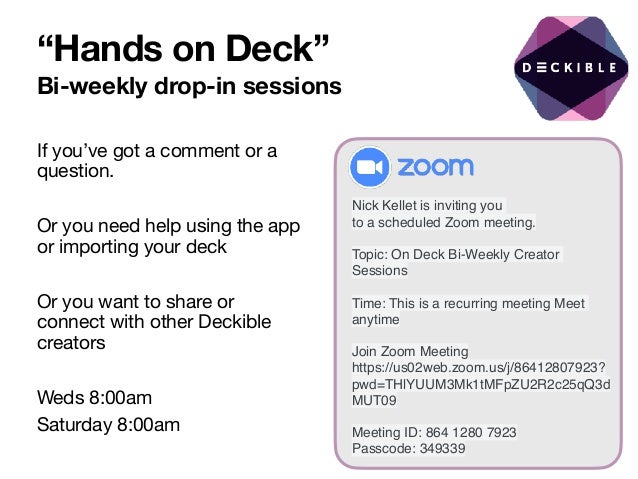
Nick Kellet is inviting you
to a scheduled Zoom meeting.
Topic: On Deck Bi-Weekly Creator
Sessions
Time: This is a recurring meeting Meet
anytime
Join Zoom Meeting
https://us02web.zoom.us/j/86412807923?
pwd=THlYUUM3Mk1tMFpZU2R2c25qQ3d
MUT09
Meeting ID: 864 1280 7923
Passcode: 349339
Webinars
Three recent Webinars
Marcy Nelson-Garrison
https://coachmarcyng.kartra.com/
page/Demo-Nick 

Anna Frolik / Wonderland Publishing
https://www.youtube.com/watch?
v=NacN3TdTTko 

Sarah Le-Fevre - Ludogogy
https://ludogogy.co.uk/deckible-
app-100-decks-in-your-pocket-demo/
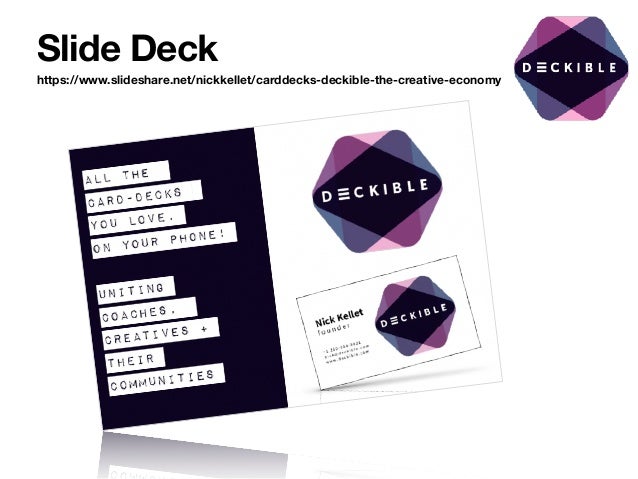
Slide Deck
https://www.slideshare.net/nickkellet/carddecks-deckible-the-creative-economy
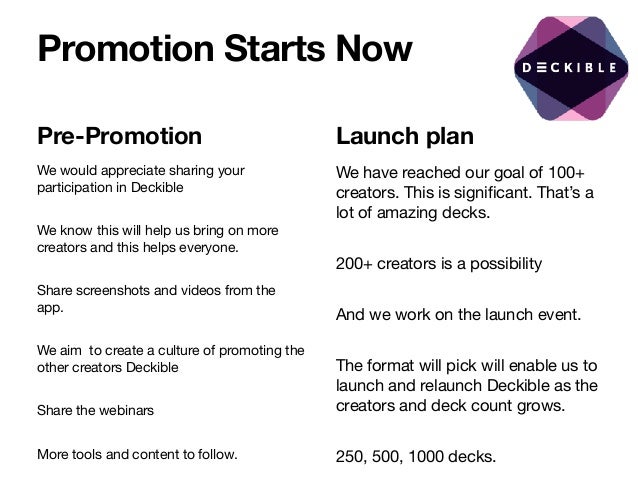
Promotion Starts Now
Pre-Promotion
We would appreciate sharing your
participation in Deckible

We know this will help us bring on more
creators and this helps everyone. 

Share screenshots and videos from the
app. 

We aim to create a culture of promoting the
other creators Deckible 

Share the webinars

More tools and content to follow.
Launch plan
We have reached our goal of 100+
creators. This is significant. That’s a
lot of amazing decks. 

200+ creators is a possibility

And we work on the launch event. 

The format will pick will enable us to
launch and relaunch Deckible as the
creators and deck count grows.

250, 500, 1000 decks.
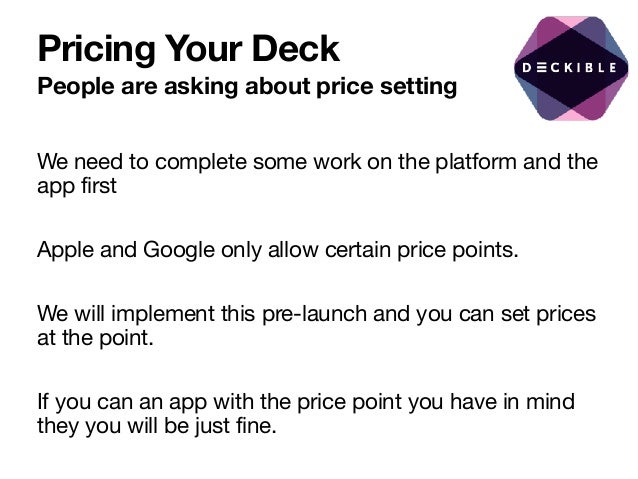
Pricing Your Deck
People are asking about price setting
We need to complete some work on the platform and the
app first

Apple and Google only allow certain price points.

We will implement this pre-launch and you can set prices
at the point. 

If you can an app with the price point you have in mind
they you will be just fine.
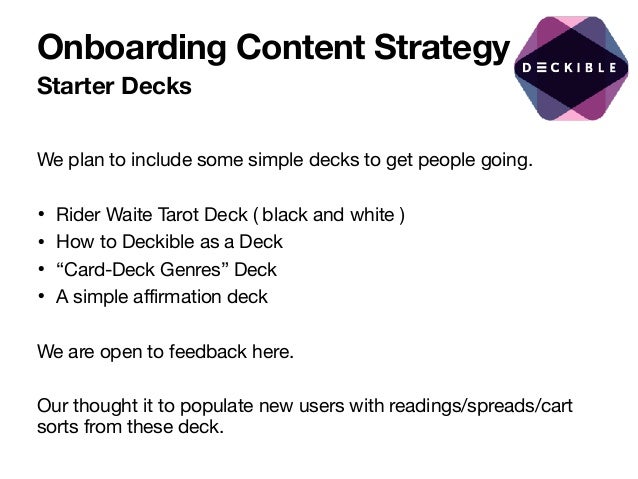
Onboarding Content Strategy
Starter Decks
We plan to include some simple decks to get people going.

• Rider Waite Tarot Deck ( black and white )

• How to Deckible as a Deck

• “Card-Deck Genres” Deck 

• A simple affirmation deck 

We are open to feedback here. 

Our thought it to populate new users with readings/spreads/cart
sorts from these deck.
Did I miss anything?
Did I drop the ball?
Let me know if..

• I owe you a video of your deck in the app

• Did your content not get uploaded

• Need help to upload a deck

And of course you can drop in to “Hands On Deck”

If you can’t access the beta and you are on Google. Tell me the email
address you use to login to Google. I need to invite you with that email
Update 1 - Recap
U1
R1 vs R2
R1
• This is the current
beta version
• The rest of this
documents the
features that are in
R1
• And what’s not.
R2
• This is the target features
we aim to release by the
end of May
• The earlier part of this
documents the
progress we are
making on R1
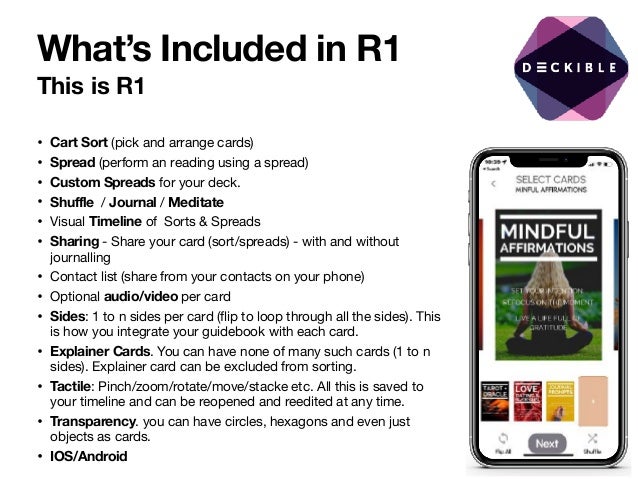
What’s Included in R1
This is R1
• Cart Sort (pick and arrange cards)

• Spread (perform an reading using a spread)

• Custom Spreads for your deck.

• Shuffle / Journal / Meditate

• Visual Timeline of Sorts & Spreads

• Sharing - Share your card (sort/spreads) - with and without
journalling

• Contact list (share from your contacts on your phone)

• Optional audio/video per card

• Sides: 1 to n sides per card (flip to loop through all the sides). This
is how you integrate your guidebook with each card. 

• Explainer Cards. You can have none of many such cards (1 to n
sides). Explainer card can be excluded from sorting. 

• Tactile: Pinch/zoom/rotate/move/stacke etc. All this is saved to
your timeline and can be reopened and reedited at any time.

• Transparency. you can have circles, hexagons and even just
objects as cards. 

• IOS/Android
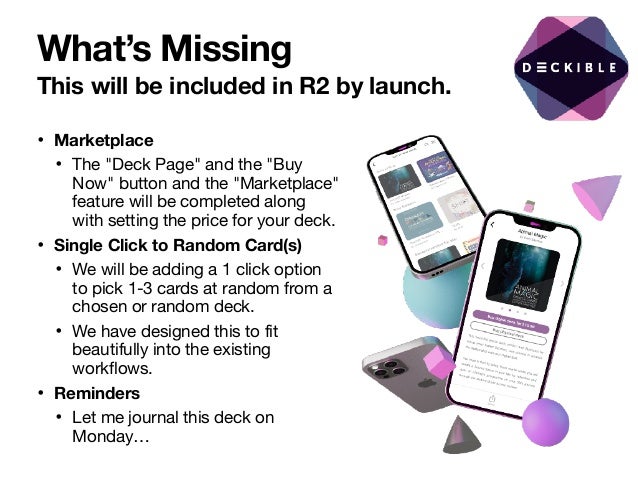
What’s Missing
This will be included in R2 by launch.
• Marketplace
• The "Deck Page" and the "Buy
Now" button and the "Marketplace"
feature will be completed along
with setting the price for your deck.

• Single Click to Random Card(s)
• We will be adding a 1 click option
to pick 1-3 cards at random from a
chosen or random deck.

• We have designed this to fit
beautifully into the existing
workflows.

• Reminders
• Let me journal this deck on
Monday…
Seamless Online/ Offline Access
Your decks are download to the phone (just like books in Audible) 

You can use the app when offline.

When you return to a connection 

• The app can then sync your journal timelines with the deckible.com

• The app can also send any shares that you made

This is a pretty major feature and a significant differentiator 

Downloading each deck to your phone is a one-off process. It can take a few
minutes depending on the number of cards and the size of the artwork.
Domains Converge
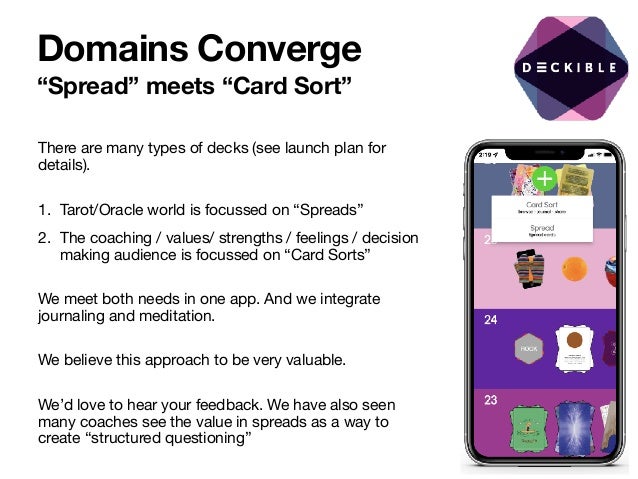
“Spread” meets “Card Sort”
There are many types of decks (see launch plan for
details).

1. Tarot/Oracle world is focussed on “Spreads”

2. The coaching / values/ strengths / feelings / decision
making audience is focussed on “Card Sorts”

We meet both needs in one app. And we integrate
journaling and meditation. 

We believe this approach to be very valuable. 

We’d love to hear your feedback. We have also seen
many coaches see the value in spreads as a way to
create “structured questioning”
Updating Your Deck
If you are the creator your deck and it’s in “DRAFT”, then this is
available only to you in the app.

If you change the deck on Deckible.com, then changes don’t
automatically update in the app right quite yet.

To fix this:

• IOS: Delete the app AND delete the data then reinstall via
Test Flight

• Android: Right click and delete the app data.

We plan to make this more seamless over time.
Phones AND Tablets
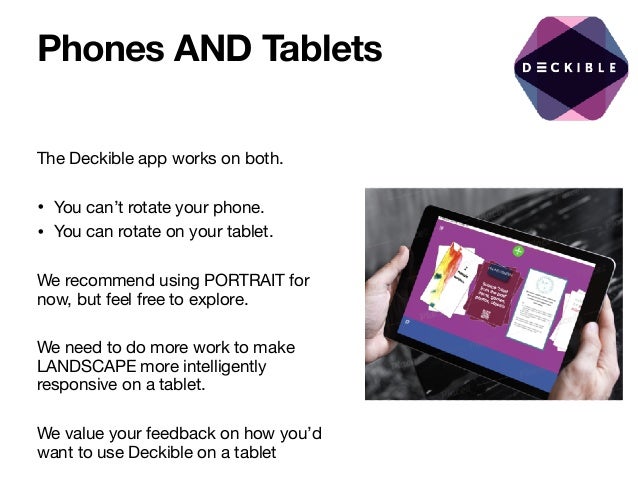
The Deckible app works on both.

• You can’t rotate your phone. 

• You can rotate on your tablet.

We recommend using PORTRAIT for
now, but feel free to explore.

We need to do more work to make
LANDSCAPE more intelligently
responsive on a tablet. 

We value your feedback on how you’d
want to use Deckible on a tablet
What Decks are Included?
• Currently any of the beta users (your fellow creators) can access
any of the decks. 

• We will remove access to these decks before we go live with a
“reset” so the beta is a playground.

• We will have coupon codes to allow you to give free copies of
decks to your existing clients/connections and to other creators.

• We encourage connection/community and we encourage sharing
between creators during the beta.

• If you don’t want your deck included in this, let me know. I can
remove your deck from the general access. If it’s missing, ask me
to make it available.

• Beta decks are visible on the Deckible home page (randomly) 

• If you have friend/partner that you want share the beta experience
let me know - name, email , IOS or Android
ACTION
ACTION
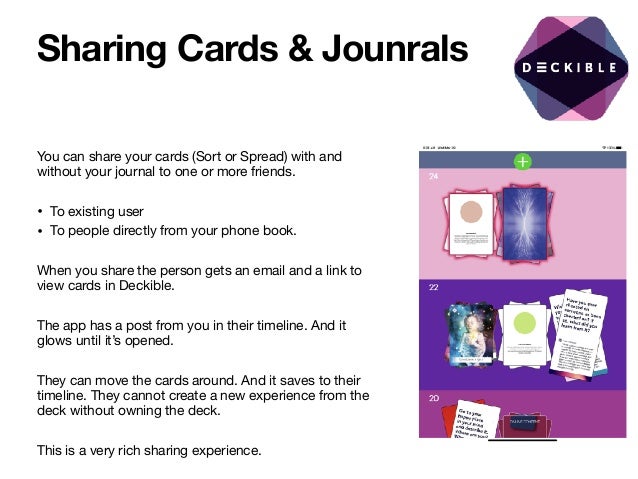
Sharing Cards & Jounrals
You can share your cards (Sort or Spread) with and
without your journal to one or more friends. 

• To existing user 

• To people directly from your phone book.

When you share the person gets an email and a link to
view cards in Deckible.

The app has a post from you in their timeline. And it
glows until it’s opened.

They can move the cards around. And it saves to their
timeline. They cannot create a new experience from the
deck without owning the deck.

This is a very rich sharing experience.
Decks & the Marketplace
A skeletal version of the marketplace exists at 

https://www.deckible.com/marketplace 

You can add decks to your cart and complete a
purchase. No payment processing is included in R1.

You can also access decks in the marketplace in the
app. Just 

Search and choose filter and select “marketplace”.

When you search for a deck you can click “Marketplace”
and you will have access to these decks.

We made this decision to make it easy to access decks
during R1
Launch Plan
Our launch plan is evolving

We will launch at 100 decks,
then repeat this process at
250, 500 and 1000 decks.

We will also launch will
focus on specific niches.
With media/released
focussed on market
segment
Usability Study
We are interested in consumer feedback.

We will be completing a blind usability study.

These will be card-deck users who have no connection to
any given deck.

We aim to validate both the Tarot/Oracle and the Card
Sort experience
Who’s Included?
Only creators who have upload one or more decks

If you’d like some of your customers to experience
your deck, then let us know. 

• Please get their permission first. 

• We need to know if people are Android or IOS

• Only creators can invite customers at the point.

ACTION
What do you need?
If you have IOS, you will need to install the Test Flight
app, then that gives you access to the Deckible App.

With Google you can download from the App Store if
you have been given access
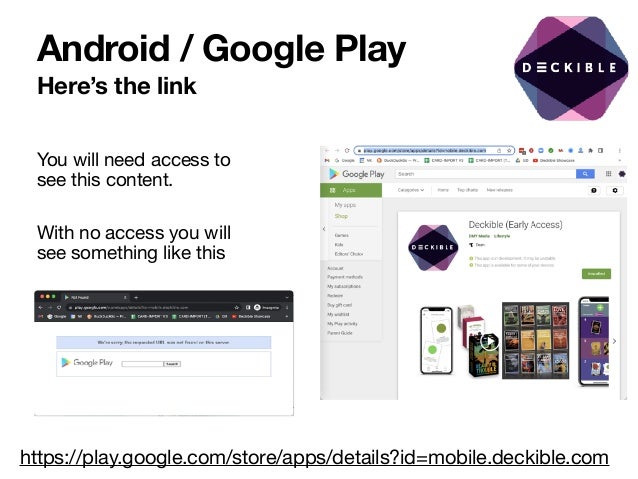
Android / Google Play
Here’s the link
You will need access to
see this content.

With no access you will
see something like this 

https://play.google.com/store/apps/details?id=mobile.deckible.com
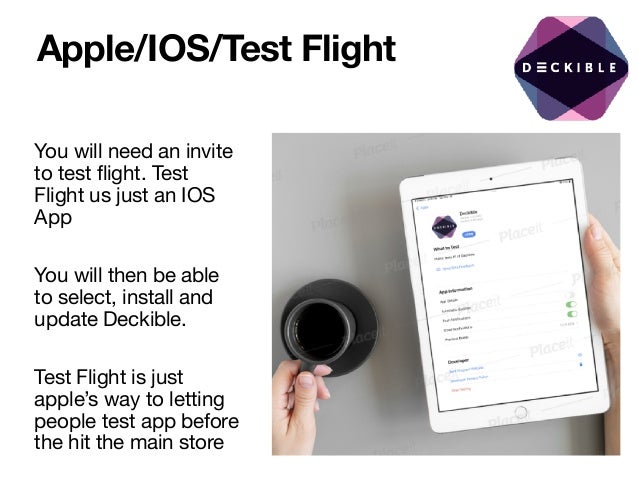
Apple/IOS/Test Flight
You will need an invite
to test flight. Test
Flight us just an IOS
App

You will then be able
to select, install and
update Deckible.

Test Flight is just
apple’s way to letting
people test app before
the hit the main store
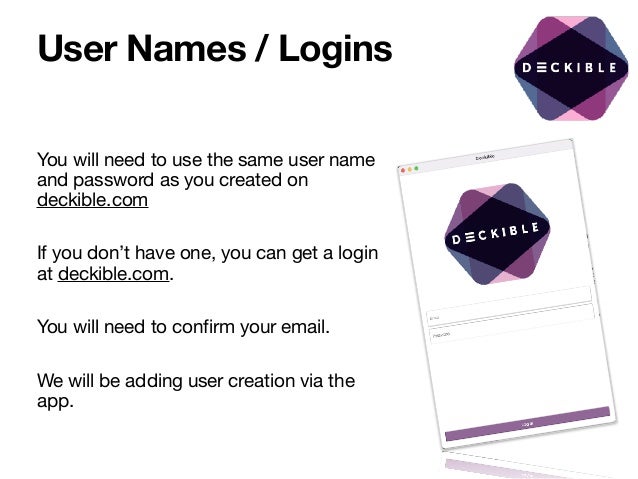
User Names / Logins
You will need to use the same user name
and password as you created on
deckible.com

If you don’t have one, you can get a login
at deckible.com. 

You will need to confirm your email.

We will be adding user creation via the
app.

Deckible Beta U2

  • 1.
    Nick Kellet March29th 2022 Deckible Beta U2 Update No 2
  • 2.
    Nick Kellet March29th 2022 A quick recap of why Deckible exists We exist to support the creative economy
  • 3.
    Books, Music, Movies& Video All successfully digitized BOOKS MOVIES & VIDEO MUSIC
  • 4.
    ALL THE WORLD’S CARD-DECKS IN ONEAPP A TACTILE, MINDFUL, SOCIAL EXPERIENCE,
  • 5.
    FROM … Left athome In your pocket TO …
  • 6.
    What People AreSaying Deckible is meeting an unmet need Jennifer Barnfield Andrew McLuhan Stephanie Gioia https://themcluhaninstitute.com/ https://www.deckaholic.com/ https://carddeckpublishing.com/ OH MY GOD THIS IS AMAZING! I love It!! I've been hoping someone would do this forever!!! The biggest thing to happen to card decks in 500 years. An entirely new medium in which the possibilities are virtually endless. “So simple that when I explained it, everyone wanted to be part of it”
  • 7.
    Nick Kellet March29th 2022 Deckible Beta U2 Update No 2
  • 8.
    What’s New forU2 Here’s the highlights [X] 100+ Creator with decks loaded [X] New Box Art design/sizing ( also added back of box) [X] Beta feedback has been transformative [X] New home page. New Deck info page [X] Embed your deck on any blog [X] Feature your deck on Deckible About Page [X] Hands on Deck [X] 3 Webinars (Links) [X] New Slide-deck (Links) [X] Promotion Starts Now [X] Pricing Your Deck [X] Onboarding Content If you are new the beta read on through to U1 (update 1)
  • 9.
  • 10.
    Bolder Box Design Forthe Marketplace Old New
  • 11.
    Front & Back Alsoto feature on embed widget FRONT BACK
  • 12.
    Beta Feedback A focuson work fl ows We got some great feedback We’ve dropped some things - like Fave and Hide We’ve re-designed the home page We are focusing on user journeys and on completing key workflows ( Done button to return to home page). We are adding random card in 1 click - instant card fix. User journeys Personas/Problems
  • 13.
    Home Page Redesign Quickdraw • (1 to 3 cards from a random deck) Pick a Deck • Choose a deck ( scroll left and right on your decks ) • Get a random deck • Buy a new deck (filter by genre) Recent Activity • Explore all your prior card draws Scrolling shrinks quick draw and pick a deck slides away to let your explore your timeline. Key features
  • 14.
    Buy Now… Deck InfoPage This is where you buy a deck • Link here from from inside/outside app • Show 3d box / 3d back • View Sample cards • Button to buy digital or print deck • Buy buttons become “draw cards “ once it’s in your deck collection Scroll down for more info Get here with a deep link into the app or when a deck is shared “Buy now”….
  • 15.
  • 16.
    Filter by Genre Marketplace Seehow many decks exist by genre Filter by one or more more genres Then return to see/buy from a list of matching decks
  • 17.
    More readable Journal Font Basedon feedback we will be updating the font to something more readable - Kalam Still handwritten, but less fancy. Kalam is a free front so you can easily make your our mocked-up journals pages
  • 18.
    Meet Isaac Cotec Youmay recognize Isaac from the import video Isaac is the creator of the Masculinity Archetype Deck https://www.herorise.us/ We met because of his deck and loading it on Deckible. I learned Isaac was UX/UI designer and we’ve now completed multiple Deckible projects. He’s joined the team. Isaac is amazing and I’m so happy we found him.
  • 19.
    Embed Widget For bloggersand review sites Javascript embed widget • Links to Deckible • Links to Print Purchase • Work in progress
  • 20.
    Feature Your Deck OnDeckible Home Page We randomly feature many decks on Deckible.com's about page • We never show more than one deck per author • We never show more than one deck per genre And if you send people to Deckible, it’s fun feature your deck(s) Here’s how you can control the decks Find your deck ID (each deck has a unique number). Then make a url like this. https://www.deckible.com/about?decks=[221] If you have many decks you can include a comma separated list of upto 4 id’s. It won’t show draft decks. https://www.deckible.com/about?decks=[221,233,140,38 ] Any deck not specified will be random per above rules. And you want repeat your deck you can https://www.deckible.com/about?decks=[221,221,221,221] Go to https://www.deckible.com/decks Pick your deck and click “view deck” The look at the last number in the URL https://www.deckible.com/decks/deck/221 i.e. 221.
  • 21.
    “Hands on Deck” Bi-weeklydrop-in sessions If you’ve got a comment or a question. Or you need help using the app or importing your deck Or you want to share or connect with other Deckible creators Weds 8:00am Saturday 8:00am Nick Kellet is inviting you to a scheduled Zoom meeting. Topic: On Deck Bi-Weekly Creator Sessions Time: This is a recurring meeting Meet anytime Join Zoom Meeting https://us02web.zoom.us/j/86412807923? pwd=THlYUUM3Mk1tMFpZU2R2c25qQ3d MUT09 Meeting ID: 864 1280 7923 Passcode: 349339
  • 22.
    Webinars Three recent Webinars MarcyNelson-Garrison https://coachmarcyng.kartra.com/ page/Demo-Nick Anna Frolik / Wonderland Publishing https://www.youtube.com/watch? v=NacN3TdTTko Sarah Le-Fevre - Ludogogy https://ludogogy.co.uk/deckible- app-100-decks-in-your-pocket-demo/
  • 23.
  • 24.
    Promotion Starts Now Pre-Promotion Wewould appreciate sharing your participation in Deckible We know this will help us bring on more creators and this helps everyone. Share screenshots and videos from the app. We aim to create a culture of promoting the other creators Deckible Share the webinars More tools and content to follow. Launch plan We have reached our goal of 100+ creators. This is significant. That’s a lot of amazing decks. 200+ creators is a possibility And we work on the launch event. The format will pick will enable us to launch and relaunch Deckible as the creators and deck count grows. 250, 500, 1000 decks.
  • 25.
    Pricing Your Deck Peopleare asking about price setting We need to complete some work on the platform and the app first Apple and Google only allow certain price points. We will implement this pre-launch and you can set prices at the point. If you can an app with the price point you have in mind they you will be just fine.
  • 26.
    Onboarding Content Strategy StarterDecks We plan to include some simple decks to get people going. • Rider Waite Tarot Deck ( black and white ) • How to Deckible as a Deck • “Card-Deck Genres” Deck • A simple affirmation deck We are open to feedback here. Our thought it to populate new users with readings/spreads/cart sorts from these deck.
  • 27.
    Did I missanything? Did I drop the ball? Let me know if.. • I owe you a video of your deck in the app • Did your content not get uploaded • Need help to upload a deck And of course you can drop in to “Hands On Deck” If you can’t access the beta and you are on Google. Tell me the email address you use to login to Google. I need to invite you with that email
  • 28.
    Update 1 -Recap U1
  • 29.
    R1 vs R2 R1 •This is the current beta version • The rest of this documents the features that are in R1 • And what’s not. R2 • This is the target features we aim to release by the end of May • The earlier part of this documents the progress we are making on R1
  • 30.
    What’s Included inR1 This is R1 • Cart Sort (pick and arrange cards) • Spread (perform an reading using a spread) • Custom Spreads for your deck. • Shuffle / Journal / Meditate • Visual Timeline of Sorts & Spreads • Sharing - Share your card (sort/spreads) - with and without journalling • Contact list (share from your contacts on your phone) • Optional audio/video per card • Sides: 1 to n sides per card (flip to loop through all the sides). This is how you integrate your guidebook with each card. • Explainer Cards. You can have none of many such cards (1 to n sides). Explainer card can be excluded from sorting. • Tactile: Pinch/zoom/rotate/move/stacke etc. All this is saved to your timeline and can be reopened and reedited at any time. • Transparency. you can have circles, hexagons and even just objects as cards. • IOS/Android
  • 31.
    What’s Missing This willbe included in R2 by launch. • Marketplace • The "Deck Page" and the "Buy Now" button and the "Marketplace" feature will be completed along with setting the price for your deck. • Single Click to Random Card(s) • We will be adding a 1 click option to pick 1-3 cards at random from a chosen or random deck. • We have designed this to fit beautifully into the existing workflows. • Reminders • Let me journal this deck on Monday…
  • 32.
    Seamless Online/ OfflineAccess Your decks are download to the phone (just like books in Audible) You can use the app when offline. When you return to a connection • The app can then sync your journal timelines with the deckible.com • The app can also send any shares that you made This is a pretty major feature and a significant differentiator Downloading each deck to your phone is a one-off process. It can take a few minutes depending on the number of cards and the size of the artwork.
  • 33.
    Domains Converge “Spread” meets“Card Sort” There are many types of decks (see launch plan for details). 1. Tarot/Oracle world is focussed on “Spreads” 2. The coaching / values/ strengths / feelings / decision making audience is focussed on “Card Sorts” We meet both needs in one app. And we integrate journaling and meditation. We believe this approach to be very valuable. We’d love to hear your feedback. We have also seen many coaches see the value in spreads as a way to create “structured questioning”
  • 34.
    Updating Your Deck Ifyou are the creator your deck and it’s in “DRAFT”, then this is available only to you in the app. If you change the deck on Deckible.com, then changes don’t automatically update in the app right quite yet. To fix this: • IOS: Delete the app AND delete the data then reinstall via Test Flight • Android: Right click and delete the app data. We plan to make this more seamless over time.
  • 35.
    Phones AND Tablets TheDeckible app works on both. • You can’t rotate your phone. • You can rotate on your tablet. We recommend using PORTRAIT for now, but feel free to explore. We need to do more work to make LANDSCAPE more intelligently responsive on a tablet. We value your feedback on how you’d want to use Deckible on a tablet
  • 36.
    What Decks areIncluded? • Currently any of the beta users (your fellow creators) can access any of the decks. • We will remove access to these decks before we go live with a “reset” so the beta is a playground. • We will have coupon codes to allow you to give free copies of decks to your existing clients/connections and to other creators. • We encourage connection/community and we encourage sharing between creators during the beta. • If you don’t want your deck included in this, let me know. I can remove your deck from the general access. If it’s missing, ask me to make it available. • Beta decks are visible on the Deckible home page (randomly) • If you have friend/partner that you want share the beta experience let me know - name, email , IOS or Android ACTION ACTION
  • 37.
    Sharing Cards &Jounrals You can share your cards (Sort or Spread) with and without your journal to one or more friends. • To existing user • To people directly from your phone book. When you share the person gets an email and a link to view cards in Deckible. The app has a post from you in their timeline. And it glows until it’s opened. They can move the cards around. And it saves to their timeline. They cannot create a new experience from the deck without owning the deck. This is a very rich sharing experience.
  • 38.
    Decks & theMarketplace A skeletal version of the marketplace exists at https://www.deckible.com/marketplace You can add decks to your cart and complete a purchase. No payment processing is included in R1. You can also access decks in the marketplace in the app. Just Search and choose filter and select “marketplace”. When you search for a deck you can click “Marketplace” and you will have access to these decks. We made this decision to make it easy to access decks during R1
  • 39.
    Launch Plan Our launchplan is evolving We will launch at 100 decks, then repeat this process at 250, 500 and 1000 decks. We will also launch will focus on specific niches. With media/released focussed on market segment
  • 40.
    Usability Study We areinterested in consumer feedback. We will be completing a blind usability study. These will be card-deck users who have no connection to any given deck. We aim to validate both the Tarot/Oracle and the Card Sort experience
  • 41.
    Who’s Included? Only creatorswho have upload one or more decks If you’d like some of your customers to experience your deck, then let us know. • Please get their permission first. • We need to know if people are Android or IOS • Only creators can invite customers at the point. ACTION
  • 42.
    What do youneed? If you have IOS, you will need to install the Test Flight app, then that gives you access to the Deckible App. With Google you can download from the App Store if you have been given access
  • 43.
    Android / GooglePlay Here’s the link You will need access to see this content. With no access you will see something like this https://play.google.com/store/apps/details?id=mobile.deckible.com
  • 44.
    Apple/IOS/Test Flight You willneed an invite to test flight. Test Flight us just an IOS App You will then be able to select, install and update Deckible. Test Flight is just apple’s way to letting people test app before the hit the main store
  • 45.
    User Names /Logins You will need to use the same user name and password as you created on deckible.com If you don’t have one, you can get a login at deckible.com. You will need to confirm your email. We will be adding user creation via the app.