Plugins, Generators and
         Gems
                 or
      What do we need those for?
Who am I


   Allan Davis
@cajun_code * cajun.code@gmail.com
     https://github.com/cajun-code
Agenda
Generators

 Plug-ins

  Gems
Generators
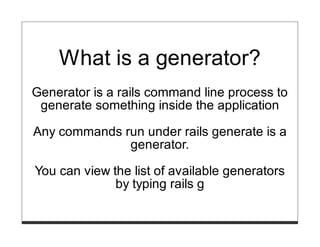
What is a generator?
Generator is a rails command line process to
 generate something inside the application

Any commands run under rails generate is a
              generator.

You can view the list of available generators
              by typing rails g
$ rails g

Usage: rails generate GENERATOR [args] [options]
General options:
  -h, [--help]      #   Print generator's options and usage
  -p, [--pretend]   #   Run but do not make any changes
  -f, [--force]     #   Overwrite files that already exist
  -s, [--skip]      #   Skip files that already exist
  -q, [--quiet]     #   Suppress status output
Please choose a generator below.

Rails:
  controller
  generator
  helper
  integration_test
  mailer
  migration
  model
  observer
  performance_test
  plugin
  resource
  scaffold
  scaffold_controller
  session_migration
  stylesheets
$ rails g generator

Usage:
  rails generate generator NAME [options]
Options:
  [--namespace]     # Namespace generator under lib/generators/name
                    # Default: true
Runtime options:
  -f, [--force]       #   Overwrite files that already exist
  -p, [--pretend]     #   Run but do not make any changes
  -q, [--quiet]       #   Supress status output
  -s, [--skip]        #   Skip files that already exist
Description:
    Stubs out a new generator at lib/generators. Pass the generator name as an argu
    either CamelCased or snake_cased.

Example:
    `rails generate generator Awesome`

    creates a standard awesome generator:
        lib/generators/awesome/
        lib/generators/awesome/awesome_generator.rb
        lib/generators/awesome/USAGE
        lib/generators/awesome/templates/
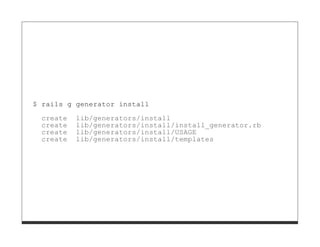
$ rails g generator install
  create   lib/generators/install
  create   lib/generators/install/install_generator.rb
  create   lib/generators/install/USAGE
  create   lib/generators/install/templates
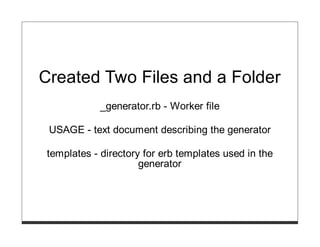
Created Two Files and a Folder
             _generator.rb - Worker file

 USAGE - text document describing the generator

 templates - directory for erb templates used in the
                      generator
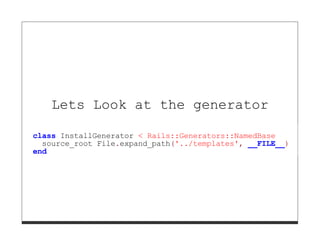
Lets Look at the generator

class InstallGenerator < Rails::Generators::NamedBase
  source_root File.expand_path('../templates', __FILE__)
end
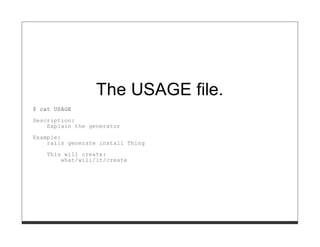
The USAGE file.
$ cat USAGE

Description:
    Explain the generator
Example:
    rails generate install Thing
    This will create:
        what/will/it/create
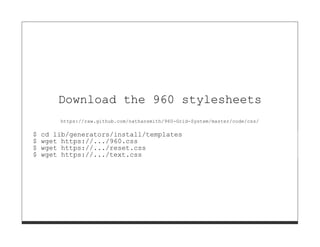
Download the 960 stylesheets
        https://raw.github.com/nathansmith/960-Grid-System/master/code/css/

$   cd lib/generators/install/templates
$   wget https://.../960.css
$   wget https://.../reset.css
$   wget https://.../text.css
Lets edit the install_generator.rb to cop
 module Grid960
   class InstallGenerator < Rails::Generators::Base
     source_root File.expand_path('../templates', __FILE__)
     def remove_old_layout
       remove_file "app/views/layouts/application.html.erb"
     end

     def copy_stylesheets
       copy_file "960.css", "public/stylesheets/960.css"
       copy_file "reset.css", "public/stylesheets/reset.css"
       copy_file "text.css", "public/stylesheets/text.css"
       template "layout.html.erb", "app/views/layouts/application.html.er
     end
     def app_name
       Rails.application.class.name.split("::")[0]
     end
   end
 end
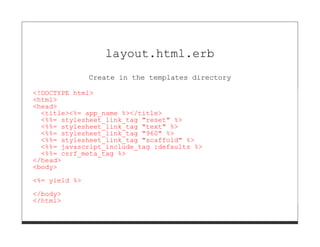
layout.html.erb
               Create in the templates directory

<!DOCTYPE html>
<html>
<head>
  <title><%= app_name %></title>
  <%%= stylesheet_link_tag "reset" %>
  <%%= stylesheet_link_tag "text" %>
  <%%= stylesheet_link_tag "960" %>
  <%%= stylesheet_link_tag "scaffold" %>
  <%%= javascript_include_tag :defaults %>
  <%%= csrf_meta_tag %>
</head>
<body>

<%= yield %>

</body>
</html>
Execute the generator
$ rails g grid960:install
Plug-ins
What are Plugins
Encapsulated functionality meant to extend
                  rails

Plugins are installed into a rails application
$ rails plugin

Usage: plugin [OPTIONS] command
Rails plugin manager.
GENERAL OPTIONS
  -r, --root=DIR             Set an explicit rails app directory.
                             Default: /home/alley/Projects/emerald_generators/code/contacts
  -s, --source=URL1,URL2     Use the specified plugin repositories instead of the defaults.
  -v, --verbose              Turn on verbose output.
  -h, --help                 Show this help message.

COMMANDS
  install      Install plugin(s) from known repositories or URLs.
  remove       Uninstall plugins.
EXAMPLES
  Install   a plugin:
    rails   plugin install continuous_builder
  Install   a plugin from a subversion URL:
    rails   plugin install http://dev.rubyonrails.com/svn/rails/plugins/continuous_builder
  Install   a plugin from a git URL:
    rails   plugin install git://github.com/SomeGuy/my_awesome_plugin.git
Creating a plugin
$ rails g plugin

Usage:
  rails generate plugin NAME [options]

Options:
  -r, [--tasks=TASKS]             #   When supplied creates tasks base files.
  -g, [--generator]               #   Indicates when to generate generator
  -t, [--test-framework=NAME]     #   Test framework to be invoked
                                  #   Default: test_unit

Runtime options:
  -f, [--force]     #   Overwrite files that already exist
  -p, [--pretend]   #   Run but do not make any changes
  -q, [--quiet]     #   Supress status output
  -s, [--skip]      #   Skip files that already exist
Description:
    Stubs out a new plugin at vendor/plugins. Pass the plugin name, either
    CamelCased or under_scored, as an argument.
Example:
    `rails generate plugin BrowserFilters`
    creates a standard browser_filters plugin:
        vendor/plugins/browser_filters/README
        vendor/plugins/browser_filters/init.rb
        vendor/plugins/browser_filters/install.rb
        vendor/plugins/browser_filters/lib/browser_filters.rb
        vendor/plugins/browser_filters/test/browser_filters_test.rb
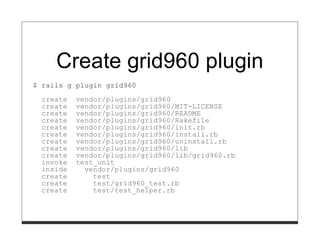
Create grid960 plugin
$ rails g plugin grid960

  create   vendor/plugins/grid960
  create   vendor/plugins/grid960/MIT-LICENSE
  create   vendor/plugins/grid960/README
  create   vendor/plugins/grid960/Rakefile
  create   vendor/plugins/grid960/init.rb
  create   vendor/plugins/grid960/install.rb
  create   vendor/plugins/grid960/uninstall.rb
  create   vendor/plugins/grid960/lib
  create   vendor/plugins/grid960/lib/grid960.rb
  invoke   test_unit
  inside     vendor/plugins/grid960
  create       test
  create       test/grid960_test.rb
  create       test/test_helper.rb
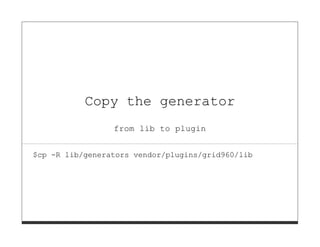
Copy the generator
                 from lib to plugin


$cp -R lib/generators vendor/plugins/grid960/lib
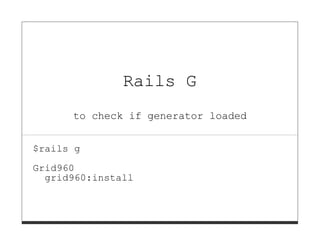
Rails G
      to check if generator loaded


$rails g

Grid960
  grid960:install
Gems
What are Gems
System use to distribute external libraries.

 Zip compressed file for libraries storage
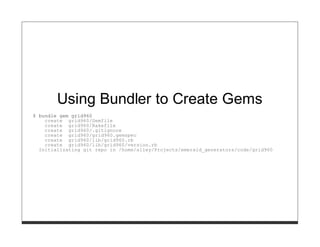
Using Bundler to Create Gems
$ bundle gem grid960
    create grid960/Gemfile
    create grid960/Rakefile
    create grid960/.gitignore
    create grid960/grid960.gemspec
    create grid960/lib/grid960.rb
    create grid960/lib/grid960/version.rb
  Initializating git repo in /home/alley/Projects/emerald_generators/code/grid960
gemspec File
# -*- encoding: utf-8 -*-
$:.push File.expand_path("../lib", __FILE__)
require "grid960/version"

Gem::Specification.new do |s|
  s.name        = "grid960"
  s.version     = Grid960::VERSION
  s.platform    = Gem::Platform::RUBY
  s.authors     = ["TODO: Write your name"]
  s.email       = ["TODO: Write your email address"]
  s.homepage    = ""
  s.summary     = %q{TODO: Write a gem summary}
  s.description = %q{TODO: Write a gem description}

  s.rubyforge_project = "grid960"
  s.add_dependency "rails", ">3.0.0"
  s.files         = `git ls-files`.split("n")
  s.test_files    = `git ls-files -- {test,spec,features}/*`.split
  s.executables   = `git ls-files -- bin/*`.split("n").map{ |f| File
  s.require_paths = ["lib"]
end
Copy generator code inside
       lib directory
Develop the gem
          Create a test project with rails new

         Add the grid960 gem to the Gemfile

Use the :path => to point to the gem on the file system

     Run Rails g command to use the generator
Package and Deploy
To package the gem run rake build

To deploy the gem run "gem push
     pkg/grid960-0.0.1.gem"
Resources
http://railscasts.com/episodes/218-making-
             generators-in-rails-3

Generators

  • 1.
    Plugins, Generators and Gems or What do we need those for?
  • 2.
    Who am I Allan Davis @cajun_code * cajun.code@gmail.com https://github.com/cajun-code
  • 3.
  • 4.
  • 5.
    What is agenerator? Generator is a rails command line process to generate something inside the application Any commands run under rails generate is a generator. You can view the list of available generators by typing rails g
  • 6.
    $ rails g Usage:rails generate GENERATOR [args] [options] General options: -h, [--help] # Print generator's options and usage -p, [--pretend] # Run but do not make any changes -f, [--force] # Overwrite files that already exist -s, [--skip] # Skip files that already exist -q, [--quiet] # Suppress status output Please choose a generator below. Rails: controller generator helper integration_test mailer migration model observer performance_test plugin resource scaffold scaffold_controller session_migration stylesheets
  • 7.
    $ rails ggenerator Usage: rails generate generator NAME [options] Options: [--namespace] # Namespace generator under lib/generators/name # Default: true Runtime options: -f, [--force] # Overwrite files that already exist -p, [--pretend] # Run but do not make any changes -q, [--quiet] # Supress status output -s, [--skip] # Skip files that already exist Description: Stubs out a new generator at lib/generators. Pass the generator name as an argu either CamelCased or snake_cased. Example: `rails generate generator Awesome` creates a standard awesome generator: lib/generators/awesome/ lib/generators/awesome/awesome_generator.rb lib/generators/awesome/USAGE lib/generators/awesome/templates/
  • 8.
    $ rails ggenerator install create lib/generators/install create lib/generators/install/install_generator.rb create lib/generators/install/USAGE create lib/generators/install/templates
  • 9.
    Created Two Filesand a Folder _generator.rb - Worker file USAGE - text document describing the generator templates - directory for erb templates used in the generator
  • 10.
    Lets Look atthe generator class InstallGenerator < Rails::Generators::NamedBase source_root File.expand_path('../templates', __FILE__) end
  • 11.
    The USAGE file. $cat USAGE Description: Explain the generator Example: rails generate install Thing This will create: what/will/it/create
  • 12.
    Download the 960stylesheets https://raw.github.com/nathansmith/960-Grid-System/master/code/css/ $ cd lib/generators/install/templates $ wget https://.../960.css $ wget https://.../reset.css $ wget https://.../text.css
  • 13.
    Lets edit theinstall_generator.rb to cop module Grid960 class InstallGenerator < Rails::Generators::Base source_root File.expand_path('../templates', __FILE__) def remove_old_layout remove_file "app/views/layouts/application.html.erb" end def copy_stylesheets copy_file "960.css", "public/stylesheets/960.css" copy_file "reset.css", "public/stylesheets/reset.css" copy_file "text.css", "public/stylesheets/text.css" template "layout.html.erb", "app/views/layouts/application.html.er end def app_name Rails.application.class.name.split("::")[0] end end end
  • 14.
    layout.html.erb Create in the templates directory <!DOCTYPE html> <html> <head> <title><%= app_name %></title> <%%= stylesheet_link_tag "reset" %> <%%= stylesheet_link_tag "text" %> <%%= stylesheet_link_tag "960" %> <%%= stylesheet_link_tag "scaffold" %> <%%= javascript_include_tag :defaults %> <%%= csrf_meta_tag %> </head> <body> <%= yield %> </body> </html>
  • 15.
    Execute the generator $rails g grid960:install
  • 16.
  • 17.
    What are Plugins Encapsulatedfunctionality meant to extend rails Plugins are installed into a rails application
  • 18.
    $ rails plugin Usage:plugin [OPTIONS] command Rails plugin manager. GENERAL OPTIONS -r, --root=DIR Set an explicit rails app directory. Default: /home/alley/Projects/emerald_generators/code/contacts -s, --source=URL1,URL2 Use the specified plugin repositories instead of the defaults. -v, --verbose Turn on verbose output. -h, --help Show this help message. COMMANDS install Install plugin(s) from known repositories or URLs. remove Uninstall plugins. EXAMPLES Install a plugin: rails plugin install continuous_builder Install a plugin from a subversion URL: rails plugin install http://dev.rubyonrails.com/svn/rails/plugins/continuous_builder Install a plugin from a git URL: rails plugin install git://github.com/SomeGuy/my_awesome_plugin.git
  • 19.
  • 20.
    $ rails gplugin Usage: rails generate plugin NAME [options] Options: -r, [--tasks=TASKS] # When supplied creates tasks base files. -g, [--generator] # Indicates when to generate generator -t, [--test-framework=NAME] # Test framework to be invoked # Default: test_unit Runtime options: -f, [--force] # Overwrite files that already exist -p, [--pretend] # Run but do not make any changes -q, [--quiet] # Supress status output -s, [--skip] # Skip files that already exist Description: Stubs out a new plugin at vendor/plugins. Pass the plugin name, either CamelCased or under_scored, as an argument. Example: `rails generate plugin BrowserFilters` creates a standard browser_filters plugin: vendor/plugins/browser_filters/README vendor/plugins/browser_filters/init.rb vendor/plugins/browser_filters/install.rb vendor/plugins/browser_filters/lib/browser_filters.rb vendor/plugins/browser_filters/test/browser_filters_test.rb
  • 21.
    Create grid960 plugin $rails g plugin grid960 create vendor/plugins/grid960 create vendor/plugins/grid960/MIT-LICENSE create vendor/plugins/grid960/README create vendor/plugins/grid960/Rakefile create vendor/plugins/grid960/init.rb create vendor/plugins/grid960/install.rb create vendor/plugins/grid960/uninstall.rb create vendor/plugins/grid960/lib create vendor/plugins/grid960/lib/grid960.rb invoke test_unit inside vendor/plugins/grid960 create test create test/grid960_test.rb create test/test_helper.rb
  • 22.
    Copy the generator from lib to plugin $cp -R lib/generators vendor/plugins/grid960/lib
  • 23.
    Rails G to check if generator loaded $rails g Grid960 grid960:install
  • 24.
  • 25.
    What are Gems Systemuse to distribute external libraries. Zip compressed file for libraries storage
  • 26.
    Using Bundler toCreate Gems $ bundle gem grid960 create grid960/Gemfile create grid960/Rakefile create grid960/.gitignore create grid960/grid960.gemspec create grid960/lib/grid960.rb create grid960/lib/grid960/version.rb Initializating git repo in /home/alley/Projects/emerald_generators/code/grid960
  • 27.
    gemspec File # -*-encoding: utf-8 -*- $:.push File.expand_path("../lib", __FILE__) require "grid960/version" Gem::Specification.new do |s| s.name = "grid960" s.version = Grid960::VERSION s.platform = Gem::Platform::RUBY s.authors = ["TODO: Write your name"] s.email = ["TODO: Write your email address"] s.homepage = "" s.summary = %q{TODO: Write a gem summary} s.description = %q{TODO: Write a gem description} s.rubyforge_project = "grid960" s.add_dependency "rails", ">3.0.0" s.files = `git ls-files`.split("n") s.test_files = `git ls-files -- {test,spec,features}/*`.split s.executables = `git ls-files -- bin/*`.split("n").map{ |f| File s.require_paths = ["lib"] end
  • 28.
    Copy generator codeinside lib directory
  • 29.
    Develop the gem Create a test project with rails new Add the grid960 gem to the Gemfile Use the :path => to point to the gem on the file system Run Rails g command to use the generator
  • 30.
    Package and Deploy Topackage the gem run rake build To deploy the gem run "gem push pkg/grid960-0.0.1.gem"
  • 31.