Instant Messaging  Part of Birmingham Public Library’s Tech Tuesdays By Mary Beth Newbill Birmingham Public Library (AL) 25 September 2007 www.bplonline.org
From Wikipedia: Instant messaging (IM) is a form of real-time communication between two or more people based on typed text. The text is conveyed via computers connected over a network such as the Internet. ( http:// en.wikipedia.org/wiki/Instant_messaging )
In plain English: IM allows you to have live chats with friends and family using your internet connection.  It’s free and easy to use.
Why IM? Conversations take place in real time.  No waiting for an e-mail response or a call to be returned. It’s free and accessible wherever Internet access is available. IM chats are often very causal and more informal than letters or e-mails. IM takes multi-tasking to a new level.  Phone calls, web surfing, and IM can all be done simultaneously.
Getting Started Choose an IM service (Yahoo!, AOL, and MSN are some of the most popular). Download the free software. Sign in with a username and password. Choose a screen name that you can remember and that is descriptive. Add friends to your Buddy List, allowing you to see when they are online. Have your friends add you to their lists. Start chatting!
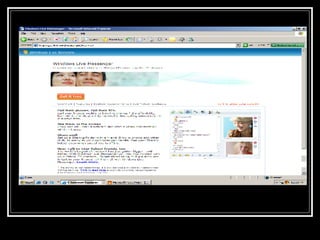
Instant Messenger Services/Protocols Yahoo MSN AOL These are all free and easy to install.  Some IM services are now letting you talk to users of other services.  For instance, users of Yahoo! and MSN can now talk with each other.


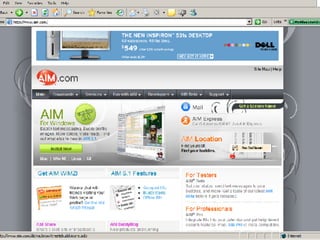
IM on the Web Many IM services are now available in a scaled down version that uses just a web browser.  No installation is required and you can use it anywhere Internet access is available.  Just sign up and you’re ready to go.
IM on the Web Yahoo! Messenger for the Web AIM Express MSN Web Messenger
Meebo Meebo  is a site for Instant Messaging on the Web.  No downloads or installation required.  Just sign in with your Yahoo!, MSN, AIM, ICQ, Jabber, or Google Talk password. Meebo is free and allows you to chat with people using a variety of IM services.
 
Buddy List The Buddy List is a list of friends who are using IM that you frequently send messages to.  By adding their screen names to your list, you will know when they are online and available to receive IMs.  Have your friends add your name to their Buddy Lists. You can change your status if you are going to be away from your computer and want your Buddies to know.
 
Acronyms  IM abbreviations and acronyms If you’ve ever seen abbreviations like this: BTW, TMI, or PAW and wondered WITW they mean, then you need this handy list explaining the meaning of various IM acronyms.
Emoticons and Smilies Emoticons  are fun, visual ways to express emotions in your IMs or e-mails using a sequence of characters on your keyboad.  ; ) Smilies  are a twist on the traditional yellow smiley face.  Hundreds of smilies exist from pirates to bikers.  Most IM services come with a standard menu of smilies and more can be downloaded on various web sites.
Security Concerns Security concerns with IM are similar to those with e-mail.  Basic common sense always applies.  Do not give personal information to strangers, never type sensitive information like a credit card number or ATM PIN in an IM. 10 Tips for Safer Instant Messaging
Don’t forget the Library Birmingham Public now uses  IM for  reference questions .  Add us to your AIM or Yahoo! Buddy List and when we’re online, send us a question. BPL screen names BhamLibrarian for general reference questions BPLgenealogy for genealogy questions

Instant Messaging

  • 1.
    Instant Messaging Part of Birmingham Public Library’s Tech Tuesdays By Mary Beth Newbill Birmingham Public Library (AL) 25 September 2007 www.bplonline.org
  • 2.
    From Wikipedia: Instantmessaging (IM) is a form of real-time communication between two or more people based on typed text. The text is conveyed via computers connected over a network such as the Internet. ( http:// en.wikipedia.org/wiki/Instant_messaging )
  • 3.
    In plain English:IM allows you to have live chats with friends and family using your internet connection. It’s free and easy to use.
  • 4.
    Why IM? Conversationstake place in real time. No waiting for an e-mail response or a call to be returned. It’s free and accessible wherever Internet access is available. IM chats are often very causal and more informal than letters or e-mails. IM takes multi-tasking to a new level. Phone calls, web surfing, and IM can all be done simultaneously.
  • 5.
    Getting Started Choosean IM service (Yahoo!, AOL, and MSN are some of the most popular). Download the free software. Sign in with a username and password. Choose a screen name that you can remember and that is descriptive. Add friends to your Buddy List, allowing you to see when they are online. Have your friends add you to their lists. Start chatting!
  • 6.
    Instant Messenger Services/ProtocolsYahoo MSN AOL These are all free and easy to install. Some IM services are now letting you talk to users of other services. For instance, users of Yahoo! and MSN can now talk with each other.
  • 7.
  • 8.
  • 9.
  • 10.
    IM on theWeb Many IM services are now available in a scaled down version that uses just a web browser. No installation is required and you can use it anywhere Internet access is available. Just sign up and you’re ready to go.
  • 11.
    IM on theWeb Yahoo! Messenger for the Web AIM Express MSN Web Messenger
  • 12.
    Meebo Meebo is a site for Instant Messaging on the Web. No downloads or installation required. Just sign in with your Yahoo!, MSN, AIM, ICQ, Jabber, or Google Talk password. Meebo is free and allows you to chat with people using a variety of IM services.
  • 13.
  • 14.
    Buddy List TheBuddy List is a list of friends who are using IM that you frequently send messages to. By adding their screen names to your list, you will know when they are online and available to receive IMs. Have your friends add your name to their Buddy Lists. You can change your status if you are going to be away from your computer and want your Buddies to know.
  • 15.
  • 16.
    Acronyms IMabbreviations and acronyms If you’ve ever seen abbreviations like this: BTW, TMI, or PAW and wondered WITW they mean, then you need this handy list explaining the meaning of various IM acronyms.
  • 17.
    Emoticons and SmiliesEmoticons are fun, visual ways to express emotions in your IMs or e-mails using a sequence of characters on your keyboad. ; ) Smilies are a twist on the traditional yellow smiley face. Hundreds of smilies exist from pirates to bikers. Most IM services come with a standard menu of smilies and more can be downloaded on various web sites.
  • 18.
    Security Concerns Securityconcerns with IM are similar to those with e-mail. Basic common sense always applies. Do not give personal information to strangers, never type sensitive information like a credit card number or ATM PIN in an IM. 10 Tips for Safer Instant Messaging
  • 19.
    Don’t forget theLibrary Birmingham Public now uses IM for reference questions . Add us to your AIM or Yahoo! Buddy List and when we’re online, send us a question. BPL screen names BhamLibrarian for general reference questions BPLgenealogy for genealogy questions