














GDPR for Things
Hello!
We’re Saskia Videler & Rob Heyman
What we’re going to talk about…
GDPR essentials
Data flow mapping
Privacy policies
Best practices
Disclaimer
We’re no
lawyers or legal
professionals!
Disclaimer
You could call us
“GDPR enthusiasts”
Disclaimer
Although that sounds
a bit odd as well…
Disclaimer
Anyway…
Primer Time
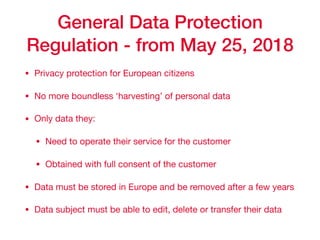
General Data Protection
Regulation - from May 25, 2018
• Privacy protection for European citizens

• No more boundless ‘harvesting’ of personal data 

• Only data they: 

• Need to operate their service for the customer

• Obtained with full consent of the customer

• Data must be stored in Europe and be removed after a few years

• Data subject must be able to edit, delete or transfer their data
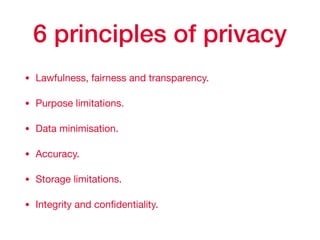
6 principles of privacy
• Lawfulness, fairness and transparency.

• Purpose limitations.

• Data minimisation.

• Accuracy.

• Storage limitations.

• Integrity and confidentiality.
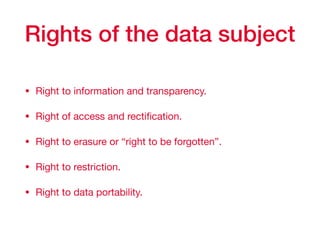
Rights of the data subject
• Right to information and transparency.

• Right of access and rectification.

• Right to erasure or “right to be forgotten”.

• Right to restriction.

• Right to data portability.
Wait, what data?
• Name, age/birthday, gender, address, etc.

• Meta data: location, device(s), frequency, networks,
connections, conversations, Mac-addresses, IP-
addresses, etc
GDPR & Things
They are in our homes.
They listen.
GDPR & Things
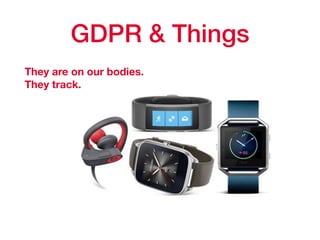
They are on our bodies.

They track.
GDPR & Things
They are in our
bedrooms.

They communicate.
GDPR for Things
They know stuff about us.

They know us.

Their makers know us. 

They can be hacked.
Privacy by design
How’s our
privacy literacy?
And that of our partners
and coworkers?
Privacy Literacy Survey
• It is not just a survey

It is also a FAQ applied to your area of work
• It is a manual

Through application to case, you understand what GDPR means
• It should be a living document

Like a FAQ, it should be updated with expert answers
• Ideal for company or sector wide codes of conduct

What is personal information
according to GDPR?
• Voice recording

• Mac address

• IP-address

• Number of visits

• Age ranges

• Professional email address

• Unique identifier

Summary

Personal data is any data that are able to single a (natural) person out of a crowd or a set of data AND that
allow someone to know who that person is. For example, MAC and IP-addresses are considered personal
data because they are unique per connected device and an ISP can look up these addresses and attach a
name or address to them.
What data are
we collecting?
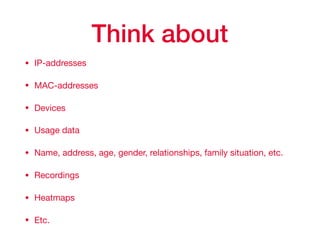
Think about
• IP-addresses

• MAC-addresses

• Devices 

• Usage data

• Name, address, age, gender, relationships, family situation, etc.

• Recordings

• Heatmaps

• Etc.
What data do we
absolutely need to
operate our service?
How are you
acquiring this data?
?
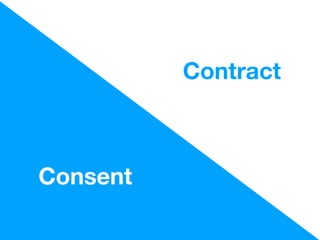
Consent
Contract
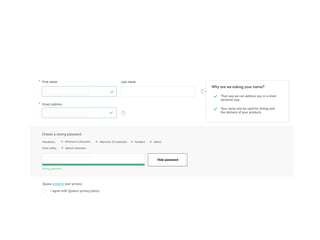
Ask for personal data
in context
Allow them to say
NO
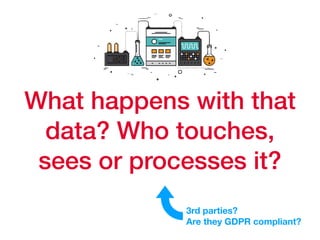
What happens with that
data? Who touches,
sees or processes it?
3rd parties?
Are they GDPR compliant?
Think about
• The services that you use for:

• User research

• Processing

• Analysis

• Delivery of physical products
What could go wrong?
How can we prevent that
from happening?
Think about
• Creation and management Data Flow map

• GDPR task force, feat. DPO

• Government (roles, who’s responsible for what?)

• Plan for problems, escalations, emergencies
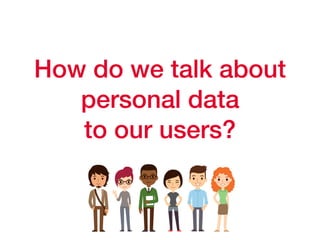
How do we talk about
personal data
to our users?
Think about
• Being clear about your goals

• Being clear about data processing

• Use plain, easy to understand, language
How can our users
edit or delete
their data?
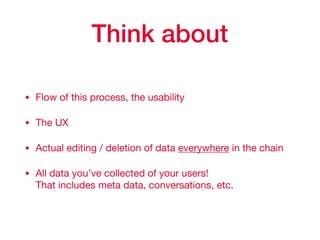
Think about
• Flow of this process, the usability

• The UX

• Actual editing / deletion of data everywhere in the chain

• All data you’ve collected of your users! 

That includes meta data, conversations, etc.
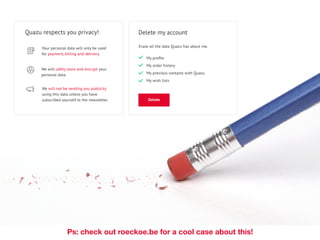
Ps: check out roeckoe.be for a cool case about this!
How can our users
transfer
their data?
Think about
• What does the data look like?

• What format is it?

• How are you going to deliver it to them?

• What does the flow look like?
Data Flow Mapping
Goal and focus
Focus
Accessibility before accuracy

Mapping instead of assessing

Why?
Best starting point for anything data related

Negotiations on data ‘ownership’, thinking of alternatives

Data protection impact assessment requires a mapping
Check list
• Three big white papers or (flip-over) sheets +/- A3 size.

• Two markers; one red, one green.

• At least one regular blue pen.

• Big post-its in a striking colour, e.g. yellow.

• Smaller post-its, in two colours, e.g. orange and green.

• An empty ‘Information Asset Inventory’ sheet.

• Camera (phone camera will do).
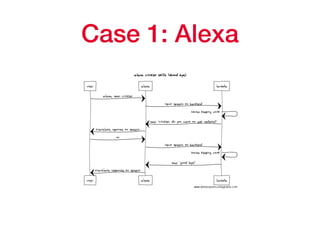
Case 1: Alexa
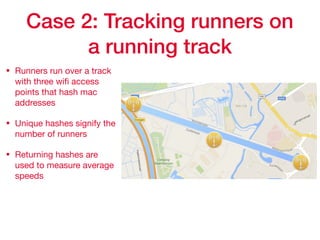
Case 2: Tracking runners on
a running track
• Runners run over a track
with three wifi access
points that hash mac
addresses

• Unique hashes signify the
number of runners

• Returning hashes are
used to measure average
speeds
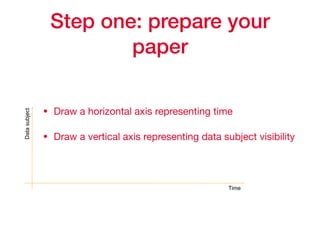
Step one: prepare your
paper
• Draw a horizontal axis representing time

• Draw a vertical axis representing data subject visibility
Datasubject
Time
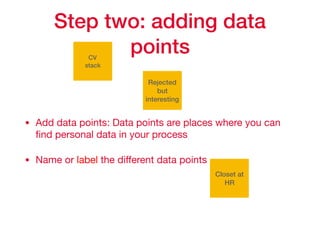
Step two: adding data
points
• Add data points: Data points are places where you can
find personal data in your process

• Name or label the different data points
CV
stack
Rejected
but
interesting
Closet at
HR
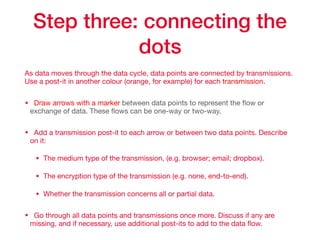
Step three: connecting the
dots
As data moves through the data cycle, data points are connected by transmissions.
Use a post-it in another colour (orange, for example) for each transmission.

• Draw arrows with a marker between data points to represent the flow or
exchange of data. These flows can be one-way or two-way.

• Add a transmission post-it to each arrow or between two data points. Describe
on it:

• The medium type of the transmission, (e.g. browser; email; dropbox). 

• The encryption type of the transmission (e.g. none, end-to-end).

• Whether the transmission concerns all or partial data.

• Go through all data points and transmissions once more. Discuss if any are
missing, and if necessary, use additional post-its to add to the data flow.
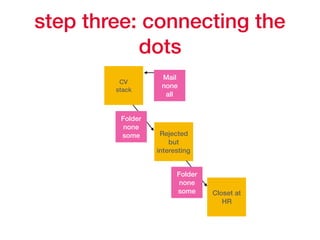
step three: connecting the
dots
CV
stack
Rejected
but
interesting
Closet at
HR
Mail
none
all
Folder
none
some
Folder
none
some
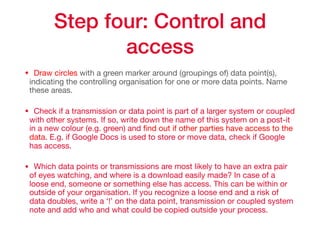
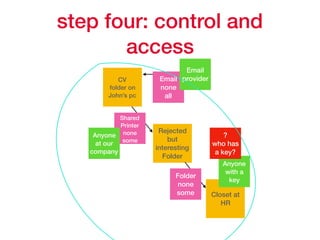
Step four: Control and
access
• Draw circles with a green marker around (groupings of) data point(s),
indicating the controlling organisation for one or more data points. Name
these areas.

• Check if a transmission or data point is part of a larger system or coupled
with other systems. If so, write down the name of this system on a post-it
in a new colour (e.g. green) and find out if other parties have access to the
data. E.g. if Google Docs is used to store or move data, check if Google
has access.

• Which data points or transmissions are most likely to have an extra pair
of eyes watching, and where is a download easily made? In case of a
loose end, someone or something else has access. This can be within or
outside of your organisation. If you recognize a loose end and a risk of
data doubles, write a ‘!’ on the data point, transmission or coupled system
note and add who and what could be copied outside your process.
step four: control and
access
CV
folder on
John’s pc
Rejected
but
interesting
Folder
Closet at
HR
Email
none
all
Shared
Printer
none
some
Folder
none
some
Email
provider
Anyone
at our
company
Anyone
with a
key
?
who has
a key?
Step five: Identify the gaps
• Having a complete data flow is near impossible

• Add names to missing information and contact these
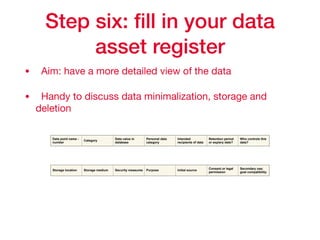
Step six: fill in your data
asset register
• Aim: have a more detailed view of the data

• Handy to discuss data minimalization, storage and
deletion
Data point name -
number
Category
Data value in
database
Personal data
category
Intended
recipients of data
Retention period
or expiery date?
Who controls this
data?
Storage location Storage medium Security measures Purpose Initial source
Consent or legal
permission
Secondary use:
goal compatibility
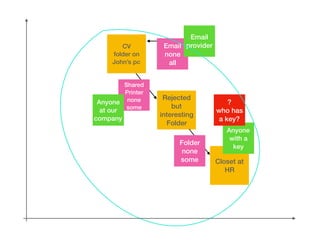
CV
folder on
John’s pc
Rejected
but
interesting
Folder
Closet at
HR
Email
none
all
Shared
Printer
none
some
Folder
none
some
Email
provider
Anyone
at our
company
Anyone
with a
key
?
who has
a key?
Questions for after the
mapping
• Do I collect before or after asking consent 

• Is all data processed on EU soil?

• Where do I need more access control?

• What if someone asks for the right to access, deletion,
rectification?

• Is there data I do not need at a given point?

• Are there people with access to data they don’t need?
Privacy Statements
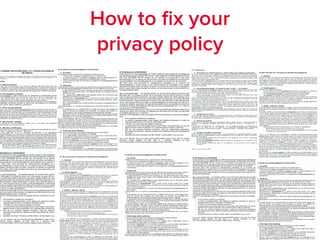
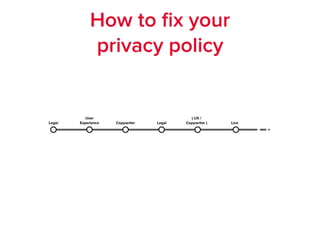
How to fix your
privacy policy
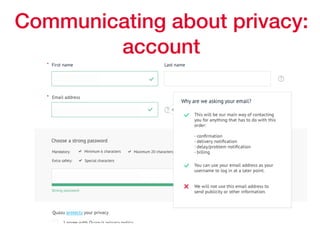
Communicating about privacy:
account
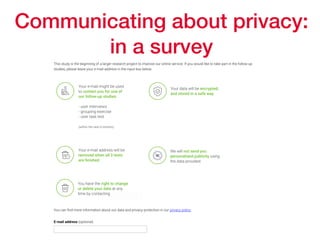
Communicating about privacy:
in a survey
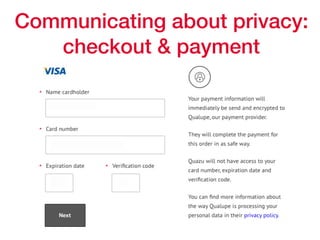
Communicating about privacy:
checkout & payment
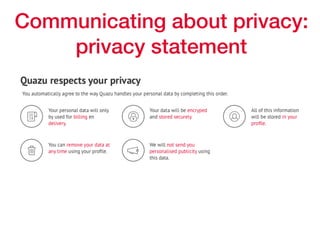
Communicating about privacy:
privacy statement
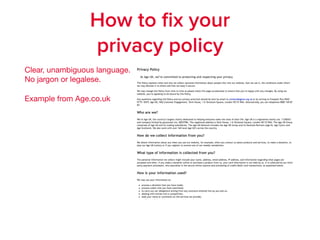
How to fix your
privacy policy
Clear, unambiguous language.

No jargon or legalese.

Example from Age.co.uk
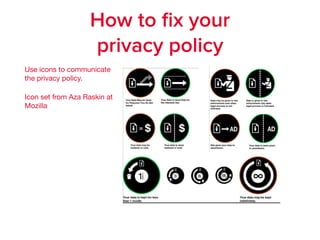
How to fix your
privacy policy
Use icons to communicate
the privacy policy.

Icon set from Aza Raskin at
Mozilla
How to fix your
privacy policy
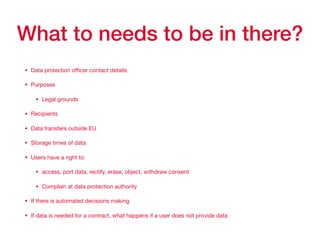
What to needs to be in there?
• Data protection officer contact details

• Purposes

• Legal grounds

• Recipients

• Data transfers outside EU

• Storage times of data

• Users have a right to:

• access, port data, rectify, erase, object, withdraw consent

• Complain at data protection authority

• If there is automated decisions making

• If data is needed for a contract, what happens if a user does not provide data
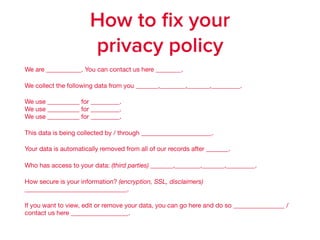
We are ___________. You can contact us here ________.

We collect the following data from you _______,________,_______,_________.

We use __________ for _________. 

We use __________ for _________. 

We use __________ for _________. 

This data is being collected by / through ______________________.

Your data is automatically removed from all of our records after _______. 

Who has access to your data: (third parties) _______,________,_______,_________.

How secure is your information? (encryption, SSL, disclaimers)
________________________________. 

If you want to view, edit or remove your data, you can go here and do so ________________ /
contact us here __________________.
How to fix your
privacy policy
More info
The official text of the regulation: 

http://eur-lex.europa.eu/legal-content/EN/TXT/?uri=CELEX:32016R0679

The regulation explained by the European Commission: http://
ec.europa.eu/justice/data-protection/index_en.htm

The podcasts we’ve made about GDPR, UX and content:

https://www.efficientlyeffective.fm

Privacy by Design guidelines:

https://www.enisa.europa.eu/topics/data-protection/privacy-by-design?
tab=publications 

Remember to check with privacy experts and legal professionals for your
specific situation.
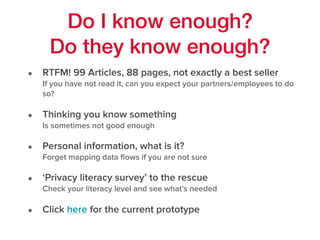
Do I know enough?
Do they know enough?
• RTFM! 99 Articles, 88 pages, not exactly a best seller

If you have not read it, can you expect your partners/employees to do
so?
• Thinking you know something

Is sometimes not good enough
• Personal information, what is it?

Forget mapping data flows if you are not sure
• ‘Privacy literacy survey’ to the rescue

Check your literacy level and see what’s needed
• Click here for the current prototype
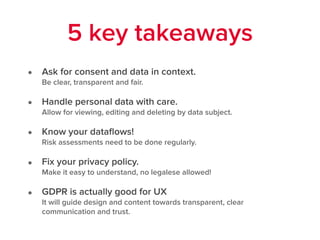
• Ask for consent and data in context. 

Be clear, transparent and fair.
• Handle personal data with care.

Allow for viewing, editing and deleting by data subject.
• Know your dataflows! 

Risk assessments need to be done regularly.
• Fix your privacy policy. 

Make it easy to understand, no legalese allowed!
• GDPR is actually good for UX 

It will guide design and content towards transparent, clear
communication and trust.
5 key takeaways
Efficiently
Effective Podcast
efficientlyeffective.fm
Thank
you!

GDPR for Things - ThingsCon Amsterdam 2017

  • 1.
  • 2.
  • 3.
    What we’re goingto talk about… GDPR essentials Data flow mapping Privacy policies Best practices
  • 4.
  • 5.
    Disclaimer You could callus “GDPR enthusiasts”
  • 6.
  • 7.
  • 8.
  • 9.
    General Data Protection Regulation- from May 25, 2018 • Privacy protection for European citizens • No more boundless ‘harvesting’ of personal data • Only data they: • Need to operate their service for the customer • Obtained with full consent of the customer • Data must be stored in Europe and be removed after a few years • Data subject must be able to edit, delete or transfer their data
  • 10.
    6 principles ofprivacy • Lawfulness, fairness and transparency. • Purpose limitations. • Data minimisation. • Accuracy. • Storage limitations. • Integrity and confidentiality.
  • 11.
    Rights of thedata subject • Right to information and transparency. • Right of access and rectification. • Right to erasure or “right to be forgotten”. • Right to restriction. • Right to data portability.
  • 12.
    Wait, what data? •Name, age/birthday, gender, address, etc. • Meta data: location, device(s), frequency, networks, connections, conversations, Mac-addresses, IP- addresses, etc
  • 13.
    GDPR & Things Theyare in our homes. They listen.
  • 14.
    GDPR & Things Theyare on our bodies.
 They track.
  • 15.
    GDPR & Things Theyare in our bedrooms.
 They communicate.
  • 16.
    GDPR for Things Theyknow stuff about us. They know us. Their makers know us. They can be hacked.
  • 17.
  • 18.
    How’s our privacy literacy? Andthat of our partners and coworkers?
  • 19.
    Privacy Literacy Survey •It is not just a survey
 It is also a FAQ applied to your area of work • It is a manual
 Through application to case, you understand what GDPR means • It should be a living document
 Like a FAQ, it should be updated with expert answers • Ideal for company or sector wide codes of conduct

  • 20.
    What is personalinformation according to GDPR? • Voice recording • Mac address • IP-address • Number of visits • Age ranges • Professional email address • Unique identifier Summary Personal data is any data that are able to single a (natural) person out of a crowd or a set of data AND that allow someone to know who that person is. For example, MAC and IP-addresses are considered personal data because they are unique per connected device and an ISP can look up these addresses and attach a name or address to them.
  • 21.
    What data are wecollecting?
  • 22.
    Think about • IP-addresses •MAC-addresses • Devices • Usage data • Name, address, age, gender, relationships, family situation, etc. • Recordings • Heatmaps • Etc.
  • 23.
    What data dowe absolutely need to operate our service?
  • 24.
  • 25.
  • 26.
    Ask for personaldata in context
  • 27.
  • 28.
    What happens withthat data? Who touches, sees or processes it? 3rd parties? Are they GDPR compliant?
  • 29.
    Think about • Theservices that you use for: • User research • Processing • Analysis • Delivery of physical products
  • 30.
    What could gowrong? How can we prevent that from happening?
  • 31.
    Think about • Creationand management Data Flow map • GDPR task force, feat. DPO • Government (roles, who’s responsible for what?) • Plan for problems, escalations, emergencies
  • 32.
    How do wetalk about personal data to our users?
  • 33.
    Think about • Beingclear about your goals • Being clear about data processing • Use plain, easy to understand, language
  • 35.
    How can ourusers edit or delete their data?
  • 36.
    Think about • Flowof this process, the usability • The UX • Actual editing / deletion of data everywhere in the chain • All data you’ve collected of your users! 
 That includes meta data, conversations, etc.
  • 37.
    Ps: check outroeckoe.be for a cool case about this!
  • 38.
    How can ourusers transfer their data?
  • 39.
    Think about • Whatdoes the data look like? • What format is it? • How are you going to deliver it to them? • What does the flow look like?
  • 41.
  • 42.
    Goal and focus Focus Accessibilitybefore accuracy Mapping instead of assessing Why? Best starting point for anything data related Negotiations on data ‘ownership’, thinking of alternatives Data protection impact assessment requires a mapping
  • 43.
    Check list • Threebig white papers or (flip-over) sheets +/- A3 size. • Two markers; one red, one green. • At least one regular blue pen. • Big post-its in a striking colour, e.g. yellow. • Smaller post-its, in two colours, e.g. orange and green. • An empty ‘Information Asset Inventory’ sheet. • Camera (phone camera will do).
  • 44.
  • 45.
    Case 2: Trackingrunners on a running track • Runners run over a track with three wifi access points that hash mac addresses • Unique hashes signify the number of runners • Returning hashes are used to measure average speeds
  • 46.
    Step one: prepareyour paper • Draw a horizontal axis representing time • Draw a vertical axis representing data subject visibility Datasubject Time
  • 47.
    Step two: addingdata points • Add data points: Data points are places where you can find personal data in your process • Name or label the different data points CV stack Rejected but interesting Closet at HR
  • 48.
    Step three: connectingthe dots As data moves through the data cycle, data points are connected by transmissions. Use a post-it in another colour (orange, for example) for each transmission. • Draw arrows with a marker between data points to represent the flow or exchange of data. These flows can be one-way or two-way. • Add a transmission post-it to each arrow or between two data points. Describe on it: • The medium type of the transmission, (e.g. browser; email; dropbox). • The encryption type of the transmission (e.g. none, end-to-end). • Whether the transmission concerns all or partial data. • Go through all data points and transmissions once more. Discuss if any are missing, and if necessary, use additional post-its to add to the data flow.
  • 49.
    step three: connectingthe dots CV stack Rejected but interesting Closet at HR Mail none all Folder none some Folder none some
  • 50.
    Step four: Controland access • Draw circles with a green marker around (groupings of) data point(s), indicating the controlling organisation for one or more data points. Name these areas. • Check if a transmission or data point is part of a larger system or coupled with other systems. If so, write down the name of this system on a post-it in a new colour (e.g. green) and find out if other parties have access to the data. E.g. if Google Docs is used to store or move data, check if Google has access. • Which data points or transmissions are most likely to have an extra pair of eyes watching, and where is a download easily made? In case of a loose end, someone or something else has access. This can be within or outside of your organisation. If you recognize a loose end and a risk of data doubles, write a ‘!’ on the data point, transmission or coupled system note and add who and what could be copied outside your process.
  • 51.
    step four: controland access CV folder on John’s pc Rejected but interesting Folder Closet at HR Email none all Shared Printer none some Folder none some Email provider Anyone at our company Anyone with a key ? who has a key?
  • 52.
    Step five: Identifythe gaps • Having a complete data flow is near impossible • Add names to missing information and contact these
  • 53.
    Step six: fillin your data asset register • Aim: have a more detailed view of the data • Handy to discuss data minimalization, storage and deletion Data point name - number Category Data value in database Personal data category Intended recipients of data Retention period or expiery date? Who controls this data? Storage location Storage medium Security measures Purpose Initial source Consent or legal permission Secondary use: goal compatibility
  • 54.
    CV folder on John’s pc Rejected but interesting Folder Closetat HR Email none all Shared Printer none some Folder none some Email provider Anyone at our company Anyone with a key ? who has a key?
  • 55.
    Questions for afterthe mapping • Do I collect before or after asking consent • Is all data processed on EU soil? • Where do I need more access control? • What if someone asks for the right to access, deletion, rectification? • Is there data I do not need at a given point? • Are there people with access to data they don’t need?
  • 56.
  • 57.
    How to fixyour privacy policy
  • 58.
  • 59.
  • 60.
  • 61.
  • 62.
    How to fixyour privacy policy Clear, unambiguous language.
 No jargon or legalese. Example from Age.co.uk
  • 63.
    How to fixyour privacy policy Use icons to communicate the privacy policy. Icon set from Aza Raskin at Mozilla
  • 64.
    How to fixyour privacy policy
  • 65.
    What to needsto be in there? • Data protection officer contact details • Purposes • Legal grounds • Recipients • Data transfers outside EU • Storage times of data • Users have a right to: • access, port data, rectify, erase, object, withdraw consent • Complain at data protection authority • If there is automated decisions making • If data is needed for a contract, what happens if a user does not provide data
  • 66.
    We are ___________.You can contact us here ________. We collect the following data from you _______,________,_______,_________. We use __________ for _________. 
 We use __________ for _________. 
 We use __________ for _________. This data is being collected by / through ______________________. Your data is automatically removed from all of our records after _______. Who has access to your data: (third parties) _______,________,_______,_________. How secure is your information? (encryption, SSL, disclaimers) ________________________________. If you want to view, edit or remove your data, you can go here and do so ________________ / contact us here __________________. How to fix your privacy policy
  • 67.
    More info The officialtext of the regulation: 
 http://eur-lex.europa.eu/legal-content/EN/TXT/?uri=CELEX:32016R0679 The regulation explained by the European Commission: http:// ec.europa.eu/justice/data-protection/index_en.htm The podcasts we’ve made about GDPR, UX and content:
 https://www.efficientlyeffective.fm Privacy by Design guidelines:
 https://www.enisa.europa.eu/topics/data-protection/privacy-by-design? tab=publications Remember to check with privacy experts and legal professionals for your specific situation.
  • 68.
    Do I knowenough? Do they know enough? • RTFM! 99 Articles, 88 pages, not exactly a best seller
 If you have not read it, can you expect your partners/employees to do so? • Thinking you know something
 Is sometimes not good enough • Personal information, what is it?
 Forget mapping data flows if you are not sure • ‘Privacy literacy survey’ to the rescue
 Check your literacy level and see what’s needed • Click here for the current prototype
  • 69.
    • Ask forconsent and data in context. 
 Be clear, transparent and fair. • Handle personal data with care.
 Allow for viewing, editing and deleting by data subject. • Know your dataflows! 
 Risk assessments need to be done regularly. • Fix your privacy policy. 
 Make it easy to understand, no legalese allowed! • GDPR is actually good for UX 
 It will guide design and content towards transparent, clear communication and trust. 5 key takeaways
  • 70.