David Pugh
@davidpugh_dpa
@gcell_uk
Google Eddystone
and the
Physical Web
What are Beacons?
BLE restricts the size of the message beacons can send so
usually they just send out a static message advertising a unique
identifier.
Beacons are devices that sit broadcast a BlueTooth Low
Energy (BLE) signal.
The message is usually broadcast at between 1-10 times a
second and the beacon hardware tend to be small battery
powered devices.
A nearby smart device can choose to scan for these, see them
and then decide to perform an action based on the beacon ID.
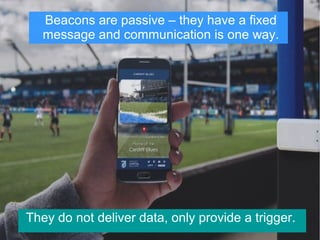
Beacons are passive – they have a fixed
message and communication is one way.
They do not deliver data, only provide a trigger.
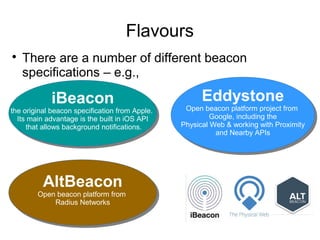
Flavours

There are a number of different beacon
specifications – e.g.,
iBeacon
the original beacon specification from Apple.
Its main advantage is the built in iOS API
that allows background notifications.
iBeacon
the original beacon specification from Apple.
Its main advantage is the built in iOS API
that allows background notifications.
Eddystone
Open beacon platform project from
Google, including the
Physical Web & working with Proximity
and Nearby APIs
Eddystone
Open beacon platform project from
Google, including the
Physical Web & working with Proximity
and Nearby APIs
AltBeacon
Open beacon platform from
Radius Networks
AltBeacon
Open beacon platform from
Radius Networks
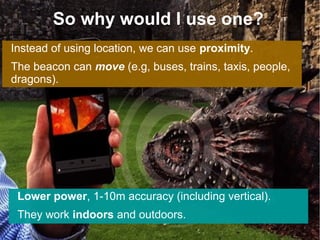
So why would I use one?
Instead of using location, we can use proximity.
The beacon can move (e.g, buses, trains, taxis, people,
dragons).
Lower power, 1-10m accuracy (including vertical).
They work indoors and outdoors.
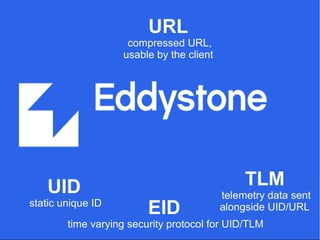
UID
static unique ID
URL
compressed URL,
usable by the client
TLM
telemetry data sent
alongside UID/URLEID
time varying security protocol for UID/TLM
Usually, when people talk about Eddystone, they mean
Eddystone URL aka
The concept behind this is to extend existing web sites,
allowing beacons to broadcast URLS to devices around
them.
There is no need to develop a specific app.
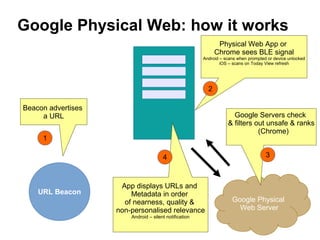
URL Beacon
Beacon advertises
a URL
Physical Web App or
Chrome sees BLE signal
Android – scans when prompted or device unlocked
iOS – scans on Today View refresh
Google Physical
Web Server
Google Servers check
& filters out unsafe & ranks
(Chrome)
App displays URLs and
Metadata in order
of nearness, quality &
non-personalised relevance
Android – silent notification
Google Physical Web: how it works?
1
2
34
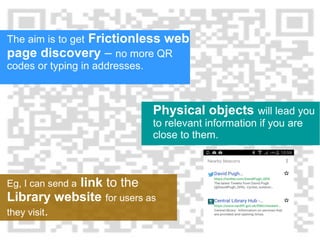
The aim is to get Frictionless web
page discovery – no more QR
codes or typing in addresses.
Eg, I can send a link to the
Library website for users as
they visit.
Physical objects will lead you
to relevant information if you are
close to them.
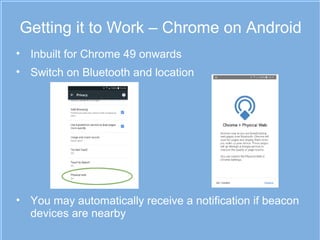
Getting it to Work – Chrome on Android
• Inbuilt for Chrome 49 onwards
• Switch on Bluetooth and location
• You may automatically receive a notification if beacon
devices are nearby
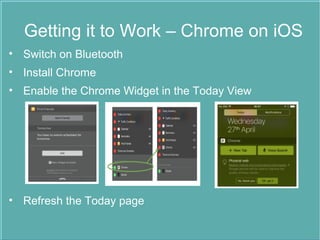
Getting it to Work – Chrome on iOS
• Switch on Bluetooth
• Install Chrome
• Enable the Chrome Widget in the Today View
• Refresh the Today page
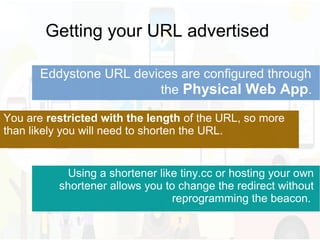
Getting your URL advertised
Eddystone URL devices are configured through
the Physical Web App.
You are restricted with the length of the URL, so more
than likely you will need to shorten the URL.
Using a shortener like tiny.cc or hosting your own
shortener allows you to change the redirect without
reprogramming the beacon.
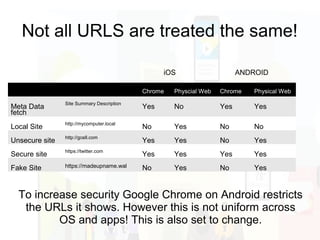
Not all URLS are treated the same!
Chrome Physcial Web Chrome Physical Web
Meta Data
fetch
Site Summary Description
Yes No Yes Yes
Local Site
http://mycomputer.local
No Yes No No
Unsecure site
http://gcell.com
Yes Yes No Yes
Secure site
https://twitter.com
Yes Yes Yes Yes
Fake Site https://madeupname.wal No Yes No Yes
To increase security Google Chrome on Android restricts
the URLs it shows. However this is not uniform across
OS and apps! This is also set to change.
ANDROIDiOS
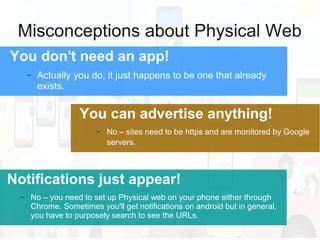
Misconceptions about Physical Web
You don't need an app!
− Actually you do, it just happens to be one that already
exists.
Notifications just appear!
− No – you need to set up Physical web on your phone either through
Chrome. Sometimes you'll get notifications on android but in general,
you have to purposely search to see the URLs.
You can advertise anything!
− No – sites need to be https and are monitored by Google
servers.
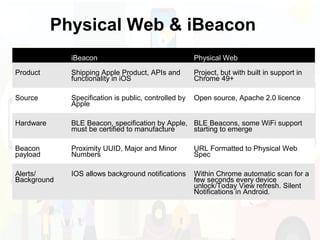
iBeacon Physical Web
Product Shipping Apple Product, APIs and
functionality in iOS
Project, but with built in support in
Chrome 49+
Source Specification is public, controlled by
Apple
Open source, Apache 2.0 licence
Hardware BLE Beacon, specification by Apple,
must be certified to manufacture
BLE Beacons, some WiFi support
starting to emerge
Beacon
payload
Proximity UUID, Major and Minor
Numbers
URL Formatted to Physical Web
Spec
Alerts/
Background
IOS allows background notifications Within Chrome automatic scan for a
few seconds every device
unlock/Today View refresh. Silent
Notifications in Android.
Physical Web & iBeacon?
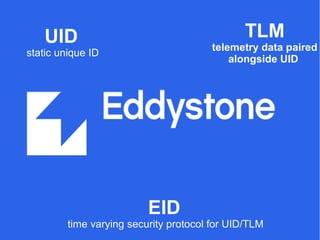
UID
static unique ID
TLM
telemetry data paired
alongside UID
EID
time varying security protocol for UID/TLM
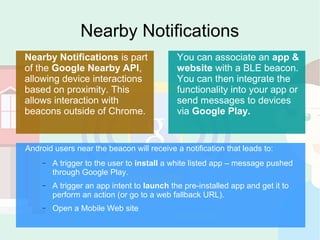
Nearby Notifications
Nearby Notifications is part
of the Google Nearby API,
allowing device interactions
based on proximity. This
allows interaction with
beacons outside of Chrome.
You can associate an app &
website with a BLE beacon.
You can then integrate the
functionality into your app or
send messages to devices
via Google Play.
Android users near the beacon will receive a notification that leads to:
− A trigger to the user to install a white listed app – message pushed
through Google Play.
− A trigger an app intent to launch the pre-installed app and get it to
perform an action (or go to a web fallback URL).
− Open a Mobile Web site
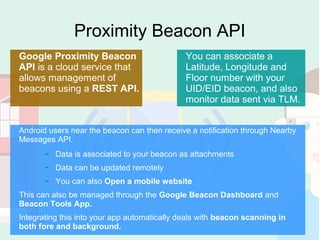
Proximity Beacon API
Google Proximity Beacon
API is a cloud service that
allows management of
beacons using a REST API.
You can associate a
Latitude, Longitude and
Floor number with your
UID/EID beacon, and also
monitor data sent via TLM.
Android users near the beacon can then receive a notification through Nearby
Messages API.
− Data is associated to your beacon as attachments
− Data can be updated remotely
− You can also Open a mobile website
This can also be managed through the Google Beacon Dashboard and
Beacon Tools App.
Integrating this into your app automatically deals with beacon scanning in
both fore and background.
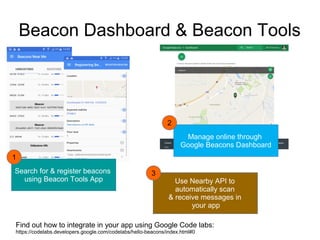
Beacon Dashboard & Beacon Tools
Manage online through
Google Beacons Dashboard
Search for & register beacons
using Beacon Tools App
Find out how to integrate in your app using Google Code labs:
https://codelabs.developers.google.com/codelabs/hello-beacons/index.html#0
Use Nearby API to
automatically scan
& receive messages in
your app
1
2
3
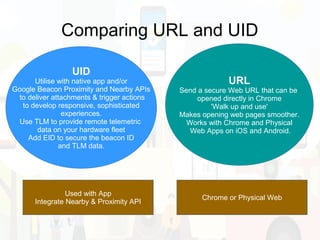
Comparing URL and UID
UID
Utilise with native app and/or
Google Beacon Proximity and Nearby APIs
to deliver attachments & trigger actions
to develop responsive, sophisticated
experiences.
Use TLM to provide remote telemetric
data on your hardware fleet
Add EID to secure the beacon ID
and TLM data.
URL
Send a secure Web URL that can be
opened directly in Chrome
'Walk up and use'
Makes opening web pages smoother.
Works with Chrome and Physical
Web Apps on iOS and Android.
Used with App
Integrate Nearby & Proximity API
Chrome or Physical Web
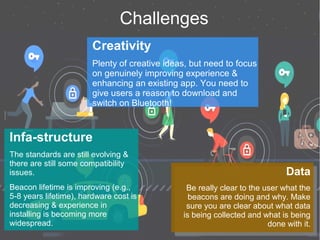
Challenges
Creativity
Plenty of creative ideas, but need to focus
on genuinely improving experience &
enhancing an existing app. You need to
give users a reason to download and
switch on Bluetooth!
Infa-structure
The standards are still evolving &
there are still some compatibility
issues.
Beacon lifetime is improving (e.g.,
5-8 years lifetime), hardware cost is
decreasing & experience in
installing is becoming more
widespread.
Data
Be really clear to the user what the
beacons are doing and why. Make
sure you are clear about what data
is being collected and what is being
done with it.
Data
Be really clear to the user what the
beacons are doing and why. Make
sure you are clear about what data
is being collected and what is being
done with it.
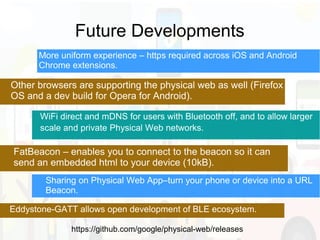
Future Developments
WiFi direct and mDNS for users with Bluetooth off, and to allow larger
scale and private Physical Web networks.
FatBeacon – enables you to connect to the beacon so it can
send an embedded html to your device (10kB).
https://github.com/google/physical-web/releases
Sharing on Physical Web App–turn your phone or device into a URL
Beacon.
Eddystone-GATT allows open development of BLE ecosystem.
More uniform experience – https required across iOS and Android
Chrome extensions.
Other browsers are supporting the physical web as well (Firefox
OS and a dev build for Opera for Android).
Thank you
David Pugh
@davidpugh_dpa
@gcell_uk
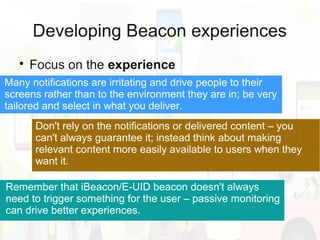
Developing Beacon experiences

Focus on the experience
Don't rely on the notifications or delivered content – you
can't always guarantee it; instead think about making
relevant content more easily available to users when they
want it.
Remember that iBeacon/E-UID beacon doesn't always
need to trigger something for the user – passive monitoring
can drive better experiences.
Many notifications are irritating and drive people to their
screens rather than to the environment they are in; be very
tailored and select in what you deliver.
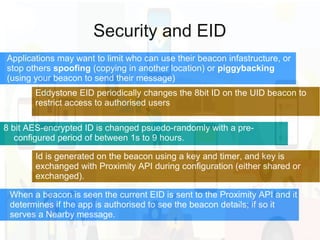
Security and EID
Eddystone EID periodically changes the 8bit ID on the UID beacon to
restrict access to authorised users
8 bit AES-encrypted ID is changed psuedo-randomly with a pre-
configured period of between 1s to 9 hours.
Applications may want to limit who can use their beacon infastructure, or
stop others spoofing (copying in another location) or piggybacking
(using your beacon to send their message)
Id is generated on the beacon using a key and timer, and key is
exchanged with Proximity API during configuration (either shared or
exchanged).
When a beacon is seen the current EID is sent to the Proximity API and it
determines if the app is authorised to see the beacon details; if so it
serves a Nearby message.
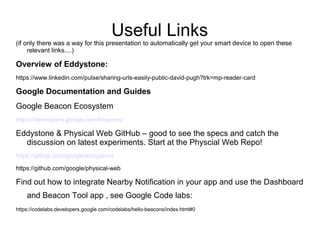
Useful Links
(if only there was a way for this presentation to automatically get your smart device to open these
relevant links....)
Overview of Eddystone:
https://www.linkedin.com/pulse/sharing-urls-easily-public-david-pugh?trk=mp-reader-card
Google Documentation and Guides
Google Beacon Ecosystem
https://developers.google.com/beacons/
Eddystone & Physical Web GitHub – good to see the specs and catch the
discussion on latest experiments. Start at the Physcial Web Repo!
https://github.com/google/eddystone
https://github.com/google/physical-web
Find out how to integrate Nearby Notification in your app and use the Dashboard
and Beacon Tool app , see Google Code labs:
https://codelabs.developers.google.com/codelabs/hello-beacons/index.html#0

GDG Eddystone overview Aug2016

  • 1.
  • 2.
    What are Beacons? BLErestricts the size of the message beacons can send so usually they just send out a static message advertising a unique identifier. Beacons are devices that sit broadcast a BlueTooth Low Energy (BLE) signal. The message is usually broadcast at between 1-10 times a second and the beacon hardware tend to be small battery powered devices. A nearby smart device can choose to scan for these, see them and then decide to perform an action based on the beacon ID.
  • 3.
    Beacons are passive– they have a fixed message and communication is one way. They do not deliver data, only provide a trigger.
  • 4.
    Flavours  There are anumber of different beacon specifications – e.g., iBeacon the original beacon specification from Apple. Its main advantage is the built in iOS API that allows background notifications. iBeacon the original beacon specification from Apple. Its main advantage is the built in iOS API that allows background notifications. Eddystone Open beacon platform project from Google, including the Physical Web & working with Proximity and Nearby APIs Eddystone Open beacon platform project from Google, including the Physical Web & working with Proximity and Nearby APIs AltBeacon Open beacon platform from Radius Networks AltBeacon Open beacon platform from Radius Networks
  • 5.
    So why wouldI use one? Instead of using location, we can use proximity. The beacon can move (e.g, buses, trains, taxis, people, dragons). Lower power, 1-10m accuracy (including vertical). They work indoors and outdoors.
  • 6.
    UID static unique ID URL compressedURL, usable by the client TLM telemetry data sent alongside UID/URLEID time varying security protocol for UID/TLM
  • 7.
    Usually, when peopletalk about Eddystone, they mean Eddystone URL aka The concept behind this is to extend existing web sites, allowing beacons to broadcast URLS to devices around them. There is no need to develop a specific app.
  • 8.
    URL Beacon Beacon advertises aURL Physical Web App or Chrome sees BLE signal Android – scans when prompted or device unlocked iOS – scans on Today View refresh Google Physical Web Server Google Servers check & filters out unsafe & ranks (Chrome) App displays URLs and Metadata in order of nearness, quality & non-personalised relevance Android – silent notification Google Physical Web: how it works? 1 2 34
  • 9.
    The aim isto get Frictionless web page discovery – no more QR codes or typing in addresses. Eg, I can send a link to the Library website for users as they visit. Physical objects will lead you to relevant information if you are close to them.
  • 10.
    Getting it toWork – Chrome on Android • Inbuilt for Chrome 49 onwards • Switch on Bluetooth and location • You may automatically receive a notification if beacon devices are nearby
  • 11.
    Getting it toWork – Chrome on iOS • Switch on Bluetooth • Install Chrome • Enable the Chrome Widget in the Today View • Refresh the Today page
  • 12.
    Getting your URLadvertised Eddystone URL devices are configured through the Physical Web App. You are restricted with the length of the URL, so more than likely you will need to shorten the URL. Using a shortener like tiny.cc or hosting your own shortener allows you to change the redirect without reprogramming the beacon.
  • 13.
    Not all URLSare treated the same! Chrome Physcial Web Chrome Physical Web Meta Data fetch Site Summary Description Yes No Yes Yes Local Site http://mycomputer.local No Yes No No Unsecure site http://gcell.com Yes Yes No Yes Secure site https://twitter.com Yes Yes Yes Yes Fake Site https://madeupname.wal No Yes No Yes To increase security Google Chrome on Android restricts the URLs it shows. However this is not uniform across OS and apps! This is also set to change. ANDROIDiOS
  • 14.
    Misconceptions about PhysicalWeb You don't need an app! − Actually you do, it just happens to be one that already exists. Notifications just appear! − No – you need to set up Physical web on your phone either through Chrome. Sometimes you'll get notifications on android but in general, you have to purposely search to see the URLs. You can advertise anything! − No – sites need to be https and are monitored by Google servers.
  • 15.
    iBeacon Physical Web ProductShipping Apple Product, APIs and functionality in iOS Project, but with built in support in Chrome 49+ Source Specification is public, controlled by Apple Open source, Apache 2.0 licence Hardware BLE Beacon, specification by Apple, must be certified to manufacture BLE Beacons, some WiFi support starting to emerge Beacon payload Proximity UUID, Major and Minor Numbers URL Formatted to Physical Web Spec Alerts/ Background IOS allows background notifications Within Chrome automatic scan for a few seconds every device unlock/Today View refresh. Silent Notifications in Android. Physical Web & iBeacon?
  • 16.
    UID static unique ID TLM telemetrydata paired alongside UID EID time varying security protocol for UID/TLM
  • 17.
    Nearby Notifications Nearby Notificationsis part of the Google Nearby API, allowing device interactions based on proximity. This allows interaction with beacons outside of Chrome. You can associate an app & website with a BLE beacon. You can then integrate the functionality into your app or send messages to devices via Google Play. Android users near the beacon will receive a notification that leads to: − A trigger to the user to install a white listed app – message pushed through Google Play. − A trigger an app intent to launch the pre-installed app and get it to perform an action (or go to a web fallback URL). − Open a Mobile Web site
  • 18.
    Proximity Beacon API GoogleProximity Beacon API is a cloud service that allows management of beacons using a REST API. You can associate a Latitude, Longitude and Floor number with your UID/EID beacon, and also monitor data sent via TLM. Android users near the beacon can then receive a notification through Nearby Messages API. − Data is associated to your beacon as attachments − Data can be updated remotely − You can also Open a mobile website This can also be managed through the Google Beacon Dashboard and Beacon Tools App. Integrating this into your app automatically deals with beacon scanning in both fore and background.
  • 19.
    Beacon Dashboard &Beacon Tools Manage online through Google Beacons Dashboard Search for & register beacons using Beacon Tools App Find out how to integrate in your app using Google Code labs: https://codelabs.developers.google.com/codelabs/hello-beacons/index.html#0 Use Nearby API to automatically scan & receive messages in your app 1 2 3
  • 20.
    Comparing URL andUID UID Utilise with native app and/or Google Beacon Proximity and Nearby APIs to deliver attachments & trigger actions to develop responsive, sophisticated experiences. Use TLM to provide remote telemetric data on your hardware fleet Add EID to secure the beacon ID and TLM data. URL Send a secure Web URL that can be opened directly in Chrome 'Walk up and use' Makes opening web pages smoother. Works with Chrome and Physical Web Apps on iOS and Android. Used with App Integrate Nearby & Proximity API Chrome or Physical Web
  • 21.
    Challenges Creativity Plenty of creativeideas, but need to focus on genuinely improving experience & enhancing an existing app. You need to give users a reason to download and switch on Bluetooth! Infa-structure The standards are still evolving & there are still some compatibility issues. Beacon lifetime is improving (e.g., 5-8 years lifetime), hardware cost is decreasing & experience in installing is becoming more widespread. Data Be really clear to the user what the beacons are doing and why. Make sure you are clear about what data is being collected and what is being done with it. Data Be really clear to the user what the beacons are doing and why. Make sure you are clear about what data is being collected and what is being done with it.
  • 22.
    Future Developments WiFi directand mDNS for users with Bluetooth off, and to allow larger scale and private Physical Web networks. FatBeacon – enables you to connect to the beacon so it can send an embedded html to your device (10kB). https://github.com/google/physical-web/releases Sharing on Physical Web App–turn your phone or device into a URL Beacon. Eddystone-GATT allows open development of BLE ecosystem. More uniform experience – https required across iOS and Android Chrome extensions. Other browsers are supporting the physical web as well (Firefox OS and a dev build for Opera for Android).
  • 23.
  • 24.
    Developing Beacon experiences  Focuson the experience Don't rely on the notifications or delivered content – you can't always guarantee it; instead think about making relevant content more easily available to users when they want it. Remember that iBeacon/E-UID beacon doesn't always need to trigger something for the user – passive monitoring can drive better experiences. Many notifications are irritating and drive people to their screens rather than to the environment they are in; be very tailored and select in what you deliver.
  • 25.
    Security and EID EddystoneEID periodically changes the 8bit ID on the UID beacon to restrict access to authorised users 8 bit AES-encrypted ID is changed psuedo-randomly with a pre- configured period of between 1s to 9 hours. Applications may want to limit who can use their beacon infastructure, or stop others spoofing (copying in another location) or piggybacking (using your beacon to send their message) Id is generated on the beacon using a key and timer, and key is exchanged with Proximity API during configuration (either shared or exchanged). When a beacon is seen the current EID is sent to the Proximity API and it determines if the app is authorised to see the beacon details; if so it serves a Nearby message.
  • 26.
    Useful Links (if onlythere was a way for this presentation to automatically get your smart device to open these relevant links....) Overview of Eddystone: https://www.linkedin.com/pulse/sharing-urls-easily-public-david-pugh?trk=mp-reader-card Google Documentation and Guides Google Beacon Ecosystem https://developers.google.com/beacons/ Eddystone & Physical Web GitHub – good to see the specs and catch the discussion on latest experiments. Start at the Physcial Web Repo! https://github.com/google/eddystone https://github.com/google/physical-web Find out how to integrate Nearby Notification in your app and use the Dashboard and Beacon Tool app , see Google Code labs: https://codelabs.developers.google.com/codelabs/hello-beacons/index.html#0