










Email Marketing
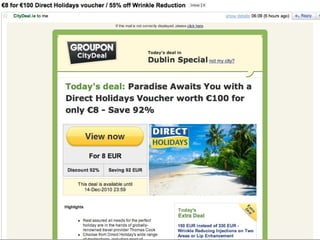
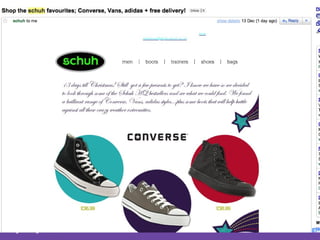
Case Studies
CityDeal.ie
 
Asos
 
Schuh
 
Prudence Magazine
 
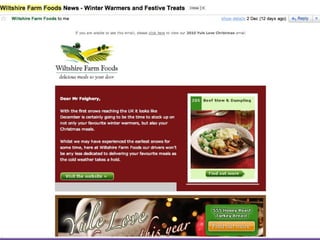
Wiltshire Farm Foods
 
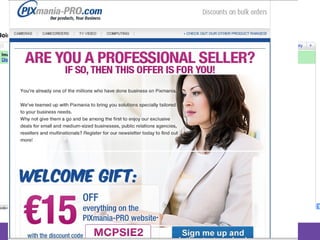
Pixmania
 
Why does email marketing work Allows Targeting & Segmentation – right prospects Is Data Driven – you can focus campaigns on prior behaviour Drives Direct Sales – attribute post-click action with eCommerce activities and sign-ups Builds Loyalty, Relationships and Trust –  Frequent meaningful communication helps stay “top of mind” Support Sales Through Other Channels – influence and drive offline activities Customer Acquisition and Customer Retention
Where To Start Prepare, Plan and Set Objectives What are you trying to accomplish – goals/objectives How will you measure success – clicks, post-click actions? What do your customers really want and need from you Are you offering special prices and promotions? How can you offer more value to your customers Map Out Your Email Marketing Plan Devise a schedule to help you reach subscribers with the right info and right time Decide what types of email campaigns will be sent when and why
Email Service Providers
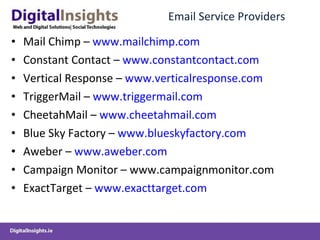
Email Service Providers Mail Chimp –  www.mailchimp.com Constant Contact –  www.constantcontact.com Vertical Response –  www.verticalresponse.com TriggerMail –  www.triggermail.com CheetahMail –  www.cheetahmail.com Blue Sky Factory –  www.blueskyfactory.com Aweber –  www.aweber.com Campaign Monitor – www.campaignmonitor.com ExactTarget –  www.exacttarget.com
Why Use an ESP? Benefits of using ESP Advance reporting to help measure success Management of subscription lists, opt-outs, bounces and SPAM reports Avoid delays on your mail own server Whitelisting and feedback loops Monitor and manage blacklists Advance feature and & tools ESP focus 100% on email – they are experts in this area
Selecting an ESP Things to Consider when choosing an ESP Templates and ease of use Deliverability assurance Dedicated or shared IP address Customer training and support Reporting capabilities Managing subscribers, lists and segmentation A/B Testing and other advanced features SPAM Compliance Mail Box Viewer Integration with Social Media
Growing Your Database How To Build Up Your Database Add an opt-in form to every page of your websites (you want people to subscribe) Add an opt-in page to your facebook business welcome landing page Capture opt-ins in off line channels – phone, direct mail, conferences etc… Direct offline users to specific sign-up landing pages to gauge how successful these activities are
Email Design and Layout Clear User Outcome Focused Design Design attractive, simple and easy to use templates Make sure design is easy to follow, articulates a defined thought sequence and has clear calls to action Test your mail to ensure that it renders across all email clients Don’t Embed image files in emails – link to external servers Use inline CSS rather than relative CSS links in header
First Impression Count Your first email should be a welcome email Introduce your company and benefits of receiving the email On your email sign-up form - tell users what they will get and how often Convince users that your goal is to provide value for them Special offers for signing-up to your email newsletter Provide an obvious opt-out link for the user Link to your privacy policy Clearly show your physical address – you’re a real business
Its All About Content Content is King Map out content  for your next few campaigns Each email should provide clear value Don’t try and do all your selling with your email copy – You want user to “click” through to landing page Always meet the expectations that you set in the opt-in stage (and you should be setting expectations at that stage) One or two “Clear Calls to Action” per Email (no more) Relevant (right audience with right content), Timely, Targeted and value driven (from users perspective)
Best Practices
Permission Based Email Marketing The Key to Email Marketing Send relevant, timely, targeted and valuable emails  to subscribers who have asked for them Acceptable ways to build a list Make sure you have an explicit Opt-in tick box List Append (eCommerce etc..) Opt-in rental (rent a temporary list from a partner who has permission to rent out) Unacceptable ways to build list Non opt-in list referral Not  adhering to opt-outs
Opt-In Form Easy to find opt-in form on every page Short & easy to fill out No sneaky pre-checked boxes (surreptitiously signing users up to content) Always answer the question “WIIFM?” at signup stage What’s In It For Me?” Always confirm subscription immediately with a Thank You Email or Confirmation Email (Receny)
The Welcome Email  Should be immediate (within 15 minutes) – recency is incredibly important  Welcome email should set the tone and frame for all email to come Explain the benefits of subscribing Re-iterate the content and frequency users can expect Always provide links back to your website – with some clear prominent links to click Always provide a link to opt-out and update preferences
Test Your Subject Line
The Subject Line The most important part of your mail If a user does not open your mail, you cannot sell or communicate to them at all 45.2% of users open email based on the subject line alone  Test and transmit clear value propositions in your email subject lines
Subject Line Keep it 35 Characters or less Avoid Spammy words – BUY NOW, CLICK HERE, FREE etc… (look bad and get caught by spam catchers) Minimise use or don’t use symbols and special characters – (!!!) Don’t use misleading headlines – you’ll annoy people (plus its illegal in the CAN-SPAM Act) Time delimit offers – “offer ends in 24 Hours”
The From Line
The From: Line Should be clearly and easily recognisable to your subscriber Use you company’s name versus a persons name Avoid using  [email_address]  - people don’t respond well to automatically generated emails Be consistent with the From Name and From Address Monitor replies to your From and Reply To Address Set up specific email address on your domain for email campaigns
Designing Your Email
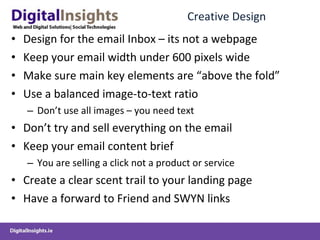
Creative Design Design for the email Inbox – its not a webpage Keep your email width under 600 pixels wide Make sure main key elements are “above the fold” Use a balanced image-to-text ratio  Don’t use all images – you need text Don’t try and sell everything on the email Keep your email content brief You are selling a click not a product or service Create a clear scent trail to your landing page Have a forward to Friend and SWYN links
Email Components to Test
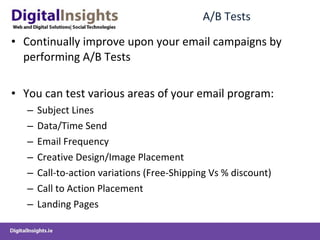
A/B Tests Continually improve upon your email campaigns by performing A/B Tests You can test various areas of your email program: Subject Lines Data/Time Send Email Frequency Creative Design/Image Placement Call-to-action variations (Free-Shipping Vs % discount) Call to Action Placement Landing Pages
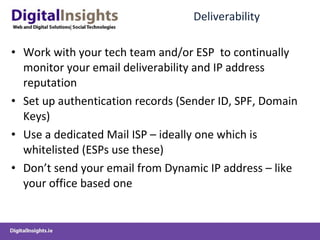
Deliverability Work with your tech team and/or ESP  to continually monitor your email deliverability and IP address reputation Set up authentication records (Sender ID, SPF, Domain Keys) Use a dedicated Mail ISP – ideally one which is whitelisted (ESPs use these) Don’t send your email from Dynamic IP address – like your office based one
Leveraging and Integrating Social Media for Email Marketing
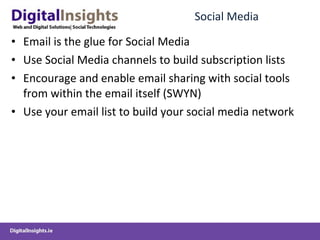
Social Media Email is the glue for Social Media Use Social Media channels to build subscription lists Encourage and enable email sharing with social tools from within the email itself (SWYN) Use your email list to build your social media network
Links http://www.email-standards.org/

GCD-Week8-EmailMarketing

  • 1.
  • 2.
  • 3.
  • 4.
  • 5.
  • 6.
  • 7.
  • 8.
  • 9.
  • 10.
  • 11.
  • 12.
  • 13.
  • 14.
  • 15.
    Why does emailmarketing work Allows Targeting & Segmentation – right prospects Is Data Driven – you can focus campaigns on prior behaviour Drives Direct Sales – attribute post-click action with eCommerce activities and sign-ups Builds Loyalty, Relationships and Trust – Frequent meaningful communication helps stay “top of mind” Support Sales Through Other Channels – influence and drive offline activities Customer Acquisition and Customer Retention
  • 16.
    Where To StartPrepare, Plan and Set Objectives What are you trying to accomplish – goals/objectives How will you measure success – clicks, post-click actions? What do your customers really want and need from you Are you offering special prices and promotions? How can you offer more value to your customers Map Out Your Email Marketing Plan Devise a schedule to help you reach subscribers with the right info and right time Decide what types of email campaigns will be sent when and why
  • 17.
  • 18.
    Email Service ProvidersMail Chimp – www.mailchimp.com Constant Contact – www.constantcontact.com Vertical Response – www.verticalresponse.com TriggerMail – www.triggermail.com CheetahMail – www.cheetahmail.com Blue Sky Factory – www.blueskyfactory.com Aweber – www.aweber.com Campaign Monitor – www.campaignmonitor.com ExactTarget – www.exacttarget.com
  • 19.
    Why Use anESP? Benefits of using ESP Advance reporting to help measure success Management of subscription lists, opt-outs, bounces and SPAM reports Avoid delays on your mail own server Whitelisting and feedback loops Monitor and manage blacklists Advance feature and & tools ESP focus 100% on email – they are experts in this area
  • 20.
    Selecting an ESPThings to Consider when choosing an ESP Templates and ease of use Deliverability assurance Dedicated or shared IP address Customer training and support Reporting capabilities Managing subscribers, lists and segmentation A/B Testing and other advanced features SPAM Compliance Mail Box Viewer Integration with Social Media
  • 21.
    Growing Your DatabaseHow To Build Up Your Database Add an opt-in form to every page of your websites (you want people to subscribe) Add an opt-in page to your facebook business welcome landing page Capture opt-ins in off line channels – phone, direct mail, conferences etc… Direct offline users to specific sign-up landing pages to gauge how successful these activities are
  • 22.
    Email Design andLayout Clear User Outcome Focused Design Design attractive, simple and easy to use templates Make sure design is easy to follow, articulates a defined thought sequence and has clear calls to action Test your mail to ensure that it renders across all email clients Don’t Embed image files in emails – link to external servers Use inline CSS rather than relative CSS links in header
  • 23.
    First Impression CountYour first email should be a welcome email Introduce your company and benefits of receiving the email On your email sign-up form - tell users what they will get and how often Convince users that your goal is to provide value for them Special offers for signing-up to your email newsletter Provide an obvious opt-out link for the user Link to your privacy policy Clearly show your physical address – you’re a real business
  • 24.
    Its All AboutContent Content is King Map out content for your next few campaigns Each email should provide clear value Don’t try and do all your selling with your email copy – You want user to “click” through to landing page Always meet the expectations that you set in the opt-in stage (and you should be setting expectations at that stage) One or two “Clear Calls to Action” per Email (no more) Relevant (right audience with right content), Timely, Targeted and value driven (from users perspective)
  • 25.
  • 26.
    Permission Based EmailMarketing The Key to Email Marketing Send relevant, timely, targeted and valuable emails to subscribers who have asked for them Acceptable ways to build a list Make sure you have an explicit Opt-in tick box List Append (eCommerce etc..) Opt-in rental (rent a temporary list from a partner who has permission to rent out) Unacceptable ways to build list Non opt-in list referral Not adhering to opt-outs
  • 27.
    Opt-In Form Easyto find opt-in form on every page Short & easy to fill out No sneaky pre-checked boxes (surreptitiously signing users up to content) Always answer the question “WIIFM?” at signup stage What’s In It For Me?” Always confirm subscription immediately with a Thank You Email or Confirmation Email (Receny)
  • 28.
    The Welcome Email Should be immediate (within 15 minutes) – recency is incredibly important Welcome email should set the tone and frame for all email to come Explain the benefits of subscribing Re-iterate the content and frequency users can expect Always provide links back to your website – with some clear prominent links to click Always provide a link to opt-out and update preferences
  • 29.
  • 30.
    The Subject LineThe most important part of your mail If a user does not open your mail, you cannot sell or communicate to them at all 45.2% of users open email based on the subject line alone Test and transmit clear value propositions in your email subject lines
  • 31.
    Subject Line Keepit 35 Characters or less Avoid Spammy words – BUY NOW, CLICK HERE, FREE etc… (look bad and get caught by spam catchers) Minimise use or don’t use symbols and special characters – (!!!) Don’t use misleading headlines – you’ll annoy people (plus its illegal in the CAN-SPAM Act) Time delimit offers – “offer ends in 24 Hours”
  • 32.
  • 33.
    The From: LineShould be clearly and easily recognisable to your subscriber Use you company’s name versus a persons name Avoid using [email_address] - people don’t respond well to automatically generated emails Be consistent with the From Name and From Address Monitor replies to your From and Reply To Address Set up specific email address on your domain for email campaigns
  • 34.
  • 35.
    Creative Design Designfor the email Inbox – its not a webpage Keep your email width under 600 pixels wide Make sure main key elements are “above the fold” Use a balanced image-to-text ratio Don’t use all images – you need text Don’t try and sell everything on the email Keep your email content brief You are selling a click not a product or service Create a clear scent trail to your landing page Have a forward to Friend and SWYN links
  • 36.
  • 37.
    A/B Tests Continuallyimprove upon your email campaigns by performing A/B Tests You can test various areas of your email program: Subject Lines Data/Time Send Email Frequency Creative Design/Image Placement Call-to-action variations (Free-Shipping Vs % discount) Call to Action Placement Landing Pages
  • 38.
    Deliverability Work withyour tech team and/or ESP to continually monitor your email deliverability and IP address reputation Set up authentication records (Sender ID, SPF, Domain Keys) Use a dedicated Mail ISP – ideally one which is whitelisted (ESPs use these) Don’t send your email from Dynamic IP address – like your office based one
  • 39.
    Leveraging and IntegratingSocial Media for Email Marketing
  • 40.
    Social Media Emailis the glue for Social Media Use Social Media channels to build subscription lists Encourage and enable email sharing with social tools from within the email itself (SWYN) Use your email list to build your social media network
  • 41.