1
Choose a distro
- Something you are comfertable using
- Out of the box hardware detection
By
Buddhika Siddhisena
Member of LKLUG
Co-Founder ThinkCube
bud@thinkcube.com
bud@babytux.org
Gaming on GNU/Linux
3
Choose a distro
- Something you are comfertable using
- Out of the box hardware detection
- Easiness to tinker with
- Support tools provided
- Software availability
4
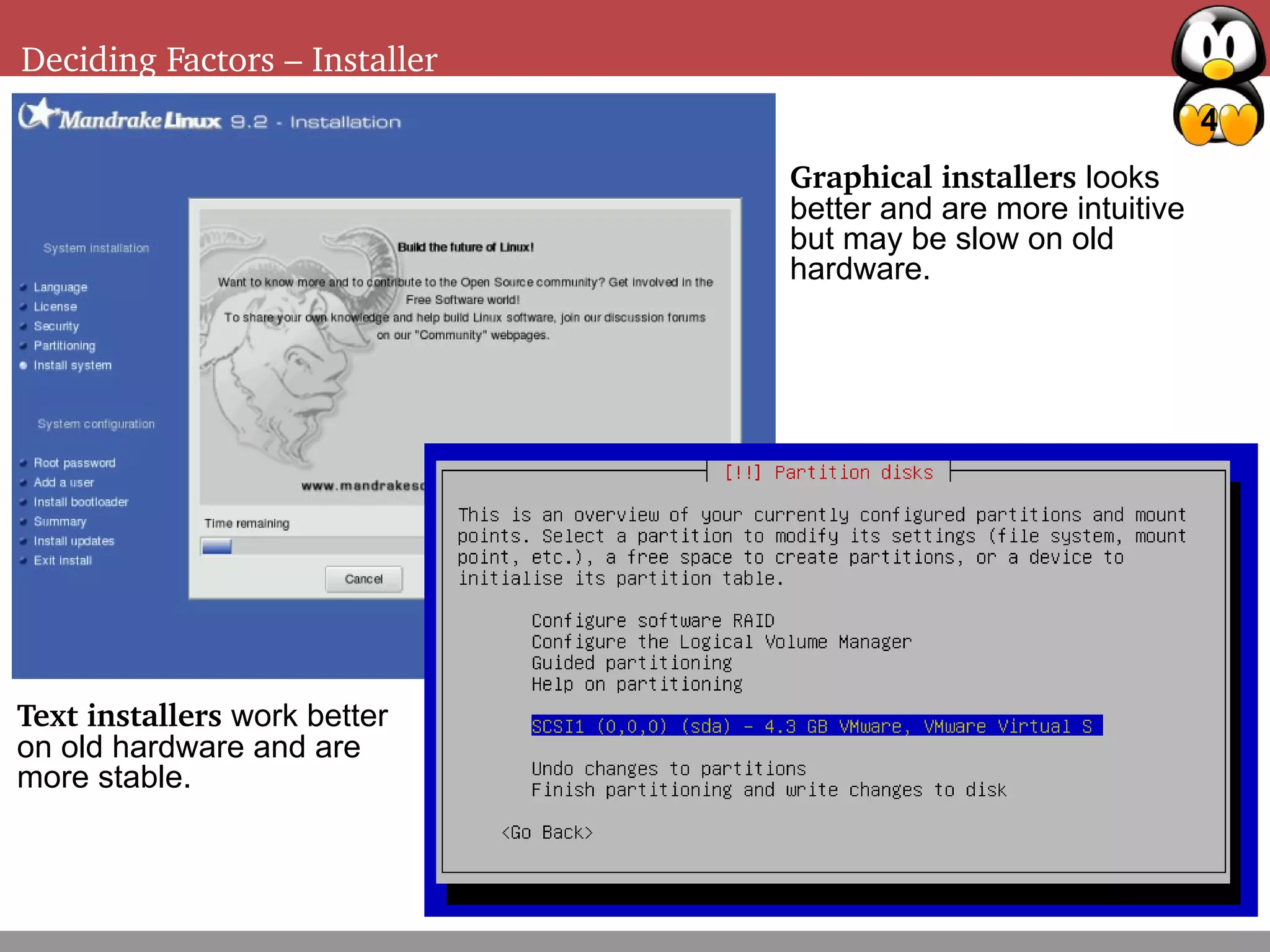
Deciding Factors – Installer
Graphical installers looks
better and are more intuitive
but may be slow on old
hardware.
Text installers work better
on old hardware and are
more stable.
5
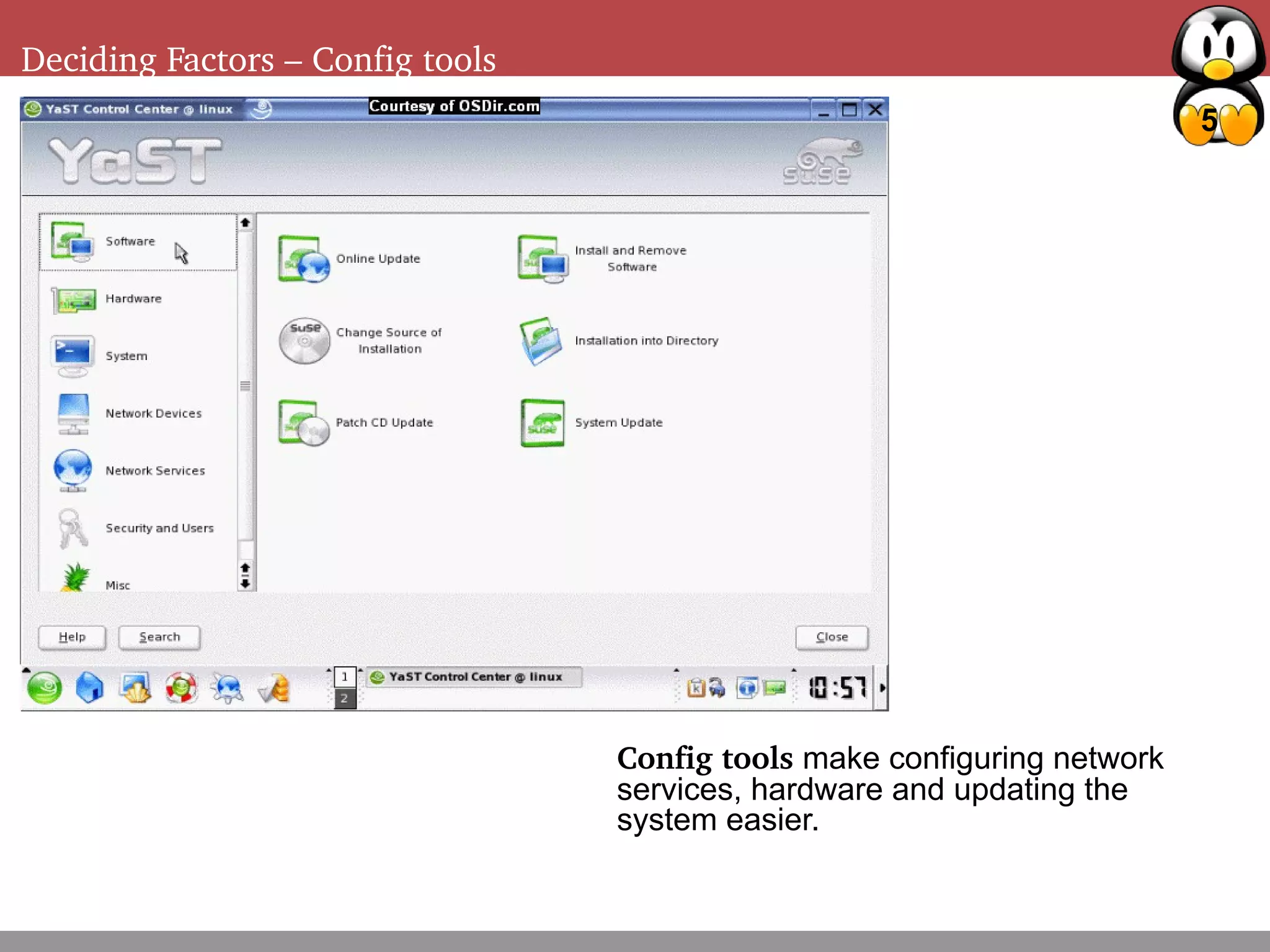
Deciding Factors – Config tools
Config tools make configuring network
services, hardware and updating the
system easier.
6
Deciding Factors – Package management
Getting 2D acceleration working
- Checking your current graphic card driver
- Discover your graphic hardware
- Decide on the driver
Free & Opensource drivers
Binary only drivers
7
Deciding Factors – Package management
Getting 3D acceleration working
- Checking if 3D acceleration is turned
on
- Installing 3D acceleration
- Benchmarking
8
Deciding Factors – Package management
Optimizations
Testing disk performance and optimizations
Turning on DMA
RAID 0/5
Turning off unwanted services
Running a low resource window manager
9
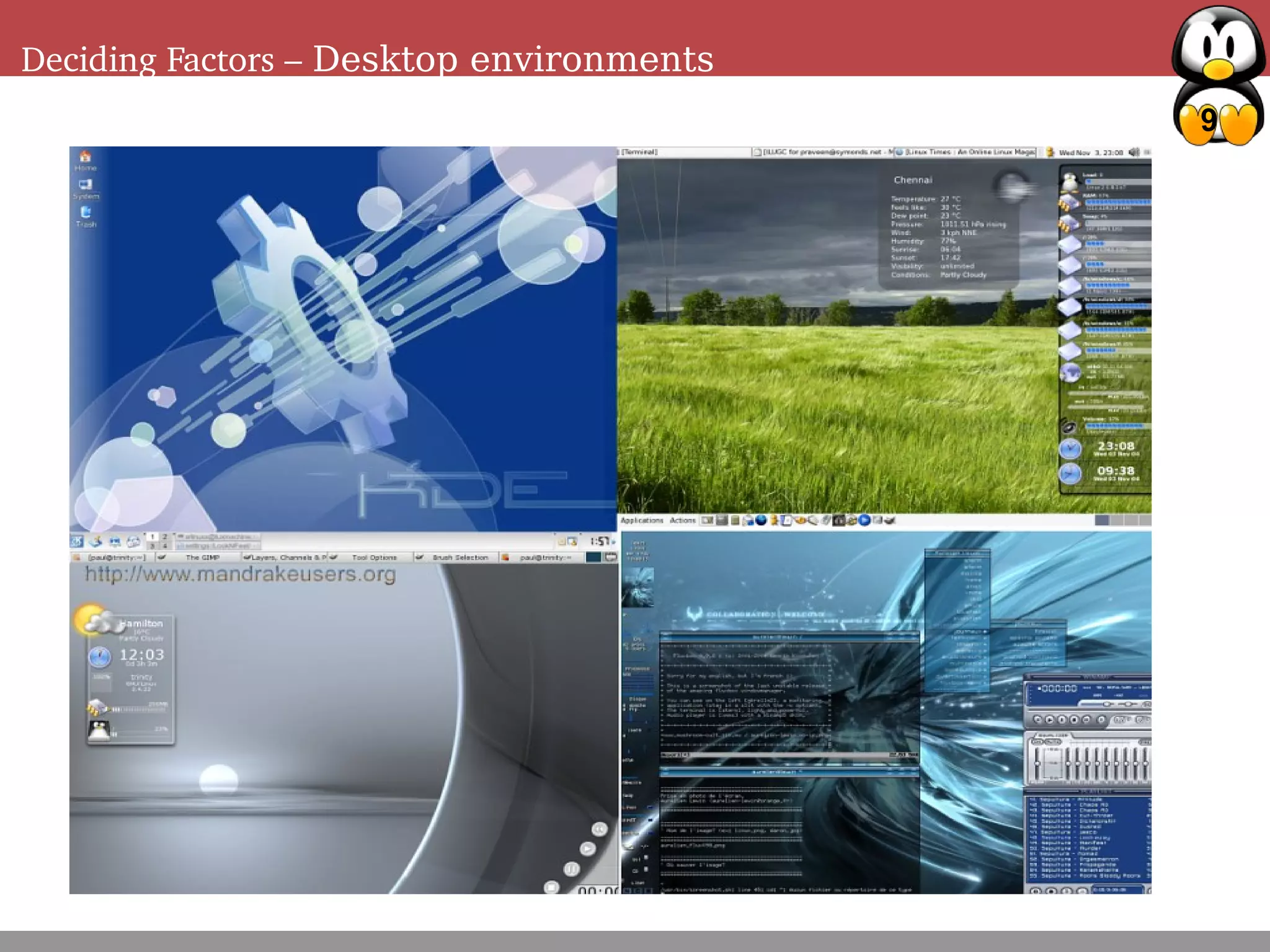
Deciding Factors – Desktop environments
10
Deciding Factors – Package management
Running Windoze games
- Native ports of popular games
- Installing wine (Wine is not an emulator)
- Installing winex
11
Deciding Factors – Package management
See also:
Nvidia Drivers - http://www.nvidia.com
ATI Drivers - http://www.ati.com
Wine - http://www.winehq.com
WineX - http://www.transgaming.com
LKLUG - http://www.linux.lk

Gaming on linux (archived)

  • 1.
    1 Choose a distro -Something you are comfertable using - Out of the box hardware detection
  • 2.
    By Buddhika Siddhisena Member ofLKLUG Co-Founder ThinkCube bud@thinkcube.com bud@babytux.org Gaming on GNU/Linux
  • 3.
    3 Choose a distro -Something you are comfertable using - Out of the box hardware detection - Easiness to tinker with - Support tools provided - Software availability
  • 4.
    4 Deciding Factors –Installer Graphical installers looks better and are more intuitive but may be slow on old hardware. Text installers work better on old hardware and are more stable.
  • 5.
    5 Deciding Factors –Config tools Config tools make configuring network services, hardware and updating the system easier.
  • 6.
    6 Deciding Factors –Package management Getting 2D acceleration working - Checking your current graphic card driver - Discover your graphic hardware - Decide on the driver Free & Opensource drivers Binary only drivers
  • 7.
    7 Deciding Factors –Package management Getting 3D acceleration working - Checking if 3D acceleration is turned on - Installing 3D acceleration - Benchmarking
  • 8.
    8 Deciding Factors –Package management Optimizations Testing disk performance and optimizations Turning on DMA RAID 0/5 Turning off unwanted services Running a low resource window manager
  • 9.
    9 Deciding Factors –Desktop environments
  • 10.
    10 Deciding Factors –Package management Running Windoze games - Native ports of popular games - Installing wine (Wine is not an emulator) - Installing winex
  • 11.
    11 Deciding Factors –Package management See also: Nvidia Drivers - http://www.nvidia.com ATI Drivers - http://www.ati.com Wine - http://www.winehq.com WineX - http://www.transgaming.com LKLUG - http://www.linux.lk