
Fun with Windows 
Services 
Michael Melusky –Tuesday November 18, 2014 (central penn .net) 
https://twitter.com/mrjavascript 
https://github.com/mrjavascript
What is a Windows Service? 
▪ A long running executable application that runs in its own Windows 
Session 
▪ Can be started automatically upon Windows restart, can be paused 
and stopped 
▪ No user interface is shown
When to use Windows Services? 
▪ Your program accepts incoming requests and connections (e.g. mail 
server, FTP server, et al.) 
▪ If you need to do processing without an active user logged in 
▪ Monitoring queues, file systems
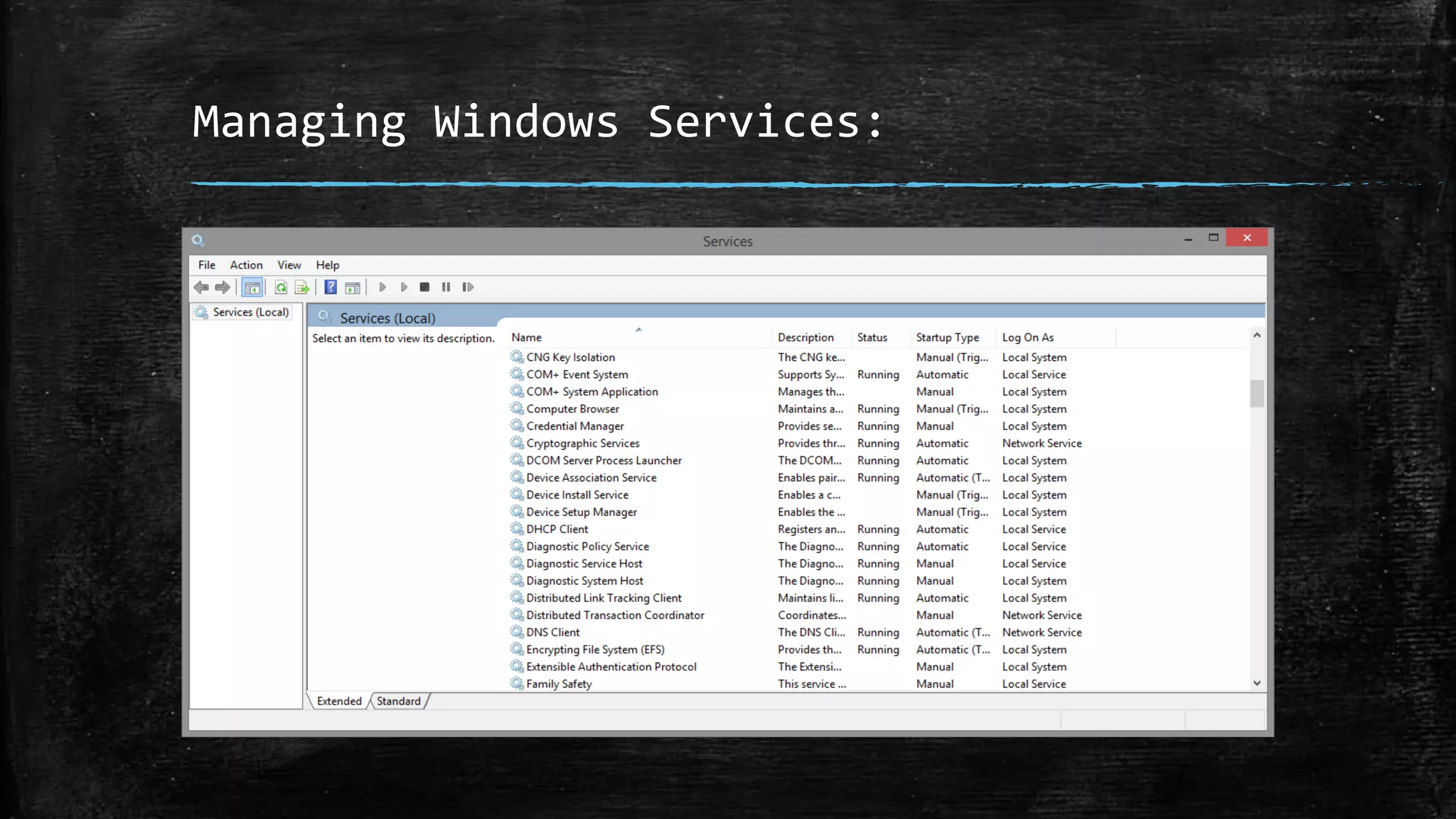
Managing Windows Services: 
▪ In Windows 8.1, hit WIN key and type “services.msc” 
▪ In Windows 7/XP, Run -> “services.msc”
Managing Windows Services: 
6 
5 
4 
3 
2 
1 
0 
Chart Title 
Category 1 Category 2 Category 3 Category 4 
Series 1 Series 2 Series 3
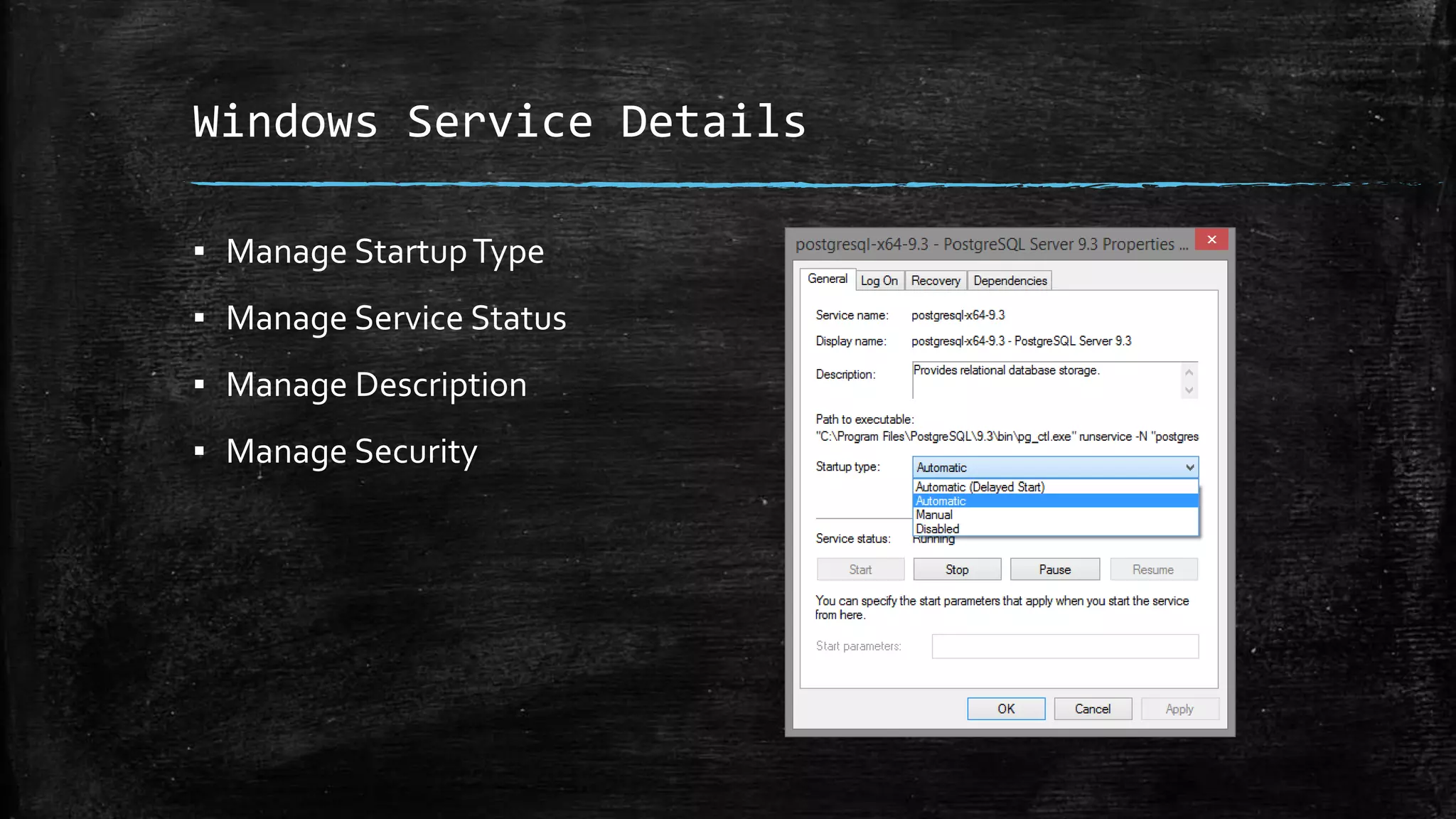
Windows Service Details 
▪ Manage Startup Type 
▪ Manage Service Status 
▪ Manage Description 
▪ Manage Security
Goal of Windows Service Development?
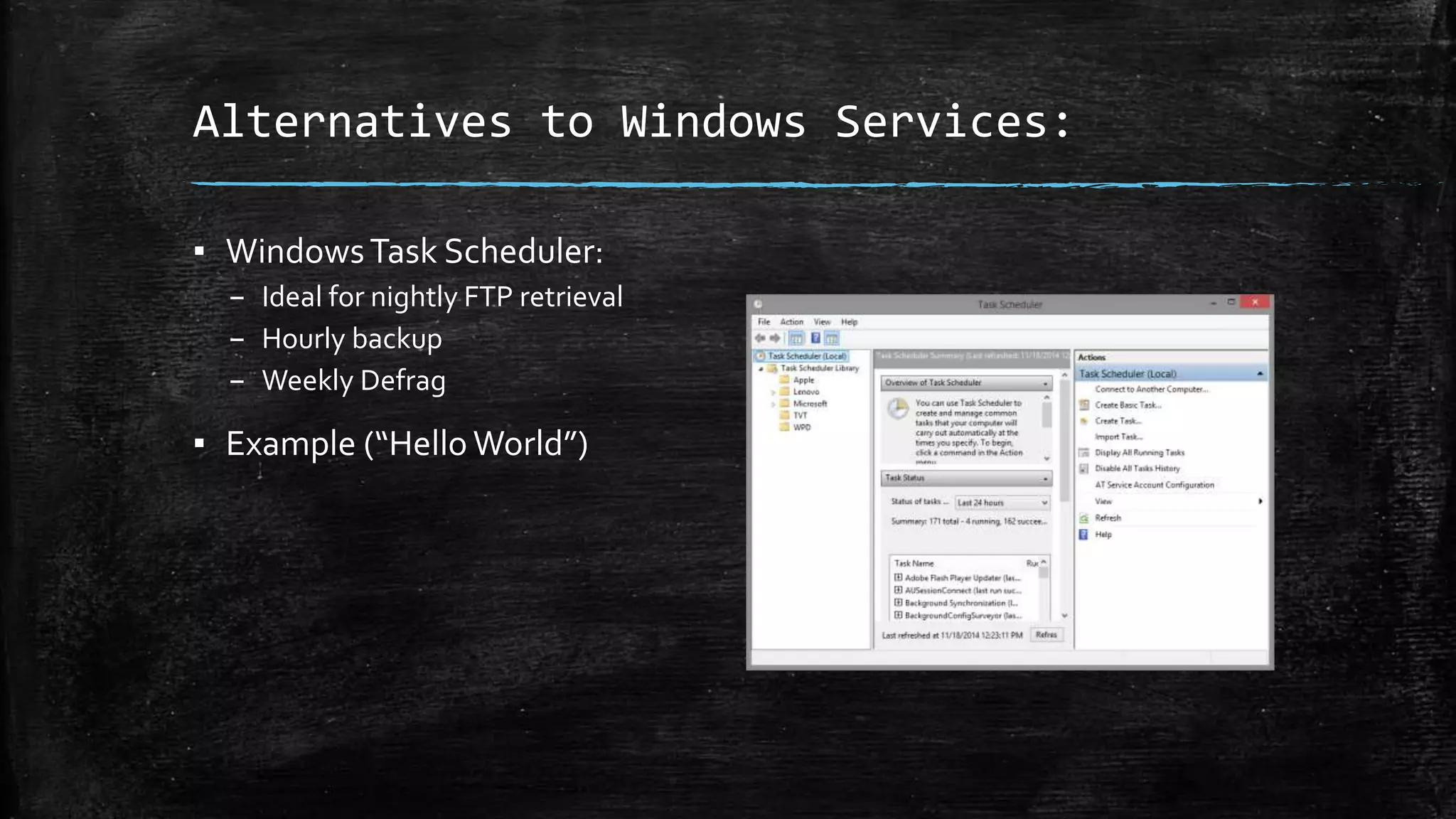
Alternatives to Windows Services: 
▪ Windows Task Scheduler: 
– Ideal for nightly FTP retrieval 
– Hourly backup 
– Weekly Defrag 
▪ Example (“Hello World”)
Building Services with Visual Studio 
▪ Can be built using the “Windows Service” project type in Visual 
Studio 
▪ Built with either C# or VB.NET 
▪ Example (“File Creator”)
Topshelf 
▪ http://topshelf-project.com/ 
▪ Easier approach for developing Windows Services 
▪ Can convert a Windows Console application into a Service (easy for 
debugging!) 
▪ NUGET: 
– PM> Install-Package Topshelf 
▪ Example (“File Creator Redux”)
Quartz.NET 
▪ http://www.quartz-scheduler.net/ 
▪ Enterprise Job Scheduler ported from the famous Java framework 
– Jobs implement the IJob interface 
– Jobs can be scheduled using Triggers 
– Jobs and triggers can be stored in a data store (e.g. relational database) 
▪ NUGET: 
– PM> Install-Package Quartz
log4net 
▪ http://logging.apache.org/log4net/ 
▪ Enterprise logging framework built off of the famous Java framework 
log4j 
▪ NUGET 
– PM> Install-Package log4net
Example #1 
▪ Automated Backup
Example #2 
▪ Event Viewer
Example #3 
▪ Automated SMS Resource Reminder
Example #4 
▪ Fun with OneNote
Example #5 
▪ SQL Server Job Store

Fun with windows services

  • 1.
    Fun with Windows Services Michael Melusky –Tuesday November 18, 2014 (central penn .net) https://twitter.com/mrjavascript https://github.com/mrjavascript
  • 2.
    What is aWindows Service? ▪ A long running executable application that runs in its own Windows Session ▪ Can be started automatically upon Windows restart, can be paused and stopped ▪ No user interface is shown
  • 3.
    When to useWindows Services? ▪ Your program accepts incoming requests and connections (e.g. mail server, FTP server, et al.) ▪ If you need to do processing without an active user logged in ▪ Monitoring queues, file systems
  • 4.
    Managing Windows Services: ▪ In Windows 8.1, hit WIN key and type “services.msc” ▪ In Windows 7/XP, Run -> “services.msc”
  • 5.
    Managing Windows Services: 6 5 4 3 2 1 0 Chart Title Category 1 Category 2 Category 3 Category 4 Series 1 Series 2 Series 3
  • 6.
    Windows Service Details ▪ Manage Startup Type ▪ Manage Service Status ▪ Manage Description ▪ Manage Security
  • 7.
    Goal of WindowsService Development?
  • 8.
    Alternatives to WindowsServices: ▪ Windows Task Scheduler: – Ideal for nightly FTP retrieval – Hourly backup – Weekly Defrag ▪ Example (“Hello World”)
  • 9.
    Building Services withVisual Studio ▪ Can be built using the “Windows Service” project type in Visual Studio ▪ Built with either C# or VB.NET ▪ Example (“File Creator”)
  • 10.
    Topshelf ▪ http://topshelf-project.com/ ▪ Easier approach for developing Windows Services ▪ Can convert a Windows Console application into a Service (easy for debugging!) ▪ NUGET: – PM> Install-Package Topshelf ▪ Example (“File Creator Redux”)
  • 11.
    Quartz.NET ▪ http://www.quartz-scheduler.net/ ▪ Enterprise Job Scheduler ported from the famous Java framework – Jobs implement the IJob interface – Jobs can be scheduled using Triggers – Jobs and triggers can be stored in a data store (e.g. relational database) ▪ NUGET: – PM> Install-Package Quartz
  • 12.
    log4net ▪ http://logging.apache.org/log4net/ ▪ Enterprise logging framework built off of the famous Java framework log4j ▪ NUGET – PM> Install-Package log4net
  • 13.
    Example #1 ▪Automated Backup
  • 14.
    Example #2 ▪Event Viewer
  • 15.
    Example #3 ▪Automated SMS Resource Reminder
  • 16.
    Example #4 ▪Fun with OneNote
  • 17.
    Example #5 ▪SQL Server Job Store