Tom McCluskey @TomMcCluskey
   Amanda Gomm @agomm
       Digital Bindery
    www.digitalbindery.com
•   Metadata
•   Navigation
•   Semantics
•   Presentation
I’m So Meta, Even This Acronym.
             -xkcd
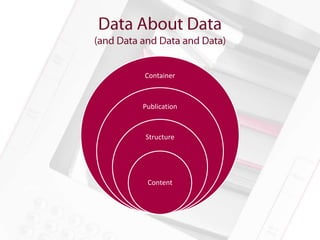
Container


Publication


Structure


 Content
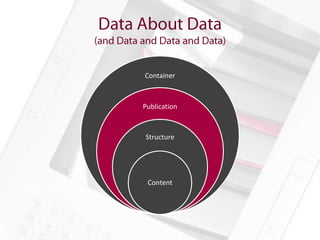
Container


Publication


Structure


 Content
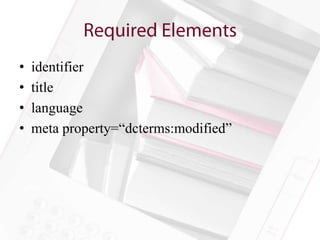
•   identifier
•   title
•   language
•   meta property=“dcterms:modified”
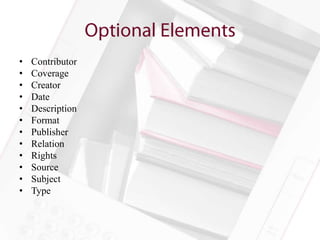
•   Contributor
•   Coverage
•   Creator
•   Date
•   Description
•   Format
•   Publisher
•   Relation
•   Rights
•   Source
•   Subject
•   Type
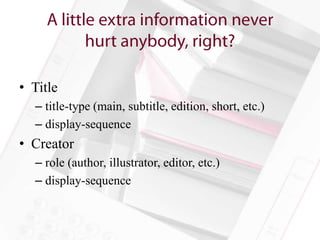
• Title
  – title-type (main, subtitle, edition, short, etc.)
  – display-sequence
• Creator
  – role (author, illustrator, editor, etc.)
  – display-sequence
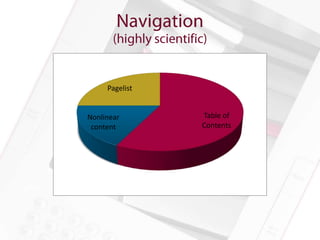
Pagelist


Nonlinear       Table of
 content        Contents
The main way for readers to get around your ebook


• Lists all the main content documents
• Basic functionality universally supported
• Two different but compatible formats for epub
  2.0.1 and epub 3
• Great! No problems then, right? Well…
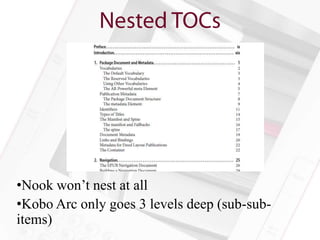
•Nook won’t nest at all
•Kobo Arc only goes 3 levels deep (sub-sub-
items)
Good navigation is critical!
• Consider not nesting at all
• If nesting is critical, try to ensure that the top
  level items are usefully granular
• Include a toc.xhtml in your Table of Contents
• Top level items can link to pages that break down
  the content in finer detail
• If you’re not worried about nook eInk or Kobo
  Arc, nest away!
Lets you hide content from readers! Wait, what? Why?


• Books in which there is an adventure that you
  choose
• Footnotes
• Covers
• Any ancillary content
Most reading systems will blissfully ignore your
linear=“no”
•Readium fully supports nonlinear <spine>
content
•iBooks does, but displays content on one long
scrolling screen, like an image
   •potentially useful for big tables
The sad truth is that linear=“no” is not well
supported

• Don’t count on it to work unless you’re
  designing specifically for iBooks (or Readium)
• Keep nonlinear content together (perhaps
  nested under, eg, “Endnotes”)
• For Gamebooks, accept that some people will
  just read through all the possible endings
Allows you to embed the location of print page breaks
into your epub


• Lets you keep all those references to “the table
  on page 27”
• Makes life easier for people trying to compare
  notes between print and ebook
Again, support is minimal:


• Readium will make use of your <nav
  epub:type=“page-list”>
• iBooks gives an option to display print page
  number
• Nobody else will.
• Dang.
You can always include the pagelist; it doesn’t hurt anything


• You’ll still have to check your content for page
  references after all
   • Just as well, they should be hyperlinks anyway
• Make sure to use display: none for the list
   • Hidden=“hidden” only works on
     iBooks, Readium, Kobo Arc, and Kobo for iOS
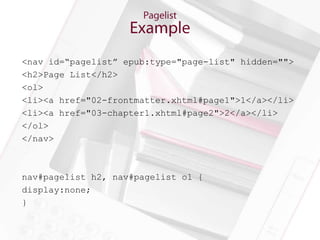
<nav id=“pagelist” epub:type="page-list" hidden="">
<h2>Page List</h2>
<ol>
<li><a href="02-frontmatter.xhtml#page1">1</a></li>
<li><a href="03-chapter1.xhtml#page2">2</a></li>
</ol>
</nav>


nav#pagelist h2, nav#pagelist ol {
display:none;
}
There are only two things in the world:
        nothing and semantics.
           ―Werner Erhard
1. Accessibility
2. Publisher Style Overrides Management
3. Sorting, searching, indexing, optimizing,
   background computer-y stuff (think SEO)
4. Super Killer Amazing Futuristic Functionality
   (SKAFF™)
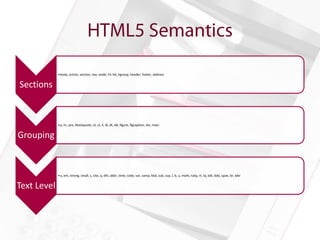
•body, article, section, nav, aside, h1-h6, hgroup, header, footer, address


Sections


             •p, hr, pre, blockquote, ol, ul, li, dl, dt, dd, figure, figcaption, div, main


Grouping


             •a, em, strong, small, s, cite, q, dfn, abbr, time, code, var, samp, kbd, sub, sup, I, b, u, mark, ruby, rt, rp, bdi, bdo, span, br, wbr


Text Level
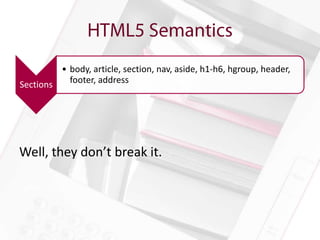
• body, article, section, nav, aside, h1-h6, hgroup, header,
Sections   footer, address


Well, they don’t break it.
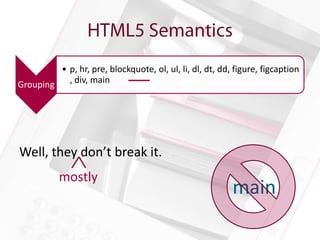
• p, hr, pre, blockquote, ol, ul, li, dl, dt, dd, figure, figcaption
Grouping   , div, main


Well, they don’t break it.
           mostly
                                                          main
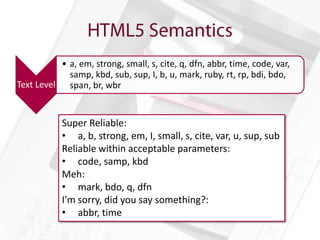
• a, em, strong, small, s, cite, q, dfn, abbr, time, code, var,
            samp, kbd, sub, sup, I, b, u, mark, ruby, rt, rp, bdi, bdo,
Text Level span, br, wbr


            Super Reliable:
            • a, b, strong, em, I, small, s, cite, var, u, sup, sub
            Reliable within acceptable parameters:
            • code, samp, kbd
            Meh:
            • mark, bdo, q, dfn
            I’m sorry, did you say something?:
            • abbr, time
• It doesn’t appear to break things.
• Some epub:types are required for EPUB3
  validation/navigation
• Eventual accessibility or SKAFF?
  – epub:type=“footnote” looks cool on the iPad…
• It would be trivial to add most of them and
  there are always interns to add the rest (topic-
  sentence tagging for college credit?)
Whoever controls the media, controls the mind.
             ― Jim Morrison
CSS3 in CSS2
Target CSS2 and 3 devices separately when
needed
Progressive Enhancement as reading systems
adopt CSS3 functionality
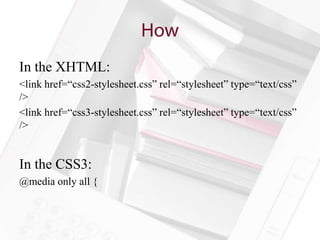
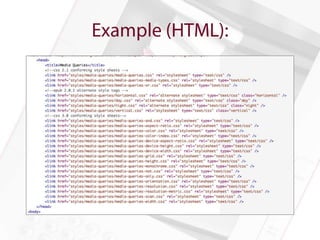
In the XHTML:
<link href=“css2-stylesheet.css” rel=“stylesheet” type=“text/css”
/>
<link href=“css3-stylesheet.css” rel=“stylesheet” type=“text/css”
/>


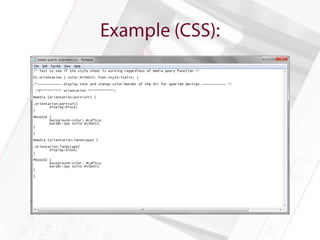
In the CSS3:
@media only all {
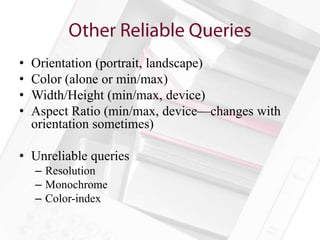
•   Orientation (portrait, landscape)
•   Color (alone or min/max)
•   Width/Height (min/max, device)
•   Aspect Ratio (min/max, device—changes with
    orientation sometimes)

• Unreliable queries
    – Resolution
    – Monochrome
    – Color-index
• Unsupported (but not broken)
• CSS3 media queries for orientation are a
  viable option
• Test books on devices with night-reading mode
  – Check images, transparency can be a good or bad
    thing
  – If you declare font color to be black, it will
    disappear in night vision on some readers
Between CSS 2 & 3, there are lots of neat hyphenation options:


• Turning off hyphenation completely (great for
  headers)
• Manual hyphenation for non-standard words
• Restriction of hyphenation to eliminate ladders
• Use a new character as a hyphen (&, anybody?)
• Require a certain number of letters before or after
  hyphens
• CSS 3 (hyphenate-before, -after, -line, -character)
 No!

         • Hyphens: none, or –webkit, -moz, and adobe variants
 Yes!

         • Hyphens:manual(&#173;)
         • Soft hyphens on Nook and Kobo Arc aren’t formatted
Kinda!     right. They (and Readium) will not auto hyphenate.
There aren’t many options:
•If you don’t want hyphens, use {hyphens: none;
-webkit-hyphens: none; -moz-
hyphens:none; adobe-hyphenate: none;}
•Avoid soft hyphens unless you’re targeting only
devices that you know render them well
•Sigh quietly and wish CSS 3 hyphenate- properties
were supported
There’s some neat new CSS 3 stuff here as well:

• Text-align: start and end instead
  of left and right
• Text-align-last to control the final line
  of a paragraph
• Text-align: match parent to ensure
  consistency and flexibility
• The old standards: left, right, center, justify
The good news is, the old standards work!


• Left, right, center, and justify are
  supported just about everywhere
• Start, end, and match parent are
  supported on iBooks, Kobo Arc, Kobo for
  iOS, and Readium
• Nobody supports text-align-last
Things here are mostly OK:

• The basics work everywhere, so if you stick with
  them you’ll be set across the board
• The lack of consistent support for start and
  end means that if you’re doing multilingual texts,
  you’ll have to pay a little more attention
• No support for text-align-last takes away a cool
  typographical option, but it’s not make-or-break
• Once people realize that ebooks shouldn’t be
  justified, we’ll all be much happier
Can be very important for organizing information


• Keep the header with the following paragraph
  or caption with image
• Keep boxed text from breaking
• Emphasize content by giving it its own page
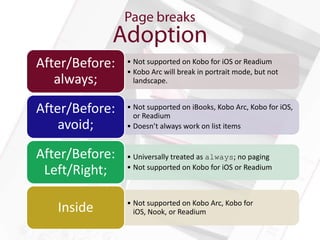
After/Before:   • Not supported on Kobo for iOS or Readium
                • Kobo Arc will break in portrait mode, but not
   always;        landscape.


After/Before:   • Not supported on iBooks, Kobo Arc, Kobo for iOS,
                  or Readium
    avoid;      • Doesn’t always work on list items


After/Before:   • Universally treated as always; no paging
 Left/Right;    • Not supported on Kobo for iOS or Readium


                • Not supported on Kobo Arc, Kobo for
   Inside         iOS, Nook, or Readium
Generally not well supported


• iBooks and Readium support columns
• Kobo Arc supports columns in landscape
  mode, but not portrait.
• Kobo for iOS will display columns, but they
  are frequently cut off at the top and bottom of
  the screen
Remember that the goal is to be as readable as possible on
as many devices as possible

• Page-break-inside:avoid; is the least
  likely to work—iBooks, ADE, Kobo
  Mini, Nook, and Nook color support it
• Forcing breaks can keep content together
   • Can lead to large black stretches
   • Good option for large images & captions
• Avoid columns
Floating an image to the right or left of text can be
informative or decorative


• Floating an illustrated drop cap
• Keeping a small image next to relevant text
Not supported   • Nook for iOS
   Image        • Kobo Mini and Nook color will display
 positioning      images inside a <p> higher than
   issues         those outside

                • Nook: p {float:right;} before
                  an image will sit behind that image
                • Kobo Mini: floated paragraphs will run
Glitchiness       off the edge of the screen
                • Nook for iOS is a hot mess. Full screen
                  images, cut off text.
Floating images is widely supported, but not glitch-free

• Limit floating images where possible
• For accessibility, try to use text for dropcaps
  rather than images
   • If you must use images, for best results put
     them outside the paragraph
   • <img class=“float-left” src=“”
     /><p>…</p>
• Go fixed layout
Offers the potential for new ways of engaging with
readers by reacting to their input

• JavaScript: The core of online
  interactivity, increasingly supported by HTML
  5
• Triggers: Built in to epub 3.0. Limited to just a
  few types of tasks
• Switch: not really interactive, but gives more
  display options for content
The main way for readers to get around your ebook


• Container-constrained and spine-level JS
  supported by iBooks, Kobo for iOS, and
  Readium
• Trigger supported by iOS and Readium
• Switch not supported by Kobo Mini
How do you work around lack of support for interactivity?


• Design content so the interactive bits are not
  essential
• Alternately, limit your market to just a few
  devices
• Consider media queries; can have an interactive
  CSS 3 version and a non-interactive CSS 2
  version
Center is a very tough position to play.
       ―Kareem Abdul-Jabbar
• Works all the time:*
   – <p style=“text-align:center”>Image</p> or
   – <div style=“text-align:center”>Image</p>
   – Image must be displayed inline
• What should work but doesn’t
   – margin: 0 auto
   – box-pack: center

*styles only displayed inline for demonstration purposes.
Feel free (and encouraged) to put them in the CSS.
• Works all the time:
  – Table display:block, set to width less than 100%
  – Left/right margins set to (100%-table-width)/2
  – eg Table width: 80%; margin: 0 10%;
• What should work but doesn’t
  – margin: 0 auto
As long as we are engaged in storytelling that
 moves the culture forward, it doesn't matter
             what format it is.
              ― LeVar Burton
GIF
JPEG
PNG
SVG (with a few exceptions—filters, text on a
path, rotated text)
• Manifest Fallbacks
   – Required
   – Unsupported

• Content Fallbacks


<object data="images/formats/tga-format.tga" >
        <param name="image" value="images/formats/tga-format.tga" />
        <img src="images/formats/tga-format.gif" alt="fallbackimage" />
</object>
I am large, I contain multitudes.
―Walt Whitman, Leaves of Grass
<div><img /></div>

Size the div appropriately
    <div class=“fifty-percent”><img /></div>

    .fifty-percent {
             width:50%;
    }


Size the image to fill the entire container
    <div class=“fifty-percent”><img class=“full” /></div>

    .fifty-percent {
             width:50%;
    }
    .full {
             width: 100%;
    }
• Explicit Size with Relative Constraints:
      width:100px;
      max-width: 50%;
      min-width: 25%;

• Relative Size with Explicit Constraints:
      width: 50%;
      max-width: 400px;
      min-width: 100px;

• Relative Size with Relative Constraints:
      width: 20em;
      max-width: 50%;
      min-width: 25%;
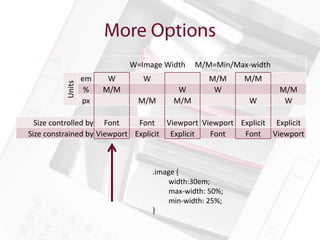
W=Image Width     M/M=Min/Max-width
                 em    W       W                  M/M     M/M
         Units

                  %   M/M                W         W              M/M
                 px           M/M       M/M               W        W

  Size controlled by Font     Font Viewport Viewport Explicit Explicit
Size constrained by Viewport Explicit Explicit Font   Font Viewport


                                   .image {
                                        width:30em;
                                        max-width: 50%;
                                        min-width: 25%;
                                   }
Amanda Gomm @agomm
Tom McCluskey @TomMcCluskey
       Digital Bindery
    www.digitalbinery.com

Open Standards in the Walled Garden

  • 1.
    Tom McCluskey @TomMcCluskey Amanda Gomm @agomm Digital Bindery www.digitalbindery.com
  • 2.
    Metadata • Navigation • Semantics • Presentation
  • 3.
    I’m So Meta,Even This Acronym. -xkcd
  • 4.
  • 5.
  • 6.
    identifier • title • language • meta property=“dcterms:modified”
  • 7.
    Contributor • Coverage • Creator • Date • Description • Format • Publisher • Relation • Rights • Source • Subject • Type
  • 8.
    • Title – title-type (main, subtitle, edition, short, etc.) – display-sequence • Creator – role (author, illustrator, editor, etc.) – display-sequence
  • 11.
    Pagelist Nonlinear Table of content Contents
  • 12.
    The main wayfor readers to get around your ebook • Lists all the main content documents • Basic functionality universally supported • Two different but compatible formats for epub 2.0.1 and epub 3 • Great! No problems then, right? Well…
  • 13.
    •Nook won’t nestat all •Kobo Arc only goes 3 levels deep (sub-sub- items)
  • 14.
    Good navigation iscritical! • Consider not nesting at all • If nesting is critical, try to ensure that the top level items are usefully granular • Include a toc.xhtml in your Table of Contents • Top level items can link to pages that break down the content in finer detail • If you’re not worried about nook eInk or Kobo Arc, nest away!
  • 15.
    Lets you hidecontent from readers! Wait, what? Why? • Books in which there is an adventure that you choose • Footnotes • Covers • Any ancillary content
  • 16.
    Most reading systemswill blissfully ignore your linear=“no” •Readium fully supports nonlinear <spine> content •iBooks does, but displays content on one long scrolling screen, like an image •potentially useful for big tables
  • 17.
    The sad truthis that linear=“no” is not well supported • Don’t count on it to work unless you’re designing specifically for iBooks (or Readium) • Keep nonlinear content together (perhaps nested under, eg, “Endnotes”) • For Gamebooks, accept that some people will just read through all the possible endings
  • 18.
    Allows you toembed the location of print page breaks into your epub • Lets you keep all those references to “the table on page 27” • Makes life easier for people trying to compare notes between print and ebook
  • 19.
    Again, support isminimal: • Readium will make use of your <nav epub:type=“page-list”> • iBooks gives an option to display print page number • Nobody else will. • Dang.
  • 20.
    You can alwaysinclude the pagelist; it doesn’t hurt anything • You’ll still have to check your content for page references after all • Just as well, they should be hyperlinks anyway • Make sure to use display: none for the list • Hidden=“hidden” only works on iBooks, Readium, Kobo Arc, and Kobo for iOS
  • 21.
    <nav id=“pagelist” epub:type="page-list"hidden=""> <h2>Page List</h2> <ol> <li><a href="02-frontmatter.xhtml#page1">1</a></li> <li><a href="03-chapter1.xhtml#page2">2</a></li> </ol> </nav> nav#pagelist h2, nav#pagelist ol { display:none; }
  • 22.
    There are onlytwo things in the world: nothing and semantics. ―Werner Erhard
  • 23.
    1. Accessibility 2. PublisherStyle Overrides Management 3. Sorting, searching, indexing, optimizing, background computer-y stuff (think SEO) 4. Super Killer Amazing Futuristic Functionality (SKAFF™)
  • 24.
    •body, article, section,nav, aside, h1-h6, hgroup, header, footer, address Sections •p, hr, pre, blockquote, ol, ul, li, dl, dt, dd, figure, figcaption, div, main Grouping •a, em, strong, small, s, cite, q, dfn, abbr, time, code, var, samp, kbd, sub, sup, I, b, u, mark, ruby, rt, rp, bdi, bdo, span, br, wbr Text Level
  • 25.
    • body, article,section, nav, aside, h1-h6, hgroup, header, Sections footer, address Well, they don’t break it.
  • 26.
    • p, hr,pre, blockquote, ol, ul, li, dl, dt, dd, figure, figcaption Grouping , div, main Well, they don’t break it. mostly main
  • 27.
    • a, em,strong, small, s, cite, q, dfn, abbr, time, code, var, samp, kbd, sub, sup, I, b, u, mark, ruby, rt, rp, bdi, bdo, Text Level span, br, wbr Super Reliable: • a, b, strong, em, I, small, s, cite, var, u, sup, sub Reliable within acceptable parameters: • code, samp, kbd Meh: • mark, bdo, q, dfn I’m sorry, did you say something?: • abbr, time
  • 28.
    • It doesn’tappear to break things. • Some epub:types are required for EPUB3 validation/navigation • Eventual accessibility or SKAFF? – epub:type=“footnote” looks cool on the iPad… • It would be trivial to add most of them and there are always interns to add the rest (topic- sentence tagging for college credit?)
  • 29.
    Whoever controls themedia, controls the mind. ― Jim Morrison
  • 30.
  • 31.
    Target CSS2 and3 devices separately when needed Progressive Enhancement as reading systems adopt CSS3 functionality
  • 32.
    In the XHTML: <linkhref=“css2-stylesheet.css” rel=“stylesheet” type=“text/css” /> <link href=“css3-stylesheet.css” rel=“stylesheet” type=“text/css” /> In the CSS3: @media only all {
  • 35.
    Orientation (portrait, landscape) • Color (alone or min/max) • Width/Height (min/max, device) • Aspect Ratio (min/max, device—changes with orientation sometimes) • Unreliable queries – Resolution – Monochrome – Color-index
  • 36.
    • Unsupported (butnot broken) • CSS3 media queries for orientation are a viable option • Test books on devices with night-reading mode – Check images, transparency can be a good or bad thing – If you declare font color to be black, it will disappear in night vision on some readers
  • 38.
    Between CSS 2& 3, there are lots of neat hyphenation options: • Turning off hyphenation completely (great for headers) • Manual hyphenation for non-standard words • Restriction of hyphenation to eliminate ladders • Use a new character as a hyphen (&, anybody?) • Require a certain number of letters before or after hyphens
  • 39.
    • CSS 3(hyphenate-before, -after, -line, -character) No! • Hyphens: none, or –webkit, -moz, and adobe variants Yes! • Hyphens:manual(&#173;) • Soft hyphens on Nook and Kobo Arc aren’t formatted Kinda! right. They (and Readium) will not auto hyphenate.
  • 40.
    There aren’t manyoptions: •If you don’t want hyphens, use {hyphens: none; -webkit-hyphens: none; -moz- hyphens:none; adobe-hyphenate: none;} •Avoid soft hyphens unless you’re targeting only devices that you know render them well •Sigh quietly and wish CSS 3 hyphenate- properties were supported
  • 41.
    There’s some neatnew CSS 3 stuff here as well: • Text-align: start and end instead of left and right • Text-align-last to control the final line of a paragraph • Text-align: match parent to ensure consistency and flexibility • The old standards: left, right, center, justify
  • 42.
    The good newsis, the old standards work! • Left, right, center, and justify are supported just about everywhere • Start, end, and match parent are supported on iBooks, Kobo Arc, Kobo for iOS, and Readium • Nobody supports text-align-last
  • 43.
    Things here aremostly OK: • The basics work everywhere, so if you stick with them you’ll be set across the board • The lack of consistent support for start and end means that if you’re doing multilingual texts, you’ll have to pay a little more attention • No support for text-align-last takes away a cool typographical option, but it’s not make-or-break • Once people realize that ebooks shouldn’t be justified, we’ll all be much happier
  • 44.
    Can be veryimportant for organizing information • Keep the header with the following paragraph or caption with image • Keep boxed text from breaking • Emphasize content by giving it its own page
  • 45.
    After/Before: • Not supported on Kobo for iOS or Readium • Kobo Arc will break in portrait mode, but not always; landscape. After/Before: • Not supported on iBooks, Kobo Arc, Kobo for iOS, or Readium avoid; • Doesn’t always work on list items After/Before: • Universally treated as always; no paging Left/Right; • Not supported on Kobo for iOS or Readium • Not supported on Kobo Arc, Kobo for Inside iOS, Nook, or Readium
  • 46.
    Generally not wellsupported • iBooks and Readium support columns • Kobo Arc supports columns in landscape mode, but not portrait. • Kobo for iOS will display columns, but they are frequently cut off at the top and bottom of the screen
  • 47.
    Remember that thegoal is to be as readable as possible on as many devices as possible • Page-break-inside:avoid; is the least likely to work—iBooks, ADE, Kobo Mini, Nook, and Nook color support it • Forcing breaks can keep content together • Can lead to large black stretches • Good option for large images & captions • Avoid columns
  • 48.
    Floating an imageto the right or left of text can be informative or decorative • Floating an illustrated drop cap • Keeping a small image next to relevant text
  • 49.
    Not supported • Nook for iOS Image • Kobo Mini and Nook color will display positioning images inside a <p> higher than issues those outside • Nook: p {float:right;} before an image will sit behind that image • Kobo Mini: floated paragraphs will run Glitchiness off the edge of the screen • Nook for iOS is a hot mess. Full screen images, cut off text.
  • 50.
    Floating images iswidely supported, but not glitch-free • Limit floating images where possible • For accessibility, try to use text for dropcaps rather than images • If you must use images, for best results put them outside the paragraph • <img class=“float-left” src=“” /><p>…</p> • Go fixed layout
  • 51.
    Offers the potentialfor new ways of engaging with readers by reacting to their input • JavaScript: The core of online interactivity, increasingly supported by HTML 5 • Triggers: Built in to epub 3.0. Limited to just a few types of tasks • Switch: not really interactive, but gives more display options for content
  • 52.
    The main wayfor readers to get around your ebook • Container-constrained and spine-level JS supported by iBooks, Kobo for iOS, and Readium • Trigger supported by iOS and Readium • Switch not supported by Kobo Mini
  • 53.
    How do youwork around lack of support for interactivity? • Design content so the interactive bits are not essential • Alternately, limit your market to just a few devices • Consider media queries; can have an interactive CSS 3 version and a non-interactive CSS 2 version
  • 54.
    Center is avery tough position to play. ―Kareem Abdul-Jabbar
  • 55.
    • Works allthe time:* – <p style=“text-align:center”>Image</p> or – <div style=“text-align:center”>Image</p> – Image must be displayed inline • What should work but doesn’t – margin: 0 auto – box-pack: center *styles only displayed inline for demonstration purposes. Feel free (and encouraged) to put them in the CSS.
  • 56.
    • Works allthe time: – Table display:block, set to width less than 100% – Left/right margins set to (100%-table-width)/2 – eg Table width: 80%; margin: 0 10%; • What should work but doesn’t – margin: 0 auto
  • 57.
    As long aswe are engaged in storytelling that moves the culture forward, it doesn't matter what format it is. ― LeVar Burton
  • 58.
    GIF JPEG PNG SVG (with afew exceptions—filters, text on a path, rotated text)
  • 59.
    • Manifest Fallbacks – Required – Unsupported • Content Fallbacks <object data="images/formats/tga-format.tga" > <param name="image" value="images/formats/tga-format.tga" /> <img src="images/formats/tga-format.gif" alt="fallbackimage" /> </object>
  • 60.
    I am large,I contain multitudes. ―Walt Whitman, Leaves of Grass
  • 61.
    <div><img /></div> Size thediv appropriately <div class=“fifty-percent”><img /></div> .fifty-percent { width:50%; } Size the image to fill the entire container <div class=“fifty-percent”><img class=“full” /></div> .fifty-percent { width:50%; } .full { width: 100%; }
  • 62.
    • Explicit Sizewith Relative Constraints: width:100px; max-width: 50%; min-width: 25%; • Relative Size with Explicit Constraints: width: 50%; max-width: 400px; min-width: 100px; • Relative Size with Relative Constraints: width: 20em; max-width: 50%; min-width: 25%;
  • 63.
    W=Image Width M/M=Min/Max-width em W W M/M M/M Units % M/M W W M/M px M/M M/M W W Size controlled by Font Font Viewport Viewport Explicit Explicit Size constrained by Viewport Explicit Explicit Font Font Viewport .image { width:30em; max-width: 50%; min-width: 25%; }
  • 64.
    Amanda Gomm @agomm TomMcCluskey @TomMcCluskey Digital Bindery www.digitalbinery.com

Editor's Notes

  • #5 Four categories of metadata are included in the EPUB3 container. Information about the EPUB container itself (is it encrypted, who owns the rights, etc), information about the publication as a whole (Title, author, publisher, etc), information about the structure (which content documents go where and when, are they reflowable or fixed, etc.), and information about the content (does this content document have scripts, MathML, SVGs, etc.).
  • #6 The container metadata, contained in the META-INF folder is fairly set as far as what we can and can’t manipulate. Reading systems may require additional information, like Apple’s display options addition, or provide or restrict encryption schemes, but we’re going to leave that alone because it’s just a bunch of reading specifications and checking off boxes. We will discuss the structure and content data later when we cover specific issues, so right now we’re going to briefly talk about how to wrangle publication metadata.
  • #8 Date is used by iBooks to force cache release, very rarely are contributor, coverage, date, description, format, publisher, relation, rights, source, subject, or type displayed to the reader.
  • #9 For the most part reading systems will gracefully ignore information it can’t use. They will generally display the author and title, less commonly the publisher or description, rarely it will use or provide the reader with information about rights and publication dates. As best practice, we encourage our publishers to include as much information as possible. There are two notable exceptions.
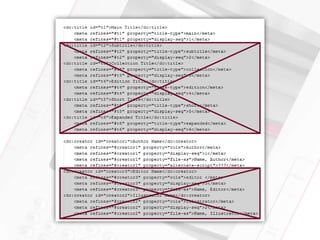
  • #10 For now we recommend not including additional title and creator information to avoid confusion. Additional information can be supplied within the content and the good news is that many retailers will allow you to re-introduce this information when you supply the file.
  • #11 Navigation is one of the most important things to get right in an ebook. I’m sure I’m not alone in having bought an ebook only to find that the whole thing is one chapter. It’s incredibly frustrating, and that’s not the first impression you want to give your readers. Making books easy to get around inside of is very important, and if we can add in some extra bells and whistles like giving common page numbers between print and ebook versions, that’s even better. So, what are the aspects of Navigation that we’ll be looking at?
  • #29 If support is abysmal, do we dedicate resources to adding epub:type attribute? If it has potential accessibility uses (like for navigation or description, then absolutely. Otherwise, determine if there’s some potential use for it, and then figure out how to make that happen without relying on reading systems to do anything. We need to show how super killer it would be to have a list of all of the book’s topic sentences by creating that list and doing something killer with it or how totally ominous it would be if warnings flashed or played ominous music (it’d be like Geocities all over again).
  • #37 Azardi allows the reader to change the background color so it’s easy to test dark background/night mode.