From Photoshop to
 Drupal theme
 Creating a Drupal-optimized design


Todd Nienkerk and Aaron Stanush
DrupalCon San Francisco | April 19, 2010
Personal introductions
Todd Nienkerk
                         Co-founder, designer, and developer
                         Four Kitchens

                         todd@fourkitchens.com

                         @toddross


Photo: Kristin Hillery
Aaron Stanush
Co-founder and designer
Four Kitchens

aaron@fourkitchens.com

@astanush
Prologue:
 Anatomy of a Drupal
 theme


See drupal.org/node/171194 for more information
What is a Drupal theme?
A Drupal theme is simply a collection
of files uploaded to a specific
directory.
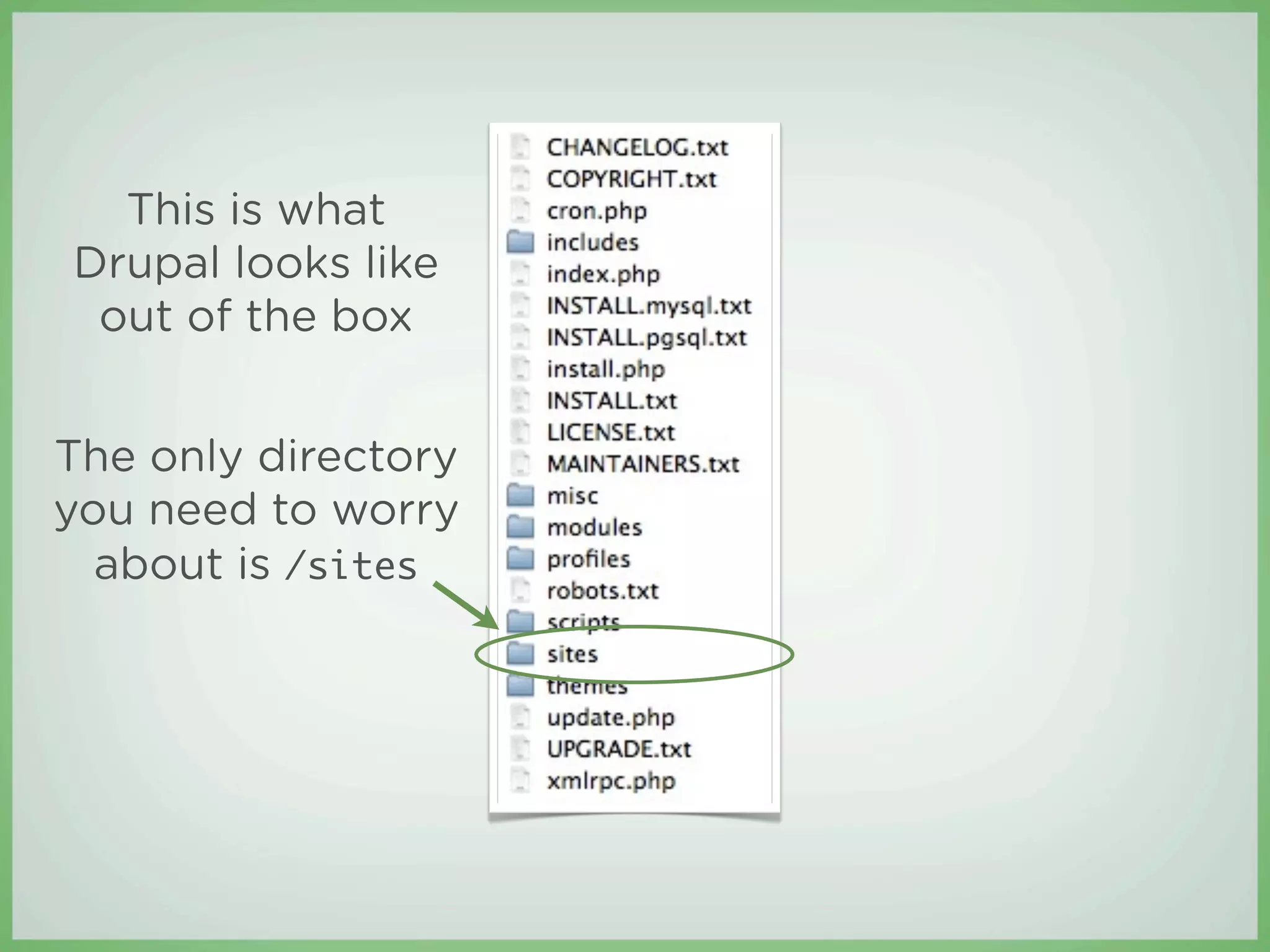
This is what
Drupal looks like
 out of the box


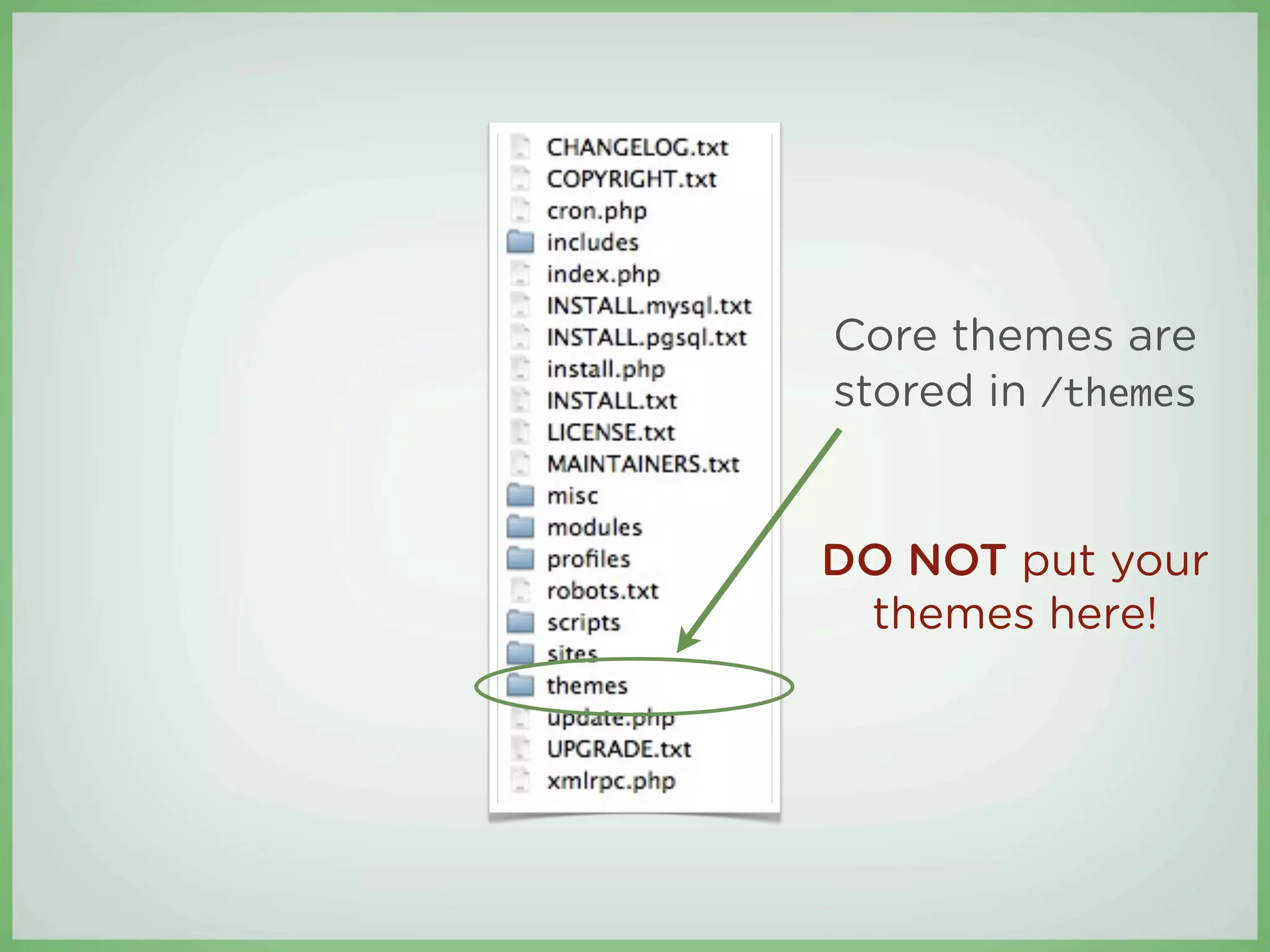
The only directory
you need to worry
  about is /sites
Core themes are
stored in /themes


DO NOT put your
 themes here!
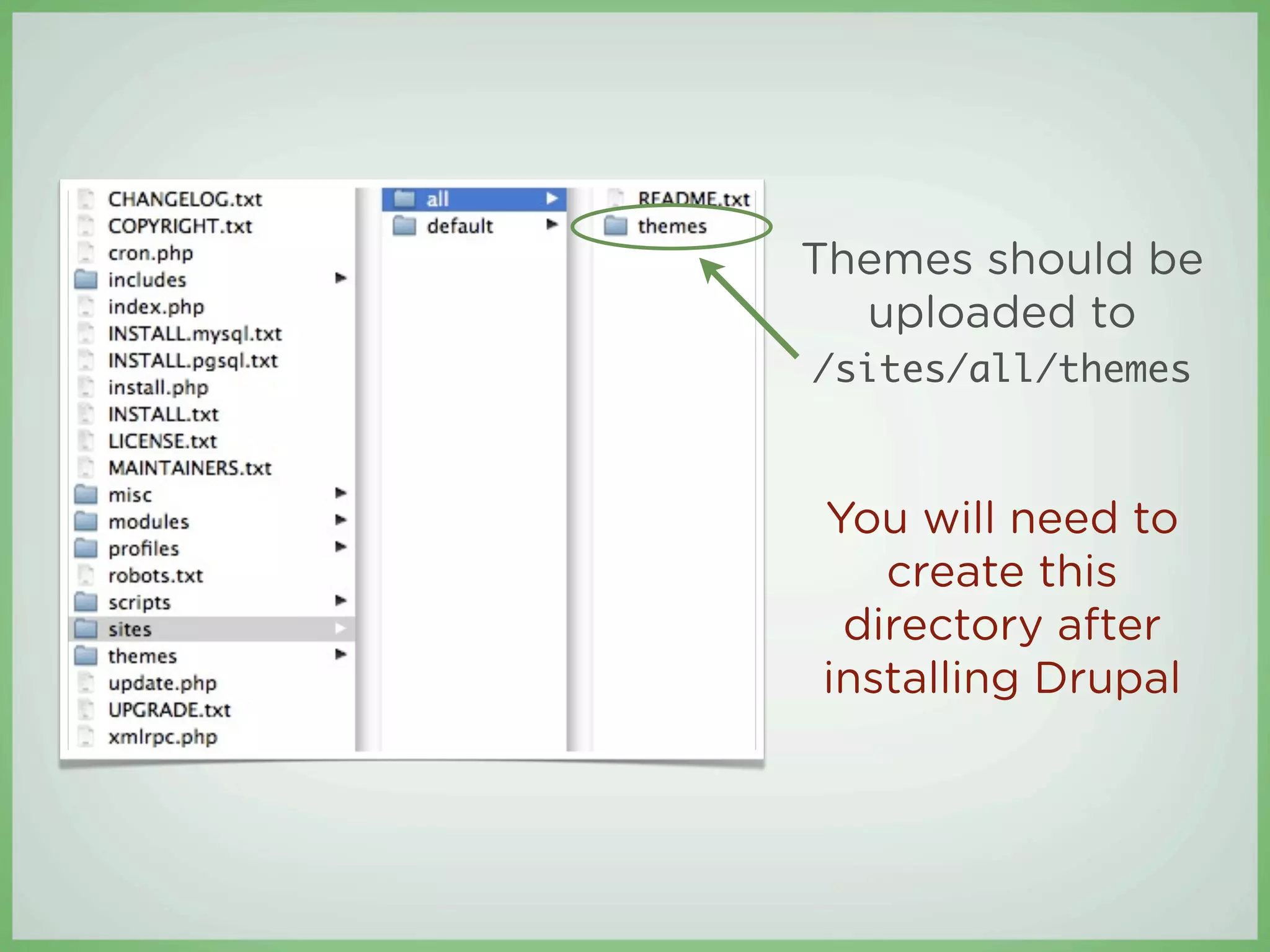
Themes should be
  uploaded to
/sites/all/themes


You will need to
   create this
 directory after
installing Drupal
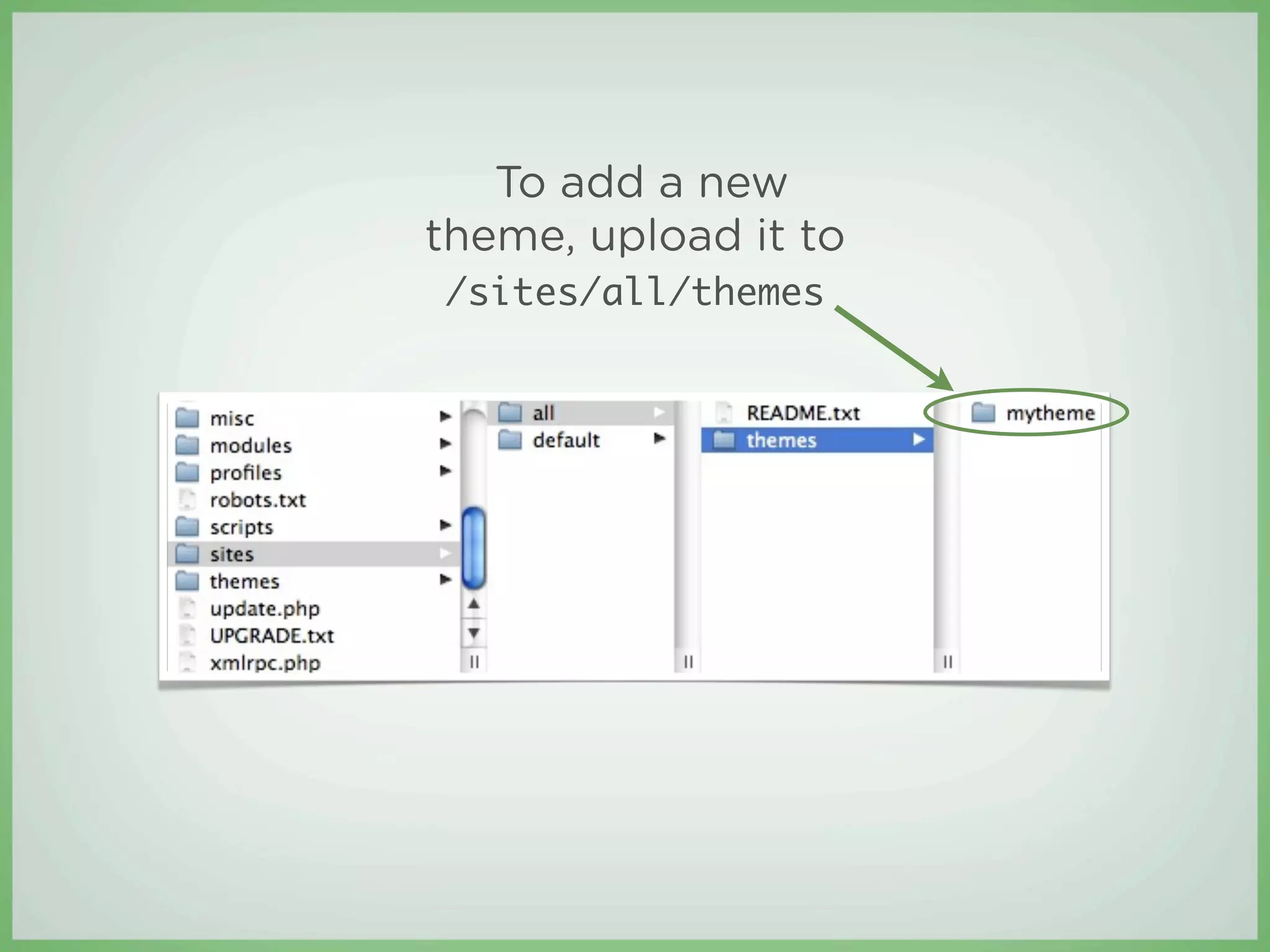
To add a new
theme, upload it to
/sites/all/themes
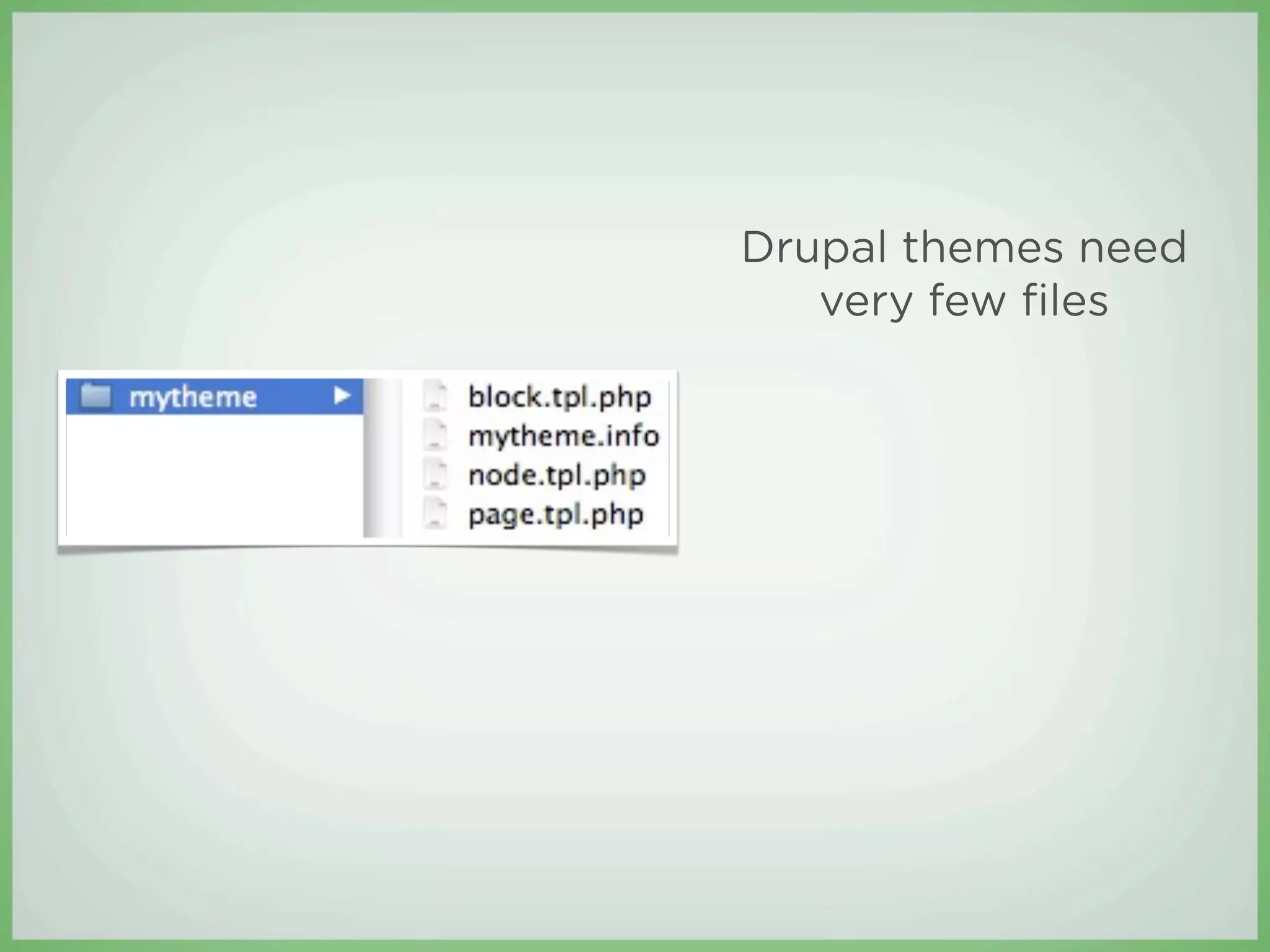
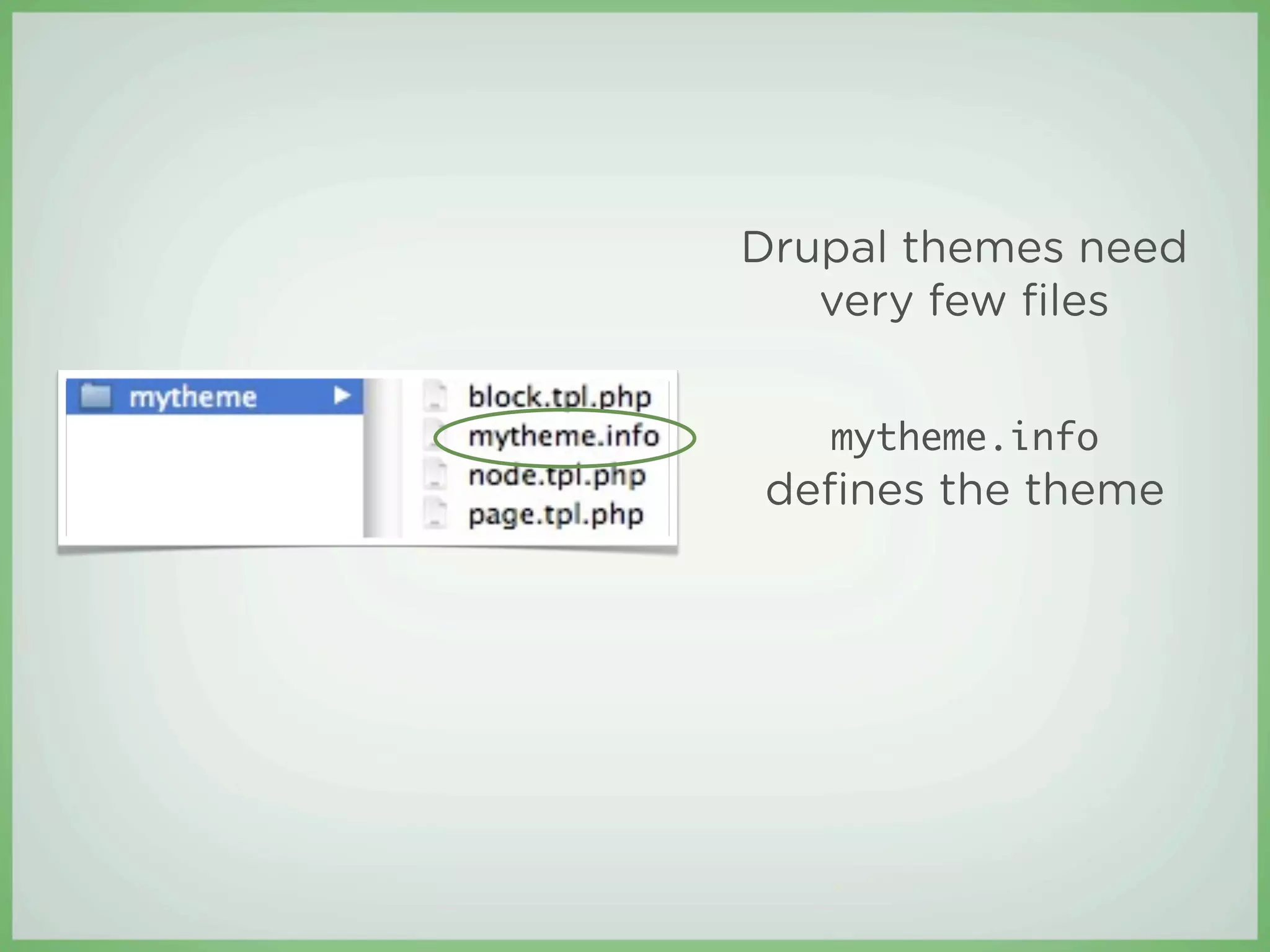
Drupal themes need
   very few files
Drupal themes need
   very few files


   mytheme.info
defines the theme
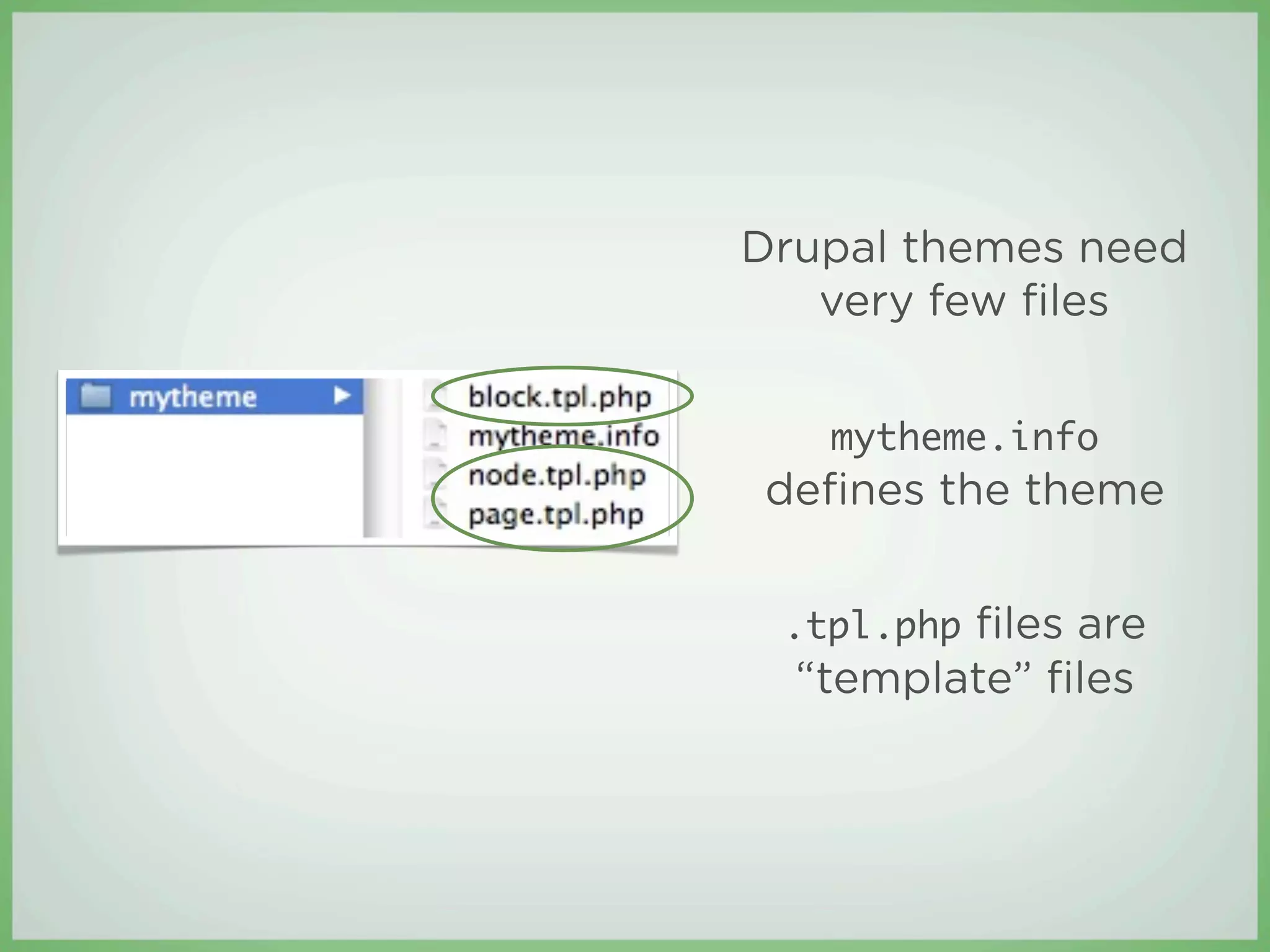
Drupal themes need
   very few files


   mytheme.info
defines the theme


 .tpl.php files are
  β€œtemplate” files
Template files
β€£   Contain a theme’s markup
    β€£   Just HTML and a little bit of PHP
β€£   Each template file is responsible for a di erent
    piece of the page
β€£   The most commonly used template files are:
    β€£   page.tpl.php

    β€£   block.tpl.php

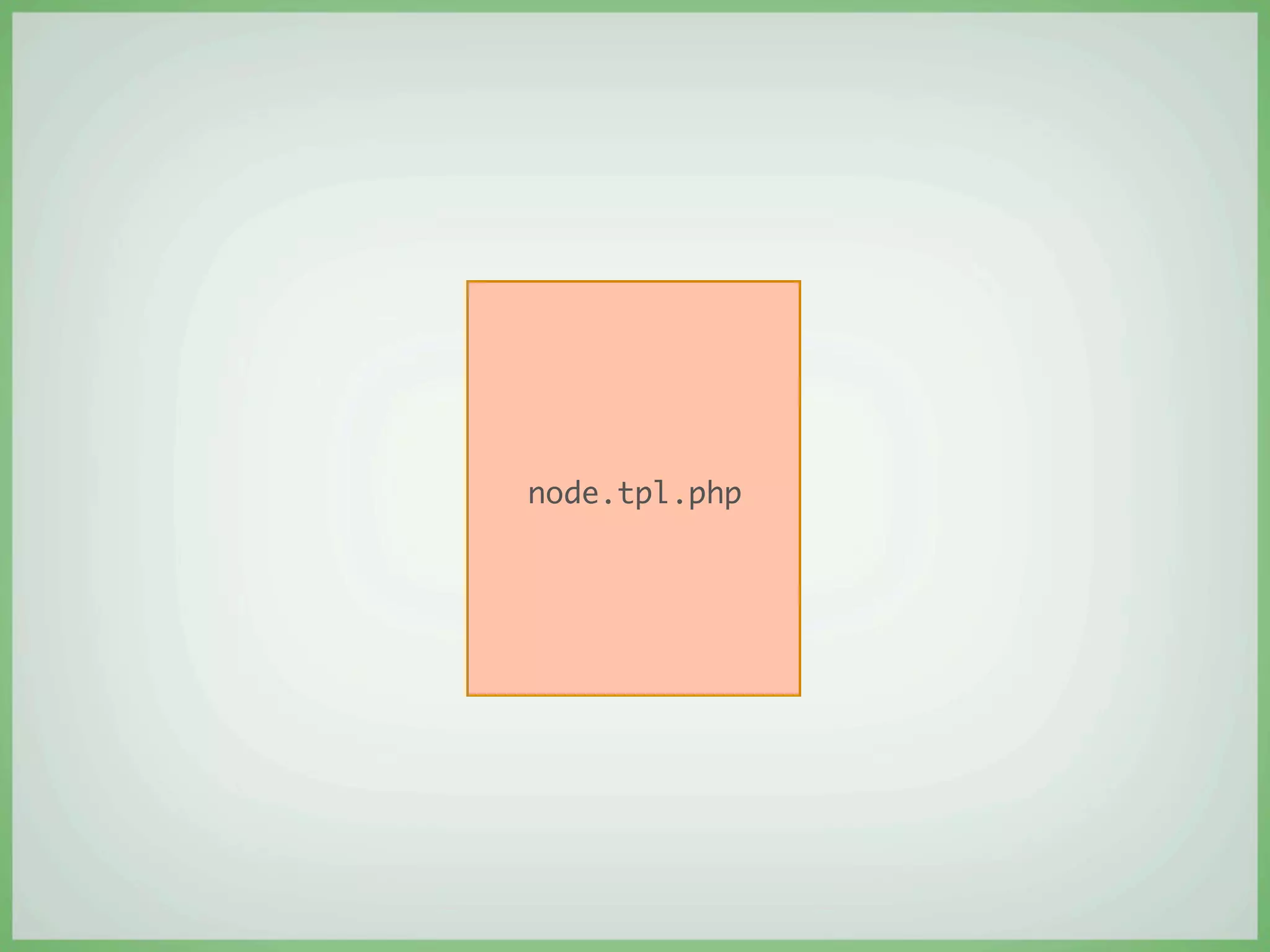
    β€£   node.tpl.php
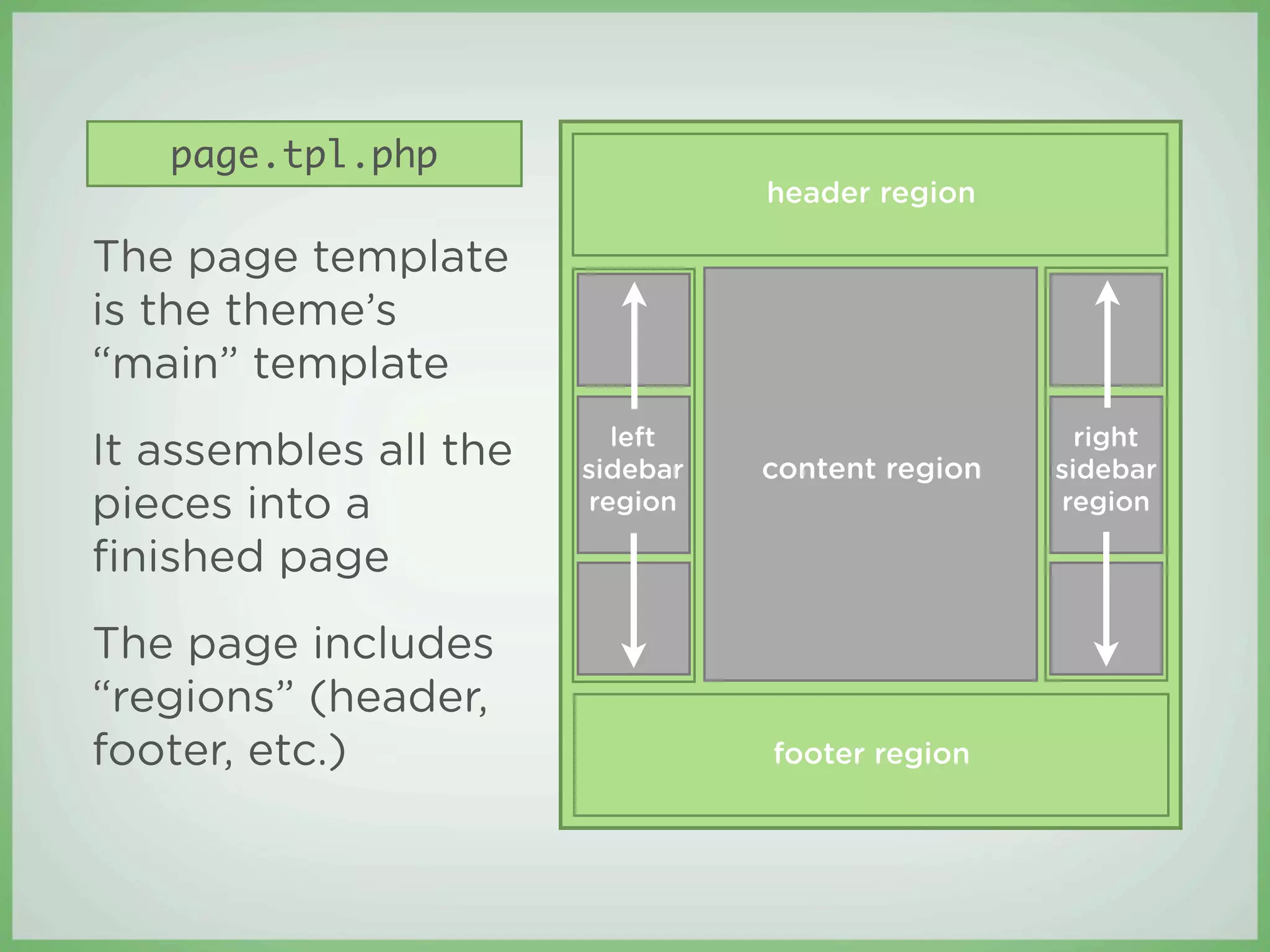
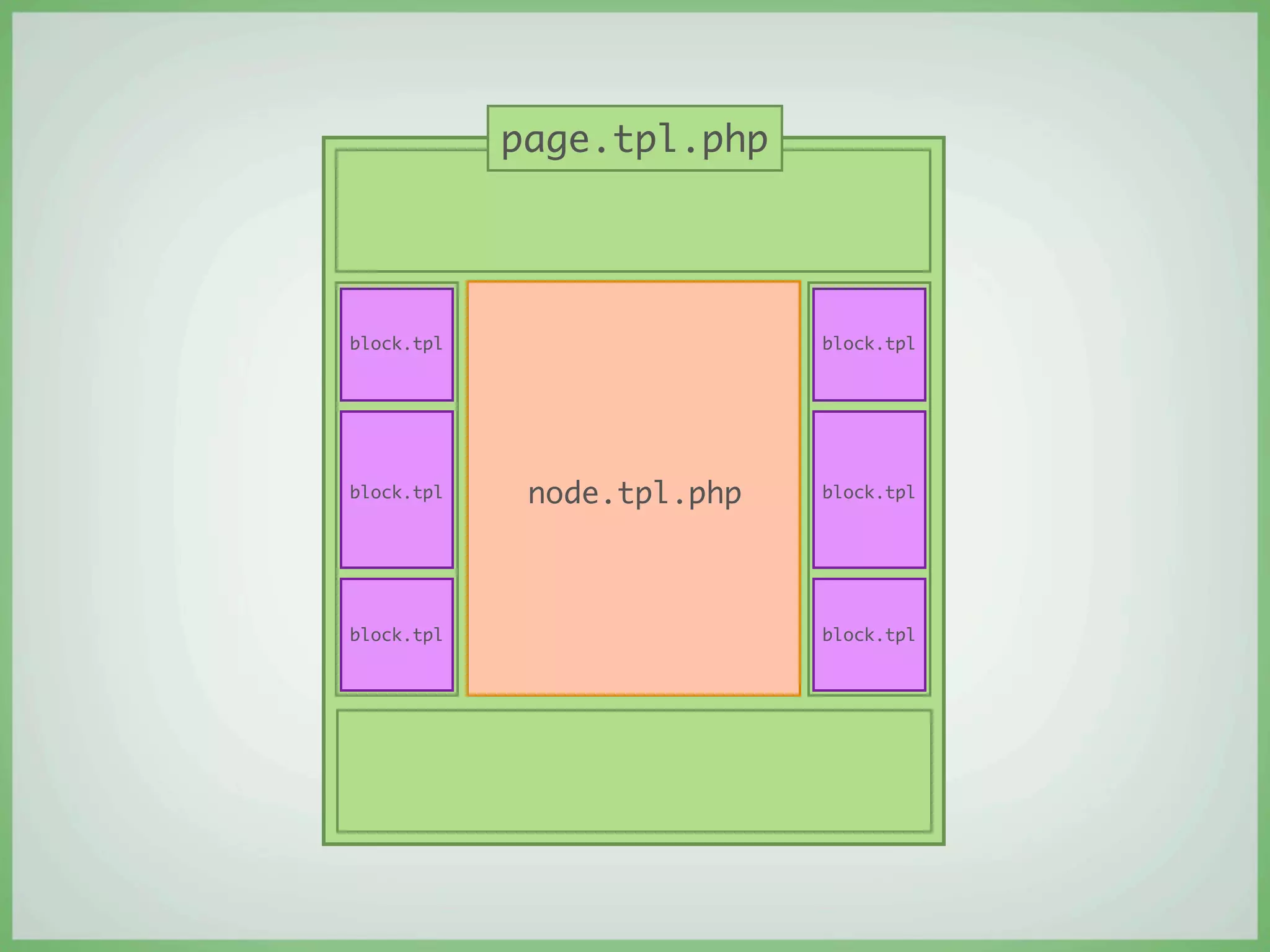
page.tpl.php
                                 header region

The page template
is the theme’s
β€œmain” template
                         left                       right
It assembles all the   sidebar   content region   sidebar
pieces into a          region                     region

finished page
The page includes
β€œregions” (header,
footer, etc.)                    footer region
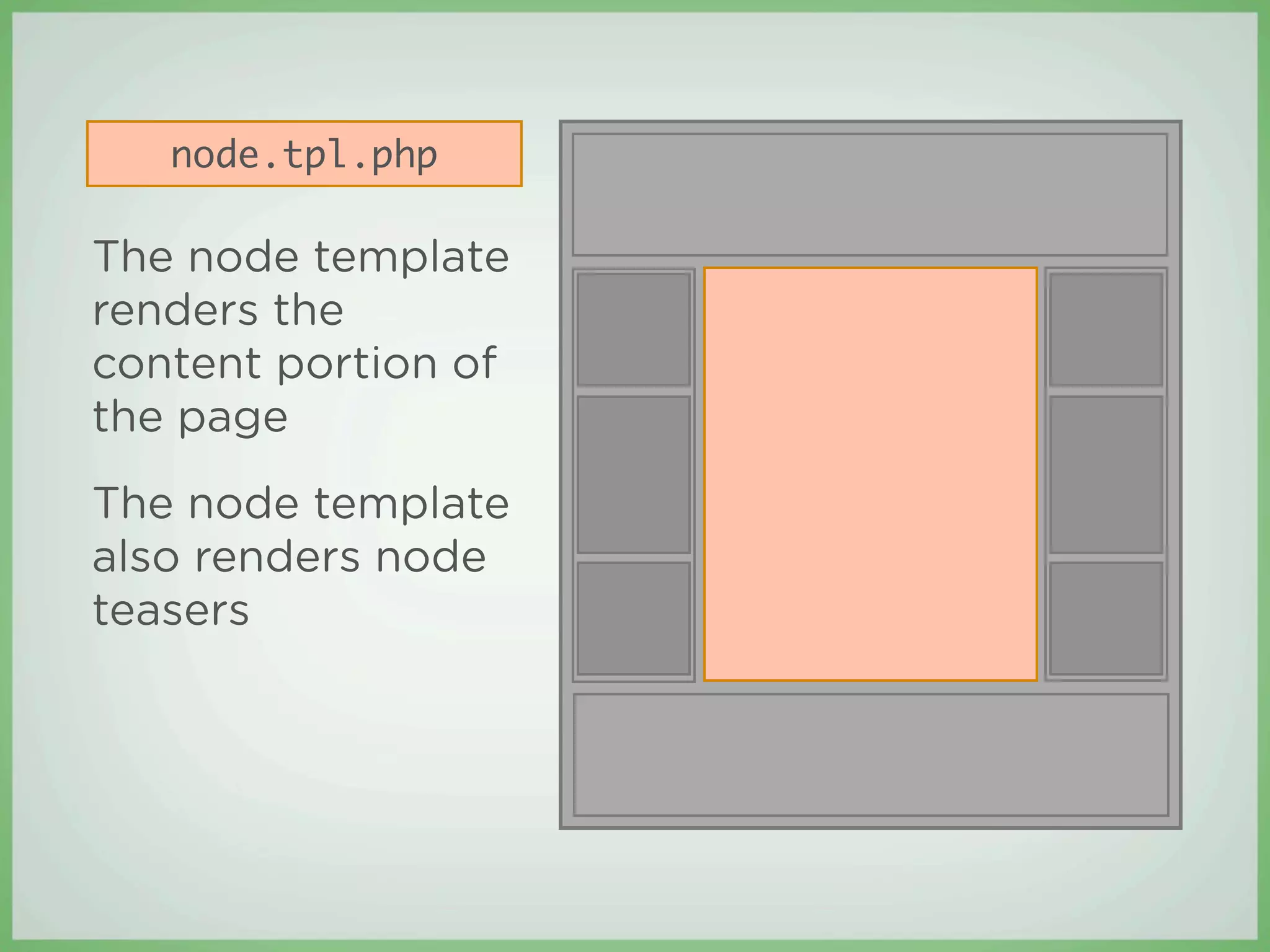
node.tpl.php

The node template
renders the
content portion of
the page
The node template
also renders node
teasers
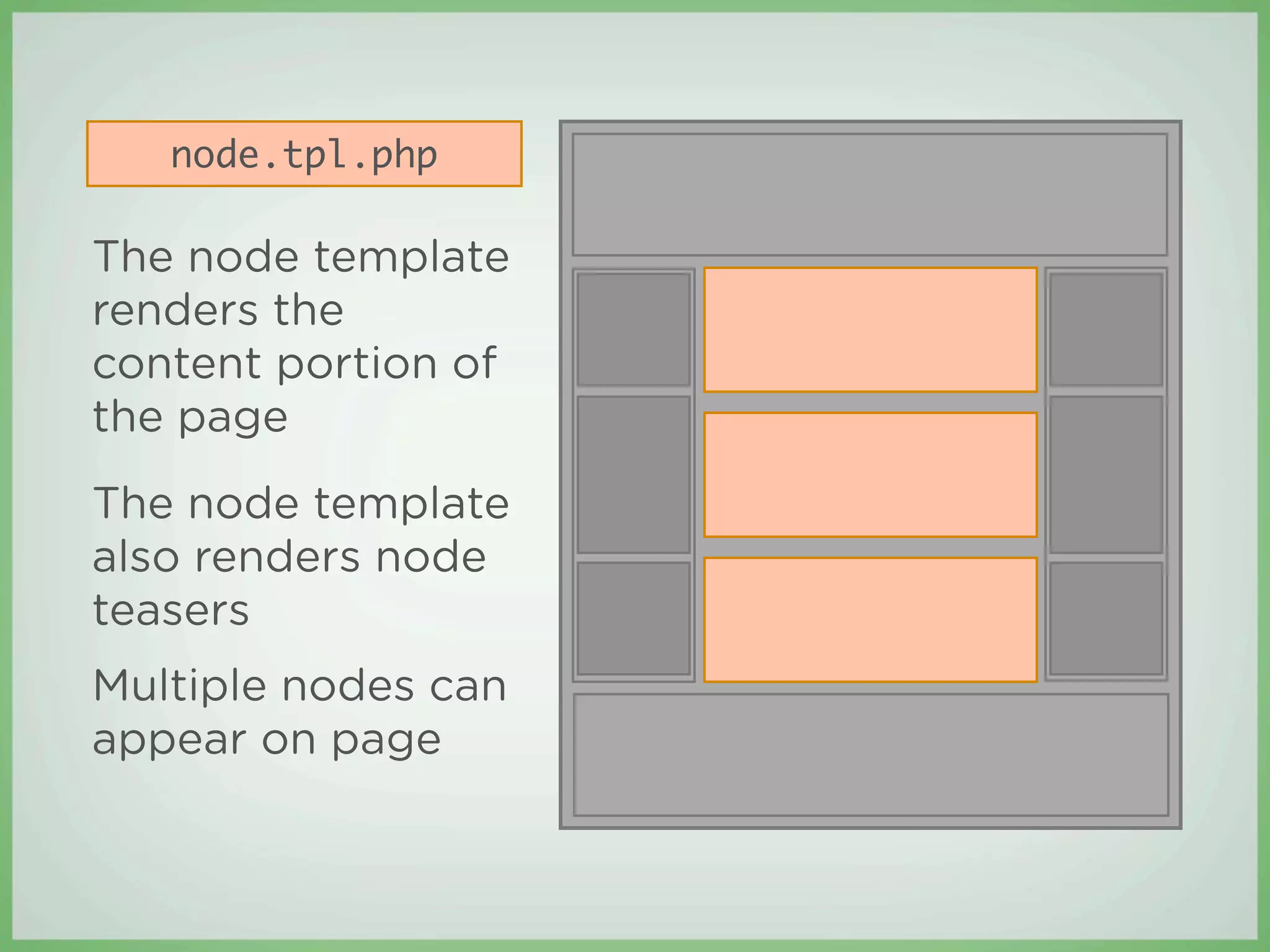
node.tpl.php

The node template
renders the
content portion of
the page
The node template
also renders node
teasers
Multiple nodes can
appear on page
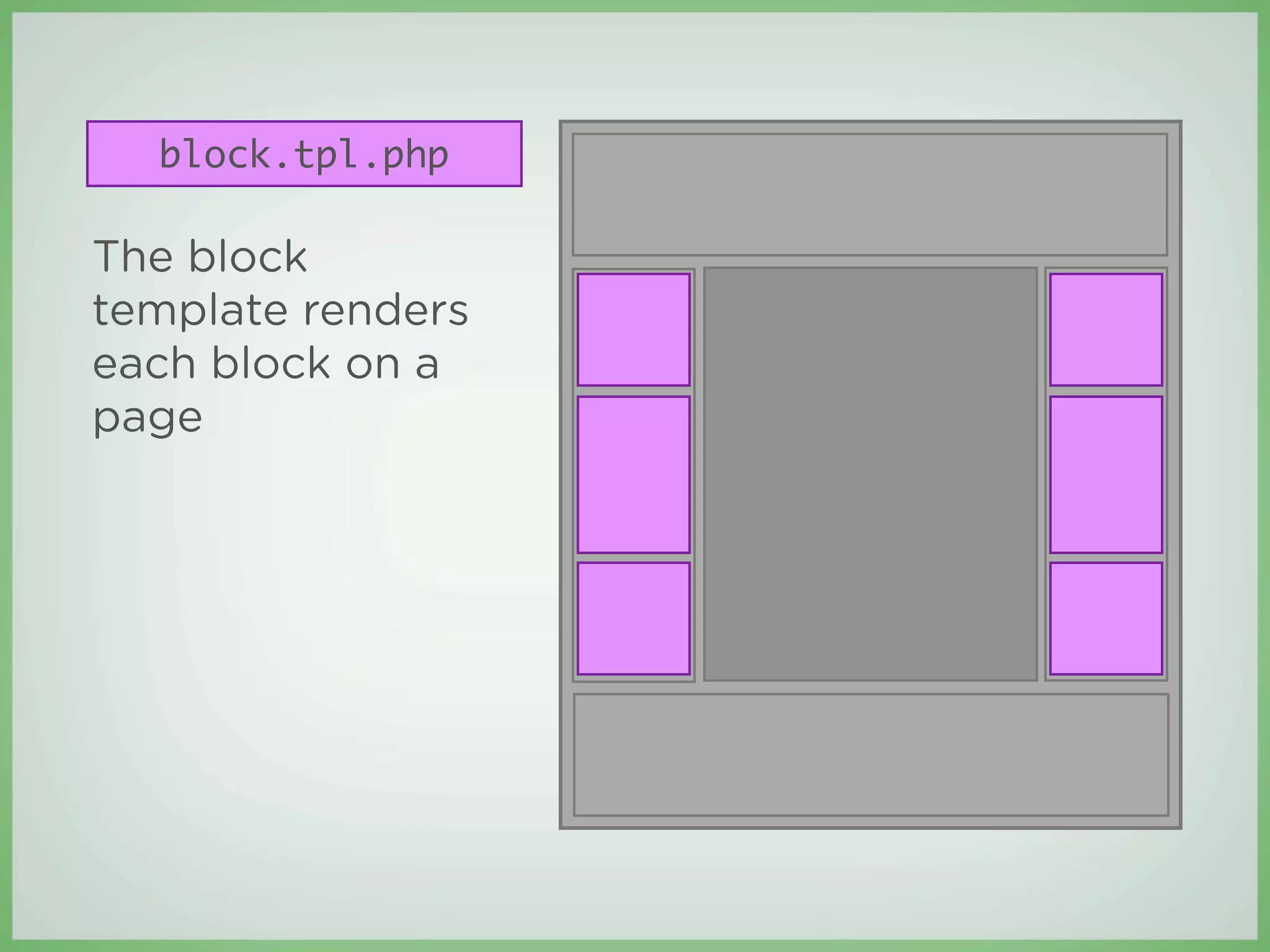
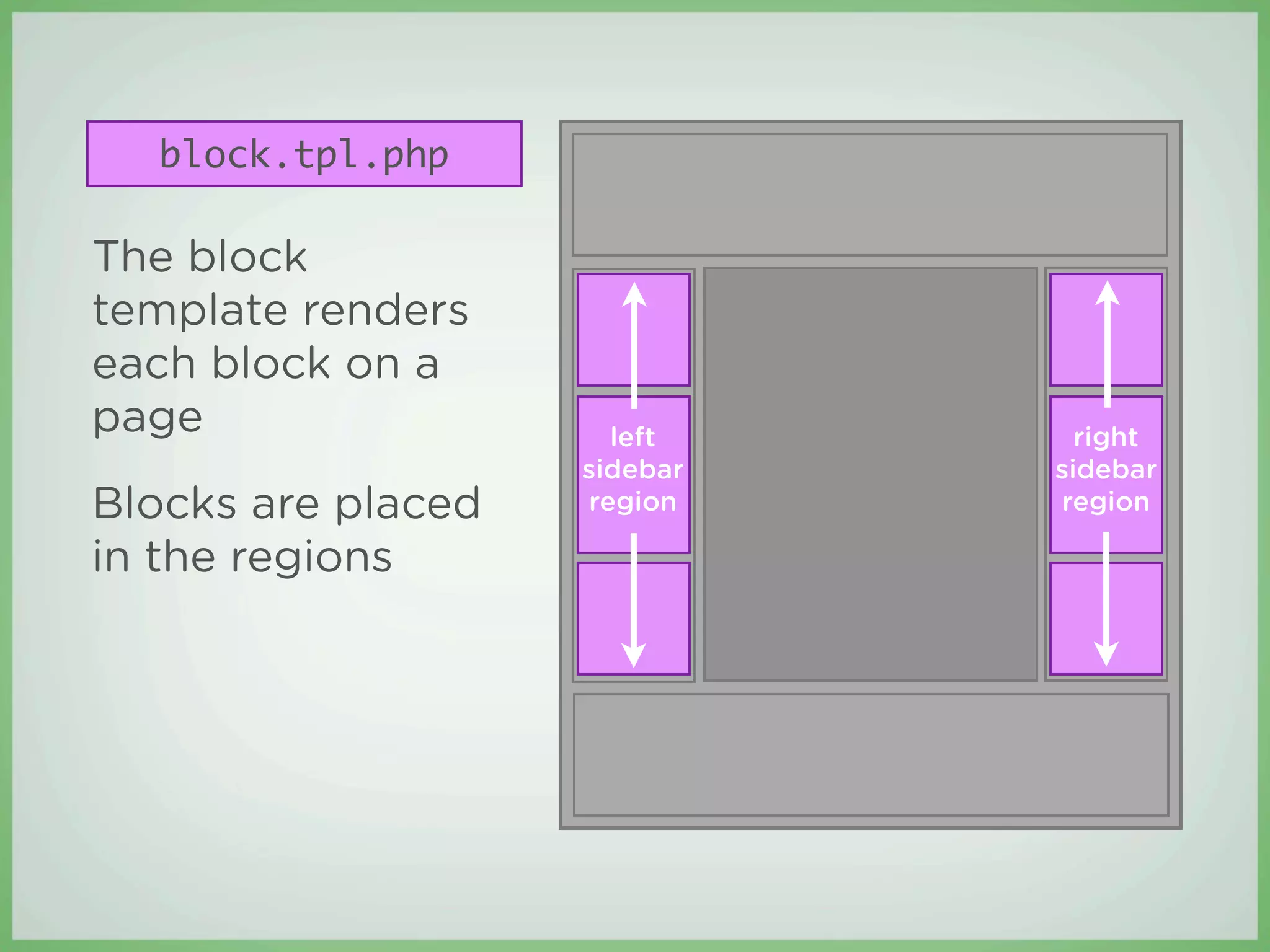
block.tpl.php

The block
template renders
each block on a
page
block.tpl.php

The block
template renders
each block on a
page                  left      right
                    sidebar   sidebar
Blocks are placed   region    region

in the regions
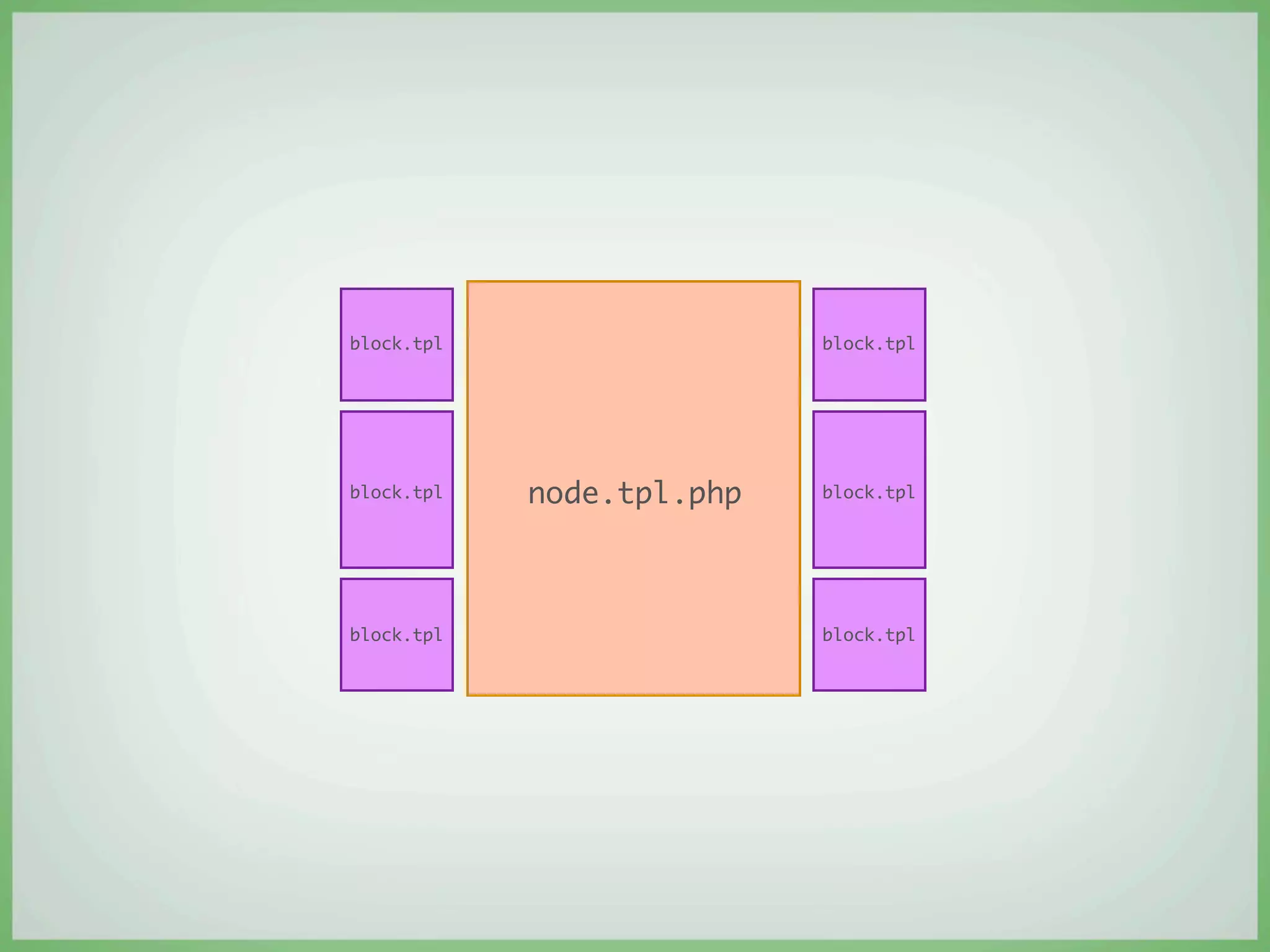
β€£   When Drupal renders a page, it works from the
    inside out
node.tpl.php
block.tpl                  block.tpl


block.tpl   node.tpl.php   block.tpl


block.tpl                  block.tpl
page.tpl.php


block.tpl                   block.tpl


block.tpl    node.tpl.php   block.tpl


block.tpl                   block.tpl
β€£   When you understand how themes work, you can
    easily create a Drupal-optimized design
Step 1:
Stop! Close Photoshop!
You wouldn’t paint a house before
building it...
So how can you design a website
before architecting it?
Before you design, ask:
β€£   What’s the purpose of the site?
β€£   What kind of content will the site contain?
β€£   How will content be organized?
Define the site
β€œWhat’s the purpose of the site?”
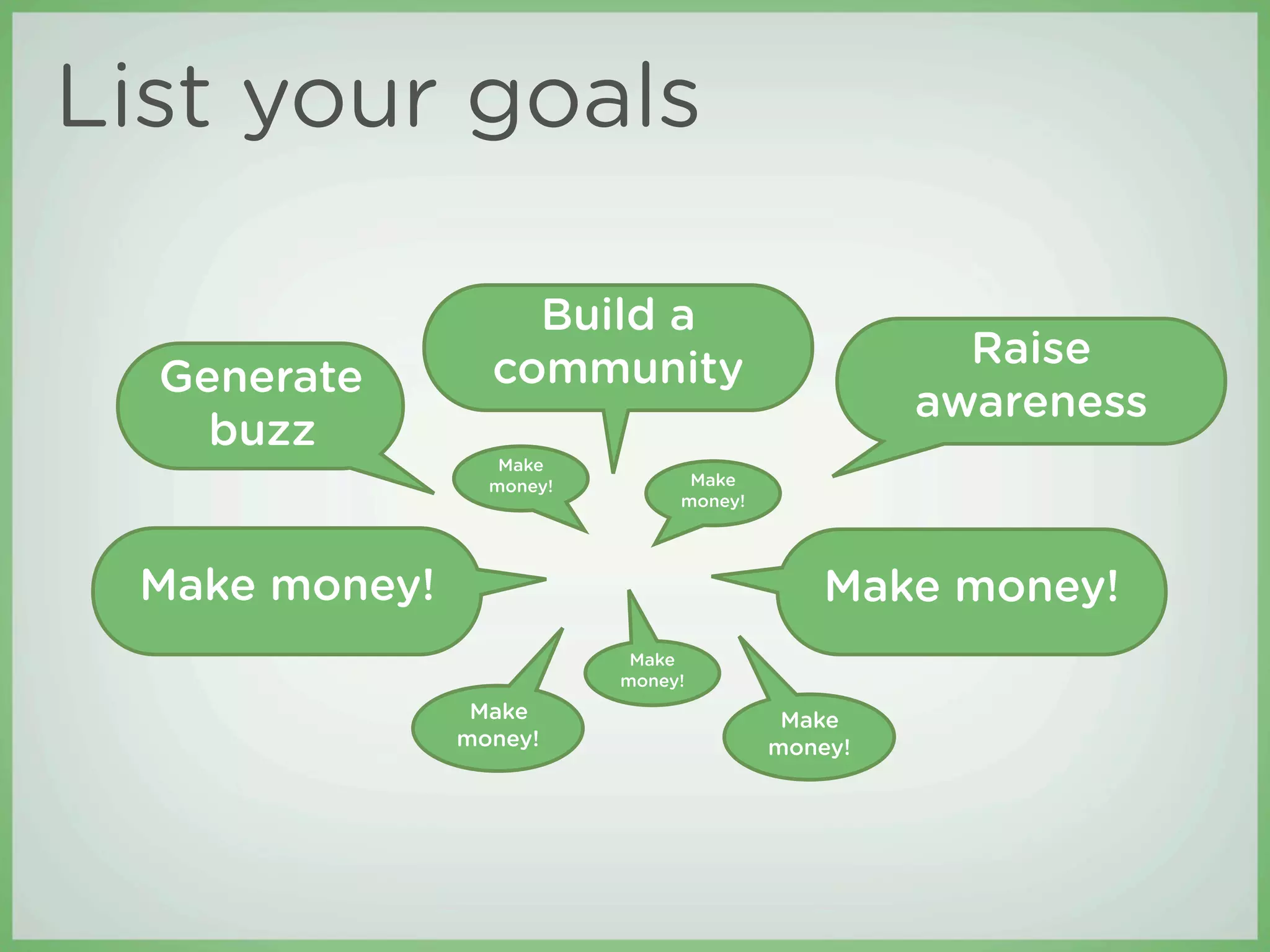
List your goals

                   Build a
                 community                         Raise
  Generate
                                                 awareness
    buzz
                  Make
                 money!         Make
                               money!


 Make money!                                Make money!
                           Make
                          money!
                Make                     Make
               money!                   money!
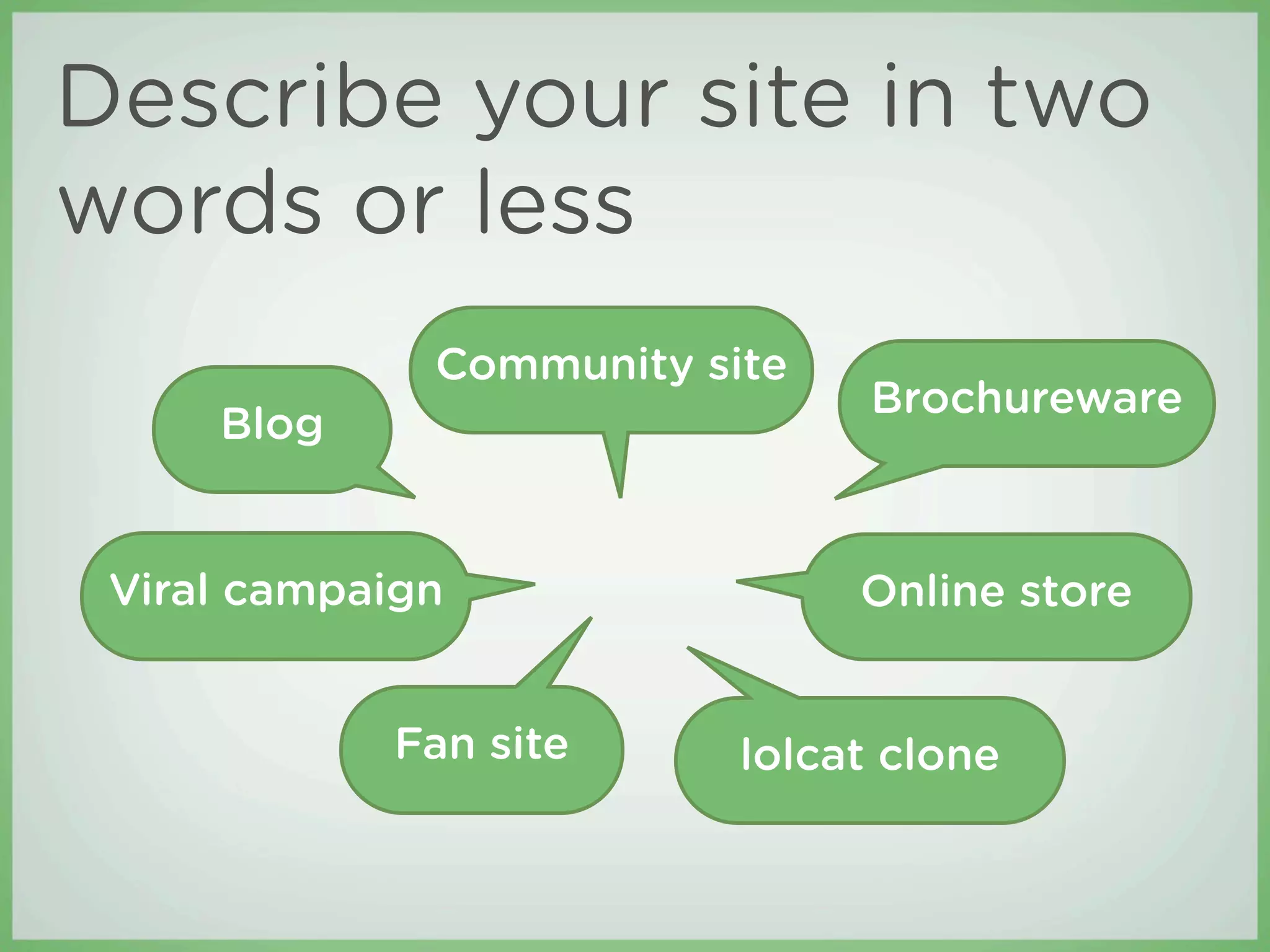
Describe your site in two
words or less
              Community site
                                Brochureware
     Blog


 Viral campaign                Online store


            Fan site      lolcat clone
Define the content
β€œWhat kind of content will the site contain?”
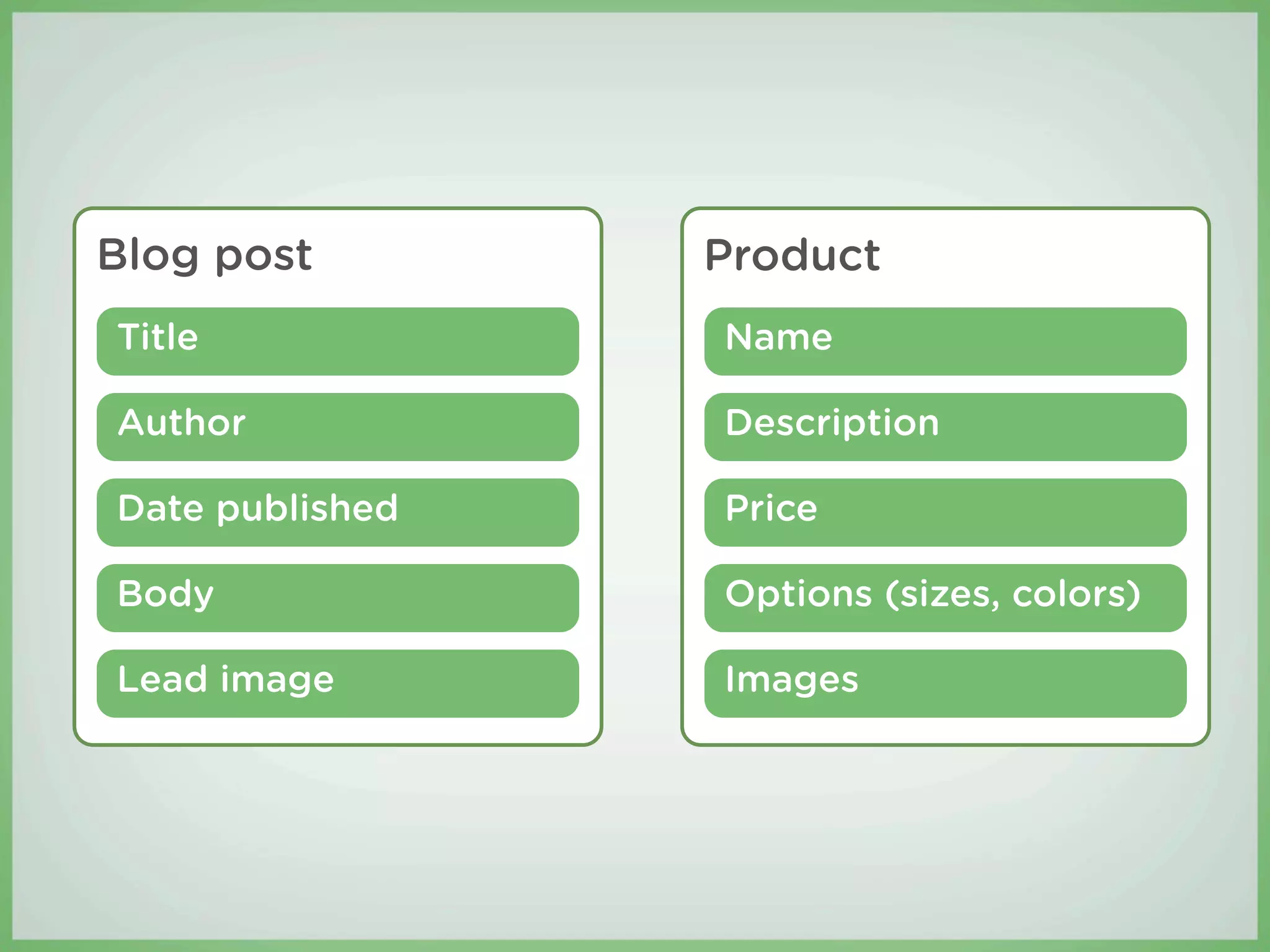
β€£   In Drupal, di erent kinds of content are called
    content types.
β€£   Content types are usually defined by the di erent
    information they contain.
Blog post        Product
Title            Name

Author           Description

Date published   Price

Body             Options (sizes, colors)

Lead image       Images
Create a sitemap and
wireframes
β€œHow will content be organized?”
Sitemaps
β€£   List all sections of the site
β€£   Illustrate how content is organized within the
    sections
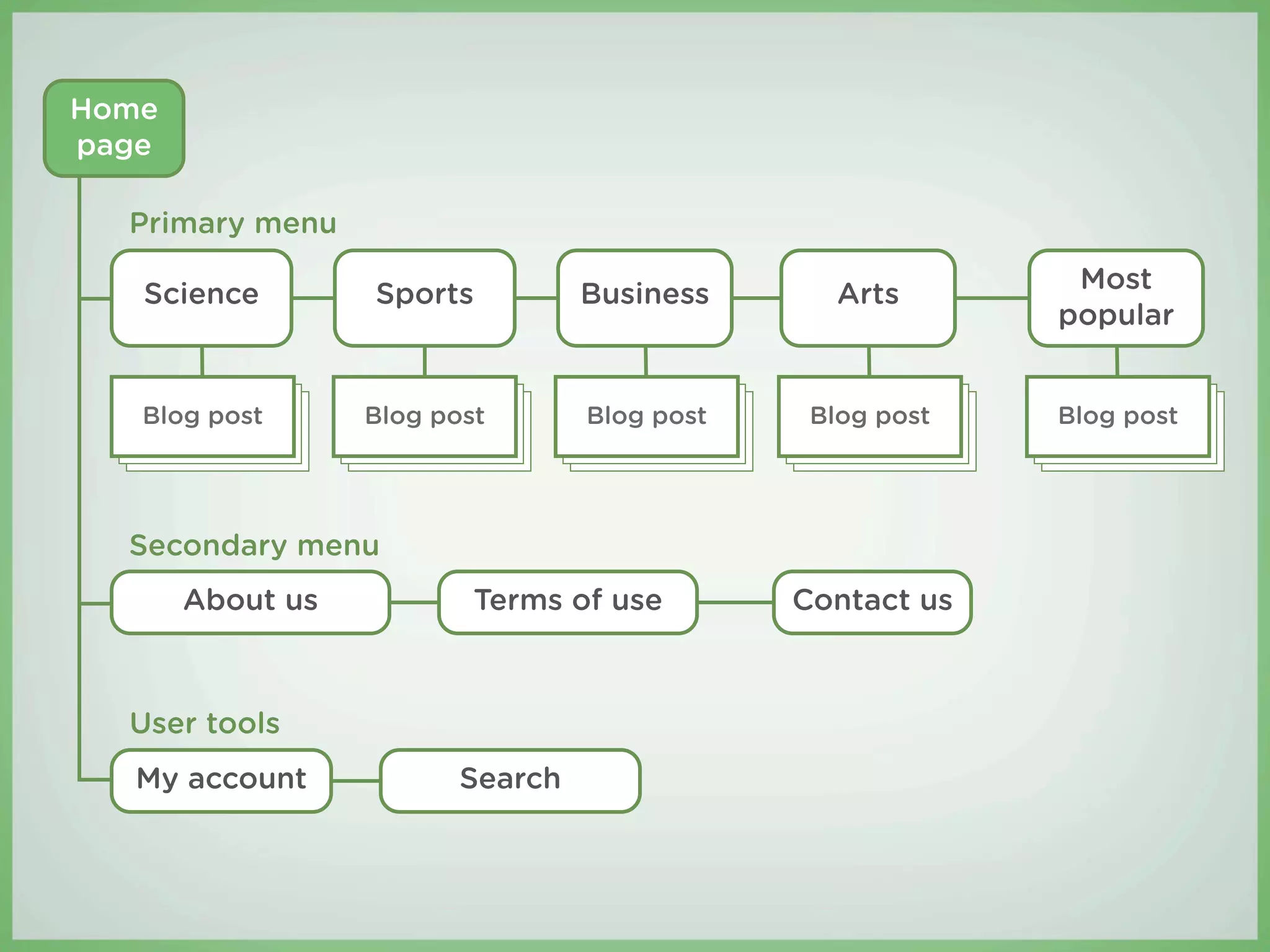
Home
page

  Primary menu
                                                            Most
   Science        Sports          Business       Arts
                                                           popular


   Blog post      Blog post       Blog post    Blog post   Blog post


  Secondary menu
       About us           Terms of use        Contact us


  User tools
  My account             Search
Wireframes
β€£   Illustrate page layout and functionality
β€£   Demonstrate how a user will navigate the site
β€£   Use placement of key components to reinforce the
    goals of the site
    β€£   Shopping cart icon
    β€£   Revenue-generating ads
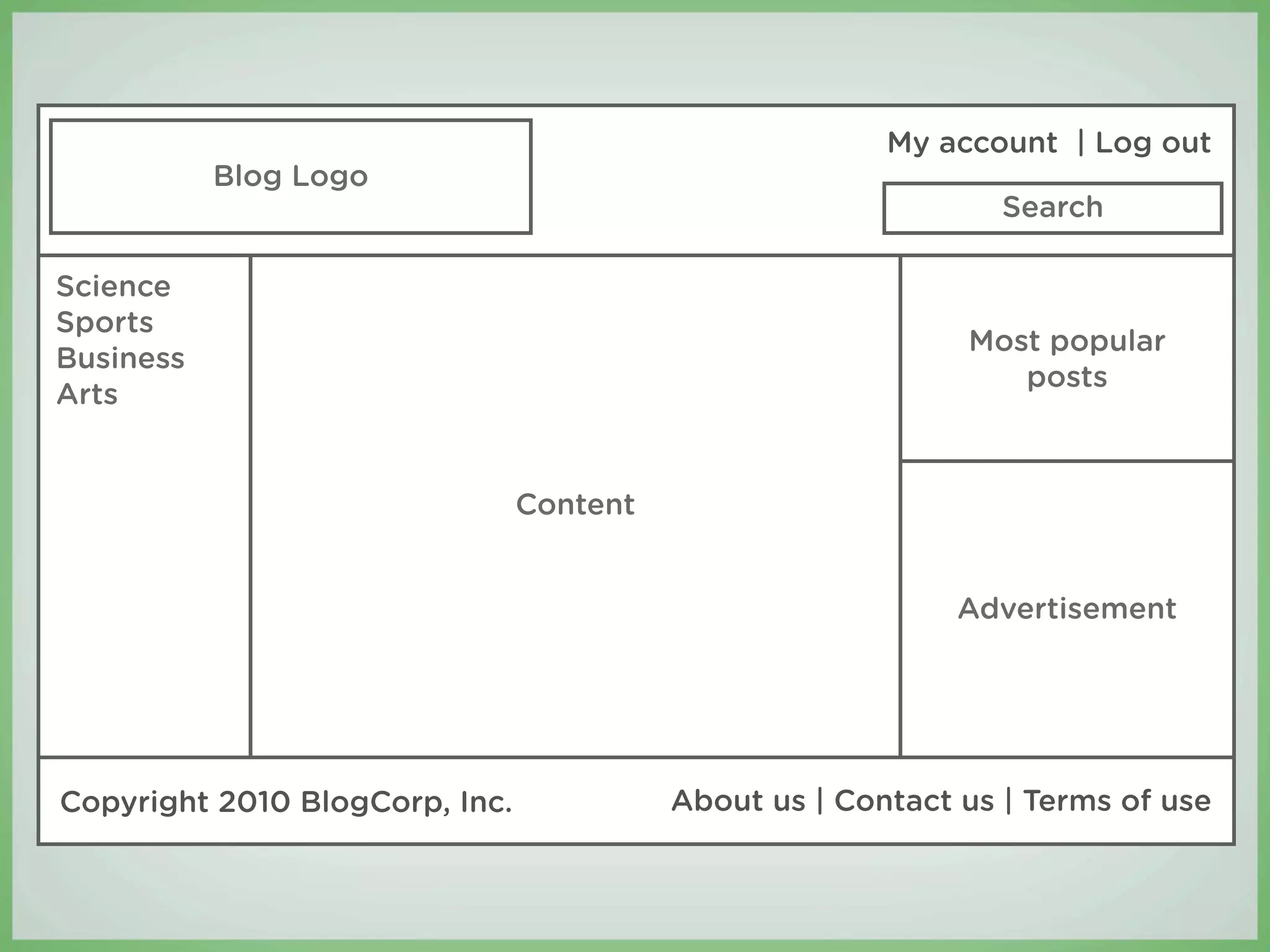
My account | Log out
           Blog Logo
                                                                Search

Science
Sports
                                                             Most popular
Business
                                                                posts
Arts


                                Content


                                                             Advertisement


Copyright 2010 BlogCorp, Inc.             About us | Contact us | Terms of use
Brainstorming should happen using
wireframes, not design comps or
mockups.
Case study: Spatula City
Spatula City is relaunching their website. It will be
the largest spatula site ever built!
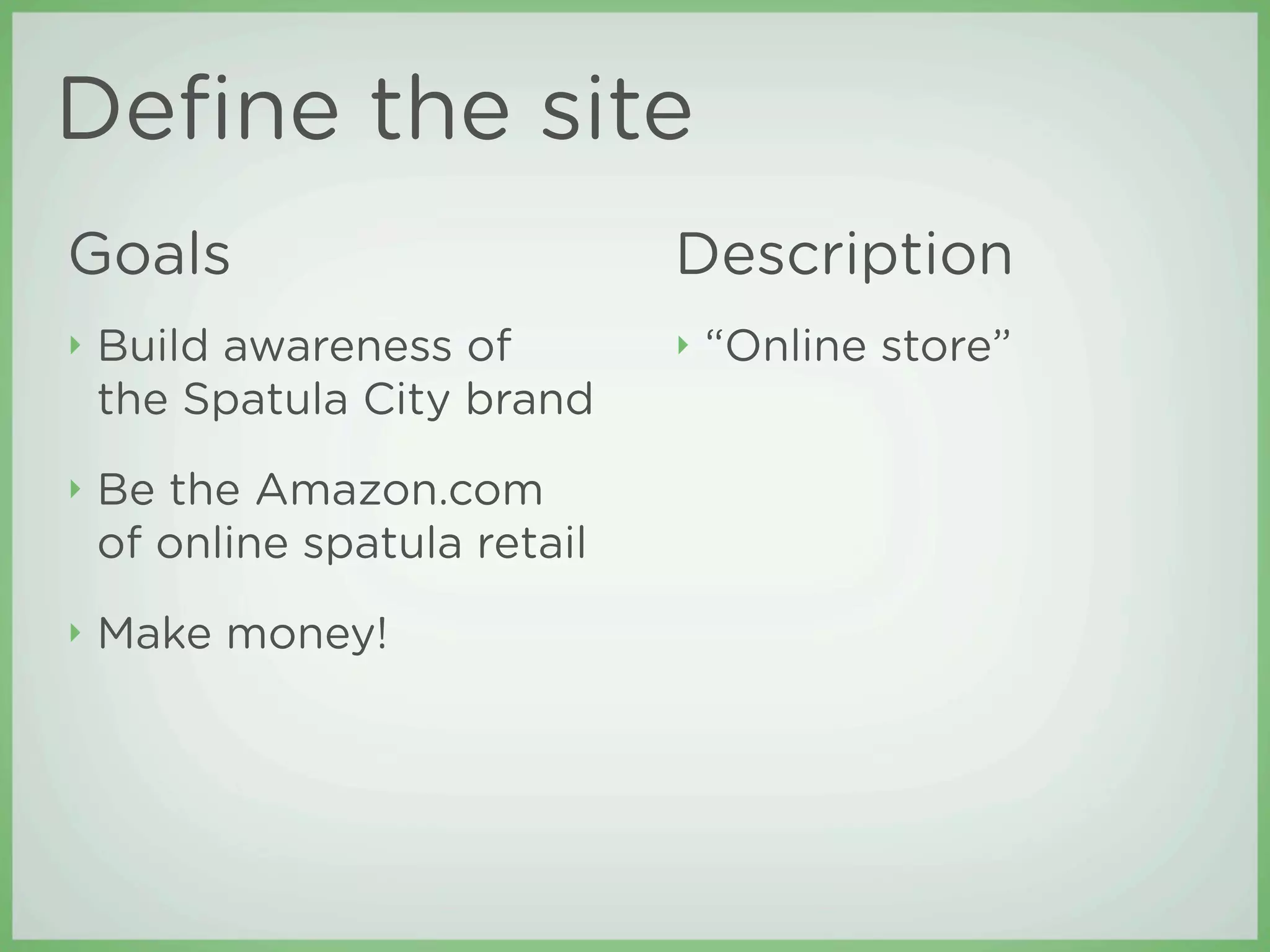
Define the site
Goals                          Description
β€£   Build awareness of         β€£   β€œOnline store”
    the Spatula City brand
β€£   Be the Amazon.com
    of online spatula retail
β€£   Make money!
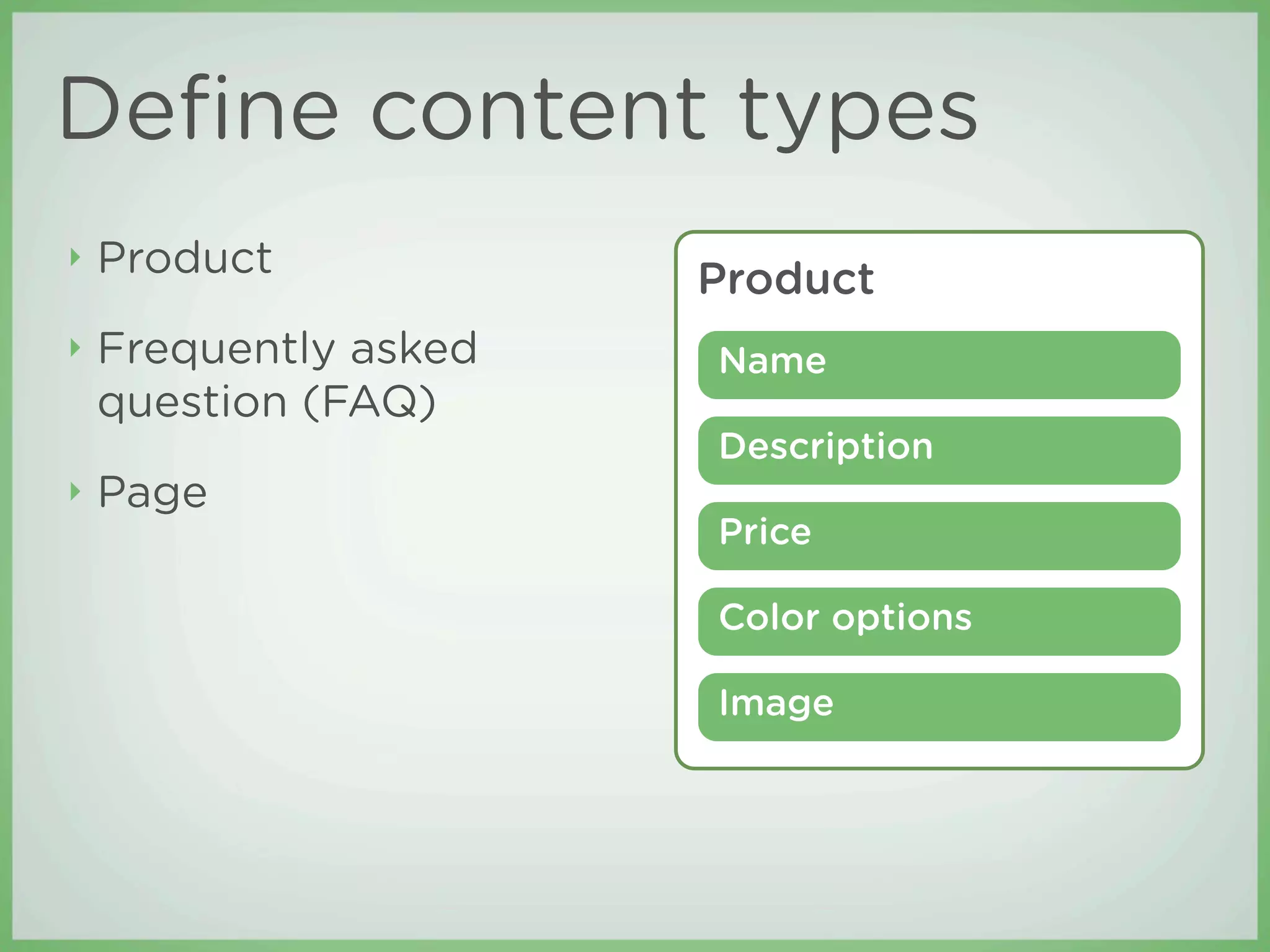
Define content types
β€£   Product            Product
β€£   Frequently asked   Name
    question (FAQ)
                       Description
β€£   Page
                       Price

                       Color options

                       Image
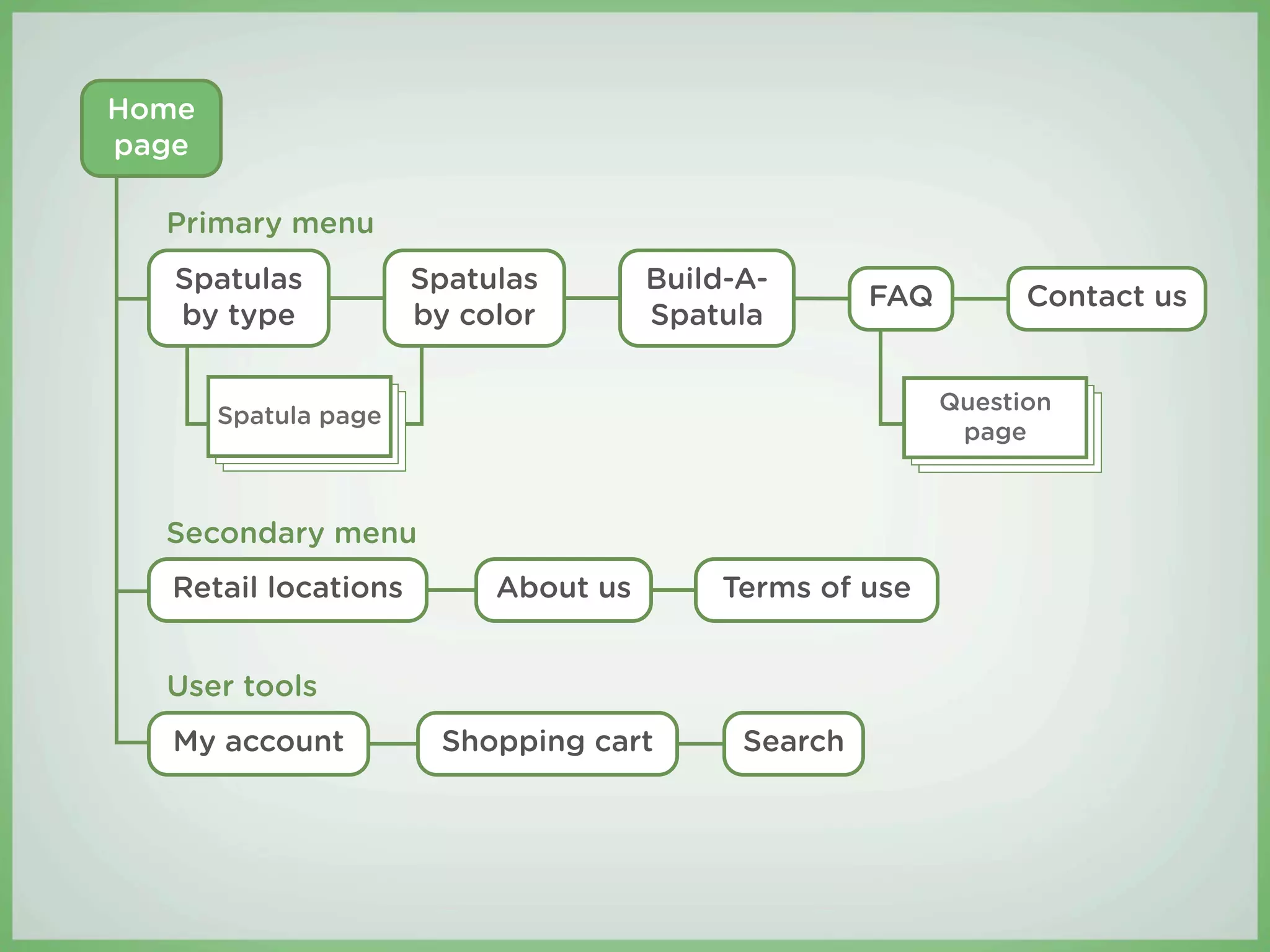
Create a sitemap
Home
page

  Primary menu
   Spatulas           Spatulas        Build-A-
                                                     FAQ         Contact us
   by type            by color        Spatula

                                                           Question
       Spatula page
                                                            page


  Secondary menu
  Retail locations         About us       Terms of use


  User tools
  My account           Shopping cart        Search
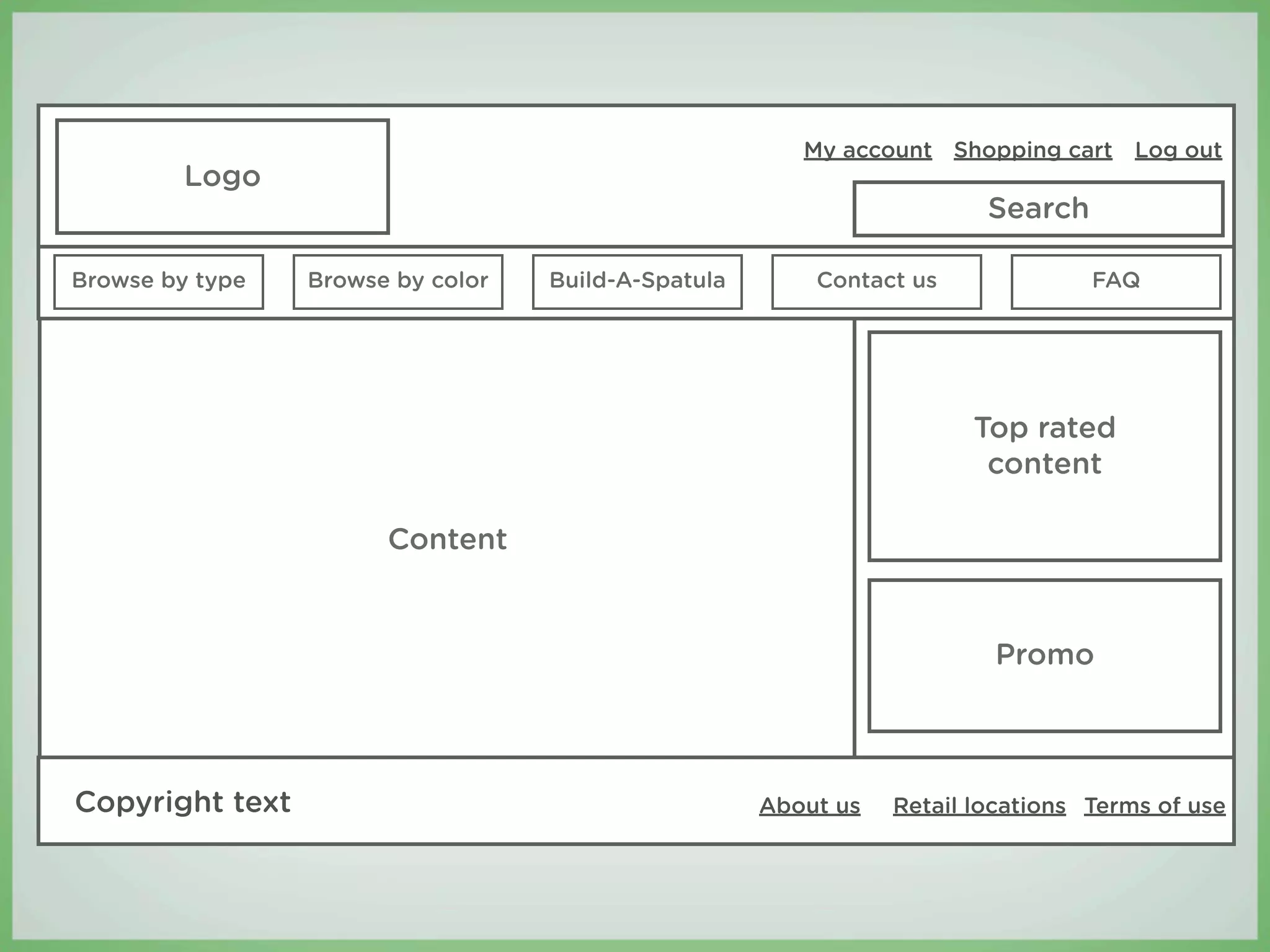
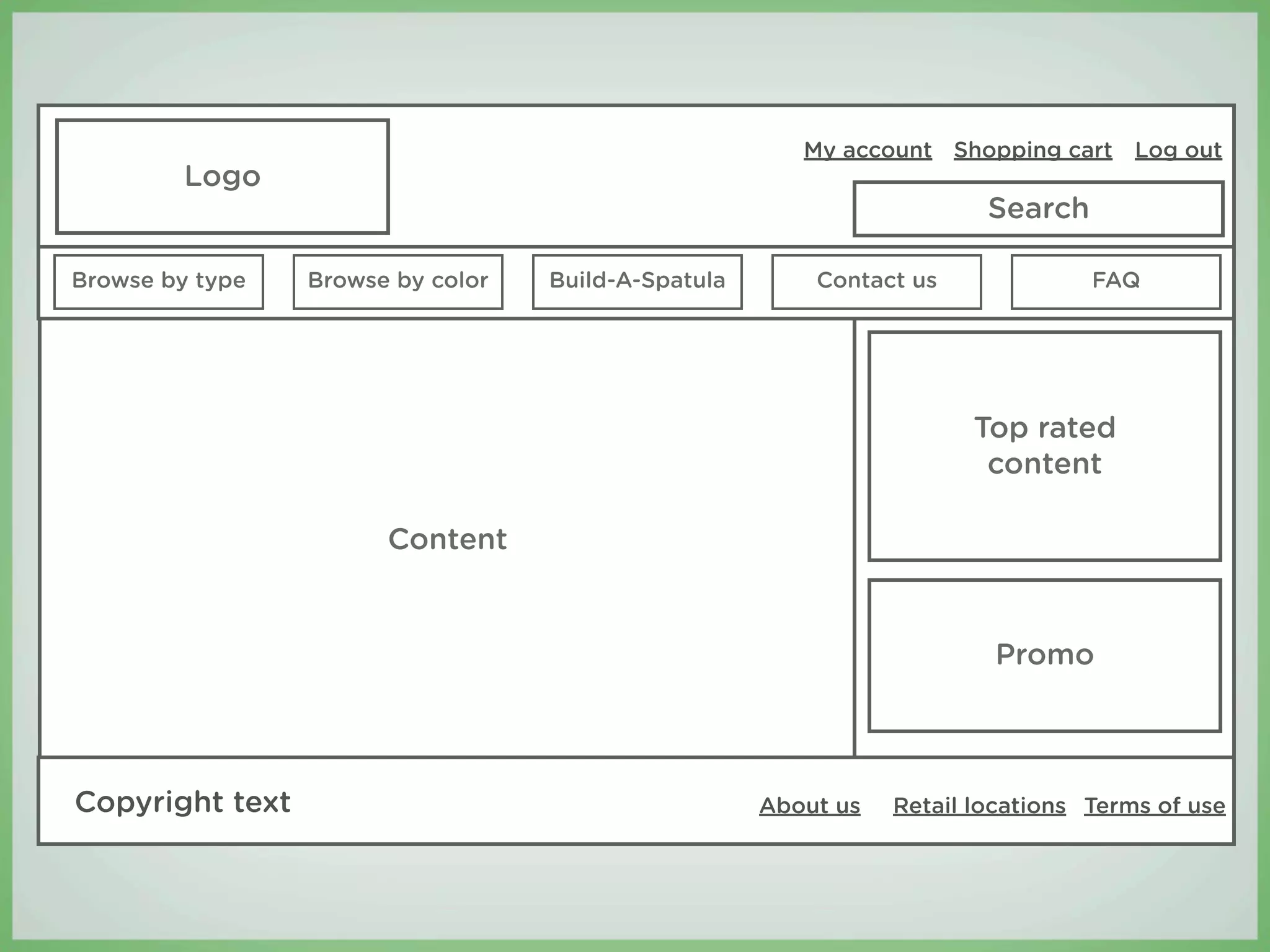
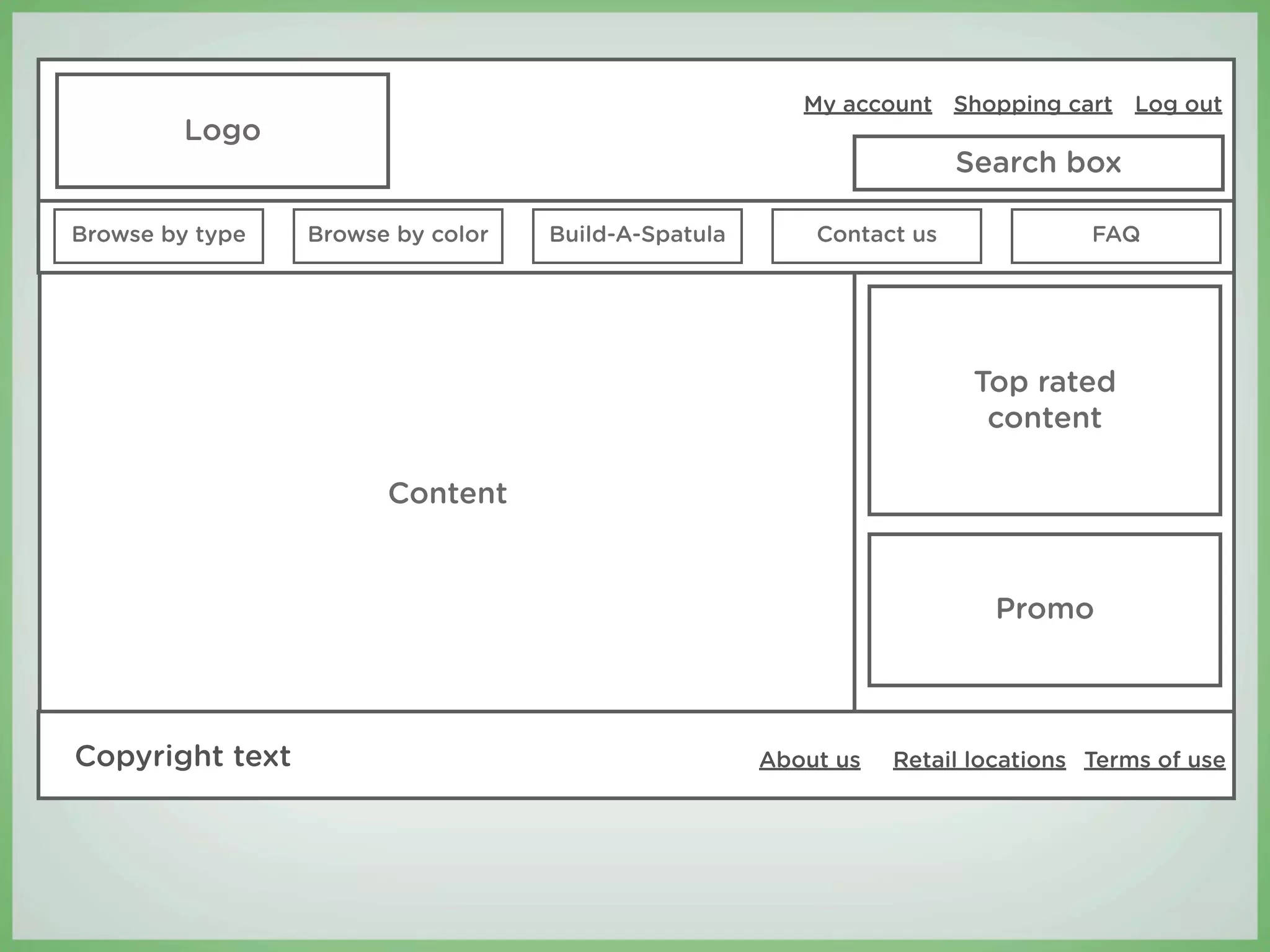
Create the wireframes
My account Shopping cart Log out
         Logo
                                                                        Search

Browse by type   Browse by color   Build-A-Spatula       Contact us              FAQ


                                                                       Top rated
                                                                        content

                       Content


                                                                        Promo


Copyright text                                       About us   Retail locations Terms of use
Step 2:
Translate the wireframes
into β€œDrupalspeak”
Most Drupal themes are comprised of
just a few, basic components.
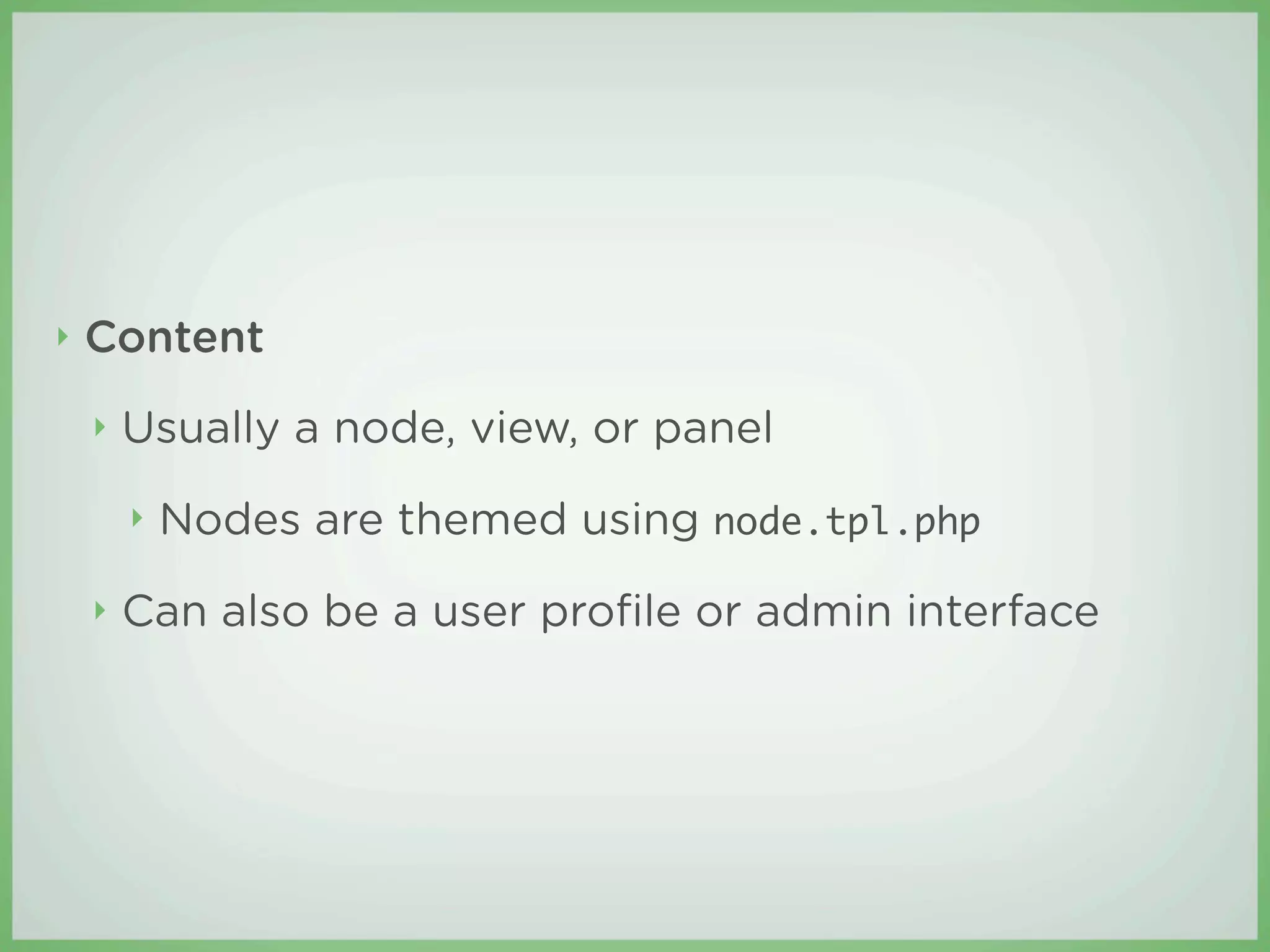
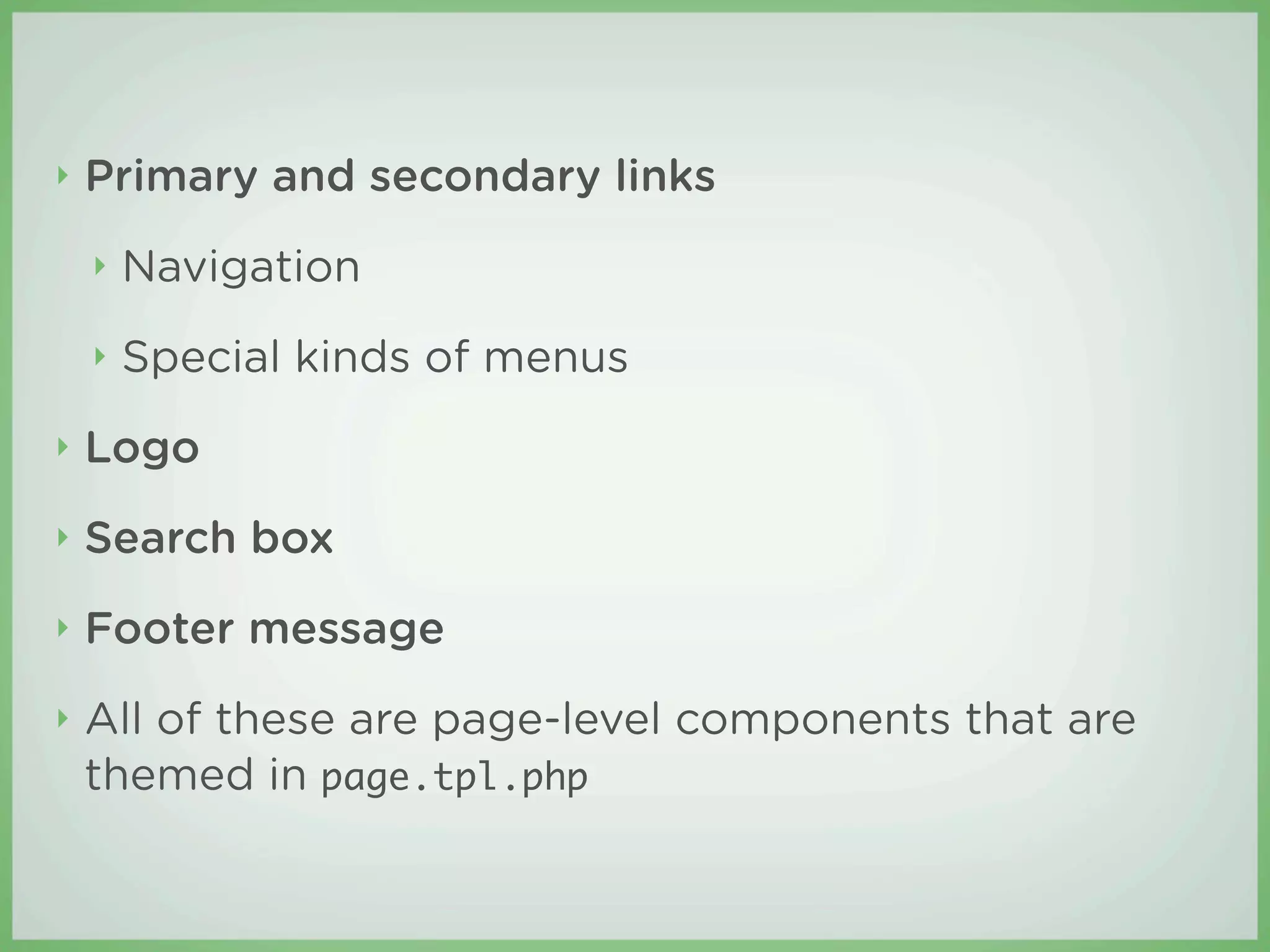
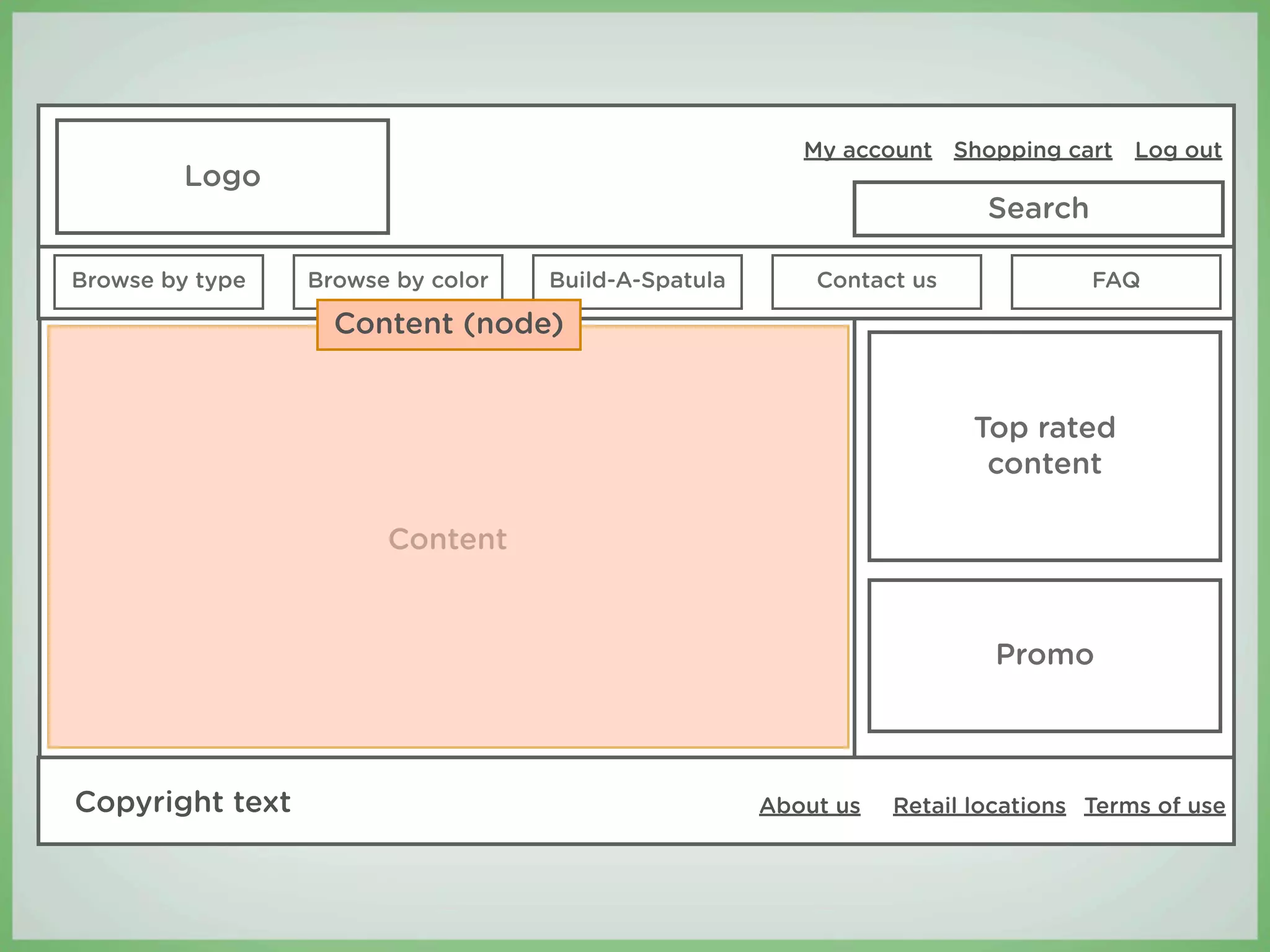
β€£   Content
    β€£   Usually a node, view, or panel
        β€£   Nodes are themed using node.tpl.php
    β€£   Can also be a user profile or admin interface
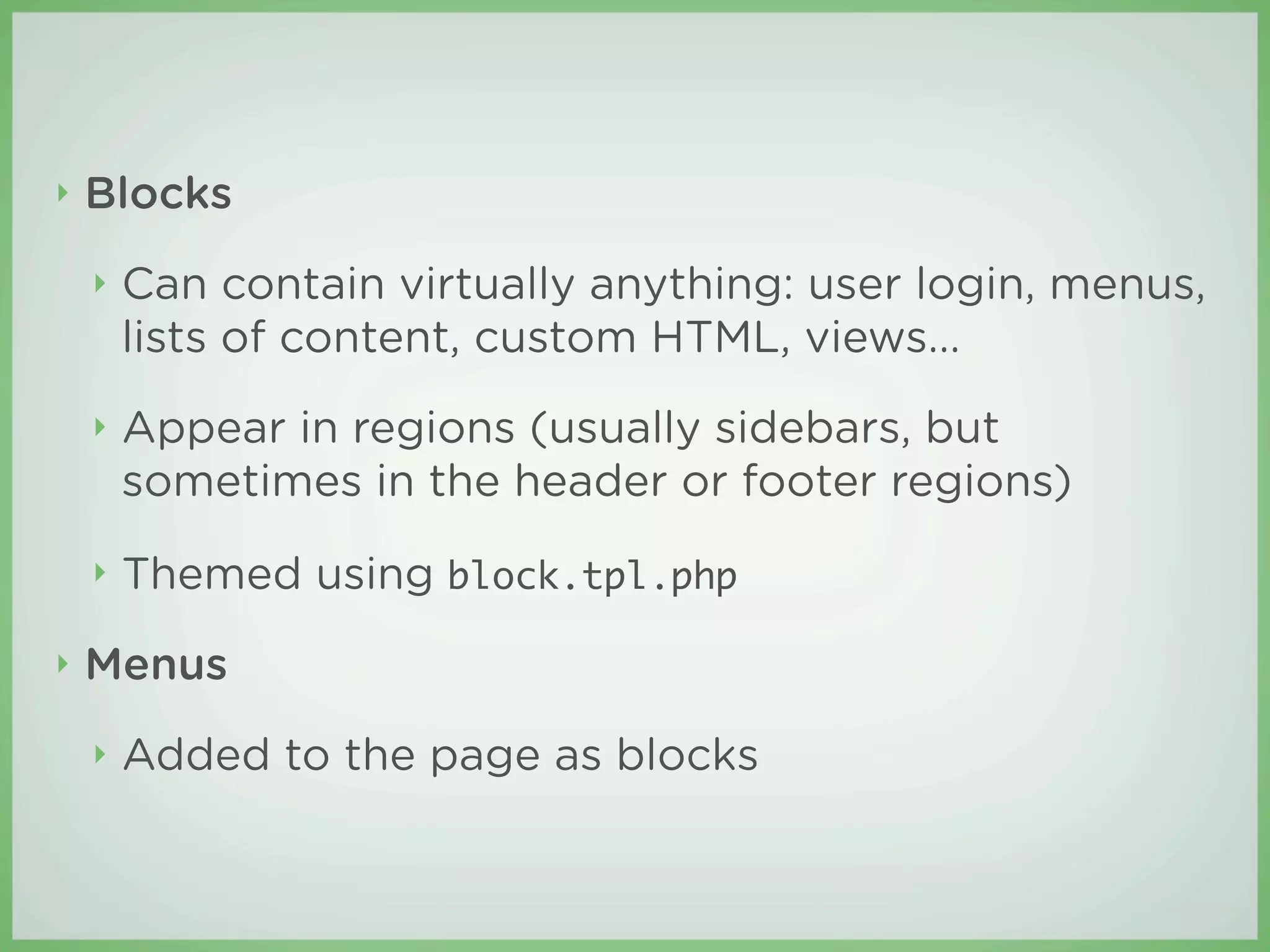
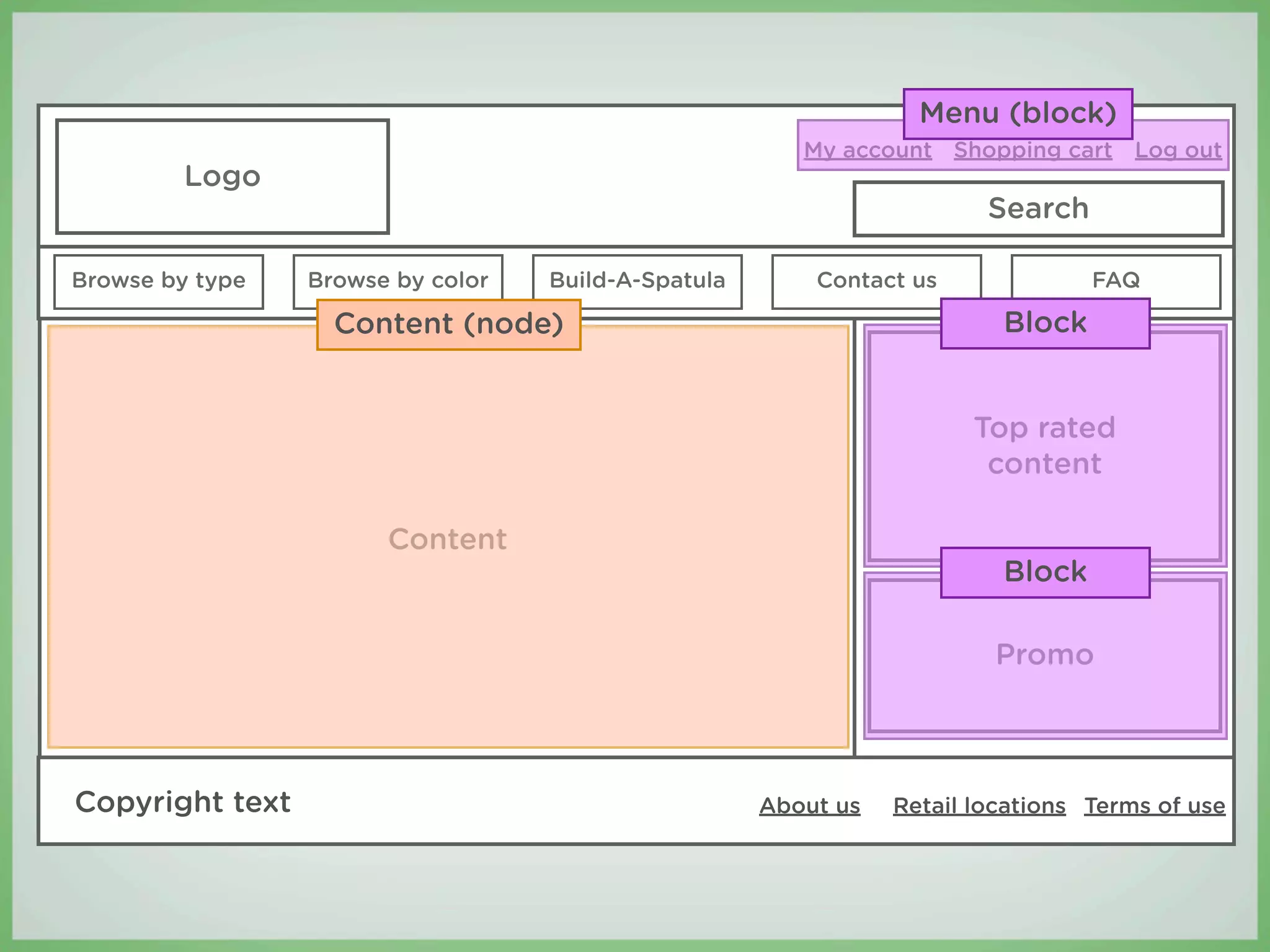
β€£   Blocks
    β€£   Can contain virtually anything: user login, menus,
        lists of content, custom HTML, views...
    β€£   Appear in regions (usually sidebars, but
        sometimes in the header or footer regions)
    β€£   Themed using block.tpl.php
β€£   Menus
    β€£   Added to the page as blocks
β€£   Primary and secondary links
    β€£   Navigation
    β€£   Special kinds of menus
β€£   Logo
β€£   Search box
β€£   Footer message
β€£   All of these are page-level components that are
    themed in page.tpl.php
My account Shopping cart Log out
         Logo
                                                                        Search

Browse by type   Browse by color   Build-A-Spatula       Contact us              FAQ


                                                                       Top rated
                                                                        content

                       Content


                                                                        Promo


Copyright text                                       About us   Retail locations Terms of use
My account Shopping cart Log out
         Logo
                                                                        Search

Browse by type   Browse by color   Build-A-Spatula       Contact us              FAQ

                   Content (node)


                                                                       Top rated
                                                                        content

                       Content


                                                                        Promo


Copyright text                                       About us   Retail locations Terms of use
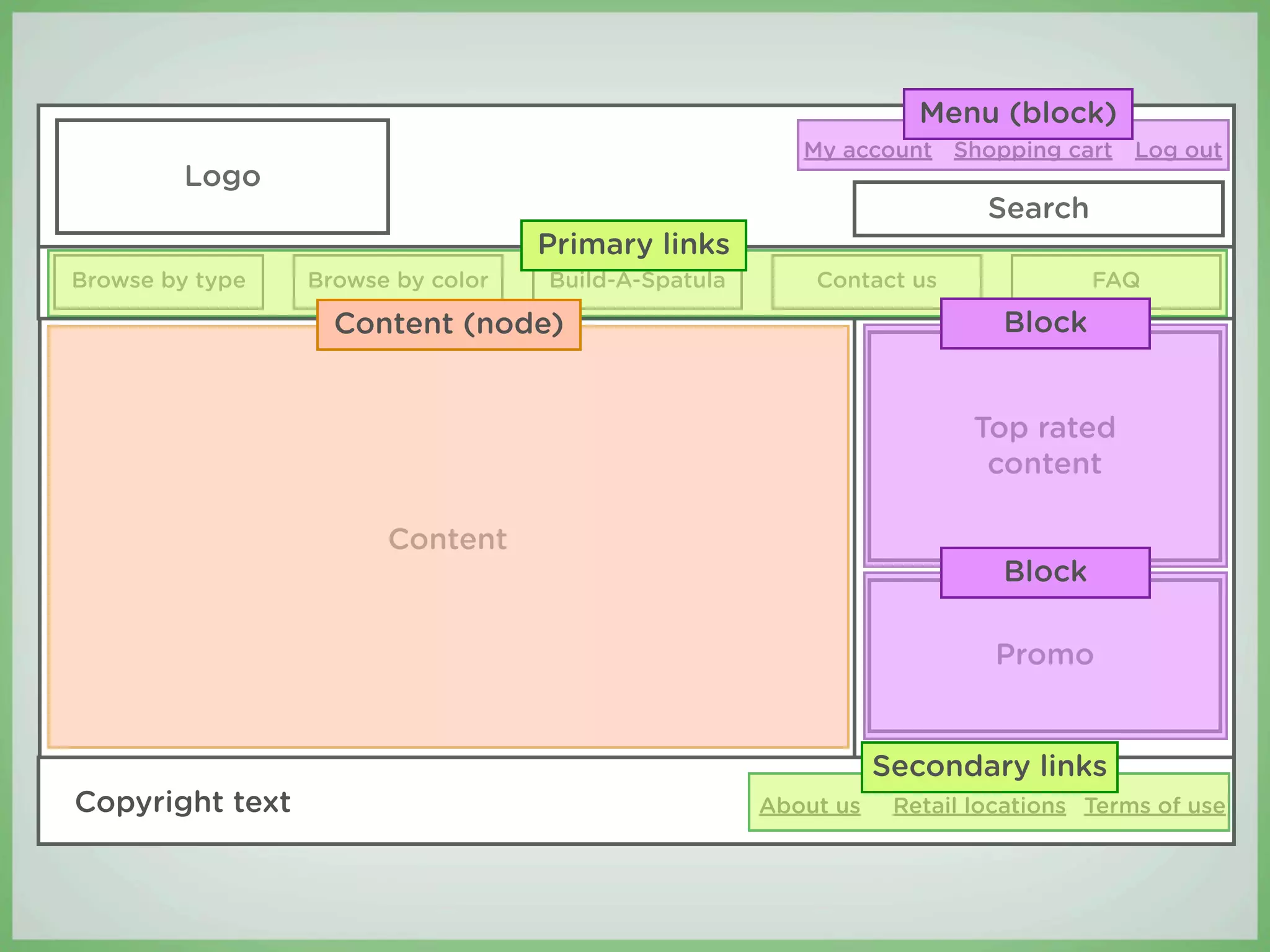
Menu (block)
                                                        My account Shopping cart Log out
         Logo
                                                                        Search

Browse by type   Browse by color   Build-A-Spatula       Contact us              FAQ

                   Content (node)                                        Block


                                                                       Top rated
                                                                        content

                       Content
                                                                         Block

                                                                        Promo


Copyright text                                       About us   Retail locations Terms of use
Menu (block)
                                                        My account Shopping cart Log out
         Logo
                                                                         Search
                                   Primary links
Browse by type   Browse by color   Build-A-Spatula       Contact us               FAQ

                   Content (node)                                         Block


                                                                        Top rated
                                                                         content

                       Content
                                                                          Block

                                                                         Promo


                                                                Secondary links
Copyright text                                       About us    Retail locations Terms of use
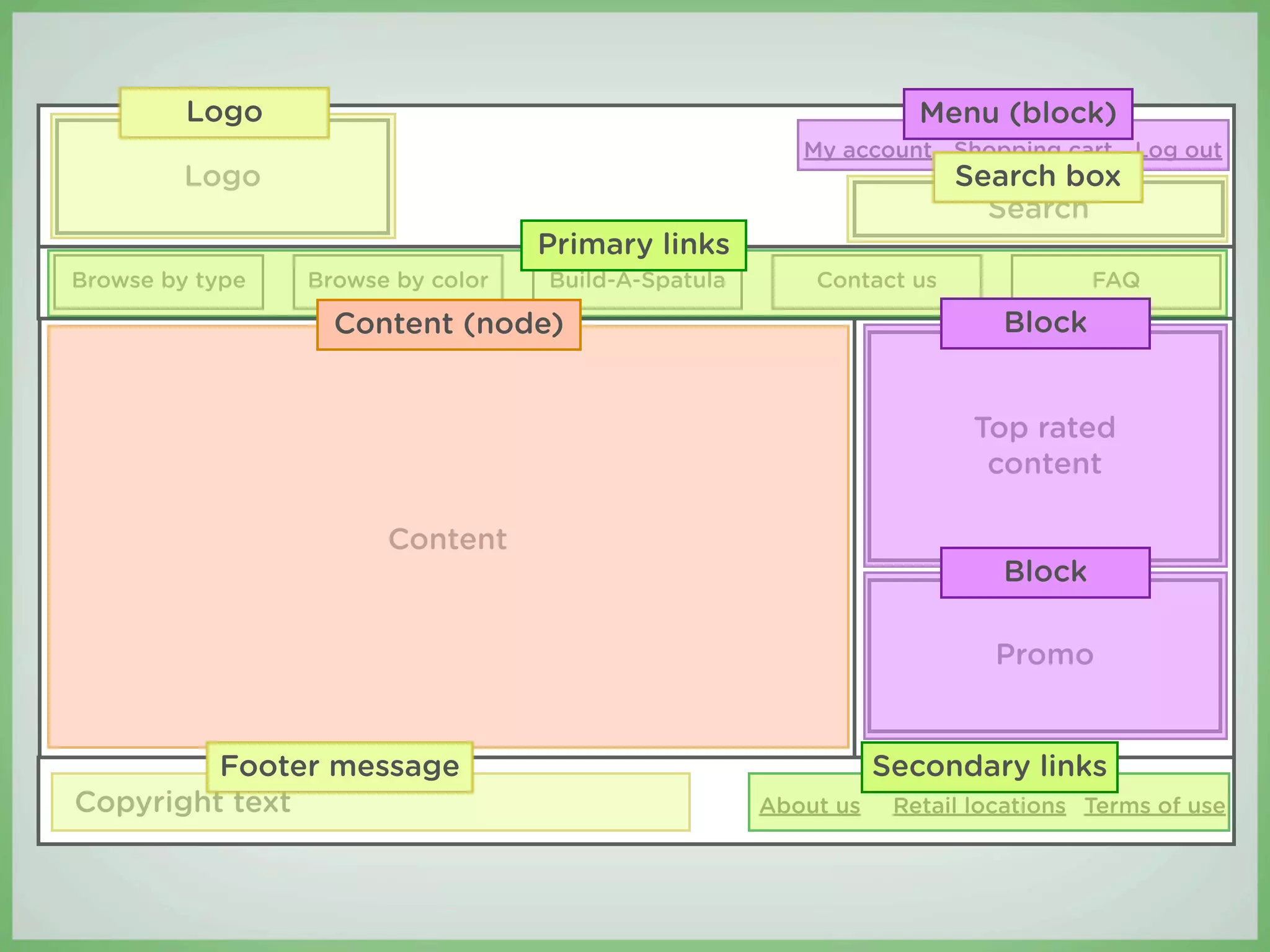
Logo                                                      Menu (block)
                                                        My account Shopping cart Log out
         Logo                                                         Search box
                                                                        Search
                                   Primary links
Browse by type   Browse by color   Build-A-Spatula       Contact us               FAQ

                   Content (node)                                         Block


                                                                        Top rated
                                                                         content

                       Content
                                                                          Block

                                                                         Promo


         Footer message                                         Secondary links
Copyright text                                       About us    Retail locations Terms of use
You’re not designing a website...
You’re designing a web system.
Step 3:
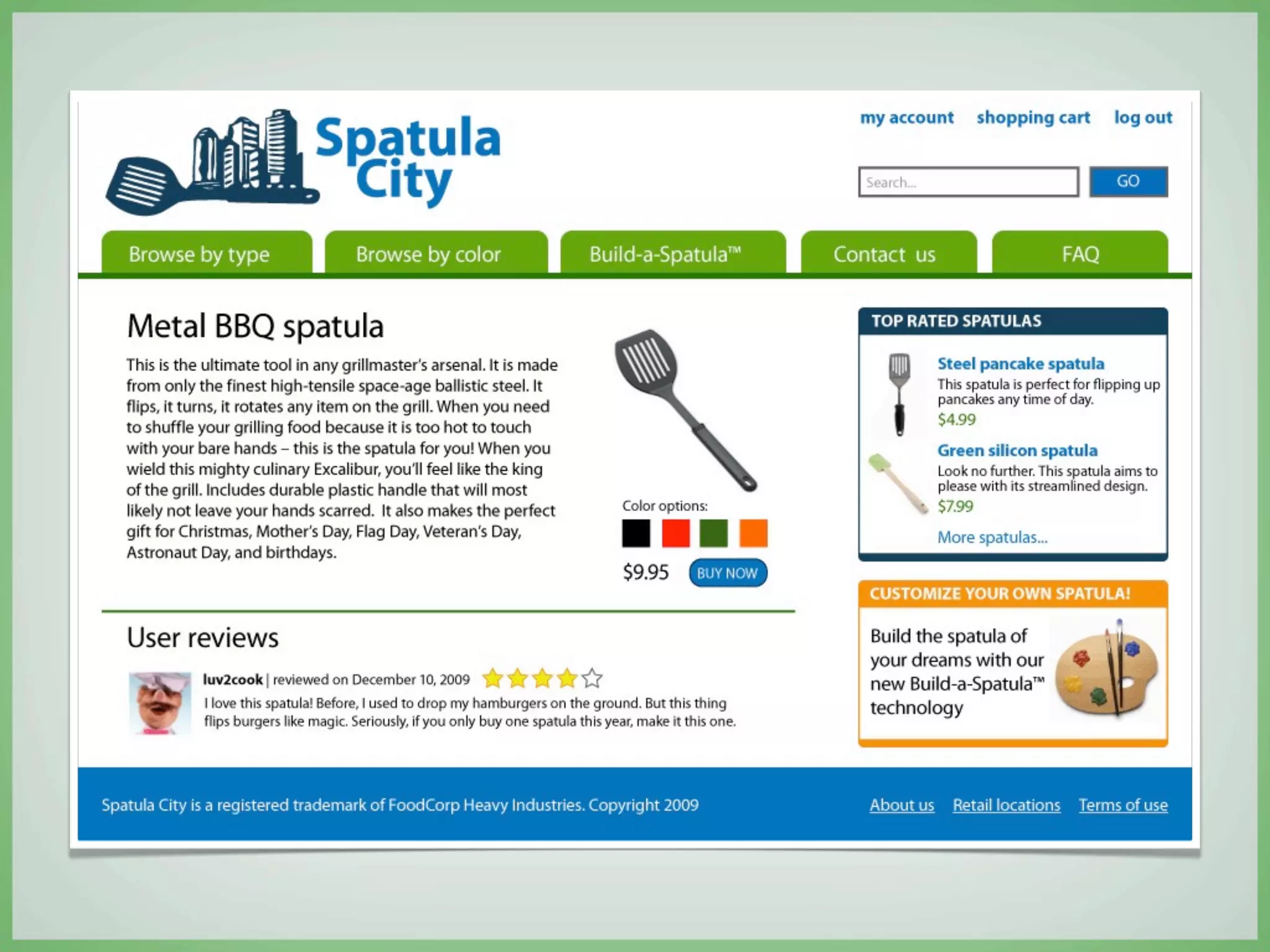
Design your site
(You may now open Photoshop!)
β€£   Now you can make informed decisions about how
    to create a compelling and e ective design
β€£   Use your wireframes as blueprints
β€£   Let the theme components inform your design
Designing the new
Spatula City
My account Shopping cart Log out
         Logo
                                                                      Search box

Browse by type   Browse by color   Build-A-Spatula       Contact us              FAQ


                                                                       Top rated
                                                                        content

                       Content


                                                                        Promo


Copyright text                                       About us   Retail locations Terms of use
Step 4:
Build your theme
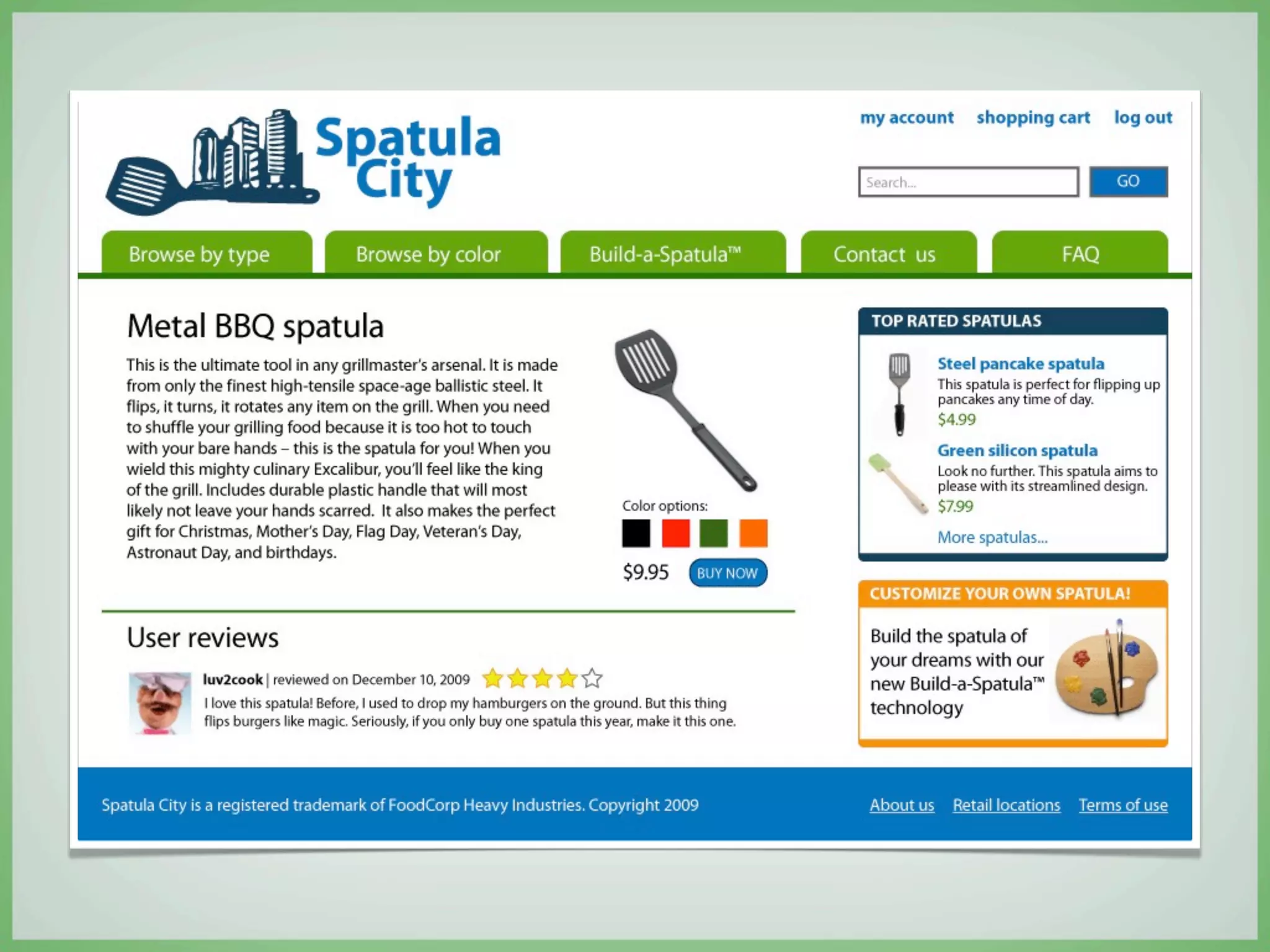
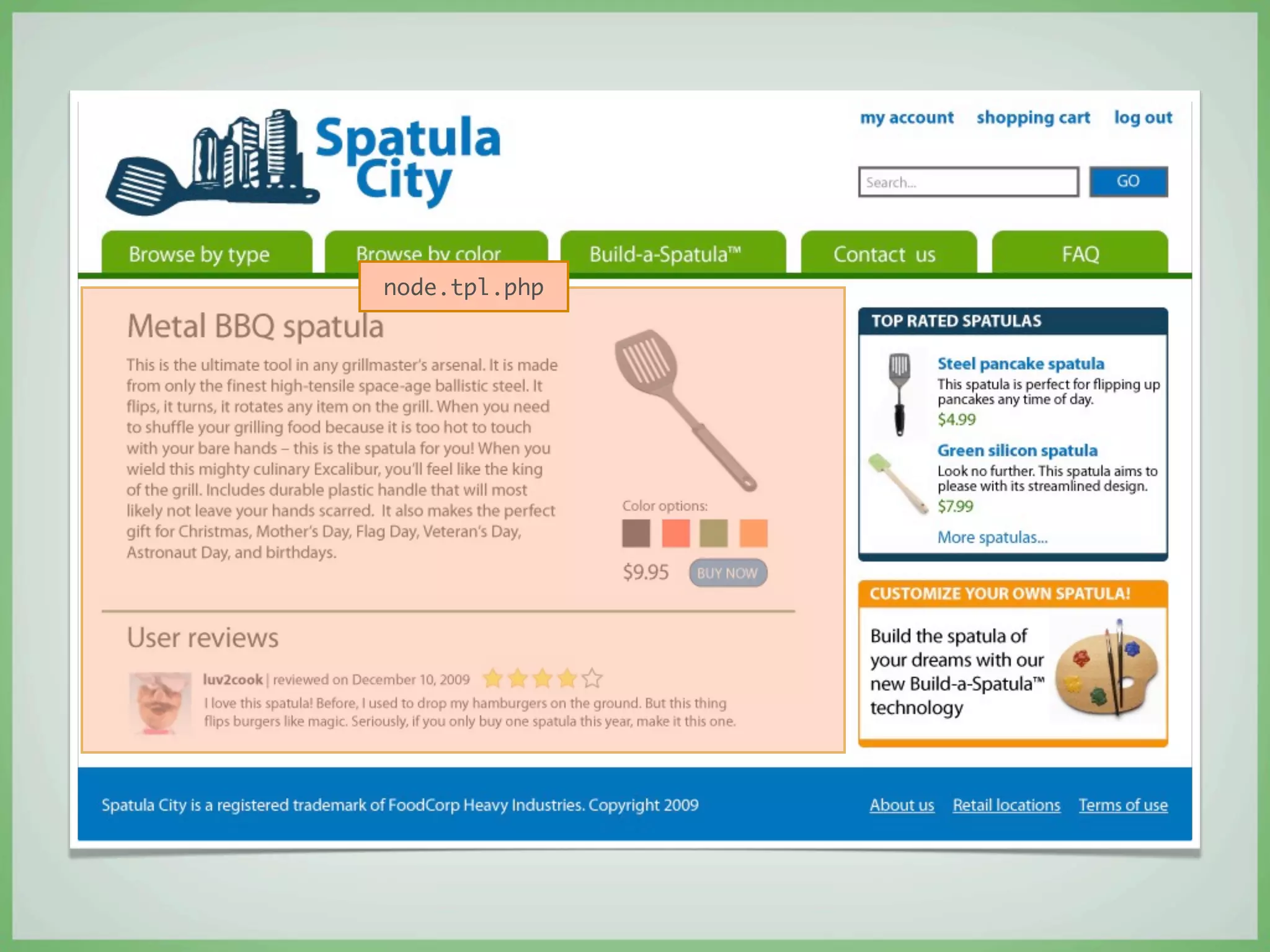
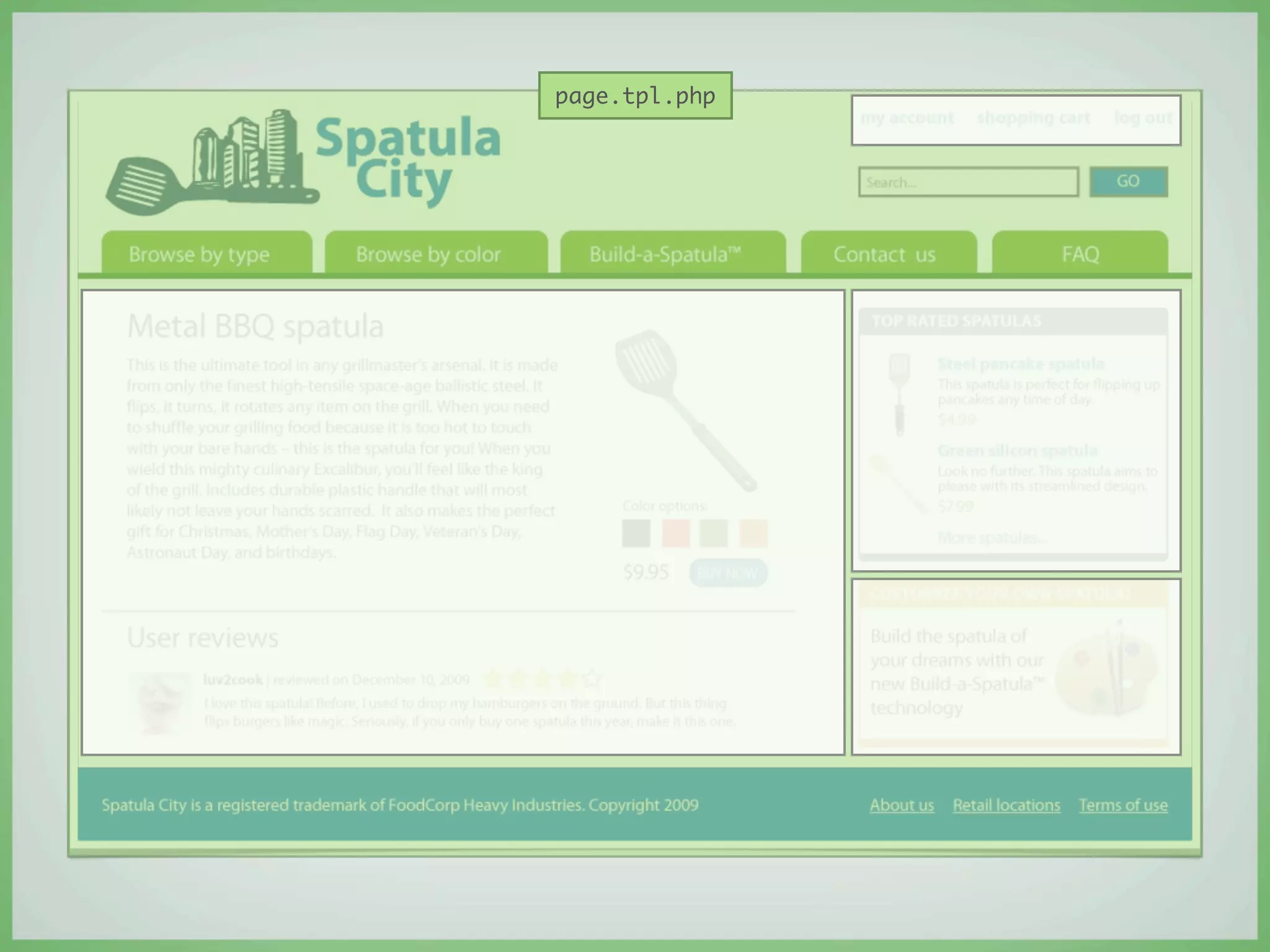
Theming is simply a matter of
changing the markup in the template
files and adding your own CSS.
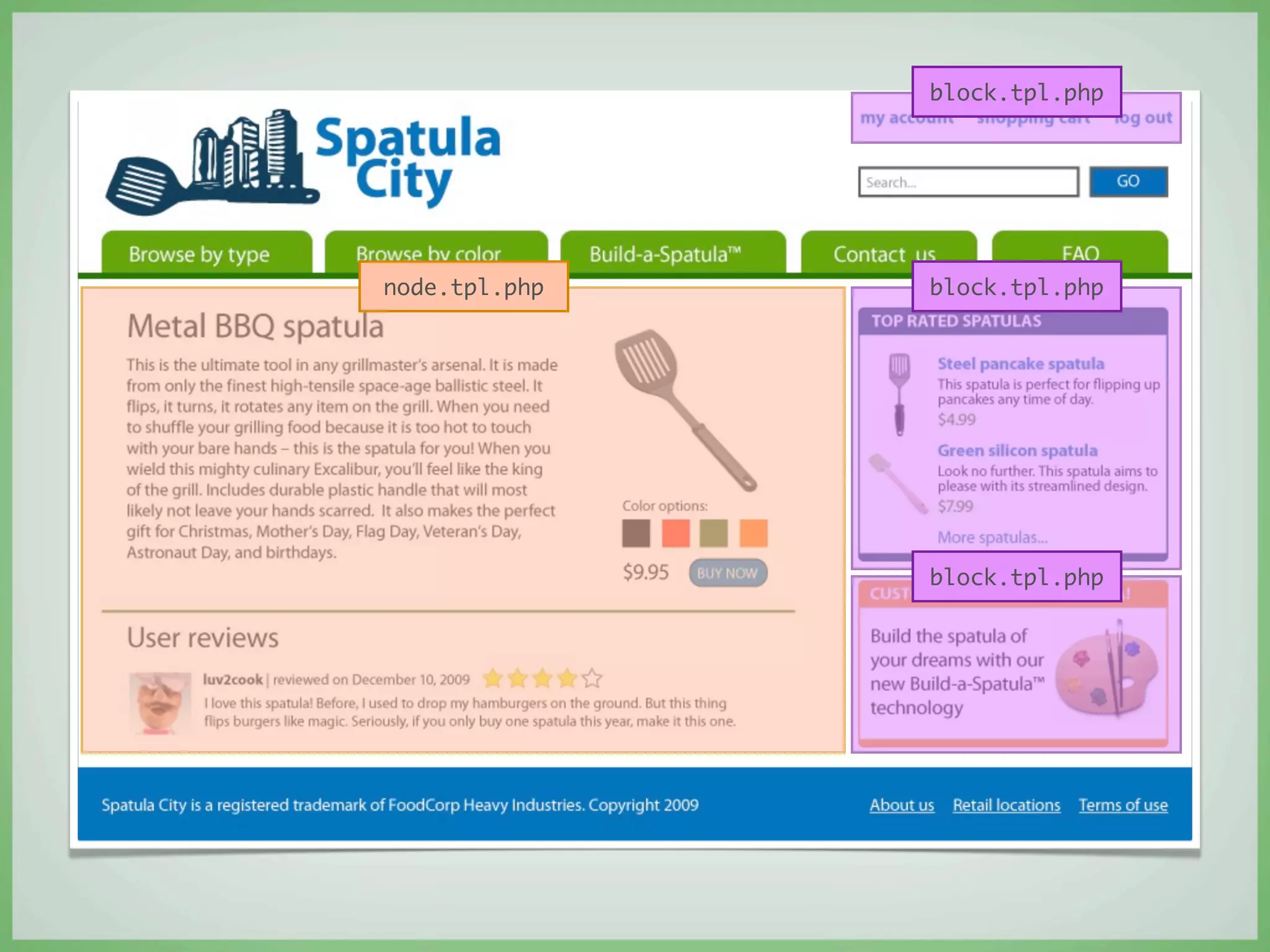
node.tpl.php
block.tpl.php


node.tpl.php   block.tpl.php


               block.tpl.php
page.tpl.php
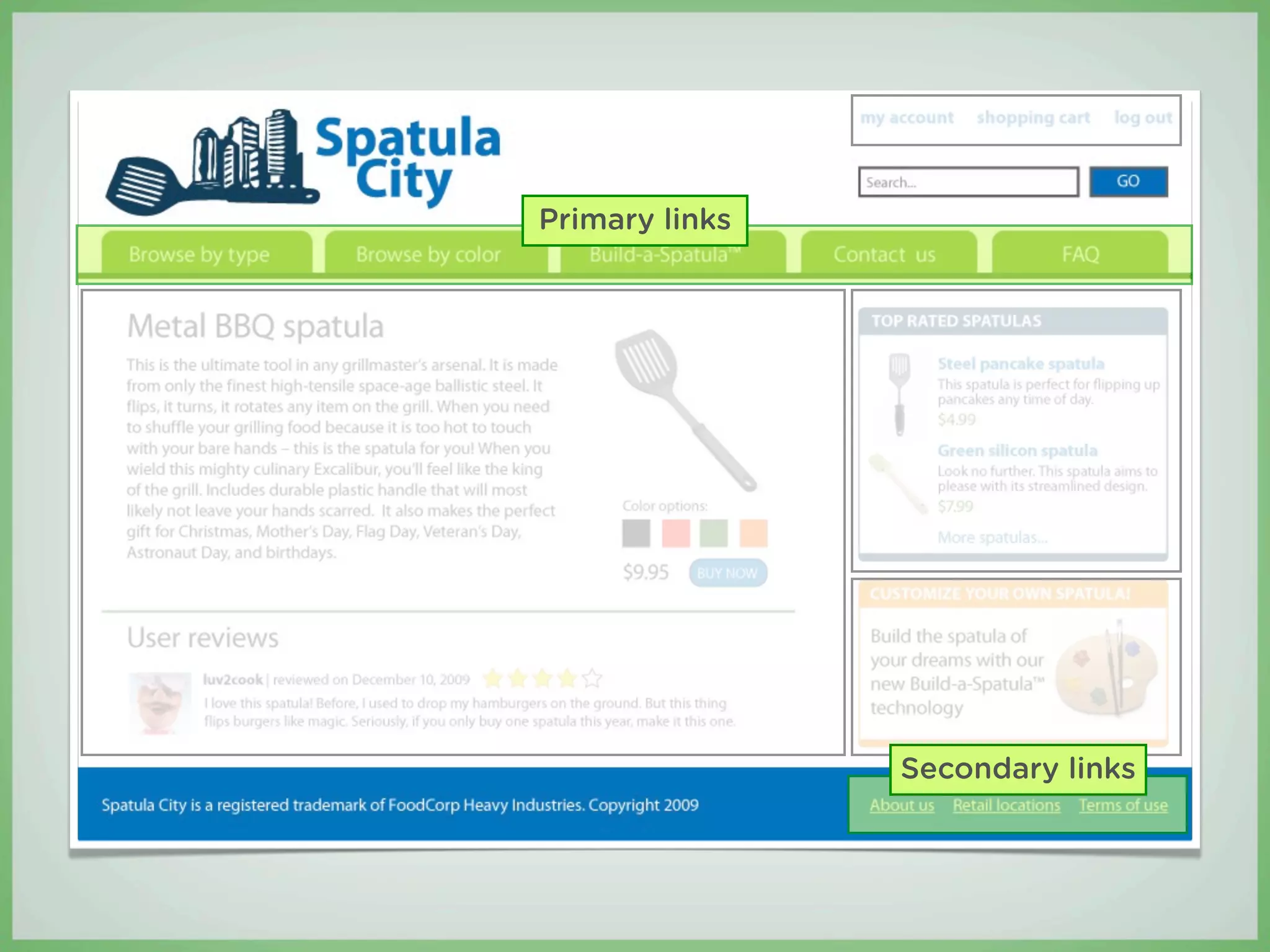
Primary links


                Secondary links
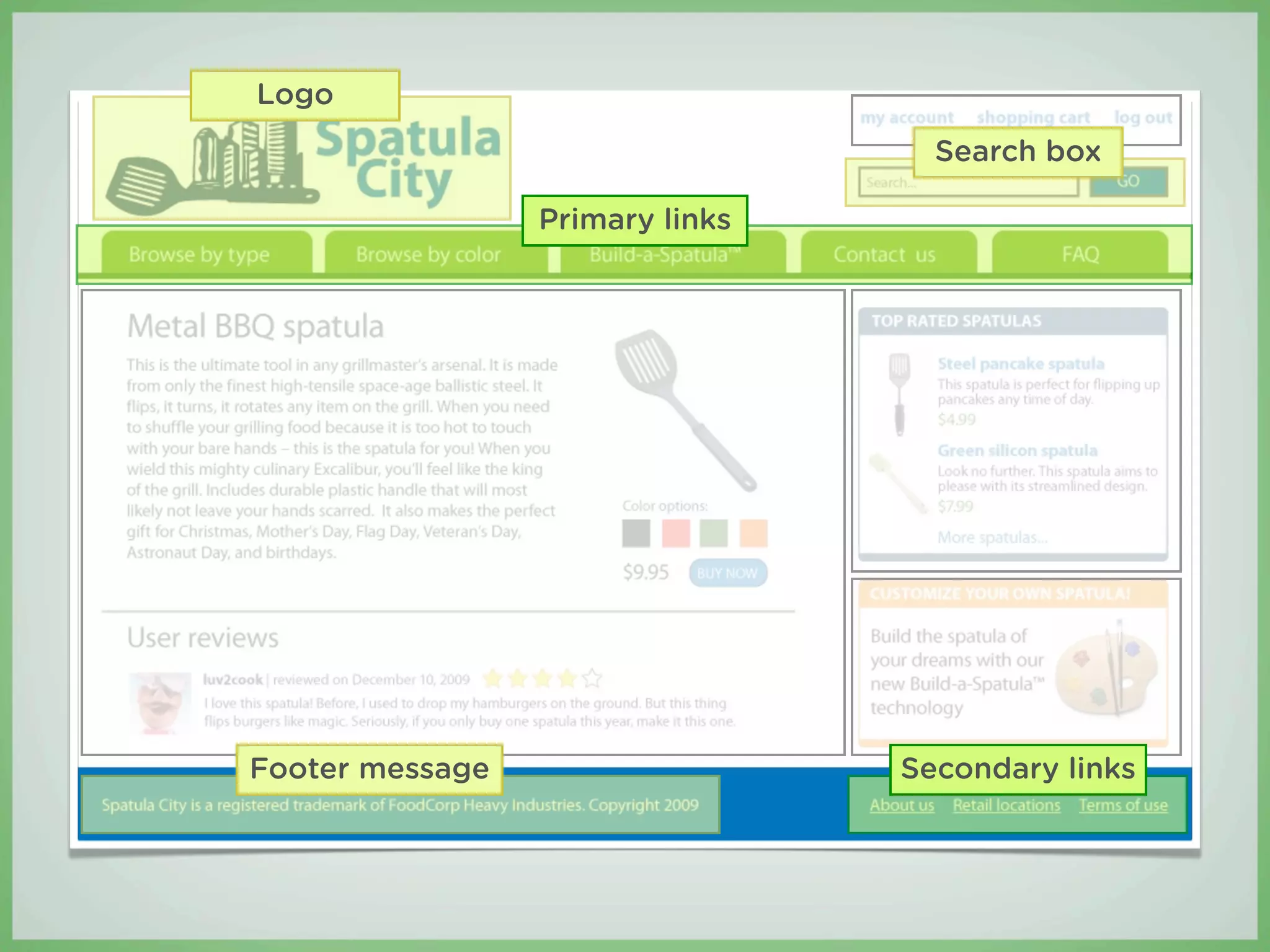
Logo
                                   Search box

                 Primary links


Footer message                   Secondary links
Better. Faster. Cheaper.
How to accelerate the design and theming phases
of your project
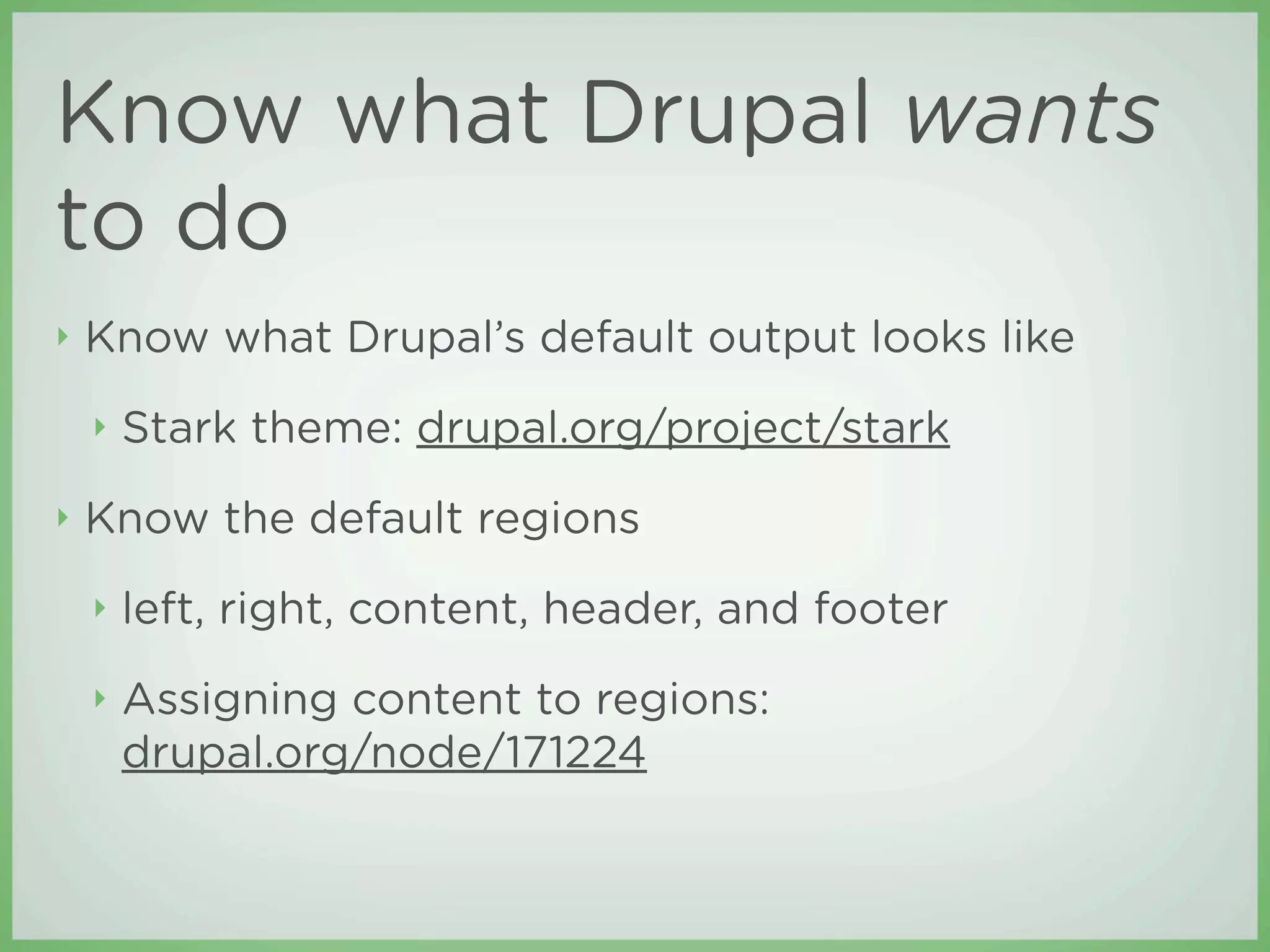
Know what Drupal wants
to do
β€£   Know what Drupal’s default output looks like
    β€£   Stark theme: drupal.org/project/stark
β€£   Know the default regions
    β€£   left, right, content, header, and footer
    β€£   Assigning content to regions:
        drupal.org/node/171224
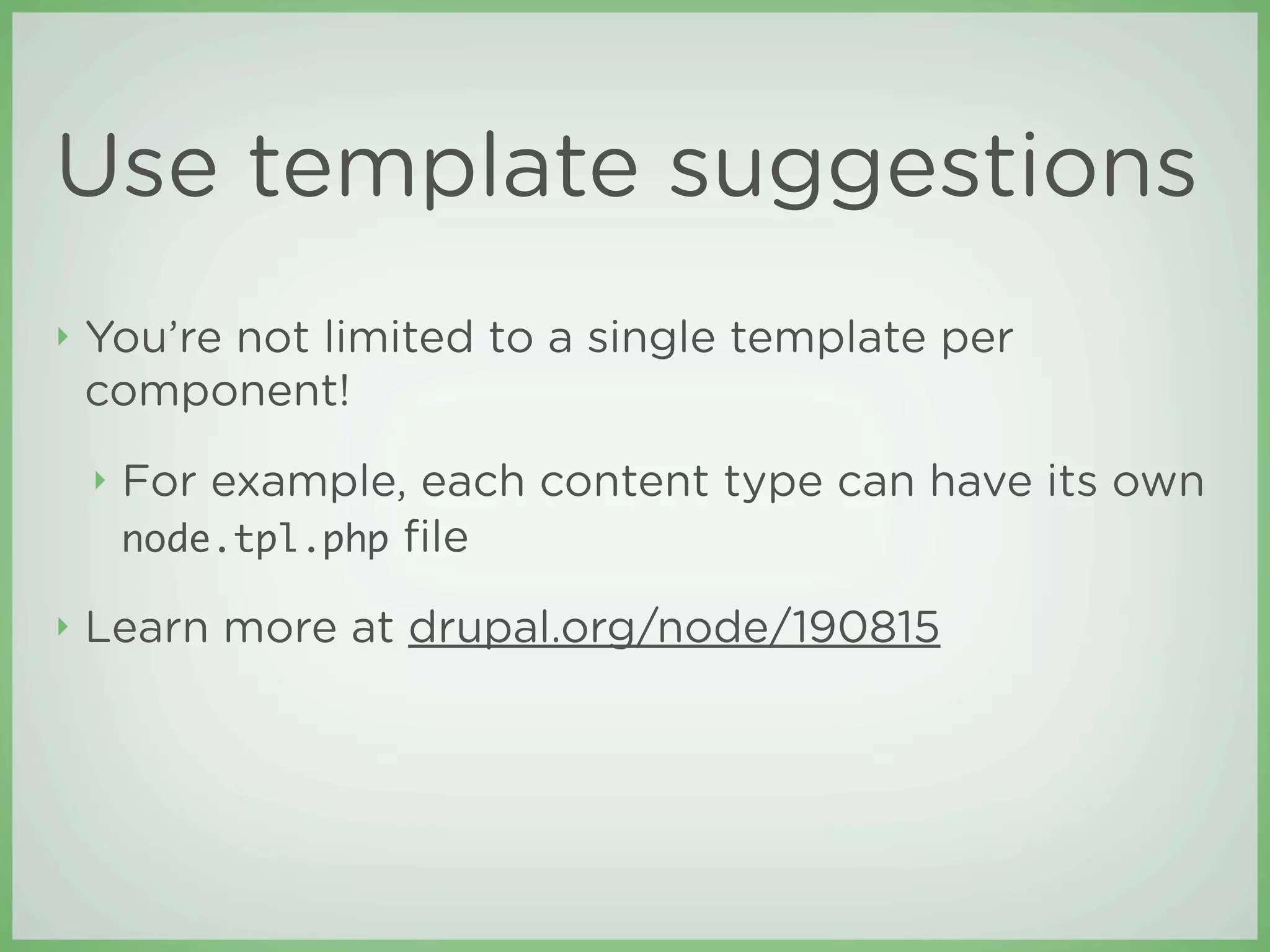
Use template suggestions
β€£   You’re not limited to a single template per
    component!
    β€£   For example, each content type can have its own
        node.tpl.php file

β€£   Learn more at drupal.org/node/190815
Subtheme
β€£   Subthemes, their structure and inheritance:
    drupal.org/node/225125
β€£   Zen: drupal.org/project/zen
Use a grid system
β€£   NineSixty: drupal.org/project/ninesixty
    β€£   Drupal port of the 960.gs grid system
    β€£   Zen NineSixty: drupal.org/project/zen_ninesixty
β€£   Blueprint: drupal.org/project/blueprint
    β€£   Drupal port of the Blueprint CSS framework
Credits
β€£   The Swedish Chef was created by       β€£   This presentation was created and
    Jim Henson. Or someone who                delivered by Todd Ross Nienkerk
    worked for him. Whatever the              and Aaron Stanush, co-founders of
    case, we didn’t invent him.               Four Kitchens

β€£   Spatula City is based on an idea by
    the great Weird Al Yankovic,
    internationally renowned accordion
    virtuoso.

β€£   The items listed above are exempt
    from this presentation’s Creative
    Commons license
All content in this presentation, except where noted otherwise, is Creative Commons Attribution-
ShareAlike 3.0 licensed and copyright 2010 Four Kitchen Studios, LLC.

From Photoshop to Drupal Theme (DrupalCon San Francisco 2010)

  • 1.
    From Photoshop to Drupal theme Creating a Drupal-optimized design Todd Nienkerk and Aaron Stanush DrupalCon San Francisco | April 19, 2010
  • 2.
  • 3.
    Todd Nienkerk Co-founder, designer, and developer Four Kitchens todd@fourkitchens.com @toddross Photo: Kristin Hillery
  • 4.
    Aaron Stanush Co-founder anddesigner Four Kitchens aaron@fourkitchens.com @astanush
  • 5.
    Prologue: Anatomy ofa Drupal theme See drupal.org/node/171194 for more information
  • 6.
    What is aDrupal theme?
  • 7.
    A Drupal themeis simply a collection of files uploaded to a specific directory.
  • 8.
    This is what Drupallooks like out of the box The only directory you need to worry about is /sites
  • 9.
    Core themes are storedin /themes DO NOT put your themes here!
  • 10.
    Themes should be uploaded to /sites/all/themes You will need to create this directory after installing Drupal
  • 11.
    To add anew theme, upload it to /sites/all/themes
  • 12.
    Drupal themes need very few files
  • 13.
    Drupal themes need very few files mytheme.info defines the theme
  • 14.
    Drupal themes need very few files mytheme.info defines the theme .tpl.php files are β€œtemplate” files
  • 15.
    Template files β€£ Contain a theme’s markup β€£ Just HTML and a little bit of PHP β€£ Each template file is responsible for a di erent piece of the page
  • 16.
    β€£ The most commonly used template files are: β€£ page.tpl.php β€£ block.tpl.php β€£ node.tpl.php
  • 17.
    page.tpl.php header region The page template is the theme’s β€œmain” template left right It assembles all the sidebar content region sidebar pieces into a region region finished page The page includes β€œregions” (header, footer, etc.) footer region
  • 18.
    node.tpl.php The node template rendersthe content portion of the page The node template also renders node teasers
  • 19.
    node.tpl.php The node template rendersthe content portion of the page The node template also renders node teasers Multiple nodes can appear on page
  • 20.
  • 21.
    block.tpl.php The block template renders eachblock on a page left right sidebar sidebar Blocks are placed region region in the regions
  • 22.
    β€£ When Drupal renders a page, it works from the inside out
  • 23.
  • 24.
    block.tpl block.tpl block.tpl node.tpl.php block.tpl block.tpl block.tpl
  • 25.
    page.tpl.php block.tpl block.tpl block.tpl node.tpl.php block.tpl block.tpl block.tpl
  • 26.
    β€£ When you understand how themes work, you can easily create a Drupal-optimized design
  • 27.
  • 28.
    You wouldn’t painta house before building it... So how can you design a website before architecting it?
  • 29.
    Before you design,ask: β€£ What’s the purpose of the site? β€£ What kind of content will the site contain? β€£ How will content be organized?
  • 30.
    Define the site β€œWhat’sthe purpose of the site?”
  • 31.
    List your goals Build a community Raise Generate awareness buzz Make money! Make money! Make money! Make money! Make money! Make Make money! money!
  • 32.
    Describe your sitein two words or less Community site Brochureware Blog Viral campaign Online store Fan site lolcat clone
  • 33.
    Define the content β€œWhatkind of content will the site contain?”
  • 34.
    β€£ In Drupal, di erent kinds of content are called content types. β€£ Content types are usually defined by the di erent information they contain.
  • 35.
    Blog post Product Title Name Author Description Date published Price Body Options (sizes, colors) Lead image Images
  • 36.
    Create a sitemapand wireframes β€œHow will content be organized?”
  • 37.
    Sitemaps β€£ List all sections of the site β€£ Illustrate how content is organized within the sections
  • 38.
    Home page Primarymenu Most Science Sports Business Arts popular Blog post Blog post Blog post Blog post Blog post Secondary menu About us Terms of use Contact us User tools My account Search
  • 39.
    Wireframes β€£ Illustrate page layout and functionality β€£ Demonstrate how a user will navigate the site β€£ Use placement of key components to reinforce the goals of the site β€£ Shopping cart icon β€£ Revenue-generating ads
  • 40.
    My account |Log out Blog Logo Search Science Sports Most popular Business posts Arts Content Advertisement Copyright 2010 BlogCorp, Inc. About us | Contact us | Terms of use
  • 41.
    Brainstorming should happenusing wireframes, not design comps or mockups.
  • 42.
    Case study: SpatulaCity Spatula City is relaunching their website. It will be the largest spatula site ever built!
  • 43.
    Define the site Goals Description β€£ Build awareness of β€£ β€œOnline store” the Spatula City brand β€£ Be the Amazon.com of online spatula retail β€£ Make money!
  • 44.
    Define content types β€£ Product Product β€£ Frequently asked Name question (FAQ) Description β€£ Page Price Color options Image
  • 45.
  • 46.
    Home page Primarymenu Spatulas Spatulas Build-A- FAQ Contact us by type by color Spatula Question Spatula page page Secondary menu Retail locations About us Terms of use User tools My account Shopping cart Search
  • 47.
  • 48.
    My account Shoppingcart Log out Logo Search Browse by type Browse by color Build-A-Spatula Contact us FAQ Top rated content Content Promo Copyright text About us Retail locations Terms of use
  • 49.
    Step 2: Translate thewireframes into β€œDrupalspeak”
  • 50.
    Most Drupal themesare comprised of just a few, basic components.
  • 51.
    β€£ Content β€£ Usually a node, view, or panel β€£ Nodes are themed using node.tpl.php β€£ Can also be a user profile or admin interface
  • 52.
    β€£ Blocks β€£ Can contain virtually anything: user login, menus, lists of content, custom HTML, views... β€£ Appear in regions (usually sidebars, but sometimes in the header or footer regions) β€£ Themed using block.tpl.php β€£ Menus β€£ Added to the page as blocks
  • 53.
    β€£ Primary and secondary links β€£ Navigation β€£ Special kinds of menus β€£ Logo β€£ Search box β€£ Footer message β€£ All of these are page-level components that are themed in page.tpl.php
  • 54.
    My account Shoppingcart Log out Logo Search Browse by type Browse by color Build-A-Spatula Contact us FAQ Top rated content Content Promo Copyright text About us Retail locations Terms of use
  • 55.
    My account Shoppingcart Log out Logo Search Browse by type Browse by color Build-A-Spatula Contact us FAQ Content (node) Top rated content Content Promo Copyright text About us Retail locations Terms of use
  • 56.
    Menu (block) My account Shopping cart Log out Logo Search Browse by type Browse by color Build-A-Spatula Contact us FAQ Content (node) Block Top rated content Content Block Promo Copyright text About us Retail locations Terms of use
  • 57.
    Menu (block) My account Shopping cart Log out Logo Search Primary links Browse by type Browse by color Build-A-Spatula Contact us FAQ Content (node) Block Top rated content Content Block Promo Secondary links Copyright text About us Retail locations Terms of use
  • 58.
    Logo Menu (block) My account Shopping cart Log out Logo Search box Search Primary links Browse by type Browse by color Build-A-Spatula Contact us FAQ Content (node) Block Top rated content Content Block Promo Footer message Secondary links Copyright text About us Retail locations Terms of use
  • 59.
    You’re not designinga website... You’re designing a web system.
  • 60.
    Step 3: Design yoursite (You may now open Photoshop!)
  • 61.
    β€£ Now you can make informed decisions about how to create a compelling and e ective design β€£ Use your wireframes as blueprints β€£ Let the theme components inform your design
  • 62.
  • 63.
    My account Shoppingcart Log out Logo Search box Browse by type Browse by color Build-A-Spatula Contact us FAQ Top rated content Content Promo Copyright text About us Retail locations Terms of use
  • 65.
  • 66.
    Theming is simplya matter of changing the markup in the template files and adding your own CSS.
  • 68.
  • 69.
    block.tpl.php node.tpl.php block.tpl.php block.tpl.php
  • 70.
  • 71.
    Primary links Secondary links
  • 72.
    Logo Search box Primary links Footer message Secondary links
  • 73.
    Better. Faster. Cheaper. Howto accelerate the design and theming phases of your project
  • 74.
    Know what Drupalwants to do β€£ Know what Drupal’s default output looks like β€£ Stark theme: drupal.org/project/stark β€£ Know the default regions β€£ left, right, content, header, and footer β€£ Assigning content to regions: drupal.org/node/171224
  • 75.
    Use template suggestions β€£ You’re not limited to a single template per component! β€£ For example, each content type can have its own node.tpl.php file β€£ Learn more at drupal.org/node/190815
  • 76.
    Subtheme β€£ Subthemes, their structure and inheritance: drupal.org/node/225125 β€£ Zen: drupal.org/project/zen
  • 77.
    Use a gridsystem β€£ NineSixty: drupal.org/project/ninesixty β€£ Drupal port of the 960.gs grid system β€£ Zen NineSixty: drupal.org/project/zen_ninesixty β€£ Blueprint: drupal.org/project/blueprint β€£ Drupal port of the Blueprint CSS framework
  • 78.
    Credits β€£ The Swedish Chef was created by β€£ This presentation was created and Jim Henson. Or someone who delivered by Todd Ross Nienkerk worked for him. Whatever the and Aaron Stanush, co-founders of case, we didn’t invent him. Four Kitchens β€£ Spatula City is based on an idea by the great Weird Al Yankovic, internationally renowned accordion virtuoso. β€£ The items listed above are exempt from this presentation’s Creative Commons license
  • 79.
    All content inthis presentation, except where noted otherwise, is Creative Commons Attribution- ShareAlike 3.0 licensed and copyright 2010 Four Kitchen Studios, LLC.