

FS and Key Stage 1 ICT  Improving and Innovating Improving & innovating                        
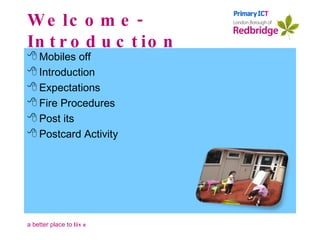
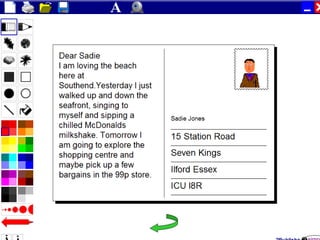
Welcome- Introduction Mobiles off Introduction Expectations Fire Procedures Post its Postcard Activity
Improving and Innovating
Improving & innovating
 
 
Improving & innovating
Aims To be clear about the statutory requirements for ICT in FDN and Key Stage 1 To gain practical experience of a number of appropriate ICT applications To consider progression  Improving and Innovating
Welcome- Introduction Mobiles off Introduction Expectations Fire Procedures Post its Postcard Activity
 
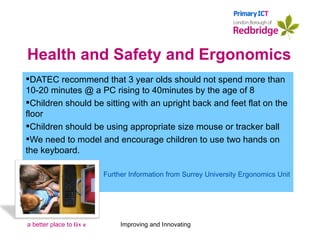
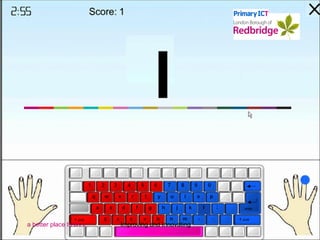
Health and Safety and Ergonomics DATEC recommend that 3 year olds should not spend more than 10-20 minutes @ a PC rising to 40minutes by the age of 8 Children should be sitting with an upright back and feet flat on the floor Children should be using appropriate size mouse or tracker ball We need to model and encourage children to use two hands on the keyboard. Further Information from Surrey University Ergonomics Unit Improving and Innovating
ICT Suites and Interactive Whiteboards can not teach!! High levels of resources are not enough by themselves.  The  crucial determinant  of success is still  the teacher  and his or her use of ICT to support learning and raise standards. Becta  ICT Supporting Learning and Developing Effective Practice 2002 Improving and Innovating
Requirements in other Subjects Statutory referen ces to the applications of ICT in all other subject programmes of study @ Key Stage 2 (apart from physical education) There are also statutory requirements for the application of ICT in the core subjects programmes of study @ Key Stage 1 There is a statutory requirement regarding the use of ICT across the curriculum Huge implications in exemplified units and objectives of Renewed Frameworks for Literacy and Numeracy Improving and Innovating
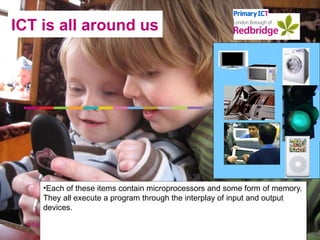
ICT is all around us Each of these items contain microprocessors and some form of memory. They all execute a program through the interplay of input and output devices.   Improving and Innovating
Improving and Innovating
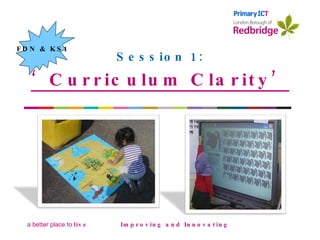
Session 1: ‘ Curriculum Clarity’ Improving and Innovating Improving & innovating FDN & KS1                        
 
 
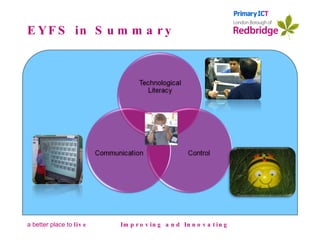
EYFS in Summary Improving and Innovating
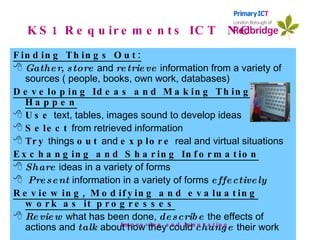
KS1 Requirements ICT  NC Finding Things Out: Gather, store  and  retrieve  information from a variety of sources ( people, books, own work, databases) Developing Ideas and Making Things Happen Use  text, tables, images sound to develop ideas Select  from retrieved information  Try  things  out  and  explore  real and virtual situations Exchanging and Sharing Information Share  ideas in a variety of forms  Present  information in a variety of forms  effectively Reviewing, Modifying and evaluating work as it progresses Review  what has been done,  describe  the effects of actions and  talk  about how they could  change  their work  . Improving and Innovating
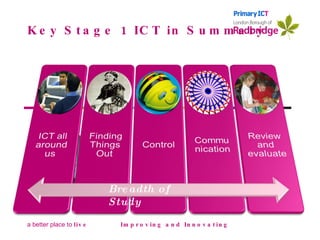
Key Stage 1 ICT in Summary Improving and Innovating Breadth of Study
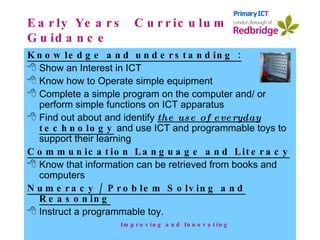
Early Years  Curriculum Guidance Knowledge and understanding : Show an Interest in ICT Know how to Operate simple equipment Complete a simple program on the computer and/ or perform simple functions on ICT apparatus Find out about and identify  the use of everyday  technology  and use ICT and programmable toys to support their learning Communication Language and Literacy Know that information can be retrieved from books and computers Numeracy / Problem Solving and Reasoning Instruct a programmable toy. Improving and Innovating
ICT across the Curriculum a feature of so many Ofsted Reports We also think you do not always get to use the computers and other equipment Letters from Ofsted to children following report "(ICT) it is not used enough to support learning across the curriculum".   Judgement in recent Ofsted report Improving and Innovating
Session 2: ‘ Beebots’ Improving and Innovating Improving & innovating FDN & KS1                        
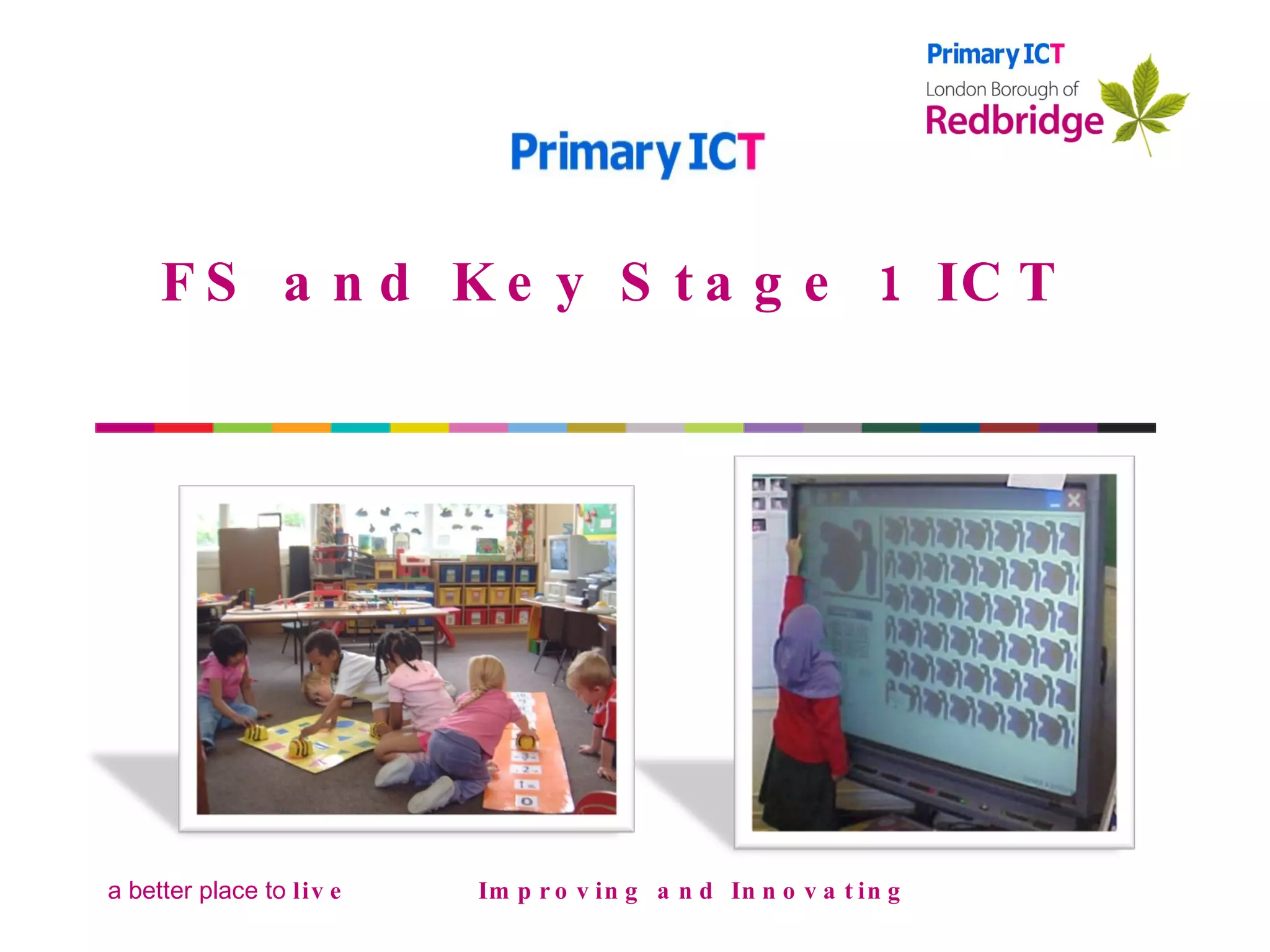
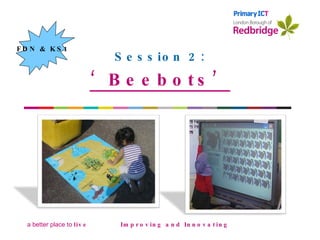
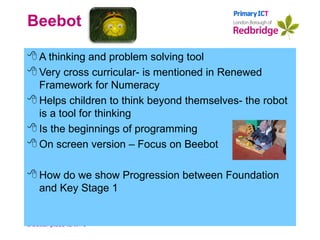
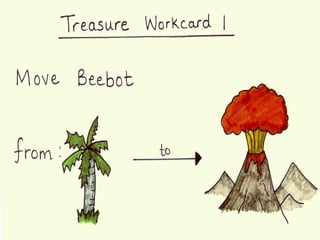
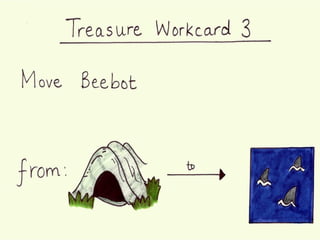
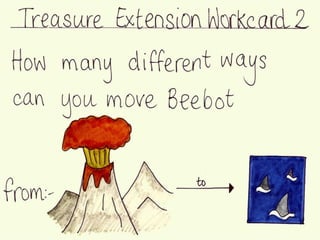
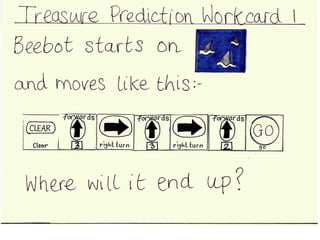
Beebot A thinking and problem solving tool Very cross curricular- is mentioned in Renewed Framework for Numeracy Helps children to think beyond themselves- the robot is a tool for thinking Is the beginnings of programming On screen version – Focus on Beebot How do we show Progression between Foundation and Key Stage 1


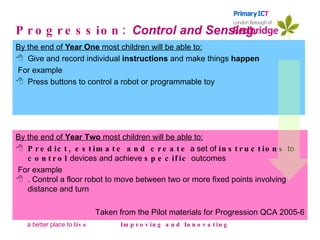
Progression:  Control and Sensing. By the end of  Year One  most children will be able to: Give and record individual  instructions  and make things  happen For example Press buttons to control a robot or programmable toy   Improving and Innovating By the end of  Year Two  most children will be able to: Predict, estimate and create  a set of  instructions  to  control  devices and achieve  specific  outcomes For example . Control a floor robot to move between two or more fixed points involving distance and turn Taken from the Pilot materials for Progression QCA 2005-6
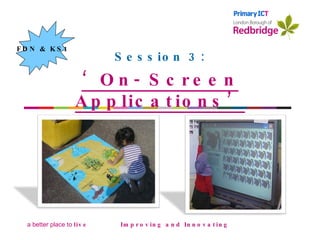
Session 3: ‘ On- Screen Applications’ Improving and Innovating Improving & innovating FDN & KS1                        
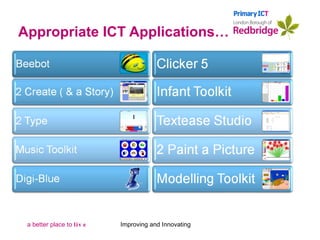
Appropriate ICT Applications… Improving and Innovating
ICT across the Curriculum a feature of so many Ofsted Reports We also think you do not always get to  use the computers  & other equipment Letters from OFSTED to children following report "(ICT) it is not used enough to support learning across the curriculum".   Judgement in recent OFSTED report Improving and Innovating
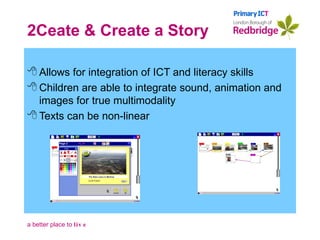
2Ceate & Create a Story Allows for integration of ICT and literacy skills Children are able to integrate sound, animation and images for true multimodality Texts can be non-linear
Improving and Innovating
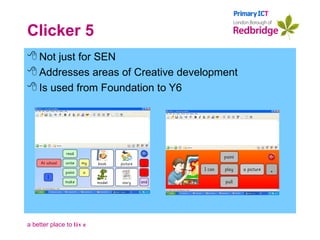
Clicker 5 Not just for SEN  Addresses areas of Creative development Is used from Foundation to Y6
Progression:  Communication By the end of  Year One  most children will be able to:   Communicate  and  present  their  ideas  using digital images, text and sound For example Take photographs of riding a bicycle, add a caption and or voice recording Improving and Innovating By the end of  Year Two  most children will be able to: Know how to express their ideas  using a range of ICT tools.  For example Children create an ebook about their visit to the shops in response to teacher led activity. Taken from the Pilot materials for Progression QCA 2005-6
What makes a good ICT Lesson? Improving and Innovating
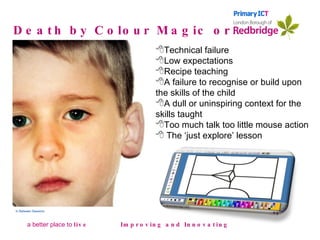
Death by Colour Magic or… Improving and Innovating In Between Sessions Technical failure Low expectations Recipe teaching A failure to recognise or build upon the skills of the child A dull or uninspiring context for the skills taught Too much talk too little mouse action The ‘just explore’ lesson
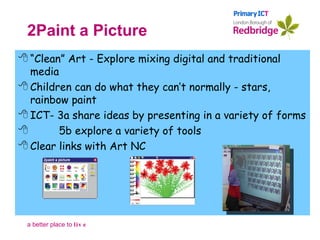
2Paint a Picture “ Clean” Art - Explore mixing digital and traditional media Children can do what they can’t normally - stars, rainbow paint ICT- 3a share ideas by presenting in a variety of forms 5b explore a variety of tools Clear links with Art NC
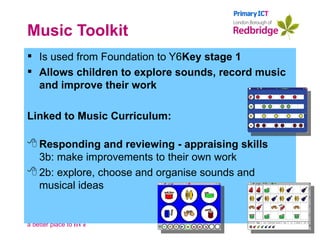
Music Toolkit Is used from Foundation to Y6 Key stage 1 Allows children to explore sounds, record music and improve their work Linked to Music Curriculum: Responding and reviewing - appraising skills 3b: make improvements to their own work 2b: explore, choose and organise sounds and musical ideas
With all of these applications we need to consider stages of children’s development: Stimulated by Explore Practice / Rehearse Use for intended Audience Improving and Innovating
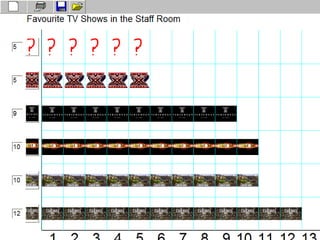
Progression:  Handling data By the end of  Year One  most children will be able to:   Know  information exists in different forms: For example as part of work on a traffic survey children interpret a pictogram Improving and Innovating By the end of  Year Two  most children will be able to: Collect, organise and classify  data.  Create graphs  and use these to answer questions; For example collect and analyse class based data about themselves;  Taken from the Pilot materials for Progression QCA 2005-6
Improving and Innovating
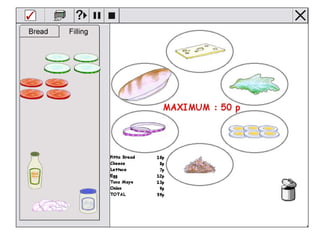
Progression:  Modelling and Sim. By the end of  Year One  most children will be able to:   Explore  options and make  choices For example Children explore cause and effect by using different colours in a portrait to reflect different ways they feel  Improving and Innovating By the end of  Year Two  most children will be able to: Use ICT to  explore   real  and  imaginary  situations.  For example Children answer what if questions using a visual simulation of feeding animals and the relationship of food to number and can explain what has happened and why. Taken from the Pilot materials for Progression QCA 2005-6
Improving and Innovating
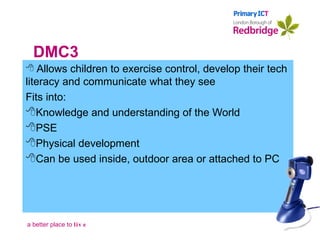
DMC3 Allows children to exercise control, develop their tech literacy and communicate what they see Fits into: Knowledge and understanding of the World PSE Physical development Can be used inside, outdoor area or attached to PC

Foundation and Key Stage 1 ICT

  • 1.
    FS and KeyStage 1 ICT Improving and Innovating Improving & innovating                        
  • 2.
    Welcome- Introduction Mobilesoff Introduction Expectations Fire Procedures Post its Postcard Activity
  • 3.
  • 4.
  • 5.
  • 6.
  • 7.
  • 8.
    Aims To beclear about the statutory requirements for ICT in FDN and Key Stage 1 To gain practical experience of a number of appropriate ICT applications To consider progression Improving and Innovating
  • 9.
    Welcome- Introduction Mobilesoff Introduction Expectations Fire Procedures Post its Postcard Activity
  • 10.
  • 11.
    Health and Safetyand Ergonomics DATEC recommend that 3 year olds should not spend more than 10-20 minutes @ a PC rising to 40minutes by the age of 8 Children should be sitting with an upright back and feet flat on the floor Children should be using appropriate size mouse or tracker ball We need to model and encourage children to use two hands on the keyboard. Further Information from Surrey University Ergonomics Unit Improving and Innovating
  • 12.
    ICT Suites andInteractive Whiteboards can not teach!! High levels of resources are not enough by themselves. The crucial determinant of success is still the teacher and his or her use of ICT to support learning and raise standards. Becta ICT Supporting Learning and Developing Effective Practice 2002 Improving and Innovating
  • 13.
    Requirements in otherSubjects Statutory referen ces to the applications of ICT in all other subject programmes of study @ Key Stage 2 (apart from physical education) There are also statutory requirements for the application of ICT in the core subjects programmes of study @ Key Stage 1 There is a statutory requirement regarding the use of ICT across the curriculum Huge implications in exemplified units and objectives of Renewed Frameworks for Literacy and Numeracy Improving and Innovating
  • 14.
    ICT is allaround us Each of these items contain microprocessors and some form of memory. They all execute a program through the interplay of input and output devices.   Improving and Innovating
  • 15.
  • 16.
    Session 1: ‘Curriculum Clarity’ Improving and Innovating Improving & innovating FDN & KS1                        
  • 17.
  • 18.
  • 19.
    EYFS in SummaryImproving and Innovating
  • 20.
    KS1 Requirements ICT NC Finding Things Out: Gather, store and retrieve information from a variety of sources ( people, books, own work, databases) Developing Ideas and Making Things Happen Use text, tables, images sound to develop ideas Select from retrieved information Try things out and explore real and virtual situations Exchanging and Sharing Information Share ideas in a variety of forms Present information in a variety of forms effectively Reviewing, Modifying and evaluating work as it progresses Review what has been done, describe the effects of actions and talk about how they could change their work . Improving and Innovating
  • 21.
    Key Stage 1ICT in Summary Improving and Innovating Breadth of Study
  • 22.
    Early Years Curriculum Guidance Knowledge and understanding : Show an Interest in ICT Know how to Operate simple equipment Complete a simple program on the computer and/ or perform simple functions on ICT apparatus Find out about and identify the use of everyday technology and use ICT and programmable toys to support their learning Communication Language and Literacy Know that information can be retrieved from books and computers Numeracy / Problem Solving and Reasoning Instruct a programmable toy. Improving and Innovating
  • 23.
    ICT across theCurriculum a feature of so many Ofsted Reports We also think you do not always get to use the computers and other equipment Letters from Ofsted to children following report "(ICT) it is not used enough to support learning across the curriculum". Judgement in recent Ofsted report Improving and Innovating
  • 24.
    Session 2: ‘Beebots’ Improving and Innovating Improving & innovating FDN & KS1                        
  • 25.
    Beebot A thinkingand problem solving tool Very cross curricular- is mentioned in Renewed Framework for Numeracy Helps children to think beyond themselves- the robot is a tool for thinking Is the beginnings of programming On screen version – Focus on Beebot How do we show Progression between Foundation and Key Stage 1
  • 26.
  • 27.
  • 28.
  • 29.
  • 30.
    Progression: Controland Sensing. By the end of Year One most children will be able to: Give and record individual instructions and make things happen For example Press buttons to control a robot or programmable toy Improving and Innovating By the end of Year Two most children will be able to: Predict, estimate and create a set of instructions to control devices and achieve specific outcomes For example . Control a floor robot to move between two or more fixed points involving distance and turn Taken from the Pilot materials for Progression QCA 2005-6
  • 31.
    Session 3: ‘On- Screen Applications’ Improving and Innovating Improving & innovating FDN & KS1                        
  • 32.
    Appropriate ICT Applications…Improving and Innovating
  • 33.
    ICT across theCurriculum a feature of so many Ofsted Reports We also think you do not always get to use the computers & other equipment Letters from OFSTED to children following report "(ICT) it is not used enough to support learning across the curriculum". Judgement in recent OFSTED report Improving and Innovating
  • 34.
    2Ceate & Createa Story Allows for integration of ICT and literacy skills Children are able to integrate sound, animation and images for true multimodality Texts can be non-linear
  • 35.
  • 36.
    Clicker 5 Notjust for SEN Addresses areas of Creative development Is used from Foundation to Y6
  • 37.
    Progression: CommunicationBy the end of Year One most children will be able to:   Communicate and present their ideas using digital images, text and sound For example Take photographs of riding a bicycle, add a caption and or voice recording Improving and Innovating By the end of Year Two most children will be able to: Know how to express their ideas using a range of ICT tools. For example Children create an ebook about their visit to the shops in response to teacher led activity. Taken from the Pilot materials for Progression QCA 2005-6
  • 38.
    What makes agood ICT Lesson? Improving and Innovating
  • 39.
    Death by ColourMagic or… Improving and Innovating In Between Sessions Technical failure Low expectations Recipe teaching A failure to recognise or build upon the skills of the child A dull or uninspiring context for the skills taught Too much talk too little mouse action The ‘just explore’ lesson
  • 40.
    2Paint a Picture“ Clean” Art - Explore mixing digital and traditional media Children can do what they can’t normally - stars, rainbow paint ICT- 3a share ideas by presenting in a variety of forms 5b explore a variety of tools Clear links with Art NC
  • 41.
    Music Toolkit Isused from Foundation to Y6 Key stage 1 Allows children to explore sounds, record music and improve their work Linked to Music Curriculum: Responding and reviewing - appraising skills 3b: make improvements to their own work 2b: explore, choose and organise sounds and musical ideas
  • 42.
    With all ofthese applications we need to consider stages of children’s development: Stimulated by Explore Practice / Rehearse Use for intended Audience Improving and Innovating
  • 43.
    Progression: Handlingdata By the end of Year One most children will be able to:   Know information exists in different forms: For example as part of work on a traffic survey children interpret a pictogram Improving and Innovating By the end of Year Two most children will be able to: Collect, organise and classify data. Create graphs and use these to answer questions; For example collect and analyse class based data about themselves; Taken from the Pilot materials for Progression QCA 2005-6
  • 44.
  • 45.
    Progression: Modellingand Sim. By the end of Year One most children will be able to:   Explore options and make choices For example Children explore cause and effect by using different colours in a portrait to reflect different ways they feel Improving and Innovating By the end of Year Two most children will be able to: Use ICT to explore real and imaginary situations. For example Children answer what if questions using a visual simulation of feeding animals and the relationship of food to number and can explain what has happened and why. Taken from the Pilot materials for Progression QCA 2005-6
  • 46.
  • 47.
    DMC3 Allows childrento exercise control, develop their tech literacy and communicate what they see Fits into: Knowledge and understanding of the World PSE Physical development Can be used inside, outdoor area or attached to PC