Pre-Production
Resources
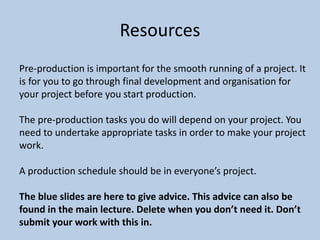
Pre-production is important for the smooth running of a project. It
is for you to go through final development and organisation for
your project before you start production.
The pre-production tasks you do will depend on your project. You
need to undertake appropriate tasks in order to make your project
work.
A production schedule should be in everyone’s project.
The blue slides are here to give advice. This advice can also be
found in the main lecture. Delete when you don’t need it. Don’t
submit your work with this in.
PRE-PRODUCTION
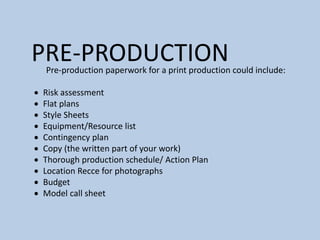
Pre-production paperwork for a print production could include:
 Risk assessment
 Flat plans
 Style Sheets
 Equipment/Resource list
 Contingency plan
 Copy (the written part of your work)
 Thorough production schedule/ Action Plan
 Location Recce for photographs
 Budget
 Model call sheet
PRE-PRODUCTION
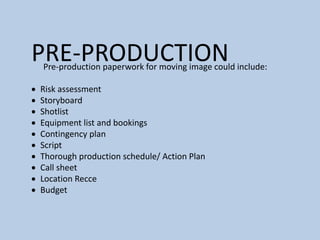
Pre-production paperwork for moving image could include:
 Risk assessment
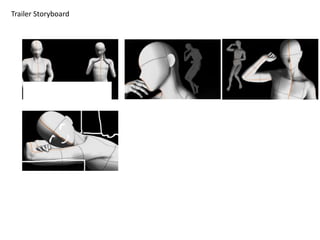
 Storyboard
 Shotlist
 Equipment list and bookings
 Contingency plan
 Script
 Thorough production schedule/ Action Plan
 Call sheet
 Location Recce
 Budget
PRE-PRODUCTION
Pre-production paperwork for a video game production could
include:
 Risk assessment
 Sound effect list
 Music list
 Style sheet or other visual planning
 Contingency plan
 Scene plan
 Thorough production schedule/ Action Plan
 Budget
PRE-PRODUCTION
Pre-production paperwork for an audio production could include:
 Risk assessment
 Sound effect list
 Music list
 Equipment/Resource list
 Script/Questions
 Contingency plan
 Location plan
 Contributor information (interviewees/guests/actors)
 Thorough production schedule/ Action Plan
 Budget
PRE-PRODUCTION
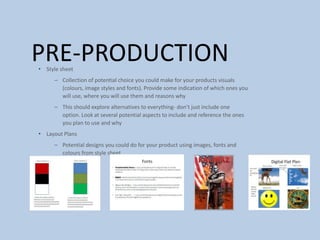
• Style sheet
– Collection of potential choice you could make for your products visuals
(colours, image styles and fonts). Provide some indication of which ones you
will use, where you will use them and reasons why
– This should explore alternatives to everything- don’t just include one
option. Look at several potential aspects to include and reference the ones
you plan to use and why
• Layout Plans
– Potential designs you could do for your product using images, fonts and
colours from style sheet
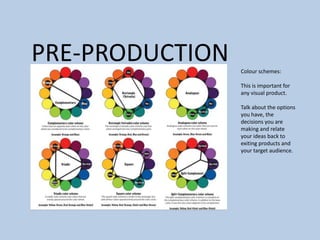
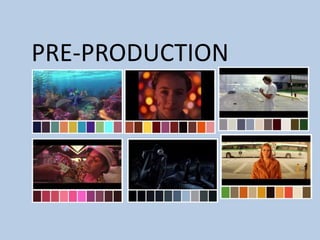
PRE-PRODUCTION Colour schemes:
This is important for
any visual product.
Talk about the options
you have, the
decisions you are
making and relate
your ideas back to
exiting products and
your target audience.
PRE-PRODUCTION
PRE-PRODUCTION
Storyboard
Pre-production
• What are you making? (explain what you have been asked to
do) I am making a horror game, I will be making a trailer, cover
art and various other promotional materials that would
coincide with a game release.
• Why?
• Who is it for? It is for fans of horror and ages 18+
• Where will it appear/on what? (How will audience see it)
Reflection:
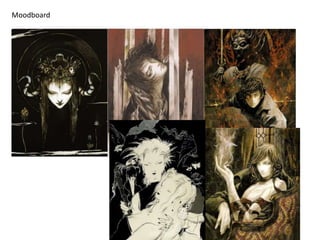
Moodboard
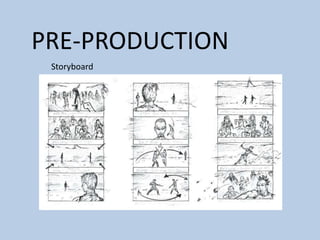
Trailer Storyboard
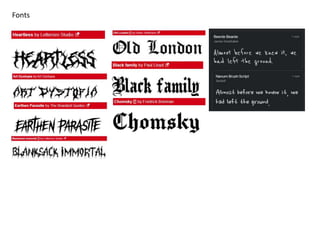
Fonts
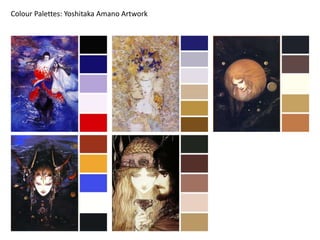
Colour Palettes: Yoshitaka Amano Artwork
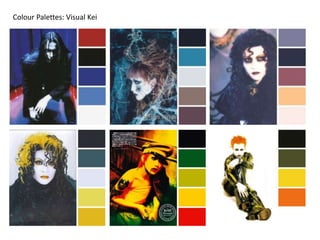
Colour Palettes: Visual Kei
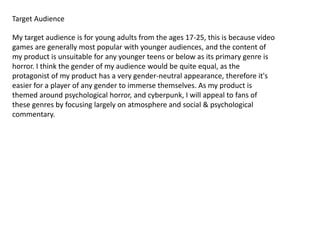
Target Audience
My target audience is for young adults from the ages 17-25, this is because video
games are generally most popular with younger audiences, and the content of
my product is unsuitable for any younger teens or below as its primary genre is
horror. I think the gender of my audience would be quite equal, as the
protagonist of my product has a very gender-neutral appearance, therefore it's
easier for a player of any gender to immerse themselves. As my product is
themed around psychological horror, and cyberpunk, I will appeal to fans of
these genres by focusing largely on atmosphere and social & psychological
commentary.
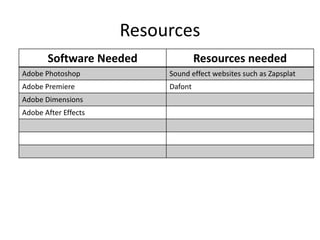
Resources
Software Needed Resources needed
Adobe Photoshop Sound effect websites such as Zapsplat
Adobe Premiere Dafont
Adobe Dimensions
Adobe After Effects
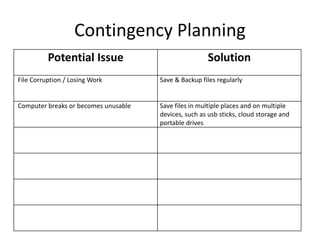
Contingency Planning
Potential Issue Solution
File Corruption / Losing Work Save & Backup files regularly
Computer breaks or becomes unusable Save files in multiple places and on multiple
devices, such as usb sticks, cloud storage and
portable drives
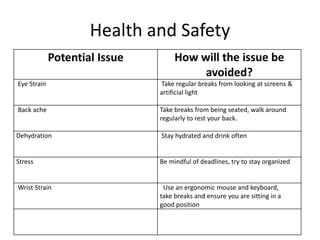
Health and Safety
Potential Issue How will the issue be
avoided?
Eye Strain Take regular breaks from looking at screens &
artificial light
Back ache Take breaks from being seated, walk around
regularly to rest your back.
Dehydration Stay hydrated and drink often
Stress Be mindful of deadlines, try to stay organized
Wrist Strain Use an ergonomic mouse and keyboard,
take breaks and ensure you are sitting in a
good position
Production Schedule
Day/Lesson Tasks

FMP Pre Production

  • 1.
  • 2.
    Resources Pre-production is importantfor the smooth running of a project. It is for you to go through final development and organisation for your project before you start production. The pre-production tasks you do will depend on your project. You need to undertake appropriate tasks in order to make your project work. A production schedule should be in everyone’s project. The blue slides are here to give advice. This advice can also be found in the main lecture. Delete when you don’t need it. Don’t submit your work with this in.
  • 3.
    PRE-PRODUCTION Pre-production paperwork fora print production could include:  Risk assessment  Flat plans  Style Sheets  Equipment/Resource list  Contingency plan  Copy (the written part of your work)  Thorough production schedule/ Action Plan  Location Recce for photographs  Budget  Model call sheet
  • 4.
    PRE-PRODUCTION Pre-production paperwork formoving image could include:  Risk assessment  Storyboard  Shotlist  Equipment list and bookings  Contingency plan  Script  Thorough production schedule/ Action Plan  Call sheet  Location Recce  Budget
  • 5.
    PRE-PRODUCTION Pre-production paperwork fora video game production could include:  Risk assessment  Sound effect list  Music list  Style sheet or other visual planning  Contingency plan  Scene plan  Thorough production schedule/ Action Plan  Budget
  • 6.
    PRE-PRODUCTION Pre-production paperwork foran audio production could include:  Risk assessment  Sound effect list  Music list  Equipment/Resource list  Script/Questions  Contingency plan  Location plan  Contributor information (interviewees/guests/actors)  Thorough production schedule/ Action Plan  Budget
  • 7.
    PRE-PRODUCTION • Style sheet –Collection of potential choice you could make for your products visuals (colours, image styles and fonts). Provide some indication of which ones you will use, where you will use them and reasons why – This should explore alternatives to everything- don’t just include one option. Look at several potential aspects to include and reference the ones you plan to use and why • Layout Plans – Potential designs you could do for your product using images, fonts and colours from style sheet
  • 8.
    PRE-PRODUCTION Colour schemes: Thisis important for any visual product. Talk about the options you have, the decisions you are making and relate your ideas back to exiting products and your target audience.
  • 9.
  • 10.
  • 11.
    Pre-production • What areyou making? (explain what you have been asked to do) I am making a horror game, I will be making a trailer, cover art and various other promotional materials that would coincide with a game release. • Why? • Who is it for? It is for fans of horror and ages 18+ • Where will it appear/on what? (How will audience see it) Reflection:
  • 12.
  • 13.
  • 14.
  • 15.
  • 16.
  • 17.
    Target Audience My targetaudience is for young adults from the ages 17-25, this is because video games are generally most popular with younger audiences, and the content of my product is unsuitable for any younger teens or below as its primary genre is horror. I think the gender of my audience would be quite equal, as the protagonist of my product has a very gender-neutral appearance, therefore it's easier for a player of any gender to immerse themselves. As my product is themed around psychological horror, and cyberpunk, I will appeal to fans of these genres by focusing largely on atmosphere and social & psychological commentary.
  • 18.
    Resources Software Needed Resourcesneeded Adobe Photoshop Sound effect websites such as Zapsplat Adobe Premiere Dafont Adobe Dimensions Adobe After Effects
  • 19.
    Contingency Planning Potential IssueSolution File Corruption / Losing Work Save & Backup files regularly Computer breaks or becomes unusable Save files in multiple places and on multiple devices, such as usb sticks, cloud storage and portable drives
  • 20.
    Health and Safety PotentialIssue How will the issue be avoided? Eye Strain Take regular breaks from looking at screens & artificial light Back ache Take breaks from being seated, walk around regularly to rest your back. Dehydration Stay hydrated and drink often Stress Be mindful of deadlines, try to stay organized Wrist Strain Use an ergonomic mouse and keyboard, take breaks and ensure you are sitting in a good position
  • 21.

Editor's Notes

  • #13 Use this space to document whatever pre-production work you did for your project. It will vary from person to person and project to project.
  • #15 Use this space to document whatever pre-production work you did for your project. It will vary from person to person and project to project.
  • #16 Use this space to document whatever pre-production work you did for your project. It will vary from person to person and project to project.
  • #18 Use this space to document whatever pre-production work you did for your project. It will vary from person to person and project to project.