Using Geospatial Technology on
the Chicago Region Environmental
and Transportation Efficiency             2010:
                                         An FME
(CREATE) Program                       Odyssey


        Jeff Siegel, AICP, GISP
        Technology Services Director
        Michael Bieberitz, GISP
        Technology Project Manager
Agenda


  CREATE Program
    Definition, background and objectives
  Geospatial technology endeavors
    Definition, background and objectives
    Data management techniques
    Applied Deliverables
  CREATE Spatial Portal
    Business case
    Primarily functionality
    Data extraction capabilities

                                             2
CREATE Program


                 3
CREATE Program


                 ASSOCIATION
                 OF AMERICAN
                  RAILROADS


                               4
CREATE Program


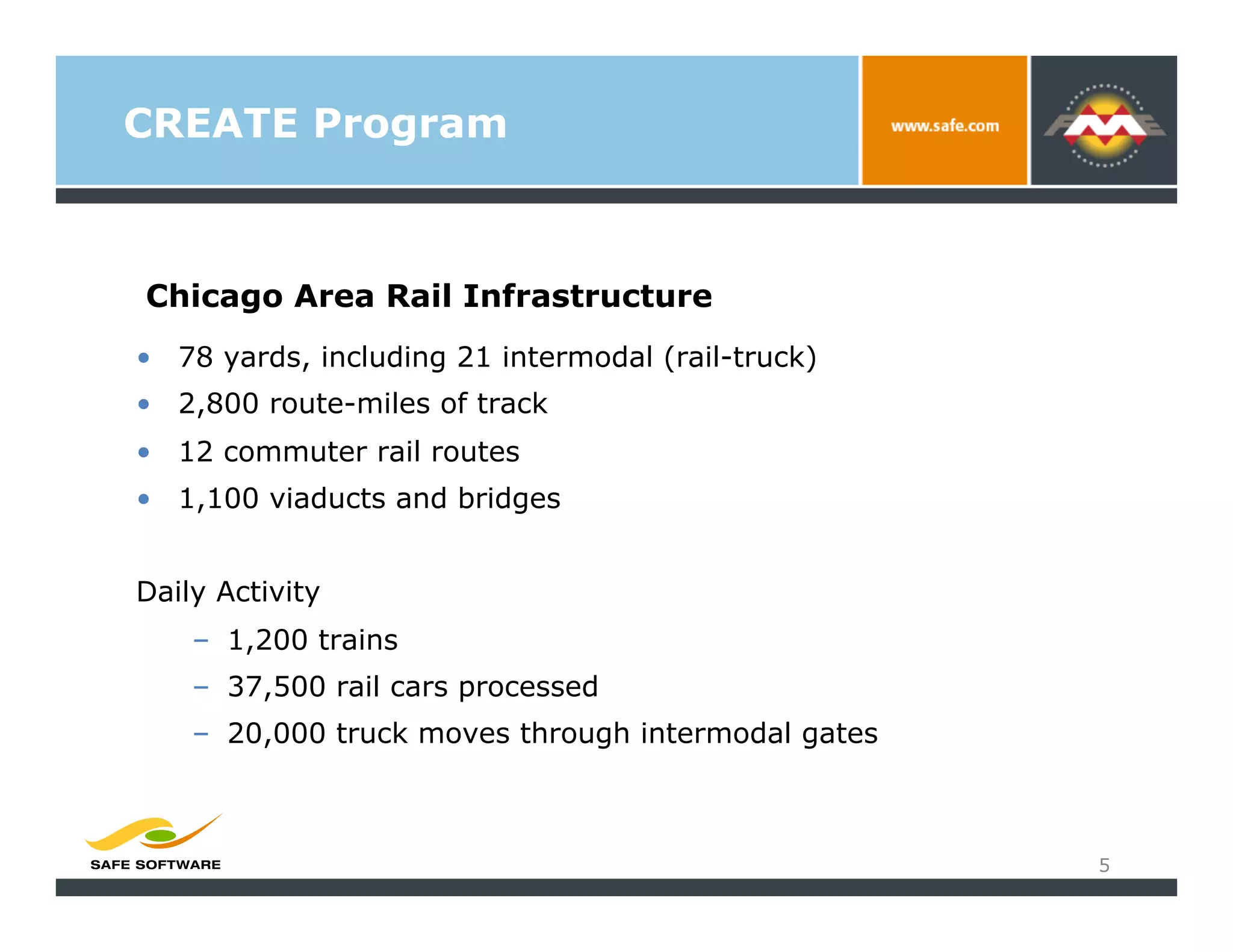
Chicago Area Rail Infrastructure
•  78 yards, including 21 intermodal (rail-truck)
•  2,800 route-miles of track
•  12 commuter rail routes
•  1,100 viaducts and bridges


Daily Activity
    –  1,200 trains
    –  37,500 rail cars processed
    –  20,000 truck moves through intermodal gates


                                                     5
CREATE Program


CREATE Program
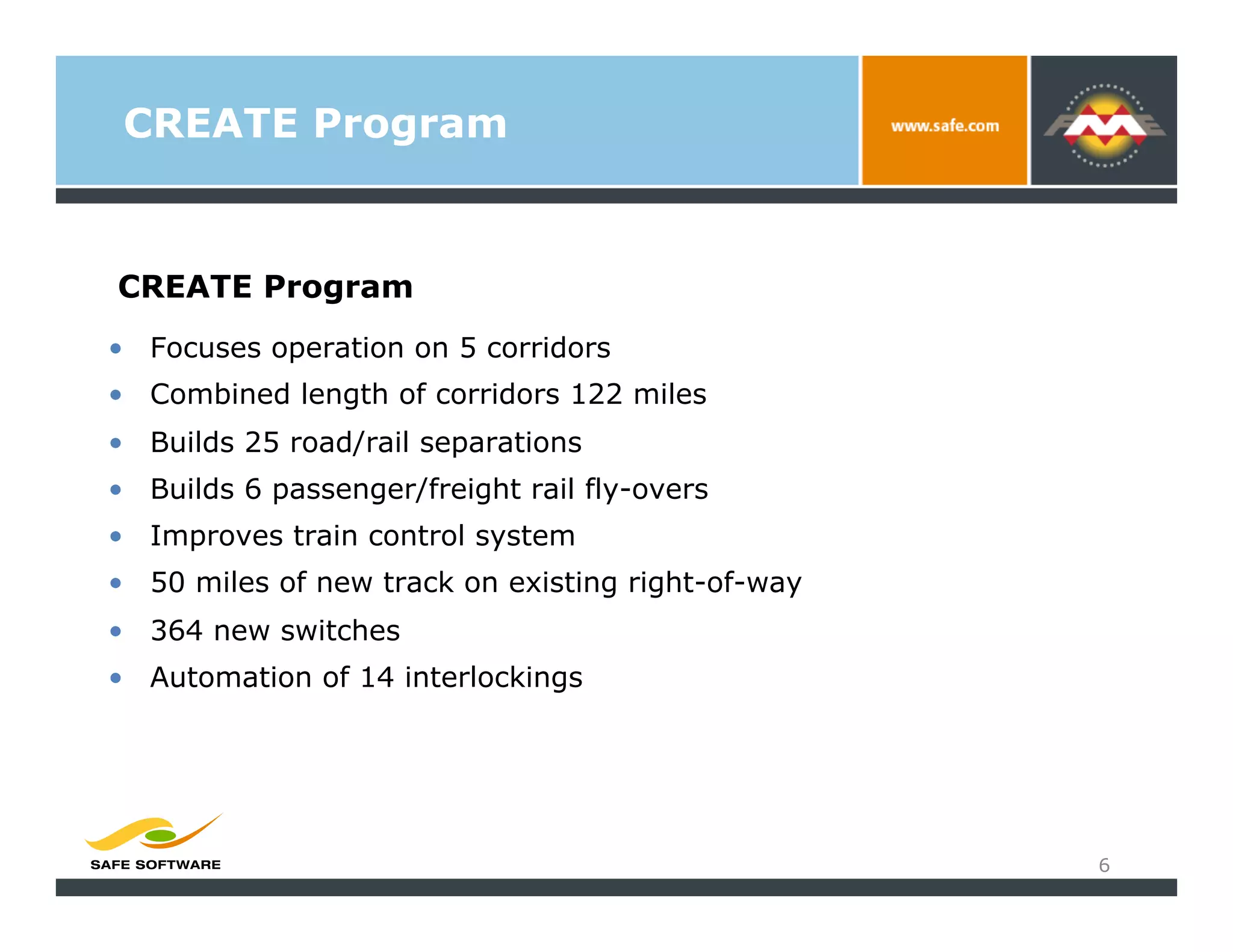
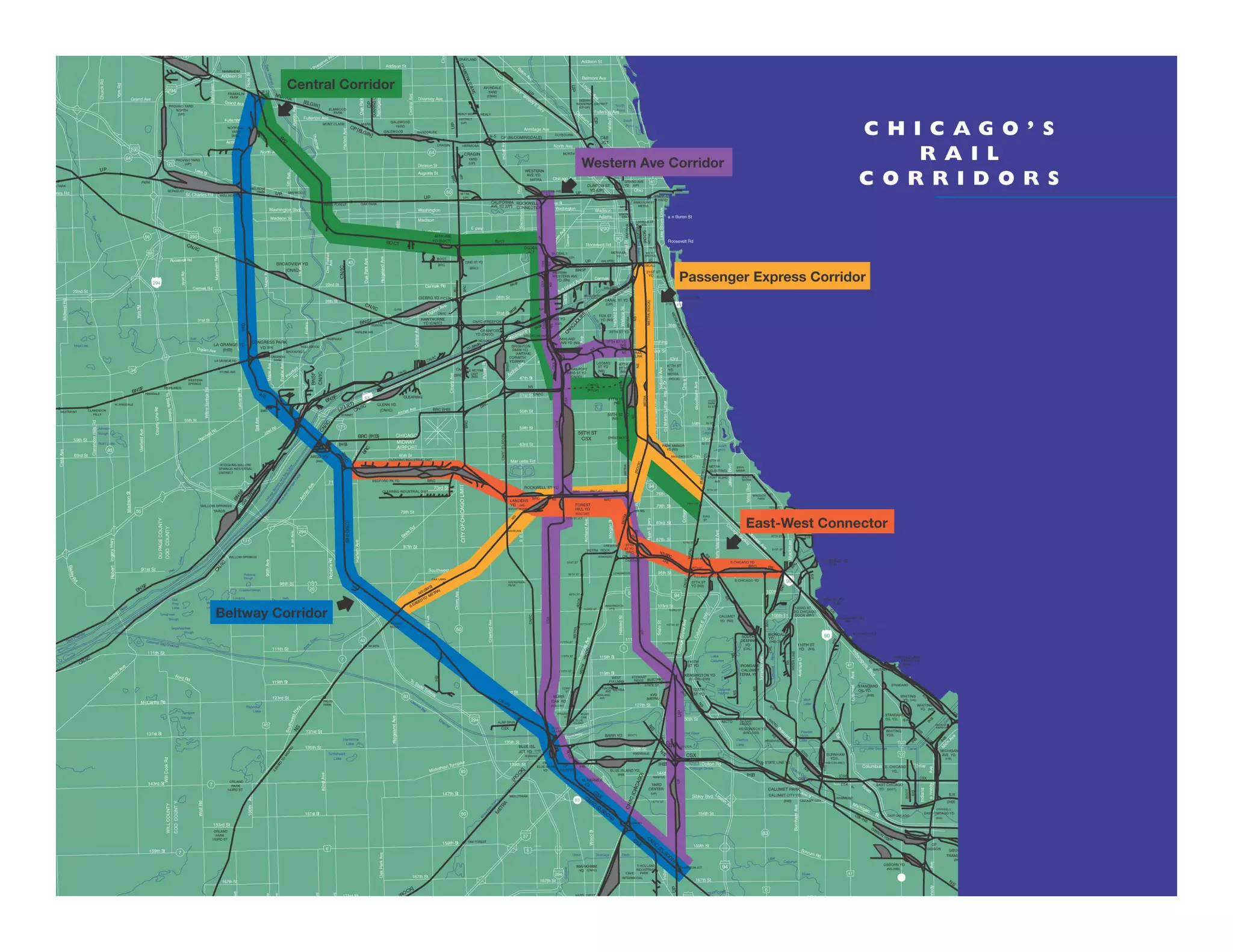
•  Focuses operation on 5 corridors
•  Combined length of corridors 122 miles
•  Builds 25 road/rail separations
•  Builds 6 passenger/freight rail fly-overs
•  Improves train control system
•  50 miles of new track on existing right-of-way
•  364 new switches
•  Automation of 14 interlockings


                                                    6
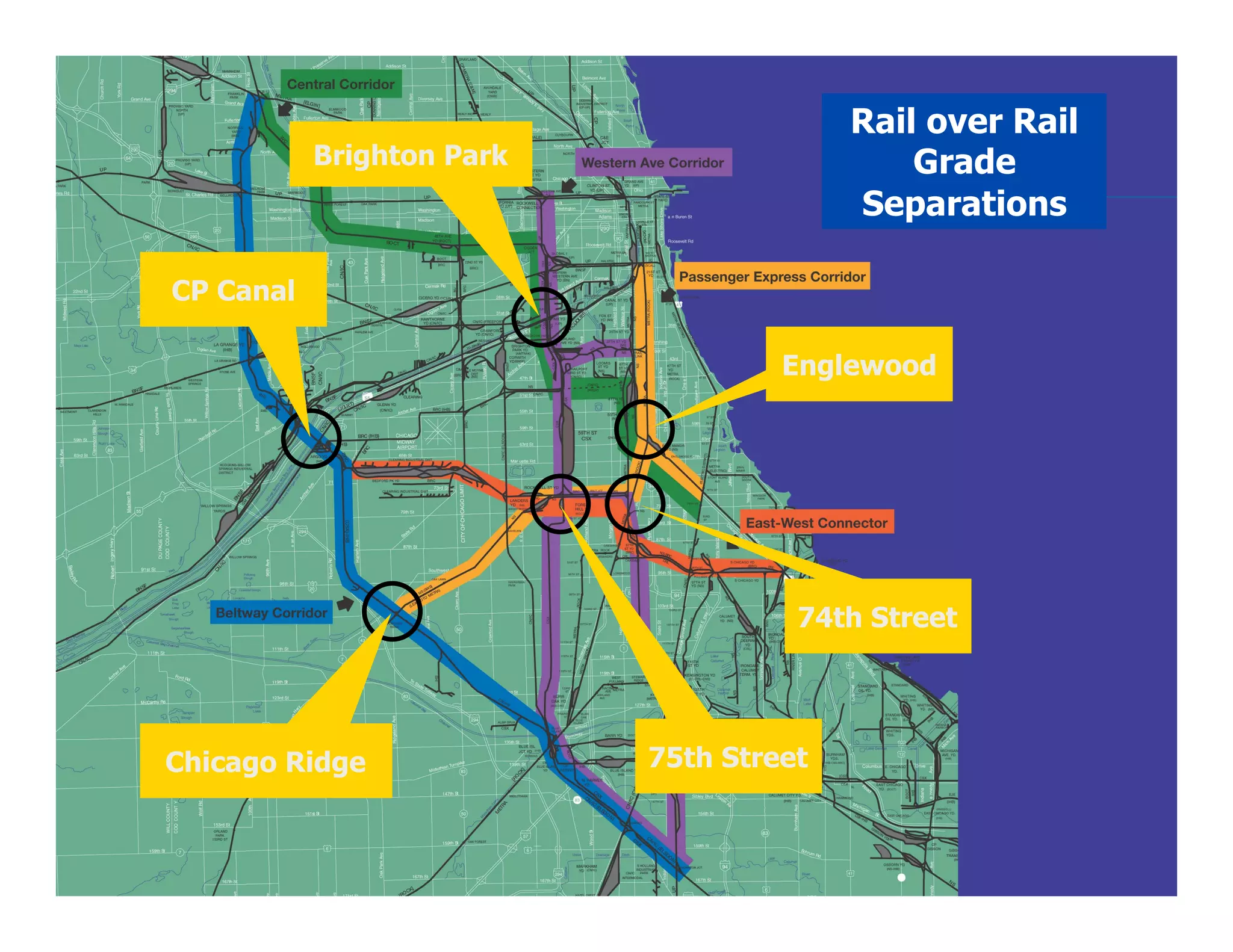
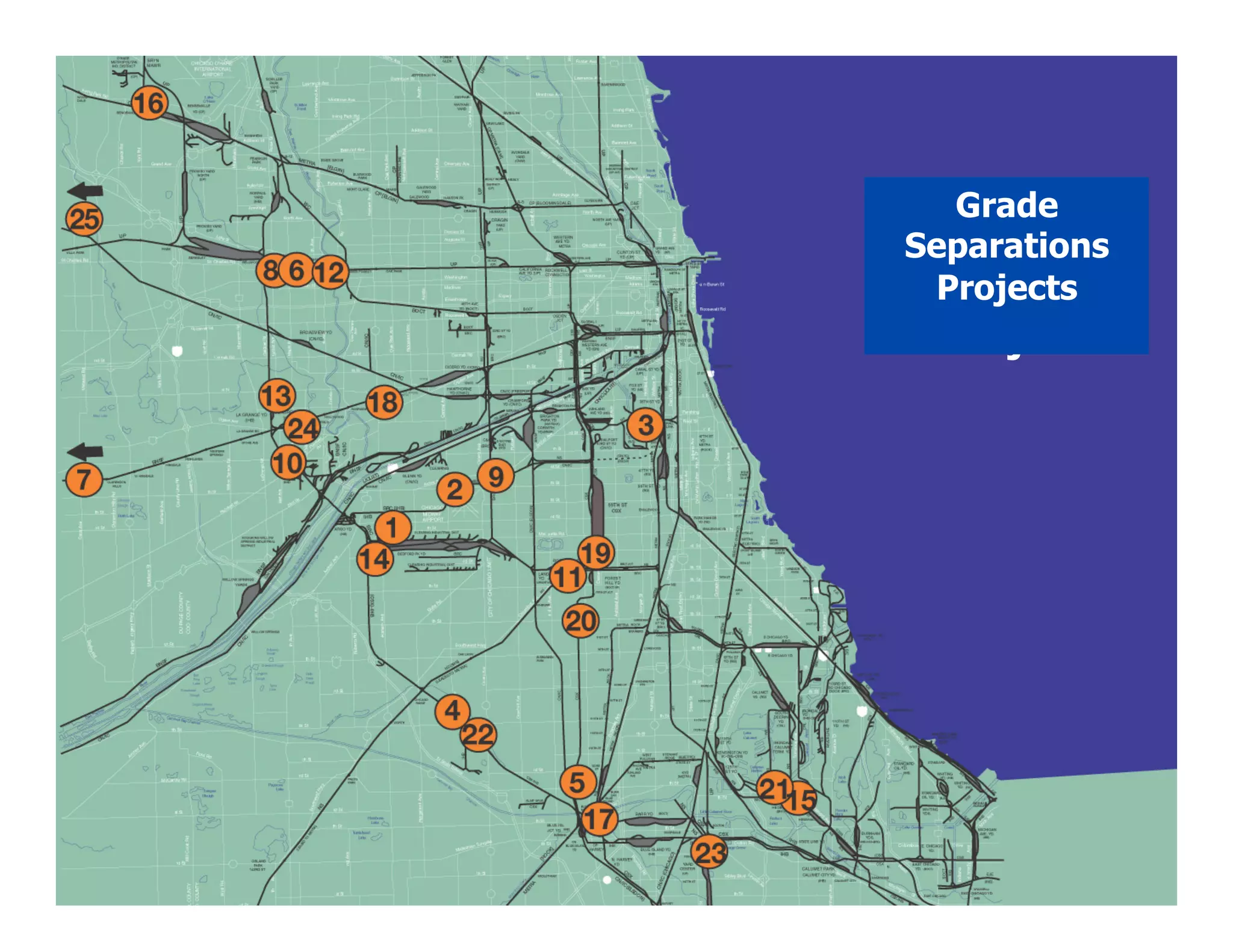
Rail over Rail
           Brighton Park                     Grade
                                         Separations

CP Canal

                                    Englewood


                                     74th Street


Chicago Ridge              75th Street
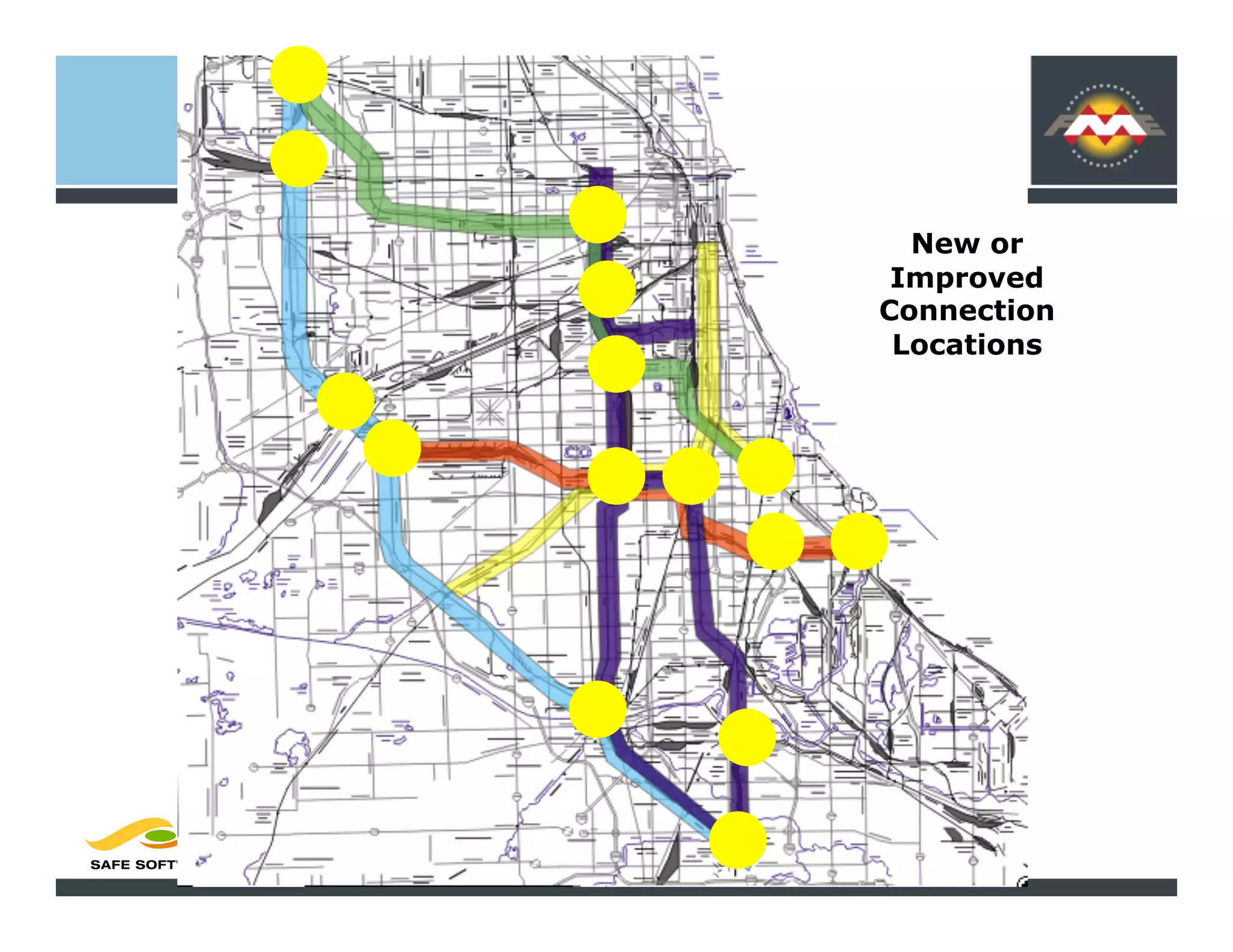
New or
 Improved
Connection
 Locations
Grade
   Grade
Separations
 Separatio
  Projects
      n
 Projects
Geospatial Technology on
CREATE

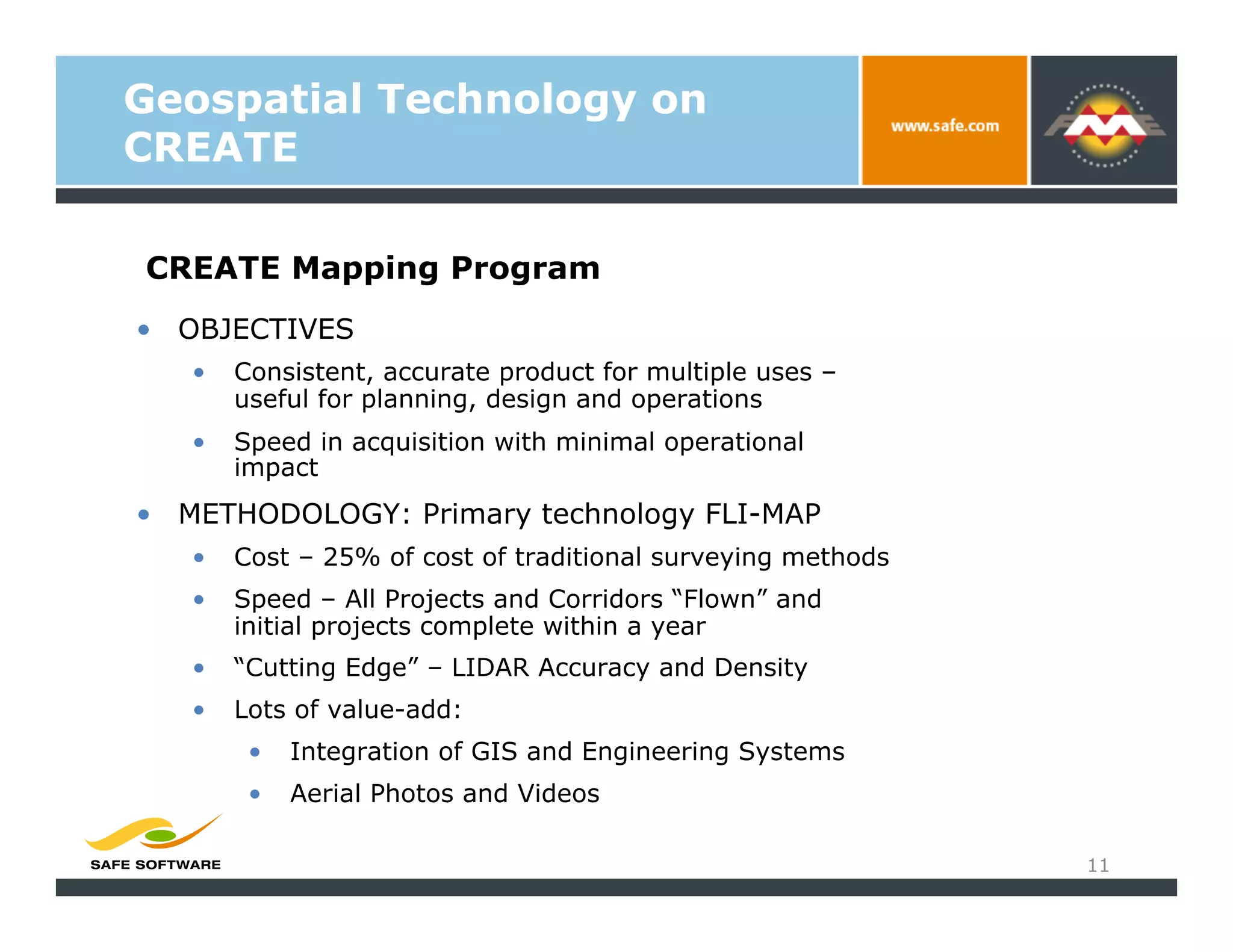
CREATE Mapping Program
•  OBJECTIVES
   •    Consistent, accurate product for multiple uses –
        useful for planning, design and operations
   •    Speed in acquisition with minimal operational
        impact
•  METHODOLOGY: Primary technology FLI-MAP
   •    Cost – 25% of cost of traditional surveying methods
   •    Speed – All Projects and Corridors “Flown” and
        initial projects complete within a year
   •    “Cutting Edge” – LIDAR Accuracy and Density
   •    Lots of value-add:
         •    Integration of GIS and Engineering Systems
         •    Aerial Photos and Videos

                                                              11
Geospatial Technology on
CREATE


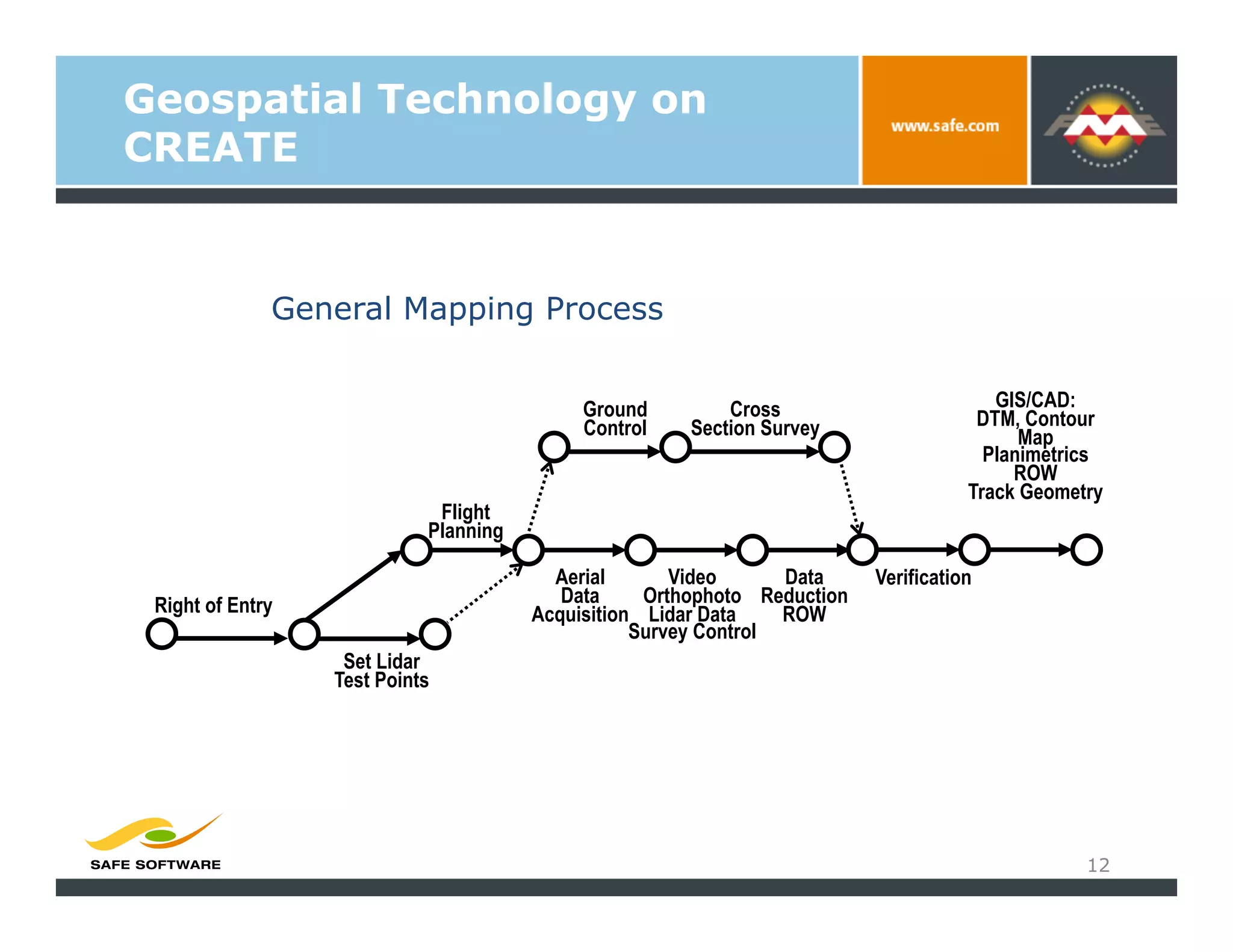
              General Mapping Process


                                            Ground         Cross                        GIS/CAD:
                                            Control    Section Survey                 DTM, Contour
                                                                                           Map
                                                                                       Planimetrics
                                                                                          ROW
                                                                                     Track Geometry
                             Flight
                            Planning

                                         Aerial       Video      Data     Verification
 Right of Entry                           Data     Orthophoto Reduction
                                       Acquisition Lidar Data    ROW
                                                  Survey Control
                   Set Lidar
                  Test Points


                                                                                                 12
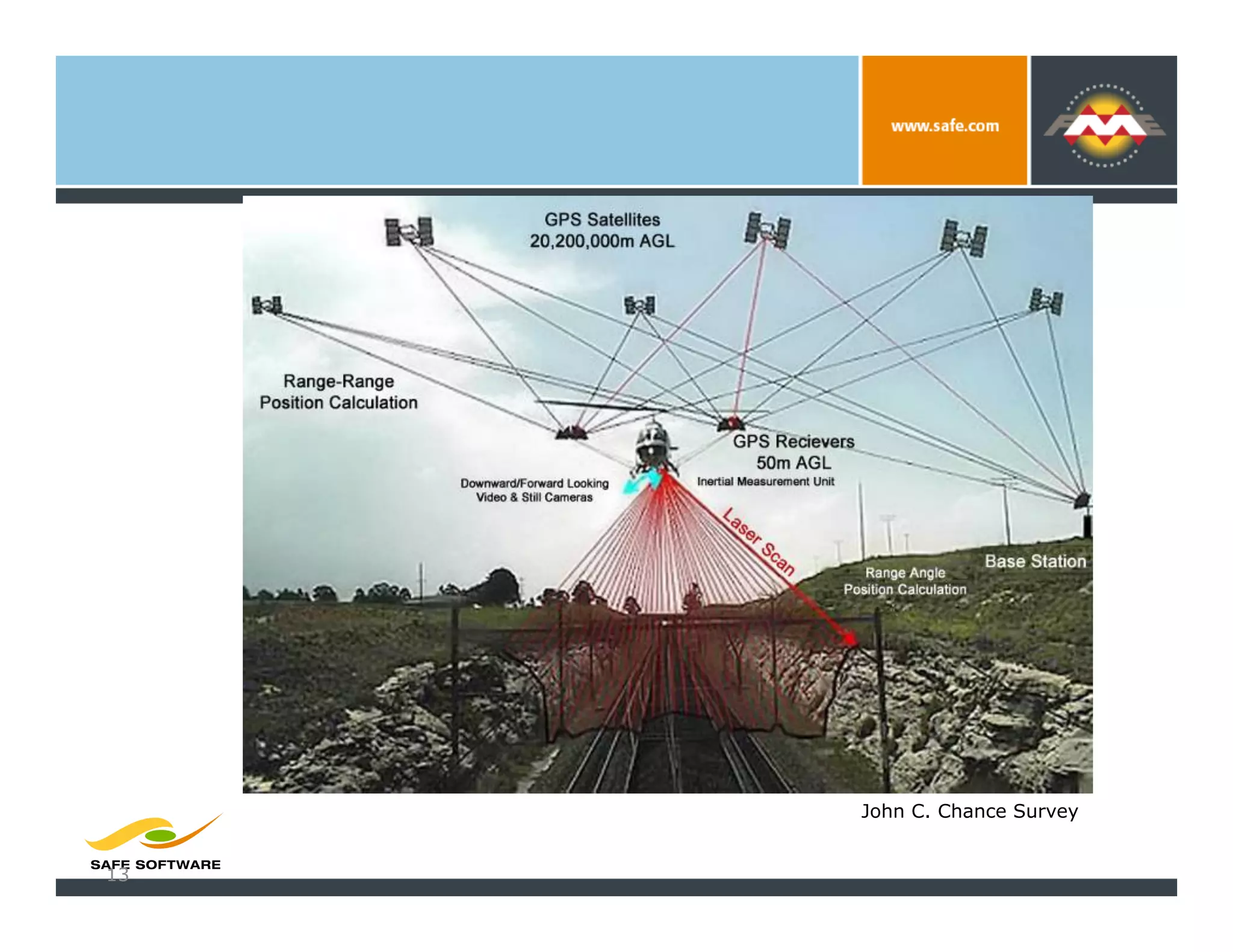
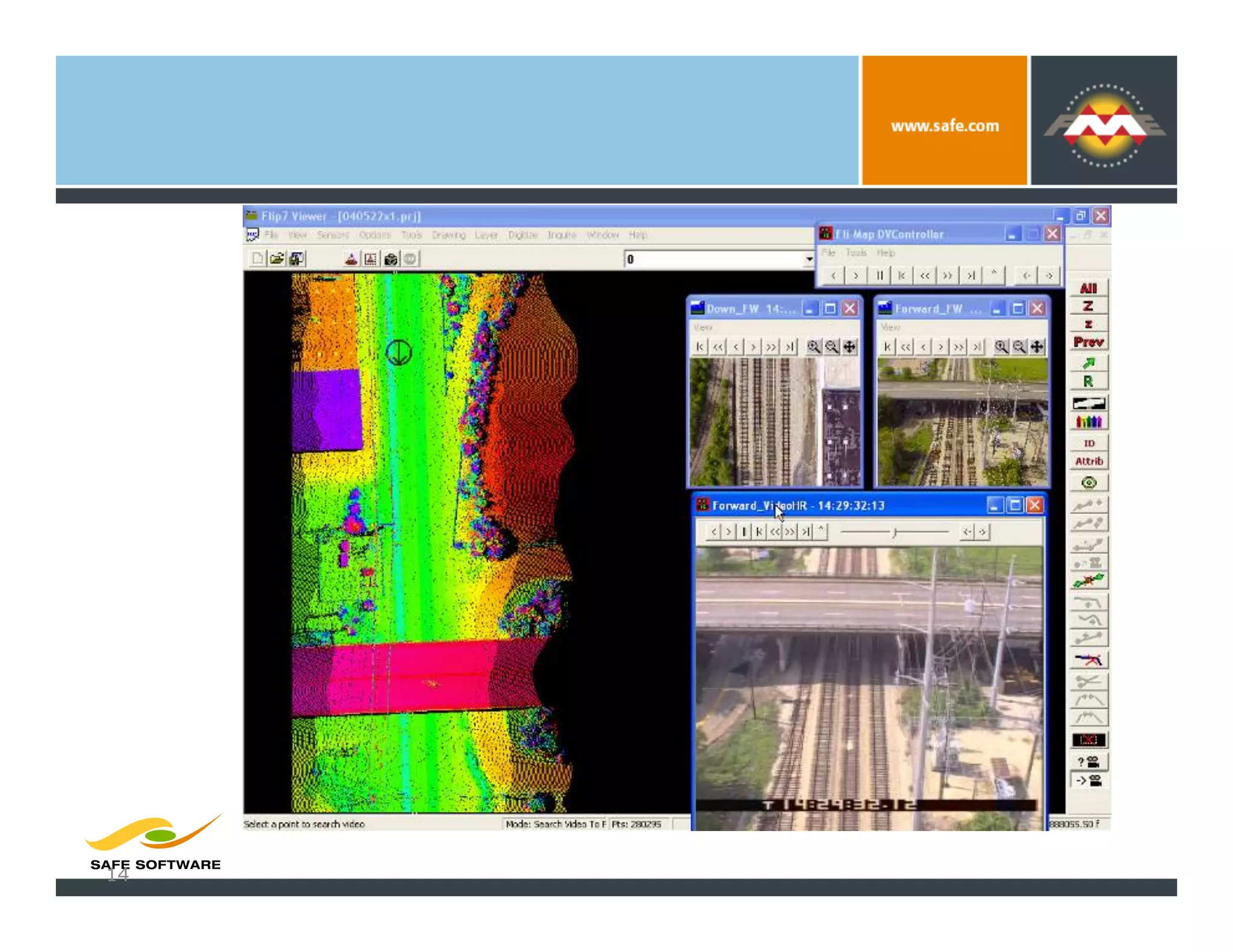
LIDAR
Technology


             John C. Chance Survey


 13
Data
Extracti
on


 14
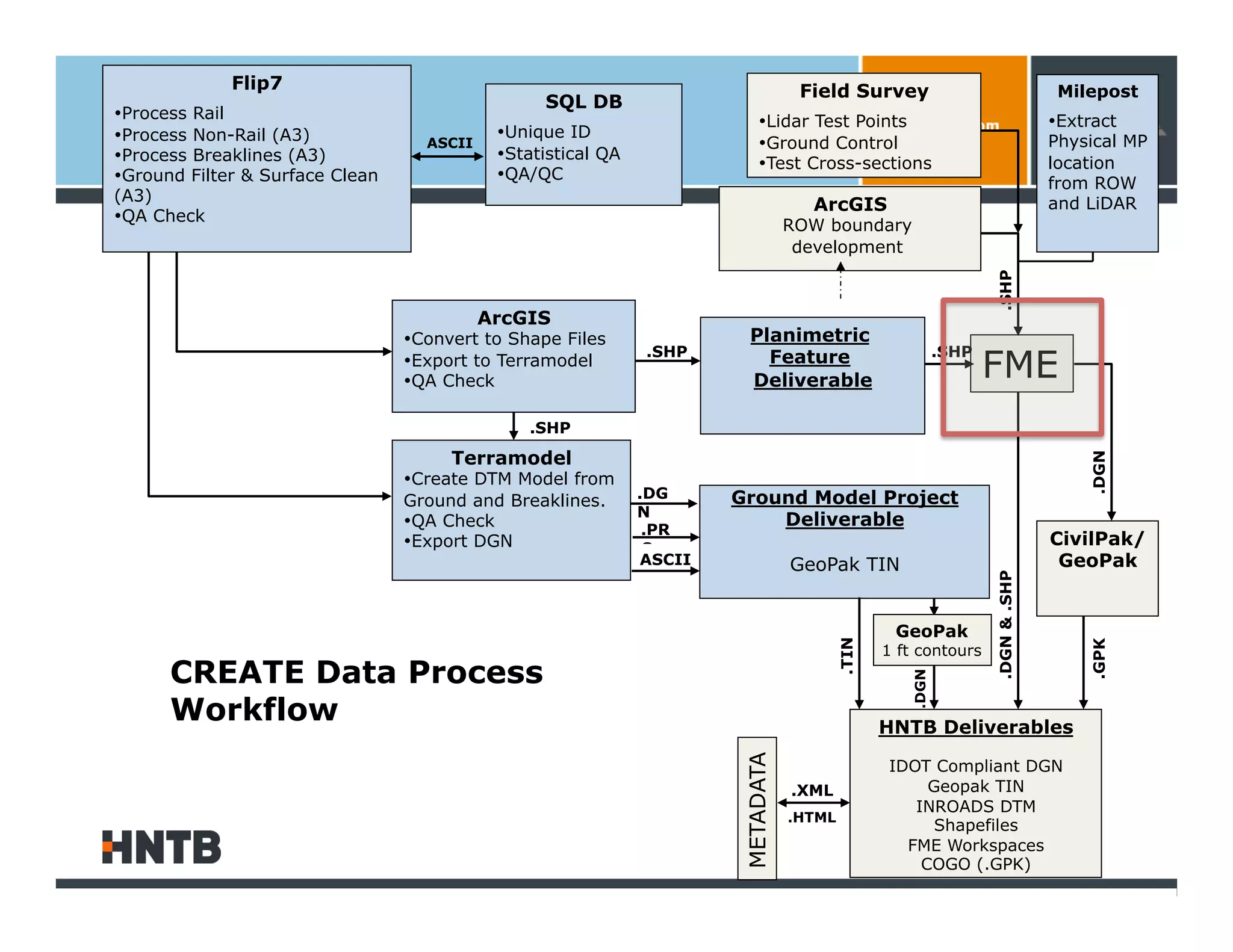
Flip7                                                                   Field Survey                                  Milepost
                                                   SQL DB
• Process Rail                                                               • Lidar Test Points                                  • Extract
• Process Non-Rail (A3)                      • Unique ID
                                    ASCII                                    • Ground Control                                     Physical MP
• Process Breaklines (A3)                    • Statistical QA
                                                                             • Test Cross-sections                                location
• Ground Filter & Surface Clean              • QA/QC
                                                                                                                                  from ROW
(A3)
                                                                                      ArcGIS                                      and LiDAR
• QA Check
                                                                                    ROW boundary
                                                                                     development


                                                                                                                    .SHP
                                            ArcGIS
                                  • Convert to Shape Files                Planimetric
                                                                                                                    FME
                                                                .SHP        Feature                          .SHP
                                  • Export to Terramodel
                                  • QA Check                              Deliverable

                                                 .SHP

                                       Terramodel


                                                                                                                                      .DGN
                                  • Create DTM Model from
                                                                .DG     Ground Model Project
                                  Ground and Breaklines.
                                                                N
                                  • QA Check                     .PR
                                                                            Deliverable
                                  • Export DGN                   O
                                                                                                                                  CivilPak/
                                                                ASCII               GeoPak TIN                                     GeoPak


                                                                                                                    .DGN & .SHP
                                                                                                    GeoPak


                                                                                            .TIN


                                                                                                                                      .GPK
                                                                                                   1 ft contours
      CREATE Data Process


                                                                                                      .DGN
      Workflow                                                                                     HNTB Deliverables
                                                                         METADATA                  IDOT Compliant DGN
                                                                                    .XML                Geopak TIN
                                                                                                      INROADS DTM
                                                                                    .HTML
                                                                                                         Shapefiles
                                                                                                     FME Workspaces
                                                                                                       COGO (.GPK)
16
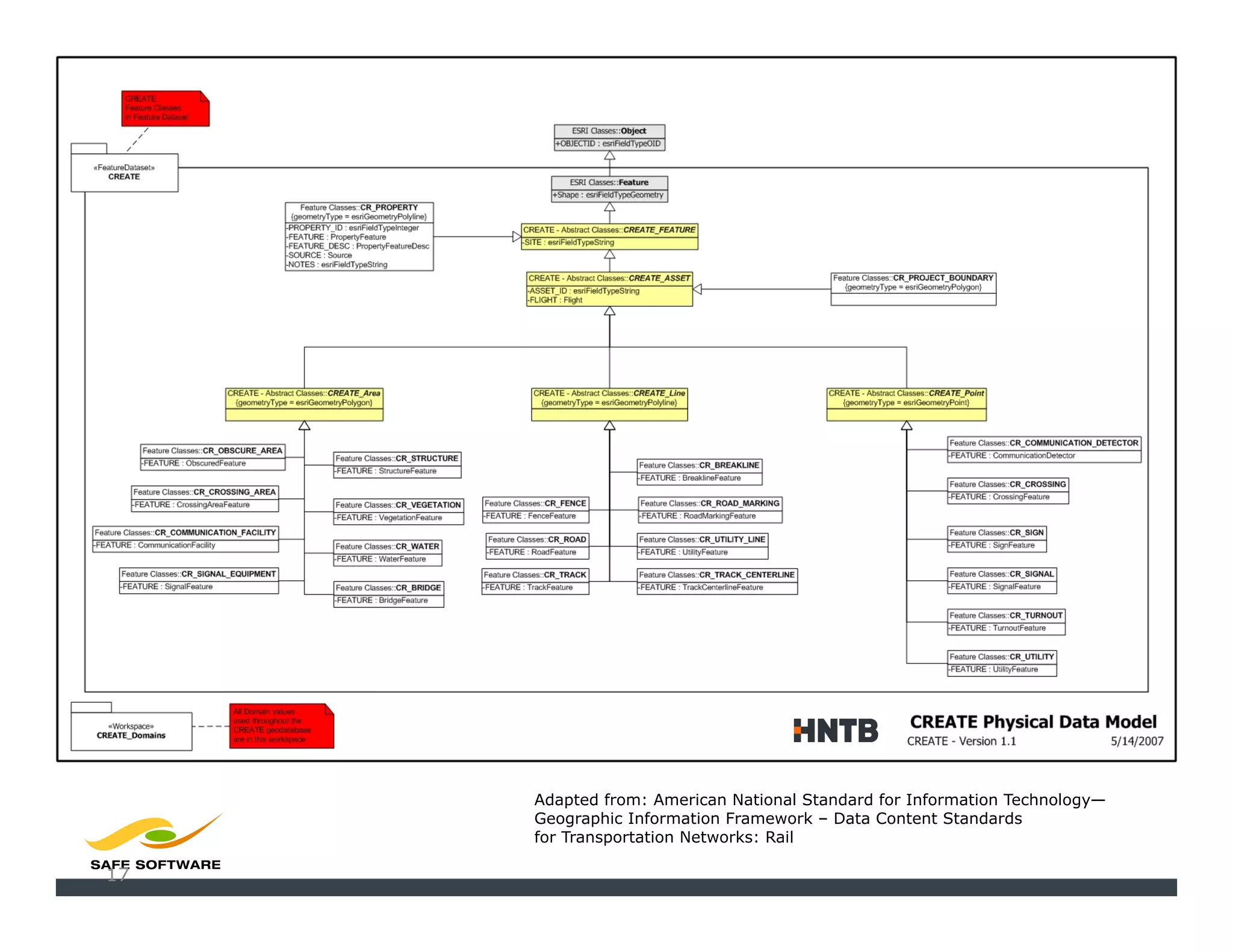
CREATE
Geodata
-base
Model


          Adapted from: American National Standard for Information Technology—
          Geographic Information Framework – Data Content Standards
          for Transportation Networks: Rail

17
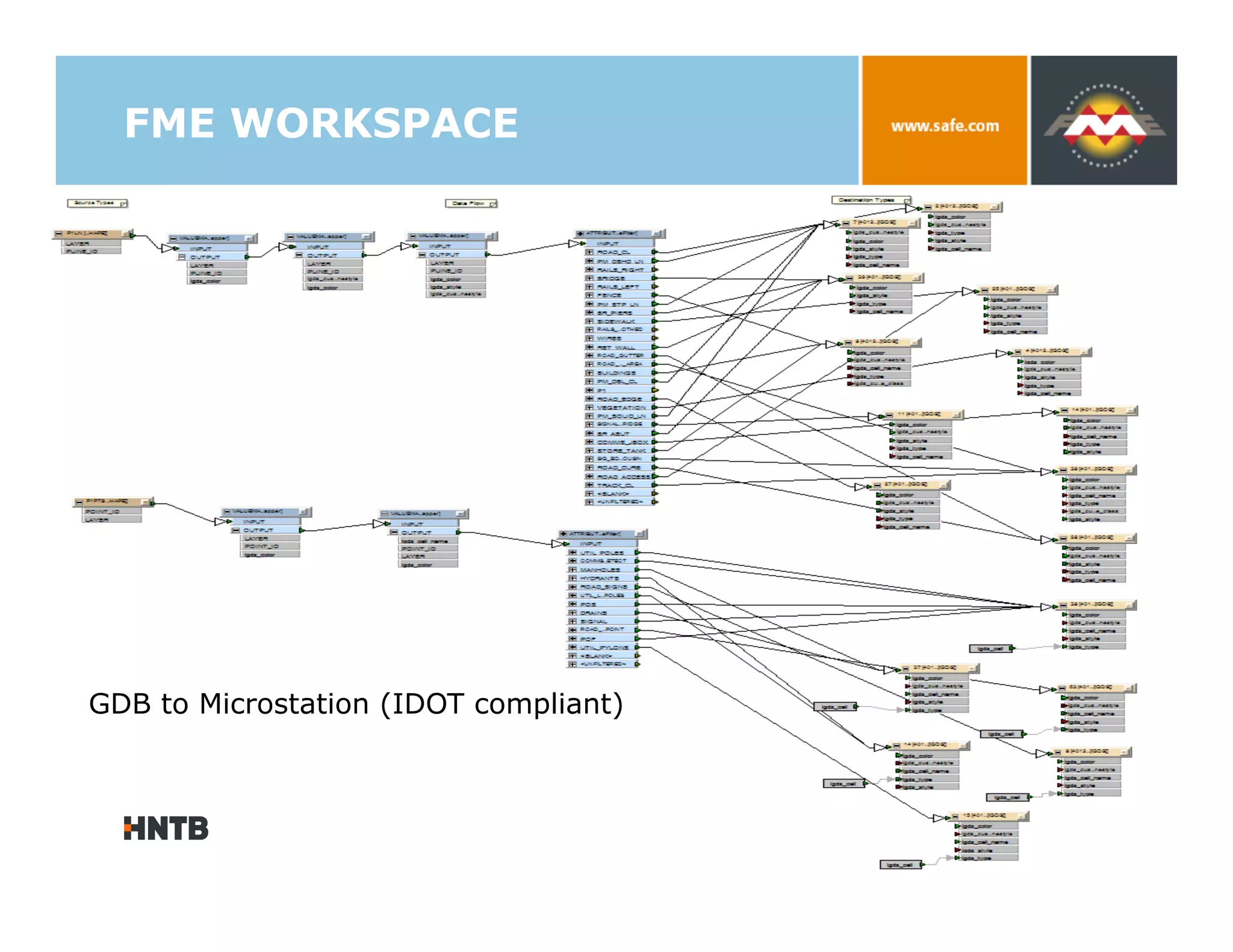
FME WORKSPACE


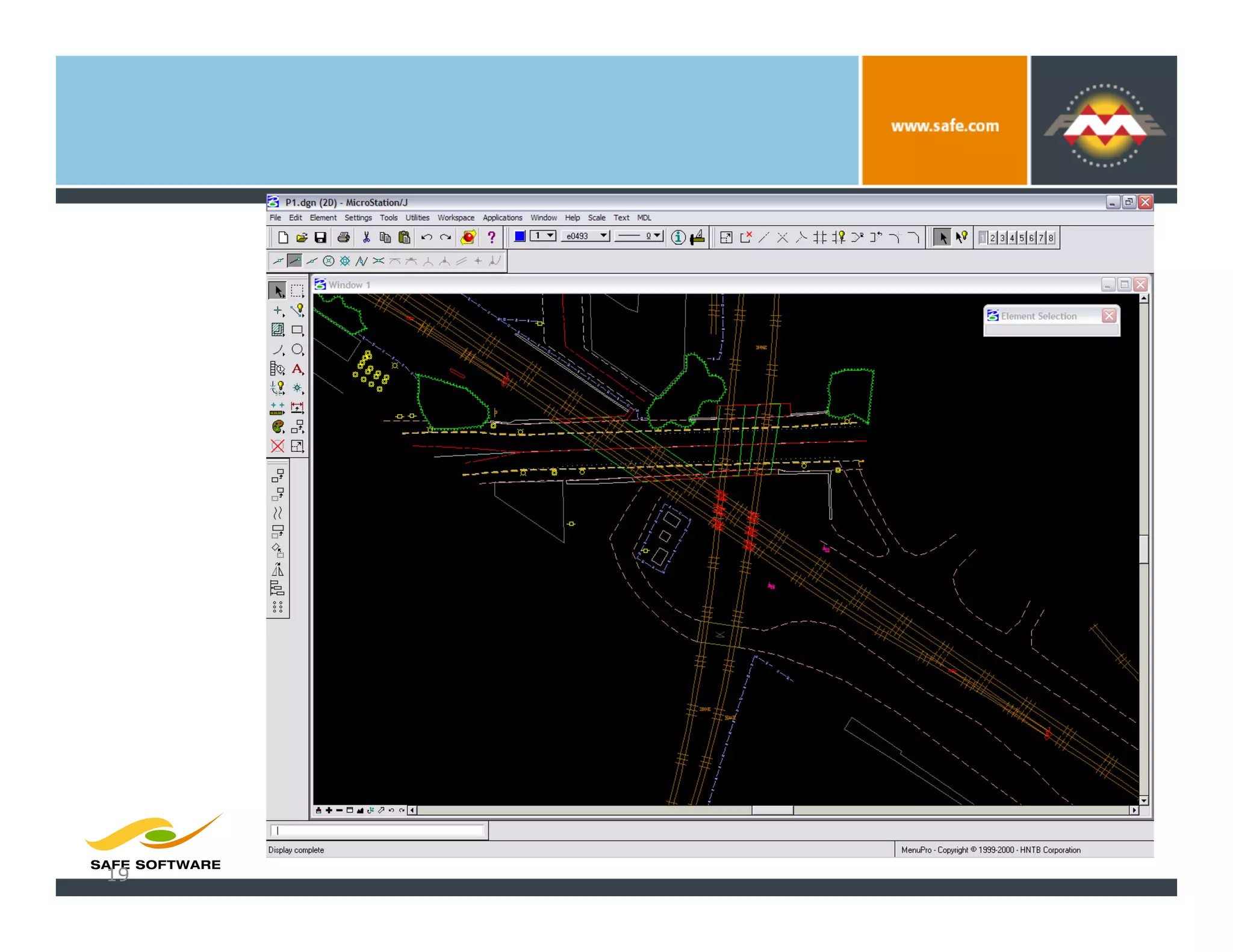
GDB to Microstation (IDOT compliant)
Data
Conversion


 19
Deliverables


    LIDAR DATA
    VIDEO
    DIGITAL PHOTOS
    ORTHOPHOTO MOSAICS
    GIS Feature Classes
    CAD FILES (ENGINEERING)
        Design files
        DTMs
    TRACK GEOMETRY
    GROUND CONTROL
    DOCUMENTATION
        METADATA (HTML, XML)


                                20
CREATE
Spatial
Portal


 21
GIS / Mapping and Data
Support


                                               22
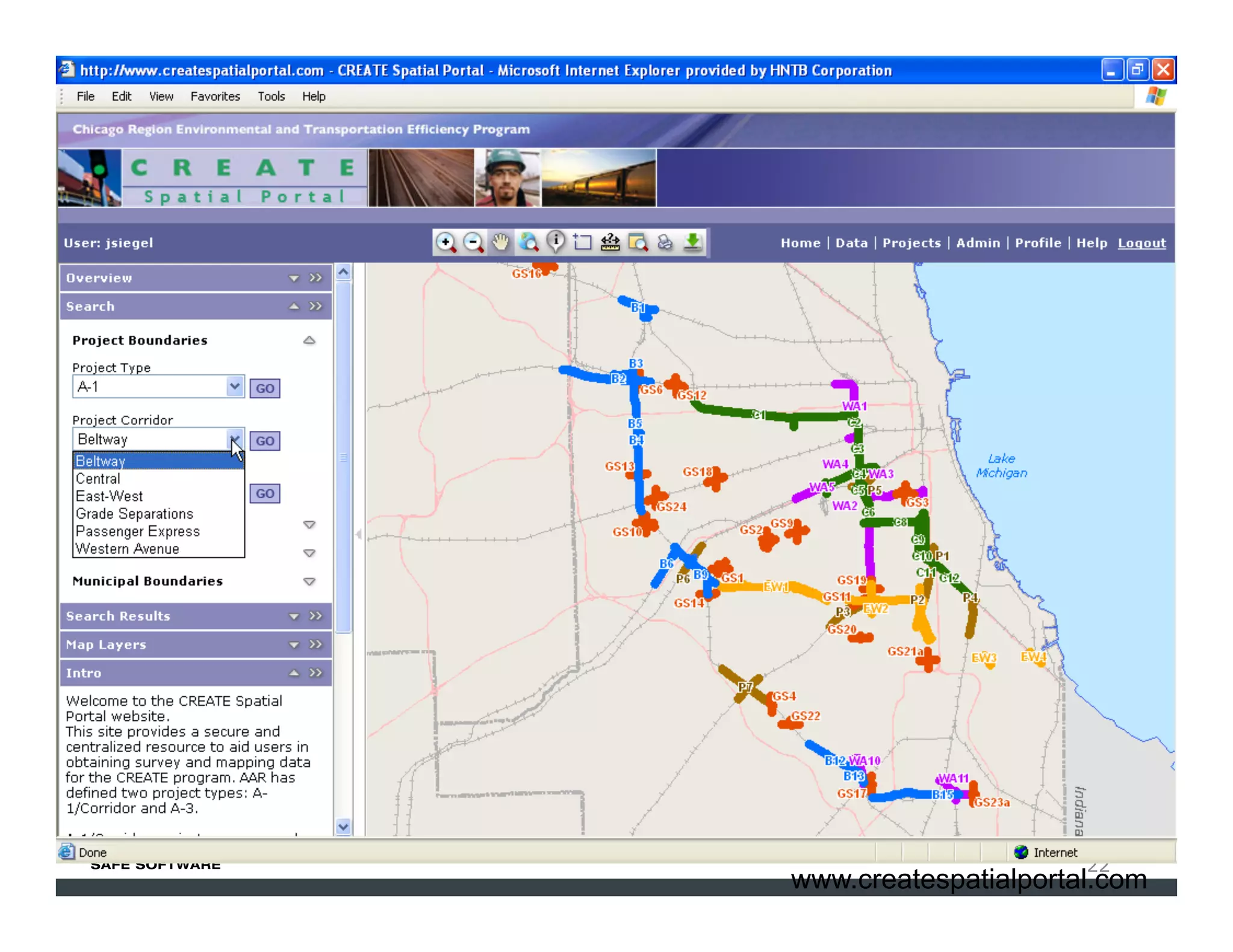
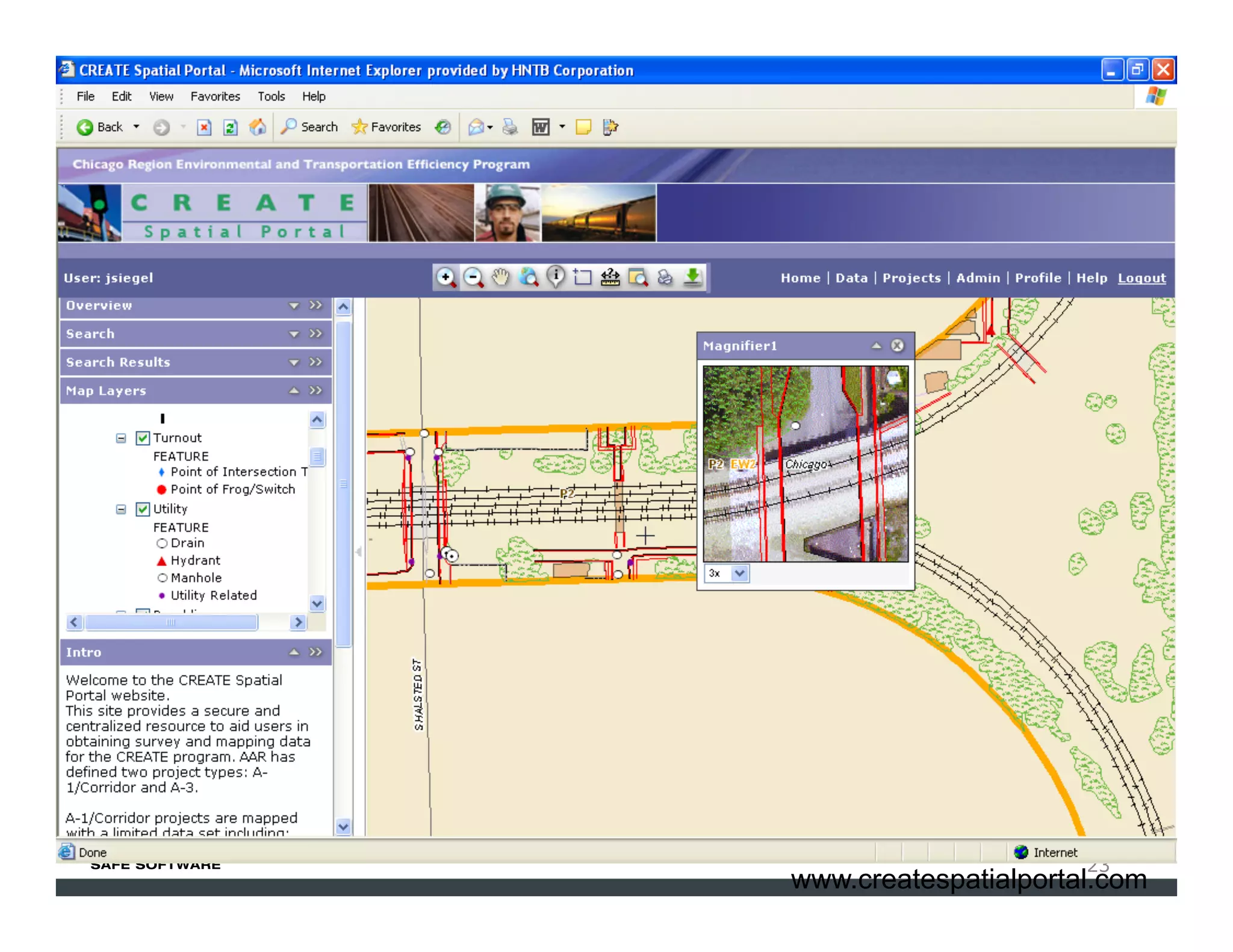
                         www.createspatialportal.com
GIS / Mapping and Data
Support


                                               23
                         www.createspatialportal.com
CREATE Spatial Portal


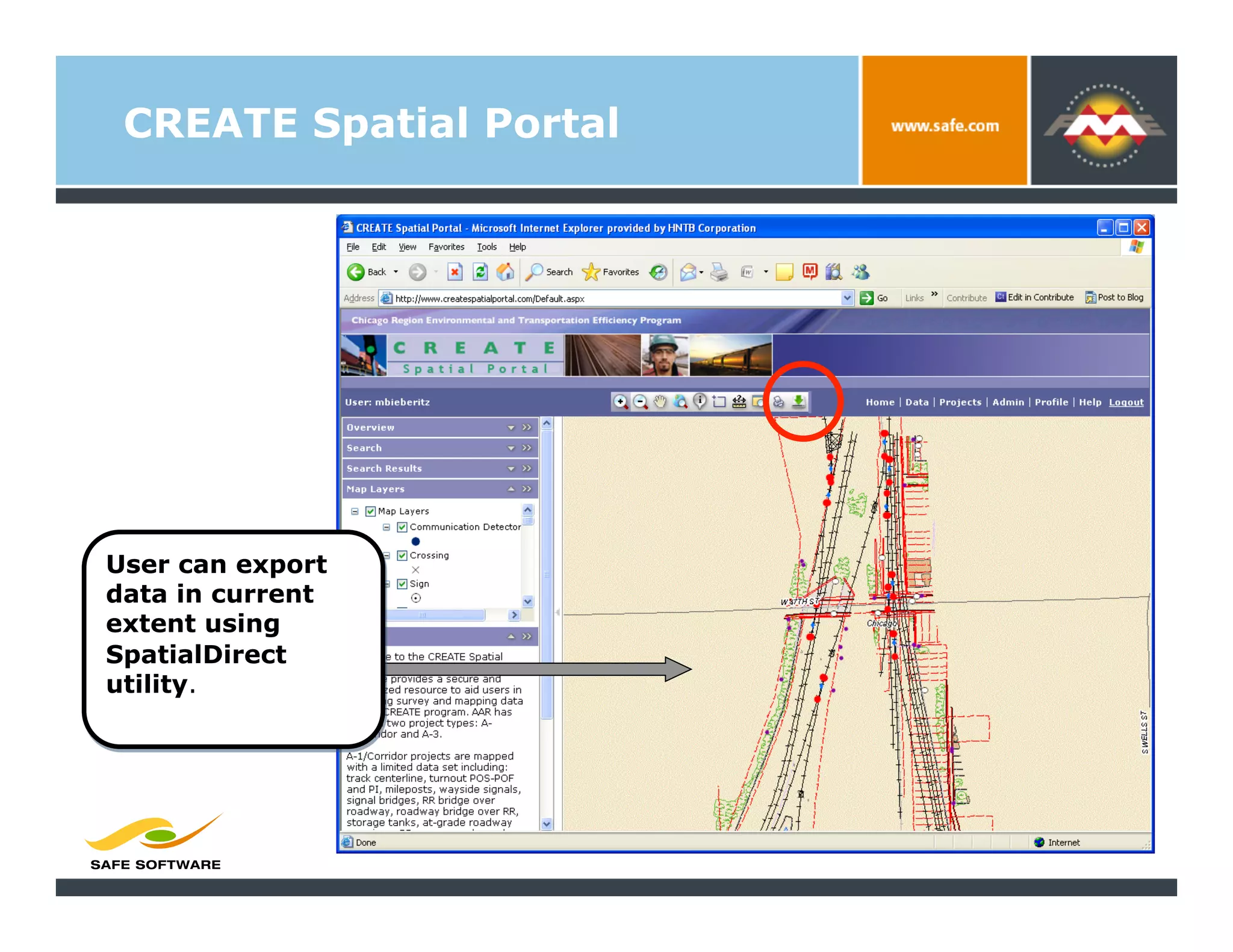
User can export
data in current
extent using
SpatialDirect
utility.
CREATE Spatial Portal


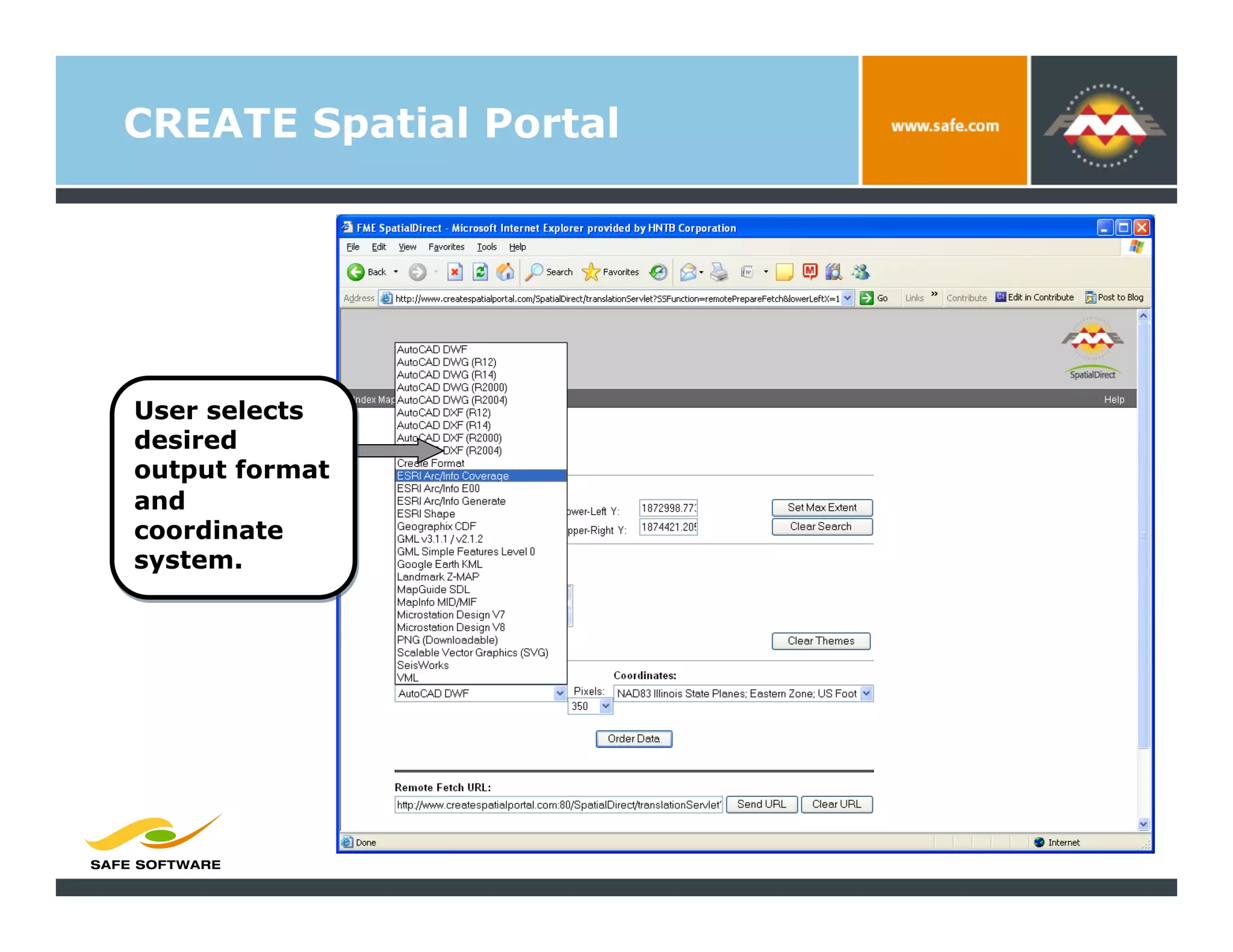
User selects
desired
output format
and
coordinate
system.
CREATE Spatial Portal


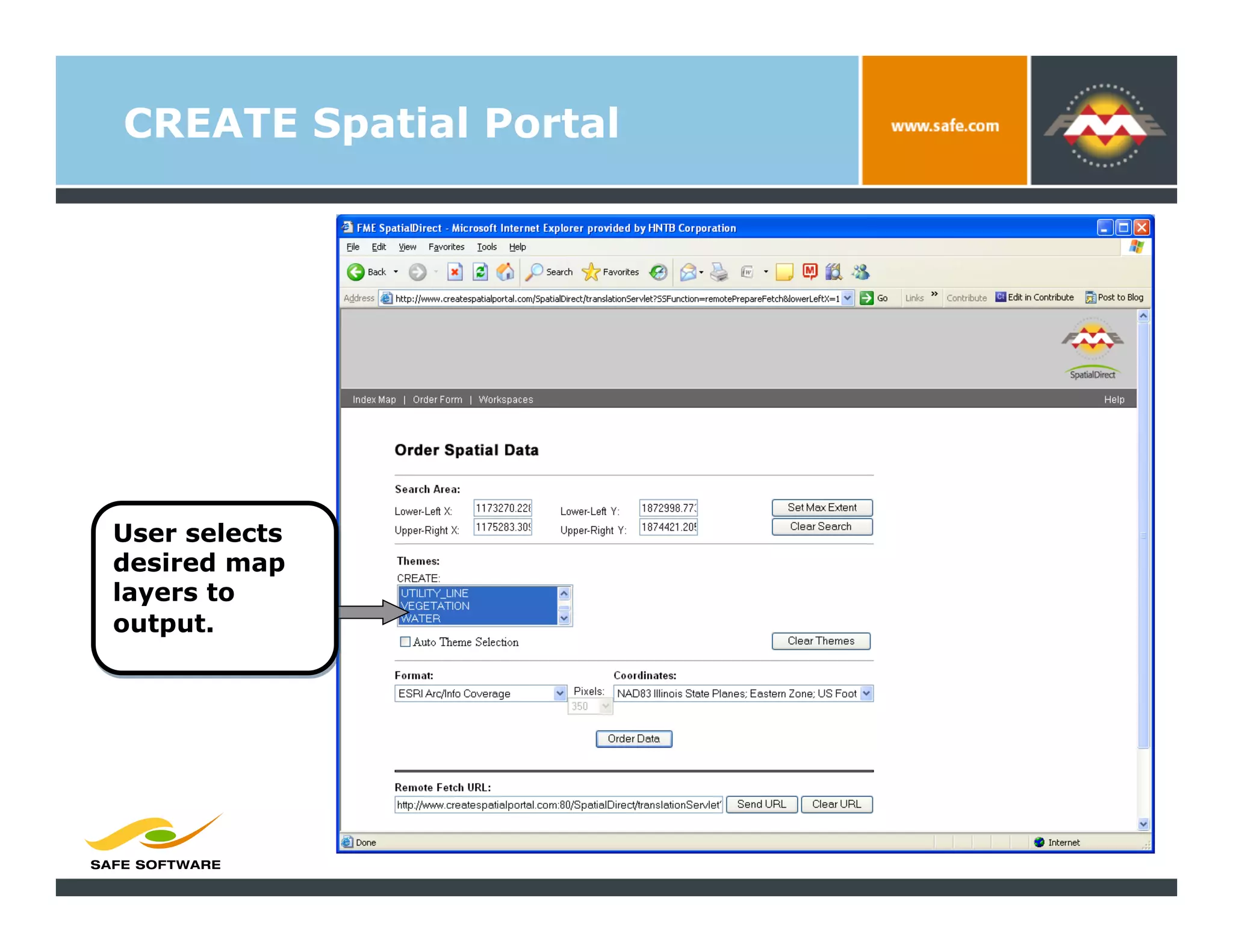
User selects
desired map
layers to
output.
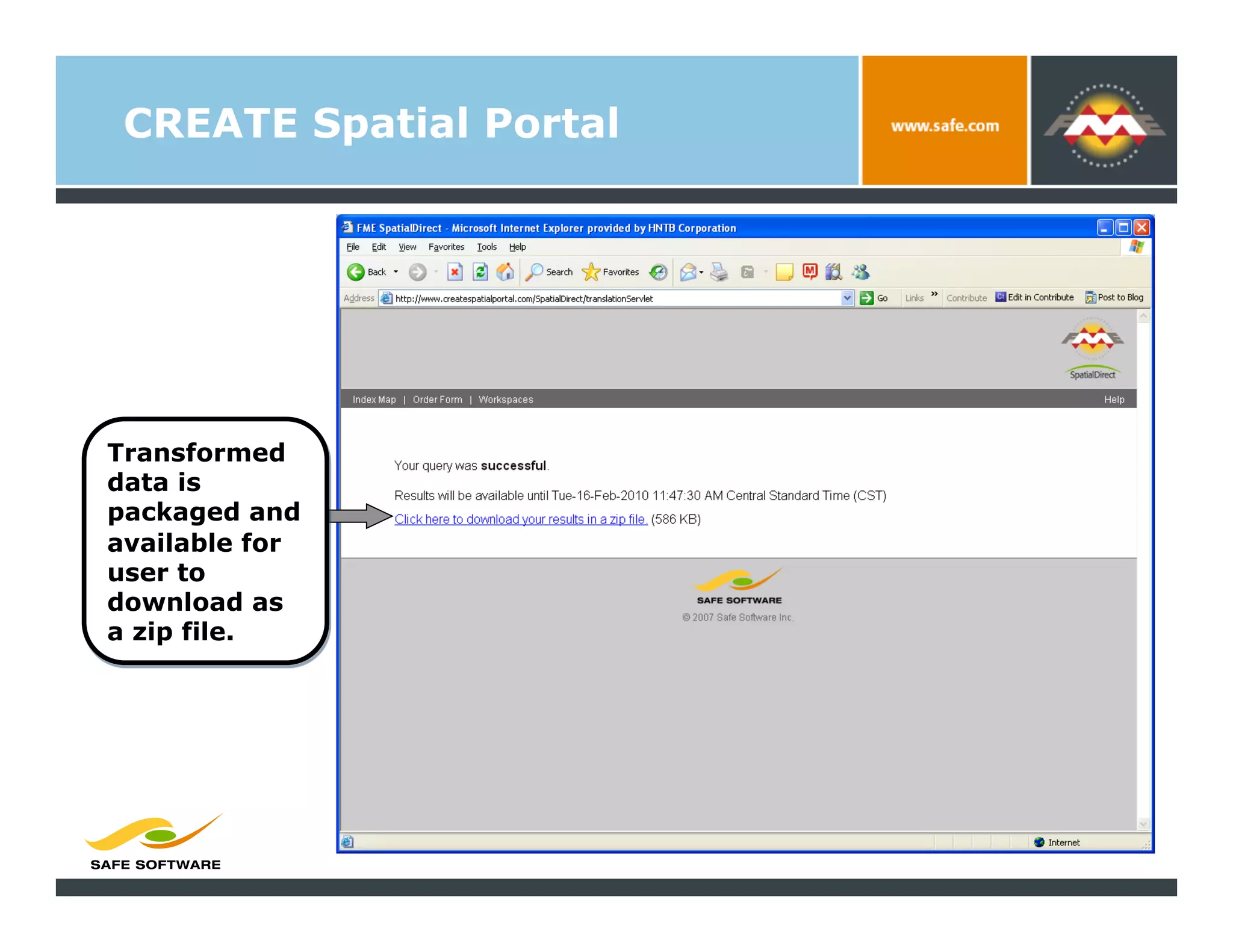
CREATE Spatial Portal


Transformed
data is
packaged and
available for
user to
download as
a zip file.
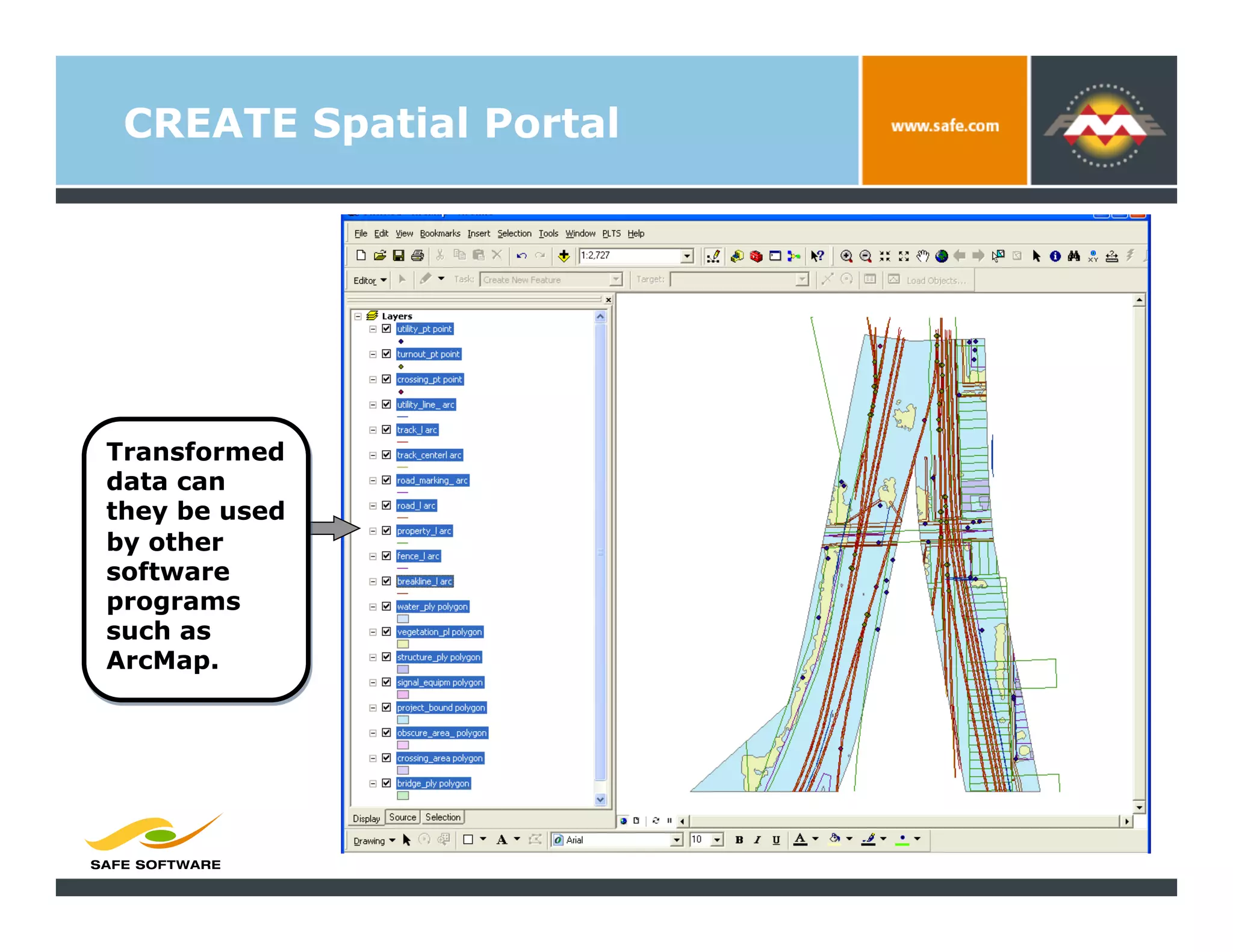
CREATE Spatial Portal


Transformed
data can
they be used
by other
software
programs
such as
ArcMap.
GIS / Mapping and Data
Support


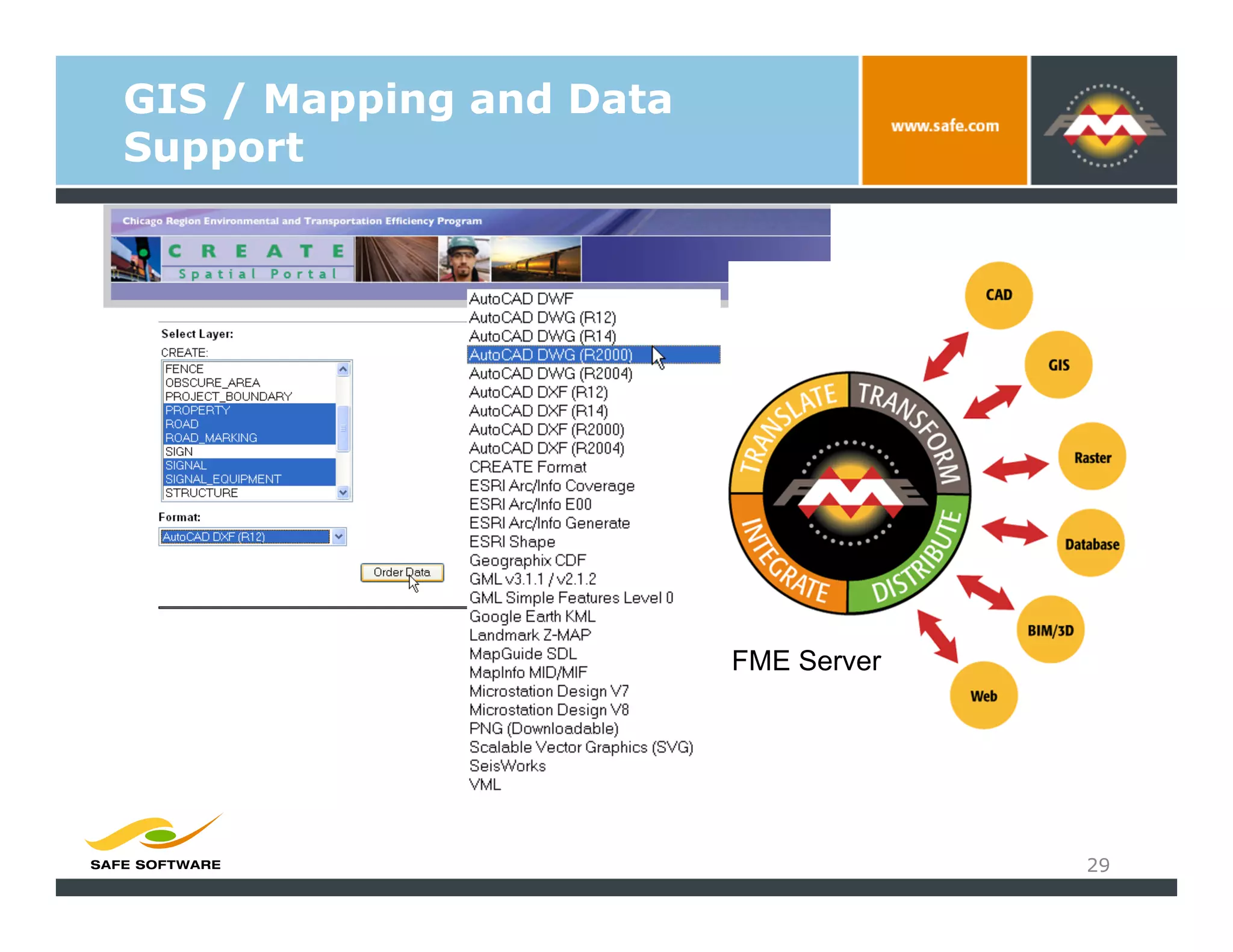
                         FME Server


                                      29
GIS / Mapping and Data
Support


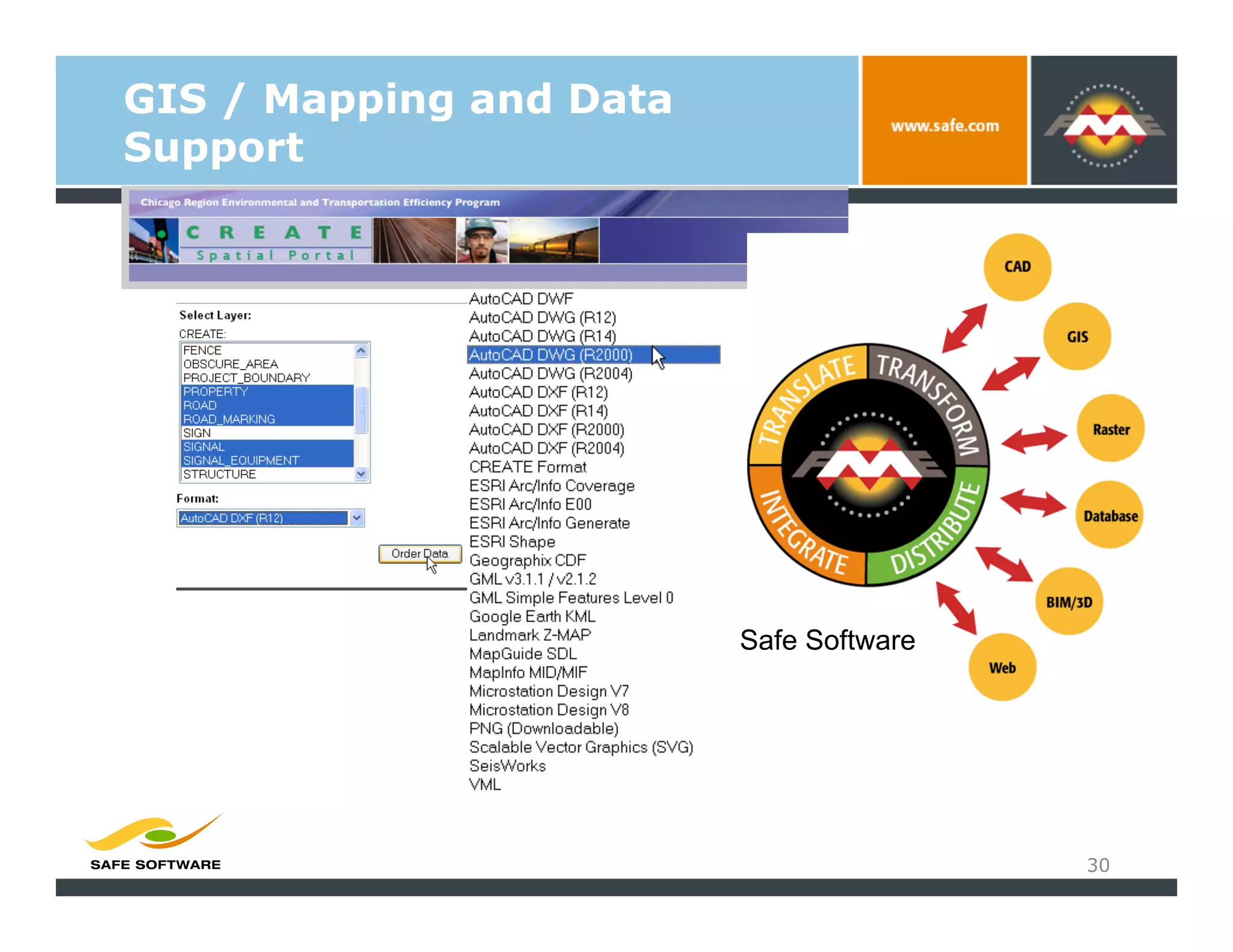
                         Safe Software


                                         30
Thank You!


             Jeff Siegel, AICP, GISP
               jsiegel@hntb.com
               HNTB Corporation
                 www.hntb.com

FME and the Chicago Region Environmental and Transportation Efficiency Program

  • 1.
    Using Geospatial Technologyon the Chicago Region Environmental and Transportation Efficiency 2010: An FME (CREATE) Program Odyssey Jeff Siegel, AICP, GISP Technology Services Director Michael Bieberitz, GISP Technology Project Manager
  • 2.
    Agenda   CREATE Program   Definition, background and objectives   Geospatial technology endeavors   Definition, background and objectives   Data management techniques   Applied Deliverables   CREATE Spatial Portal   Business case   Primarily functionality   Data extraction capabilities 2
  • 3.
  • 4.
    CREATE Program ASSOCIATION OF AMERICAN RAILROADS 4
  • 5.
    CREATE Program Chicago AreaRail Infrastructure •  78 yards, including 21 intermodal (rail-truck) •  2,800 route-miles of track •  12 commuter rail routes •  1,100 viaducts and bridges Daily Activity –  1,200 trains –  37,500 rail cars processed –  20,000 truck moves through intermodal gates 5
  • 6.
    CREATE Program CREATE Program • Focuses operation on 5 corridors •  Combined length of corridors 122 miles •  Builds 25 road/rail separations •  Builds 6 passenger/freight rail fly-overs •  Improves train control system •  50 miles of new track on existing right-of-way •  364 new switches •  Automation of 14 interlockings 6
  • 8.
    Rail over Rail Brighton Park Grade Separations CP Canal Englewood 74th Street Chicago Ridge 75th Street
  • 9.
  • 10.
    Grade Grade Separations Separatio Projects n Projects
  • 11.
    Geospatial Technology on CREATE CREATEMapping Program •  OBJECTIVES •  Consistent, accurate product for multiple uses – useful for planning, design and operations •  Speed in acquisition with minimal operational impact •  METHODOLOGY: Primary technology FLI-MAP •  Cost – 25% of cost of traditional surveying methods •  Speed – All Projects and Corridors “Flown” and initial projects complete within a year •  “Cutting Edge” – LIDAR Accuracy and Density •  Lots of value-add: •  Integration of GIS and Engineering Systems •  Aerial Photos and Videos 11
  • 12.
    Geospatial Technology on CREATE General Mapping Process Ground Cross GIS/CAD: Control Section Survey DTM, Contour Map Planimetrics ROW Track Geometry Flight Planning Aerial Video Data Verification Right of Entry Data Orthophoto Reduction Acquisition Lidar Data ROW Survey Control Set Lidar Test Points 12
  • 13.
    LIDAR Technology John C. Chance Survey 13
  • 14.
  • 15.
    Flip7 Field Survey Milepost SQL DB • Process Rail • Lidar Test Points • Extract • Process Non-Rail (A3) • Unique ID ASCII • Ground Control Physical MP • Process Breaklines (A3) • Statistical QA • Test Cross-sections location • Ground Filter & Surface Clean • QA/QC from ROW (A3) ArcGIS and LiDAR • QA Check ROW boundary development .SHP ArcGIS • Convert to Shape Files Planimetric FME .SHP Feature .SHP • Export to Terramodel • QA Check Deliverable .SHP Terramodel .DGN • Create DTM Model from .DG Ground Model Project Ground and Breaklines. N • QA Check .PR Deliverable • Export DGN O CivilPak/ ASCII GeoPak TIN GeoPak .DGN & .SHP GeoPak .TIN .GPK 1 ft contours CREATE Data Process .DGN Workflow HNTB Deliverables METADATA IDOT Compliant DGN .XML Geopak TIN INROADS DTM .HTML Shapefiles FME Workspaces COGO (.GPK)
  • 16.
  • 17.
    CREATE Geodata -base Model Adapted from: American National Standard for Information Technology— Geographic Information Framework – Data Content Standards for Transportation Networks: Rail 17
  • 18.
    FME WORKSPACE GDB toMicrostation (IDOT compliant)
  • 19.
  • 20.
    Deliverables  LIDAR DATA   VIDEO   DIGITAL PHOTOS   ORTHOPHOTO MOSAICS   GIS Feature Classes   CAD FILES (ENGINEERING)   Design files   DTMs   TRACK GEOMETRY   GROUND CONTROL   DOCUMENTATION   METADATA (HTML, XML) 20
  • 21.
  • 22.
    GIS / Mappingand Data Support 22 www.createspatialportal.com
  • 23.
    GIS / Mappingand Data Support 23 www.createspatialportal.com
  • 24.
    CREATE Spatial Portal Usercan export data in current extent using SpatialDirect utility.
  • 25.
    CREATE Spatial Portal Userselects desired output format and coordinate system.
  • 26.
    CREATE Spatial Portal Userselects desired map layers to output.
  • 27.
    CREATE Spatial Portal Transformed datais packaged and available for user to download as a zip file.
  • 28.
    CREATE Spatial Portal Transformed datacan they be used by other software programs such as ArcMap.
  • 29.
    GIS / Mappingand Data Support FME Server 29
  • 30.
    GIS / Mappingand Data Support Safe Software 30
  • 31.
    Thank You! Jeff Siegel, AICP, GISP jsiegel@hntb.com HNTB Corporation www.hntb.com