Introduction to Java
                for FIRST Robotics


      Andrew Merrill
Software Mentor, FRC Team
           1540
 Computer Science Teacher,
    Catlin Gabel School

What is Java?
 •   Java is a Programming Language
       o documented by the Java Language Specification


       o   "Java is object-oriented, strongly typed, with C-
           like syntax"

 •   Java is a Class Library
       o documented by the:

             § Java ME CLDC API Specification, or the
§  Java SE API Specification, or the
              § Java EE API Specification

       o   "Java has graphics, threads, networking, data
           structures, etc..."

 •   Java is a Runtime Environment
       o documented by the Java Virtual Machine

          Specification
       o "Java is compiled to bytecodes which are

          interpreted by a virtual machine


Goldilocks and the Three Javas
 •   Small - Java Micro Edition (ME)
       o designed for mobile and embedded devices

       o used for FRC robotics


 •   Medium - Java Standard Edition (SE)
      o designed for regular laptop, desktop, server

         applications
      o the most common edition

      o widely used in computer science courses

         (including AP)

 •   Large - Java Enterprise Edition (EE)
       o designed for application servers, distributed

         systems
Common Java Misconceptions
  •   Java is not limited to Web Programming or Applets

  •   Java is not JavaScript, despite the misleadingly similar
      name!


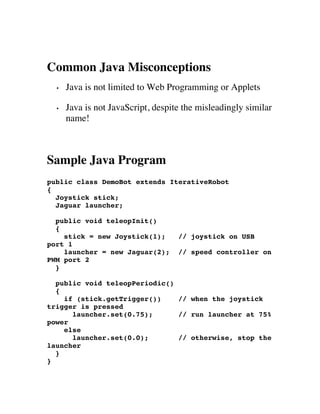
Sample Java Program
public class DemoBot extends IterativeRobot
{
  Joystick stick;
  Jaguar launcher;

  public void teleopInit()
  {
    stick = new Joystick(1);        // joystick on USB
port 1
    launcher = new Jaguar(2);       // speed controller on
PWM port 2
  }

  public void teleopPeriodic()
  {
    if (stick.getTrigger())    // when the joystick
trigger is pressed
      launcher.set(0.75);      // run launcher at 75%
power
    else
      launcher.set(0.0);       // otherwise, stop the
launcher
  }
}
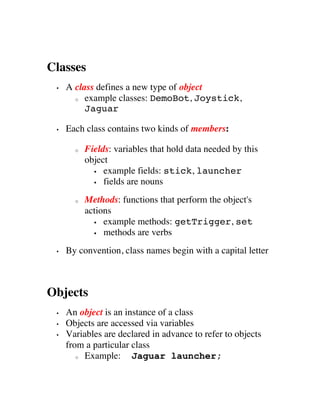
Classes
 •   A class defines a new type of object
       o example classes: DemoBot, Joystick,

          Jaguar

 •   Each class contains two kinds of members:

       o   Fields: variables that hold data needed by this
           object
             § example fields: stick, launcher

             § fields are nouns


       o   Methods: functions that perform the object's
           actions
             § example methods: getTrigger, set

             § methods are verbs


 •   By convention, class names begin with a capital letter


Objects
 •   An object is an instance of a class
 •   Objects are accessed via variables
 •   Variables are declared in advance to refer to objects
     from a particular class
        o Example:     Jaguar launcher;
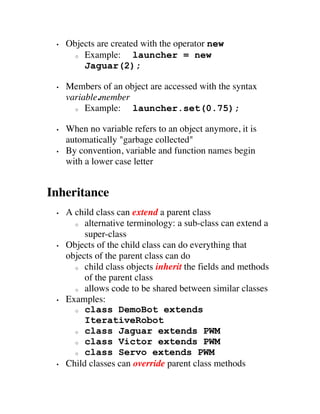
•   Objects are created with the operator new
       o Example:      launcher = new
         Jaguar(2);

 •   Members of an object are accessed with the syntax
     variable.member
       o Example:    launcher.set(0.75);

 •   When no variable refers to an object anymore, it is
     automatically "garbage collected"
 •   By convention, variable and function names begin
     with a lower case letter


Inheritance
 •   A child class can extend a parent class
       o alternative terminology: a sub-class can extend a

          super-class
 •   Objects of the child class can do everything that
     objects of the parent class can do
       o child class objects inherit the fields and methods

          of the parent class
       o allows code to be shared between similar classes

 •   Examples:
       o class DemoBot extends

          IterativeRobot
       o class Jaguar extends PWM

       o class Victor extends PWM

       o class Servo extends PWM

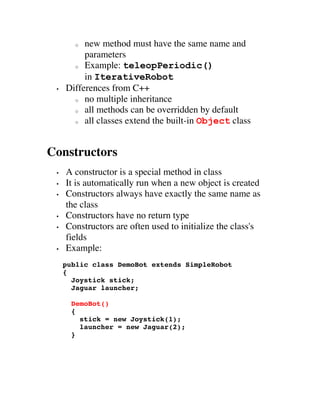
 •   Child classes can override parent class methods
o  new method must have the same name and
          parameters
       o Example: teleopPeriodic()

          in IterativeRobot
 •   Differences from C++
       o no multiple inheritance

       o all methods can be overridden by default

       o all classes extend the built-in Object class


Constructors
 •   A constructor is a special method in class
 •   It is automatically run when a new object is created
 •   Constructors always have exactly the same name as
     the class
 •   Constructors have no return type
 •   Constructors are often used to initialize the class's
     fields
 •   Example:
     public class DemoBot extends SimpleRobot
     {
       Joystick stick;
       Jaguar launcher;

       DemoBot()
       {
         stick = new Joystick(1);
         launcher = new Jaguar(2);
       }
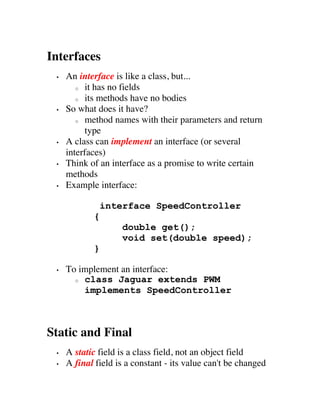
Interfaces
 •   An interface is like a class, but...
        o it has no fields

        o its methods have no bodies

 •   So what does it have?
        o method names with their parameters and return

           type
 •   A class can implement an interface (or several
     interfaces)
 •   Think of an interface as a promise to write certain
     methods
 •   Example interface:

                interface SpeedController
            {
                    double get();
                    void set(double speed);
            }

 •   To implement an interface:
       o class Jaguar extends PWM

         implements SpeedController


Static and Final
 •   A static field is a class field, not an object field
 •   A final field is a constant - its value can't be changed
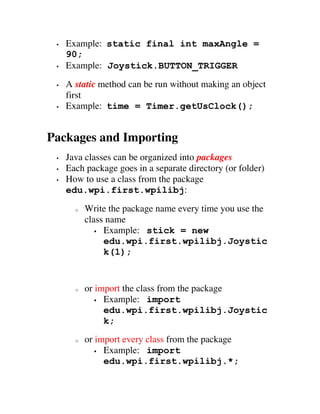
•   Example: static final int maxAngle =
     90;
 •   Example: Joystick.BUTTON_TRIGGER
 •   A static method can be run without making an object
     first
 •   Example: time = Timer.getUsClock();


Packages and Importing
 •   Java classes can be organized into packages
 •   Each package goes in a separate directory (or folder)
 •   How to use a class from the package
     edu.wpi.first.wpilibj:
       o   Write the package name every time you use the
           class name
              § Example: stick = new

                 edu.wpi.first.wpilibj.Joystic
                 k(1);


       o   or import the class from the package
              § Example: import

                 edu.wpi.first.wpilibj.Joystic
                 k;
       o   or import every class from the package
              § Example: import

                 edu.wpi.first.wpilibj.*;
•   The Java library package java.lang is always
      imported automatically


Class Member Access Control
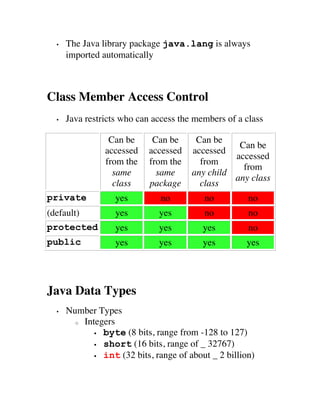
  •   Java restricts who can access the members of a class

                 Can be      Can be      Can be
                                                   Can be
                accessed    accessed    accessed
                                                  accessed
                from the    from the      from
                                                    from
                  same        same      any child
                                                  any class
                  class     package       class
private            yes         no          no          no
(default)          yes         yes         no          no
protected          yes         yes         yes         no
public             yes         yes         yes        yes


Java Data Types
  •   Number Types
        o Integers

             § byte (8 bits, range from -128 to 127)

             § short (16 bits, range of _ 32767)

             § int (32 bits, range of about _ 2 billion)
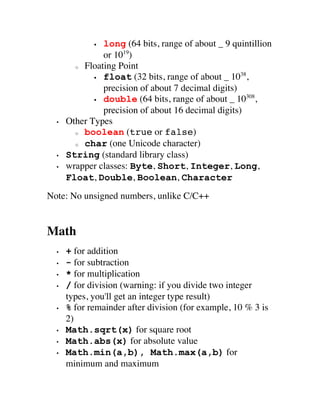
§ long (64 bits, range of about _ 9 quintillion
                or 1019)
        o Floating Point
                                                     38
             § float (32 bits, range of about _ 10 ,

                precision of about 7 decimal digits)
                                                       308
             § double (64 bits, range of about _ 10       ,
                precision of about 16 decimal digits)
  •   Other Types
        o boolean (true or false)

        o char (one Unicode character)

  •   String (standard library class)
  •   wrapper classes: Byte, Short, Integer, Long,
      Float, Double, Boolean, Character
Note: No unsigned numbers, unlike C/C++


Math
  •   + for addition
  •   - for subtraction
  •   * for multiplication
  •   / for division (warning: if you divide two integer
      types, you'll get an integer type result)
  •   % for remainder after division (for example, 10 % 3 is
      2)
  •   Math.sqrt(x) for square root
  •   Math.abs(x) for absolute value
  •   Math.min(a,b), Math.max(a,b) for
      minimum and maximum
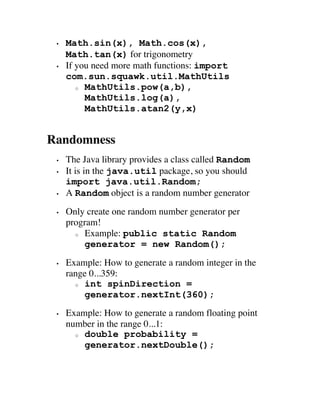
•   Math.sin(x), Math.cos(x),
     Math.tan(x) for trigonometry
 •   If you need more math functions: import
     com.sun.squawk.util.MathUtils
        o MathUtils.pow(a,b),

          MathUtils.log(a),
          MathUtils.atan2(y,x)


Randomness
 •   The Java library provides a class called Random
 •   It is in the java.util package, so you should
     import java.util.Random;
 •   A Random object is a random number generator
 •   Only create one random number generator per
     program!
       o Example: public static Random

          generator = new Random();
 •   Example: How to generate a random integer in the
     range 0...359:
       o int spinDirection =

          generator.nextInt(360);
 •   Example: How to generate a random floating point
     number in the range 0...1:
       o double probability =

         generator.nextDouble();
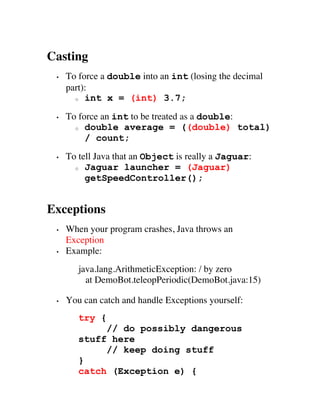
Casting
 •   To force a double into an int (losing the decimal
     part):
       o int x = (int) 3.7;


 •   To force an int to be treated as a double:
       o double average = ((double) total)

          / count;
 •   To tell Java that an Object is really a Jaguar:
       o Jaguar launcher = (Jaguar)

          getSpeedController();


Exceptions
 •   When your program crashes, Java throws an
     Exception
 •   Example:
        java.lang.ArithmeticException: / by zero
          at DemoBot.teleopPeriodic(DemoBot.java:15)

 •   You can catch and handle Exceptions yourself:
        try {
             // do possibly dangerous
        stuff here
             // keep doing stuff
        }
        catch (Exception e) {
launcher.set(0);
            System.out.println("launcher
        disabled");
            System.out.println("caught: "
        + e.getMessage());
        }


Java ME Data Structures
 •   Arrays
       o Fixed number of elements

       o All elements of the same type (or compatible

         types)
       o Random access by element index number

       o Useful array utilities in the

         package com.sun.squawk.util.Arrays
            § sort, copy, fill, binarySearch

       o Example:


        int data[] = new int[100];
        data[0] = 17;
        data[5] = data[0] + 1;
        System.out.println(data[17]);
 •   Vector
       o Variable number of elements

       o All elements must be objects

       o Random access by element index number
       o import java.util.Vector;

       o Example:
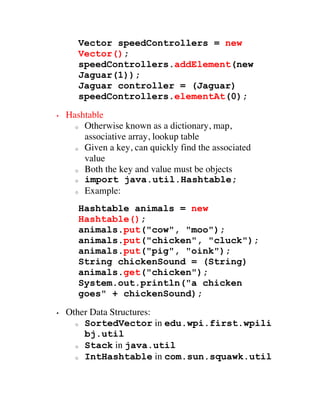
Vector speedControllers = new
       Vector();
       speedControllers.addElement(new
       Jaguar(1));
       Jaguar controller = (Jaguar)
       speedControllers.elementAt(0);
•   Hashtable
      o Otherwise known as a dictionary, map,

        associative array, lookup table
      o Given a key, can quickly find the associated

        value
      o Both the key and value must be objects
      o import java.util.Hashtable;

      o Example:


       Hashtable animals = new
       Hashtable();
       animals.put("cow", "moo");
       animals.put("chicken", "cluck");
       animals.put("pig", "oink");
       String chickenSound = (String)
       animals.get("chicken");
       System.out.println("a chicken
       goes" + chickenSound);
•   Other Data Structures:
      o SortedVector in edu.wpi.first.wpili

        bj.util
      o Stack in java.util

      o IntHashtable in com.sun.squawk.util
Using Java for FRC Robotics

Installing Java for FRC
 •   You do not need LabView or WindRiver Workbench
     (C++) installed
 •   In fact, you don't need anything from the FIRST DVD
 •   Works on Windows (including Windows 7), Mac OS
     X, and Linux
 1. Download the Java SE JDK and the NetBeans IDE
       o The Java SE JDK is available from

          http://java.sun.com
       o NetBeans is available from

          http://netbeans.org/downloads (get the Java SE
          version)
       o OR, you can download the Java JDK/NetBeans

          Bundle from Sun/Oracle
 2. Install the JDK and NetBeans
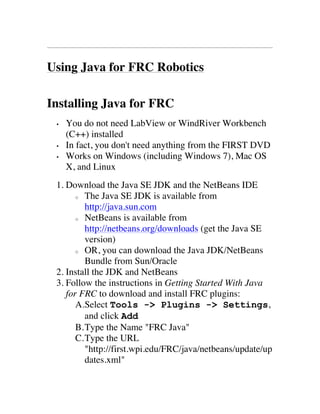
 3. Follow the instructions in Getting Started With Java
    for FRC to download and install FRC plugins:
       A.Select Tools -> Plugins -> Settings,
          and click Add
       B. Type the Name "FRC Java"
       C. Type the URL
          "http://first.wpi.edu/FRC/java/netbeans/update/up
          dates.xml"
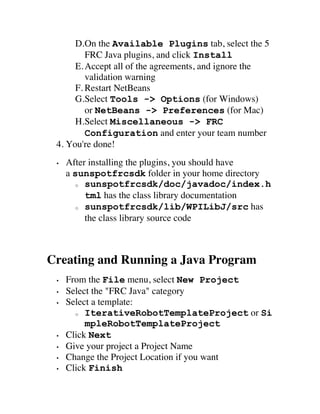
D.On the Available Plugins tab, select the 5
         FRC Java plugins, and click Install
      E. Accept all of the agreements, and ignore the
         validation warning
      F. Restart NetBeans
      G.Select Tools -> Options (for Windows)
         or NetBeans -> Preferences (for Mac)
      H.Select Miscellaneous -> FRC
         Configuration and enter your team number
 4. You're done!
 •   After installing the plugins, you should have
     a sunspotfrcsdk folder in your home directory
        o sunspotfrcsdk/doc/javadoc/index.h

          tml has the class library documentation
        o sunspotfrcsdk/lib/WPILibJ/src has

          the class library source code


Creating and Running a Java Program
 •   From the File menu, select New Project
 •   Select the "FRC Java" category
 •   Select a template:
       o IterativeRobotTemplateProject or Si

          mpleRobotTemplateProject
 •   Click Next
 •   Give your project a Project Name
 •   Change the Project Location if you want
 •   Click Finish
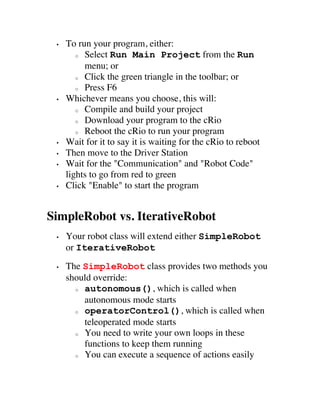
•   To run your program, either:
        o Select Run Main Project from the Run

          menu; or
        o Click the green triangle in the toolbar; or

        o Press F6

 •   Whichever means you choose, this will:
        o Compile and build your project

        o Download your program to the cRio

        o Reboot the cRio to run your program

 •   Wait for it to say it is waiting for the cRio to reboot
 •   Then move to the Driver Station
 •   Wait for the "Communication" and "Robot Code"
     lights to go from red to green
 •   Click "Enable" to start the program


SimpleRobot vs. IterativeRobot
 •   Your robot class will extend either SimpleRobot
     or IterativeRobot
 •   The SimpleRobot class provides two methods you
     should override:
       o autonomous(), which is called when

         autonomous mode starts
       o operatorControl(), which is called when

         teleoperated mode starts
       o You need to write your own loops in these

         functions to keep them running
       o You can execute a sequence of actions easily
o   make sure to run getWatchdog().feed()
           inside your loop
 •   The IterativeRobot classes provides more
     methods to overide:
       o disabledInit(), autonomousInit(),

         teleopInit()
           § called when the robot enters the given mode
       o disabledPeriodic(),

         autonomousPeriodic(),
         teleopPeriodic()
           § called approx. every 10 ms
       o disabledContinuous(),

         autonomousContinuous(),
         teleopContinuous()
           § called as fast as the robot can

       o The IterativeRobot provides the main loop for

         you, and calls the appropriate functions
       o You need to design your own state machine to

         execute a sequence of actions


Displaying Diagnostic Output
 •   Option 1: System.out.println()
       o This is the usual way to display text output from

         a Java program
       o Example: System.out.println("curren

         t speed is " + speed);
       o To view the output, install the NetConsole viewer
o   NetConsole requires the National Instruments
           LabView libraries (installed from the FIRST
           DVD)
       o   Download NetConsole from
             http://first.wpi.edu/Images/CMS/First/NetCons
           oleClient_1.0.0.4.zip
       o   More info is at
           http://first.wpi.edu/FRC/frccupdates.html (Team
           Update 4.0)
 •   Option 2: Driver Station User Messages
       o There is a six line area for User Messages on the

         Driver Station
       o You can display text in it using

         the DriverStationLCD class
       o Example (displays "Hello" on line 2, column 1):


   DriverStationLCD dsLCD =
DriverStationLCD.getInstance();
   dsLCD.println(DriverStationLCD.Line.
kUser2, 1, "Hello");
   dsLCD.updateLCD();
 •   Option 3: SmartDashboard
       o Convenient way to log diagnostic info to a

         remote display
       o New Java client that runs on desktop/laptop

         computer
       o Client program automatically displays logged

         fields without needing configuration
       o Download the client from:
§http://firstforge.wpi.edu/sf/frs/do/viewSumm
               ary/projects.smartdashboard/frs
       o   Example:
     SmartDashboard.init();
     SmartDashboard.log("Disabled",
     "System State");
     SmartDashboard.log(leftDrive.get(),
     "Left Drive");
     SmartDashboard.log(rightDrive.get(),
     "Right Drive");
     SmartDashboard.log(rollerAvg, "Roller
     Avg. Value");
     SmartDashboard.log(basket.hasBall(),
     "Ball in Robot");


Resources
 •   Websites
      o WPI's Java for FRC page:

           § http://first.wpi.edu/FRC/frcjava.html

                 § Read Getting Started With Java For

                    FRC and WPI Library Users Guide
      o FirstForge site for WPILib:

           § http://firstforge.wpi.edu/sf/projects/wpilib

      o FRC 2012 Beta Test Forums:

           § http://forums.usfirst.org/forumdisplay.php?f

              =1525
      o Java Forum at Chief Delphi
§http://www.chiefdelphi.com/forums/forumdi
             splay.php?f=184
      o Java Forum at FIRST Forums:

          § http://forums.usfirst.org/forumdisplay.php?f

             =1334
      o Official Sun/Oracle Java Tutorial

          § http://download.oracle.com/javase/tutorial/

•   Books
      o Java in a Nutshell by David Flanagan (O'Reilly)

      o Effective Java by Joshua Bloch

First fare 2011 frc-java-introduction

  • 1.
    Introduction to Java for FIRST Robotics Andrew Merrill Software Mentor, FRC Team 1540 Computer Science Teacher, Catlin Gabel School What is Java? • Java is a Programming Language o documented by the Java Language Specification o "Java is object-oriented, strongly typed, with C- like syntax" • Java is a Class Library o documented by the: § Java ME CLDC API Specification, or the
  • 2.
    § JavaSE API Specification, or the § Java EE API Specification o "Java has graphics, threads, networking, data structures, etc..." • Java is a Runtime Environment o documented by the Java Virtual Machine Specification o "Java is compiled to bytecodes which are interpreted by a virtual machine Goldilocks and the Three Javas • Small - Java Micro Edition (ME) o designed for mobile and embedded devices o used for FRC robotics • Medium - Java Standard Edition (SE) o designed for regular laptop, desktop, server applications o the most common edition o widely used in computer science courses (including AP) • Large - Java Enterprise Edition (EE) o designed for application servers, distributed systems
  • 3.
    Common Java Misconceptions • Java is not limited to Web Programming or Applets • Java is not JavaScript, despite the misleadingly similar name! Sample Java Program public class DemoBot extends IterativeRobot { Joystick stick; Jaguar launcher; public void teleopInit() { stick = new Joystick(1); // joystick on USB port 1 launcher = new Jaguar(2); // speed controller on PWM port 2 } public void teleopPeriodic() { if (stick.getTrigger()) // when the joystick trigger is pressed launcher.set(0.75); // run launcher at 75% power else launcher.set(0.0); // otherwise, stop the launcher } }
  • 4.
    Classes • A class defines a new type of object o example classes: DemoBot, Joystick, Jaguar • Each class contains two kinds of members: o Fields: variables that hold data needed by this object § example fields: stick, launcher § fields are nouns o Methods: functions that perform the object's actions § example methods: getTrigger, set § methods are verbs • By convention, class names begin with a capital letter Objects • An object is an instance of a class • Objects are accessed via variables • Variables are declared in advance to refer to objects from a particular class o Example: Jaguar launcher;
  • 5.
    Objects are created with the operator new o Example: launcher = new Jaguar(2); • Members of an object are accessed with the syntax variable.member o Example: launcher.set(0.75); • When no variable refers to an object anymore, it is automatically "garbage collected" • By convention, variable and function names begin with a lower case letter Inheritance • A child class can extend a parent class o alternative terminology: a sub-class can extend a super-class • Objects of the child class can do everything that objects of the parent class can do o child class objects inherit the fields and methods of the parent class o allows code to be shared between similar classes • Examples: o class DemoBot extends IterativeRobot o class Jaguar extends PWM o class Victor extends PWM o class Servo extends PWM • Child classes can override parent class methods
  • 6.
    o newmethod must have the same name and parameters o Example: teleopPeriodic() in IterativeRobot • Differences from C++ o no multiple inheritance o all methods can be overridden by default o all classes extend the built-in Object class Constructors • A constructor is a special method in class • It is automatically run when a new object is created • Constructors always have exactly the same name as the class • Constructors have no return type • Constructors are often used to initialize the class's fields • Example: public class DemoBot extends SimpleRobot { Joystick stick; Jaguar launcher; DemoBot() { stick = new Joystick(1); launcher = new Jaguar(2); }
  • 7.
    Interfaces • An interface is like a class, but... o it has no fields o its methods have no bodies • So what does it have? o method names with their parameters and return type • A class can implement an interface (or several interfaces) • Think of an interface as a promise to write certain methods • Example interface: interface SpeedController { double get(); void set(double speed); } • To implement an interface: o class Jaguar extends PWM implements SpeedController Static and Final • A static field is a class field, not an object field • A final field is a constant - its value can't be changed
  • 8.
    Example: static final int maxAngle = 90; • Example: Joystick.BUTTON_TRIGGER • A static method can be run without making an object first • Example: time = Timer.getUsClock(); Packages and Importing • Java classes can be organized into packages • Each package goes in a separate directory (or folder) • How to use a class from the package edu.wpi.first.wpilibj: o Write the package name every time you use the class name § Example: stick = new edu.wpi.first.wpilibj.Joystic k(1); o or import the class from the package § Example: import edu.wpi.first.wpilibj.Joystic k; o or import every class from the package § Example: import edu.wpi.first.wpilibj.*;
  • 9.
    The Java library package java.lang is always imported automatically Class Member Access Control • Java restricts who can access the members of a class Can be Can be Can be Can be accessed accessed accessed accessed from the from the from from same same any child any class class package class private yes no no no (default) yes yes no no protected yes yes yes no public yes yes yes yes Java Data Types • Number Types o Integers § byte (8 bits, range from -128 to 127) § short (16 bits, range of _ 32767) § int (32 bits, range of about _ 2 billion)
  • 10.
    § long (64bits, range of about _ 9 quintillion or 1019) o Floating Point 38 § float (32 bits, range of about _ 10 , precision of about 7 decimal digits) 308 § double (64 bits, range of about _ 10 , precision of about 16 decimal digits) • Other Types o boolean (true or false) o char (one Unicode character) • String (standard library class) • wrapper classes: Byte, Short, Integer, Long, Float, Double, Boolean, Character Note: No unsigned numbers, unlike C/C++ Math • + for addition • - for subtraction • * for multiplication • / for division (warning: if you divide two integer types, you'll get an integer type result) • % for remainder after division (for example, 10 % 3 is 2) • Math.sqrt(x) for square root • Math.abs(x) for absolute value • Math.min(a,b), Math.max(a,b) for minimum and maximum
  • 11.
    Math.sin(x), Math.cos(x), Math.tan(x) for trigonometry • If you need more math functions: import com.sun.squawk.util.MathUtils o MathUtils.pow(a,b), MathUtils.log(a), MathUtils.atan2(y,x) Randomness • The Java library provides a class called Random • It is in the java.util package, so you should import java.util.Random; • A Random object is a random number generator • Only create one random number generator per program! o Example: public static Random generator = new Random(); • Example: How to generate a random integer in the range 0...359: o int spinDirection = generator.nextInt(360); • Example: How to generate a random floating point number in the range 0...1: o double probability = generator.nextDouble();
  • 12.
    Casting • To force a double into an int (losing the decimal part): o int x = (int) 3.7; • To force an int to be treated as a double: o double average = ((double) total) / count; • To tell Java that an Object is really a Jaguar: o Jaguar launcher = (Jaguar) getSpeedController(); Exceptions • When your program crashes, Java throws an Exception • Example: java.lang.ArithmeticException: / by zero at DemoBot.teleopPeriodic(DemoBot.java:15) • You can catch and handle Exceptions yourself: try { // do possibly dangerous stuff here // keep doing stuff } catch (Exception e) {
  • 13.
    launcher.set(0); System.out.println("launcher disabled"); System.out.println("caught: " + e.getMessage()); } Java ME Data Structures • Arrays o Fixed number of elements o All elements of the same type (or compatible types) o Random access by element index number o Useful array utilities in the package com.sun.squawk.util.Arrays § sort, copy, fill, binarySearch o Example: int data[] = new int[100]; data[0] = 17; data[5] = data[0] + 1; System.out.println(data[17]); • Vector o Variable number of elements o All elements must be objects o Random access by element index number o import java.util.Vector; o Example:
  • 14.
    Vector speedControllers =new Vector(); speedControllers.addElement(new Jaguar(1)); Jaguar controller = (Jaguar) speedControllers.elementAt(0); • Hashtable o Otherwise known as a dictionary, map, associative array, lookup table o Given a key, can quickly find the associated value o Both the key and value must be objects o import java.util.Hashtable; o Example: Hashtable animals = new Hashtable(); animals.put("cow", "moo"); animals.put("chicken", "cluck"); animals.put("pig", "oink"); String chickenSound = (String) animals.get("chicken"); System.out.println("a chicken goes" + chickenSound); • Other Data Structures: o SortedVector in edu.wpi.first.wpili bj.util o Stack in java.util o IntHashtable in com.sun.squawk.util
  • 15.
    Using Java forFRC Robotics Installing Java for FRC • You do not need LabView or WindRiver Workbench (C++) installed • In fact, you don't need anything from the FIRST DVD • Works on Windows (including Windows 7), Mac OS X, and Linux 1. Download the Java SE JDK and the NetBeans IDE o The Java SE JDK is available from http://java.sun.com o NetBeans is available from http://netbeans.org/downloads (get the Java SE version) o OR, you can download the Java JDK/NetBeans Bundle from Sun/Oracle 2. Install the JDK and NetBeans 3. Follow the instructions in Getting Started With Java for FRC to download and install FRC plugins: A.Select Tools -> Plugins -> Settings, and click Add B. Type the Name "FRC Java" C. Type the URL "http://first.wpi.edu/FRC/java/netbeans/update/up dates.xml"
  • 16.
    D.On the AvailablePlugins tab, select the 5 FRC Java plugins, and click Install E. Accept all of the agreements, and ignore the validation warning F. Restart NetBeans G.Select Tools -> Options (for Windows) or NetBeans -> Preferences (for Mac) H.Select Miscellaneous -> FRC Configuration and enter your team number 4. You're done! • After installing the plugins, you should have a sunspotfrcsdk folder in your home directory o sunspotfrcsdk/doc/javadoc/index.h tml has the class library documentation o sunspotfrcsdk/lib/WPILibJ/src has the class library source code Creating and Running a Java Program • From the File menu, select New Project • Select the "FRC Java" category • Select a template: o IterativeRobotTemplateProject or Si mpleRobotTemplateProject • Click Next • Give your project a Project Name • Change the Project Location if you want • Click Finish
  • 17.
    To run your program, either: o Select Run Main Project from the Run menu; or o Click the green triangle in the toolbar; or o Press F6 • Whichever means you choose, this will: o Compile and build your project o Download your program to the cRio o Reboot the cRio to run your program • Wait for it to say it is waiting for the cRio to reboot • Then move to the Driver Station • Wait for the "Communication" and "Robot Code" lights to go from red to green • Click "Enable" to start the program SimpleRobot vs. IterativeRobot • Your robot class will extend either SimpleRobot or IterativeRobot • The SimpleRobot class provides two methods you should override: o autonomous(), which is called when autonomous mode starts o operatorControl(), which is called when teleoperated mode starts o You need to write your own loops in these functions to keep them running o You can execute a sequence of actions easily
  • 18.
    o make sure to run getWatchdog().feed() inside your loop • The IterativeRobot classes provides more methods to overide: o disabledInit(), autonomousInit(), teleopInit() § called when the robot enters the given mode o disabledPeriodic(), autonomousPeriodic(), teleopPeriodic() § called approx. every 10 ms o disabledContinuous(), autonomousContinuous(), teleopContinuous() § called as fast as the robot can o The IterativeRobot provides the main loop for you, and calls the appropriate functions o You need to design your own state machine to execute a sequence of actions Displaying Diagnostic Output • Option 1: System.out.println() o This is the usual way to display text output from a Java program o Example: System.out.println("curren t speed is " + speed); o To view the output, install the NetConsole viewer
  • 19.
    o NetConsole requires the National Instruments LabView libraries (installed from the FIRST DVD) o Download NetConsole from http://first.wpi.edu/Images/CMS/First/NetCons oleClient_1.0.0.4.zip o More info is at http://first.wpi.edu/FRC/frccupdates.html (Team Update 4.0) • Option 2: Driver Station User Messages o There is a six line area for User Messages on the Driver Station o You can display text in it using the DriverStationLCD class o Example (displays "Hello" on line 2, column 1): DriverStationLCD dsLCD = DriverStationLCD.getInstance(); dsLCD.println(DriverStationLCD.Line. kUser2, 1, "Hello"); dsLCD.updateLCD(); • Option 3: SmartDashboard o Convenient way to log diagnostic info to a remote display o New Java client that runs on desktop/laptop computer o Client program automatically displays logged fields without needing configuration o Download the client from:
  • 20.
    §http://firstforge.wpi.edu/sf/frs/do/viewSumm ary/projects.smartdashboard/frs o Example: SmartDashboard.init(); SmartDashboard.log("Disabled", "System State"); SmartDashboard.log(leftDrive.get(), "Left Drive"); SmartDashboard.log(rightDrive.get(), "Right Drive"); SmartDashboard.log(rollerAvg, "Roller Avg. Value"); SmartDashboard.log(basket.hasBall(), "Ball in Robot"); Resources • Websites o WPI's Java for FRC page: § http://first.wpi.edu/FRC/frcjava.html § Read Getting Started With Java For FRC and WPI Library Users Guide o FirstForge site for WPILib: § http://firstforge.wpi.edu/sf/projects/wpilib o FRC 2012 Beta Test Forums: § http://forums.usfirst.org/forumdisplay.php?f =1525 o Java Forum at Chief Delphi
  • 21.
    §http://www.chiefdelphi.com/forums/forumdi splay.php?f=184 o Java Forum at FIRST Forums: § http://forums.usfirst.org/forumdisplay.php?f =1334 o Official Sun/Oracle Java Tutorial § http://download.oracle.com/javase/tutorial/ • Books o Java in a Nutshell by David Flanagan (O'Reilly) o Effective Java by Joshua Bloch