THE DESIGN PROCESS AND FIRST ROBOTICS by Rohan Jhunjhunwala  Team Captain and Manager of Design, Team 1540
Step 1 Brainstorming
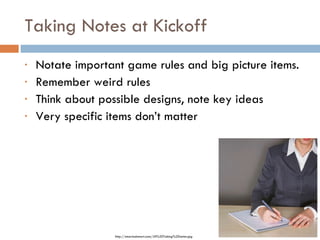
Taking Notes at Kickoff Notate important game rules and big picture items. Remember weird rules Think about possible designs, note key ideas Very specific items don’t matter http://smartadsmart.com/Jill%20Taking%20notes.jpg
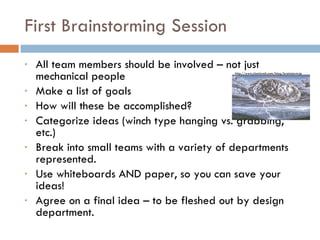
First Brainstorming Session All team members should be involved – not just mechanical people Make a list of goals How will these be accomplished? Categorize ideas (winch type hanging vs. grabbing, etc.) Break into small teams with a variety of departments represented. Use whiteboards AND paper, so you can save your ideas! Agree on a final idea – to be fleshed out by design department. http://www.clamlynch.com/blog/brainstorm.jpg
Step 2 Computer Aided Design
To CAD or not to CAD? Very useful for components that are “set in stone” Inefficient for detailed CAD of entire robot CAD can be time consuming CAD “department” First CAD without specific dimensions can demonstrate robot function to rest of team. Common CAD program options: Google SketchUp Inventor SolidWorks
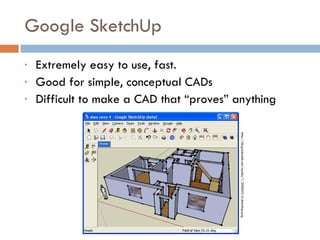
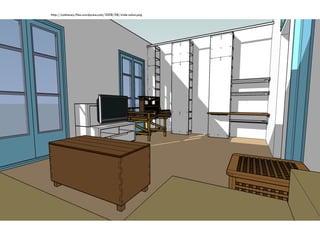
Google SketchUp Extremely easy to use, fast. Good for simple, conceptual CADs Difficult to make a CAD that “proves” anything http://blog.hubalek.net/media/1/20060514-sketchup.png
http://catmacey.files.wordpress.com/2008/08/wide-salon.png
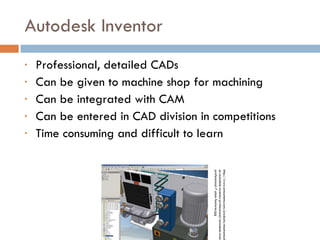
Autodesk Inventor Professional, detailed CADs Can be given to machine shop for machining Can be integrated with CAM Can be entered in CAD division in competitions Time consuming and difficult to learn http://www.amsystems.com/products/mechanical/images-autodesk-inventor-professional/autodesk-inventor-professional-7-pipe-features.jpg
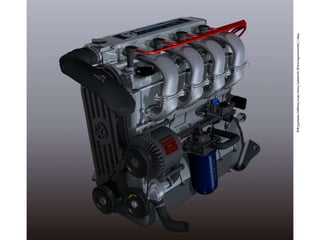
http://npowersoftware.jp/products/trans/intro/images/motor03.jpg
Manipulators Step 3
Things to think about Weight Distribution  Goals of operation  Simplicity is elegance Motors and transmissions Fewest number of moving parts Utilize multiple forms of motion Non-motorized elements Weird parts
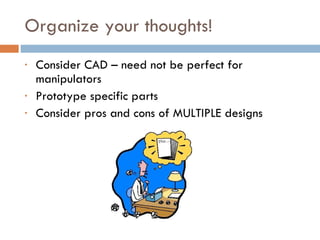
Organize your thoughts! Consider CAD – need not be perfect for manipulators Prototype specific parts Consider pros and cons of MULTIPLE designs
Step 4 Ready to Build? Consider Components.
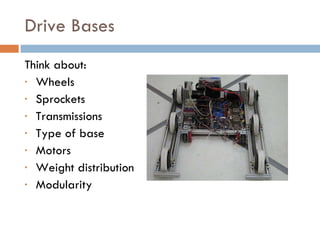
Drive Bases Think about: Wheels Sprockets Transmissions Type of base Motors Weight distribution Modularity
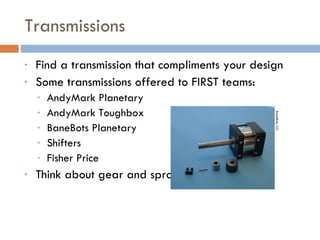
Transmissions Find a transmission that compliments your design Some transmissions offered to FIRST teams: AndyMark Planetary AndyMark Toughbox BaneBots Planetary Shifters Fisher Price Think about gear and sprocket ratios BaneBots, LLC
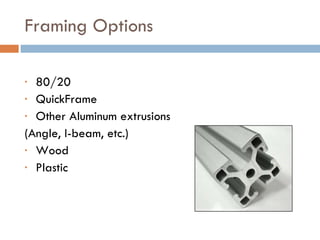
Framing Options 80/20 QuickFrame Other Aluminum extrusions (Angle, I-beam, etc.) Wood Plastic
Pros and cons of different parts Sprockets and Chain (size) Bearings Igus Ball Needle Bronze Axle Bolts vs. Rivets Should I use pneumatics? Binary device Powerful Extra components Linear motion w/ motors Fast Constant pressure Ease of use
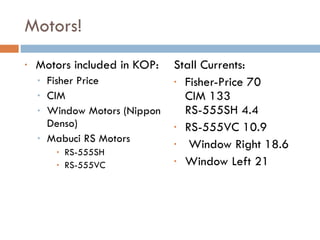
Motors! Motors included in KOP: Fisher Price CIM Window Motors (Nippon Denso) Mabuci RS Motors RS-555SH RS-555VC Stall Currents: Fisher-Price 70 CIM 133 RS-555SH 4.4 RS-555VC 10.9 Window Right 18.6 Window Left 21
Effective Prototyping Use 80/20 or other quick materials Only prototype complex systems Prototype robot? Don’t worry about weight Use old parts, and approximate gear ratios, operate things by hand, etc Adjust prototype until it works, and take note of adjustments, so final robot will perform similarly.
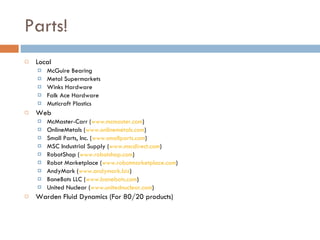
Parts! Local McGuire Bearing Metal Supermarkets Winks Hardware Falk Ace Hardware Muticraft Plastics Web McMaster-Carr ( www.mcmaster.com ) OnlineMetals ( www.onlinemetals.com ) Small Parts, Inc. ( www.smallparts.com ) MSC Industrial Supply ( www.mscdirect.com ) RobotShop ( www.robotshop.com ) Robot Marketplace ( www.robotmarketplace.com ) AndyMark ( www.andymark.biz ) BaneBots LLC ( www.banebots.com ) United Nuclear ( www.unitednuclear.com ) Warden Fluid Dynamics (For 80/20 products)
www.oregonfirst.com www.team1540.org [email_address]

First fare 2010 the design process and first robotics

  • 1.
    THE DESIGN PROCESSAND FIRST ROBOTICS by Rohan Jhunjhunwala Team Captain and Manager of Design, Team 1540
  • 2.
  • 3.
    Taking Notes atKickoff Notate important game rules and big picture items. Remember weird rules Think about possible designs, note key ideas Very specific items don’t matter http://smartadsmart.com/Jill%20Taking%20notes.jpg
  • 4.
    First Brainstorming SessionAll team members should be involved – not just mechanical people Make a list of goals How will these be accomplished? Categorize ideas (winch type hanging vs. grabbing, etc.) Break into small teams with a variety of departments represented. Use whiteboards AND paper, so you can save your ideas! Agree on a final idea – to be fleshed out by design department. http://www.clamlynch.com/blog/brainstorm.jpg
  • 5.
    Step 2 ComputerAided Design
  • 6.
    To CAD ornot to CAD? Very useful for components that are “set in stone” Inefficient for detailed CAD of entire robot CAD can be time consuming CAD “department” First CAD without specific dimensions can demonstrate robot function to rest of team. Common CAD program options: Google SketchUp Inventor SolidWorks
  • 7.
    Google SketchUp Extremelyeasy to use, fast. Good for simple, conceptual CADs Difficult to make a CAD that “proves” anything http://blog.hubalek.net/media/1/20060514-sketchup.png
  • 8.
  • 9.
    Autodesk Inventor Professional,detailed CADs Can be given to machine shop for machining Can be integrated with CAM Can be entered in CAD division in competitions Time consuming and difficult to learn http://www.amsystems.com/products/mechanical/images-autodesk-inventor-professional/autodesk-inventor-professional-7-pipe-features.jpg
  • 10.
  • 11.
  • 12.
    Things to thinkabout Weight Distribution Goals of operation Simplicity is elegance Motors and transmissions Fewest number of moving parts Utilize multiple forms of motion Non-motorized elements Weird parts
  • 13.
    Organize your thoughts!Consider CAD – need not be perfect for manipulators Prototype specific parts Consider pros and cons of MULTIPLE designs
  • 14.
    Step 4 Readyto Build? Consider Components.
  • 15.
    Drive Bases Thinkabout: Wheels Sprockets Transmissions Type of base Motors Weight distribution Modularity
  • 16.
    Transmissions Find atransmission that compliments your design Some transmissions offered to FIRST teams: AndyMark Planetary AndyMark Toughbox BaneBots Planetary Shifters Fisher Price Think about gear and sprocket ratios BaneBots, LLC
  • 17.
    Framing Options 80/20QuickFrame Other Aluminum extrusions (Angle, I-beam, etc.) Wood Plastic
  • 18.
    Pros and consof different parts Sprockets and Chain (size) Bearings Igus Ball Needle Bronze Axle Bolts vs. Rivets Should I use pneumatics? Binary device Powerful Extra components Linear motion w/ motors Fast Constant pressure Ease of use
  • 19.
    Motors! Motors includedin KOP: Fisher Price CIM Window Motors (Nippon Denso) Mabuci RS Motors RS-555SH RS-555VC Stall Currents: Fisher-Price 70 CIM 133 RS-555SH 4.4 RS-555VC 10.9 Window Right 18.6 Window Left 21
  • 20.
    Effective Prototyping Use80/20 or other quick materials Only prototype complex systems Prototype robot? Don’t worry about weight Use old parts, and approximate gear ratios, operate things by hand, etc Adjust prototype until it works, and take note of adjustments, so final robot will perform similarly.
  • 21.
    Parts! Local McGuireBearing Metal Supermarkets Winks Hardware Falk Ace Hardware Muticraft Plastics Web McMaster-Carr ( www.mcmaster.com ) OnlineMetals ( www.onlinemetals.com ) Small Parts, Inc. ( www.smallparts.com ) MSC Industrial Supply ( www.mscdirect.com ) RobotShop ( www.robotshop.com ) Robot Marketplace ( www.robotmarketplace.com ) AndyMark ( www.andymark.biz ) BaneBots LLC ( www.banebots.com ) United Nuclear ( www.unitednuclear.com ) Warden Fluid Dynamics (For 80/20 products)
  • 22.