File Management
What is file management?Also known as  file system or filesystemThe system that an operating system or program uses to organize and keep track of files.E.g: a hierarchical file system. Although the operating system provides its own file management system, you can buy separate file management systems. These systems interact smoothly with the operating system but provide more features, such as improved backup procedures and stricter file protection.
Aspects of file managementFile nameName assigned to a file in order to secure storage location in the computer memoryMetadata	Other bookkeeping information is typically associated with each file within a file system.eg: time last modifiedFacilitiesTraditional file systems offer facilities to create, move and delete both files and directoriesSecure access
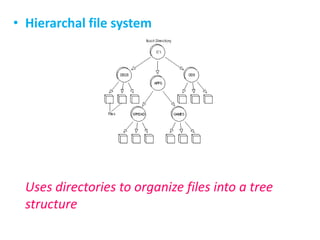
Hierarchal file systemUses directories to organize files into a tree structure
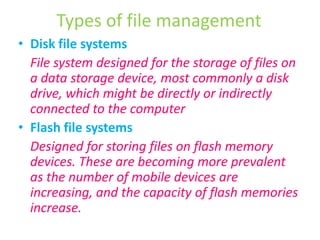
Types of file managementDisk file systems	File system designed for the storage of files on a data storage device, most commonly a disk drive, which might be directly or indirectly connected to the computerFlash file systems	Designed for storing files on flash memory devices. These are becoming more prevalent as the number of mobile devices are increasing, and the capacity of flash memories increase.
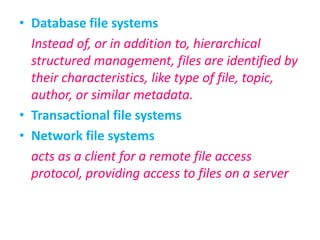
Database file systems	Instead of, or in addition to, hierarchical structured management, files are identified by their characteristics, like type of file, topic, author, or similar metadata.Transactional file systemsNetwork file systems	acts as a client for a remote file access protocol, providing access to files on a server
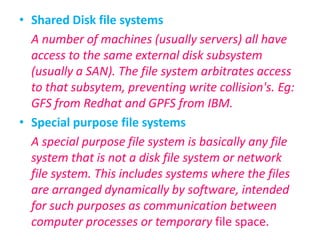
Shared Disk file systemsA number of machines (usually servers) all have access to the same external disk subsystem (usually a SAN). The file system arbitrates access to that subsytem, preventing write collision's. Eg: GFS from Redhat and GPFS from IBM.Special purpose file systemsA special purpose file system is basically any file system that is not a disk file system or network file system. This includes systems where the files are arranged dynamically by software, intended for such purposes as communication between computer processes or temporary file space.

File Management

  • 1.
  • 2.
    What is filemanagement?Also known as file system or filesystemThe system that an operating system or program uses to organize and keep track of files.E.g: a hierarchical file system. Although the operating system provides its own file management system, you can buy separate file management systems. These systems interact smoothly with the operating system but provide more features, such as improved backup procedures and stricter file protection.
  • 3.
    Aspects of filemanagementFile nameName assigned to a file in order to secure storage location in the computer memoryMetadata Other bookkeeping information is typically associated with each file within a file system.eg: time last modifiedFacilitiesTraditional file systems offer facilities to create, move and delete both files and directoriesSecure access
  • 4.
    Hierarchal file systemUsesdirectories to organize files into a tree structure
  • 5.
    Types of filemanagementDisk file systems File system designed for the storage of files on a data storage device, most commonly a disk drive, which might be directly or indirectly connected to the computerFlash file systems Designed for storing files on flash memory devices. These are becoming more prevalent as the number of mobile devices are increasing, and the capacity of flash memories increase.
  • 6.
    Database file systems Insteadof, or in addition to, hierarchical structured management, files are identified by their characteristics, like type of file, topic, author, or similar metadata.Transactional file systemsNetwork file systems acts as a client for a remote file access protocol, providing access to files on a server
  • 7.
    Shared Disk filesystemsA number of machines (usually servers) all have access to the same external disk subsystem (usually a SAN). The file system arbitrates access to that subsytem, preventing write collision's. Eg: GFS from Redhat and GPFS from IBM.Special purpose file systemsA special purpose file system is basically any file system that is not a disk file system or network file system. This includes systems where the files are arranged dynamically by software, intended for such purposes as communication between computer processes or temporary file space.