
Cosmos, Big Data GE implementation 
Building your first application using FI-WARE 
Open APIs for Open Minds
Big Data: 
What is it and how 
much data is there 
1
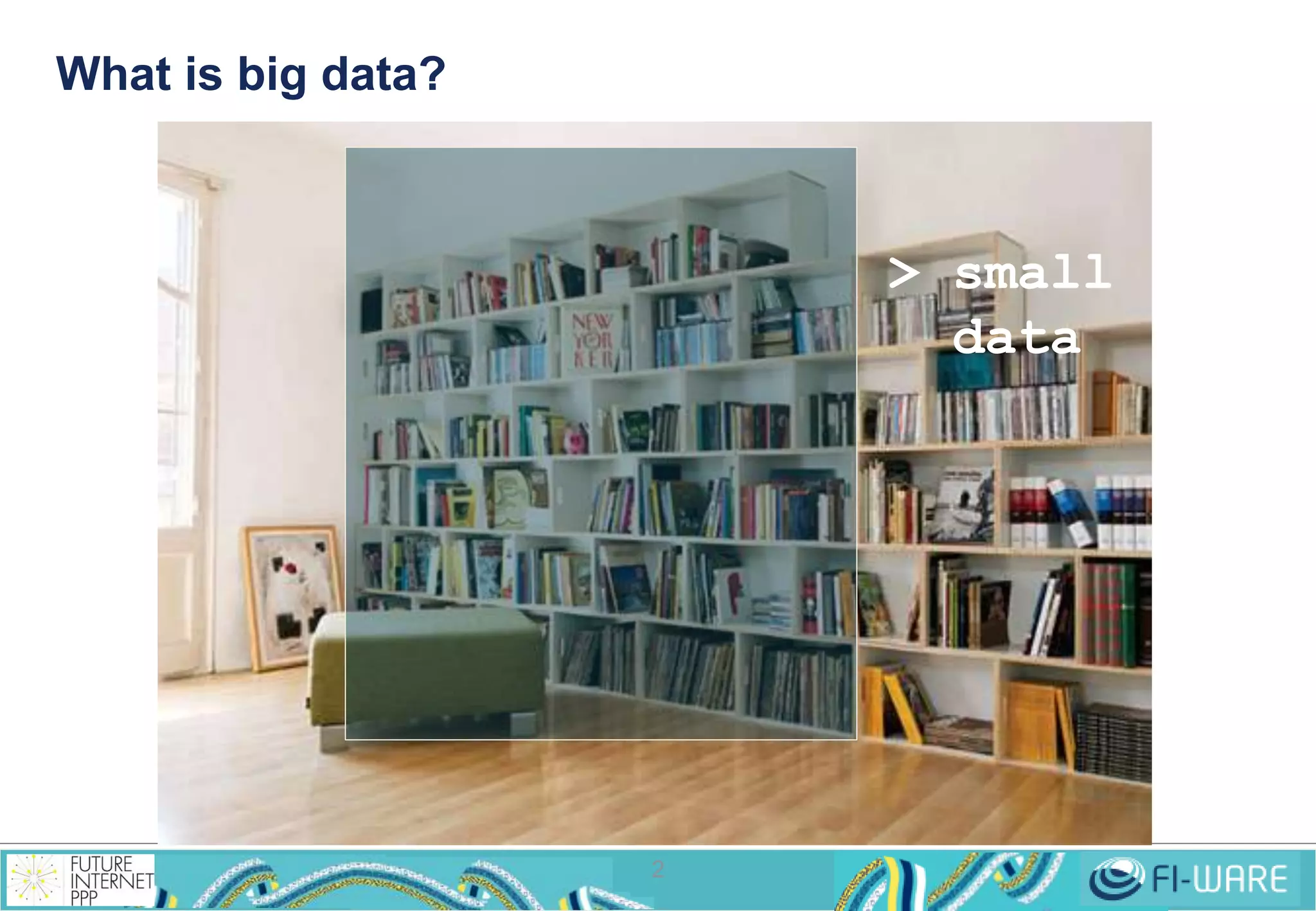
What is big data? 
2 
> small 
data
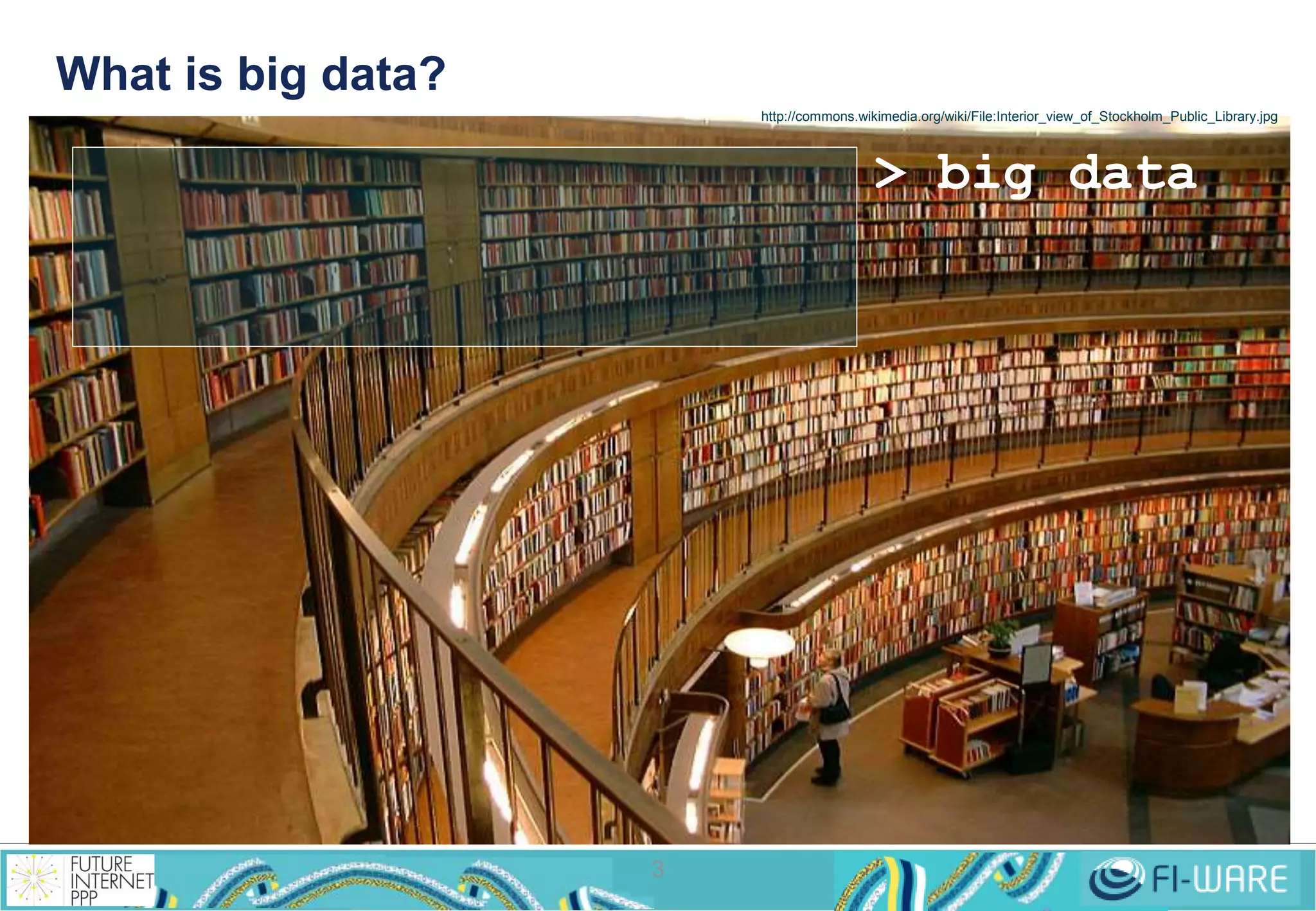
What is big data? 
3 
http://commons.wikimedia.org/wiki/File:Interior_view_of_Stockholm_Public_Library.jpg 
> big data
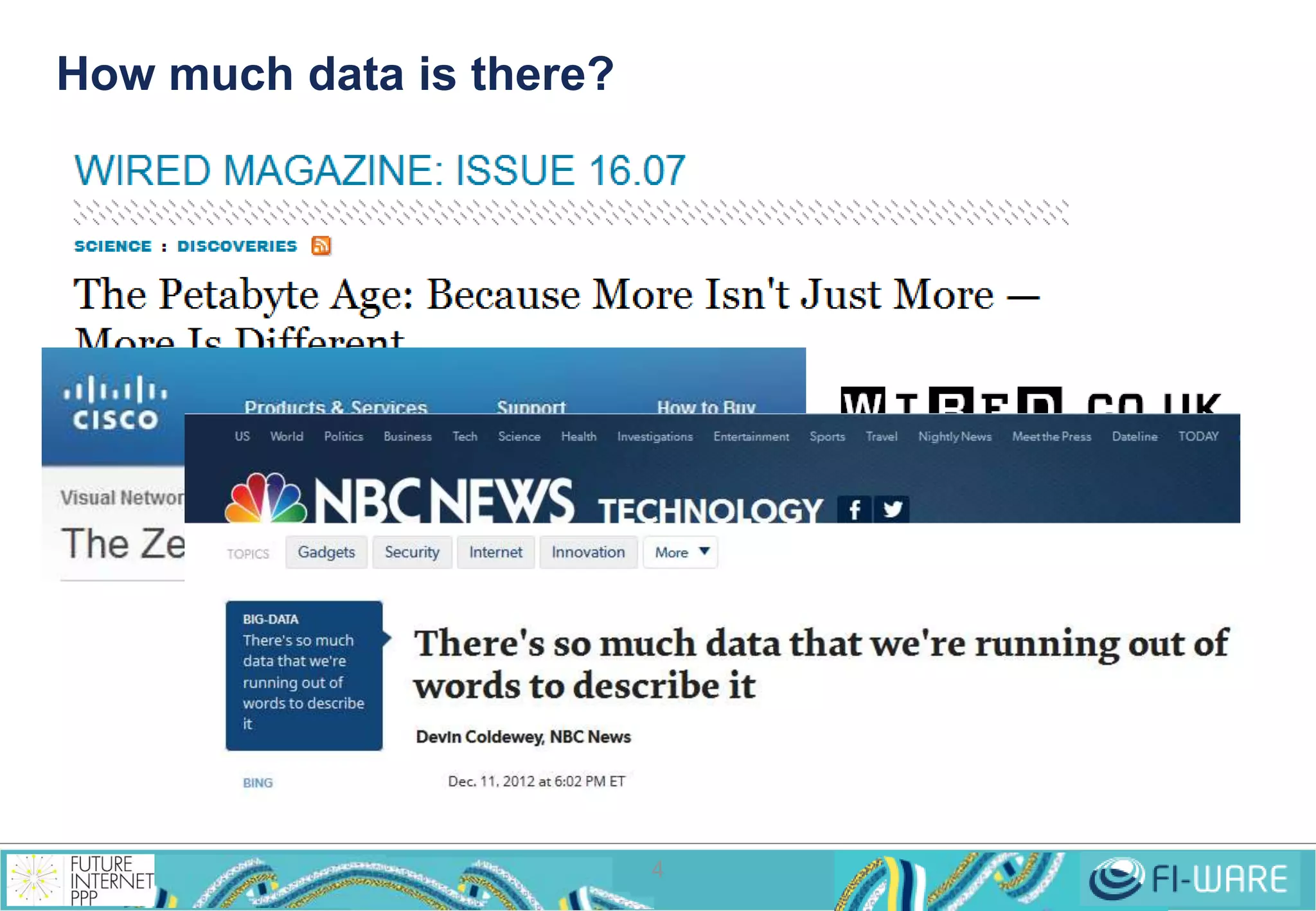
How much data is there? 
4
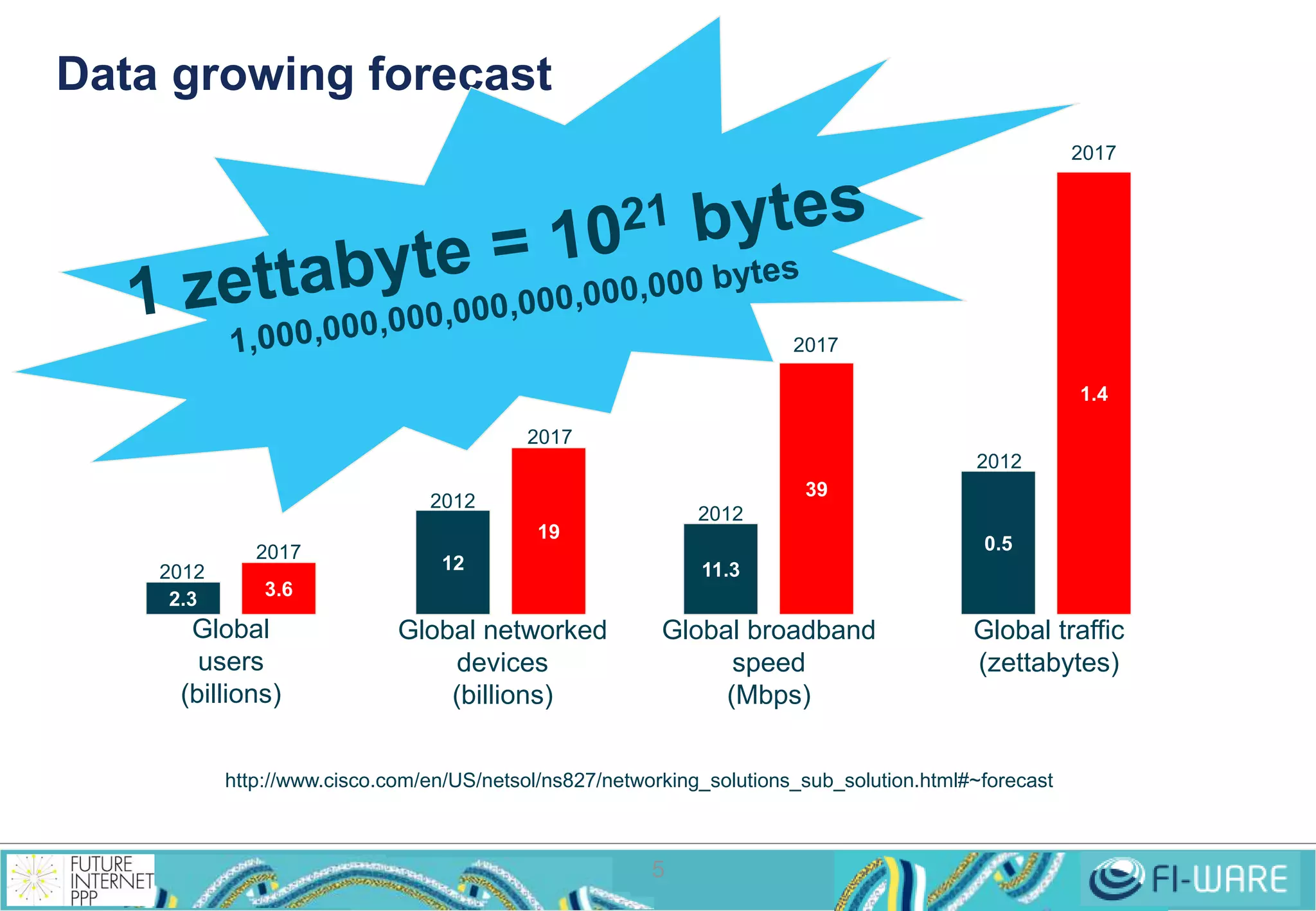
Data growing forecast 
5 
2.3 
3.6 
12 
19 
11.3 
39 
0.5 
1.4 
Global 
users 
(billions) 
Global networked 
devices 
(billions) 
Global broadband 
speed 
(Mbps) 
Global traffic 
(zettabytes) 
http://www.cisco.com/en/US/netsol/ns827/networking_solutions_sub_solution.html#~forecast 
2012 
2012 
2012 
2012 
2017 
2017 
2017 
2017
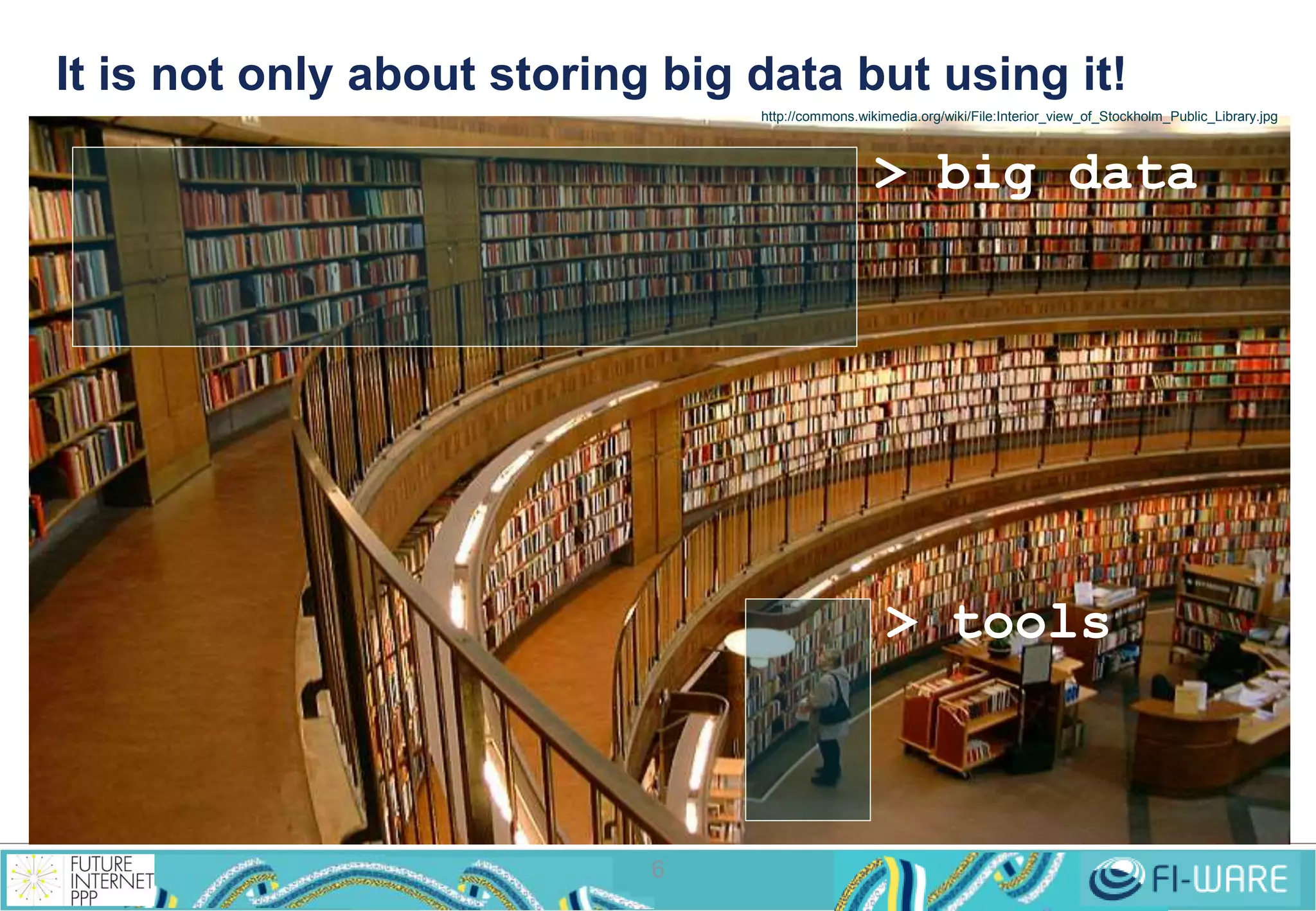
It is not only about storing big data but using it! 
6 
http://commons.wikimedia.org/wiki/File:Interior_view_of_Stockholm_Public_Library.jpg 
> big data 
> tools
How to deal with it: 
The Hadoop reference 
7
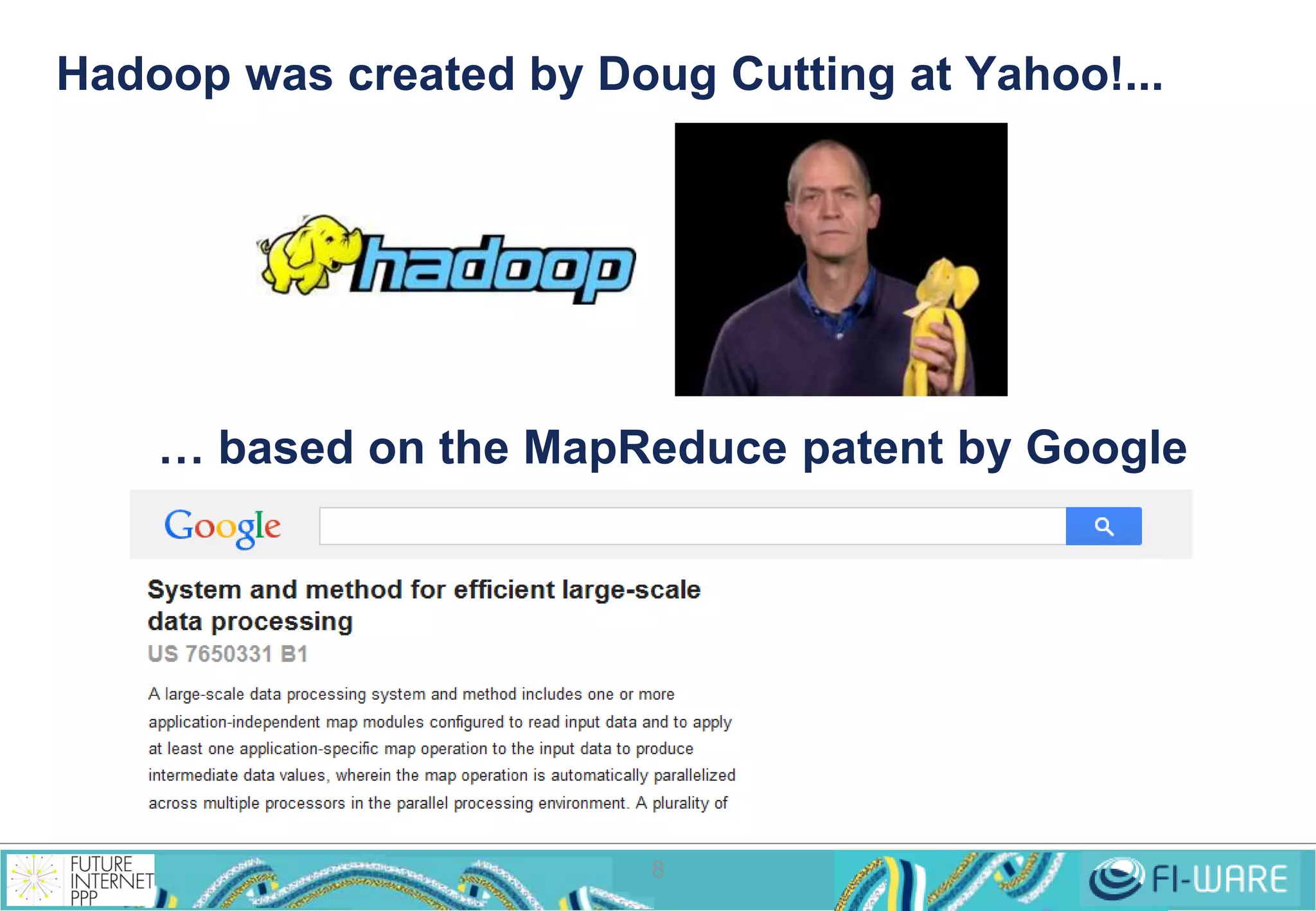
Hadoop was created by Doug Cutting at Yahoo!... 
… based on the MapReduce patent by Google 
8
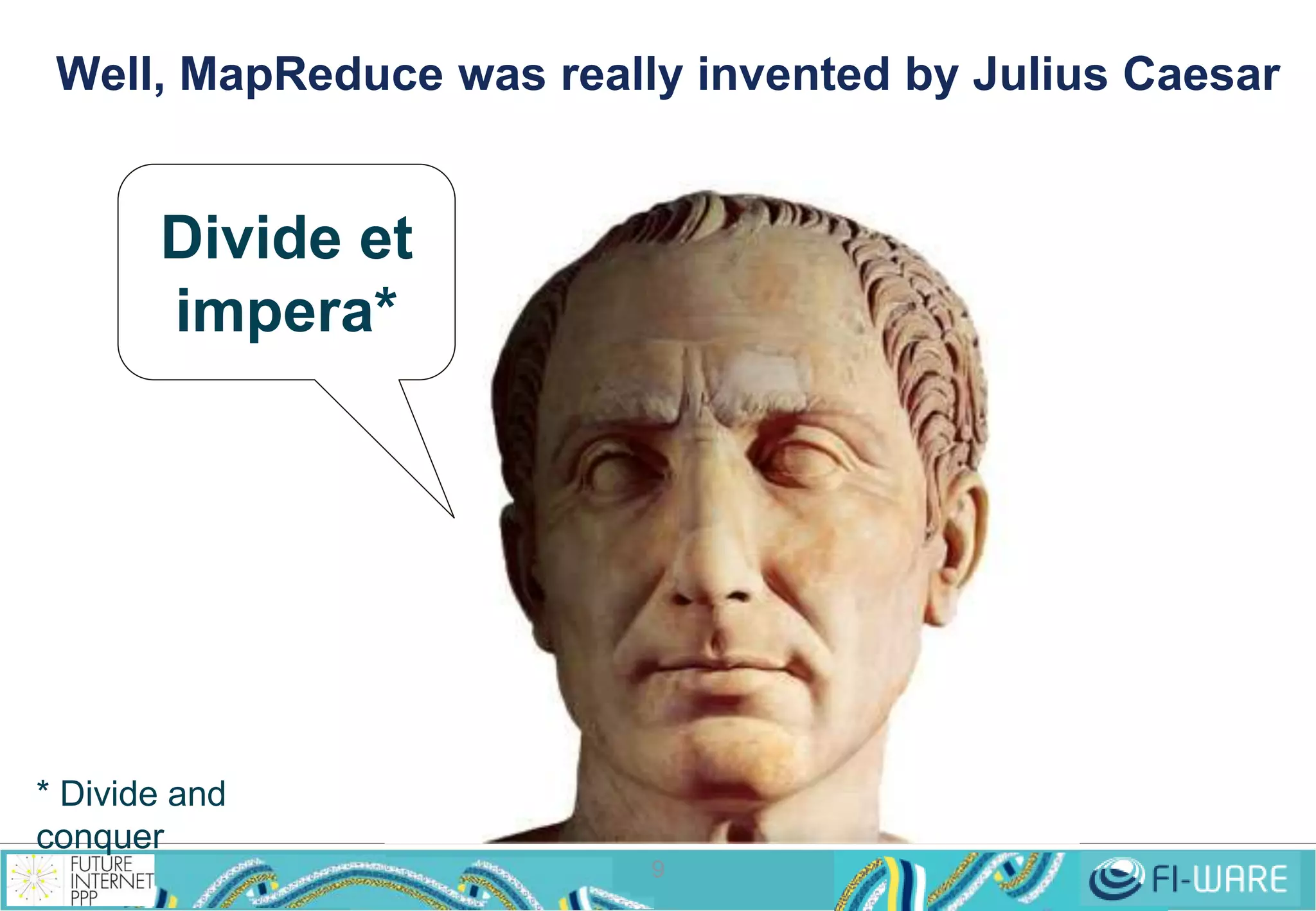
Well, MapReduce was really invented by Julius Caesar 
9 
Divide et 
impera* 
* Divide and 
conquer
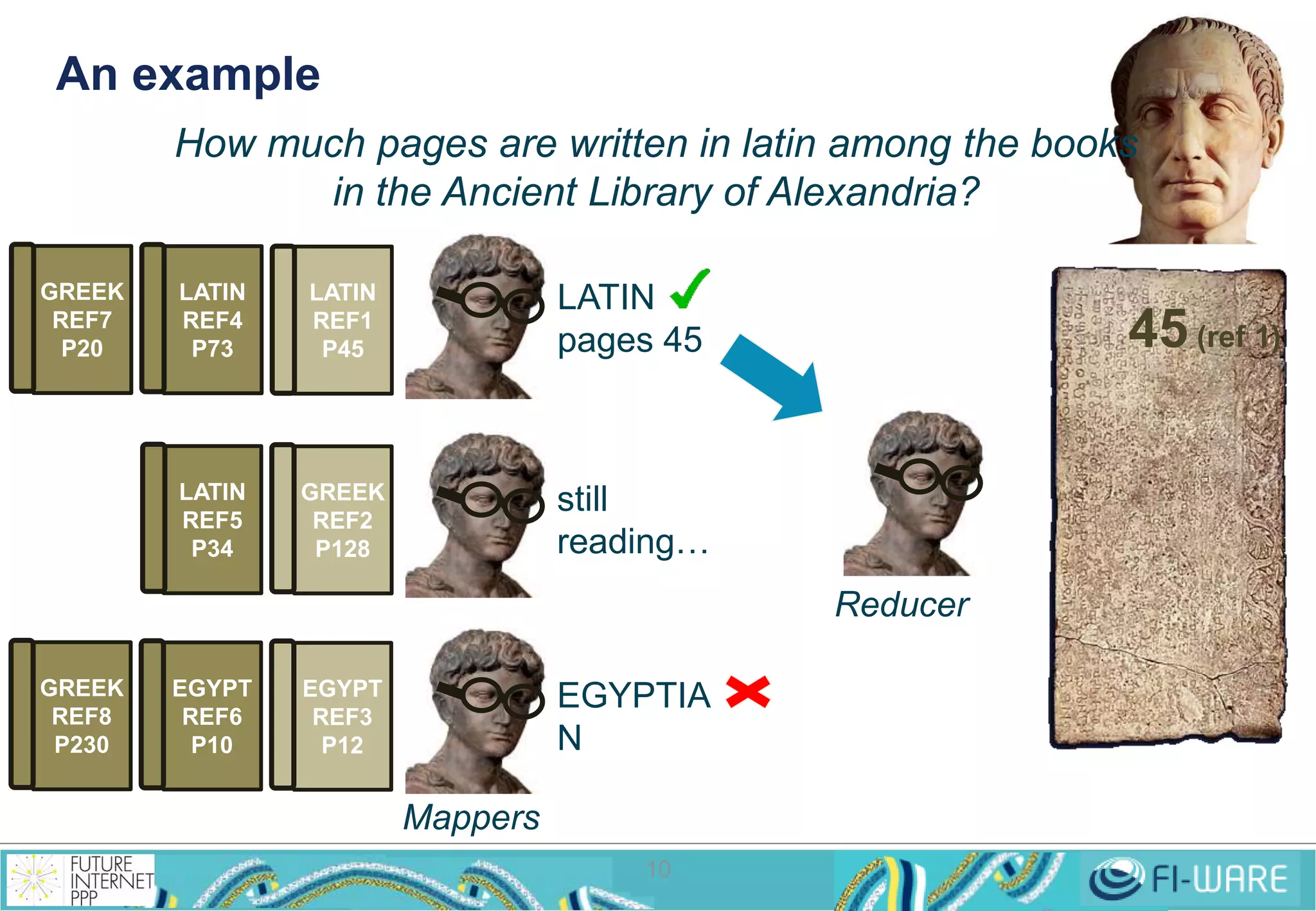
An example 
How much pages are written in latin among the books 
in the Ancient Library of Alexandria? 
10 
LATIN 
REF1 
P45 
GREEK 
REF2 
P128 
EGYPT 
REF3 
P12 
LATIN 
pages 45 
EGYPTIA 
N 
LATIN 
REF4 
P73 
LATIN 
REF5 
P34 
EGYPT 
REF6 
P10 
GREEK 
REF7 
P20 
GREEK 
REF8 
P230 
45 (ref 1) 
still 
reading… 
Mappers 
Reducer
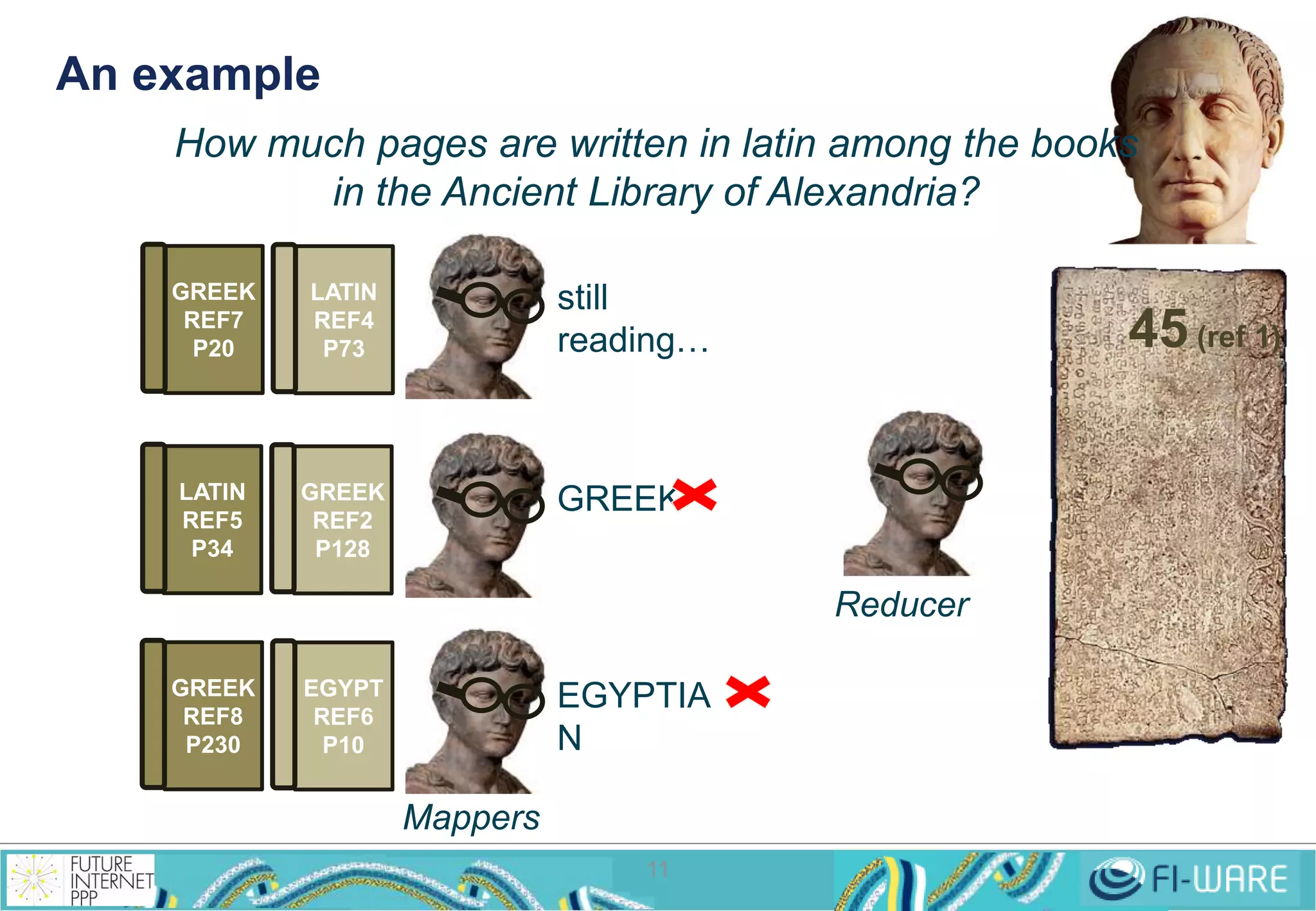
An example 
How much pages are written in latin among the books 
in the Ancient Library of Alexandria? 
11 
GREEK 
REF2 
P128 
still 
reading… 
EGYPTIA 
N 
LATIN 
REF4 
P73 
LATIN 
REF5 
P34 
EGYPT 
REF6 
P10 
GREEK 
REF7 
P20 
GREEK 
REF8 
P230 
GREEK 
45 (ref 1) 
Mappers 
Reducer
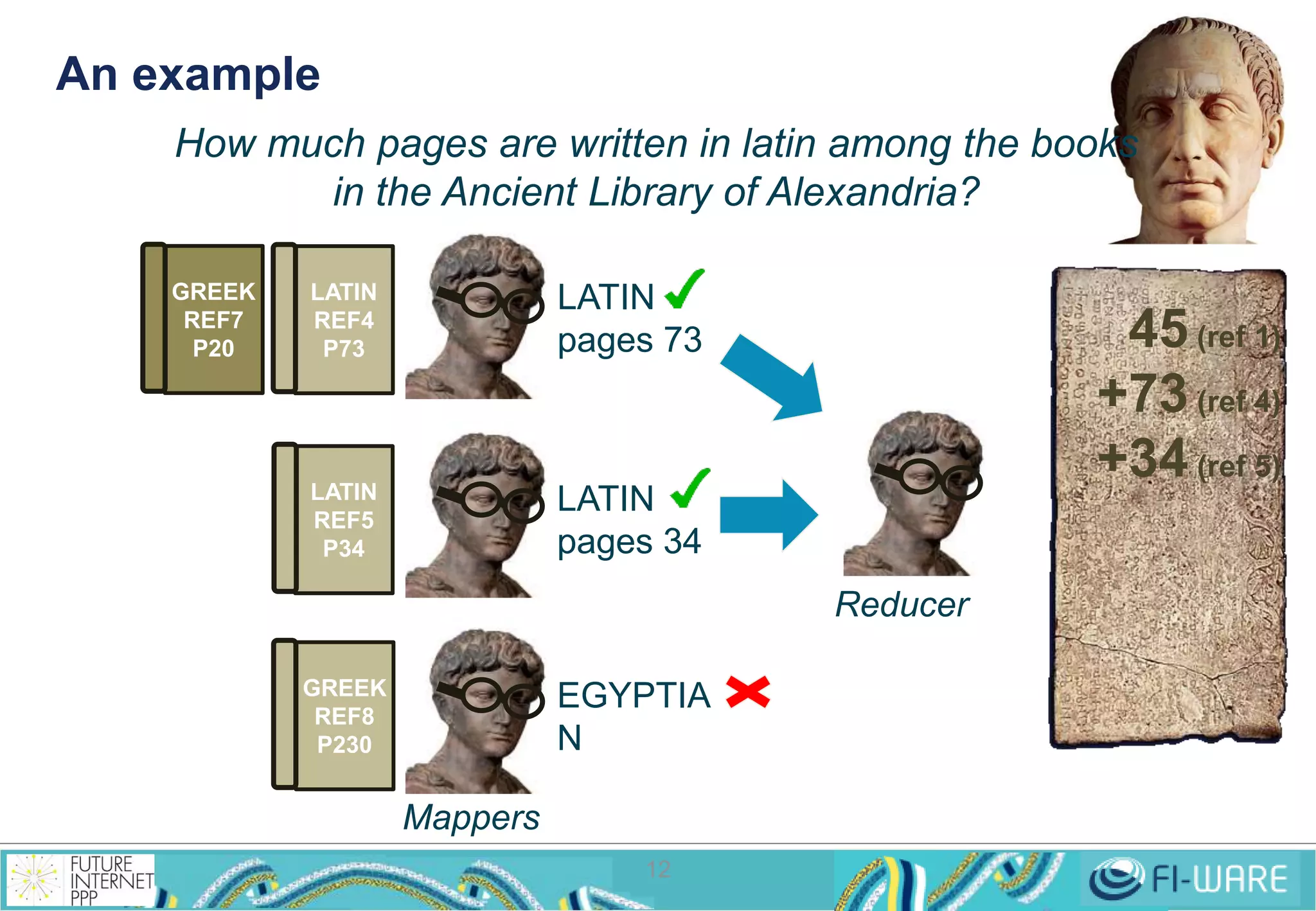
An example 
How much pages are written in latin among the books 
in the Ancient Library of Alexandria? 
LATIN 
pages 73 
EGYPTIA 
N 
12 
LATIN 
REF4 
P73 
LATIN 
REF5 
P34 
GREEK 
REF7 
P20 
GREEK 
REF8 
P230 
LATIN 
pages 34 
45 (ref 1) 
+73 (ref 4) 
+34 (ref 5) 
Mappers 
Reducer
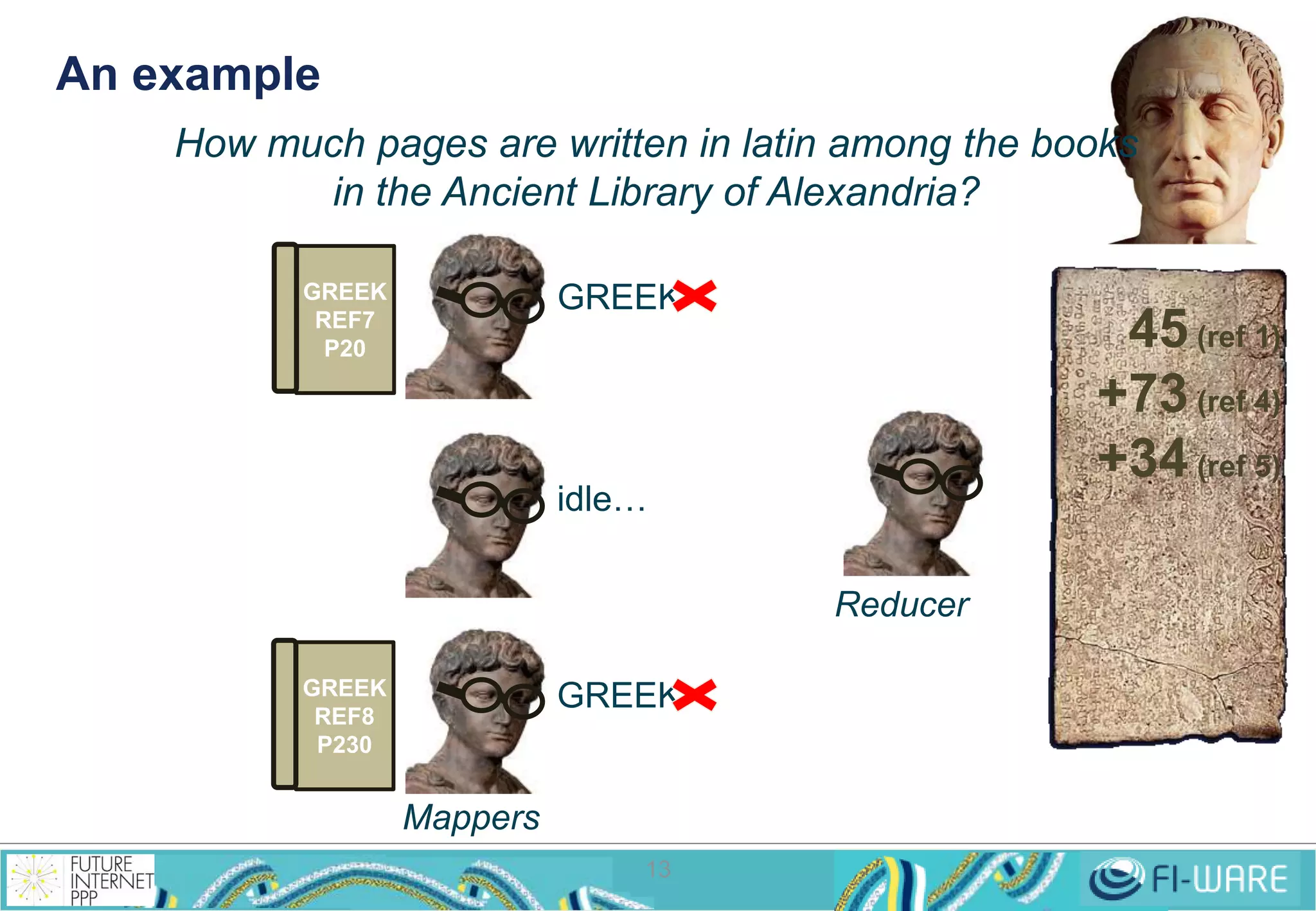
An example 
How much pages are written in latin among the books 
in the Ancient Library of Alexandria? 
GREEK 
GREEK 
13 
GREEK 
REF7 
P20 
GREEK 
REF8 
P230 
idle… 
45 (ref 1) 
+73 (ref 4) 
+34 (ref 5) 
Mappers 
Reducer
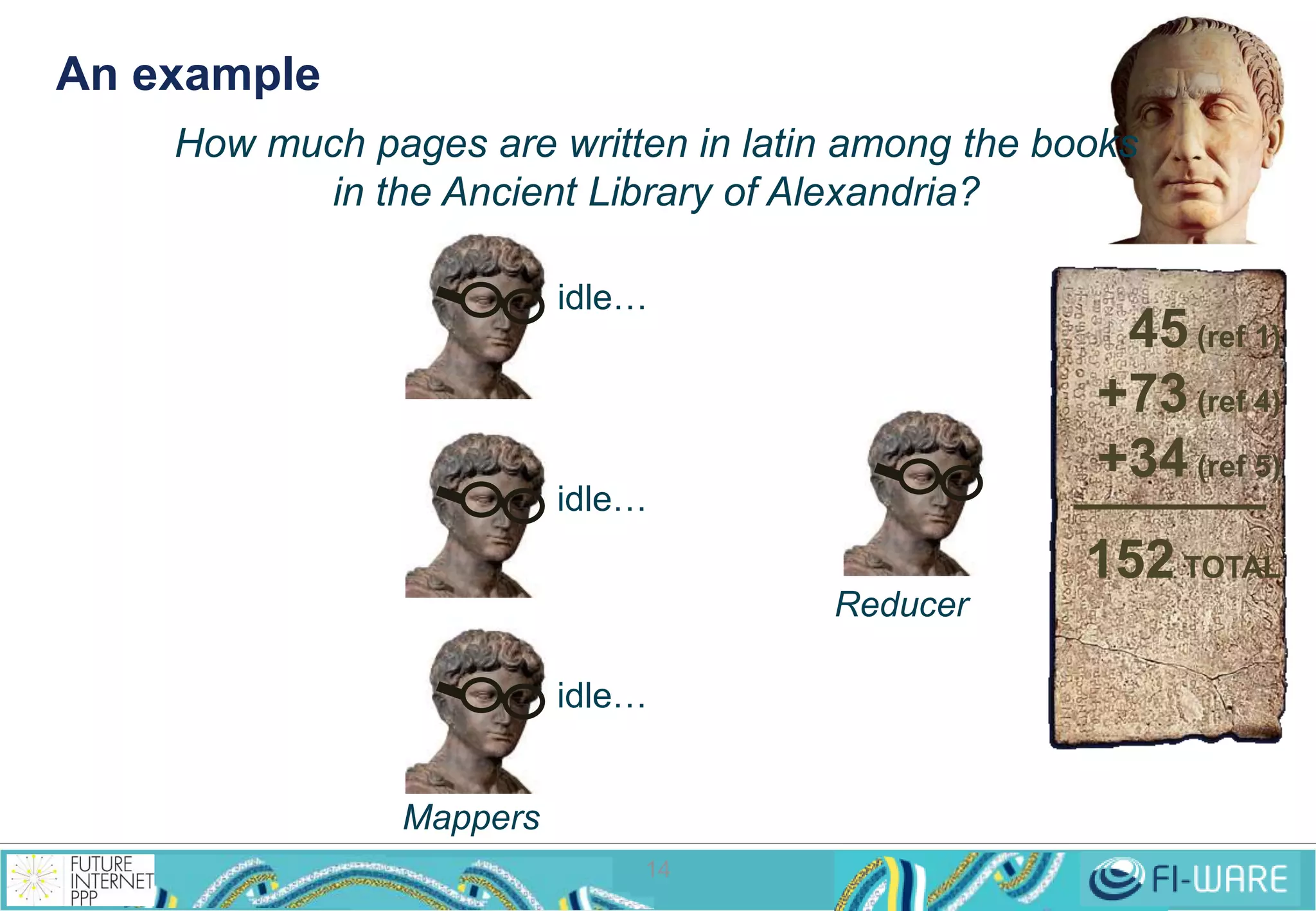
An example 
How much pages are written in latin among the books 
in the Ancient Library of Alexandria? 
idle… 
idle… 
idle… 
14 
45 (ref 1) 
+73 (ref 4) 
+34 (ref 5) 
152 TOTAL 
Mappers 
Reducer
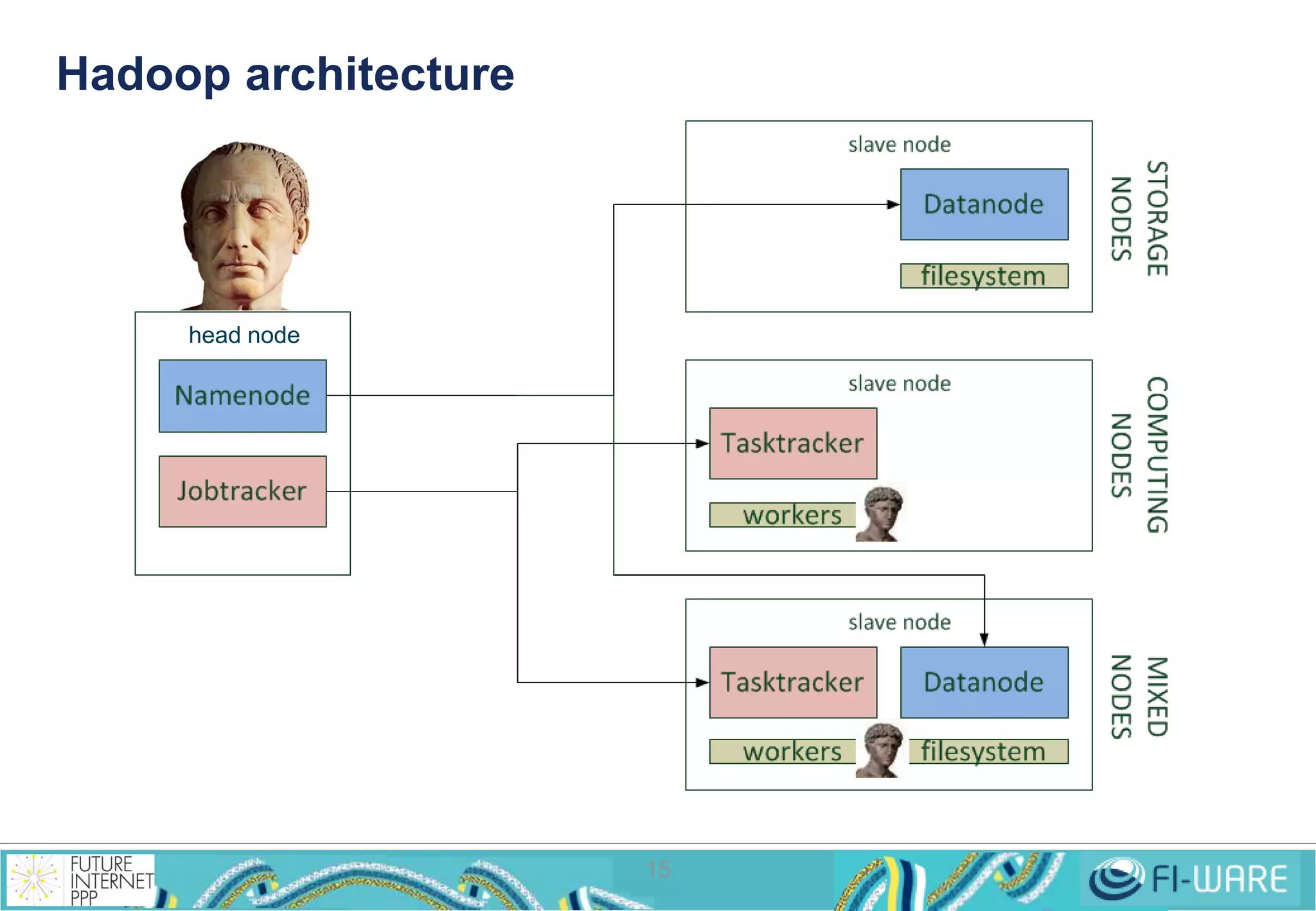
Hadoop architecture 
15 
head node
FI-WARE proposal: 
Cosmos Big Data 
16
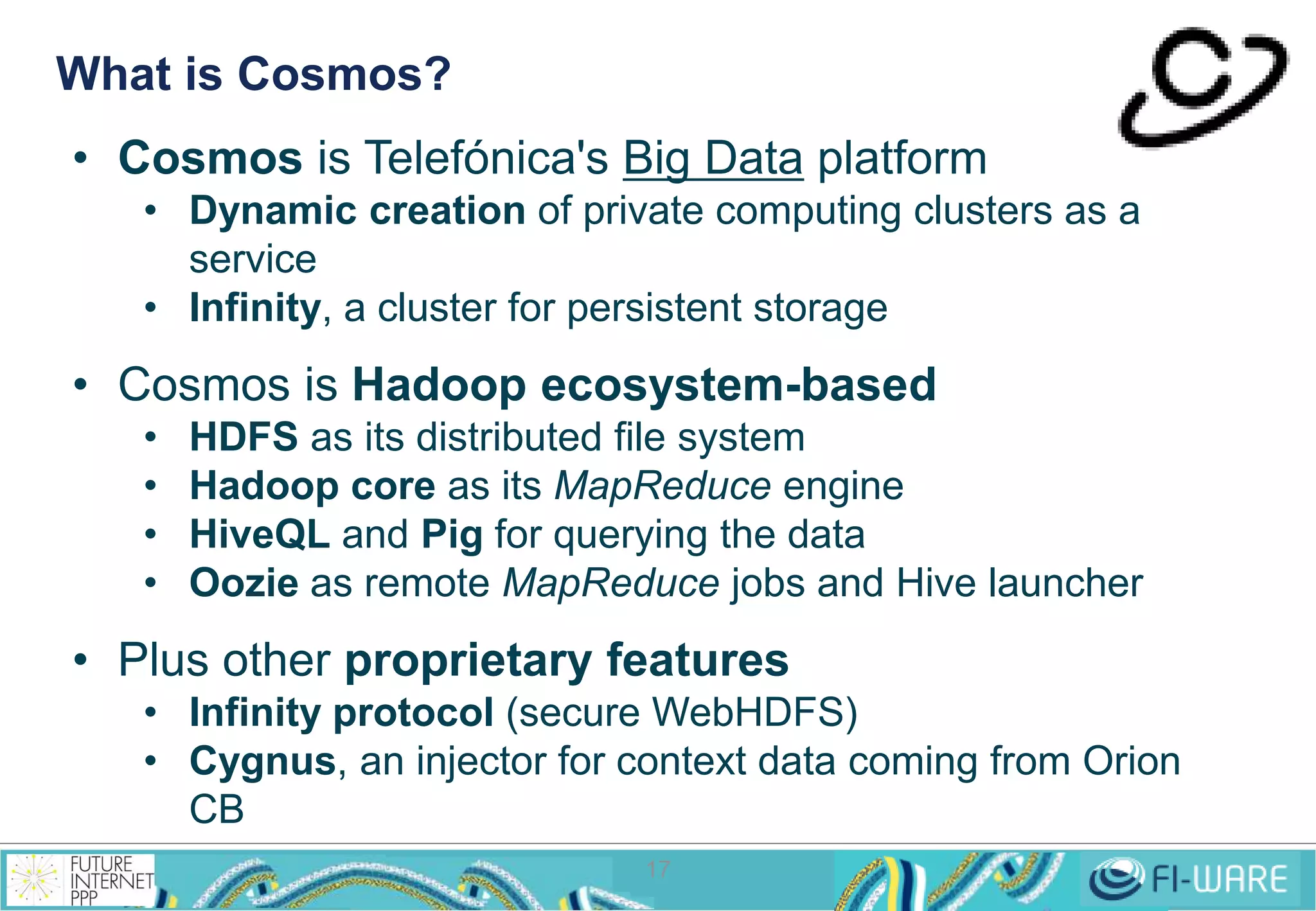
What is Cosmos? 
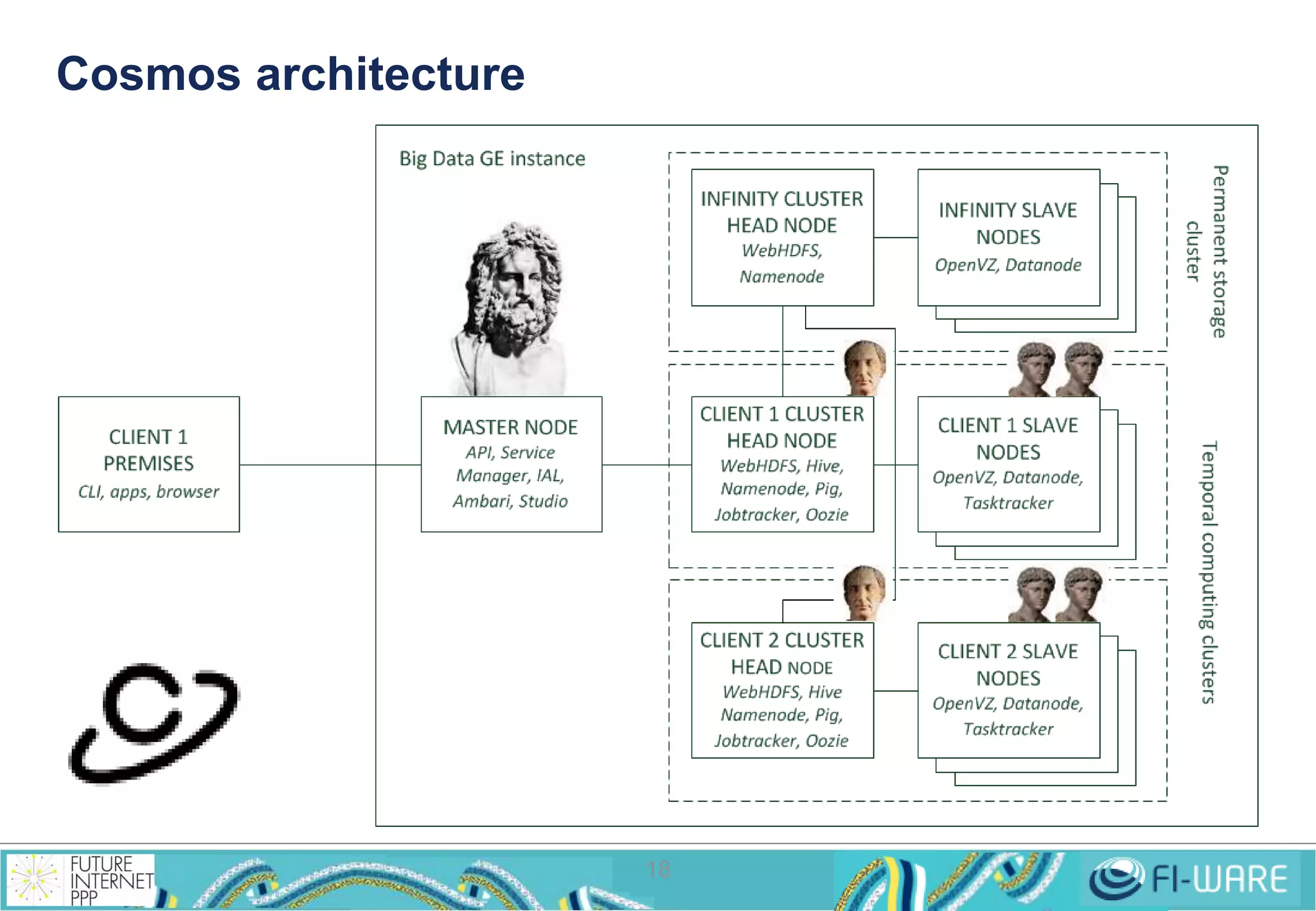
• Cosmos is Telefónica's Big Data platform 
• Dynamic creation of private computing clusters as a 
17 
service 
• Infinity, a cluster for persistent storage 
• Cosmos is Hadoop ecosystem-based 
• HDFS as its distributed file system 
• Hadoop core as its MapReduce engine 
• HiveQL and Pig for querying the data 
• Oozie as remote MapReduce jobs and Hive launcher 
• Plus other proprietary features 
• Infinity protocol (secure WebHDFS) 
• Cygnus, an injector for context data coming from Orion 
CB
Cosmos architecture 
18
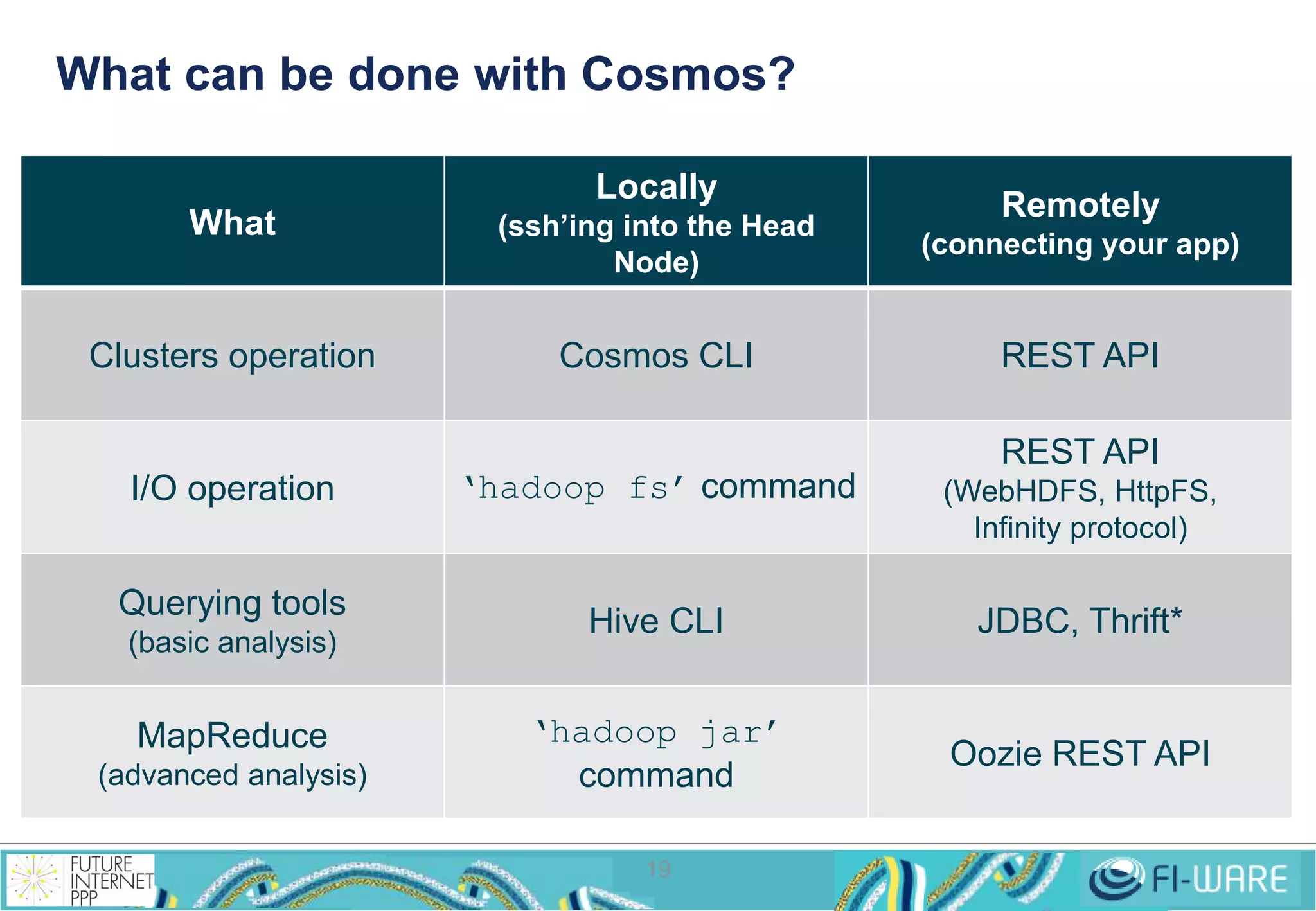
What can be done with Cosmos? 
19 
What 
Locally 
(ssh’ing into the Head 
Node) 
Remotely 
(connecting your app) 
Clusters operation Cosmos CLI REST API 
I/O operation ‘hadoop fs’ command 
REST API 
(WebHDFS, HttpFS, 
Infinity protocol) 
Querying tools 
(basic analysis) 
Hive CLI JDBC, Thrift* 
MapReduce 
(advanced analysis) 
‘hadoop jar’ 
command 
Oozie REST API
Clusters operation: 
Getting your own roman 
legion 
20
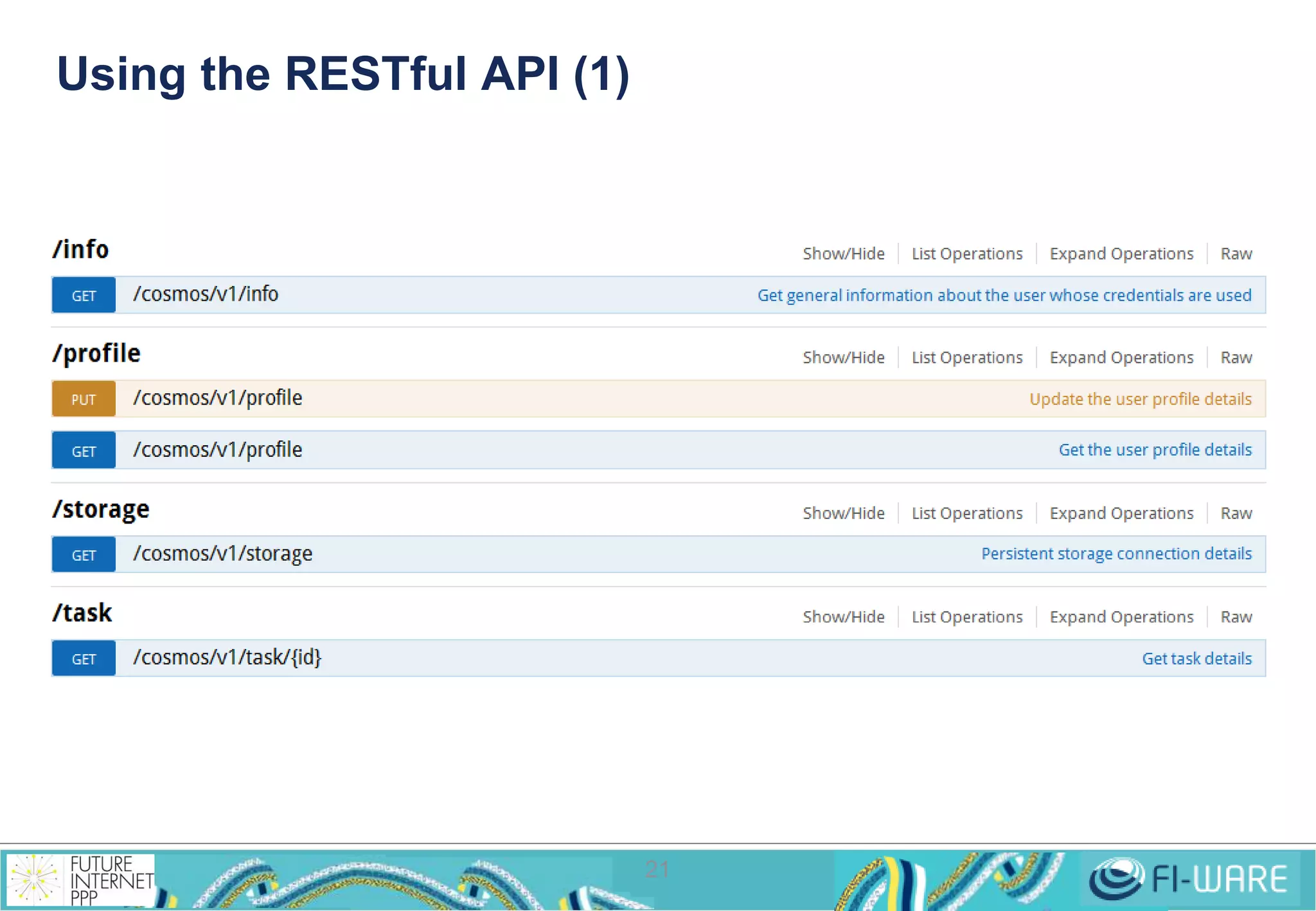
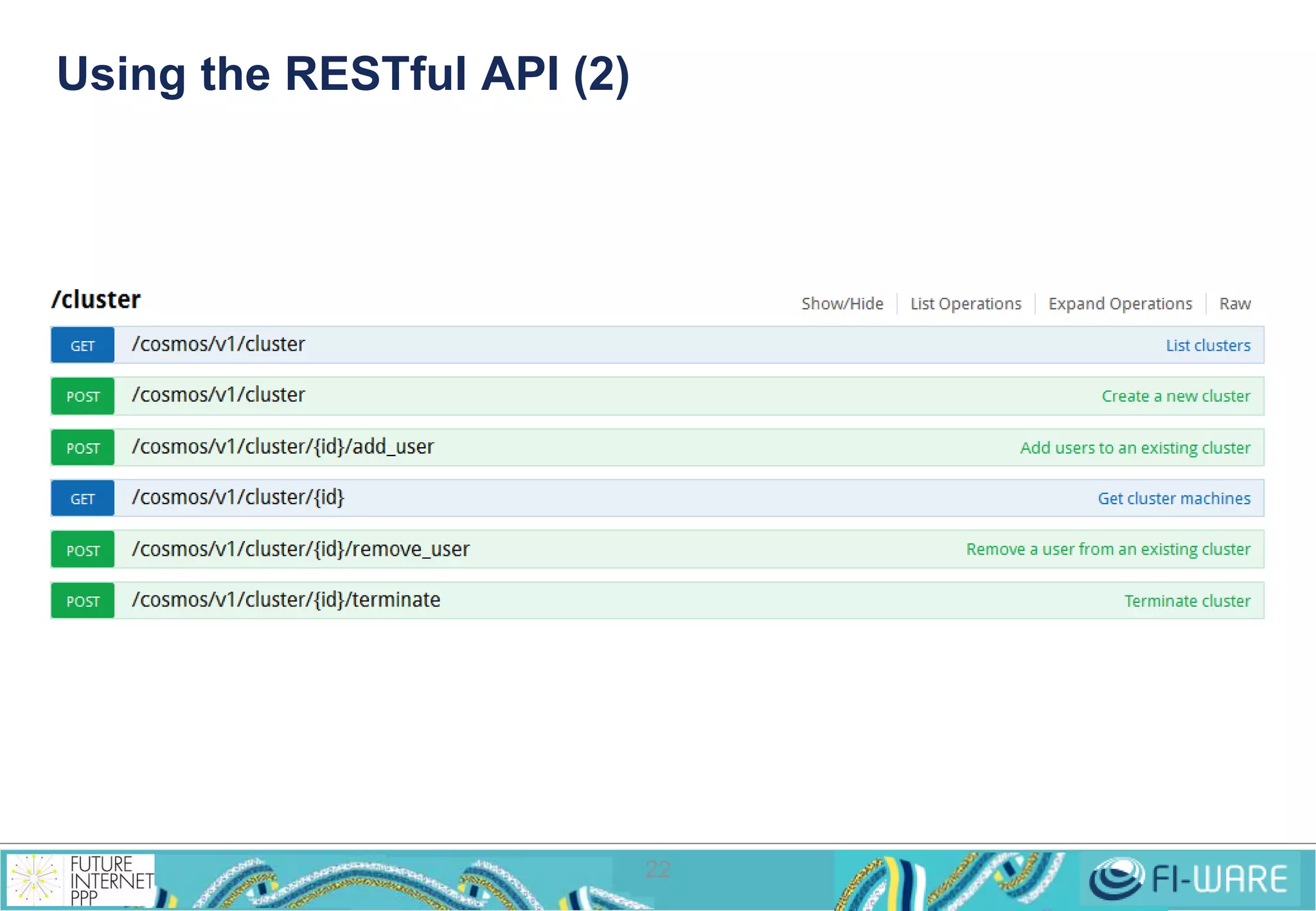
Using the RESTful API (1) 
21
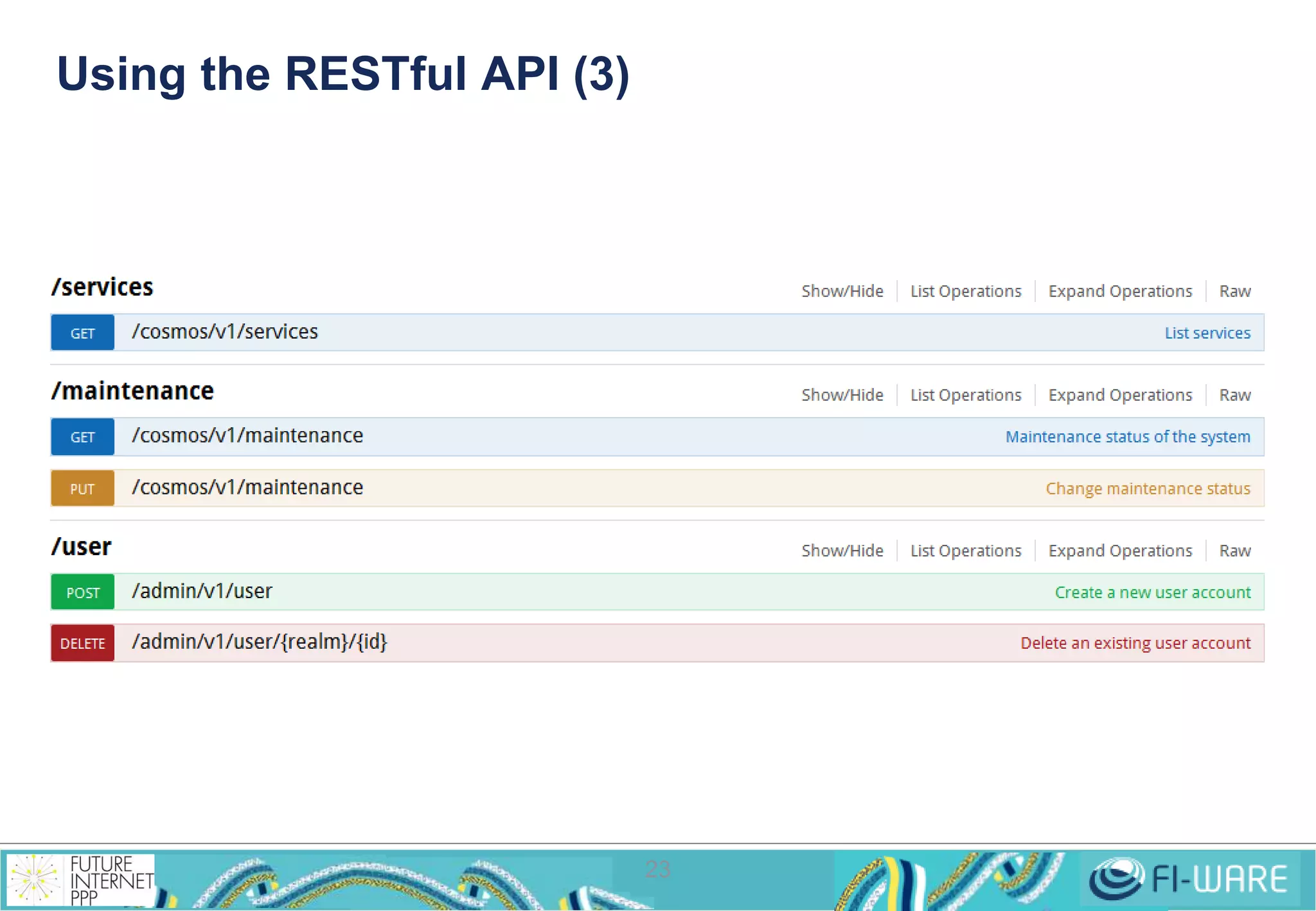
Using the RESTful API (2) 
22
Using the RESTful API (3) 
23
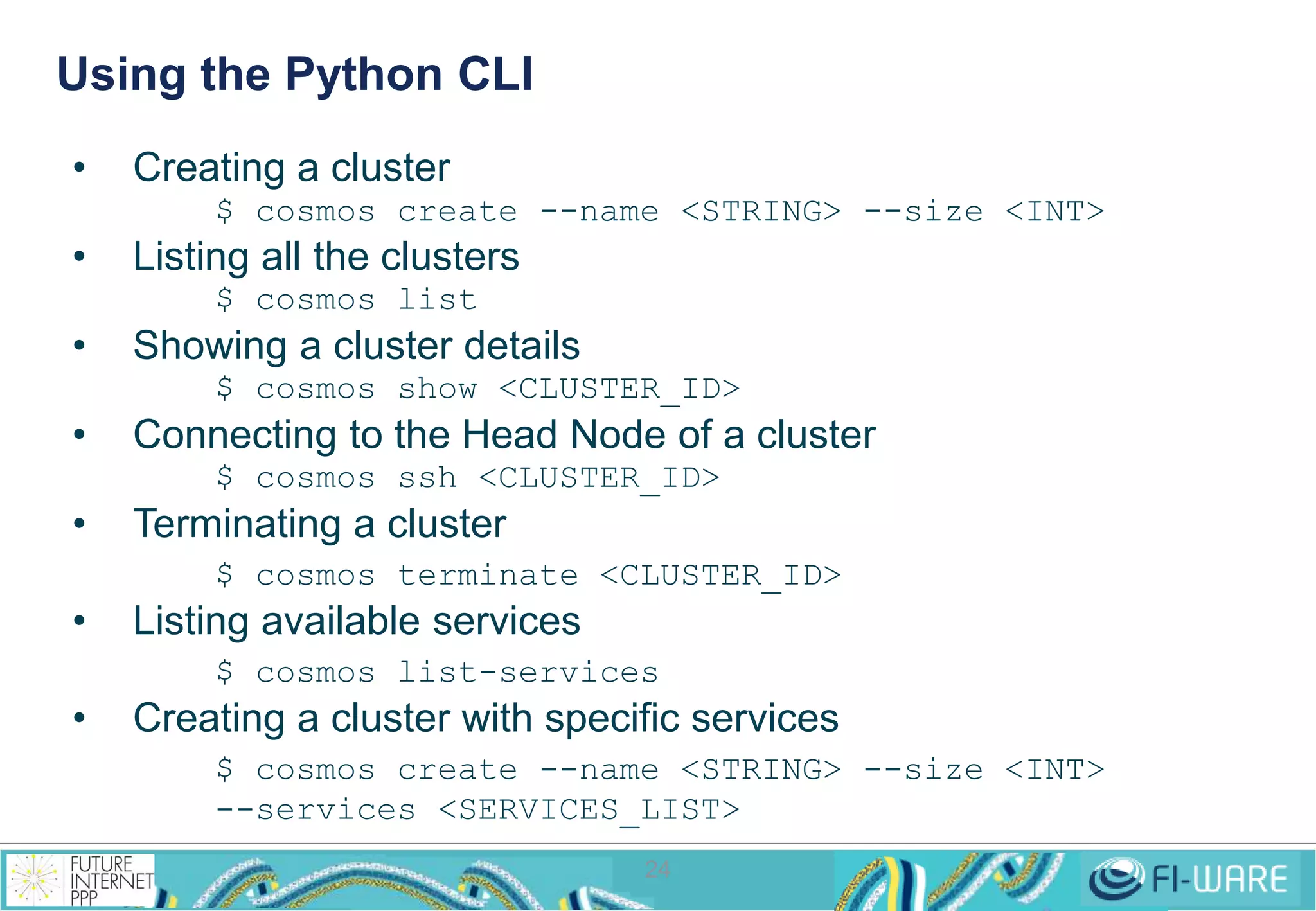
Using the Python CLI 
24 
• Creating a cluster 
$ cosmos create --name <STRING> --size <INT> 
• Listing all the clusters 
$ cosmos list 
• Showing a cluster details 
$ cosmos show <CLUSTER_ID> 
• Connecting to the Head Node of a cluster 
$ cosmos ssh <CLUSTER_ID> 
• Terminating a cluster 
$ cosmos terminate <CLUSTER_ID> 
• Listing available services 
$ cosmos list-services 
• Creating a cluster with specific services 
$ cosmos create --name <STRING> --size <INT> 
--services <SERVICES_LIST>
How to exploit the data: 
Commanding your 
roman legion 
25
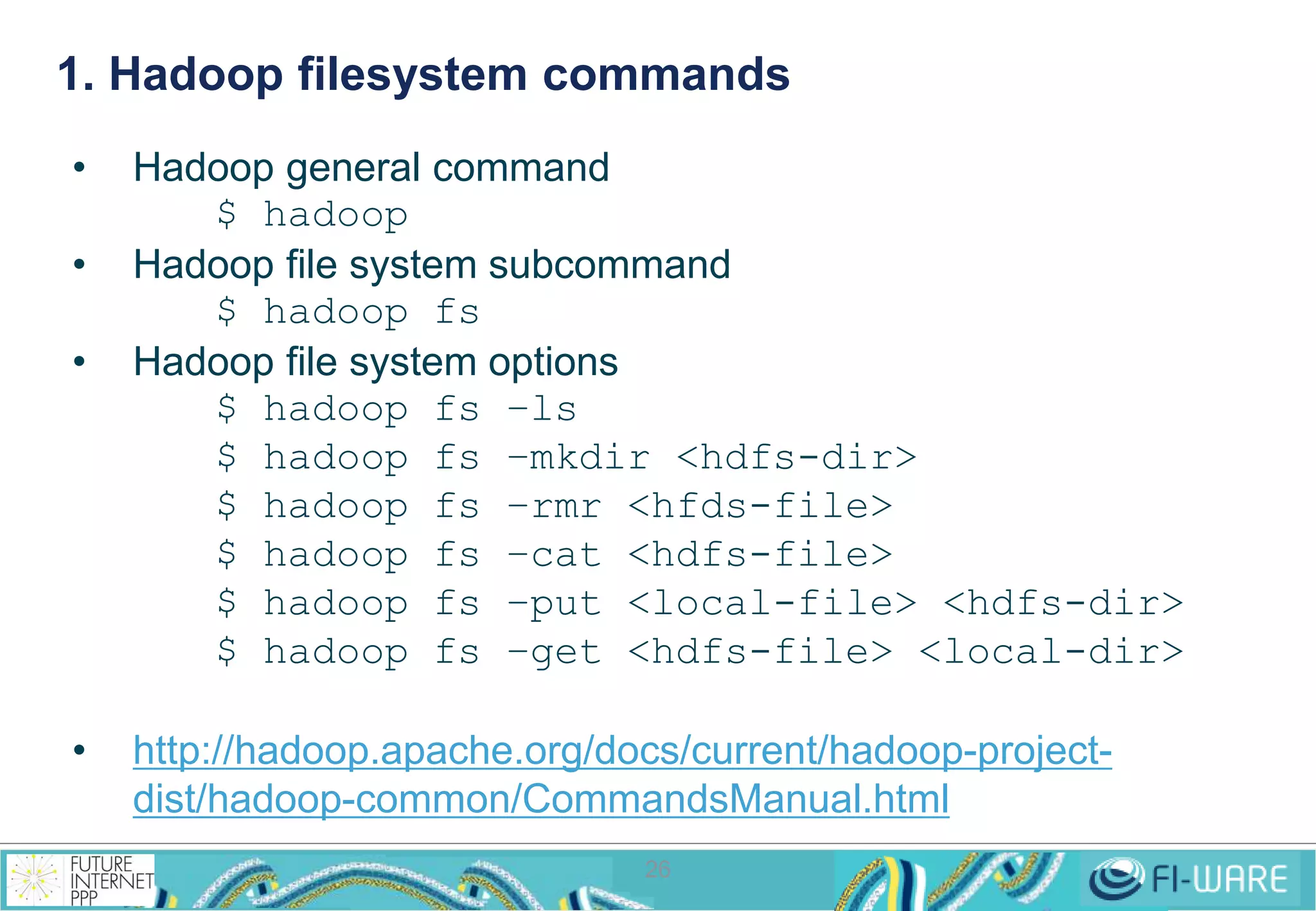
1. Hadoop filesystem commands 
26 
• Hadoop general command 
$ hadoop 
• Hadoop file system subcommand 
$ hadoop fs 
• Hadoop file system options 
$ hadoop fs –ls 
$ hadoop fs –mkdir <hdfs-dir> 
$ hadoop fs –rmr <hfds-file> 
$ hadoop fs –cat <hdfs-file> 
$ hadoop fs –put <local-file> <hdfs-dir> 
$ hadoop fs –get <hdfs-file> <local-dir> 
• http://hadoop.apache.org/docs/current/hadoop-project-dist/ 
hadoop-common/CommandsManual.html
2. WebHDFS/HttpFS REST API 
27 
• List a directory 
GET http://<HOST>:<PORT>/webhdfs/v1/<PATH>?op=LISTSTATUS 
• Create a new directory 
PUT http://<HOST>:<PORT>/<PATH>?op=MKDIRS[&permission=<OCTAL>] 
• Delete a file or directory 
DELETE http://<host>:<port>/webhdfs/v1/<path>?op=DELETE 
[&recursive=<true|false>] 
• Rename a file or directory 
PUT 
http://<HOST>:<PORT>/webhdfs/v1/<PATH>?op=RENAME&destination=<PATH> 
• Concat files 
POST 
http://<HOST>:<PORT>/webhdfs/v1/<PATH>?op=CONCAT&sources=<PATHS> 
• Set permission 
PUT http://<HOST>:<PORT>/webhdfs/v1/<PATH>?op=SETPERMISSION 
[&permission=<OCTAL>] 
• Set owner 
PUT http://<HOST>:<PORT>/webhdfs/v1/<PATH>?op=SETOWNER 
[&owner=<USER>][&group=<GROUP>]
2. WebHDFS/HttpFS REST API (cont.) 
• Create a new file with initial content (2 steps operation) 
PUT http://<HOST>:<PORT>/webhdfs/v1/<PATH>?op=CREATE 
[&overwrite=<true|false>][&blocksize=<LONG>][&replication=<SHORT>] 
[&permission=<OCTAL>][&buffersize=<INT>] 
HTTP/1.1 307 TEMPORARY_REDIRECT 
Location: http://<DATANODE>:<PORT>/webhdfs/v1/<PATH>?op=CREATE... 
Content-Length: 0 
PUT -T <LOCAL_FILE> 
http://<DATANODE>:<PORT>/webhdfs/v1/<PATH>?op=CREATE... 
28 
• Append to a file (2 steps operation) 
POST 
http://<HOST>:<PORT>/webhdfs/v1/<PATH>?op=APPEND[&buffersize=<INT>] 
HTTP/1.1 307 TEMPORARY_REDIRECT 
Location: http://<DATANODE>:<PORT>/webhdfs/v1/<PATH>?op=APPEND... 
Content-Length: 0 
POST -T <LOCAL_FILE> 
http://<DATANODE>:<PORT>/webhdfs/v1/<PATH>?op=APPEND...
2. WebHDFS/HttpFS REST API (cont.) 
• Open and read a file (2 steps operation) 
GET http://<HOST>:<PORT>/webhdfs/v1/<PATH>?op=OPEN 
[&offset=<LONG>][&length=<LONG>][&buffersize=<INT>] 
HTTP/1.1 307 TEMPORARY_REDIRECT 
Location: http://<DATANODE>:<PORT>/webhdfs/v1/<PATH>?op=OPEN... 
Content-Length: 0 
GET http://<DATANODE>:<PORT>/webhdfs/v1/<PATH>?op=OPEN... 
• http://hadoop.apache.org/docs/current/hadoop-project-dist/ 
hadoop-hdfs/WebHDFS.html 
• HttpFS does not redirect to the Datanode but to the HttpFS 
server, hidding the Datanodes (and saving tens of public IP 
addresses) 
• The API is the same 
• http://hadoop.apache.org/docs/current/hadoop-hdfs-httpfs/ 
29 
index.html
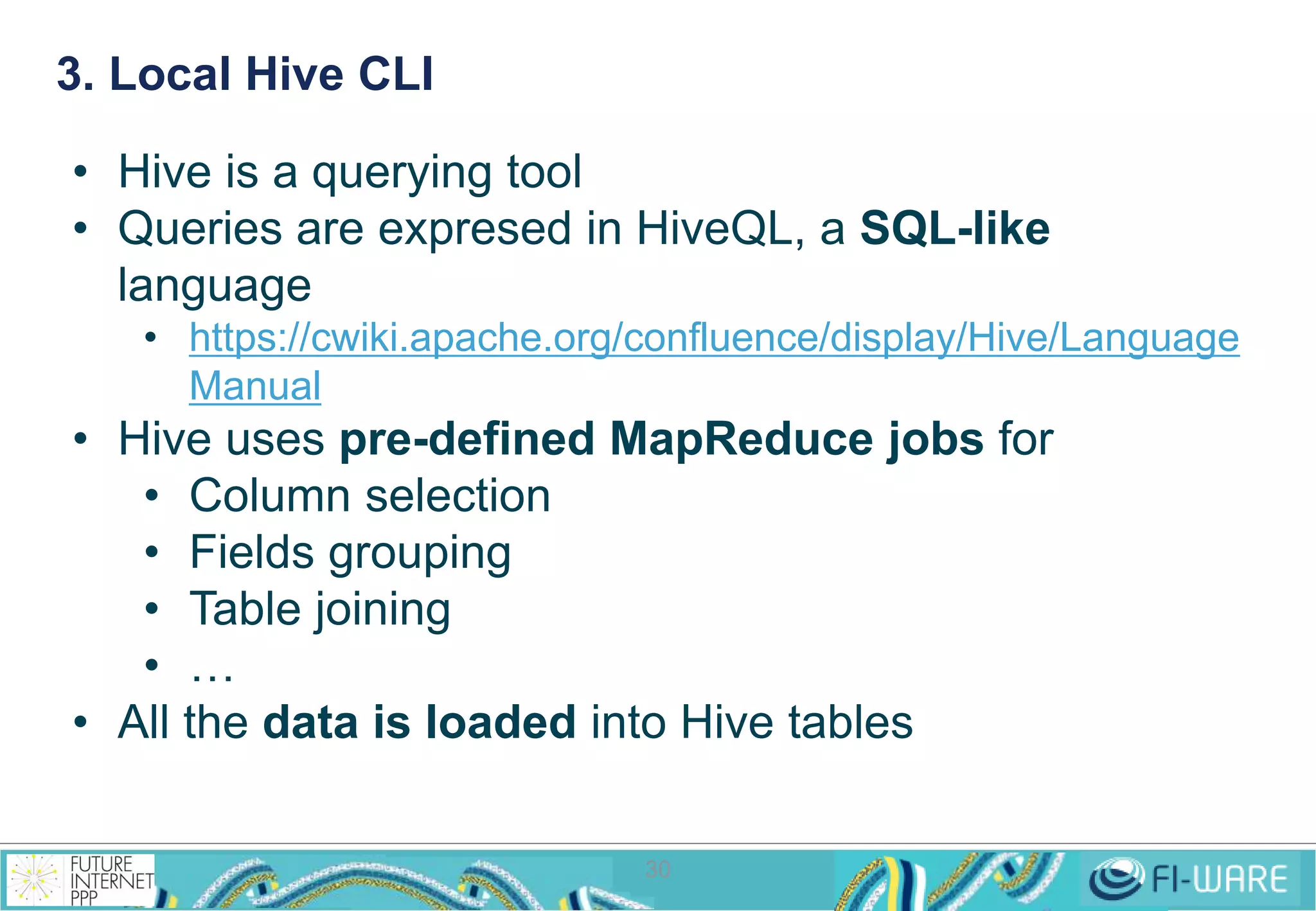
3. Local Hive CLI 
• Hive is a querying tool 
• Queries are expresed in HiveQL, a SQL-like 
language 
• https://cwiki.apache.org/confluence/display/Hive/Language 
30 
Manual 
• Hive uses pre-defined MapReduce jobs for 
• Column selection 
• Fields grouping 
• Table joining 
• … 
• All the data is loaded into Hive tables
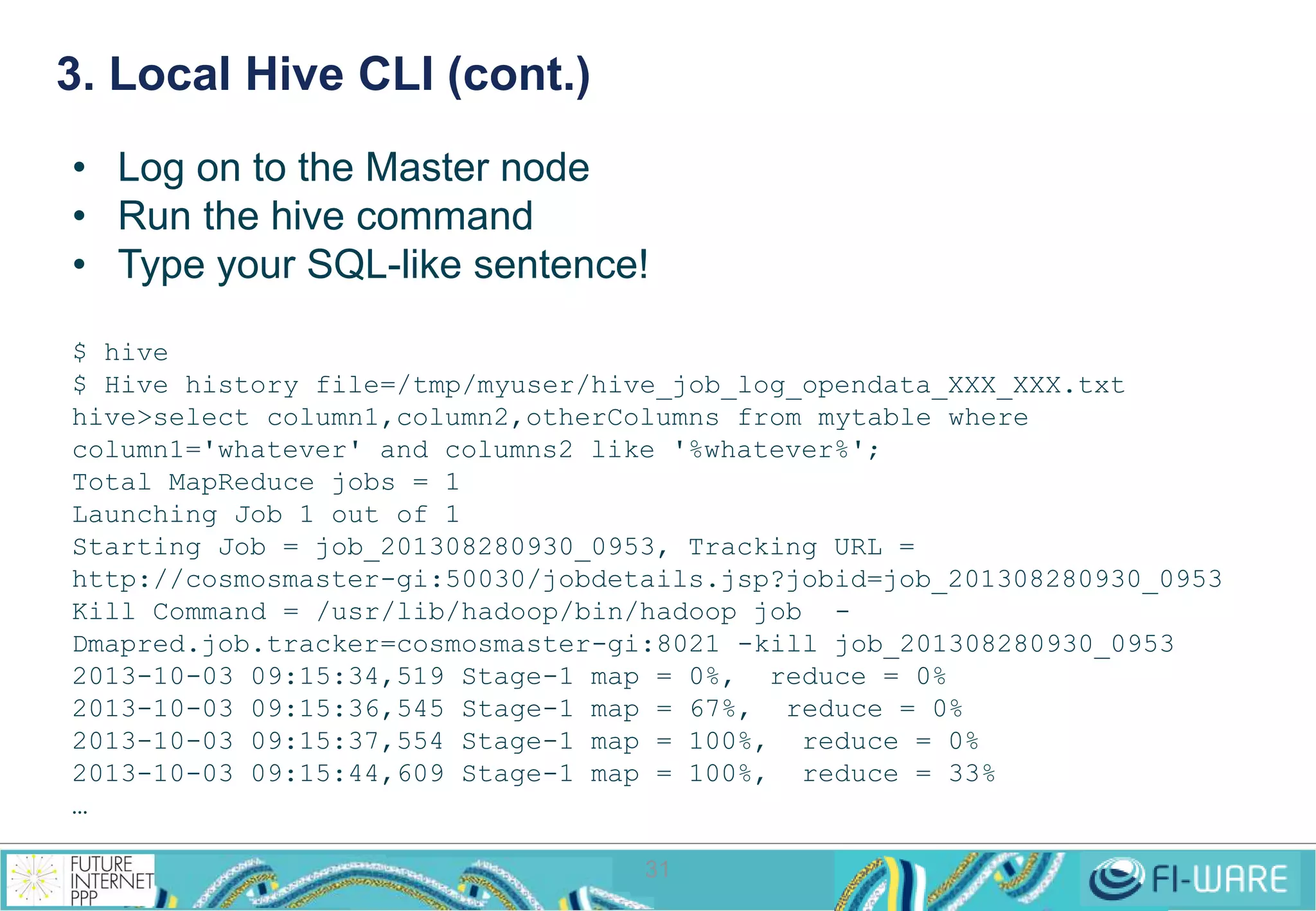
3. Local Hive CLI (cont.) 
• Log on to the Master node 
• Run the hive command 
• Type your SQL-like sentence! 
$ hive 
$ Hive history file=/tmp/myuser/hive_job_log_opendata_XXX_XXX.txt 
hive>select column1,column2,otherColumns from mytable where 
column1='whatever' and columns2 like '%whatever%'; 
Total MapReduce jobs = 1 
Launching Job 1 out of 1 
Starting Job = job_201308280930_0953, Tracking URL = 
http://cosmosmaster-gi:50030/jobdetails.jsp?jobid=job_201308280930_0953 
Kill Command = /usr/lib/hadoop/bin/hadoop job - 
Dmapred.job.tracker=cosmosmaster-gi:8021 -kill job_201308280930_0953 
2013-10-03 09:15:34,519 Stage-1 map = 0%, reduce = 0% 
2013-10-03 09:15:36,545 Stage-1 map = 67%, reduce = 0% 
2013-10-03 09:15:37,554 Stage-1 map = 100%, reduce = 0% 
2013-10-03 09:15:44,609 Stage-1 map = 100%, reduce = 33% 
… 
31
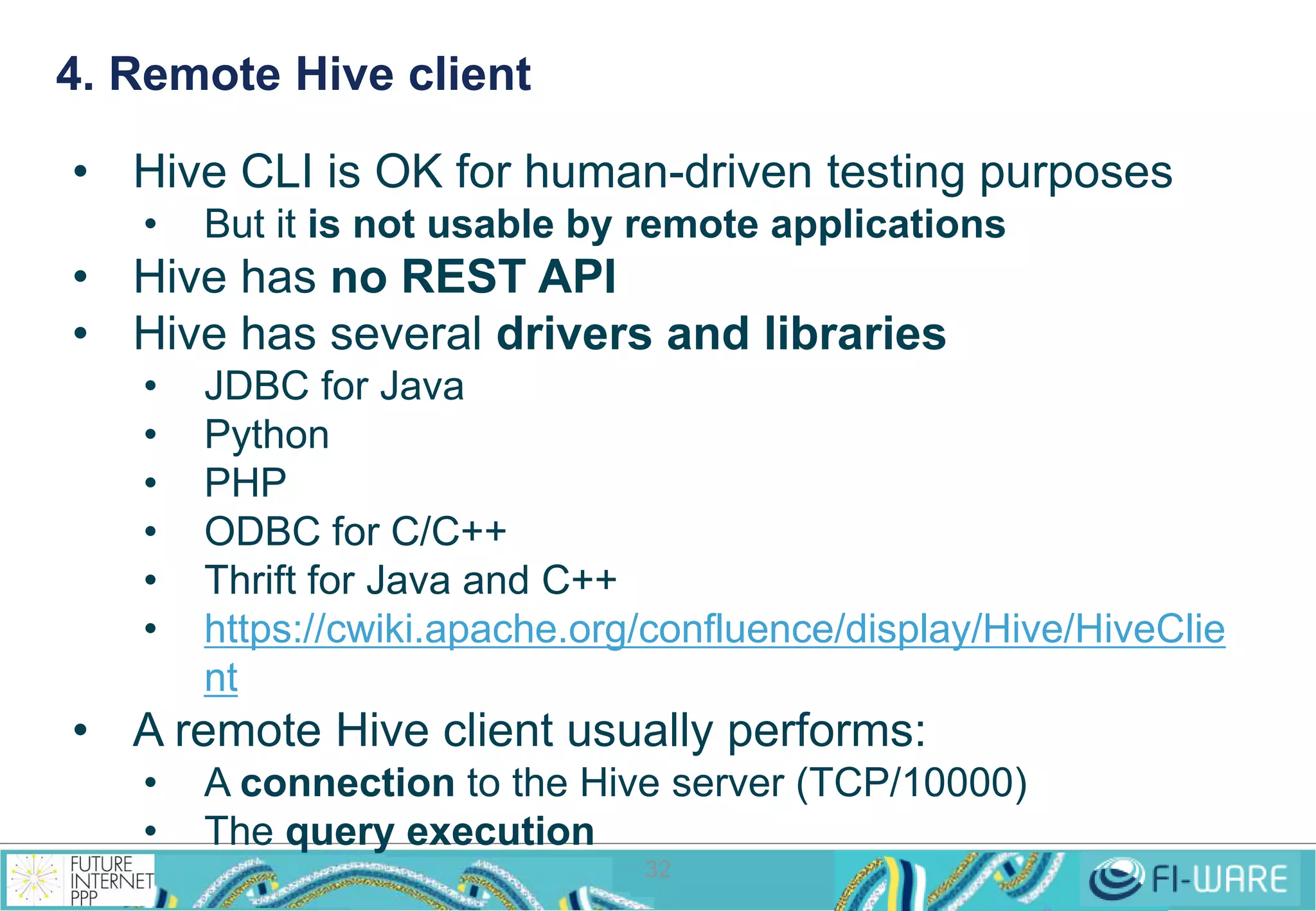
4. Remote Hive client 
• Hive CLI is OK for human-driven testing purposes 
• But it is not usable by remote applications 
• Hive has no REST API 
• Hive has several drivers and libraries 
• JDBC for Java 
• Python 
• PHP 
• ODBC for C/C++ 
• Thrift for Java and C++ 
• https://cwiki.apache.org/confluence/display/Hive/HiveClie 
32 
nt 
• A remote Hive client usually performs: 
• A connection to the Hive server (TCP/10000) 
• The query execution
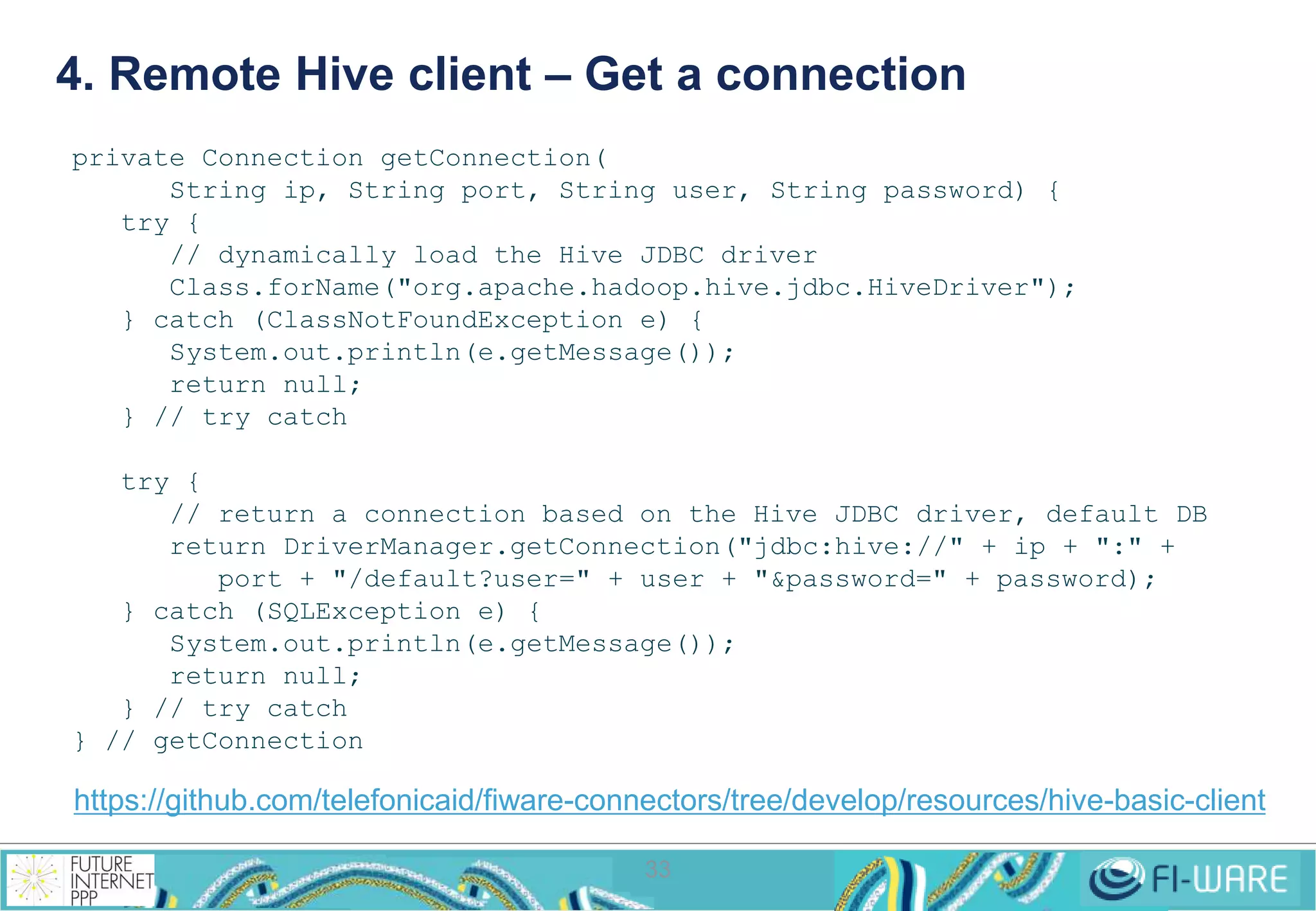
4. Remote Hive client – Get a connection 
33 
private Connection getConnection( 
String ip, String port, String user, String password) { 
try { 
// dynamically load the Hive JDBC driver 
Class.forName("org.apache.hadoop.hive.jdbc.HiveDriver"); 
} catch (ClassNotFoundException e) { 
System.out.println(e.getMessage()); 
return null; 
} // try catch 
try { 
// return a connection based on the Hive JDBC driver, default DB 
return DriverManager.getConnection("jdbc:hive://" + ip + ":" + 
port + "/default?user=" + user + "&password=" + password); 
} catch (SQLException e) { 
System.out.println(e.getMessage()); 
return null; 
} // try catch 
} // getConnection 
https://github.com/telefonicaid/fiware-connectors/tree/develop/resources/hive-basic-client
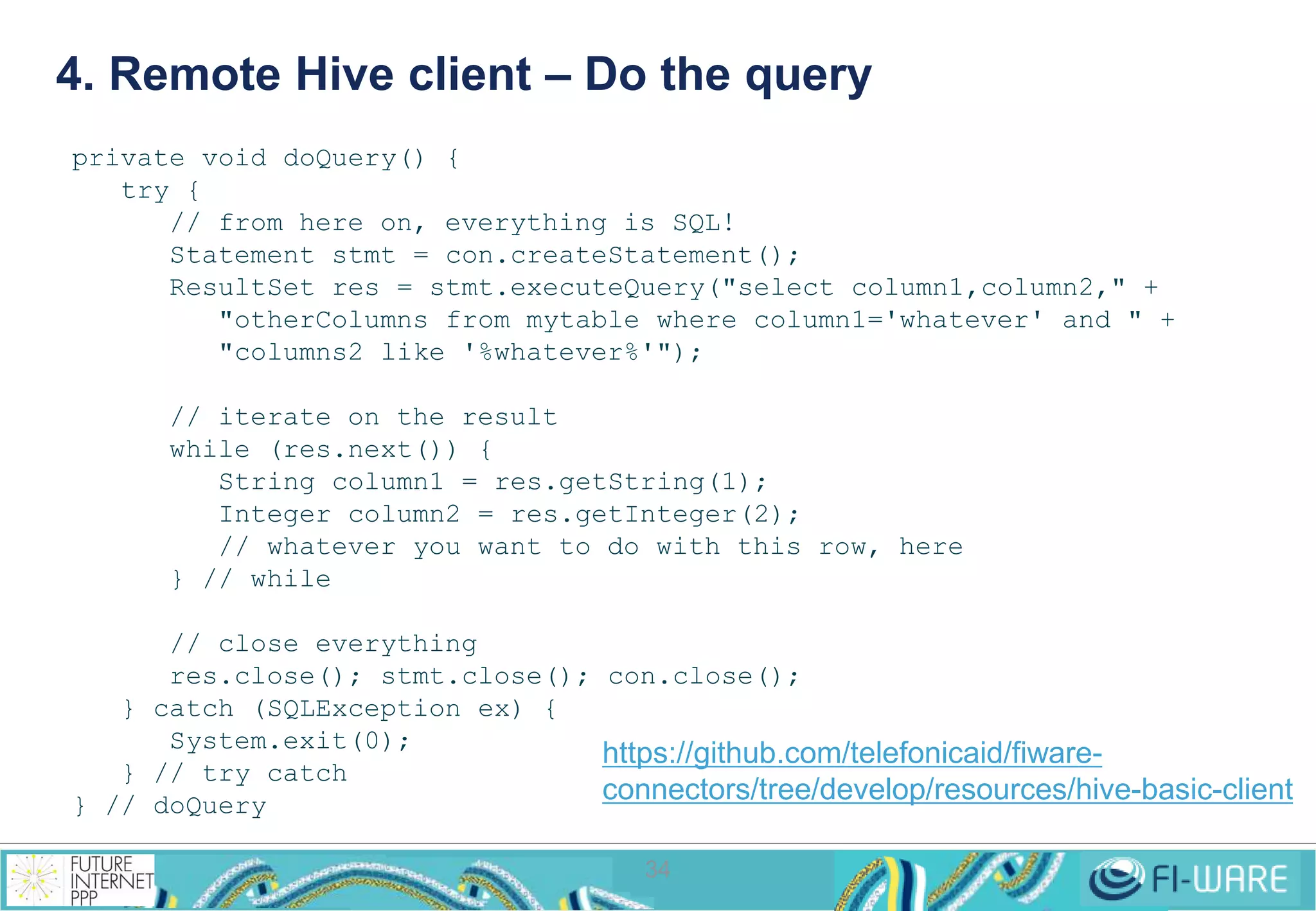
4. Remote Hive client – Do the query 
34 
private void doQuery() { 
try { 
// from here on, everything is SQL! 
Statement stmt = con.createStatement(); 
ResultSet res = stmt.executeQuery("select column1,column2," + 
"otherColumns from mytable where column1='whatever' and " + 
"columns2 like '%whatever%'"); 
// iterate on the result 
while (res.next()) { 
String column1 = res.getString(1); 
Integer column2 = res.getInteger(2); 
// whatever you want to do with this row, here 
} // while 
// close everything 
res.close(); stmt.close(); con.close(); 
} catch (SQLException ex) { 
System.exit(0); 
} // try catch 
} // doQuery 
https://github.com/telefonicaid/fiware-connectors/ 
tree/develop/resources/hive-basic-client
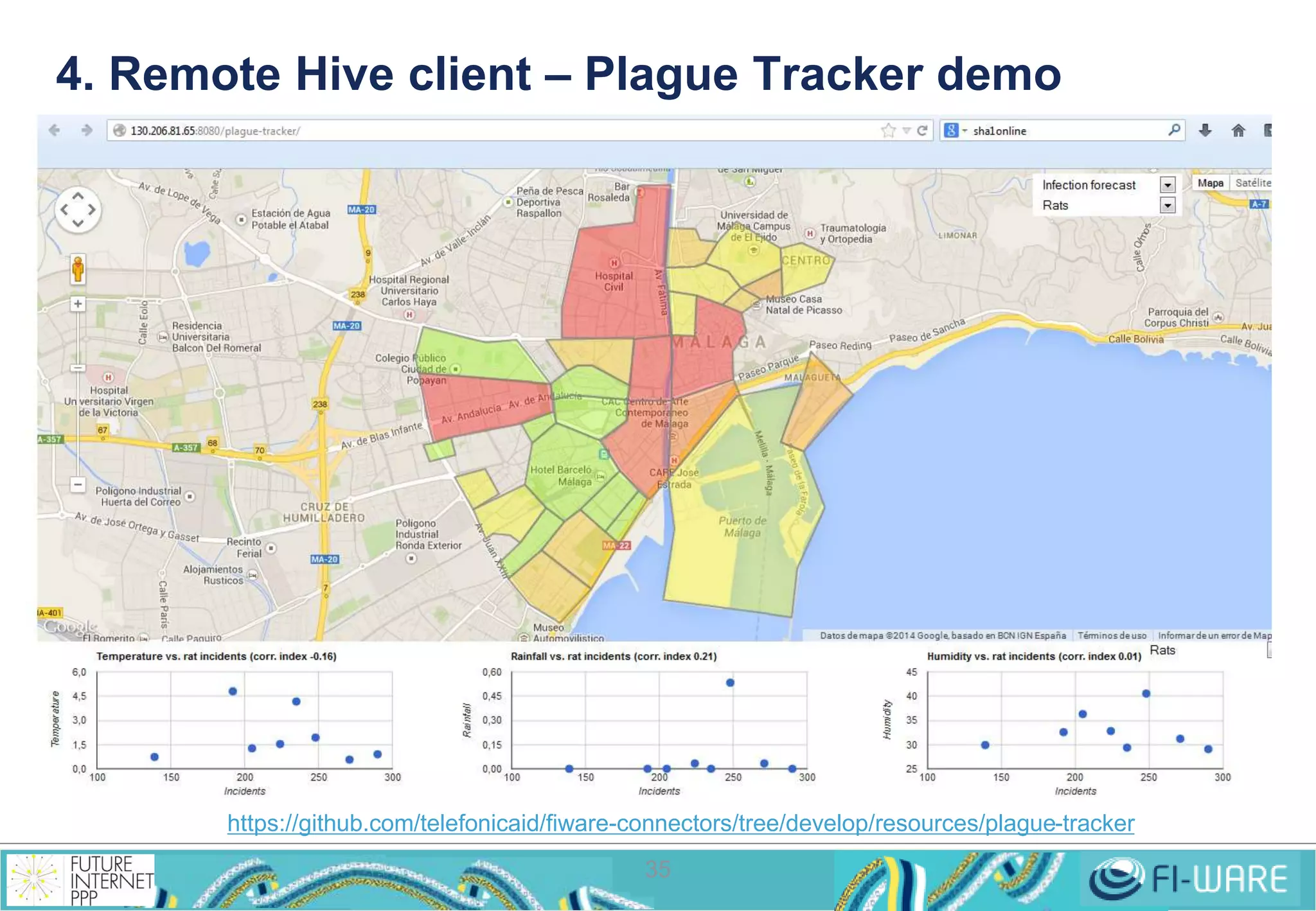
4. Remote Hive client – Plague Tracker demo 
https://github.com/telefonicaid/fiware-connectors/tree/develop/resources/plague-tracker 
35
5. MapReduce applications 
• MapReduce applications are commonly written in Java 
• Can be written in other languages through Hadoop Streaming 
• They are executed in the command line 
$ hadoop jar <jar-file> <main-class> <input-dir> <output-dir> 
• A MapReduce job consists of: 
• A driver, a piece of software where to define inputs, outputs, formats, 
etc. and the entry point for launching the job 
• A set of Mappers, given by a piece of software defining its behaviour 
• A set of Reducers, given by a piece of software defining its behaviour 
36 
• There are 2 APIS 
• org.apache.mapred  old one 
• org.apache.mapreduce  new one 
• Hadoop is distributed with MapReduce examples 
• [HADOOP_HOME]/hadoop-examples.jar
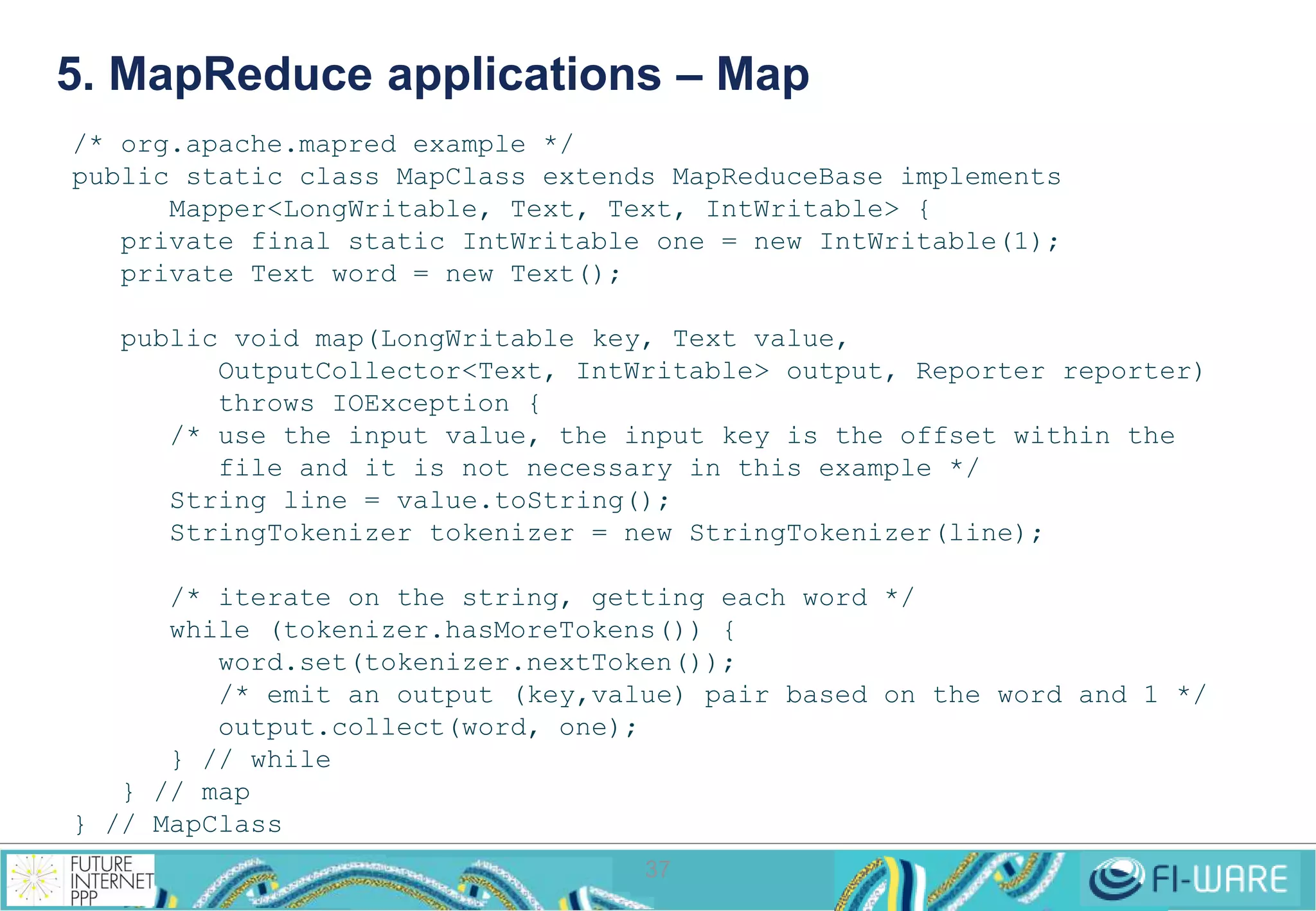
5. MapReduce applications – Map 
/* org.apache.mapred example */ 
public static class MapClass extends MapReduceBase implements 
Mapper<LongWritable, Text, Text, IntWritable> { 
private final static IntWritable one = new IntWritable(1); 
private Text word = new Text(); 
public void map(LongWritable key, Text value, 
OutputCollector<Text, IntWritable> output, Reporter reporter) 
throws IOException { 
/* use the input value, the input key is the offset within the 
file and it is not necessary in this example */ 
String line = value.toString(); 
StringTokenizer tokenizer = new StringTokenizer(line); 
/* iterate on the string, getting each word */ 
while (tokenizer.hasMoreTokens()) { 
word.set(tokenizer.nextToken()); 
/* emit an output (key,value) pair based on the word and 1 */ 
output.collect(word, one); 
37 
} // while 
} // map 
} // MapClass
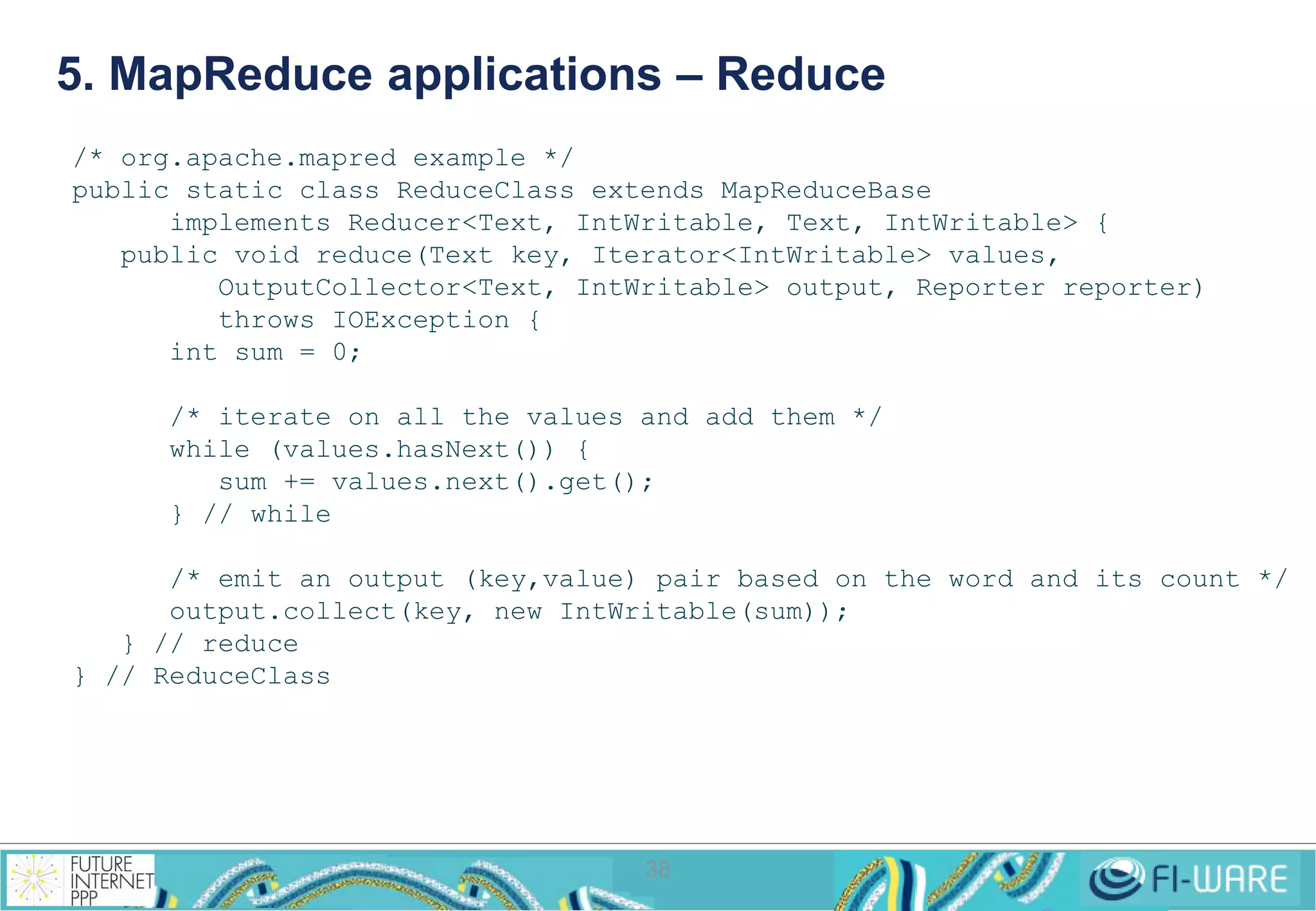
5. MapReduce applications – Reduce 
/* org.apache.mapred example */ 
public static class ReduceClass extends MapReduceBase 
implements Reducer<Text, IntWritable, Text, IntWritable> { 
public void reduce(Text key, Iterator<IntWritable> values, 
OutputCollector<Text, IntWritable> output, Reporter reporter) 
throws IOException { 
38 
int sum = 0; 
/* iterate on all the values and add them */ 
while (values.hasNext()) { 
sum += values.next().get(); 
} // while 
/* emit an output (key,value) pair based on the word and its count */ 
output.collect(key, new IntWritable(sum)); 
} // reduce 
} // ReduceClass
5. MapReduce applications – Driver 
39 
/* org.apache.mapred example */ 
package my.org 
import java.io.IOException; 
import java.util.*; 
import org.apache.hadoop.fs.Path; 
import org.apache.hadoop.conf.*; 
import org.apache.hadoop.io.*; 
import org.apache.hadoop.mapred.*; 
import org.apache.hadoop.util.*; 
public class WordCount { 
public static void main(String[] args) throws Exception { 
JobConf conf = new JobConf(WordCount.class); 
conf.setJobName("wordcount"); 
conf.setOutputKeyClass(Text.class); 
conf.setOutputValueClass(IntWritable.class); 
conf.setMapperClass(MapClass.class); 
conf.setCombinerClass(ReduceClass.class); 
conf.setReducerClass(ReduceClass.class); 
conf.setInputFormat(TextInputFormat.class); 
conf.setOutputFormat(TextOutputFormat.class); 
FileInputFormat.setInputPaths(conf, new Path(args[0])); 
FileOutputFormat.setOutputPath(conf, new Path(args[1])); 
JobClient.runJob(conf); 
} // main 
} // WordCount
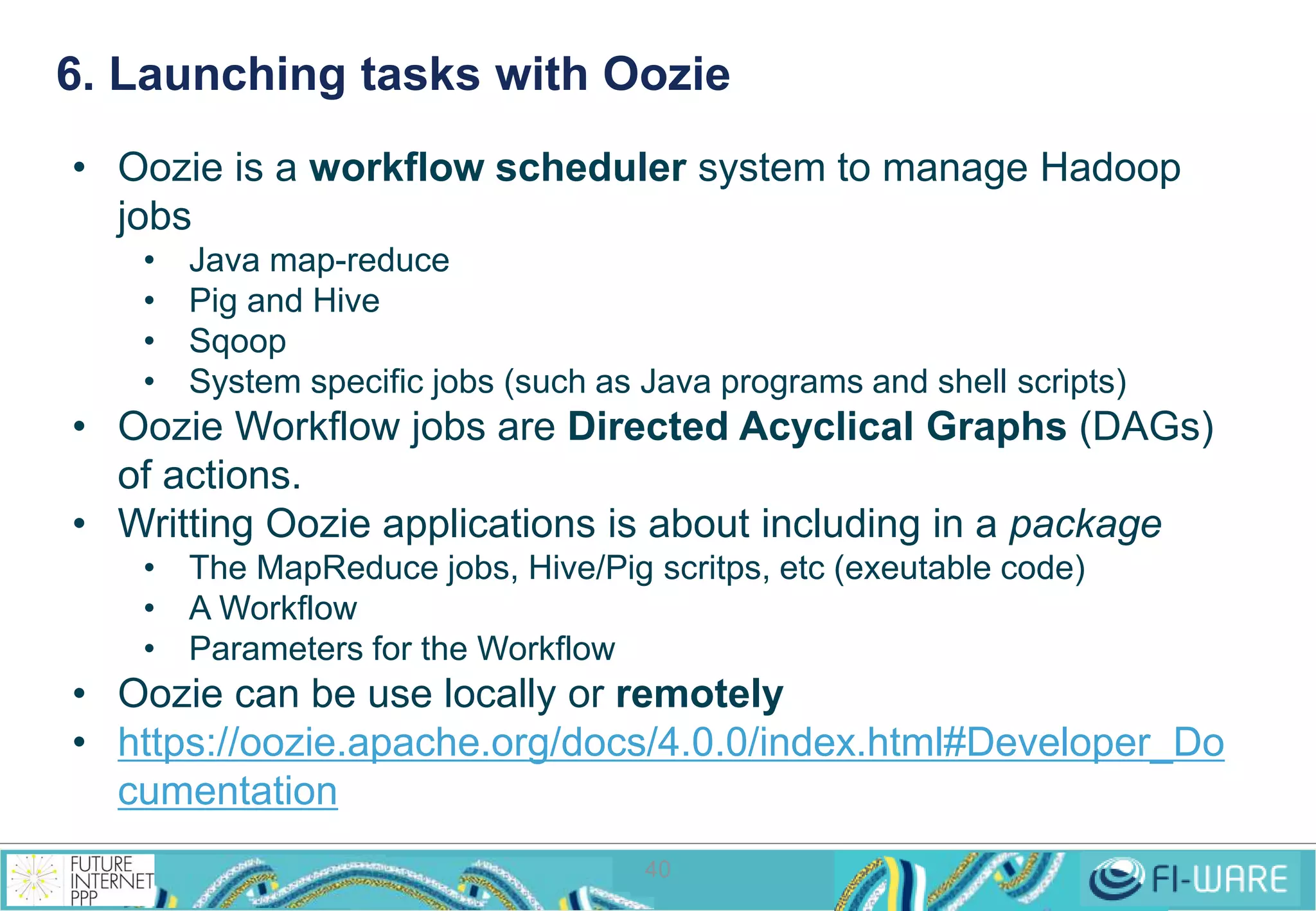
6. Launching tasks with Oozie 
• Oozie is a workflow scheduler system to manage Hadoop 
jobs 
• Java map-reduce 
• Pig and Hive 
• Sqoop 
• System specific jobs (such as Java programs and shell scripts) 
• Oozie Workflow jobs are Directed Acyclical Graphs (DAGs) 
40 
of actions. 
• Writting Oozie applications is about including in a package 
• The MapReduce jobs, Hive/Pig scritps, etc (exeutable code) 
• A Workflow 
• Parameters for the Workflow 
• Oozie can be use locally or remotely 
• https://oozie.apache.org/docs/4.0.0/index.html#Developer_Do 
cumentation
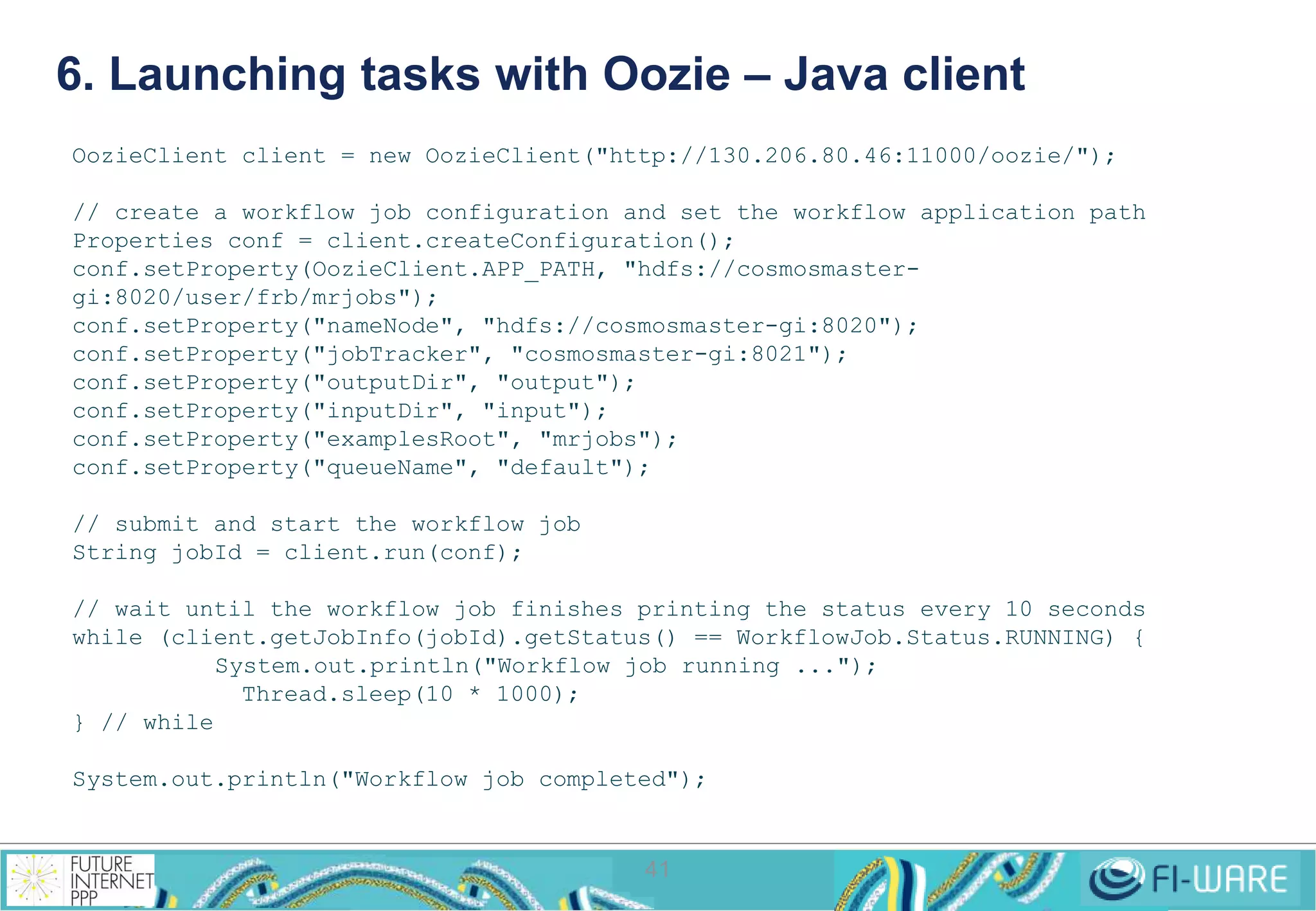
6. Launching tasks with Oozie – Java client 
OozieClient client = new OozieClient("http://130.206.80.46:11000/oozie/"); 
// create a workflow job configuration and set the workflow application path 
Properties conf = client.createConfiguration(); 
conf.setProperty(OozieClient.APP_PATH, "hdfs://cosmosmaster-gi: 
41 
8020/user/frb/mrjobs"); 
conf.setProperty("nameNode", "hdfs://cosmosmaster-gi:8020"); 
conf.setProperty("jobTracker", "cosmosmaster-gi:8021"); 
conf.setProperty("outputDir", "output"); 
conf.setProperty("inputDir", "input"); 
conf.setProperty("examplesRoot", "mrjobs"); 
conf.setProperty("queueName", "default"); 
// submit and start the workflow job 
String jobId = client.run(conf); 
// wait until the workflow job finishes printing the status every 10 seconds 
while (client.getJobInfo(jobId).getStatus() == WorkflowJob.Status.RUNNING) { 
System.out.println("Workflow job running ..."); 
Thread.sleep(10 * 1000); 
} // while 
System.out.println("Workflow job completed");
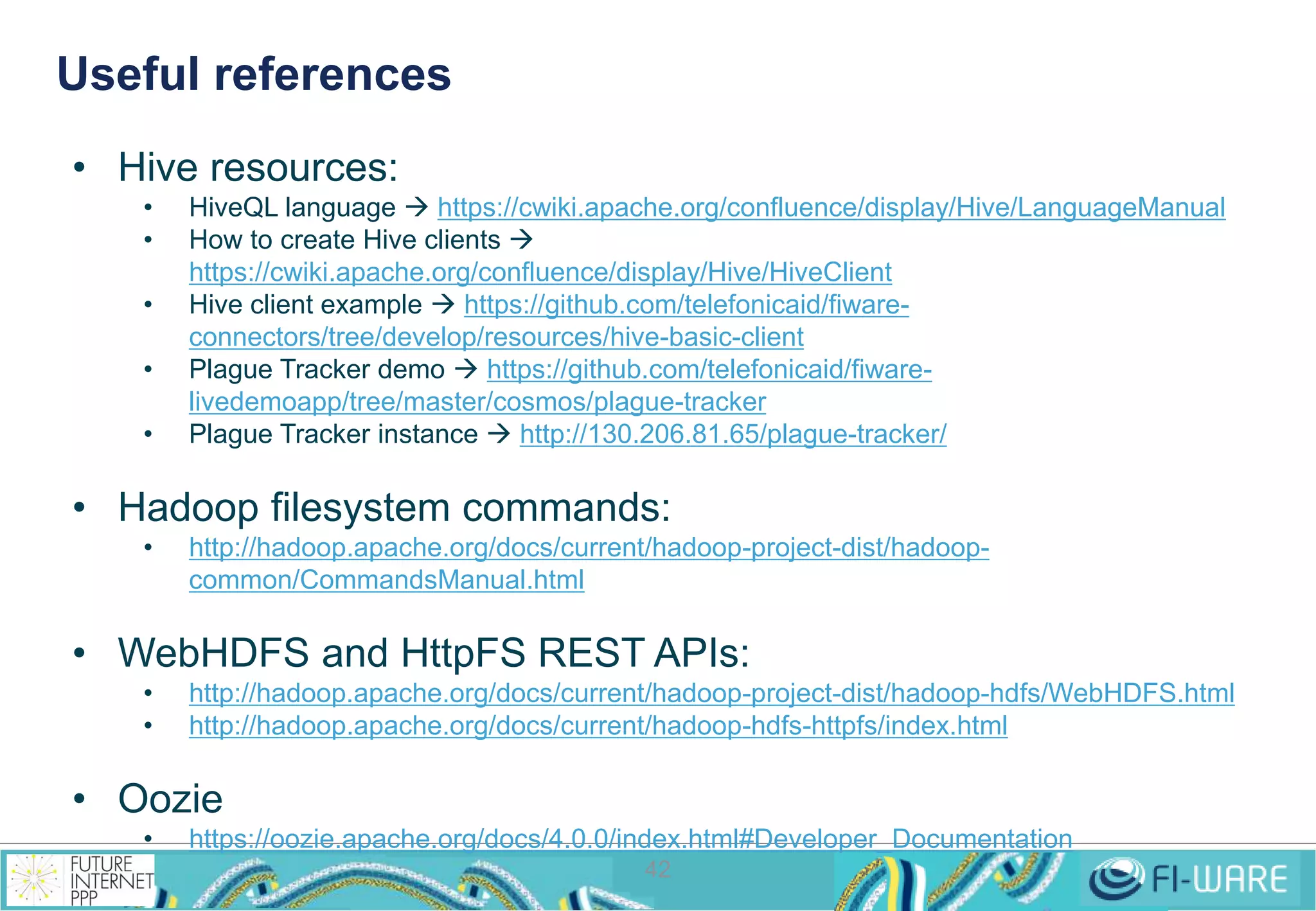
Useful references 
42 
• Hive resources: 
• HiveQL language  https://cwiki.apache.org/confluence/display/Hive/LanguageManual 
• How to create Hive clients  
https://cwiki.apache.org/confluence/display/Hive/HiveClient 
• Hive client example  https://github.com/telefonicaid/fiware-connectors/ 
tree/develop/resources/hive-basic-client 
• Plague Tracker demo  https://github.com/telefonicaid/fiware-livedemoapp/ 
tree/master/cosmos/plague-tracker 
• Plague Tracker instance  http://130.206.81.65/plague-tracker/ 
• Hadoop filesystem commands: 
• http://hadoop.apache.org/docs/current/hadoop-project-dist/hadoop-common/ 
CommandsManual.html 
• WebHDFS and HttpFS REST APIs: 
• http://hadoop.apache.org/docs/current/hadoop-project-dist/hadoop-hdfs/WebHDFS.html 
• http://hadoop.apache.org/docs/current/hadoop-hdfs-httpfs/index.html 
• Oozie 
• https://oozie.apache.org/docs/4.0.0/index.html#Developer_Documentation
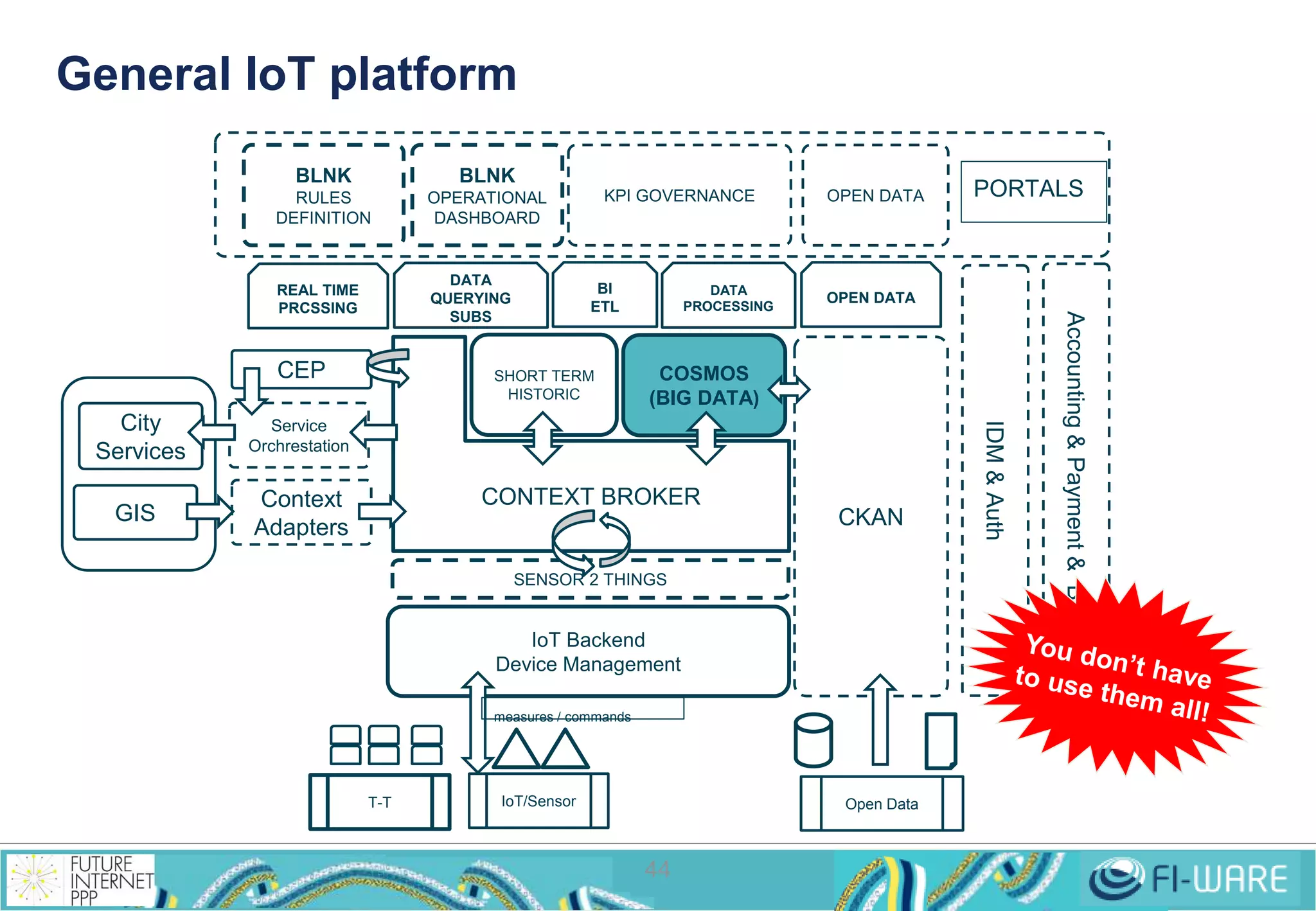
Cosmos place in FI-WARE: 
Typical scenarios 
43
General IoT platform 
SENSOR 2 THINGS 
IoT Backend 
Device Management 
44 
CKAN 
DATA 
PROCESSING 
COSMOS 
(BIG DATA) 
DATA 
QUERYING 
SUBS 
OPEN DATA 
CONTEXT BROKER 
measures / commands 
IoT/Sensor Open Data 
T-T 
Accounting & Payment & Billing 
IDM & Auth 
SHORT TERM 
HISTORIC 
REAL TIME 
PRCSSING 
BI 
ETL 
BLNK 
RULES 
DEFINITION 
BLNK 
OPERATIONAL 
DASHBOARD 
KPI GOVERNANCE OPEN DATA PORTALS 
CEP 
GIS 
Service 
Orchrestation 
Context 
Adapters 
City 
Services
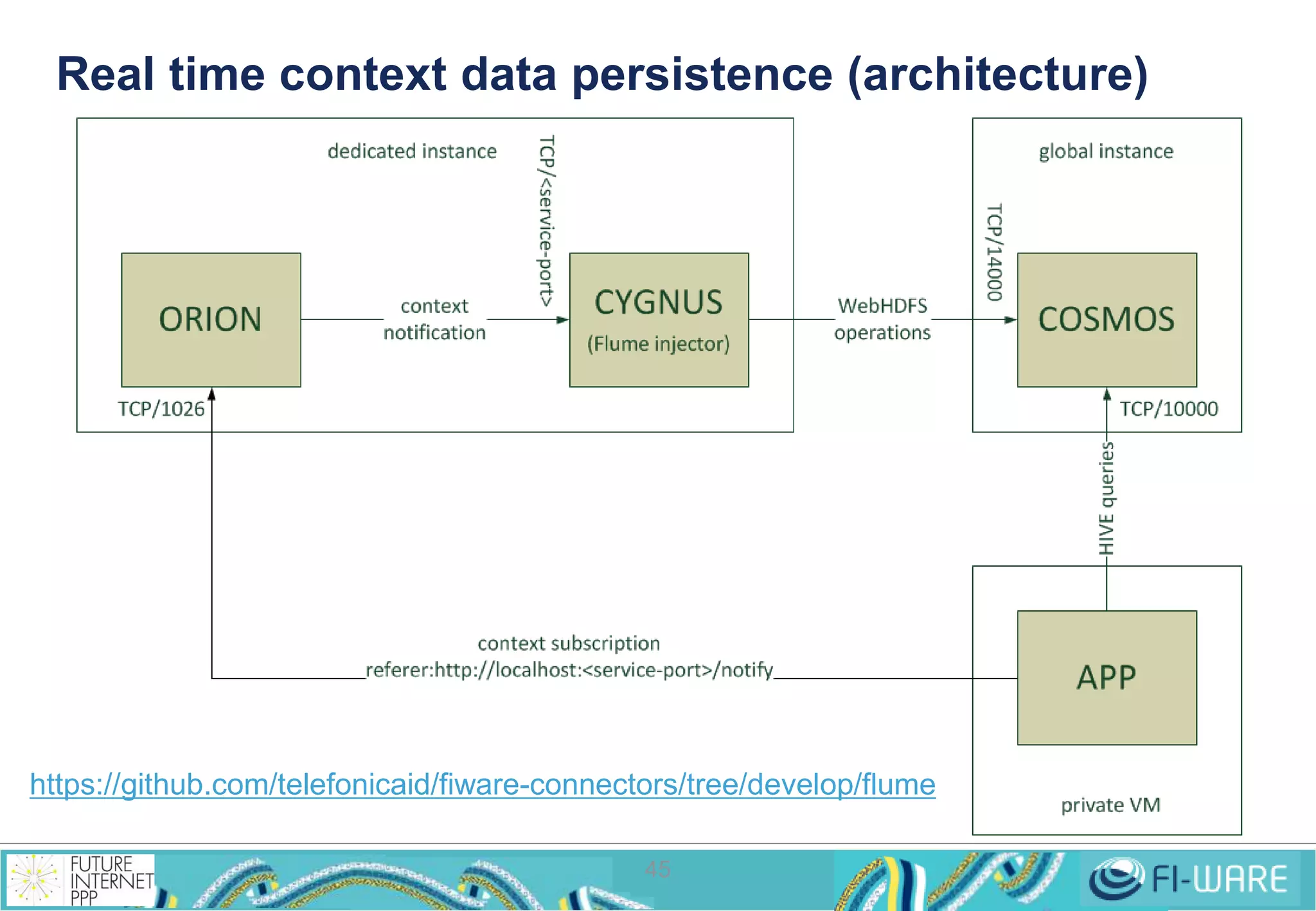
Real time context data persistence (architecture) 
https://github.com/telefonicaid/fiware-connectors/tree/develop/flume 
https://forge.fi-ware.eu/plugins/mediawiki/wiki/fiware/index.php/How_to_persist_Orion_data_in_Cosmos 
45
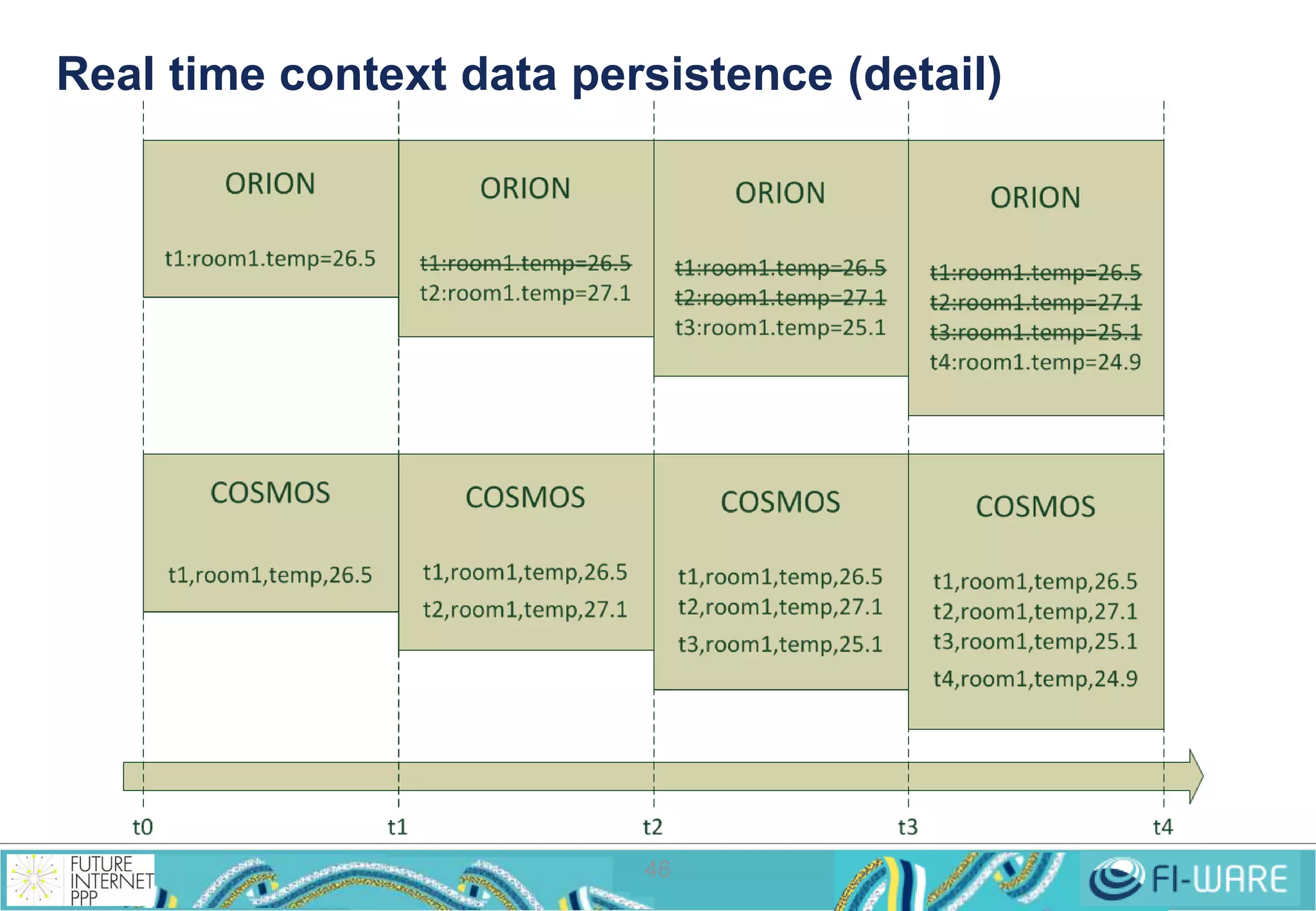
Real time context data persistence (detail) 
46
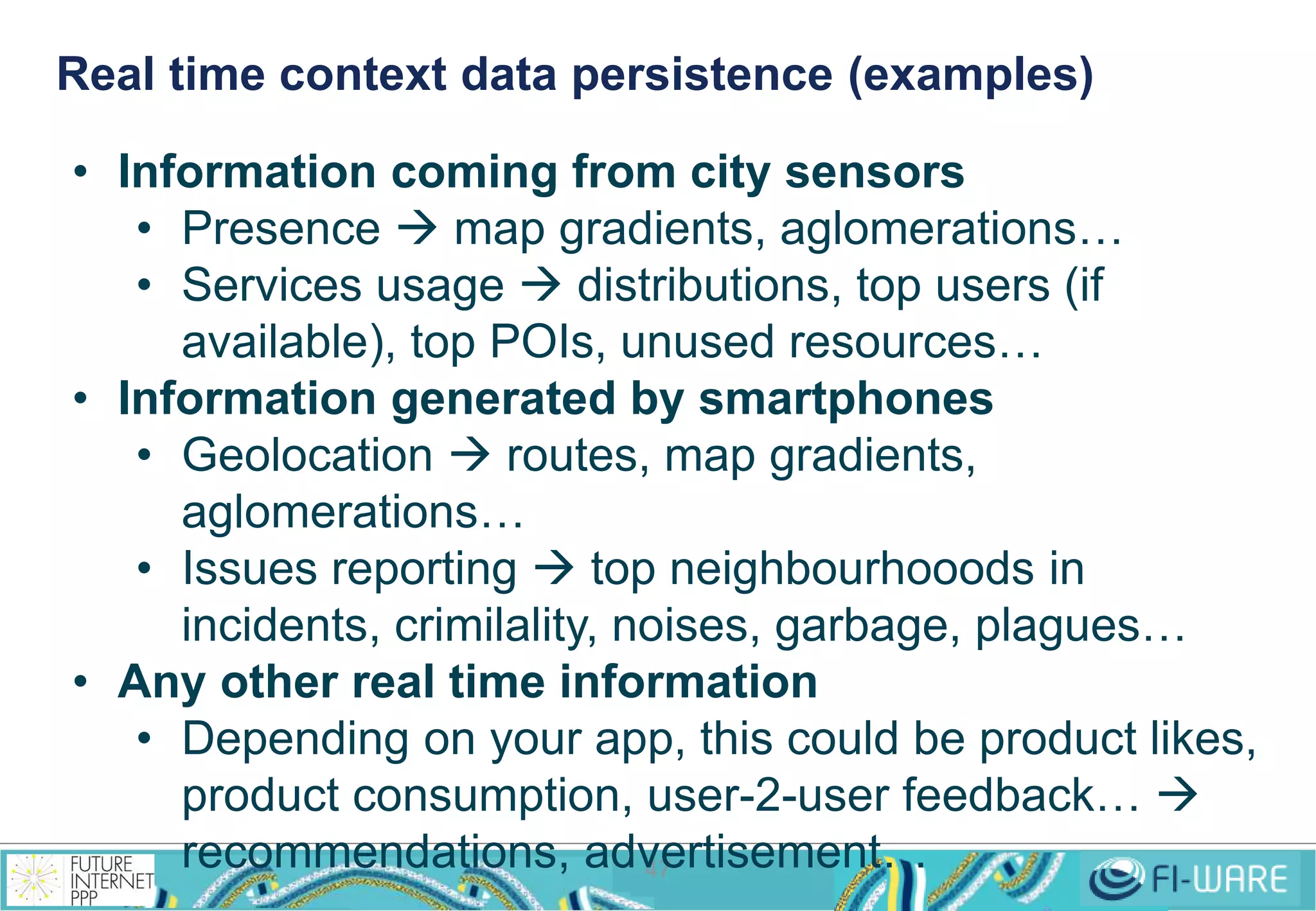
Real time context data persistence (examples) 
• Information coming from city sensors 
• Presence  map gradients, aglomerations… 
• Services usage  distributions, top users (if 
available), top POIs, unused resources… 
• Information generated by smartphones 
• Geolocation  routes, map gradients, 
47 
aglomerations… 
• Issues reporting  top neighbourhooods in 
incidents, crimilality, noises, garbage, plagues… 
• Any other real time information 
• Depending on your app, this could be product likes, 
product consumption, user-2-user feedback…  
recommendations, advertisement…
Roadmap: 
More functionalities and 
integrations 
48
Roadmap 
• Integrate the clusters creation with the cloud portal 
• No more REST API work 
• Streaming analysis capabilities 
• Not all the analysis can wait for a batch processing 
• Geolocation analysis capabilities 
• An important source of data nowadays 
49 
• Integrate with CKAN 
• As a source of batch data 
• Integrate with the Marketplace 
• Selling datasets 
• Selling analysis results 
• Selling applications and algorithms
fiware-lab-help@lists.fi-ware.org 
francisco.romerobueno@telefonica.co 
m 
50
Thanks ! 
 
http://fi-ppp.eu 
 
http://fi-ware.eu 
 
Follow @Fiware on Twitter! 
51

Cosmos, Big Data GE Implementation

  • 1.
    Cosmos, Big DataGE implementation Building your first application using FI-WARE Open APIs for Open Minds
  • 2.
    Big Data: Whatis it and how much data is there 1
  • 3.
    What is bigdata? 2 > small data
  • 4.
    What is bigdata? 3 http://commons.wikimedia.org/wiki/File:Interior_view_of_Stockholm_Public_Library.jpg > big data
  • 5.
    How much datais there? 4
  • 6.
    Data growing forecast 5 2.3 3.6 12 19 11.3 39 0.5 1.4 Global users (billions) Global networked devices (billions) Global broadband speed (Mbps) Global traffic (zettabytes) http://www.cisco.com/en/US/netsol/ns827/networking_solutions_sub_solution.html#~forecast 2012 2012 2012 2012 2017 2017 2017 2017
  • 7.
    It is notonly about storing big data but using it! 6 http://commons.wikimedia.org/wiki/File:Interior_view_of_Stockholm_Public_Library.jpg > big data > tools
  • 8.
    How to dealwith it: The Hadoop reference 7
  • 9.
    Hadoop was createdby Doug Cutting at Yahoo!... … based on the MapReduce patent by Google 8
  • 10.
    Well, MapReduce wasreally invented by Julius Caesar 9 Divide et impera* * Divide and conquer
  • 11.
    An example Howmuch pages are written in latin among the books in the Ancient Library of Alexandria? 10 LATIN REF1 P45 GREEK REF2 P128 EGYPT REF3 P12 LATIN pages 45 EGYPTIA N LATIN REF4 P73 LATIN REF5 P34 EGYPT REF6 P10 GREEK REF7 P20 GREEK REF8 P230 45 (ref 1) still reading… Mappers Reducer
  • 12.
    An example Howmuch pages are written in latin among the books in the Ancient Library of Alexandria? 11 GREEK REF2 P128 still reading… EGYPTIA N LATIN REF4 P73 LATIN REF5 P34 EGYPT REF6 P10 GREEK REF7 P20 GREEK REF8 P230 GREEK 45 (ref 1) Mappers Reducer
  • 13.
    An example Howmuch pages are written in latin among the books in the Ancient Library of Alexandria? LATIN pages 73 EGYPTIA N 12 LATIN REF4 P73 LATIN REF5 P34 GREEK REF7 P20 GREEK REF8 P230 LATIN pages 34 45 (ref 1) +73 (ref 4) +34 (ref 5) Mappers Reducer
  • 14.
    An example Howmuch pages are written in latin among the books in the Ancient Library of Alexandria? GREEK GREEK 13 GREEK REF7 P20 GREEK REF8 P230 idle… 45 (ref 1) +73 (ref 4) +34 (ref 5) Mappers Reducer
  • 15.
    An example Howmuch pages are written in latin among the books in the Ancient Library of Alexandria? idle… idle… idle… 14 45 (ref 1) +73 (ref 4) +34 (ref 5) 152 TOTAL Mappers Reducer
  • 16.
  • 17.
  • 18.
    What is Cosmos? • Cosmos is Telefónica's Big Data platform • Dynamic creation of private computing clusters as a 17 service • Infinity, a cluster for persistent storage • Cosmos is Hadoop ecosystem-based • HDFS as its distributed file system • Hadoop core as its MapReduce engine • HiveQL and Pig for querying the data • Oozie as remote MapReduce jobs and Hive launcher • Plus other proprietary features • Infinity protocol (secure WebHDFS) • Cygnus, an injector for context data coming from Orion CB
  • 19.
  • 20.
    What can bedone with Cosmos? 19 What Locally (ssh’ing into the Head Node) Remotely (connecting your app) Clusters operation Cosmos CLI REST API I/O operation ‘hadoop fs’ command REST API (WebHDFS, HttpFS, Infinity protocol) Querying tools (basic analysis) Hive CLI JDBC, Thrift* MapReduce (advanced analysis) ‘hadoop jar’ command Oozie REST API
  • 21.
    Clusters operation: Gettingyour own roman legion 20
  • 22.
  • 23.
  • 24.
  • 25.
    Using the PythonCLI 24 • Creating a cluster $ cosmos create --name <STRING> --size <INT> • Listing all the clusters $ cosmos list • Showing a cluster details $ cosmos show <CLUSTER_ID> • Connecting to the Head Node of a cluster $ cosmos ssh <CLUSTER_ID> • Terminating a cluster $ cosmos terminate <CLUSTER_ID> • Listing available services $ cosmos list-services • Creating a cluster with specific services $ cosmos create --name <STRING> --size <INT> --services <SERVICES_LIST>
  • 26.
    How to exploitthe data: Commanding your roman legion 25
  • 27.
    1. Hadoop filesystemcommands 26 • Hadoop general command $ hadoop • Hadoop file system subcommand $ hadoop fs • Hadoop file system options $ hadoop fs –ls $ hadoop fs –mkdir <hdfs-dir> $ hadoop fs –rmr <hfds-file> $ hadoop fs –cat <hdfs-file> $ hadoop fs –put <local-file> <hdfs-dir> $ hadoop fs –get <hdfs-file> <local-dir> • http://hadoop.apache.org/docs/current/hadoop-project-dist/ hadoop-common/CommandsManual.html
  • 28.
    2. WebHDFS/HttpFS RESTAPI 27 • List a directory GET http://<HOST>:<PORT>/webhdfs/v1/<PATH>?op=LISTSTATUS • Create a new directory PUT http://<HOST>:<PORT>/<PATH>?op=MKDIRS[&permission=<OCTAL>] • Delete a file or directory DELETE http://<host>:<port>/webhdfs/v1/<path>?op=DELETE [&recursive=<true|false>] • Rename a file or directory PUT http://<HOST>:<PORT>/webhdfs/v1/<PATH>?op=RENAME&destination=<PATH> • Concat files POST http://<HOST>:<PORT>/webhdfs/v1/<PATH>?op=CONCAT&sources=<PATHS> • Set permission PUT http://<HOST>:<PORT>/webhdfs/v1/<PATH>?op=SETPERMISSION [&permission=<OCTAL>] • Set owner PUT http://<HOST>:<PORT>/webhdfs/v1/<PATH>?op=SETOWNER [&owner=<USER>][&group=<GROUP>]
  • 29.
    2. WebHDFS/HttpFS RESTAPI (cont.) • Create a new file with initial content (2 steps operation) PUT http://<HOST>:<PORT>/webhdfs/v1/<PATH>?op=CREATE [&overwrite=<true|false>][&blocksize=<LONG>][&replication=<SHORT>] [&permission=<OCTAL>][&buffersize=<INT>] HTTP/1.1 307 TEMPORARY_REDIRECT Location: http://<DATANODE>:<PORT>/webhdfs/v1/<PATH>?op=CREATE... Content-Length: 0 PUT -T <LOCAL_FILE> http://<DATANODE>:<PORT>/webhdfs/v1/<PATH>?op=CREATE... 28 • Append to a file (2 steps operation) POST http://<HOST>:<PORT>/webhdfs/v1/<PATH>?op=APPEND[&buffersize=<INT>] HTTP/1.1 307 TEMPORARY_REDIRECT Location: http://<DATANODE>:<PORT>/webhdfs/v1/<PATH>?op=APPEND... Content-Length: 0 POST -T <LOCAL_FILE> http://<DATANODE>:<PORT>/webhdfs/v1/<PATH>?op=APPEND...
  • 30.
    2. WebHDFS/HttpFS RESTAPI (cont.) • Open and read a file (2 steps operation) GET http://<HOST>:<PORT>/webhdfs/v1/<PATH>?op=OPEN [&offset=<LONG>][&length=<LONG>][&buffersize=<INT>] HTTP/1.1 307 TEMPORARY_REDIRECT Location: http://<DATANODE>:<PORT>/webhdfs/v1/<PATH>?op=OPEN... Content-Length: 0 GET http://<DATANODE>:<PORT>/webhdfs/v1/<PATH>?op=OPEN... • http://hadoop.apache.org/docs/current/hadoop-project-dist/ hadoop-hdfs/WebHDFS.html • HttpFS does not redirect to the Datanode but to the HttpFS server, hidding the Datanodes (and saving tens of public IP addresses) • The API is the same • http://hadoop.apache.org/docs/current/hadoop-hdfs-httpfs/ 29 index.html
  • 31.
    3. Local HiveCLI • Hive is a querying tool • Queries are expresed in HiveQL, a SQL-like language • https://cwiki.apache.org/confluence/display/Hive/Language 30 Manual • Hive uses pre-defined MapReduce jobs for • Column selection • Fields grouping • Table joining • … • All the data is loaded into Hive tables
  • 32.
    3. Local HiveCLI (cont.) • Log on to the Master node • Run the hive command • Type your SQL-like sentence! $ hive $ Hive history file=/tmp/myuser/hive_job_log_opendata_XXX_XXX.txt hive>select column1,column2,otherColumns from mytable where column1='whatever' and columns2 like '%whatever%'; Total MapReduce jobs = 1 Launching Job 1 out of 1 Starting Job = job_201308280930_0953, Tracking URL = http://cosmosmaster-gi:50030/jobdetails.jsp?jobid=job_201308280930_0953 Kill Command = /usr/lib/hadoop/bin/hadoop job - Dmapred.job.tracker=cosmosmaster-gi:8021 -kill job_201308280930_0953 2013-10-03 09:15:34,519 Stage-1 map = 0%, reduce = 0% 2013-10-03 09:15:36,545 Stage-1 map = 67%, reduce = 0% 2013-10-03 09:15:37,554 Stage-1 map = 100%, reduce = 0% 2013-10-03 09:15:44,609 Stage-1 map = 100%, reduce = 33% … 31
  • 33.
    4. Remote Hiveclient • Hive CLI is OK for human-driven testing purposes • But it is not usable by remote applications • Hive has no REST API • Hive has several drivers and libraries • JDBC for Java • Python • PHP • ODBC for C/C++ • Thrift for Java and C++ • https://cwiki.apache.org/confluence/display/Hive/HiveClie 32 nt • A remote Hive client usually performs: • A connection to the Hive server (TCP/10000) • The query execution
  • 34.
    4. Remote Hiveclient – Get a connection 33 private Connection getConnection( String ip, String port, String user, String password) { try { // dynamically load the Hive JDBC driver Class.forName("org.apache.hadoop.hive.jdbc.HiveDriver"); } catch (ClassNotFoundException e) { System.out.println(e.getMessage()); return null; } // try catch try { // return a connection based on the Hive JDBC driver, default DB return DriverManager.getConnection("jdbc:hive://" + ip + ":" + port + "/default?user=" + user + "&password=" + password); } catch (SQLException e) { System.out.println(e.getMessage()); return null; } // try catch } // getConnection https://github.com/telefonicaid/fiware-connectors/tree/develop/resources/hive-basic-client
  • 35.
    4. Remote Hiveclient – Do the query 34 private void doQuery() { try { // from here on, everything is SQL! Statement stmt = con.createStatement(); ResultSet res = stmt.executeQuery("select column1,column2," + "otherColumns from mytable where column1='whatever' and " + "columns2 like '%whatever%'"); // iterate on the result while (res.next()) { String column1 = res.getString(1); Integer column2 = res.getInteger(2); // whatever you want to do with this row, here } // while // close everything res.close(); stmt.close(); con.close(); } catch (SQLException ex) { System.exit(0); } // try catch } // doQuery https://github.com/telefonicaid/fiware-connectors/ tree/develop/resources/hive-basic-client
  • 36.
    4. Remote Hiveclient – Plague Tracker demo https://github.com/telefonicaid/fiware-connectors/tree/develop/resources/plague-tracker 35
  • 37.
    5. MapReduce applications • MapReduce applications are commonly written in Java • Can be written in other languages through Hadoop Streaming • They are executed in the command line $ hadoop jar <jar-file> <main-class> <input-dir> <output-dir> • A MapReduce job consists of: • A driver, a piece of software where to define inputs, outputs, formats, etc. and the entry point for launching the job • A set of Mappers, given by a piece of software defining its behaviour • A set of Reducers, given by a piece of software defining its behaviour 36 • There are 2 APIS • org.apache.mapred  old one • org.apache.mapreduce  new one • Hadoop is distributed with MapReduce examples • [HADOOP_HOME]/hadoop-examples.jar
  • 38.
    5. MapReduce applications– Map /* org.apache.mapred example */ public static class MapClass extends MapReduceBase implements Mapper<LongWritable, Text, Text, IntWritable> { private final static IntWritable one = new IntWritable(1); private Text word = new Text(); public void map(LongWritable key, Text value, OutputCollector<Text, IntWritable> output, Reporter reporter) throws IOException { /* use the input value, the input key is the offset within the file and it is not necessary in this example */ String line = value.toString(); StringTokenizer tokenizer = new StringTokenizer(line); /* iterate on the string, getting each word */ while (tokenizer.hasMoreTokens()) { word.set(tokenizer.nextToken()); /* emit an output (key,value) pair based on the word and 1 */ output.collect(word, one); 37 } // while } // map } // MapClass
  • 39.
    5. MapReduce applications– Reduce /* org.apache.mapred example */ public static class ReduceClass extends MapReduceBase implements Reducer<Text, IntWritable, Text, IntWritable> { public void reduce(Text key, Iterator<IntWritable> values, OutputCollector<Text, IntWritable> output, Reporter reporter) throws IOException { 38 int sum = 0; /* iterate on all the values and add them */ while (values.hasNext()) { sum += values.next().get(); } // while /* emit an output (key,value) pair based on the word and its count */ output.collect(key, new IntWritable(sum)); } // reduce } // ReduceClass
  • 40.
    5. MapReduce applications– Driver 39 /* org.apache.mapred example */ package my.org import java.io.IOException; import java.util.*; import org.apache.hadoop.fs.Path; import org.apache.hadoop.conf.*; import org.apache.hadoop.io.*; import org.apache.hadoop.mapred.*; import org.apache.hadoop.util.*; public class WordCount { public static void main(String[] args) throws Exception { JobConf conf = new JobConf(WordCount.class); conf.setJobName("wordcount"); conf.setOutputKeyClass(Text.class); conf.setOutputValueClass(IntWritable.class); conf.setMapperClass(MapClass.class); conf.setCombinerClass(ReduceClass.class); conf.setReducerClass(ReduceClass.class); conf.setInputFormat(TextInputFormat.class); conf.setOutputFormat(TextOutputFormat.class); FileInputFormat.setInputPaths(conf, new Path(args[0])); FileOutputFormat.setOutputPath(conf, new Path(args[1])); JobClient.runJob(conf); } // main } // WordCount
  • 41.
    6. Launching taskswith Oozie • Oozie is a workflow scheduler system to manage Hadoop jobs • Java map-reduce • Pig and Hive • Sqoop • System specific jobs (such as Java programs and shell scripts) • Oozie Workflow jobs are Directed Acyclical Graphs (DAGs) 40 of actions. • Writting Oozie applications is about including in a package • The MapReduce jobs, Hive/Pig scritps, etc (exeutable code) • A Workflow • Parameters for the Workflow • Oozie can be use locally or remotely • https://oozie.apache.org/docs/4.0.0/index.html#Developer_Do cumentation
  • 42.
    6. Launching taskswith Oozie – Java client OozieClient client = new OozieClient("http://130.206.80.46:11000/oozie/"); // create a workflow job configuration and set the workflow application path Properties conf = client.createConfiguration(); conf.setProperty(OozieClient.APP_PATH, "hdfs://cosmosmaster-gi: 41 8020/user/frb/mrjobs"); conf.setProperty("nameNode", "hdfs://cosmosmaster-gi:8020"); conf.setProperty("jobTracker", "cosmosmaster-gi:8021"); conf.setProperty("outputDir", "output"); conf.setProperty("inputDir", "input"); conf.setProperty("examplesRoot", "mrjobs"); conf.setProperty("queueName", "default"); // submit and start the workflow job String jobId = client.run(conf); // wait until the workflow job finishes printing the status every 10 seconds while (client.getJobInfo(jobId).getStatus() == WorkflowJob.Status.RUNNING) { System.out.println("Workflow job running ..."); Thread.sleep(10 * 1000); } // while System.out.println("Workflow job completed");
  • 43.
    Useful references 42 • Hive resources: • HiveQL language  https://cwiki.apache.org/confluence/display/Hive/LanguageManual • How to create Hive clients  https://cwiki.apache.org/confluence/display/Hive/HiveClient • Hive client example  https://github.com/telefonicaid/fiware-connectors/ tree/develop/resources/hive-basic-client • Plague Tracker demo  https://github.com/telefonicaid/fiware-livedemoapp/ tree/master/cosmos/plague-tracker • Plague Tracker instance  http://130.206.81.65/plague-tracker/ • Hadoop filesystem commands: • http://hadoop.apache.org/docs/current/hadoop-project-dist/hadoop-common/ CommandsManual.html • WebHDFS and HttpFS REST APIs: • http://hadoop.apache.org/docs/current/hadoop-project-dist/hadoop-hdfs/WebHDFS.html • http://hadoop.apache.org/docs/current/hadoop-hdfs-httpfs/index.html • Oozie • https://oozie.apache.org/docs/4.0.0/index.html#Developer_Documentation
  • 44.
    Cosmos place inFI-WARE: Typical scenarios 43
  • 45.
    General IoT platform SENSOR 2 THINGS IoT Backend Device Management 44 CKAN DATA PROCESSING COSMOS (BIG DATA) DATA QUERYING SUBS OPEN DATA CONTEXT BROKER measures / commands IoT/Sensor Open Data T-T Accounting & Payment & Billing IDM & Auth SHORT TERM HISTORIC REAL TIME PRCSSING BI ETL BLNK RULES DEFINITION BLNK OPERATIONAL DASHBOARD KPI GOVERNANCE OPEN DATA PORTALS CEP GIS Service Orchrestation Context Adapters City Services
  • 46.
    Real time contextdata persistence (architecture) https://github.com/telefonicaid/fiware-connectors/tree/develop/flume https://forge.fi-ware.eu/plugins/mediawiki/wiki/fiware/index.php/How_to_persist_Orion_data_in_Cosmos 45
  • 47.
    Real time contextdata persistence (detail) 46
  • 48.
    Real time contextdata persistence (examples) • Information coming from city sensors • Presence  map gradients, aglomerations… • Services usage  distributions, top users (if available), top POIs, unused resources… • Information generated by smartphones • Geolocation  routes, map gradients, 47 aglomerations… • Issues reporting  top neighbourhooods in incidents, crimilality, noises, garbage, plagues… • Any other real time information • Depending on your app, this could be product likes, product consumption, user-2-user feedback…  recommendations, advertisement…
  • 49.
    Roadmap: More functionalitiesand integrations 48
  • 50.
    Roadmap • Integratethe clusters creation with the cloud portal • No more REST API work • Streaming analysis capabilities • Not all the analysis can wait for a batch processing • Geolocation analysis capabilities • An important source of data nowadays 49 • Integrate with CKAN • As a source of batch data • Integrate with the Marketplace • Selling datasets • Selling analysis results • Selling applications and algorithms
  • 51.
  • 52.
    Thanks !  http://fi-ppp.eu  http://fi-ware.eu  Follow @Fiware on Twitter! 51