WINTERTemplate
FEATURE CARDS
01
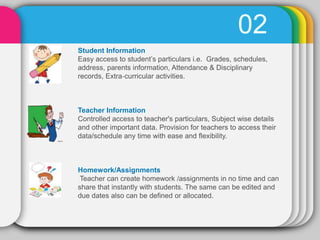
02
Student Information
Easy access to student’s particulars i.e. Grades, schedules,
address, parents information, Attendance & Disciplinary
records, Extra‐curricular activities.
Teacher Information
Controlled access to teacher's particulars, Subject wise details
and other important data. Provision for teachers to access their
data/schedule any time with ease and flexibility.
Homework/Assignments
Teacher can create homework /assignments in no time and can
share that instantly with students. The same can be edited and
due dates also can be defined or allocated.
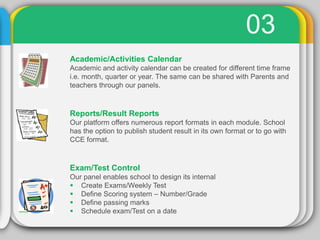
03
Academic/Activities Calendar
Academic and activity calendar can be created for different time frame
i.e. month, quarter or year. The same can be shared with Parents and
teachers through our panels.
Reports/Result Reports
Our platform offers numerous report formats in each module. School
has the option to publish student result in its own format or to go with
CCE format.
Exam/Test Control
Our panel enables school to design its internal
 Create Exams/Weekly Test
 Define Scoring system – Number/Grade
 Define passing marks
 Schedule exam/Test on a date
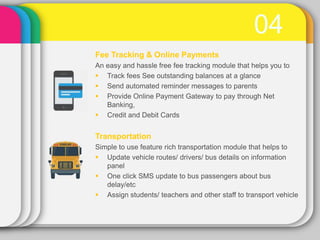
04
Fee Tracking & Online Payments
An easy and hassle free fee tracking module that helps you to
 Track fees See outstanding balances at a glance
 Send automated reminder messages to parents
 Provide Online Payment Gateway to pay through Net
Banking,
 Credit and Debit Cards
Transportation
Simple to use feature rich transportation module that helps to
 Update vehicle routes/ drivers/ bus details on information
panel
 One click SMS update to bus passengers about bus
delay/etc
 Assign students/ teachers and other staff to transport vehicle
05Features V2.0
 Features are either automated or require minimum intervention
 Features are available on two different panels
 Features can be customized according to school’s specific needs
 Features will be modified and advanced in regular interval
To know how we do it
See our next presentation or click on the following
www.smartsis.in/How

Features of SMART SIS

  • 1.
  • 2.
    02 Student Information Easy accessto student’s particulars i.e. Grades, schedules, address, parents information, Attendance & Disciplinary records, Extra‐curricular activities. Teacher Information Controlled access to teacher's particulars, Subject wise details and other important data. Provision for teachers to access their data/schedule any time with ease and flexibility. Homework/Assignments Teacher can create homework /assignments in no time and can share that instantly with students. The same can be edited and due dates also can be defined or allocated.
  • 3.
    03 Academic/Activities Calendar Academic andactivity calendar can be created for different time frame i.e. month, quarter or year. The same can be shared with Parents and teachers through our panels. Reports/Result Reports Our platform offers numerous report formats in each module. School has the option to publish student result in its own format or to go with CCE format. Exam/Test Control Our panel enables school to design its internal  Create Exams/Weekly Test  Define Scoring system – Number/Grade  Define passing marks  Schedule exam/Test on a date
  • 4.
    04 Fee Tracking &Online Payments An easy and hassle free fee tracking module that helps you to  Track fees See outstanding balances at a glance  Send automated reminder messages to parents  Provide Online Payment Gateway to pay through Net Banking,  Credit and Debit Cards Transportation Simple to use feature rich transportation module that helps to  Update vehicle routes/ drivers/ bus details on information panel  One click SMS update to bus passengers about bus delay/etc  Assign students/ teachers and other staff to transport vehicle
  • 5.
    05Features V2.0  Featuresare either automated or require minimum intervention  Features are available on two different panels  Features can be customized according to school’s specific needs  Features will be modified and advanced in regular interval To know how we do it See our next presentation or click on the following www.smartsis.in/How