An introduction to Facebook Connect London Facebook Developer Garage, October 8 th  2008
Facebook Connect - Introduction What Facebook Connect does: Allow social graph (“your friend network”) information to be brought to external websites Allow external website activity to be brought into Facebook Both aspects are key as to why this is a priority for Facebook.
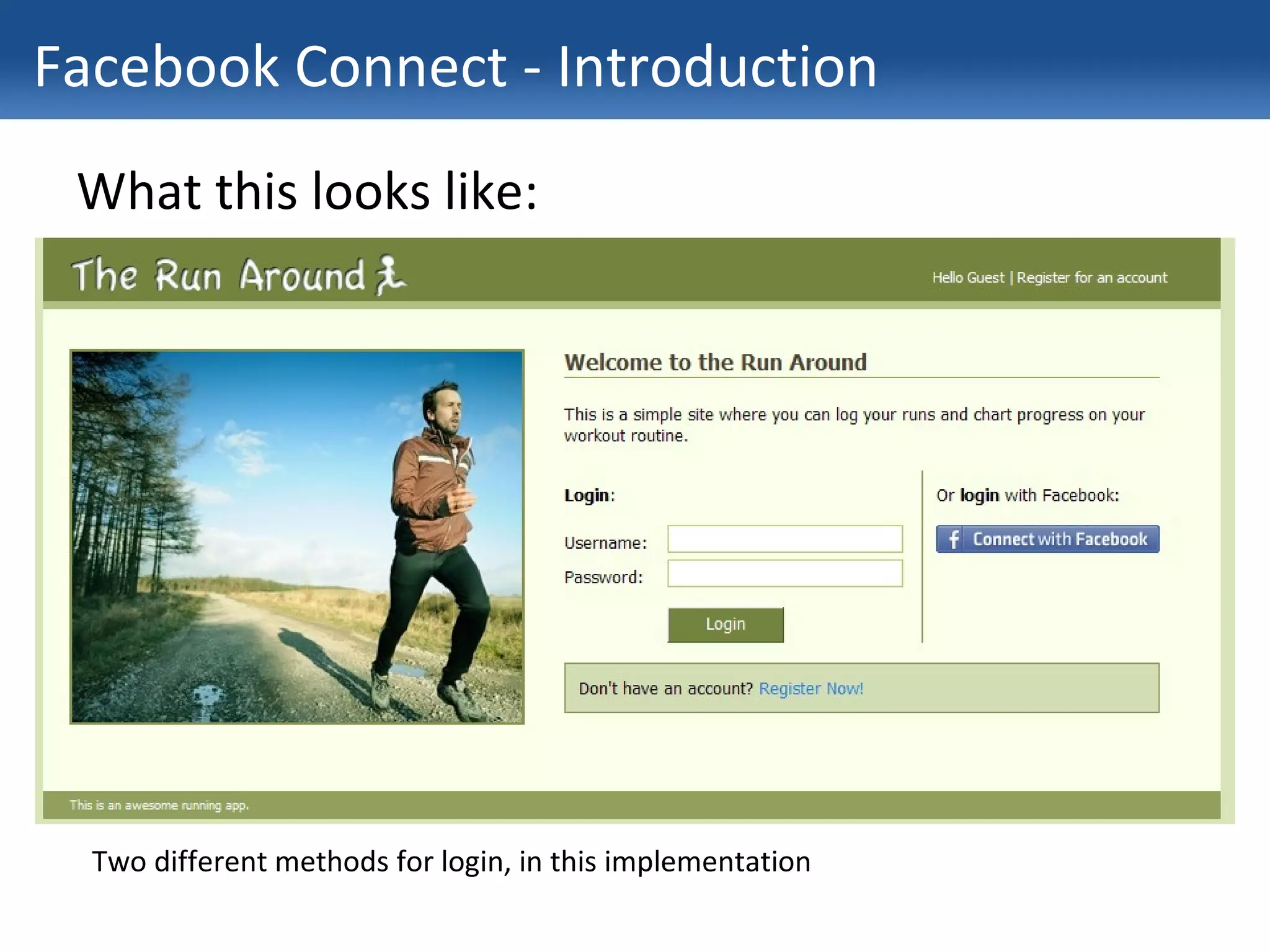
Facebook Connect - Introduction What this looks like: Two different methods for login, in this implementation
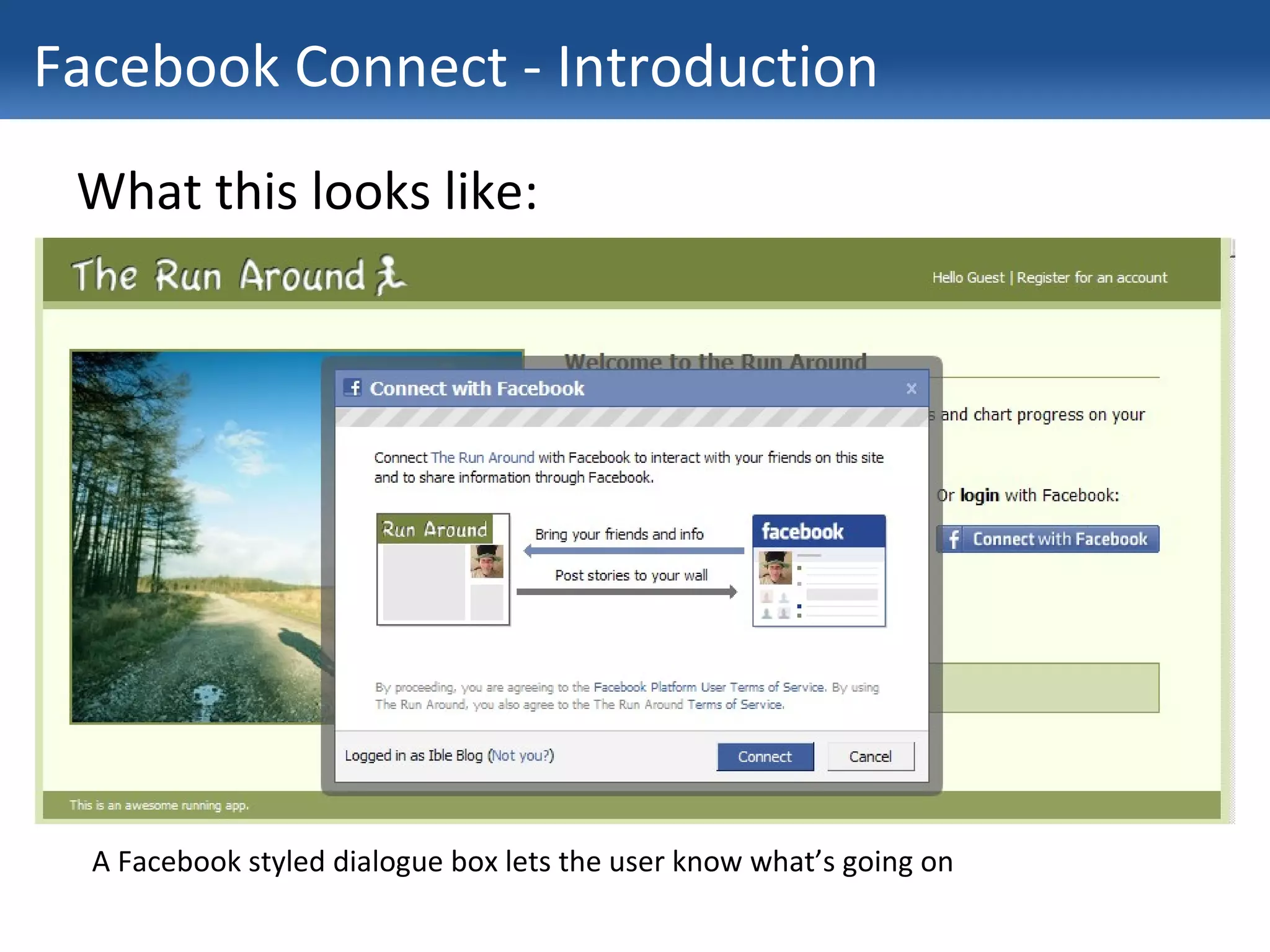
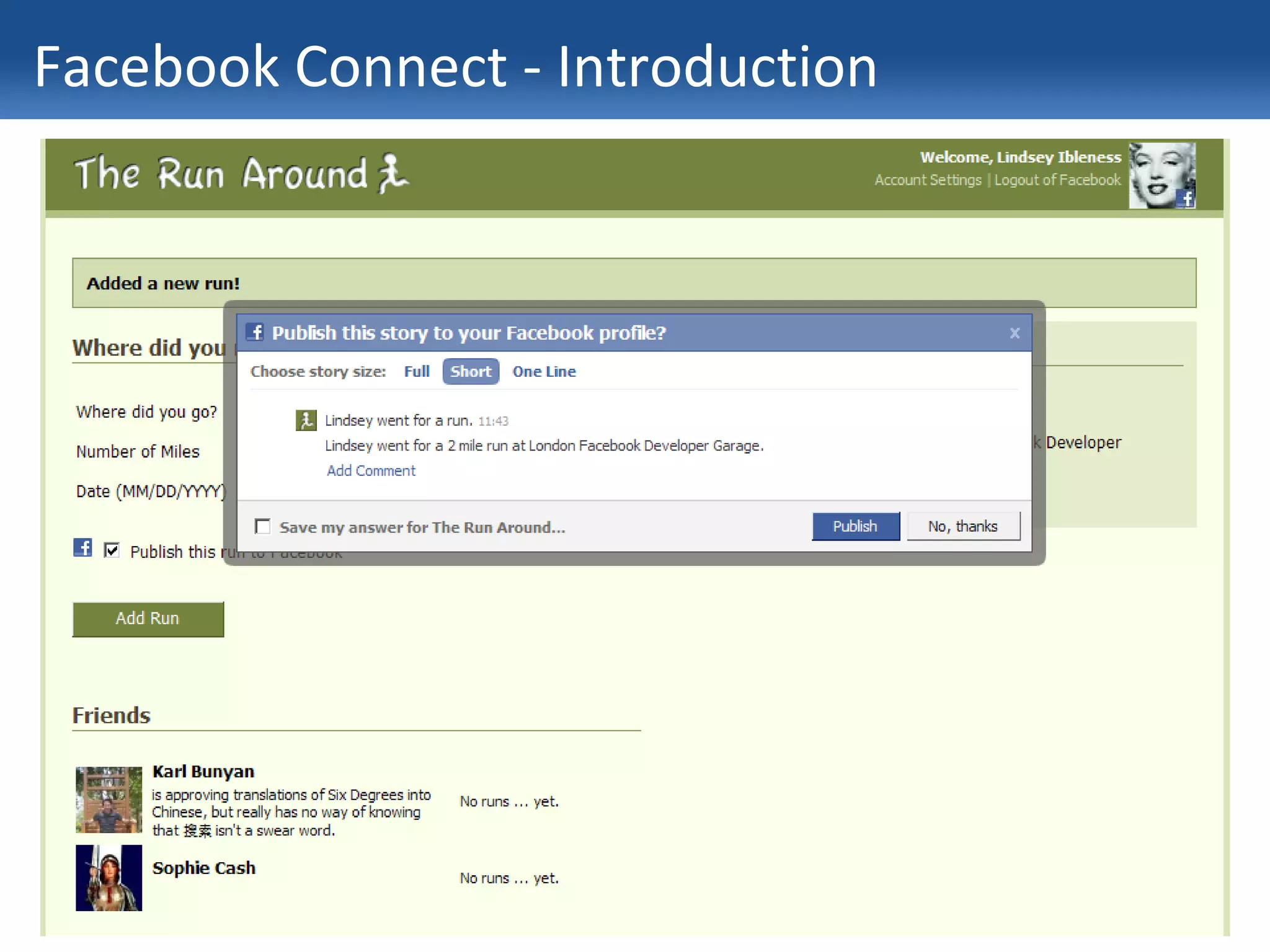
Facebook Connect - Introduction What this looks like: A Facebook styled dialogue box lets the user know what’s going on
Facebook Connect - Introduction What you can do when you’re “Connect”ed: Display information from Facebook profiles on your own site Publish stories to Facebook from your site Re-create your users’ social graphs
Facebook Connect - Introduction
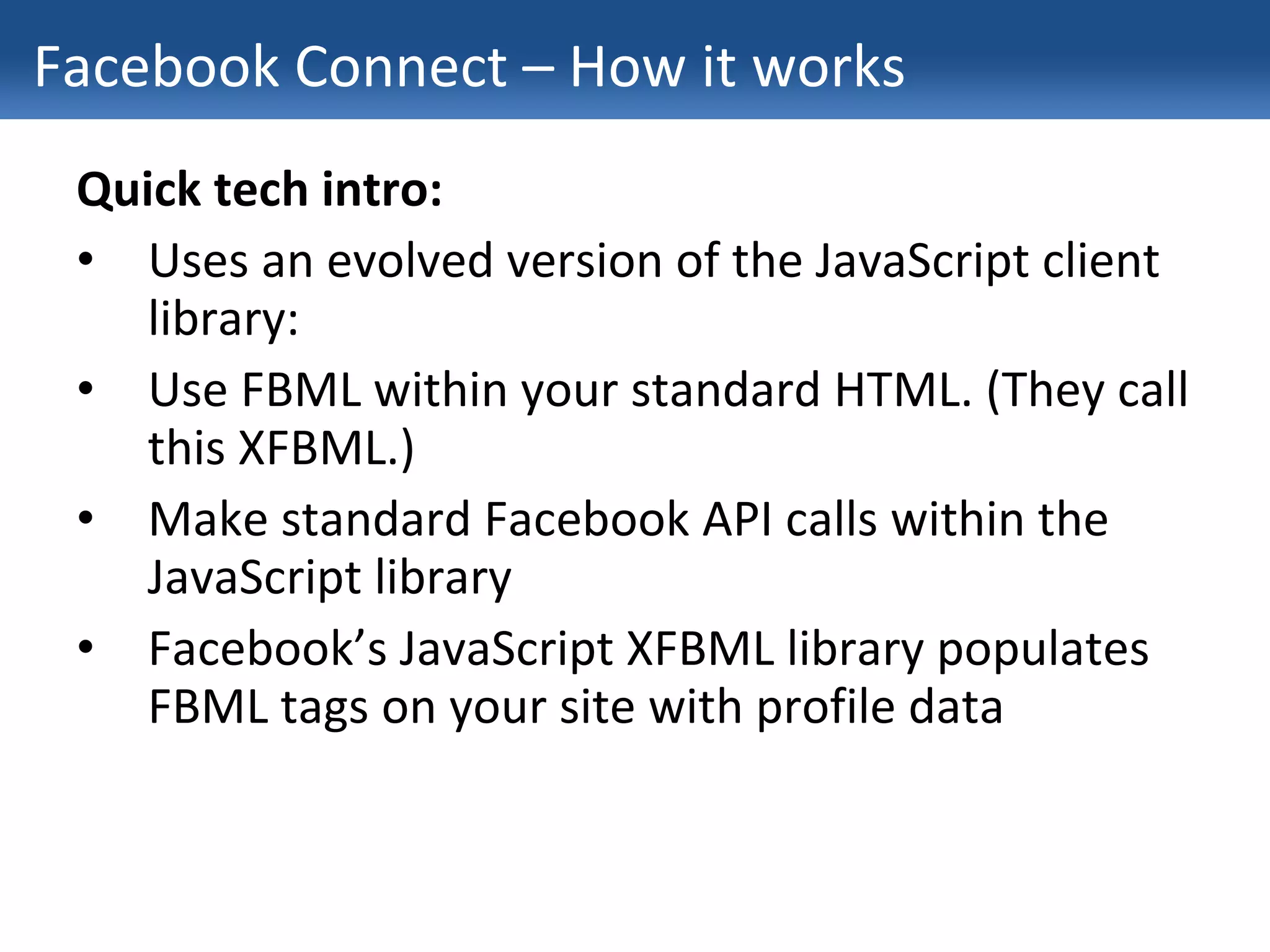
Facebook Connect – How it works Quick tech intro: Uses an evolved version of the JavaScript client library: Use FBML within your standard HTML. (They call this XFBML.) Make standard Facebook API calls within the JavaScript library Facebook’s JavaScript XFBML library populates FBML tags on your site with profile data
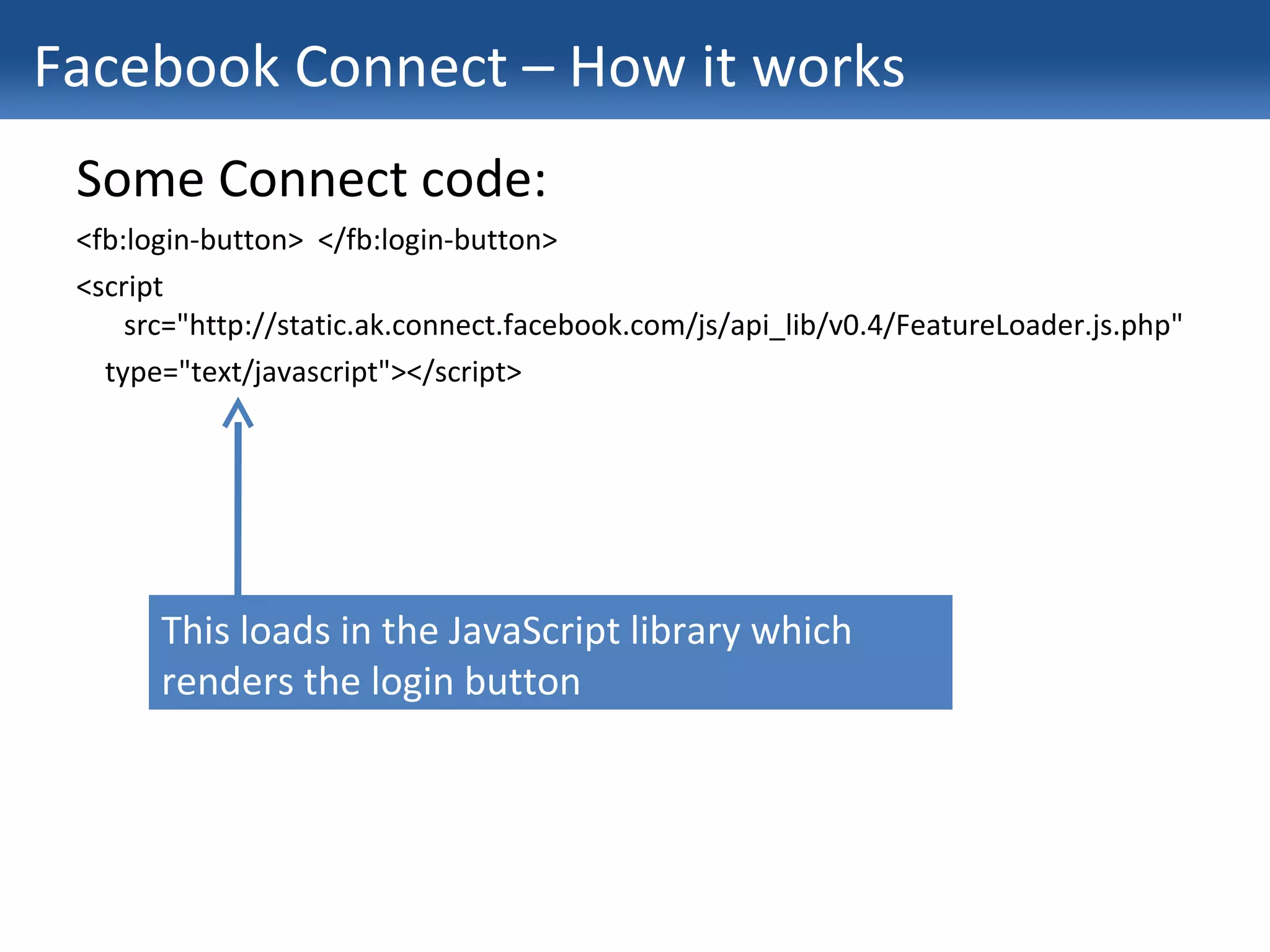
Facebook Connect – How it works Some Connect code: <fb:login-button>  </fb:login-button> <script src=&quot;http://static.ak.connect.facebook.com/js/api_lib/v0.4/FeatureLoader.js.php&quot; type=&quot;text/javascript&quot;></script> This loads in the JavaScript library which renders the login button
Facebook Connect – How it works Some Connect code: <fb:login-button>  </fb:login-button> <script src=&quot;http://static.ak.connect.facebook.com/js/api_lib/v0.4/FeatureLoader.js.php&quot; type=&quot;text/javascript&quot;></script> <script type=&quot;text/javascript&quot;> FB_RequireFeatures([&quot;XFBML&quot;], function() { }); </script> Now we’ve got the library loaded, we need to tell it the features we need. In this case: XFBML covers it. As a parameter to loading the library, we pass a function we want to run once we know it’s loaded
Facebook Connect – How it works Some Connect code: <fb:login-button>  </fb:login-button> <script src=&quot;http://static.ak.connect.facebook.com/js/api_lib/v0.4/FeatureLoader.js.php&quot; type=&quot;text/javascript&quot;></script> <script type=&quot;text/javascript&quot;> FB_RequireFeatures([&quot;XFBML&quot;], function() { FB.Facebook.init(&quot;1b293e1be6fbff075cd8b9a9372186e9&quot;,  &quot;/six_degrees/xd_receiver.htm&quot;); }); }); </script> We initialise the connection with our application’s public API key and a relative path to the cross-domain receiver file (which Facebook provides)
Facebook Connect – How it works Some Connect code: <fb:login-button>  </fb:login-button> <script src=&quot;http://static.ak.connect.facebook.com/js/api_lib/v0.4/FeatureLoader.js.php&quot; type=&quot;text/javascript&quot;></script> <script type=&quot;text/javascript&quot;> FB_RequireFeatures([&quot;XFBML&quot;], function() { FB.Facebook.init(&quot;1b293e1be6fbff075cd8b9a9372186e9&quot;, &quot;/six_degrees/xd_receiver.htm&quot;); FB.Facebook.get_sessionState().waitUntilReady(function() { }); }); </script> Now we wait for a session using more of Facebook’s code, and pass another function that we want to run when it’s done
Facebook Connect – How it works Some Connect code: <fb:login-button>  </fb:login-button> <script src=&quot;http://static.ak.connect.facebook.com/js/api_lib/v0.4/FeatureLoader.js.php&quot; type=&quot;text/javascript&quot;></script> <script type=&quot;text/javascript&quot;> FB_RequireFeatures([&quot;XFBML&quot;], function() { FB.Facebook.init(&quot;1b293e1be6fbff075cd8b9a9372186e9&quot;, &quot;/six_degrees/xd_receiver.htm&quot;); FB.Facebook.get_sessionState().waitUntilReady(function() { FB.Facebook.apiClient.friends_get (null, function(result, ex) {   window.alert(&quot;Friends list: &quot; + result); }); }); }); </script> Now everything’s loaded, we can get a list of the user’s friends from the API with a familiar-looking method call.
Facebook Connect – How it works What you can’t do: Publish stories to a friends newsfeed, only to the current user’s Update any profile box except that of the current user Limited set of FBML tags in XFBML at present
Facebook Connect – Connecting accounts One more feature: Migrating the social graph from Facebook Works by matching e-mail addresses used on your site with e-mail addresses entered into Facebook Prompt your site users to invite their friends to “connect” to your site Uses the new fb:connect-form tag
Facebook Connect – Disadvantages There are disadvantages to Facebook Connect…
Facebook Connect – Disadvantages It’s all in JavaScript: Not always the most manageable code Takes some lateral thinking to hook up with your site’s databases No SEO benefits Poor accessibility (JavaScript disabled = Facebook Connect doesn’t work)
Facebook Connect – Disadvantages It’s not a treasure-trove of new user details: Can’t access any more friend details than if a user adds an application i.e. no access to e-mail addresses Facebook intends privacy settings to be dynamic, therefore changes in Facebook settings may affect your site You don’t own the data
Facebook Connect – The future Due to be launched to everyone “soon” Going to be a big focus for Facebook Facebook’s move to be at the centre of social activity May see Connect stories being given greater priority in the newsfeed Expect Connect plug-ins for blogs, Digg, and every web 2.0 type site there is See current Facebook Connect implementations at: http://www.somethingtoputhere.com/therunaround http://www.theinsider.com/
Facebook Connect – The future Thanks Karl Bunyan, karl.bunyan@exponetic.com

Facebook Connect Presentation 08 10 2008

  • 1.
    An introduction toFacebook Connect London Facebook Developer Garage, October 8 th 2008
  • 2.
    Facebook Connect -Introduction What Facebook Connect does: Allow social graph (“your friend network”) information to be brought to external websites Allow external website activity to be brought into Facebook Both aspects are key as to why this is a priority for Facebook.
  • 3.
    Facebook Connect -Introduction What this looks like: Two different methods for login, in this implementation
  • 4.
    Facebook Connect -Introduction What this looks like: A Facebook styled dialogue box lets the user know what’s going on
  • 5.
    Facebook Connect -Introduction What you can do when you’re “Connect”ed: Display information from Facebook profiles on your own site Publish stories to Facebook from your site Re-create your users’ social graphs
  • 6.
    Facebook Connect -Introduction
  • 7.
    Facebook Connect –How it works Quick tech intro: Uses an evolved version of the JavaScript client library: Use FBML within your standard HTML. (They call this XFBML.) Make standard Facebook API calls within the JavaScript library Facebook’s JavaScript XFBML library populates FBML tags on your site with profile data
  • 8.
    Facebook Connect –How it works Some Connect code: <fb:login-button> </fb:login-button> <script src=&quot;http://static.ak.connect.facebook.com/js/api_lib/v0.4/FeatureLoader.js.php&quot; type=&quot;text/javascript&quot;></script> This loads in the JavaScript library which renders the login button
  • 9.
    Facebook Connect –How it works Some Connect code: <fb:login-button> </fb:login-button> <script src=&quot;http://static.ak.connect.facebook.com/js/api_lib/v0.4/FeatureLoader.js.php&quot; type=&quot;text/javascript&quot;></script> <script type=&quot;text/javascript&quot;> FB_RequireFeatures([&quot;XFBML&quot;], function() { }); </script> Now we’ve got the library loaded, we need to tell it the features we need. In this case: XFBML covers it. As a parameter to loading the library, we pass a function we want to run once we know it’s loaded
  • 10.
    Facebook Connect –How it works Some Connect code: <fb:login-button> </fb:login-button> <script src=&quot;http://static.ak.connect.facebook.com/js/api_lib/v0.4/FeatureLoader.js.php&quot; type=&quot;text/javascript&quot;></script> <script type=&quot;text/javascript&quot;> FB_RequireFeatures([&quot;XFBML&quot;], function() { FB.Facebook.init(&quot;1b293e1be6fbff075cd8b9a9372186e9&quot;, &quot;/six_degrees/xd_receiver.htm&quot;); }); }); </script> We initialise the connection with our application’s public API key and a relative path to the cross-domain receiver file (which Facebook provides)
  • 11.
    Facebook Connect –How it works Some Connect code: <fb:login-button> </fb:login-button> <script src=&quot;http://static.ak.connect.facebook.com/js/api_lib/v0.4/FeatureLoader.js.php&quot; type=&quot;text/javascript&quot;></script> <script type=&quot;text/javascript&quot;> FB_RequireFeatures([&quot;XFBML&quot;], function() { FB.Facebook.init(&quot;1b293e1be6fbff075cd8b9a9372186e9&quot;, &quot;/six_degrees/xd_receiver.htm&quot;); FB.Facebook.get_sessionState().waitUntilReady(function() { }); }); </script> Now we wait for a session using more of Facebook’s code, and pass another function that we want to run when it’s done
  • 12.
    Facebook Connect –How it works Some Connect code: <fb:login-button> </fb:login-button> <script src=&quot;http://static.ak.connect.facebook.com/js/api_lib/v0.4/FeatureLoader.js.php&quot; type=&quot;text/javascript&quot;></script> <script type=&quot;text/javascript&quot;> FB_RequireFeatures([&quot;XFBML&quot;], function() { FB.Facebook.init(&quot;1b293e1be6fbff075cd8b9a9372186e9&quot;, &quot;/six_degrees/xd_receiver.htm&quot;); FB.Facebook.get_sessionState().waitUntilReady(function() { FB.Facebook.apiClient.friends_get (null, function(result, ex) { window.alert(&quot;Friends list: &quot; + result); }); }); }); </script> Now everything’s loaded, we can get a list of the user’s friends from the API with a familiar-looking method call.
  • 13.
    Facebook Connect –How it works What you can’t do: Publish stories to a friends newsfeed, only to the current user’s Update any profile box except that of the current user Limited set of FBML tags in XFBML at present
  • 14.
    Facebook Connect –Connecting accounts One more feature: Migrating the social graph from Facebook Works by matching e-mail addresses used on your site with e-mail addresses entered into Facebook Prompt your site users to invite their friends to “connect” to your site Uses the new fb:connect-form tag
  • 15.
    Facebook Connect –Disadvantages There are disadvantages to Facebook Connect…
  • 16.
    Facebook Connect –Disadvantages It’s all in JavaScript: Not always the most manageable code Takes some lateral thinking to hook up with your site’s databases No SEO benefits Poor accessibility (JavaScript disabled = Facebook Connect doesn’t work)
  • 17.
    Facebook Connect –Disadvantages It’s not a treasure-trove of new user details: Can’t access any more friend details than if a user adds an application i.e. no access to e-mail addresses Facebook intends privacy settings to be dynamic, therefore changes in Facebook settings may affect your site You don’t own the data
  • 18.
    Facebook Connect –The future Due to be launched to everyone “soon” Going to be a big focus for Facebook Facebook’s move to be at the centre of social activity May see Connect stories being given greater priority in the newsfeed Expect Connect plug-ins for blogs, Digg, and every web 2.0 type site there is See current Facebook Connect implementations at: http://www.somethingtoputhere.com/therunaround http://www.theinsider.com/
  • 19.
    Facebook Connect –The future Thanks Karl Bunyan, karl.bunyan@exponetic.com