Express.js Tutorial
Overview
This tutorialfocuses on Express.js, a fast web framework designed for Node.js. It provides
a minimalistic structure for building servers and web applications, effectively managing
various aspects of server-side programming. Learn how Express.js can simplify your
development process and enhance your web application performance.
Tpoint Technologies :
📍 G-13, 2nd Floor, Sector-3, Noida, Uttar Pradesh – 201301, India
📧 Email: hr@tpointtech.com
📞 Phone: +91 95990 86977
https://www.tpointtech.com/expressjs-tutorial
2.
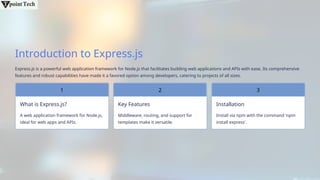
Introduction to Express.js
Express.jsis a powerful web application framework for Node.js that facilitates building web applications and APIs with ease. Its comprehensive
features and robust capabilities have made it a favored option among developers, catering to projects of all sizes.
What is Express.js?
1
A web application framework for Node.js,
ideal for web apps and APIs.
Key Features
Middleware, routing, and support for
templates make it versatile.
2
Installation
Install via npm with the command 'npm
install express'.
3
3.
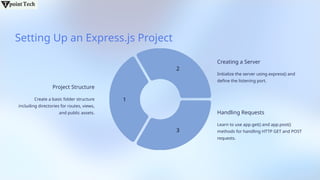
Setting Up anExpress.js Project
Project Structure
Create a basic folder structure
including directories for routes, views,
and public assets.
1
2
3
Creating a Server
Initialize the server using express() and
define the listening port.
Handling Requests
Learn to use app.get() and app.post()
methods for handling HTTP GET and POST
requests.
4.
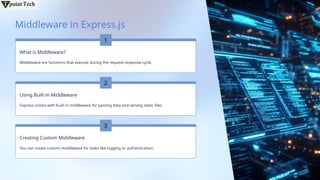
Middleware in Express.js
Whatis Middleware?
Middleware are functions that execute during the request-response cycle.
Using Built-in Middleware
Express comes with built-in middleware for parsing data and serving static files.
1
2
Creating Custom Middleware
You can create custom middleware for tasks like logging or authentication.
3
5.
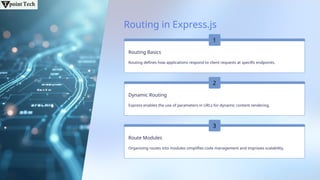
Routing in Express.js
RoutingBasics
Routing defines how applications respond to client requests at specific endpoints.
Dynamic Routing
Express enables the use of parameters in URLs for dynamic content rendering.
Route Modules
Organizing routes into modules simplifies code management and improves scalability.
1
2
3
6.
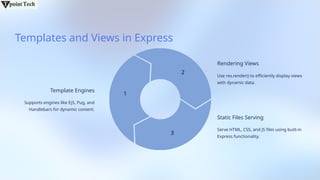
Templates and Viewsin Express
Template Engines
Supports engines like EJS, Pug, and
Handlebars for dynamic content.
1
2
3
Rendering Views
Use res.render() to efficiently display views
with dynamic data.
Static Files Serving
Serve HTML, CSS, and JS files using built-in
Express functionality.
7.
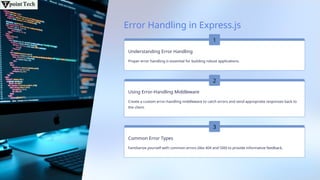
Error Handling inExpress.js
Understanding Error Handling
Proper error handling is essential for building robust applications.
Using Error-Handling Middleware
Create a custom error-handling middleware to catch errors and send appropriate responses back to
the client.
Common Error Types
Familiarize yourself with common errors (like 404 and 500) to provide informative feedback.
1
2
3
8.
Conclusion and BestPractices
Recap of Key Concepts
Covered core concepts of Express.js, laying a solid foundation.
Best Practices
Adopt modularizing code and effective middleware.
Further Learning
Explore advanced topics like authentication and deployment.