Evaluating Your Website

                                                      Presented by:
                                             Alan Hathaway, President/Owner
                                              Jenny Knuth, Creative Director
                                            David Williams, Account Executive


"Social Media: Is It Worth It?" ACU panel
Current state of “the web”
    – Engage customers
    – Focus on goals
    – Integrate


Evaluating Your Website
“I like...”
                          -vs-
                    “I know...”

Evaluating Your Website
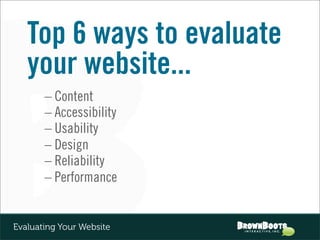
Top 6 ways to evaluate
   your website...
       – Content
       – Accessibility
       – Usability
       – Design
       – Reliability
       – Performance


Evaluating Your Website
Content
                  is king!
Evaluating Your Website: CONTENT
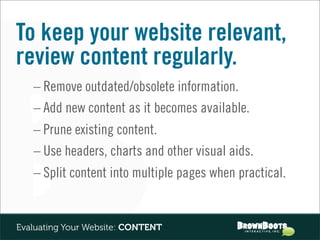
To keep your website relevant,
review content regularly.
   – Remove outdated/obsolete information.
   – Add new content as it becomes available.
   – Prune existing content.
   – Use headers, charts and other visual aids.
   – Split content into multiple pages when practical.


Evaluating Your Website: CONTENT
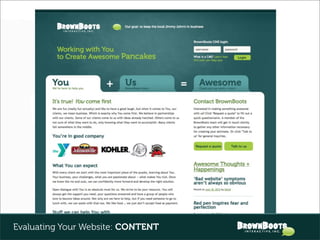
When creating new content…
    – Write for your audience(s).
    – Prioritize most-accessed, most-needed content.
    – Make regular updates as incentive for return visits.
    – Don”t forget too proofread!


Evaluating Your Website: CONTENT
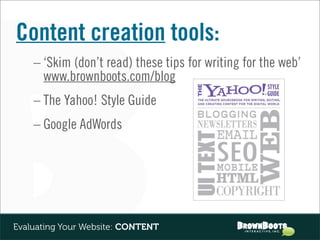
Content creation tools:
    – ‘Skim (don’t read) these tips for writing for the web’
      www.brownboots.com/blog
    – The Yahoo! Style Guide
    – Google AdWords


Evaluating Your Website: CONTENT
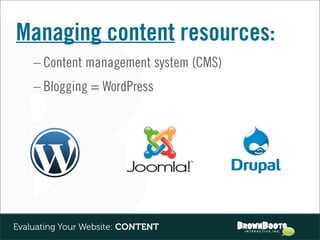
Managing content resources:
    – Content management system (CMS)
    – Blogging = WordPress


Evaluating Your Website: CONTENT
Accessibility
     Content ... check! Now make sure your audience can access it.


Evaluating Your Website: ACCESSIBILITY
Account for users of all
abilities and disabilities.


Evaluating Your Website: ACCESSIBILITY
Tips for making a website more
accessible for disabled users:
    – Add alt tags and captions to images.
    – Make sure text isn’t too small.
    – Provide transcripts of audio files.
    – Keep questions/criteria close to form input fields.
    – Allow users to turn off time limits.
    – Display “contact us” info on every page.

Evaluating Your Website: ACCESSIBILITY
Account for wide variety of
hardware and software.
    – Avoid programs that are incompatible
      with popular platforms (e.g., Flash).
    – If a universally compatible format
      is out there, use it (e.g., YouTube).
    – In general, make content as easy to access
      as possible (e.g., body copy vs. PDF).


Evaluating Your Website: ACCESSIBILITY
Account for wide variety of
devices out there, especially
mobile.
    – Smart phones already outsell PCs;
      53% of American cell phone users
      have smart phones.


Evaluating Your Website: ACCESSIBILITY
Accessibility + Mobile
    – Evaluate your mobile needs:
      • Check site traffic/analytics.
      • Put yourself in a mobile user’s shoes.
    – Implement a mobile strategy:
      • Prioritize what people want/need on the go.
      • Streamline content (microsite vs. responsive
      design).


Evaluating Your Website: ACCESSIBILITY
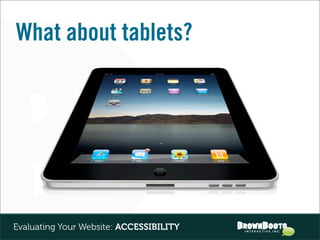
What about tablets?


Evaluating Your Website: ACCESSIBILITY
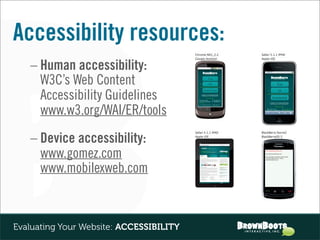
Accessibility resources:
   – Human accessibility:
     W3C’s Web Content
     Accessibility Guidelines
     www.w3.org/WAI/ER/tools
   – Device accessibility:
     www.gomez.com
     www.mobilexweb.com


Evaluating Your Website: ACCESSIBILITY
Usability
    Making sure it works well and that the average person can use it.


Evaluating Your Website: USABILITY
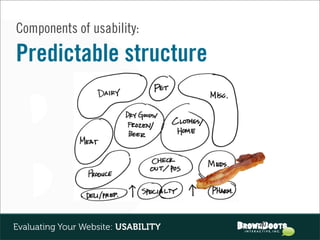
Components of usability:

Predictable structure


                                     20
Evaluating Your Website: USABILITY
Components of usability:

Expected behaviors /
responses to user actions


Evaluating Your Website: USABILITY
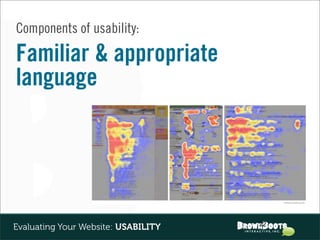
Components of usability:

Familiar & appropriate
language


                                     22
Evaluating Your Website: USABILITY
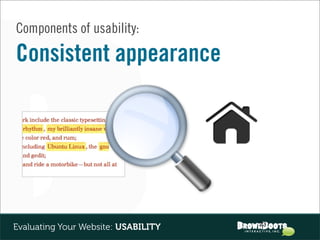
Components of usability:

Consistent appearance


                                     23
Evaluating Your Website: USABILITY
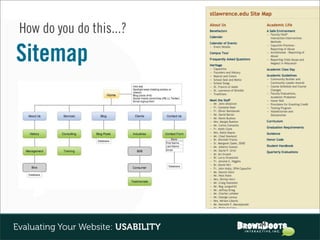
How do you do this...?

Sitemap


                                     24
Evaluating Your Website: USABILITY
How do you do this...?

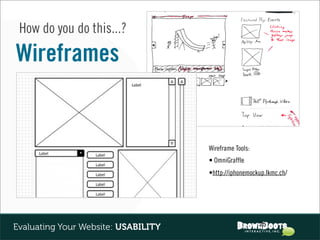
Wireframes


                                     Wireframe Tools:
                                     • OmniGraffle
                                     •http://iphonemockup.lkmc.ch/


                                                        25
Evaluating Your Website: USABILITY
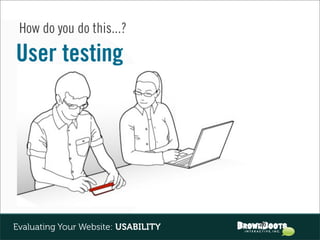
How do you do this...?

User testing


                                     26
Evaluating Your Website: USABILITY
Why care...?


                 + your competitors
           are only 1 click away!


                                     27
Evaluating Your Website: USABILITY
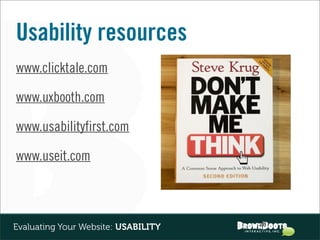
Usability resources
www.clicktale.com

www.uxbooth.com

www.usabilityfirst.com

www.useit.com


                                     28
Evaluating Your Website: USABILITY
Design
               “Little things make big things happen.”


Evaluating Your Website: DESIGN
Objective criteria:

Design that supports brand
styles and guidelines


                                  30
Evaluating Your Website: DESIGN
Objective criteria:

Strong design aesthetics


Evaluating Your Website: DESIGN
Objective criteria:

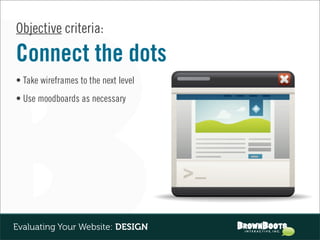
Connect the dots
• Take wireframes to the next level
• Use moodboards as necessary


Evaluating Your Website: DESIGN
Objective criteria:

Smart integration
of trends


Evaluating Your Website: DESIGN
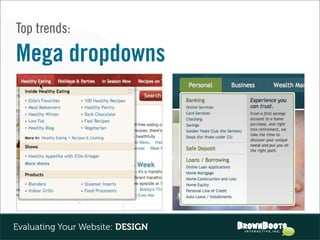
Top trends:

Mega dropdowns


Evaluating Your Website: DESIGN
Top trends:

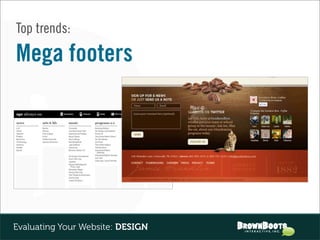
Mega footers


Evaluating Your Website: DESIGN
Top trends:

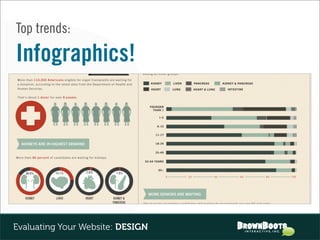
Infographics!


Evaluating Your Website: DESIGN
Top trends:

Illustrative websites


Evaluating Your Website: DESIGN
Top trends:

BIG background images


Evaluating Your Website: DESIGN
Design resources
Above the Fold - http://iampaddy.com/lifebelow600/

www.smashingmagazine.com

Creattica - www.faveup.com


Evaluating Your Website: DESIGN
Reliability


Evaluating Your Website: RELIABILITY
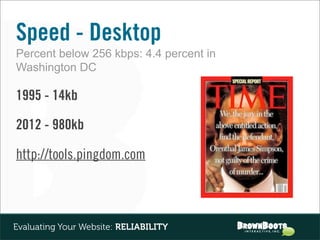
Speed - Desktop
Percent below 256 kbps: 4.4 percent in
Washington DC

1995 - 14kb

2012 - 980kb

http://tools.pingdom.com


Evaluating Your Website: RELIABILITY
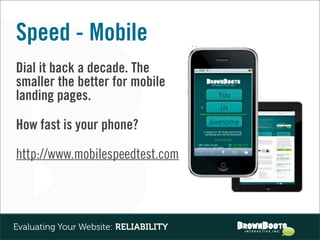
Speed - Mobile
Dial it back a decade. The
smaller the better for mobile
landing pages.

How fast is your phone?

http://www.mobilespeedtest.com


Evaluating Your Website: RELIABILITY
Uptime
At some point your website will go down!

         90%         36.5 days
         95%         18.25 days
         99%         3.65 days
         99.8%       17.52 hours

         http://www.monitis.com


Evaluating Your Website: RELIABILITY
Performance


Evaluating Your Website: PERFORMANCE
Goals!


Evaluating Your Website: RELIABILITY
#1 Goal - Lead Generation
Starts and ends with SEO

      Keyword selection (Google Keyword Tool)
      Keyword usage (blog!)
      Inbound links


Evaluating Your Website: RELIABILITY
Bringing
                 Order to
                the Chaos

Evaluating Your Website
- or -


Evaluating Your Website
Thanks for listening!


     Any questions?


Evaluating Your Website

Evaluating your Website - FDL ACU presentation by BrownBoots Interactive

  • 1.
    Evaluating Your Website Presented by: Alan Hathaway, President/Owner Jenny Knuth, Creative Director David Williams, Account Executive "Social Media: Is It Worth It?" ACU panel
  • 2.
    Current state of“the web” – Engage customers – Focus on goals – Integrate Evaluating Your Website
  • 3.
    “I like...” -vs- “I know...” Evaluating Your Website
  • 4.
    Top 6 waysto evaluate your website... – Content – Accessibility – Usability – Design – Reliability – Performance Evaluating Your Website
  • 5.
    Content is king! Evaluating Your Website: CONTENT
  • 6.
    To keep yourwebsite relevant, review content regularly. – Remove outdated/obsolete information. – Add new content as it becomes available. – Prune existing content. – Use headers, charts and other visual aids. – Split content into multiple pages when practical. Evaluating Your Website: CONTENT
  • 7.
    When creating newcontent… – Write for your audience(s). – Prioritize most-accessed, most-needed content. – Make regular updates as incentive for return visits. – Don”t forget too proofread! Evaluating Your Website: CONTENT
  • 8.
  • 9.
    Content creation tools: – ‘Skim (don’t read) these tips for writing for the web’ www.brownboots.com/blog – The Yahoo! Style Guide – Google AdWords Evaluating Your Website: CONTENT
  • 10.
    Managing content resources: – Content management system (CMS) – Blogging = WordPress Evaluating Your Website: CONTENT
  • 11.
    Accessibility Content ... check! Now make sure your audience can access it. Evaluating Your Website: ACCESSIBILITY
  • 12.
    Account for usersof all abilities and disabilities. Evaluating Your Website: ACCESSIBILITY
  • 13.
    Tips for makinga website more accessible for disabled users: – Add alt tags and captions to images. – Make sure text isn’t too small. – Provide transcripts of audio files. – Keep questions/criteria close to form input fields. – Allow users to turn off time limits. – Display “contact us” info on every page. Evaluating Your Website: ACCESSIBILITY
  • 14.
    Account for widevariety of hardware and software. – Avoid programs that are incompatible with popular platforms (e.g., Flash). – If a universally compatible format is out there, use it (e.g., YouTube). – In general, make content as easy to access as possible (e.g., body copy vs. PDF). Evaluating Your Website: ACCESSIBILITY
  • 15.
    Account for widevariety of devices out there, especially mobile. – Smart phones already outsell PCs; 53% of American cell phone users have smart phones. Evaluating Your Website: ACCESSIBILITY
  • 16.
    Accessibility + Mobile – Evaluate your mobile needs: • Check site traffic/analytics. • Put yourself in a mobile user’s shoes. – Implement a mobile strategy: • Prioritize what people want/need on the go. • Streamline content (microsite vs. responsive design). Evaluating Your Website: ACCESSIBILITY

  • 17.
    What about tablets? EvaluatingYour Website: ACCESSIBILITY
  • 18.
    Accessibility resources: – Human accessibility: W3C’s Web Content Accessibility Guidelines www.w3.org/WAI/ER/tools – Device accessibility: www.gomez.com www.mobilexweb.com Evaluating Your Website: ACCESSIBILITY
  • 19.
    Usability Making sure it works well and that the average person can use it. Evaluating Your Website: USABILITY
  • 20.
    Components of usability: Predictablestructure 20 Evaluating Your Website: USABILITY
  • 21.
    Components of usability: Expectedbehaviors / responses to user actions Evaluating Your Website: USABILITY
  • 22.
    Components of usability: Familiar& appropriate language 22 Evaluating Your Website: USABILITY
  • 23.
    Components of usability: Consistentappearance 23 Evaluating Your Website: USABILITY
  • 24.
    How do youdo this...? Sitemap 24 Evaluating Your Website: USABILITY
  • 25.
    How do youdo this...? Wireframes Wireframe Tools: • OmniGraffle •http://iphonemockup.lkmc.ch/ 25 Evaluating Your Website: USABILITY
  • 26.
    How do youdo this...? User testing 26 Evaluating Your Website: USABILITY
  • 27.
    Why care...? + your competitors are only 1 click away! 27 Evaluating Your Website: USABILITY
  • 28.
  • 29.
    Design “Little things make big things happen.” Evaluating Your Website: DESIGN
  • 30.
    Objective criteria: Design thatsupports brand styles and guidelines 30 Evaluating Your Website: DESIGN
  • 31.
    Objective criteria: Strong designaesthetics Evaluating Your Website: DESIGN
  • 32.
    Objective criteria: Connect thedots • Take wireframes to the next level • Use moodboards as necessary Evaluating Your Website: DESIGN
  • 33.
    Objective criteria: Smart integration oftrends Evaluating Your Website: DESIGN
  • 34.
  • 35.
  • 36.
  • 37.
  • 38.
    Top trends: BIG backgroundimages Evaluating Your Website: DESIGN
  • 39.
    Design resources Above theFold - http://iampaddy.com/lifebelow600/ www.smashingmagazine.com Creattica - www.faveup.com Evaluating Your Website: DESIGN
  • 40.
  • 41.
    Speed - Desktop Percentbelow 256 kbps: 4.4 percent in Washington DC 1995 - 14kb 2012 - 980kb http://tools.pingdom.com Evaluating Your Website: RELIABILITY
  • 42.
    Speed - Mobile Dialit back a decade. The smaller the better for mobile landing pages. How fast is your phone? http://www.mobilespeedtest.com Evaluating Your Website: RELIABILITY
  • 43.
    Uptime At some pointyour website will go down! 90% 36.5 days 95% 18.25 days 99% 3.65 days 99.8% 17.52 hours http://www.monitis.com Evaluating Your Website: RELIABILITY
  • 44.
  • 45.
  • 46.
    #1 Goal -Lead Generation Starts and ends with SEO Keyword selection (Google Keyword Tool) Keyword usage (blog!) Inbound links Evaluating Your Website: RELIABILITY
  • 47.
    Bringing Order to the Chaos Evaluating Your Website
  • 48.
    - or - EvaluatingYour Website
  • 49.
    Thanks for listening! Any questions? Evaluating Your Website