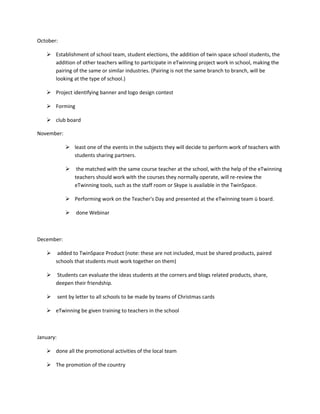
October:
 Establishment of school team, student elections, the addition of twin space school students, the
addition of other teachers willing to participate in eTwinning project work in school, making the
pairing of the same or similar industries. (Pairing is not the same branch to branch, will be
looking at the type of school.)
 Project identifying banner and logo design contest
 Forming
 club board
November:
 least one of the events in the subjects they will decide to perform work of teachers with
students sharing partners.
 the matched with the same course teacher at the school, with the help of the eTwinning
teachers should work with the courses they normally operate, will re-review the
eTwinning tools, such as the staff room or Skype is available in the TwinSpace.
 Performing work on the Teacher's Day and presented at the eTwinning team ü board.
 done Webinar
December:
 added to TwinSpace Product (note: these are not included, must be shared products, paired
schools that students must work together on them)
 Students can evaluate the ideas students at the corners and blogs related products, share,
deepen their friendship.
 sent by letter to all schools to be made by teams of Christmas cards
 eTwinning be given training to teachers in the school
January:
 done all the promotional activities of the local team
 The promotion of the country
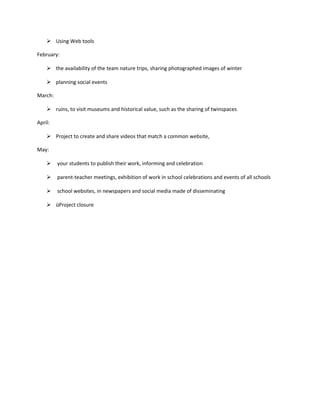
 Using Web tools
February:
 the availability of the team nature trips, sharing photographed images of winter
 planning social events
March:
 ruins, to visit museums and historical value, such as the sharing of twinspaces
April:
 Project to create and share videos that match a common website,
May:
 your students to publish their work, informing and celebration
 parent-teacher meetings, exhibition of work in school celebrations and events of all schools
 school websites, in newspapers and social media made of disseminating
 üProject closure

eTwinning Project

  • 1.
    October:  Establishment ofschool team, student elections, the addition of twin space school students, the addition of other teachers willing to participate in eTwinning project work in school, making the pairing of the same or similar industries. (Pairing is not the same branch to branch, will be looking at the type of school.)  Project identifying banner and logo design contest  Forming  club board November:  least one of the events in the subjects they will decide to perform work of teachers with students sharing partners.  the matched with the same course teacher at the school, with the help of the eTwinning teachers should work with the courses they normally operate, will re-review the eTwinning tools, such as the staff room or Skype is available in the TwinSpace.  Performing work on the Teacher's Day and presented at the eTwinning team ü board.  done Webinar December:  added to TwinSpace Product (note: these are not included, must be shared products, paired schools that students must work together on them)  Students can evaluate the ideas students at the corners and blogs related products, share, deepen their friendship.  sent by letter to all schools to be made by teams of Christmas cards  eTwinning be given training to teachers in the school January:  done all the promotional activities of the local team  The promotion of the country
  • 2.
     Using Webtools February:  the availability of the team nature trips, sharing photographed images of winter  planning social events March:  ruins, to visit museums and historical value, such as the sharing of twinspaces April:  Project to create and share videos that match a common website, May:  your students to publish their work, informing and celebration  parent-teacher meetings, exhibition of work in school celebrations and events of all schools  school websites, in newspapers and social media made of disseminating  üProject closure