


eresource nfra ERP
Product Tour
Admin Module
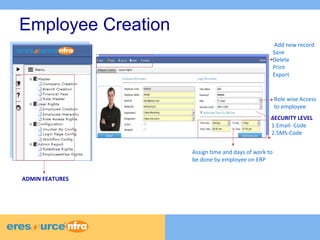
Employee Creation 
Add new record 
Save 
Delete 
Print 
Export 
SECURITY LEVEL 
1.Email- Code 
2.SMS-Code 
Assign time and days of work to 
be done by employee on ERP 
ADMIN FEATURES 
Role wise Access 
to employee
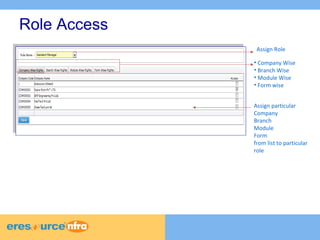
Role Access 
Assign Role 
• Company Wise 
• Branch Wise 
• Module Wise 
• Form wise 
Assign particular 
Company 
Branch 
Module 
Form 
from list to particular 
role
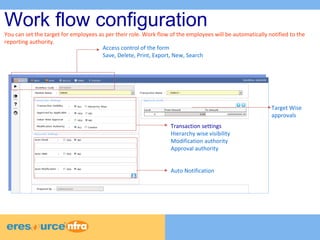
Work flow configuration 
You can set the target for employees as per their role. Work flow of the employees will be automatically notified to the 
reporting authority. 
Access control of the form 
Save, Delete, Print, Export, New, Search 
Auto Notification 
Target Wise 
approvals 
Transaction settings 
Hierarchy wise visibility 
Modification authority 
Approval authority
CRM 
CRM in eresource NFRA provides better customer service, cross-sell and up-sell more 
effectively, close deals, retain current customers and better understand who your 
customer are. Organizations frequently look for ways to personalize online experiences 
with tools that are provided with the CRM module. The CRM module enables interactions 
with customers. The module organizes, automates and synchronizes sales, marketing, 
customer service, and technical support.
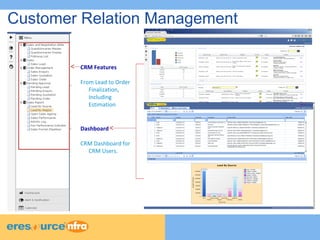
Customer Relation Management 
CRM Features 
From Lead to Order 
Finalization, 
Including 
Estimation 
Dashboard 
CRM Dashboard for 
CRM Users.
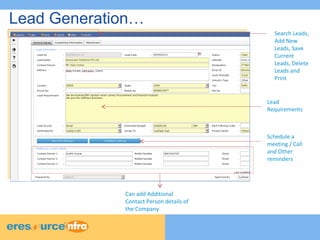
Lead Generation… 
Search Leads, 
Add New 
Leads, Save 
Current 
Leads, Delete 
Leads and 
Print 
Lead 
Requirements 
Can add Additional 
Contact Person details of 
the Company 
Schedule a 
meeting / Call 
and Other 
reminders
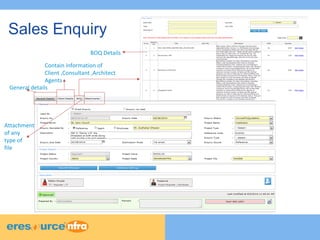
Sales Enquiry 
BOQ Details 
Contain information of 
Client ,Consultant ,Architect 
Agents 
General details 
Attachment 
of any 
type of 
file
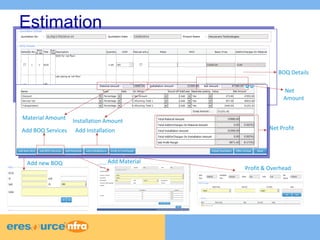
Estimation 
BOQ Details 
Net Profit 
Profit & Overhead 
Material Amount Installation Amount 
Add new BOQ Add Material 
Net 
Amount 
Add BOQ Services Add Installation
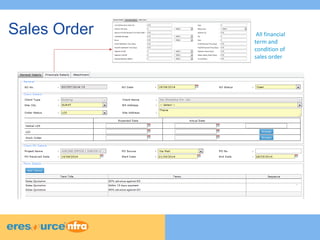
Sales Order All financial 
term and 
condition of 
sales order
Master
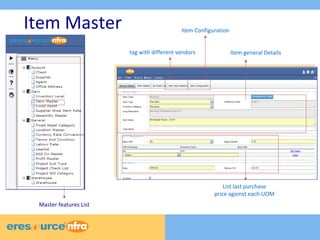
Item Master 
Item general Details 
Item Configuration 
List last purchase 
price against each UOM 
tag with different vendors 
Master features List
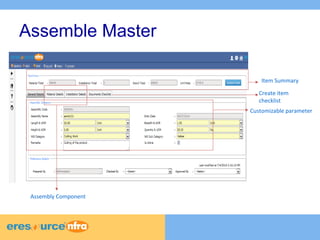
Assemble Master 
Item Summary 
Customizable parameter 
Assembly Component 
Create item 
checklist
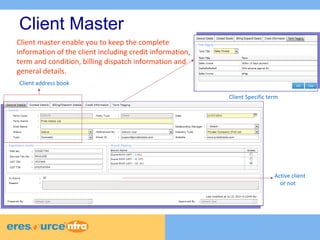
Client Master 
Client Specific term 
Client address book 
Active client 
or not 
Client master enable you to keep the complete 
information of the client including credit information, 
term and condition, billing dispatch information and 
general details.
Purchase 
Purchase Management module streamlines procurement of required raw materials, sub 
assembly and other non-inventory materials. It automates the processes of identifying 
potential suppliers, Supplier Evaluation, Supplier Quote Evaluation, awarding purchase 
order to the supplier, and billing processes.
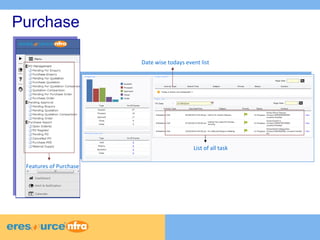
Date wise todays event list 
List of all task 
Purchase 
Features of Purchase
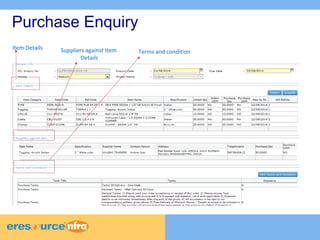
Purchase Enquiry 
Item Details Suppliers against Item 
Details 
Terms and condition
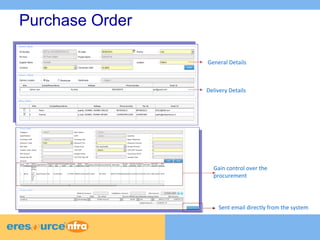
Purchase Order 
General Details 
Delivery Details 
Gain control over the 
procurement 
Sent email directly from the system
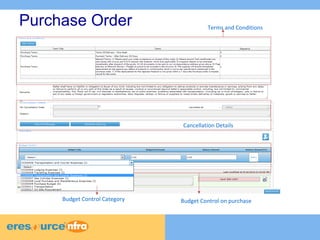
Purchase Order Terms and Conditions 
Cancellation Details 
Budget Budget Control Category Control on purchase
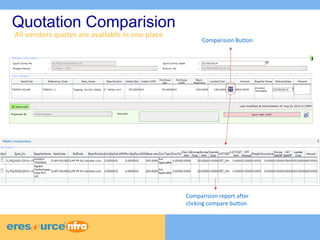
Quotation Comparision 
All vendors quotes are available in one place 
Comparision Button 
Comparision report after 
clicking compare button
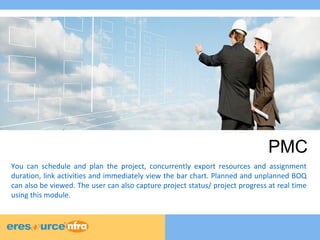
PMC 
You can schedule and plan the project, concurrently export resources and assignment 
duration, link activities and immediately view the bar chart. Planned and unplanned BOQ 
can also be viewed. The user can also capture project status/ project progress at real time 
using this module.
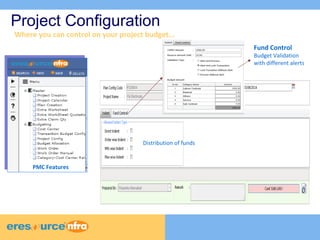
Project Configuration 
Where you can control on your project budget... 
Distribution of funds 
Fund Control 
Budget Validation 
with different alerts 
PMC Features
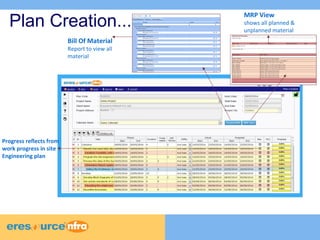
Plan Creation... 
Progress reflects from 
work progress in site 
Engineering plan 
Bill Of Material 
Report to view all 
material 
MRP View 
shows all planned & 
unplanned material
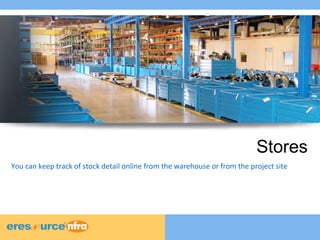
Stores 
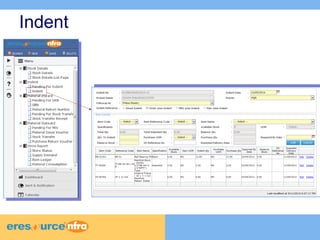
You can keep track of stock detail online from the warehouse or from the project site
Indent
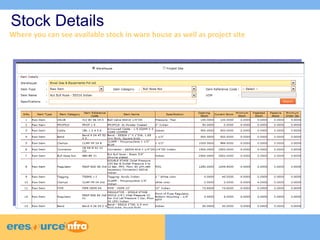
Stock Details 
Where you can see available stock in ware house as well as project site
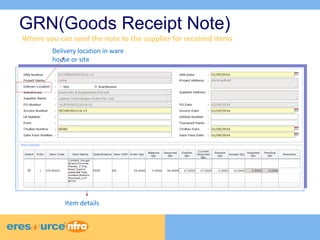
GRN(Goods Receipt Note) 
Where you can send the note to the supplier for received items 
Delivery location in ware 
house or site 
Item details
Billing 
Billing Module gives you the ability to create invoices for client, subcontractors, suppliers. 
When you use the System to generate and print invoices, the amounts are automatically 
posted to the General Ledger Chart of Accounts.
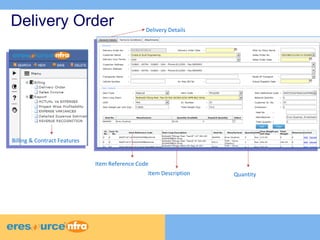
Delivery Order 
Billing & Contract Features 
Delivery Details 
Item Reference Code 
Item Description Quantity
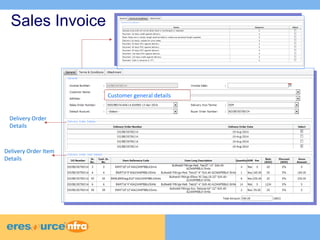
Sales Invoice 
Delivery Order 
Details 
Delivery Order Item 
Details 
Customer general details
Site Engineering Portal 
With the on-site Portal, information can easily be rolled out across multiple regions, 
subsidiaries, and divisions from your work station. The module help you with a lot of time 
saving. The module also keeps watch on your resources. You can manage workforce 
attendence, stocks, salary and more.
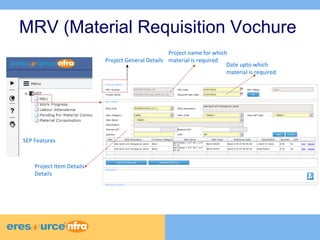
MRV (Material Requisition Vochure 
Project General Details 
SEP Features 
Project Item Details 
Details 
Project name for which 
material is required 
Date upto which 
material is required
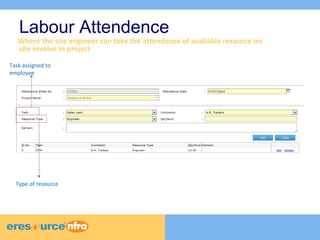
Labour Attendence 
Where the site engineer can take the attendence of avaliable resource on 
site involve in project 
Task assigned to 
employee 
Type of resource
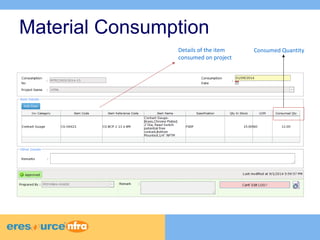
Material Consumption 
Details of the item 
consumed on project 
Consumed Quantity
Contact Us 
Address 
TMA House, 1st Floor, Road No:16 
Plot No. 6, Wagle Industrial Estate 
Thane (West) 400 604, Maharashtra 
+91 22 41118000/8049(50 lines) 
www.eresourceerp.com

An exclusive ERP solution for Project Industry

  • 1.
  • 2.
  • 3.
  • 4.
    Employee Creation Addnew record Save Delete Print Export SECURITY LEVEL 1.Email- Code 2.SMS-Code Assign time and days of work to be done by employee on ERP ADMIN FEATURES Role wise Access to employee
  • 5.
    Role Access AssignRole • Company Wise • Branch Wise • Module Wise • Form wise Assign particular Company Branch Module Form from list to particular role
  • 6.
    Work flow configuration You can set the target for employees as per their role. Work flow of the employees will be automatically notified to the reporting authority. Access control of the form Save, Delete, Print, Export, New, Search Auto Notification Target Wise approvals Transaction settings Hierarchy wise visibility Modification authority Approval authority
  • 7.
    CRM CRM ineresource NFRA provides better customer service, cross-sell and up-sell more effectively, close deals, retain current customers and better understand who your customer are. Organizations frequently look for ways to personalize online experiences with tools that are provided with the CRM module. The CRM module enables interactions with customers. The module organizes, automates and synchronizes sales, marketing, customer service, and technical support.
  • 8.
    Customer Relation Management CRM Features From Lead to Order Finalization, Including Estimation Dashboard CRM Dashboard for CRM Users.
  • 9.
    Lead Generation… SearchLeads, Add New Leads, Save Current Leads, Delete Leads and Print Lead Requirements Can add Additional Contact Person details of the Company Schedule a meeting / Call and Other reminders
  • 10.
    Sales Enquiry BOQDetails Contain information of Client ,Consultant ,Architect Agents General details Attachment of any type of file
  • 11.
    Estimation BOQ Details Net Profit Profit & Overhead Material Amount Installation Amount Add new BOQ Add Material Net Amount Add BOQ Services Add Installation
  • 12.
    Sales Order Allfinancial term and condition of sales order
  • 13.
  • 14.
    Item Master Itemgeneral Details Item Configuration List last purchase price against each UOM tag with different vendors Master features List
  • 15.
    Assemble Master ItemSummary Customizable parameter Assembly Component Create item checklist
  • 16.
    Client Master ClientSpecific term Client address book Active client or not Client master enable you to keep the complete information of the client including credit information, term and condition, billing dispatch information and general details.
  • 17.
    Purchase Purchase Managementmodule streamlines procurement of required raw materials, sub assembly and other non-inventory materials. It automates the processes of identifying potential suppliers, Supplier Evaluation, Supplier Quote Evaluation, awarding purchase order to the supplier, and billing processes.
  • 18.
    Date wise todaysevent list List of all task Purchase Features of Purchase
  • 19.
    Purchase Enquiry ItemDetails Suppliers against Item Details Terms and condition
  • 20.
    Purchase Order GeneralDetails Delivery Details Gain control over the procurement Sent email directly from the system
  • 21.
    Purchase Order Termsand Conditions Cancellation Details Budget Budget Control Category Control on purchase
  • 22.
    Quotation Comparision Allvendors quotes are available in one place Comparision Button Comparision report after clicking compare button
  • 23.
    PMC You canschedule and plan the project, concurrently export resources and assignment duration, link activities and immediately view the bar chart. Planned and unplanned BOQ can also be viewed. The user can also capture project status/ project progress at real time using this module.
  • 24.
    Project Configuration Whereyou can control on your project budget... Distribution of funds Fund Control Budget Validation with different alerts PMC Features
  • 25.
    Plan Creation... Progressreflects from work progress in site Engineering plan Bill Of Material Report to view all material MRP View shows all planned & unplanned material
  • 26.
    Stores You cankeep track of stock detail online from the warehouse or from the project site
  • 27.
  • 28.
    Stock Details Whereyou can see available stock in ware house as well as project site
  • 29.
    GRN(Goods Receipt Note) Where you can send the note to the supplier for received items Delivery location in ware house or site Item details
  • 30.
    Billing Billing Modulegives you the ability to create invoices for client, subcontractors, suppliers. When you use the System to generate and print invoices, the amounts are automatically posted to the General Ledger Chart of Accounts.
  • 31.
    Delivery Order Billing& Contract Features Delivery Details Item Reference Code Item Description Quantity
  • 32.
    Sales Invoice DeliveryOrder Details Delivery Order Item Details Customer general details
  • 33.
    Site Engineering Portal With the on-site Portal, information can easily be rolled out across multiple regions, subsidiaries, and divisions from your work station. The module help you with a lot of time saving. The module also keeps watch on your resources. You can manage workforce attendence, stocks, salary and more.
  • 34.
    MRV (Material RequisitionVochure Project General Details SEP Features Project Item Details Details Project name for which material is required Date upto which material is required
  • 35.
    Labour Attendence Wherethe site engineer can take the attendence of avaliable resource on site involve in project Task assigned to employee Type of resource
  • 36.
    Material Consumption Detailsof the item consumed on project Consumed Quantity
  • 37.
    Contact Us Address TMA House, 1st Floor, Road No:16 Plot No. 6, Wagle Industrial Estate Thane (West) 400 604, Maharashtra +91 22 41118000/8049(50 lines) www.eresourceerp.com