Equipment List
Hardware & Software
Camera:
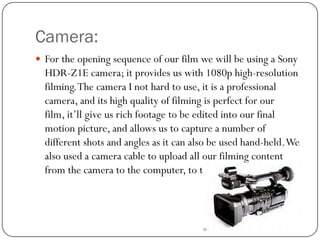
 For the opening sequence of our film we will be using a Sony

HDR-Z1E camera; it provides us with 1080p high-resolution
filming. The camera I not hard to use, it is a professional
camera, and its high quality of filming is perfect for our
film, it’ll give us rich footage to be edited into our final
motion picture, and allows us to capture a number of
different shots and angles as it can also be used hand-held. We
also used a camera cable to upload all our filming content
from the camera to the computer, to then edit.
Tripod:
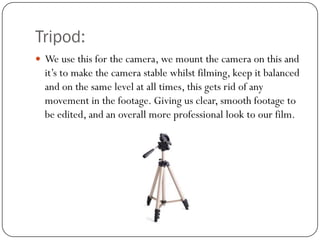
 We use this for the camera, we mount the camera on this and

it’s to make the camera stable whilst filming, keep it balanced
and on the same level at all times, this gets rid of any
movement in the footage. Giving us clear, smooth footage to
be edited, and an overall more professional look to our film.
Cassette tape – Mini DV:
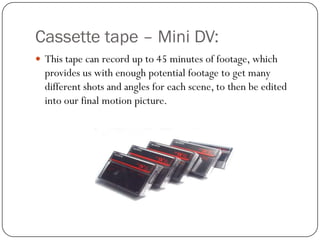
 This tape can record up to 45 minutes of footage, which

provides us with enough potential footage to get many
different shots and angles for each scene, to then be edited
into our final motion picture.
Computers/Laptops (Mac/Windows):
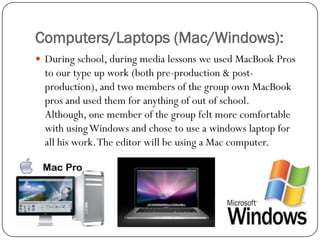
 During school, during media lessons we used MacBook Pros

to our type up work (both pre-production & postproduction), and two members of the group own MacBook
pros and used them for anything of out of school.
Although, one member of the group felt more comfortable
with using Windows and chose to use a windows laptop for
all his work. The editor will be using a Mac computer.
Microsoft Office:
 We used Microsoft office for our type-up work, we used the

programmes Microsoft word and Microsoft PowerPoint, this
software allowed us to do our type up work.
Uploading Software's:
 Blogger-we uploaded all our work (coursework) onto

Blogger, giving everyone access to our work.
 Scribd-we used this programme to upload any work done on
Microsoft Word as it allowed us to upload it directly to our
Blog, it was very easy to use.
 BubblUs-was simply (only) used to do our brainstorm.
More Uploading Software:
 Slide Share- itallowed us to upload any work done on

Microsoft PowerPoint-it was easy to use and allowed us to
directly upload our presentations onto our blog.
 Prezi-allowed us to present some our type up work onto our
blog.

Equipment list power vers

  • 1.
  • 2.
    Camera:  For theopening sequence of our film we will be using a Sony HDR-Z1E camera; it provides us with 1080p high-resolution filming. The camera I not hard to use, it is a professional camera, and its high quality of filming is perfect for our film, it’ll give us rich footage to be edited into our final motion picture, and allows us to capture a number of different shots and angles as it can also be used hand-held. We also used a camera cable to upload all our filming content from the camera to the computer, to then edit.
  • 3.
    Tripod:  We usethis for the camera, we mount the camera on this and it’s to make the camera stable whilst filming, keep it balanced and on the same level at all times, this gets rid of any movement in the footage. Giving us clear, smooth footage to be edited, and an overall more professional look to our film.
  • 4.
    Cassette tape –Mini DV:  This tape can record up to 45 minutes of footage, which provides us with enough potential footage to get many different shots and angles for each scene, to then be edited into our final motion picture.
  • 5.
    Computers/Laptops (Mac/Windows):  Duringschool, during media lessons we used MacBook Pros to our type up work (both pre-production & postproduction), and two members of the group own MacBook pros and used them for anything of out of school. Although, one member of the group felt more comfortable with using Windows and chose to use a windows laptop for all his work. The editor will be using a Mac computer.
  • 6.
    Microsoft Office:  Weused Microsoft office for our type-up work, we used the programmes Microsoft word and Microsoft PowerPoint, this software allowed us to do our type up work.
  • 7.
    Uploading Software's:  Blogger-weuploaded all our work (coursework) onto Blogger, giving everyone access to our work.  Scribd-we used this programme to upload any work done on Microsoft Word as it allowed us to upload it directly to our Blog, it was very easy to use.  BubblUs-was simply (only) used to do our brainstorm.
  • 8.
    More Uploading Software: Slide Share- itallowed us to upload any work done on Microsoft PowerPoint-it was easy to use and allowed us to directly upload our presentations onto our blog.  Prezi-allowed us to present some our type up work onto our blog.