Mobile Security for PeopleSoft
A Roadmap


 1                                            ©GreyHeller 2012
     Enterprise Mobile Security - A Roadmap
Table of Contents


Overview…………………………………………………………………………………………… 3


Authentication…………………………………………………………………………………… 4 - 6


Managing Identities on Corporate Systems………………………………………… 7


Controlling Mobile Access to Data & Processes………………………………….. 8


Protecting Application Data Stored on Devices………………………………….. 9 - 10


Device Loss or Theft…………………………………………………………………………… 11


Logging & Auditing…………………………………………………………………………….. 12


 2                                                                    ©GreyHeller 2012
     Enterprise Mobile Security - A Roadmap
Overview
The rapid adoption of mobile technologies is both a boon to corporate productivity and end -user
engagement and a nightmare as organizations try to keep up with the security/infrastructure
requirements. According to Forrester Research, in 2016 350 million employees will use smartphones,
200 million of which will bring their own devices to use against corporate systems.

In addition, Forrester Research contends that mobile is the flash point for a much more holistic, far-
reaching change. This means that organizations will:

          Empower people by focusing on their tasks and context in their moments of decision.
          Protect business value by provisioning partners with tools in their daily workflow and context.
          Accelerate business decisions by putting data dashboards into executives’ hands
          Control smart products from mobile devices and extend the value of products with an app
           ecosystem.

In order to achieve these benefits, organizations must provide mobile access to their systems, data, and
processes while managing the security risks inherent in mobile technology:

          Security/infrastructure tools to help organizations manage and administer mobile security risks
           are being developed and perfected
          With the advent of Bring Your Own Device (BYOD) in the enterprise, standardizati on on mobile
           devices is much more problematic than for desktops or laptops
          Because mobile devices aggregate personal, business, and collaboration information , security
           risks are high
          Implementing physical security policies with mobile devices is problematic

This white paper will examine the risks and solutions for providing mobile access to enterprise systems.
We will cover the following topics:

          Authenticating users from mobile devices
          Managing the user’s identity to corporate systems
          Controlling mobile access to data and processes
          Protecting application data
          Protecting your corporate network
          Dealing with the loss or theft of devices
          Analyzing system activity


 3                                                                                     ©GreyHeller 2012
         Enterprise Mobile Security - A Roadmap
Authentication
The first step to using any corporate system is authenticating the user. The authentication process
generally involves a user providing identification as well as one or more correct responses to a system
authentication challenge. Once the user has been authenticated, the system grants access to its data
and business processes based on the user’s identity/role.

When looking at the authentication process, organizations should consider the following:

          Is there a consistent identity for the user across all applications he/she accesses?
          Is there a need to protect against password fatigue?
          Is there a need to protect against user id / password theft?

Externalizing the authentication process
The best way to protect against authentication risks is to externalize the authentication credentials from
each application accessed by an end-user. Implementing a common infrastructure for authentication
across all corporate systems allows the following:

          Provide a single set of credentials that a user can remember for all corporate resources
          Provide a single choke-point for shutting down access when a user is terminated
          Ensuring that password controls are consistently enforced across all corporate systems

Probably the most common means of accomplishing this is to leverage the protocols in place for
managing a user’s identity on an organization’s network and using a single signon solution to allow each
system to leverage those protocols. These solutions generally
leverage Active Directory (LDAP) for the credentials, and
                                                                       GreyHeller’s Single Signon
utilize protocols such as NTLM, Kerberos, and WML for
securely authenticating users with those credentials.                     product, used by 50+
                                                                          organizations to externalize
GreyHeller believes this is best practice regardless of
whether a user is accessing from a desktop machine or a
                                                                        authentication credentials from
mobile device.                                                           PeopleSoft, is foundational to
                                                                             our mobile solution,
What about authenticating from outside the
                                                                               PeopleMobile™.
corporate network?
Obviously, one of the most important benefits of mobile
access to corporate systems is allowing users to perform tasks regardless of their location. However,
allowing users to authenticate remotely raises the following considerations:

     1. If you’re leveraging your network for a validating a user’s credentials, how do you authenticate
        when the user is external to the network?
     2. How can you protect against unauthorized use of somebody else’s credentials?


 4                                                                                       ©GreyHeller 2012
         Enterprise Mobile Security - A Roadmap
External Network Validation
Historically, organizations have utilized VPN (Virtual Private Network) tunneling to allow users to
authenticate themselves to networks and access network resources. This technique works well for
workstations that need full access to all network resources. However, mobile devices do not access
network resources in the same manner as workstations. In addition, VPN clients must be specially
installed and configured for use.

Therefore, the following techniques are generally used for mobile device authentication:

          Web VPN Proxies
          Special-purpose Browser / Email client applications

It’s important to note that both techniques leverage server-side components that utilize common
networking protocols for authentication: NTLM, Kerberos, and WML and can leverage single signon
solutions that utilize these protocols.

Web VPN Proxies
A web VPN proxy allows a user to authenticate through a
web browser. The server performs the validation and
                                                                  GreyHeller Single Signon works
passes credentials to other systems such as a proxy server.
Because the server is configured to communicate with
                                                                  with Web VPN Proxy solutions
these other services and manage the process, the device            for authentication outside a
does not require software to be installed or configured.              corporation’s network
Common VPN proxies include Microsoft UAG and Cisco
Web VPN.

Special-purpose Browser/Email client application
Another option is to utilize a special-purpose mobile application that isolates access from other
resources on the mobile device. These applications have special logic for calling corporate servers for
authentication and managing access to corporate resources. The application would authenticate itself
to its server component, and the server would grant access to the servers and services that have been
configured. Probably the most common solution in this
category is Good Technologies’ Enterprise Server.
                                                                  PeopleMobile™ works with the
From an authentication perspective, the servers would be                leading enterprise
configured to leverage common networking protocols,
allowing single signon solutions to provide access to those
                                                                    Browser/Email applications
systems.


 5                                                                                 ©GreyHeller 2012
         Enterprise Mobile Security - A Roadmap
Two Factor Authentication
One technique for protecting mobile users from unauthorized use of their credentials is to require
additional authentication when accessing information from an insecure location or when accessing
sensitive information or processes. For example, it is common practice today for banks to require
additional authentication.

There are a number of ways that the additional authentication can be implemented:

          Prompting for and sending a PIN for the user to enter. PIN can be sent through a number of
           channels:
                o SMS message
                                                                   GreyHeller’s ERP Firewall
                o Telephone Call
                o Email                                         software product is embedded
          Pre-defining a one-time password the user           into PeopleMobile™. It enforces
           can provide                                        two-factor authentication based
          Tying access to device identification
                                                                  on location and/or content
          Utilizing a token, such as a SecureID token
                                                                             requested.
Although this additional validation can be prompted
upon initial access to the system, it is best practice to prompt for the additional validation at the point in
time when the user is accessing sensitive data or processes.


 6                                                                                     ©GreyHeller 2012
         Enterprise Mobile Security - A Roadmap
Managing User Identity on Corporate Systems
What does it mean to be a given user on a given system? This is an important question, because the
rights and privileges granted to that system are driven by this answer. Organizations typically spend
significant time and effort defining, testing, and auditing this access.

When looking at the architectures that drive mobile access, organizations must also look at the risks
related to managing users’ identities on their corporate systems.

          Do users have consistent privileges across
                                                                  With PeopleMobile™ and
           mobile and non-mobile systems?
          How are changes in privileges propagated            embedded ERP Firewall, users
           across mobile and non-mobile systems?               have the same identity, rights,
          How do organizations prove to auditors that          and privileges as non-mobile
           sufficient controls are enforced across mobile
                                                                systems without the need for
           and non-mobile systems?
                                                              synchronization between mobile
As such, organizations must develop a comprehensive
                                                                  and non-mobile systems.
strategy for managing the identity of users across mobile and non-mobile systems.


 7                                                                                  ©GreyHeller 2012
         Enterprise Mobile Security - A Roadmap
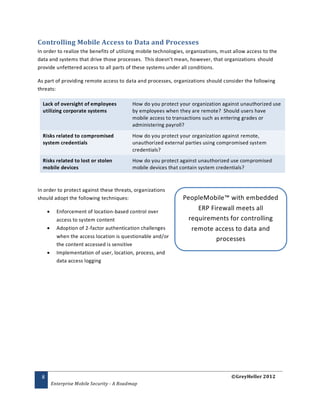
Controlling Mobile Access to Data and Processes
In order to realize the benefits of utilizing mobile technologies, organizations, must allow access to the
data and systems that drive those processes. This doesn’t mean, however, that organizations should
provide unfettered access to all parts of these systems under all conditions.

As part of providing remote access to data and processes, organizations should consider the following
threats:

  Lack of oversight of employees            How do you protect your organization against unauthorized use
  utilizing corporate systems               by employees when they are remote? Should users have
                                            mobile access to transactions such as entering grades or
                                            administering payroll?
  Risks related to compromised              How do you protect your organization against remote,
  system credentials                        unauthorized external parties using compromised system
                                            credentials?
  Risks related to lost or stolen           How do you protect against unauthorized use compromised
  mobile devices                            mobile devices that contain system credentials?


In order to protect against these threats, organizations
should adopt the following techniques:                          PeopleMobile™ with embedded
          Enforcement of location-based control over
                                                                     ERP Firewall meets all
           access to system content                               requirements for controlling
          Adoption of 2-factor authentication challenges          remote access to data and
           when the access location is questionable and/or
                                                                           processes
           the content accessed is sensitive
          Implementation of user, location, process, and
           data access logging


 8                                                                                   ©GreyHeller 2012
         Enterprise Mobile Security - A Roadmap
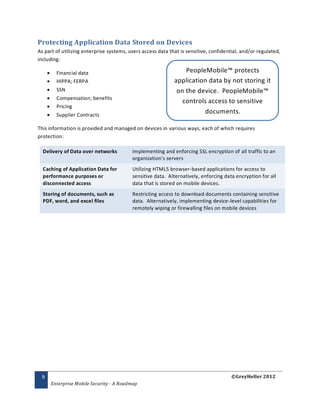
Protecting Application Data Stored on Devices
As part of utilizing enterprise systems, users access data that is sensitive, confidential, and/or regulated,
including:

          Financial data                                         PeopleMobile™ protects
          HIPPA; FERPA                                       application data by not storing it
          SSN                                                 on the device. PeopleMobile™
          Compensation; benefits
                                                                 controls access to sensitive
          Pricing
          Supplier Contracts
                                                                        documents.

This information is provided and managed on devices in various ways, each of which requires
protection:

  Delivery of Data over networks            Implementing and enforcing SSL encryption of all traffic to an
                                            organization’s servers
  Caching of Application Data for           Utilizing HTML5 browser-based applications for access to
  performance purposes or                   sensitive data. Alternatively, enforcing data encryption for all
  disconnected access                       data that is stored on mobile devices.
  Storing of documents, such as             Restricting access to download documents containing sensitive
  PDF, word, and excel files                data. Alternatively, implementing device-level capabilities for
                                            remotely wiping or firewalling files on mobile devices


 9                                                                                      ©GreyHeller 2012
         Enterprise Mobile Security - A Roadmap
Network Security
Mobile devices access corporate systems from the public internet or through corporate wireless
networks. As with any computing device, organizations must protect their networks against viruses and
other malware that may be resident on mobile devices.

  Accessing from the public internet        Proper implementation of physical and application firewalls
                                            protects your internal network and servers.
  Accessing through WIFI – Guest            One technique is to provide WIFI for guest access to mobile
  Access                                    devices. Mobile devices connecting to this network would only
                                            have access to the servers that are firewalled off from the rest
                                            of your network.
  Accessing through WIFI – Internal         As with any device connecting to an internal network,
  Access                                    enforcement of virus and malware protection tools is critical for
                                            protecting the network and servers.


Supporting Mobile Devices on your internal network
It is imperative to define the policy by which you will support these devices connecting to your network,
including:

          Enforcing use of antivirus software
          Not allowing access by rooted devices
          Enforcing that updates on devices are consistently applied


10                                                                                     ©GreyHeller 2012
         Enterprise Mobile Security - A Roadmap
Loss or Theft of Device
Due to the portability of mobile devices, the loss or theft of a device merits special consideration. In
addition to the obvious risks related to corporate use of these devices, there are legal barriers related to
a corporation’s allowable actions with an employee -owned device. While it is perfectly acceptable for
an organization to wipe the memory of a device it owns, this is not the case in a “br ing your own device”
scenario.

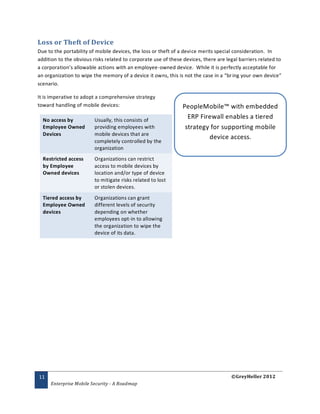
It is imperative to adopt a comprehensive strategy
toward handling of mobile devices:                              PeopleMobile™ with embedded
  No access by           Usually, this consists of
                                                                  ERP Firewall enables a tiered
  Employee Owned         providing employees with                strategy for supporting mobile
  Devices                mobile devices that are
                                                                         device access.
                         completely controlled by the
                         organization
  Restricted access      Organizations can restrict
  by Employee            access to mobile devices by
  Owned devices          location and/or type of device
                         to mitigate risks related to lost
                         or stolen devices.
  Tiered access by       Organizations can grant
  Employee Owned         different levels of security
  devices                depending on whether
                         employees opt-in to allowing
                         the organization to wipe the
                         device of its data.


11                                                                                   ©GreyHeller 2012
     Enterprise Mobile Security - A Roadmap
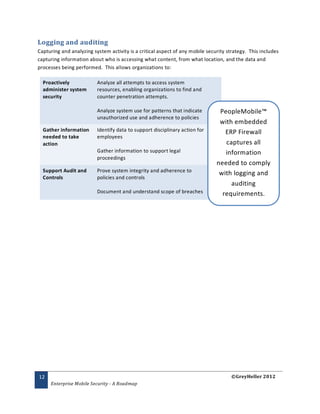
Logging and auditing
Capturing and analyzing system activity is a critical aspect of any mobile security strategy. This includes
capturing information about who is accessing what content, from what location, and the data and
processes being performed. This allows organizations to:

  Proactively             Analyze all attempts to access system
  administer system       resources, enabling organizations to find and
  security                counter penetration attempts.

                          Analyze system use for patterns that indicate         PeopleMobile™
                          unauthorized use and adherence to policies
                                                                                with embedded
  Gather information      Identify data to support disciplinary action for        ERP Firewall
  needed to take          employees
  action                                                                          captures all
                          Gather information to support legal                     information
                          proceedings
                                                                               needed to comply
  Support Audit and       Prove system integrity and adherence to
                                                                                with logging and
  Controls                policies and controls
                                                                                    auditing
                          Document and understand scope of breaches              requirements.


12                                                                                    ©GreyHeller 2012
     Enterprise Mobile Security - A Roadmap

Enterprise Mobile Security for PeopleSoft

  • 1.
    Mobile Security forPeopleSoft A Roadmap 1 ©GreyHeller 2012 Enterprise Mobile Security - A Roadmap
  • 2.
    Table of Contents Overview……………………………………………………………………………………………3 Authentication…………………………………………………………………………………… 4 - 6 Managing Identities on Corporate Systems………………………………………… 7 Controlling Mobile Access to Data & Processes………………………………….. 8 Protecting Application Data Stored on Devices………………………………….. 9 - 10 Device Loss or Theft…………………………………………………………………………… 11 Logging & Auditing…………………………………………………………………………….. 12 2 ©GreyHeller 2012 Enterprise Mobile Security - A Roadmap
  • 3.
    Overview The rapid adoptionof mobile technologies is both a boon to corporate productivity and end -user engagement and a nightmare as organizations try to keep up with the security/infrastructure requirements. According to Forrester Research, in 2016 350 million employees will use smartphones, 200 million of which will bring their own devices to use against corporate systems. In addition, Forrester Research contends that mobile is the flash point for a much more holistic, far- reaching change. This means that organizations will:  Empower people by focusing on their tasks and context in their moments of decision.  Protect business value by provisioning partners with tools in their daily workflow and context.  Accelerate business decisions by putting data dashboards into executives’ hands  Control smart products from mobile devices and extend the value of products with an app ecosystem. In order to achieve these benefits, organizations must provide mobile access to their systems, data, and processes while managing the security risks inherent in mobile technology:  Security/infrastructure tools to help organizations manage and administer mobile security risks are being developed and perfected  With the advent of Bring Your Own Device (BYOD) in the enterprise, standardizati on on mobile devices is much more problematic than for desktops or laptops  Because mobile devices aggregate personal, business, and collaboration information , security risks are high  Implementing physical security policies with mobile devices is problematic This white paper will examine the risks and solutions for providing mobile access to enterprise systems. We will cover the following topics:  Authenticating users from mobile devices  Managing the user’s identity to corporate systems  Controlling mobile access to data and processes  Protecting application data  Protecting your corporate network  Dealing with the loss or theft of devices  Analyzing system activity 3 ©GreyHeller 2012 Enterprise Mobile Security - A Roadmap
  • 4.
    Authentication The first stepto using any corporate system is authenticating the user. The authentication process generally involves a user providing identification as well as one or more correct responses to a system authentication challenge. Once the user has been authenticated, the system grants access to its data and business processes based on the user’s identity/role. When looking at the authentication process, organizations should consider the following:  Is there a consistent identity for the user across all applications he/she accesses?  Is there a need to protect against password fatigue?  Is there a need to protect against user id / password theft? Externalizing the authentication process The best way to protect against authentication risks is to externalize the authentication credentials from each application accessed by an end-user. Implementing a common infrastructure for authentication across all corporate systems allows the following:  Provide a single set of credentials that a user can remember for all corporate resources  Provide a single choke-point for shutting down access when a user is terminated  Ensuring that password controls are consistently enforced across all corporate systems Probably the most common means of accomplishing this is to leverage the protocols in place for managing a user’s identity on an organization’s network and using a single signon solution to allow each system to leverage those protocols. These solutions generally leverage Active Directory (LDAP) for the credentials, and GreyHeller’s Single Signon utilize protocols such as NTLM, Kerberos, and WML for securely authenticating users with those credentials. product, used by 50+ organizations to externalize GreyHeller believes this is best practice regardless of whether a user is accessing from a desktop machine or a authentication credentials from mobile device. PeopleSoft, is foundational to our mobile solution, What about authenticating from outside the PeopleMobile™. corporate network? Obviously, one of the most important benefits of mobile access to corporate systems is allowing users to perform tasks regardless of their location. However, allowing users to authenticate remotely raises the following considerations: 1. If you’re leveraging your network for a validating a user’s credentials, how do you authenticate when the user is external to the network? 2. How can you protect against unauthorized use of somebody else’s credentials? 4 ©GreyHeller 2012 Enterprise Mobile Security - A Roadmap
  • 5.
    External Network Validation Historically,organizations have utilized VPN (Virtual Private Network) tunneling to allow users to authenticate themselves to networks and access network resources. This technique works well for workstations that need full access to all network resources. However, mobile devices do not access network resources in the same manner as workstations. In addition, VPN clients must be specially installed and configured for use. Therefore, the following techniques are generally used for mobile device authentication:  Web VPN Proxies  Special-purpose Browser / Email client applications It’s important to note that both techniques leverage server-side components that utilize common networking protocols for authentication: NTLM, Kerberos, and WML and can leverage single signon solutions that utilize these protocols. Web VPN Proxies A web VPN proxy allows a user to authenticate through a web browser. The server performs the validation and GreyHeller Single Signon works passes credentials to other systems such as a proxy server. Because the server is configured to communicate with with Web VPN Proxy solutions these other services and manage the process, the device for authentication outside a does not require software to be installed or configured. corporation’s network Common VPN proxies include Microsoft UAG and Cisco Web VPN. Special-purpose Browser/Email client application Another option is to utilize a special-purpose mobile application that isolates access from other resources on the mobile device. These applications have special logic for calling corporate servers for authentication and managing access to corporate resources. The application would authenticate itself to its server component, and the server would grant access to the servers and services that have been configured. Probably the most common solution in this category is Good Technologies’ Enterprise Server. PeopleMobile™ works with the From an authentication perspective, the servers would be leading enterprise configured to leverage common networking protocols, allowing single signon solutions to provide access to those Browser/Email applications systems. 5 ©GreyHeller 2012 Enterprise Mobile Security - A Roadmap
  • 6.
    Two Factor Authentication Onetechnique for protecting mobile users from unauthorized use of their credentials is to require additional authentication when accessing information from an insecure location or when accessing sensitive information or processes. For example, it is common practice today for banks to require additional authentication. There are a number of ways that the additional authentication can be implemented:  Prompting for and sending a PIN for the user to enter. PIN can be sent through a number of channels: o SMS message GreyHeller’s ERP Firewall o Telephone Call o Email software product is embedded  Pre-defining a one-time password the user into PeopleMobile™. It enforces can provide two-factor authentication based  Tying access to device identification on location and/or content  Utilizing a token, such as a SecureID token requested. Although this additional validation can be prompted upon initial access to the system, it is best practice to prompt for the additional validation at the point in time when the user is accessing sensitive data or processes. 6 ©GreyHeller 2012 Enterprise Mobile Security - A Roadmap
  • 7.
    Managing User Identityon Corporate Systems What does it mean to be a given user on a given system? This is an important question, because the rights and privileges granted to that system are driven by this answer. Organizations typically spend significant time and effort defining, testing, and auditing this access. When looking at the architectures that drive mobile access, organizations must also look at the risks related to managing users’ identities on their corporate systems.  Do users have consistent privileges across With PeopleMobile™ and mobile and non-mobile systems?  How are changes in privileges propagated embedded ERP Firewall, users across mobile and non-mobile systems? have the same identity, rights,  How do organizations prove to auditors that and privileges as non-mobile sufficient controls are enforced across mobile systems without the need for and non-mobile systems? synchronization between mobile As such, organizations must develop a comprehensive and non-mobile systems. strategy for managing the identity of users across mobile and non-mobile systems. 7 ©GreyHeller 2012 Enterprise Mobile Security - A Roadmap
  • 8.
    Controlling Mobile Accessto Data and Processes In order to realize the benefits of utilizing mobile technologies, organizations, must allow access to the data and systems that drive those processes. This doesn’t mean, however, that organizations should provide unfettered access to all parts of these systems under all conditions. As part of providing remote access to data and processes, organizations should consider the following threats: Lack of oversight of employees How do you protect your organization against unauthorized use utilizing corporate systems by employees when they are remote? Should users have mobile access to transactions such as entering grades or administering payroll? Risks related to compromised How do you protect your organization against remote, system credentials unauthorized external parties using compromised system credentials? Risks related to lost or stolen How do you protect against unauthorized use compromised mobile devices mobile devices that contain system credentials? In order to protect against these threats, organizations should adopt the following techniques: PeopleMobile™ with embedded  Enforcement of location-based control over ERP Firewall meets all access to system content requirements for controlling  Adoption of 2-factor authentication challenges remote access to data and when the access location is questionable and/or processes the content accessed is sensitive  Implementation of user, location, process, and data access logging 8 ©GreyHeller 2012 Enterprise Mobile Security - A Roadmap
  • 9.
    Protecting Application DataStored on Devices As part of utilizing enterprise systems, users access data that is sensitive, confidential, and/or regulated, including:  Financial data PeopleMobile™ protects  HIPPA; FERPA application data by not storing it  SSN on the device. PeopleMobile™  Compensation; benefits controls access to sensitive  Pricing  Supplier Contracts documents. This information is provided and managed on devices in various ways, each of which requires protection: Delivery of Data over networks Implementing and enforcing SSL encryption of all traffic to an organization’s servers Caching of Application Data for Utilizing HTML5 browser-based applications for access to performance purposes or sensitive data. Alternatively, enforcing data encryption for all disconnected access data that is stored on mobile devices. Storing of documents, such as Restricting access to download documents containing sensitive PDF, word, and excel files data. Alternatively, implementing device-level capabilities for remotely wiping or firewalling files on mobile devices 9 ©GreyHeller 2012 Enterprise Mobile Security - A Roadmap
  • 10.
    Network Security Mobile devicesaccess corporate systems from the public internet or through corporate wireless networks. As with any computing device, organizations must protect their networks against viruses and other malware that may be resident on mobile devices. Accessing from the public internet Proper implementation of physical and application firewalls protects your internal network and servers. Accessing through WIFI – Guest One technique is to provide WIFI for guest access to mobile Access devices. Mobile devices connecting to this network would only have access to the servers that are firewalled off from the rest of your network. Accessing through WIFI – Internal As with any device connecting to an internal network, Access enforcement of virus and malware protection tools is critical for protecting the network and servers. Supporting Mobile Devices on your internal network It is imperative to define the policy by which you will support these devices connecting to your network, including:  Enforcing use of antivirus software  Not allowing access by rooted devices  Enforcing that updates on devices are consistently applied 10 ©GreyHeller 2012 Enterprise Mobile Security - A Roadmap
  • 11.
    Loss or Theftof Device Due to the portability of mobile devices, the loss or theft of a device merits special consideration. In addition to the obvious risks related to corporate use of these devices, there are legal barriers related to a corporation’s allowable actions with an employee -owned device. While it is perfectly acceptable for an organization to wipe the memory of a device it owns, this is not the case in a “br ing your own device” scenario. It is imperative to adopt a comprehensive strategy toward handling of mobile devices: PeopleMobile™ with embedded No access by Usually, this consists of ERP Firewall enables a tiered Employee Owned providing employees with strategy for supporting mobile Devices mobile devices that are device access. completely controlled by the organization Restricted access Organizations can restrict by Employee access to mobile devices by Owned devices location and/or type of device to mitigate risks related to lost or stolen devices. Tiered access by Organizations can grant Employee Owned different levels of security devices depending on whether employees opt-in to allowing the organization to wipe the device of its data. 11 ©GreyHeller 2012 Enterprise Mobile Security - A Roadmap
  • 12.
    Logging and auditing Capturingand analyzing system activity is a critical aspect of any mobile security strategy. This includes capturing information about who is accessing what content, from what location, and the data and processes being performed. This allows organizations to: Proactively Analyze all attempts to access system administer system resources, enabling organizations to find and security counter penetration attempts. Analyze system use for patterns that indicate PeopleMobile™ unauthorized use and adherence to policies with embedded Gather information Identify data to support disciplinary action for ERP Firewall needed to take employees action captures all Gather information to support legal information proceedings needed to comply Support Audit and Prove system integrity and adherence to with logging and Controls policies and controls auditing Document and understand scope of breaches requirements. 12 ©GreyHeller 2012 Enterprise Mobile Security - A Roadmap