Wake up your PLM: Managing
Engineering Data with PLM?
Presenters:
Mike Halladay – Director of Engineering Collaboration
Services
Dennis Walker – Director of Product Development
Who is ZWS?
Zero Wait-State helps companies implement an effective PLM
strategy based on their specific business model
Services Products
implementation integration data migration DescriptionBuilder DesignState LoadState PDXState
Agenda
• Design Data in the Enterprise
• Challenges to Maximizing Value
• Solutions
• Maximizing Value - DesignState and EC
DESIGN DATA IN THE ENTERPRISE
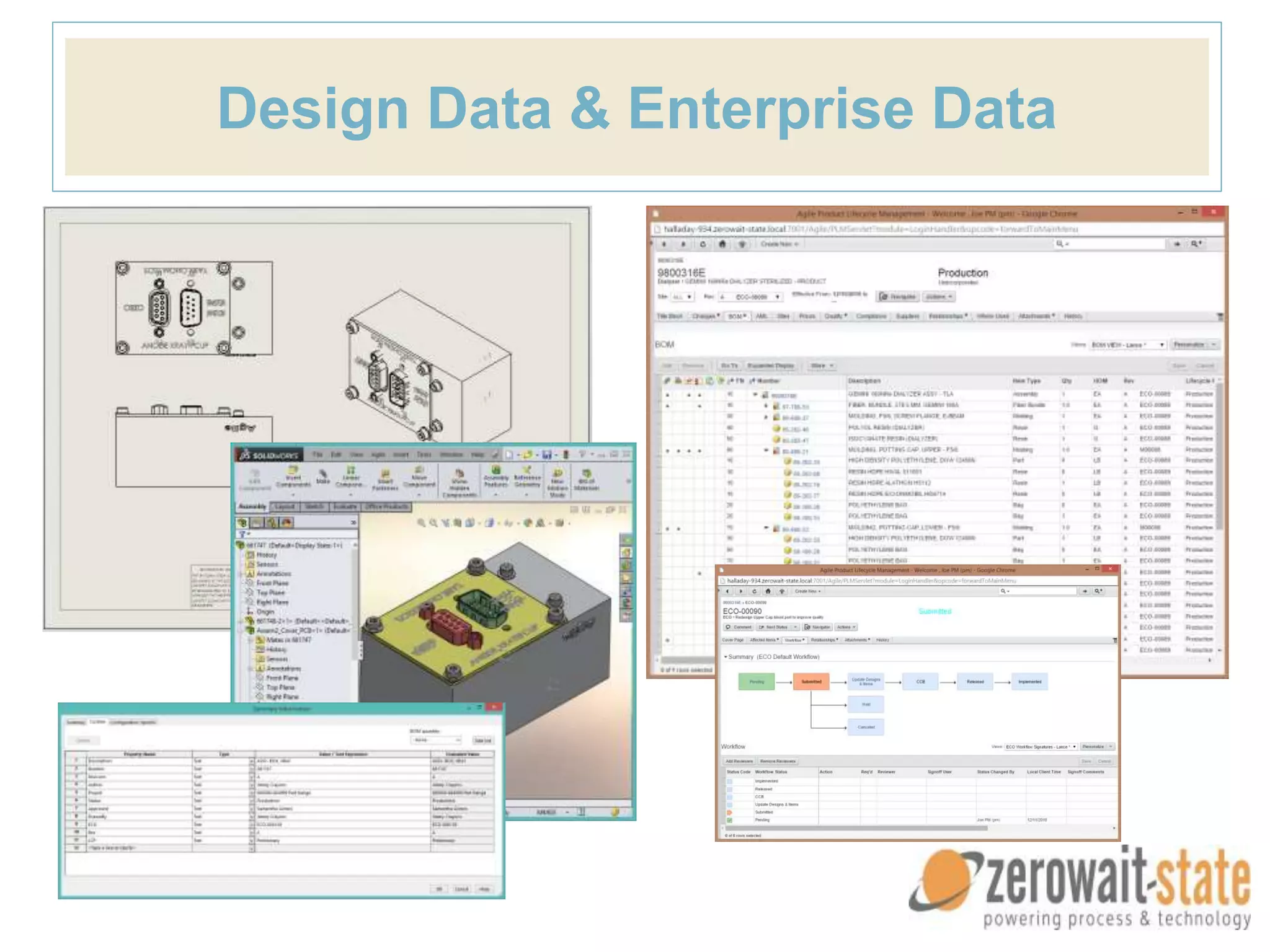
Design Data & Enterprise Data
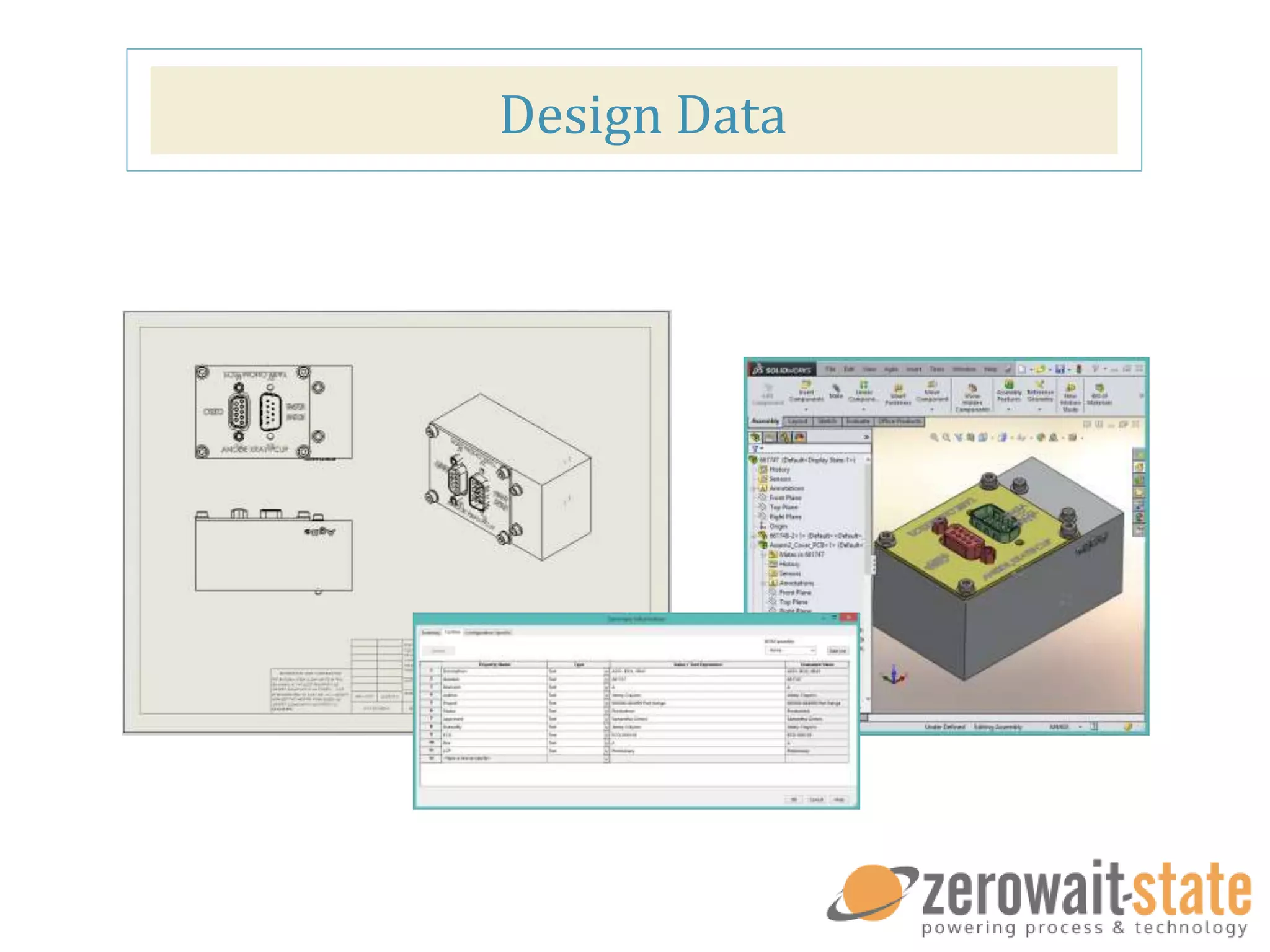
Design Data
Design Data
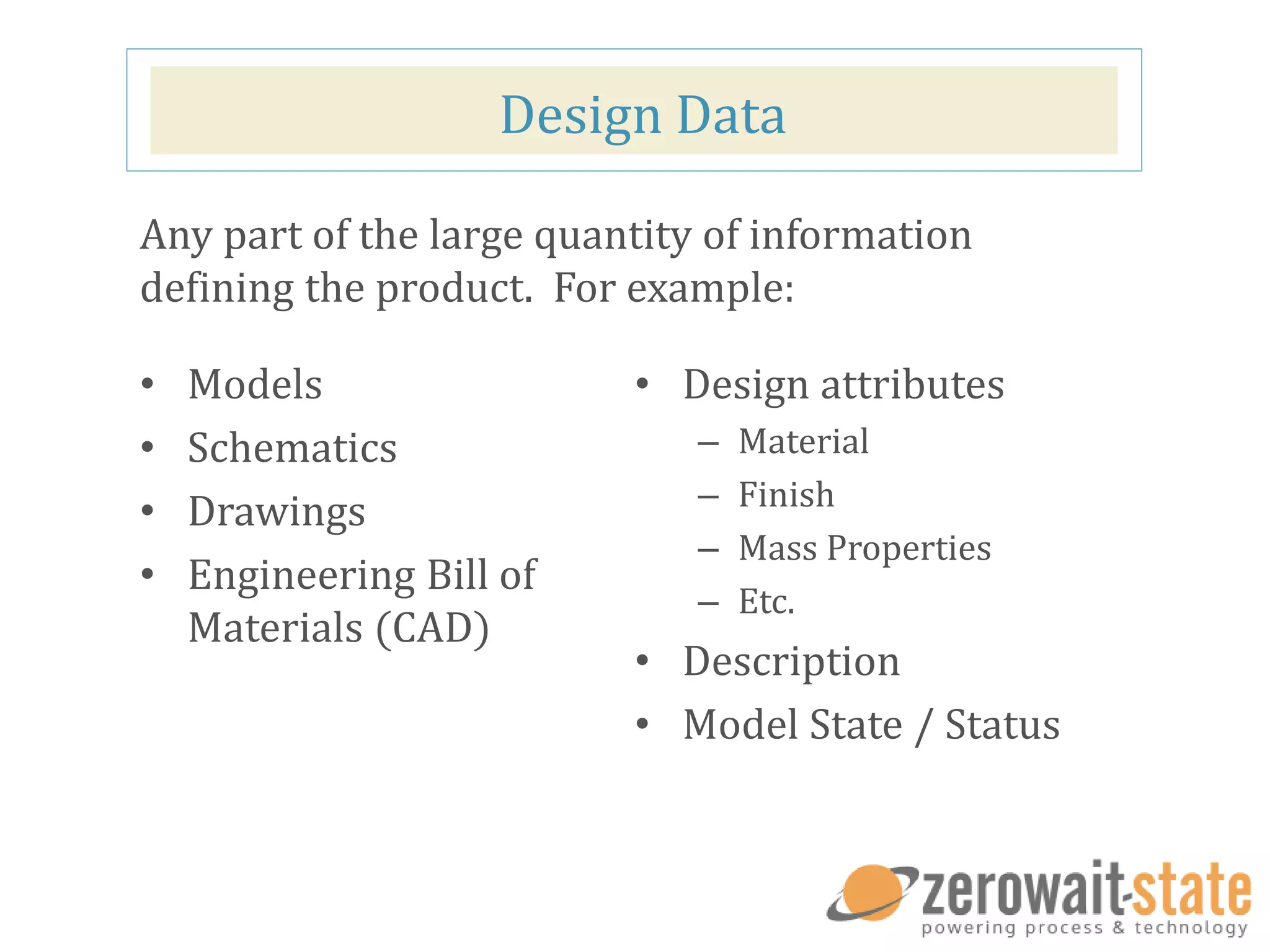
• Models
• Schematics
• Drawings
• Engineering Bill of
Materials (CAD)
• Design attributes
– Material
– Finish
– Mass Properties
– Etc.
• Description
• Model State / Status
Any part of the large quantity of information
defining the product. For example:
Design Data
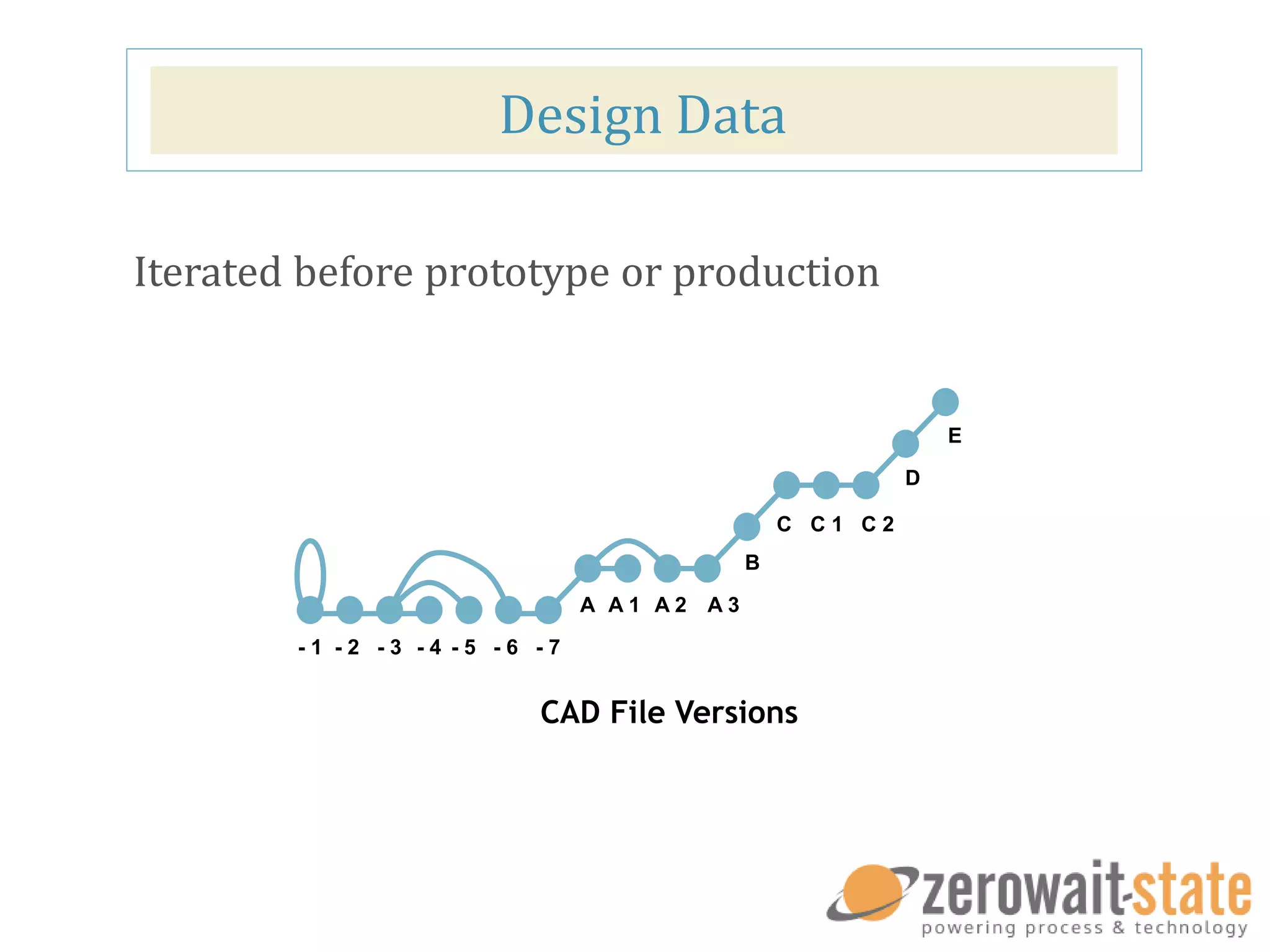
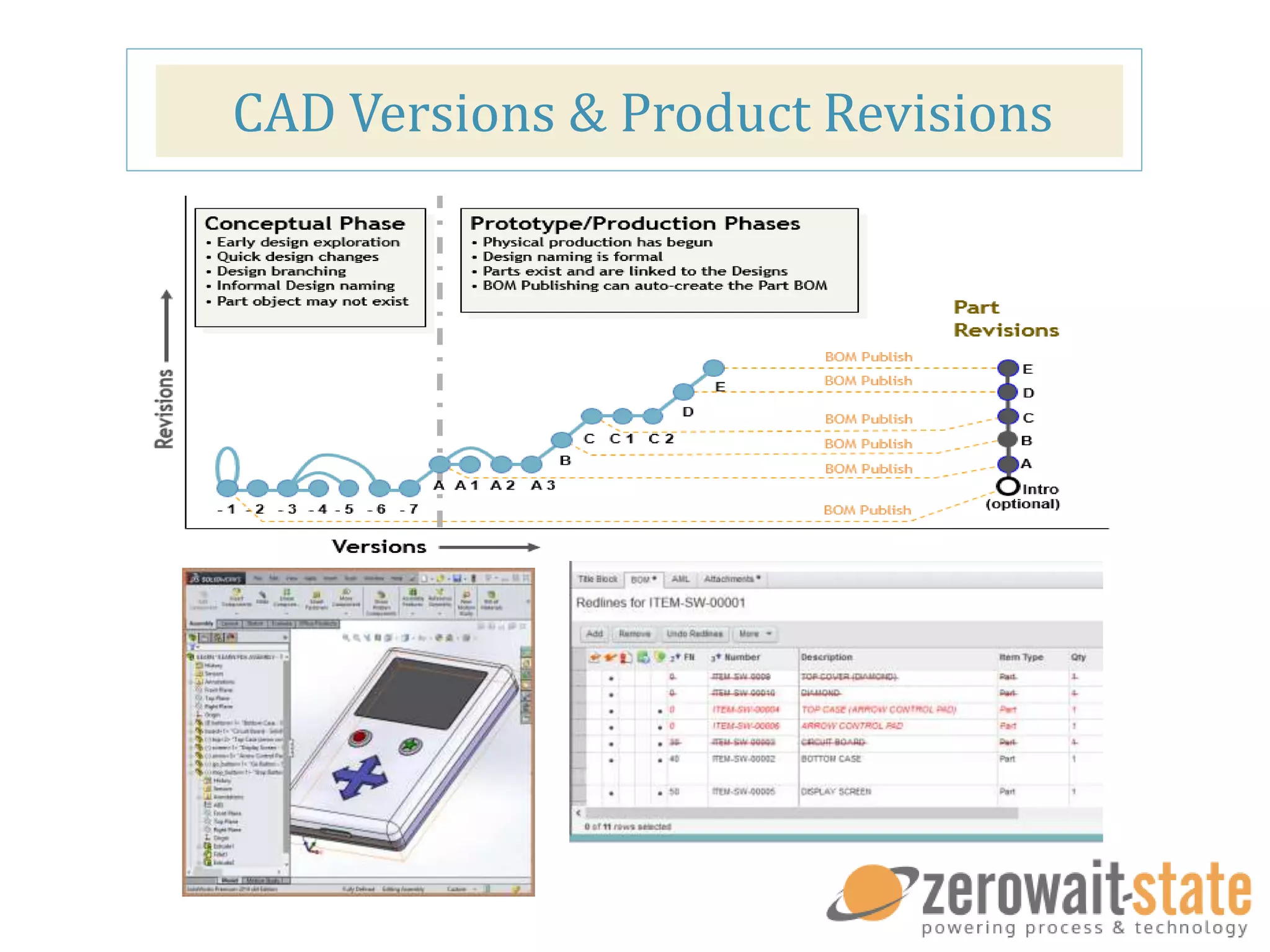
Iterated before prototype or production
- 1 - 2 - 3 - 4 - 5 - 6 - 7
A A 1 A 2 A 3
B
C C 1 C 2
D
E
CAD File Versions
Enterprise Product Record
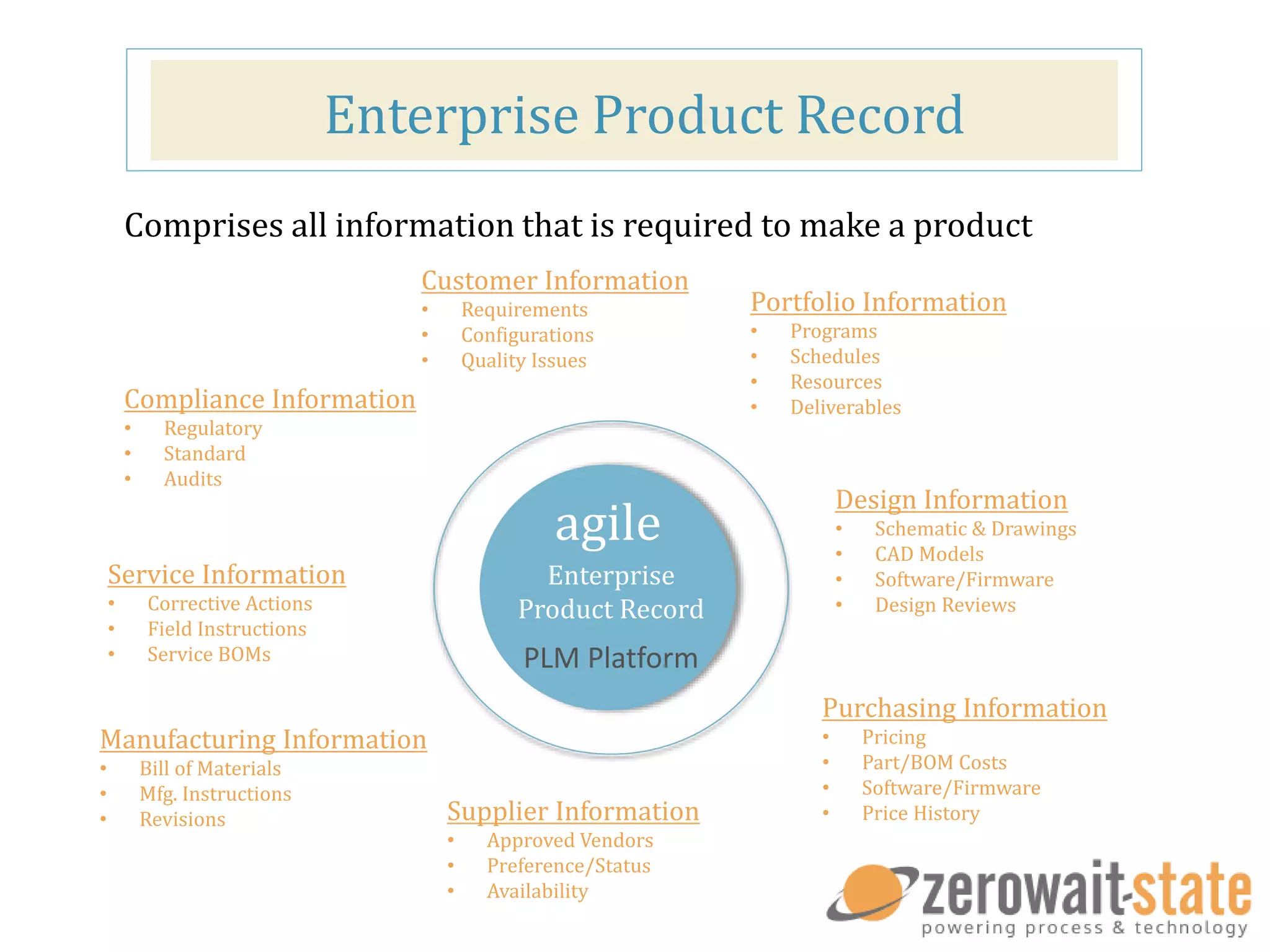
Comprises all information that is required to make a product
Customer Information
• Requirements
• Configurations
• Quality Issues
Portfolio Information
• Programs
• Schedules
• Resources
• Deliverables
Design Information
• Schematic & Drawings
• CAD Models
• Software/Firmware
• Design Reviews
Purchasing Information
• Pricing
• Part/BOM Costs
• Software/Firmware
• Price HistorySupplier Information
• Approved Vendors
• Preference/Status
• Availability
Manufacturing Information
• Bill of Materials
• Mfg. Instructions
• Revisions
Service Information
• Corrective Actions
• Field Instructions
• Service BOMs
Compliance Information
• Regulatory
• Standard
• Audits
agile
Enterprise
Product Record
PLM Platform
Enterprise Product Record
• Part Master
• Bill of Materials
• Revision Data
• Manufacturing Definition
Enterprise Product Record
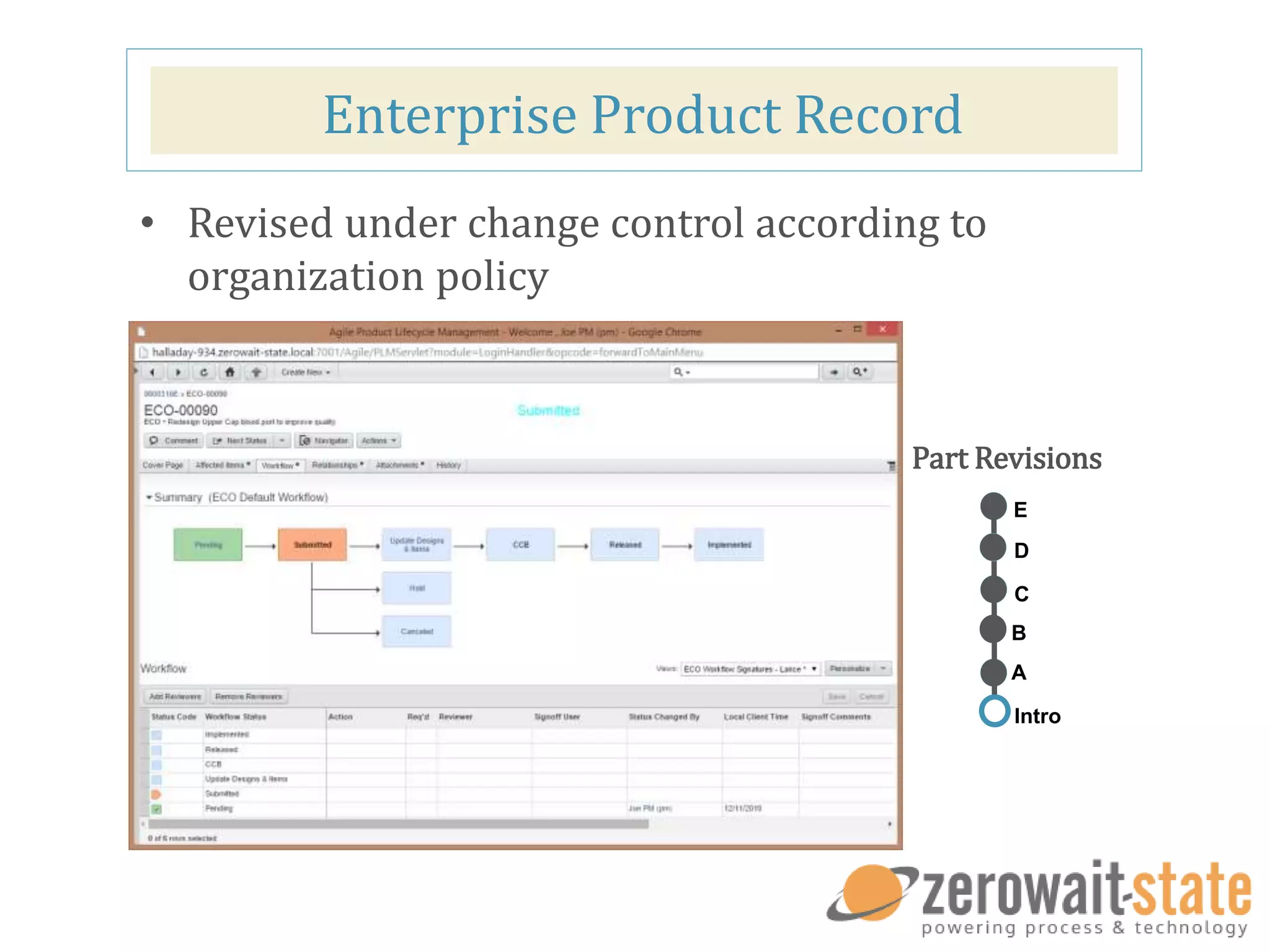
• Revised under change control according to
organization policy
Part Revisions
A
C
D
E
B
Intro
CAD Versions & Product Revisions
CHALLENGES TO MAXIMIZING VALUE
We will dive into the pains companies’ face and what solutions are best for a company
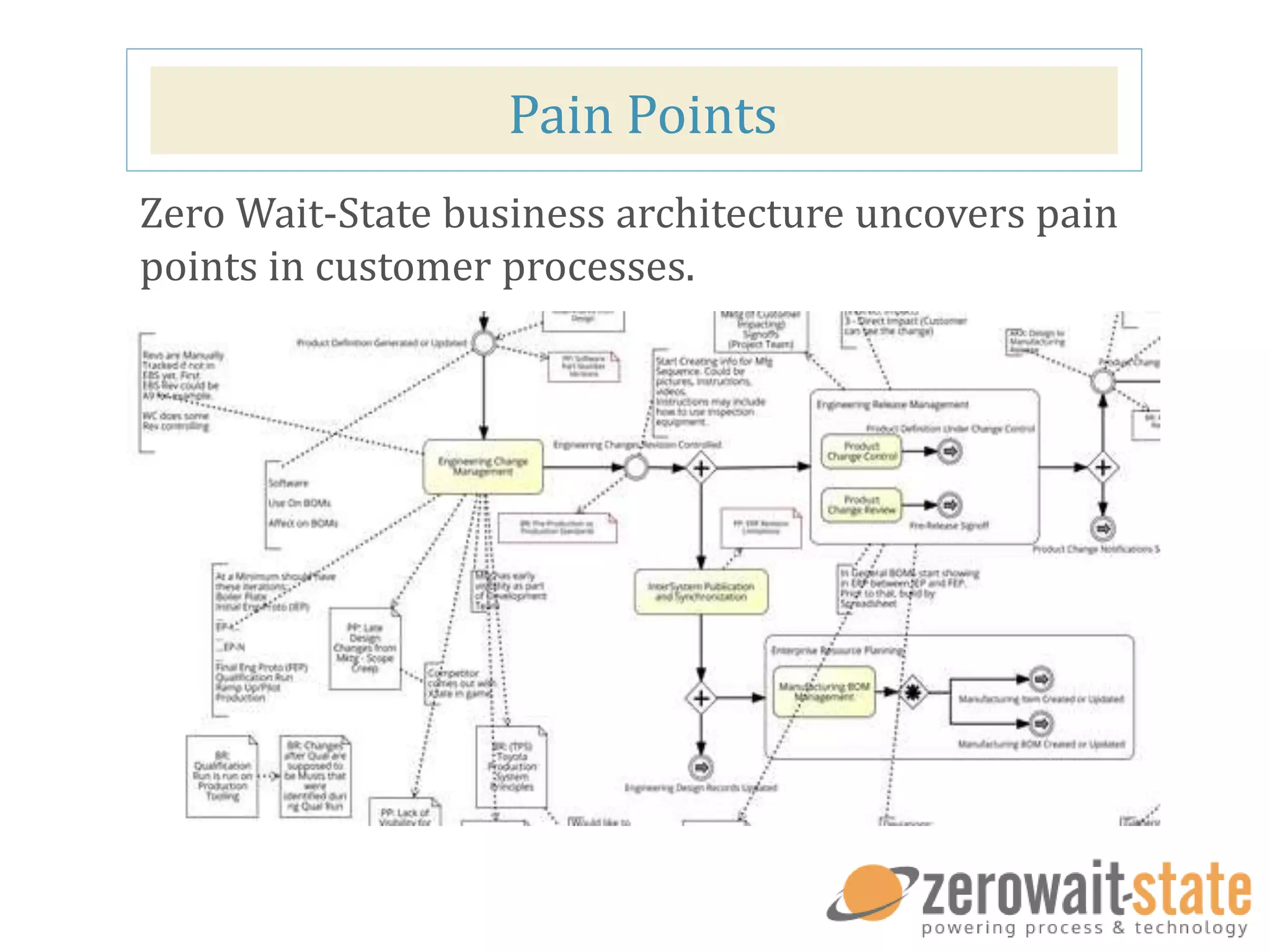
Pain Points
Zero Wait-State business architecture uncovers pain
points in customer processes.
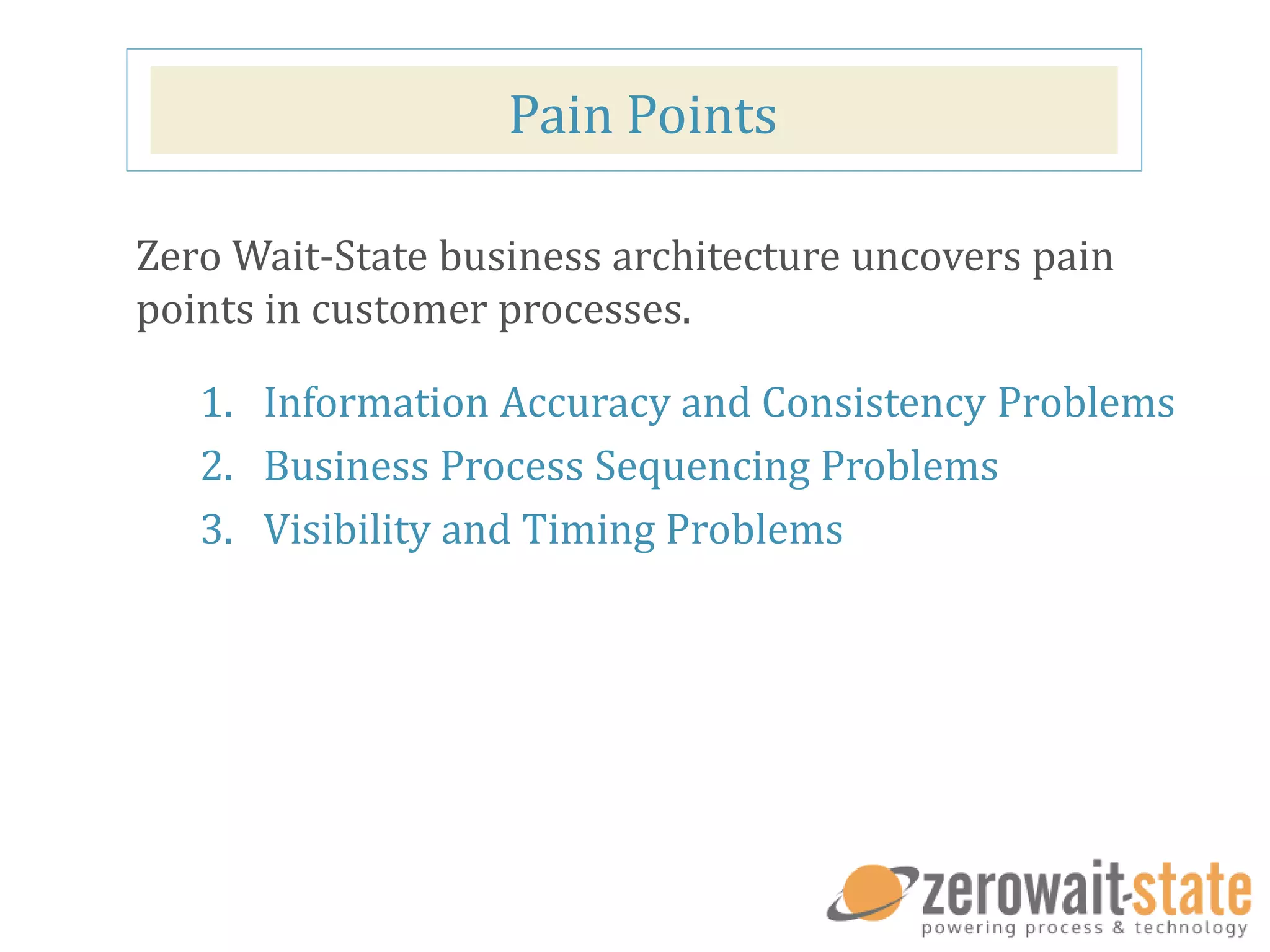
Pain Points
1. Information Accuracy and Consistency Problems
2. Business Process Sequencing Problems
3. Visibility and Timing Problems
Zero Wait-State business architecture uncovers pain
points in customer processes.
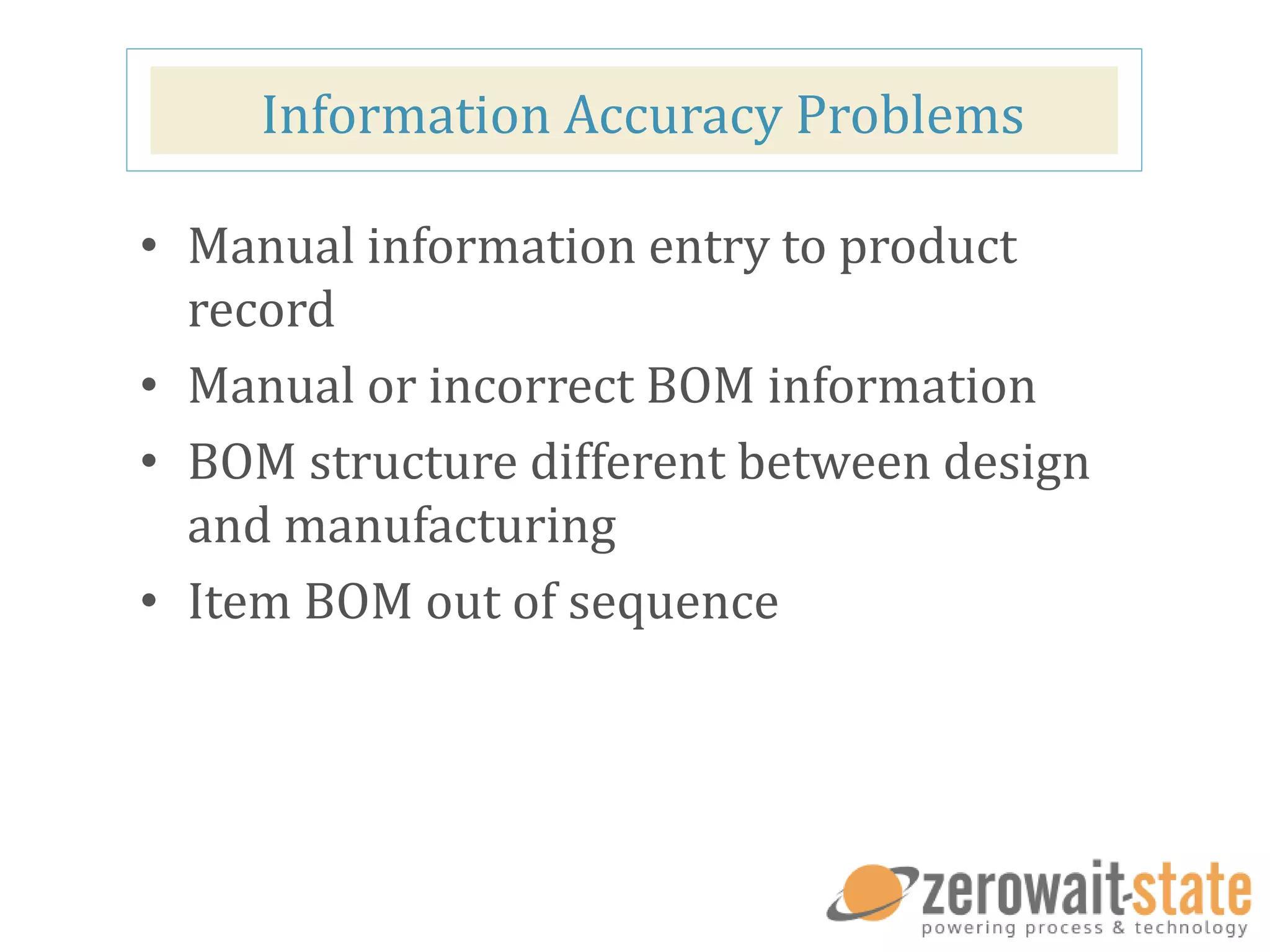
Information Accuracy Problems
• Manual information entry to product
record
• Manual or incorrect BOM information
• BOM structure different between design
and manufacturing
• Item BOM out of sequence
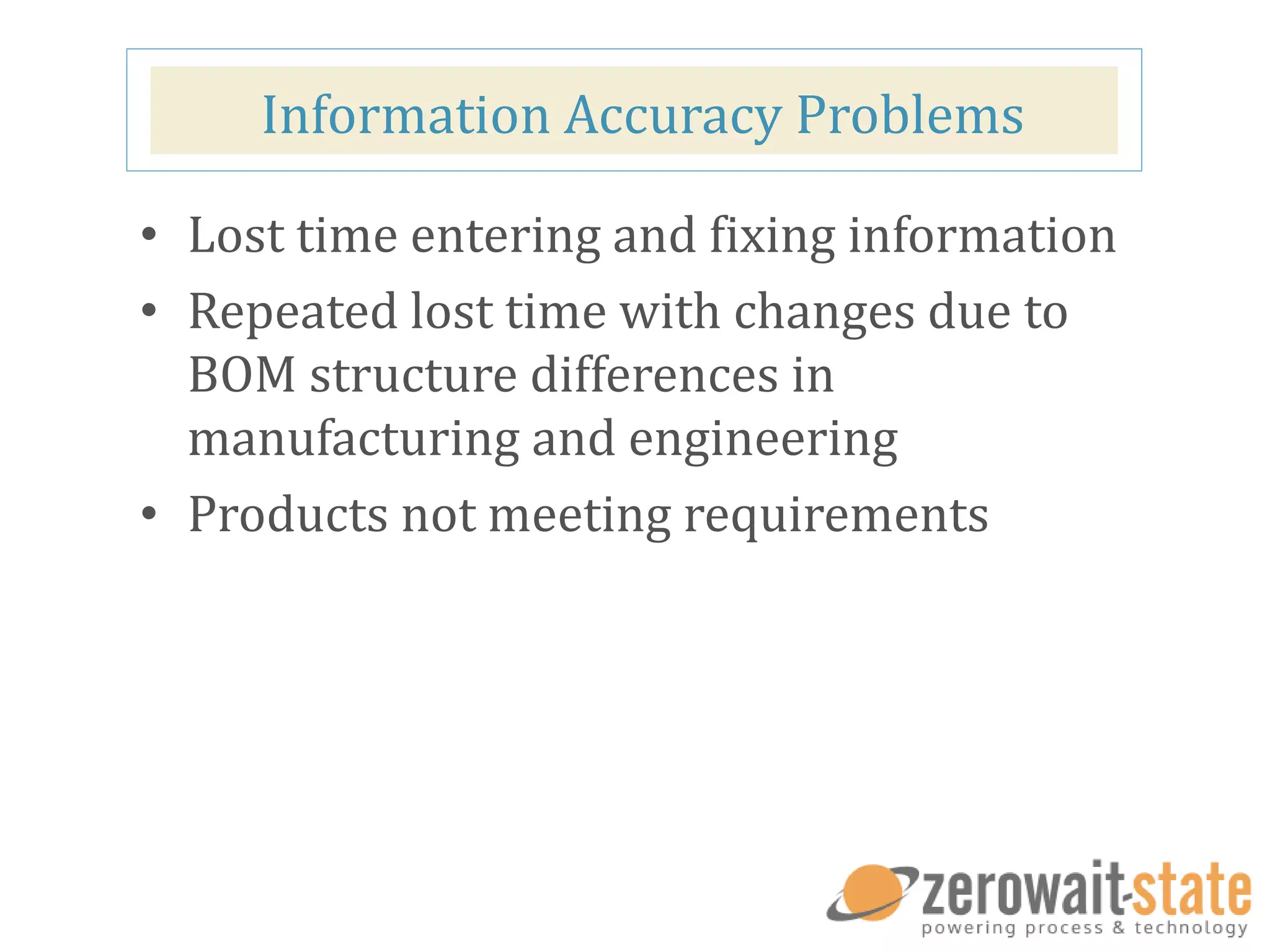
Information Accuracy Problems
• Lost time entering and fixing information
• Repeated lost time with changes due to
BOM structure differences in
manufacturing and engineering
• Products not meeting requirements
Process Sequencing Problems
• Engineer changes made to incorrect
design revision
• Incorrect revisions sent to prototype or
manufacturer
• Proto builds confused with production
builds
• Design feedback from manufacturer or
internal SME is based on incorrect design
revision
Process Sequencing Problems
• Lost time reconciling revision
mismatches
• Additional prototypes needed costs time
and material
• Reduced product quality
Visibility and Timing Problems
• Lack of design collaboration for DFx
• Visibility to design is not available when needed
• Lack of visibility to Critical Component status
during design
• Untimely updates of information
• Lack of visibility for sourcing
• Race conditions and confusion (first change in
wins)
Visibility and Timing Problems
• Lower quality, higher cost due to lack of
input
• Lost opportunity for early interventions
and improvements
• New rev required to swap or fix parts
SOLUTIONS
What can we do?
Maximizing Value
Information Accuracy Problems
• Automated information flow
• Connected Design and
Enterprise Product Definition
Process Sequencing Problems
• Automated processes
• Provide data visibility
through a referenced
source (PLM)
• Connected information
Visibility and Timing Problems
• Right information at right
time
• Human intervention only
when necessary
MAXIMIZING DATA VALUE
See what’s up next!
Maximizing Data Value
DesignState Engineering
Collaboration
• Provide visibility between enterprise and engineering team
• Link design and enterprise change management
• Integrate CAD systems with Enterprise PLM
• Leverage product design data throughout the enterprise
PART TWO WEBINAR
“Wake up your PLM with Engineering Collaboration and DesignState”
August 12, 2015 at 10 am CST
WE WILL NOW OPEN UP THE AUDIO TO VIEWER QUESTIONS.
EC@ZEROWAIT-STATE.COM
Contact us if you have any questions!

Engineering Collaboration Webinar One

  • 1.
    Wake up yourPLM: Managing Engineering Data with PLM? Presenters: Mike Halladay – Director of Engineering Collaboration Services Dennis Walker – Director of Product Development
  • 2.
    Who is ZWS? ZeroWait-State helps companies implement an effective PLM strategy based on their specific business model Services Products implementation integration data migration DescriptionBuilder DesignState LoadState PDXState
  • 3.
    Agenda • Design Datain the Enterprise • Challenges to Maximizing Value • Solutions • Maximizing Value - DesignState and EC
  • 4.
    DESIGN DATA INTHE ENTERPRISE
  • 5.
    Design Data &Enterprise Data
  • 6.
  • 7.
    Design Data • Models •Schematics • Drawings • Engineering Bill of Materials (CAD) • Design attributes – Material – Finish – Mass Properties – Etc. • Description • Model State / Status Any part of the large quantity of information defining the product. For example:
  • 8.
    Design Data Iterated beforeprototype or production - 1 - 2 - 3 - 4 - 5 - 6 - 7 A A 1 A 2 A 3 B C C 1 C 2 D E CAD File Versions
  • 9.
    Enterprise Product Record Comprisesall information that is required to make a product Customer Information • Requirements • Configurations • Quality Issues Portfolio Information • Programs • Schedules • Resources • Deliverables Design Information • Schematic & Drawings • CAD Models • Software/Firmware • Design Reviews Purchasing Information • Pricing • Part/BOM Costs • Software/Firmware • Price HistorySupplier Information • Approved Vendors • Preference/Status • Availability Manufacturing Information • Bill of Materials • Mfg. Instructions • Revisions Service Information • Corrective Actions • Field Instructions • Service BOMs Compliance Information • Regulatory • Standard • Audits agile Enterprise Product Record PLM Platform
  • 10.
    Enterprise Product Record •Part Master • Bill of Materials • Revision Data • Manufacturing Definition
  • 11.
    Enterprise Product Record •Revised under change control according to organization policy Part Revisions A C D E B Intro
  • 12.
    CAD Versions &Product Revisions
  • 13.
    CHALLENGES TO MAXIMIZINGVALUE We will dive into the pains companies’ face and what solutions are best for a company
  • 14.
    Pain Points Zero Wait-Statebusiness architecture uncovers pain points in customer processes.
  • 15.
    Pain Points 1. InformationAccuracy and Consistency Problems 2. Business Process Sequencing Problems 3. Visibility and Timing Problems Zero Wait-State business architecture uncovers pain points in customer processes.
  • 16.
    Information Accuracy Problems •Manual information entry to product record • Manual or incorrect BOM information • BOM structure different between design and manufacturing • Item BOM out of sequence
  • 17.
    Information Accuracy Problems •Lost time entering and fixing information • Repeated lost time with changes due to BOM structure differences in manufacturing and engineering • Products not meeting requirements
  • 18.
    Process Sequencing Problems •Engineer changes made to incorrect design revision • Incorrect revisions sent to prototype or manufacturer • Proto builds confused with production builds • Design feedback from manufacturer or internal SME is based on incorrect design revision
  • 19.
    Process Sequencing Problems •Lost time reconciling revision mismatches • Additional prototypes needed costs time and material • Reduced product quality
  • 20.
    Visibility and TimingProblems • Lack of design collaboration for DFx • Visibility to design is not available when needed • Lack of visibility to Critical Component status during design • Untimely updates of information • Lack of visibility for sourcing • Race conditions and confusion (first change in wins)
  • 21.
    Visibility and TimingProblems • Lower quality, higher cost due to lack of input • Lost opportunity for early interventions and improvements • New rev required to swap or fix parts
  • 22.
  • 23.
  • 24.
    Information Accuracy Problems •Automated information flow • Connected Design and Enterprise Product Definition
  • 25.
    Process Sequencing Problems •Automated processes • Provide data visibility through a referenced source (PLM) • Connected information
  • 26.
    Visibility and TimingProblems • Right information at right time • Human intervention only when necessary
  • 27.
    MAXIMIZING DATA VALUE Seewhat’s up next!
  • 28.
    Maximizing Data Value DesignStateEngineering Collaboration • Provide visibility between enterprise and engineering team • Link design and enterprise change management • Integrate CAD systems with Enterprise PLM • Leverage product design data throughout the enterprise
  • 29.
    PART TWO WEBINAR “Wakeup your PLM with Engineering Collaboration and DesignState” August 12, 2015 at 10 am CST
  • 30.
    WE WILL NOWOPEN UP THE AUDIO TO VIEWER QUESTIONS.
  • 31.
    EC@ZEROWAIT-STATE.COM Contact us ifyou have any questions!

Editor's Notes

  • #6 DMW: One way to discuss the information in our products is to talk about: Design Data and Enterprise Data --- Design data, primarily captured in CAD and stored in PDM or a complex set of network folders, describe the form, fit and function of a product. Enterprise product data come from many sources and should include the design data captured in CAD. PLM is the preferred repository for all data that define a product, or the Enterprise Product Record. Techniques for merging design data into the Product Record are sometimes incomplete and cumbersome. In this web series, we will examine automated methods for bringing a complete representation of design data into the PLM Enterprise Product Record.
  • #7 Design data defines the form, fit and function of a product.
  • #8 Design Data typically includes models and drawings, engineering BOM, analysis data, and sometimes attribute metadata describing the design. Models are typically captured in CAD and stored in a complex set of network folders, or in some cases in a PDM system. This data defines the product, but is often not DIRECTLY used in the manufacture and delivery of the product. BOM can be a touch point between the CAD and PLM.
  • #9 DMW: Creating design data is a dynamic iterative process. Component and assembly designs and are changed frequently and fluidly during product design. Parts and subassemblies may be used in more than one top level assembly. Managing the relationships between the parts can be a difficult job, especially as components version, are replaced, or are renamed. Conflicts can occur, losing significant amounts of time. Some models and design variations may be discarded. During the iterative design of the product, it is often not desired to procure portions of the product that are not yet well defined. --- Creating design data is an iterative process. Designs version many times between releases of a product. The versioning process is unencumbered by an approval process. Review and approval is only necessary when a design is final and ready for release.
  • #10 The Enterprise Product Record that is captured in PLM should include all information available that describes what a product is, by part number. Information sources, such as compliance, quality, manufacturing, supplier, purchasing, etc. should all be included. Design information is a very important part of the Enterprise Product Record, but often is as rudimentary as an attached PDF of a drawing. --- DMW: The Enterprise Product Record includes all information required to source, build, sell, service, and dispose of a product. Information sources, such as compliance, quality, manufacturing, supplier, purchasing, etc. should all be included. Design Information is a very important contributor to the Enterprise Product Record. Often the native source design data is not directly provided to manufacturing partners. This may be the result of internal practices or out of a desire to retain intellectual property.
  • #11 Key pieces of the Enterprise Product Record are common with the Design Record, for example; the part master, BOM, revision and manufacturing information. Some of this information is captured first in CAD and should be transferred to PLM. Some of it is managed in PLM, but should be transferred back to CAD to be represented in the CAD model and on drawings.
  • #12 Where the design record is versioned freely, changes to the Enterprise Product Record are tightly controlled. Revisions to the Product Record require adherence to a review and approval workflow. Product change management is a core function of PLM and is a key touch-point between CAD and PLM.
  • #13 Linking the correct CAD version to a Product Revision is critical to the accuracy of the Product Record. Changes to product structure, made in CAD, need to be correctly represented in the product BOM. Manual updates to the BOM are error prone. Automated transfer of BOM changes ensure accuracy. --- DMW: Linking the correct CAD version to a Product Revision is critical to the accuracy of the Product Record. Changes to product structure, made in CAD, need to be correctly represented in the product BOM. Manual updates to the product BOM are error prone.
  • #15 Zero Wait-State doesn’t just install products and integrations out of the box. We employ a process to identify business outcomes and customer pain points before implementation. This ensures our solutions and services provide the value our customers need. It also helps us identify common goals and problems. We’ll share with you some of the issues we see businesses facing with their product data.
  • #17 DMW: We had a customer who was spending too much time moving their product data into PLM. Each engineer had a different way of getting their designs into PLM. Some were exporting spreadsheets and importing. Some were copy/pasting part numbers. There were occasional errors made, and no consistent process. Further, changes between prototypes were difficult syncing up which design part / version went with which part in PLM. Wrong part numbers for off the shelf parts. The number used in the Design BOM is different from the manufacturing part number. The end result was the parts used in the actual product didn’t meet the specifications required for the environment they were going into.
  • #18 DMW: Either leave the bullet points in the same place, so new information just appears, or delete the bullet points. When they move, it’s not apparent that they’re the same points from the previous slide. So it’s like “new info” to the viewer or a change/distraction. The longer the incorrect information stays, the more it costs to fix it. Optional Example [consider not using]: A red colorant called out in engineering design had changed between engineering and what ended up being manufactured. The change had been made in the design, but was lost in the product record. An ensuing FDA audit nearly forced a recall on the product. This was red colorant, but could be any part number that was specified by engineering not making it to manufacturing.
  • #19  DMW: (need examples)
  • #21  DMW: (need examples)
  • #24 What can we do? Let’s see how Zero Wait-State has approached this with our customers.
  • #25 Automate information flow to reduce manual entry. Design info connected with enterprise BOM, ensures structure intent is maintained (pain points from above: Manual information entry to product record Manual or incorrect BOM information BOM structure different between design and manufacturing Item BOM out of sequence)
  • #26 Process automation and information correlation ensure to ensure all parties have the same notion of the current or in-process revision Information is connected to the PLM reference to eliminate confusion with builds and revisions. Feedback and reviews occur on the proper version/revision – understood which CAD models to update to effect changes. Pain points: Engineer changes made to incorrect design revision Incorrect revisions sent to prototype or manufacturer Proto builds confused with production builds Design feedback from manufacturer or internal SME is based on incorrect design revision
  • #27 Provide the ability to discover issue early Provide visibility to the data with information integrations This gives the ability to see and fix issues earlier BOM costing is based on reality Real life cycle of parts is communicated Customer using Pro/E making a complex part. When they got Agile and put their engineering BOM into it, that was the first time they could roll up the product cost. Pain points: Lack of design collaboration for DFx Visibility to design is not available when needed Lack of visibility to Critical Component status during design Untimely updates of information Lack of visibility for sourcing Race conditions and confusion (first change in wins)
  • #29 Instantiate new part numbers Source custom and off-the-shelf parts Link engineering designs and models with enterprise parts Authorize engineering change with enterprise change Define or update BOM from engineering design Update product definition with engineering publish (BOM, attributes, attachments) Update engineering design records with enterprise change release Look for outcomes enabled by these. Also look at capabilities from the Agile diagram and similar DesignState one.
  • #30 Which path is best for your organization? More information on DesignState and EC in our next webinar… We can help you decide which alternative is best for you…
  • #31  Catalyst question: Are there examples of the data issues that you have experienced? Did these ring any bells as you were listening?