NAME: ABDUL SULEMAN
ROLL NO: 22081A1202
BRANCH: IT IIIRD
YEAR – IIND
SEMESTER
SUBJECT: E. S. LAB PRACTICAL PPT
PRESENTATION
PRESENTED TO: Mrs. SREE LATHA MAM (ECE)
COLLEGE: SHADAN COLLEGE OF ENGG. & TECH.
 Generate time delay using timers in a
microcontroller.
EMBEDDED SYSTEM LAB EXPERIMENT
AIM:
 To Generate A Specific Time Delay Using
Timers In A Microcontroller
Components:
 Microcontroller (e.g., Arduino, PIC, AVR,
etc.)
 Breadboard
 Jumper wires
 LEDs (optional, for visual indication)
 Resistors (as needed)
 Power supply
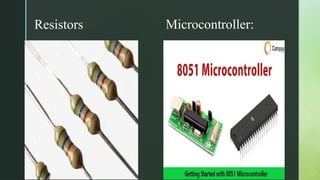
Microcontroller:
Resistors
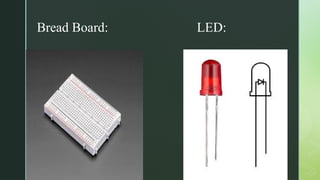
Bread Board: LED:
Jumper-Wire:
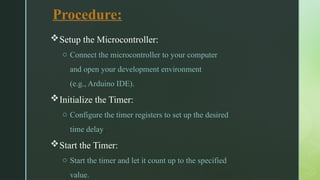
Procedure:
Setup the Microcontroller:
o Connect the microcontroller to your computer
and open your development environment
(e.g., Arduino IDE).
Initialize the Timer:
o Configure the timer registers to set up the desired
time delay.
Start the Timer:
o Start the timer and let it count up to the specified
value.
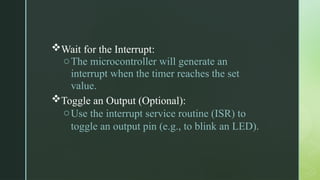
Wait for the Interrupt:
oThe microcontroller will generate an
interrupt when the timer reaches the set
value.
Toggle an Output (Optional):
oUse the interrupt service routine (ISR) to
toggle an output pin (e.g., to blink an LED).
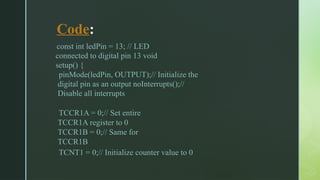
Code:
const int ledPin = 13; // LED
connected to digital pin 13 void
setup() {
pinMode(ledPin, OUTPUT);// Initialize the
digital pin as an output noInterrupts();//
Disable all interrupts
TCCR1A = 0;// Set entire
TCCR1A register to 0
TCCR1B = 0;// Same for
TCCR1B
TCNT1 = 0;// Initialize counter value to 0
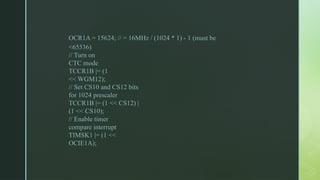
OCR1A = 15624; // = 16MHz / (1024 * 1) - 1 (must be
<65536)
// Turn on
CTC mode
TCCR1B |= (1
<< WGM12);
// Set CS10 and CS12 bits
for 1024 prescaler
TCCR1B |= (1 << CS12) |
(1 << CS10);
// Enable timer
compare interrupt
TIMSK1 |= (1 <<
OCIE1A);
interrupts(); // Enable all interrupts
}
ISR(TIMER1_COMPA_vect) {
// Timer1 interrupt service routine
digitalWrite(ledPin,
digitalRead(ledPin) ^ 1); // Toggle
the LED
}
void loop() {
// Nothing to do here, the ISR will handle everything
}
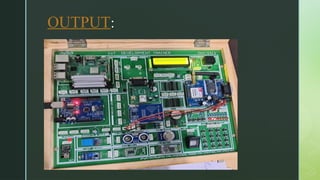
OUTPUT:
Result:
 By configuring the timer and enabling interrupts,
the microcontroller successfully generated the
desired time delay, which was used to toggle an
LED

THANK YOU

Embedded Systems Lab Practical PowerPoint presentation with source code

  • 1.
    NAME: ABDUL SULEMAN ROLLNO: 22081A1202 BRANCH: IT IIIRD YEAR – IIND SEMESTER SUBJECT: E. S. LAB PRACTICAL PPT PRESENTATION PRESENTED TO: Mrs. SREE LATHA MAM (ECE) COLLEGE: SHADAN COLLEGE OF ENGG. & TECH.
  • 2.
     Generate timedelay using timers in a microcontroller. EMBEDDED SYSTEM LAB EXPERIMENT
  • 3.
    AIM:  To GenerateA Specific Time Delay Using Timers In A Microcontroller
  • 4.
    Components:  Microcontroller (e.g.,Arduino, PIC, AVR, etc.)  Breadboard  Jumper wires  LEDs (optional, for visual indication)  Resistors (as needed)  Power supply
  • 5.
  • 6.
  • 7.
  • 8.
    Procedure: Setup the Microcontroller: oConnect the microcontroller to your computer and open your development environment (e.g., Arduino IDE). Initialize the Timer: o Configure the timer registers to set up the desired time delay. Start the Timer: o Start the timer and let it count up to the specified value.
  • 9.
    Wait for theInterrupt: oThe microcontroller will generate an interrupt when the timer reaches the set value. Toggle an Output (Optional): oUse the interrupt service routine (ISR) to toggle an output pin (e.g., to blink an LED).
  • 10.
    Code: const int ledPin= 13; // LED connected to digital pin 13 void setup() { pinMode(ledPin, OUTPUT);// Initialize the digital pin as an output noInterrupts();// Disable all interrupts TCCR1A = 0;// Set entire TCCR1A register to 0 TCCR1B = 0;// Same for TCCR1B TCNT1 = 0;// Initialize counter value to 0
  • 11.
    OCR1A = 15624;// = 16MHz / (1024 * 1) - 1 (must be <65536) // Turn on CTC mode TCCR1B |= (1 << WGM12); // Set CS10 and CS12 bits for 1024 prescaler TCCR1B |= (1 << CS12) | (1 << CS10); // Enable timer compare interrupt TIMSK1 |= (1 << OCIE1A);
  • 12.
    interrupts(); // Enableall interrupts } ISR(TIMER1_COMPA_vect) { // Timer1 interrupt service routine digitalWrite(ledPin, digitalRead(ledPin) ^ 1); // Toggle the LED } void loop() { // Nothing to do here, the ISR will handle everything }
  • 13.
  • 14.
    Result:  By configuringthe timer and enabling interrupts, the microcontroller successfully generated the desired time delay, which was used to toggle an LED

  • 15.