Elasticsearch
(Presentation 02)
By
Maruf Hassan
Email: maruf571@gmail.com
Date: 06 April, 2015
ContentContent
● Query DSL
● Queries Vs Filters
● Filters
– term Filter
– terms Filter
– range Filter
– exists and missing Filters
– bool Filter
● Query
– match_all Query
– match Query
– multi_match Query
– Bool Query
● Queries with Filters
Query DSL
There are two types of (query) DSL. filter DSL & query DSL
filter DSL: A filter asks yes/no question of every document and is used for fields that contain exact
values.
Example:
● Is the `created` date in the range `2013` - `2014`?
● Does the `status` field contain the term `published`?
● Is the `lat_lon` field within `10km` of a specified point?
query DSL :A query is similar to a filter, but also asks the question: How well does this document
match? A query calculates how relevant each document is to the query, and assigns it a relevance
`_score`.
Example:
● Best matching the words `full text search`
● Containing the word `run`, but maybe also matching `runs`, `running`, `jog`, or `sprint`
● Containing the words `quick`, `brown`, and `fox`; the closer together they are, the more relevant the
document
Queries Vs Filters
Filter:The output from most filter clauses
--a simple list of the documents that match the filter
--is quick to calculate and easy to cache in memory
Queries: Queries have to not only find matching documents --but also
--calculate how relevant each document is
--query results are not cache.
When to Use Which
● Use query clauses for full-text search or for any condition that should affect the
relevance score
● And use filter clauses for everything else
● Filter is faster :)
Filters
Most important filters
● term Filter
● terms Filter
● range Filter
● exists and missing Filters
● bool Filter
term Filter
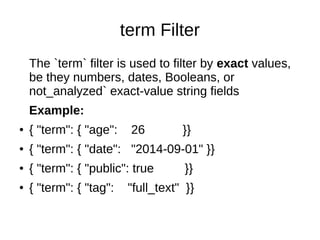
The `term` filter is used to filter by exact values,
be they numbers, dates, Booleans, or
not_analyzed` exact-value string fields
Example:
● { "term": { "age": 26 }}
● { "term": { "date": "2014-09-01" }}
● { "term": { "public": true }}
● { "term": { "tag": "full_text" }}
terms Filter
Allows you to specify multiple values to match.
If the field contains any of the specified values,
the document matches
Example:
{ "terms":
{ "tag": [ "search", "full_text", "nosql" ] }
}
range Filter
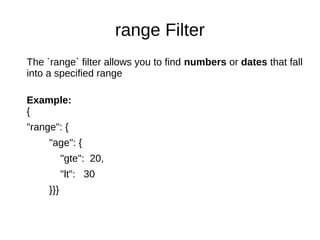
The `range` filter allows you to find numbers or dates that fall
into a specified range
Example:
{
"range": {
"age": {
"gte": 20,
"lt": 30
}}}
exists and missing Filters
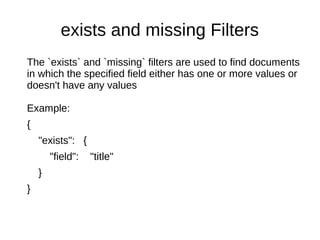
The `exists` and `missing` filters are used to find documents
in which the specified field either has one or more values or
doesn't have any values
Example:
{
"exists": {
"field": "title"
}
}
bool Filter
The `bool` filter is used to combine multiple filter clauses using Boolean logic. It accepts three
parameters
●
must: These clauses must match, like and
●
must_not: These clauses must not match, like not.
●
should: At least one of these clauses must match, like or.
Example:
{ "bool": {
"must": { "term": { "folder": "inbox" }},
"must_not": { "term": { "tag": "spam" }},
"should": [
{ "term": { "starred": true }},
{ "term": { "unread": true }}
]
}}
Query
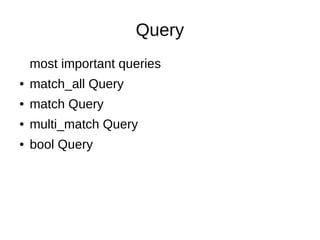
most important queries
● match_all Query
● match Query
● multi_match Query
● bool Query
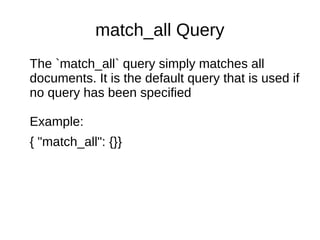
match_all Query
The `match_all` query simply matches all
documents. It is the default query that is used if
no query has been specified
Example:
{ "match_all": {}}
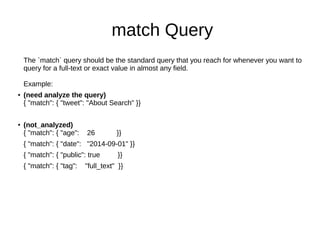
match Query
The `match` query should be the standard query that you reach for whenever you want to
query for a full-text or exact value in almost any field.
Example:
● (need analyze the query)
{ "match": { "tweet": "About Search" }}
● (not_analyzed)
{ "match": { "age": 26 }}
{ "match": { "date": "2014-09-01" }}
{ "match": { "public": true }}
{ "match": { "tag": "full_text" }}
multi_match Query
The `multi_match` query allows to run the same `match` query on
multiple fields
Example:
{
"multi_match": {
"query": "full text search",
"fields": [ "title", "body" ]
}
}
bool Query
The `bool` query used to combine multiple query clauses.This query accepts the following parameters:
●
`must`: Clauses that must_match for the document to be included.
●
`must_not`:Clauses that must not match for the document to be included.
● `should`:If these clauses match, they increase the `_score`;
otherwise, they have no effect.
{
"bool": {
"must": { "match": { "title": "how to make millions" }},
"must_not": { "match": { "tag": "spam" }},
"should": [
{ "match": { "tag": "starred" }},
{ "range": { "date": { "gte": "2014-01-01" }}}
]
}
}
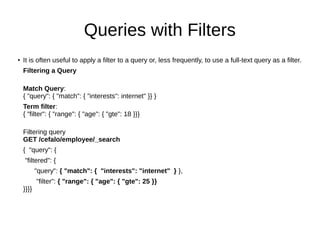
Queries with Filters
●
It is often useful to apply a filter to a query or, less frequently, to use a full-text query as a filter.
Filtering a Query
Match Query:
{ "query": { "match": { "interests": internet" }} }
Term filter:
{ "filter": { "range": { "age": { "gte": 18 }}}
Filtering query
GET /cefalo/employee/_search
{ "query": {
"filtered": {
"query": { "match": { "interests": "internet" } },
"filter": { "range": { "age": { "gte": 25 }}
}}}}
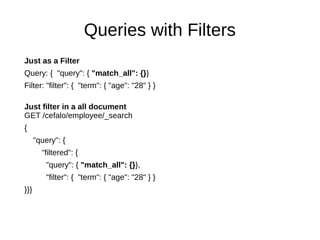
Queries with Filters
Just as a Filter
Query: { "query": { "match_all": {}}
Filter: "filter": { "term": { "age": "28" } }
Just filter in a all document
GET /cefalo/employee/_search
{
"query": {
"filtered": {
"query": { "match_all": {}},
"filter": { "term": { "age": "28" } }
}}}
Thanks

Elastic search presentation 2

  • 1.
    Elasticsearch (Presentation 02) By Maruf Hassan Email:maruf571@gmail.com Date: 06 April, 2015
  • 2.
    ContentContent ● Query DSL ●Queries Vs Filters ● Filters – term Filter – terms Filter – range Filter – exists and missing Filters – bool Filter ● Query – match_all Query – match Query – multi_match Query – Bool Query ● Queries with Filters
  • 3.
    Query DSL There aretwo types of (query) DSL. filter DSL & query DSL filter DSL: A filter asks yes/no question of every document and is used for fields that contain exact values. Example: ● Is the `created` date in the range `2013` - `2014`? ● Does the `status` field contain the term `published`? ● Is the `lat_lon` field within `10km` of a specified point? query DSL :A query is similar to a filter, but also asks the question: How well does this document match? A query calculates how relevant each document is to the query, and assigns it a relevance `_score`. Example: ● Best matching the words `full text search` ● Containing the word `run`, but maybe also matching `runs`, `running`, `jog`, or `sprint` ● Containing the words `quick`, `brown`, and `fox`; the closer together they are, the more relevant the document
  • 4.
    Queries Vs Filters Filter:Theoutput from most filter clauses --a simple list of the documents that match the filter --is quick to calculate and easy to cache in memory Queries: Queries have to not only find matching documents --but also --calculate how relevant each document is --query results are not cache. When to Use Which ● Use query clauses for full-text search or for any condition that should affect the relevance score ● And use filter clauses for everything else ● Filter is faster :)
  • 5.
    Filters Most important filters ●term Filter ● terms Filter ● range Filter ● exists and missing Filters ● bool Filter
  • 6.
    term Filter The `term`filter is used to filter by exact values, be they numbers, dates, Booleans, or not_analyzed` exact-value string fields Example: ● { "term": { "age": 26 }} ● { "term": { "date": "2014-09-01" }} ● { "term": { "public": true }} ● { "term": { "tag": "full_text" }}
  • 7.
    terms Filter Allows youto specify multiple values to match. If the field contains any of the specified values, the document matches Example: { "terms": { "tag": [ "search", "full_text", "nosql" ] } }
  • 8.
    range Filter The `range`filter allows you to find numbers or dates that fall into a specified range Example: { "range": { "age": { "gte": 20, "lt": 30 }}}
  • 9.
    exists and missingFilters The `exists` and `missing` filters are used to find documents in which the specified field either has one or more values or doesn't have any values Example: { "exists": { "field": "title" } }
  • 10.
    bool Filter The `bool`filter is used to combine multiple filter clauses using Boolean logic. It accepts three parameters ● must: These clauses must match, like and ● must_not: These clauses must not match, like not. ● should: At least one of these clauses must match, like or. Example: { "bool": { "must": { "term": { "folder": "inbox" }}, "must_not": { "term": { "tag": "spam" }}, "should": [ { "term": { "starred": true }}, { "term": { "unread": true }} ] }}
  • 11.
    Query most important queries ●match_all Query ● match Query ● multi_match Query ● bool Query
  • 12.
    match_all Query The `match_all`query simply matches all documents. It is the default query that is used if no query has been specified Example: { "match_all": {}}
  • 13.
    match Query The `match`query should be the standard query that you reach for whenever you want to query for a full-text or exact value in almost any field. Example: ● (need analyze the query) { "match": { "tweet": "About Search" }} ● (not_analyzed) { "match": { "age": 26 }} { "match": { "date": "2014-09-01" }} { "match": { "public": true }} { "match": { "tag": "full_text" }}
  • 14.
    multi_match Query The `multi_match`query allows to run the same `match` query on multiple fields Example: { "multi_match": { "query": "full text search", "fields": [ "title", "body" ] } }
  • 15.
    bool Query The `bool`query used to combine multiple query clauses.This query accepts the following parameters: ● `must`: Clauses that must_match for the document to be included. ● `must_not`:Clauses that must not match for the document to be included. ● `should`:If these clauses match, they increase the `_score`; otherwise, they have no effect. { "bool": { "must": { "match": { "title": "how to make millions" }}, "must_not": { "match": { "tag": "spam" }}, "should": [ { "match": { "tag": "starred" }}, { "range": { "date": { "gte": "2014-01-01" }}} ] } }
  • 16.
    Queries with Filters ● Itis often useful to apply a filter to a query or, less frequently, to use a full-text query as a filter. Filtering a Query Match Query: { "query": { "match": { "interests": internet" }} } Term filter: { "filter": { "range": { "age": { "gte": 18 }}} Filtering query GET /cefalo/employee/_search { "query": { "filtered": { "query": { "match": { "interests": "internet" } }, "filter": { "range": { "age": { "gte": 25 }} }}}}
  • 17.
    Queries with Filters Justas a Filter Query: { "query": { "match_all": {}} Filter: "filter": { "term": { "age": "28" } } Just filter in a all document GET /cefalo/employee/_search { "query": { "filtered": { "query": { "match_all": {}}, "filter": { "term": { "age": "28" } } }}}
  • 18.