Elastic Network of Things
with MQTT and MicroPython
PyCon TW 2017
Wei Lin
source of picture
2
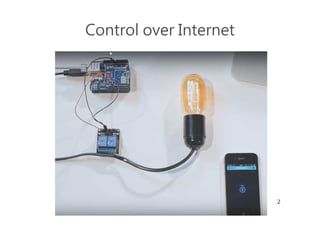
Control over Internet
3
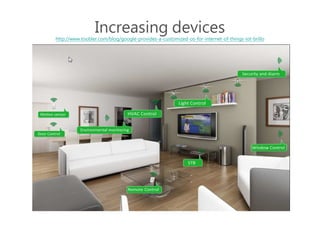
Increasing devices
http://www.toobler.com/blog/google-provides-a-customized-os-for-internet-of-things-iot-brillo
4
Considerations
• Deploy, maintain, evolve
– With distributed devices
• Coordinate a group of devices
– IF This Then That
– IF These Then Those ?
• Devices coverage
– Small
– Low cost
• use Python on MCU?
5
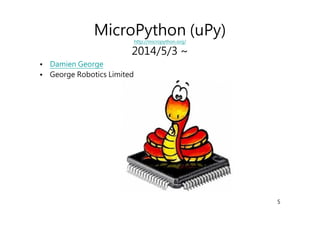
MicroPython (uPy)
http://micropython.org/
2014/5/3 ~
• Damien George
• George Robotics Limited
6
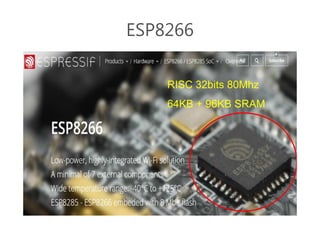
ESP8266
RISC 32bits 80Mhz
64KB + 96KB SRAM
7
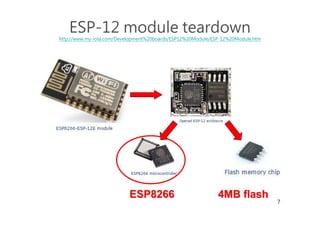
ESP-12 module teardown
http://www.my-iota.com/Development%20boards/ESP12%20Module/ESP-12%20Module.htm
ESP8266ESP8266 4MB flash4MB flash
8
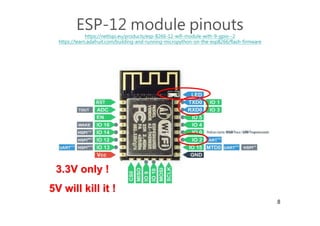
ESP-12 module pinouts
https://nettigo.eu/products/esp-8266-12-wifi-module-with-9-gpio--2
https://learn.adafruit.com/building-and-running-micropython-on-the-esp8266/flash-firmware
3.3V only !3.3V only !
5V will kill it !5V will kill it !
9
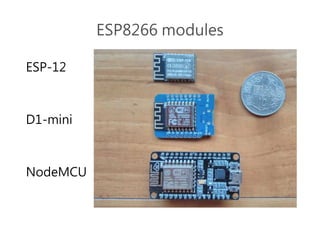
ESP8266 modules
ESP-12
D1-mini
NodeMCU
10
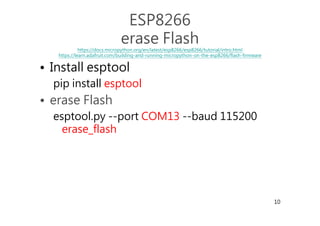
ESP8266
erase Flash
https://docs.micropython.org/en/latest/esp8266/esp8266/tutorial/intro.html
https://learn.adafruit.com/building-and-running-micropython-on-the-esp8266/flash-firmware
• Install esptool
pip install esptool
• erase Flash
esptool.py --port COM13 --baud 115200
erase_flash
11
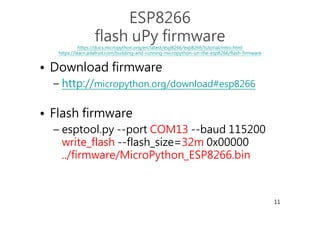
ESP8266
flash uPy firmware
https://docs.micropython.org/en/latest/esp8266/esp8266/tutorial/intro.html
https://learn.adafruit.com/building-and-running-micropython-on-the-esp8266/flash-firmware
• Download firmware
– http://micropython.org/download#esp8266
• Flash firmware
– esptool.py --port COM13 --baud 115200
write_flash --flash_size=32m 0x00000
../firmware/MicroPython_ESP8266.bin
12
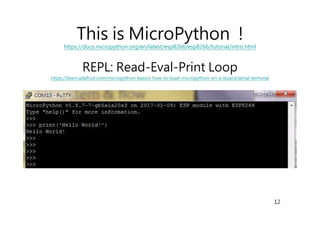
This is MicroPython !
https://docs.micropython.org/en/latest/esp8266/esp8266/tutorial/intro.html
REPL: Read-Eval-Print Loop
https://learn.adafruit.com/micropython-basics-how-to-load-micropython-on-a-board/serial-terminal
13
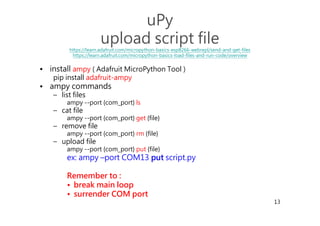
uPy
upload script file
https://learn.adafruit.com/micropython-basics-esp8266-webrepl/send-and-get-files
https://learn.adafruit.com/micropython-basics-load-files-and-run-code/overview
• install ampy ( Adafruit MicroPython Tool )
pip install adafruit-ampy
• ampy commands
– list files
ampy --port {com_port} ls
– cat file
ampy --port {com_port} get {file}
– remove file
ampy --port {com_port} rm {file}
– upload file
ampy --port {com_port} put {file}
ex: ampy –port COM13 putput script.py
Remember to :
• break main loop
• surrender COM port
14
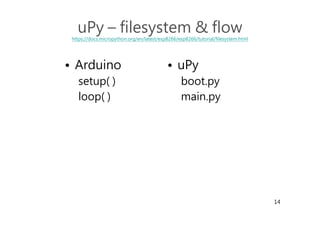
uPy – filesystem & flow
https://docs.micropython.org/en/latest/esp8266/esp8266/tutorial/filesystem.html
• uPy
boot.py
main.py
• Arduino
setup( )
loop( )
15
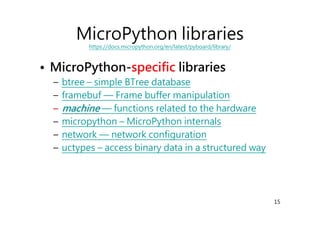
MicroPython libraries
https://docs.micropython.org/en/latest/pyboard/library/
• MicroPython-specific libraries
– btree – simple BTree database
– framebuf — Frame buffer manipulation
–– machinemachine — functions related to the hardware
– micropython – MicroPython internals
– network — network configuration
– uctypes – access binary data in a structured way
16
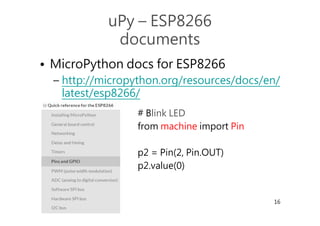
uPy – ESP8266
documents
• MicroPython docs for ESP8266
– http://micropython.org/resources/docs/en/
latest/esp8266/
# Blink LED
from machine import Pin
p2 = Pin(2, Pin.OUT)
p2.value(0)
17
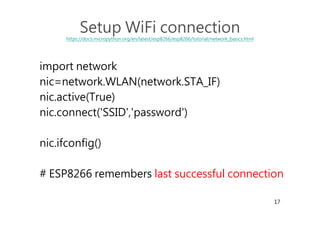
Setup WiFi connection
https://docs.micropython.org/en/latest/esp8266/esp8266/tutorial/network_basics.html
import network
nic=network.WLAN(network.STA_IF)
nic.active(True)
nic.connect('SSID','password')
nic.ifconfig()
# ESP8266 remembers last successful connection
18
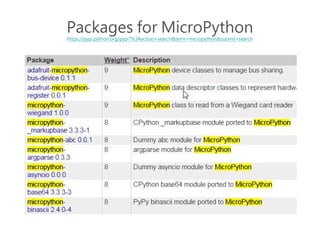
Packages for MicroPython
https://pypi.python.org/pypi?%3Aaction=search&term=micropython&submit=search
• https://pypi.python.org/pypi?%3Aactio
n=search&term=micropython&submit
=search
19
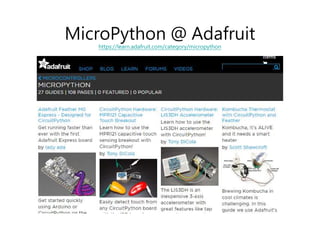
MicroPython @ Adafruit
https://learn.adafruit.com/category/micropython
20
CommunicationCommunication
&&
CoordinationCoordination
21
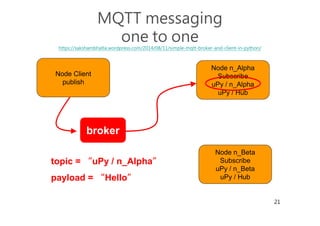
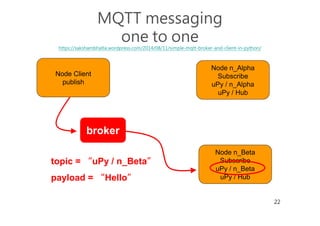
MQTT messaging
one to one
https://sakshambhatla.wordpress.com/2014/08/11/simple-mqtt-broker-and-client-in-python/
broker
Node n_Alpha
Subscribe
uPy / n_Alpha
uPy / Hub
Node n_Beta
Subscribe
uPy / n_Beta
uPy / Hub
Node Client
publish
topic = “uPy / n_Alpha”
payload = “Hello”
22
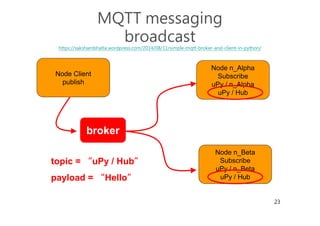
MQTT messaging
one to one
https://sakshambhatla.wordpress.com/2014/08/11/simple-mqtt-broker-and-client-in-python/
broker
Node n_Alpha
Subscribe
uPy / n_Alpha
uPy / Hub
Node n_Beta
Subscribe
uPy / n_Beta
uPy / Hub
Node Client
publish
topic = “uPy / n_Beta”
payload = “Hello”
23
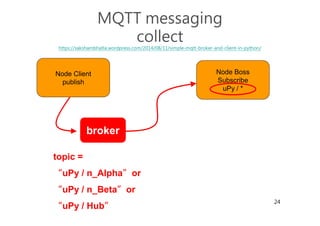
MQTT messaging
broadcast
https://sakshambhatla.wordpress.com/2014/08/11/simple-mqtt-broker-and-client-in-python/
broker
Node n_Alpha
Subscribe
uPy / n_Alpha
uPy / Hub
Node n_Beta
Subscribe
uPy / n_Beta
uPy / Hub
Node Client
publish
topic = “uPy / Hub”
payload = “Hello”
24
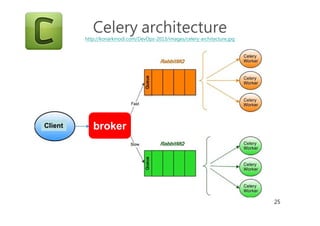
MQTT messaging
collect
https://sakshambhatla.wordpress.com/2014/08/11/simple-mqtt-broker-and-client-in-python/
broker
Node Boss
Subscribe
uPy / *
Node Client
publish
topic =
“uPy / n_Alpha”or
“uPy / n_Beta”or
“uPy / Hub”
25
Celery architecture
http://konarkmodi.com/DevOps-2013/images/celery-architecture.jpg
brokerClient
26
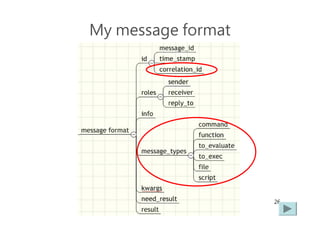
My message format
27
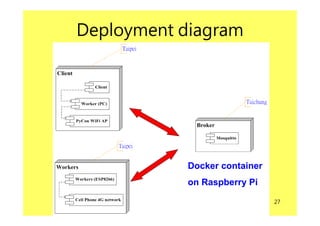
Deployment diagram
Docker container
on Raspberry Pi
28
Demo 1
• Note: shown code is experimental and
for demonstration only.
29
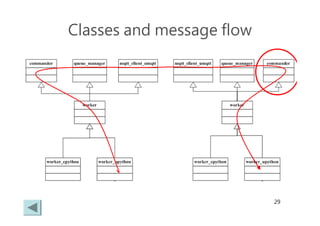
Classes and message flow
30
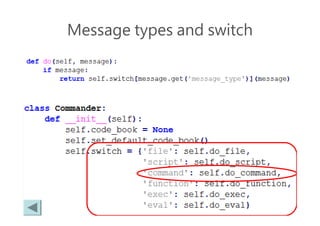
Message types and switch
31
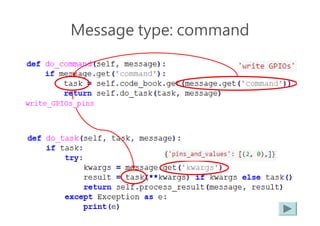
Message type: command
32
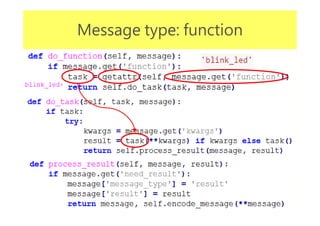
Message type: function
33
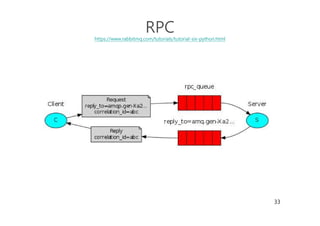
RPC
https://www.rabbitmq.com/tutorials/tutorial-six-python.html
34
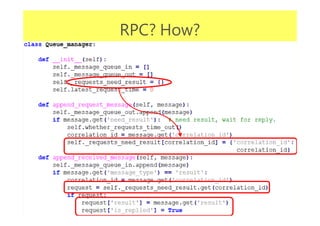
RPC? How?
35
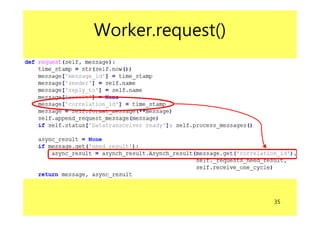
Worker.request()
36
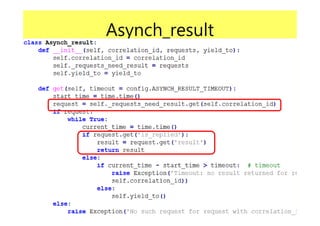
Asynch_result
37
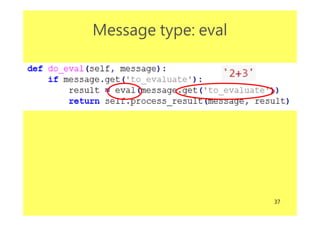
Message type: eval
38
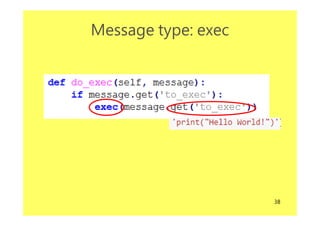
Message type: exec
39
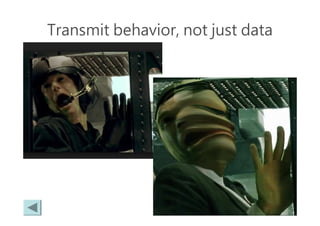
Transmit behavior, not just data
40
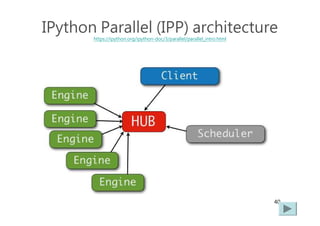
IPython Parallel (IPP) architecture
https://ipython.org/ipython-doc/3/parallel/parallel_intro.html
41
IPP
• Message format
– http://ipyparallel.readthedocs.io/en/latest/development/messages.html
– http://ipyparallel.readthedocs.io/en/latest/development/connections.html#parallel-
connections
• Transmitting behavior(function)
1. serialize function object and args
2. transmit
3. un-serialize function object and args
4. execute
– https://github.com/ipython/ipyparallel/blob/master/ipyparallel/serialize/serialize.py
– https://github.com/ipython/ipyparallel/blob/master/ipyparallel/serialize/canning.py
42
Demo 2
• Note: shown code is experimental and
for demonstration only.
43
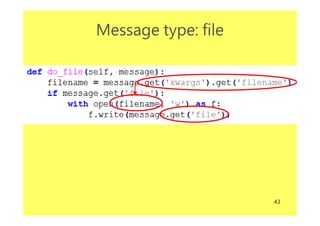
Message type: file
44
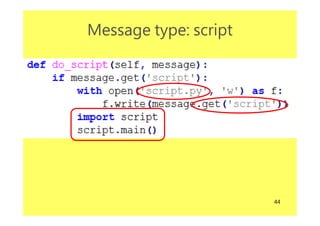
Message type: script
45
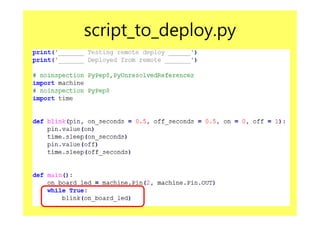
script_to_deploy.py
46
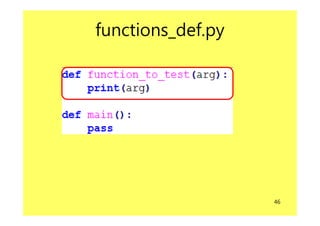
functions_def.py
47
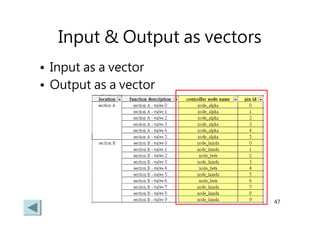
Input & Output as vectors
• Input as a vector
• Output as a vector
48
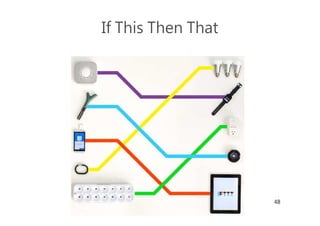
If This Then That
49
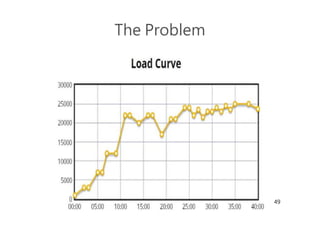
The Problem
50
Machine to MachineMachine to Machine
&&
Event SystemEvent System
51
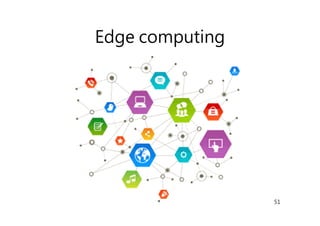
Edge computing
52
Probability of failure
http://www.modestdragon.com/bruce-lees-strength/
53
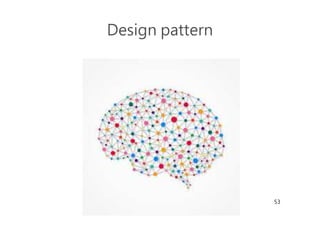
Design pattern
54
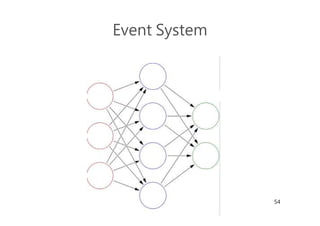
Event System
55
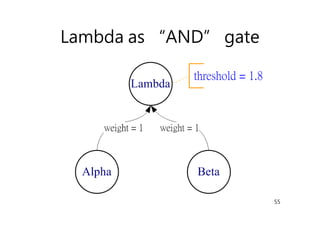
Lambda as “AND” gate
56
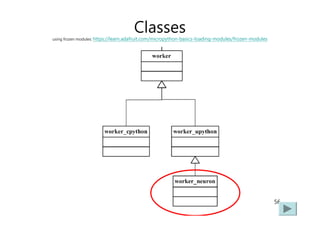
Classes
using frozen modules: https://learn.adafruit.com/micropython-basics-loading-modules/frozen-modules
57
Demo 3
• Note: shown code is experimental and
for demonstration only.
• using frozen modules technique:
– https://learn.adafruit.com/micropython-
basics-loading-modules/frozen-modules
58
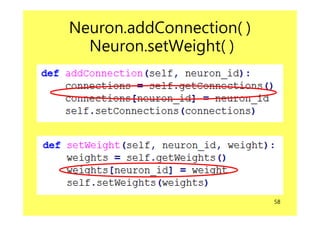
Neuron.addConnection( )
Neuron.setWeight( )
59
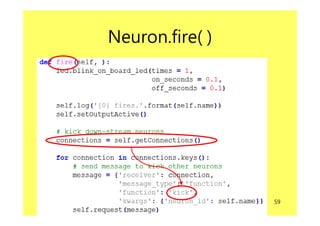
Neuron.fire( )
60
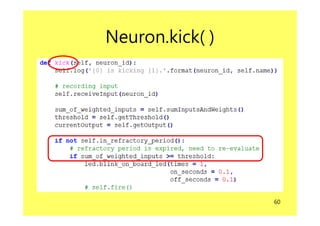
Neuron.kick( )
61
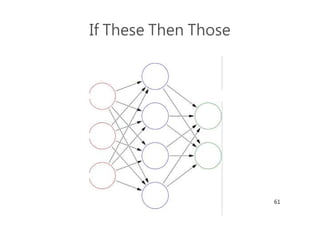
If These Then Those
62
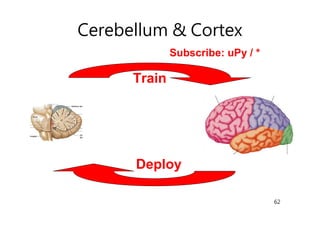
Cerebellum & Cortex
Train
Deploy
Subscribe: uPy / *
63
FutureFuture
64
User Interface – modern version
65
About Me
• Wei Lin
– Twitter: @Wei_1144
– Email: Wei1234c@gmail.com
• GitHub rep. for this talk:
https://github.com/Wei1234c/Elastic_Network_of_Things_with_
MQTT_and_MicroPython
66
Q & AQ & A

Elastic network of things with mqtt and micro python