Description
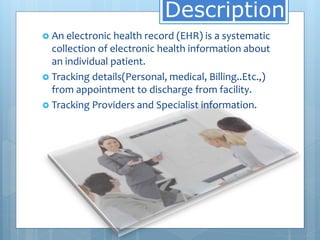
 An electronic health record (EHR) is a systematic
collection of electronic health information about
an individual patient.
 Tracking details(Personal, medical, Billing..Etc.,)
from appointment to discharge from facility.
 Tracking Providers and Specialist information.
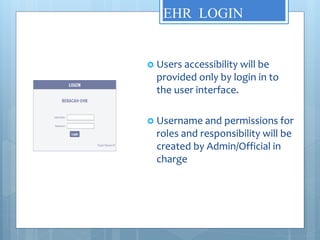
EHR LOGIN
 Users accessibility will be
provided only by login in to
the user interface.
 Username and permissions for
roles and responsibility will be
created by Admin/Official in
charge
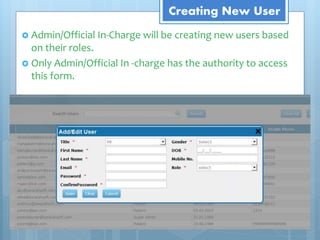
Creating New User
 Admin/Official In-Charge will be creating new users based
on their roles.

 Only Admin/Official In -charge has the authority to access
this form.
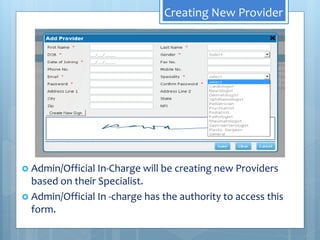
Creating New Provider
 Admin/Official In-Charge will be creating new Providers
based on their Specialist.
 Admin/Official In -charge has the authority to access this
form.
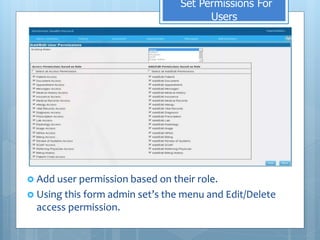
Set Permissions For
Users
 Add user permission based on their role.
 Using this form admin set’s the menu and Edit/Delete
access permission.
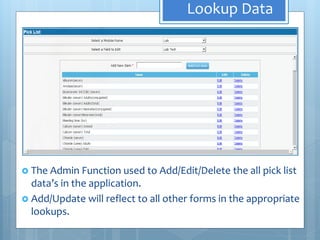
Lookup Data
 The Admin Function used to Add/Edit/Delete the all pick list
data’s in the application.
 Add/Update will reflect to all other forms in the appropriate
lookups.
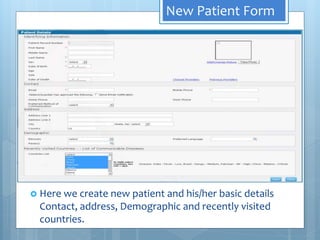
New Patient Form
 Here we create new patient and his/her basic details
Contact, address, Demographic and recently visited
countries.
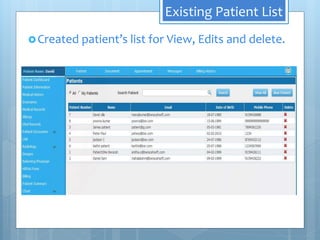
Existing Patient List
Created patient’s list for View, Edits and delete.
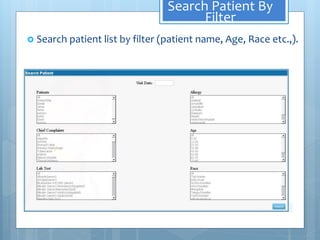
Search Patient By
Filter
 Search patient list by filter (patient name, Age, Race etc.,).
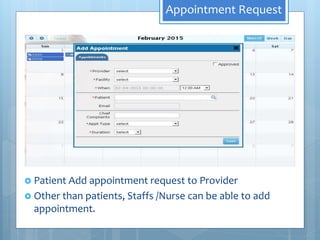
Appointment Request
 Patient Add appointment request to Provider
 Other than patients, Staffs /Nurse can be able to add
appointment.
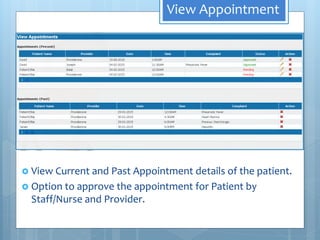
View Appointment
 View Current and Past Appointment details of the patient.
 Option to approve the appointment for Patient by
Staff/Nurse and Provider.
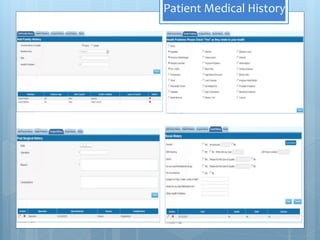
Patient Medical History
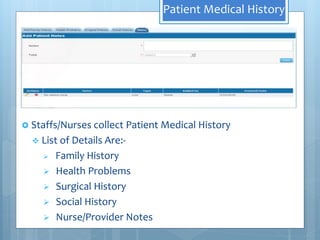
 Staffs/Nurses collect Patient Medical History
 List of Details Are:-
 Family History
 Health Problems
 Surgical History
 Social History
 Nurse/Provider Notes
Patient Medical History
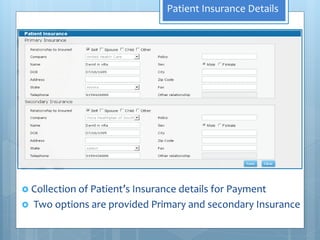
Patient Insurance Details
 Collection of Patient’s Insurance details for Payment
 Two options are provided Primary and secondary Insurance
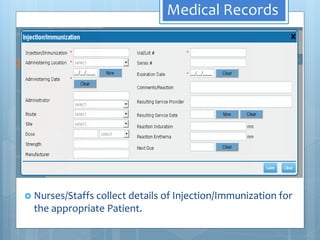
Medical Records
 Nurses/Staffs collect details of Injection/Immunization for
the appropriate Patient.
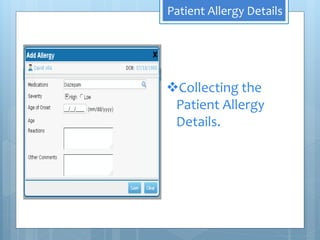
Patient Allergy Details
Collecting the
Patient Allergy
Details.
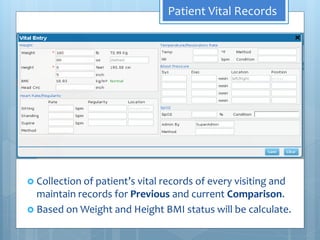
Patient Vital Records
 Collection of patient’s vital records of every visiting and
maintain records for Previous and current Comparison.
 Based on Weight and Height BMI status will be calculate.
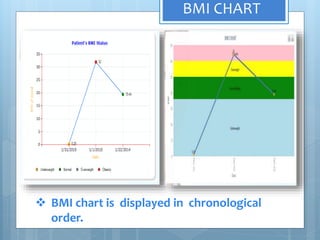
BMI CHART
 BMI chart is displayed in chronological
order.
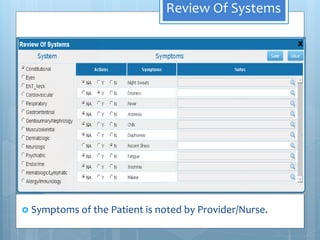
Review Of Systems
 Symptoms of the Patient is noted by Provider/Nurse.
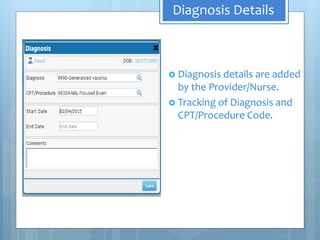
Diagnosis Details
 Diagnosis details are added
by the Provider/Nurse.
 Tracking of Diagnosis and
CPT/Procedure Code.
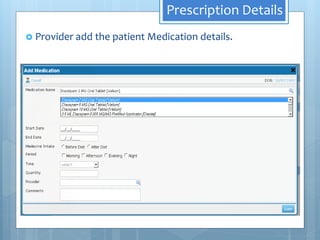
Prescription Details
 Provider add the patient Medication details.
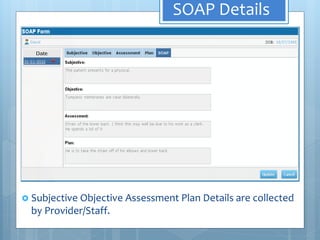
SOAP Details
 Subjective Objective Assessment Plan Details are collected
by Provider/Staff.
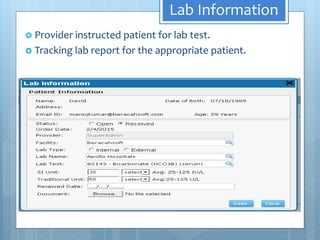
Lab Information
 Provider instructed patient for lab test.
 Tracking lab report for the appropriate patient.
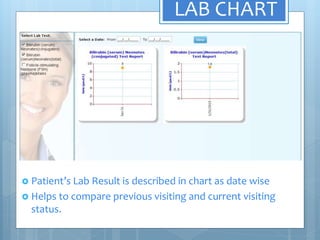
LAB CHART
 Patient’s Lab Result is described in chart as date wise
 Helps to compare previous visiting and current visiting
status.
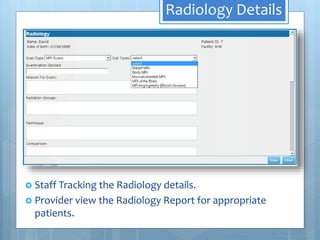
Radiology Details
 Staff Tracking the Radiology details.
 Provider view the Radiology Report for appropriate
patients.
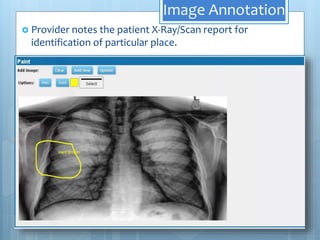
Image Annotation
 Provider notes the patient X-Ray/Scan report for
identification of particular place.
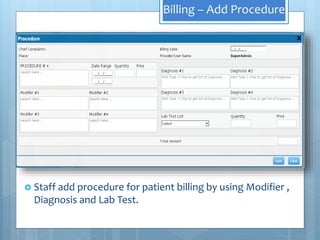
Billing – Add Procedure
 Staff add procedure for patient billing by using Modifier ,
Diagnosis and Lab Test.
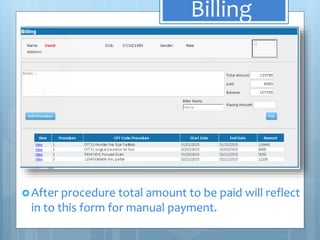
Billing
After procedure total amount to be paid will reflect
in to this form for manual payment.
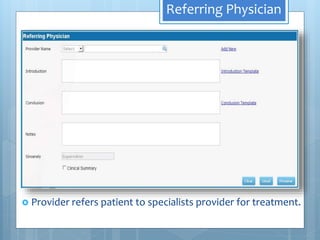
Referring Physician
 Provider refers patient to specialists provider for treatment.
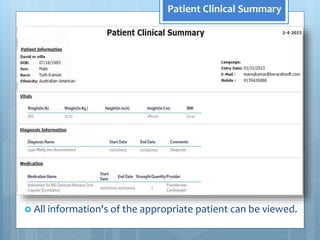
Patient Clinical Summary
 All information's of the appropriate patient can be viewed.
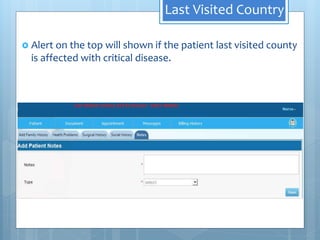
Last Visited Country
 Alert on the top will shown if the patient last visited county
is affected with critical disease.
Last Visited Country
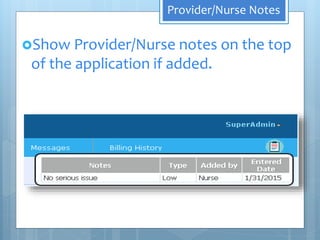
Provider/Nurse Notes
Show Provider/Nurse notes on the top
of the application if added.
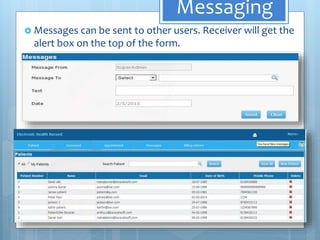
Messaging
 Messages can be sent to other users. Receiver will get the
alert box on the top of the form.
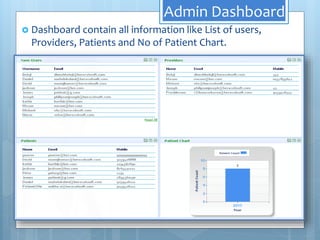
Admin Dashboard
 Dashboard contain all information like List of users,
Providers, Patients and No of Patient Chart.
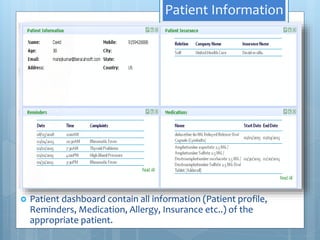
Patient Information
 Patient dashboard contain all information (Patient profile,
Reminders, Medication, Allergy, Insurance etc..) of the
appropriate patient.
EHR Prototype Presentation

EHR Prototype Presentation