8/2/2011


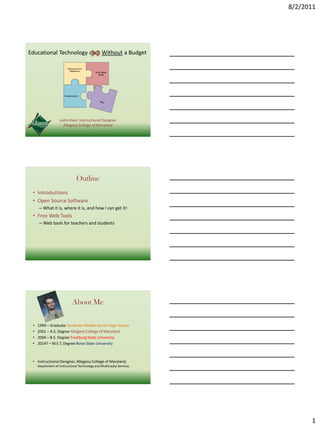
Educational Technology on a Without a Budget


                   Justin Keel, Instructional Designer
                     Allegany College of Maryland


                               Outline
 • Introductions
 • Open Source Software
      – What it is, where it is, and how I can get it!
 • Free Web Tools
      – Web tools for teachers and students


                            About Me

 •   1999 – Graduate Hyndman Middle-Senior High School
 •   2001 – A.S. Degree Allegany College of Maryland
 •   2004 – B.S. Degree Frostburg State University
 •   2014? – M.E.T. Degree Boise State University


 • Instructional Designer, Allegany College of Maryland,
     Department of Instructional Technology and Multimedia Services


                                                                            1
8/2/2011


                     About Me
• Married 2005 – Kesha
• Daughter born February 18, 2008 – Daisy
• One more on the way … due in January!


                Quote to Ponder

 “Technology is only technology to
those born before the technology.”

                           - Alan   Kay


                Quote to Ponder

“The teacher knows as little how to
        use it as his pupil.”

      - What devise was this author talking about?


                                                           2
8/2/2011


• The Chalkboard (1840)


  Instructional Technology: Looking Backward, Thinking Forward - YouTube


                  Video available at:
    http://www.youtube.com/watch?v=KdwEIi22Dv8


    What is Open Source Software?
• Open-source software (OSS) is computer software
  that is available in source code form: the source code
  and certain other rights normally reserved for
  copyright holders are provided under a software
  license that permits users to study, change, improve
  and at times also to distribute the software.


Definition from Wikipedia (www.wikipedia.org)


                                                                                 3
8/2/2011


                   How do I get it?
• Search the web … but be careful

• Use a well known project
    – OpenDisc


         Graphic above developed using “Wordle” (www.wordle.net)


        OpenDisc Education 10.10
•   OpenOffice                         •   Inkscape
•   Dia                                •   Pencil
•   Scribus                            •   Blender
•   GanttProject                       •   Tuxpaint
•   FreeMind                           •   Audacity
•   Firefox                            •   Mixxx
•   Thunderbird                        •   MuseScore
•   Pidgin                             •   CamStudio
•   GIMP                               •   Maxima


                                                                         4
8/2/2011


• Writer                                • Draw
  – Comparable to Word                       – Comparable (but more
  – Saves in odt or doc format                 sophisticated than) Paint

• Calc                                  • Base
  – Comparable to Excel                      – Comparable to Access
  – Saves in ods or xls format               – Saves in odb or accdb

• Impress
  – Comparable to PowerPoint
  – Saves in odp or ppt format

         Microsoft Office 2010 Home and Student (key only) - $119.99


                                                                                 5
8/2/2011


      6
8/2/2011


     Dia Diagram Editor

• Dia is a program to draw structured diagrams
   – Similar to Inspiration – (Digital Download $69.00)


             Scribus
• Scribus is a professional page layout/publising
  program.
   – Similar to QuarkXpress, InDesign, and Pagemaker – (Adobe InDesign
     CS5.5 $199.99)


                • Inkscape is a vector graphics editor
                    – Similar to Illustrator or CorelDraw – (CorelDraw x5
                      digital download $399.00)


                                                                                  7
8/2/2011


                   • Gimp is a program for photo retouching,
                     image composition, and image authoring.
                       – Similar to Photoshop – (Adobe Photoshop CS5
                         $189.00)


  • Audacity is a sound recording and editing program.


• MuseScore is a music notation program
  – Similar to Finale – (Finale 2011 $228.99)


                                                                             8
8/2/2011


                       Maxima
 • Maxima is a computer algebra system (CAS)
     – Maxima is similar to Maple – (Maple 15 Academic Pricing $1,245.00)


• Sellarium is a planetarium program for your computer.
   – Similar to Starry Night – (Starry Night Pro 6 $149.95)


                             Cost Savings

   • Just from the programs mentioned in the
     previous slides … $2,600.92 per computer!

   • There may be times when commercial
     software is better …. BUT your students can
     use this software at home for free!


                                                                                  9
8/2/2011


                Free Web Tools


      Graphic above developed using “Wordle” (www.wordle.net)


• www.prezi.com
• Free account needed. Education account
  gives you more free tools.
• Prezi is a presentation tool. Used to make
  “non-linear” presentations.
• Example


• www.wordle.net
• No account needed
• Create word clouds (used in this presentation)


                                                                     10
8/2/2011


• www.thinkfinity.org
• Log in needed for available training (TIMS)
• A resource site of audio and video files, lesson
  plans, interactive activities, worksheets and
  more. Forums for students, parents, and
  teachers.


• www.slideshare.net
• Free account needed
• Use your Slide Share account to share your
  presentations and documents with your
  audience
• View this presentation and handouts at
  http://www.slideshare.net/jkeel


• www.youtube.com
• No account needed (unless you want to post
  videos)
• Used to access videos for all content areas and
  ages (always preview first)!
• Videos in this presentation are from YouTube


                                                          11
8/2/2011


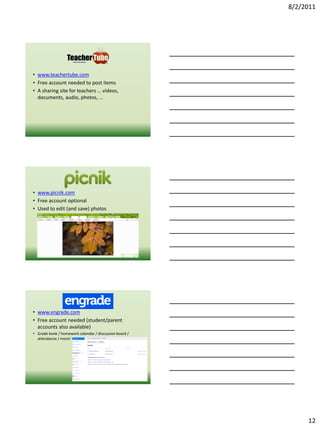
• www.teachertube.com
• Free account needed to post items
• A sharing site for teachers … videos,
  documents, audio, photos, …


• www.picnik.com
• Free account optional
• Used to edit (and save) photos


• www.engrade.com
• Free account needed (student/parent
  accounts also available)
• Grade book / homework calendar / discussion board /
  attendance / more!


                                                             12
8/2/2011


• www.wikispaces.com
• Free K-12 education account needed
• Create a class wiki, give permission for
  students to edit pages within your wiki


                                    www.khanacademy.org


                         Video available at:
http://www.youtube.com/watch?v=p6l8-1kHUsA&feature=player_embedded


•   www.wordpress.com
•   Free account needed
•   Create personal website/blog
•   Sample from the Department of Educational
    Technology at Boise State University.


                                                                          13
8/2/2011


           The Big Questions
• With these and many more tools available,
  how do we decide what tools are best for our
  students to use?


           The Big Questions
• What are you planning on using in your
  classroom to enhance student learning?


 SOMETHING TO THINK ABOUT


                                                      14
8/2/2011


            Did You Know 3.0 - YouTube


                     Video available at:
http://www.youtube.com/watch?v=ygMPyP7qIkU&feature=related


                    Questions?


                         Contact Me


                           Justin Keel

                   Allegany College of Maryland
                       Technologies Building
                               T-27

                       jkeel@allegany.edu

                         (301) 784 5636


                                                                  15

Edtech Without a Budget

  • 1.
    8/2/2011 Educational Technology ona Without a Budget Justin Keel, Instructional Designer Allegany College of Maryland Outline • Introductions • Open Source Software – What it is, where it is, and how I can get it! • Free Web Tools – Web tools for teachers and students About Me • 1999 – Graduate Hyndman Middle-Senior High School • 2001 – A.S. Degree Allegany College of Maryland • 2004 – B.S. Degree Frostburg State University • 2014? – M.E.T. Degree Boise State University • Instructional Designer, Allegany College of Maryland, Department of Instructional Technology and Multimedia Services 1
  • 2.
    8/2/2011 About Me • Married 2005 – Kesha • Daughter born February 18, 2008 – Daisy • One more on the way … due in January! Quote to Ponder “Technology is only technology to those born before the technology.” - Alan Kay Quote to Ponder “The teacher knows as little how to use it as his pupil.” - What devise was this author talking about? 2
  • 3.
    8/2/2011 • The Chalkboard(1840) Instructional Technology: Looking Backward, Thinking Forward - YouTube Video available at: http://www.youtube.com/watch?v=KdwEIi22Dv8 What is Open Source Software? • Open-source software (OSS) is computer software that is available in source code form: the source code and certain other rights normally reserved for copyright holders are provided under a software license that permits users to study, change, improve and at times also to distribute the software. Definition from Wikipedia (www.wikipedia.org) 3
  • 4.
    8/2/2011 How do I get it? • Search the web … but be careful • Use a well known project – OpenDisc Graphic above developed using “Wordle” (www.wordle.net) OpenDisc Education 10.10 • OpenOffice • Inkscape • Dia • Pencil • Scribus • Blender • GanttProject • Tuxpaint • FreeMind • Audacity • Firefox • Mixxx • Thunderbird • MuseScore • Pidgin • CamStudio • GIMP • Maxima 4
  • 5.
    8/2/2011 • Writer • Draw – Comparable to Word – Comparable (but more – Saves in odt or doc format sophisticated than) Paint • Calc • Base – Comparable to Excel – Comparable to Access – Saves in ods or xls format – Saves in odb or accdb • Impress – Comparable to PowerPoint – Saves in odp or ppt format Microsoft Office 2010 Home and Student (key only) - $119.99 5
  • 6.
  • 7.
    8/2/2011 Dia Diagram Editor • Dia is a program to draw structured diagrams – Similar to Inspiration – (Digital Download $69.00) Scribus • Scribus is a professional page layout/publising program. – Similar to QuarkXpress, InDesign, and Pagemaker – (Adobe InDesign CS5.5 $199.99) • Inkscape is a vector graphics editor – Similar to Illustrator or CorelDraw – (CorelDraw x5 digital download $399.00) 7
  • 8.
    8/2/2011 • Gimp is a program for photo retouching, image composition, and image authoring. – Similar to Photoshop – (Adobe Photoshop CS5 $189.00) • Audacity is a sound recording and editing program. • MuseScore is a music notation program – Similar to Finale – (Finale 2011 $228.99) 8
  • 9.
    8/2/2011 Maxima • Maxima is a computer algebra system (CAS) – Maxima is similar to Maple – (Maple 15 Academic Pricing $1,245.00) • Sellarium is a planetarium program for your computer. – Similar to Starry Night – (Starry Night Pro 6 $149.95) Cost Savings • Just from the programs mentioned in the previous slides … $2,600.92 per computer! • There may be times when commercial software is better …. BUT your students can use this software at home for free! 9
  • 10.
    8/2/2011 Free Web Tools Graphic above developed using “Wordle” (www.wordle.net) • www.prezi.com • Free account needed. Education account gives you more free tools. • Prezi is a presentation tool. Used to make “non-linear” presentations. • Example • www.wordle.net • No account needed • Create word clouds (used in this presentation) 10
  • 11.
    8/2/2011 • www.thinkfinity.org • Login needed for available training (TIMS) • A resource site of audio and video files, lesson plans, interactive activities, worksheets and more. Forums for students, parents, and teachers. • www.slideshare.net • Free account needed • Use your Slide Share account to share your presentations and documents with your audience • View this presentation and handouts at http://www.slideshare.net/jkeel • www.youtube.com • No account needed (unless you want to post videos) • Used to access videos for all content areas and ages (always preview first)! • Videos in this presentation are from YouTube 11
  • 12.
    8/2/2011 • www.teachertube.com • Freeaccount needed to post items • A sharing site for teachers … videos, documents, audio, photos, … • www.picnik.com • Free account optional • Used to edit (and save) photos • www.engrade.com • Free account needed (student/parent accounts also available) • Grade book / homework calendar / discussion board / attendance / more! 12
  • 13.
    8/2/2011 • www.wikispaces.com • FreeK-12 education account needed • Create a class wiki, give permission for students to edit pages within your wiki www.khanacademy.org Video available at: http://www.youtube.com/watch?v=p6l8-1kHUsA&feature=player_embedded • www.wordpress.com • Free account needed • Create personal website/blog • Sample from the Department of Educational Technology at Boise State University. 13
  • 14.
    8/2/2011 The Big Questions • With these and many more tools available, how do we decide what tools are best for our students to use? The Big Questions • What are you planning on using in your classroom to enhance student learning? SOMETHING TO THINK ABOUT 14
  • 15.
    8/2/2011 Did You Know 3.0 - YouTube Video available at: http://www.youtube.com/watch?v=ygMPyP7qIkU&feature=related Questions? Contact Me Justin Keel Allegany College of Maryland Technologies Building T-27 jkeel@allegany.edu (301) 784 5636 15