LIST FORMATTING IN OFFICE 365 AND SHAREPOINT 2019
Chris Kent
O365 Practice Lead
DMI
♡ DIAMOND AND PLATINUM SPONSORS ♡
theChri sKent.c omaka.ms/sppnp
@theChrisKent
theChrisKent.com
Office 365 Practice Lead
Indianapolis, IN
theChri sKent.c omaka.ms/sppnp
GOALS
theChri sKent.c omaka.ms/sppnp
COLUMN
FORMATTING
What | Why | How
theChri sKent.c omaka.ms/sppnp
What | Why | How
VIEW
FORMATTING
theChri sKent.c omaka.ms/sppnp
RESOURCES
Samples | Guidance | Tools
theChri sKent.c omaka.ms/sppnp
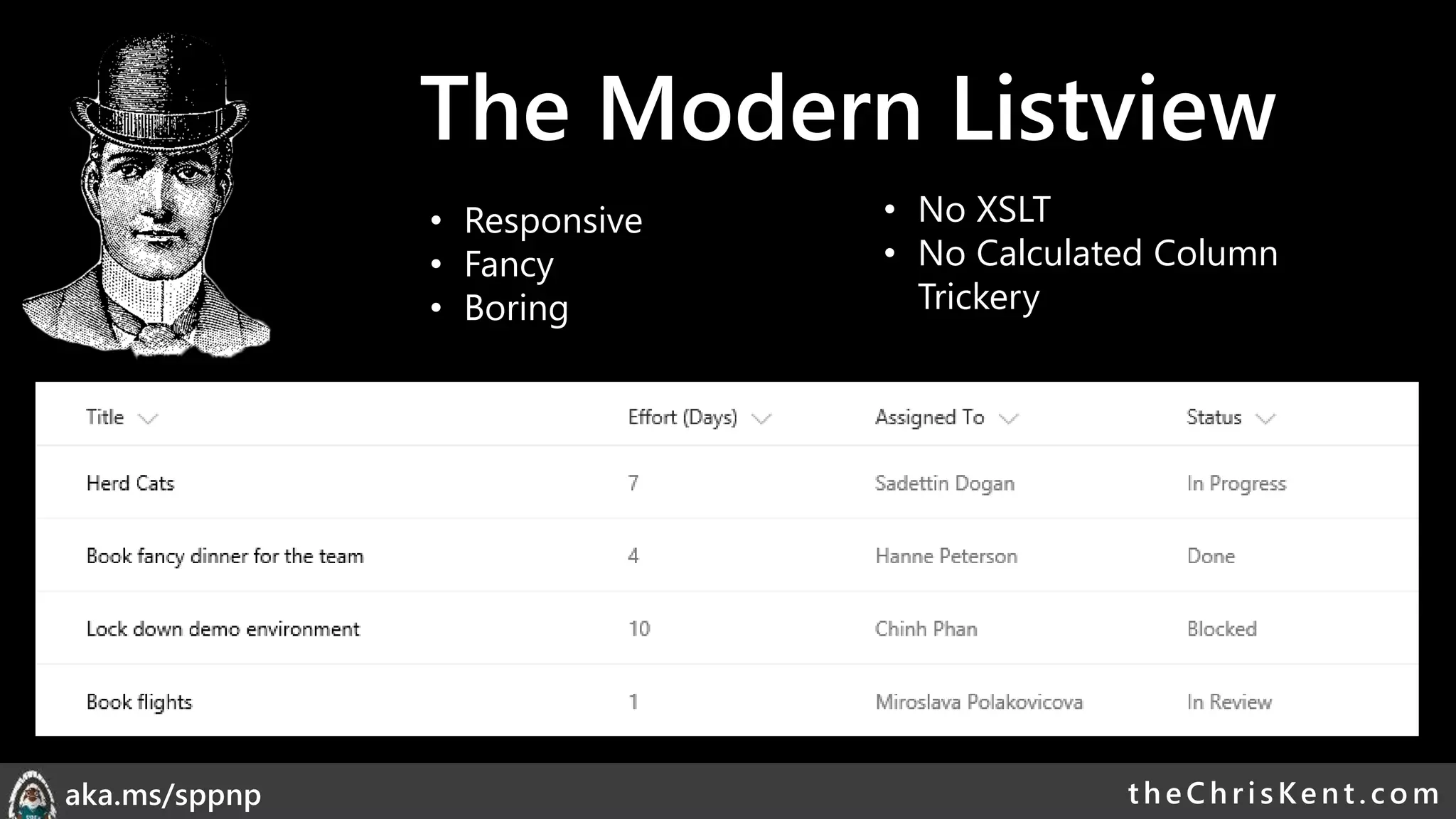
The Modern Listview
• Responsive
• Fancy
• Boring
• No XSLT
• No Calculated Column
Trickery
theChri sKent.c omaka.ms/sppnp
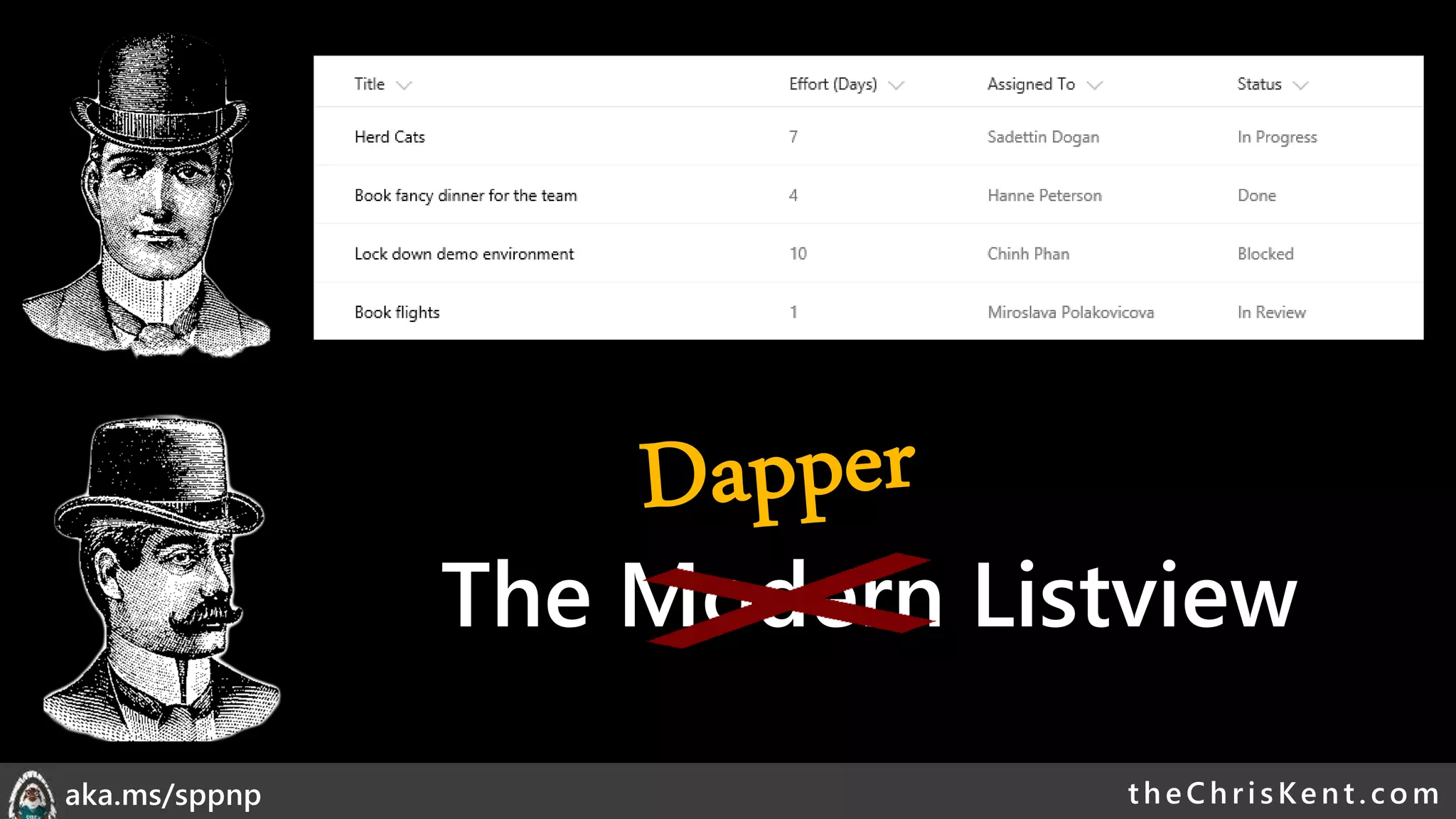
The Modern Listview
theChri sKent.c omaka.ms/sppnp
List Formatting
Declarative
modern listview
customization
Column Formatting
View Formatting
theChri sKent.c omaka.ms/sppnp
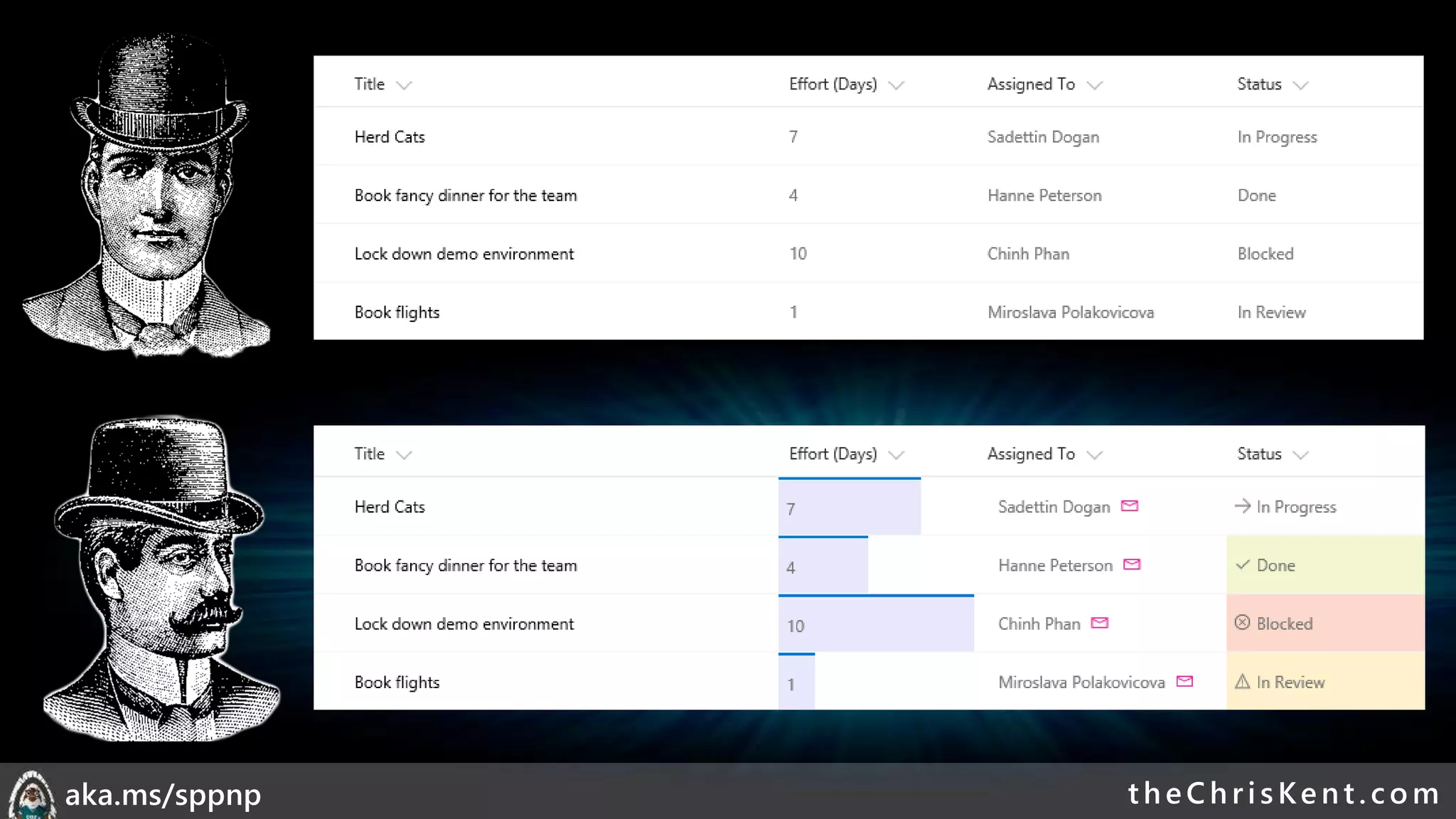
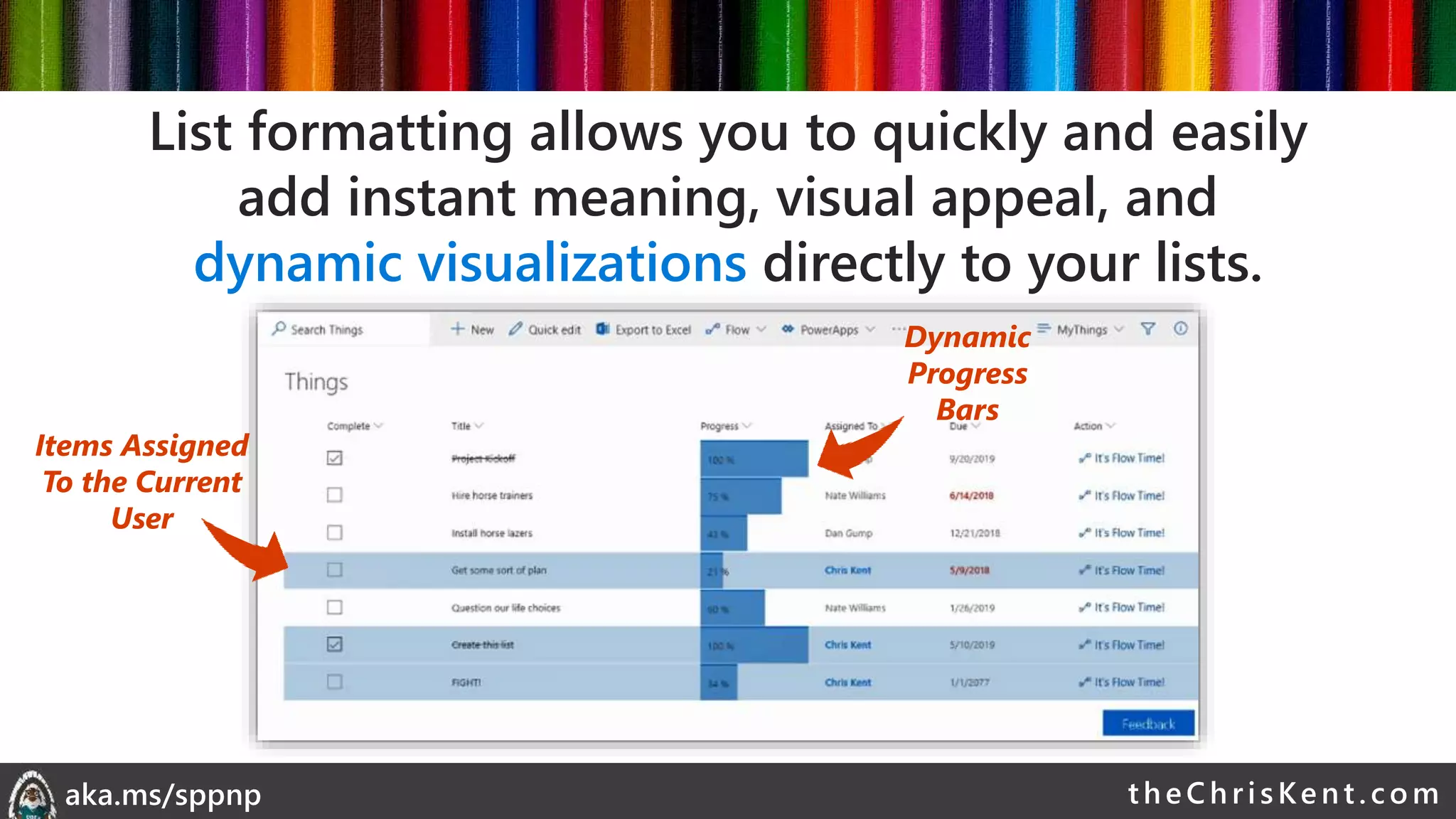
List formatting allows you to quickly and easily
add instant meaning, visual appeal, and
dynamic visualizations directly to your lists.
theChri sKent.c omaka.ms/sppnp
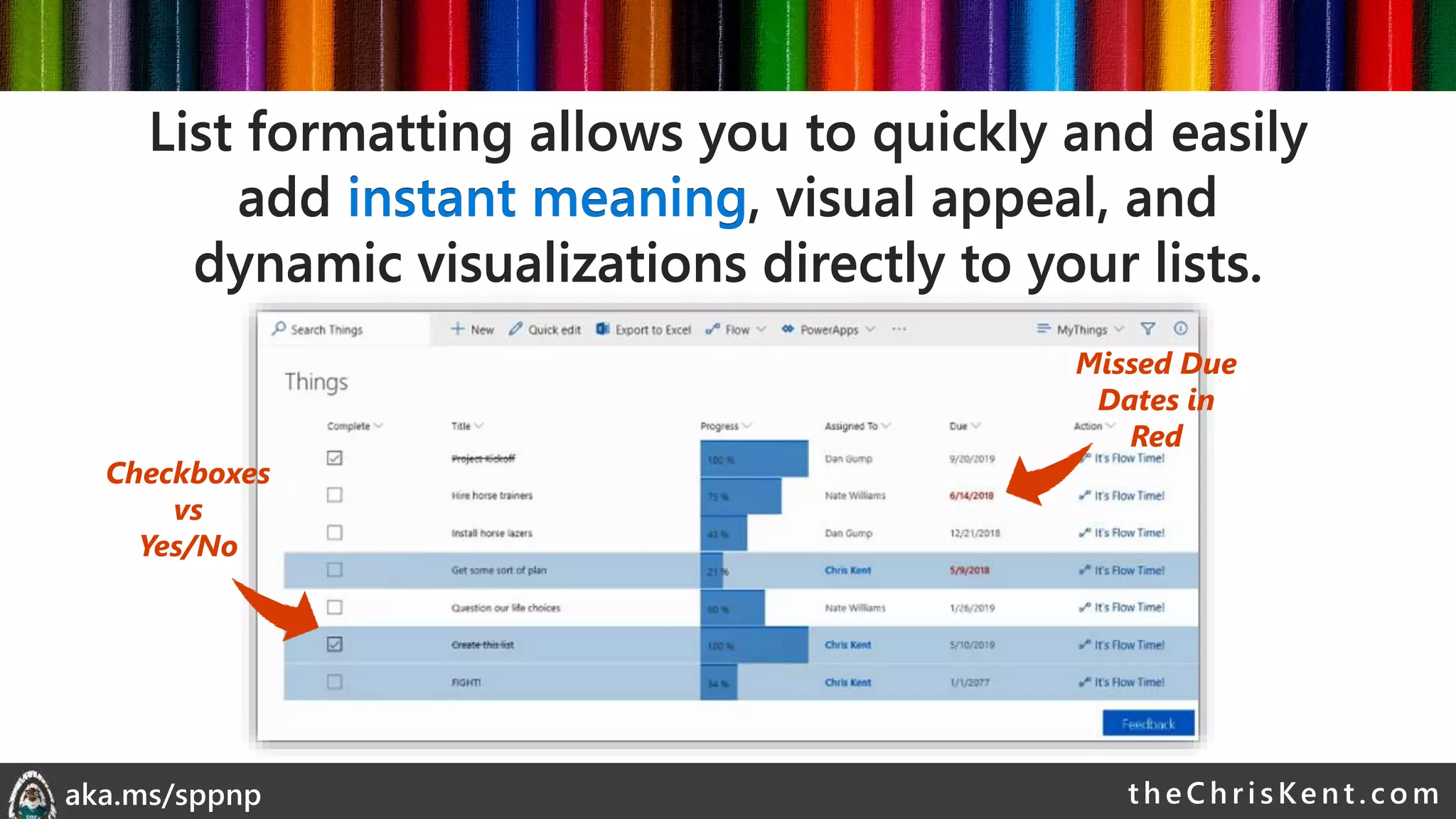
Checkboxes
vs
Yes/No
Missed Due
Dates in
Red
List formatting allows you to quickly and easily
add instant meaning, visual appeal, and
dynamic visualizations directly to your lists.
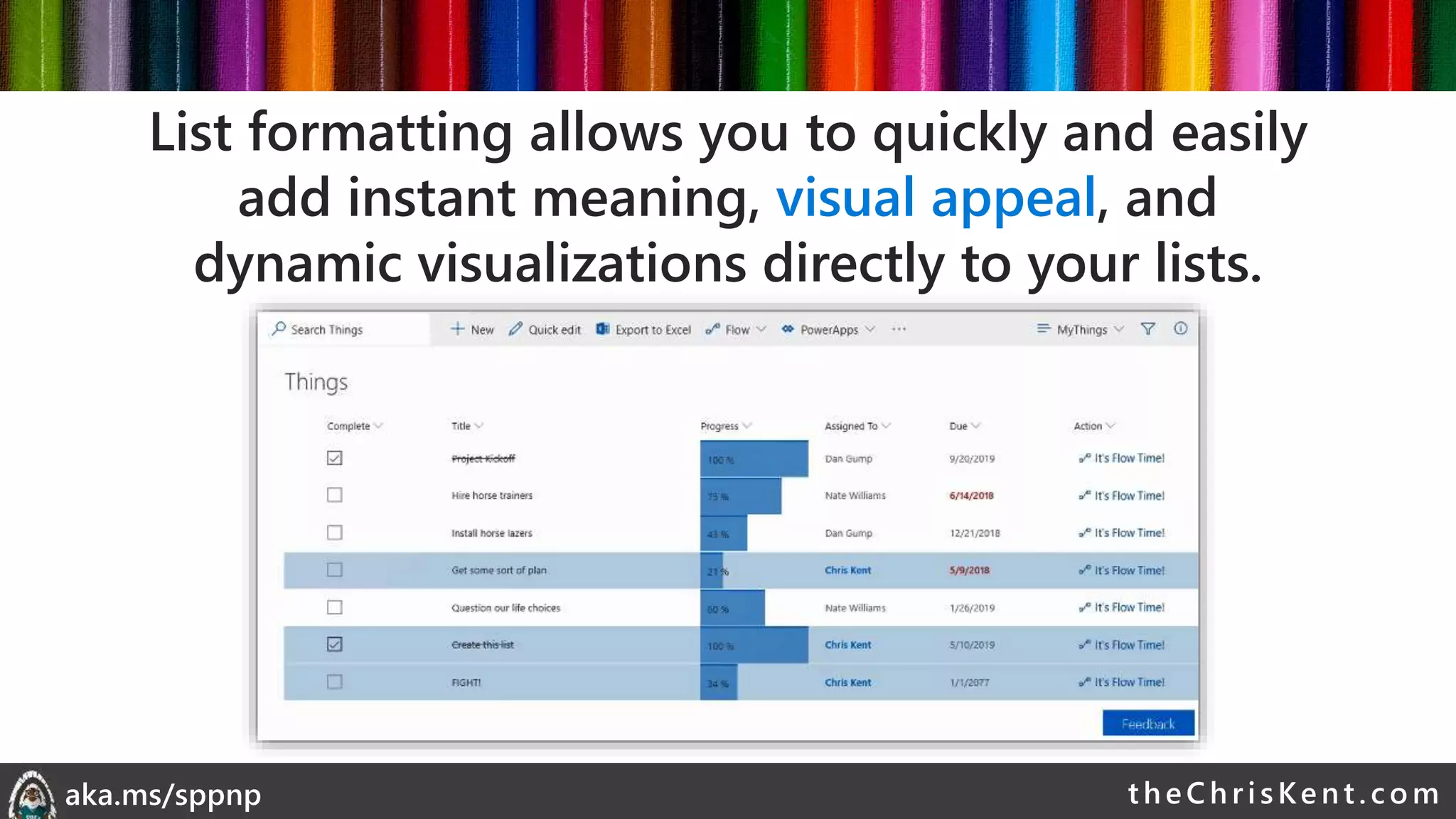
List formatting allows you to quickly and easily
add instant meaning, visual appeal, and
dynamic visualizations directly to your lists.
theChri sKent.c omaka.ms/sppnp
List formatting allows you to quickly and easily
add instant meaning, visual appeal, and
dynamic visualizations directly to your lists.
theChri sKent.c omaka.ms/sppnp
Items Assigned
To the Current
User
Dynamic
Progress
Bars
List formatting allows you to quickly and easily
add instant meaning, visual appeal, and
dynamic visualizations directly to your lists.
theChri sKent.c omaka.ms/sppnp
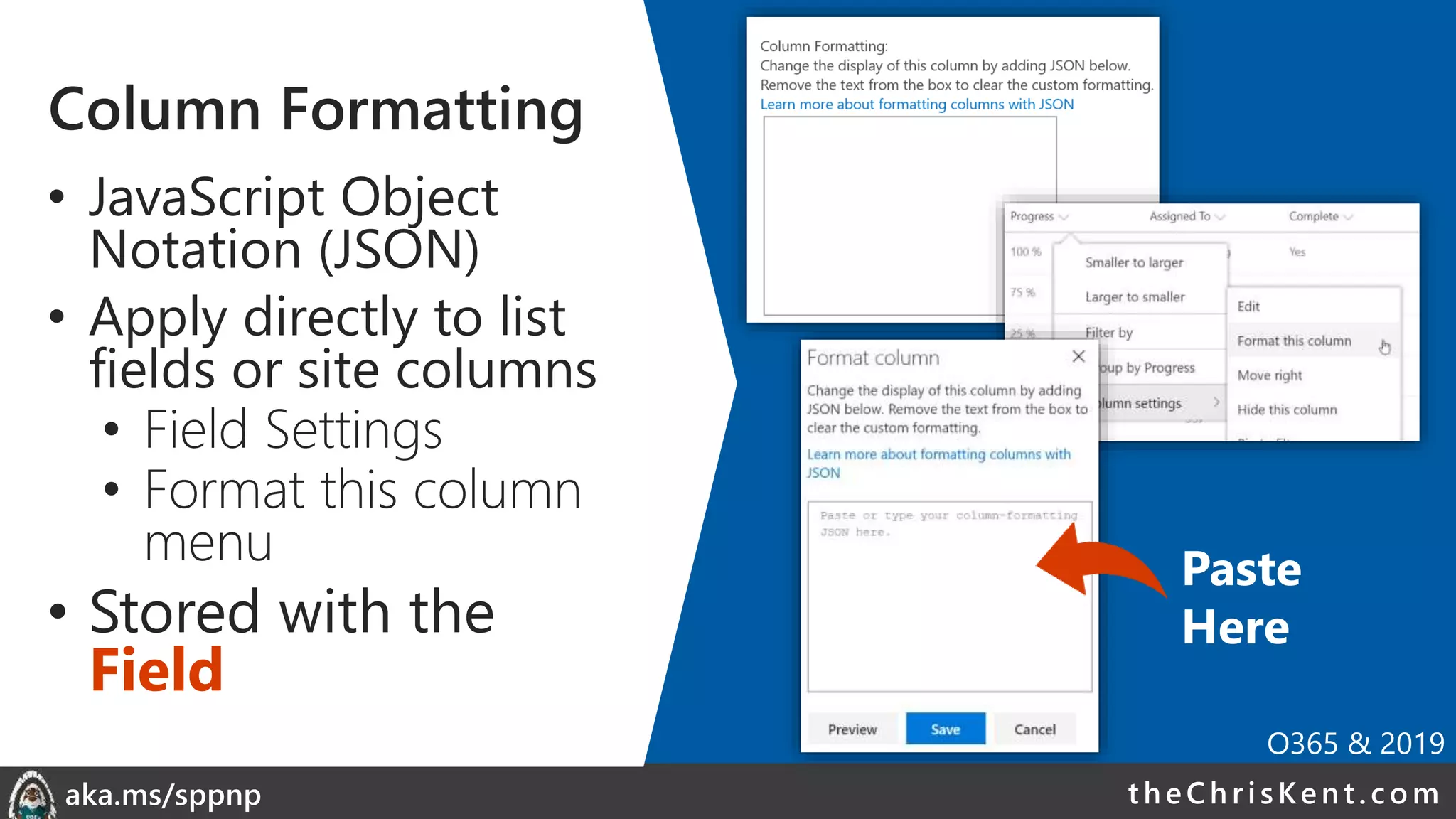
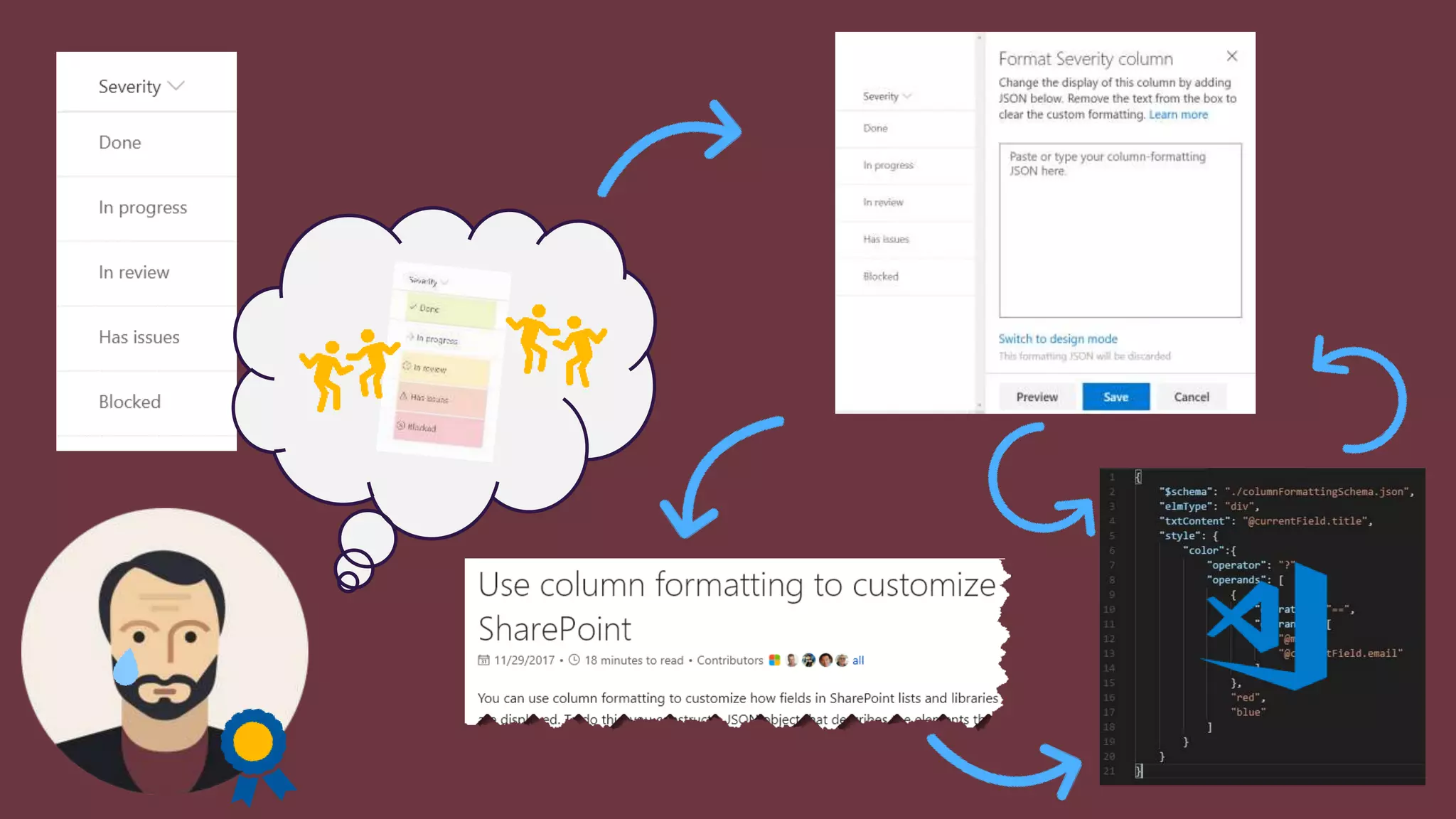
Column Formatting
• JavaScript Object
Notation (JSON)
• Apply directly to list
fields or site columns
• Field Settings
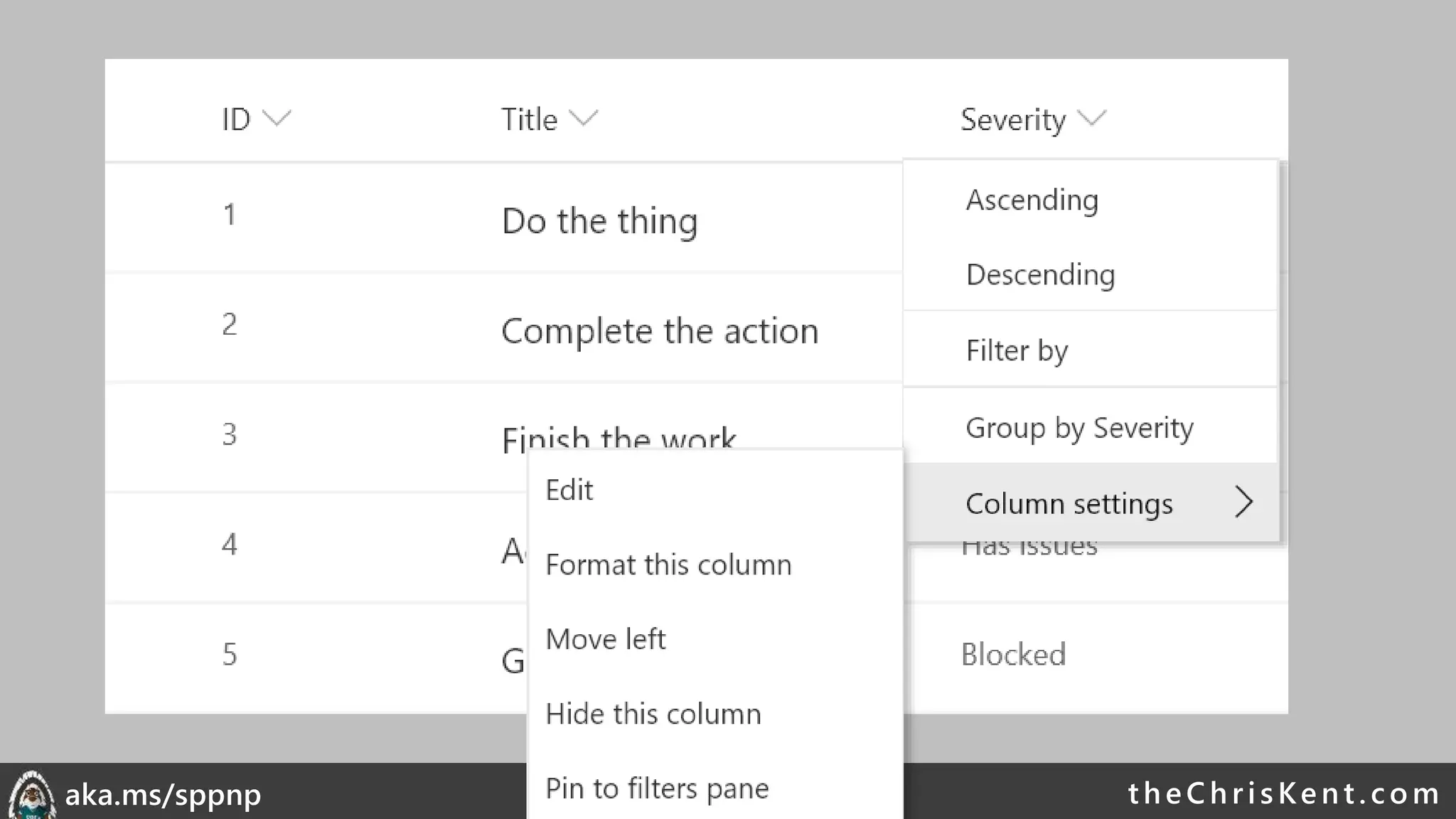
• Format this column
menu
• Stored with the
Field
Paste
Here
O365 & 2019
theChri sKent.c omaka.ms/sppnp
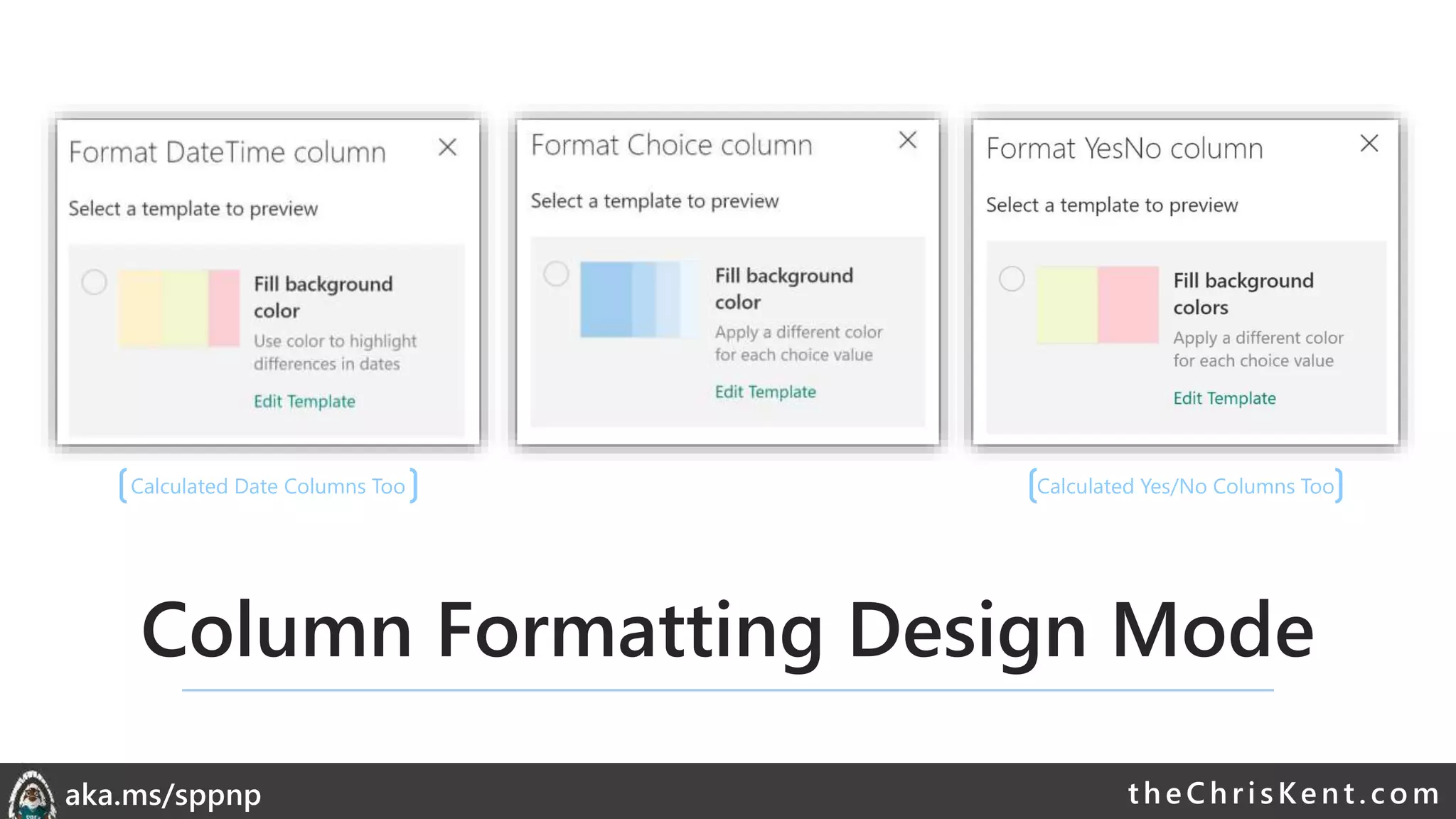
Column Formatting Design Mode
Calculated Date Columns Too Calculated Yes/No Columns Too
theChri sKent.c omaka.ms/sppnp
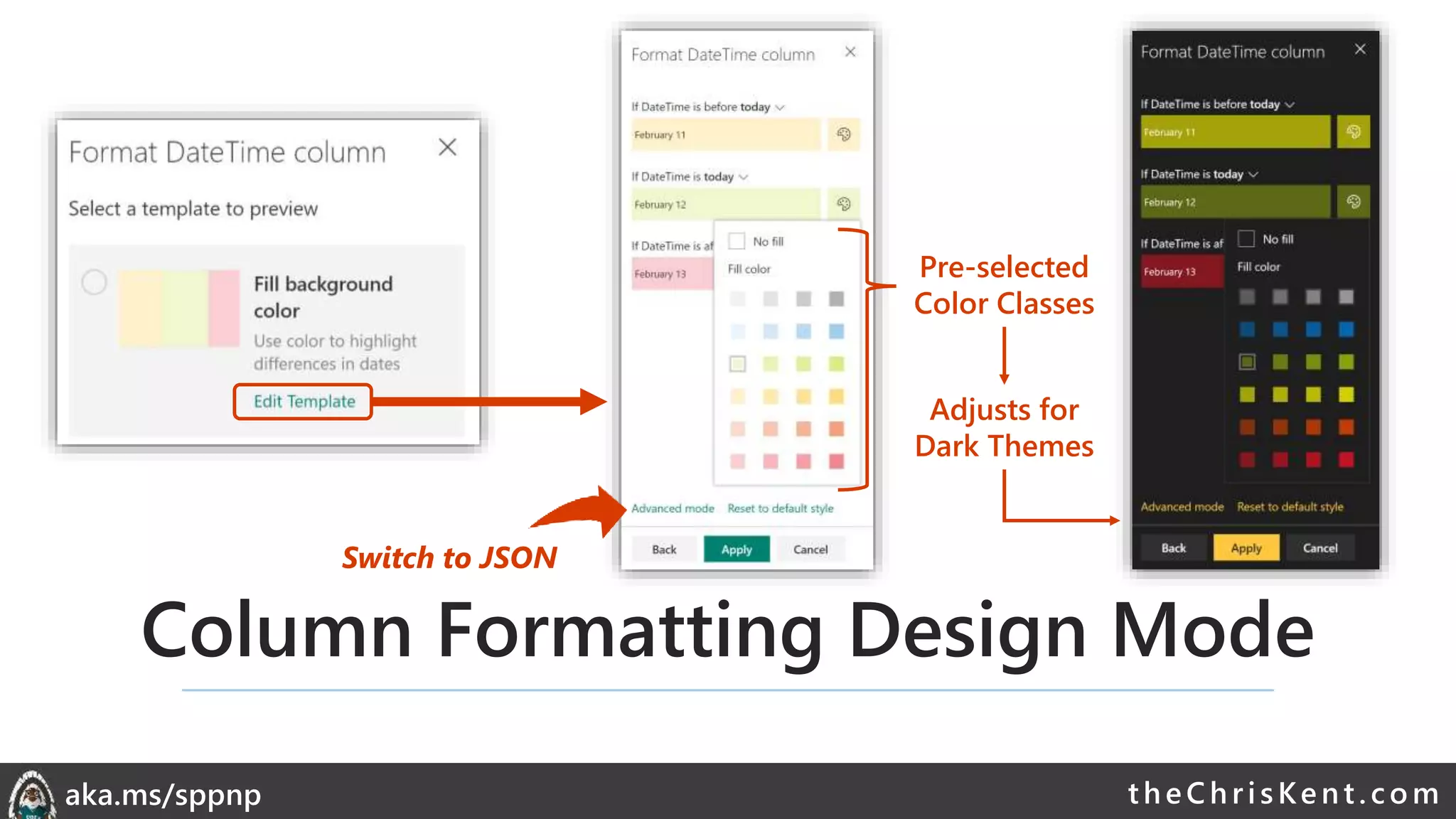
Column Formatting Design Mode
Pre-selected
Color Classes
Adjusts for
Dark Themes
Switch to JSON
theChri sKent.c omaka.ms/sppnp
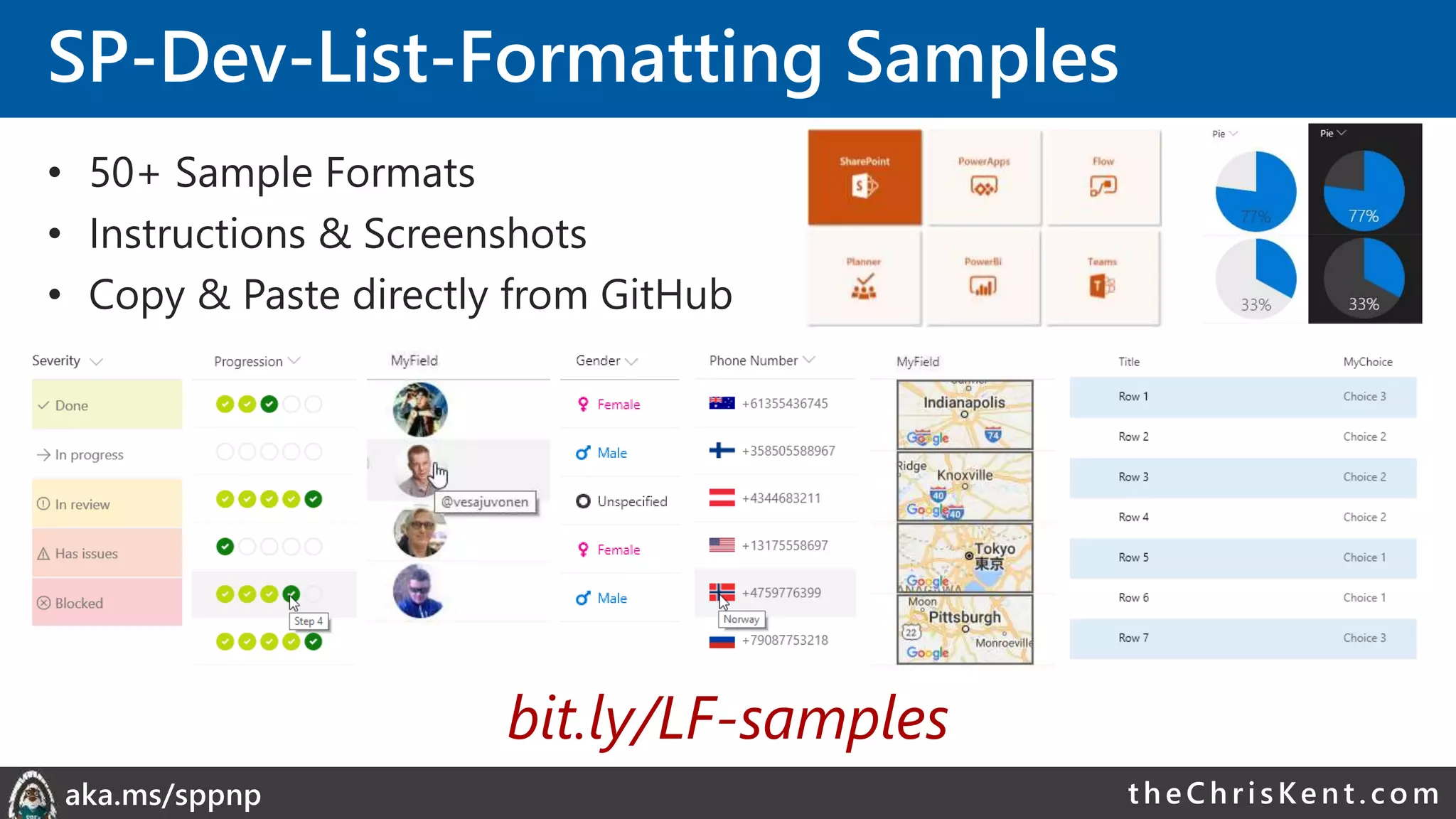
SP-Dev-List-Formatting Samples
• 50+ Sample Formats
• Instructions & Screenshots
• Copy & Paste directly from GitHub
bit.ly/LF-samples
theChri sKent.c omaka.ms/sppnp
Demo: Column Formatting
theChri sKent.c omaka.ms/sppnp
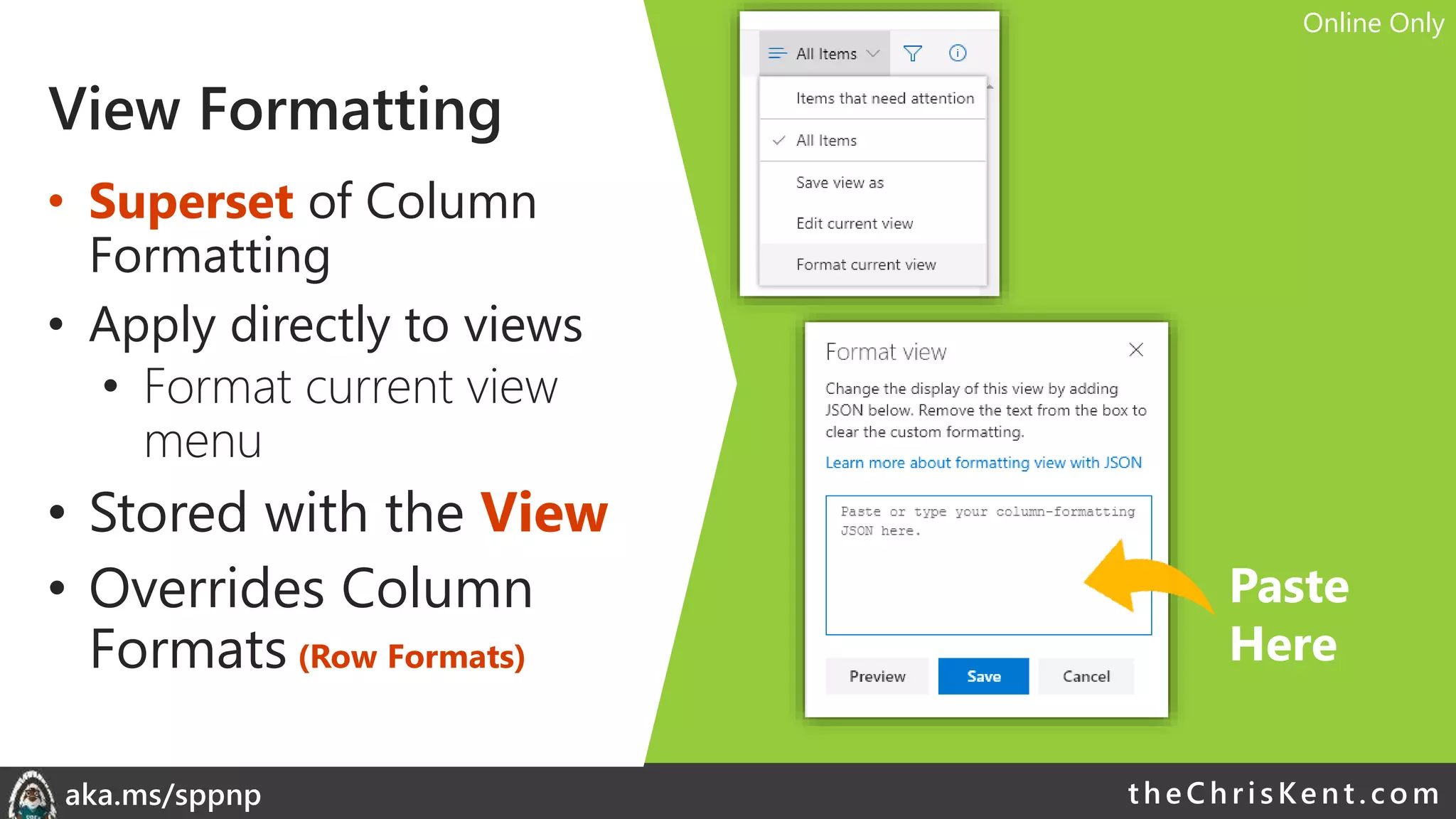
View Formatting
• Superset of Column
Formatting
• Apply directly to views
• Format current view
menu
• Stored with the View
• Overrides Column
Formats (Row Formats)
Paste
Here
Online Only
theChri sKent.c omaka.ms/sppnp
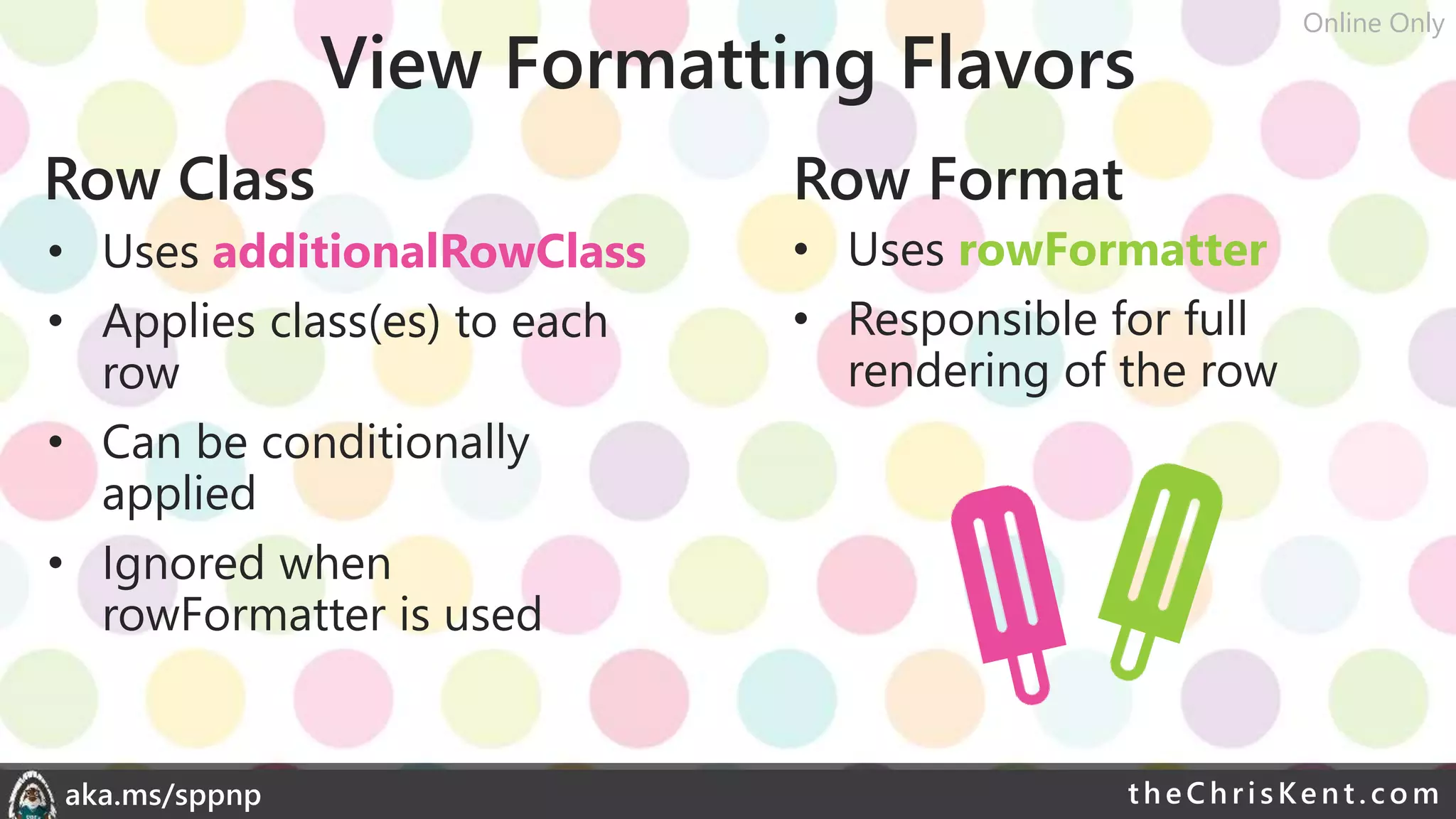
View Formatting Flavors
Row Class Row Format
• Uses additionalRowClass
• Applies class(es) to each
row
• Can be conditionally
applied
• Ignored when
rowFormatter is used
• Uses rowFormatter
• Responsible for full
rendering of the row
Online Only
theChri sKent.c omaka.ms/sppnp
Demo: View Formatting
theChri sKent.c omaka.ms/sppnp
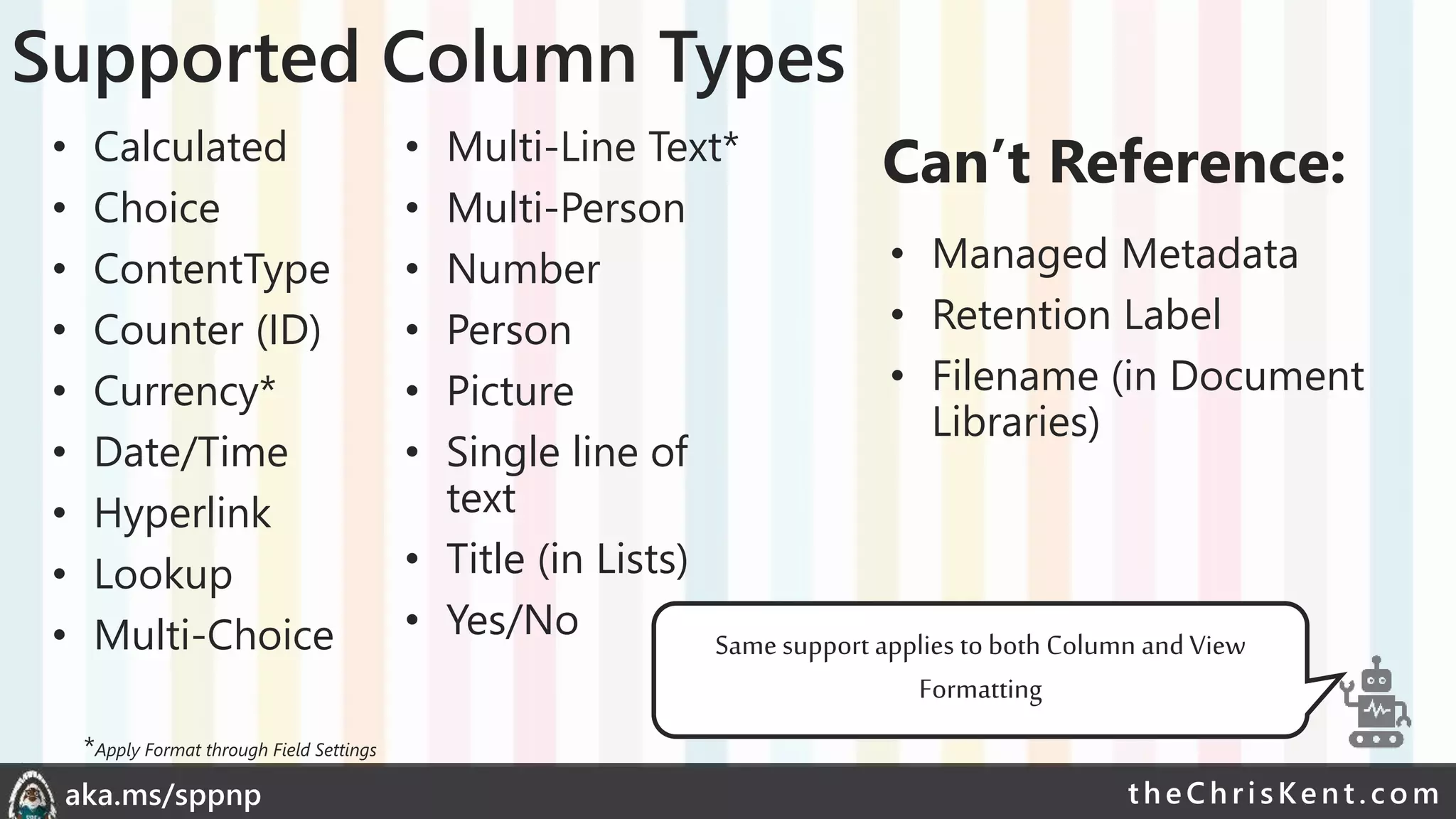
Supported Column Types
• Calculated
• Choice
• ContentType
• Counter (ID)
• Currency*
• Date/Time
• Hyperlink
• Lookup
• Multi-Choice
• Multi-Line Text*
• Multi-Person
• Number
• Person
• Picture
• Single line of
text
• Title (in Lists)
• Yes/No
• Managed Metadata
• Retention Label
• Filename (in Document
Libraries)
Can’t Reference:
Same support applies to both Column and View
Formatting
*Apply Format through Field Settings
theChri sKent.c omaka.ms/sppnp
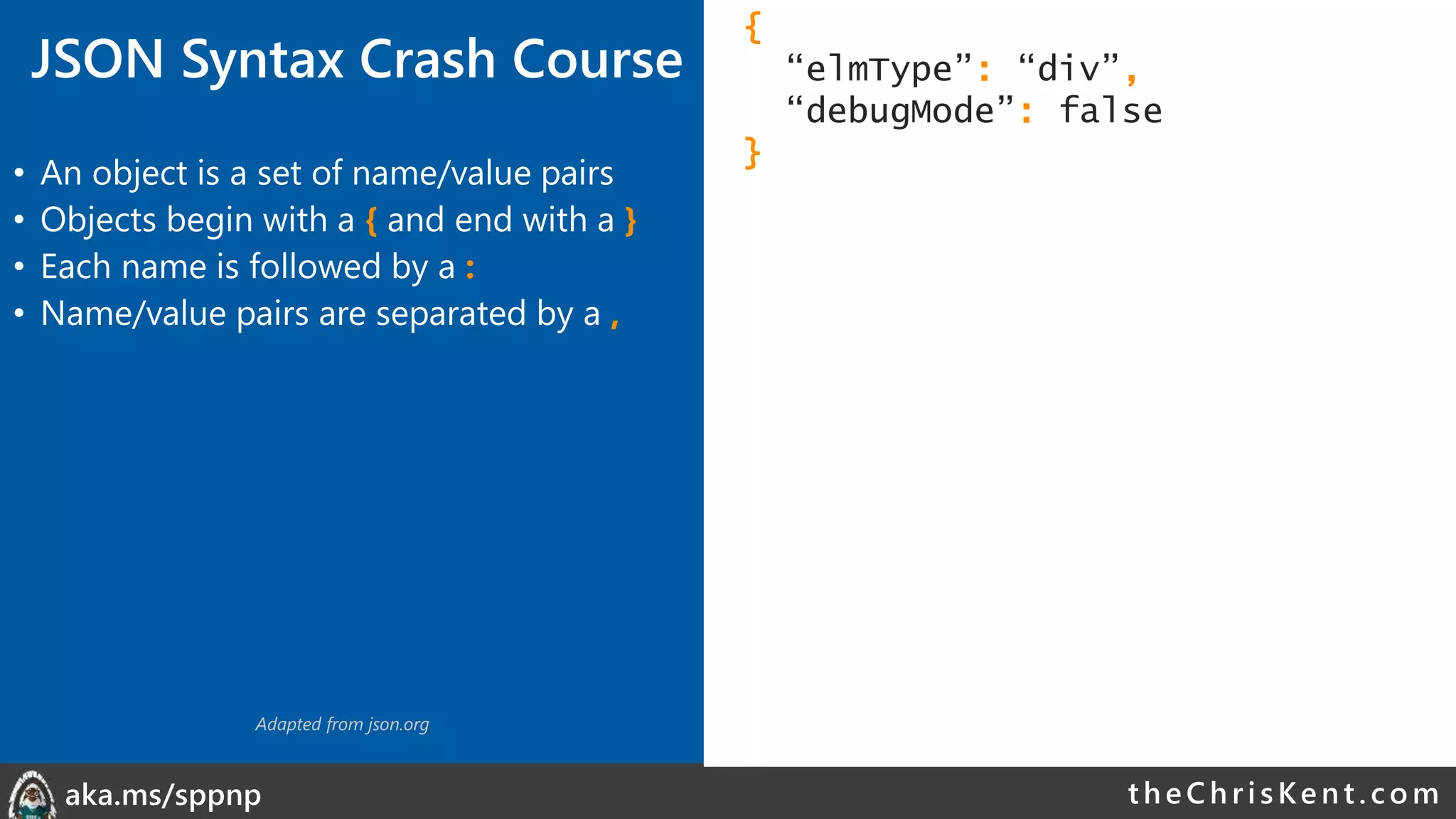
JSON Syntax Crash Course
• An object is a set of name/value pairs
• Objects begin with a { and end with a }
• Each name is followed by a :
• Name/value pairs are separated by a ,
{
“elmType”: “div”,
“debugMode”: false
}
Adapted from json.org
theChri sKent.c omaka.ms/sppnp
• An object is a set of name/value pairs
• Objects begin with a { and end with a }
• Each name is followed by a :
• Name/value pairs are separated by a ,
• An array is an ordered collection of values
• Arrays begin with a [ and end with a ]
• Array values are separated by a ,
{
“elmType”: “div”,
“debugMode”: false,
“children”: [
{
“elmType”: “span”,
“txtContent”: “Yo”
},
{
“elmType”: “span”,
“txtContent”: “ Dawg!”
}
]
}
Adapted from json.org
JSON Syntax Crash Course
theChri sKent.c omaka.ms/sppnp
{
“elmType”: “div”,
“debugMode”: false,
“children”: [
{
“elmType”: “span”,
“txtContent”: “Yo”
},
{
“elmType”: “span”,
“txtContent”: “ Dawg!”
}
],
“style”: {
“color”: “red”,
“padding-left”: “4px”
}
}
• An object is a set of name/value pairs
• Objects begin with a { and end with a }
• Each name is followed by a :
• Name/value pairs are separated by a ,
• An array is an ordered collection of values
• Arrays begin with a [ and end with a ]
• Array values are separated by a ,
• A value can be a string in double quotes, a
number, true, false, null, object, or array
Adapted from json.org
JSON Syntax Crash Course
theChri sKent.c omaka.ms/sppnp
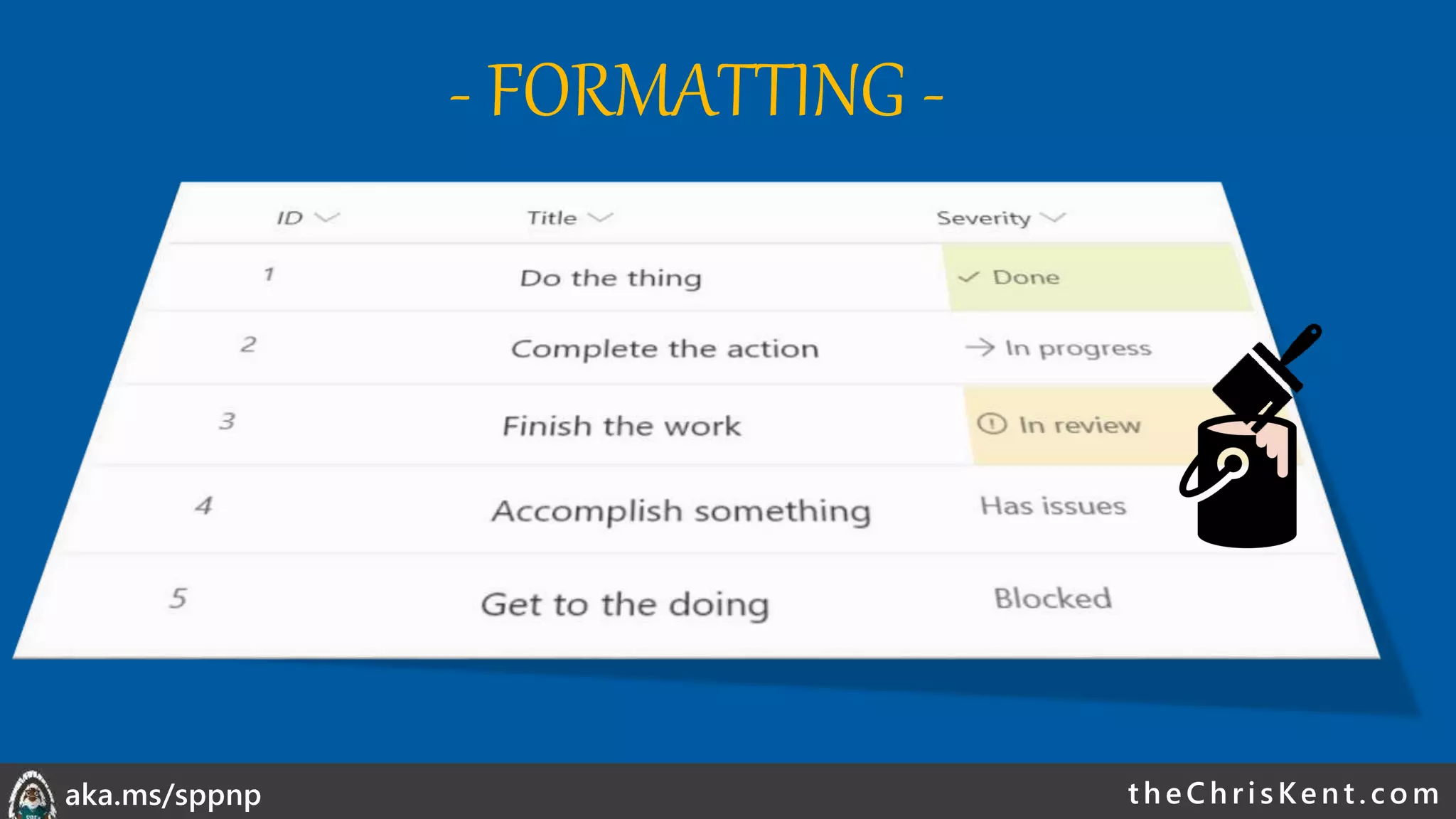
- FORMATTING -
theChri sKent.c omaka.ms/sppnp
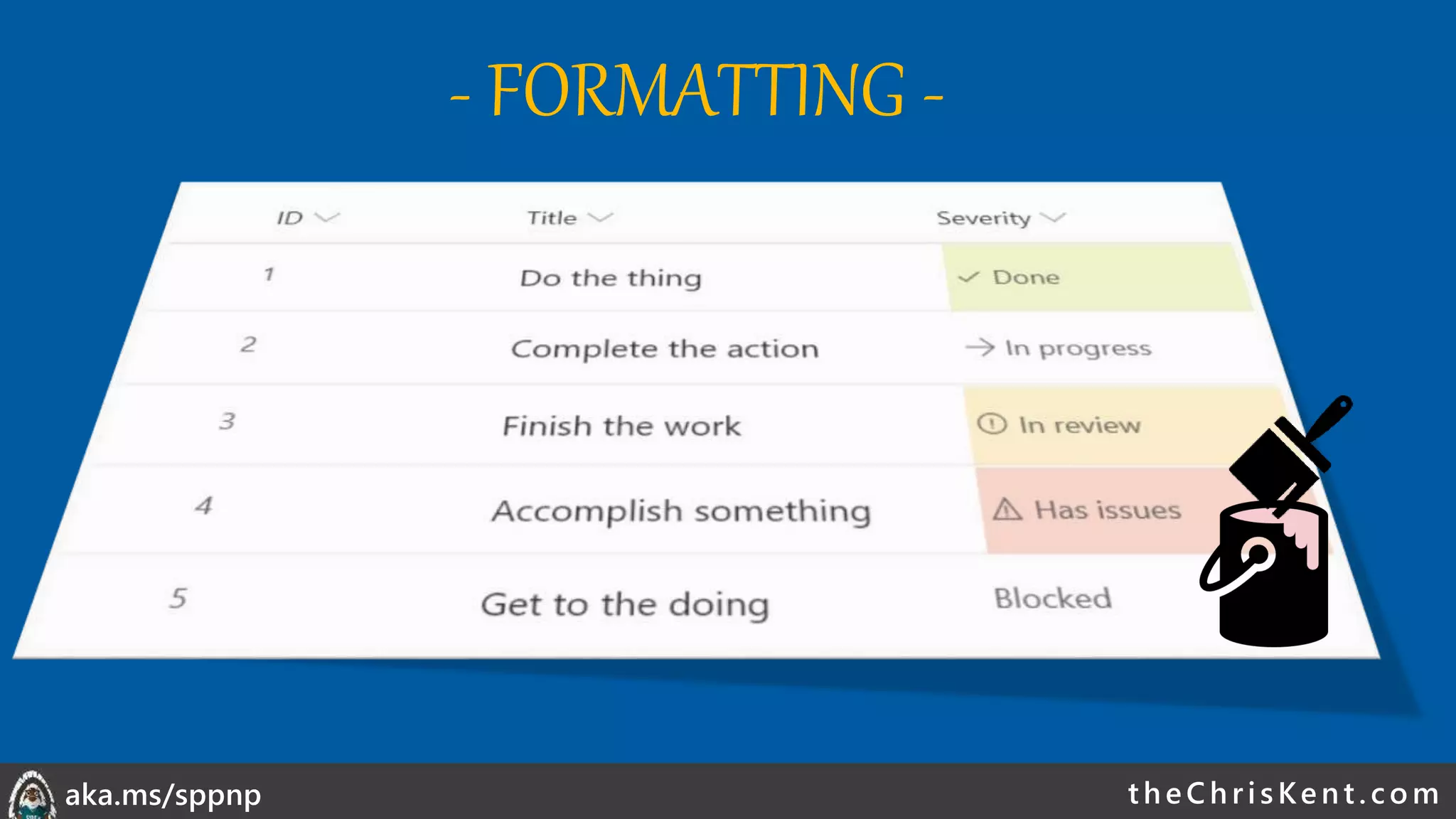
- FORMATTING -
theChri sKent.c omaka.ms/sppnp
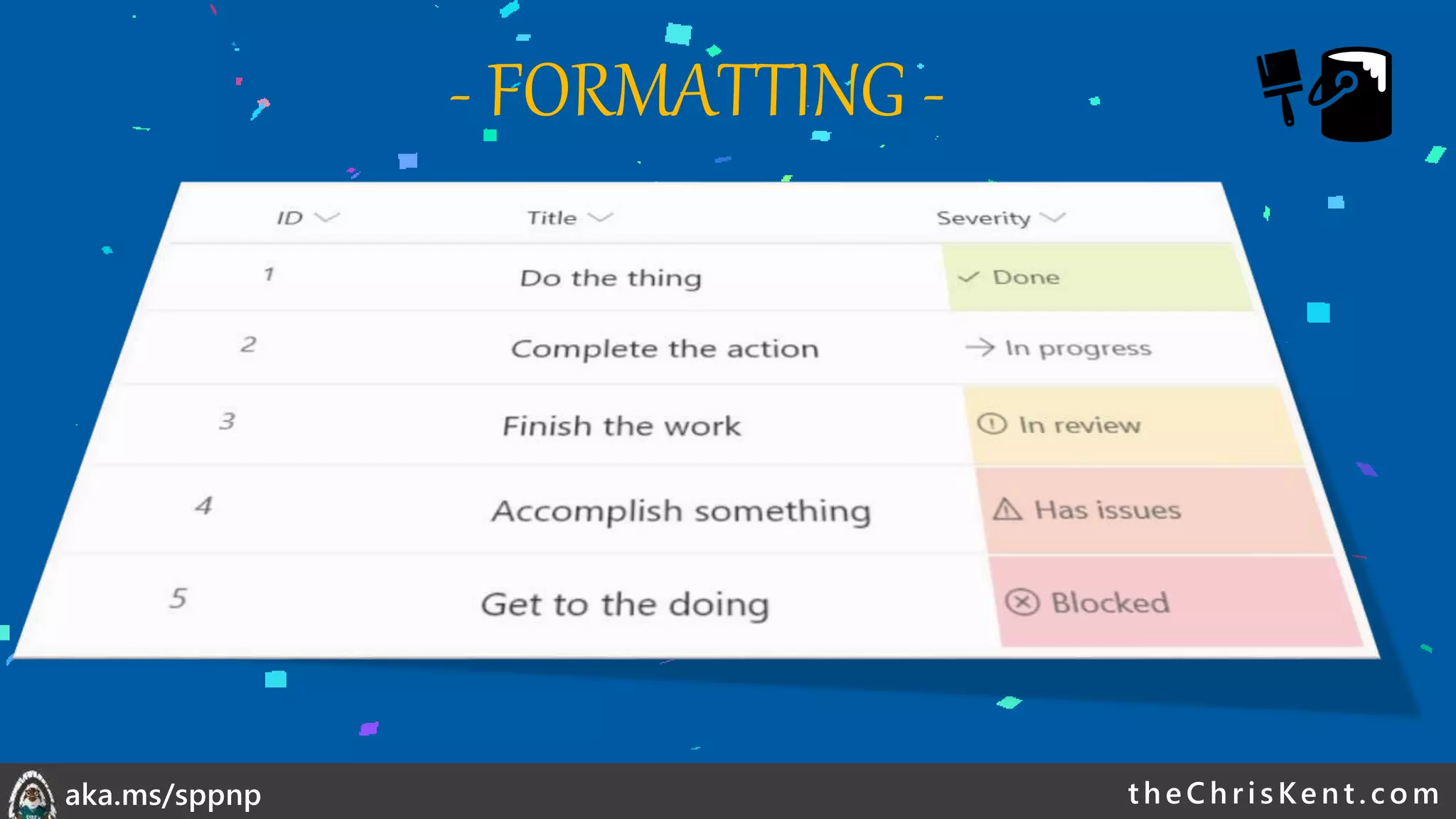
- FORMATTING -
theChri sKent.c omaka.ms/sppnp
- FORMATTING -
theChri sKent.c omaka.ms/sppnp
- FORMATTING -
theChri sKent.c omaka.ms/sppnp
- FORMATTING -
theChri sKent.c omaka.ms/sppnp
- FORMATTING -
theChri sKent.c omaka.ms/sppnp
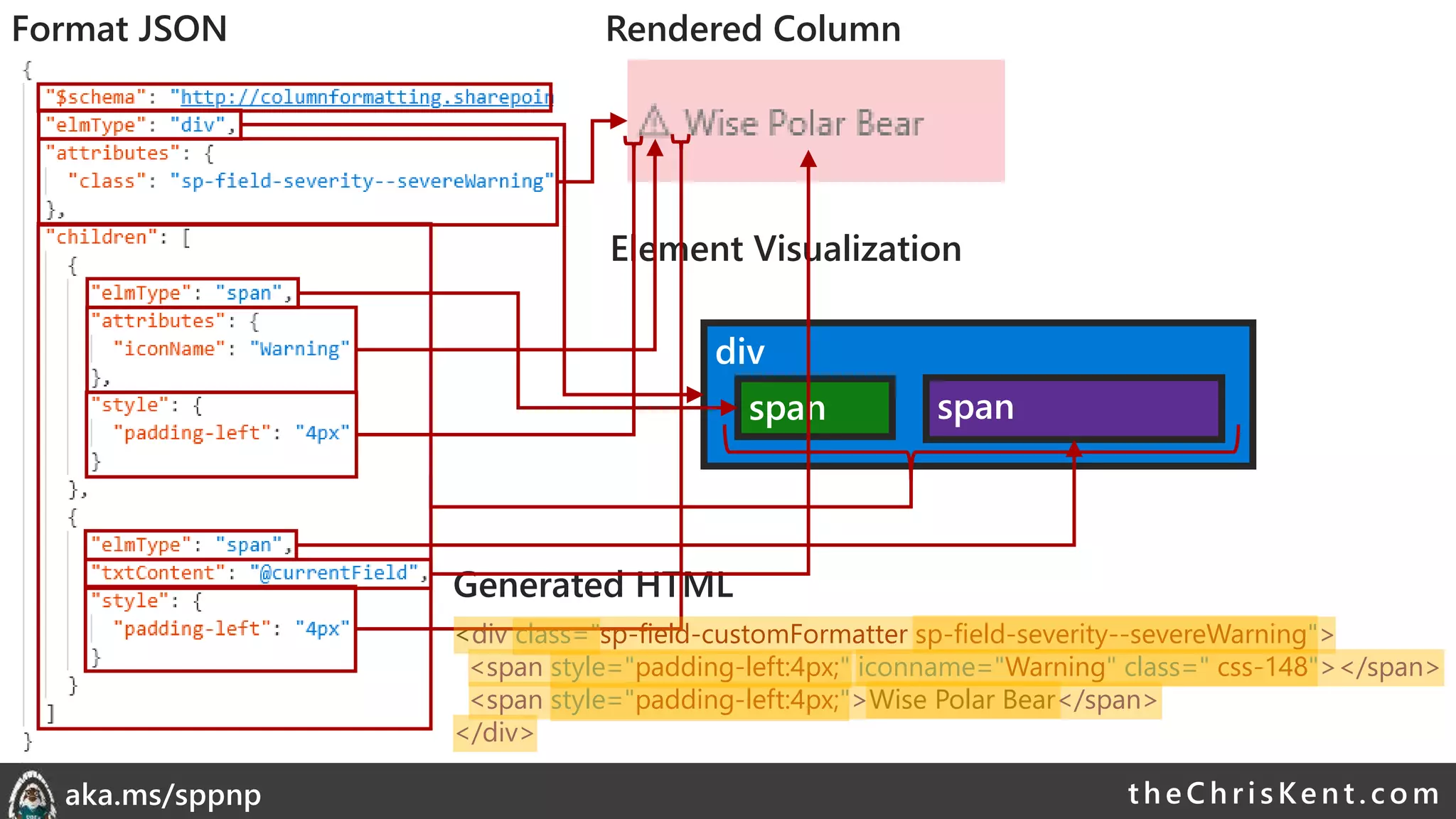
div
span span
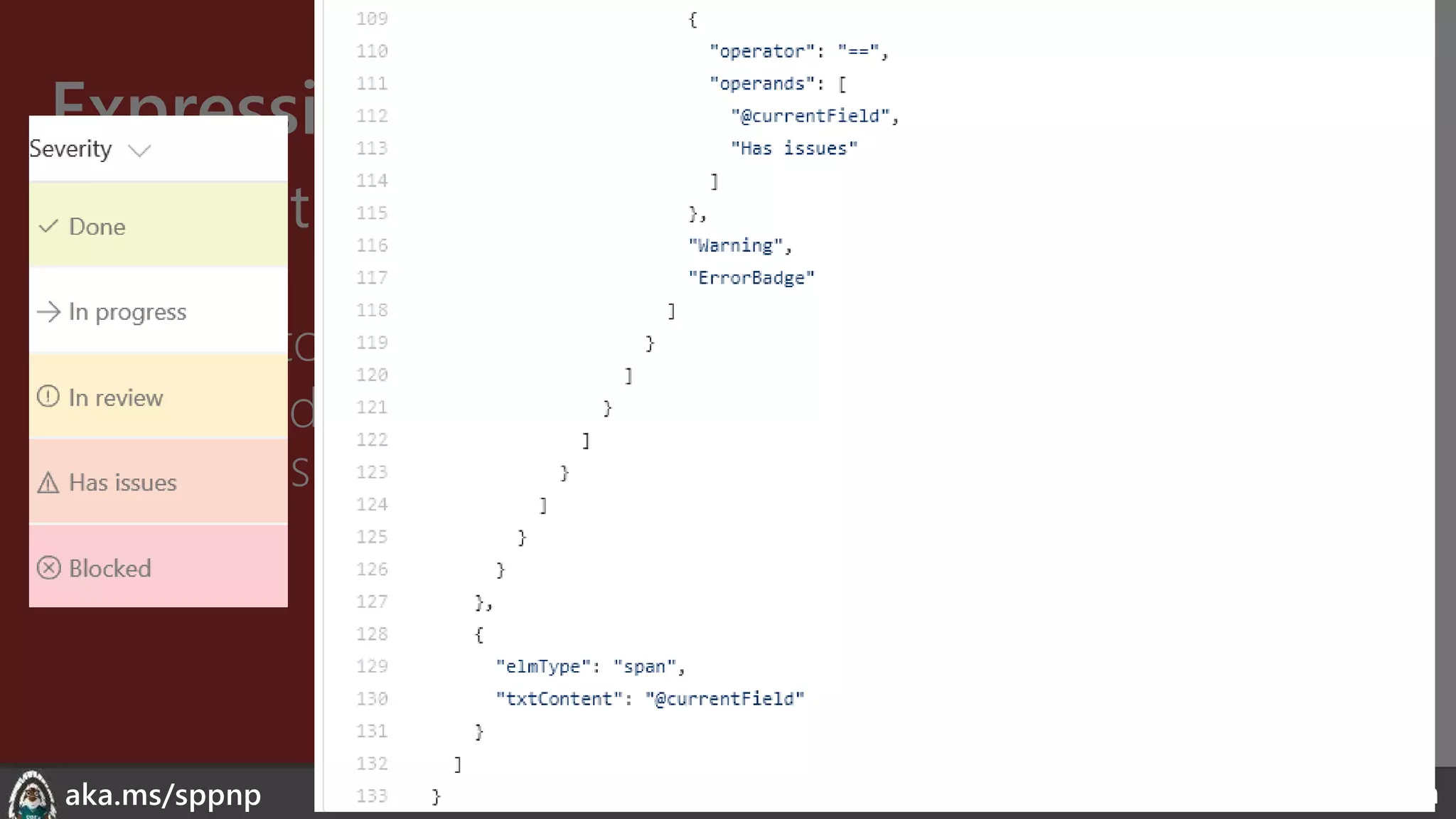
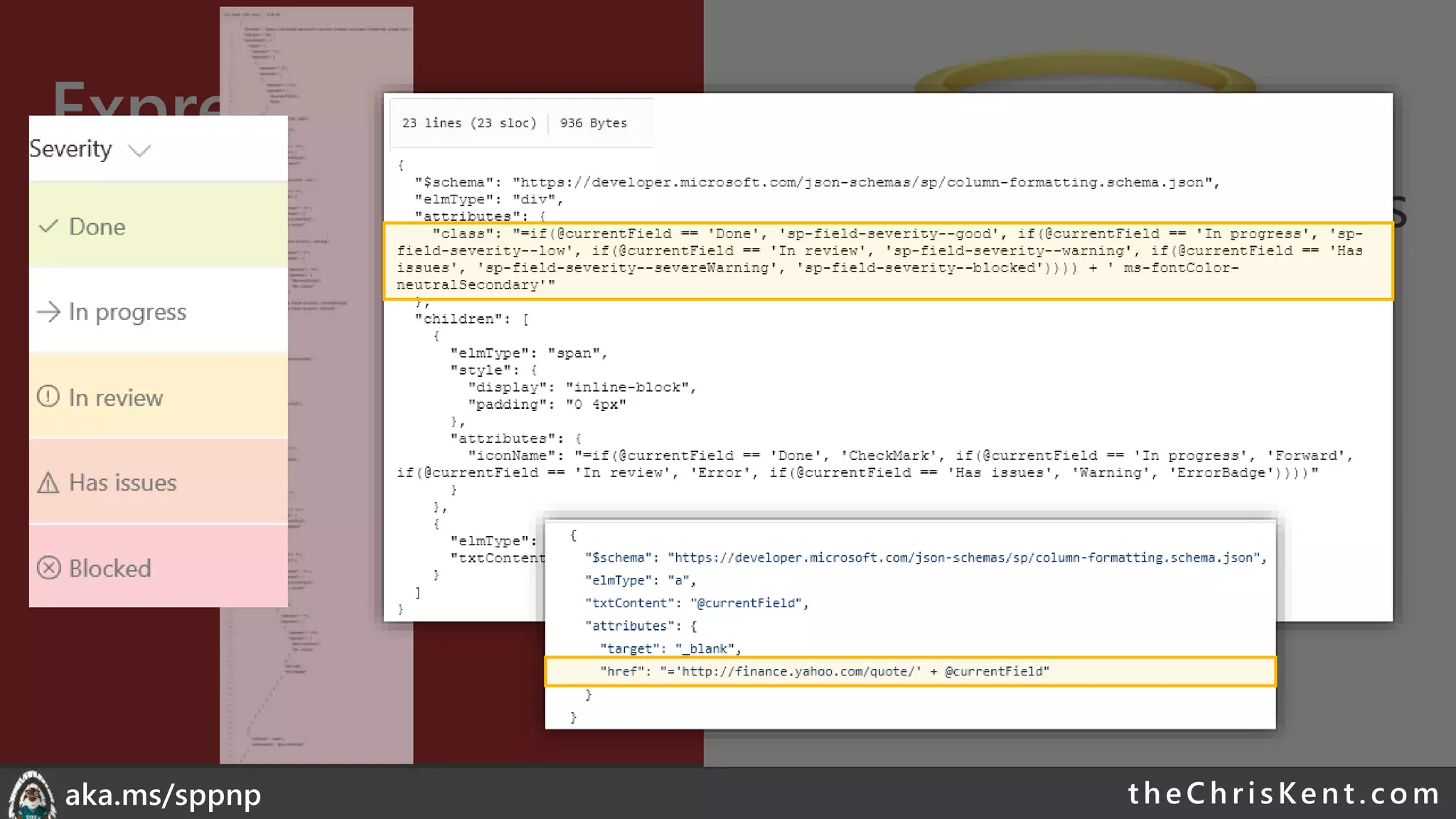
<div class="sp-field-customFormatter sp-field-severity--severeWarning">
<span style="padding-left:4px;" iconname="Warning" class=" css-148"></span>
<span style="padding-left:4px;">Wise Polar Bear</span>
</div>
Format JSON Rendered Column
Element Visualization
Generated HTML
theChri sKent.c omaka.ms/sppnp
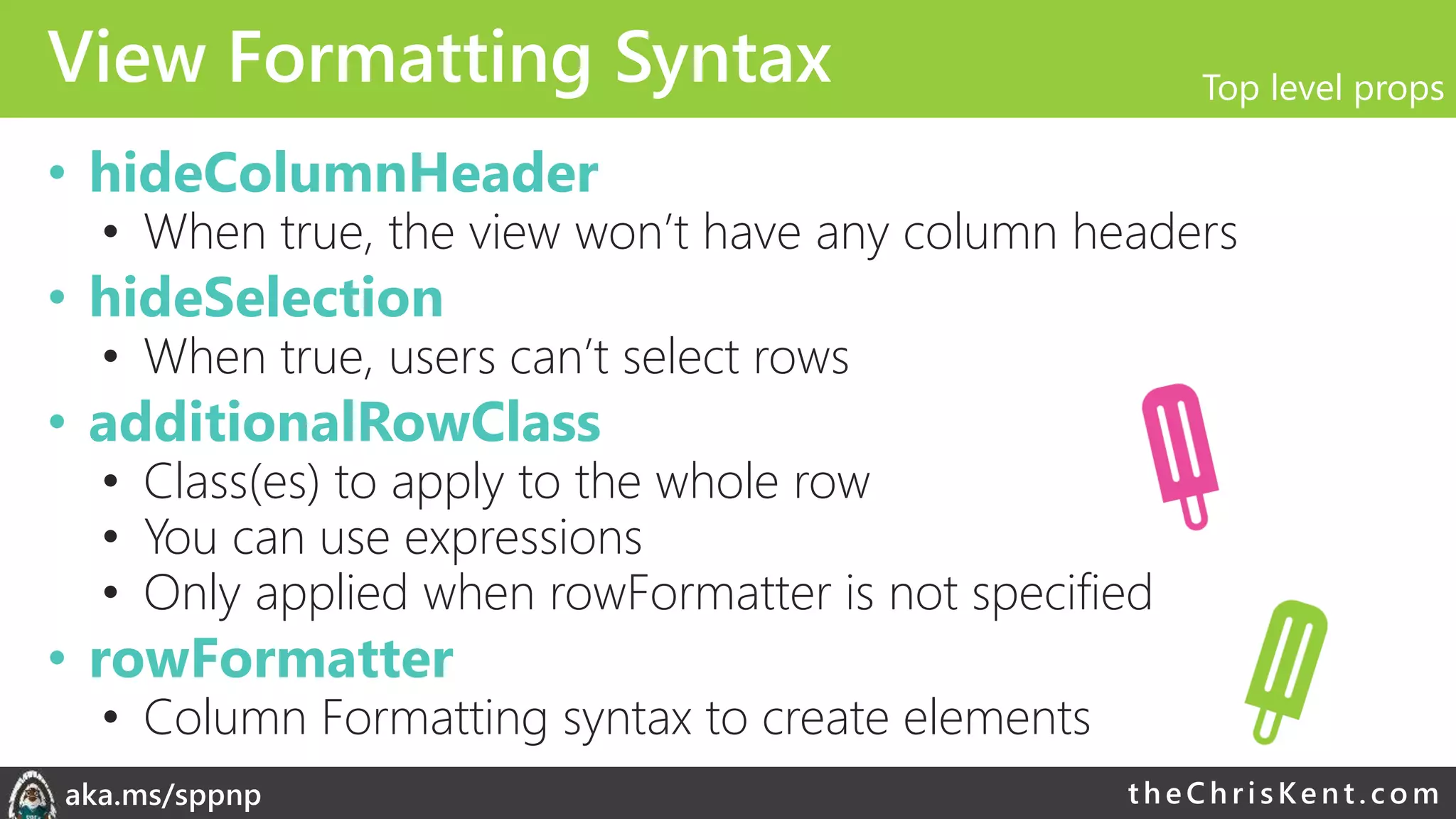
View Formatting Syntax
• hideColumnHeader
• When true, the view won’t have any column headers
• hideSelection
• When true, users can’t select rows
• additionalRowClass
• Class(es) to apply to the whole row
• You can use expressions
• Only applied when rowFormatter is not specified
• rowFormatter
• Column Formatting syntax to create elements
Top level props
theChri sKent.c omaka.ms/sppnp
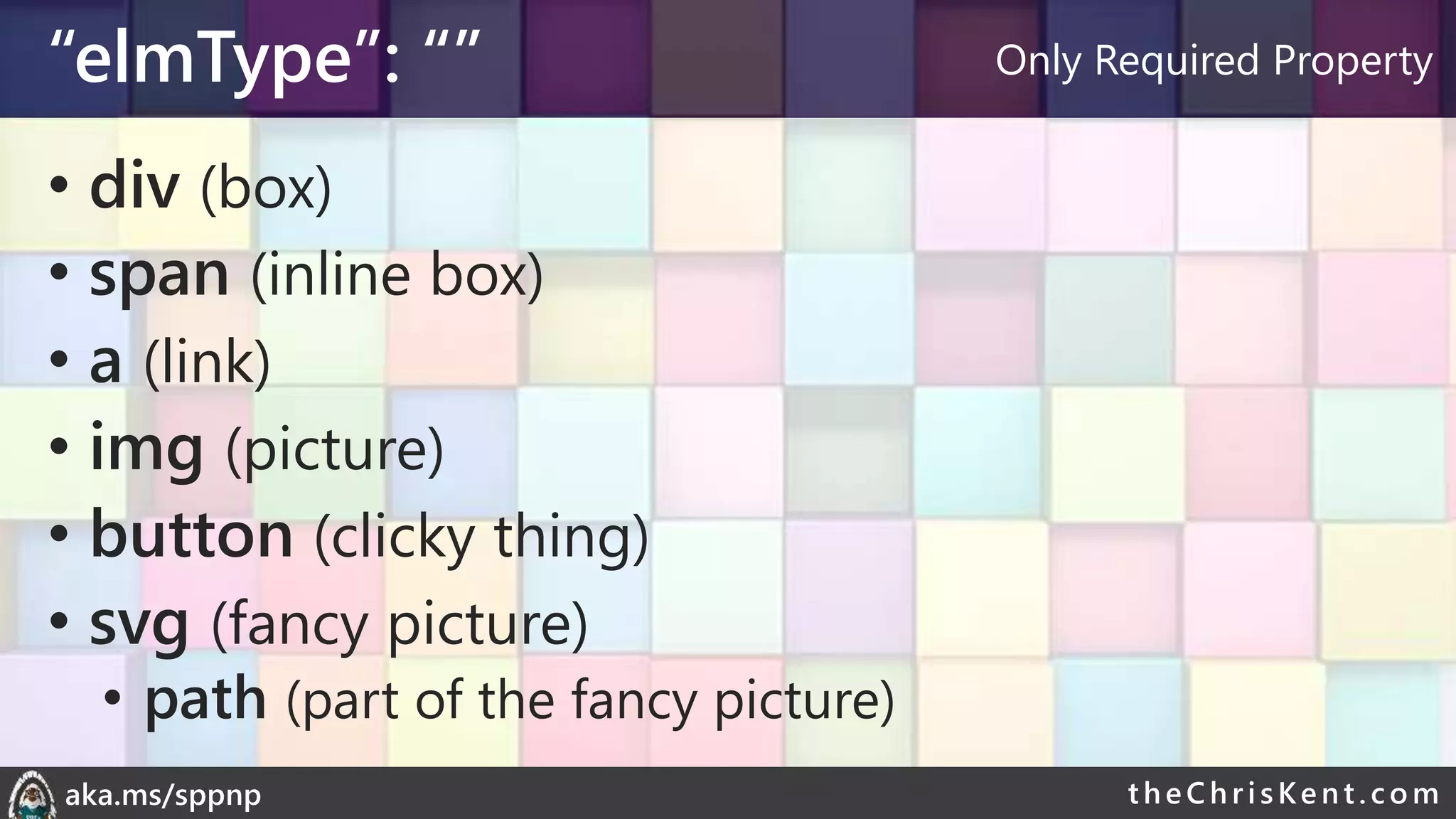
“elmType”: “”
• div (box)
• span (inline box)
• a (link)
• img (picture)
• button (clicky thing)
• svg (fancy picture)
• path (part of the fancy picture)
Only Required Property
theChri sKent.c omaka.ms/sppnp
Element Content
• txtContent
• Text value
OR
• children
• Sub elements
• Ignored when txtContent is specified
What’s in the Box
theChri sKent.c omaka.ms/sppnp
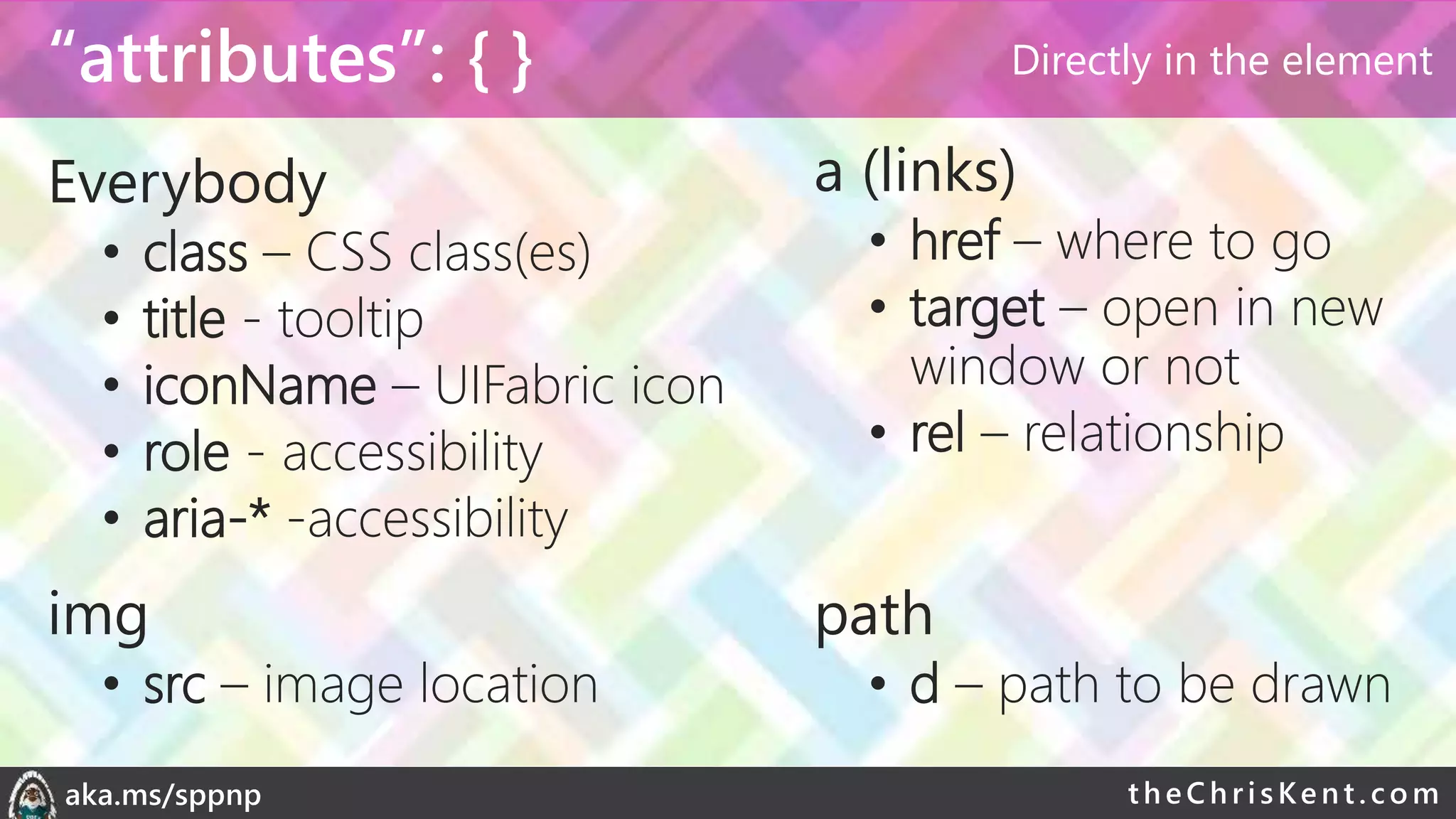
“attributes”: { }
Everybody
• class – CSS class(es)
• title - tooltip
• iconName – UIFabric icon
• role - accessibility
• aria-* -accessibility
a (links)
• href – where to go
• target – open in new
window or not
• rel – relationship
img
• src – image location
path
• d – path to be drawn
Directly in the element
theChri sKent.c omaka.ms/sppnp
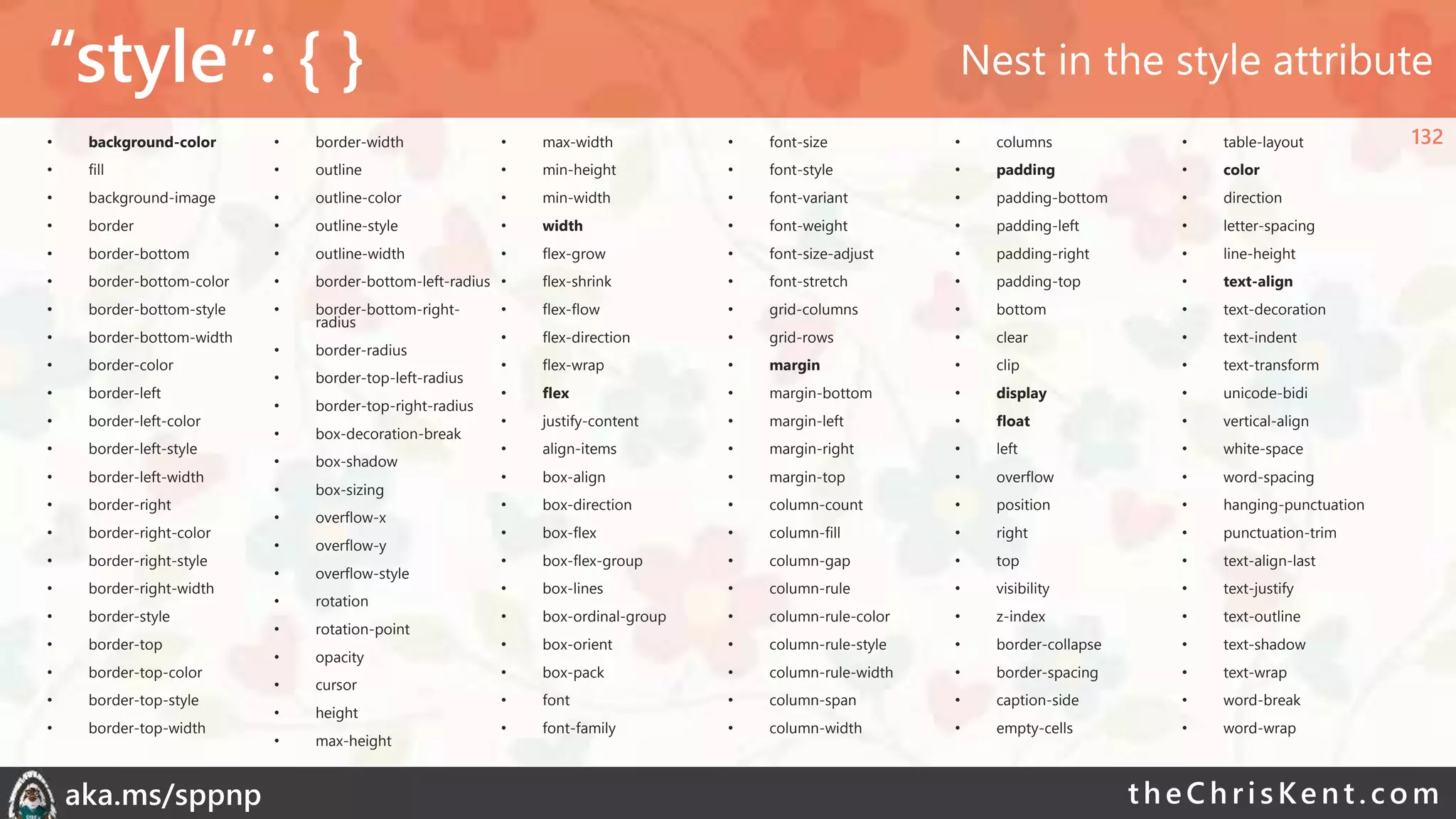
“style”: { }
• background-color
• fill
• background-image
• border
• border-bottom
• border-bottom-color
• border-bottom-style
• border-bottom-width
• border-color
• border-left
• border-left-color
• border-left-style
• border-left-width
• border-right
• border-right-color
• border-right-style
• border-right-width
• border-style
• border-top
• border-top-color
• border-top-style
• border-top-width
• border-width
• outline
• outline-color
• outline-style
• outline-width
• border-bottom-left-radius
• border-bottom-right-
radius
• border-radius
• border-top-left-radius
• border-top-right-radius
• box-decoration-break
• box-shadow
• box-sizing
• overflow-x
• overflow-y
• overflow-style
• rotation
• rotation-point
• opacity
• cursor
• height
• max-height
• max-width
• min-height
• min-width
• width
• flex-grow
• flex-shrink
• flex-flow
• flex-direction
• flex-wrap
• flex
• justify-content
• align-items
• box-align
• box-direction
• box-flex
• box-flex-group
• box-lines
• box-ordinal-group
• box-orient
• box-pack
• font
• font-family
• font-size
• font-style
• font-variant
• font-weight
• font-size-adjust
• font-stretch
• grid-columns
• grid-rows
• margin
• margin-bottom
• margin-left
• margin-right
• margin-top
• column-count
• column-fill
• column-gap
• column-rule
• column-rule-color
• column-rule-style
• column-rule-width
• column-span
• column-width
• columns
• padding
• padding-bottom
• padding-left
• padding-right
• padding-top
• bottom
• clear
• clip
• display
• float
• left
• overflow
• position
• right
• top
• visibility
• z-index
• border-collapse
• border-spacing
• caption-side
• empty-cells
• table-layout
• color
• direction
• letter-spacing
• line-height
• text-align
• text-decoration
• text-indent
• text-transform
• unicode-bidi
• vertical-align
• white-space
• word-spacing
• hanging-punctuation
• punctuation-trim
• text-align-last
• text-justify
• text-outline
• text-shadow
• text-wrap
• word-break
• word-wrap
Nest in the style attribute
132
theChri sKent.c omaka.ms/sppnp
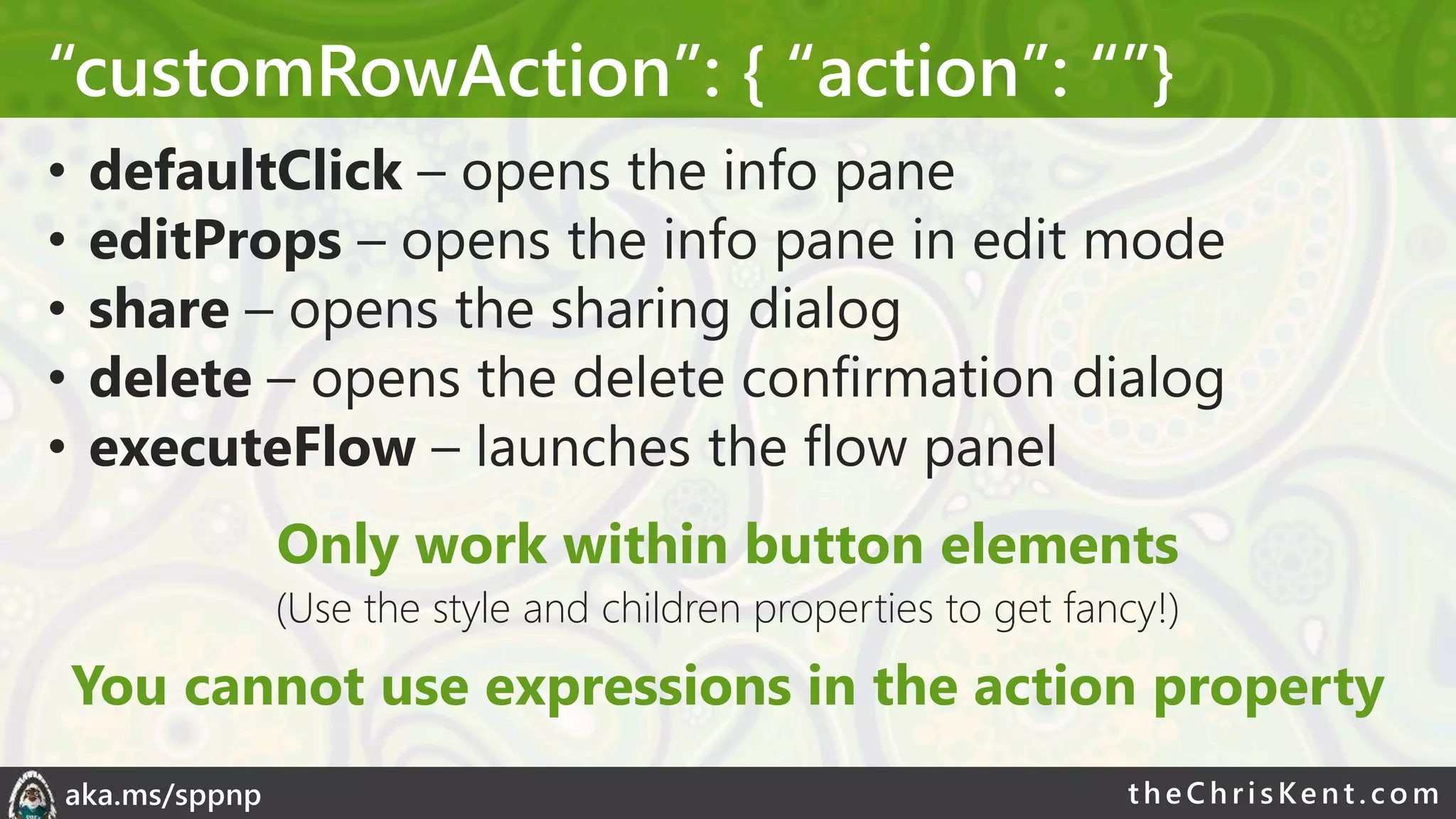
“customRowAction”: { “action”: “”}
• defaultClick – opens the info pane
• editProps – opens the info pane in edit mode
• share – opens the sharing dialog
• delete – opens the delete confirmation dialog
• executeFlow – launches the flow panel
Only work within button elements
(Use the style and children properties to get fancy!)
You cannot use expressions in the action property
theChri sKent.c omaka.ms/sppnp
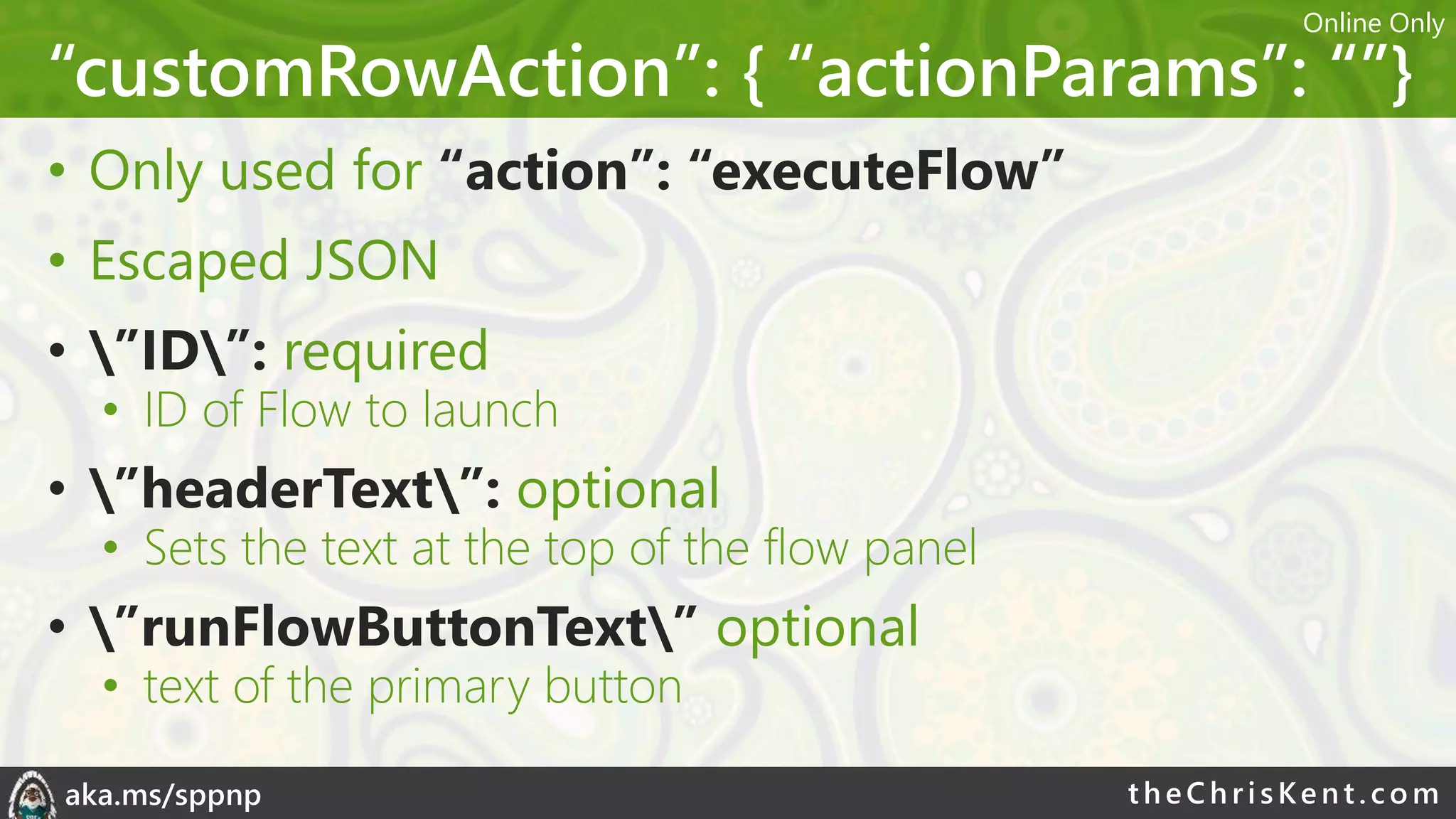
“customRowAction”: { “actionParams”: “”}
• Only used for “action”: “executeFlow”
• Escaped JSON
• ”ID”: required
• ID of Flow to launch
• ”headerText”: optional
• Sets the text at the top of the flow panel
• ”runFlowButtonText” optional
• text of the primary button
Online Only
theChri sKent.c omaka.ms/sppnp
Live List Updates
• Formats are automatically redrawn as items
update
• Magic
• Does NOT (yet?) work in the list/library web parts
• sadness
Online Only
theChri sKent.c omaka.ms/sppnp
Demo: customRowAction
theChri sKent.c omaka.ms/sppnp
…
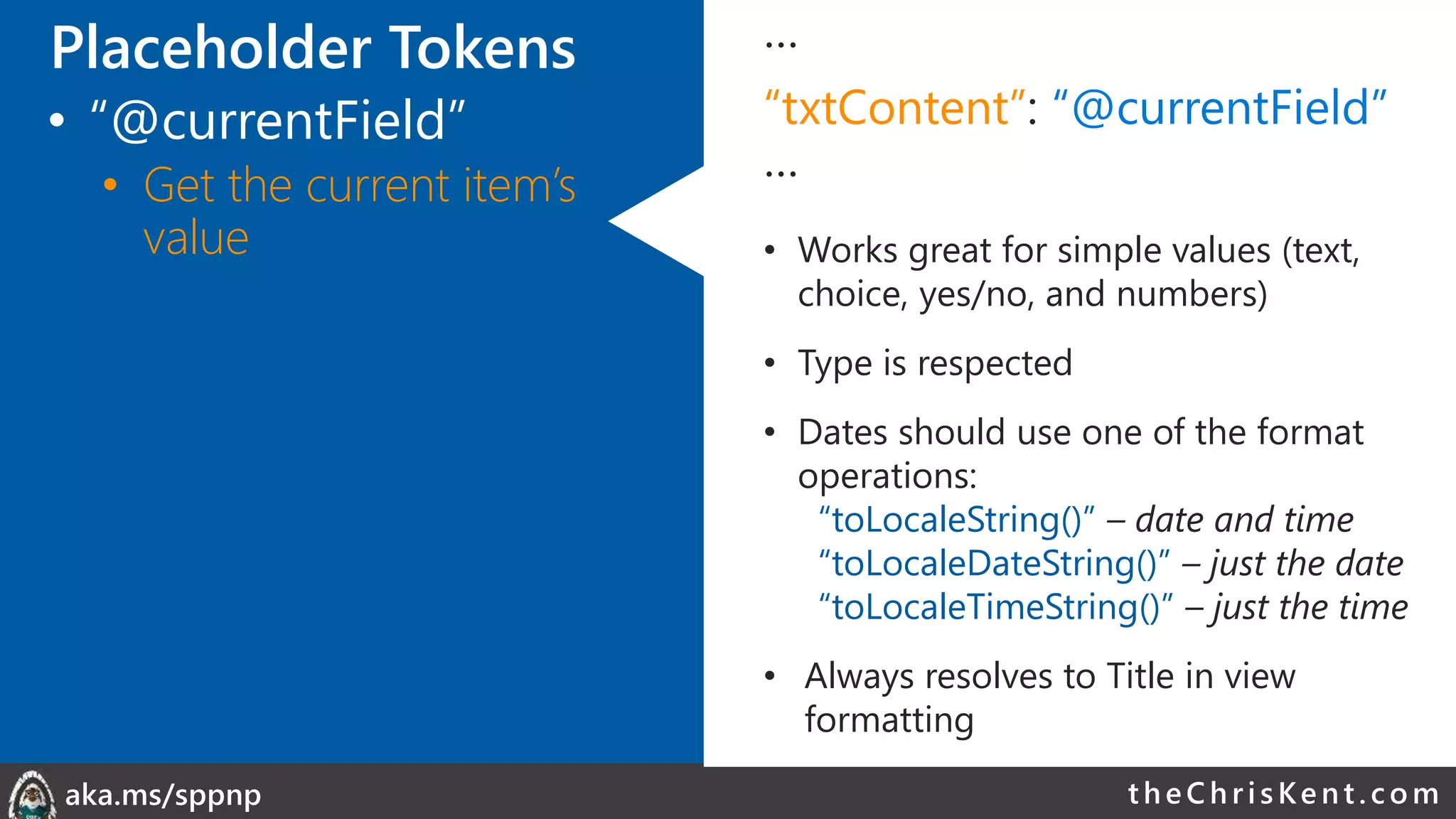
“txtContent”: “@currentField”
…
• Works great for simple values (text,
choice, yes/no, and numbers)
• Type is respected
• Dates should use one of the format
operations:
“toLocaleString()” – date and time
“toLocaleDateString()” – just the date
“toLocaleTimeString()” – just the time
• Always resolves to Title in view
formatting
Placeholder Tokens
• “@currentField”
• Get the current item’s
value
theChri sKent.c omaka.ms/sppnp
…
“txtContent”: “@currentField.title”
…
• Can’t use “@currentField” directly, use
dot-notation to get properties:
“@currentField.title”
“@currentField.id”
“@currentField.email”
“@currentField.sip”
“@currentField.picture”
“@currentField.department”
“@currentField.jobTitle”
• Person field props
Placeholder Tokens
• “@currentField”
• Get the current item’s
value
theChri sKent.c omaka.ms/sppnp
…
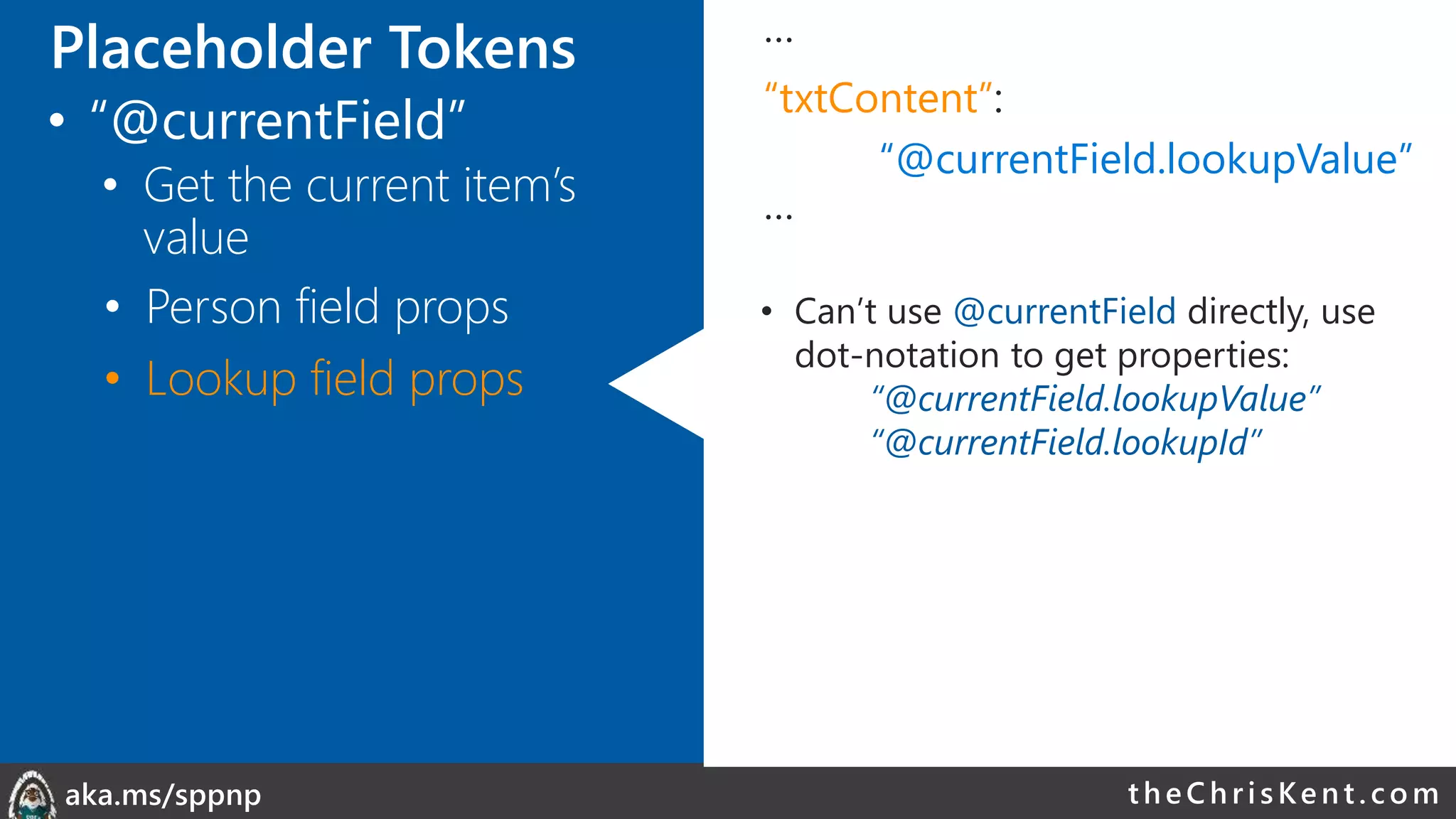
“txtContent”:
“@currentField.lookupValue”
…
• Can’t use @currentField directly, use
dot-notation to get properties:
“@currentField.lookupValue”
“@currentField.lookupId”
• Person field props
• Lookup field props
Placeholder Tokens
• “@currentField”
• Get the current item’s
value
theChri sKent.c omaka.ms/sppnp
• Person field props
• Lookup field props
• Hyperlink field props
…
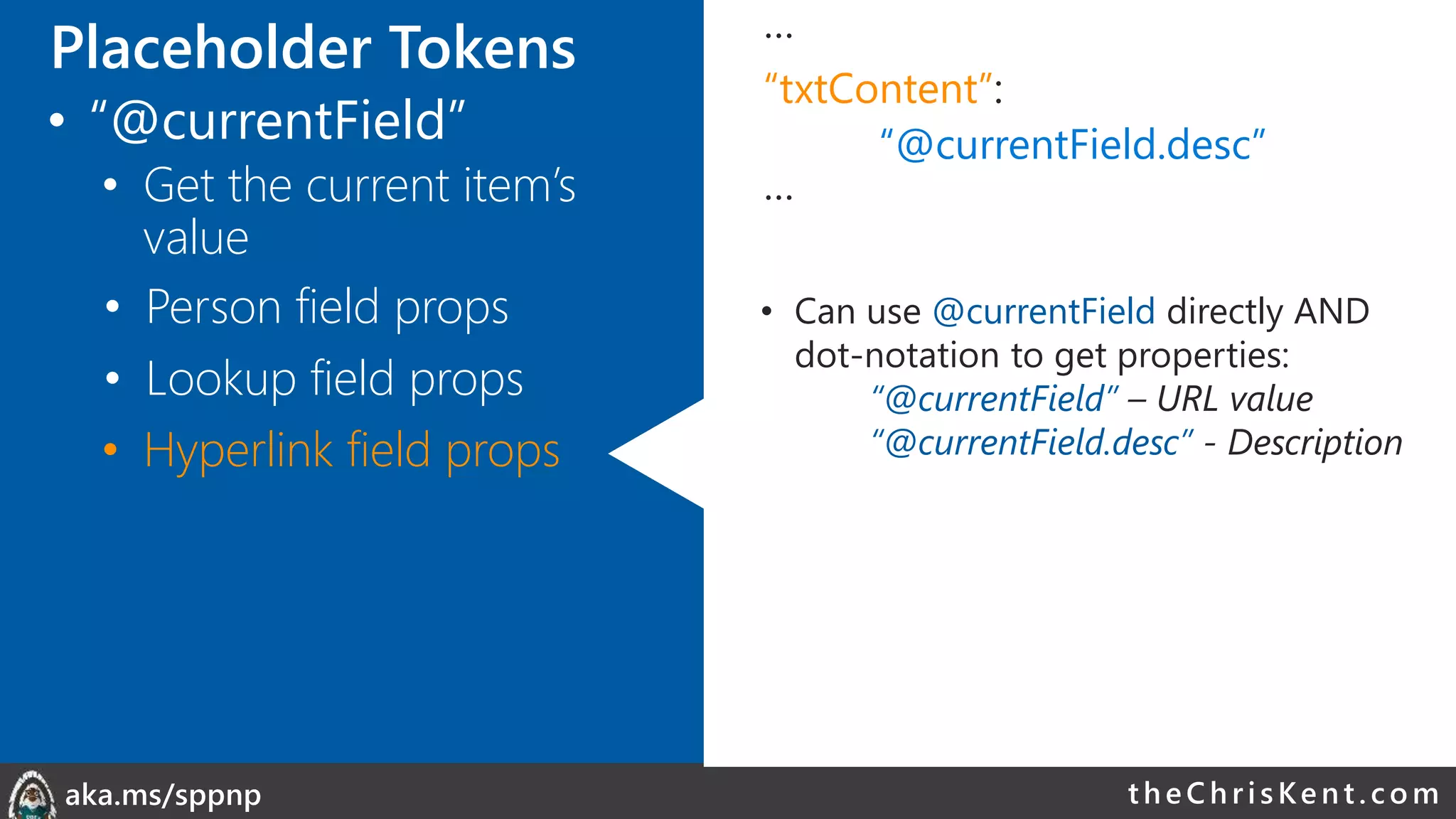
“txtContent”:
“@currentField.desc”
…
• Can use @currentField directly AND
dot-notation to get properties:
“@currentField” – URL value
“@currentField.desc” - Description
Placeholder Tokens
• “@currentField”
• Get the current item’s
value
theChri sKent.c omaka.ms/sppnp
…
“txtContent”: “[$Title]”
…
• Wrap internal name in [$FIELD]
• Access Person/Lookup/URL properties
in same way as with @currentField
“[$Author.email]”
“[$OtherListItem.lookupValue]”
• Person field props
• Lookup field props
• Other Fields (same row)
• Hyperlink field props
Placeholder Tokens
• “@currentField”
• Get the current item’s
value
theChri sKent.c omaka.ms/sppnp
…
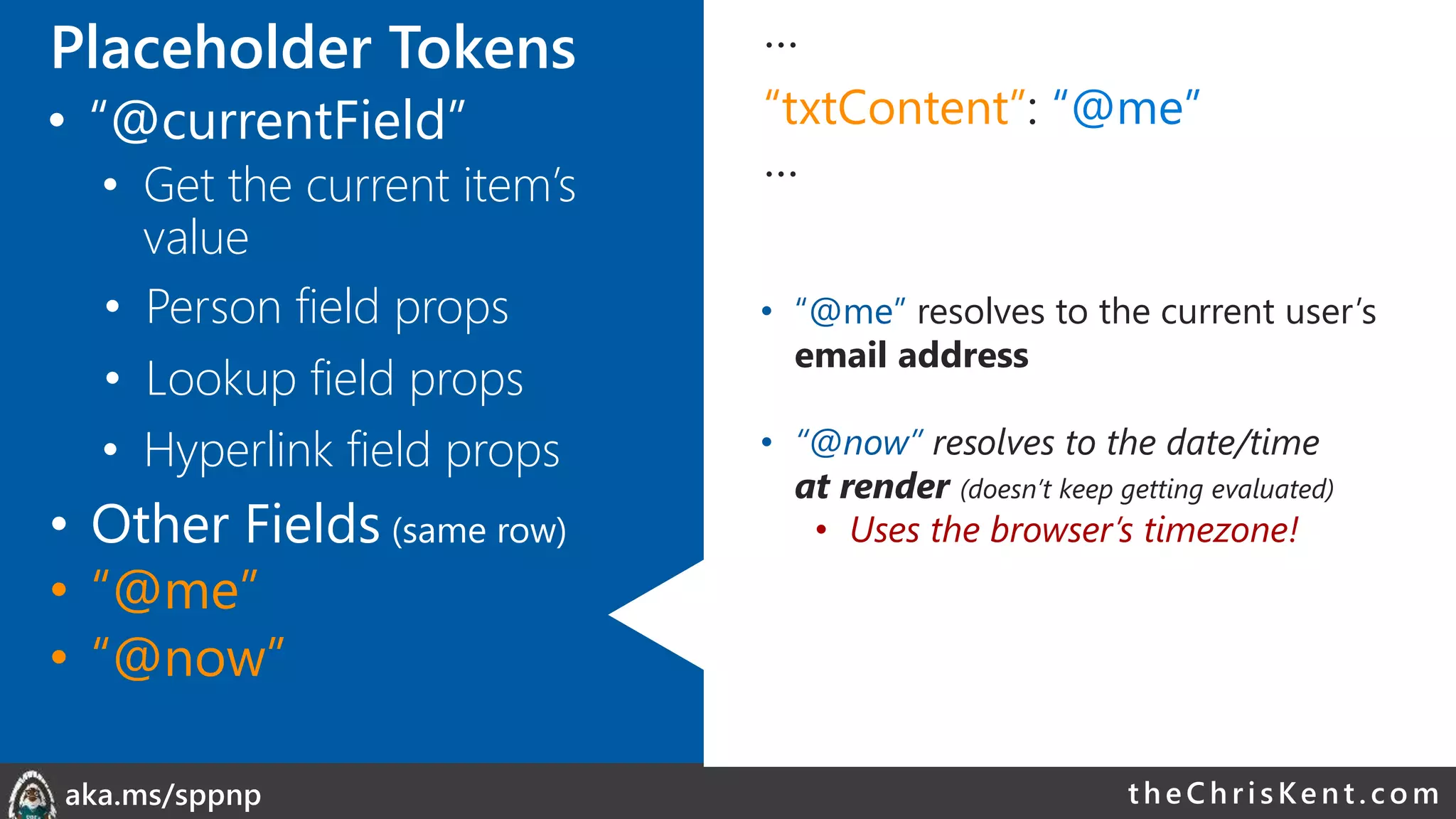
“txtContent”: “@me”
…
• “@me” resolves to the current user’s
email address
• “@now” resolves to the date/time
at render (doesn’t keep getting evaluated)
• Uses the browser’s timezone!
• Person field props
• Lookup field props
• Other Fields (same row)
• Hyperlink field props
• “@me”
• “@now”
Placeholder Tokens
• “@currentField”
• Get the current item’s
value
theChri sKent.c omaka.ms/sppnp
Placeholder Tokens …
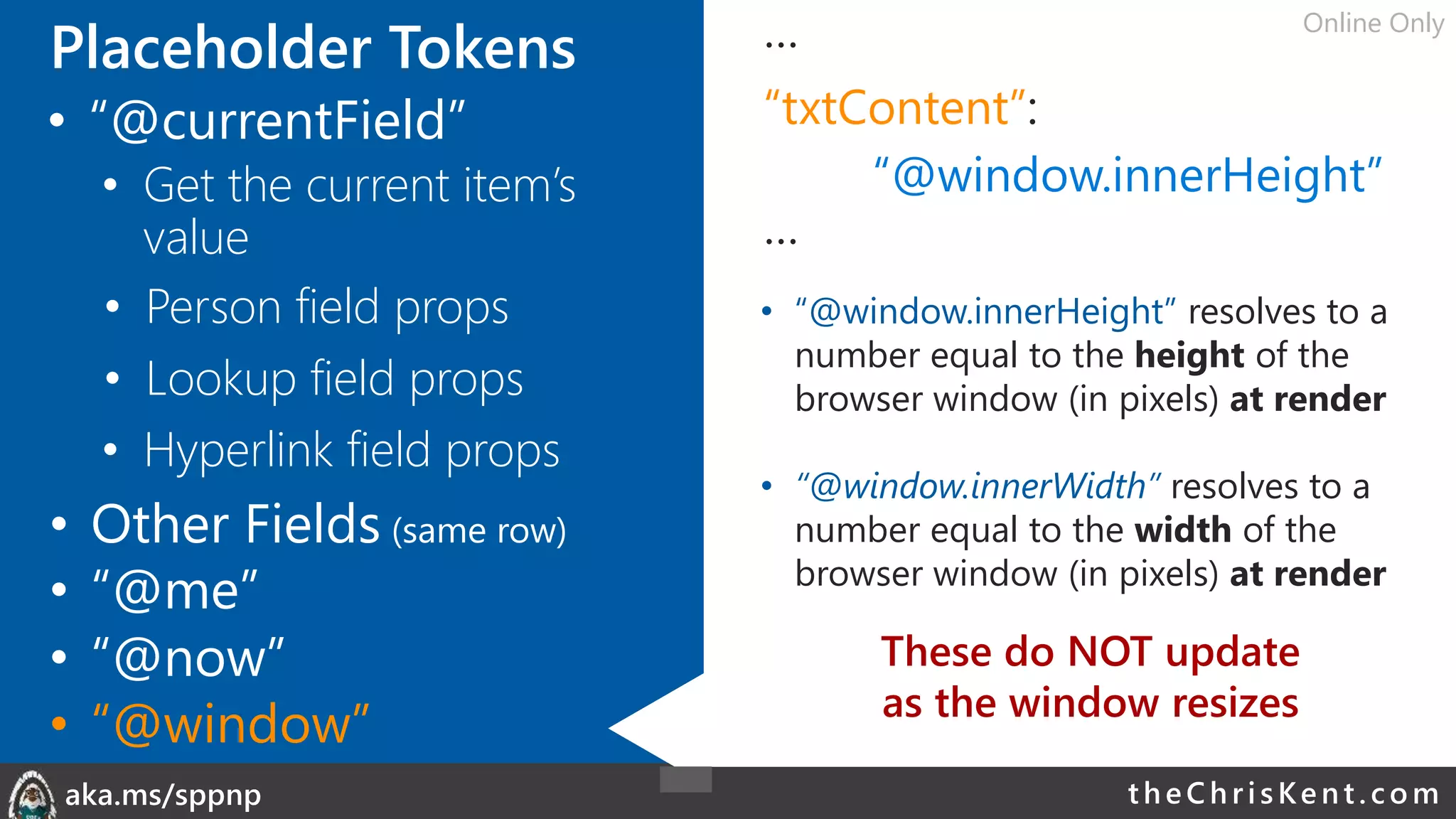
“txtContent”:
“@window.innerHeight”
…
• “@window.innerHeight” resolves to a
number equal to the height of the
browser window (in pixels) at render
• “@window.innerWidth” resolves to a
number equal to the width of the
browser window (in pixels) at render
• Person field props
• Lookup field props
• Other Fields (same row)
• Hyperlink field props
• “@me”
• “@now”
• “@window”
These do NOT update
as the window resizes
• “@currentField”
• Get the current item’s
value
Online Only
theChri sKent.c omaka.ms/sppnp
Placeholder Tokens …
“txtContent”: “@currentWeb”
…
• Same as page context webAbsoluteUrl
• Does not end with a slash
• Other Fields (same row)
• “@me”
• “@now”
• “@window”
• “@currentField”
• “@currentWeb”
• “[$FieldName]”
Hardcoded URL
• Always works
• Not reusable across sites
Relative URL
• Reusable across sites
• URLs dependent on relative location
Online Only
theChri sKent.c omaka.ms/sppnp
Placeholder Tokens …
“txtContent”: “@rowIndex”
…
• Evaluates to the rendered index of a
row within a view
• Independent of sorts or filters
• Starts at 0
• Alternating Rows!
• “@me”
• “@now”
• “@window”
• “@currentField”
• “@currentWeb”
• “[$FieldName]”
Online Only
• “@rowIndex”
theChri sKent.c omaka.ms/sppnp
Placeholder Tokens …
“src”: “@thumbnail.medium”
…
• Provides the URL to the thumbnail of a
file (document libraries only)
• No value for list items or folders
“@thumbnail.small”
“@thumbnail.medium”
“@thumbnail.large”
@thumbnail.<width>x<height>
“@thumbnail.100x200”
@thumbnail.<width>
“@thumbnail.150”
• Aspect ratio is maintained
• Only value of src, auto hidden when
unavailable
• “@me”
• “@now”
• “@window”
• “@currentField”
• “@currentWeb”
• “[$FieldName]”
Online Only
• “@rowIndex”
• “@thumbnail”
theChri sKent.c omaka.ms/sppnp
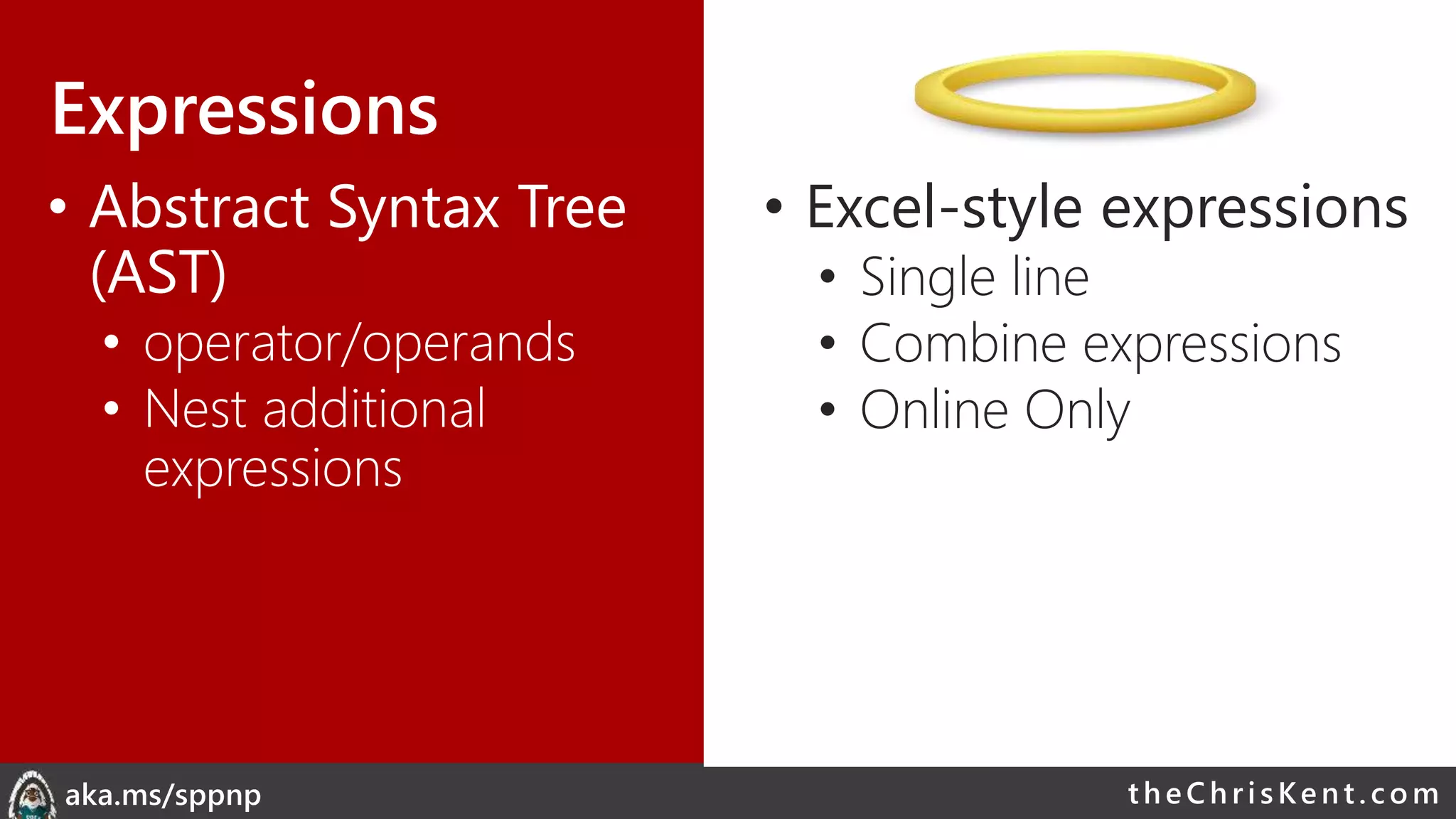
Expressions
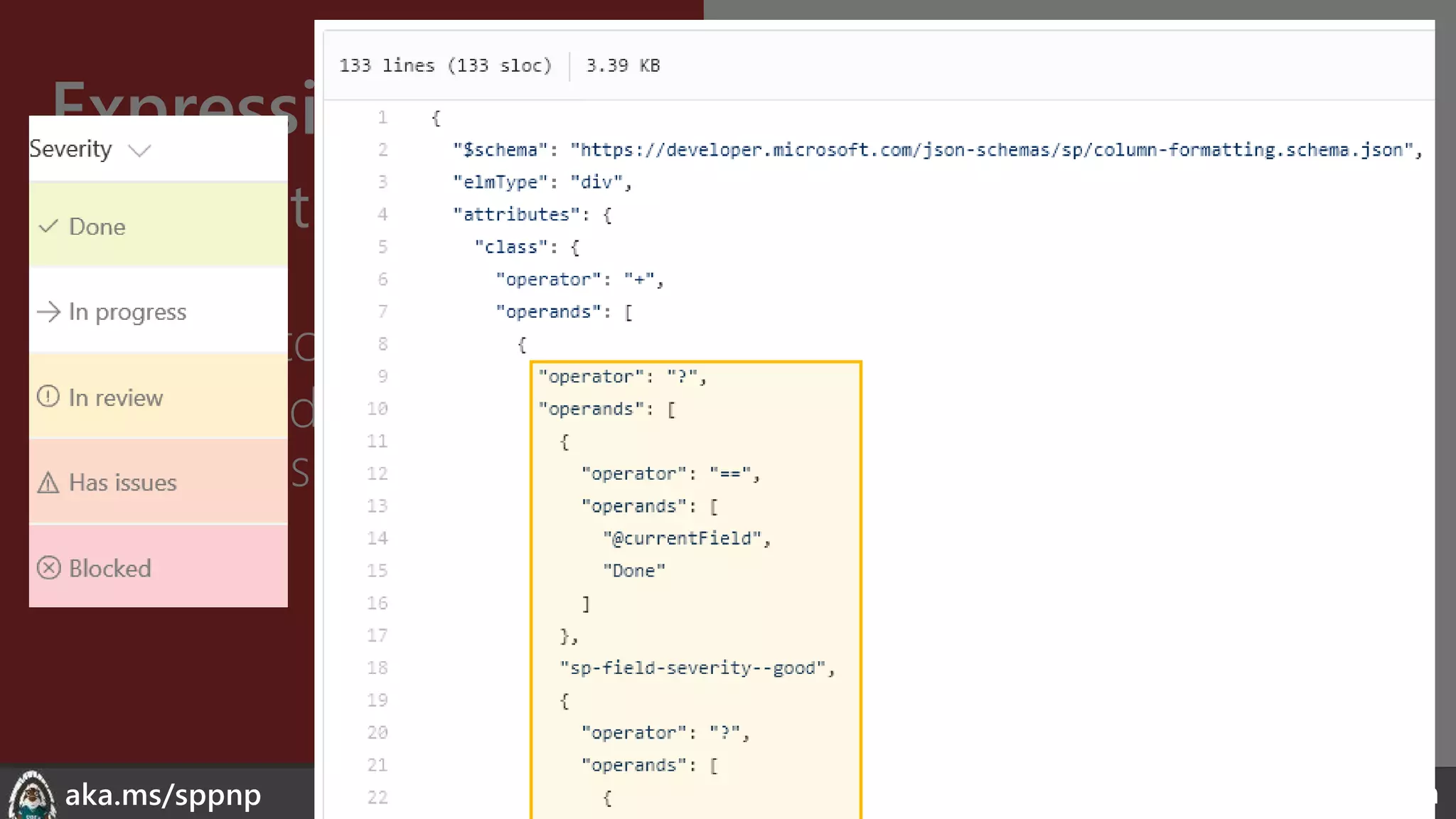
• Abstract Syntax Tree
(AST)
• operator/operands
• Nest additional
expressions
• Excel-style expressions
• Single line
• Combine expressions
• Online Only
theChri sKent.c omaka.ms/sppnp
Expressions
• Abstract Syntax Tree
(AST)
• operator/operands
• Nest additional
expressions
• Excel-style expressions
• Single line
• Combine expressions
• Electrolytes
theChri sKent.c omaka.ms/sppnp
Expressions
• Abstract Syntax Tree
(AST)
• operator/operands
• Nest additional
expressions
• Excel-style expressions
• Single line
• Combine expressions
• Electrolytes
theChri sKent.c omaka.ms/sppnp
Expressions
• Abstract Syntax Tree
(AST)
• operator/operands
• Nest additional
expressions
• Excel-style expressions
• Single line
• Combine expressions
• Electrolytes
theChri sKent.c omaka.ms/sppnp
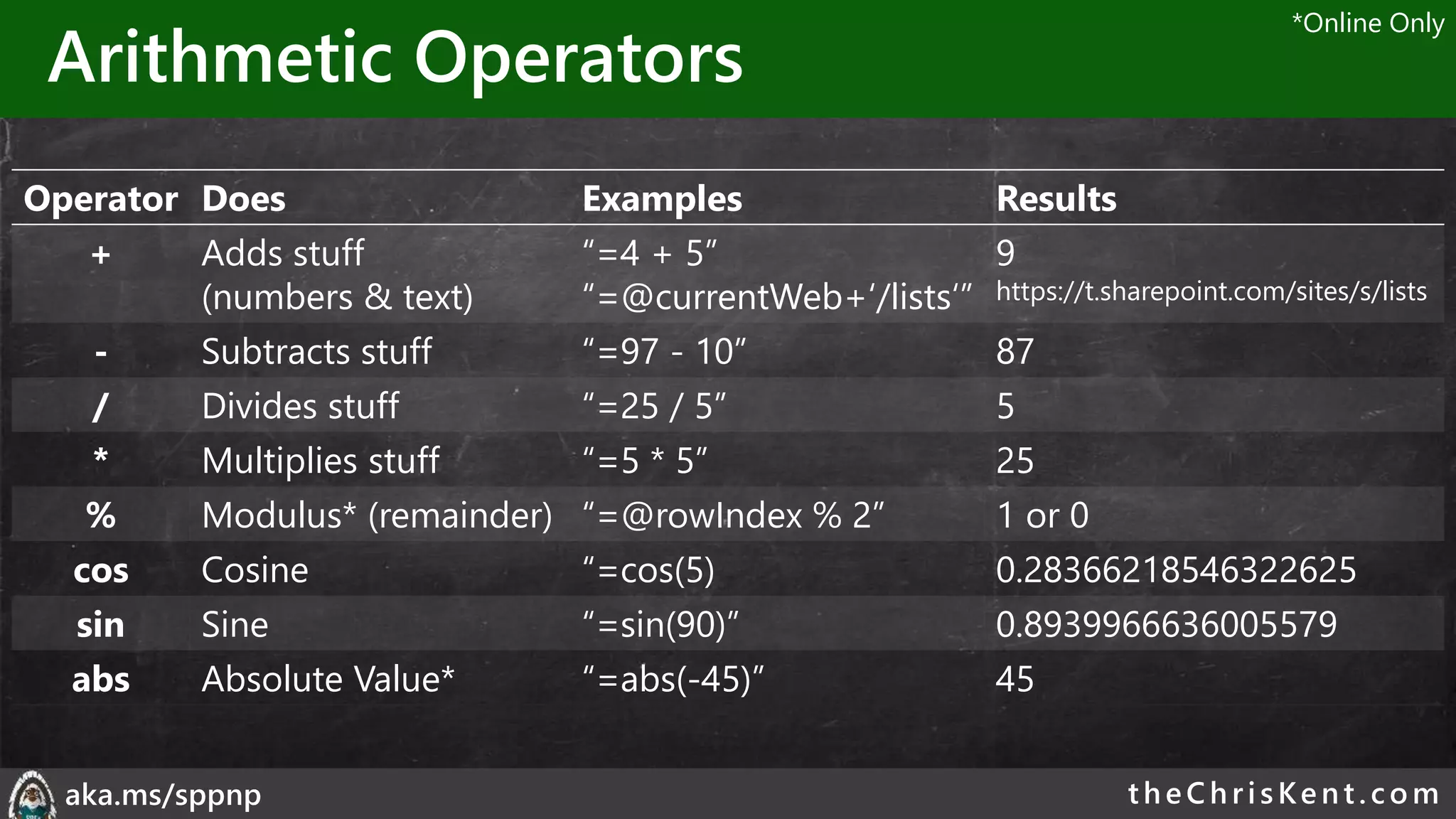
Arithmetic Operators
Operator Does Examples Results
+ Adds stuff
(numbers & text)
“=4 + 5”
“=@currentWeb+‘/lists‘”
9
https://t.sharepoint.com/sites/s/lists
- Subtracts stuff “=97 - 10” 87
/ Divides stuff “=25 / 5” 5
* Multiplies stuff “=5 * 5” 25
% Modulus* (remainder) “=@rowIndex % 2” 1 or 0
cos Cosine “=cos(5) 0.28366218546322625
sin Sine “=sin(90)” 0.8939966636005579
abs Absolute Value* “=abs(-45)” 45
*Online Only
theChri sKent.c omaka.ms/sppnp
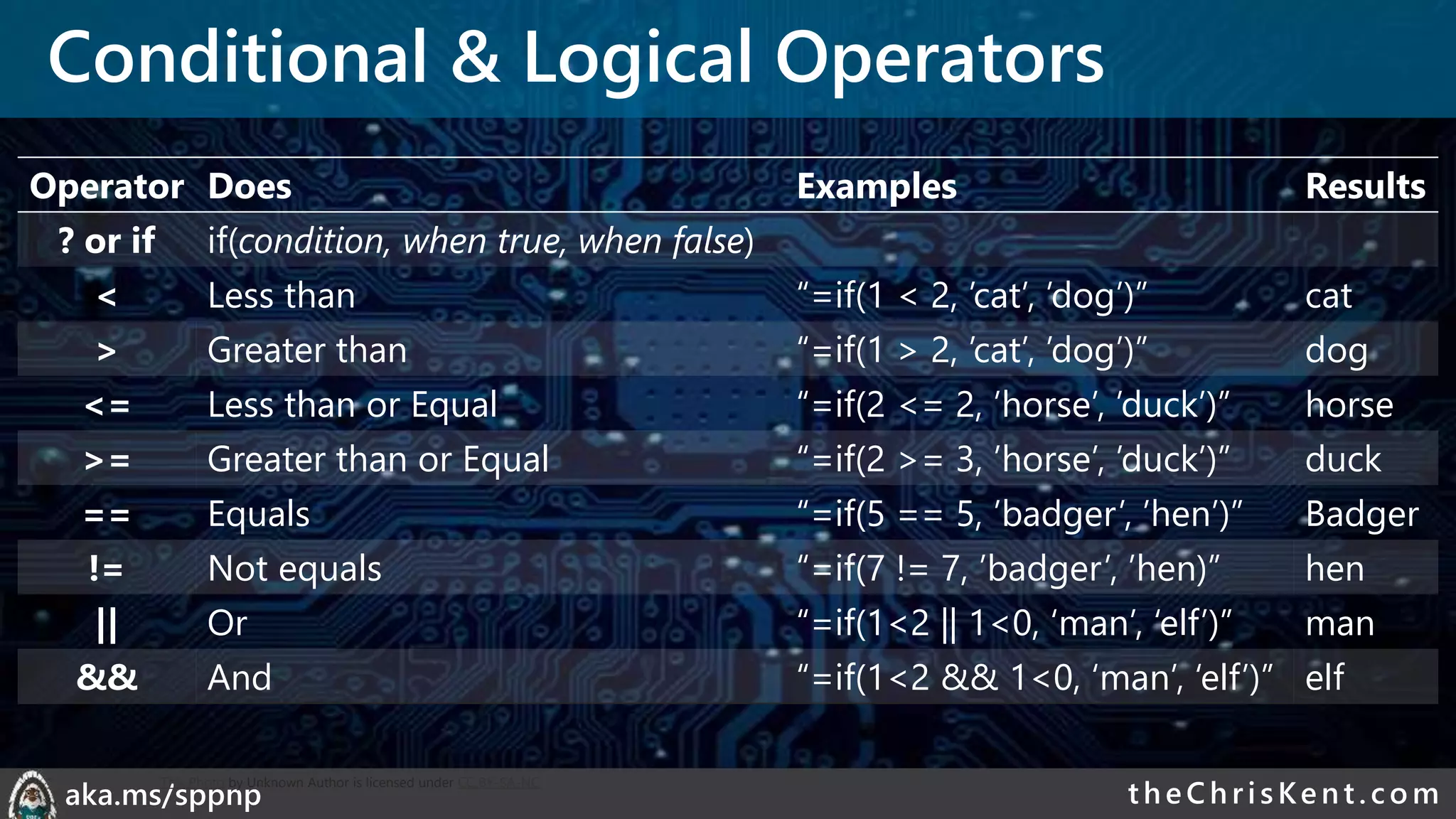
Conditional & Logical Operators
Operator Does Examples Results
? or if if(condition, when true, when false)
< Less than “=if(1 < 2, ’cat’, ’dog’)” cat
> Greater than “=if(1 > 2, ’cat’, ’dog’)” dog
<= Less than or Equal “=if(2 <= 2, ’horse’, ’duck’)” horse
>= Greater than or Equal “=if(2 >= 3, ’horse’, ’duck’)” duck
== Equals “=if(5 == 5, ’badger’, ’hen’)” Badger
!= Not equals “=if(7 != 7, ’badger’, ’hen)” hen
|| Or “=if(1<2 || 1<0, ‘man’, ‘elf’)” man
&& And “=if(1<2 && 1<0, ‘man’, ‘elf’)” elf
This Photo by Unknown Author is licensed under CC BY-SA-NC
theChri sKent.c omaka.ms/sppnp
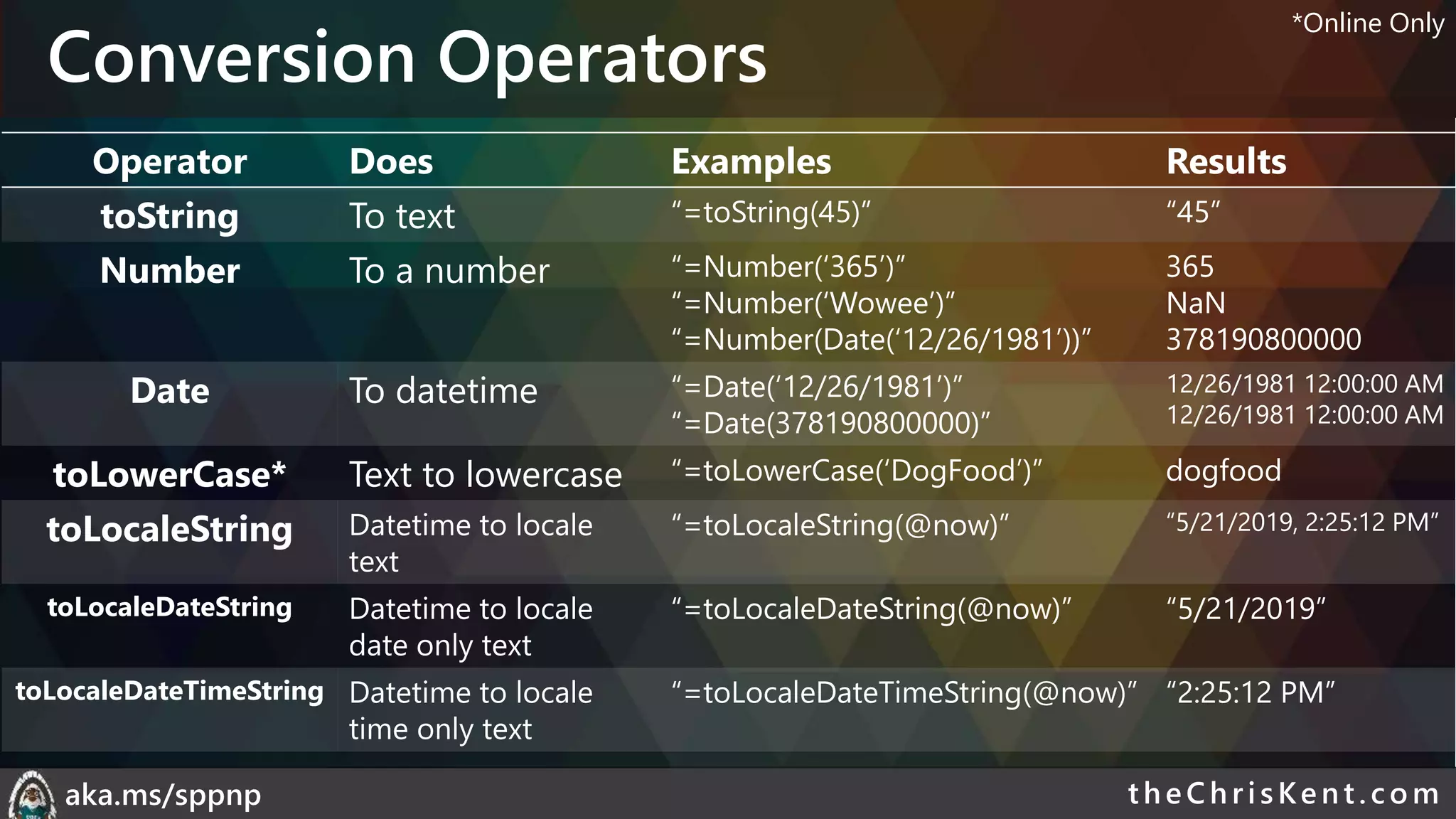
Conversion Operators
Operator Does Examples Results
toString To text “=toString(45)” “45”
Number To a number “=Number(‘365’)”
“=Number(‘Wowee’)”
“=Number(Date(‘12/26/1981’))”
365
NaN
378190800000
Date To datetime “=Date(‘12/26/1981’)”
“=Date(378190800000)”
12/26/1981 12:00:00 AM
toLowerCase* Text to lowercase “=toLowerCase(‘DogFood’)” dogfood
toLocaleString Datetime to locale
text
“=toLocaleString(@now)” “5/21/2019, 2:25:12 PM”
toLocaleDateString Datetime to locale
date only text
“=toLocaleDateString(@now)” “5/21/2019”
toLocaleDateTimeString Datetime to locale
time only text
“=toLocaleDateTimeString(@now)” “2:25:12 PM”
*Online Only
theChri sKent.c omaka.ms/sppnp
Mulit-Value & Loop Operators
Operator Does Examples Results
indexOf Character index (starting at 0)
of some text within text
“=indexOf(‘DogFood’, ‘Dog’)”
“=indexOf(‘DogFood’, ‘F’)”
“=indexOf(‘DogFood’, ‘Cat’)”
“=indexOf(‘DogFood’, ‘f’)”
0
3
-1
-1
length Number of multi-value values “=length([$MultiChoice])”
“=length(‘Some Text’)”
“=length(‘’)”
3
1
0
join Turns multi-values into text
with a separator
=“join([$MultiChoice], ‘, ‘)”
=“join([$MultiChoice], ‘|‘)”
“A, B, C”
“A|B|C”
loopIndex Current index of an iterator
(forEach)
“=loopIndex(‘personIterator’)” 2
Online Only
theChri sKent.c omaka.ms/sppnp
Demo: Operators & Tokens
theChri sKent.c omaka.ms/sppnp
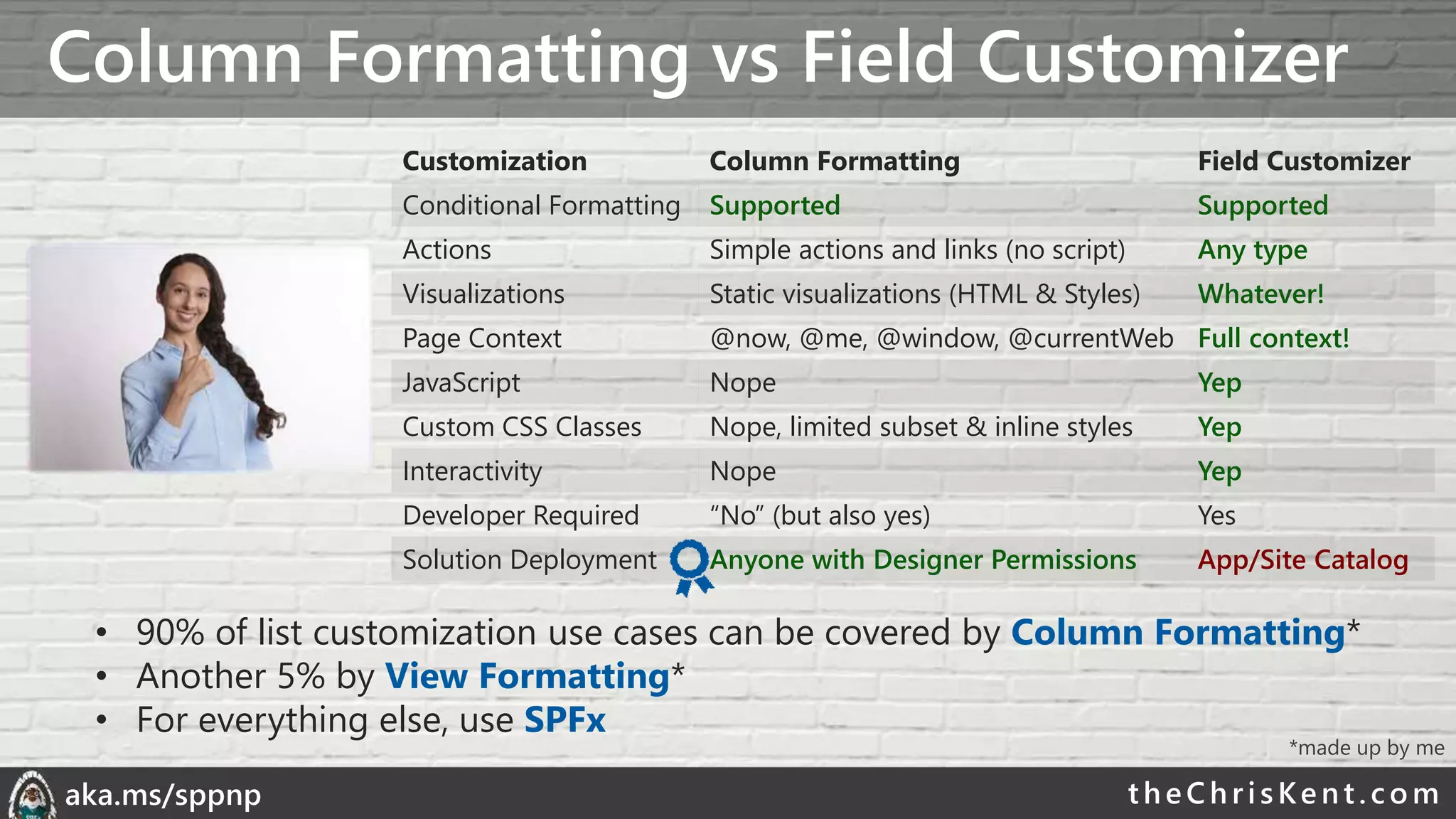
Column Formatting vs Field Customizer
theChri sKent.c omaka.ms/sppnp
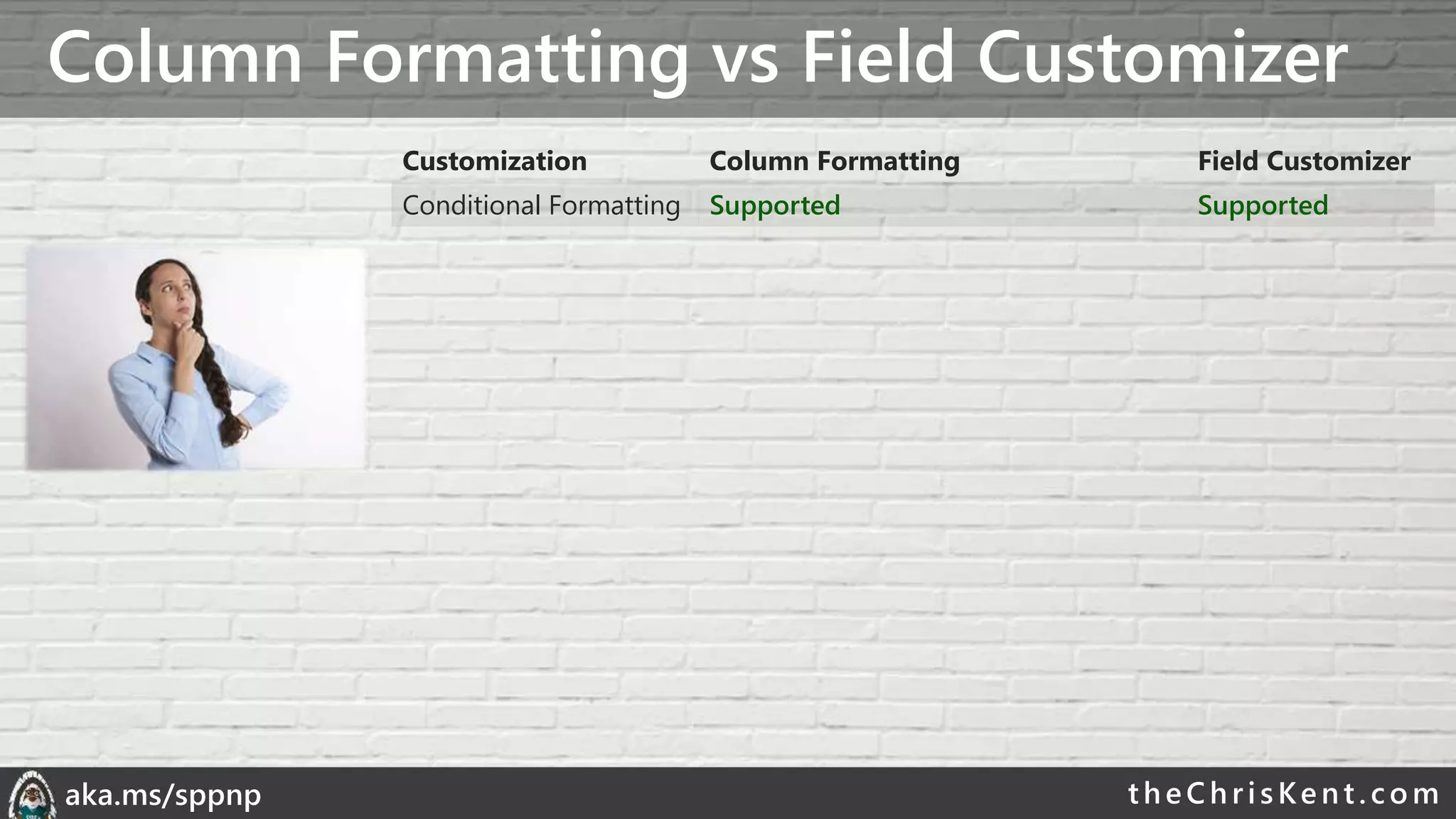
Column Formatting vs Field Customizer
Customization Column Formatting Field Customizer
Conditional Formatting Supported Supported
theChri sKent.c omaka.ms/sppnp
Column Formatting vs Field Customizer
Customization Column Formatting Field Customizer
Conditional Formatting Supported Supported
Actions Simple actions and links (no script) Any type
theChri sKent.c omaka.ms/sppnp
Column Formatting vs Field Customizer
Customization Column Formatting Field Customizer
Conditional Formatting Supported Supported
Actions Simple actions and links (no script) Any type
Visualizations Static visualizations (HTML & Styles) Whatever!
theChri sKent.c omaka.ms/sppnp
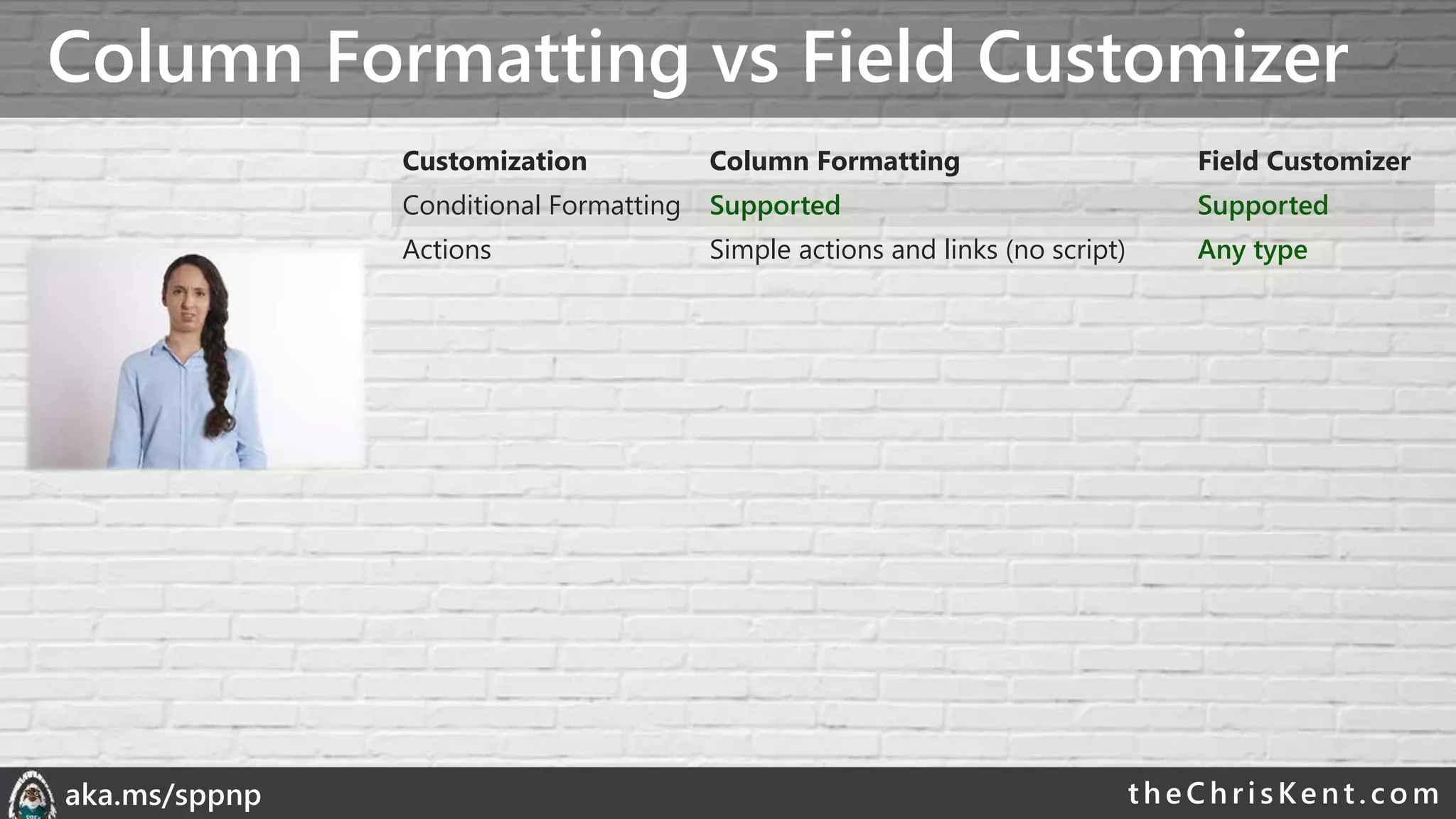
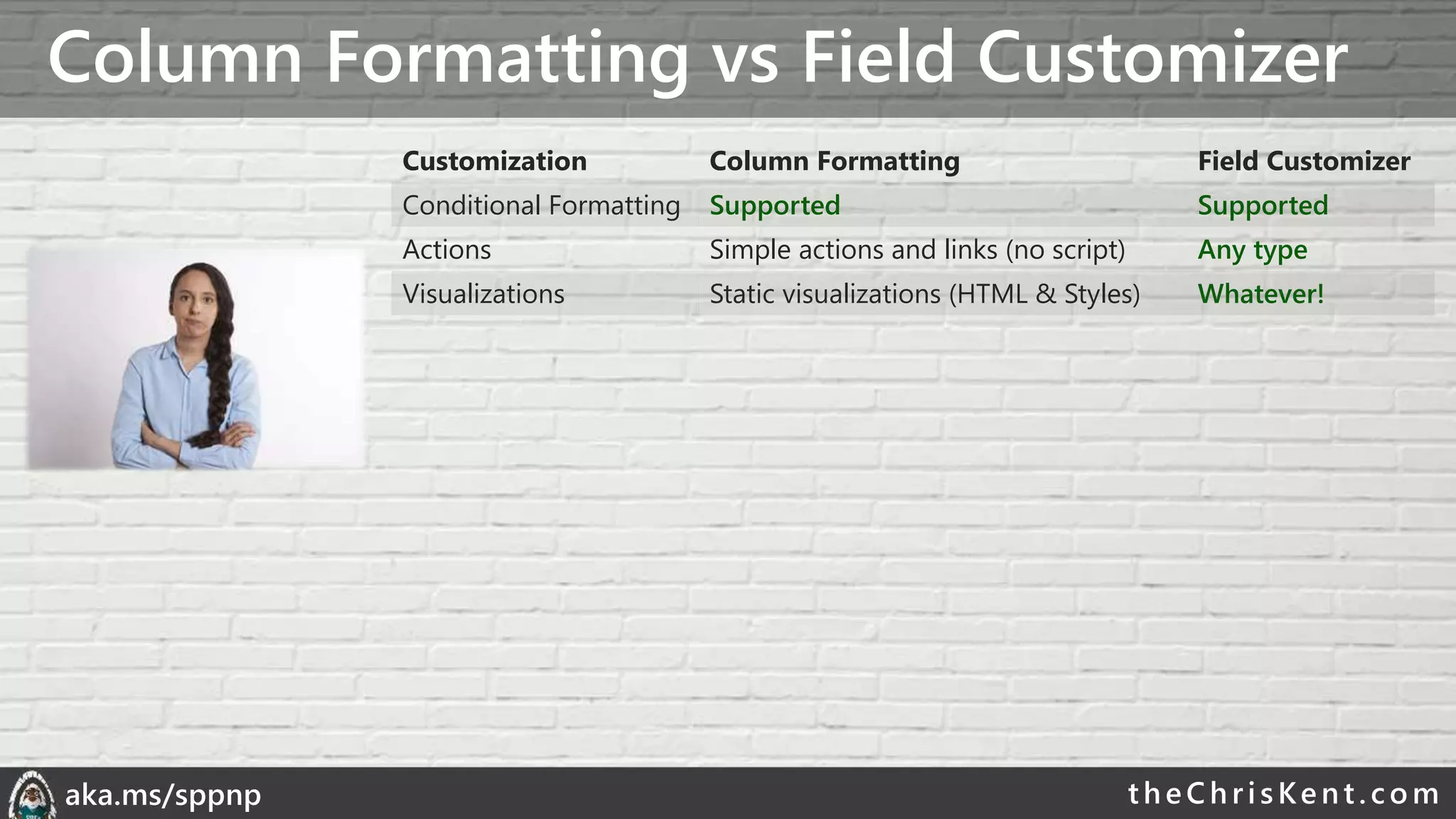
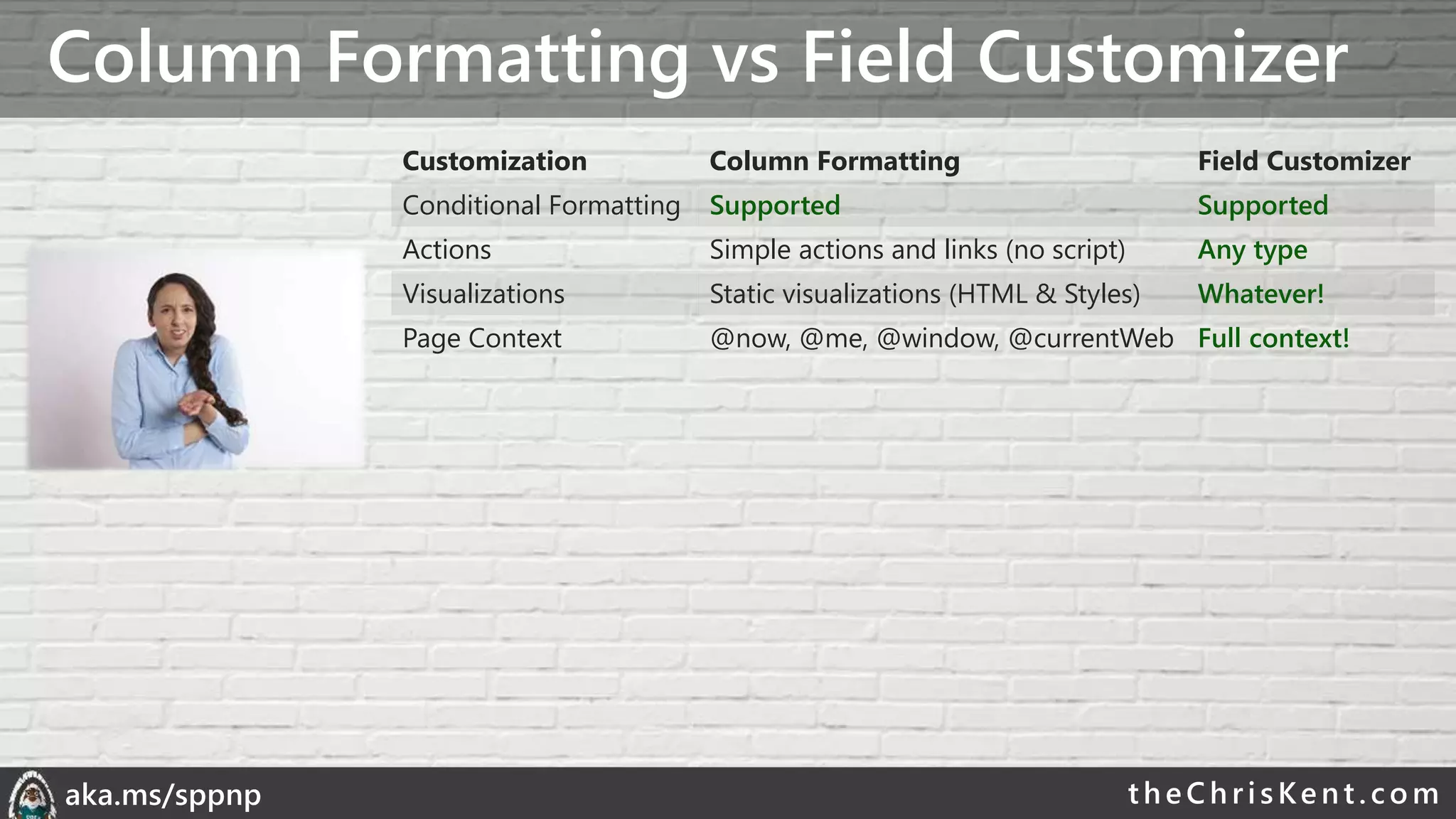
Column Formatting vs Field Customizer
Customization Column Formatting Field Customizer
Conditional Formatting Supported Supported
Actions Simple actions and links (no script) Any type
Visualizations Static visualizations (HTML & Styles) Whatever!
Page Context @now, @me, @window, @currentWeb Full context!
theChri sKent.c omaka.ms/sppnp
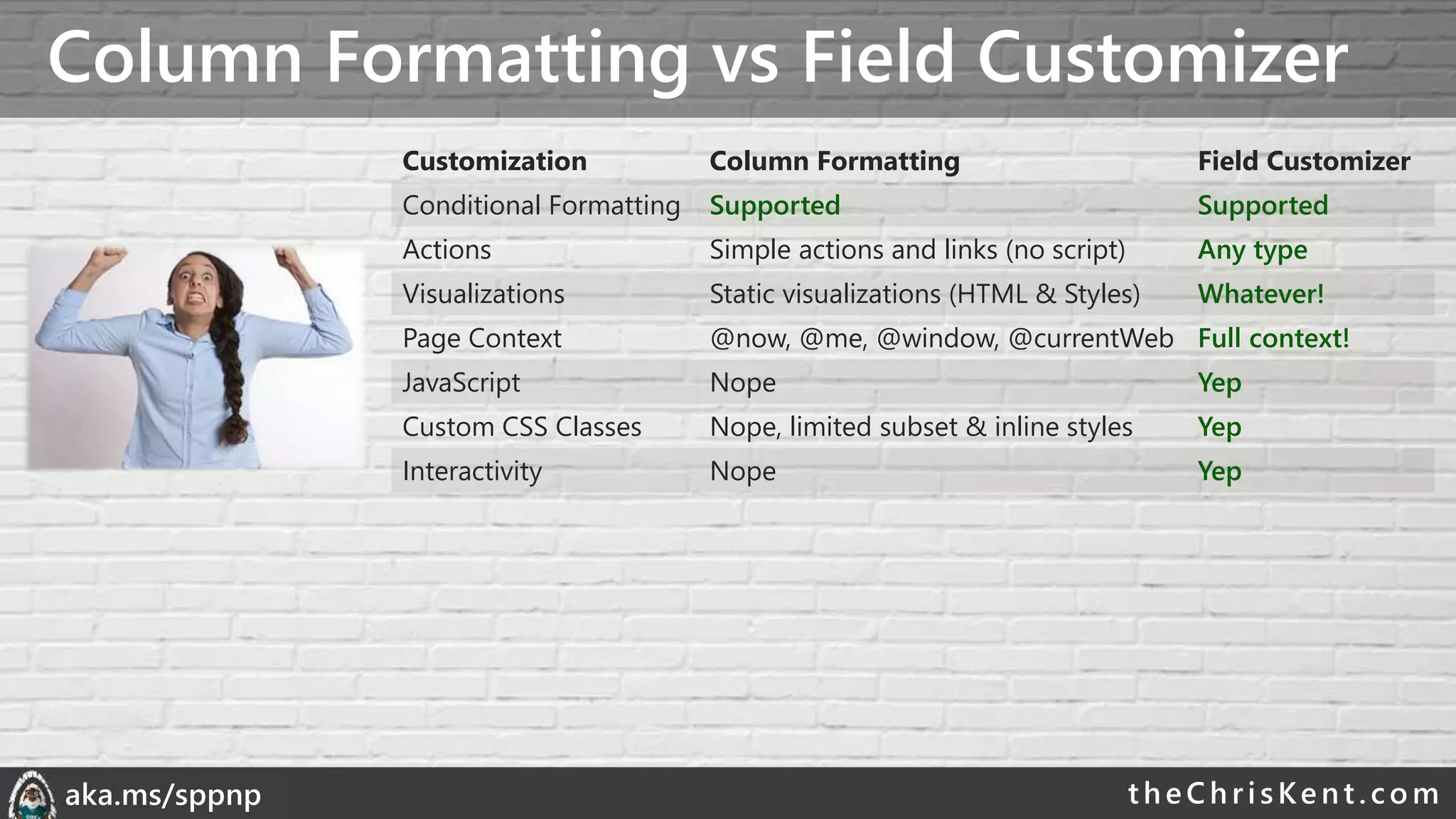
Column Formatting vs Field Customizer
Customization Column Formatting Field Customizer
Conditional Formatting Supported Supported
Actions Simple actions and links (no script) Any type
Visualizations Static visualizations (HTML & Styles) Whatever!
Page Context @now, @me, @window, @currentWeb Full context!
JavaScript Nope Yep
Custom CSS Classes Nope, limited subset & inline styles Yep
Interactivity Nope Yep
theChri sKent.c omaka.ms/sppnp
Column Formatting vs Field Customizer
Customization Column Formatting Field Customizer
Conditional Formatting Supported Supported
Actions Simple actions and links (no script) Any type
Visualizations Static visualizations (HTML & Styles) Whatever!
Page Context @now, @me, @window, @currentWeb Full context!
JavaScript Nope Yep
Custom CSS Classes Nope, limited subset & inline styles Yep
Interactivity Nope Yep
Developer Required “No” (but also yes) Yes
Solution Deployment Anyone with Designer Permissions App/Site Catalog
• 90% of list customization use cases can be covered by Column Formatting*
• Another 5% by View Formatting*
• For everything else, use SPFx
*made up by me
theChri sKent.c omaka.ms/sppnp
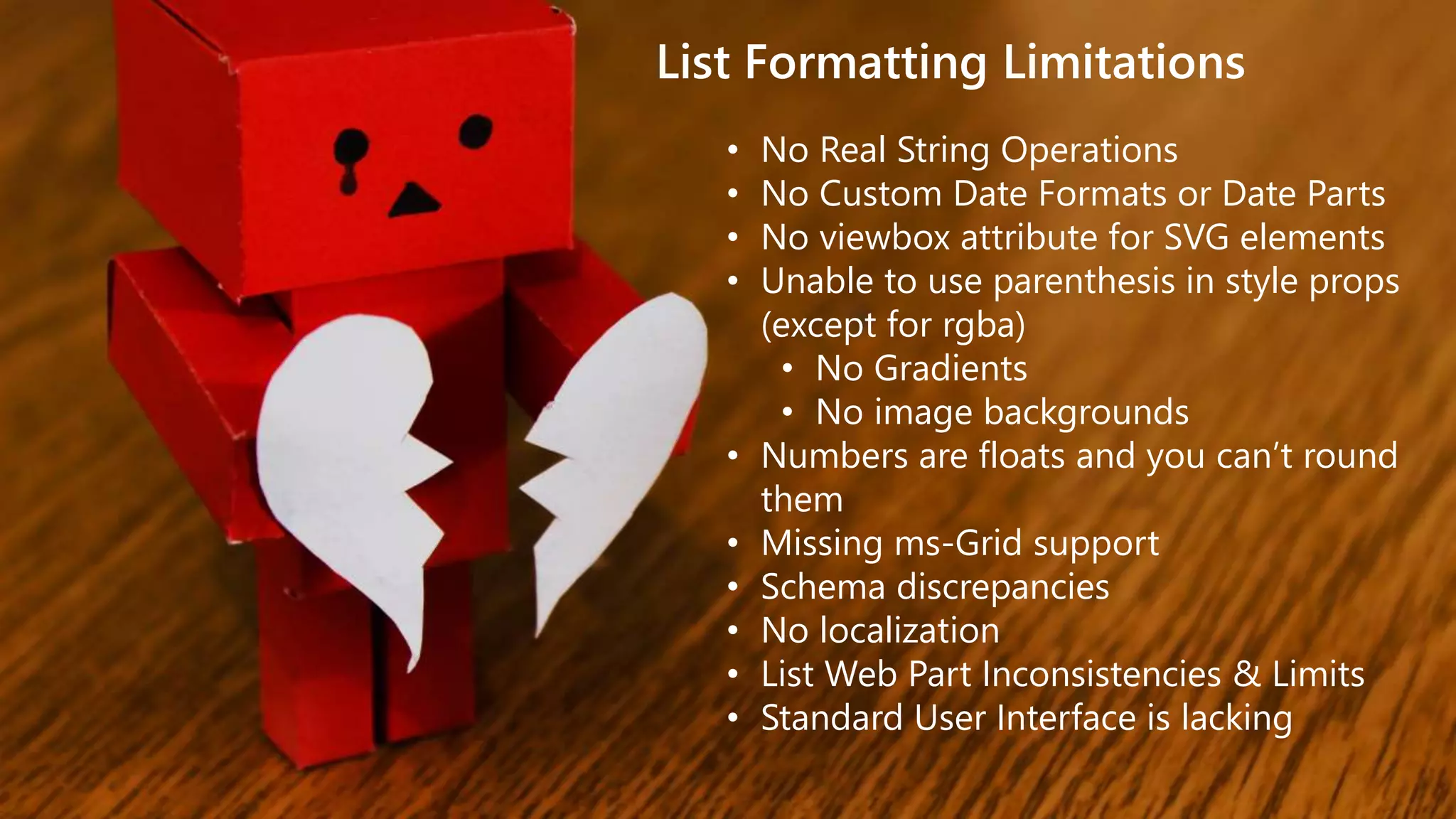
List Formatting Limitations
• No Real String Operations
• No Custom Date Formats or Date Parts
• No viewbox attribute for SVG elements
• Unable to use parenthesis in style props
(except for rgba)
• No Gradients
• No image backgrounds
• Numbers are floats and you can’t round
them
• Missing ms-Grid support
• Schema discrepancies
• No localization
• List Web Part Inconsistencies & Limits
• Standard User Interface is lacking
theChri sKent.c omaka.ms/sppnp
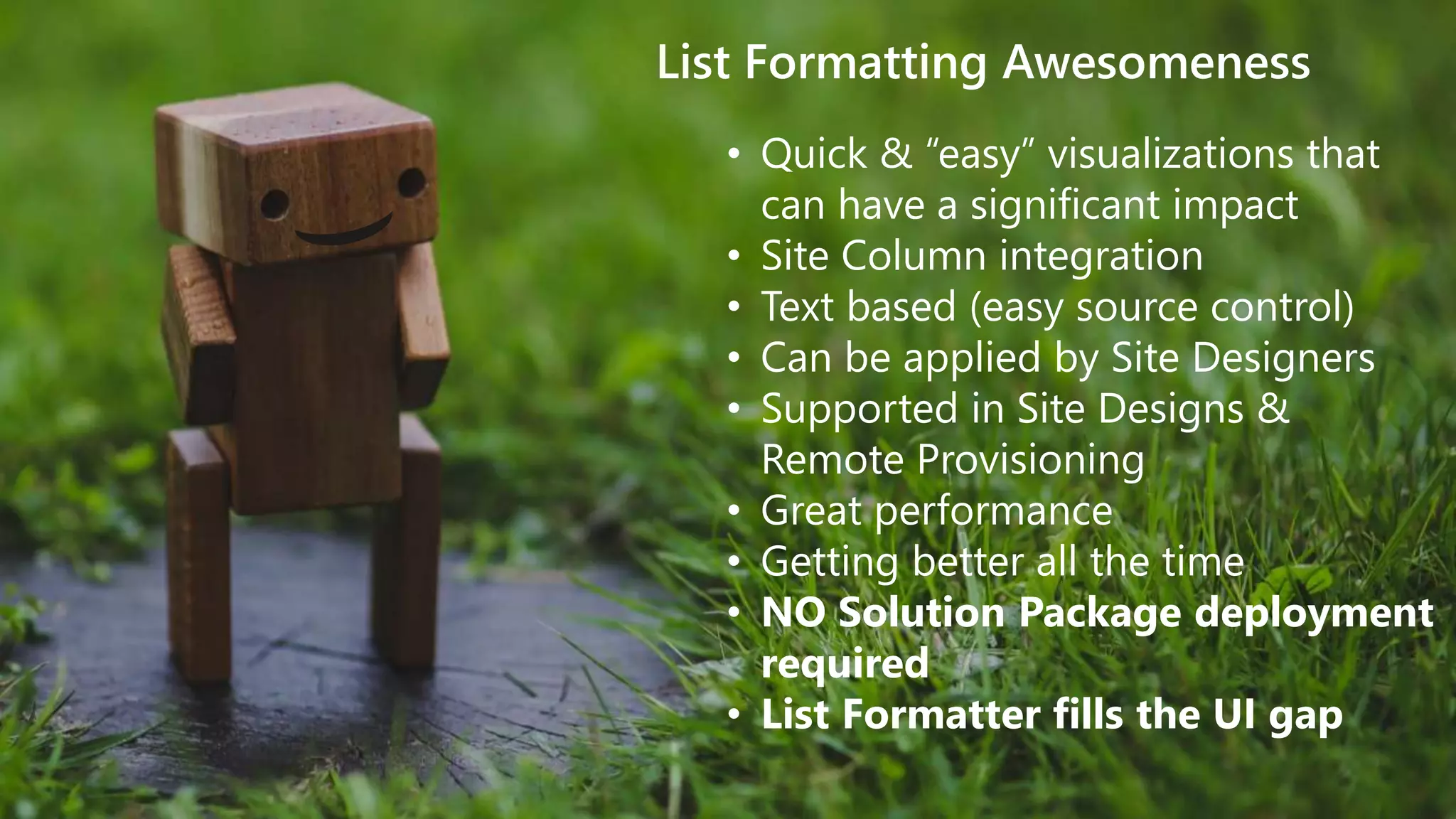
List Formatting Awesomeness
• Quick & “easy” visualizations that
can have a significant impact
• Site Column integration
• Text based (easy source control)
• Can be applied by Site Designers
• Supported in Site Designs &
Remote Provisioning
• Great performance
• Getting better all the time
• NO Solution Package deployment
required
• List Formatter fills the UI gap
List Formatter
ListFormatter.com
Easy editor for modern listview Formatting
theChri sKent.c omaka.ms/sppnp
Final Tips & Tricks
• UI Fabric Classes
• Theme Colors
• Hover Styles
• Font Sizes & Weights
• Purge AST from your brain
• Turn debugMode off
• Write HTML 1st
• Dynamic Images
• 1000+ icons – use them!
• Test in multiple themes
• Use List Formatter
The Modern Listview
theChri sKent.c omaka.ms/sppnp
PnP SIG
SharePoint General
Development Call
• Every other Thursday,
16:00 CEST
• Recorded to YouTube
• Next call on 5/30
• Recurring List
Formatting tips & tricks
• currentWeb
• forEach, loopIndex
• Contains, StartsWith, indexOf
• Design Mode
• Alternating Row Styles
• Conditionally launching flows
• Multi-line field formats
• ContentTypes
• Custom Row Actions
• UI Fabric Classes (themed formats)
• Customizing the Flow Panel
• SVG Icons
Previous List Formatting Tips covered
thank you
questions?
THECHRISKENT.COM@THECHRISKENT
ListFormatter.com
bit.lyLF-samples
bit.ly/LF-docs
theChri sKent.c omaka.ms/sppnp
Extra stuff just for you!
• The next few slides were cut for time
• They still (mostly) have valuable content
• Reach out with any questions (@theChrisKent)
• Enjoy!
theChri sKent.c omaka.ms/sppnp
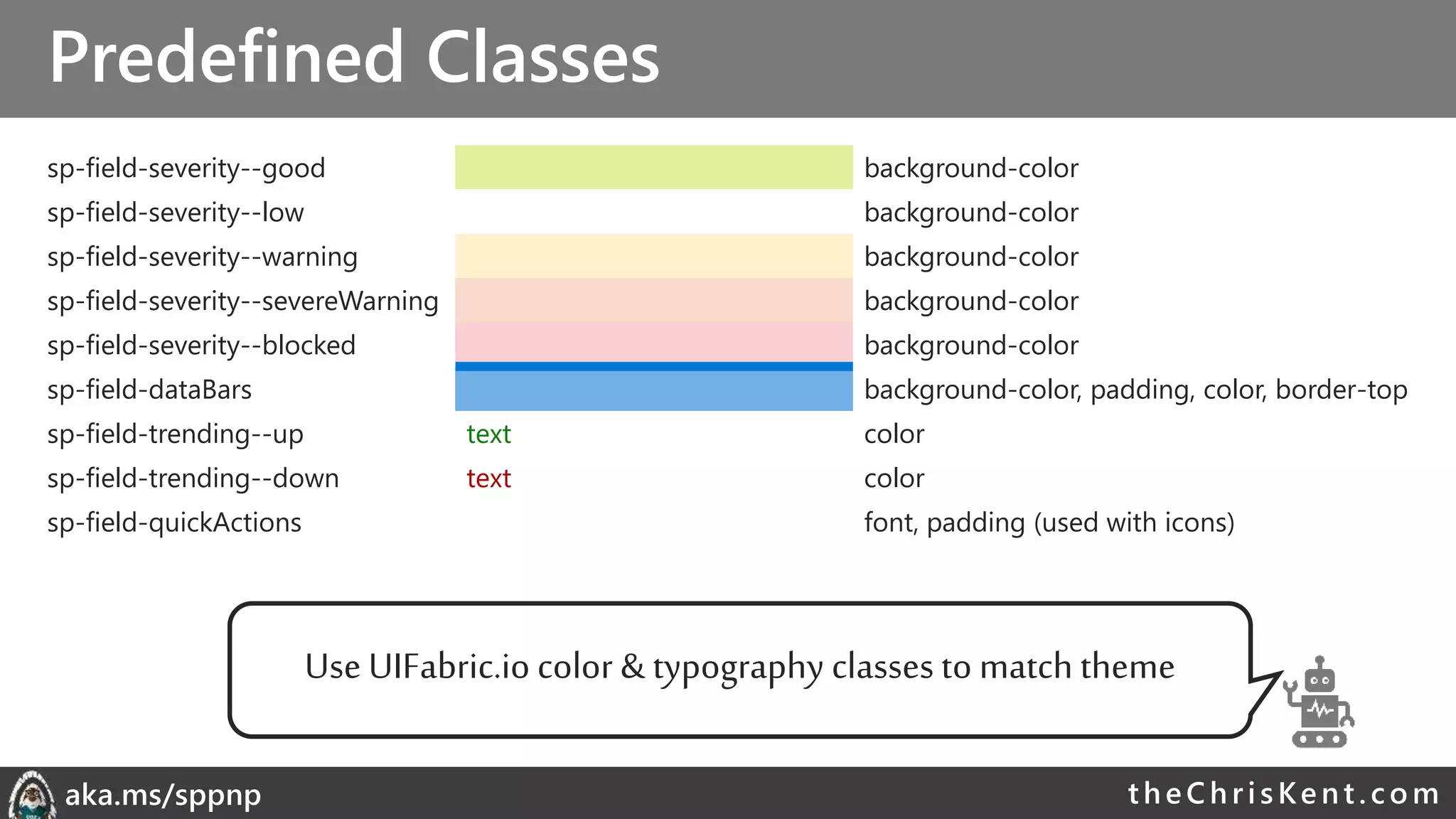
Predefined Classes
sp-field-severity--good background-color
sp-field-severity--low background-color
sp-field-severity--warning background-color
sp-field-severity--severeWarning background-color
sp-field-severity--blocked background-color
sp-field-dataBars background-color, padding, color, border-top
sp-field-trending--up text color
sp-field-trending--down text color
sp-field-quickActions font, padding (used with icons)
Use UIFabric.io color & typography classes to match theme
theChri sKent.c omaka.ms/sppnp
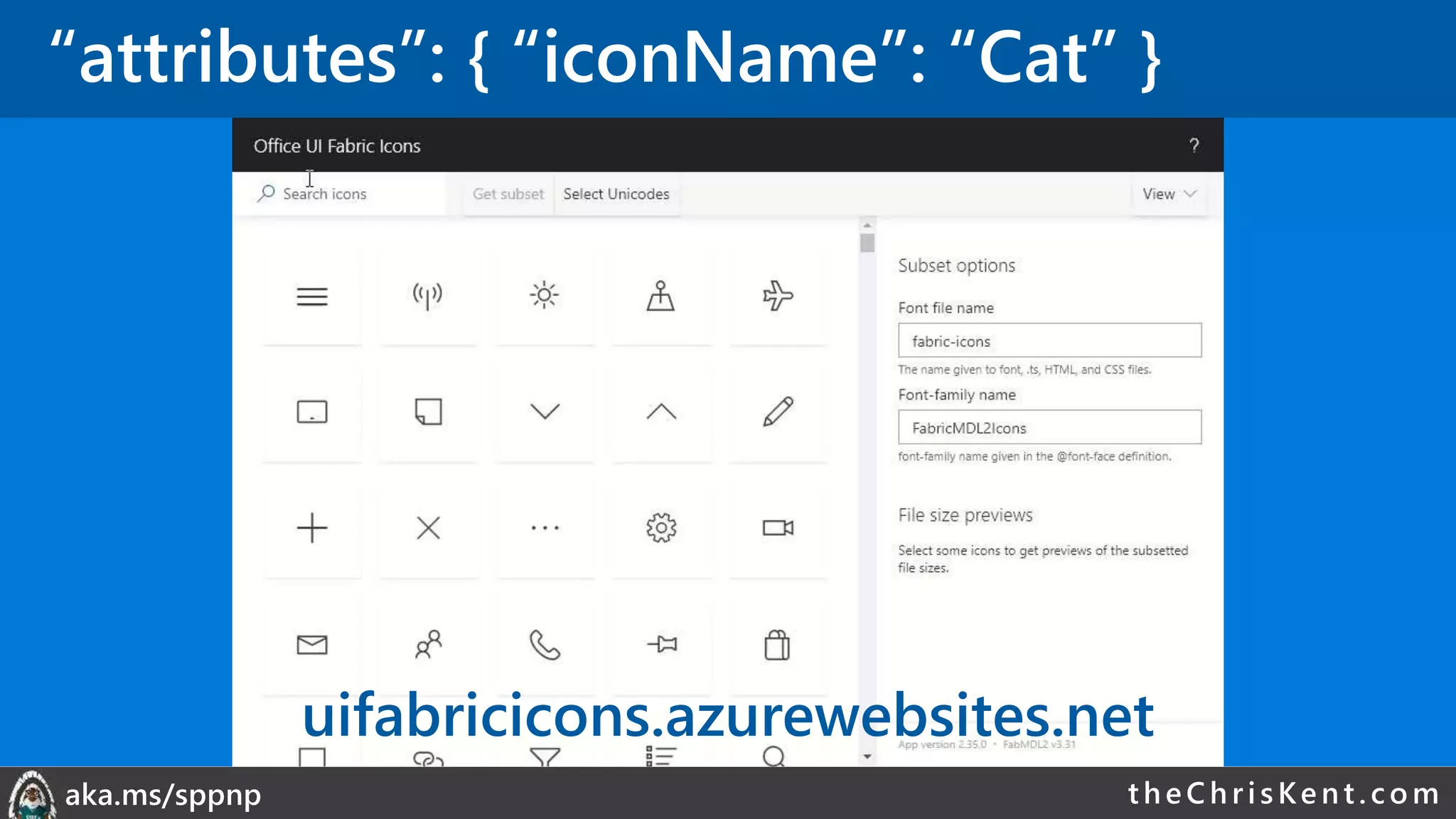
“attributes”: { “iconName”: “Cat” }
uifabricicons.azurewebsites.net
theChri sKent.c omaka.ms/sppnp
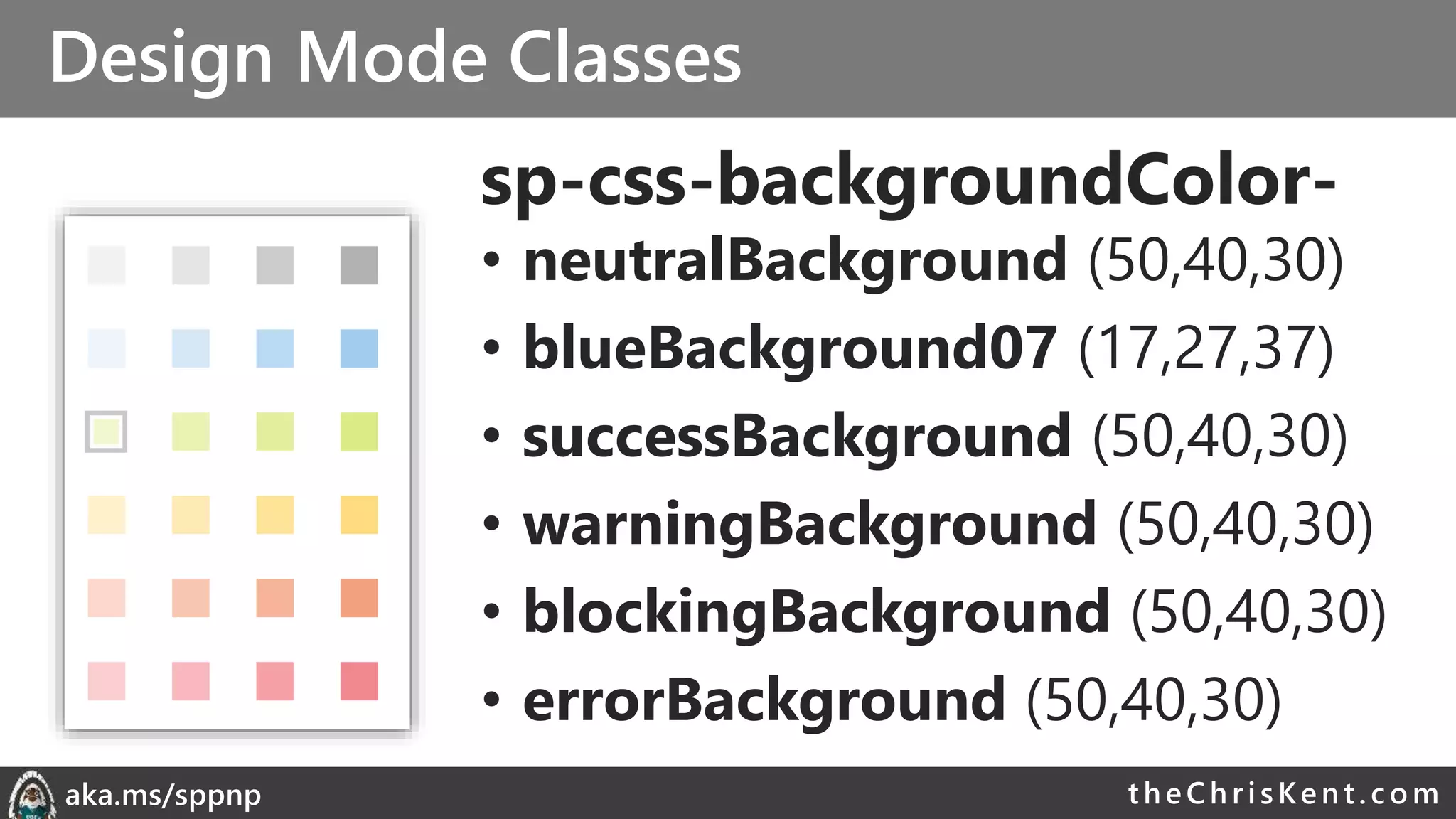
Design Mode Classes
sp-css-backgroundColor-
• neutralBackground (50,40,30)
• blueBackground07 (17,27,37)
• successBackground (50,40,30)
• warningBackground (50,40,30)
• blockingBackground (50,40,30)
• errorBackground (50,40,30)
theChri sKent.c omaka.ms/sppnp
Don’t Use Rich Text
• List Formatting
encodes values
• Rich text values
contain HTML
• HTML will be
encoded and
displayed
theChri sKent.c omaka.ms/sppnp
forEach
• Cannot add to Root Element
• Turns element into a template
• Repeated for each item in the array
• Creates Virtual Field
• Access using Field Syntax [$personIterator]
• Name appropriately (don’t clobber your fields)
• Can be nested
“VirtualFieldName in ArrayField”
@currentField
or
[$SomeOtherField]
theChri sKent.c omaka.ms/sppnp
loopIndex
• Zero-Based
• Position in forEach loop
• Meaningless outside of loop
• Specify the iterator name
• “=loopIndex(‘personIterator’)”
• Rhymes with PoopWindex
theChri sKent.c omaka.ms/sppnp
Scalable Vector Graphics (SVGs)
• “elmType”: “svg”
• “elmType”: “path”
• No viewbox attribute
• Makes them just VGs
• Provides lots of options, but can get confusing
• Use with care
• Dynamic SVGs using expressions in d attribute!
theChri sKent.c omaka.ms/sppnp
Bi-Weekly
SP General Development
• aka.ms/sppnp-core-sig-call
• List Formatting, PowerApps, CSOM,
PowerShell, Provisioning, Flow
• Next Call: Thursday, 2/21
Bi-Weekly
SharePoint Framework
• aka.ms/sppnp-js-sig-call
• SPFx, PnP JS Core
• Next Call: Thursday, 2/14
Monthly
Community Calls
• aka.ms/sppnp-call
• Monthly Summary
• Next Call: Tuesday, 3/12
Bi-Weekly
SP General Development
• aka.ms/sppnp-core-sig-call
• List Formatting, PowerApps, CSOM,
PowerShell, Provisioning, Flow
• Next Call: Thursday, 5/30
Bi-Weekly
SharePoint Framework
• aka.ms/sppnp-js-sig-call
• SPFx, PnP JS Core
• Next Call: Thursday, 5/23
Monthly
Community Calls
• aka.ms/sppnp-call
• Monthly Summary
• Next Call: Tuesday, 6/11
theChri sKent.c omaka.ms/sppnp
Official Blog
dev.office.com/blogs
Twitter
@OfficeDevPnP
Tech Community
aka.ms/sppnp-
community
ECS19 - Chris Kent - List Formatting in Office 365 and SharePoint 2019

ECS19 - Chris Kent - List Formatting in Office 365 and SharePoint 2019

  • 1.
    LIST FORMATTING INOFFICE 365 AND SHAREPOINT 2019 Chris Kent O365 Practice Lead DMI
  • 2.
    ♡ DIAMOND ANDPLATINUM SPONSORS ♡
  • 4.
  • 5.
  • 6.
  • 7.
    theChri sKent.c omaka.ms/sppnp What| Why | How VIEW FORMATTING
  • 8.
  • 10.
    theChri sKent.c omaka.ms/sppnp TheModern Listview • Responsive • Fancy • Boring • No XSLT • No Calculated Column Trickery
  • 11.
  • 12.
  • 13.
  • 14.
    theChri sKent.c omaka.ms/sppnp Listformatting allows you to quickly and easily add instant meaning, visual appeal, and dynamic visualizations directly to your lists.
  • 15.
    theChri sKent.c omaka.ms/sppnp Checkboxes vs Yes/No MissedDue Dates in Red List formatting allows you to quickly and easily add instant meaning, visual appeal, and dynamic visualizations directly to your lists. List formatting allows you to quickly and easily add instant meaning, visual appeal, and dynamic visualizations directly to your lists.
  • 16.
    theChri sKent.c omaka.ms/sppnp Listformatting allows you to quickly and easily add instant meaning, visual appeal, and dynamic visualizations directly to your lists.
  • 17.
    theChri sKent.c omaka.ms/sppnp ItemsAssigned To the Current User Dynamic Progress Bars List formatting allows you to quickly and easily add instant meaning, visual appeal, and dynamic visualizations directly to your lists.
  • 18.
    theChri sKent.c omaka.ms/sppnp ColumnFormatting • JavaScript Object Notation (JSON) • Apply directly to list fields or site columns • Field Settings • Format this column menu • Stored with the Field Paste Here O365 & 2019
  • 19.
    theChri sKent.c omaka.ms/sppnp ColumnFormatting Design Mode Calculated Date Columns Too Calculated Yes/No Columns Too
  • 20.
    theChri sKent.c omaka.ms/sppnp ColumnFormatting Design Mode Pre-selected Color Classes Adjusts for Dark Themes Switch to JSON
  • 21.
    theChri sKent.c omaka.ms/sppnp SP-Dev-List-FormattingSamples • 50+ Sample Formats • Instructions & Screenshots • Copy & Paste directly from GitHub bit.ly/LF-samples
  • 22.
  • 23.
    theChri sKent.c omaka.ms/sppnp ViewFormatting • Superset of Column Formatting • Apply directly to views • Format current view menu • Stored with the View • Overrides Column Formats (Row Formats) Paste Here Online Only
  • 24.
    theChri sKent.c omaka.ms/sppnp ViewFormatting Flavors Row Class Row Format • Uses additionalRowClass • Applies class(es) to each row • Can be conditionally applied • Ignored when rowFormatter is used • Uses rowFormatter • Responsible for full rendering of the row Online Only
  • 25.
  • 26.
    theChri sKent.c omaka.ms/sppnp SupportedColumn Types • Calculated • Choice • ContentType • Counter (ID) • Currency* • Date/Time • Hyperlink • Lookup • Multi-Choice • Multi-Line Text* • Multi-Person • Number • Person • Picture • Single line of text • Title (in Lists) • Yes/No • Managed Metadata • Retention Label • Filename (in Document Libraries) Can’t Reference: Same support applies to both Column and View Formatting *Apply Format through Field Settings
  • 27.
    theChri sKent.c omaka.ms/sppnp JSONSyntax Crash Course • An object is a set of name/value pairs • Objects begin with a { and end with a } • Each name is followed by a : • Name/value pairs are separated by a , { “elmType”: “div”, “debugMode”: false } Adapted from json.org
  • 28.
    theChri sKent.c omaka.ms/sppnp •An object is a set of name/value pairs • Objects begin with a { and end with a } • Each name is followed by a : • Name/value pairs are separated by a , • An array is an ordered collection of values • Arrays begin with a [ and end with a ] • Array values are separated by a , { “elmType”: “div”, “debugMode”: false, “children”: [ { “elmType”: “span”, “txtContent”: “Yo” }, { “elmType”: “span”, “txtContent”: “ Dawg!” } ] } Adapted from json.org JSON Syntax Crash Course
  • 29.
    theChri sKent.c omaka.ms/sppnp { “elmType”:“div”, “debugMode”: false, “children”: [ { “elmType”: “span”, “txtContent”: “Yo” }, { “elmType”: “span”, “txtContent”: “ Dawg!” } ], “style”: { “color”: “red”, “padding-left”: “4px” } } • An object is a set of name/value pairs • Objects begin with a { and end with a } • Each name is followed by a : • Name/value pairs are separated by a , • An array is an ordered collection of values • Arrays begin with a [ and end with a ] • Array values are separated by a , • A value can be a string in double quotes, a number, true, false, null, object, or array Adapted from json.org JSON Syntax Crash Course
  • 30.
  • 31.
  • 32.
  • 33.
  • 34.
  • 35.
  • 36.
  • 37.
  • 38.
    theChri sKent.c omaka.ms/sppnp div spanspan <div class="sp-field-customFormatter sp-field-severity--severeWarning"> <span style="padding-left:4px;" iconname="Warning" class=" css-148"></span> <span style="padding-left:4px;">Wise Polar Bear</span> </div> Format JSON Rendered Column Element Visualization Generated HTML
  • 39.
    theChri sKent.c omaka.ms/sppnp ViewFormatting Syntax • hideColumnHeader • When true, the view won’t have any column headers • hideSelection • When true, users can’t select rows • additionalRowClass • Class(es) to apply to the whole row • You can use expressions • Only applied when rowFormatter is not specified • rowFormatter • Column Formatting syntax to create elements Top level props
  • 40.
    theChri sKent.c omaka.ms/sppnp “elmType”:“” • div (box) • span (inline box) • a (link) • img (picture) • button (clicky thing) • svg (fancy picture) • path (part of the fancy picture) Only Required Property
  • 41.
    theChri sKent.c omaka.ms/sppnp ElementContent • txtContent • Text value OR • children • Sub elements • Ignored when txtContent is specified What’s in the Box
  • 42.
    theChri sKent.c omaka.ms/sppnp “attributes”:{ } Everybody • class – CSS class(es) • title - tooltip • iconName – UIFabric icon • role - accessibility • aria-* -accessibility a (links) • href – where to go • target – open in new window or not • rel – relationship img • src – image location path • d – path to be drawn Directly in the element
  • 43.
    theChri sKent.c omaka.ms/sppnp “style”:{ } • background-color • fill • background-image • border • border-bottom • border-bottom-color • border-bottom-style • border-bottom-width • border-color • border-left • border-left-color • border-left-style • border-left-width • border-right • border-right-color • border-right-style • border-right-width • border-style • border-top • border-top-color • border-top-style • border-top-width • border-width • outline • outline-color • outline-style • outline-width • border-bottom-left-radius • border-bottom-right- radius • border-radius • border-top-left-radius • border-top-right-radius • box-decoration-break • box-shadow • box-sizing • overflow-x • overflow-y • overflow-style • rotation • rotation-point • opacity • cursor • height • max-height • max-width • min-height • min-width • width • flex-grow • flex-shrink • flex-flow • flex-direction • flex-wrap • flex • justify-content • align-items • box-align • box-direction • box-flex • box-flex-group • box-lines • box-ordinal-group • box-orient • box-pack • font • font-family • font-size • font-style • font-variant • font-weight • font-size-adjust • font-stretch • grid-columns • grid-rows • margin • margin-bottom • margin-left • margin-right • margin-top • column-count • column-fill • column-gap • column-rule • column-rule-color • column-rule-style • column-rule-width • column-span • column-width • columns • padding • padding-bottom • padding-left • padding-right • padding-top • bottom • clear • clip • display • float • left • overflow • position • right • top • visibility • z-index • border-collapse • border-spacing • caption-side • empty-cells • table-layout • color • direction • letter-spacing • line-height • text-align • text-decoration • text-indent • text-transform • unicode-bidi • vertical-align • white-space • word-spacing • hanging-punctuation • punctuation-trim • text-align-last • text-justify • text-outline • text-shadow • text-wrap • word-break • word-wrap Nest in the style attribute 132
  • 44.
    theChri sKent.c omaka.ms/sppnp “customRowAction”:{ “action”: “”} • defaultClick – opens the info pane • editProps – opens the info pane in edit mode • share – opens the sharing dialog • delete – opens the delete confirmation dialog • executeFlow – launches the flow panel Only work within button elements (Use the style and children properties to get fancy!) You cannot use expressions in the action property
  • 45.
    theChri sKent.c omaka.ms/sppnp “customRowAction”:{ “actionParams”: “”} • Only used for “action”: “executeFlow” • Escaped JSON • ”ID”: required • ID of Flow to launch • ”headerText”: optional • Sets the text at the top of the flow panel • ”runFlowButtonText” optional • text of the primary button Online Only
  • 46.
    theChri sKent.c omaka.ms/sppnp LiveList Updates • Formats are automatically redrawn as items update • Magic • Does NOT (yet?) work in the list/library web parts • sadness Online Only
  • 47.
  • 48.
    theChri sKent.c omaka.ms/sppnp … “txtContent”:“@currentField” … • Works great for simple values (text, choice, yes/no, and numbers) • Type is respected • Dates should use one of the format operations: “toLocaleString()” – date and time “toLocaleDateString()” – just the date “toLocaleTimeString()” – just the time • Always resolves to Title in view formatting Placeholder Tokens • “@currentField” • Get the current item’s value
  • 49.
    theChri sKent.c omaka.ms/sppnp … “txtContent”:“@currentField.title” … • Can’t use “@currentField” directly, use dot-notation to get properties: “@currentField.title” “@currentField.id” “@currentField.email” “@currentField.sip” “@currentField.picture” “@currentField.department” “@currentField.jobTitle” • Person field props Placeholder Tokens • “@currentField” • Get the current item’s value
  • 50.
    theChri sKent.c omaka.ms/sppnp … “txtContent”: “@currentField.lookupValue” … •Can’t use @currentField directly, use dot-notation to get properties: “@currentField.lookupValue” “@currentField.lookupId” • Person field props • Lookup field props Placeholder Tokens • “@currentField” • Get the current item’s value
  • 51.
    theChri sKent.c omaka.ms/sppnp •Person field props • Lookup field props • Hyperlink field props … “txtContent”: “@currentField.desc” … • Can use @currentField directly AND dot-notation to get properties: “@currentField” – URL value “@currentField.desc” - Description Placeholder Tokens • “@currentField” • Get the current item’s value
  • 52.
    theChri sKent.c omaka.ms/sppnp … “txtContent”:“[$Title]” … • Wrap internal name in [$FIELD] • Access Person/Lookup/URL properties in same way as with @currentField “[$Author.email]” “[$OtherListItem.lookupValue]” • Person field props • Lookup field props • Other Fields (same row) • Hyperlink field props Placeholder Tokens • “@currentField” • Get the current item’s value
  • 53.
    theChri sKent.c omaka.ms/sppnp … “txtContent”:“@me” … • “@me” resolves to the current user’s email address • “@now” resolves to the date/time at render (doesn’t keep getting evaluated) • Uses the browser’s timezone! • Person field props • Lookup field props • Other Fields (same row) • Hyperlink field props • “@me” • “@now” Placeholder Tokens • “@currentField” • Get the current item’s value
  • 54.
    theChri sKent.c omaka.ms/sppnp PlaceholderTokens … “txtContent”: “@window.innerHeight” … • “@window.innerHeight” resolves to a number equal to the height of the browser window (in pixels) at render • “@window.innerWidth” resolves to a number equal to the width of the browser window (in pixels) at render • Person field props • Lookup field props • Other Fields (same row) • Hyperlink field props • “@me” • “@now” • “@window” These do NOT update as the window resizes • “@currentField” • Get the current item’s value Online Only
  • 55.
    theChri sKent.c omaka.ms/sppnp PlaceholderTokens … “txtContent”: “@currentWeb” … • Same as page context webAbsoluteUrl • Does not end with a slash • Other Fields (same row) • “@me” • “@now” • “@window” • “@currentField” • “@currentWeb” • “[$FieldName]” Hardcoded URL • Always works • Not reusable across sites Relative URL • Reusable across sites • URLs dependent on relative location Online Only
  • 56.
    theChri sKent.c omaka.ms/sppnp PlaceholderTokens … “txtContent”: “@rowIndex” … • Evaluates to the rendered index of a row within a view • Independent of sorts or filters • Starts at 0 • Alternating Rows! • “@me” • “@now” • “@window” • “@currentField” • “@currentWeb” • “[$FieldName]” Online Only • “@rowIndex”
  • 57.
    theChri sKent.c omaka.ms/sppnp PlaceholderTokens … “src”: “@thumbnail.medium” … • Provides the URL to the thumbnail of a file (document libraries only) • No value for list items or folders “@thumbnail.small” “@thumbnail.medium” “@thumbnail.large” @thumbnail.<width>x<height> “@thumbnail.100x200” @thumbnail.<width> “@thumbnail.150” • Aspect ratio is maintained • Only value of src, auto hidden when unavailable • “@me” • “@now” • “@window” • “@currentField” • “@currentWeb” • “[$FieldName]” Online Only • “@rowIndex” • “@thumbnail”
  • 58.
    theChri sKent.c omaka.ms/sppnp Expressions •Abstract Syntax Tree (AST) • operator/operands • Nest additional expressions • Excel-style expressions • Single line • Combine expressions • Online Only
  • 59.
    theChri sKent.c omaka.ms/sppnp Expressions •Abstract Syntax Tree (AST) • operator/operands • Nest additional expressions • Excel-style expressions • Single line • Combine expressions • Electrolytes
  • 60.
    theChri sKent.c omaka.ms/sppnp Expressions •Abstract Syntax Tree (AST) • operator/operands • Nest additional expressions • Excel-style expressions • Single line • Combine expressions • Electrolytes
  • 61.
    theChri sKent.c omaka.ms/sppnp Expressions •Abstract Syntax Tree (AST) • operator/operands • Nest additional expressions • Excel-style expressions • Single line • Combine expressions • Electrolytes
  • 62.
    theChri sKent.c omaka.ms/sppnp ArithmeticOperators Operator Does Examples Results + Adds stuff (numbers & text) “=4 + 5” “=@currentWeb+‘/lists‘” 9 https://t.sharepoint.com/sites/s/lists - Subtracts stuff “=97 - 10” 87 / Divides stuff “=25 / 5” 5 * Multiplies stuff “=5 * 5” 25 % Modulus* (remainder) “=@rowIndex % 2” 1 or 0 cos Cosine “=cos(5) 0.28366218546322625 sin Sine “=sin(90)” 0.8939966636005579 abs Absolute Value* “=abs(-45)” 45 *Online Only
  • 63.
    theChri sKent.c omaka.ms/sppnp Conditional& Logical Operators Operator Does Examples Results ? or if if(condition, when true, when false) < Less than “=if(1 < 2, ’cat’, ’dog’)” cat > Greater than “=if(1 > 2, ’cat’, ’dog’)” dog <= Less than or Equal “=if(2 <= 2, ’horse’, ’duck’)” horse >= Greater than or Equal “=if(2 >= 3, ’horse’, ’duck’)” duck == Equals “=if(5 == 5, ’badger’, ’hen’)” Badger != Not equals “=if(7 != 7, ’badger’, ’hen)” hen || Or “=if(1<2 || 1<0, ‘man’, ‘elf’)” man && And “=if(1<2 && 1<0, ‘man’, ‘elf’)” elf This Photo by Unknown Author is licensed under CC BY-SA-NC
  • 64.
    theChri sKent.c omaka.ms/sppnp ConversionOperators Operator Does Examples Results toString To text “=toString(45)” “45” Number To a number “=Number(‘365’)” “=Number(‘Wowee’)” “=Number(Date(‘12/26/1981’))” 365 NaN 378190800000 Date To datetime “=Date(‘12/26/1981’)” “=Date(378190800000)” 12/26/1981 12:00:00 AM 12/26/1981 12:00:00 AM toLowerCase* Text to lowercase “=toLowerCase(‘DogFood’)” dogfood toLocaleString Datetime to locale text “=toLocaleString(@now)” “5/21/2019, 2:25:12 PM” toLocaleDateString Datetime to locale date only text “=toLocaleDateString(@now)” “5/21/2019” toLocaleDateTimeString Datetime to locale time only text “=toLocaleDateTimeString(@now)” “2:25:12 PM” *Online Only
  • 65.
    theChri sKent.c omaka.ms/sppnp Mulit-Value& Loop Operators Operator Does Examples Results indexOf Character index (starting at 0) of some text within text “=indexOf(‘DogFood’, ‘Dog’)” “=indexOf(‘DogFood’, ‘F’)” “=indexOf(‘DogFood’, ‘Cat’)” “=indexOf(‘DogFood’, ‘f’)” 0 3 -1 -1 length Number of multi-value values “=length([$MultiChoice])” “=length(‘Some Text’)” “=length(‘’)” 3 1 0 join Turns multi-values into text with a separator =“join([$MultiChoice], ‘, ‘)” =“join([$MultiChoice], ‘|‘)” “A, B, C” “A|B|C” loopIndex Current index of an iterator (forEach) “=loopIndex(‘personIterator’)” 2 Online Only
  • 66.
  • 67.
    theChri sKent.c omaka.ms/sppnp ColumnFormatting vs Field Customizer
  • 68.
    theChri sKent.c omaka.ms/sppnp ColumnFormatting vs Field Customizer Customization Column Formatting Field Customizer Conditional Formatting Supported Supported
  • 69.
    theChri sKent.c omaka.ms/sppnp ColumnFormatting vs Field Customizer Customization Column Formatting Field Customizer Conditional Formatting Supported Supported Actions Simple actions and links (no script) Any type
  • 70.
    theChri sKent.c omaka.ms/sppnp ColumnFormatting vs Field Customizer Customization Column Formatting Field Customizer Conditional Formatting Supported Supported Actions Simple actions and links (no script) Any type Visualizations Static visualizations (HTML & Styles) Whatever!
  • 71.
    theChri sKent.c omaka.ms/sppnp ColumnFormatting vs Field Customizer Customization Column Formatting Field Customizer Conditional Formatting Supported Supported Actions Simple actions and links (no script) Any type Visualizations Static visualizations (HTML & Styles) Whatever! Page Context @now, @me, @window, @currentWeb Full context!
  • 72.
    theChri sKent.c omaka.ms/sppnp ColumnFormatting vs Field Customizer Customization Column Formatting Field Customizer Conditional Formatting Supported Supported Actions Simple actions and links (no script) Any type Visualizations Static visualizations (HTML & Styles) Whatever! Page Context @now, @me, @window, @currentWeb Full context! JavaScript Nope Yep Custom CSS Classes Nope, limited subset & inline styles Yep Interactivity Nope Yep
  • 73.
    theChri sKent.c omaka.ms/sppnp ColumnFormatting vs Field Customizer Customization Column Formatting Field Customizer Conditional Formatting Supported Supported Actions Simple actions and links (no script) Any type Visualizations Static visualizations (HTML & Styles) Whatever! Page Context @now, @me, @window, @currentWeb Full context! JavaScript Nope Yep Custom CSS Classes Nope, limited subset & inline styles Yep Interactivity Nope Yep Developer Required “No” (but also yes) Yes Solution Deployment Anyone with Designer Permissions App/Site Catalog • 90% of list customization use cases can be covered by Column Formatting* • Another 5% by View Formatting* • For everything else, use SPFx *made up by me
  • 74.
    theChri sKent.c omaka.ms/sppnp ListFormatting Limitations • No Real String Operations • No Custom Date Formats or Date Parts • No viewbox attribute for SVG elements • Unable to use parenthesis in style props (except for rgba) • No Gradients • No image backgrounds • Numbers are floats and you can’t round them • Missing ms-Grid support • Schema discrepancies • No localization • List Web Part Inconsistencies & Limits • Standard User Interface is lacking
  • 75.
    theChri sKent.c omaka.ms/sppnp ListFormatting Awesomeness • Quick & “easy” visualizations that can have a significant impact • Site Column integration • Text based (easy source control) • Can be applied by Site Designers • Supported in Site Designs & Remote Provisioning • Great performance • Getting better all the time • NO Solution Package deployment required • List Formatter fills the UI gap
  • 77.
    List Formatter ListFormatter.com Easy editorfor modern listview Formatting
  • 78.
    theChri sKent.c omaka.ms/sppnp FinalTips & Tricks • UI Fabric Classes • Theme Colors • Hover Styles • Font Sizes & Weights • Purge AST from your brain • Turn debugMode off • Write HTML 1st • Dynamic Images • 1000+ icons – use them! • Test in multiple themes • Use List Formatter The Modern Listview
  • 79.
    theChri sKent.c omaka.ms/sppnp PnPSIG SharePoint General Development Call • Every other Thursday, 16:00 CEST • Recorded to YouTube • Next call on 5/30 • Recurring List Formatting tips & tricks • currentWeb • forEach, loopIndex • Contains, StartsWith, indexOf • Design Mode • Alternating Row Styles • Conditionally launching flows • Multi-line field formats • ContentTypes • Custom Row Actions • UI Fabric Classes (themed formats) • Customizing the Flow Panel • SVG Icons Previous List Formatting Tips covered
  • 80.
  • 82.
    theChri sKent.c omaka.ms/sppnp Extrastuff just for you! • The next few slides were cut for time • They still (mostly) have valuable content • Reach out with any questions (@theChrisKent) • Enjoy!
  • 83.
    theChri sKent.c omaka.ms/sppnp PredefinedClasses sp-field-severity--good background-color sp-field-severity--low background-color sp-field-severity--warning background-color sp-field-severity--severeWarning background-color sp-field-severity--blocked background-color sp-field-dataBars background-color, padding, color, border-top sp-field-trending--up text color sp-field-trending--down text color sp-field-quickActions font, padding (used with icons) Use UIFabric.io color & typography classes to match theme
  • 84.
    theChri sKent.c omaka.ms/sppnp “attributes”:{ “iconName”: “Cat” } uifabricicons.azurewebsites.net
  • 85.
    theChri sKent.c omaka.ms/sppnp DesignMode Classes sp-css-backgroundColor- • neutralBackground (50,40,30) • blueBackground07 (17,27,37) • successBackground (50,40,30) • warningBackground (50,40,30) • blockingBackground (50,40,30) • errorBackground (50,40,30)
  • 86.
    theChri sKent.c omaka.ms/sppnp Don’tUse Rich Text • List Formatting encodes values • Rich text values contain HTML • HTML will be encoded and displayed
  • 87.
    theChri sKent.c omaka.ms/sppnp forEach •Cannot add to Root Element • Turns element into a template • Repeated for each item in the array • Creates Virtual Field • Access using Field Syntax [$personIterator] • Name appropriately (don’t clobber your fields) • Can be nested “VirtualFieldName in ArrayField” @currentField or [$SomeOtherField]
  • 88.
    theChri sKent.c omaka.ms/sppnp loopIndex •Zero-Based • Position in forEach loop • Meaningless outside of loop • Specify the iterator name • “=loopIndex(‘personIterator’)” • Rhymes with PoopWindex
  • 89.
    theChri sKent.c omaka.ms/sppnp ScalableVector Graphics (SVGs) • “elmType”: “svg” • “elmType”: “path” • No viewbox attribute • Makes them just VGs • Provides lots of options, but can get confusing • Use with care • Dynamic SVGs using expressions in d attribute!
  • 90.
  • 92.
    theChri sKent.c omaka.ms/sppnp Bi-Weekly SPGeneral Development • aka.ms/sppnp-core-sig-call • List Formatting, PowerApps, CSOM, PowerShell, Provisioning, Flow • Next Call: Thursday, 2/21 Bi-Weekly SharePoint Framework • aka.ms/sppnp-js-sig-call • SPFx, PnP JS Core • Next Call: Thursday, 2/14 Monthly Community Calls • aka.ms/sppnp-call • Monthly Summary • Next Call: Tuesday, 3/12 Bi-Weekly SP General Development • aka.ms/sppnp-core-sig-call • List Formatting, PowerApps, CSOM, PowerShell, Provisioning, Flow • Next Call: Thursday, 5/30 Bi-Weekly SharePoint Framework • aka.ms/sppnp-js-sig-call • SPFx, PnP JS Core • Next Call: Thursday, 5/23 Monthly Community Calls • aka.ms/sppnp-call • Monthly Summary • Next Call: Tuesday, 6/11
  • 93.
    theChri sKent.c omaka.ms/sppnp OfficialBlog dev.office.com/blogs Twitter @OfficeDevPnP Tech Community aka.ms/sppnp- community

Editor's Notes

  • #5 Can I possibly get my name on a single slide even more? Wow.
  • #9 Slides are intended for reuse. Lots of information on them, we’ll be moving quickly. Goal is to make you aware of what you can do and provide guides for when you do it later.
  • #23 Design Mode Samples Very Basic Syntax
  • #26 Demonstrate Contact Card Row Format View Formatting Sample: https://github.com/SharePoint/sp-dev-list-formatting/tree/master/view-samples/contact-card-format
  • #48 Demonstrate Generic Start Flow Column Formatting Sample: https://github.com/SharePoint/sp-dev-list-formatting/tree/master/column-samples/generic-start-flow Demonstrate Secret Lab with Live List Updates Additional Details here: https://thechriskent.com/2018/08/29/list-formatting-quick-tip-format-only-columns/
  • #80 https://aka.ms/spdev-sig-call