© 2010 Intland Software 1
Process Improvement in Distributed Software Development
Using Eclipse with Mercurial or Git
Eclipse Integrated Development Day
October 12, 2010
Michael Lukas
Intland Software
Agenda
• Intland Software
• codeBeamer
• Customers
• How do customers use our products
• Centralized vs. distributed VCS
• Working with Centralized VCS
• Working with distributed VCS
• Mobile applications workflow example
• Why Intland choose a DVCS
• Questions & Answers
© 2010 Intland Software 2
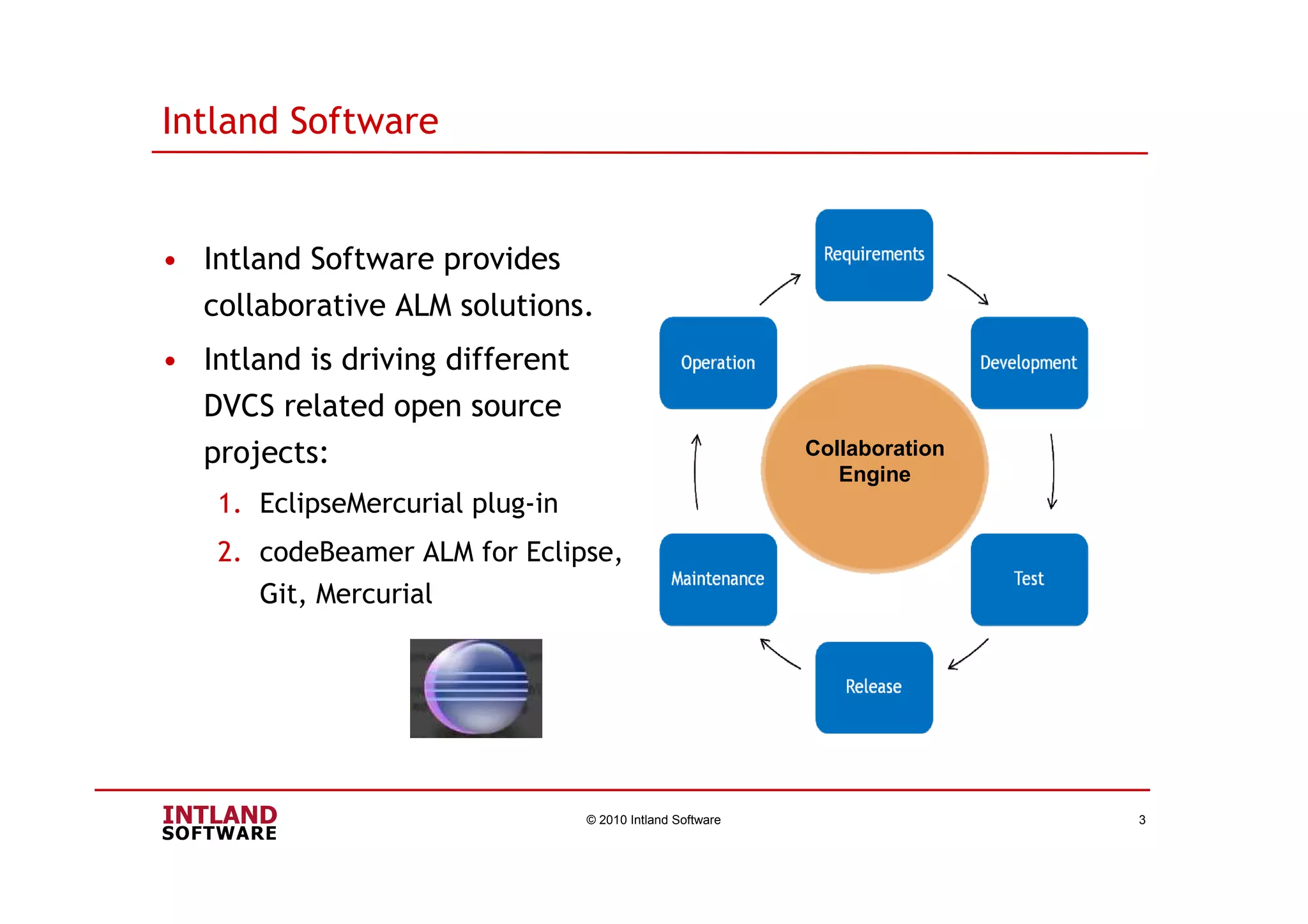
Intland Software
• Intland Software provides
collaborative ALM solutions.
• Intland is driving different
DVCS related open source
projects:
1. EclipseMercurial plug-in
2. codeBeamer ALM for Eclipse,
Git, Mercurial
© 2010 Intland Software 3
Collaboration
Engine
codeBeamer
codeBeamer is a collaborative, web-based Application Lifecycle
Management(ALM) solution for software development. It provides
more transparency, improves your software development and
business processes.
Main Functions:
© 2010 Intland Software 4
- Knowledge Management with Wiki
- Document Management
- Release Management
- Tracker Function – Tracking
requirements, tasks, change requests,
bugs and tests
- SCM: CVS, Subversion, Git and
Mercurial
Eclipse Integrations:
- codeBeamer Eclipse Studio (CBES)
- Hg Eclipse
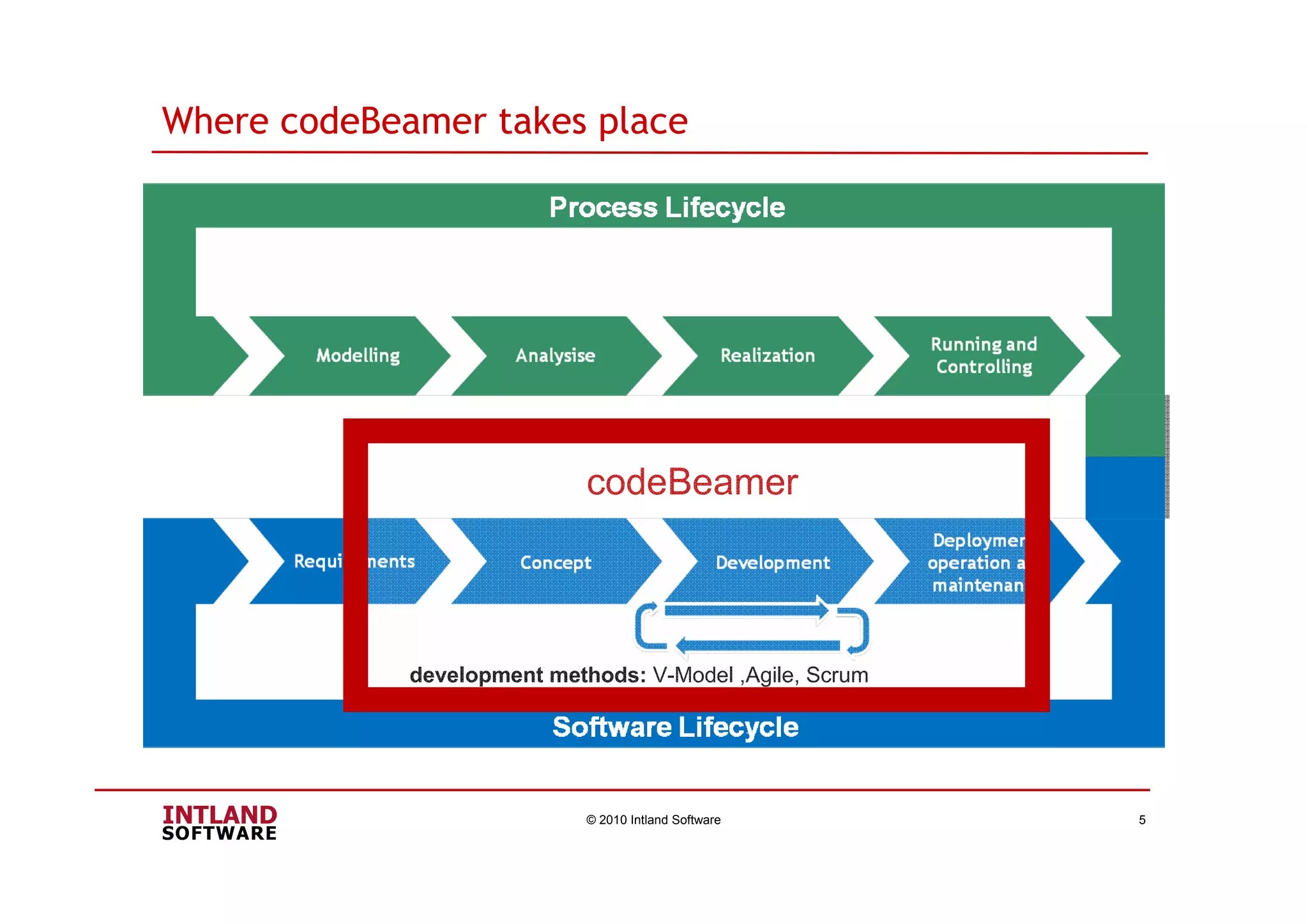
Where codeBeamer takes place
© 2010 Intland Software 5
development methods: V-Model ,Agile, Scrum
codeBeamer
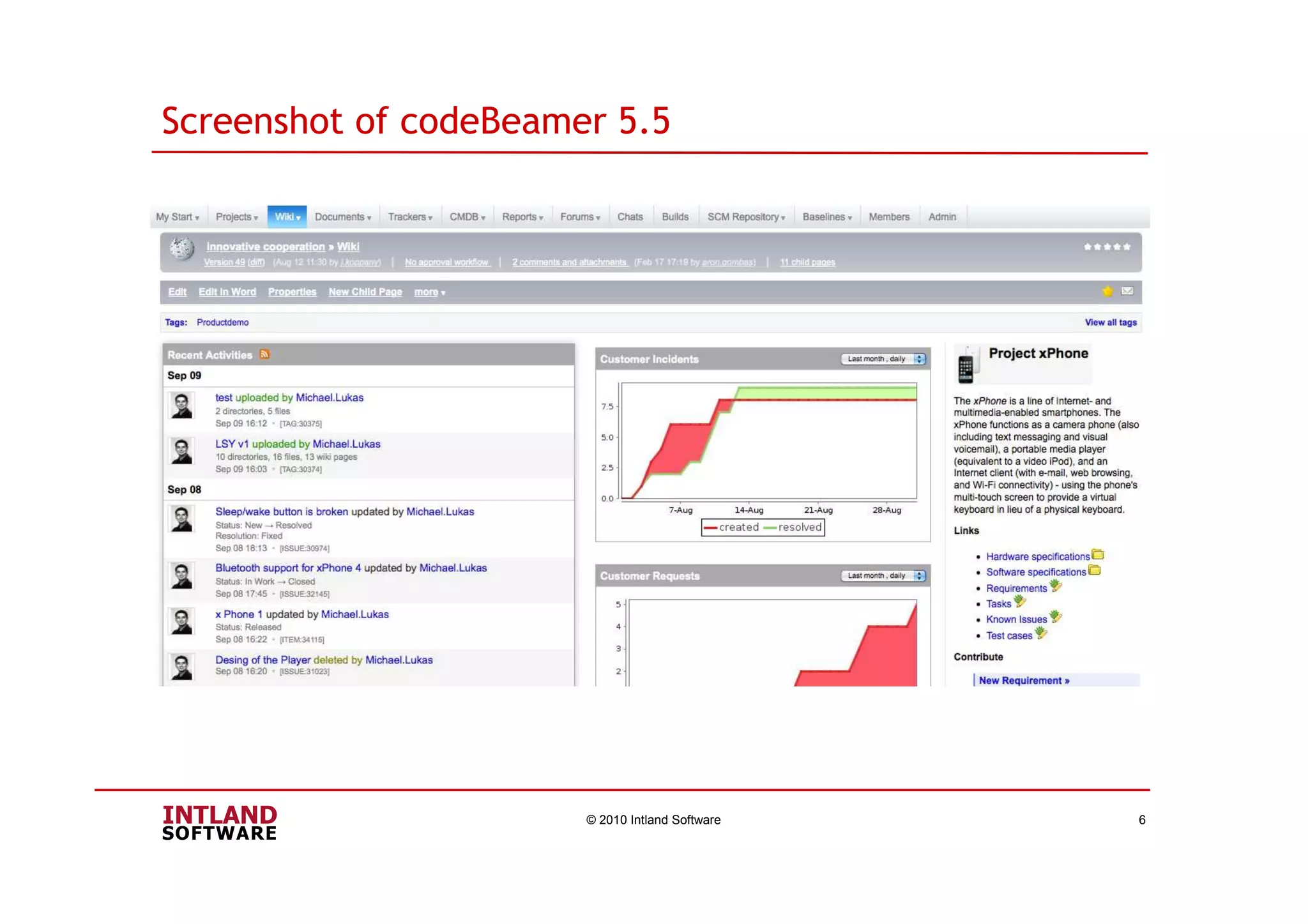
Screenshot of codeBeamer 5.5
© 2010 Intland Software 6
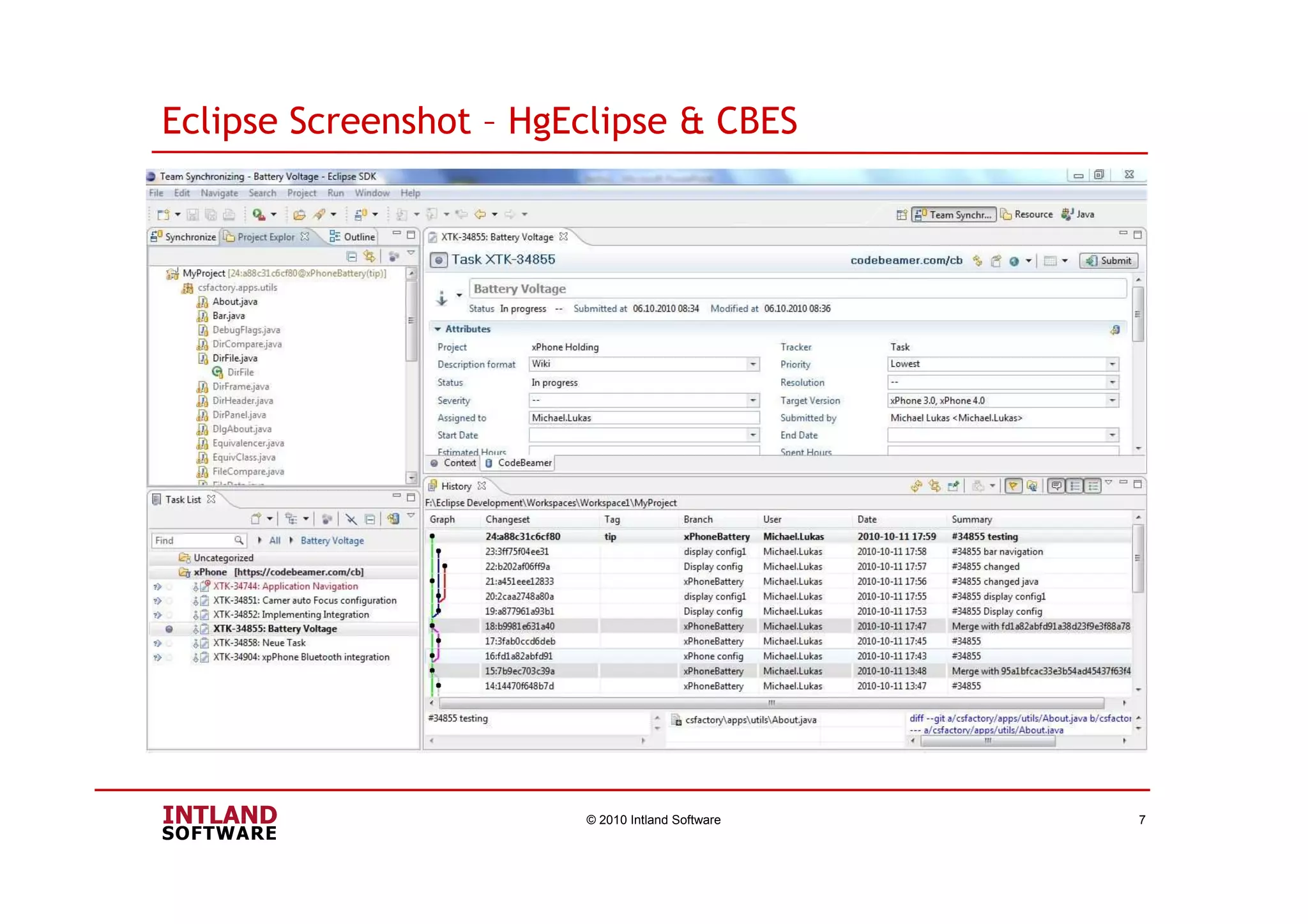
Eclipse Screenshot – HgEclipse & CBES
© 2010 Intland Software 7
© 2010 Intland Software 8
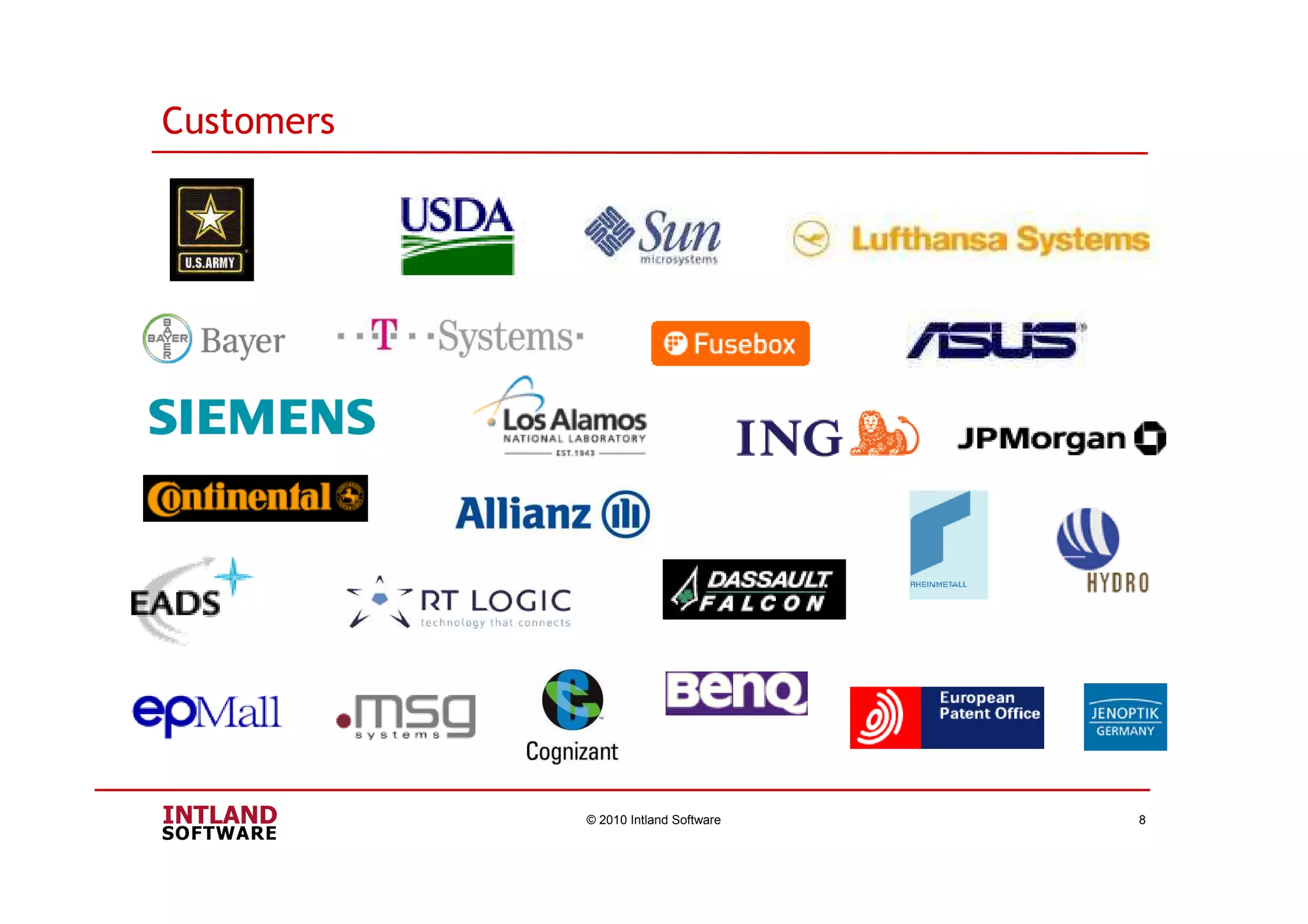
Customers
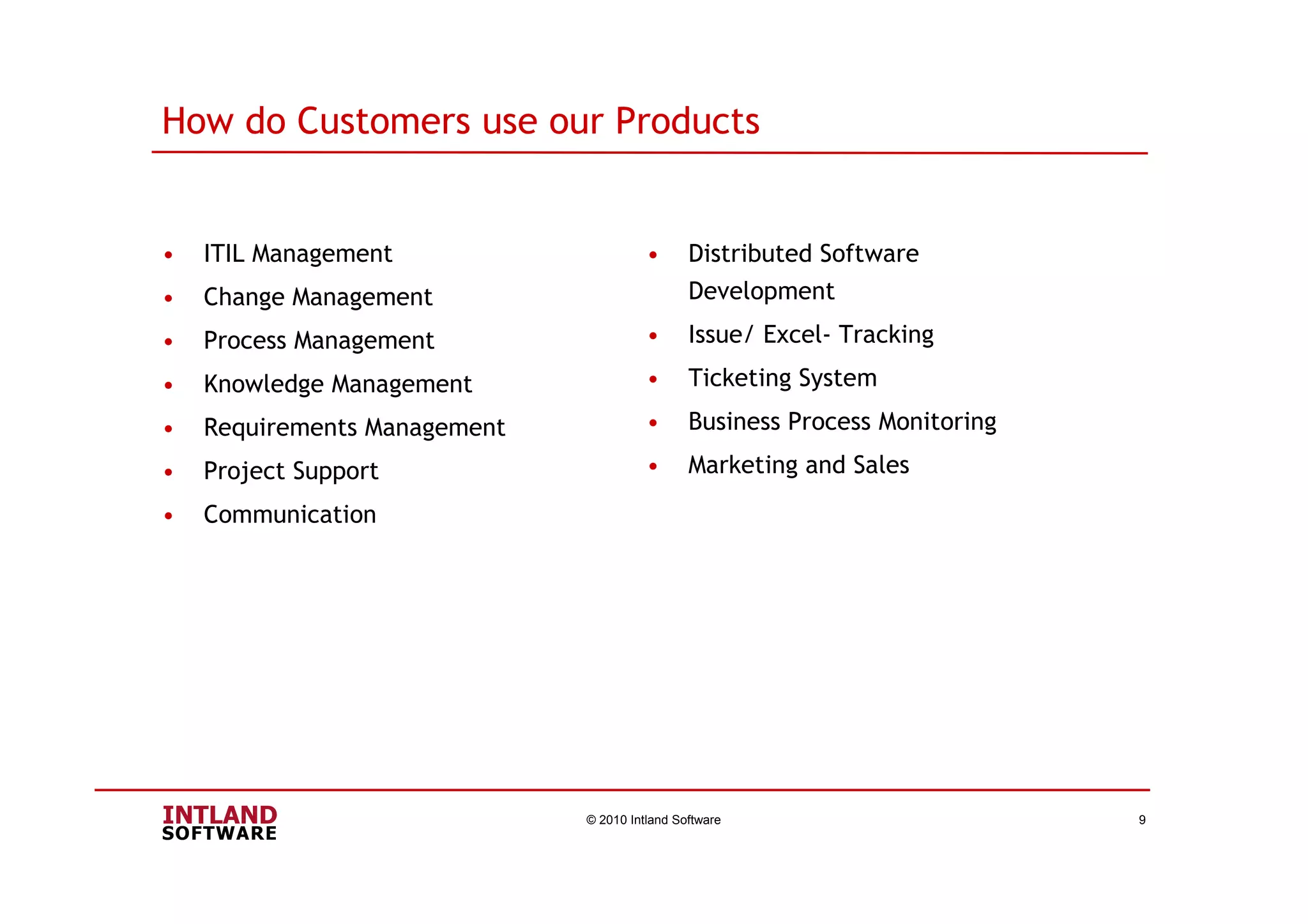
• ITIL Management
• Change Management
• Process Management
• Knowledge Management
• Requirements Management
• Project Support
• Communication
© 2010 Intland Software 9
• Distributed Software
Development
• Issue/ Excel- Tracking
• Ticketing System
• Business Process Monitoring
• Marketing and Sales
How do Customers use our Products
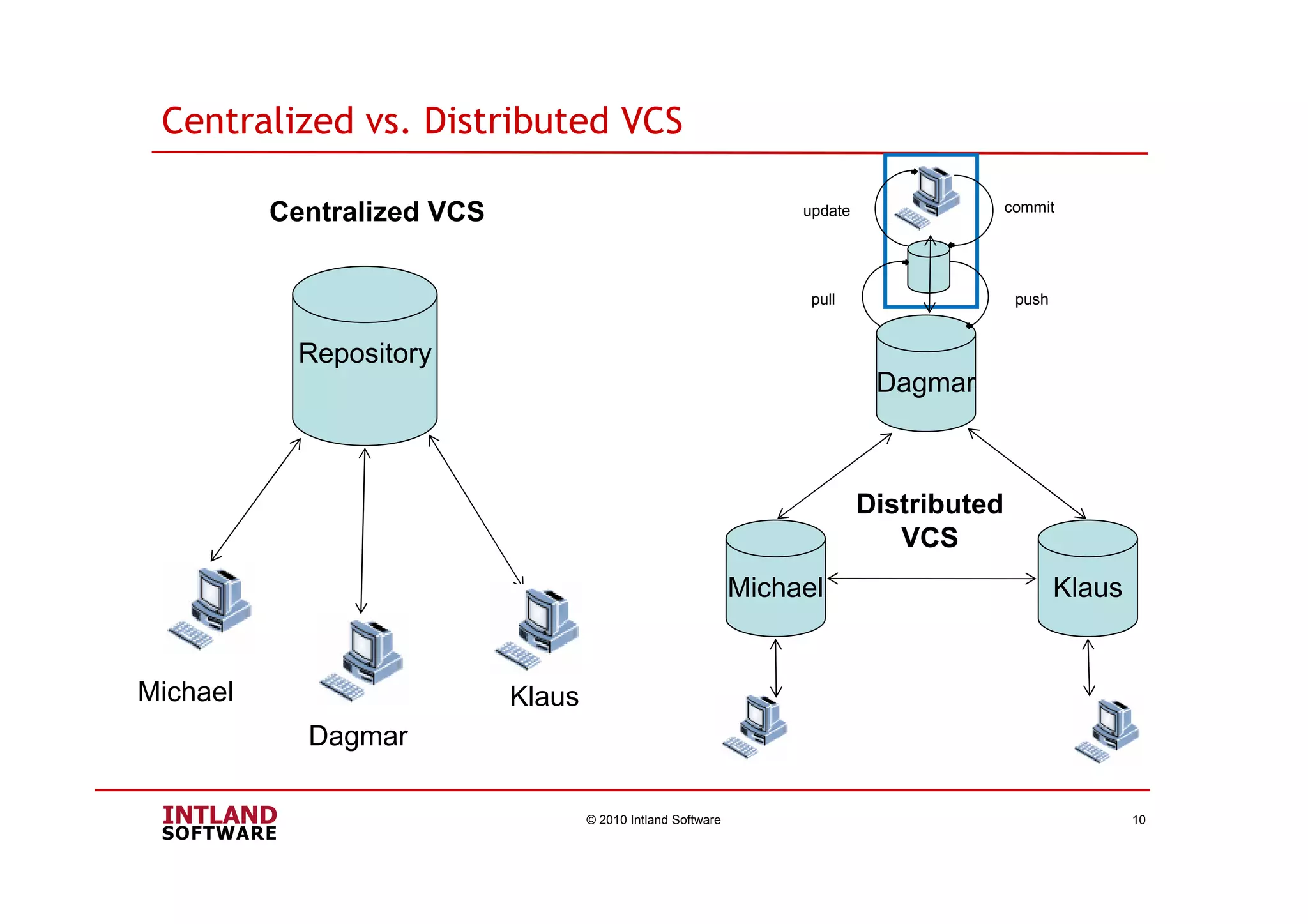
Centralized vs. Distributed VCS
© 2010 Intland Software 10
Repository
Michael
Dagmar
Klaus
Dagmar
KlausMichael
Distributed
VCS
commitupdate
pushpull
Centralized VCS
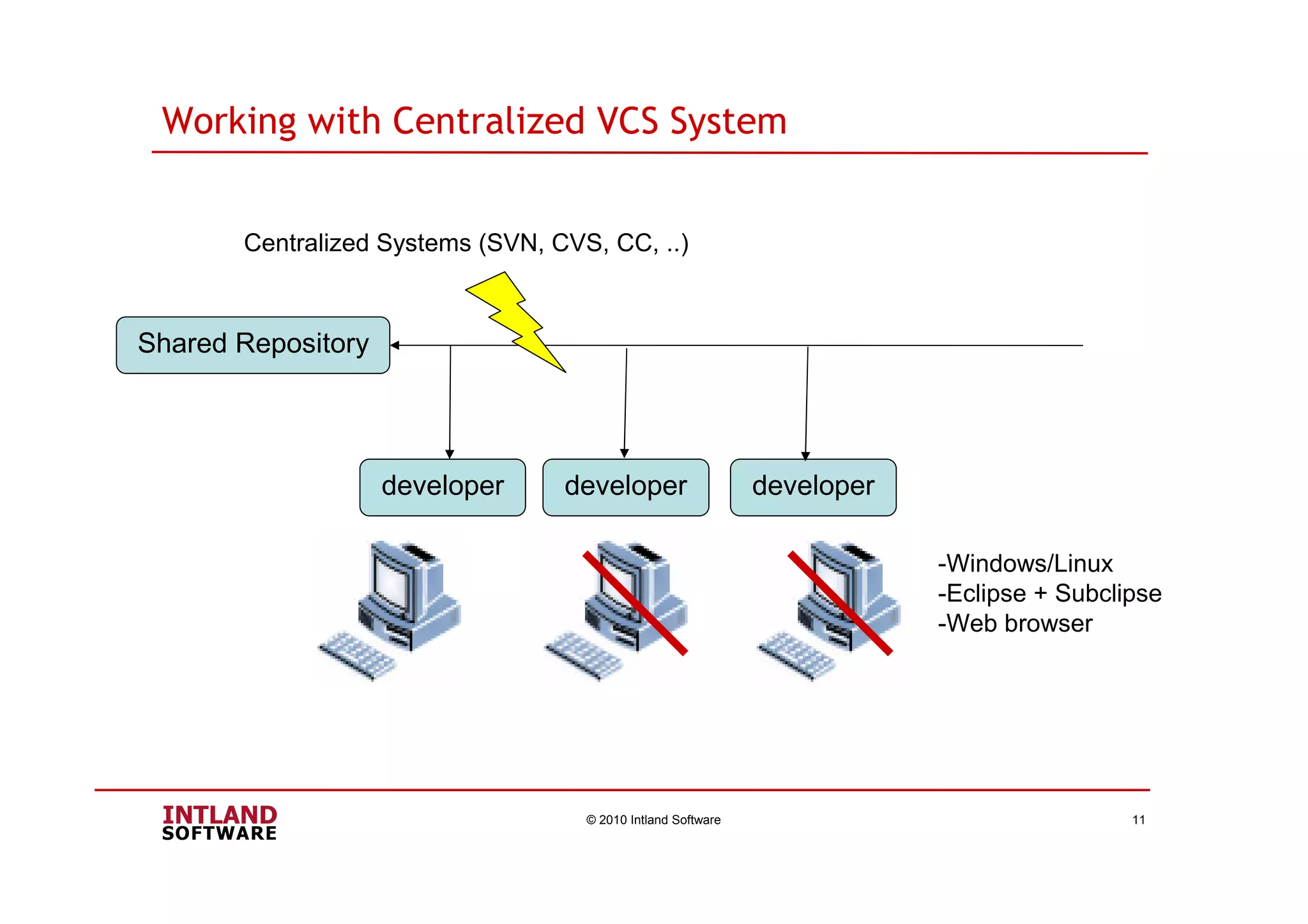
Working with Centralized VCS System
© 2010 Intland Software 11
Shared Repository
developer developer developer
Centralized Systems (SVN, CVS, CC, ..)
-Windows/Linux
-Eclipse + Subclipse
-Web browser
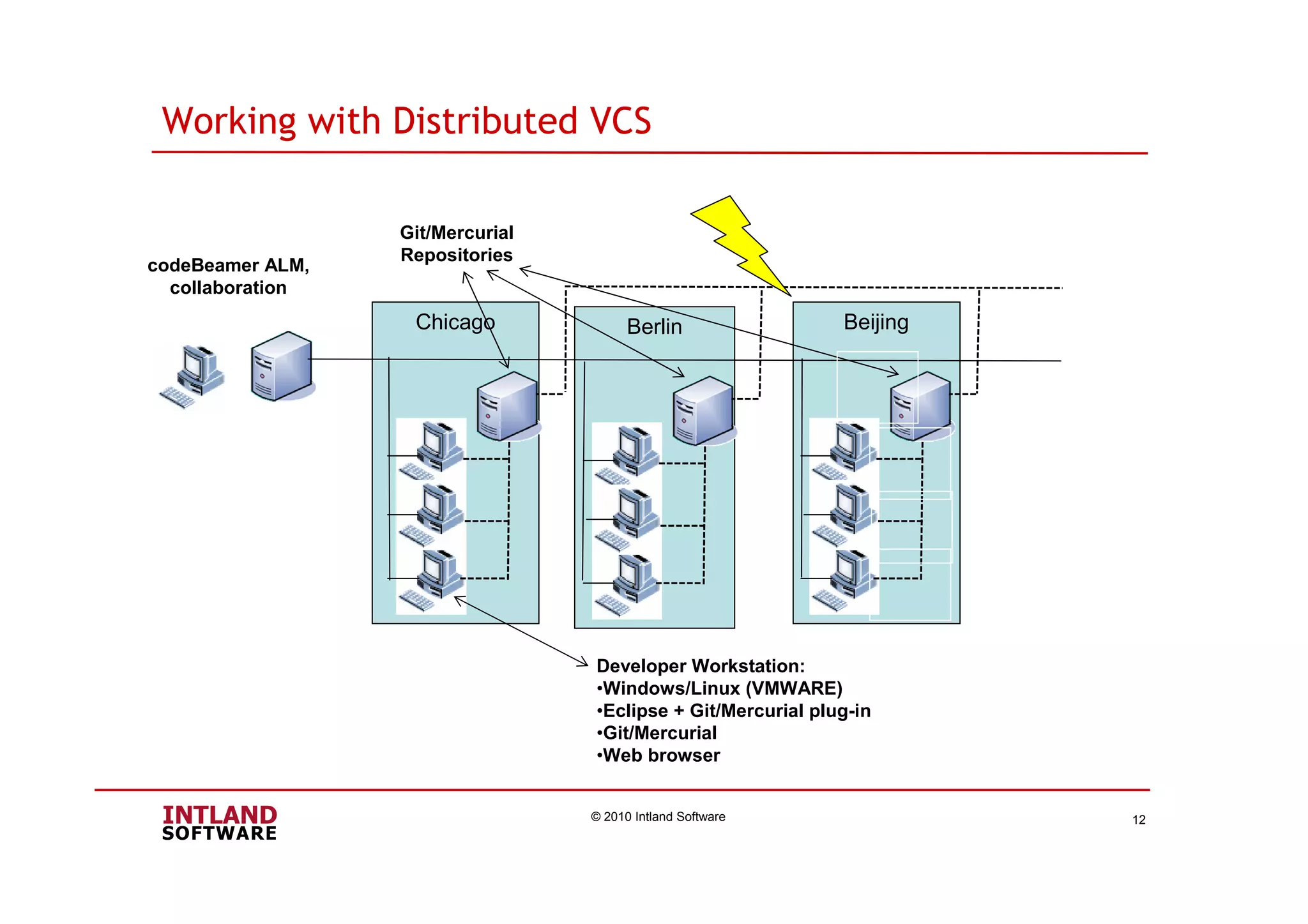
Chicago
Working with Distributed VCS
© 2010 Intland Software 12
codeBeamer ALM,
collaboration
Berlin Beijing
Git/Mercurial
Repositories
Developer Workstation:
•Windows/Linux (VMWARE)
•Eclipse + Git/Mercurial plug-in
•Git/Mercurial
•Web browser
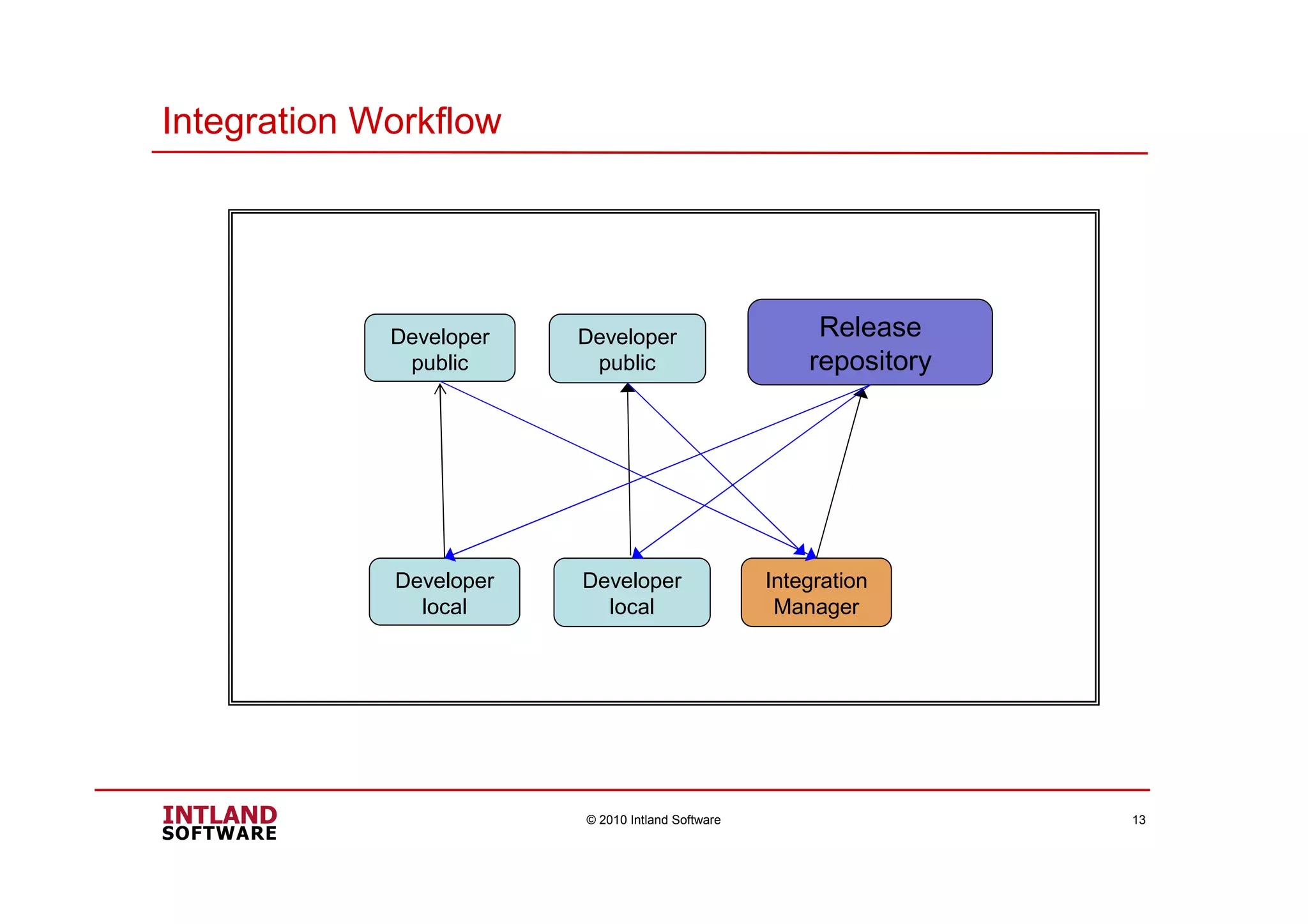
Integration Workflow
© 2010 Intland Software 13
Release
repository
Developer
local
Developer
local
Integration
Manager
Developer
public
Developer
public
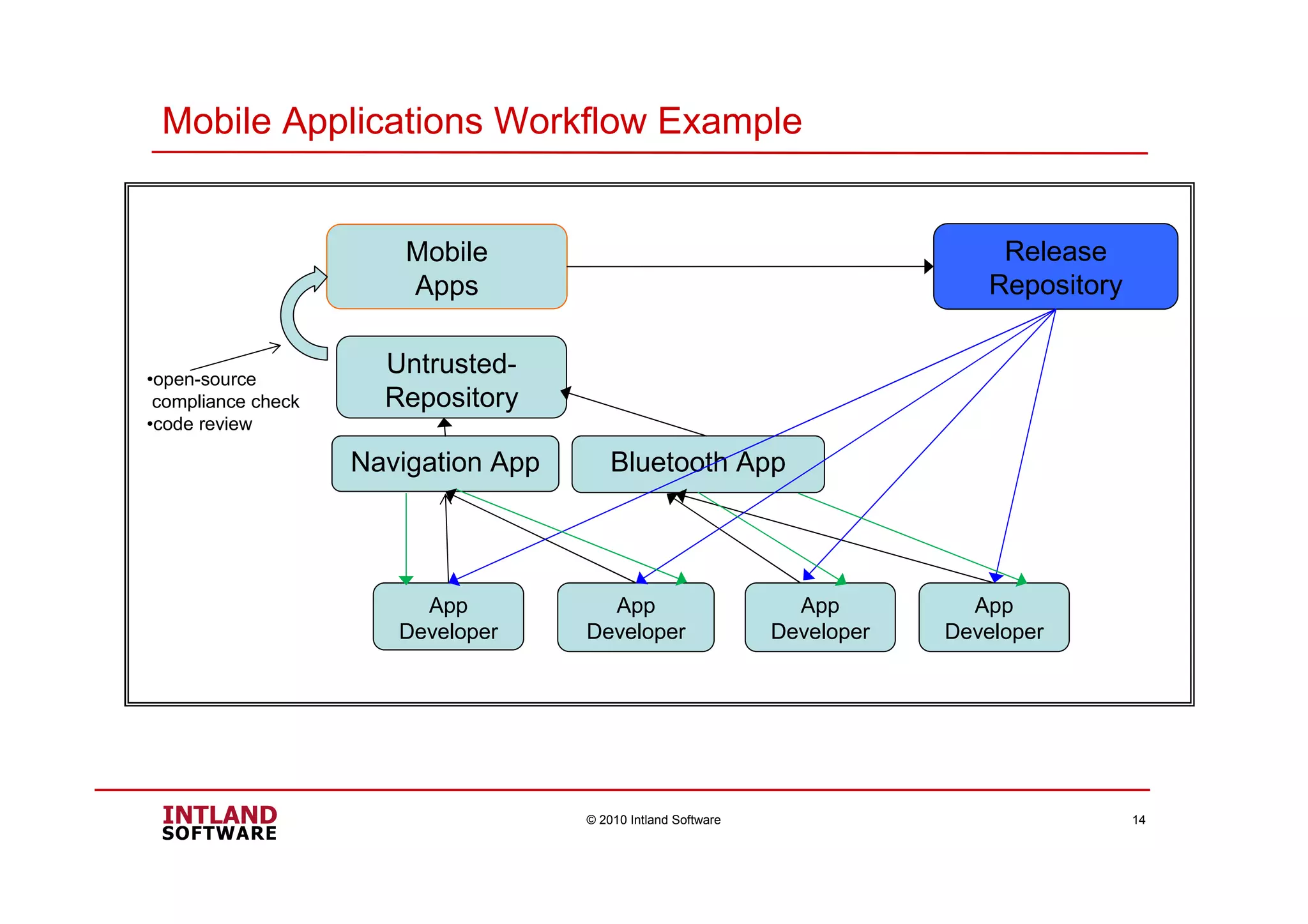
Mobile Applications Workflow Example
© 2010 Intland Software 14
Untrusted-
Repository
Release
Repository
Mobile
Apps
Bluetooth AppNavigation App
App
Developer
App
Developer
App
Developer
App
Developer
•open-source
compliance check
•code review
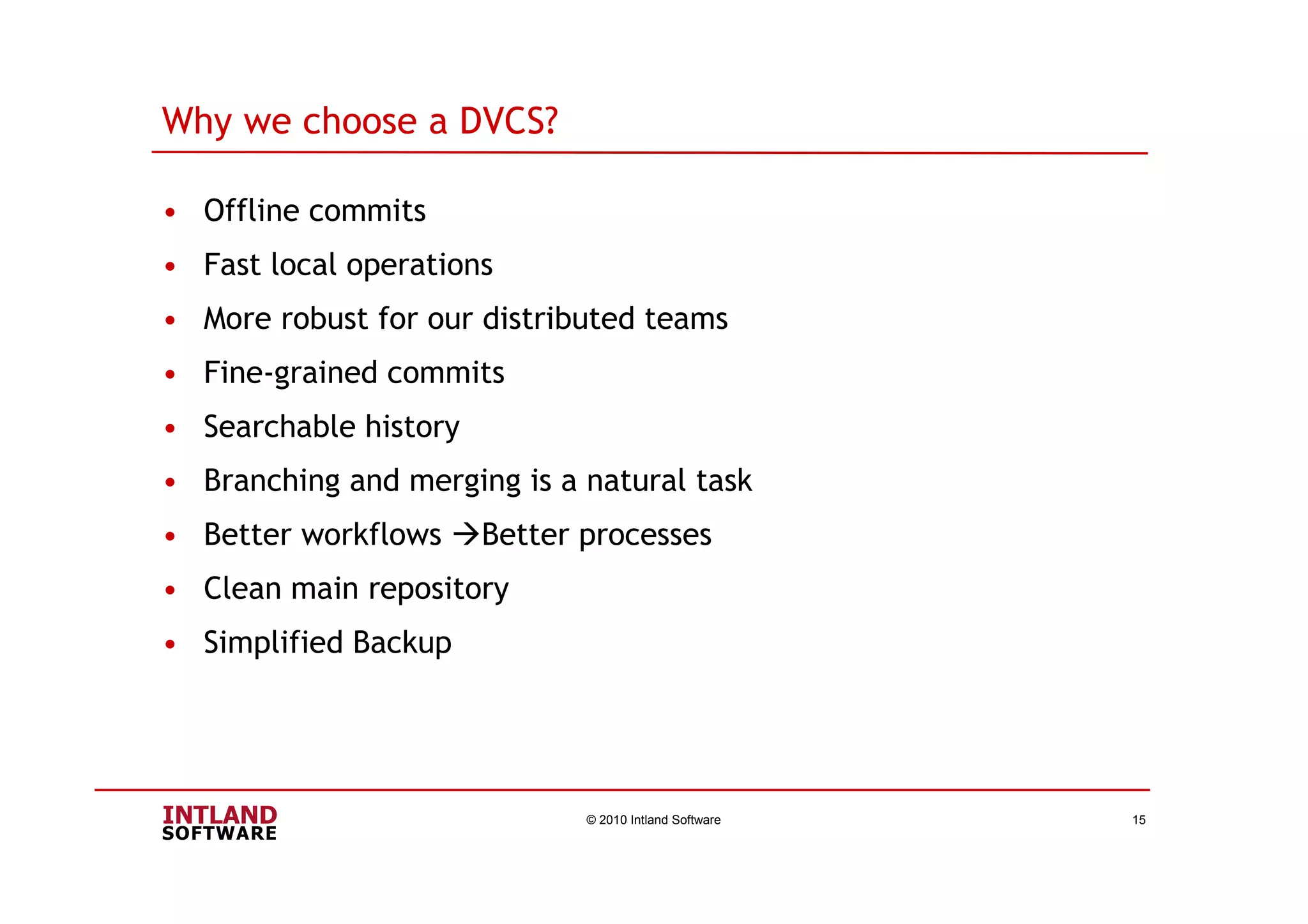
Why we choose a DVCS?
• Offline commits
• Fast local operations
• More robust for our distributed teams
• Fine-grained commits
• Searchable history
• Branching and merging is a natural task
• Better workflows Better processes
• Clean main repository
• Simplified Backup
© 2010 Intland Software 15
Questions & Answers
Questions & Answers
© 2010 Intland Software 16
Thank you for your attention
For any further information
please visit our homepage:
www.intland.com
www.javaforge.com
HgEclipse: http://www.javaforge.com/project/HGE
codeBeamer Eclipse Studio: http://www.javaforge.com/project/CBES
© 2010 Intland Software 17
Contact information
Contact & further information
Michael Lukas
michael.lukas@intland.com
Phone: (EU) +49-711-67400681
• General information: www.intland.com or www.javaforge.com
• Follow @intland on Twitter: http://twitter.com/intland
© 2010 Intland Software 18

Process Improvement in Distributed Software Development Using Eclipse with Mercurial or Git

  • 1.
    © 2010 IntlandSoftware 1 Process Improvement in Distributed Software Development Using Eclipse with Mercurial or Git Eclipse Integrated Development Day October 12, 2010 Michael Lukas Intland Software
  • 2.
    Agenda • Intland Software •codeBeamer • Customers • How do customers use our products • Centralized vs. distributed VCS • Working with Centralized VCS • Working with distributed VCS • Mobile applications workflow example • Why Intland choose a DVCS • Questions & Answers © 2010 Intland Software 2
  • 3.
    Intland Software • IntlandSoftware provides collaborative ALM solutions. • Intland is driving different DVCS related open source projects: 1. EclipseMercurial plug-in 2. codeBeamer ALM for Eclipse, Git, Mercurial © 2010 Intland Software 3 Collaboration Engine
  • 4.
    codeBeamer codeBeamer is acollaborative, web-based Application Lifecycle Management(ALM) solution for software development. It provides more transparency, improves your software development and business processes. Main Functions: © 2010 Intland Software 4 - Knowledge Management with Wiki - Document Management - Release Management - Tracker Function – Tracking requirements, tasks, change requests, bugs and tests - SCM: CVS, Subversion, Git and Mercurial Eclipse Integrations: - codeBeamer Eclipse Studio (CBES) - Hg Eclipse
  • 5.
    Where codeBeamer takesplace © 2010 Intland Software 5 development methods: V-Model ,Agile, Scrum codeBeamer
  • 6.
    Screenshot of codeBeamer5.5 © 2010 Intland Software 6
  • 7.
    Eclipse Screenshot –HgEclipse & CBES © 2010 Intland Software 7
  • 8.
    © 2010 IntlandSoftware 8 Customers
  • 9.
    • ITIL Management •Change Management • Process Management • Knowledge Management • Requirements Management • Project Support • Communication © 2010 Intland Software 9 • Distributed Software Development • Issue/ Excel- Tracking • Ticketing System • Business Process Monitoring • Marketing and Sales How do Customers use our Products
  • 10.
    Centralized vs. DistributedVCS © 2010 Intland Software 10 Repository Michael Dagmar Klaus Dagmar KlausMichael Distributed VCS commitupdate pushpull Centralized VCS
  • 11.
    Working with CentralizedVCS System © 2010 Intland Software 11 Shared Repository developer developer developer Centralized Systems (SVN, CVS, CC, ..) -Windows/Linux -Eclipse + Subclipse -Web browser
  • 12.
    Chicago Working with DistributedVCS © 2010 Intland Software 12 codeBeamer ALM, collaboration Berlin Beijing Git/Mercurial Repositories Developer Workstation: •Windows/Linux (VMWARE) •Eclipse + Git/Mercurial plug-in •Git/Mercurial •Web browser
  • 13.
    Integration Workflow © 2010Intland Software 13 Release repository Developer local Developer local Integration Manager Developer public Developer public
  • 14.
    Mobile Applications WorkflowExample © 2010 Intland Software 14 Untrusted- Repository Release Repository Mobile Apps Bluetooth AppNavigation App App Developer App Developer App Developer App Developer •open-source compliance check •code review
  • 15.
    Why we choosea DVCS? • Offline commits • Fast local operations • More robust for our distributed teams • Fine-grained commits • Searchable history • Branching and merging is a natural task • Better workflows Better processes • Clean main repository • Simplified Backup © 2010 Intland Software 15
  • 16.
    Questions & Answers Questions& Answers © 2010 Intland Software 16
  • 17.
    Thank you foryour attention Thank you for your attention For any further information please visit our homepage: www.intland.com www.javaforge.com HgEclipse: http://www.javaforge.com/project/HGE codeBeamer Eclipse Studio: http://www.javaforge.com/project/CBES © 2010 Intland Software 17
  • 18.
    Contact information Contact &further information Michael Lukas michael.lukas@intland.com Phone: (EU) +49-711-67400681 • General information: www.intland.com or www.javaforge.com • Follow @intland on Twitter: http://twitter.com/intland © 2010 Intland Software 18