





EBSCO databases are one of the best places to search
for many different types of sources, for many different
types of assignments, in many different types of classes.
Chances are that if you are writing a research paper for
a college class, EBSCO will be a good place to gather
research.
EBSCO gives you access to newspaper and magazine
articles, as well as book chapters, and article from
academic journals. There are also options that will allow
you to search for only a specific type of source.


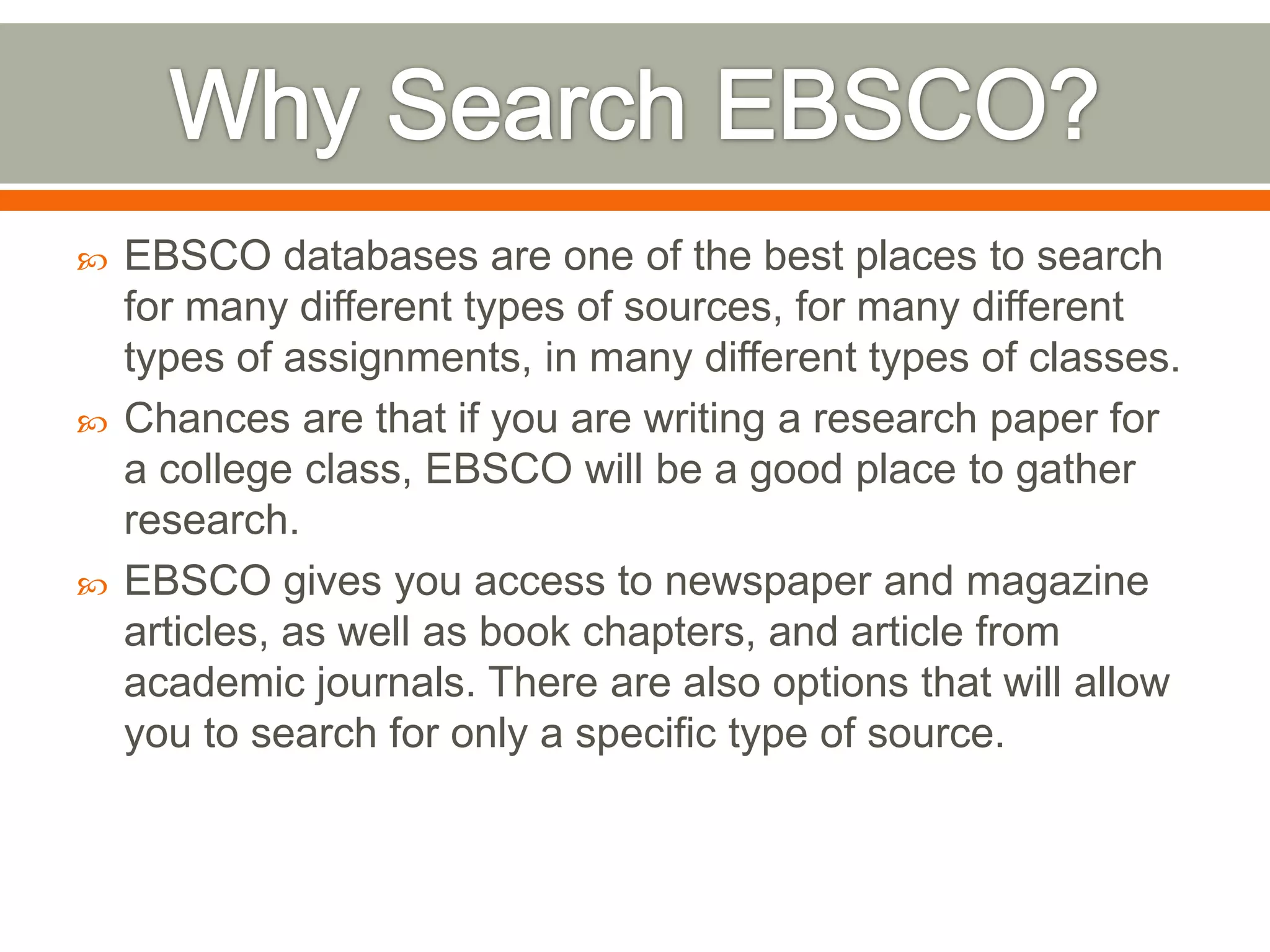
Begin by going to the WC library home page
(www.wc.edu/library) and click on the “Resources” link.


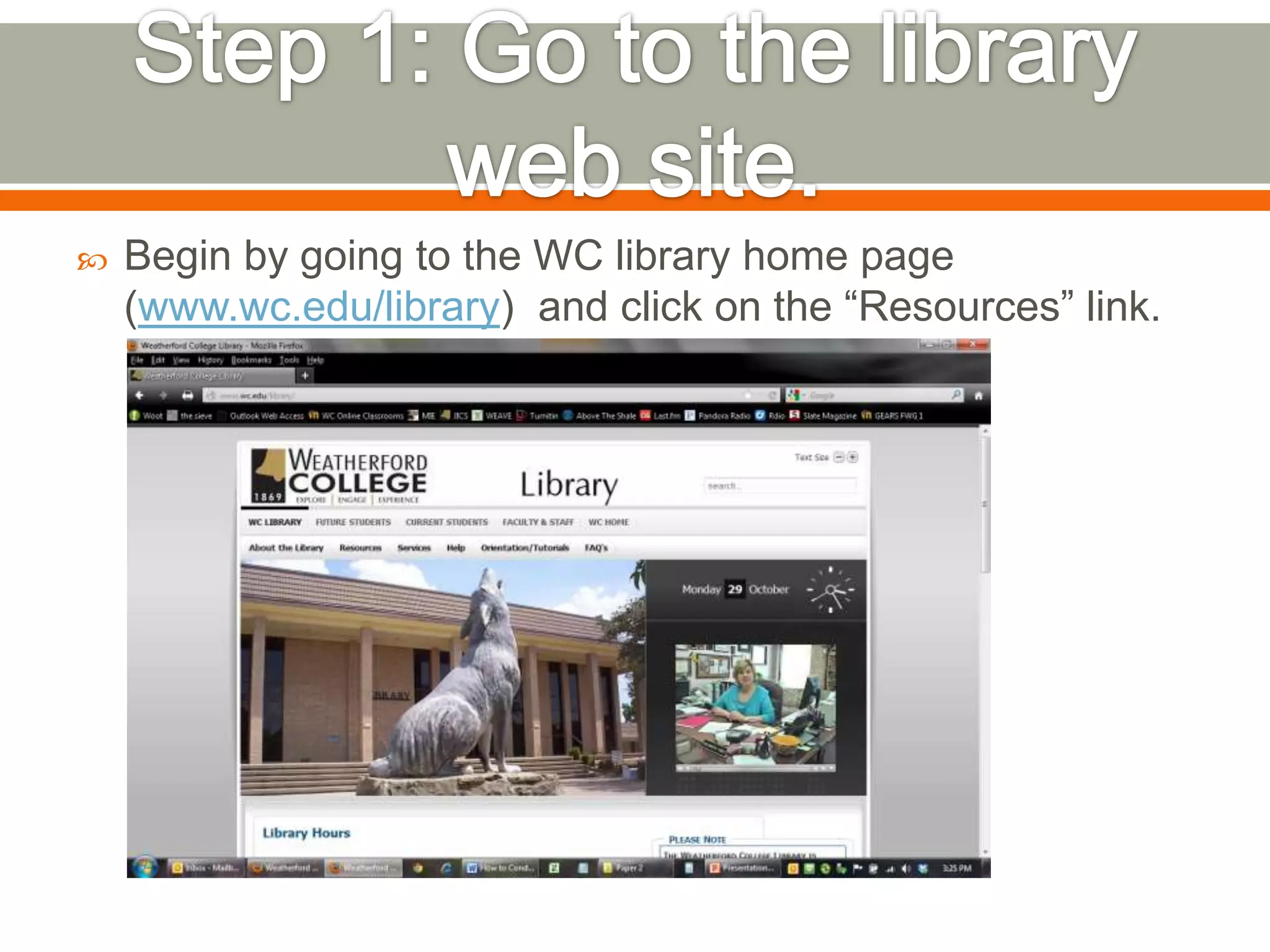
Click on either the “Online Resources (On-Campus)” or
“Online Resources (Off-Campus)” link, depending on if
you are accessing this site from on or off campus.


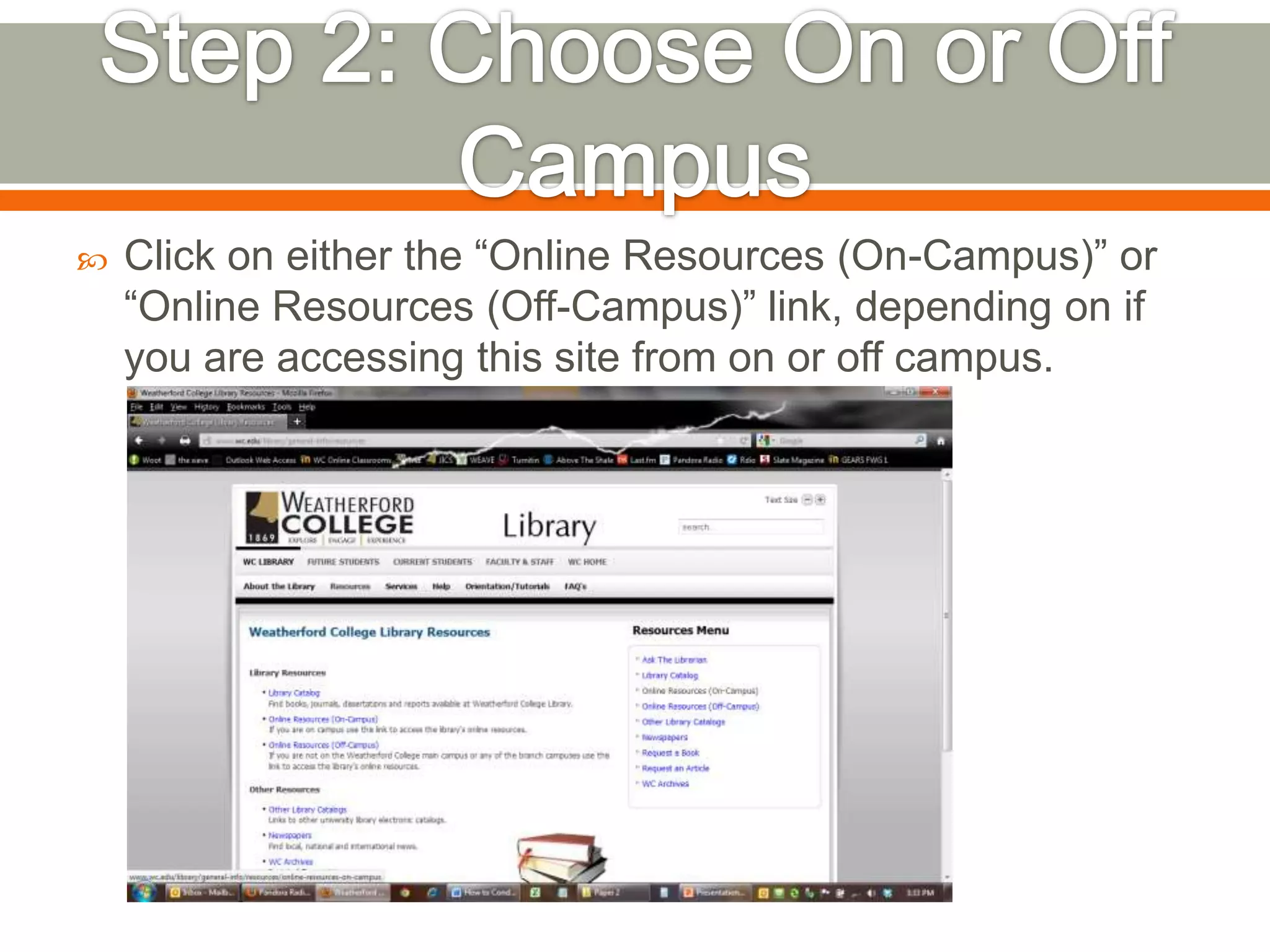
If you are off-campus, you will need to log-in, using the
same username and password as your student email.


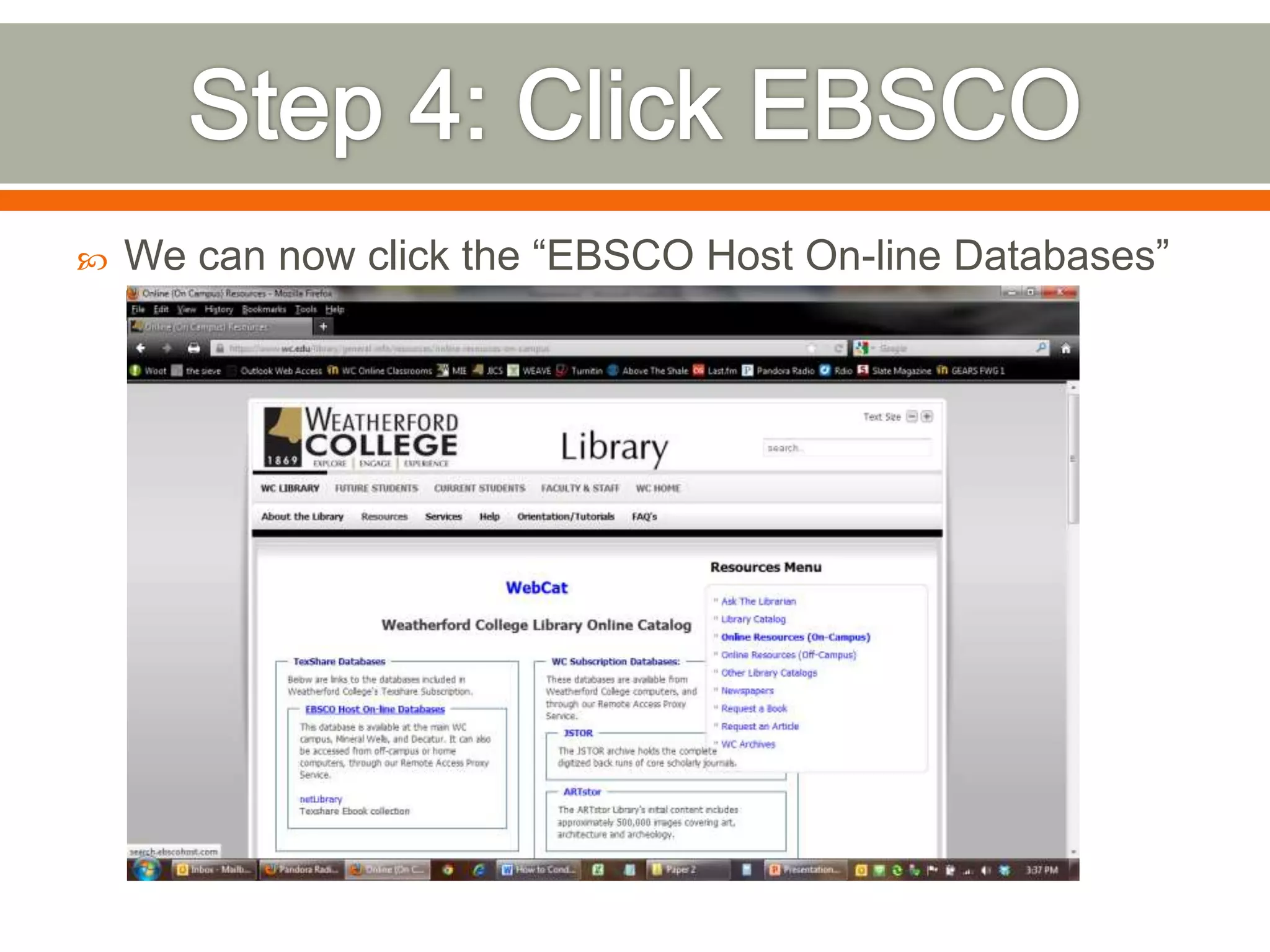
We can now click the “EBSCO Host On-line Databases”
link!


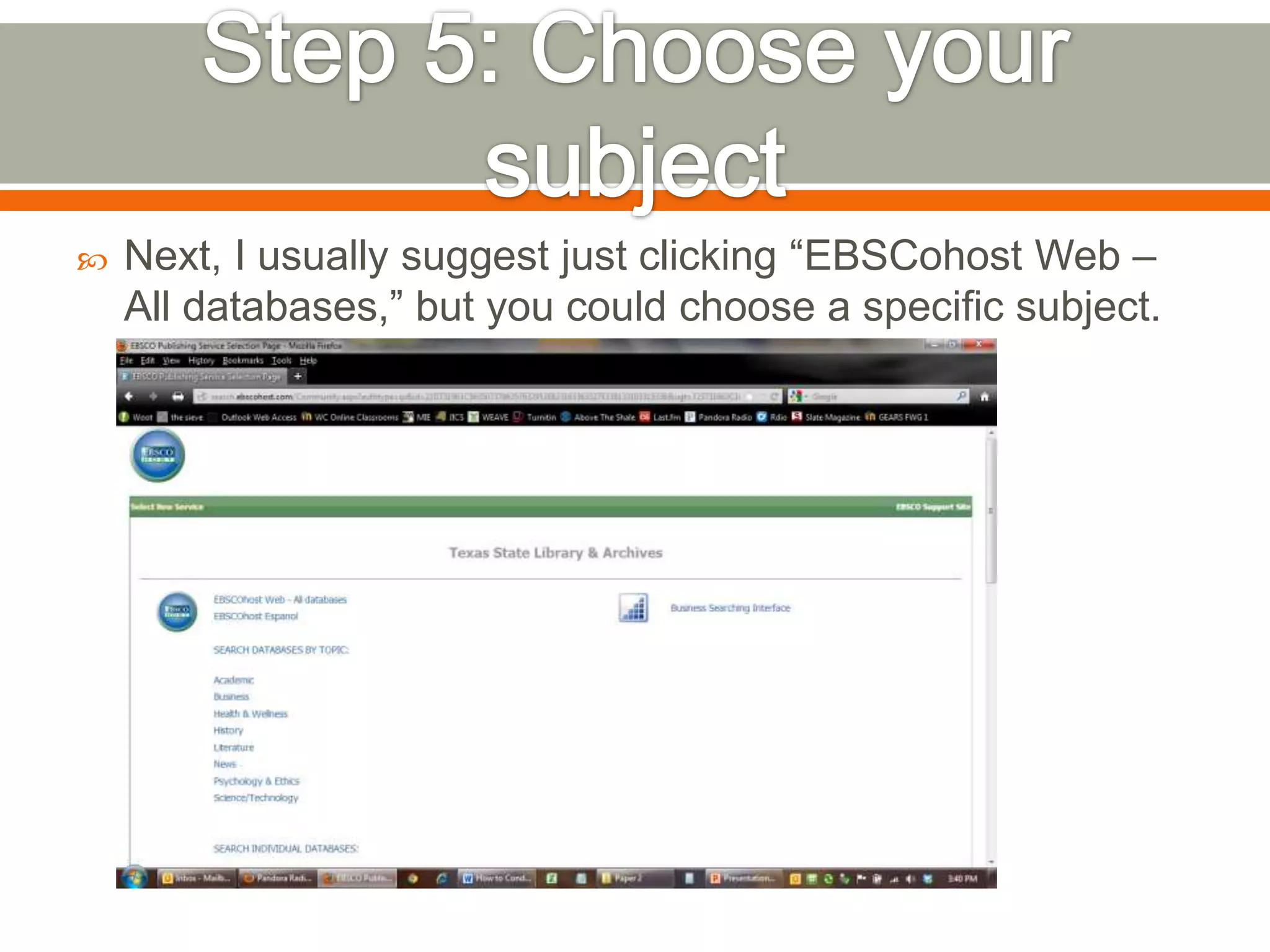
Next, I usually suggest just clicking “EBSCohost Web –
All databases,” but you could choose a specific subject.


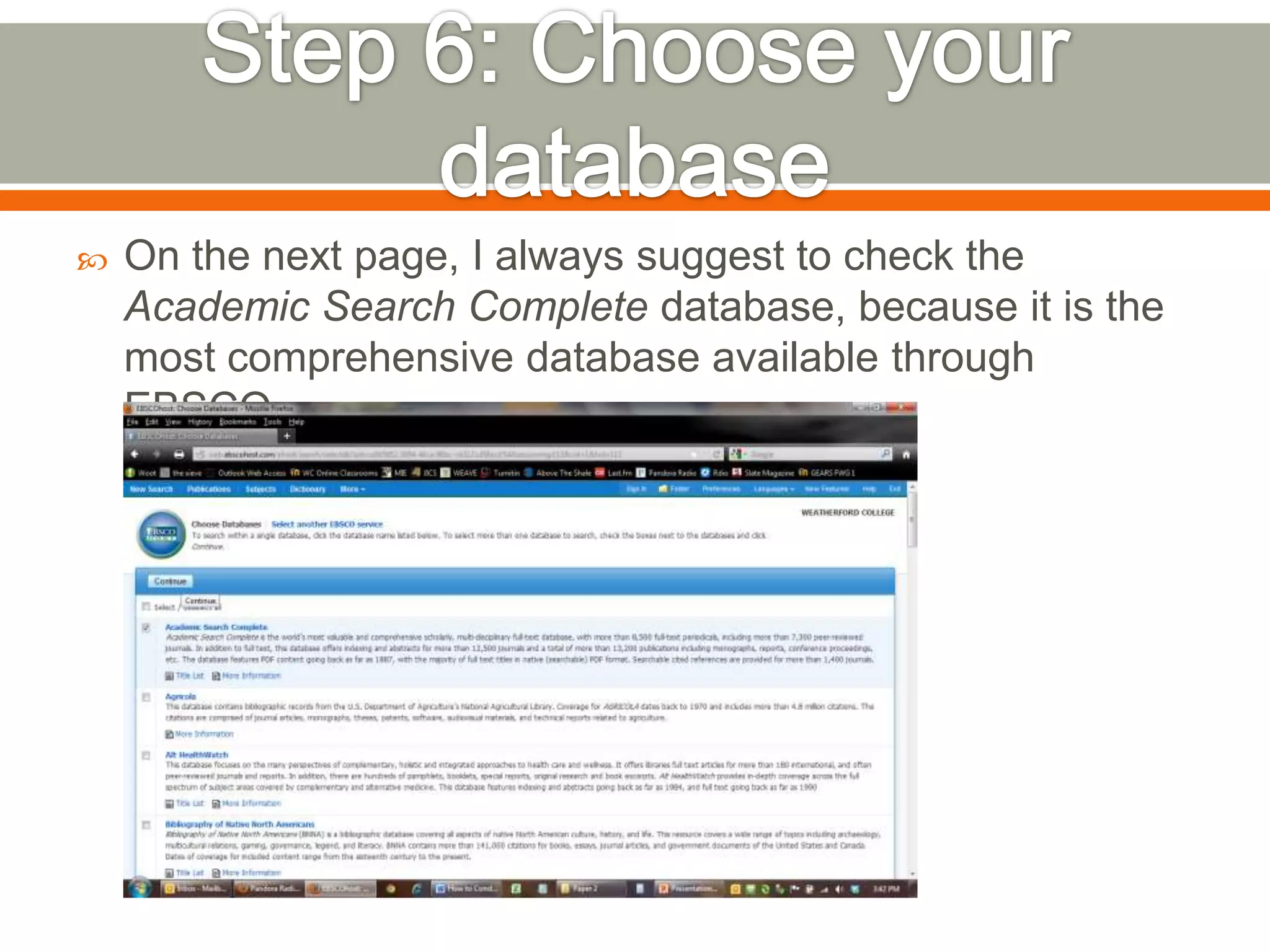
On the next page, I always suggest to check the
Academic Search Complete database, because it is the
most comprehensive database available through
EBSCO.


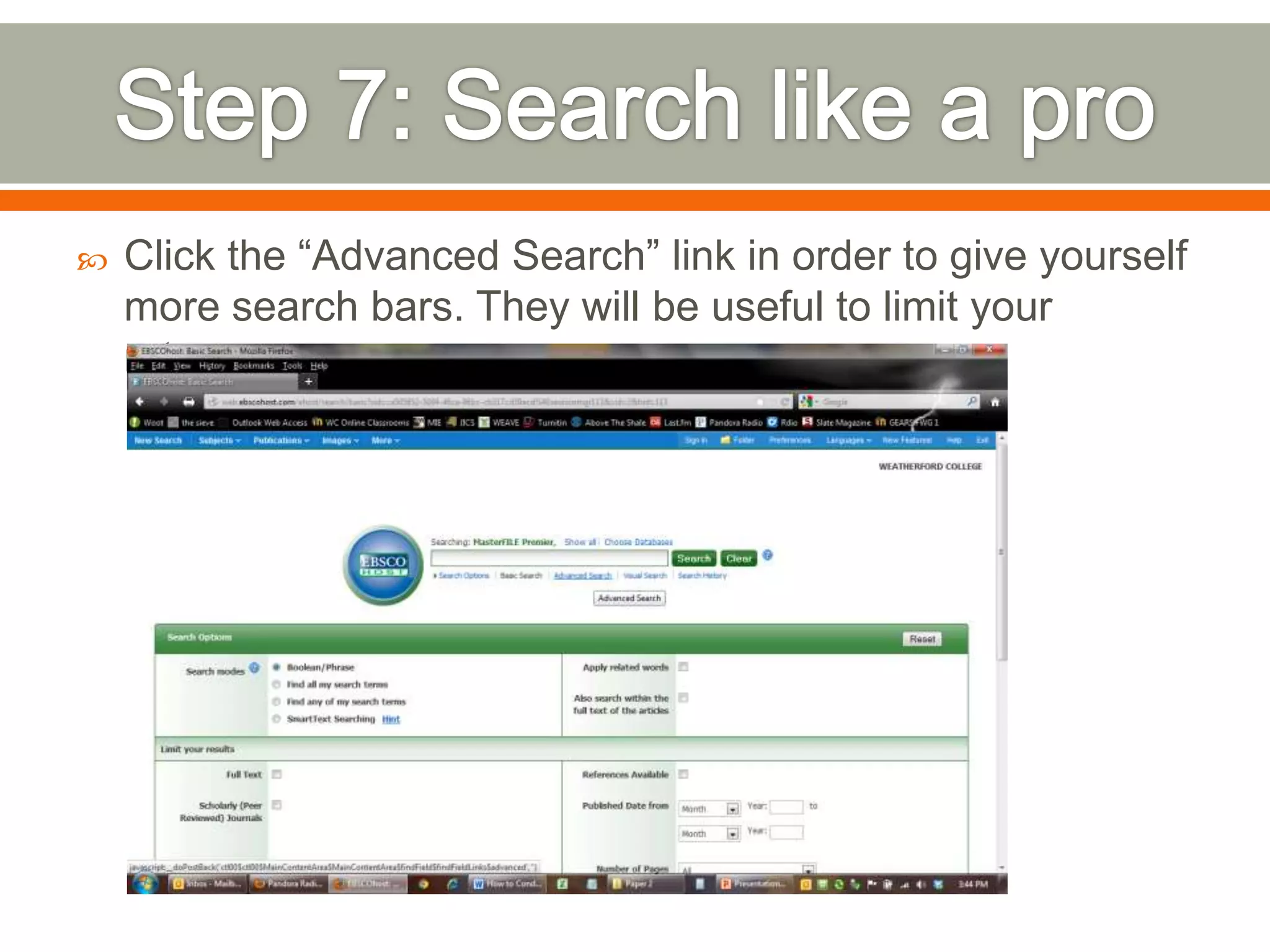
Click the “Advanced Search” link in order to give yourself
more search bars. They will be useful to limit your
returns.


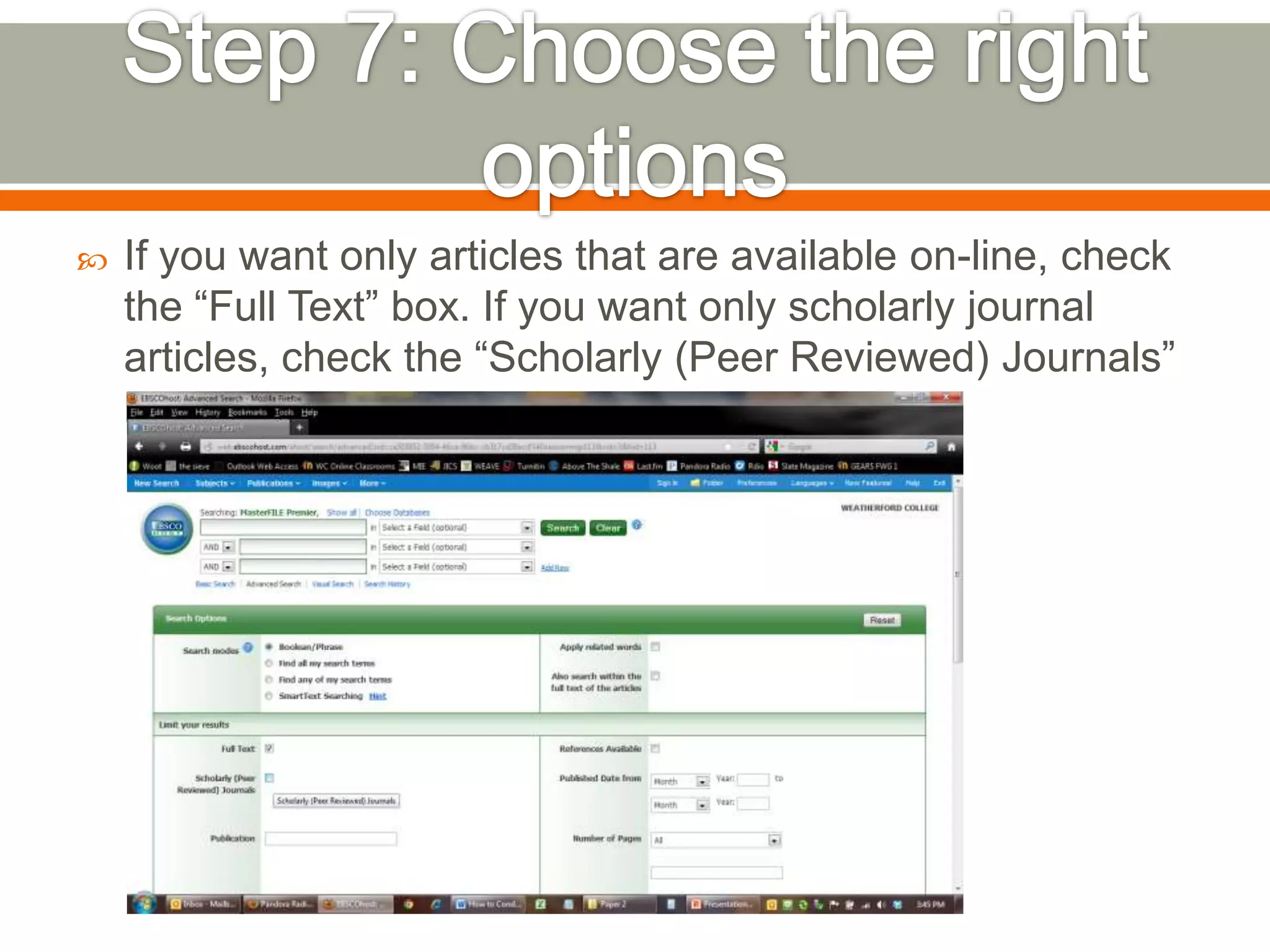
If you want only articles that are available on-line, check
the “Full Text” box. If you want only scholarly journal
articles, check the “Scholarly (Peer Reviewed) Journals”
box.


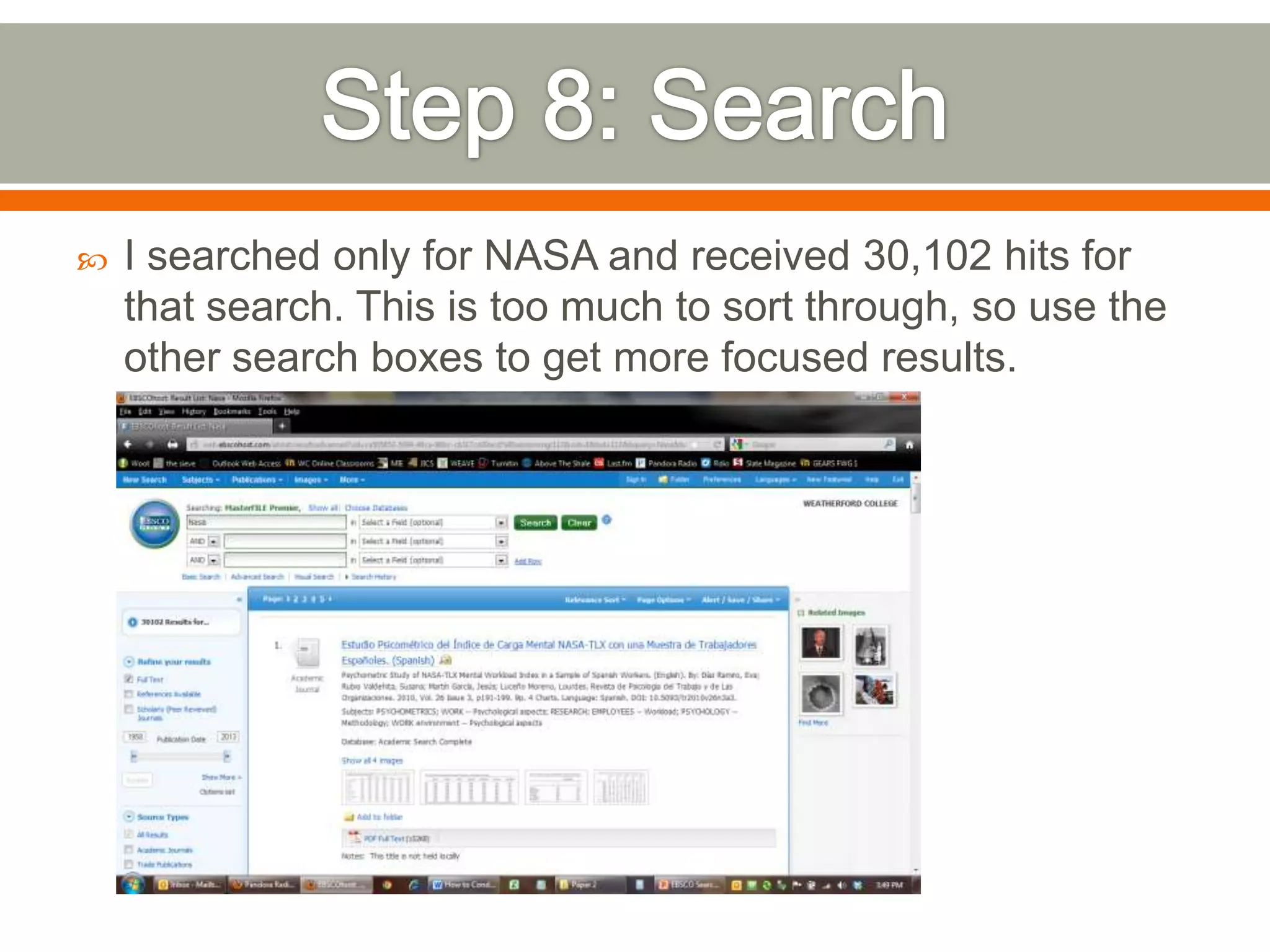
I searched only for NASA and received 30,102 hits for
that search. This is too much to sort through, so use the
other search boxes to get more focused results.


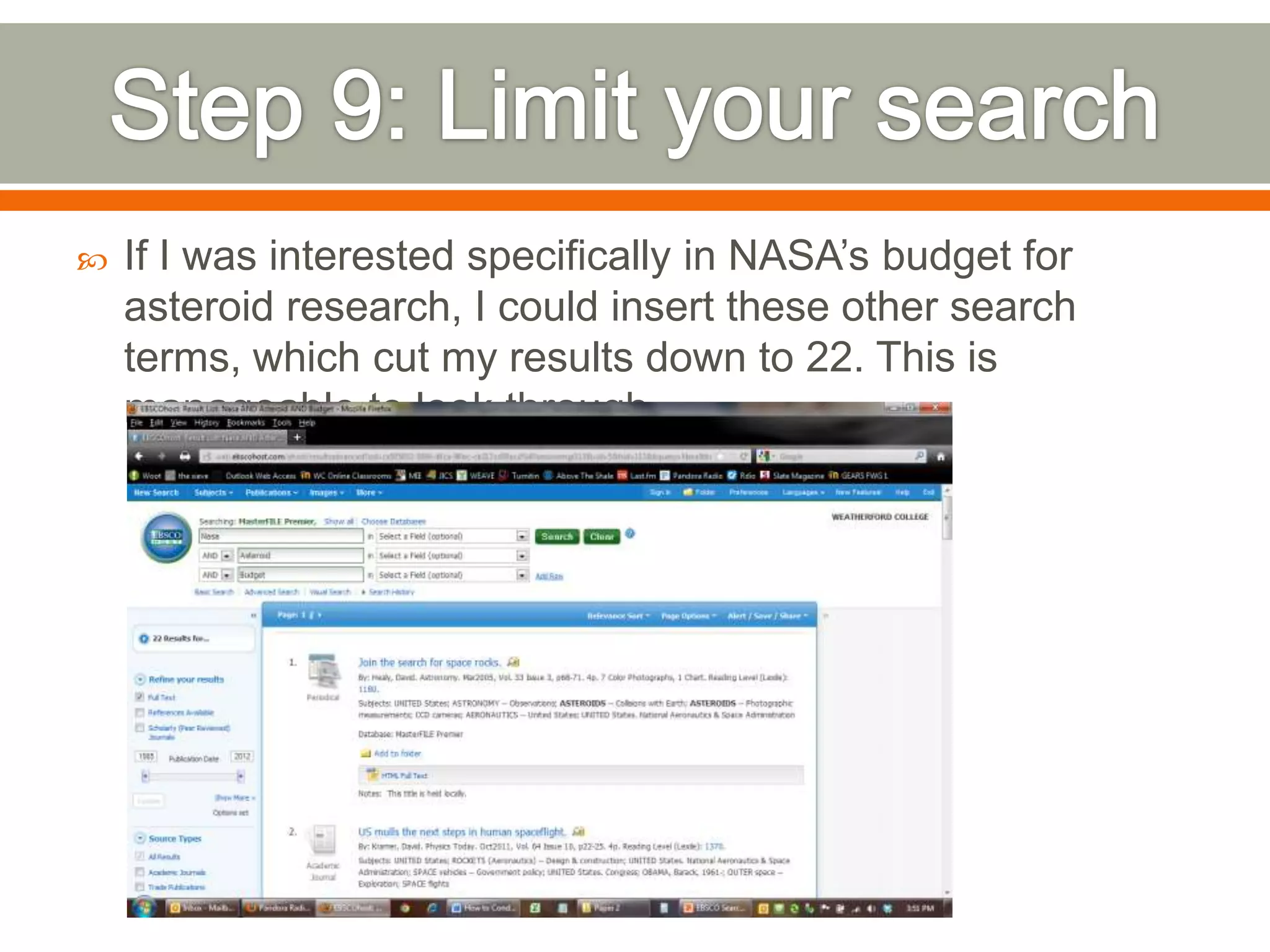
If I was interested specifically in NASA’s budget for
asteroid research, I could insert these other search
terms, which cut my results down to 22. This is
manageable to look through.


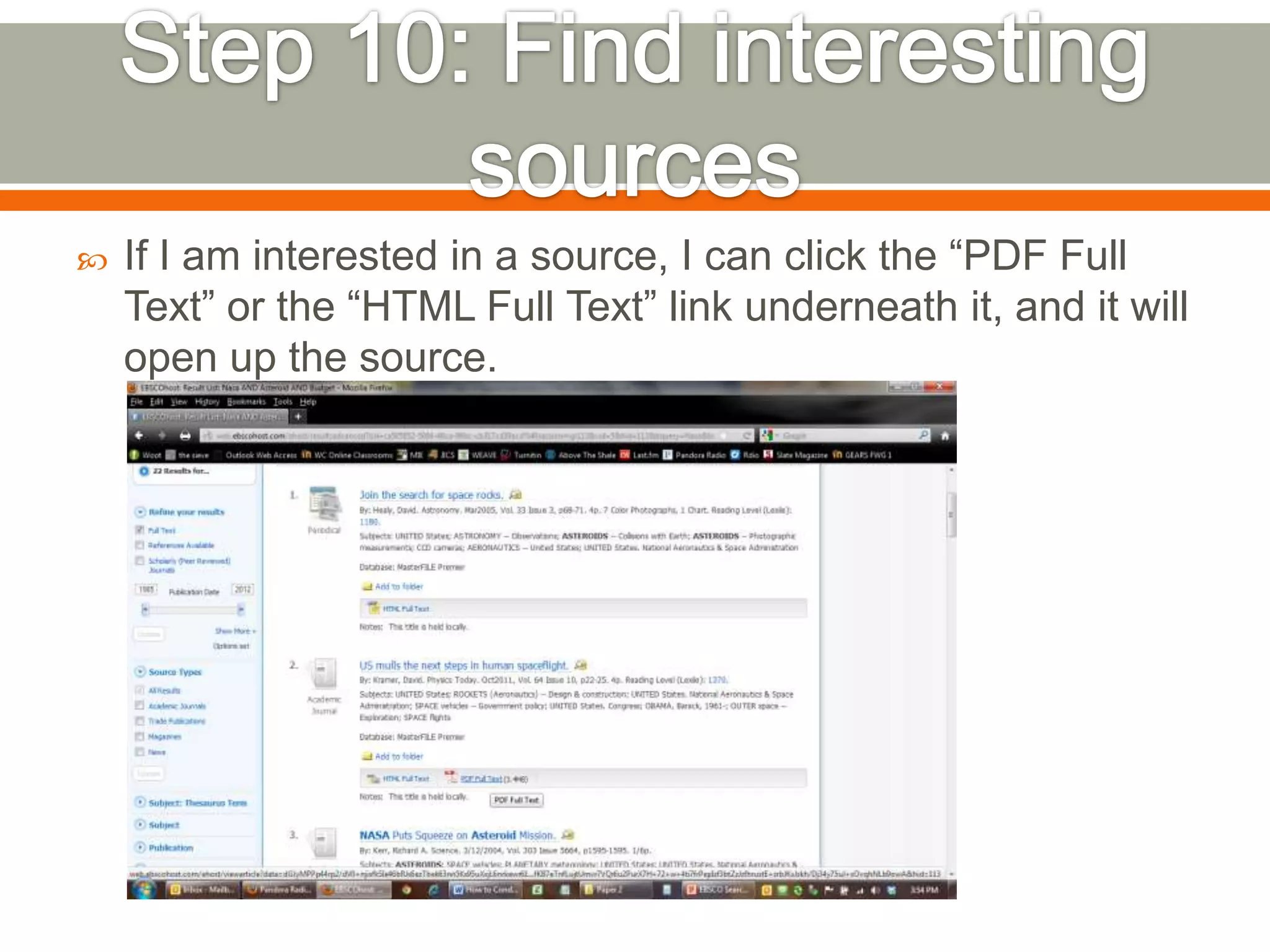
If I am interested in a source, I can click the “PDF Full
Text” or the “HTML Full Text” link underneath it, and it will
open up the source.


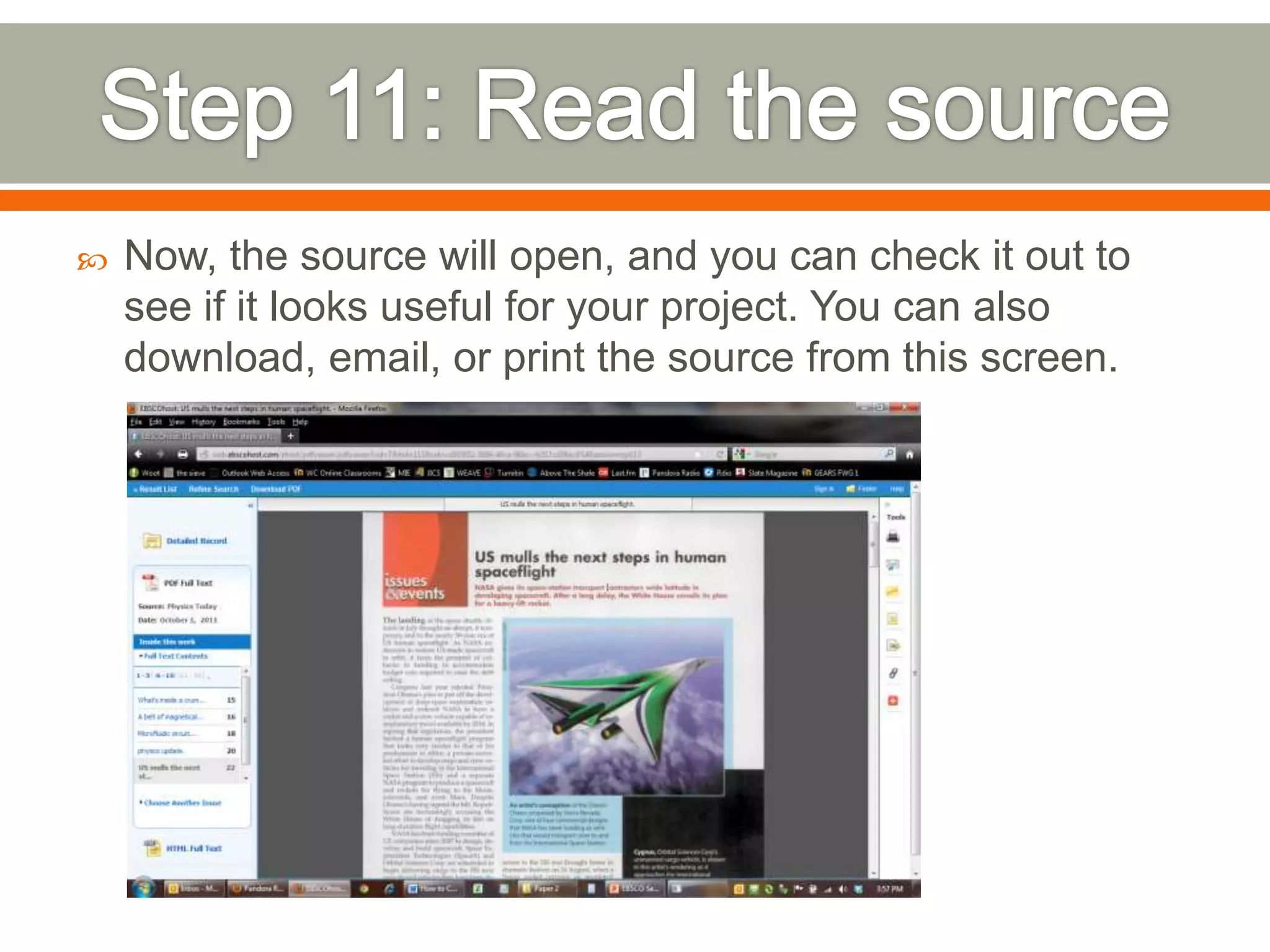
Now, the source will open, and you can check it out to
see if it looks useful for your project. You can also
download, email, or print the source from this screen.


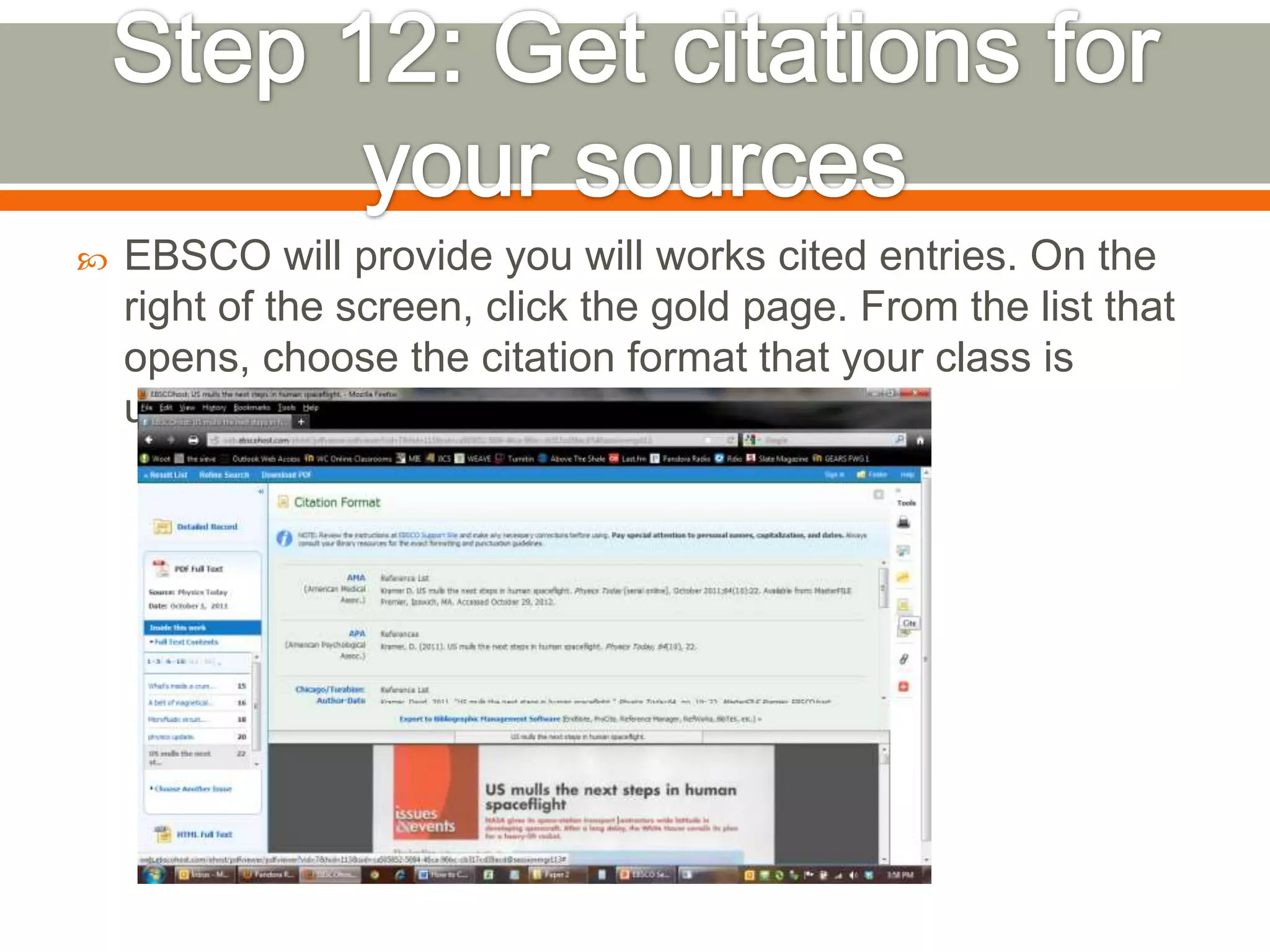
EBSCO will provide you will works cited entries. On the
right of the screen, click the gold page. From the list that
opens, choose the citation format that your class is
using.

Ebsco search instructions

  • 1.
       EBSCO databases areone of the best places to search for many different types of sources, for many different types of assignments, in many different types of classes. Chances are that if you are writing a research paper for a college class, EBSCO will be a good place to gather research. EBSCO gives you access to newspaper and magazine articles, as well as book chapters, and article from academic journals. There are also options that will allow you to search for only a specific type of source.
  • 2.
     Begin by goingto the WC library home page (www.wc.edu/library) and click on the “Resources” link.
  • 3.
     Click on eitherthe “Online Resources (On-Campus)” or “Online Resources (Off-Campus)” link, depending on if you are accessing this site from on or off campus.
  • 4.
     If you areoff-campus, you will need to log-in, using the same username and password as your student email.
  • 5.
     We can nowclick the “EBSCO Host On-line Databases” link!
  • 6.
     Next, I usuallysuggest just clicking “EBSCohost Web – All databases,” but you could choose a specific subject.
  • 7.
     On the nextpage, I always suggest to check the Academic Search Complete database, because it is the most comprehensive database available through EBSCO.
  • 8.
     Click the “AdvancedSearch” link in order to give yourself more search bars. They will be useful to limit your returns.
  • 9.
     If you wantonly articles that are available on-line, check the “Full Text” box. If you want only scholarly journal articles, check the “Scholarly (Peer Reviewed) Journals” box.
  • 10.
     I searched onlyfor NASA and received 30,102 hits for that search. This is too much to sort through, so use the other search boxes to get more focused results.
  • 11.
     If I wasinterested specifically in NASA’s budget for asteroid research, I could insert these other search terms, which cut my results down to 22. This is manageable to look through.
  • 12.
     If I aminterested in a source, I can click the “PDF Full Text” or the “HTML Full Text” link underneath it, and it will open up the source.
  • 13.
     Now, the sourcewill open, and you can check it out to see if it looks useful for your project. You can also download, email, or print the source from this screen.
  • 14.
     EBSCO will provideyou will works cited entries. On the right of the screen, click the gold page. From the list that opens, choose the citation format that your class is using.