D.Seethalakshmi MCA.,M.phil.,
Assistant Professor
Bon Secours College forWomen
Thanjavur
 Working withWeb Pages
 Working with HTMLTables
 Working with Framesets and Frames
 Design Manage and Develop ComplexWeb
Pages
 Dragging and Dropping Objects Easily
 Insert text, Images & Hyperlinks
 AddingText
 Works like a Microsoft Word
 Blinking Cursor appears top left
 Automatically wraps next line
 Appearance & Arrangement
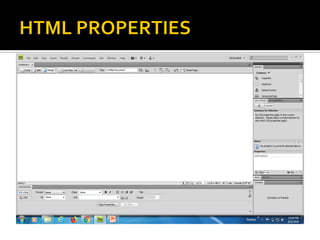
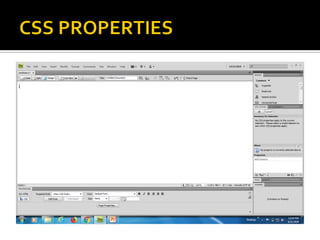
 Properties Inspector to set text Properties
 Divided into two sections
▪ 1. HTML
▪ 2. CSS
 Format – Set style and Heading
 ID – Assign ID to selected text
 Class – Display class style
 Bold, Italic
 Unordered list – bulleting
 Ordered list – Numbering
 Link – Hyperlink
 Page Properties – BG color, Margin, Spacing
 Targeted Rule – Add new rule, Applies CSS class
 CSS Panel – Open CSS Styles
 Font
 Size
 Text color
 Bold, Italic
 Align left,Right Justify & Center
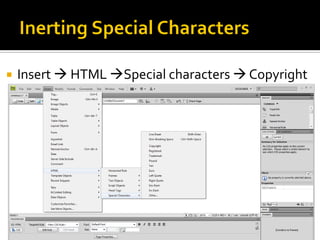
 Insert  HTML Special characters  Copyright
 Visual Presentation of Information
 Pictures, graphs & Images
 Editing is possible
 Various Propertis like Brightness & Contrast
 Create rollover & Imagemap
 An Object
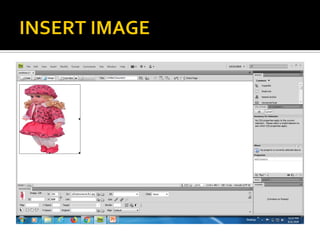
 Click the place where to insert an image
 Insert Image
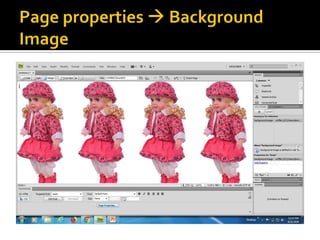
 Background Image
 CSS PropertiesPage PropertiesBackground
Image
 W and H
 Src, ID,Alt
 LINK
 Align,Vspace, Hspace
 Target – used for hyperlink in image
 Border
 Edit
 Sharpen ,crop, Resize,Reset
 Hotspot – draw various shapes
 Links different webpages or locations of same
page
 A text Hyperlink
 An image Hyperlink
 An e-mail Hyperlink
 A named anchor Hyperlink
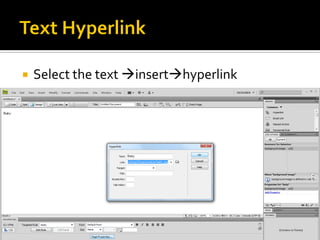
 Select the text inserthyperlink
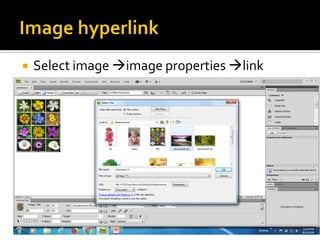
 Select image image properties link
 Modify  change link
Deleting Hyperlink
Modify  Remove link
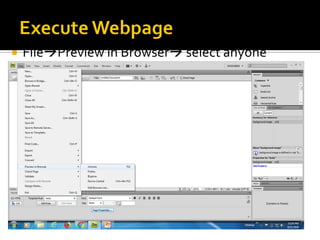
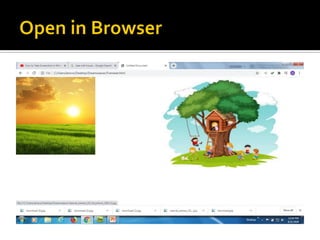
 FilePreview in Browser select anyone
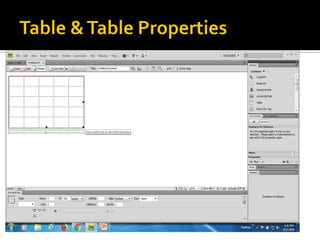
 Table is a collection of data arranged in rows
and columns.
 It is a easy way to read and understand the
information.
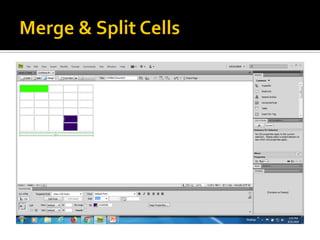
 Intersection of rows & columns as Cells.
 Create table code view or design view
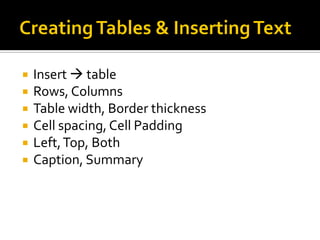
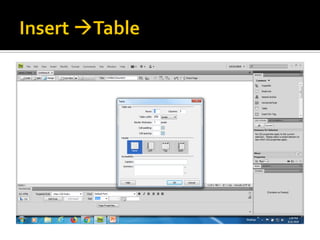
 Insert  table
 Rows, Columns
 Table width, Border thickness
 Cell spacing, Cell Padding
 Left,Top, Both
 Caption, Summary
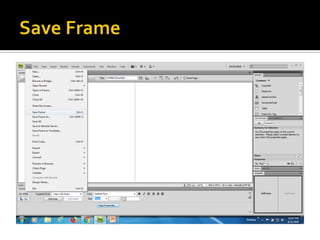
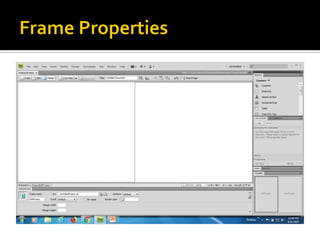
 It allow webpages to spilt into segments
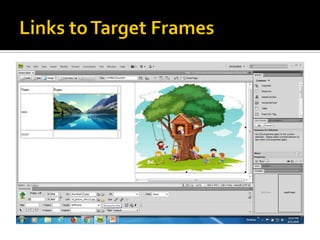
 Each frame displaying different html pages
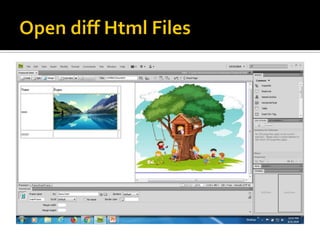
 Webpage has 2 frame means displaying 2
different HTML files
DW unit 2.pdf
DW unit 2.pdf
DW unit 2.pdf
DW unit 2.pdf
DW unit 2.pdf
DW unit 2.pdf
DW unit 2.pdf

DW unit 2.pdf

  • 1.
  • 2.
     Working withWebPages  Working with HTMLTables  Working with Framesets and Frames
  • 3.
     Design Manageand Develop ComplexWeb Pages  Dragging and Dropping Objects Easily  Insert text, Images & Hyperlinks
  • 4.
     AddingText  Workslike a Microsoft Word  Blinking Cursor appears top left  Automatically wraps next line
  • 5.
     Appearance &Arrangement  Properties Inspector to set text Properties  Divided into two sections ▪ 1. HTML ▪ 2. CSS
  • 6.
     Format –Set style and Heading  ID – Assign ID to selected text  Class – Display class style  Bold, Italic  Unordered list – bulleting  Ordered list – Numbering  Link – Hyperlink  Page Properties – BG color, Margin, Spacing
  • 8.
     Targeted Rule– Add new rule, Applies CSS class  CSS Panel – Open CSS Styles  Font  Size  Text color  Bold, Italic  Align left,Right Justify & Center
  • 10.
     Insert HTML Special characters  Copyright
  • 11.
     Visual Presentationof Information  Pictures, graphs & Images  Editing is possible  Various Propertis like Brightness & Contrast  Create rollover & Imagemap
  • 12.
     An Object Click the place where to insert an image  Insert Image  Background Image  CSS PropertiesPage PropertiesBackground Image
  • 15.
     W andH  Src, ID,Alt  LINK  Align,Vspace, Hspace  Target – used for hyperlink in image  Border  Edit  Sharpen ,crop, Resize,Reset  Hotspot – draw various shapes
  • 16.
     Links differentwebpages or locations of same page  A text Hyperlink  An image Hyperlink  An e-mail Hyperlink  A named anchor Hyperlink
  • 17.
     Select thetext inserthyperlink
  • 18.
     Select imageimage properties link
  • 19.
     Modify change link Deleting Hyperlink Modify  Remove link
  • 20.
     FilePreview inBrowser select anyone
  • 21.
     Table isa collection of data arranged in rows and columns.  It is a easy way to read and understand the information.  Intersection of rows & columns as Cells.  Create table code view or design view
  • 22.
     Insert table  Rows, Columns  Table width, Border thickness  Cell spacing, Cell Padding  Left,Top, Both  Caption, Summary
  • 31.
     It allowwebpages to spilt into segments  Each frame displaying different html pages  Webpage has 2 frame means displaying 2 different HTML files