Verify standby environment
Physical standby database
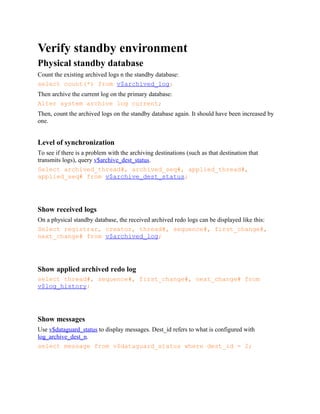
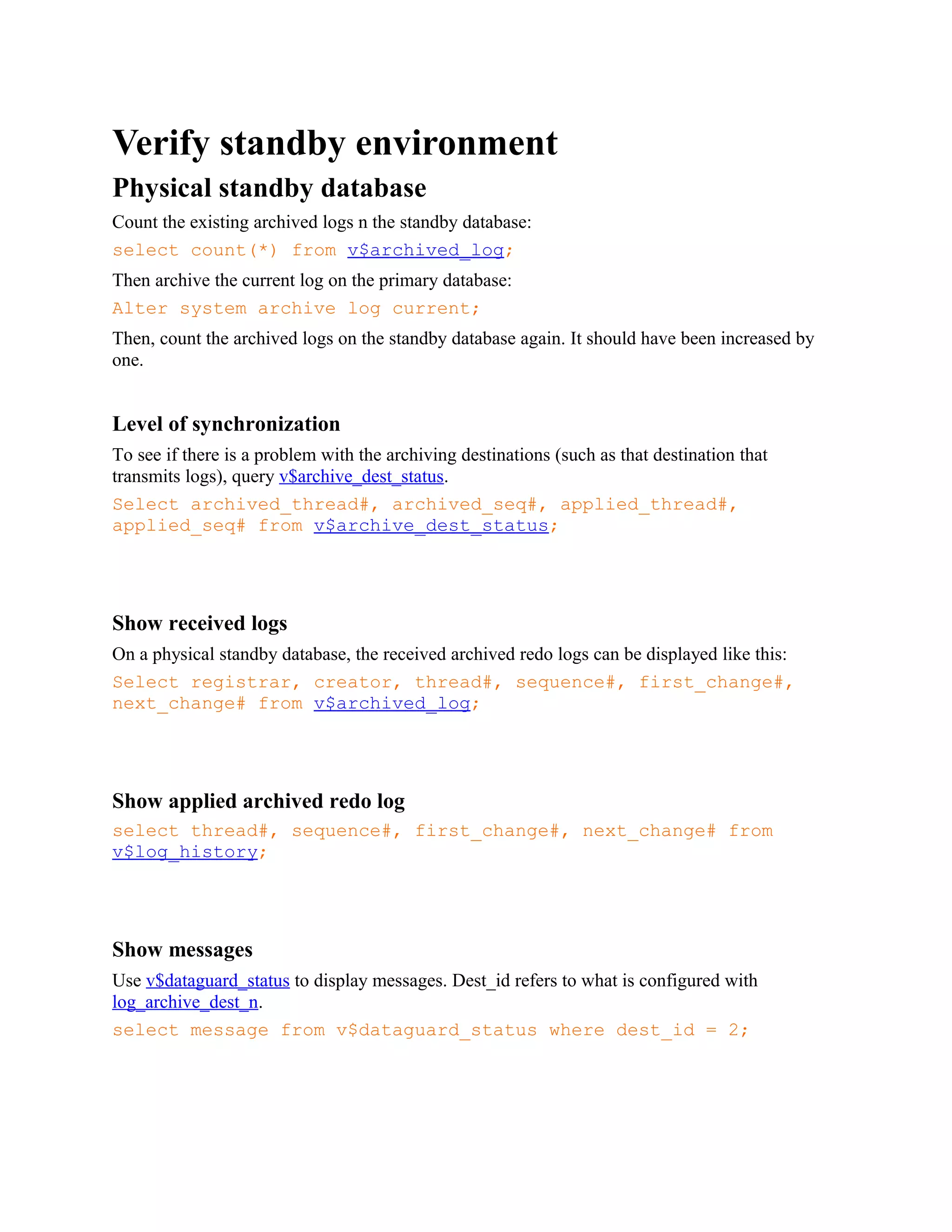
Count the existing archived logs n the standby database:
select count(*) from v$archived_log;
Then archive the current log on the primary database:
Alter system archive log current;
Then, count the archived logs on the standby database again. It should have been increased by
one.
Level of synchronization
To see if there is a problem with the archiving destinations (such as that destination that
transmits logs), query v$archive_dest_status.
Select archived_thread#, archived_seq#, applied_thread#,
applied_seq# from v$archive_dest_status;
Show received logs
On a physical standby database, the received archived redo logs can be displayed like this:
Select registrar, creator, thread#, sequence#, first_change#,
next_change# from v$archived_log;
Show applied archived redo log
select thread#, sequence#, first_change#, next_change# from
v$log_history;
Show messages
Use v$dataguard_status to display messages. Dest_id refers to what is configured with
log_archive_dest_n.
select message from v$dataguard_status where dest_id = 2;
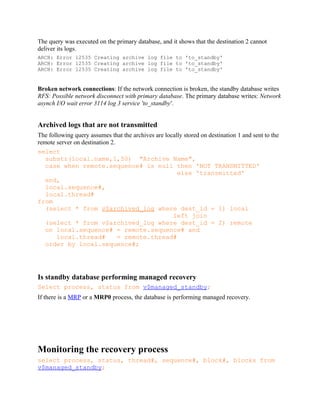
The query was executed on the primary database, and it shows that the destination 2 cannot
deliver its logs.
ARCH: Error 12535 Creating archive log file to 'to_standby'
Broken network connections: If the network connection is broken, the standby database writes
RFS: Possible network disconnect with primary database. The primary database writes: Network
asynch I/O wait error 3114 log 3 service 'to_standby'.
Archived logs that are not transmitted
The following query assumes that the archives are locally stored on destination 1 and sent to the
remote server on destination 2.
select
substr(local.name,1,50) "Archive Name",
case when remote.sequence# is null then 'NOT TRANSMITTED'
else 'transmitted'
end,
local.sequence#,
local.thread#
from
(select * from v$archived_log where dest_id = 1) local
left join
(select * from v$archived_log where dest_id = 2) remote
on local.sequence# = remote.sequence# and
local.thread# = remote.thread#
order by local.sequence#;
Is standby database performing managed recovery
Select process, status from v$managed_standby;
If there is a MRP or a MRP0 process, the database is performing managed recovery.
Monitoring the recovery process
select process, status, thread#, sequence#, block#, blocks from
v$managed_standby;
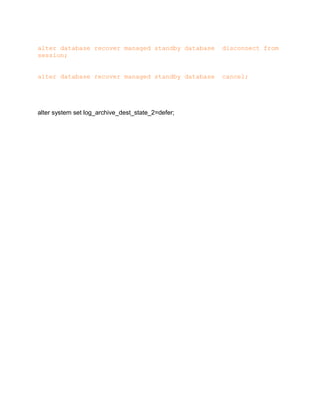
alter database recover managed standby database disconnect from
session;
alter database recover managed standby database cancel;
alter system set log_archive_dest_state_2=defer;

Dr queries

  • 1.
    Verify standby environment Physicalstandby database Count the existing archived logs n the standby database: select count(*) from v$archived_log; Then archive the current log on the primary database: Alter system archive log current; Then, count the archived logs on the standby database again. It should have been increased by one. Level of synchronization To see if there is a problem with the archiving destinations (such as that destination that transmits logs), query v$archive_dest_status. Select archived_thread#, archived_seq#, applied_thread#, applied_seq# from v$archive_dest_status; Show received logs On a physical standby database, the received archived redo logs can be displayed like this: Select registrar, creator, thread#, sequence#, first_change#, next_change# from v$archived_log; Show applied archived redo log select thread#, sequence#, first_change#, next_change# from v$log_history; Show messages Use v$dataguard_status to display messages. Dest_id refers to what is configured with log_archive_dest_n. select message from v$dataguard_status where dest_id = 2;
  • 2.
    The query wasexecuted on the primary database, and it shows that the destination 2 cannot deliver its logs. ARCH: Error 12535 Creating archive log file to 'to_standby' ARCH: Error 12535 Creating archive log file to 'to_standby' ARCH: Error 12535 Creating archive log file to 'to_standby' Broken network connections: If the network connection is broken, the standby database writes RFS: Possible network disconnect with primary database. The primary database writes: Network asynch I/O wait error 3114 log 3 service 'to_standby'. Archived logs that are not transmitted The following query assumes that the archives are locally stored on destination 1 and sent to the remote server on destination 2. select substr(local.name,1,50) "Archive Name", case when remote.sequence# is null then 'NOT TRANSMITTED' else 'transmitted' end, local.sequence#, local.thread# from (select * from v$archived_log where dest_id = 1) local left join (select * from v$archived_log where dest_id = 2) remote on local.sequence# = remote.sequence# and local.thread# = remote.thread# order by local.sequence#; Is standby database performing managed recovery Select process, status from v$managed_standby; If there is a MRP or a MRP0 process, the database is performing managed recovery. Monitoring the recovery process select process, status, thread#, sequence#, block#, blocks from v$managed_standby;
  • 3.
    alter database recovermanaged standby database disconnect from session; alter database recover managed standby database cancel; alter system set log_archive_dest_state_2=defer;