Docker
Content
 Docker
 Virtual Machine
 Difference bw Docker and VM
 Advantage
 Docker Files
 Docker Image
 Docker Containers
Docker
 Docker is an open platform for developing,
shipping, and running applications.
 Docker enables you to separate your
applications from your infrastructure so you
can deliver software quickly.
 With Docker, you can manage your
infrastructure in the same ways you manage
your applications.
 Docker reduce the delay between writing code
and running it in production.
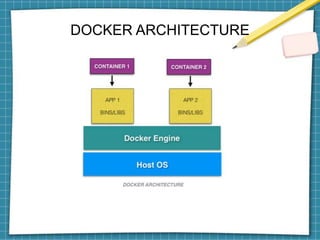
DOCKER ARCHITECTURE
Why docker?
Virtual Machine
 A virtual machine is capable of performing
tasks such as running applications and
programs
 A host can have several virtual machines
running at a specific time.
 Docker containers are much smaller and
require far fewer resources than a VM.
 The lightweight architecture of Docker
containers is less resource-intensive than
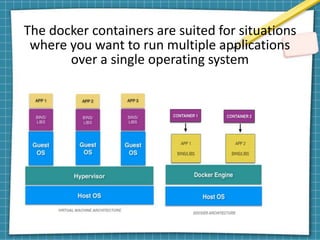
The docker containers are suited for situations
where you want to run multiple applications
over a single operating system
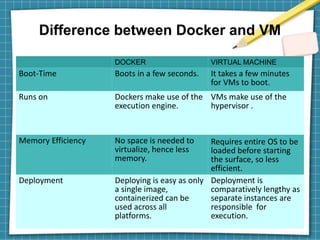
Difference between Docker and VM
DOCKER VIRTUAL MACHINE
Boot-Time Boots in a few seconds. It takes a few minutes
for VMs to boot.
Runs on Dockers make use of the
execution engine.
VMs make use of the
hypervisor .
Memory Efficiency No space is needed to
virtualize, hence less
memory.
Requires entire OS to be
loaded before starting
the surface, so less
efficient.
Deployment Deploying is easy as only
a single image,
containerized can be
used across all
platforms.
Deployment is
comparatively lengthy as
separate instances are
responsible for
execution.
Advantage
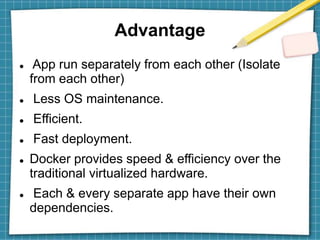
 App run separately from each other (Isolate
from each other)
 Less OS maintenance.
 Efficient.
 Fast deployment.
 Docker provides speed & efficiency over the
traditional virtualized hardware.
 Each & every separate app have their own
dependencies.
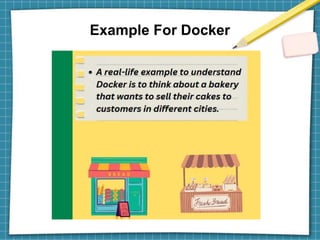
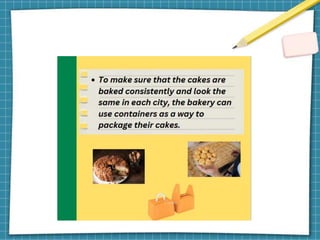
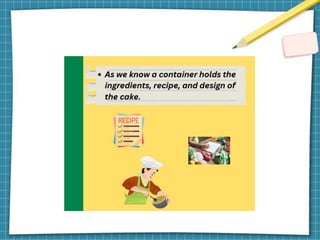
Example For Docker
How Docker Works?
Three different stages for containers working in a
dockerized environment.
 Docker Image
 Docker Containers
 Dockerfile
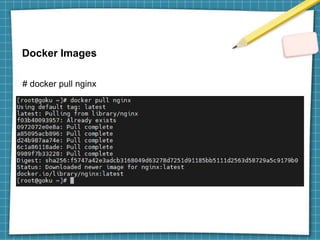
Docker Images
# docker pull nginx
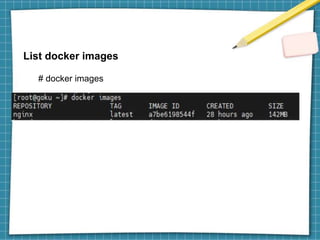
List docker images
# docker images
Docker container
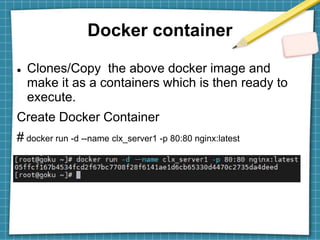
 Clones/Copy the above docker image and
make it as a containers which is then ready to
execute.
Create Docker Container
# docker run -d --name clx_server1 -p 80:80 nginx:latest
Docker container
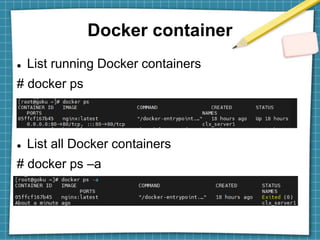
 List running Docker containers
# docker ps
 List all Docker containers
# docker ps –a
Start Container
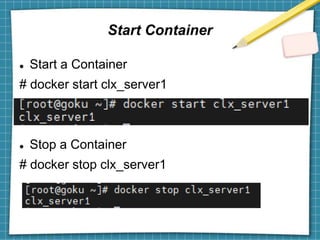
 Start a Container
# docker start clx_server1
 Stop a Container
# docker stop clx_server1
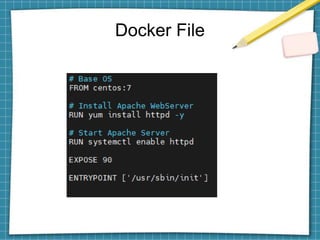
Docker File
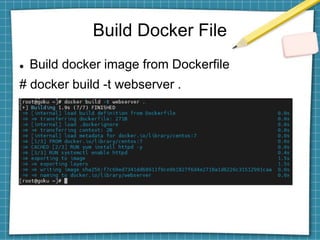
Build Docker File
 Build docker image from Dockerfile
# docker build -t webserver .
Thank You

Docker_tech_guild ppt.ppt technical guild

  • 1.
  • 2.
    Content  Docker  VirtualMachine  Difference bw Docker and VM  Advantage  Docker Files  Docker Image  Docker Containers
  • 3.
    Docker  Docker isan open platform for developing, shipping, and running applications.  Docker enables you to separate your applications from your infrastructure so you can deliver software quickly.  With Docker, you can manage your infrastructure in the same ways you manage your applications.  Docker reduce the delay between writing code and running it in production.
  • 4.
  • 5.
    Why docker? Virtual Machine A virtual machine is capable of performing tasks such as running applications and programs  A host can have several virtual machines running at a specific time.  Docker containers are much smaller and require far fewer resources than a VM.  The lightweight architecture of Docker containers is less resource-intensive than
  • 6.
    The docker containersare suited for situations where you want to run multiple applications over a single operating system
  • 7.
    Difference between Dockerand VM DOCKER VIRTUAL MACHINE Boot-Time Boots in a few seconds. It takes a few minutes for VMs to boot. Runs on Dockers make use of the execution engine. VMs make use of the hypervisor . Memory Efficiency No space is needed to virtualize, hence less memory. Requires entire OS to be loaded before starting the surface, so less efficient. Deployment Deploying is easy as only a single image, containerized can be used across all platforms. Deployment is comparatively lengthy as separate instances are responsible for execution.
  • 8.
    Advantage  App runseparately from each other (Isolate from each other)  Less OS maintenance.  Efficient.  Fast deployment.  Docker provides speed & efficiency over the traditional virtualized hardware.  Each & every separate app have their own dependencies.
  • 9.
  • 16.
    How Docker Works? Threedifferent stages for containers working in a dockerized environment.  Docker Image  Docker Containers  Dockerfile
  • 17.
  • 18.
    List docker images #docker images
  • 19.
    Docker container  Clones/Copythe above docker image and make it as a containers which is then ready to execute. Create Docker Container # docker run -d --name clx_server1 -p 80:80 nginx:latest
  • 20.
    Docker container  Listrunning Docker containers # docker ps  List all Docker containers # docker ps –a
  • 21.
    Start Container  Starta Container # docker start clx_server1  Stop a Container # docker stop clx_server1
  • 22.
  • 23.
    Build Docker File Build docker image from Dockerfile # docker build -t webserver .
  • 24.