



Deploying and Scaling a Rails
Application with Docker,
Consul and Friends
Kieran Johnson
@kieranj
https://www.invisiblelines.com
build, ship, and run any application,
anywhere
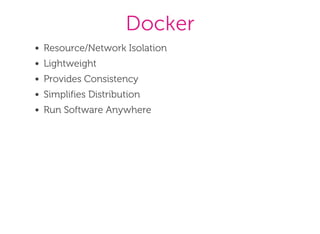
Docker
Resource/Network Isolation
Lightweight
Provides Consistency
Simplifies Distribution
Run Software Anywhere
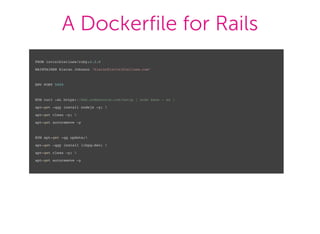
A Dockerfile for Rails
FROM invisiblelines/ruby:2.2.0
MAINTAINER Kieran Johnson "kieran@invisiblelines.com"
ENV PORT 5000
RUN curl -sL https://deb.nodesource.com/setup | sudo bash - && 
apt-get -qqy install nodejs -y; 
apt-get clean -y; 
apt-get autoremove -y
RUN apt-get -qq update;
apt-get -qqy install libpq-dev; 
apt-get clean -y; 
apt-get autoremove -y
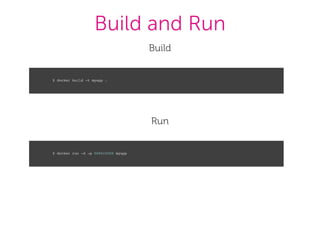
Build and Run
Build
$ docker build -t myapp .
Run
$ docker run -d -p 5000:5000 myapp
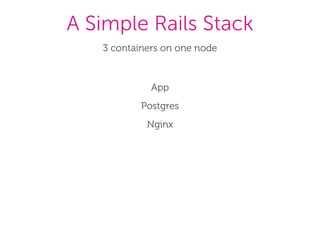
A Simple Rails Stack
3 containers on one node
App
Postgres
Nginx
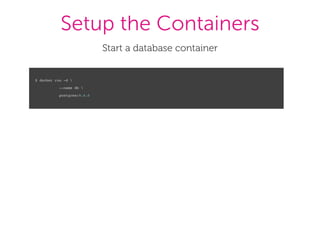
Setup the Containers
Start a database container
$ docker run -d 
--name db 
postgres:9.4.0
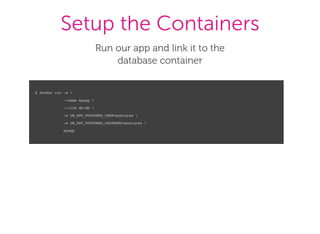
Setup the Containers
Run our app and link it to the
database container
$ docker run -d 
--name myapp 
--link db:db 
-e DB_ENV_POSTGRES_USER=postgres 
-e DB_ENV_POSTGRES_PASSWORD=postgres 
myapp
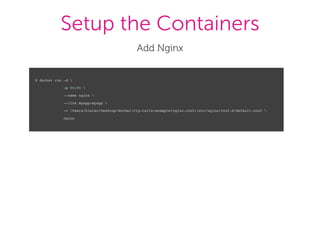
Setup the Containers
Add Nginx
$ docker run -d 
-p 80:80 
--name nginx 
--link myapp:myapp 
-v /Users/kieran/Desktop/docker-fig-rails-example/nginx.conf:/etc/nginx/conf.d/default.conf 
nginx
Issues
Links don't (yet) work across nodes
Scaling services requires manually starting
containers
Configuration files need updating manually
How To Scale?
Docker Compose
+
Docker Swarm
+
Consul
+
Registrator
A Dynamic and Scalable
Docker Cluster
Docker Compose
https://github.com/docker/compose
Docker Compose
Define and run multi­container applications that
can be run with a single command
Simple YAML file
Supports most Docker options
Can scale containers
Docker Compose
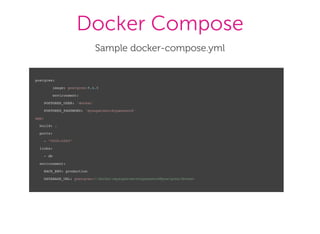
Sample docker­compose.yml
postgres:
image: postgres:9.4.0
environment:
POSTGRES_USER: 'docker'
POSTGRES_PASSWORD: 'mysupersecretpassword'
app:
build: .
ports:
- "5000:5000"
links:
- db
environment:
RACK_ENV: production
DATABASE_URL: postgres://docker:mysupersecretpassword@postgres/docker
Docker Compose
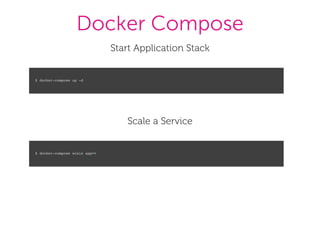
Start Application Stack
$ docker-compose up -d
Scale a Service
$ docker-compose scale app=6
Docker Swarm
https://github.com/docker/swarm
Docker Swarm
Schedule containers on multiple Docker engines
from a single point
Add filters/constraints to define which containers
run on which nodes
Docker Swarm
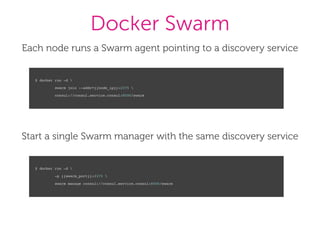
Each node runs a Swarm agent pointing to a discovery service
$ docker run -d 
swarm join --addr={{node_ip}}:2375 
consul://consul.service.consul:8500/swarm
Start a single Swarm manager with the same discovery service
$ docker run -d 
-p {{swarm_port}}:2375 
swarm manage consul://consul.service.consul:8500/swarm
Docker Swarm
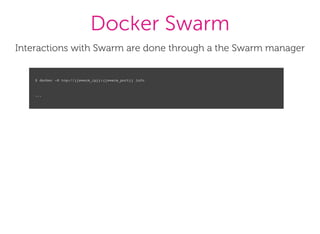
Interactions with Swarm are done through a the Swarm manager
$ docker -H tcp://{{swarm_ip}}:{{swarm_port}} info
...
Consul
https://www.consul.io
Consul
Service Discovery
Health Checking
Key/Value Store
Consul - Service Discovery
Register service with consul
$ curl -X PUT 
-d "{"ID": "app001", "Name": "app", "Tags": [], "Port": 5000}" 
0.0.0.0:8500/v1/agent/services/register
List of services can now be queried via API
$ curl 0.0.0.0:8500/v1/catalog/services
{"app": [], "consul": []}
Consul - Service Discovery
A single service definition via API
$ curl 0.0.0.0:8500/v1/catalog/service/app
[
{
"ServicePort": 49153,
"ServiceAddress": "",
"ServiceTags": null,
"ServiceName": "app",
"ServiceID": "swarm-0:dockeransible_app_1:5000",
"Address": "10.129.127.240",
"Node": "swarm-0"
}
]
Consul - DNS
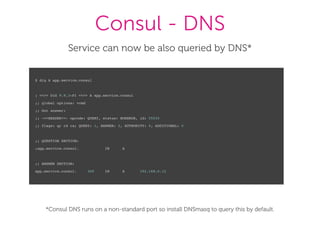
Service can now be also queried by DNS*
$ dig A app.service.consul
; <<>> DiG 9.8.3-P1 <<>> A app.service.consul
;; global options: +cmd
;; Got answer:
;; ->>HEADER<<- opcode: QUERY, status: NOERROR, id: 55035
;; flags: qr rd ra; QUERY: 1, ANSWER: 2, AUTHORITY: 0, ADDITIONAL: 0
;; QUESTION SECTION:
;app.service.consul. IN A
;; ANSWER SECTION:
app.service.consul. 300 IN A 192.168.0.12
*Consul DNS runs on a non­standard port so install DNSmasq to query this by default.
Consul - Health Checks
Health checks monitor service
Remove a service from DNS queries if it fails a
health check
Consul - Key/Value Store
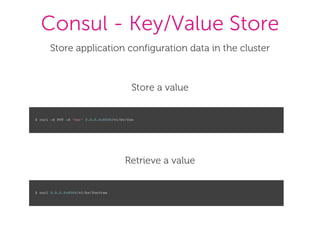
Store application configuration data in the cluster
Store a value
$ curl -X PUT -d "bar" 0.0.0.0:8500/v1/kv/foo
Retrieve a value
$ curl 0.0.0.0:8500/v1/kv/foo?raw
Consul - Watches
Watch a view of data and run a handler when the data changes
i.e. when services change, or when the value of a key is changed
Consul - Watches
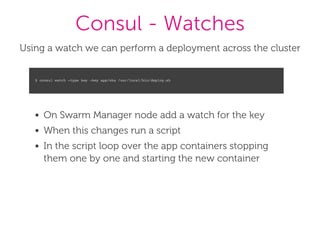
Using a watch we can perform a deployment across the cluster
$ consul watch -type key -key app/sha /usr/local/bin/deploy.sh
On Swarm Manager node add a watch for the key
When this changes run a script
In the script loop over the app containers stopping
them one by one and starting the new container
Configuring Services
Manually updating Consul with service
definitions in Consul isn't always ideal
Thankfully it can automated
Registrator
https://github.com/gliderlabs/registrator
Registrator
Runs as a container
Works with multiple service registry backends
including Consul
Provides sane defaults for registered services
Customisable using environment variables when
starting containers
Dynamic Configuration
With services now running anywhere in a cluster we need to
update some configuration files as the application scales, 
e.g nginx upstream
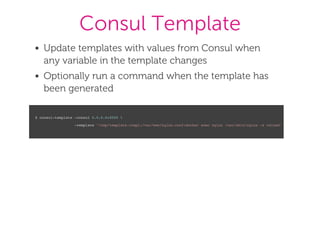
Consul Template
Update templates with values from Consul when
any variable in the template changes
Optionally run a command when the template has
been generated
$ consul-template -consul 0.0.0.0:8500 
-template "/tmp/template.ctmpl:/var/www/nginx.conf:docker exec nginx /usr/sbin/nginx -s reload"
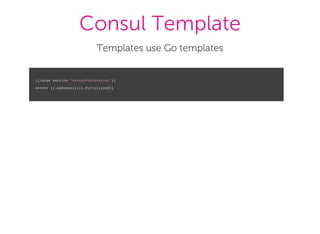
Consul Template
Templates use Go templates
{{range service "webapp@datacenter"}}
server {{.Address}}:{{.Port}}{{end}}
All Together Now
Run Consul, Swarm and Registrator on each node in
the cluster
Swarm manager runs on one node
Docker Compose runs the predefined containers
through the Swarm manager which handler
scheduling
Registrator updates Consul with services as they
become available
Containers query Consul for other services
Consul Template responds to changes in Consul
and updates configuration files
Demo
Demo Notes
Infrastruction provisioned using Terraform (also
from Hashicorp)
Each node is bootstrapped using Ansible to setup
Consul/Swarm, DNSmasq and add
watches/templates
The End

Deploying and Scaling a Rails Application with Docker and Friends