BUTTER BEI DIE FISCHE
Ein Jahr Entwicklung und Produktion mit Docker
Johannes Unterstein und Patrick Busch
AGENDA
How can we make a single tenant system suitable
for multitenancy and scalable without changing the
whole system?
AGENDA
• Introduction
• Dockerizing the Application
• Dockerizing the Infrastructure
• Best Practices
• Lessons Learned
INTRODUCTION
• One existing application
• Have it available for several different legal entities
• No way to implement multitenancy the existing
application
INTRODUCTION
SOAP
SQL
STORED
PROCEDURES
NO CACHING
flens/web
flens/burg
flens/db
INTRODUCTION
SOAP
SQL
STORED
PROCEDURES
NO CACHING
SOAP
SQL
STORED
PROCEDURES
NO CACHING
SOAP
SQL
STORED
PROCEDURES
NO CACHING
etc.
PROXY
A B C
DOCKERIZINGTHE
APPLICATION
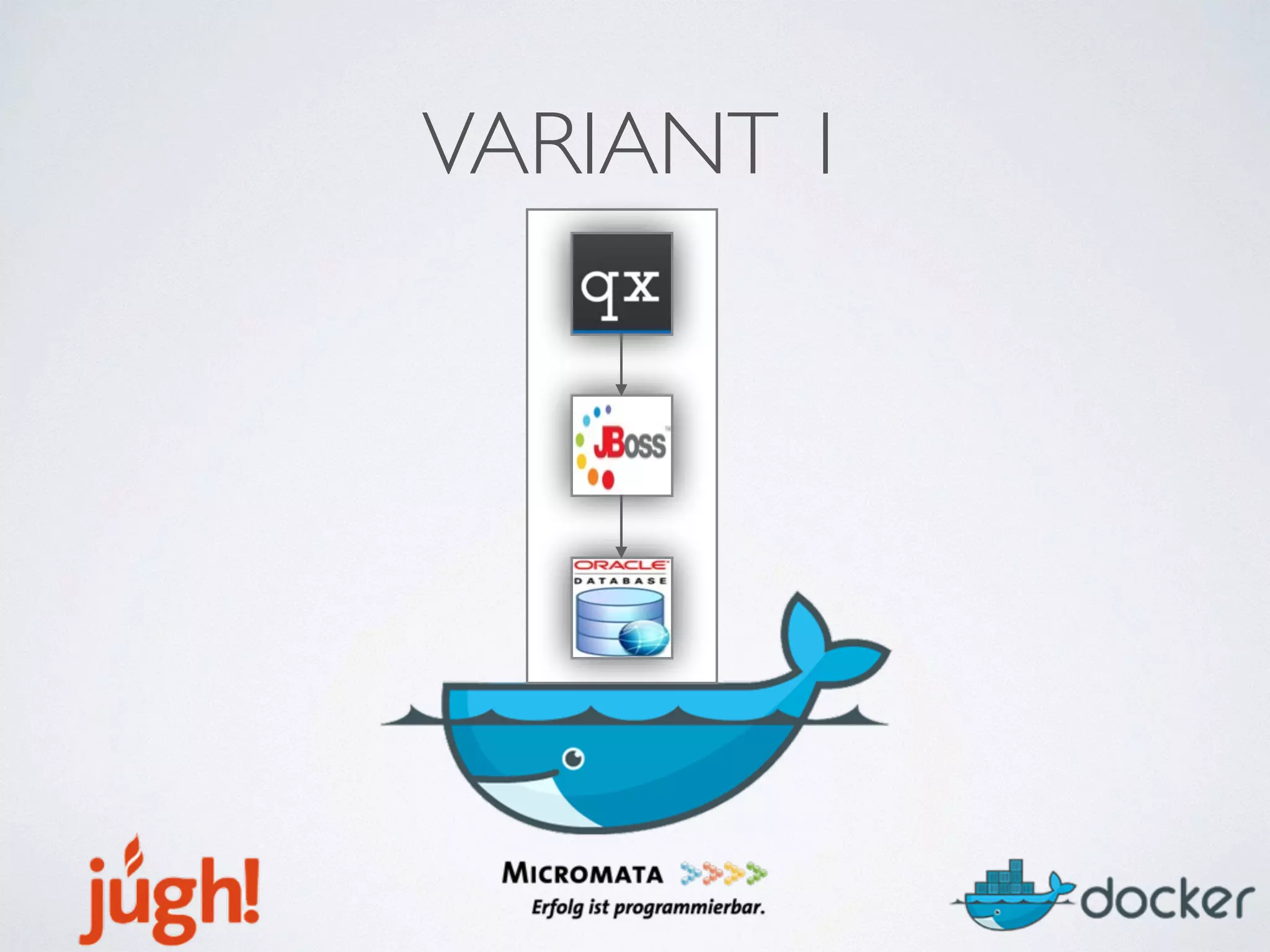
VARIANT 1
VARIANT 1
• Pros
• Easy to understand/build/run/host
• Cons
• Separation
• Scalability
• Updates
VARIANT 2
VARIANT 2
• Pros
• Scalability
• Separation
• Updates
• Cons
• Advanced connection between containers needed
VARIANT 2
• Connection between containers
• Not via docker linkage
• Via /etc/host entry and environment variable
• Interpreting startup shell script in container
VARIANT 2
docker run -dP --env
flensburgHost=someHost --env
flensburgPort=1234 flens/web:1.23
DOCKERIZINGTHE
INFRASTRUCTURE
VARIANT A
VARIANT A
FRONTEND
MW/MANAGER
REGISTRY
EXECUTOR
VARIANT A
FRONTEND
MW/MANAGER
REGISTRY
EXECUTOR
builds the image
stores the image
runs the container
VARIANT A
• Classic approach
• Running applications on the metal
• Physical servers, each needs to be configured for the
application
• One server that runs the application containers
VARIANT B
VARIANT B
• More flexibility
• Every physical server is basically the same
• Installation done via script in a few minutes each
• Containers can then be run on any server
• Images contain all the needed configuration
VARIANT C
VARIANT C
*n
VARIANT C
• Multiple servers for the application containers
• Better load distribution
• Improved security
VARIANT D
PROXY
*n
PROXY
PROXY ?
FIREWALL
FIREWALL
FIREWALL
VARIANT D
• Configure containers to point to proxies
• Proxies manage certificates
• Proxies pass through containers
• Allows multiple containers per system to run in
parallel while they can be addressed on their own
FULL SCALE
*n
BUILD
IMAGES
PROXY
PROXYFIREWALL
FIREWALL
FIREWALL
FULL SCALE
*n
BUILD
IMAGES
STORE
IMAGES
PUSH
PROXY
PROXYFIREWALL
FIREWALL
FIREWALL
RUN
CONTAINERS
FULL SCALE
*n
BUILD
IMAGES
STORE
IMAGES
PUSH
PULL
*n
*n
*n
PROXY
PROXYFIREWALL
FIREWALL
FIREWALL
ADDED BENEFITS
• Self Service
• Flexibility
• Scalability
• Security
• A/B-Switching
STAGING
*n
PUSH
PULL
*n
PUSH
PULL
PRODUCTION STAGE
STAGING
*n
PUSH
PULL
*n
PUSH
PULL
PRODUCTION STAGE
SHARED REGISTRY FOR
INFRASTRUCTURE IMAGES
STAGING
• Easily duplicated environment
• Use docker registry for infrastructure images
• Release versioned images
• Script checks that versions cannot be overwritten
• Stage first approach
BEST PRACTICES
COMMON BASE IMAGES
• Common stuff in common base image
• As much as possible in base image
• Define versions of tools explicitly
• Lowers registry size
GROUP COMMANDS
• Try to combine commands with „&&“
• Less intermediate containers
• Increases build performance
• Lowers registry size
GROUP COMMANDS
RUN chmod u+x /home/app/start.sh
RUN chown app:app /home/app/start.sh
GROUP COMMANDS
RUN chmod u+x /home/app/start.sh && 
chown app:app /home/app/start.sh
ORDER COMMANDS
• Stable commands as early as possible
• ADD commands as late as possible
• Caching increases build performance
• Lowers registry size
USE SCRIPTS
docker run -d 
--read-only 
-p 127.0.0.1:30022:22 
-p 127.0.0.1:38080:8080 
-v /docker/data/nginx:/var/lib/nginx 
-v /docker/logs/nginx:/var/log/nginx 
-v /docker/tmp:/tmp 
-v /docker/run:/var/run 
--name flens_web 
repository_host_name:8888/flens/web:1.0
USE SCRIPTS
flens web run 1.0
USE SCRIPTS
• Running containers can be complicated on the
console
• Scripts can improve readability and memorability
• Improved speed and less failures
• Reusability
BUILD CONTINUOUS
• Use scripts in continuous integration server as well
• We use „Execute shell command“ jobs
• e.g.: flens web build && flens web rerun
USE PROXIES
• Proxy on the physical machines (e.g. nginx)
• Containers listen only to localhost device
• Nginx handles incoming requests and passes on
• Nginx handles security
• More than one container of a given type
• By symlinking nginx config files you can switch from one slot to another
USEVOLUMES
• Volumes are directories mounted from the
physical host
• Files in a volume are visible from inside the
container (and writeable)
• Useful for logging, syncing data, etc…
READ-ONLY CONTAINERS
• A read only container cannot write to its own file system
• Can only write to volumes
• Perfectly immutable containers are easily interchangable!
• Build and distribute containers even more freely
• No unexpected states, defined income -> defined outcome
MAKEYOUR CONTAINERS
FLEXIBLE
• Use /etc/hosts defined hostnames instead of IP
addresses
• Use environment variables at startup (--env)
LESSONS LEARNED
QUIRKS OF DOCKERFILES
• COPY vs ADD
• ADD can be a URL,ADD extracts tar.gz files automatically
• ENTRYPOINT vs CMD
• CMD can be overwritten at startup, ENTRYPOINT cannot
• Both are possible in a single Dockerfile
• ENTRYPOINT/CMD syntax
• determines if the executable is started directly or in a shell
QUIRKS OF DOCKERFILES
• COPY vs ADD
• ADD can be a URL,ADD extracts tar.gz files automatically
• ENTRYPOINT vs CMD
• CMD can be overwritten at startup, ENTRYPOINT cannot
• Both are possible in a single Dockerfile - this combines them!
• ENTRYPOINT/CMD syntax
• determines if the executable is started directly or in a shell
CMD AND ENTRYPOINT
CMD ping localhost
=> /bin/sh -c ‘ping localhost’
CMD[“ping”,”localhost”]
=> ping localhost
ENTRYPOINT[“ping”]
CMD [“localhost”]
=> ping localhost
$ docker run container_name www.flens.de
=> ping www.flens.de
TRUSTYOUR OWN SKILLS
• Young technology, many tutorials, everybody else
knows it better
• Linking is fine, but not for us
• Configuring /etc/hosts at startup works wonders
• Try to use your own solution
DON’T USE LINKAGE
• Not possible over real machine boundaries
• Often leads to problems during startup
• Use /etc/hosts and environment parameters
DOCKER IN DOCKER
• Our infrastructure builds docker images
dynamically
• Our infrastructure is dockerized
• Do we need „docker in docker?“
DOCKER IN DOCKER
•Docker in docker is possible
• docker run -- privileged flens/mw:1.23
•Container runs inside flens/mw
•Problems during update of outer app
DOCKER IN DOCKER
•We used client/server docker communication
•Client = flens/mw
•Server = Docker of host system
•Similar to boot2docker
•All container runs on host system
IT’S CHEAPER
• We can use off the shelf servers
• We can use virtualized servers
• We can distribute easily over different server
providers
• Easily scalable
IT’S BETTER
• Release on touch of a button
• Deployment on touch of a button
• Transparent versioning of all apps
• Transparency of OS environment running the apps
• Environment is now part of dev process and versionable
THANKS
Cheers

Butter bei die Fische - Ein Jahr Entwicklung und Produktion mit Docker