• The Domain Name Service (DNS) is an internet service that converts domain names into their
corresponding IP Addresses and vice versa.
• Any computer on the internet can maintain a file that manually associates IP addresses with domain
names. On Linux and Unix systems, this file is called the /etc/hosts file. Here you can enter the IP
Addresses and domain names of computer you commonly access.
• Using this method, however each computer needs a complete listing of all others computers on the
Internet, and this listing must be updated constantly.
• The DNS has been implemented to deal with the task of translating the domain name of any computer
on the Internet to its IP Address.
3
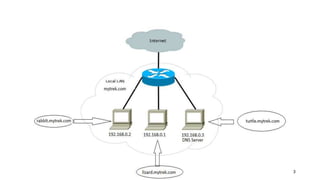
• User at rabbit.mytrek.com wants to connect to lizard.mytrek.com, so it will query to the respective dns server and
dns server looks up the name lizard.mytrek.com and find its IP Address 192.168.0.3
• Using the IP address for lizard.mytrek.com, the user at rabbit.mytrek.com can now connect to that host.
• Communication between two systems is happens with IP Address only.
• When a user wants to access remote host, it enters its fully qualified domain name to access a remote host, a
resolver program queries the local network’s DNS Server to provide the IP Address of a remote host. With the IP
address the user can then access the remote host.
• The Domain Name System of the Internet
The domain name system of the internet works in a inverted tree structure . At the top of the tree is the root name
server . The root server is followed by TLD's or Top Level Domains , and then TLD's are followed by SLD's or Second
Level Domains. All of these are separated by dots.
The root server is represented by a .(a dot).
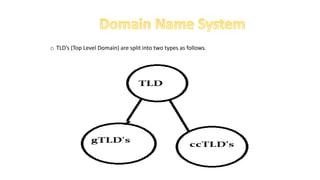
TLD's are split into two types as follows.
o TLD’s (Top Level Domain) are split into two types as follows.
o Generic Top Level Domains(gTLD's) are TLD's like .com,.net,.org,.edu etc.
o Country Code Top Level Domains are domains such as .in,.us,.uk etc.
o Now when we call www.example.in a domain name, this domain name is a combination of gTLD , SLD( Secondary
Level Domain) and the host name.
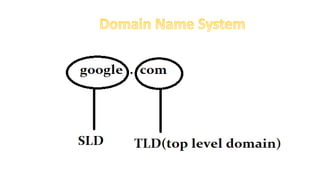
o When we normally call a domain like google.com its the combination of TLD,SLD.
o Each and every node in this Domain Name system is assigned to an authority or organization for its
administration. And that organization responsible for a particular node is authoritative for that node . The term
authoritative will be used many times in DNS system.
o It is very much important to understand the fact that, the left most part (www) in any address, like for example
www.example.in, is the hostname. WWW is used by websites only by convention, there is no rule to use www for
a website. A web site can also be named xyz.example.com.
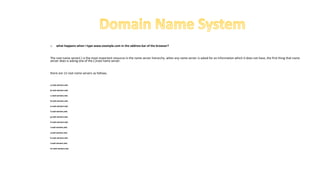
o what happens when I type www.example.com in the address bar of the browser?
The root name server(.) is the most important resource in the name server hierarchy. when any name server is asked for an information which it does not have, the first thing that name
server does is asking one of the (.)root name server.
there are 13 root name servers as follows.
a.root-servers.net.
b.root-servers.net.
c.root-servers.net.
d.root-servers.net.
e.root-servers.net.
f.root-servers.net.
g.root-servers.net.
h.root-servers.net.
i.root-servers.net.
j.root-servers.net.
k.root-servers.net.
l.root-servers.net.
m.root-servers.net.
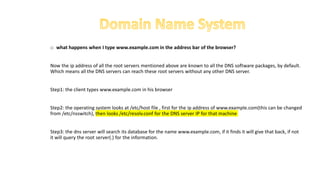
o what happens when I type www.example.com in the address bar of the browser?
Now the ip address of all the root servers mentioned above are known to all the DNS software packages, by default.
Which means all the DNS servers can reach these root servers without any other DNS server.
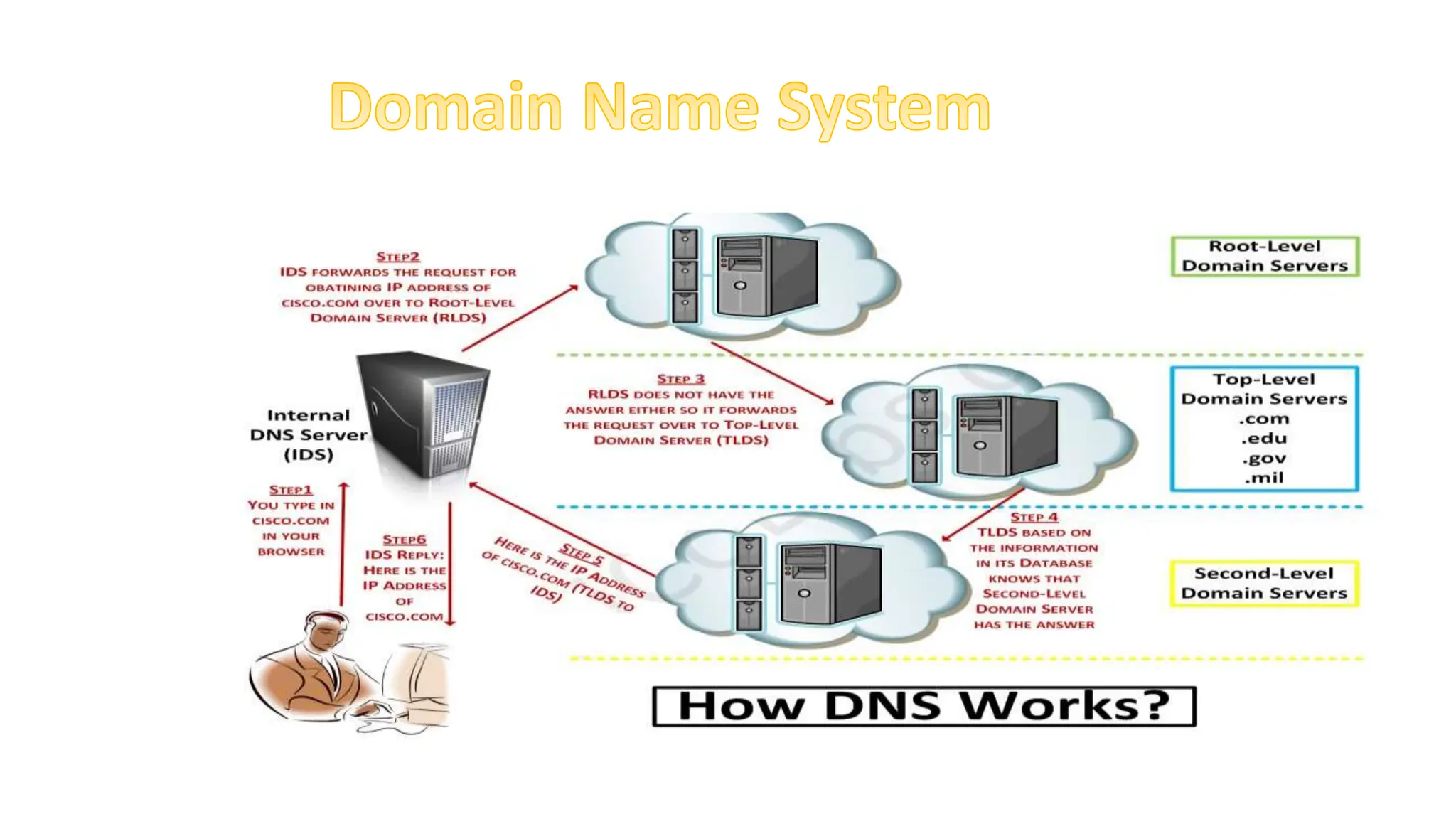
Step1: the client types www.example.com in his browser
Step2: the operating system looks at /etc/host file , first for the ip address of www.example.com(this can be changed
from /etc/nsswitch), then looks /etc/resolv.conf for the DNS server IP for that machine
Step3: the dns server will search its database for the name www.example.com, if it finds it will give that back, if not
it will query the root server(.) for the information.
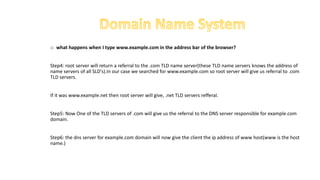
o what happens when I type www.example.com in the address bar of the browser?
Step4: root server will return a referral to the .com TLD name server(these TLD name servers knows the address of
name servers of all SLD's).In our case we searched for www.example.com so root server will give us referral to .com
TLD servers.
If it was www.example.net then root server will give, .net TLD servers refferal.
Step5: Now One of the TLD servers of .com will give us the referral to the DNS server responsible for example.com
domain.
Step6: the dns server for example.com domain will now give the client the ip address of www host(www is the host
name.)
Now lets practically have a look at how this process works.
[root@myvm1 ~]# dig +trace www.google.com
; <<>> DiG 9.3.4-P1<<>> +trace www.google.com
;; global options: printcmd
. 5 IN NS a.root-servers.net.
. 5 IN NS b.root-servers.net.
. 5 IN NS c.root-servers.net.
. 5 IN NS d.root-servers.net.
. 5 IN NS e.root-servers.net.
. 5 IN NS f.root-servers.net.
. 5 IN NS g.root-servers.net.
. 5 IN NS h.root-servers.net.
. 5 IN NS i.root-servers.net.
. 5 IN NS j.root-servers.net.
. 5 IN NS k.root-servers.net.
. 5 IN NS l.root-servers.net.
. 5 IN NS m.root-servers.net.
;; Received 228 bytes from 192.168.159.2#53(192.168.159.2) in 49 ms
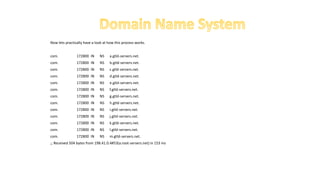
Now lets practically have a look at how this process works.
com. 172800 IN NS a.gtld-servers.net.
com. 172800 IN NS b.gtld-servers.net.
com. 172800 IN NS c.gtld-servers.net.
com. 172800 IN NS d.gtld-servers.net.
com. 172800 IN NS e.gtld-servers.net.
com. 172800 IN NS f.gtld-servers.net.
com. 172800 IN NS g.gtld-servers.net.
com. 172800 IN NS h.gtld-servers.net.
com. 172800 IN NS i.gtld-servers.net.
com. 172800 IN NS j.gtld-servers.net.
com. 172800 IN NS k.gtld-servers.net.
com. 172800 IN NS l.gtld-servers.net.
com. 172800 IN NS m.gtld-servers.net.
;; Received 504 bytes from 198.41.0.4#53(a.root-servers.net) in 153 ms
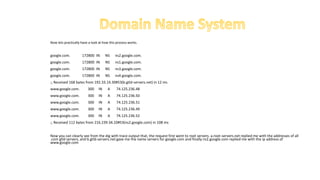
Now lets practically have a look at how this process works.
google.com. 172800 IN NS ns2.google.com.
google.com. 172800 IN NS ns1.google.com.
google.com. 172800 IN NS ns3.google.com.
google.com. 172800 IN NS ns4.google.com.
;; Received 168 bytes from 192.33.14.30#53(b.gtld-servers.net) in 12 ms
www.google.com. 300 IN A 74.125.236.48
www.google.com. 300 IN A 74.125.236.50
www.google.com. 300 IN A 74.125.236.51
www.google.com. 300 IN A 74.125.236.49
www.google.com. 300 IN A 74.125.236.52
;; Received 112 bytes from 216.239.34.10#53(ns2.google.com) in 108 ms
Now you can clearly see from the dig with trace output that, the request first went to root servers. a.root-servers.net replied me with the addresses of all
.com gtld servers, and b.gtld-servers.net gave me the name servers for google.com and finally ns2.google.com replied me with the ip address of
www.google.com
Working Procedures of DNS:
1. When your computer need to connect with a host on the Internet (e.g. MyGreatName.com), you only need to
enter the Domain Name (e.g. MyGreatName.com) in the URL of browser. Your computer will then contact the
configured or default Name Servers (usually your ISP Name Server), asking for the IP Address of the host (e.g
MyGreatName.com).
2. If your ISP Name Server has the information of the IP Address of the query host, it will tell your computer
immediately.
3. Assume that your ISP Name Server do not have the information of MyGreatName.com. Your ISP Name Server will
ask the DNS Root Name Server immediately the Name Server that has the information of MyGreatName.com.
STOP! You may ask: "How can your ISP Name Server knows the Root Name Server? Which Root Name Server to
ask?"
Working Procedures of DNS:
Actually all Name Servers will download and install a file from the FTP server of interNIC. The file is called "named.cache" or
"named.root". This file has the IP Addresses of ALL Root Name Servers.
there are 13 root name servers as follows.
a.root-servers.net.
b.root-servers.net.
c.root-servers.net.
d.root-servers.net.
e.root-servers.net.
f.root-servers.net.
g.root-servers.net.
h.root-servers.net.
i.root-servers.net.
j.root-servers.net.
k.root-servers.net.
l.root-servers.net.
m.root-servers.net.
Working Procedures of DNS:
From the above named.cache file, we know that there are 13 Root Name Servers on the Internet (A.ROOT-
SERVERS.NET., B.ROOT-SERVERS.NET., ...., M.ROOT-SERVERS.NET.). The Root Name Servers are distributed around
the world.
Root Name Servers have all of information of Autoritative Domain Name Servers for the top level domain names (for
example: .com, .org, .net, .com.hk, etc ..)
4. When your ISP Name Server do not have the IP address information of MyGreatName.com, it will check the
named.cache file and ask for help from the Root NameServer. If the first Root Name Server is out of order or do not
have response, your ISP Name Server will ask the second Root Name server.
5. Root Name Server will then tell your ISP Name Server the authoritative Name Server of MyGreatName.com are
212.69.192.10 (Primary
Name Server) and 212.69.192.11 (Secondary Name Server).
Working Procedures of DNS:
Now you should know that why you need to submit information of two Name Servers when register new domain
names.
6. Your ISP Name Server now has the IP Address of the Authoritative Name Server of MyGreatName.com. Your ISP
Name Server will then contact the Authoritative Name Server of MyGreatName.com (212.69.192.10). The
Authoritative Name Server of MyGreatName.com will then check and confirm the information of
MyGreatName.com. It then tell the IP Address of MyGreatName.com (212.69.204.148) to your ISP.
7. Your ISP Name Server now has the IP Address of MyGreatName.com, it will tell your computer immediately.
8. Once your computer get the IP Address of MyGreatName.com, your computer can then communicate with
MyGreatName.com.
Working Procedures of DNS:
From the working procedures of DNS, you should notice that:
The Root Name Servers on the Internet play a very important role in DNS.
There are a lot of Name servers located around the world.
All Name Servers on the Internet have the information of all Root Name Servers. If the first Root Name Server has no
response, the second Root Name Server will be contacted .......
• BIND
• The DNS server software currently in use on Linux systems is Berkeley Internet Name Domain (BIND). BIND was originally
developed at the University of California, Berkeley and is currently maintained and supported by the Internet Software
Consortium (ISC).
• The name of the BIND name server daemon is named. To operate your machine as a name server, simply run the named
daemon with the appropriate configuration.
• The named daemon listens for resolution requests and provides the correct IP address for the requested hostname.
• Tool
• Dig domain: Domain information groper tool to obtain information on a DNS Server. Preferred over
nslookup.
• Host hostname: Simple lookup of hosts
• Nslookup domain: Tool to query DNS Servers for information about domains and hosts
• Rndc: Remote name daemon controller
• Ndc: Name daemon controller

DNSPresentation.pptx

  • 2.
    • The DomainName Service (DNS) is an internet service that converts domain names into their corresponding IP Addresses and vice versa. • Any computer on the internet can maintain a file that manually associates IP addresses with domain names. On Linux and Unix systems, this file is called the /etc/hosts file. Here you can enter the IP Addresses and domain names of computer you commonly access. • Using this method, however each computer needs a complete listing of all others computers on the Internet, and this listing must be updated constantly. • The DNS has been implemented to deal with the task of translating the domain name of any computer on the Internet to its IP Address.
  • 3.
  • 4.
    • User atrabbit.mytrek.com wants to connect to lizard.mytrek.com, so it will query to the respective dns server and dns server looks up the name lizard.mytrek.com and find its IP Address 192.168.0.3 • Using the IP address for lizard.mytrek.com, the user at rabbit.mytrek.com can now connect to that host. • Communication between two systems is happens with IP Address only. • When a user wants to access remote host, it enters its fully qualified domain name to access a remote host, a resolver program queries the local network’s DNS Server to provide the IP Address of a remote host. With the IP address the user can then access the remote host.
  • 5.
    • The DomainName System of the Internet The domain name system of the internet works in a inverted tree structure . At the top of the tree is the root name server . The root server is followed by TLD's or Top Level Domains , and then TLD's are followed by SLD's or Second Level Domains. All of these are separated by dots. The root server is represented by a .(a dot). TLD's are split into two types as follows.
  • 6.
    o TLD’s (TopLevel Domain) are split into two types as follows.
  • 7.
    o Generic TopLevel Domains(gTLD's) are TLD's like .com,.net,.org,.edu etc. o Country Code Top Level Domains are domains such as .in,.us,.uk etc. o Now when we call www.example.in a domain name, this domain name is a combination of gTLD , SLD( Secondary Level Domain) and the host name. o When we normally call a domain like google.com its the combination of TLD,SLD.
  • 9.
    o Each andevery node in this Domain Name system is assigned to an authority or organization for its administration. And that organization responsible for a particular node is authoritative for that node . The term authoritative will be used many times in DNS system. o It is very much important to understand the fact that, the left most part (www) in any address, like for example www.example.in, is the hostname. WWW is used by websites only by convention, there is no rule to use www for a website. A web site can also be named xyz.example.com.
  • 10.
    o what happenswhen I type www.example.com in the address bar of the browser? The root name server(.) is the most important resource in the name server hierarchy. when any name server is asked for an information which it does not have, the first thing that name server does is asking one of the (.)root name server. there are 13 root name servers as follows. a.root-servers.net. b.root-servers.net. c.root-servers.net. d.root-servers.net. e.root-servers.net. f.root-servers.net. g.root-servers.net. h.root-servers.net. i.root-servers.net. j.root-servers.net. k.root-servers.net. l.root-servers.net. m.root-servers.net.
  • 11.
    o what happenswhen I type www.example.com in the address bar of the browser? Now the ip address of all the root servers mentioned above are known to all the DNS software packages, by default. Which means all the DNS servers can reach these root servers without any other DNS server. Step1: the client types www.example.com in his browser Step2: the operating system looks at /etc/host file , first for the ip address of www.example.com(this can be changed from /etc/nsswitch), then looks /etc/resolv.conf for the DNS server IP for that machine Step3: the dns server will search its database for the name www.example.com, if it finds it will give that back, if not it will query the root server(.) for the information.
  • 12.
    o what happenswhen I type www.example.com in the address bar of the browser? Step4: root server will return a referral to the .com TLD name server(these TLD name servers knows the address of name servers of all SLD's).In our case we searched for www.example.com so root server will give us referral to .com TLD servers. If it was www.example.net then root server will give, .net TLD servers refferal. Step5: Now One of the TLD servers of .com will give us the referral to the DNS server responsible for example.com domain. Step6: the dns server for example.com domain will now give the client the ip address of www host(www is the host name.)
  • 13.
    Now lets practicallyhave a look at how this process works. [root@myvm1 ~]# dig +trace www.google.com ; <<>> DiG 9.3.4-P1<<>> +trace www.google.com ;; global options: printcmd . 5 IN NS a.root-servers.net. . 5 IN NS b.root-servers.net. . 5 IN NS c.root-servers.net. . 5 IN NS d.root-servers.net. . 5 IN NS e.root-servers.net. . 5 IN NS f.root-servers.net. . 5 IN NS g.root-servers.net. . 5 IN NS h.root-servers.net. . 5 IN NS i.root-servers.net. . 5 IN NS j.root-servers.net. . 5 IN NS k.root-servers.net. . 5 IN NS l.root-servers.net. . 5 IN NS m.root-servers.net. ;; Received 228 bytes from 192.168.159.2#53(192.168.159.2) in 49 ms
  • 14.
    Now lets practicallyhave a look at how this process works. com. 172800 IN NS a.gtld-servers.net. com. 172800 IN NS b.gtld-servers.net. com. 172800 IN NS c.gtld-servers.net. com. 172800 IN NS d.gtld-servers.net. com. 172800 IN NS e.gtld-servers.net. com. 172800 IN NS f.gtld-servers.net. com. 172800 IN NS g.gtld-servers.net. com. 172800 IN NS h.gtld-servers.net. com. 172800 IN NS i.gtld-servers.net. com. 172800 IN NS j.gtld-servers.net. com. 172800 IN NS k.gtld-servers.net. com. 172800 IN NS l.gtld-servers.net. com. 172800 IN NS m.gtld-servers.net. ;; Received 504 bytes from 198.41.0.4#53(a.root-servers.net) in 153 ms
  • 15.
    Now lets practicallyhave a look at how this process works. google.com. 172800 IN NS ns2.google.com. google.com. 172800 IN NS ns1.google.com. google.com. 172800 IN NS ns3.google.com. google.com. 172800 IN NS ns4.google.com. ;; Received 168 bytes from 192.33.14.30#53(b.gtld-servers.net) in 12 ms www.google.com. 300 IN A 74.125.236.48 www.google.com. 300 IN A 74.125.236.50 www.google.com. 300 IN A 74.125.236.51 www.google.com. 300 IN A 74.125.236.49 www.google.com. 300 IN A 74.125.236.52 ;; Received 112 bytes from 216.239.34.10#53(ns2.google.com) in 108 ms Now you can clearly see from the dig with trace output that, the request first went to root servers. a.root-servers.net replied me with the addresses of all .com gtld servers, and b.gtld-servers.net gave me the name servers for google.com and finally ns2.google.com replied me with the ip address of www.google.com
  • 16.
    Working Procedures ofDNS: 1. When your computer need to connect with a host on the Internet (e.g. MyGreatName.com), you only need to enter the Domain Name (e.g. MyGreatName.com) in the URL of browser. Your computer will then contact the configured or default Name Servers (usually your ISP Name Server), asking for the IP Address of the host (e.g MyGreatName.com). 2. If your ISP Name Server has the information of the IP Address of the query host, it will tell your computer immediately. 3. Assume that your ISP Name Server do not have the information of MyGreatName.com. Your ISP Name Server will ask the DNS Root Name Server immediately the Name Server that has the information of MyGreatName.com. STOP! You may ask: "How can your ISP Name Server knows the Root Name Server? Which Root Name Server to ask?"
  • 17.
    Working Procedures ofDNS: Actually all Name Servers will download and install a file from the FTP server of interNIC. The file is called "named.cache" or "named.root". This file has the IP Addresses of ALL Root Name Servers. there are 13 root name servers as follows. a.root-servers.net. b.root-servers.net. c.root-servers.net. d.root-servers.net. e.root-servers.net. f.root-servers.net. g.root-servers.net. h.root-servers.net. i.root-servers.net. j.root-servers.net. k.root-servers.net. l.root-servers.net. m.root-servers.net.
  • 18.
    Working Procedures ofDNS: From the above named.cache file, we know that there are 13 Root Name Servers on the Internet (A.ROOT- SERVERS.NET., B.ROOT-SERVERS.NET., ...., M.ROOT-SERVERS.NET.). The Root Name Servers are distributed around the world. Root Name Servers have all of information of Autoritative Domain Name Servers for the top level domain names (for example: .com, .org, .net, .com.hk, etc ..) 4. When your ISP Name Server do not have the IP address information of MyGreatName.com, it will check the named.cache file and ask for help from the Root NameServer. If the first Root Name Server is out of order or do not have response, your ISP Name Server will ask the second Root Name server. 5. Root Name Server will then tell your ISP Name Server the authoritative Name Server of MyGreatName.com are 212.69.192.10 (Primary Name Server) and 212.69.192.11 (Secondary Name Server).
  • 19.
    Working Procedures ofDNS: Now you should know that why you need to submit information of two Name Servers when register new domain names. 6. Your ISP Name Server now has the IP Address of the Authoritative Name Server of MyGreatName.com. Your ISP Name Server will then contact the Authoritative Name Server of MyGreatName.com (212.69.192.10). The Authoritative Name Server of MyGreatName.com will then check and confirm the information of MyGreatName.com. It then tell the IP Address of MyGreatName.com (212.69.204.148) to your ISP. 7. Your ISP Name Server now has the IP Address of MyGreatName.com, it will tell your computer immediately. 8. Once your computer get the IP Address of MyGreatName.com, your computer can then communicate with MyGreatName.com.
  • 20.
    Working Procedures ofDNS: From the working procedures of DNS, you should notice that: The Root Name Servers on the Internet play a very important role in DNS. There are a lot of Name servers located around the world. All Name Servers on the Internet have the information of all Root Name Servers. If the first Root Name Server has no response, the second Root Name Server will be contacted .......
  • 21.
    • BIND • TheDNS server software currently in use on Linux systems is Berkeley Internet Name Domain (BIND). BIND was originally developed at the University of California, Berkeley and is currently maintained and supported by the Internet Software Consortium (ISC). • The name of the BIND name server daemon is named. To operate your machine as a name server, simply run the named daemon with the appropriate configuration. • The named daemon listens for resolution requests and provides the correct IP address for the requested hostname.
  • 22.
    • Tool • Digdomain: Domain information groper tool to obtain information on a DNS Server. Preferred over nslookup. • Host hostname: Simple lookup of hosts • Nslookup domain: Tool to query DNS Servers for information about domains and hosts • Rndc: Remote name daemon controller • Ndc: Name daemon controller